#🤝|tech-support
1 messages · Page 15 of 1
 worthy portal
 ornate elk
worthy portal
yes
ornate elk
worthy portal
yes
If so change --no-half-vae to --no-half and it should work
worthy portal
ornate elk
If so change --no-half-vae to --no-half and it should work
ok i try
 blissful quarry
Is there a controlnet that's good for capturing bodyfat? Or do I need to get a better mannequin with better shadowing to show body proportions, compared to the one I have? I'm trying various control nets (openpose, depth, normalBAE), but they kind of miss the body fat from this reference since it is only vaguely alluded to with shadow.

 worthy portal
ornate elk
If so change --no-half-vae to --no-half and it should work
worthy portal
ornate elk
If so change --no-half-vae to --no-half and it should work
Now I see this
.
OutOfMemoryError: CUDA out of memory. Tried to allocate 40.00 MiB (GPU 0; 4.00 GiB total capacity; 3.35 GiB already allocated; 0 bytes free; 3.44 GiB reserved in total by PyTorch) If reserved memory is >> allocated memory try setting max_split_size_mb to avoid fragmentation. See documentation for Memory Management and PYTORCH_CUDA_ALLOC_CONF
Time taken: 2.8 sec.
A: 3.39 GB, R: 3.44 GB, Sys: 4.0/4 GB (100.0%)
 stone hawk
https://civitai.com/models/240700/perfect-thick-ass I can't get this Lora to work, it has 0 effect on images. Can anybody get it to work, and tell me how? (slight nsfw)
Model Info Prompt Keywords: thick ass, booty pose, big fat ass Demo: https://colab.research.google.com/drive/1BDMiPrI9fuuA1pxZY-OAd4xM7BKUglfy?usp=...
ornate elk
worthy portal
Now I see this
.
OutOfMemoryError: CUDA out of memory. Tried to allocate 40.00 M...
Okay what are your txt2img settings like resolution etc?
worthy portal
ornate elk
Okay what are your txt2img settings like resolution etc?
Generation
Textual Inversion
Hypernetworks
Checkpoints
Lora
Sampling method
DPM++ 2M Karras
Sampling steps
20
Hires. fix
▼
Refiner
▼
Width
512
Height
512
⇅
Batch count
1
Batch size
1
CFG Scale
7
Seed
-1
🎲️
♻️
Extra
Script
ornate elk
worthy portal
Generation
Textual Inversion
Hypernetworks
Checkpoints
Lora
Sampling method
DPM+...
Seems normal
Have you tried The Animatrix model?
Also make sure your GPU driver is updated
worthy portal
ornate elk
Seems normal
Yes, but I still can only make images with a resolution of 400 and below
worthy portal
ornate elk
Also make sure your GPU driver is updated
YES
ornate elk
Can you restart SD and screenshot the cmd window?
worthy portal
ok
ornate elk
stone hawk
https://civitai.com/models/240700/perfect-thick-ass I can't get this Lora to wor...
From an other comment of that lora it seems like its broken and wont work. Falsely trained I guess as its only 4mb to
stone hawk
ornate elk
From an other comment of that lora it seems like its broken and wont work. False...
I see, shame. Wonder where the ratings come from
ornate elk
worthy portal
this is sceenshot
https://drive.google.com/file/d/1FGWFX4kLQLeXS1dWLm7g3XRaAcf4v...
Cant check that there, you can make a screenshot with Win+Shift+S
And then paste it here with Ctrl+v
worthy portal
ornate elk
Cant check that there, you can make a screenshot with Win+Shift+S
And then past...
i know
but i cant upload
ornate elk
You can upload here
worthy portal
upload failed
something is wrong
this shown
worthy portal
ornate elk
Cant check that there, you can make a screenshot with Win+Shift+S
And then past...
It's not a malicious link, it's just a link to my Google Drive
this is all in CMD
.
Already up to date.
venv "C:\AI\stable-diffusion-webui\venv\Scripts\Python.exe"
Python 3.10.6 (tags/v3.10.6:9c7b4bd, Aug 1 2022, 21:53:49) [MSC v.1932 64 bit (AMD64)]
Version: v1.7.0
Commit hash: cf2772fab0af5573da775e7437e6acdca424f26e
Launching Web UI with arguments: --xformers --medvram --no-half
Style database not found: C:\AI\stable-diffusion-webui\styles.csv
Loading weights [5f6f1556d1] from C:\AI\stable-diffusion-webui\models\Stable-diffusion\animatrix_v20.safetensors
Running on local URL: http://127.0.0.1:7860
To create a public link, set share=True in launch().
Creating model from config: C:\AI\stable-diffusion-webui\configs\v1-inference.yaml
Startup time: 29.4s (prepare environment: 9.0s, import torch: 6.7s, import gradio: 2.8s, setup paths: 4.9s, initialize shared: 1.1s, other imports: 2.2s, setup codeformer: 0.2s, load scripts: 1.2s, create ui: 0.7s, gradio launch: 0.7s).
Applying attention optimization: xformers... done.
Model loaded in 13.7s (load weights from disk: 1.1s, create model: 0.7s, apply weights to model: 4.9s, apply float(): 0.7s, calculate empty prompt: 6.2s).
ornate elk
worthy portal
this is all in CMD
.
Already up to date.
venv "C:\AI\stable-diffusion-webui\venv...
Okay looks all normal. Then you can try to change --medvram to --lowvram in the webui-user.bat
worthy portal
ornate elk
Okay looks all normal. Then you can try to change --medvram to --lowvram in the ...
Is there a way to use both cpu and gpu to process data?
ornate elk
worthy portal
Is there a way to use both cpu and gpu to process data?
Nope not at the same time
worthy portal
ornate elk
Okay looks all normal. Then you can try to change --medvram to --lowvram in the ...
It produces the image, but it gives this message in the last step, which is to show the image
Of course in 1080 px
OutOfMemoryError: CUDA out of memory. Tried to allocate 1.11 GiB (GPU 0; 4.00 GiB total capacity; 2.56 GiB already allocated; 0 bytes free; 2.60 GiB reserved in total by PyTorch) If reserved memory is >> allocated memory try setting max_split_size_mb to avoid fragmentation. See documentation for Memory Management and PYTORCH_CUDA_ALLOC_CONF
Time taken: 3 min. 1.1 sec.
A: 2.85 GB, R: 3.38 GB, Sys: 4.0/4 GB (100.0%)
is there any --verylowvram ? 🙃
worthy portal
ornate elk
Nope not at the same time
If you give me just a little bit of guidance, my problem will probably be completely solved
Thank you for your time
 woven smelt
Hello im not sure if to ask this here or not but what should I use to control shots similar to this image, it seems random at the moment where the focus of the image is. Someone suggseted latent layer camera but I need it for XL thanks
 ornate elk
worthy portal
It produces the image, but it gives this message in the last step, which is to s...
ornate elk
worthy portal
It produces the image, but it gives this message in the last step, which is to s...
oh, you cant to 1080p with your gpu. 1.5 models are also trained on a resolution of 512x512.
Better try 512x768
You can then later upscale the image in img2img with the sd upscale script
or you can also try use hires fix with these settings:
512x768
30 steps,
cfg 7
Hires Fix:
Hires steps: 10
Upscale by 1.5
denois: 0.5
Upscaler: Resrgan4x+
ornate elk
woven smelt
Hello im not sure if to ask this here or not but what should I use to control sh...
Maybe these will help:
close up shot
close up
close up portrait
portrait
cowboyshot
full body
wide view
woven smelt
ill give them a go
worthy portal
ornate elk
or you can also try use hires fix with these settings:
512x768
30 steps,
cfg 7
H...
Thank you
you did me a favor
These settings are enough for me, because I can produce images with 1000 pixels, I do the rest with img2im or other software.
 vocal burrow
worthy portal
It produces the image, but it gives this message in the last step, which is to s...
vocal burrow
worthy portal
It produces the image, but it gives this message in the last step, which is to s...
you might want to use Tiled VAE then
worthy portal
vocal burrow
you might want to use Tiled VAE then
what's the Tiled VAE ?
ornate elk
worthy portal
what's the Tiled VAE ?
tiled diffusion with tiled vae is an extension that can help to not get the out of vram error when using hires fix or highres resolution
worthy portal
ornate elk
tiled diffusion with tiled vae is an extension that can help to not get the out ...
How can I install it?
ornate elk
worthy portal
How can I install it?
go on the Extensions tab, click on Available, click on Load from:, then search for tiled diffusion, click install, and then restart the webui
then you have a tiled vae option you need to enable, you dont need to activate tiled diffusion
then you can try use Upscale by: 2
worthy portal
ornate elk
go on the Extensions tab, click on Available, click on Load from:, then search f...
Thank you very much, I am installing
worthy portal
ornate elk
go on the Extensions tab, click on Available, click on Load from:, then search f...
how can i enable ?
ornate elk
worthy portal
how can i enable ?
In txt2img you should see the Tiled VAE at the bottom
Open it and click enable
 calm cairn
I have a question that (probably) someone knows the answer to
I'm looking at a model on CivitAI and it's only got one version (which is v1.0)
but then when I click download, there are 2 options
What is the difference? Should I already know this?
thanks in advance
 ornate elk
calm cairn
I have a question that (probably) someone knows the answer to
I'm looking at a m...
ornate elk
calm cairn
I have a question that (probably) someone knows the answer to
I'm looking at a m...
hey, the large one is first trained model, the smaller one is the "pruned" model.
its fp16 and works faster on RTX and AMD cards.
It doesnt affect quality which model you use. both will get slightly different resuslts. So if you want to save space go for the 1.99gb one
calm cairn
ah thank you, I didn't realize size difference for pruning bad images would be that large
Thanks!
woven smelt
I can upsacle using hirex.fix or in img 2 img. Is there any difference in doing on or the other? If I use hirex 2x then img2img 2x will that be the same as img2img 4x?
ornate elk
woven smelt
I can upsacle using hirex.fix or in img 2 img. Is there any difference in doing ...
its nearly the same, hires fix works better so if you can use that for the first upscale.
sd upscale script in img2img uses less vram so that works better for low vram cards or when going for 4k resolution
woven smelt
Ok thanks im more thinking about my process. I am geneating images at low res then picking the best and wanting to upscale those. Its easy if I can do that in img2img script. Using txt2img id have to import them back in one at a time with pnginfo , no batch possiblity
ornate elk
woven smelt
Ok thanks im more thinking about my process. I am geneating images at low res th...
yea you can easy do batch upscaliing in img2img
woven smelt
can I apply adetailer to them in batch processing too?
ornate elk
woven smelt
can I apply adetailer to them in batch processing too?
i didnt tried but upscaling will fix the face anyway
woven smelt
On anohter note ive been using 0.3 denoising fro upscaling, .9 when inpainting from noise and .7 when inpainting from original, do those sound reasonable?
 mental locust
Any hero up for taking a look at this comfyui workflow? Here's the latest iteration that works, and then I just tried plumbing in 'RAVE' and after triple checking I have it matching the example layout am still only getting static - just bypass the unsampler and stuff before it and you'll get the proper results :/
 woven smelt
Thats what a rave look like when I go to one
mental locust
woven smelt
Thats what a rave look like when I go to one
Try lowering the dosage and you'll see the other attendees...
ornate elk
woven smelt
On anohter note ive been using 0.3 denoising fro upscaling, .9 when inpainting f...
yea if they work for you its good, for faces i inpaint at 0.5, upscaling with 0.2
ornate elk
mental locust
Any hero up for taking a look at this comfyui workflow? Here's the latest iterat...
whats the vae and smodel?
mental locust
ornate elk
whats the vae and smodel?
I've been working with bb95furrymix and vae-ft-mse-84000-ema-pruned - the issue is that with most other models I've tried, the workflow creates great video to video, but with bb95 there is a very significant difference between the quality with and without animatediff. Without animatediff the image quality is great, but obviously there is no consistency. With animatediff the animation is smooth, but the image quality drops drastically. I have been talking to a lot of people and had a lot of great advice: I have put in place or had help with: modelsamplingdiscrete and rescalecfg, freeu_v2, freeinit, and the whole workflow is based on one I downloaded from youtube and modified thanks to another that had pieces I wanted (the removebackground).
TLDR: When animatediff with bb95, image quality goes bad. Latest workflow JSON without the rave components is attached here:
ornate elk
mental locust
I've been working with bb95furrymix and vae-ft-mse-84000-ema-pruned - the issue ...
And its only with that model?
 somber halo
good morning guys, does anyone know how to insert a specific image in a specific point through inpaint (even in a different way)?

I need to import a logo where I marked
ornate elk
 crimson leaf
i have 5gb vram, should i use --med or --low?
crimson leaf
i have 5gb vram, should i use --med or --low?
go with --medvram
and --xformers
crimson leaf
thanks
ornate elk
np
 azure sable
I’m having a strange issue with inpaint. It keeps cutting off parts of the inpainted image, such as giving the person half of a head, missing limbs, weird proportions etc. I have two computers, and it’s only happening on one of them, and I’m using the same exact settings and model to inpaint on both of them. Is there a reason for that?
It also inpaints faces really big onto the face, completely ignoring the proportions of the image. I’ve already tried doing a complete reinstall of the SD A1111, and it didn’t fix the issue.
ornate elk
azure sable
It also inpaints faces really big onto the face, completely ignoring the proport...
do you have examples of the broken image + the img2img settingd you used?
azure sable
ornate elk
do you have examples of the broken image + the img2img settingd you used?
Yes, give me a few minutes and I’ll get on my computer and get an example for you
azure sable
ornate elk
do you have examples of the broken image + the img2img settingd you used?
Here is an example I made just now. Steps: 35, Sampler: DPM++ 2M Karras, CFG scale: 7 Denoising strength 0.7, Mask Blur 4. Before inpainting a person I make a quick generation using Photoshop first just to put a person there so that inpaint has something to work with, Or I do a quick sketch if I'm trying to inpaint an object. You can see the head is partially cut off and so is one leg and both arms.

if I create the same image on my other computer, this doesn't happen, except maybe every once and a while but I can regenerate and it's fixed. With this computer, no amount of regenerations changes anything, it always gets cut off in one way or another.
ornate elk
azure sable
Here is an example I made just now. Steps: 35, Sampler: DPM++ 2M Karras, CFG sca...
thats strange, what you should do is to do exactly the same on both images with both PCs, then inpaint the same stuff in inpaint. then compare both Meta data of the output images to check for a difference.
Does both PCs use a nvidia gpu?
 lofty mauve
Cassie what is your setup? Which models do you have running on your machines?
azure sable
ornate elk
thats strange, what you should do is to do exactly the same on both images with ...
Yes, both are Nvidia. One is a laptop with a 3060 and the other is a PC with a 4080. The PC with the 4080 is the one having the issue.
ornate elk
azure sable
Yes, both are Nvidia. One is a laptop with a 3060 and the other is a PC with a 4...
And if you go for a higher Denois? Still cut off?
azure sable
lofty mauve
Cassie what is your setup? Which models do you have running on your machines?
I’m using Realistic Vision 5.1 to generate these images but if I change the model it doesn’t seem to make any difference. I’ve tried most of the photorealistic models on civit.ai.
azure sable
ornate elk
And if you go for a higher Denois? Still cut off?
I will try.
azure sable
ornate elk
And if you go for a higher Denois? Still cut off?
bumping up the denoise doesn't seem to change anything, in fact, this is what happened. amusing but not any better lol
 ornate elk
whats the prompt?
azure sable
I tried pressing generate a few more times and even when it does create full body pics, they're still cut off at the edges. I usually use pretty simple prompts, this is the generic one I used: "a man posing for a photo in a park, blonde hair, t-shirt, jeans, full body, "
ornate elk
also is the mask exact on the person or does it go over the surroundings of him too?
azure sable
I go slightly over the edge of the person so it learns the background a bit. should I be trying to be very exact?
ornate elk
nope, it should have the chance to blend over
ornate elk
azure sable
I go slightly over the edge of the person so it learns the background a bit. sho...
do you use inpaint area "only masked"
and then set the resolution to 768x768?
azure sable
I do use only masked mode. I will have to create a new image from scratch as I don’t usually make square pics. I can try making one 768 by 768 now.
ornate elk
azure sable
I do use only masked mode. I will have to create a new image from scratch as I d...
no no
you dont need to make square pic, but when you inpaint you need to set the resolution sliders to a square resolution
like 512x512 or 768x768 for larger images
ornate elk
inpainting is like generating an image into an image
so you should go for the base trained model resolution
azure sable
ornate elk
so you should go for the base trained model resolution
I just tested that and it fixed it. No cut off parts. Weirdly I never used square resolutions on my old pc and never had that issue! Thank you so much.
ornate elk
azure sable
I just tested that and it fixed it. No cut off parts. Weirdly I never used squar...
no problem 🙂 yes you can be lucky if the inpaint resolution tiles equaly in the input image resolution, but to never get this the sqaure is the solution

 ornate elk
 kindred tinsel
:)
kindred tinsel
:)
your gpu needs --no-half
kindred tinsel
so it did affect somehow I knew it lmao, let me add it some time later :c I closed the server and rn Im running comfy
Im downloading two clip models for comfy once those are done Ill get back to you, mind I ping you if I get any more errors?
 sturdy ginkgo
ugh..updated ComfyUI and all custom nodes and it is now generating at like 60% the regular speed >_<
kindred tinsel
there's a comfy update?
ornate elk
kindred tinsel
Im downloading two clip models for comfy once those are done Ill get back to you...
sure, then you should try a 512x768 image, 30 steps, no sdxl model,
enable hires fix with following settings:
Upscale by: 1.5
Hires steps: 10
Denois: 0.5
Upscaler: Resrgan4x+
Then enable Tiled Vae and set
Encoder: 1024
Decoder: 128
Make sure you use a 2gb model, and your prompt token count needs to be below 225.
And then try to generate.
kindred tinsel
ornate elk
sure, then you should try a 512x768 image, 30 steps, no sdxl model,
enable hires...
Okay? 2gb model right, I think the one I was using works for that, so tiled vae and hires fix do not go at the same time?
Or is that just for the test?
ornate elk
kindred tinsel
Okay? 2gb model right, I think the one I was using works for that, so tiled vae ...
no, they need to be used at the same time, thats why i said Try to generate, as the last step
kindred tinsel
ornate elk
no, they need to be used at the same time, thats why i said Try to generate, as ...
oke Ill take a look at it, webui is launching rn./
Also do you know why the entire webui is slow as hell, like feels sluggish and heavy to move around it, changing windows takes a ton of time stuff like that ?
ornate elk
kindred tinsel
oke Ill take a look at it, webui is launching rn./
Also do you know why the ent...
no, but what browser do you use?
kindred tinsel
ms edge
 haughty pewter
does anyone know how to adjust something like this so there is less change between images? more of a morph that abrupt shift?
 kindred tinsel
ornate elk
if you can try in firefox ^^
kindred tinsel
ornate elk
if you can try in firefox ^^
really? the browser can be the problem? I even disabled gpu acceleration :c maybe that?
ornate elk
kindred tinsel
really? the browser can be the problem? I even disabled gpu acceleration :c may...
a well that can cause the slugishness too
but only if the cpu is stressed
kindred tinsel
is thios stressed? idk

Also I need another minute I forgot to put the no half in the launch commands
sturdy ginkgo
haughty pewter
does anyone know how to adjust something like this so there is less change betwe...
more frames?
kindred tinsel
Look, once the webui opened, like the new window form the auto open command this happened :=
 haughty pewter
sturdy ginkgo
more frames?
haughty pewter
sturdy ginkgo
more frames?
that seems to just increase the speed, Im trying to figure out how to reduce the shift between each individual image
kindred tinsel
@ornate elk Here is the output of the model with clearvae and it died in the upscale


 kindred tinsel
So it did this, and then failed, im not even sure what just happened :c
 kindred tinsel
 hallow latch
How do I run this?
hallow latch
How do I run this?
You don't really have to worry about pip unless you use python for work and the like.|
But if you want to update you should head to the folder that it is indicating and xecute that command
python.exe -m pip install --upgrade pip
hallow latch
I only use it for Stable Diffusion 😄
kindred tinsel
then its not really an issue, I get that message too when I install something with pip but not something too big to worry about AFAIK
sturdy ginkgo
can just ignore it then 😄
kindred tinsel
Im trying again but this time lowered tile size, lets see if that works out
ornate elk
kindred tinsel
So it did this, and then failed, im not even sure what just happened :c
it failed with the out of memory error?

 ornate elk
kindred tinsel
it failed again !
Got to here and failed
ornate elk
kindred tinsel
it failed again !
Got to here and failed
if it failed ones you always have to restart SD
if not then it will fail always
kindred tinsel
you serious?
ornate elk
kindred tinsel
you serious?
thats how it is, not joking
kindred tinsel
so I have to sit here for 5 more minutes to open it up again?
Im going to check it in a minute, let the it im running rn run
or not, yeah Imma just go back to literal comfy, this is too much bs, comfy never fails on upsclae like this, or even if it does it allows me to pick up
ornate elk
kindred tinsel
or not, yeah Imma just go back to literal comfy, this is too much bs, comfy neve...
wait
sturdy ginkgo
hallow latch
How can I install another UI?
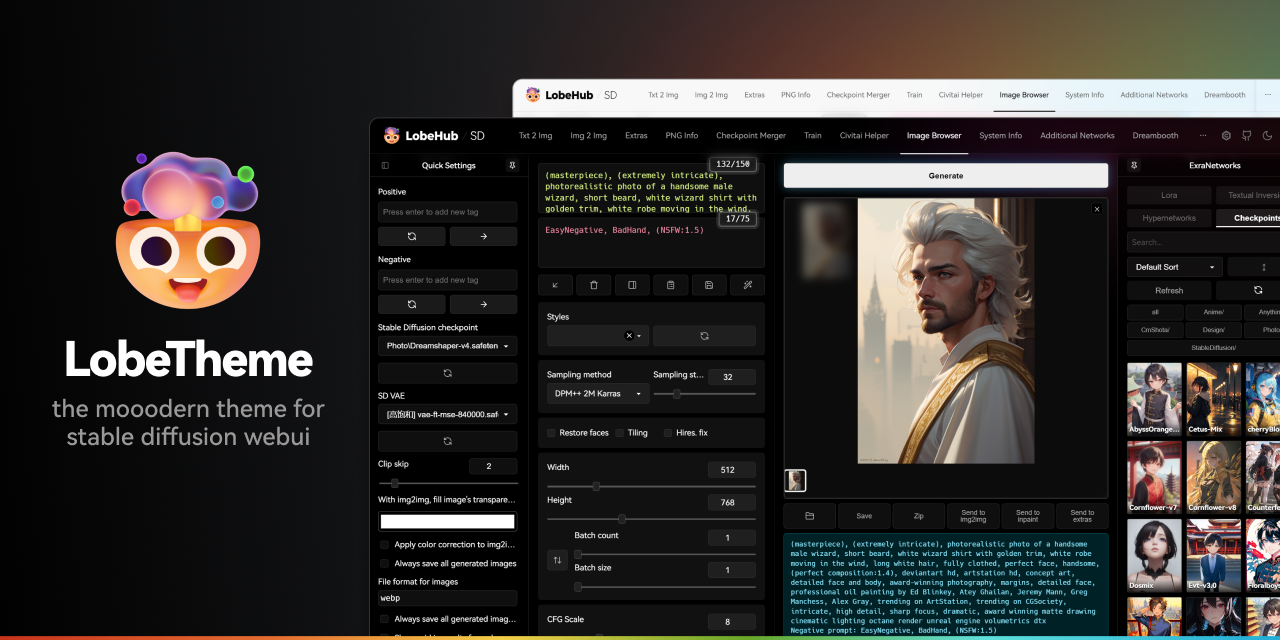
GitHub
🤯 Lobe theme - The modern theme for stable diffusion webui, exquisite interface design, highly customizable UI, and efficiency boosting features. - GitHub - lobehub/sd-webui-lobe-theme: 🤯 Lobe them...
ornate elk
@kindred tinsel you said you use ultimate upscaler on comfy
thats also available in auto1111
kindred tinsel
yeah, there it works wonders, tiled vae and everything
ornate elk
yea that will work in auto1111 for you too
as it doesnt get out of vram
its in img2img tab
kindred tinsel
how do I install it?
hallow latch
sturdy ginkgo
https://github.com/lobehub/sd-webui-lobe-theme
How do run the git clone?
ornate elk
kindred tinsel
how do I install it?
you either can use the sd upscale script or you install the Ultimate sd upscale extension
ornate elk
hallow latch
From the **extensions** tab ?
you can search i nthe extenion list for it
sturdy ginkgo
from the extensions tab works fine
kindred tinsel
hallow latch
From the **extensions** tab ?
some come from the internet external githubs, latent couple runs on a separate extension haah
alright let me try once more to get this thing to work
hallow latch
I ran it in the default stabble diffusion folder.
Wait
I think I got it to work

Yeah
kindred tinsel
this thing?
 ornate elk
hallow latch
I think I got it to work
ornate elk
hallow latch
I think I got it to work
Thats how you install extensions:
 ornate elk
kindred tinsel
this thing?
ornate elk
kindred tinsel
this thing?
yes, if you use this you need to set the denois below 0.3 and the resolution to 512x512.
for the Upscaler try Resrgan4x+ ANime6b
kindred tinsel
where do I set that?
you got me confused
Should I generate first and then send it here right?
ornate elk
kindred tinsel
Should I generate first and then send it here right?
yes
first generate an image in txt2img without hires fix
then click Send to img2img
then set the resolution to 512x512
denois below 0.3
activate sd upscale script and set an upscaler
hallow latch
Yo, how do I disable this?
AssertionError: extension access disabled because of command line flags I try to run https://github.com/Mikubill/sd-webui-controlnet.git to install Controlnet
kindred tinsel
wait why so small for the resolution? Should I put like upscale by two or smth
hallow latch
kindred tinsel
wait why so small for the resolution? Should I put like upscale by two or smth
I do 512x512 to find something I like
kindred tinsel
hallow latch
Yo, how do I disable this?
``AssertionError: extension access disabled because o...
--enable-insecure-extension-access or smth like that in the bat file
hallow latch
Then I run the Hires. Fix
ornate elk
kindred tinsel
wait why so small for the resolution? Should I put like upscale by two or smth
thats the Tiled resolution not the output res
ornate elk
hallow latch
Yo, how do I disable this?
``AssertionError: extension access disabled because o...
you need to remove --listen or --share
hallow latch
Ohh :/
ornate elk
dont ever use enable-unsecure-extensions
ornate elk
hallow latch
Ohh :/
you can add it back after the install 🙂
hallow latch
For sure
kindred tinsel
@ornate elk

I would like to report that this script is generating images on its own, with different poses, and the like
and Im assumingf that it will mix them up like an idiot
I do not like what this script did
 ornate elk
kindred tinsel
and Im assumingf that it will mix them up like an idiot
ornate elk
kindred tinsel
and Im assumingf that it will mix them up like an idiot
then you didnt have set the denois below 0.3
kindred tinsel
the webui sent the prompt too, shoiuld I remove it?
ornate elk
you can, but its only needed if the denois is to high
if you go for 0.2 you can leave it
kindred tinsel
im testing 0.2, imma see if it comes out at least acceptable
Disregard the weird ass generation, this model tends to want to generate two girls even when prompted for one, and it can't fit them

but it looks better man thank you :)
ornate elk
no problem 🙂
sturdy ginkgo
got the same issue with non square aspect ratio's on every single generation with any model 😄 .. always a extra character
ornate elk
sturdy ginkgo
got the same issue with non square aspect ratio's on every single generation wit...
with any model? then the resolution was to high
sturdy ginkgo
768x512 for instance?
ornate elk
sturdy ginkgo
768x512 for instance?
that would be okay for 1.5 models
 desert garnet
what is generally better, anything V3 or aingdiffusion?
 stiff cobalt
if anyone is using automatic webui im having an issue just now where i searched for 1 lora using the search bar but now it only displays like 7 of my loras. i have 50 installed
ornate elk
stiff cobalt
if anyone is using automatic webui im having an issue just now where i searched ...
select an 1.5 model and refreh the loras


 untold marlin
Okay sorry if this is a dumb question or has been asked 100 times but I am at a loss here. I have been watching videos on using Loras and have followed said videos to the letter but where they show the Loras showing Up in the LORA tab mine is still blank. Anyone know how i fix this?
mental locust
untold marlin
Okay sorry if this is a dumb question or has been asked 100 times but I am at a ...
Did you put the lora in the lora folder? Did you turn stablediffusion off and on again, including closing the command prompt?
untold marlin
@mental locust yes and yes
@mental locust this is the folder i placed them in D:\StableDiff\stable-diffusion-webui\models\Lora
sturdy ginkgo
can you link the lora's you have tried
untold marlin
fixed it i feel so dumb
was not working with the checkpoint so it hide them lol
sorry i am new to this stuff
untold marlin
yea lol
mental locust
sturdy ginkgo
ah .. you were using a SDXL with a SD1.5 lora 😄
Do you have any tricks for managing this more easily? I have an absolute ton of loras and models and like... is there an idiot proof organisational technique?
sturdy ginkgo
i use comfyUI.. and i can put them in subfolders .. so in the nodes they say SD15/nameoflora.safetensor
not sure if A1111 can do that
mental locust
sturdy ginkgo
i use comfyUI.. and i can put them in subfolders .. so in the nodes they say SD1...
EPIC so obvious so easy. Thank you
untold marlin
ComfyUI that is the node based one right?
sturdy ginkgo
yes
mental locust
sturdy ginkgo
i use comfyUI.. and i can put them in subfolders .. so in the nodes they say SD1...
Hey can you tell me the filepath for CLIP models in ComfyUI, and where to download them? I'm coming up blank.
https://huggingface.co/openai/clip-vit-large-patch14/tree/main is all I can find
 mental locust
sturdy ginkgo
ComfyUI\models\clip
mental locust
sturdy ginkgo
ComfyUI\models\clip
again, obvious, thank you. I was looking in custom nodes and then in a1111 (as i link to models there)
ugh what have I done wrong this time. any help appreciated. thank in advance.

 sturdy ginkgo
mental locust
ugh what have I done wrong this time. any help appreciated. thank in advance.
sturdy ginkgo
mental locust
ugh what have I done wrong this time. any help appreciated. thank in advance.
the clipvision model is not meant to be for the IPAdapter model used
https://github.com/cubiq/ComfyUI_IPAdapter_plus you can find the correct ones here

GitHub
Contribute to cubiq/ComfyUI_IPAdapter_plus development by creating an account on GitHub.
mental locust
Thank you
 open raven
how do i instal gfpgan the faces are fucked
 celest fern
How do I get the window on the right side of comfyUI to become locked, unmovable, and take up the entire column? I somehow made it like that while failing to type into a text box, but no amount of button mashing has been able to enable that again. Here's the image that shows what the windows looks like now:

 onyx solar
celest fern
How do I get the window on the right side of comfyUI to become locked, unmovable...
onyx solar
celest fern
How do I get the window on the right side of comfyUI to become locked, unmovable...
Zoom your browser up to 120% or so.
celest fern
That makes the words way too big
onyx solar
celest fern
That makes the words way too big
The only other way I know of is to shrink the window down until it does the same thing, but then you have less room to work.
celest fern
Ahh, alrighty. Thank you!
celest fern
celest fern
How do I get the window on the right side of comfyUI to become locked, unmovable...
I don't know if there's a hotkey for it or not, I might've just accidentally increased the browser magnification back then, but regardless, I managed to do it with some CSS and a browser extension called stylus that enables custom css on websites.
https://www.reddit.com/r/comfyui/comments/15yd0vw/theme_the_comfyui_menu_and_fix_some_annoying/
For reference, here's the post I used that brought me to the fix, and here's the code for the userstyle: https://codefile.io/f/seArZMvMyP
Now all that's left is to modify it until I think it looks cool lol

Reddit
Explore this post and more from the comfyui community
Codefile.io
Create collaborative code files online for your technical interviews, pair programming, teaching, etc.
onyx solar
Well yeah, you could adjust the css on the page, sure.
 crystal nacelle
hey people. ive had multuiple problems while installing but managed to resolve alot of them and get stable diffusion running
Im using an AMD RX7600 8GB and i get this error when generating an image:
-RuntimeError: Could not allocate tensor with 9831040 bytes. There is not enough GPU video memory available!
Am using --use-directml --reinstall-torch --disable-nan-check --precision full --no-half --medvram
 lavish meadow
is a1111 checkpoint merger good or nah
sturdy ginkgo
decent, there are better extensions for it with more control.
mental locust
ClipVision for video, or only for image?
 jaunty sphinx
yo guys
how do i bypass this error bruvs
File "D:\Stable Diffusion Open Vino Version\stable-diffusion-webui\venv\lib\site-packages\diffusers\pipelines\stable_diffusion\convert_from_ckpt.py", line 1670, in download_from_original_stable_diffusion_ckpt
pipe = pipeline_class(
TypeError: StableDiffusionXLImg2ImgPipeline.init() got an unexpected keyword argument 'safety_checker'
i can see it in the python file
crystal nacelle
what gpu you using?
jaunty sphinx
intel xe graphics
with open vino
i just need the safety checker off
i see it in my python text file
but should i edit it?
to be true or false
safetychecker =
on line 1670
or do i edit safetychecker python file
thanks bruv
if you answer and i don't reply
 honest storm
i've used chainner for upscaling so this might sound dumb
when using hires fix
do i have to use it when generating every image or can i apply it after generation
ornate elk
crystal nacelle
hey people. ive had multuiple problems while installing but managed to resolve a...
Hey, remove --reinstall-torch, --no-half --precision full --disable-nan-check
And add:
--opt-sub-quad-attention --opt-split-attention-v1 --upcast-sampling --no-half-vae
ornate elk
honest storm
i've used chainner for upscaling so this might sound dumb
when using hires fix
d...
You dont need to use hires fix the whole time. If you like an image, load it into PNG-Info tab, then click on send to txt2img, then it will load everything up and you only need to set the hires fix settings.
Then you can recreate it
 cursive hazel
Heya! I have what I think is probably a simple question, if anyone can help me out.
How do I stop Automatic1111 from opening itself up in a browser, when I launch the run.bat that starts it all up? It used to not do this, but a little while ago I did a fresh install, and it started to do this. I just don't like it automagically opening my browser when I start it up, as I actually use a different browser for playing with AI.
ornate elk
cursive hazel
Heya! I have what I think is probably a simple question, if anyone can help me o...
Hey, there should be a setting for this in auto1111 settings
cursive hazel
Ah! Thank you. I should have looked there 
It's under Settings -> System, and it's like a 3-check box thing: Automatically open webui in browser on startup, with the options being Disable, Local, Remote
I have no idea what Remote does, but Disable sounds like exactly what I'm looking for!
 wintry tide
hey there! I've tried to prompt images a few times, but sometimes it will prompt out videos instead and I'm not sure why it will suddenly do that.
 hollow schooner
Is there anyway to calculate what resolutions my graphics card is able to make
Cause i just found out my graphics card is actually capable of making something higher than 512/512 without hires steps
celest fern
celest fern
I don't know if there's a hotkey for it or not, I might've just accidentally inc...
Here's the end result. Never actually fixed my issue with figuring out how to make it go to the bottom and stay where it's at by keeping everything at its defaults, so I spent a few hours on this instead.
https://github.com/SampleTexting/ComfyUI-Userstyle/tree/main
 celest fern
hollow schooner
Cause i just found out my graphics card is actually capable of making something ...
celest fern
hollow schooner
Cause i just found out my graphics card is actually capable of making something ...
Best way I've found is to just keep upping it until it fails, then go down to the last one that worked
hollow schooner
celest fern
Best way I've found is to just keep upping it until it fails, then go down to th...
The hires steps or the width and height
celest fern
Both, try one until it fails, then try the other until it fails, then afterwards try em together until they both fail.
I've got 8gb of VRAM and I can pump out 1920x1080p images no problem using both, or either one of them alone, if that helps you any. (haven't really went any higer than that since it takes a solid minute or so)
hollow schooner
celest fern
Both, try one until it fails, then try the other until it fails, then afterwards...
Huh that’s so weird cause i have 8gb of vram but I’m using amd
ornate elk
hollow schooner
Cause i just found out my graphics card is actually capable of making something ...
whats your gpu?
celest fern
It's likely because you're using AMD then if I had to guess. NVIDIA has cuda cores which speeds the process of AI applications up a lot thanks to the way it handles processing
hollow schooner
ornate elk
whats your gpu?
Amd Radeon RX 6600
ornate elk
hollow schooner
Amd Radeon RX 6600
and you use --medvram --opt-sub-quad-attention --opt-split-attention-v1 --upcast-sampling --no-half-vae?
hollow schooner
ornate elk
and you use --medvram --opt-sub-quad-attention --opt-split-attention-v1 --upcast...
Yes
ornate elk
hollow schooner
Yes
okay, then you can try to change --medvram to --lowvram
hollow schooner
Hm what does that do?
ornate elk
hollow schooner
Hm what does that do?
that splits heavy vram processes into smaller ones, meaning you can generate at higher resolution, but a bit slower
hollow schooner
Ohhhh
Okay done
Don’t mind the wait usually put it in auto mode
Okay thanks will try this out
mental locust
@ornate elk heya, I did more work on my workflow and got ipadapter going with it as well as freeinit, updated from bb95furryv11 to v13, - am I pursuing an impossible task? is this model simply not suitable for use with animatediff? I ran a bunch of models through animatediff to see which it liked or didn't like...
 ornate elk
mental locust
<@161910921269084160> heya, I did more work on my workflow and got ipadapter goi...
ornate elk
mental locust
<@161910921269084160> heya, I did more work on my workflow and got ipadapter goi...
hey, it seems so, not every model is compatible with everything, some merged models can behave strange with certain samplers, upscalers etc, so i guess its the same here with animatediff
mental locust
ornate elk
hey, it seems so, not every model is compatible with everything, some merged mod...
Guess I will... learn how to make a model. 🤣
 junior snow
------------------------------ --------- 2.0/2.6 GB 11.7 MB/s eta 0:00:56ERROR: Could not install packages due to an OSError: [Errno 28] No space left on device
------------------------------ --------- 2.0/2.6 GB 11.7 MB/s eta 0:00:56
Traceback (most recent call last):
File "C:\Users\erenu\OneDrive\Masaüstü\Yeni klasör (4)\webui\launch.py", line 48, in <module>
main()
File "C:\Users\erenu\OneDrive\Masaüstü\Yeni klasör (4)\webui\launch.py", line 39, in main
prepare_environment()
File "C:\Users\erenu\OneDrive\Masaüstü\Yeni klasör (4)\webui\modules\launch_utils.py", line 378, in prepare_environment
run(f'"{python}" -m {torch_command}', "Installing torch and torchvision", "Couldn't install torch", live=True)
File "C:\Users\erenu\OneDrive\Masaüstü\Yeni klasör (4)\webui\modules\launch_utils.py", line 116, in run
raise RuntimeError("\n".join(error_bits))
RuntimeError: Couldn't install torch.
Command: "C:\Users\erenu\OneDrive\Masaüstü\Yeni klasör (4)\system\python\python.exe" -m pip install torch==2.0.1 torchvision==0.15.2 --extra-index-url https://download.pytorch.org/whl/cu118
Error code: 1
Press any key to continue . . .
Got that error during download
what should i do
ornate elk
junior snow
------------------------------ --------- 2.0/2.6 GB 11.7 MB/s eta 0:00:56ERROR: ...
it says you have no space left on C
ake sure to have 15-20gb on C, even if you install it on an other Drive
also pls dont install it inside a Onedrive folder
junior snow
ornate elk
it says you have no space left on C
i was downloading to D.Why this error happened
ornate elk
junior snow
i was downloading to D.Why this error happened
because the files need for the install will be temporary downloaded to C
 vestal viper
it seems that some of the models i downloaded are incomatible with AMD. some says "vram not big enough" or something, others straight up saying "no cuda no bueno" so is there anything i can do, or at least choose which models are ok for AMD users?
ornate elk
vestal viper
it seems that some of the models i downloaded are incomatible with AMD. some say...
all models work for AMD rn, getting and out of vram error isnt due incompatibility
what was your gpu again?
vestal viper
rx 6600
ornate elk
did you tried to use an SDXL based model (6gb) ?
vestal viper
and yes i forgot to ss it but one of the modes did actually say "cuda not detected" and aborted the generation
ornate elk
vestal viper
and yes i forgot to ss it but one of the modes did actually say "cuda not detect...
okay, which model is that?
vestal viper
ornate elk
did you tried to use an SDXL based model (6gb) ?
i have no idea, i just followed your guide and links
ornate elk
vestal viper
i have no idea, i just followed your guide and links
you can check the model sizes in the models/stable-diffusion folder
with 8gb vram you should stay with the 2-4gb models
vestal viper
ah so 4.99gb ones are no good?
ornate elk
vestal viper
ah so 4.99gb ones are no good?
they can work too, but then try a resolution of 512x768 max
if you can always go for the lower size
some models have multiple versions in different sizes
vestal viper
what about pruned models then, sometimes they put 2 files one full model which are usually 5gb and one pruned that's within 2-4gb
ornate elk
vestal viper
what about pruned models then, sometimes they put 2 files one full model which a...
yea go for pruned ones
vestal viper
alrighty. but are there any differences?
vestal viper
nice. thanks as always sir 🫡
ornate elk
np, the pruned will get slightly different outputs then the "full" versions, but not quality wise
at the beginning of SD all we had was 7-9gb models xD smallest one were 5gb
2gb is the smallest model size we can get now
vestal viper
ornate elk
2gb is the smallest model size we can get now
oh but how big can i generate the pics with those pruned models? i wanted to make a wallpaper for my desktop but realized ain't no way now i'm gonna do that with 8gb vram
ornate elk
vestal viper
oh but how big can i generate the pics with those pruned models? i wanted to mak...
therefore you need to use the sd upscale script in img2img
it wont run out of vram and you can get 4k images, if you then load them into Extras tab you can upscale to 8k too
vestal viper
ornate elk
therefore you need to use the sd upscale script in img2img
ah, ok. so i generate the original, then upscale it. thanks
ornate elk
vestal viper
ah, ok. so i generate the original, then upscale it. thanks
yes, if you need any tip how to use the sd upscale scipt or the ultimate upscale extension, feel free to ask
 steady mountain
Anyone knows how I can get my XTX running on my 22.04.3. Automatic1111 just ran on CPU after an install. I tried to reinstall the amdgpu-install_5.5.50503-1_all.deb but it did not work (probably because I mistakenly installed the driver for 20.04.6 HWE/ LTS) but it is weird it treats the 20.04.6 HWE(LTS) as newer than the driver for 22.04.3 (they have the same release date but 22.04 is of course a more resent distro but I am not a techwiz so what do I know) and thus refuse to reinstall it usual way
junior snow
ornate elk
because the files need for the install will be temporary downloaded to C
i have 5gb space , its not enough?
 fallen zephyr
Which extension is the SD VAE pull down?
 ornate elk
fallen zephyr
Which extension is the SD VAE pull down?
ornate elk
fallen zephyr
Which extension is the SD VAE pull down?
none,
Go to Settings - User Interface - Quicksettings, there add sd_vae, then hit apply and reload
fallen zephyr
ornate elk
none,
Go to Settings - User Interface - Quicksettings, there add sd_vae, then hi...
Thanks!
lavish meadow
Are there any extensions that would make my life easier in a1111?
ornate elk
lavish meadow
Are there any extensions that would make my life easier in a1111?
boorutag autocomplete for prompting, controlnet for everything, adetailer for face fix, reactor for face swap
lavish meadow
ornate elk
boorutag autocomplete for prompting, controlnet for everything, adetailer for fa...
got the auto complete thang, idk what the rest does
ornate elk
lavish meadow
got the auto complete thang, idk what the rest does
the rest is for generating
lavish meadow
ornate elk
the rest is for generating
would they stop "weirdness" from happening
ornate elk
lavish meadow
would they stop "weirdness" from happening
whats the wierdness exactly?
ornate elk
that also depends on the model version and resolution
lavish meadow
someones glasses on their mouth once
yeah my denoise is at 0.5 fixed most but not all
i want a specific pose and stuff but idk how to do that
ornate elk
lavish meadow
i want a specific pose and stuff but idk how to do that
for that you need controlnet
with that you can control the pose
but can you show me an example of the issues you get rn?
lavish meadow
lemme see if i still got the images i probably deleted them
my pc lagging rn cause im doing a high res image ill try n find them after it calms down
ornate elk
whats your gpu?
lavish meadow
3060
ornate elk
do you use xformers?
ornate elk
good
lavish meadow
idk what it does
ornate elk
but your pc is lagging?
lavish meadow
yeah generating
ornate elk
xformers enhances the performance and vram management
ornate elk
do you have any other heavy programm, 20 browser tabs or wallpaper engine open?
lavish meadow
ohhhh
that makes sense
i got a dog background where they munching on food
absolutely adorable mate
ornate elk
haha but uses gpu too
lavish meadow

ornate elk
you can even get crashes when both is running at the same time
lavish meadow
that probably explains the lag
lavish meadow
ill keep that in mind cause i got on auto start up
ornate elk
lavish meadow
ill keep that in mind cause i got on auto start up
yea same xD
ornate elk
model merge is a cool feature, but i would say checkout the models on civitiai
there is mostly a model for everything
lavish meadow
@ornate elk it lags really badly before it ends
about 3s or 2s before its done but screws up
idk what is causing it
ornate elk
lavish meadow
about 3s or 2s before its done but screws up
what are your txt2img settings?
resolutions, steps, hires fix etc
 ornate elk
and your using a 3060 with 12 or with 6gb vram?
lavish meadow
12
ornate elk
hmm okay and what error do you get in cmd?
lavish meadow
thats the thing
no error
it says 100% done in cmd
but page says otherwise and the image dosent go to anywhere
not the txt2img folder
just pops outta existence
ornate elk
whats your browser?
 azure magnet
help, how to install this https://github.com/Coyote-A/ultimate-upscale-for-automatic1111 ?

GitHub
Contribute to Coyote-A/ultimate-upscale-for-automatic1111 development by creating an account on GitHub.
ornate elk
operagx can be an issue
lavish meadow
what should i try?
ornate elk
try edge for testing
lavish meadow
will do
ornate elk
better would be firefox, but edge is preinstalled on every windows pc
ornate elk
using firefox my whole life, private and for work, best browser so far ^^
lavish meadow
truee
i like customization
but could the merged model be also contribuating to it
?
ornate elk
i dont think so, you would get an error when using it
lavish meadow
weird
ornate elk
not when the image is already done
lavish meadow
now my pc is lagging again
ornate elk
xD
ornate elk
yea epic games launcher has some issues xD
ornate elk
good to know
lavish meadow
never would of thought it was the launcher
like how the hell do they make a launcher that bad
ornate elk
better not have epic in autostart
ornate elk
yea but no need for autostart
lavish meadow
yeah just turned it off
had it on cause i couldnt be assed to turn it off
gotta be honest with that one
ornate elk
😄
lavish meadow
now it loads smooth
ornate elk
now SD should work stable
lavish meadow
aye it also solved some problems i had with generation
ornate elk
does the image gets now saved in the outputs folder?
ornate elk
lavish meadow
aye it also solved some problems i had with generation
ah alright
ornate elk
via the extensions tab
lavish meadow
got the link to it?
ornate elk
click on availavle, then on load from
then search for sd-webui-controlnet
and click install
lavish meadow
d-webui-controlnet
GitHub
WebUI extension for ControlNet. Contribute to Mikubill/sd-webui-controlnet development by creating an account on GitHub.
this?
ornate elk
Click on extensions, click on Available, then on Load from:, then search sd-webui-controlnet
lavish meadow
dats wut i did
ornate elk
lavish meadow
"ValueError: unknown url type: 'sd-webui-controlnet'"
youve done it wrong
you removed the url
you should have just clicked the load from button
lavish meadow
what url should be in there
ornate elk
Load from: https://raw.githubusercontent.com/AUTOMATIC1111/stable-diffusion-webui-extensions/master/index.json
lavish meadow
i see what ya mean now
ornate elk
lavish meadow
i see what ya mean now
the bottom one is it
 lavish meadow
ye

which one
top or bottom
i just saw what u said im blind dawg
so how does it work, is it easy to do?
ornate elk
you now need some extra stuff to get it work
also you need to click install and after its done you need to relaunch the webui
You need to download the Controlnet models from here:
https://civitai.com/models/38784/controlnet-11-models
Make sure to download each model + its config file (check the screenshot).
Then put everything into the models/ControlNet folder
 ornate elk
lavish meadow
why all of them?
ornate elk
lavish meadow
why all of them?
no need for all of them, openpose, canny, depth, normal, tile, should be enough
if you have the space and want all stuff available then you need all
for making a pose you would only need openpose for example
for transferring a drawing into an image you would need canny, or sketch or anime lineart
lavish meadow
openpose would be what im looking for
so when i download it what do i do them?
then*
ornate elk
lavish meadow
so when i download it what do i do them?
read my messages carefully xD
ornate elk
yea np, but i dont type everything doubled if not needed ^^
after you have moved them, you can relaunch the webui
ornate elk
now you have a new tyb in txt2img at the bottom
ControlNet
there you select OpenPose
and click enable
then you have to drop in an image with a person in a pose
lavish meadow
gotcha gotcha
 lavish meadow
what settings should i use for it?
ornate elk
openpose-full will use Skeleton+Face+Hands
it depends on what you want to do
but full is the best if the input image contains face and hand
lavish meadow
thank you
your very helpful
gotta ask whats ur favourite model?
cause im tryna use counterfeit but have more well rounded prompts
ornate elk
here for example with the controlnet Depth model it makes a nearly identical image
 ornate elk
lavish meadow
cause im tryna use counterfeit but have more well rounded prompts
ornate elk
lavish meadow
cause im tryna use counterfeit but have more well rounded prompts
i have a lot of models, counterfeit was good until he baked in the vae in v3.0,
i like AOM3, AnythingV5, CetusMix, Divineanimemix, ToonYou
 ornate elk
lavish meadow
also what does baked in vae mean
ornate elk
lavish meadow
also what does baked in vae mean
that the model already includes a custom vae
but counterfeit 3.0 baked in vae is oversaturated
lavish meadow
oh shit thats why some gens have been meh
i see i see
gonna try some dark sushi
also could i do a doodle
and control net would copy said doodle
like a stick figure
ornate elk
lavish meadow
also could i do a doodle
for that you need the controlnet model Sketch
 ornate elk
lavish meadow
also what should i use here
ornate elk
lavish meadow
also what should i use here
first go for balanced
if the person doesnt follow the pose, you can say controlnet is more important
lavish meadow
I see
ornate elk
lavish meadow
I see
also here ive done some comparrison a while ago, open that in browser for better view
 ornate elk
grid view?
lavish meadow
no more dark
ornate elk
ahh
lavish meadow
like dark sushi and counterfeit style
ornate elk
you can enhance dark images with the epiNoiseOffset lora
lavish meadow
realistic?
lavish meadow
ornate elk
you can enhance dark images with the epiNoiseOffset lora
ill try that out
ornate elk
lavish meadow
ill try that out
there i used it
 ornate elk
no problem 🙂
 simple tartan
ok @ornate elk , I need your help. I attempted to go the ubuntu route last night to try out the linux version but got a wall of errors. before I try and fix that, can i, or more, should i roll into Arch? I'm planning SD, Ooba, basically all of my AI work on that drive
 signal cargo
any idea how come on last step of image generation the image becomes screwed up?
xD
like some filter that goes over and makes everything layered with random color and overly sharp
 simple tartan
signal cargo
simple tartan
signal cargo
from my experience, thats either a VAE issue or the size is wrong
signal cargo
VAE?
simple tartan
the part of your SD that does the color and quality stuff
A variational autoencoder (VAE) is a technique used to improve the quality of AI generated images you create with the text-to-image model Stable Diffusion. VAE encodes the image into a latent space and then that latent space is decoded into a new, higher quality image.
 main axle
Hi, I am trying to create sdxl lora for product images
I have 6 product images with white background
But it struggles in color
After I finish training it sometimes generate different color products
does anyone can help me?
signal cargo
i forgot I added VAE for eyes
xD
ill try w/o it
yep
that fixed it
thanks
xD
main axle
 rotund lava
try to ask in <#1089974139927920741> chat,theres a few ppl there that train lora...
rotund lava
try to ask in <#1089974139927920741> chat,theres a few ppl there that train lora...
Got it.
Thanks
 untold marlin
I have a question. Once I generate a character i like for my visual novel how to i make it to where SD will use that same character for other prompts? The body shape and face will need to remain the same. Clothing might be different at times but kinda need the rest to stay looking the same.
ornate elk
 fair oxide
im installing automatic1111
fair oxide
im installing automatic1111
That means you installed the webui the wrong way, by downloading it as zip file
Checkout the Pinned Messages in this Channel and follow my install guide
ornate elk
untold marlin
I have a question. Once I generate a character i like for my visual novel how to...
You can use controlnet IP-Adapter for this
lofty mauve
Is there a programmatic way to install hugging face models locally for Automatic1111 WebUI? I have been downloading them and manually moving them into the correct folder. Also, how about the controlnet models? I am very new to this and any sort of written guide will be much appreciated.
simple tartan
i think only civitai has an extension for webui, but i coudl be wrong
ornate elk
simple tartan
ok <@161910921269084160> , I need your help. I attempted to go the ubuntu route ...
Here is a full guide for ubuntu and amd for Auto1111:
https://www.youtube.com/watch?v=NKR_1TUO6go
I would say try that. Arch needs some other commands but I've found some helpful guides for that too if needed

This is the one. The simplest way to get ROCm running Automatic1111 Stable diffusion with all features on AMD gpu's!
Inside terminal:
sudo apt update
sudo apt install git python3-pip python3-venv python3-dev libstdc++-12-dev
sudo apt update
wget https://repo.radeon.com/amdgpu-install/5.7.1/ubuntu/jammy/amdgpu-install_5.7.50701-1_all.deb
sudo...
ornate elk
lofty mauve
Is there a programmatic way to install hugging face models locally for Automatic...
You can download into folder directly with the wget command.
Controlnet models go into models/controlnet
lofty mauve
I have a 4070 M gpu and it appears to be working as normal when I simply click the button. is that not a normal thing?
What is the difference beween a checkpoint and a model?
simple tartan
ornate elk
Here is a full guide for ubuntu and amd for Auto1111:
https://www.youtube.com/wa...
Thanks! it's not really a question of needing Arch, its just that is my preferred distro, but if its easier ot get support on a ubuntu build, why not save some headaches. If it's the same either way, i'd go arch
 lean laurel
hey hi, its me again ❤️
sorry i m back again to bother, how should i install this model?? and how do i use it to transform a photo into digital art?
ornate elk
lofty mauve
I have a 4070 M gpu and it appears to be working as normal when I simply click t...
What button?
Checkpoint = model
lofty mauve
In the video he had 2 drop downs, one had a model label and the other checkpoint. Good to know that they're the same thing
My version only has "checkpoint" drop down
I am very new to this so I am learning as much as possible. I am a programmer though so it shouldn't be too difficult!
ornate elk
lofty mauve
I am very new to this so I am learning as much as possible. I am a programmer t...
You also need some adjustsments for the best performance. (For a 8gb GPU)
Edit the webui-user.bat and at the line COMMANDLINE_ARGS=
you have to add: --xformers --medvram-sdxl --no-half-vae
Then save and relaunch
lofty mauve
why is that? What do those values do?
any chance you have a link to some docs explaining them?
ornate elk
Sure, give me a sec
@lofty mauve
https://github.com/AUTOMATIC1111/stable-diffusion-webui/wiki/Command-Line-Arguments-and-Settings
GitHub
Stable Diffusion web UI. Contribute to AUTOMATIC1111/stable-diffusion-webui development by creating an account on GitHub.
lofty mauve
so how about an introduction to what I am even doing with this app, lol.
I am planning to make a meme photo of myself doing multiple roles with different hair styles and outfits so I am doing inpainting for this.
lean laurel
lofty mauve
so how about an introduction to what I am even doing with this app, lol.
I am p...
thats sound fun ❤️
lofty mauve
lean laurel
thats sound fun ❤️
The meme is going to be a picture of me as a full stack developer, then another one as Product Manager, and another one as software architect, and another one as marketer, and another one as salesmen.
And I'll post it to my Twitter account for engagement and on my website.
I do custom SaaS consulting as a solo developer so it is accurate and funny.
lean laurel
lofty mauve
The meme is going to be a picture of me as a full stack developer, then another ...
i like the variety of the pics u gonna make
sorry i m still learning how install models
i wanna download this one
https://civitai.com/models/159094/final-fantasy-style
buts there 2 options to download
Final Fantasy (GAMES) Style Cosmos, Terra, RENO - YOU NAME IT! WARNING: THIS IS MOST GAMES MINUS 14, 15 and 16. IF A PICTURE WAS PROMPTED "14" its ...
which one should i click??
lofty mauve
same here, I just downloaded one from civita.i. but I was trying to download them from hugging face
lean laurel
 lean laurel
lofty mauve
same here, I just downloaded one from civita.i. but I was trying to download the...
lean laurel
lofty mauve
same here, I just downloaded one from civita.i. but I was trying to download the...
oh we are at the same moment learning lol
lean laurel
lofty mauve
do the top one
the model safetensor??
lofty mauve
I had the same problem yesterday
I thought I downlaoded a model but I downloaded pictures or something
I couldn't figure it out and that's how I ended up here
Patreon Get early access to build and test build, be able to try all epochs and test them by yourself on Patreon or contact me for support on Disco...
lean laurel
oh i see, i actually ended here for install all, i couldnt install SD without the help of this channel ❤️
lofty mauve
for example, the tutorial I followed on YouTube said to go here to download hair styles
so I went there and downloaded one to use and I still have yet to get it working like the dude did in the video. He skipped so many steps with his video editing
lean laurel
lofty mauve
so I went there and downloaded one to use and I still have yet to get it working...
i dont like when the tutorials skips steps
lofty mauve

Learn how to change a hair style and color using Stable Diffusion. Using the power of stable diffusion and controlnet we can create multiple different hair styles in minutes and apply them to our photography.
Sign up to the newsletter to get updates on future tutorials.
http://www.sebastiantorres.com.au/
Links from the Video
RealisticV...
that's the video I tried following
lean laurel
ok after i download what should i do next??
lean laurel
lofty mauve
https://www.youtube.com/watch?v=kHZMzpw0Y2I
at least have a nice video cover lol
lean laurel
lofty mauve
what operating system are you on?
windows
lofty mauve
find the folder "stable-diffusion" in your programs installation folder and drag and drop it there

for example, mine has this
so I have 2 models
I'm on Ubuntu though, lol.
lofty mauve
yup
so find the stable diffusion ui folder then keep digging in there til u find models and then within the models folder there should be another one called Stable-diffusion
lean laurel
oh the stable difusion folders inside the models folders
lofty mauve
yup
lean laurel
lofty mauve
so find the stable diffusion ui folder then keep digging in there til u find mod...
found it!
 floral wolf
Hi there,
Is the limit "This API is rate-limited to 150 requests every 10 seconds." connected to 1 account or 1 API key on the account? In other words, As I can generate 10 API keys on my account, can I have 1500 requests via 10 api keys from 1 account?"
lean laurel
floral wolf
Hi there,
Is the limit "This API is rate-limited to 150 requests every 10 secon...
hi ❤️
ok i moved it, now should i open the webui-user file??
ornate elk
lean laurel
ok i moved it, now should i open the webui-user file??
Check the model size. It needs to be larger than 1.98gb
Before you move it into models/stable-diffusion
lean laurel
ornate elk
Check the model size. It needs to be larger than 1.98gb
it must be heavir than tat?
the one i downloaded and moved to my folders size 36 mb!
thats bad??
ornate elk
lofty mauve
so how about an introduction to what I am even doing with this app, lol.
I am p...
Did you made the performance improvement?
ornate elk
lean laurel
thats bad??
Then thats not a model. Its a so called Lora
Goes into models/lora
lean laurel
ohhh ok ok
but i opened the page and it show the options, so i close the page and the cmd and delete it?
 ornate elk
lean laurel
but i opened the page and it show the options, so i close the page and the cmd a...
ornate elk
lean laurel
but i opened the page and it show the options, so i close the page and the cmd a...
What do you want to do?
lean laurel
i wanna transform a photo into the videogame style i saw in the model page
ornate elk
Just move the small file into models/lora
And everything larger than 1.98gb goes into models/stable-diffusion
Then everything will work
lean laurel
ohh ok
lean laurel
lean laurel
i wanna transform a photo into the videogame style i saw in the model page
but i ll be able to do that or should i download more models?? a model larger than 1.98?
ornate elk
lean laurel
i wanna transform a photo into the videogame style i saw in the model page
You can do that in img2img
lean laurel
can i do that only with the lora i downloaded?
ornate elk
But you need at least a model
ornate elk
lean laurel
can i do that only with the lora i downloaded?
Loras can only be used together with a model
Not alone
lean laurel
ornate elk
Loras can only be used together with a model
ohh ok ok, thanks, so i gonna close the page and the cmd and move the small file
lean laurel
ornate elk
You can do that in img2img
how should i do this?
ornate elk
lean laurel
ohh ok ok, thanks, so i gonna close the page and the cmd and move the small file
You dont need to close it
lean laurel
ornate elk
You dont need to close it
my bad sorry, i gonna move it and open it again
ornate elk
lean laurel
my bad sorry, i gonna move it and open it again
You would need to click the reload button near the model dropdown.
But a restart of the webui+cmd works too
lean laurel
ohh but if i closed and open it again, will it works??
ornate elk
lean laurel
ohh but if i closed and open it again, will it works??
The browser tab or the cmd?
ornate elk
Yes if you close and open both again it will work
lean laurel
ok i found this
MeinaMix objective is to be able to do good art with little prompting. I have a discord where you can share images , discuss prompt and ask for hel...
ornate elk
Thats a model
lean laurel
this one actually is a model, right?
ohh great!!
so download it, and move it into the model>stable-difussion ?
ornate elk
lean laurel
this one actually is a model, right?
You can verify that by looking at the Info box of the model on the model page
 ornate elk
Checkpoint or checkpoint merge is a model
Base model is the version its based on
I'm AFK now
lofty mauve
ornate elk
Then thats not a model. Its a so called Lora
what is a Lora?
lean laurel
ornate elk
I'm AFK now
ok, thanks you CS! and have a nice day ❤️
simple tartan
fracking aye, i installed ubuntu 23.10 and rocm doesnt support it, wtf
Some packages could not be installed. This may mean that you have
requested an impossible situation or if you are using the unstable
distribution that some required packages have not yet been created
or been moved out of Incoming.
The following information may help to resolve the situation:

The following packages have unmet dependencies:
 libwayland-amdgpu-client0 : Depends: libffi7 (>= 3.3~20180313) but it is not installable
 libwayland-amdgpu-server0 : Depends: libffi7 (>= 3.3~20180313) but it is not installable
 rocm-gdb : Depends: libtinfo5 but it is not installable
            Depends: libncurses5 but it is not installable
            Depends: libpython3.10 but it is not installable or
                     libpython3.8 but it is not installable
 xserver-xorg-amdgpu-video-amdgpu : Depends: xorg-video-abi-24 but it is not installable
E: Unable to correct problems, you have held broken packages.
Rip yes you need 22.04
Its LTS and supported until 2027
simple tartan
yea, its downloading....
ornate elk
23 only until July 24
lean laurel
@ornate elk sorry for ask, u always help people and know about everything, are u one of the authors behind the SD?
ornate elk
lofty mauve
what is a Lora?
A lora is a small filed trained on a specific character or style to help a model create that.
lean laurel
ornate elk
A lora is a small filed trained on a specific character or style to help a model...
oh and who i use it?
ornate elk
lean laurel
<@161910921269084160> sorry for ask, u always help people and know about everyth...
No ^^ I'm just a Tech enthusiast who works since the release of auto1111 with SD stuff as hobby
lean laurel
ornate elk
No ^^ I'm just a Tech enthusiast who works since the release of auto1111 with SD...
thats still pretty admirable ❤️
ornate elk
lean laurel
oh and who i use it?
You need to select it in the lora option
In txt2img or img2img
AFK now cya later
lean laurel
how do i upload my photo into img2img?
lean laurel
ornate elk
AFK now cya later
cya later too @ornate elk !! thanks for everything!!
simple tartan
yea, kudos to @ornate elk he's been helping me get ramped up as well. I played with SD back in the early befor 1.0 days, and its so different now with A1111. I'm working as fast as i can to get to the same level of knowledge, i'm obsessed with learning and its way easier now to get full into all the LLM options
lean laurel
simple tartan
yea, kudos to <@161910921269084160> he's been helping me get ramped up as well. ...
u sound like u know a lot too!! is great that people like u both are here so u can help others learn
do u know how i chosee the lore i want int a img2img??
simple tartan
depends on what you can "a lot". I know a little bit about almost everything, but not many things have I mastered yet, lol
there should be a "Lora" tab near the bottom of the ui
 simple tartan
if you havent installed any yet, I HIGHLY recommend the civitai browser+ extension, so much easier to grab new ones
yes
but weight of 1 is a bit heavy, start with 0.3 on most lora's
and add your personal sauce to the prompt along with the lora
lean laurel
simple tartan
depends on what you can "a lot". I know a little bit about almost everything, bu...
thats great, SD looks like have a loooooot to learn, a lot of things
simple tartan
for sure
lean laurel
simple tartan
and add your personal sauce to the prompt along with the lora
i just wanna to turn the photo i uploaded into the style of the model
do u recommend me anything to writte into the promp?
 ivory bramble
Hi, I have web ui A111 installed, but I'm watching a tutorial on YouTube and this person suggests using a HiRes.fix file called "8x_NMKD-Superscale_150000_G.pth". So I downloaded it, I put the pth file in C:\a1111\stable-diffusion-webui\models\ESRGAN but it's not showing up as a sampling method:
simple tartan
lean laurel
do u recommend me anything to writte into the promp?
depends on if your are doing people, animals etc. I always use phrases like masterpiece, photorealistic, extremely detailed face and eyes, etc
ivory bramble
Sorry wrong screenshot: https://i.imgur.com/SwmqkqP.png
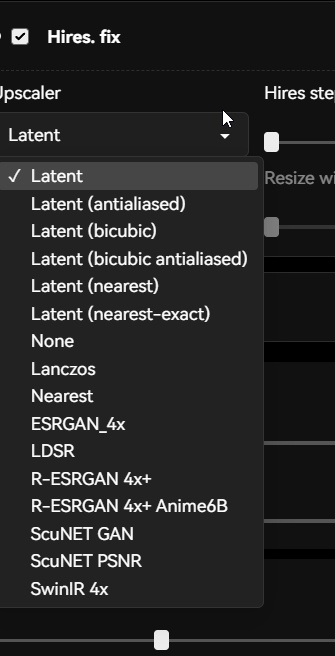 simple tartan
negatives are really helpful too, things like bad hands, bad fingers, bad anatomy
simple tartan
(blue eyes) for example will try harder to generate blue eyes, or (((blue eyes))) pretty much will force it
yep, generate and wait
simple tartan
@lean laurel once you are rolling and have everything working, I'd head over to #📝|prompting-help where you can find more details and help on good prompts
ivory bramble
This is what his window looks like https://i.imgur.com/QNtX6Id.png
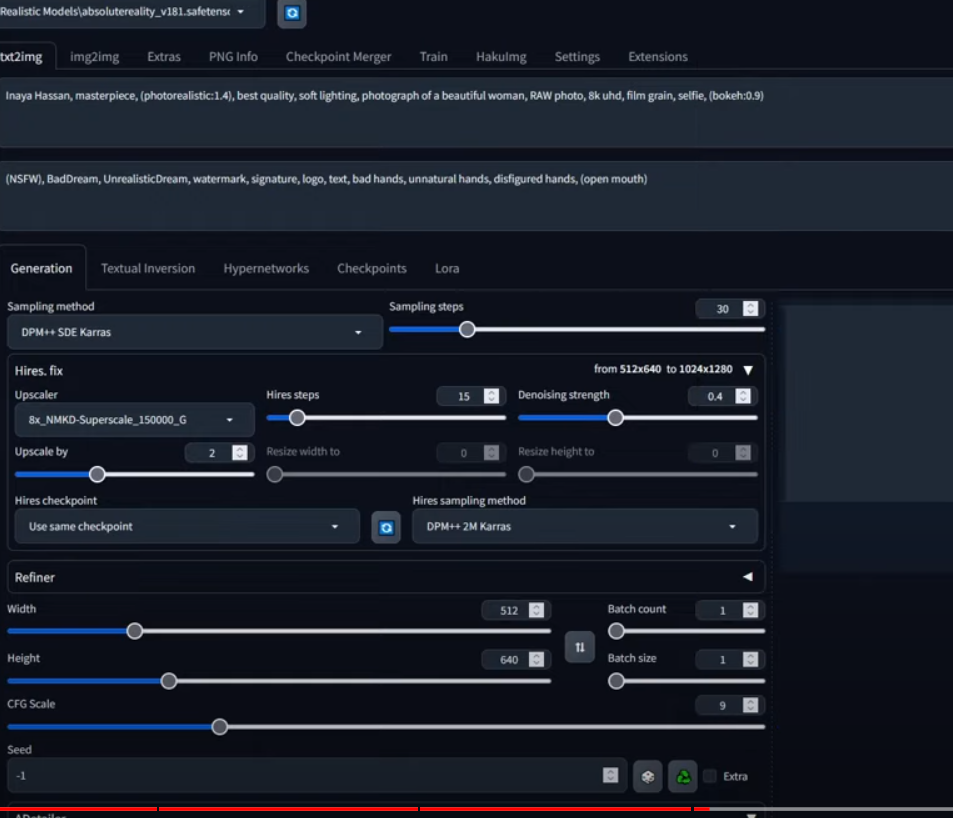
Under Hires.fix, I don't have the 8x_NMKD-Superscale_150000_G option
This is so confusing
simple tartan
ivory bramble
This is what his window looks like https://i.imgur.com/QNtX6Id.png
did you reload SD after you uploaded the sampler?
ivory bramble
Yeah, I refreshed the page and also closed down the whole web ui and started it up again
simple tartan
i'm rebooting to install another build of nix. make sure its in teh right folder, not sure if samplers go in the root or have a subfolder of their own off the top of my head
ivory bramble
I'm trying again
simple tartan
BBIAF
ivory bramble
No, it's still not there
lean laurel
hey anyone know why i m having a "runtime error" trying to make img2img??


anyone know what to do now?
 dim ermine
Hello Guys, any idea why my 4x-UltraSharp.pth is not loading in the UI Menu? Did reload UI, and still not showing in the menu. Thank you🤘

 vocal burrow
lean laurel
anyone know what to do now?
vocal burrow
lean laurel
anyone know what to do now?
Look at the console log for more details
lean laurel
vocal burrow
Look at the console log for more details
hi Aryetis!! i closed it and open it again and look like is working

 simple tartan
are you team red?
 lean laurel
lavish meadow
fellas if i did this
lean laurel
lavish meadow
fellas if i did this
a masterpiece
can someone help me with the img2img please??
i upload this to the img2img

i added a checkpoint with anime models
and recibed this

lol
what should i do?
lavish meadow
too much denoise?
simple tartan
did you create a prompt?
lavish meadow
lower the denoise to abt 0.3
lean laurel
i didnt
lavish meadow
bingo
lean laurel
i had 0.75
lavish meadow
if u have that too high it messes it up
lower it alot if u want it closer
if u want it slightly different
higher
remember to prompt what they look like
lean laurel
should i also mode the checkpoint??
lean laurel
lavish meadow
remember to prompt what they look like
oh so in the prompt i should describe the photo i uploaded?

 lean laurel
oh toonyou is the model??
ohh yeah i totally see the different
i can actually see the diferent in the preview, sorry my pc is a bit slow
lavish meadow
its cool
lean laurel
lavish meadow
its cool
where i download the toonyou model?
and thanks a lot @lavish meadow
lean laurel
lavish meadow
i had that problem
oh a lot of us should go throught the same problem
lean laurel
lavish meadow
denoise is a pain at first
i m watching it, a to low denoise change almost nothing, and a hight denoise look like make anything de IA want lol
any advice for negative prompt to avoid face deformation?
lean laurel
lavish meadow
maybe try toonyou
https://civitai.com/models/30240/toonyou
this one do u recommend me?
ToonYou - Beta 6 is up! Silly, stylish, and.. kind of cute? 😅 A bit of detail with a cartoony feel, it keeps getting better! With your support, Too...
lavish meadow
lean laurel
https://civitai.com/models/30240/toonyou
this one do u recommend me?
yup thats it
lavish meadow
ive never tried that one
lean laurel
lavish meadow
ive never tried that one
do u have an advice u can give me to get no deformed faces?
lavish meadow
not really, a hope and a dream
describe their face their eye colour stuff like that
might help
lean laurel
i see, and if i m having multiple characters in the photo?? how i describe them?
simple tartan
same as you do in RL. "man on left, woman on right", or "woman with black hair in front, woman with red hair in background"
lean laurel
ohh thanks thanks
simple tartan
i think of prompts liek i do GPT, just imagine your talking to the artist
or the analogy "explain it to a blind man"
lean laurel
thanks thanks ❤️
lean laurel
ohh how do i check the resolution of the original pic??
hi @ornate elk ❤️ how u doing?
ornate elk
hey fine, back at home
lean laurel
did u had a nice day?
ornate elk
lean laurel
ohh how do i check the resolution of the original pic??
in the image details
lean laurel
ornate elk
in the image details
ohh i see
so if my image have
532 x 768
so i should create a pic with that resolution
one thing @ornate elk , i said i have 2gb vram, is ok is a make pics with that resolution??
ornate elk
lean laurel
one thing <@161910921269084160> , i said i have 2gb vram, is ok is a make pics w...
it can be limiting but can work, you have to try it out. Also everytime you encounter an out of memory error, you have to restart the webui cmd
lean laurel
besides, idk why, but i m having a problem, i cant make 2 pics in a row, always when de second pic is gonna be ready, there a problem, i need to close the page, the cmd, open it again and i can make other pic, do u know if i can do anything?
ornate elk
try 512x768 in txt2img
lean laurel
ornate elk
it can be limiting but can work, you have to try it out. Also everytime you enco...
i m having that problems!
how do i restart the webui cmd? just close and click again the webui-user?
ornate elk
lean laurel
besides, idk why, but i m having a problem, i cant make 2 pics in a row, always ...
what settings you used?
ornate elk
lean laurel
how do i restart the webui cmd? just close and click again the webui-user?
yes
lean laurel
ornate elk
when you get the error
actually i only manipulate one thing
let me check
this settings??

i only manipulate denoising strength, make it lower
my computer wont explote if i put a hight resolution right lol?


ornate elk
lean laurel
my computer wont explote if i put a hight resolution right lol?
nope, it will be fine xD
lean laurel
ornate elk
nope, it will be fine xD
should i change any other setting?
ornate elk
nope, should be fine
 ornate elk
lean laurel
the 5/75??
ornate elk
lean laurel
the 5/75??
tokens
can be ignored but dont go over 225, that needs more vram,
lean laurel
ohh ok ok, thanks
dim ermine
Hello Guys, any idea why my 4x-UltraSharp.pth is not loading in the UI Menu? Did reload UI, and still not showing in the menu. Thank you🤘


 ornate elk
lean laurel
ornate elk
lean laurel
what does the cmd shows?
lean laurel
wait i ll show
 stiff lava
Hi all, I'm trying to build a machine to run SD locally, something entry to mid range. I see a lot of people mention the 3060 as a good starter GPU, and the 3090 comes up a lot, but no one seems to mention the 3070. Is there a reason for that?
lean laurel
ornate elk
what does the cmd shows?

 idle cairn
Hello !
Is anyone else having this issue with ControlNet (Openpose) that turns the image or part of it yellowish ?
ornate elk
idle cairn
Hello !
Is anyone else having this issue with ControlNet (Openpose) that turns t...
hey, nope, can you show us an example?
ornate elk
lean laurel
hmm strange error, does that happen in txt2img too after a restart?
lean laurel
ornate elk
hmm strange error, does that happen in txt2img too after a restart?
yeah, sadly, may be the resolution?
ornate elk
lean laurel
yeah, sadly, may be the resolution?
try 512x512 for test
lean laurel
ornate elk
try 512x512 for test
i m trying
if a image have a hight resolution, can i use a multiple number for the resolution?
idle cairn
ornate elk
hmm strange error, does that happen in txt2img too after a restart?
It seems to be intermittent, now, since I've changed the the sampler...
My examples contain nudity, I can't post them, I assume (even blurred) ?
ornate elk
lean laurel
if a image have a hight resolution, can i use a multiple number for the resoluti...
what do you mean?
ornate elk
idle cairn
It seems to be intermittent, now, since I've changed the the sampler...
My examp...
yes, you can't post them here ^^, but good that it works now
lean laurel
is the pic i wanna transform with img2img is 1280x720, can i put the resolution in 640x360?
ornate elk
lean laurel
is the pic i wanna transform with img2img is 1280x720, can i put the resolution ...
yes
or 768x512
lean laurel
i didnt get the error with low resolution
lean laurel
ornate elk
or 768x512
why that number?
ornate elk
lean laurel
why that number?
because 1.5 models got trained on a resolution of 512x512
and 4:3 would be 768x512
lean laurel
ornate elk
and 4:3 would be 768x512
and thats proportional to 1280x720?
ornate elk
nope but it will still be okay to use
lean laurel
ok ok thanks @ornate elk !!
idle cairn
ornate elk
yes, you can't post them here ^^, but good that it works now
It started again. Here is an example
 sturdy ginkgo
stiff lava
Hi all, I'm trying to build a machine to run SD locally, something entry to mid ...
sturdy ginkgo
stiff lava
Hi all, I'm trying to build a machine to run SD locally, something entry to mid ...
3070 is just a waste of money as it has almost 0 performance increase compared to the cheaper 3060
stiff lava
sturdy ginkgo
3070 is just a waste of money as it has almost 0 performance increase compared t...
ooh ok thanks! when the docs say that SD only runs on NVIDIA graphics cards, does that mean literally only nvidia branded, or would like a Gigabyte/MSI/Geforce branded one still work?
sturdy ginkgo
stiff lava
ooh ok thanks! when the docs say that SD only runs on NVIDIA graphics cards, doe...
Nvidia Framework .. brand doesn't matter
stiff lava
awesome, thank you @sturdy ginkgo !
ornate elk
stiff lava
ooh ok thanks! when the docs say that SD only runs on NVIDIA graphics cards, doe...
a 3070 has only 8gb vram, you dont want 8gb vram in 2024
12 should be minimum
stiff lava
maybe a 12gb 3080 then?
ornate elk
for SD vram is the most important
ornate elk
stiff lava
maybe a 12gb 3080 then?
would be faster than a 3060 but has the same vram
sturdy ginkgo
My GTX 1070 has lasted long enough with 8 GB 😄
ornate elk
idle cairn
It started again. Here is an example
and you tried an other sampler?
idle cairn
ornate elk
and you tried an other sampler?
Yeah, I thought it solved it, but it didn't.
Also tried multiple lighting prompts, but it really just disappears when I disable ControlNet
sturdy ginkgo
if using SD 1.5 models: try https://civitai.com/models/211032/nsfw-filter-slider-or-tool-lora
(N)SFW Filter / Slider | Tool LoRA Weight can go from -3 up to 2. Works with almost every Style, every Character and Photorealistic Models. Going n...
ornate elk
idle cairn
Yeah, I thought it solved it, but it didn't.
Also tried multiple lighting prompt...
what are your controlnet settings?
idle cairn
ornate elk
what are your controlnet settings?
 sturdy ginkgo
hmm .. try using multiple passes .. unit 0 being prompt is more important, unit 1 controlnet more important with a depth or canny controlnet
idle cairn
sturdy ginkgo
hmm .. try using multiple passes .. unit 0 being prompt is more important, unit ...
I'm gonna be honest, I just started using ControlNet, I'm not really comfortable with it yet
sturdy ginkgo
i use comfyUI and mess around with literally every single value and order till i get it to work like i want 😄
idle cairn
sturdy ginkgo
i use comfyUI and mess around with literally every single value and order till i...
I use A1111 so I'm a little bit more limited, but I do the same thing 😉
sturdy ginkgo
Love control 😄

 lofty mauve
Can you guys help me with controlnet? I have the extension installed but I have no idea how to get the right model, I think? I don't think my controlnet settings do anything. Also, how do I upload an image specifically just for controlnet?
ornate elk
idle cairn
have you tried openpose with an 1.5 model?
idle cairn
ornate elk
have you tried openpose with an 1.5 model?
Once, a few weeks ago, but couldn't figure out how to use it, so I left it alone
ornate elk
idle cairn
Once, a few weeks ago, but couldn't figure out how to use it, so I left it alone
its the exact same what you did rn, you only need to select an other model thats not sdxl
and you need the 1.5 compatible controlnet models
sturdy ginkgo
lofty mauve
Can you guys help me with controlnet? I have the extension installed but I have ...
for the images civitai has a searchfilter for that.
for models: https://huggingface.co/lllyasviel/sd_control_collection/tree/main
those with XL in the name are for SDXL
those with 15 are for SD1.5

 ornate elk
would recommend using the pruned controlnet 1.5 models to safe space and faster controlnet:
https://civitai.com/models/38784/controlnet-11-models
STOP! THESE MODELS ARE NOT FOR PROMPTING/IMAGE GENERATION These are the new ControlNet 1.1 models required for the ControlNet extension , converted...
untold marlin
Does comfy work with SD 1.5?
ornate elk
untold marlin
Does comfy work with SD 1.5?
yes
 valid elbow
@valid elbow
untold marlin
okay next question someone who is new to this which would you recommend?Comfy or a1111? I rather start on the one stick with to learn on then have to relearn cause need to switch UIs.
ornate elk
untold marlin
okay next question someone who is new to this which would you recommend?Comfy or...
auto1111 for sure, its easier to switch some toggles and press some buttons than make a complete workflow or understanding each setting, auto1111 has also enough settings you need to understand ^^
comfyui is good if you want the absolute full control of everything. More suitable for the already experienced SD users
untold marlin
10-4 thanks
ornate elk
untold marlin
10-4 thanks
checkout the pinned messages in this channel for my installation guide of auto1111
untold marlin
Already have it installed played with it last 2 days. But before I dug any deeper wanted to see which was best to use
 obtuse hare
PermissionError: [Errno 13] Permission denied: '/Users/user/.cache/huggingface/hub/models--openai--clip-vit-large-patch14'
ornate elk
untold marlin
Already have it installed played with it last 2 days. But before I dug any deepe...
ah okay, installing comfyui is easy too. and you can use the models in both webuis if you want to compare
untold marlin
Think i am doing okay so far
 ornate elk
untold marlin
Think i am doing okay so far
ornate elk
untold marlin
Think i am doing okay so far
looks really good!
untold marlin
Next got learn to do the whole upscaling thing
obtuse hare
untold marlin
Think i am doing okay so far
looks an awful lot like a content stealing "youtuber" 
(i am joking)
ornate elk
obtuse hare
PermissionError: [Errno 13] Permission denied: '/Users/user/.cache/huggingface/h...
close the webui cmd.
open up a cmd and type
pip cache purge
then delete the venv folder
rerun the webui-user.bat
obtuse hare
ornate elk
close the webui cmd.
open up a cmd and type
pip cache purge
then delete the venv...
I can't run .bat files i'm on mac
ornate elk
obtuse hare
I can't run .bat files i'm on mac
ohhh
obtuse hare
should be similar tho
obtuse hare
where is venv
ornate elk
inside the stable-diffusion-webui folder
ornate elk
untold marlin
Next got learn to do the whole upscaling thing
yea upscaling is the key for good quality
feel free to ask here if you have any question about it
untold marlin
Yea why i asked about comfy cause most guides i found online was talking about upscaling workflows. But I think for now til I upgrade my pc I will stick to Auto1111.
16gb ram but only a gtx 1650
obtuse hare
ornate elk
and delete the venv
started reinstalling stuff
obtuse hare
ornate elk
and delete the venv
didn't work
it says
PermissionError: [Errno 13] Permission denied: '/Users/user/.cache/huggingface/hub/models--openai--clip-vit-large-patch14'
ornate elk
untold marlin
16gb ram but only a gtx 1650
Ah okay, yea the optimisation in auto1111 is good even for slower cards
ornate elk
obtuse hare
didn't work
it says
PermissionError: [Errno 13] Permission denied: '/Users/use...
Which guide did you followed for the install?
obtuse hare
ornate elk
Which guide did you followed for the install?
a youtube video, I am a visual learner
obtuse hare
ornate elk
Which guide did you followed for the install?

Transform Your Text into Stunning Images, now on a Mac! Learn How to Use AUTOMATIC1111's txt2img, img2img and More! This video will guide you through setting up Stable Diffusion WebUI on a Mac, and creating your first images.
Homebrew: https://brew.sh
Link to this video in article format (and all the copy/paste commands): https://hub.tcno.co/ai...
untold marlin
@obtuse hare I feel that. All this reading I have been doing and still have to watch a video to fully grasp the concept
ornate elk
obtuse hare
a youtube video, I am a visual learner
Checkout the Pinned tabs in this channel, a Member here made a fully auto install script for mac that should work without problems
obtuse hare
ornate elk
Checkout the Pinned tabs in this channel, a Member here made a fully auto instal...
the video is just a video version of the guide i saw
i used the auto install too i believ
ornate elk
obtuse hare
the video is just a video version of the guide i saw
That video is 11 months old