#Upgrade 117.0 to 120.2:curl: (56) Recv failure: Connection reset by peer

1 messages · Page 1 of 1 (latest)

drifting anchor
#

I am running immich 117.0 as rootless podman with a docker-compose.yml as the user immich successfully. After changing the version in .env to 120.2, the processes start up successfully, but curl'ing the exposed port gives me a connection reset by peer and no log messages.

Have I missed a migration of some kind, or how else do I debug this?

Logtail after 120.2 startup:


b1eab7bf6112 [Nest] 2  - 11/18/2024, 8:44:53 AM     LOG [Microservices:StorageService] Verifying system mount folder checks, current state: {"mountFiles":true,"mountChecks":{"thumbs":true,"upload":true,"backups":true,"library":true,"profile":true,"encoded-video":true}}
b1eab7bf6112 [Nest] 2  - 11/18/2024, 8:44:53 AM     LOG [Microservices:StorageService] Successfully verified system mount folder checks
b1eab7bf6112 [Nest] 2  - 11/18/2024, 8:44:53 AM     LOG [Microservices:SystemConfigService] LogLevel=log (set via system config)
b1eab7bf6112 [Nest] 2  - 11/18/2024, 8:44:53 AM     LOG [Microservices:NestFactory] Starting Nest application...
b1eab7bf6112 [Nest] 2  - 11/18/2024, 8:44:53 AM     LOG [Microservices:InstanceLoader] BullModule dependencies initialized
b1eab7bf6112 [Nest] 2  - 11/18/2024, 8:44:53 AM     LOG [Microservices:InstanceLoader] OpenTelemetryModule dependencies initialized
b1eab7bf6112 [Nest] 2  - 11/18/2024, 8:44:53 AM     LOG [Microservices:InstanceLoader] TypeOrmModule dependencies initialized
b1eab7bf6112 [Nest] 2  - 11/18/2024, 8:44:53 AM     LOG [Microservices:InstanceLoader] OpenTelemetryCoreModule dependencies initialized
b1eab7bf6112 [Nest] 2  - 11/18/2024, 8:44:53 AM     LOG [Microservices:InstanceLoader] DiscoveryModule dependencies initialized
b1eab7bf6112 [Nest] 2  - 11/18/2024, 8:44:53 AM     LOG [Microservices:InstanceLoader] ClsModule dependencies initialized
b1eab7bf6112 [Nest] 2  - 11/18/2024, 8:44:53 AM     LOG [Microservices:InstanceLoader] BullModule dependencies initialized
b1eab7bf6112 [Nest] 2  - 11/18/2024, 8:44:53 AM     LOG [Microservices:InstanceLoader] TypeOrmCoreModule dependencies initialized
b1eab7bf6112 [Nest] 2  - 11/18/2024, 8:44:53 AM     LOG [Microservices:InstanceLoader] TypeOrmModule dependencies initialized
b1eab7bf6112 [Nest] 2  - 11/18/2024, 8:44:53 AM     LOG [Microservices:InstanceLoader] MicroservicesModule dependencies initialized
b1eab7bf6112 [Nest] 2  - 11/18/2024, 8:44:53 AM     LOG [Microservices:NestApplication] Nest application successfully started
b1eab7bf6112 [Nest] 2  - 11/18/2024, 8:44:53 AM     LOG [Microservices:Bootstrap] Immich Microservices is running [v1.120.2] [production]
^[[6~\~6[^[/717318f4f4e1 1:M 18 Nov 2024 07:49:25.071 * 100 changes in 300 seconds. Saving...
717318f4f4e1 1:M 18 Nov 2024 07:49:25.071 * Background saving started by pid 35
717318f4f4e1 35:C 18 Nov 2024 07:49:25.078 * DB saved on disk
717318f4f4e1 35:C 18 Nov 2024 07:49:25.078 * RDB: 0 MB of memory used by copy-on-write
717318f4f4e1 1:M 18 Nov 2024 07:49:25.171 * Background saving terminated with success
pastel merlinBOT
#

:wave: Hey @drifting anchor,

Thanks for reaching out to us. Please follow the recommended actions below; this will help us be more effective in our support effort and leave more time for building Immich immich.

References

Checklist

  1. :blue_square: I have verified I'm on the latest release(note that mobile app releases may take some time).
  2. :ballot_box_with_check: I have read applicable release notes.
  3. :ballot_box_with_check: I have reviewed the FAQs for known issues.
  4. :ballot_box_with_check: I have reviewed Github for known issues.
  5. :ballot_box_with_check: I have tried accessing Immich via local ip (without a custom reverse proxy).
  6. :ballot_box_with_check: I have uploaded the relevant logs, docker compose, and .env files, making sure to use code formatting.
  7. :ballot_box_with_check: I have tried an incognito window, disabled extensions, cleared mobile app cache, logged out and back in, different browsers, etc. as applicable

(an item can be marked as "complete" by reacting with the appropriate number)

If this ticket can be closed you can use the /close command, and re-open it later if needed.

drifting anchor
#

The documented breaking change in 118 is the port change.

I have updated the config to

[immich@server ~]$ grep -A 3 port docker-compose.yml
    ports:
      - 2283:2283
    depends_on:
      - redis

and

[immich@server ~]$ curl https://localhost:2283
curl: (35) OpenSSL SSL_connect: Connection reset by peer in connection to localhost:2283
[immich@server ~]$ curl https://localhost:3001
curl: (7) Failed to connect to localhost port 3001: Connection refused

The problem persists.

#

Not checking 1, because the issue is a migration. Version 117.0 works no problem, 122.2 breaks with the messages above.

#

122.2:

[immich@server ~]$ podman-compose ps
podman-compose version: 1.0.6
['podman', '--version', '']
using podman version: 4.9.4-rhel
podman ps -a --filter label=io.podman.compose.project=immich
CONTAINER ID  IMAGE                                                                                                     COMMAND               CREATED         STATUS                   PORTS                   NAMES
fa1ee88c9042  ghcr.io/immich-app/immich-machine-learning:v1.120.2                                                       ./start.sh            13 minutes ago  Up 13 minutes                                    immich_machine_learning
717318f4f4e1  docker.io/library/redis@sha256:2d1463258f2764328496376f5d965f20c6a67f66ea2b06dc42af351f75248792           redis-server          13 minutes ago  Up 13 minutes (healthy)                          immich_redis
454de64592dd  docker.io/tensorchord/pgvecto-rs@sha256:90724186f0a3517cf6914295b5ab410db9ce23190a2d9d0b9dd6463e3fa298f0  postgres -c share...  13 minutes ago  Up 13 minutes (healthy)                          immich_postgres
b1eab7bf6112  ghcr.io/immich-app/immich-server:v1.120.2                                                                 start.sh              13 minutes ago  Up 13 minutes            0.0.0.0:2283->3001/tcp  immich_server
exit code: 0
#
immich@server $ podman-compose logs > logs.txt

while on 122.2

ocean cloud
drifting anchor
ocean cloud
#

The port change. It didn't apply, the running container is still mapping 3001

drifting anchor
#

Ok, let's see.

$ mkdir x; cd x; wget -O docker-compose.yml https://github.com/immich-app/immich/releases/latest/download/docker-compose.yml

$ diff -u ../docker-compose.yml docker-compose.yml
--- ../docker-compose.yml       2024-11-18 09:06:09.560403044 +0100
+++ docker-compose.yml  2024-11-12 18:46:47.000000000 +0100
@@ -22,7 +22,7 @@
     env_file:
       - .env
     ports:
-      - 2283:3001
+      - '2283:2283'
     depends_on:
       - redis
       - database
@@ -48,7 +48,7 @@

   redis:
     container_name: immich_redis
-    image: docker.io/redis:6.2-alpine@sha256:2d1463258f2764328496376f5d965f20c6a67f66ea2b06dc42af351f75248792
+    image: docker.io/redis:6.2-alpine@sha256:2ba50e1ac3a0ea17b736ce9db2b0a9f6f8b85d4c27d5f5accc6a416d8f42c6d5
     healthcheck:
       test: redis-cli ping || exit 1
     restart: always
@@ -69,7 +69,22 @@
       interval: 5m
       start_interval: 30s
       start_period: 5m
-    command: ["postgres", "-c", "shared_preload_libraries=vectors.so", "-c", 'search_path="$$user", public, vectors', "-c", "logging_collector=on", "-c", "max_wal_size=2GB", "-c", "shared_buffers=512MB", "-c", "wal_compression=on"]
+    command:
+      [
+        'postgres',
+        '-c',
+        'shared_preload_libraries=vectors.so',
+        '-c',
+        'search_path="$$user", public, vectors',
+        '-c',
+        'logging_collector=on',
+        '-c',
+        'max_wal_size=2GB',
+        '-c',
+        'shared_buffers=512MB',
+        '-c',
+        'wal_compression=on',
+      ]
     restart: always

 volumes:

I rolled back to 1.117.0. This is the currently running config (-, red) and the downloaded docker-compose.yml, diffed.

I podman-compose down that.

I change the .env so that

$ diff -u .env.old .env
--- .env.old    2024-11-18 10:28:48.779237634 +0100
+++ .env        2024-11-18 10:28:56.040117586 +0100
@@ -9,8 +9,8 @@
 TZ=Europe/Amsterdam

 # The Immich version to use. You can pin this to a specific version like "v1.71.0"
-IMMICH_VERSION=v1.117.0
-#IMMICH_VERSION=v1.120.2
+#IMMICH_VERSION=v1.117.0
+IMMICH_VERSION=v1.120.2


 # Connection secret for postgres. You should change it to a random password

and I change the docker-compose, so that

$ diff -u docker-compose.yml x/docker-compose.yml
--- docker-compose.yml  2024-11-18 10:29:06.663941922 +0100
+++ x/docker-compose.yml        2024-11-12 18:46:47.000000000 +0100
@@ -22,7 +22,7 @@
     env_file:
       - .env
     ports:
-      - 2283:2283
+      - '2283:2283'
     depends_on:
       - redis
       - database
@@ -48,7 +48,7 @@

   redis:
     container_name: immich_redis
-    image: docker.io/redis:6.2-alpine@sha256:2d1463258f2764328496376f5d965f20c6a67f66ea2b06dc42af351f75248792
+    image: docker.io/redis:6.2-alpine@sha256:2ba50e1ac3a0ea17b736ce9db2b0a9f6f8b85d4c27d5f5accc6a416d8f42c6d5
     healthcheck:
       test: redis-cli ping || exit 1
     restart: always
@@ -69,7 +69,22 @@
       interval: 5m
       start_interval: 30s
       start_period: 5m
-    command: ["postgres", "-c", "shared_preload_libraries=vectors.so", "-c", 'search_path="$$user", public, vectors', "-c", "logging_collector=on", "-c", "max_wal_size=2GB", "-c", "shared_buffers=512MB", "-c", "wal_compression=on"]
+    command:
+      [
+        'postgres',
+        '-c',
+        'shared_preload_libraries=vectors.so',
+        '-c',
+        'search_path="$$user", public, vectors',
+        '-c',
+        'logging_collector=on',
+        '-c',
+        'max_wal_size=2GB',
+        '-c',
+        'shared_buffers=512MB',
+        '-c',
+        'wal_compression=on',
+      ]
     restart: always

 volumes:

with the active config in red (- prefix)

#

I podman-compose up -d and curl

# curl http://localhost:3001
curl: (7) Failed to connect to localhost port 3001: Connection refused

# curl http://localhost:2283 | head -10
  % Total    % Received % Xferd  Average Speed   Time    Time     Time  Current
                                 Dload  Upload   Total   Spent    Left  Speed
100  6552 <!doctype html>     0      0      0 --:--:-- --:--:-- --:--:--     0
 <html>
1  <head>
0    <!-- (used for SSR) -->
0    <!-- metadata:tags -->

     <meta charset="utf-8" />
6    <meta name="viewport" content="width=device-width, initial-scale=1" />
5    <link rel="shortcut icon" type="image/x-icon" href="/favicon.ico" />
5    <link rel="icon" type="image/png" sizes="16x16" href="/favicon-16.png" />
2    0     0  6398k      0 --:--:-- --:--:-- --:--:-- 6398k
curl: (23) Failed writing body

You are correct, that worked.

#

Thank you for the help.

#

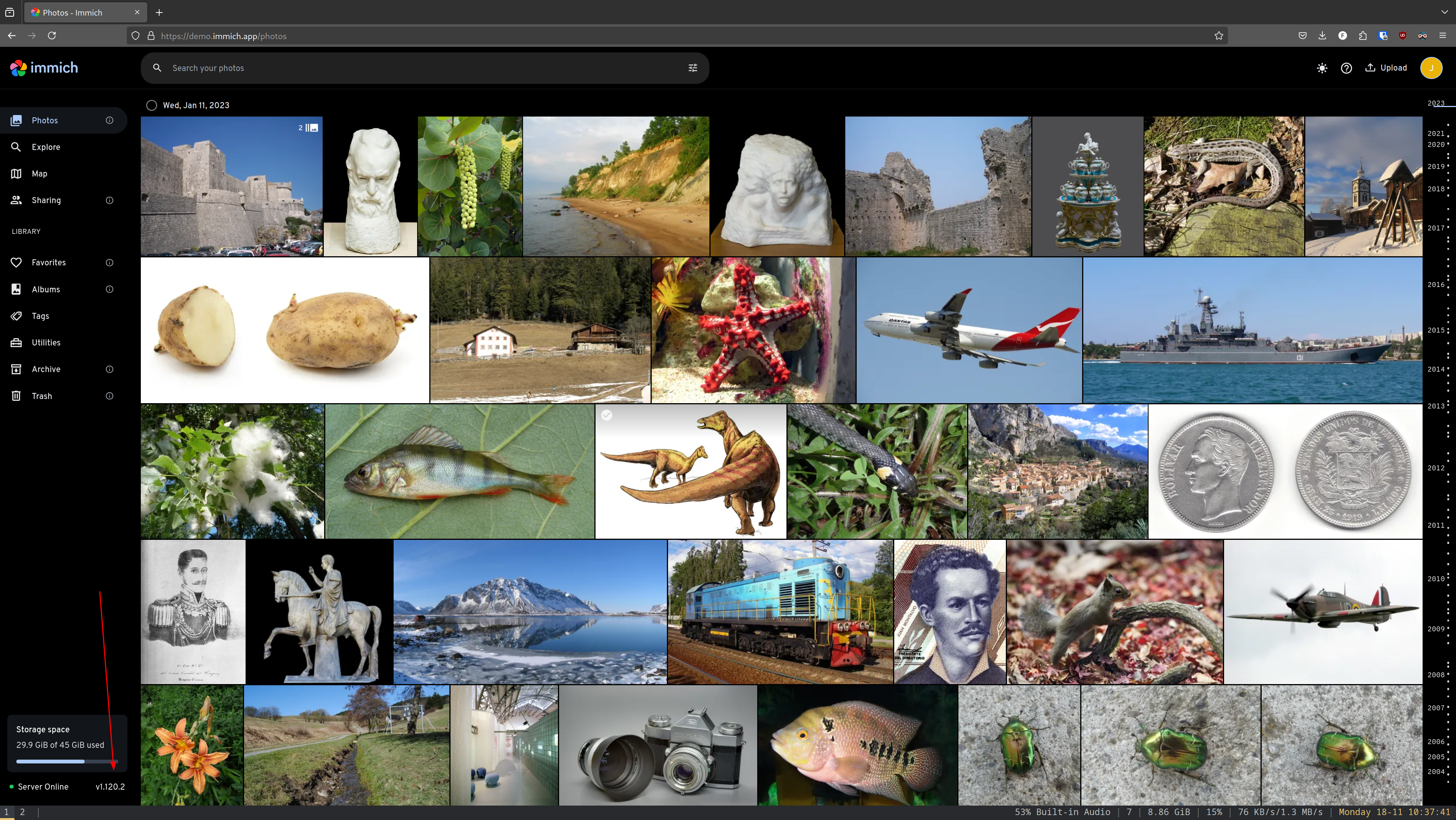
is there an easy way to see the currently running version number in the browser?

ocean cloud
drifting anchor
#

Ok, then something else is broken

#

The application works, the message does not

ocean cloud
#

Enable websockets in your reverse proxy

drifting anchor
#

I see. Will do