#Modded Assets Discussion
1 messages · Page 50 of 1
 zinc sparrow
this is the fucking reason
why I really want
to fucking
ban this place
and wipe modded assets
like
can you guys fucking believe me
 polar wing
wait no
zinc sparrow
for fucking once

 zinc sparrow
do I have to leak the fucking mod channel every fucking time so you guys can actually fucking understand that I'm telling the truth
i'm on the fucking edge to nuke this place.
 small yoke


polar wing
werd this is all your fault
 tribal shadow
zinc sparrow
# i'm on the fucking edge to nuke this place.
tribal shadow
zinc sparrow
# i'm on the fucking edge to nuke this place.

tribal shadow
polar wing
werd this is all your fault
why meeeee
zinc sparrow
no no
 ancient schooner
type shi
 tribal shadow
zinc sparrow
y'all have been showing y'all true colors
tribal shadow
zinc sparrow
y'all have been showing y'all true colors

nevermind, I am back to the code
small yoke
zinc sparrow
y'all have been showing y'all true colors
Bingle usually doesn't make jokes, He makes one and then this happens 
well We can back to coding having those words in account
zinc sparrow
small yoke
Bingle usually doesn't make jokes, He makes one and then this happens <:sadge:10...
g!ban @polar wing @grand gyro @hearty dome --rule s_2 --reason racial slur memes are not tolerable on this server despite illegal stuffs on this server that you guys done.
 stable tapirBOT
🔒 reedzylx, gjopin has been banned from NIKKE Community.
Reason for banning: racial slur memes are not tolerable on this server despite illegal stuffs on this server that you guys done.
Case 16759 | 2024-10-15 15:23:09 (UTC)
🔒 reedzylx, jarari has been banned from NIKKE Community.
Reason for banning: racial slur memes are not tolerable on this server despite illegal stuffs on this server that you guys done.
Case 16760 | 2024-10-15 15:23:21 (UTC)
 mellow marsh

stable tapirBOT
🔒 reedzylx, elcaudillo86 has been banned from NIKKE Community.
Reason for banning: racial slur memes are not tolerable on this server despite illegal stuffs on this server that you guys done.
Case 16761 | 2024-10-15 15:23:29 (UTC)
ancient schooner
💀
zinc sparrow
that's your fucking answer.
well good luck for whatever illegal stuff that you guys doing with ingame assets.
🥱
 severe mountain
uhh what actual thanos snap
mellow marsh
 ill just talk to them in Destiny child server
tribal shadow
shit happened type shi
zinc sparrow
mellow marsh
<:zakathumbsup:1233600706150273054> ill just talk to them in Destiny child serve...
good
more reason to wipe this channel.
ancient schooner
personal beef against a channel is a bit weird
small yoke
Bingle helped to save mods tho
 tribal shadow
zinc sparrow
more reason to wipe this channel.
tribal shadow
zinc sparrow
more reason to wipe this channel.
just let it be 😭 and leave automod as it is and auto ban on 2nd or 3rd timeout
 lament ruin
small yoke
Bingle helped to save mods tho
lament ruin
small yoke
Bingle helped to save mods tho
Doesn't give him the right to outright type the nWord
mellow marsh
 wasnt even the right one
ancient schooner
lament ruin
Doesn't give him the right to outright type the nWord
el caudillo sent a gif lmao
small yoke
lament ruin
Doesn't give him the right to outright type the nWord
I know, He just wanted to joke for this ocation but I get the rules
tribal shadow
-# My little sand castle on the playground's sandpit being wiped by a tsunami 
zinc sparrow
ancient schooner
personal beef against a channel is a bit weird
having this channel to have a fuckfest for the past few months is also weird.
ancient schooner
elaborate
zinc sparrow
if anything, this channel is the 2nd channel that cause the most problems while the 1st one is #the-eden
mellow marsh
fuckfest? explain
tribal shadow
mellow marsh
<:doge_bruh:1015691163103146115> fuckfest? explain
slurs... yeahhhhh
other stuff
zinc sparrow
don't ask me
tribal shadow
weird stuff
zinc sparrow
ask people like @tribal shadow
he's staying here longer than me
I only show up when flag filter pops an automod

tribal shadow

mellow marsh
 slurs I get, which automatically get flagged
tribal shadow
flag is a bad thing, shouldn't even exist here bruh
mellow marsh
so just straight ban?
tribal shadow
imma just end it here from my side. I am tired, i need to write a bit of the code too
zinc sparrow
mellow marsh
<:Hmm:1259674520273555580> slurs I get, which automatically get flagged
oh yeah
were you been here when people are being childish and arguing for hours over AI art
 zinc sparrow
someone called rainmaker003 or smth
ancient schooner
💀
zinc sparrow
ripping off mods etc
mellow marsh
zinc sparrow
oh yeah
were you been here when people are being childish and arguing for hours...
 which time
ancient schooner
everyone here by now should already know of them
mellow marsh
there have been many
mellow marsh
zinc sparrow
someone called rainmaker003 or smth
 oh that fucker yeah
ancient schooner
stealing mods and reselling
zinc sparrow
not to mention some of the modders were going weird when they can't post their nsfw mods of underaged characters
mellow marsh
ancient schooner
never understood those people
mellow marsh
who again?
ancient schooner
I can think of only one person but they don't do modding
zinc sparrow
zinc sparrow
not to mention some of the modders were going weird when they can't post their n...
probably not a modder
zinc sparrow
just someone causing a problem but it was a long term
 fleet current
Know what
fleet current
I see a bunch of code. I don't know.
zinc sparrow
I'm gonna dip, this channel is not for me and I don't think me showing up here would make people comfortable.
gn.
ancient schooner
gn
ancient schooner
fleet current
I see a bunch of code. I don't know.
uh look at your brain it's full of code
use that as reference
small yoke
fleet current
Know what
how to add a line on python to compress saved repacked files with lz4, but Bingle already added that one
fleet current
Wait did Bingle, El-Caudillo, and gjopin get banned?
ancient schooner
fleet current
Wait did Bingle, El-Caudillo, and gjopin get banned?
bingle straight up said the N word
fleet current
RIP modding I guess
ancient schooner
el caudillo posted a gif
mellow marsh
go to destiny child server
ancient schooner
and gjopin was talking
fleet current
Three of the most helpful folks here get banned
 visual wigeon
fleet current
Three of the most helpful folks here get banned
visual wigeon
fleet current
Three of the most helpful folks here get banned
What are we supposed to do when people are dropping straight up n words man
We didn't do anything the first time they did it cuz I believe they found out it got flagged
And I thought they'd stop
But they did it 2-3 times more so
Reed stepped in
fleet current
visual wigeon
What are we supposed to do when people are dropping straight up n words man
If I were you I'd DM them and say "you can't joke like that. Here is a 24 hour mute. Do it again and you're banned for a month"

visual wigeon
They being, this guy specifically
And bingle casually drops it as well, gets timed out
fleet current
I don't know what flag does, but if it doesn't at least mute, then it doesn't signal it's a bad thing?
visual wigeon
visual wigeon
And bingle casually drops it as well, gets timed out
Didn't even hold back btw
Straight up dropped the full word
fleet current
My interactions and observations with those three have been: they've been super helpful and patient wiith everyone here
visual wigeon
fleet current
I don't know what flag does, but if it doesn't at least mute, then it doesn't si...
They get a verbal warning essentially
I mean it's pretty obvious to not say that word man, we don't need to clarify anything about it
Not to mention when we get complaints about it, it means we're straight up not going to be patient about direct racism any longer
fleet current
What does the verbal warning say?
visual wigeon
fleet current
My interactions and observations with those three have been: they've been super ...
I understand that they're good additions for the modding community but sadly I don't think they have much of a case for an unban
I hope you guys can form a group with them somewhere else
visual wigeon
fleet current
What does the verbal warning say?
Tells them it's a banned word
fleet current
So it doesn't convey any escalating punishment for doing it again?
 south dagger
remove the space after #
fleet current
south dagger
remove the space after #
Bingle banned
ancient schooner
south dagger
remove the space after #
go to destiny child server
south dagger
lol wat
fleet current
Bingle perma banned for typing out the n word
fleet current
probably cuz he wanted to be stupid for fun
visual wigeon
fleet current
So it doesn't convey any escalating punishment for doing it again?
I mean it should be obvious
I'm not going to argue at all that people need to be TOLD to not say the n word in the server otherwise they'd be banned : (
south dagger
wat
fleet current
visual wigeon
I mean it should be obvious
I'm not going to argue at all that people need to b...
If your goal is to have fewer incidents of people typing out the n word, then clearly conveying the proportional consequences for the offense will help with that goal. Not doing this means you don't take the goal seriously.
If I were to evaluate the legal system here, you get a verbal warning for doing X, and then you're shot
that not a great legal system imo
south dagger
i mean block the msg + warn
fleet current
But it sounds like your goal isn't to have fewer incidents of people typing out the n word, but to entice out and shoot as many people as you can whose moral framework doesn't take the n word as seriously as you think they ought to take it
visual wigeon
It has been consistent
zinc sparrow
bro really thinks we need to forgive people for using racial slurs
might aswell forgive people for sending child porn

fleet current
false equivalency
visual wigeon
fleet current
false equivalency
True, but the infraction is considered a direct ban here
I apologise for the inconvenience but I don't think even doc will budge here
fleet current
LOL ????
 visual wigeon
fleet current
LOL ????
visual wigeon
fleet current
LOL ????
Yeah for some words we give that small warning
The words they used involved that warning as well
fleet current
Okay let's move on from debating the gaping flaws of your rules system, cuz it's frankly not my server, so it's whatevs.
Let's talk about the infraction. Apparently, only Bingle typed out the n word.
Yet three people got perma-banned
??
zinc sparrow
totally would be a very good server if people can be free for calling out someone or something like "yo that's racist" everytime and then ended up having a discussion of which one is racist or not which passively cause a distress on the server of people talking about racist stuff in a gacha game server.
"gaping flaws" 
visual wigeon
fleet current
Yet three people got perma-banned
As I said, The others had sent GIFs referencing the nword
fleet current
So referencing the n word is also perma-ban?
 visual wigeon
We showed and talked to them about those GIFs here before banning them^^
fleet current
I c
visual wigeon
fleet current
So referencing the n word is also perma-ban?
 fleet current
gjopin's gif was bad joke, but el-caudillo's gif is literally an image that says, "YOU CAN'T SAY THAT"
visual wigeon

If claudillo thinks he has a case for an unban, tell him to DM doc
The other 2 won't be unbanned
fleet current
It's similar to banning for this, because I typed out the banned word
 zinc sparrow
visual wigeon
<:AnisShrug:1044440047795044443>
If claudillo thinks he has a case for an unba...
zinc sparrow
visual wigeon
<:AnisShrug:1044440047795044443>
If claudillo thinks he has a case for an unba...
he already did
and might be unbanned
 sullen sparrow
huh
mellow marsh
visual wigeon
But they did it 2-3 times more so
Reed stepped in
fr did it 2-3 more times
small yoke
sullen sparrow
huh

 half bone
tbh I don't think posting such GIF is a bannable crime. I mean if it really was against Discord's TOS, then discord wouldn't have kept it in their selection of GIFs...but idk if discord themselves are hypocrite or not
mellow marsh
discord doesnt police gifs for the most part. Most come from tenor and the ones posted by ppl. Well lets just say there are still questionable ones around
fleet current
 mellow marsh
where did bros comment go
 dry light


 half bone
but...even serious infraction doesn't say ban tho...
mellow marsh
think they were talking about JEFF
visual wigeon
dry light
i like how fast u were to cip that
We have logs bruh
fleet current
visual wigeon
<a:ppSmoke:463844507117420555>
I'm surprised Bingle repeated the offense after getting muted for 3 days, and then did it again even though he was perma-muted
small yoke

visual wigeon
fleet current
I'm surprised Bingle repeated the offense after getting muted for 3 days, and th...
It is what it is, maybe he wasn't enjoying his time here
mellow marsh
"slurs are prohibited" -somewhere in the rules I just looked at 2 sec ago
dry light
so basically do we have new rules here?
visual wigeon
dry light
so basically do we have new rules here?
The rule is to not say the n word, please follow it??
zinc sparrow

mellow marsh
zinc sparrow

mellow marsh
1 person
zinc sparrow
g!unban 325343411689488386 484860007800766479
stable tapirBOT
⚠ reedzylx, elcaudillo86 was not unbanned from NIKKE Community.
Error Details: User not found on the server ban list.
🔓 reedzylx, gjopin has been unbanned from NIKKE Community.
mellow marsh
good drama was when rainmaker was here
dry light
gjopin?? lol
small yoke
xd
zinc sparrow
can't believe I still have to unban these people for implicating racial slurs just because they glazing paradox's ass on DC server.
fleet current
visual wigeon
It is what it is, maybe he wasn't enjoying his time here
The joke here is that he can't possibly type out the n-word if he was perma-muted, per your own rules
zinc sparrow
at least I got a green light to perma-ban them after one more offense.
 mortal sageBOT
Added Real Kindness to gjopin.
mellow marsh
polar wing
good to be back
 the purple role
mortal sageBOT
Added Real Kindness to elcaudillo86.
zinc sparrow
good luck.
polar wing
 visual wigeon
fleet current
The joke here is that he can't possibly type out the n-word if he was perma-mute...
visual wigeon
fleet current
The joke here is that he can't possibly type out the n-word if he was perma-mute...
What I meant to point out was that people before him said it, got warned
Didn't listen
Then after bingle said it, reed tried to tell people to not say it, and it got followed up by 2-3 more 
That was why gjopin and Claud got banned
Anyways they're back 

 visual wigeon
dry light
lemme join the fun <a:kewklaugh:1097318450961063957>
visual wigeon
dry light
lemme join the fun <a:kewklaugh:1097318450961063957>
I'm gonna drop the topic now, just back read
dry light
visual wigeon
We have logs bruh
i mean bro you have this but you guys can't use filter to block the n word to be said here?

zinc sparrow
totally not backreading enough
visual wigeon
dry light
i mean bro you have this but you guys can't use filter to block the n word to be...
Can't filter GIFs
We did filter that word
Just backread dude
zinc sparrow
dry light
zinc sparrow
totally not backreading enough
most of the msgs were deleted xD
either way glad everyone is back and safe
zinc sparrow
visual wigeon
Can't filter GIFs
We did filter that word
Just backread dude
this is the only information you get after backreading
I have to delete some of the messages because it's an offense.
mellow marsh

 visual wigeon
Anyways drop topic now
dry light
 polar wing
nuh uh
south dagger
visual wigeon
Anyways drop topic now
Oops sry just saw this
polar wing
im a changed man
polar wing
the real kindness role is proof
south dagger

dry light

south dagger
Fast, post ass to distract mods
sullen sparrow
polar wing
mf starts a sentence with fast 😭
south dagger



 pliant sand

 mellow marsh

 civic harbor
Hi, is it even possible to mod nikke anymore? The old mod tool loads endlessly for me now
polar wing
civic harbor
Hi, is it even possible to mod nikke anymore? The old mod tool loads endlessly f...
get the new one
 sacred vale
and repack
 wanton gate
zinc sparrow
can't believe I still have to unban these people for implicating racial slurs ju...
wanton gate
zinc sparrow
can't believe I still have to unban these people for implicating racial slurs ju...
What's glazing paradox's ass
wanton gate
zinc sparrow
well good luck for whatever illegal stuff that you guys doing with ingame assets...
Damn we are criminals now 😭
wanton gate
Does it work now ☠️
wanton gate
zinc sparrow
topic has been dropped
What's glazing paradox's ass? English learning question?
wanton gate
small yoke
yeah We still testing stuff with chatgpt

zinc sparrow
wanton gate
What's glazing paradox's ass? English learning question?
no one stops you from backreading if you wanna know the context without pinging me on 4AM
wanton gate
zinc sparrow
no one stops you from backreading if you wanna know the context without pinging ...
Nah I'm not good at English the question is just unrelated to the topic lol 😂
 obsidian umbra
prayin on my knees that bugs bunnay does last origin special swaps one day 
wanton gate
south dagger
Glazing = Ass kissing

 honest pond
@south dagger is it possible to add nikke search feature for the next version of nmm?
mellow marsh
 nikke search feature?
honest pond
when you have too many mods, it gets cumbersome to switch
 wicked pivot
since the dev tool shortcut work, perhaps ctrl + f works too to search stuff?
south dagger
can add search
 simple violet


 small yoke
@half bone chibi models swaps process is the same than before swapping string first, only different thing to make it work with NMM 0.21 is to rename the file like the catalog name just like We did with lobby background yesterday
 cloud egret
I read all the bundle stuff that was sent yesterday but i still cant do it to save my life, the python scripts always error in some way and adding .bundle doesn't change anything. i request help for my brain is fried. ||ty in advance||
small yoke
cloud egret
I read all the bundle stuff that was sent yesterday but i still cant do it to sa...
there ☝️
cloud egret
so i'd be renaming it to this?
 small yoke
cloud egret
so i'd be renaming it to this?
small yoke
cloud egret
so i'd be renaming it to this?
the full paths in the scripts? yeah
and use / instead \
I have not knowledge about python programming tbh, Bingle and chatgpt did the 99% of the job
I'll add a video guide later because it's really confusing at first for non-programmers ngl lol
cloud egret
small yoke
the full paths in the scripts? yeah
and use / instead \
this good?

 cloud egret
small yoke
I'll add a video guide later because it's really confusing at first for non-prog...
cloud egret
small yoke
I'll add a video guide later because it's really confusing at first for non-prog...
i am on my knees
looks like it works untill it need this thing. but idk what it is
 small yoke
cloud egret
looks like it works untill it need this thing. but idk what it is
small yoke
cloud egret
looks like it works untill it need this thing. but idk what it is
oh I thought you had the required libraries lol
There are some previous steps...... installing Python, UnityPy and Microsoft Visual C++ 14.0 (12GB download)
or that is how it was for me
half bone
U have to assume that people dun have any dependency installed, so have to write how to get those or point them where they can get them.
half bone
small yoke
<@293918832760717313> chibi models swaps process is the same than before swappin...
And thanks! Will update the guide
small yoke
half bone
U have to assume that people dun have any dependency installed, so have to write...
I'll include everything on a video guide later..... not sure how long this one will be tho
Maybe my most long videoguide 
let's see what happens with the mods after Rumani patch first

half bone
small yoke
<@293918832760717313> chibi models swaps process is the same than before swappin...
Oh, right forgot to ask. What was the method before string swap method? I only know about this one.
small yoke
half bone
Oh, right forgot to ask. What was the method before string swap method? I only k...
for chibi swaps was always string method 
uShiro guide is still on pinned messages in this channel
half bone

cloud egret
small yoke
There are some previous steps...... installing Python, UnityPy and Microsoft Vis...
had python but when ever i try unity this error apears then closes instantly. and for visual what am i meant to do from here?
 polar wing
run pip install unitypy in terminal
small yoke
cloud egret
had python but when ever i try unity this error apears then closes instantly. an...
UnityPy doesn't work without Microsoft Visual C++ 14.0 or above
https://visualstudio.microsoft.com/visual-cpp-build-tools/
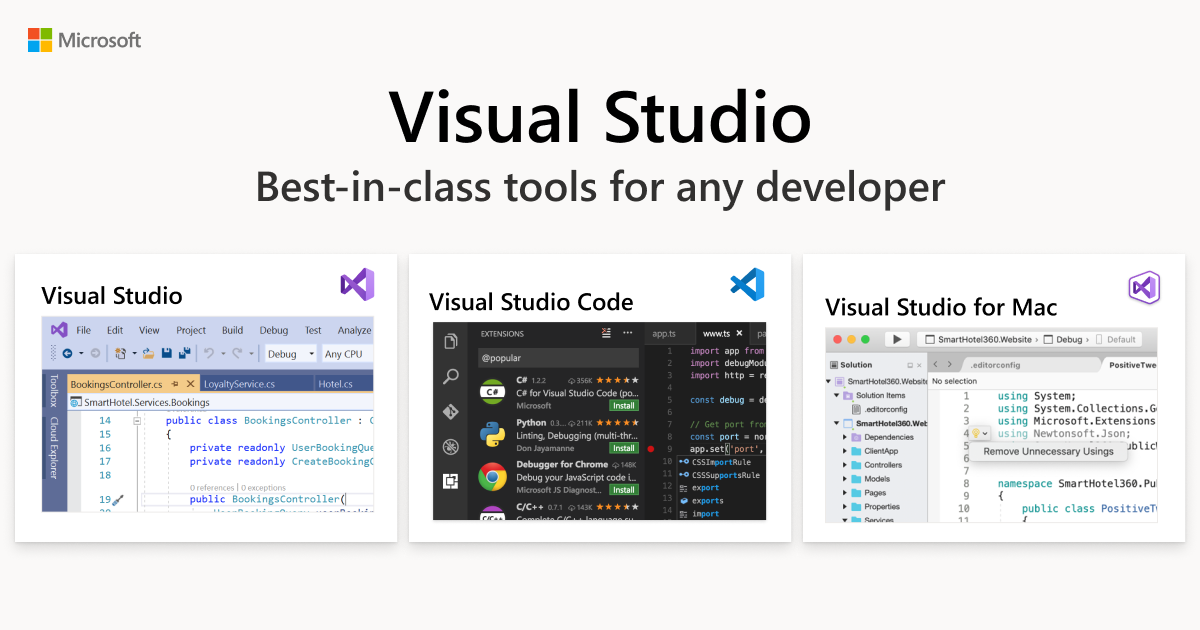
Visual Studio
Download build tools, install it and when it shows additional stuff to install select this

the download is around 11.59GB
cloud egret
downloading
cloud egret
small yoke
Download build tools, install it and when it shows additional stuff to install s...
i ran the code on unedited files and it worked. the only difference is that i don't have texture 2d files in there so i was woundering if im meant to skip this step. but i do have them on my device. also the rest only ended up in modded bundles
tribal shadow
small yoke
Download build tools, install it and when it shows additional stuff to install s...


not 12GBs
You only need C++ runtime which is less than 50MBs, rest is optional.
 hearty panther
zinc sparrow
g!ban <@484860007800766479> <@225480632866701312> <@325343411689488386> --rule s...
hearty panther
zinc sparrow
g!ban <@484860007800766479> <@225480632866701312> <@325343411689488386> --rule s...
i felt like i missed this ban ytd

 small yoke
cloud egret
i ran the code on unedited files and it worked. the only difference is that i do...
small yoke
cloud egret
i ran the code on unedited files and it worked. the only difference is that i do...
do u have UnityPy installed already?
hearty panther
so how was those guys literally bring those shits into this ass shaking community ?
cloud egret
small yoke
do u have UnityPy installed already?
if its this then yes
 honest pond
mangase
ancient schooner
hearty panther
so how was those guys literally bring those shits into this ass shaking communit...
just don't talk about it
hearty panther
k then
ancient schooner
really isn't best to bring it up again
small yoke
tribal shadow
bruh..... I had to install that 12GB s*it because I downloaded a file with 50MB too but UnityPy was still giving me errors 
tribal shadow
small yoke
bruh..... I had to install that 12GB s*it because I downloaded a file with 50MB ...
I just have every single c++ runtime possible i guess
small yoke
cloud egret
if its this then yes
open Windows powershell and write
pip install UnityPy
then press enter
that is how I installed it lol
gjopin too
tribal shadow
cmd works too
cloud egret
small yoke
open Windows powershell and write
pip install UnityPy
then press enter
yay it work now, Ty!
small yoke
cloud egret
yay it work now, Ty!
the repacker or just UnityPy?
cloud egret
nvm 🥲

from the looks of it, it only failed repacking
it filled the other files exept that one
small yoke
cloud egret
nvm 🥲
u decryted the hashed files with NAU already right?
I mean those 54gf65g4f65h4gf6h named files
cloud egret
small yoke
u decryted the hashed files with NAU already right?
yes
i have stuff like these but dont remember making them
 lament ruin
this repacker doesnt seem to work
it fails at file 3___repacker_lz4_compressor.py with this error
not sure why


no its not in c:\ its in a folder thats on desktop tree command is just being weird
small yoke
lament ruin
you need to set the paths for each folder but just in case keep the folders "Extracted Assets", "Modded Bundles", "Original Bundles" and "Repacked" inside "REPACK folder"
lament ruin
small yoke
you need to set the paths for each folder but just in case keep the folders "Ext...
should i use absolute paths or relative
since relative are just folder name bc they are next to repacker files
small yoke
lament ruin
should i use absolute paths or relative
since relative are just folder name bc t...
I guess they are called absolute paths 
just like this
 lament ruin
small yoke
I guess they are called absolute paths <:SugarThink:1247447416274288691>
just li...
lament ruin
small yoke
I guess they are called absolute paths <:SugarThink:1247447416274288691>
just li...
well absolute is path from drive letter to the folder
and relative is ../ ./ and just folder name
small yoke
lament ruin
well absolute is path from drive letter to the folder
and relative is ../ ./ and...
3 doesn't need absolute paths I think since that one was made by Bingle so Idk how it works too much
but the other ones need absolute paths
small yoke
cloud egret
i have stuff like these but dont remember making them
"Modded Bundles" folder?
small yoke
cloud egret
i have stuff like these but dont remember making them
wait...... there is something wrong here
why hashed files with .bundle extension? are those old mods that are not even renamed to work with NMM structure name?
cloud egret
small yoke
"Modded Bundles" folder?
 cloud egret
small yoke
wait...... there is something wrong here <:SugarThink:1247447416274288691>
cloud egret
small yoke
wait...... there is something wrong here <:SugarThink:1247447416274288691>
i think made those using the video but im not even sure they have anything to do
lament ruin
small yoke
3 doesn't need absolute paths I think since that one was made by Bingle so Idk h...
well it sure is relative to that file
yet it fails to open stuff thats in there claiming that 'repacked_bundle_path' is not defined

 small yoke
cloud egret
small yoke
cloud egret
the name structure for NMM should be
cXXX_XX_standing_AuthorName_CharacterName
or well I think NMM recognize those names idk
 lament ruin
small yoke
the name structure for NMM should be
`cXXX_XX_standing_AuthorName_CharacterName`
lament ruin
small yoke
the name structure for NMM should be
`cXXX_XX_standing_AuthorName_CharacterName`
last _part is mod name
so it can be anything
small yoke
lament ruin
well it sure is relative to that file
yet it fails to open stuff thats in there ...
copy my folder structure like this
The scripts should work just fine, I was repacking my mods some hours ago

forget 0 and 6 and just run 1 to 5 one by one
lament ruin
small yoke
copy my folder structure like this
The scripts should work just fine, I was repa...
fine
also extract assets fails on some of my files that worked in old nmm
it crashes whole script
small yoke
lament ruin
fine
also extract assets fails on some of my files that worked in old nmm
it cra...
yea I know I need to explain how to set the old and new files in the folders and stuff, video guide coming soon 
ok lemme show you an example with screenshots at least
lament ruin
small yoke
yea I know I need to explain how to set the old and new files in the folders and...
idk it just gets some lz4 error
i added error check to continue with other files if error occurs at one
or rather ai did
small yoke
lament ruin
idk it just gets some lz4 error
i added error check to continue with other files...
lz4 is the compression We asked to Bingle to add to the script
it was an additional thing not needed for most of modders tbh
they don't compress their mods after all
lament ruin
small yoke
lz4 is the compression We asked to Bingle to add to the script
it was an additio...
same error as without my error check
only difference is that script didnt crash
 small yoke
lament ruin
same error as without my error check
only difference is that script didnt crash
small yoke
lament ruin
same error as without my error check
only difference is that script didnt crash
so only 3 is failing?
lament ruin
small yoke
copy my folder structure like this
The scripts should work just fine, I was repa...
rly
couldnt u use %username% instead if user
 small yoke
lament ruin
rly
couldnt u use %username% instead if user
small yoke
lament ruin
rly
couldnt u use %username% instead if user
I...... forgot about that
lament ruin
small yoke
so only 3 is failing?
if you exclude broken (at some files) asset extracting then yes
small yoke
lament ruin
if you exclude broken (at some files) asset extracting then yes
wait how many files are you repacking?
I tested the repacker with 20 files at the time so far

not sure if that matters
lament ruin
small yoke
wait how many files are you repacking?
I tested the repacker with 20 files at th...
idk def less than 20
also here are files since they were uploaded as free mods in main modded assets and i am too lazy to look for person that uploaded them
small yoke
lament ruin
rly
couldnt u use %username% instead if user
btw don't run that .bat file, run the .py scripts separately in order except number 6 since that one deletes everything in the folders
lament ruin
small yoke
btw don't run that .bat file, run the .py scripts separately in order except num...
too lazy
renaming 6 to idk .py1 is easier
small yoke
lemme finish dailies and spend resin 
Genshin with nude mods keeps my motivation to play the game just like NIKKE with nude mods

lament ruin
small yoke
lemme finish dailies and spend resin <:kekw:1009394634692247632>
fine
also
ctr +h on all py files to change users/user to users/konto obviously fixed path issue but original bundles issue persists

and repacker doesnt seem to handle multiple mods of same character
not sure if it does handle it i just see that it didnt extract all png files for other mods of same character
small yoke
lament ruin
and repacker doesnt seem to handle multiple mods of same character
not sure if i...
oh that is because even if they got different filenames their internal assets are named the same...... so if you extract let's say Na0h Mary mod and HEX Mary mod then the assets from the last one will overwrite the assets from the first one
just repack the mods you were using already with NMM
lament ruin
small yoke
oh that is because even if they got different filenames their internal assets ar...
yeah ik why it happens and it should do that
lament ruin
small yoke
just repack the mods you were using already with NMM
i use all
i like to change them
small yoke
lament ruin
i use all
i like to change them
well, only way in that case is to repack them by author I guess
lament ruin
small yoke
well, only way in that case is to repack them by author I guess
first i need to get repacker to work at all
cloud egret
cloud egret
nvm 🥲
putting in less mods fixed the error but the repacked files dont appear
small yoke
ok Genshin done, lemme send screenshots
polar wing
small yoke
they don't compress their mods after all
what
 polar wing
wdym they dont compress their mods
small yoke
polar wing
wdym they dont compress their mods
compress the bundles with LZ4 compression
polar wing
who doesnt do that
small yoke
polar wing
who doesnt do that
 small yoke
lament ruin
idk def less than 20
also here are files since they were uploaded as free mods i...
small yoke
lament ruin
idk def less than 20
also here are files since they were uploaded as free mods i...
ok Imma use your mods you want to repack for the example
lament ruin
small yoke
ok Imma use your mods you want to repack for the example
no need i want to do it myself
and possibly understand how repacker works
and maybe make a better one
small yoke
lament ruin
no need i want to do it myself
and possibly understand how repacker works
and ma...
that's why I made the scripts separated and not everything in one single script, you can upload any of them to chatgpt and ask it to modify the code for you based on what you want to change
I modified Bingle script (3) like that
lament ruin
small yoke
that's why I made the scripts separated and not everything in one single script,...
idk even i think free one can handle all 6 at once
like when in 1 file
and i have the paid one so i am preety sure it would handle it
small yoke
and ofc chatgpt fucked some stuff at first cuz I was not clear at all since Idk how to code in python

small yoke
lament ruin
idk even i think free one can handle all 6 at once
like when in 1 file
and i hav...
I use free chatgpt
lament ruin
polar wing
what do you do with it
force it to code with preety long and complex stuff
and make up for my lack of vscode when coding in c#
polar wing
do you still have the prompts
small yoke
polar wing
do you still have the prompts
nope lol, but if I remember correctly I asked it to make a script that matches the internal data (for example their Texture2D internal data) from the files in "Modded Bundles" with the files in "Repacked"
And if it finds matches then the script renames the files in "Repacked" picking the names from the files in "Modded Bundles" accordly
small yoke
polar wing
did you use chatgpt in incognito or something
I used it on my other partition where I have NIKKE installed, I can go check my browser there if you want later
if the chat is still there I'll share
polar wing
k thx
damn i didnt think of internal data i just tried to make it go off by asset name lol
small yoke
polar wing
damn i didnt think of internal data i just tried to make it go off by asset name...
that is the only thing I understood about Bingle repacker script
it finds matches in their internal data (assets) or something
So I just asked chatgpt to use that info
lament ruin
well
i tried to do it with these 3 files only
and it still gets lz4 errors

doing other 3 files that dont get lz4 error still results in orignal bundle errors
 small yoke
lament ruin
well
i tried to do it with these 3 files only
and it still gets lz4 errors
small yoke
lament ruin
well
i tried to do it with these 3 files only
and it still gets lz4 errors
I'm checking that script now
lament ruin
small yoke
<:hmmge:1015313814624931951> I'm checking that script now
okay
but
what about original bundles
it does this error for all 2889 original decrypted files
small yoke
lament ruin
okay
but
what about original bundles
it does this error for all 2889 original de...
hmm..... I can open the files you sent with UABEA but they don't load on AssetStudio
I'm not sure if the files are corrupted or not
lament ruin
small yoke
I'm not sure if the files are corrupted or not
i say they arent since they worked before mod breaking updated to nikke
anyway what about original bundle errors
small yoke
lament ruin
doing other 3 files that dont get lz4 error still results in orignal bundle erro...
that is (3) ?
last time that one was not working for me I had not assets extracted in "Extracted Assets", I guess that is ok since (2) is not extracting the assets cuz something failing with the bundles
lament ruin
small yoke
that is (3) ?
see how many filed were renamed 3
so yeah its 3 files script just crashed on 1 st one since it lacks error handling
lament ruin
small yoke
that is (3) ?
no that script 2
small yoke
but that message about 2 ran successfully shows when 2 already finished to load from the bat file I think? Then the bat runs 3 after
 lament ruin
small yoke
but that message about 2 ran successfully shows when 2 already finished to load ...
lament ruin
small yoke
but that message about 2 ran successfully shows when 2 already finished to load ...
second ss is a different run with different files
polar wing
repacked bundle path is not defined
 hushed surge
i think that is a very old mod that has not been repacked since. It's giving the same problem to me (corrupted files), probably needs manual repacking
polar wing
does that mean you dont have a folder set for repacked files
small yoke
hushed surge
i think that is a very old mod that has not been repacked since. It's giving the...
Imma try something...... lemme try descompressing those bundles before to extract their assets
welp
the problem was the script was failing because they are compressed ones
I descompressed them and now they work
hushed surge
lament ruin
idk def less than 20
also here are files since they were uploaded as free mods i...
Im pretty sure, that those files are this, try with this ones
small yoke
hushed surge
Im pretty sure, that those files are this, try with this ones
for some reason my script 2 can't extract the assets from those compressed bundles, so descompressing them first fix the issue
I need...... to make another script to descompress them now
hushed surge
small yoke
for some reason my script 2 can't extract the assets from those compressed bundl...
i tried the ones i just passed, they got extracted tho
small yoke
polar wing
why are your scripts so buggy 😭
they work for my backups of my old mods.......
hushed surge
yup, im pretty sure is them, let me check in AssetStudio, 1s , yes it is, use the onees i passed, wont give errors
polar wing
the only mods that cant be repacked with my script are ones that are double encrypted
small yoke
hushed surge
i tried the ones i just passed, they got extracted tho
yeah it seems like the bundles are the problem, idk how skimpy made their mods
hushed surge
small yoke
yeah it seems like the bundles are the problem, idk how skimpy made their mods
skimpy is the name of the mod, unknown is Blackcat in this case

small yoke
polar wing
the only mods that cant be repacked with my script are ones that are double encr...
I'm telling chatgpt to make another script to descompress any bundle in "Modded Bundle" to fix the issue at once
script 3 will compress the repacked files at the end anyways
 small yoke
hushed surge
skimpy is the name of the mod, unknown is Blackcat in this case
small yoke
hushed surge
skimpy is the name of the mod, unknown is Blackcat in this case
well skimpy could be a modder name too
 polar wing
descompress
polar wing
small yoke
well skimpy could be a modder name too <:heh:1008474357519097946>
erm actually the word skimpy is placed in the character name section of the file name
small yoke
why they can't rename them like Danieru said
lament ruin
polar wing
erm actually the word skimpy is placed in the character name section of the file...
no thats mod name part

 small yoke

polar wing
lament ruin
no thats mod name part
 lament ruin
fuck me at this rate i will force gpt to write a better script that just extracts raw data and inserts it into original bundle that it finds based on paths from list
polar wing
why raw data
lament ruin
polar wing
why raw data
easier and probably wont have conflicting names not sure about that one
polar wing
to import?
small yoke
hmm, I can't descompress them with UnityPy
but I can descompress them manually with UABEA
polar wing
unitypy just export and imports asset bundle stuff lol
why does your script have problem with compressed bundles
small yoke
polar wing
unitypy just export and imports asset bundle stuff lol
which one handle the descompression then?
polar wing
why do you spell it like descompression 😭
im pretty sure you dont need it to be decompressed
perhaps
small yoke
polar wing
why do you spell it like descompression 😭
my spanglish hitting hard
small yoke
tf is happening with my scripts, they give me error but the assets were extracted in Extracted Assets
I'm learning to code by force at least 
polar wing
try this
needs pip install unitypy lz4 but you probably have that
idk if the renaming part works i just went off on what you said
@small yoke
small yoke
polar wing
try this
the decompressor?
polar wing
no
a repack script
that doesnt need to decompress or bundle extension
you might need to define your own paths
small yoke
polar wing
a repack script
did u test it with those olds mods sent above?
small yoke
small yoke
I need to fix the decompression part and then selekcjoner can use my repacker
those old mods need to be decompressed first and after that my repacker can continue the tasks
small yoke
polar wing
im on my school laptop lmao
or well if u need someone to test your script I can check it after
 small yoke
I switched to my partition with NIKKE, lemme check my browser now
small yoke
polar wing
actually test the renaming part for me lol
This is what I asked it

I uploaded Bingle original script for reference btw
polar wing
cool
half bone
@small yoke think the only thing that needs an update in the guide is the way to use A1teri's site...but not sure if I should rewrite that since its gonna change files every update so I'd need to update the guide every update as well at every section I mention a1teri's site...
 tribal shadow
Oh btw, how's bulk rename going?
polar wing
tribal shadow
Oh btw, how's bulk rename going?
i think it works now
kxd said his renamer worked
but his stupid scripts need .bundle extension
 small yoke
tribal shadow
Oh btw, how's bulk rename going?
small yoke
tribal shadow
Oh btw, how's bulk rename going?
use this for reference for chatgpt #1041207949508497548 message
tribal shadow
polar wing
but his stupid scripts need .bundle extension
lmao
small yoke
half bone
<@839970657357398048> think the only thing that needs an update in the guide is ...
the part about encryption could be removed too
or that step can be the renaming stuff for NMM 0.21
half bone
ah right. forgot about the encryption part
small yoke

small yoke
hushed surge
Im pretty sure, that those files are this, try with this ones
my repacker worked with these ones, did u do something to them before to send them? like to open them with UABEA and save them manually first?
hushed surge
small yoke
my repacker worked with these ones, did u do something to them before to send th...
I'm pretty sure it's because they were broken some months ago and I repacked them, the files that he tried to repack were old 
small yoke
well anyways, my repacker works for not too old mods like those Blackcat mods
so I don't need to add anything else besides the scripts I already posted on my mega

polar wing
small yoke
well anyways, my repacker works for not too old mods like those Blackcat mods
did u try mine
small yoke
polar wing
did u try mine
oh I forgot to ask if that script works with my created folders
lament ruin
small yoke
well anyways, my repacker works for not too old mods like those Blackcat mods
and what about error on original bundle with some definition error
 polar wing
small yoke
oh I forgot to ask if that script works with my created folders
polar wing
small yoke
oh I forgot to ask if that script works with my created folders
i told you to define your own paths
polar wing
lament ruin
and what about error on original bundle with some definition error
try using the script i sent
if it still doesnt work it might be a problem with the bundle
lament ruin
polar wing
try using the script i sent

i am not running through close to 3k files just to find the right ones
 lament ruin
polar wing
open the py in notepad and change the directories
lament ruin
polar wing
open the py in notepad and change the directories
they are correct for my folder structure
anyway heres tree /f
 polar wing
lament ruin
polar wing
lament ruin
yeah change those to your paths
right click folder
copy as path
paste it between the quotes
lament ruin
polar wing
yeah change those to your paths
why its already relative to it
cloud egret
lament ruin
i am not running through close to 3k files just to find the right ones
asset studio stops on the ones that have something wrong
polar wing
lament ruin
why its already relative to it
just do it 🗿
cloud egret
but i have the same issue and removing those didn't stop the error
polar wing
im not good enough at programming to explain why it doesnt work
lament ruin
polar wing
just do it 🗿
 polar wing
yeah
lament ruin
first error is single \ instead of \
polar wing
now run it
lament ruin
polar wing
now run it
i did thats the second run
polar wing
ask chatgpt lol
lament ruin
polar wing
ask chatgpt lol
i already had 2 hour long war with it
polar wing
just tell it to format the directories better or something
lament ruin
stupid machine i say do x it says fine i will do y just like u ask me to
polar wing
cause when i told it to make the script i didnt give it a specific directory
wicked pivot
you may need to escape to space
polar wing
wicked pivot
you may need to escape to space
you take over
wicked pivot
space in file path is the black sheep of programming
idk python so no I'm not taking over
polar wing
damn
lament ruin
wicked pivot
you may need to escape to space
i doubt since r doesnt work either
 wicked pivot
but a typical JS file path would be double \ to travel directories and "\ " for spaces
polar wing
i get home in like 30 min ill try the script myself later
wicked pivot
lament ruin
i doubt since r doesnt work either
what you tried isn't what I said
lament ruin
wicked pivot
what you tried isn't what I said
idk how to escape a space
anyway its not that since no space dir is still broken
 wicked pivot
try Modded\ Bundles
honestly
I saw your screenshot above
Original Bundle folder have the original encrypted/hashed files
a file called c130_00 shouldn't be there at the first glance
seeing how it's a mod I'd fire a guess that it exists in Modded Bundles
in what folder is the file stored
lament ruin
wicked pivot
a file called c130_00 shouldn't be there at the first glance
yeah ik i kinda pointed that out by saying i am not looking for the right one and sending ss of original bundles folder
cloud egret
this is what we were told to do
lament ruin
cloud egret
this is what we were told to do
this is what doesnt work
cloud egret
ye
wicked pivot
if you aren't answering my questions I can't and won't help any further. knowing my hatred for python anyway. good luck
wicked pivot
I bid you good luck, tried my best but bro selek didn't try to escape the space nor tell me if his file even exists in the folder
lament ruin
xd this actually doesnt do anything

fuck it i will try to just make script with asset studio cli
wicked pivot
you do know AS & AS CLI don't have function to convert unity assets to bundles right
if it was the case people would be using it
south dagger
are u guys using correct lz4 compression btw?
cloud egret
lz4?
south dagger
nvm im guessing u guys alrdy done or w/e
polar wing
south dagger
are u guys using correct lz4 compression btw?
i just told chatgpt to compress by lz4
south dagger
theres different settings etc
polar wing
works on other scripts ive tried
south dagger
but if the bundles r working then its all good
polar wing
lol
polar wing
guy having problem with my script and we not sure if script issue or skill issue
lament ruin
small yoke
I'm back, what did I miss?
the same exact error
Failed to process ./Original Bundles\6d29dd10f622469c23e448e4ff82c3fe: name 'repacked_bundle_path' is not defined
lament ruin
polar wing
guy having problem with my script and we not sure if script issue or skill issue

yeah it doesnt do anything
lament ruin
polar wing
what you highlighted?
the place where gpt got lazy af
small yoke
lament ruin
the same exact error
Failed to process ./Original Bundles\6d29dd10f622469c23e448...
just in case it's better if you put in the original bundles folder the raw files for the old mods only
and not the whole aeb001 folder
south dagger
are u guys even reading the error wtf
lament ruin
small yoke
just in case it's better if you put in the original bundles folder the raw files...
yeah i am not going through 3k files
south dagger
it says repacked_bundle_path is not defined
lament ruin
south dagger
it says repacked_bundle_path is not defined
it literally is
 small yoke
south dagger
it says repacked_bundle_path is not defined
small yoke
south dagger
it says repacked_bundle_path is not defined
I'm assuming He already set the paths like I said various messages above some hours ago
lament ruin
small yoke
I'm assuming He already set the paths like I said various messages above some ho...
ofc i did
small yoke
lament ruin
it literally is
not those ones
lament ruin
small yoke
not those ones
thats the only place where repacked_bundle_path is defined
which is what danieru was talking about
small yoke
lament ruin
thats the only place where repacked_bundle_path is defined
which is what danieru...
wait which script is that one btw?
if it's (3) Bingle script I have not idea how his script works
south dagger
lament ruin
it literally is
if edited is false it jumps straight to "with open(repacked_bundle_path, "wb") as f:" without "repacked_bundle_path = os.path.join(..)" getting defined
small yoke
lament ruin
yeah i am not going through 3k files
I thought about this, I'll try to make another script separated to work with NAU and the aeb001 folder later
lament ruin
south dagger
if edited is false it jumps straight to "with open(repacked_bundle_path, "wb") a...
yeah but that means whole try part doesnt work
small yoke
I was getting the raw files manually one by one with A1teri tool and Everything
but to automate that would be cool
south dagger
Theres no try in your screenshot so i dont know what youre talking about
 lament ruin
hushed surge
repacked_folder = "./Repacked"
lament ruin
hushed surge
repacked_folder = "./Repacked"
this is correct since repacked is in same dir as script
south dagger
south dagger
if edited is false it jumps straight to "with open(repacked_bundle_path, "wb") a...
In that case this would trigger that..
hushed surge
lament ruin
it literally is
i mean, your code doesn't have the ./ so its not redirected to the folder 
 lament ruin
hushed surge
i mean, your code doesn't have the ./ so its not redirected to the folder <:Lumi...
lament ruin
hushed surge
i mean, your code doesn't have the ./ so its not redirected to the folder <:Lumi...
./repacked and repacked point to same directory
since ./ is current directory
 south dagger
So its exactly what i said...
If edited is false, repacked_bundle_path never gets defined, and the script will give u that error

It needs to be same indentation as repacked_bundle_path
Everything below it also needs to be indented prolly idk on mobile cba look
 cloud egret
south dagger
Everything below it also needs to be indented prolly idk on mobile cba look
cloud egret
south dagger
Everything below it also needs to be indented prolly idk on mobile cba look
so i just press tab on evreything?
wicked pivot
honestly should just ping the script writer instead of letting folks on phone trying to troubleshoot
south dagger
 wicked pivot
also I'm scared to know how SELEK wrote the code he made in a PR for db seeing... what I'm seeing this evening
south dagger
Highlight all these lines and press tab
lament ruin
yeah it didnt do anything at all now
and ofc no files were made
 lament ruin
south dagger
It only repacks if edited...
lament ruin
south dagger
It only repacks if edited...
yeah that file is what should edit
but it doesnt do that
 south dagger
Whatever youre doing, the script doesnt recognize any file as being edited
So edited = false on all of them and nothing gets saved
Look at where it sets whether edited is true or false and figure out why it sets false
small yoke
lament ruin
yeah that file is what should edit
but it doesnt do that
my repacker works just fine so probably the bundles you try to repack are too old so they need to be decompressed manually with UABEA first before to use my repacker
here an example, I repacked my Kilo mod that I made around April
I'll ask for pin after I upload a video guide for my repacker
or if this does the job nvm
wicked pivot
small yoke
my repacker works just fine so probably the bundles you try to repack are too ol...
I hope all of those scripts have a shared property file for the common parameters like directory names or such 
small yoke
wicked pivot
I hope all of those scripts have a shared property file for the common parameter...
wicked pivot
yeah but you'll need to manually edit all 6 scripts
lament ruin
did you even test that thing

 wicked pivot
the developper way is to make a json file or anything that'll globalize the params
wicked pivot
and each script will pull variables from it
small yoke
wicked pivot
the developper way is to make a json file or anything that'll globalize the para...
well actually 3 is Bingle work so it works like you say
so 1 to 5 need the paths lol
1 2 4 5 6*
polar wing
lament ruin
did you even test that thing
send me the files u trying to repack
lament ruin
polar wing
send me the files u trying to repack
small yoke
wicked pivot
the developper way is to make a json file or anything that'll globalize the para...
I'm not one anyways
lament ruin
polar wing
here
ok but i am not going to just send like 20 other files
polar wing
did you refer to the readme.txt for usage
lament ruin
yes
hushed surge
kxd script + bingle repacker btw (just in case)

 jolly grove
small yoke
hushed surge
kxd script + bingle repacker btw (just in case) <:BlancStare:1121783303922532403...
jolly grove
small yoke
hushed surge
kxd script + bingle repacker btw (just in case) <:BlancStare:1121783303922532403...
(3) is Bingle script, I take the credit for the other 5 scripts + the bat file to run all of them with 1 double click
hushed surge
small yoke
(3) is Bingle script, I take the credit for the other 5 scripts + the bat file t...
right, edited to give the credits
south dagger
Idk why u guys have renamer scripts etc just store the new name in a variable and then when u save the bundle use that variable
6 mofokin scripts
polar wing
fr
small yoke
south dagger
Idk why u guys have renamer scripts etc just store the new name in a variable an...
I'm not a programmer, just another chatgpt free user

 south dagger
Ayo bingle sliding illegal underground repackers in dms?
polar wing
sus
tribal shadow
yeah... I ain't reading all that
 small yoke
south dagger
Ayo bingle sliding illegal underground repackers in dms?
small yoke
south dagger
Ayo bingle sliding illegal underground repackers in dms?
He shared the script here yesterday before the ban
polar wing
bruh its literally just change the directory in the py and double click lol
south dagger
So why yall making a new script
polar wing
 tribal shadow
wicked pivot
and each script will pull variables from it
tribal shadow
wicked pivot
and each script will pull variables from it
that's what I wanted and tried to do, but python and I hate each other
small yoke
south dagger
So why yall making a new script
cuz Bingle script was doing the repack task for 1 single file or that is what We thought, not bulk renaming
south dagger
Just add a for loop if you want multiple files....?
wicked pivot
1 line of shell can rename an infinite amount of files 😭
tribal shadow
small yoke
cuz Bingle script was doing the repack task for 1 single file or that is what We...
it does for multiple files.
but only for one variant of a mod at a time
small yoke
south dagger
Just add a for loop if you want multiple files....?
I think A1teri mentioned Bingle script was already ready for bulk repacking but We dumb
south dagger
U shouldnt need to rename anything you do everything in memory and just save the final bundle with whatever filename u want at the end
tribal shadow
you can slam 200 different char_ID mods into a folder and then repack everything
tribal shadow
south dagger
U shouldnt need to rename anything you do everything in memory and just save the...
south dagger
The difference between handling 1 file and multiple files is 1 for loop line
small yoke
tribal shadow
it does for multiple files.
but only for one variant of a mod at a time
ohhh, good thing I just focused to achieve bulk repacking instead to try Bingle script for multiple files directly
tribal shadow
small yoke
ohhh, good thing I just focused to achieve bulk repacking instead to try Bingle ...

small yoke
well, everyone got their own repackers
Everyone happy now
south dagger
 tribal shadow
all I ever needed. (the 3rd one)
 small yoke
tribal shadow
all I ever needed. (the 3rd one)
small yoke
tribal shadow
all I ever needed. (the 3rd one)
how you rename the repacked files then?
polar wing
manually luh mao
small yoke
@south dagger ready for Rumani patch?
lament ruin
how the fuck am i the only one who cant make it work
that one gives me path undefined errors
what i do wrong
i copy all nau decrypted files to Original Bundles i place old mods in Modded Bundles and i run 1st second and third
and it will error out
even if run 3 first it will error out
polar wing
😂
cloud egret
me to bro
south dagger
small yoke
<@125013872074686464> ready for Rumani patch? <:Doro:1146503869988343848>
I dont rly play any more
cloud egret
also do i put the
323725903c15a0db8ab90775e0c929c9.bundle in Original Bundles
And mod i want in Modded Files and nothing else?
south dagger
I toldu figure out why edited = false
tribal shadow
tribal shadow
all I ever needed. (the 3rd one)
altho it would be nice if it worked like:
- pull the assets from subfolders in
./"Modded Assets". If subfolder not present, just pull from./"Modded Assets". Get<Char_ID>using unitypy from bundles in./Original Bundleswhile repacking. Then make separate repacked bundles for each folder name and save in the./Repackedas<original_bundle_name>_<Modded_Assets_folder_name>or<Modded_Assets_folder_name>or just<original_bundle_name>_<Char_ID>if the folder isn't present.
Of course everything would be on loop to make sure bundle name doesn't repeat itself and overwrites everything else.
but imma live
it's 1 am, my brain is laggy
tribal shadow
small yoke
how you rename the repacked files then?
I just rename the original bundle in the ./Original bundles since that repacker copies that whole bundle and keeps the name
lament ruin
tribal shadow
altho it would be nice if it worked like:
- pull the assets from subfolders in `...
original_bundle_name
why place that long ass string of text in front of file
it would look weird
tribal shadow
lament ruin
original_bundle_name
why place that long ass string of text in front of file
it ...
it's a variable of that name that has value. The name would have value
it is the same name the bundle in Original Bundles has
lament ruin
tribal shadow
it's a variable of that name that has value. The name would have value
it is the...
yeah and 00bbac1e66b36608507d8fb4210c5764 would just look weird
tribal shadow
reason why i rename it before I even repack. I just copy the old name from the mod I have and then rename the original file in the repacker folder.
yeah, it's iffy, I know. but works for me
lament ruin
tribal shadow
reason why i rename it before I even repack. I just copy the old name from the m...
it would be an insane effort to go on and rename all 2889 files that are there
tribal shadow
as long as I don't need to open uabea, i am fine with that
tribal shadow
lament ruin
it would be an insane effort to go on and rename all 2889 files that are there

you do it once
sure, there could be a rename script
but I am not the script guy
and KX's scripts work only on .bundle files

lament ruin
tribal shadow
sure, there could be a rename script
i am
but to do that each time it wants to process a different file i would need to rename all 2889 files
small yoke
tribal shadow
and KX's scripts work only on .bundle files
We were used to Bingle NAU giving _dec.bundle decrypted files so I did the same
tribal shadow
the just make a script that writes a json in which the key is the old (current blob) name and value is the .skel text asset name without the .skel. You can pull it using unitypy. then use that json for rename if needed
idk
small yoke
tribal shadow
small yoke
We were used to Bingle NAU giving _dec.bundle decrypted files so I did the same
ask gpt to remake it to work for any name


 small yoke
missing video guide to understand how it works
I need to finish the quick video about how to use NMM 0.21 and then Imma start to edit the one for my repacker
 small yoke
tribal shadow
<:KEKL:1008348072637636648>
small yoke
tribal shadow
<:KEKL:1008348072637636648>
 tribal shadow
you fucken donkey
 small yoke
tribal shadow
you fucken donkey
small yoke
tribal shadow
you fucken donkey


 small yoke
tribal shadow
<:YandereStare:1085658864990568570>
small yoke
tribal shadow
<:YandereStare:1085658864990568570>
after you set the folder paths the scripts and the bat to run them should work ok
#1041207949508497548 message
tribal shadow

small yoke
tribal shadow
<a:stab:1242900633191710742>
the folder path issue is a thing of a single time tho

 polar wing
cant get the fucking rename script to work
small yoke
tribal shadow
imma delete that 6th script
don't tell me you ran the bat file first lmao
tribal shadow
small yoke
don't tell me you ran the bat file first lmao
no
 sudden ore
Wait what, now we can mass repack mods too
small yoke
polar wing
cant get the fucking rename script to work <:whyyyy:1008347080097542144>
are u trying to add it to your script?
sudden ore
Wow
tribal shadow
why would i want my original bundles deleted, bruh
 polar wing
small yoke
are u trying to add it to your script?
polar wing
small yoke
are u trying to add it to your script?
tried but couldnt get it to work
now im just straight up making it a separate script but
🤷
iVE GOTTEN LIKE 10 DUPES OF HER
 small yoke
polar wing
now im just straight up making it a separate script but
small yoke
polar wing
now im just straight up making it a separate script but
yea it's better to keep that one separated
I tried to join that one to Bingle script btw but chatgpt fucked the script so I had to make it separated


 tribal shadow

small yoke
tribal shadow
now it works and imma leave it at that
failed one?
polar wing
oh shit wait it worked
apparently it doesnt need bundle extension lol
i just changed the fucking directory
tribal shadow
lmao, broke it
 polar wing
damn i got the ultimate fucking repack script
works on anything with texture2d
also edits portrait sprites
and renames
tribal shadow
small yoke
how you can break it and I can't yet?
it thinks this part doesn't exist
 small yoke
tribal shadow
lmao, broke it
small yoke
tribal shadow
lmao, broke it
hold on..... your c194_00_standing.bundle should go to "Modded Bundles" and the "Original Bundles" should have the raw decrypted file
or I'm reading it wrong
tribal shadow
it doesn't even rename the files to .bundle
small yoke
small yoke
tribal shadow
it doesn't even rename the files to .bundle
can u send that file? or it's on #modded-assets right?
tribal shadow
it's decrypted old mod file from #modded-assets
small yoke
tribal shadow
it's decrypted old mod file from <#1041202670620397589>
I found this tho #1041207949508497548 message
lemme try with that older one
tribal shadow
right, I never posted a repack
I mean, I did post that in #modded-assets
just no repacks
now it suddenly worked

it's weird
like, I repacked from the zip and changed the paths in the scripts like before and it started working
idk what killed the previous one ngl
aight, i go to sleep now
almost 2 am
small yoke
tribal shadow
right, I never posted a repack
lol, I noticed that old one was encrypted
after to decrypt it with NAU the repack worked
 tribal shadow
it's the old one tho. very old
tribal shadow
imma sleep
small yoke
tribal shadow
imma sleep
working

your file is from 2023 and after to decrypt it before to run my repacker it worked
Blackcat mods worked with my repacker after I manually decompressed the old files with UABEA and put the decompressed files with no extension in my repacker folder
so if my repacker fails, old mods need some manual attention before to add them to my repacker
@tribal shadow also I put the author and character names wrong it seems

ancient schooner
small yoke
Blackcat mods worked with my repacker after I manually decompressed the old file...
I haven't heard that name in ages
tribal shadow
small yoke
<@630787487236882432> also I put the author and character names wrong it seems
I am a mod now
and Ludmilla created me
ancient schooner
that explains the issues
small yoke
tribal shadow
and Ludmilla created me
Lewdmilla*
ancient schooner
poor bastard was compressed using LZMA
polar wing
ew
small yoke
ancient schooner
that explains the issues
his mods came back to life today it seems
I mean Blackcat mods
ancient schooner
was he really the one that did the skimpy mihara?
swear I've seen 3 names under that by now
ancient schooner
small yoke
I mean Blackcat mods
eh not really
small yoke
no idea, that is how the mods were sent here to try the repacker
 small yoke

tribal shadow
to be honest, BC's mods get from me 0 attention whatsoever. the animation is wobbly asf, artists always drew the korean faces rather than keeping the original ones. it's exhausting to look at
small yoke
well Blackcat is retired a long time ago right?
tribal shadow

tribal shadow
small yoke
well Blackcat is retired a long time ago right?
seems like that
now I go (fr)
goodnight
ancient schooner
show
small yoke
ancient schooner
show

 ancient schooner
shouldn't there be a free nikke coming as well with the anni
small yoke
pls 1 Rumani before anni
 ancient schooner
give this man crow and bay 🙏
small yoke
ancient schooner
give this man crow and bay 🙏
no complains for Bay tho
I need 1 more for mlb
small yoke
her lobby is cool, specially Na0h mod for her lobby
wanton gate
lament ruin
force it to code with preety long and complex stuff
and make up for my lack of v...
I found copilot to be better at coding than chatgpt
ancient schooner
small yoke
her lobby is cool, specially Na0h mod for her lobby
I still use that
wanton gate
Naming path is where all the bugs will be 
small yoke
wanton gate
Naming path is where all the bugs will be <:AnneSmug:1051405129775075338>
they wanna use it, they must customize

I need to add something else for the part with NAU and aeb001dfac folder
I'm tired to pick the raw files manually one by one
wanton gate
tribal shadow
you fucken donkey
Should have used relative path
small yoke
wanton gate
<:RougeStare:1287547664052785283>



maintenance in 30 min, go check your repacked mods now
sacred vale
which one of these am I downloading
 wanton gate
sacred vale
which one of these am I downloading
wanton gate
wanton gate
sacred vale
which one of these am I downloading
Probably x64
sacred vale
👍
wanton gate
Since almost every PC is 64bit nowadays
 pine estuary
Hmm so finally someone make a mass repacker for free
polar wing
seireiko in shambles