#My polylite pla pro cold white looks terrible.
29 messages · Page 1 of 1 (latest)
 rare elm
 worldly walrus
Can you provide any pictures of results?
rare elm
It was the bambu lab defalt benchy that came with the printer so I don't know the settings
Sure just a sec
 buoyant lark
sounds like you need to run through your usual tuning steps with your ender 3.
temperature, flow, retraction, etc...
rare elm

 rare elm
buoyant lark
sounds like you need to run through your usual tuning steps with your ender 3.
rare elm
buoyant lark
sounds like you need to run through your usual tuning steps with your ender 3.
It is my only spool that does not work on the ender 3 v2 so I only really care about it on the P1S
 scenic robin
those layers look chunky, what are your settings?
rare elm
scenic robin
those layers look chunky, what are your settings?
I don't know. It is the default Bambu lab benchy that came on the printer. I was using the macro camera on my phone. On some parts they look chunky but some it looks fine.
scenic robin
rare elm
I don't know. It is the default Bambu lab benchy that came on the printer. I was...
well that is why
the default benchy is not designed to print with anything BUT Bambu pla
scenic robin
yup
if you have any other questions just ping me directly
like, on here I mean, I have notifications turned off
 quick bear
Um isn't that the dreaded benchy line? https://help.prusa3d.com/article/the-benchy-hull-line_124745
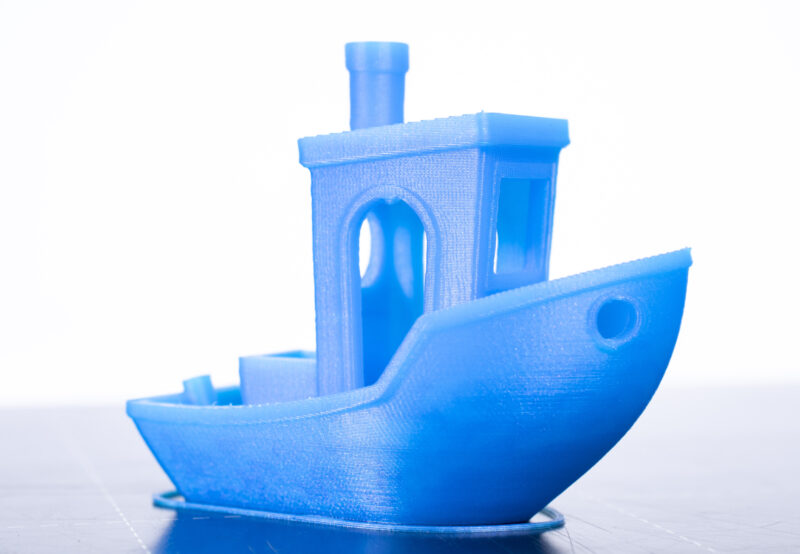
The 3DBenchy is a 3D model designed by CreativeTools specifically…
 serene pilot
White will be the least forgiving and highlight print defects far more. Any shadows cast by inconsistent layers are more noticeable compared to most colours or black. I'd recommend running some flow and temperature calibrations to find the right settings for your printer. As others said, Bambu PLA performs differently to others so the bambu sample gcode isn't exactly useful for every PLA filament.
rare elm
scenic robin
if you have any other questions just ping me directly
I printed one that I sliced. It looked a little better.

 scenic robin
rare elm
I printed one that I sliced. It looked a little better.
scenic robin
rare elm
I printed one that I sliced. It looked a little better.
settings?
definitely a bit of a hull line
rare elm
Default setting. 0.2mm layer height. 0.42 mm layer thickness. Default speed for P1S.
15% grid infill
2 walls
rare elm
scenic robin
settings?
Forgot to ping sorry
I don't fully know what "ping me directly" means.
scenic robin
you got the ping 🙂