#Ostensible feature imparity between EMF and OptiFine

55 messages · Page 1 of 1 (latest)

radiant cargo
#

I'm interested in moving my main playthrough setup from OptiFine to EMF+ETF. However, The resource pack I develop does not function properly with EMF. I believe the first issue to solve is the use of custom variables.

Ex. [16:44:19] [Render thread/ERROR]: [Entity Model Features]: no animation variable found for: [varb.is_hostile] in [optifine/cem/vindicator.jem]. Available variables were: [varb.is_moving, varb.is_running, var.moving_counter, var.running_counter, var.hostile_counter, varb.blink, var.blink_counter, var.blink_delay, var.adjust, var.layers, var.first_frame, var.check, var.prev_time]

I'd appreciate any tips. If any change necessitates major deviations from an OptiFine compatible version, I'll want and have to seriously ponder them.

If you'd like to test my pack for me, go here: https://www.planetminecraft.com/texture-pack/nier-automata-resource-pack/

umbral skiff
#

Does the mentioned variable exist in that. Jem.

#

The animations will still work regardless the variable will default to 0 like optifine

radiant cargo
#

The variable exists with this expression:

"varb.is_hostile": "in(var.hostile_counter, 1)"
Looking over my code, it seems it's the in() function that EMF has trouble with.

Log:
[Entity Model Features]: animations was invalid: varb.is_hostile = in(var.hostile_counter,1)
However, this expression works as documented under CEM Animation.

umbral skiff
#

I may have accidentally required in to have atleast 3 values

#

Why do you not just use var. hostile_ counter ==1?

#

The in method is unnecessary with only 2 values.

either way I will remove this restriction in emf to match optifine

radiant cargo
#

This has more context:

"varb.is_hostile": "in(var.hostile_counter, 1)",```

OptiFine has no method of detecting whether an entity is a hostile mob. The `is_aggressive` bool only detects aggressive state, hence differentiating between aggressiveness (temporary) and hostility (permanent). So to workaround this issue and create a new effect, I trap a mob's aggressiveness with the two values
#

I also use similar bool for other mobs where I actually countdown hostile counter, so this code layout just makes it easier for me to compare and contrast between my model animations

umbral skiff
#

Yes I understand that but "in(var.hostile_counter,1)" is the same as "var.hostile_counter==1"

radiant cargo
#

I've also got another issue with EMF. If you're able to look at the vid on my PMC listing: my Warden model under EMF extends its arms directly down, but this isn't my intended behaviour

#

Not sure why it's happening

umbral skiff
#

Any messages in the log about the warden model?

radiant cargo
#

great, thanks for the tip on that use of in(). I must've had a brain fart when I forgot about ==. As for messages about the Warden model, there's nothing in the log

umbral skiff
#

I'll look into it, I've made a note of this pack for later

radiant cargo
#

thanks. I'll drop some more info here in the meantime:
"var.left_attack_punch_counter": "clamp(if(!varb.break_state && var.left_attack_swing > torad(1012.5), var.left_attack_punch_counter + 600 * var.adjust, var.left_attack_punch_counter - 200 * var.adjust), 0, 44)",

This line controls the extension. What's meant to happen is that the condition begins translation of a model element when rotation value has incremented from rad 0 to any value beyond rad 1012.5. With OptiFine in-game, the model is able to act at a value just about 1012.5 depending on frame update. Interestingly, in Blockbench, the application is unable to properly reflect this expression as the elements end up translating only when the arms are pointed downward, just as seen with EMF, due to inaccurate timing. Hopefully this observation can be of some use.

#

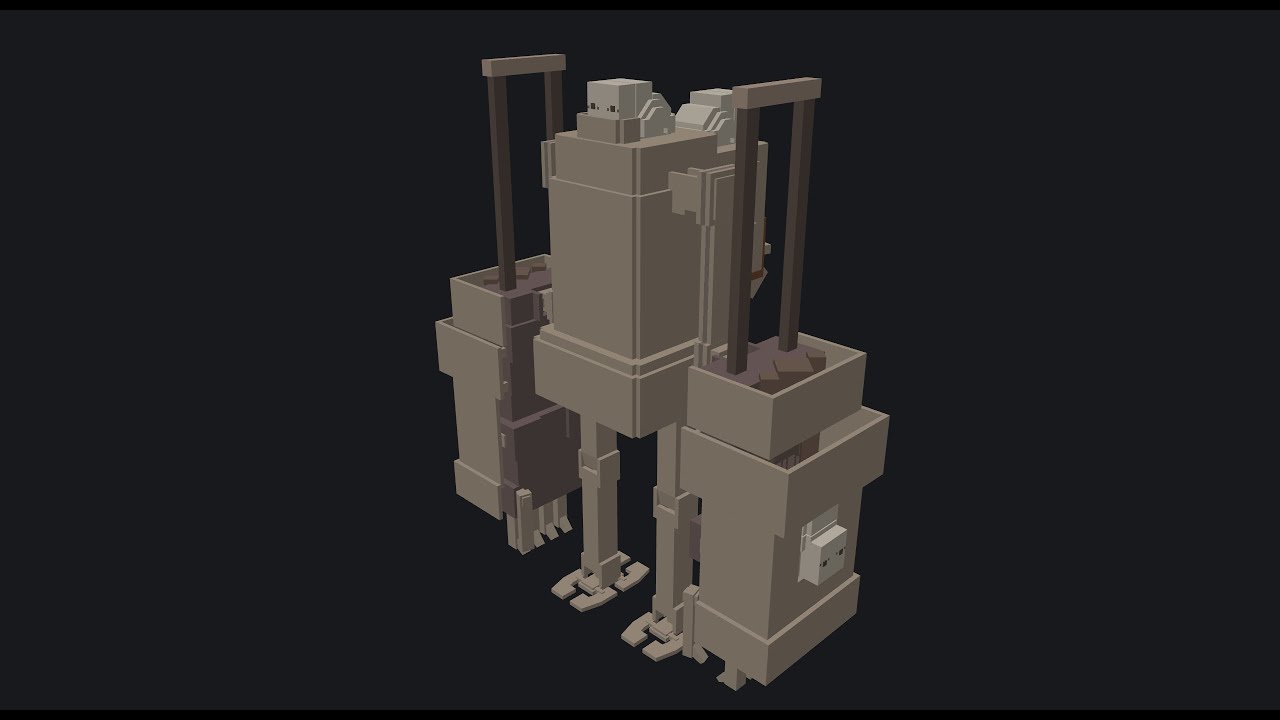
Here is how the Warden (Goliath Biped) looks with EMF

#

Here is how it would look with OptiFine (rendered in Blockbench with decreased tick rate so to allow the renderer more time to update per tick): https://youtu.be/3CIp2TmeqC8?si=hPfms2ohRhXQaoWq&t=65

Low-poly 3D models created and painted using Blockbench. Made for use with OptiFine and Minecraft. Independent work; no secondary credits. Copyright Square Enix.

Goliath Biped Showcase. Texture is unfinished.

https://www.planetminecraft.com/texture-pack/nier-automata-resource-pack/

Music: 意味 _ 無 _ ジュニーク• ニコル Significance – Nothing – J'Nique N...

▶ Play video
radiant cargo
#

@umbral skiff Hey there. No rush at all as I'm working on my own stuff. But I just wanted to check-in and see if you ever got to checking out how EMF is interacting with my resource pack's model and animation behaviors

umbral skiff
#

The in function was fixed but I haven't done any more releases since then

#

Might still be a while until I get to this pack specifically

radiant cargo
umbral skiff
#

2.0 was a big config rewrite so I didn't go through my list of packs to troubleshoot

#

I can see yours on my list for the next time I'm troubleshooting packs

#

I'm assuming it's still broken in 2.0.2?

radiant cargo
#

Truthfully I hadn't checked in-depth since half a year. But, with much praise to you: With ETF + EMF, blinking eyes, general animations, and scaling is now dramatically better since I last checked. My models' eyes also now correctly change visiblity states with hostility

#

The errors mentioned in the OP don't show any more

#

The only issue I see remaining with EMF 2.0.2 on Minecraft 1.20.6 is my Warden's arm movement

#

Take this with a bucket of salt: I'd hazard a guess that EMF, like Blockbench at its default timescale, is unable to update animations at a sufficient rate. This is why certain parts of my animations are executing later than intended. OptiFine appears to accommodate the needed update rate where EMF does not

umbral skiff
#

Is the animation lod setting affecting this?

#

The animation lod setting will skip animation frames to improve performance

radiant cargo
#

doesn't seem to affect it. Whether up close or far away when LOD frame-skip kicks in, the animation always behaves the same. Making the model update rate instant also doesn't fix it.

umbral skiff
#

Does turning off the lod fix it

radiant cargo
#

Set "Animation LOD Distance" to OFF. No change

umbral skiff
#

What exactly are the arms doing differently?

radiant cargo
#

Arms should extend at 675 deg or so rotation. Instead, it's extending at 720 deg. You can open the Warden model inside Blockbench to check it out using Ewan's animation loader. The animation plays differently when timescale is manually lowered

radiant cargo
#

*forgot to mention, I’m referring to the attack animation

umbral skiff
#

Aren't they spinning when attacking?

radiant cargo
#

The arms spin. The forearms extend at 675 deg or so.

#

First played at timescale 1.0. Then, 0.3. Compare with in-game using EMF 2.0.2. If you can, you could also compare it while using OptiFine

umbral skiff
#

I cant quite understand what i am looking for in the model

radiant cargo
#

Thx, I’ll try to remember to check this out on the coming days, I’ll highlight the line for you if it’ll help

#

So this build is strictly for 1.21.0?

radiant cargo
#

so no difference between this and previous emf builds as far as my warden model is concerned

#

and god damn are my animation expressions a slog to go through. If I remember correctly, the one you'd want to look for is line 25

#

"var.left_attack_punch_counter": "clamp(if(!varb.break_state && var.left_attack_swing > torad(1012.5), var.left_attack_punch_counter + 600 * var.adjust, var.left_attack_punch_counter - 200 * var.adjust), 0, 44)",

#

it was necessarily complex to mimic NieR:Automata's animations. This was what I could work out almost two years ago

#

Problem EMF likely has is with my approximation method ( > torad(1012.5)). When the parent group arm has rotated at least 1012.5 deg, I want the child group to extend. The issue I'd found was that I cannot specify a specific rad/deg because of render timing issues, which is why the animation differs based on tick rates

umbral skiff
#

does it work correclty if you limit your fps?

#

if so you can use the frame_time variable to incorporate fps considerations

#

Fresh animations 1.9.1 uses this to account for fps in certain animations such and vindicators as an example