#tech-support
1 messages · Page 237 of 1
 proven sundial
you can't do much wrong linux has gotten so much better in general for playing games
do you notice any sound problems anywhere ?
 white echo
What I generally use my PC for is playing games, chatting and watching videos.
 pseudo temple
proven sundial
do you notice any sound problems anywhere ?
pseudo temple
proven sundial
do you notice any sound problems anywhere ?
nope
white echo
I'm pretty sure a linux distro can work there. Not sure if Nvidia and Intel play ball with that though.
proven sundial
white echo
I'm pretty sure a linux distro can work there. Not sure if Nvidia and Intel play...
yeah there are distros that work much better with nvidia gpu's
and if you only do those you are fine
proven sundial
pseudo temple
nope
Yeah no i'm sorry i can't pinpoint anything

my mind cannot compute anything sensible
pseudo temple
i think i have to reinstall it
proven sundial
pseudo temple
i think i have to reinstall it
you already contacted customer support otherwise ?
#contact-us like here
pseudo temple
proven sundial
<#1463105632927481887> like here
i didnt
proven sundial
pseudo temple
i didnt
i would do so since this makes the game unplayable for you
perhaps they have had similar reports like yours
pseudo temple
proven sundial
i would do so since this makes the game unplayable for you
i will do
proven sundial
pseudo temple
i will do
also feel free to reinstall you never know
have a nice day otherwise
❤️
pseudo temple
proven sundial
have a nice day otherwise
yeah and thanks for looking into it
proven sundial
pseudo temple
yeah and thanks for looking into it
do let me know if they have some kind of solution
i'll save it for later
pseudo temple
proven sundial
do let me know if they have some kind of solution
okay
 vital sleet
Is there anyone have the same issue with "Failed to connect with server"?
I got kicked from the game while doing delivery with the message too many attempts login or something
this is scared me tbh
 tall acorn
vital sleet
Is there anyone have the same issue with "Failed to connect with server"?
I got ...
tall acorn
vital sleet
Is there anyone have the same issue with "Failed to connect with server"?
I got ...
Exception Encountered Or ANY Connection Issue [Error Code: 207] ✅ @vital sleet
- Change your DNS manually to
1.1.1.1 / 1.0.0.1 (Cloudfare),8.8.8.8 / 8.8.4.4 (Google),9.9.9.9 / 149.112.112.112 (Quad9), or use a service such as Cloudfare WARP or Proton VPN to resolve the issue. Switching your internet connection may also work.
vital sleet
tall acorn
### Exception Encountered Or ANY Connection Issue [Error Code: 207] ✅ <@28831176...
i will try this, thank you so much
yes it worked
 fossil river
any linux users running into an issue that the games loading times have gotten insanely slow? every time i teleport somewhere now it takes like 20-30 seconds to load 
 wintry python
What do you mean? Sorry for the very late reply😅 I haven’t tried the winrar thing yet, but I wanted to ask you about this little comment you put after.
 toxic atlas
fossil river
any linux users running into an issue that the games loading times have gotten i...
toxic atlas
fossil river
any linux users running into an issue that the games loading times have gotten i...
game seems fine on my side (Faugus + DWP 11 on Arch)
what's your config? (prefix manager, proton version, distro, etc)
and are flatpaks involved?
fossil river
toxic atlas
game seems fine on my side (Faugus + DWP 11 on Arch)
are you using DW proton? im on cachyos, regular heroic (no flatpak) uhh using DW proton and im not sure about the prefix manager, whatever heroic automatically attaches when i add a game anew
toxic atlas
heroic is your prefix manager
fossil river
it started doing this this week and im not sure why, basically anything that screen transitions lags the hell out, like going from cutscene to back to controlling my char or any teleport
its only this game so i cant say its the SSD dying just yet
toxic atlas
-# also DWP is short for DW-Proton, or Dawn Winery Proton
latest kernel? or LTS?
there's been some reported issues regarding the linux-cachyos kernel for some gacha games lately
fossil river
im not sure how to know, ive just did a -Syu update an hour ago to see if it cleared up but im not even sure if there was any new drivers
how can i check if im LTS vs latest? i thought cachyos was always bleeding edge by default
toxic atlas
mind sharing the output of uname -a and pacman -Q | grep ^linux ?
fossil river
 toxic atlas
yeah you're on latest, but also got lts installed
can you try rebooting and picking the LTS kernel in your bootloader?
fossil river
i can do that in grub directly right?
toxic atlas
yeah, should be the option right under the default one
toxic atlas
 do you have esync or fsync enabled in heroic?
fossil river
both are on
toxic atlas
yeah no disable them
ntsync is the preferred method, ever since kernel 6.14
Cachy enables it by default, both GE-Proton and DW-Proton also default to it if it's available (and there's no other setting forcing other sync methods active)
 bold briar
will endfield anti cheat conflict with riot anti cheat?
because riot anti cheat is always running in the bg right
toxic atlas
as far as we know, it's working fine if you have Vanguard installed
fossil river
toxic atlas
ntsync is the preferred method, ever since kernel 6.14
Cachy enables it by defau...
oh damn ok it was on by default anytime i add a game, ill turn it off on the others, but yeah i rebooted with that off now, unfortunately still same issues
toxic atlas
yo @proven sundial you were on cachy now right?
you encountering anything weird on the loading screens?
fossil river
hmm let me maybe give a spin before i just did a different teleport and it was alot faster, i did just re-add the game in so all my shaders were probably deleted
ill try to quest a bit see if the cutscene jank happens again
proven sundial
toxic atlas
yo <@451803155353829378> you were on cachy now right?
Nope i am on Archlinux OP now
toxic atlas
right @sudden sinew was on cachy
fossil river
some things are better maybe? like ults had been lagging like crazy but now its fine, but idk if this is a game thing or my pc thing but skipping a cutscene im on like a blackscreen for 5s minimum everytime
proven sundial
fossil river
some things are better maybe? like ults had been lagging like crazy but now its ...
Can you switch api's just to make sure ?
I did it with this update because i had severe stutter
fossil river
proven sundial
Can you switch api's just to make sure ?
sure, how do i do that?
proven sundial
fossil river
sure, how do i do that?
Just switch api on the launcher
Tick dx 11 start game
And then untick start game
toxic atlas
The DirectX 11 checkbox under the play button, in launcher
fossil river
oh that, ok one sec
proven sundial
Many windows users had issues this update and now with native windows kernel primitives ...
I guess some of the issues are similar now
fossil river
proven sundial
And then untick start game
do you mean to tick, launch game, shut down untick and relaunch on original api?
or to play on the dx11 one
gotcha oop well im doing that now, had just played a bit on dx11 and it was the same so now im on that step
im not sure if its good or not yet im kind of out of the cutscenes that would freeze, ill get another one when i do the turn in for the food event later today so that one should tell me if im stuck on a blackscreen too long, will report back in a bit
thanks for the help tho hopefully this did it
zone teleport is still slow tho and youtube freezing so i think its doing the same thing as before 
proven sundial
Hmm did the driver change recently for nvidia ? Or any update to heroic ?
You may have to check cachy discord
If you find similar issues
fossil river
im not really sure i just blindly update so if there was a new driver or something i dont know when it would of occured  i might wanna pay more attention next time
ill check on cachy discord if anyone reported anything
fossil river
yeah i tried one from 2-3 weeks ago no luck but then again i dont know when i updated DW maybe i jumped a few versions, ill roll back further
im not sure if the -Syu command updates DW along with it or if i have to manually do it from protonplus so im not sure if i was always on latest
proven sundial
Dwproton is well manual for older versions
Via proton plus
Latest one auto updates
Perhaps dw proton 10-24 or dw proton 10-26
Well i have to go now though keep me updated
I'll perhaps save it for later then
 wheat turtle

toxic atlas
cachy user with loading screen shenanigans
 sudden sinew
which loading screens? the main one or the black one
toxic atlas
according to them, all
sudden sinew
now I'm lost of direction and need to ask the user specifically....
toxic atlas
honestly it's probably heroic crap
sudden sinew
fossil river
are you using DW proton? im on cachyos, regular heroic (no flatpak) uhh using DW...
also heroic kills me hard
sudden sinew
toxic atlas
honestly it's probably heroic crap
this tbh
game should be fine
tested on patches too
@fossil river can you please record from game boot up and stop at where it hangs up please?
wheat turtle

 lean needle
Arknights just caused my pc to gsod and the file culprit was ACE-Base.sys
lean needle
wheat turtle
werent u the guy with windows insider's build?
Yeah I just reinstalled my os earlier today
wheat turtle
i see
lean needle
But this time the game actually booted until ACE kicked in then instant gsod
wheat turtle
windows is already unstable and insiders build more
lean needle
Yeah I'm going to try installing the public build on a separate partition on my ssd
lean needle
wheat turtle
if u dont want ai can go windows LTSC
Idc about that bc I just uninstall it
wheat turtle
i see
sudden sinew
wheat turtle
windows is already unstable and insiders build more <:PerliDerp:1146342157825871...
 lean needle
sudden sinew
lean needle
sudden sinew
No ik it's an experimental build and stuff like this can happen
sudden sinew
was /jk xD
wheat turtle
clockwork SUN
sudden sinew
lean needle
But this time the game actually booted until ACE kicked in then instant gsod
gsod basically means bsod in test versions
-# some thinks if gsod is coming they can basically ignore the err which is a wrong move
lean needle
sudden sinew
gsod basically means bsod in test versions
There's actually now a black screen of death too
sudden sinew
lean needle
There's actually now a black screen of death too
this is more OS-related or FS-related
lean needle
sudden sinew
this is more OS-related or FS-related
I saw my first black screen of death not too long ago which was definitely a first in all my 20 years of building pcs
I didn't even know that existed until then
sudden sinew
me seeing this countless times in my college bcz the IT company responsible for it is lazy to fix 
lean needle
I've seen plenty of gsods and blue screen of deaths but only one black screen of death
fossil river
toxic atlas
honestly it's probably heroic crap
i just tried on steam instead without heroic its the same , also tried hyprland instead of niri if for whatever reason, no luck
sudden sinew
lean needle
I've seen plenty of gsods and blue screen of deaths but only one black screen of...
the last time I see gsod is on my old HP
3 yrs ago and the reason I swapped laptop to a framework
lean needle
sudden sinew
the last time I see gsod is on my old HP
Running a insider build on that at that time?
sudden sinew
lean needle
Running a insider build on that at that time?
yea, and I produce music on that same thing
sound driver even makes a loud saw sound until reboot

greatest memleak of the time
lean needle
sudden sinew
yea, and I produce music on that same thing
Yeah that makes sense. I get that saw sound almost everyday. I just mute my computer sound then unmute and it goes away
sudden sinew
sudden sinew
greatest memleak of the time
another reason I hate winslop
 lean needle
I think my problem is my sound is going through a 9.2 channel Dolby Atmos HT receiver
I didn't get it when I used to use a Sonos arc soundbar
sudden sinew
btw @lean needle how much space do you have left on your drive?
lean needle
sudden sinew
btw <@545803394615607331> how much space do you have left on your drive?
2828GB
lean needle
sudden sinew
2tb??
Little less than 3TB/4TB
sudden sinew
lean needle
Little less than 3TB/4TB
cut your partition to have an empty 2 tb and install another fresh windows lol, in case you make a fat32 partition for installing rEFInd on it too (if you're lazy to set windows boot options) and install another windows on the space you got left, shouldn't be that hard
the only hard thing is you need a tool to lower the allocation size the current windows partition to free space
normally I'd recommend get a random linux distro with KDE plasma desktop boot live stick and use partition manager but idk if you hate linux or not so you can find smth like EaseUS partition manager or smth smilliar
wheat turtle
 errant vortex
 fathom hill
what to do when you're experiencing this?
(can't take a screenshot in game, so grabbed one from the sea of internet)

 golden zenith
fathom hill
what to do when you're experiencing this?
(can't take a screenshot in game, so g...
golden zenith
fathom hill
what to do when you're experiencing this?
(can't take a screenshot in game, so g...
Most likely network issue, have you tried changing dns?
 finite widget
I’m having problems with the game, my frames are dropping and just earlier in the game, I had much smoother frame rate.
Can anyI be help me?
golden zenith
finite widget
I’m having problems with the game, my frames are dropping and just earlier in th...
have you tried resetting the game shader cache?
finite widget
Yes I even reinstalled the game, cleared everything
Now it’s unfortunately worse
That’s why I’m here
golden zenith
huh... what your gpu & it driver version?
finite widget
I’m using an i7 with unfortunately Intel(R) iris xe graphics
I7 1185g7 I think
I’m not sure about drivers tho
golden zenith
iirc you can check your driver version using dxdiag under the display tab
you can check that first... meanwhile let me think about a solution
wintry python
Step 2 isn’t working

 finite widget
Thank you
i have info
Driver File Version: 32.00.0101.6737 (English)
Driver Version: 32.0.101.6737
DDI Version: 12
Adapter Attributes: HARDWARE_TYPE_GPU,D3D11_GRAPHICS,D3D12_GRAPHICS,D3D12_CORE_COMPUTE,D3D12_GENERIC_ML,D3D12_GENERIC_MEDIA
Feature Levels: 12_1,12_0,11_1,11_0,10_1,10_0,9_3,9_2,9_1,1_0_CORE
Driver Model: WDDM 3.2
Hardware Scheduling: DriverSupportState:AlwaysOff Enabled:False
Card name: Intel(R) Iris(R) Xe Graphics
Chip type: Intel(R) Iris(R) Xe Graphics Family
DAC type: Internal
Device Type: Full Device (POST)
fathom hill
golden zenith
Most likely network issue, have you tried changing dns?
thanks, that does fix it, but for some reason now i'm stuck with 160 ping, previously it's around 40
golden zenith
finite widget
Driver File Version: 32.00.0101.6737 (English)
Driver Version: 32.0.101.67...
hmm... other than the driver is not the latest, im drawing blank already, you can try updating it
finite widget
fathom hill
thanks, that does fix it, but for some reason now i'm stuck with 160 ping, previ...
i think that since this is a mainly single player game, you don't need internet that fast, you only need the internet to sync your data to servers and for your game to take data from it. this is how i think it is, if im wrong, don't hate me
finite widget
golden zenith
hmm... other than the driver is not the latest, im drawing blank already, you ca...
thanks
let me try
golden zenith
sound similar to the other guy situation though..... but not too sure since diff system
sudden sinew
finite widget
Can anyI be help me?
possibly thermal throttling...
how much frames did you have before?
golden zenith
fathom hill
thanks, that does fix it, but for some reason now i'm stuck with 160 ping, previ...
that depends on your connection to the server sadly... what dns you swap to?
fathom hill
golden zenith
that depends on your connection to the server sadly... what dns you swap to?
i just swapped to automatic
i tried 1.1.1.1 and 8.8.8.8, but it doesn't let me connect to the server again
finite widget
sudden sinew
possibly thermal throttling...
how much frames did you have before?
averaging from 78 - 60
now it's below 60
i just installed a fresh version of windows 11 pro to remove all the thing i don't need and reinstalled endfield
i think there's something to do with it
settings are the same
golden zenith
fathom hill
i tried 1.1.1.1 and 8.8.8.8, but it doesn't let me connect to the server again
huh.... that a first...
sudden sinew
fathom hill
i tried 1.1.1.1 and 8.8.8.8, but it doesn't let me connect to the server again
try 8.8.4.4 and 8.8.8.8 once
try 1.1.1.1 and 1.0.0.1 once
if possible, try 9.9.9.9 and 149.112.112.112 (quad9)
golden zenith
also quad9
fathom hill
with DoH off, it still lets me connect, but the ping is still 160, which is weird because it's the same as the other server
sudden sinew
fathom hill
with DoH off, it still lets me connect, but the ping is still 160, which is weir...
in which region or country are you if I may ask
golden zenith
what about restarting your router?
fathom hill
hmm, let me give it a try
golden zenith
btw t404, Morning
 drowsy cipher
golden zenith
btw t404, Morning
drowsy cipher
golden zenith
btw t404, Morning
4am btw
 long shadow
So my game continues to not close properly when I exit the game every once in a while (the endfield.exe just hangs trying to exit, I think it's ACE causing issues for some reason) and I still don't really know how to fix it at this point. I reinstalled the game already and that didn't fix it. I also tried clearing all the ACE files once and restarted the computer but it's still happening
finite widget
long shadow
So my game continues to not close properly when I exit the game every once in a ...
i think use endtask might work but it might not be good for the game
long shadow
finite widget
i think use endtask might work but it might not be good for the game
Endtask?
fathom hill
oh, restarting the router works, the ping is down to 50
thanks
golden zenith
fathom hill
oh, restarting the router works, the ping is down to 50
thanks
that good to hear, enjoy your day 
sudden sinew
golden zenith
btw t404, Morning
gngn
sudden sinew
drowsy cipher
4am btw
long shadow
finite widget
i think use endtask might work but it might not be good for the game
Oh, if you mean task manager or things like that it won't work. I've tried killing it with task manager, system informer, cmd line, etc and it never works because the exe is in the process of closing technically, it's just stuck in the process and I don't know how to force kill it. I just don't know why it's happening in the first place
finite widget
you can try repairing the game from the login screen
golden zenith
long shadow
Oh, if you mean task manager or things like that it won't work. I've tried killi...
that sound similar to some other person's issue
long shadow
golden zenith
that sound similar to some other person's issue
Did they have any resolution to this? I might try running with directx instead of Vulcan to see if that helps
long shadow
finite widget
you can try repairing the game from the login screen
I haven't seen much help from that so far, especially after reinstalling the whole thing recently
golden zenith
long shadow
Did they have any resolution to this? I might try running with directx instead o...
not sure but i dont think so, since the issue came back after a few days & then no contact
long shadow
golden zenith
not sure but i dont think so, since the issue came back after a few days & then ...
I've posted here before and they recommend to clear all the ACE files (still not sure if I even did that right, instructions were a little unclear) but that only worked for a handful of days
tall acorn
@mint stream
 timber quiver
Does anyone knows if the game runs in a Huawei matepad 11.5?
I want to buy it but I do t know if the game runs well in this 🤔
wintry python
@tall acorn Did you see what I said? I did get past step two, the paste just didn’t work because there was random numbers after the launcher_tmp. I tried to do step four but I don’t know if it worked and I don’t know how to step five
tall acorn
timber quiver
I want to buy it but I do t know if the game runs well in this 🤔
i wouldn't recommend purchasing this if you're interested in playing arknights endfield on the device, it's very difficult for certain games to function with the restrictions that huawei devices have, and arknights endfield won't work at all without any workarounds 
tall acorn
tall acorn
### Exception Encountered Or ANY Connection Issue [Error Code: 207] ✅ <@28831176...
@wintry python, you can try this for now
timber quiver
tall acorn
i wouldn't recommend purchasing this if you're interested in playing arknights e...
Oh but the game is Chinese? Shouldn't it be fine to run in Huawei devices?
tall acorn
timber quiver
Oh but the game is Chinese? Shouldn't it be fine to run in Huawei devices?
both aggressive memory management and google play service restrictions, prevent arknights endfield from functioning properly on huawei devices, this has previously been indicated by many user reports and feedback from community members in #tech-support
as far as i'm aware, it shouldn't work at all on huawei devices anymore
wintry python
tall acorn
<@720787971640655974>, you can try this for now
DNS? I don’t how I would switch that… 😅
tall acorn
wintry python
DNS? I don’t how I would switch that… 😅
what's your operating system version?
@wintry python
timber quiver
tall acorn
as far as i'm aware, it shouldn't work at all on huawei devices anymore
Oh. It's a shame 🫠 well, thanks for the info.
 main pike
#tech-support i forget my email which have ark endfield account but i remember uid and code
how can i get it back
tall acorn
main pike
<#956086683571462154> i forget my email which have ark endfield account but i re...
@main pike, do you still have access to the email you used to create your account?
main pike
tall acorn
<@946580034976620565>, do you still have access to the email you used to create ...
yes
i can access
but i forget which account i used to create endfield account
tall acorn
main pike
but i forget which account i used to create endfield account
@main pike
google accounts and email accounts are not the same, if you've tried logging in with a google/email account, try using the other method 👍
- Google accounts are google accounts.
- "Gmail" accounts are also email accounts.
main pike
tall acorn
<@946580034976620565>
**google** accounts and **email** accounts are not the s...
tks bro
tall acorn
main pike
tks bro
has your account login issue been resolved?
main pike
tall acorn
has your account login issue been resolved?
nah
tall acorn
main pike
nah
you can contact customer support at #contact-us with receipts of in-game purchases tied to your account, along with your UID and any additional details you think might be necessary, to recover your account and it's related login information
main pike
i just write an email to customer support
tall acorn
otherwise you'll have to check every Email/Google account you have, which could be tied your account
main pike
i already check all
wintry python
tall acorn
what's your operating system version?
Sorry for the delay, Discord’s being weird with notifications. I can’t do anything more today so we will have to do something tomorrow.
I think Edition Windows 11, Version 25H2.
I also started downloading something else the first time I tried downloading Endfield on my new computer which may have caused the issue, but I’ve cleared the download cache and uninstalled the game and redownloaded the game a few times since then.
 tired ivy
I hit play and nothing happens
The game refuses to launch on my end. I used DDU the other day to fix a GPU issue on NTE. Now Endfield refuses to launch. Any help I can get is appreciated.

Kinda don't wanna use DDU again to "fix" this issue when it might affect my other games again. But yeah, before using DDU, the game ran fine
I already did
File Integrity
DX11 Launch
Delete temp files (%localappdata% and searching for Gryphline)
Reinstall GPU to Factory Settings
Those 4
For now I'll try to reinstall the game itself, if it still doesn't I'll comeback to edit this
proven sundial
tired ivy
I hit play and nothing happens
The game refuses to launch on my end. I used DDU...
what are your specs and your current drivers ?
tall acorn
tired ivy
I hit play and nothing happens
The game refuses to launch on my end. I used DDU...
Fix Permissions
- Launch the game as an administrator by pasting
%ProgramFiles%/GRYPHLINK/games/EndField Gameinto the leftmost search bar in your file explorer, navigate toEndfield.exeand right-click it to open It's Properties, switch to the Compatibility tab and check "Run this program as an administrator", afterwards run the game directly fromEndfield.exe.
 nimble pond
WHY DOES THIS ALWAYS HAPPEN TO ME I CANT EVEN DO A DELIVERY IN PEACE

Thus always makes me start from the fucking begining
I CANT ALWAYS REVERT BACK
This is making me nit able to do any deliveries
I don't want to lose 20 percent of integrity of the product because the ducking thing does this
proven sundial
nimble pond
WHY DOES THIS ALWAYS HAPPEN TO ME I CANT EVEN DO A DELIVERY IN PEACE
you have to rotate the zipline and put it somewhere else
i got stuck there too
nimble pond
proven sundial
you have to rotate the zipline and put it somewhere else
Bro I changed positions so many timez
And still it does that
Even when there is NOTHING ariund
It fucking does this
ALWAYS
I never able to do even 1 delivery in months
proven sundial
nimble pond
ALWAYS
even with with a different team setup ?
nimble pond
Since yhe release of the gane
proven sundial
nimble pond
YES
have you already reported this bug ?
proven sundial
nimble pond
I don't know where
#contact-us here you go be descriptive with what exactly happens so they can figure out the issue
if it happens that frequently it's very annoying i get that
nimble pond
proven sundial
if it happens that frequently it's very annoying i get that
Not frequent. Every fucking time
The last time o did a delivery with zip line was way back at the 2nd update
proven sundial
nimble pond
Not frequent. Every fucking time
yeah but your best bet is customer support
nimble pond
Ok thrn
proven sundial
nimble pond
Ok thrn
Hopefully they find a solution for this have a nice day otherwise ❤️
tired ivy
proven sundial
what are your specs and your current drivers ?
Specs
R7 9700X + 32 GB DDR5 w/ 6400 MT/s + RX 9060XT 16GB
Drivers
Latest Adrenaline software, latest Windows Update since I can't run any anyway
nimble pond
proven sundial
Hopefully they find a solution for this have a nice day otherwise ❤️
Now my character is just invisible at the zipline
tired ivy
tall acorn
### Fix Permissions
- Launch the game as an administrator by pasting **`%Program...
It ran without admin privileges before and I edited launcher earlier, but still didn't run. If my reinstall doesn't work I'll try with the executable.
proven sundial
nimble pond
Now my character is just invisible at the zipline
Have you repaired the game at all since release ?
proven sundial
tired ivy
Specs
> R7 9700X + 32 GB DDR5 w/ 6400 MT/s + RX 9060XT 16GB
Drivers
> Latest Ad...
26.5.1 was stable i remember on amd gpu's
the newest one is pretty much optional so not much info there on it
nimble pond
proven sundial
Have you repaired the game at all since release ?
Yes
proven sundial
tired ivy
Specs
> R7 9700X + 32 GB DDR5 w/ 6400 MT/s + RX 9060XT 16GB
Drivers
> Latest Ad...
also have you checked windows reliability viewer sometimes it provides more info why it crashes so we can pinpoint what is going on
 charred dome
im guessing this is quite obvious, but is it against tos to use a vpn for endfield?
tired ivy
proven sundial
26.5.1 was stable i remember on amd gpu's
So it's best for me to roll back to 26.5.1? On XX.X.2 rn
proven sundial
nimble pond
Yes
also rebuilt shaders ? switching to dx 11 back to vulkan
tired ivy
Honestly it was running fine on 26.5.2, but after I used DDU to fix some issues, Endfield became the next issue
proven sundial
tired ivy
So it's best for me to roll back to 26.5.1? On XX.X.2 rn
well yeah it's an optional driver so no clue if it broke something right now
it was specific for forza horizon 6
tired ivy
Ugh
My reinstall finished, wish me luck bois

Ok fuck this shit it still won't launch

If this still doesn't run I guess I'll be a mobile gamer
 tired ivy
proven sundial
also have you checked windows reliability viewer sometimes it provides more info...
tired ivy
proven sundial
also have you checked windows reliability viewer sometimes it provides more info...
how to access?
nimble pond
proven sundial
also rebuilt shaders ? switching to dx 11 back to vulkan
I clicked off the dx 11 button. Also new prob
 proven sundial
tired ivy
how to access?
proven sundial
tired ivy
how to access?
just type reliability viewer in the search bar
tired ivy
This is what shows
 proven sundial
nimble pond
I clicked off the dx 11 button. Also new prob
proven sundial
nimble pond
I clicked off the dx 11 button. Also new prob
that's not the game breaking anymore that is your driver corrupting
nimble pond
proven sundial
that's not the game breaking anymore that is your driver corrupting
Pw
Ow
proven sundial
tired ivy
This is what shows
anything else ?
tired ivy
This is the latest run
 nimble pond
proven sundial
that's not the game breaking anymore that is your driver corrupting
nimble pond
proven sundial
that's not the game breaking anymore that is your driver corrupting
So I can't play anymore?
proven sundial
nimble pond
So I can't play anymore?
just reinstall your gpu driver
nimble pond
proven sundial
just reinstall your gpu driver
How the hell I do that
proven sundial
nimble pond
How the hell I do that
give me your specs of your device
proven sundial
tired ivy
This is the latest run
have you tried repairing your C++ runtimes yet ?
nimble pond
My computer is an Asus x515 with a i5 Intel and a nvidia graphic
tired ivy
Not yet
proven sundial
tired ivy
Not yet
let me find the link RQ
tired ivy

This article provides download links for the latest Visual C++ Redistributable packages.
Which do I need from here?
nimble pond

 tired ivy
Ok, here's to hoping it finally works
proven sundial
nimble pond
My computer is an Asus x515 with a i5 Intel and a nvidia graphic
can you check nvidia app for the current driver ?
nimble pond
Let me try and get out first
proven sundial
tired ivy
Ok, here's to hoping it finally works
Make sure to restart your pc
after repairing and installing
nimble pond
proven sundial
can you check nvidia app for the current driver ?

Only thjng I see there
nimble pond
proven sundial
you need a link ?
Please
proven sundial
nimble pond
Please

NVIDIA
Download the <dd~LanguageName> <dd~Name> for <dd~OSName> systems. Released <dd~ReleaseDateTime>
i'll brb
back in like 10 min or so
 proven sundial
tired ivy
Game still won't launch lmao
proven sundial
tired ivy
Game still won't launch lmao
make sure to do a ddu in safe mode to remove any remaining driver files
tall acorn
tired ivy
This is the latest run
@tired ivy, share your player log files here
%localappdata%low\Gryphline\Endfield\Player
%localappdata%low\Gryphline\Endfield\Player-Prev
- Click here to navigate to [[Reliability Monitor Troubleshooting]](#tech-support message)
- Click here to navigate to [[Windows System Corruption Fixes]](#tech-support message)
 proven sundial
tired ivy
Nah I'll do it later, gotta do errands first
proven sundial
tired ivy
Nah I'll do it later, gotta do errands first
take your time
tired ivy
tall acorn
<@1010226109784277074>, share your player log files here
**`%localappdata%low\...
^ Here's the reliability monitor. IDK why I need to go do system corruption fix since my PC is relatively new
Edit: forgot to say earlier but can't access the Logfiles on said/posted locations.
proven sundial
charred dome
im guessing this is quite obvious, but is it against tos to use a vpn for endfie...
no it's not against TOS it only is when you are using it for nefarious purposes
toxic atlas
Is it a GTX 10-series?
Nvidia dropped driver support for those, they stopped at 58x and won't be getting 59x drivers
proven sundial
toxic atlas
Is it a GTX 10-series?
the one i found was with a rtx 2060
i guess they don't know much more about it
 proven sundial
toxic atlas
<:XaihiLoading:1319511287226699776>
proven sundial
toxic atlas
<:XaihiLoading:1319511287226699776>
oh right i did not check i was thinking about 2 issues at the same time
wheat turtle
proven sundial



 proven sundial
wheat turtle
<:AA_Sus:1350587263435804833>
proven sundial
wheat turtle
<:AA_Sus:1350587263435804833>


 proven sundial
it's a mystery unless we check the crashing path
well the damn log
so i will ask for it later
toxic atlas
unknown module at 0x0 is basically windows core fuck up
proven sundial
toxic atlas
unknown module at 0x0 is basically windows core fuck up
not always i had it before and it was a pcie slot not working
toxic atlas
well yeah could always be faulty hardware
but we can't fix that so we blame the software 
 royal jetty
@proven sundial so after i did all the other stuff, i still get the crashes from this
 proven sundial
royal jetty
<@451803155353829378> so after i did all the other stuff, i still get the crashe...
proven sundial
royal jetty
<@451803155353829378> so after i did all the other stuff, i still get the crashe...
well atleast that says it's associated with vulkan
let me check something real quick
proven sundial
royal jetty
<@451803155353829378> so after i did all the other stuff, i still get the crashe...
can you try downloading this one
and restart your pc it helped 2 other people so it's worth a shot
just the runtime
proven sundial
royal jetty
<@451803155353829378> so after i did all the other stuff, i still get the crashe...
WEIRD QUESTION
but is your windows activated ?
proven sundial
wheat turtle
that is indeed weird question
i'm just asking this because some games refuse to start if your windows is not activated

royal jetty
proven sundial
but is your windows activated ?
yes, and still crashing
proven sundial
royal jetty
yes, and still crashing
can you recall what we tried before ?
so i can think what else could be the cause
wheat turtle
 is nvidia overlay on?
royal jetty
proven sundial
can you recall what we tried before ?
i did all the steps regarding dism.exe and sfc scannow, we just did vulkan
all my overlays are disabled
wheat turtle
proven sundial
royal jetty
i did all the steps regarding dism.exe and sfc scannow, we just did vulkan
your drivers were recent right ?
royal jetty
yes
 zealous comet
I am mad you'll teleport me to near originium branch that close to ankhor. And have to jump to next one but I cerebral palsy and my left side is messed up so I use my right hand to jump and run so please help me move to originium branch so Ican move forward lodespring crossing quests.
wheat turtle
try disabling the audio drivers for nvidia from device manager ? my friend with 1070 couldnt run rivals till he did this
these 2
 proven sundial
zealous comet
I am mad you'll teleport me to near originium branch that close to ankhor. And h...
proven sundial
zealous comet
I am mad you'll teleport me to near originium branch that close to ankhor. And h...
Hello we are just community help here we can't do anything for you to fix it on our end
royal jetty
@proven sundial found the issue
proven sundial
royal jetty
<@451803155353829378> found the issue
what was it ?
royal jetty
if you have RTSS installed before, vulkan has conflicts with some of RTSS's dlls which causes the game to crash
so that explains why directx11 works but not vulkan
proven sundial
royal jetty
if you have RTSS installed before, vulkan has conflicts with some of RTSS's dlls...
so yeah there we have it vulkan was being blocked
but yeah that issue with RTSS is still not solved

royal jetty
it can
wheat turtle
 dam
dam
royal jetty
so if you used it before and havent disabled it, it may run in the background and try to hook into games to read info for stats, and i guess vulkan does not like it
proven sundial
yeah if anything interferes with the library the game just breaks
royal jetty
i was using it earlier to see fps and 1% lows for NTE and forgot it was still lingering in background processes
wheat turtle

proven sundial
royal jetty
i was using it earlier to see fps and 1% lows for NTE and forgot it was still li...
well hope it keeps working for you now have a nice day fellow endmin
royal jetty
yea its working great now, could not deal with the graphics on dx11
proven sundial
royal jetty
yea its working great now, could not deal with the graphics on dx11
seems like endfield hates injecting or hooking by just about anything
 proven sundial
actually
one thing works
AMD fps limiting on endfield
but yeah amd created mantle before which makes sense why it would hook properly
 wheat turtle
 tall acorn
royal jetty
if you have RTSS installed before, vulkan has conflicts with some of RTSS's dlls...
tall acorn
royal jetty
if you have RTSS installed before, vulkan has conflicts with some of RTSS's dlls...
 stray anvil
hey so im not sure if anyone is able to help me with this
@proven sundial if you remember, my game suddenly wont load than just recently it began running again
the problem now is that it is very jittery and doesnt run properly under my usual settings and thus forced me to downgrade my settings
 young grove
Hi, so I’m having this issue where whenever I open the game and I start and I try to join the game server it always takes me to this sunset screen and never loads and whenever I actually get in, the menu and side buttons don’t appear
proven sundial
stray anvil
hey so im not sure if anyone is able to help me with this
<@451803155353829378> ...
what was your current driver again ?
we only swithed api right (rebuild shaders)
proven sundial
young grove
Hi, so I’m having this issue where whenever I open the game and I start and I tr...
what have you tried so far ?
charred dome
proven sundial
no it's not against TOS it only is when you are using it for nefarious purposes
what is a nefarious use of a vpn
proven sundial
charred dome
what is a nefarious use of a vpn
in simpler words you are using it for illegal means
if you are only using a vpn to access the game that's fine
charred dome
so if im playing on a vpn can i still purchase stuff or do i have to turn it off and buy things with my original prices
proven sundial
charred dome
so if im playing on a vpn can i still purchase stuff or do i have to turn it off...
i heard someone got banned by buying with japanese pricing
so i'd rather not risk it
charred dome
yeah me too thats why its kinda worrying
i plan to use a vpn when i clean up my pc but it seems risky
proven sundial
charred dome
i plan to use a vpn when i clean up my pc but it seems risky
in most cases i would not use a vpn unless you really need it
or if you don't trust a site
charred dome
well ill be using it most of the time due to increasing censorship from eu on major sites so it kinda sucks that ill have to be turning it off for a game 😭
unless i just dont spend money ig
 charred dome
do the prices stay the same with a vpn on there or something?
or not against tos to purchase with one on
proven sundial
charred dome
do the prices stay the same with a vpn on there or something?
nope never the same with a vpn
just buy it normally
the price trade-off is not worth the ban
charred dome
true, ill prob just not buy anything kinda sucks to need to turn off shit to buy something for a game
charred dome
charred dome
true, ill prob just not buy anything kinda sucks to need to turn off shit to buy...
esp with how incredibly unreasonable the local pricing is anyway
proven sundial
charred dome
esp with how incredibly unreasonable the local pricing is anyway
yeah i understand but not much you can do about it as an individual
charred dome
used to it atp
proven sundial
charred dome
used to it atp
if you do buy at some point look for the best value
that's about it

tired ivy
tall acorn
<@1010226109784277074>, share your player log files here
**`%localappdata%low\...
Came back and both of them don't work, like I stated earlier

I told my lil bro to do the Corruption file check in my stead, told him to restart it, and the game still wouldn't run
Guess I'll do GPU rollback and hope it sticks
proven sundial
tired ivy
Guess I'll do GPU rollback and hope it sticks
are any external programs runnings besides endfield ?
that you think would interfere
tall acorn
tired ivy
Came back and both of them don't work, like I stated earlier
navigate to %localappdata%low and locate the Gryphline folder
tired ivy
proven sundial
are any external programs runnings besides endfield ?
Nothing
The only suspect I have is HeSuVi since that triggered on NTE
Is2g if this doesn't work I'm gonna crashout
 wheat turtle

proven sundial
tired ivy
Is2g if this doesn't work I'm gonna crashout
yeah nothing on your desktop really screams incompatible to me
wheat turtle
tired ivy
Is2g if this doesn't work I'm gonna crashout
r u on safe mode? 
 lime solar

 tired ivy
wheat turtle
r u on safe mode? <:PerliStare:1171270701840334908>
tired ivy
wheat turtle
r u on safe mode? <:PerliStare:1171270701840334908>
Yea to run DDU
wheat turtle
wheat turtle
lime solar
<:zoerry:488006950391382028>
tf bruh 
tired ivy
it restarted now
lime solar
lemme try to run the shit on vt
proven sundial
the only game that is a keylogger is Vtubersimulator
lime solar
nothing on vt
proven sundial
wheat turtle
wheat turtle
proven sundial
the only game that is a keylogger is Vtubersimulator
chrome with keylogger soon
proven sundial
wheat turtle
chrome with keylogger soon
they collect data for fun on chrome
tired ivy
Fuck this shit if it still doesn't run
 wheat turtle
proven sundial
they collect data for fun on chrome
wheat turtle
proven sundial
they collect data for fun on chrome
sure for FUN 
lime solar
make sure you check that AI bundle 
i had better experience on both amd and nvidia without adrenaline and nvidia app
tired ivy
Loading cache again NTE, Endfield, Code Vein
proven sundial
lime solar
i had better experience on both amd and nvidia without adrenaline and nvidia app
i have all the gpu's for TESTING purposes
tired ivy
lime solar
i had better experience on both amd and nvidia without adrenaline and nvidia app
Yea cuz dumbdumb AMD/Nvidia doesn't delete old and obsolete files so it just clumps overtime
golden zenith
lime solar
make sure you check that AI bundle <:KEK:505796143184085022>
just a good 34.2GB for smoothness
tired ivy
Honestly though is it actually AI? Isn't Python a programming language? It's bundled with the 34GB
I'm thinking of picking up Programming so might be a good idea
but for now I'll make this shit run
 tired ivy
 golden zenith
wheat turtle
where the QUADRO A6000
golden zenith
wheat turtle
where the QUADRO A6000
in the corpo system that i bulit
wheat turtle
golden zenith
in the corpo system that i bulit <:1kb:1318137756253163530>
hand it over 
golden zenith
wheat turtle
hand it over <:worryslipper:1422271545476255837>
no longer in the company 🫠


 golden zenith
meanwhile, trying to get vban_receptor to work
tired ivy
Finally, it ran
 golden zenith
not sure why vban not connected
tired ivy
that I didn't safemode
golden zenith
tired ivy
It fixed issue on NTE with FrameGen but then introduced this issue
Welcome to our World
proven sundial
tired ivy
It fixed issue on NTE with FrameGen but then introduced this issue
Kinda like pick your poison
tired ivy
That was the first time I actually booted to Safemode with DDU
wheat turtle
wait ii forgot endfield have Raytracing or not
tired ivy
It doesn't
proven sundial
wheat turtle
<:PerliStareYou:1171270704310792332> wait ii forgot endfield have Raytracing or ...
WHERE IS THE RAY TRACING THEY ADVERTISED
golden zenith
wheat turtle
<:PerliStareYou:1171270704310792332> wait ii forgot endfield have Raytracing or ...
on phone iirc
wheat turtle
proven sundial
WHERE IS THE RAY TRACING THEY ADVERTISED
idk
golden zenith
proven sundial
WHERE IS THE RAY TRACING THEY ADVERTISED
exactly
wheat turtle
but i see people crying for wuwa raytracing performance bad
and they use unstable drivers still complain
wheat turtle
told them to go to stable drivers crying not dlss 4.5 there for newer games 
 proven sundial
We underutilize Weird annoyances =WuWa
golden zenith
proven sundial
We underutilize Weird annoyances =WuWa
proven sundial
MY MIND IS BROKEN
no more tech support for today

@tall acorn it's your turn
my fellow Techie
 temps stay cool

 proven sundial
wheat turtle
proven sundial
wheat turtle
your power usage is nothing
proven sundial
my cpu alone is 220 + 420 watts gpu + 200 watss 2nd gpu
the third gpu is on a extender
at idle

LEENUX
windows could never
tired ivy
Unfortunately IDK what the fuck happened again
 proven sundial
tired ivy
Unfortunately IDK what the fuck happened again
proven sundial
tired ivy
Unfortunately IDK what the fuck happened again
 tall acorn
navigate to %localappdata%low and locate the Gryphline folder
tall acorn
tall acorn
navigate to %localappdata%low and locate the Gryphline folder
@tired ivy
tired ivy
It updated, made me restart, the game, so I hit restart, the game closed by itself. Then I came back to this window, had to hit it two times, then it fucking won't run.
So I thought, hey, maybe I just need to restart like the game said right? That "restart"...
So now I come back and the game still won't run
golden zenith
proven sundial
okay my brain is farted now
time to replace the thermal paste
tall acorn
tired ivy
<@998206058487099412>
do you have any anti-viruses, anticheats, VPNs, or any kind of overlays running on your computer?
or do you have anything connected to your computer excluding your keyboard and mouse, such as a headset or microphone?
or a multi-monitor setup
tired ivy
Nothing else
tall acorn
only your keyboard and mouse?
tired ivy
Antivirus is Bitdefender
yea only keyboard, mouse, mic
I even made sure to disconnect my EHD
tall acorn
exclude the game .exe, and it's directory, and temporarily disable your antivirus
tired ivy
Bruh
tall acorn
tired ivy
yea only keyboard, mouse, mic
disconnect your microphone @tired ivy
tired ivy
My Antivirus has been running with Endfield for a long time
It's web antivirus

Guh
Lemme search how to close it
tall acorn
@tired ivy, could you try launching the game directly from the .exe file in %ProgramFiles%/GRYPHLINK/games/EndField Game?

 tall acorn
tired ivy
This?
tall acorn
tired ivy
This?
yeah
tired ivy
Well, rather, I had it unplugged for a long time now
I just know that
after the game booted
And it closed on its own (after I hit restart)
Seconds after, the screen flickered, and I had a bad feeling
And the bad feeling came true
btw the game didn't run
it even had the run as admin, both properties and on right click
tall acorn
tall acorn
<@1010226109784277074>, share your player log files here
**`%localappdata%low\...
@tired ivy, check this again briefly
- Click here to navigate to [[Reliability Monitor Troubleshooting]](#tech-support message)
tired ivy
 tall acorn
tired ivy
it even had the run as admin, both properties and on right click
tall acorn
tired ivy
it even had the run as admin, both properties and on right click
launch the game with dx11
you're on a desktop, right?
 tall acorn
laptop or desktop?
tired ivy
Desktop
tall acorn
have you tried force closing the game or restarting your system?
tall acorn
locate the process in task manager and kill it
tall acorn
verify the integrity of the files and launch the game again after you restart your computer
tired ivy

 tired ivy
tall acorn
verify the integrity of the files and launch the game again after you restart yo...
tired ivy
tall acorn
verify the integrity of the files and launch the game again after you restart yo...
this was a fresh reinstall
Do I need to do still?
 toxic atlas
tired ivy
toxic atlas
tired ivy
can you double-click any of those Endfield.exe crashes and share the error details?
tired ivy
tall acorn
scroll for the process
IDK what to find that's why I just searched Gryphline and Endfield
tall acorn
you can search for the launcher and endfield icon
they should be listed under the main processes
tired ivy
toxic atlas
can you double-click any of those Endfield.exe crashes and share the error detai...
This one???
 toxic atlas
... in the reliability monitor
tired ivy
toxic atlas
... in the reliability monitor
 tired ivy
tall acorn
you can search for the launcher and endfield icon
tired ivy
tall acorn
you can search for the launcher and endfield icon
Both didn't exist already
I closed Gryphlink when I sent earlier
Now I reopened to verify file integrity
Should I close again
 tall acorn
could you try restarting your computer?
toxic atlas
okay, that usually indicates either something blocking the game from running (antivirus or some other software), a driver issue, a c++ redistributables issue or windows being windows
tired ivy
C++ I already reinstalled earlier
My lil brother did the file corruption scan for me
driver issue I reinstalled AMD Drivers back to 26.5.1
Honestly the only new things I've installed are for the Fiio KA13 Drivers
That's the only NEW THING added in my PC
toxic atlas
you should roll back to 26.2.2 (or older), 26.3+ is known to have some issues with Endfield and with a bunch of other games as well
tired ivy
No other new programs and other shit that could interfere with the games
But the thing is
Everything was running fine
Even with the latest
toxic atlas
have you tried temporarily turning off bitdefender?
tired ivy
So now I should run the games with old sauce?
tired ivy
toxic atlas
have you tried temporarily turning off bitdefender?
I forgot how to turn it off
Running games with it has never been a problem
toxic atlas
don't know about bitdefender, but kaspersky is known to block the game from starting properly
there's also this setting in windows, which should be turned off if you use 3rd party antivirus apps
 toxic atlas

tired ivy
Unless Windows update a week or so ago reenabled it
Yeah I had it off


This video will show you how to temporary disable or enable Bitdefender, or learn how to temporarily stop Bitdefender.
- See more:
How to Temporarily Disable 360 TOTAL SECURITY: https://youtu.be/Qgi57wo1Cyo
Create Payoneer Account - Get 25$ on Payoneer Now: https://youtu.be/e-VUKK9NlR0
How to install Ubuntu on Virtualbox in Windows 10: https://...
toxic atlas
ain't got other ideas at the moment
toxic atlas
proven sundial
Nothing ?
access violation on 0x0 with unknown module
the 2nd one i see this weekend i believe
proven sundial
yeah these ones are really hard to find
tall acorn
@tired ivy, could you try forcing the game to run on your iGPU?
tired ivy
tall acorn
<@1010226109784277074>, could you try forcing the game to run on your iGPU?
lemme restart first and see
Also how?
I'll come back to that gonna restart first

 tall acorn
it'll look like this on windows 11 for you actually
tall acorn
tall acorn
it'll look like this on windows 11 for you actually
select Add desktop app and navigate to the endfield.exe
switch it to run on your igpu, and do the same for the launcher
tired ivy
tall acorn
select Add desktop app and navigate to the endfield.exe
Just add them right?
:))))
Mofo still didn't run
tall acorn
switch to high performance and try again
tired ivy
I already ran with those specs enabled
wheat turtle
tired ivy
I didn't need to delete it now that I think about it, I don't entertain emails anyway
From that but ehh
Anyways, should I roll back to drivers back in January
Fuck this shit
tall acorn
mind showing what's in your task tray?
 tall acorn
golden zenith
that a shit ton of app for my liking
tired ivy
Yeah but the games lived with it
tall acorn
check the rest of the apps too
 pure pasture
tired ivy
This?
pure pasture
tired ivy
This?
This used to be my setup before I decided I only want cmd panel to open all apps I want
tired ivy
tall acorn
check the rest of the apps too
?????
For what?
All those apps I installed since getting this PC
So that's like 8 months now
tall acorn
tired ivy
?????
i can't tell what a few of the icons are, check to make sure they can't interfere with the game
they most likely shouldn't
tired ivy
Well surely they can't
tired ivy
yea
golden zenith
in any case, there too much app clashing together
tired ivy
These apps shouldn't
Yea but I have 32 GB of memory
It shouldn't be a problem
RAM
Even when I run the games, it barely crosses over 25 GB of used RAM
golden zenith
-# that not the issue here...
tired ivy
And I didn't have issues for months until I started using DDU
Just to fix NTE
Now this is the fucking issue
 tired ivy
Which would you like to see?

My only drivers having "issues" right now are these two

"issues"
I doubt that's what's causing the issue anyway
Since I ran fine with those having issues
It shows that the drivers are already installed too
 tall acorn
@tired ivy, you can try reverting to 26.2.2 while following this tutorial
- Click here to navigate to the [[AMD DDU Tutorial]](#tech-support message)
tired ivy
Here's to hoping it doesn't cause issues when I run NTE
Cuz that's gotta be a Sisyphus moment
And I'd rather kill myself than ask there for fixing issues there
and cming back here when I fixed NTE but faced issues about Endfield agian
cant't be assed to fix my tytpoes at this pooint
proven sundial
There has to be a way to reproduce this issue
maybe i'll tinker around on my test bench
tired ivy
 tired ivy
It's running properly now
proven sundial
tired ivy
It's running properly now
so the 9000 series are borked on the newest drivers ?
toxic atlas
just windows things™
proven sundial
@golden zenith aren't you on a 9070XT with windows ?
tired ivy
First time with safemode earlier and it ran once, but that was temporary like I complained
tall acorn
proven sundial
so the 9000 series are borked on the newest drivers ?
don't think so
might be an issue specific to their system
tired ivy
 tall acorn
or the driver installation
golden zenith
proven sundial
<@279983139089154059> aren't you on a 9070XT with windows ?
yea. other than my UV crash, no issues & stable on default
proven sundial
golden zenith
yea. other than my UV crash, no issues & stable on default
very odd
tired ivy
22 GBs of RAM used while running Endfield
So honestly no idea why my other tray apps are a problem
 sturdy narwhal
is this where you can report bugs ?
tall acorn
tired ivy
First time with safemode earlier and it ran once, but that was temporary like I ...
was the process you followed through the tutorial different from the steps you followed previously?
golden zenith
sturdy narwhal
is this where you can report bugs ?
tired ivy
sturdy narwhal
is this where you can report bugs ?
No, just seek help from other players
tall acorn
sturdy narwhal
is this where you can report bugs ?
what's the bug you've encountered?
tired ivy
tall acorn
was the process you followed through the tutorial different from the steps you f...
I didn't follow the tutorial I just ran DDU with safemode
sturdy narwhal
tall acorn
what's the bug you've encountered?
free reward bug in the crafting system
tall acorn
sturdy narwhal
free reward bug in the crafting system
you can create a detailed report following the forum guidelines in https://discord.com/channels/950244160684834837/1494622133790445568 👍
tall acorn
sturdy narwhal
free reward bug in the crafting system
could you describe how the bug works?
sturdy narwhal
tall acorn
could you describe how the bug works?
no i won't say are you crazy like i just discovered it a minute ago i literaly got all the rewards from jincao all the 280 aubery even throught i picked only 8 of them for a machine that i was making
if you do it with all the other item you would probably finish everything in 10min
tall acorn
golden zenith
<#1463105632927481887>
@sturdy narwhal
 round crater
Is this the correct place if I have a question regarding mouse + keyboard support on the Android version of the game?
couldn't seem to get the full control working
WASD for movement are working, but camera and other buttons doesn't seem to work 
Bluetooth keyboard & mouse if that matters
tired ivy
Are the peripherals on the same Bluetooth connection? Like, the bluetooth KB and mouse didn't come separately?
I don't play on my phone/tablet honestly but that's what I'd look for
Otherwise, they should both be BT 5.0+ for the Low Latency mode
round crater
hmm ah, that might be the problem then
they are on separate connection
it's a logitech pair, on my laptop I use the bolt USB dongle, but for my tablet I connect both individually
I'll test with a usb c dongle later and see if that fixes the mouse issue 👍
but there's the key mapping that's not working tho
WASD works, but the skill / menu thingy aren't mapped to anything
I believe in PC its 1/2/3/4 and the F-keys right?
ah. hitting Esc key brings up the option for switching input to controller
but then it softlocks me because I couldn't OK nor exit out of the dialog 😅
tired ivy
round crater
hmm ah, that might be the problem then
they are on separate connection
it's a l...
Even if separate connection, as long as it's on BT5.0, I think it should work
Some Keyboards disable the F1-12 keys by having an android/ios mode switch.
toxic atlas
Mobile version doesn't support KB+M
The fact that keyboard works in the first place is an engine quirk
Mobile only gets Touch & Controller
PC is Controller & KB+M
-# (also the reason why MacOS players who play the iPad version of the game must use a controller)
tired ivy
AMD Radeon Software crashed again
For NTE
I guess I'll lag on Endfield when I open again later without restarting
Sisyphus moment
toxic atlas
tired ivy
For NTE
You can try VKD3D-Proton to play NTE on Vulkan
DX12 is known to be unstable (compared to DX11)
tired ivy
Yeah, DX12 is software based
Imma try that
I saw that being talked about on NTE Discord too
My problem is once Radeon crashes, I can't play smoothly on both games
That's why I used DDU in the first place
toxic atlas
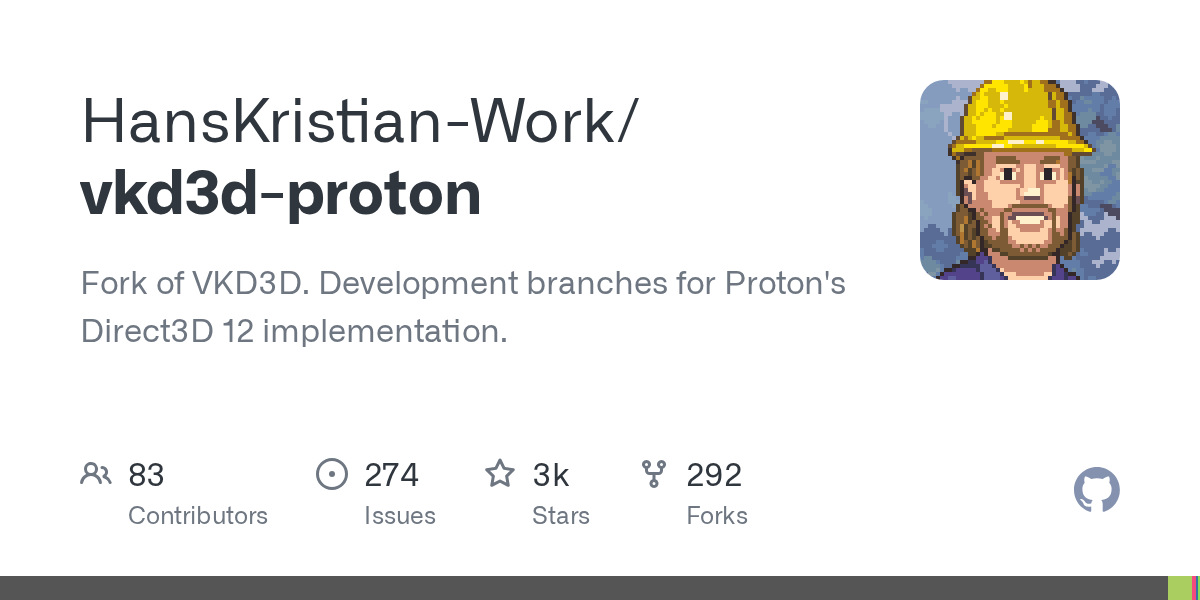
GitHub
Fork of VKD3D. Development branches for Proton's Direct3D 12 implementation. - HansKristian-Work/vkd3d-proton
Basically how Linux does it to be able to play NTE
You can also use it on Windows
tired ivy
Aye aye TY
proven sundial
toxic atlas
Basically how Linux does it to be able to play NTE
You can also use it on Window...
i found a way to reproduce it
the issue on endfield
with the unknown module
toxic atlas
toxic atlas
Oh for fucks sake why am I not surprised

 golden zenith
for me, just need to figure out how to get get multiple stream working for the open source VBAN
welp, another round of headache & trying to figure out
proven sundial
golden zenith
for me, just need to figure out how to get get multiple stream working for the o...
Good luck
though dual booting is always an option in the end
toxic atlas
golden zenith
for me, just need to figure out how to get get multiple stream working for the o...
usbip might honestly be easier to configure for remote stuff if your interfaces are via usb
golden zenith
toxic atlas
usbip might honestly be easier to configure for remote stuff if your interfaces ...
my audio is not using usb
not sure if it work like that
tall acorn
@meager warren
 winged crypt
Chat why is my phone having lag spikes on fangyi dash (60-54 fps)

I think it's pretty powerful enough to handle that
 meager warren
tall acorn
<@636530672885956631>
meager warren
tall acorn
<@636530672885956631>
Oh thank you, I kinda assumed it might be a bug because of the latest update but tech support makes more sense
proven sundial
winged crypt
Chat why is my phone having lag spikes on fangyi dash (60-54 fps)
i know that chip tends to get hot but it's always best to run with minimal surrounding apps regardless on your phone
meager warren
Chang Yun from the Institute of Materials Science won't load in for the daily delivery mission. I've teleported away, restarted the game, and I've even tried opening the game on a different device. I also tried lowering the graphics settings, but nothing seems to work. I'm playing on an RTX 5070 laptop, and the different device was a Dimensity 9500s chipset phone, so I can't imagine I'm bottlenecked by an underspec machine. Does anyone have a fix?

Or do I need to reinstall? I really don't want to on my slow ass internet 
 red gazelle
how much storage (gb)does endfield consume on pC ? 😭 running out of space
proven sundial
meager warren
Chang Yun from the Institute of Materials Science won't load in for the daily de...
i suppose it may be a bug on the server side but you can always try repairing the game
or unstucking
proven sundial
red gazelle
how much storage (gb)does endfield consume on pC ? 😭 running out of space
this much to be exact


red gazelle
aight , i can run it along with NTe with my remaining space 🛐 , ty for the help !
proven sundial
red gazelle
aight , i can run it along with NTe with my remaining space 🛐 , ty for the help...
Anytime have a nice day fellow endmin ❤️
meager warren
proven sundial
i suppose it may be a bug on the server side but you can always try repairing th...
I'll try to verify game files
Thanks
proven sundial
meager warren
I'll try to verify game files <a:SOBS:1006408925958123592>
if nothing helps with these fixes contact customer support so they can provide a solution #contact-us
winged crypt
proven sundial
i know that chip tends to get hot but it's always best to run with minimal surro...
It runs better with like 20 background apps open
Apparently the chip expects the load higher than it gets from the game
Games like wuwa, zzz or NTE are absolutely fine and stable
..Because they're less optimized
proven sundial
winged crypt
..Because they're less optimized <:PerliWheeze:1171272662664892437>
Whatever works i suppose for you
though endfield is quite picky
if something is wrong it will not work properly
tall acorn
meager warren
Chang Yun from the Institute of Materials Science won't load in for the daily de...
you can try to continue progressing through the main story missions to resolve this issue
even a single mission
@mint stream
winged crypt
proven sundial
if something is wrong it will not work properly
-
The chip is smart enough to estimate the load from the assets it needs to render
-
the chip cranks up the gpu to expected load a couple Ms before it actually comes to processor to prevent lag
-
the chip sees that the load is lower than expected and clocks down
-
the actual load comes with a slight delay because of how endfield textures work
-
it stutters a bit from confusion but gets back to stable 60 in under 1 second
proven sundial
Thanks for the education run
winged crypt
Basically the conclusion I got here is that SD 8 GEN 5 is too smart (?!) for how endfield loading works
--
And the final answer that I PERSONALLY GOT from my research:
endfield is not optimized for the latest snapdragon
proven sundial
winged crypt
--
And the final answer that **I PERSONALLY GOT** from **my** research:
endfi...
Alright well you don't need further help then right ?
have a nice day
winged crypt
proven sundial
Alright well you don't need further help then right ?
I need opinions
And that in itself might help
proven sundial
winged crypt
I need opinions
Honestly experimenting is key if that is your finding
winged crypt
proven sundial
Honestly experimenting is key if that is your finding
My red magic 10s pro runs perfectly
It has 8 gen 4
While red magic 11 pro struggles
proven sundial
winged crypt
My red magic 10s pro runs perfectly
Then i assume the drivers are not mature enough yet for the chip
winged crypt
Some people say it could take up to couple months from the date of first use
And it's been 26 days since I've bought this phone
proven sundial
winged crypt
And it's been 26 days since I've bought this phone
i personally don't have experience with that chip
so i don't really know
proven sundial
yeah but pc is more my homebase
winged crypt
And I remember you saying about the heating
proven sundial
yeah because a lot of people here told me
winged crypt
We have the liquid cooling and a 24k rpm fan
In the 11 pro
So yeah no problems with heat
winged crypt
42° after playing for 5 hours and recording in 4k
winged crypt
proven sundial
did you try enabling the dev options
What exactly do you mean
proven sundial
winged crypt
What exactly do you mean
Developer options on your phone
winged crypt
Unfortunately I don't know what you are talking about
proven sundial
winged crypt
Unfortunately I don't know what you are talking about
well you should have a look at it then
perhaps you can tweak it to your liking to make it run better
atleast on that chip
winged crypt
I do not see this in the settings
Is that some combinations that I need to press when booting my phone
proven sundial
winged crypt
Is that some combinations that I need to press when booting my phone
normally your version number of your OS should be tapped to enable it
 proven sundial
Never used that before i assume ?
you can have overlays enabled to monitor how games behave
or run them directly on hardware
or force alternative AA options
 summer pagoda
How to speed up your device in one easy step 
 proven sundial
summer pagoda
How to speed up your device in one easy step <a:dorojam4:1335562603392663552>
summer pagoda
proven sundial
summer pagoda
How to speed up your device in one easy step <a:dorojam4:1335562603392663552>
summer pagoda
wtf someone made that
 wheat turtle
summer pagoda
How to speed up your device in one easy step <a:dorojam4:1335562603392663552>
wheat turtle
summer pagoda
How to speed up your device in one easy step <a:dorojam4:1335562603392663552>
always works
 patent hedge
Does anybody know what can i do about the upscale problem in cinematic cutscenes from main story, since im on 1440p i assume that is some problem with the resolution and the cutscenes get a bit blurry and uglier, i have seen some comparisons in videos in different monitors and it was noticeable.
proven sundial
patent hedge
Does anybody know what can i do about the upscale problem in cinematic cutscenes...
What's your specs again ?
patent hedge
proven sundial
What's your specs again ?
GPU: 5060ti 16gb , CPU: Intel Ultra 5 245KF, RAM: 32gb DDr5, monitor 1440p 180hz, and im running the game with DLAA max settings with FG 2x, nvdia preset is K
 tall pagoda
🤣 this happens again rip
Slow internet speed in Endfield only

 tall pagoda
winged crypt
Holy fps
tall pagoda
winged crypt
Holy fps
nice gaming phone
 drowsy cipher
hardware overloaded has about as much meaning as this screen has
 proven sundial
patent hedge
GPU: 5060ti 16gb , CPU: Intel Ultra 5 245KF, RAM: 32gb DDr5, monitor 1440p 180hz...
proven sundial
patent hedge
GPU: 5060ti 16gb , CPU: Intel Ultra 5 245KF, RAM: 32gb DDr5, monitor 1440p 180hz...
are you having pixelated DOF ?
patent hedge
proven sundial
are you having pixelated DOF ?
yhe
proven sundial
patent hedge
yhe
oh this bug is still present then
change camera aperture then
it should fix it
atleast for the session
patent hedge
how i do that?
proven sundial
patent hedge
how i do that?

just open your camera in the toolbar
and change it so the buggy DOF dissappears
tall pagoda
🤣 Hi guys, I have a somewhat not related to Endfield question
Why do routers sometimes drop in speed like crazy? I had to reset my router
proven sundial
tall pagoda
🤣 Hi guys, I have a somewhat not related to Endfield question
Why do routers ...
I remember endfield making too much requests on my router
perhaps it's still an issue
tall pagoda
🤔 very weird then, cause it indeed started with when I opened Endfield
proven sundial
tall pagoda
🤔 very weird then, cause it indeed started with when I opened Endfield
i have no scientific explanation but
tall pagoda
tall pagoda
patent hedge
proven sundial
i alr had it on max, the issue here is mostly in cutscenes, not when im just exploring normaly.
i assume preset could fix it but also hard to run in preset M or L
And there is also the problem in the cinematic cutscenes the upscale problem...
proven sundial
patent hedge
i alr had it on max, the issue here is mostly in cutscenes, not when im just exp...
yeah i understand but i suppose @summer pagoda would know more than me on that end
summer pagoda
Presets don't fix it.
DLSS actually makes it worse because the AA is too good. You can run TAA to make it look softer
Running TAA though...


 sonic dune
how do i switch to other options such as LB or LT, no matter what i click it wont switch
 patent hedge
summer pagoda
Running TAA though... <:PerliFumo:1148081871855570975>
patent hedge
summer pagoda
Running TAA though... <:PerliFumo:1148081871855570975>
yhe its a huger loss so i rather not, either way the pixelated scenes don't bother me at all, my main problem and the reason i came ask for help was about the upscale diff on the cinematic cutscenes, for example i assume those cinematic are running in lower resolution like 1080p and since im on 1440p i can note the differences, the image quality loss is what makes me pissed 😢
summer pagoda
You mean the pre rendered cinematics?
patent hedge
yes
patent hedge
i figured out that much after some research aswell
patent hedge
its fine, in other games its the same
i wonder why they cant make something about it tho
doesnt look that hard
drowsy cipher
id rather not download several gigs each patch for cutscenes
summer pagoda
Cutting down on size
Asking user hardware to handle the decompression in real-time or after a long load
Doesn't play well
But it's not normalized for devs to upload high quality renders of those scenes to like youtube which is unfortunate
patent hedge
summer pagoda
Youtube the official upload
so i just went watch some of those in their youtube, its a day and night diff from the game and the yt video
specially in 4k holy sh...
wintry python
Help, I’m trying to download Endfield and it goes into this download and verify 1 gb loop. The start of the first video is the verification of the original 45 gb that was downloaded.
By the end it says download error.
sudden sinew
wintry python
Help, I’m trying to download Endfield and it goes into this download and verify ...
holy bitrate
drowsy cipher
sudden sinew
holy bitrate
what do you expect with discords babby tier file upload limit
sudden sinew
wintry python
Help, I’m trying to download Endfield and it goes into this download and verify ...
did you try deleting the game including launcher and reinstall?
sudden sinew
drowsy cipher
what do you expect with discords babby tier file upload limit
1gbps wan is smth I rarely see lmao
wintry python
sudden sinew
did you try deleting the game including launcher and reinstall?
I have uninstalled the game a few times in addition to clearing the download cache, hasn’t worked. I’ve reinstalled the launcher I’m not entirely sure if I uninstalled the launcher, that didn’t work I’ll try to delete the game and launcher. The first time I tried downloading the game I tried downloading something else midway through, but idk how that would affect it the other times.
 eternal dagger
idk if its rlly tech but wtf is with this game and not saving my settings? like sometimes after an update for a whole week or 2 does every time i log on will the game automatically set all my graphics to the highest so id have to get back everytime to set it all on low
wheat turtle
eternal dagger
idk if its rlly tech but wtf is with this game and not saving my settings? like ...
are you using nvidia card?
eternal dagger
wheat turtle
are you using nvidia card?
yes
wheat turtle
eternal dagger
yes
go to nvidia app and settings turn this off
