#tech-support
1 messages · Page 162 of 1
 hazy venture
 toxic atlas
Lmao
 rancid loom
tf Fusion that was Cyrillic wasn't it??
hazy venture
what's up?
rancid loom
yeah that was Cyrillic no doubt
toxic atlas
You're my just-in-case contact if I need shit translated to/from french
rancid loom
hazy venture
just pure russian, idk what's cyrillic
oh right okay then
toxic atlas
hazy venture
just pure russian, idk what's cyrillic
Cyrillic is the alphabet used by Russian
hazy venture
ohh okie
toxic atlas
Just like JP has Kanji etc
hazy venture
well anyway what's up
 tall acorn
@stiff moth
toxic atlas
Dude right above accidentally created 2 accounts
rancid loom
and the guy speaks in French so for better troubleshooting, Max needs your French translation @hazy venture
toxic atlas
Finally home for the day and chilling
hazy venture
hmm okie well i'm waiting for requests
 short ridge
Uhh
 toxic atlas
rancid loom
and the guy speaks in French so for better troubleshooting, Max needs your Frenc...
toxic atlas
rancid loom
and the guy speaks in French so for better troubleshooting, Max needs your Frenc...
Think he got it, we'll see when he's done deleting that second account
rancid loom
toxic atlas
Think he got it, we'll see when he's done deleting that second account
aight
toxic atlas
hazy venture
hmm okie well i'm waiting for requests
So anyway how's your PC after getting to play around for a while?
toxic atlas
Why'd you say it like that lol
toxic atlas
Did you break it already?
hazy venture
tho i got some issue a couple minutes ago tho
windows being windows
couldn't type in search bar, firefox tab broke
toxic atlas
Are you trying to undervolt/overclock again?
toxic atlas
Hm, good
toxic atlas
Lol how
Playing modded?
hazy venture
yes
toxic atlas
Ah, understandable
 half condor
Is it possible to connect with id ? @toxic atlas
hazy venture
username?
toxic atlas
hazy venture
i right clicked a saoryn compact machine..
Play Minecraft in WSL2 and you can allocate as much memory as you want, not just half 
toxic atlas
half condor
Is it possible to connect with id ? <@618956405411414041>
No, login with email+password
If you don't have the password, hit the "forgot password" button
hazy venture
toxic atlas
Play Minecraft in WSL2 and you can allocate as much memory as you want, not just...
modpack says 8gb is enough, and also says above 8 is a warning 😂 , i allocated 14 myself but it's just my fault for right clicking a compact machine that makes my mc crash
half condor
toxic atlas
No, login with email+password
If you don't have the password, hit the "forgot pa...
Th email didnt work
Oh wait a secobd
toxic atlas
hazy venture
modpack says 8gb is enough, and also says above 8 is a warning 😂 , i allocated ...
So this person
Created an account by starting to play on their PS5 (without binding)
Then created an account when they wanted to also play on phone/pc
So now they have 2 accounts, one on mail+pass one PS5-bound
They have to login with the mail+pass account on the web portal, change the mail to one they won't use for the game, then delete the account
After that, go on their PS5 and bind the email properly
short ridge
hazy venture
modpack says 8gb is enough, and also says above 8 is a warning 😂 , i allocated ...
What modpack you playing
hazy venture
short ridge
What modpack you playing
atm 10 TTS
half condor
Bro i cant connect an email ok my ps5 but it says there is no email linked
@toxic atlas
toxic atlas
@hazy venture give me a hand here
hazy venture
uhhh
hazy venture
half condor
Bro i cant connect an email ok my ps5 but it says there is no email linked
connecte toi avec l'email sur le site internet de gryplink
pas sur ta ps5
half condor
hazy venture
connecte toi avec l'email sur le site internet de gryplink
Oe maiq aucun compte nest lié a ma play
Je me suis pas cree de compte
half condor
hazy venture
connecte toi avec l'email tout court et le mot de passe
Oe ba la je suis co dessus sur mon tel
hazy venture
toxic atlas
So this person
Created an account by starting to play on their PS5 (without bind...
so he needs to change the email of the pc/phone account and then delete the acc?
toxic atlas
considering the game data is on the PS5, yes
also unbind apple/google if they bound it on the mail+pass acc
hazy venture
half condor
Oe ba la je suis co dessus sur mon tel
chance l' email du compte de ton téléphone du jeu
half condor
hazy venture
chance l' email du compte de ton téléphone du jeu
Juste au cas ou je veut le compte de mon pc pas de ma play
toxic atlas
ah
hazy venture
toxic atlas
considering the game data is on the PS5, yes
also unbind apple/google if they bo...
he wants his ps5 acc to be link to pc
:/
toxic atlas
so data is on mail+pass account
tall acorn
just delete or throw away whatever account doesn't have the data
toxic atlas
where did he start playing the game?
tall acorn
and link your details to the account that has the data
toxic atlas
tall acorn
just delete or throw away whatever account doesn't have the data
that's what we're trying to do but it's not clear which one's which
tall acorn
so, log into the game on the account you have data
check the user center in-game to get your details
hazy venture
half condor
Juste au cas ou je veut le compte de mon pc pas de ma play
t'a joué sur quel compte jusqu'a maintenant??
tall acorn
and once you have them, navigate to the user account center on the web to manage the other account you have
change and delete it
half condor
hazy venture
t'a joué sur quel compte jusqu'a maintenant??
En gros jai commencé play sauf que ma play jy ai pas ei acces pendant un grand moment donc jai grave avancé sur mon pc et maintenant je veut le comote de mon pc
tall acorn
looks like this on computer, it's in the same location and is similar on other devices
 toxic atlas
do you want to keep the PC data or the PS5 data?
hazy venture
le compte le plus avancé est sur play ou pc?
half condor
hazy venture
le compte le plus avancé est sur play ou pc?
Pc
tall acorn
tall acorn
looks like this on computer, it's in the same location and is similar on other d...
have them do that on the account with data, @hazy venture
hazy venture
half condor
Pc
tu essaie de faire quoi ducoup je comprend pas
half condor
hazy venture
tu essaie de faire quoi ducoup je comprend pas
De me co au compte de mon pc sur ma play
hazy venture
tall acorn
have them do that on the account with data, <@402074704514514954>
alr wait i need to understand what he wants to do
hazy venture
half condor
De me co au compte de mon pc sur ma play
@tall acornhe wants to connect to his pc account WITH the ps5
can you do that??
toxic atlas
yeah, but it's a pain
hazy venture
being ps5 and connect to pc account
toxic atlas
since there are 2 accounts
hazy venture
he wants to do that
tall acorn
if you have two separate accounts with separate data, there's nothing you can do afaik
contact customer support

hazy venture
his ps5 account have no mail i believe, but their pc account have mail
toxic atlas
you can
go to the account center on the ps5
bind an email to the account (other than the one with his main data)
quit out of the game
login on said email address in the account center web page
unbind the PSN account from there
after that, the next time they start the game they should receive a prompt to either create an account or bind it
DO NOT IGNORE OR SKIP IT
hazy venture
hmm i'll try to understand and tell him
so this step is to bind ps5 acc to pc?
what's that do
toxic atlas
it's to unbind the PSN account from the phantom gryphline account
then bind it to the PC account
hazy venture
so he will be able to connect to his pc acc when playing on ps5?
toxic atlas
tall acorn
if you have two separate accounts with separate data, there's nothing you can do...
you can unlink PSN once
with those exact steps
then link it to the proper account after
tall acorn
toxic atlas
you can unlink PSN _once_
with those exact steps
then link it to the proper acco...
what happens to the other in-game UID and account data
toxic atlas
tall acorn
what happens to the other in-game UID and account data
it's on the gryphline account that was bound to the PS5
will get deleted with the account
but he wants the PC data, not the PS5 data
toxic atlas
hazy venture
he's not able to play on his ps5 rn he said
#tech-support message
where was this screenshot from then?
that looks like a picture of a (console) screen
tall acorn
toxic atlas
it's on the gryphline account that was bound to the PS5
will get deleted with th...
yeah that's what i meant to say, my fault
hazy venture
toxic atlas
after that, the next time they start the game they should receive a prompt to ei...
"next time they start the game" on his pc or ps5?
i'm almost done with translating
tall acorn
tall acorn
if you have two separate accounts with separate data, there's nothing you can do...
should've stated clearer that i was talking about combining the separate data of two accounts into one (isn't possible), not the linking of psn/email/apple/etc accounts (is possible)
toxic atlas
on P5
toxic atlas
he'll get a prompt to either link a gryphline account or bind it
for the bind he'll have to scan a qr code, and login with the PC account when asked
 wheat turtle

hazy venture
@half condor joue au jeu sur ta ps5, va dans les parametre du compte et ajoute un email (un email qui n'est pas fixé sur aucun compte), ensuite quitte le jeu
puis connecte toi sur le site internet via ce meme mail que tu viens de liéer au compte ps5
ensuite délie le PSN du compte
ensuite lance le jeu sur ta ps5, clique "lier" (ou un truc du genre) puis scan le qr code, et connecte toi au compte du PC
i THINK that's what you said
his ps5 account has no email but does it even have a password to begin with?
toxic atlas
he can set one after binding the email
either from the account center on PS5 or from clicking "forgot password" on the web portal
 toxic atlas
hazy venture
pfft ok
toxic atlas
hazy venture
pfft ok
hopefully you didn't update to the 595 studio driver and stayed on 591
hazy venture
no, war thunder RT ultra just doesn't like my undervolt
rancid loom
bruh
hazy venture
works fine in AK, even tho AK is really angry with undervolting
toxic atlas
... you just said you stopped undervolting
hazy venture
i thought you meant cpu
toxic atlas
I will whoop your ass
toxic atlas
Limit the game settings/fps then
Then change the paste for some thermal pads some other time
half condor
hazy venture
AAA i'm sick of RTSS not working in games for no reason
Je vais paq dir de gros mot mais merci enfin jen avais marre des jeux ou faut faire nimpirte quoi alord quî suffit juste dun bouton deconnection connection
rancid loom
hitting the hay...sorry I wasn't able to fully help out here since I had lots of things to catch up to
 wheat turtle
hazy venture
pfft ok
wheat turtle
hazy venture
pfft ok
used to have that error till i set that file as admin never had the problem till then
hazy venture
toxic atlas
Limit the game settings/fps then
Then change the paste for some thermal pads som...
i did limit, it's just pushing it to 100% lol, case got bad airflow, paste is fine
rancid loom
night people
hazy venture
wheat turtle
used to have that error till i set that file as admin <:SentiPolite:105796054192...
wat
hazy venture
rancid loom
night people
goodnight!!
hazy venture
so your screen doesn't go black when you undervolt too much?
wheat turtle
i sadi about that file error bro
hazy venture
i thought that file error just meant your gpu isn't stable
toxic atlas
half condor
Je vais paq dir de gros mot mais merci enfin jen avais marre des jeux ou faut fa...
@hazy venture ?
hazy venture
toxic atlas
<@402074704514514954> ?
idk i don't understand the link between the issue and this
 hollow locust
Is cpu bug fixed?
rancid loom
hollow locust
Is cpu bug fixed?
it's been better now
 lusty steeple
guys is ember actually the goat of sustains?
hazy venture
who's ember
rancid loom
hazy venture
better
although you still have to test it out yourself to see if it is better for you
toxic atlas
hazy venture
idk i don't understand the link between the issue and this
just ask them if their PC account is also on their PS5 now, and if they see the email on the PS5 acc center
rancid loom
hazy venture
who's ember
Arknight Endfield character
hazy venture
rancid loom
although you still have to test it out yourself to see if it is better for you
my cpu isn't running above 80°c, sooo
hazy venture
@half condor tu a réussi les étapes que je t'ai dis? c'est bon?
hollow locust
hazy venture
my cpu isn't running above 80°c, sooo
My issue is not really the temps they don’t go past 70c but my fans go turbo nuclear wacko mode so  I don’t like it
hazy venture
desktop?
hollow locust
Yeah
half condor
hazy venture
<@1453818233898401863> tu a réussi les étapes que je t'ai dis? c'est bon?
Ouais
hazy venture
hollow locust
Yeah
install fancontrol and set fan curves that fits your hearing
hazy venture
half condor
Ouais
okay on est good alors! tant mieux
hollow locust
hazy venture
install fancontrol and set fan curves that fits your hearing
But temps go higher
 past mesa
@digital narwhal
 digital narwhal
Yes
lusty steeple
hollow locust
My issue is not really the temps they don’t go past 70c but my fans go turbo nuc...
during the release of endfield my laptop reached 85c
hollow locust
I’m just gonna play something else is not worth it stressing my pc over this silly game
digital narwhal
What happened is the silicone/rubber part that i put inside my ear got torn
lusty steeple
but now the game is so optimized
toxic atlas
then your options are:
- limit the TDP of your CPU (from BIOS or with ThrottleStop)
- replace the fans with silent ones (noctua or others)
- fix your cooling issue so they don't ramp up as much in the first place
lusty steeple
my potato laptop is happy
digital narwhal
past mesa
show them headphones
Camera quality is worst than a phone without a camera
past mesa
digital narwhal
Camera quality is worst than a phone without a camera
still do it
hollow locust
Bro this game runs hotter than cyberpunk I don’t get it
past mesa
i have time
hazy venture
hollow locust
Bro this game runs hotter than cyberpunk I don’t get it
cyberpunk is more gpu bound
toxic atlas
hollow locust
Bro this game runs hotter than cyberpunk I don’t get it
because people usually don't care about CPU temps and get some crappy cooling solution, only focusing on GPU
and when a game that hits the CPU harder comes around...
past mesa
toxic atlas
because people usually don't care about CPU temps and get some crappy cooling so...
people dont?
hazy venture
toxic atlas
and when a game that hits the CPU harder comes around...
totaly not me btw UwU
hollow locust
hazy venture
cyberpunk is more gpu bound
But still my temps do go past 63c on cyberpunk max settings 1440p
lusty steeple
hollow locust
Bro this game runs hotter than cyberpunk I don’t get it
try answering sum survey bro
toxic atlas
past mesa
people dont?
i've seen way too many people in here using the stock ryzen wraith cooler
hazy venture
hollow locust
But still my temps do go past 63c on cyberpunk max settings 1440p
1440p, your gpu is at 100% and cpu is not.
toxic atlas
hollow locust
But still my temps do go past 63c on cyberpunk max settings 1440p
cyberpunk is not cpu-bound
hazy venture
toxic atlas
cyberpunk is _not_ cpu-bound
in 1080p.. it can.. sadly
lusty steeple
pretty sure there was a survey asking ur expeience of the graphics quality of the game
digital narwhal
Here, last one is how its supposed to be, i have this for both of them


 past mesa
toxic atlas
i've seen _way too many people_ in here using the stock ryzen wraith cooler
past mesa
toxic atlas
i've seen _way too many people_ in here using the stock ryzen wraith cooler
when my brother was picking parts for my first pc he asked for cooling do i want better
i just took some slightly big artcic, like i didnt knew much back then but cooling is important
digital narwhal
digital narwhal
Here, last one is how its supposed to be, i have this for both of them
Believe me it cant be fixed..
toxic atlas
digital narwhal
Here, last one is how its supposed to be, i have this for both of them
how'd you manage that? 
digital narwhal
toxic atlas
how'd you manage that? <:PerliStare:1171270701840334908>
We dont have to talk about that..
hollow locust
I mean I still don’t get why is okay for this game to do that
lusty steeple
hollow locust
I mean I still don’t get why is okay for this game to do that
u on lowest settings?
past mesa
digital narwhal
Here, last one is how its supposed to be, i have this for both of them
hot glue or resin glue might help but generaly its not worth it
toxic atlas
it's because this game is CPU-bound
it can run on 10yr old graphics cards (GTX10-series)
hollow locust
7800x3d 4070 super 32ddr5
digital narwhal
past mesa
hot glue or resin glue might help but generaly its not worth it
Yeah it isnt, i can buy spare pieces
But
The one i bought should have spare pieces, my sis who bought the same one had spare pieces
lusty steeple
hollow locust
7800x3d 4070 super 32ddr5
aint no way ur having a issue with this
hazy venture
hollow locust
7800x3d 4070 super 32ddr5
running bad cooler i suppose
digital narwhal
But it didnt so i geuss it was used or stolen from that store
toxic atlas
hollow locust
I’m not gonna change things on my pc just to play this
you will have to eventually
-# but you do you
wheat turtle
hazy venture
i thought that file error just meant your gpu isn't stable
that file sometimes also errors out on working gpu because windows
hollow locust
Bro literally not a single game has issues with temps just this one
wheat turtle
wheat turtle
that file sometimes also errors out on working gpu because windows
only fix is like just give it admin perm
hollow locust
A lot of people on the other thread had the same issue with temps
lusty steeple
it runs smoothly in my potato laptop i3
hollow locust
Not me but someone on the other thread that got deleted
 digital narwhal
Guys do i just tell my dad to buy me a new one.. I am feeling a little greedy..
hazy venture
hollow locust
Not me but someone on the other thread that got deleted
BAD COOLER
wheat turtle
dude repaste ur cpu or check the fans
toxic atlas
hollow locust
Not me but someone on the other thread that got deleted
a lot of people run shit coolers then wonder why they reach stupid temps when their chips get boosted
wheat turtle

lusty steeple
hollow locust
Not me but someone on the other thread that got deleted
give it some rest bro
hazy venture
53W 100°C IS NOT POSSIBLE ON A GOOD COOLER (sorry for caps)
past mesa
toxic atlas
i've seen _way too many people_ in here using the stock ryzen wraith cooler
i dont know what i got neither this or procesor but i know cooling is important so i invested like 20$ just in case
 hollow locust
I have a aio I don’t have problems with temps in any game
digital narwhal
Anyways imma go now bye
hazy venture
any other game doesn't push that cpu as much, that's it
toxic atlas
i also have an AiO, CPU sits at 130w 80*C no issues (5950x, so it gets hot)
wheat turtle
hazy venture
aio has problem
depends on aio 
lusty steeple
hollow locust
I have a aio I don’t have problems with temps in any game
are u running that pc 24/7
hazy venture
wheat turtle
depends on aio <:WtfAmILookingAt:991991054276513837>
i have stock cooler i'm on 65w 83°c
hollow locust
lusty steeple
are u running that pc 24/7
Nope
hazy venture
more watts less temps, litterally can't possibly get worse
lusty steeple
aint no wayyy
past mesa
gpu is rx6600
i paid a bit more to have 3 fans verison instead of 2 fans
hazy venture
your aio has weird fan curves
toxic atlas
just limit the damn TDP of the CPU if your cooling can't take it
hazy venture
or it's a 120mm
past mesa
so far i didnt have any overhating issues
toxic atlas
hollow locust
360 aio not a single game has issues just this one
The game runs perfectly fine is just hot and loud for no reason
hazy venture
cuz your on 1440p and every single OTHER games isn't as cpu bound as this one
lusty steeple
past mesa
so far i didnt have any overhating issues
after the 1.1 update everything feels so good now
past mesa
lusty steeple
after the 1.1 update everything feels so good now
i didnt play after 1.1
hazy venture
hollow locust
360 aio not a single game has issues just this one
cpu burn test your cpu, see how temps get
if it's bad with a 360mm aio, aio is problem (or paste more likely)
toxic atlas
at this point i hope you're trolling
hollow locust
hazy venture
cpu burn test your cpu, see how temps get
I did all good there keep defending the issue tho
toxic atlas
straight up ragebait
lusty steeple
unpopular opinion: take a break so that ur pc cools down a lil bit
100c is crazy brothacho
 unique pike
what happened? stucking here like forever
 hazy venture
but that's true, same watts can get different temps, but not that much
hollow locust
I’ll just play something else
toxic atlas
lusty steeple
100c is crazy brothacho
it's not just the 100*C
100*C @ 65w
 wicked vector
Desktops should not reach 100° C that's insane
hazy venture
toxic atlas
it's not just the 100*C
100\*C @ **65w**
it's like 54w 😭
hollow locust
That’s not me
lusty steeple
unique pike
what happened? stucking here like forever
try restarting the game sir
 golden zenith
Hi guys... what did i miss
unique pike
lusty steeple
try restarting the game sir
already twice
toxic atlas
unique pike
already twice
ran as admin?
hazy venture
hollow locust
That’s not me
then show us pic or you're just trolling
lusty steeple
unique pike
already twice
check ur net sir
unique pike
toxic atlas
ran as admin?
i mean, yeah ofc it ran as admin
hazy venture
weirdass WT for 100fps ->30fps like that for dozens of seconds
 hollow locust
hazy venture
then show us pic or you're just trolling
hollow locust
hazy venture
then show us pic or you're just trolling
Bro there was literally a thread with 14k messages about this issue and the mods just deleted it
lusty steeple
or lastly clear cache and try run it as administrator
hazy venture
hollow locust
Bro there was literally a thread with 14k messages about this issue and the mods...
bad cooling, user issue. THATS WHY IT WAS DELETED!!!
unique pike
lusty steeple
check ur net sir
the download was fine, isn't releasing source is installing the update?
toxic atlas
hollow locust
Bro there was literally a thread with 14k messages about this issue and the mods...
it's not deleted
it's archived
hazy venture
do NOT blame GAME when your cpu is HOT when you have SHIT cooling.
wicked vector
Eventually an AIO will run out of water after evaporating for a few years. Typical turnover is 6 years
hollow locust
toxic atlas
it's not deleted
it's archived
But I’m not making this up it was an issue i was literally just asking if it got fixed
hazy venture
hollow locust
But I’m not making this up it was an issue i was literally just asking if it got...
USER ISSUE, NOT GAME ISSUE
lusty steeple
unique pike
the download was fine, isn't releasing source is installing the update?
how many minutes ur stuck in there?
golden zenith
wait.... what happened?
hazy venture
while it wasn't that optimized yes, it's still user issue for having STOCK cooler (OR A PASSIVE ONE EVEN??)
toxic atlas
hollow locust
But I’m not making this up it was an issue i was literally just asking if it got...
it is an issue, yes
game makes CPU boost for no good reason
but it's on the user to make sure their systems are running stable under load
hollow locust
hazy venture
USER ISSUE, NOT GAME ISSUE
Why are you so aggressive I’m just asking
short ridge
lusty steeple
100c is crazy brothacho
My cpu reached 100C during OCCT testing
wicked vector
short ridge
My cpu reached 100C during OCCT testing<:PerliFumo:1148081871855570975>
Get a better cooler
hollow locust
toxic atlas
it is an issue, yes
game makes CPU boost for no good reason
but it's on the user...
Thanks bro that’s all I wanted to know
unique pike
lusty steeple
how many minutes ur stuck in there?
around 5? then i restarted the game and leave it for another 5, but i'll try using other connection later tho, might be internet issue
hazy venture
hollow locust
Why are you so aggressive I’m just asking
you're constantly trolling saying your got bad temps on a 360mm aio and linking it to a thread that isn't even linked to it
short ridge
wicked vector
Get a better cooler
Its a laptop LMAO
golden zenith

toxic atlas
wicked vector
Laptops get hot
still throttles
toxic atlas
short ridge
Its a laptop LMAO
ThrottleStop that shit
lusty steeple
unique pike
around 5? then i restarted the game and leave it for another 5, but i'll try usi...
restart ur pc if u have done everything. I do that sometimes
short ridge
wicked vector
NVM that's normal operating temp
Normal operating temp for high end gaming for me is 70-80C,never goes above that, but OCCT test uses 100% of cpu power so it goes up to 100C
hollow locust
hazy venture
you're constantly trolling saying your got bad temps on a 360mm aio and linking ...
When tf did I say I had bad temps ?? I literally said it runs hotter than it should all my other games run perfectly fine silent fans and good temps
lusty steeple
short ridge
Its a laptop LMAO
i thought hes on desktop
hazy venture
hollow locust
When tf did I say I had bad temps ?? I literally said it runs hotter than it sho...
then we already answered that issue, it's due to the game just being more cpu demanding.
you just kept making excuses
wicked vector
short ridge
Normal operating temp for high end gaming for me is 70-80C,never goes above that...
Idk I have a 420mm radiator so I never go over 60 
hollow locust
hazy venture
then we already answered that issue, it's due to the game just being more cpu de...
That’s all I wanted to know I just started attacking me
toxic atlas
hazy venture
you're constantly trolling saying your got bad temps on a 360mm aio and linking ...
you're getting baited for nothing, just leave them be
short ridge
wicked vector
Idk I have a 420mm radiator so I never go over 60 <:sobMeltdown:1116049436271984...
Well i could buy a cooling pad for it but i just cba
hazy venture
hollow locust
That’s all I wanted to know I just started attacking me
i already answered it long ago.
hazy venture
toxic atlas
you're getting baited for nothing, just leave them be
dw it's making them waste time
golden zenith
@hazy venture What happened
wicked vector
Bro got baited
short ridge
 hazy venture
okie
wicked vector
Well Chat, it's been fun the brief time I've been here but I have to go play with Lego for 6 hours (job)
toxic atlas
short ridge
Man i gotta endure 7-10 days without a laptop to play with
play on phone
hazy venture
phone that runs AK are not cheap 😭
short ridge
toxic atlas
play on phone
Playing on a phone after having a laptop is a miserable experience
lusty steeple
hazy venture
phone that runs AK are not cheap 😭
around 400 dollars....
hazy venture
JESUS THATS EXPENSIVE
toxic atlas
short ridge
Playing on a phone after having a laptop is a miserable experience
get a controller, game displays the PC controller UI with one connected
short ridge
hazy venture
phone that runs AK are not cheap 😭
I have samsung s23 Ultra, ion think i am gonna have problems with running any game
hazy venture
short ridge
I have samsung s23 Ultra, ion think i am gonna have problems with running any ga...
richass
short ridge
hazy venture
richass
Rich ass and the phone costs 600 bucks
 edgy horizon
I keep getting sent back to this page after launching the game, any ideas how to fix this?
 toxic atlas
hazy venture
JESUS THATS EXPENSIVE
toxic atlas
hazy venture
JESUS THATS EXPENSIVE
I mean my phone was around €800 on release (purchased shortly after release)...
toxic atlas
edgy horizon
I keep getting sent back to this page after launching the game, any ideas how to...
Checked the event viewer yet?
hazy venture
how do y'all got that expensive phone.. well anyway
lusty steeple
edgy horizon
I keep getting sent back to this page after launching the game, any ideas how to...
restart pc
edgy horizon
9070xt 9700x and yes windows 11
edgy horizon
lusty steeple
restart pc
did like 10 times
toxic atlas
hazy venture
how do y'all got that expensive phone.. well anyway
Proper job
short ridge
toxic atlas
I mean my phone was around €800 on release (purchased shortly after release)...
I bought mine for lile 800$ too, rn it went down a bit
lusty steeple
edgy horizon
did like 10 times
run it as admin
edgy horizon
toxic atlas
Checked the event viewer yet?
what should i look for? i saw unity.exe and stuff
edgy horizon
lusty steeple
run it as admin
also did, same thing
short ridge
hazy venture
how do y'all got that expensive phone.. well anyway
I had a job over summer, saved up to buy myself a phone since my last one broke
lusty steeple
edgy horizon
also did, same thing
cooked
toxic atlas
Just bought ma' a foldable for her bday
toxic atlas
edgy horizon
what should i look for? i saw unity.exe and stuff
Endfield.exe crashes
lusty steeple
toxic atlas
Just bought ma' a foldable for her bday <:PerliFumo:1148081871855570975>
folds are being mass produce now?
short ridge
toxic atlas
Just bought ma' a foldable for her bday <:PerliFumo:1148081871855570975>
I have been looking for a job for so long man, i cant find shit
No ones hiring me
lusty steeple
been waiting for that
toxic atlas
lusty steeple
folds are being mass produce now?
yeah but still expensive
lusty steeple
toxic atlas
yeah but still expensive
its worth ittttttttttttttttt
edgy horizon
toxic atlas
Endfield.exe crashes
im not tech guy so idk what im looking here

 proven sundial
short ridge
No ones hiring me<:PerliDerp:1146342157825871873>
proven sundial
short ridge
No ones hiring me<:PerliDerp:1146342157825871873>
Just become a fake friend
short ridge
proven sundial
Just become a fake friend
Easier said than done
toxic atlas
edgy horizon
im not tech guy so idk what im looking here
disable memory integrity protection in Windows Defender Settings
edgy horizon
💀
toxic atlas
yes i am being deadass
proven sundial
Uh k
 native epoch
Was wondering if anyone plays arknight on pc and what emulator do u guys use?
proven sundial
native epoch
Was wondering if anyone plays arknight on pc and what emulator do u guys use?
Why use an emulator ?
 silk jackal

silk jackal
native epoch
Was wondering if anyone plays arknight on pc and what emulator do u guys use?
ldplayer
native epoch
proven sundial
Why use an emulator ?
Bc I have to go into my bios to turn something
But I might do it
proven sundial
For AKE or just OG arknights ?
native epoch
Arknight og
proven sundial
Oh okay lol
toxic atlas
native epoch
Bc I have to go into my bios to turn something
you can check in task manager to see if it's turned on
most computers nowadays just have it on by default
toxic atlas
in task manager, performance tab, cpu
and see if "Virtualization" is on
toxic atlas
native epoch
So I am loooking around in the bios
what laptop/motherboard brand you got?
native epoch
toxic atlas
in task manager, performance tab, cpu
and see if "Virtualization" is on
I am in bios right now
native epoch
toxic atlas
what laptop/motherboard brand you got?
Omen laptop
Would the website show me?
toxic atlas
find it in the Configuration tab
Virtualization Technology
set it to enabled, then hit F10 to save & quit
toxic atlas
native epoch
Would the website show me?
edgy horizon
toxic atlas
yes i am being deadass
nvm reinstalled and it works now
proven sundial
Could also be SVM if it is amd
toxic atlas
edgy horizon
nvm reinstalled and it works now
well that's good, totally forgot about asking you to do an integrity check from the launcher
edgy horizon
toxic atlas
well that's good, totally forgot about asking you to do an integrity check from ...
did twice but didnt work ye
tall acorn
edgy horizon
I keep getting sent back to this page after launching the game, any ideas how to...
consult the functionality guide that's attached to the pins
toxic atlas
tall acorn
consult the functionality guide that's attached to the pins
full game reinstall fixed it
native epoch
Thanks so much 
tall acorn
unique pike
what happened? stucking here like forever
restart your computer, and switch to dx11 then back to vulkan
tall acorn
toxic atlas
full game reinstall fixed it
noticed 👍
 neon imp
i'm playing with a playstation controller and the touchpad were supposed to open the area map in one tap but it now opens the menu, has anyone fixed it?
 tall acorn
hollow locust
That’s all I wanted to know I just started attacking me
tall acorn
hollow locust
That’s all I wanted to know I just started attacking me
✅ @hollow locust, you can temporarily disable CPU turbo boosting in your windows power plan if you're playing arknights endfield, and that will mitigate the temperature issue
if you're interested in doing that
toxic atlas
neon imp
i'm playing with a playstation controller and the touchpad were supposed to open...
what happens if you press the share button?
neon imp
toxic atlas
what happens if you press the share button?
nothing
does it work like intended for you?
toxic atlas
i have a PS5 controller around and game (PC) works just fine with it, all buttons match the prompts
proven sundial
neon imp
does it work like intended for you?
Perhaps you are having an input from somewhere else ?
toxic atlas
neon imp
i'm playing with a playstation controller and the touchpad were supposed to open...
do you have steam running? is SteamInput enabled?
neon imp
tho my controller is bootleg i dont think it's the device, zoom and touch works fine, only the missmatched input but in the menu the touchpad works as inteded
neon imp
toxic atlas
do you have steam running? is SteamInput enabled?
no i dont
toxic atlas
neon imp
tho my controller is bootleg i dont think it's the device, zoom and touch works ...
weird
touchpad click acting as start button
neon imp
let me try to disconnect it
proven sundial
Might aswell tell us the controller model
toxic atlas
@native epoch all good?
 proven sundial
It's original
toxic atlas
hm
yeah, it's actually a PS4 Slim/Pro controller
A DS4 v2
so original
more specifically a japanese model
 sudden sinew
neon imp
is this bootleg?
sudden sinew
neon imp
is this bootleg?
no, it's original, as other 2 said
neon imp
so uh
how is it fucked up if it's legit
i uninstalled steam from my computer weird
nothing could have messed with it
sudden sinew
neon imp
how is it fucked up if it's legit
you use a PS controller to play on a PC.
some games do support it or with 3rd party apps
some do not
proven sundial
neon imp
nothing could have messed with it
There should be a reset button on the back somewhere
sudden sinew
here
 neon imp
proven sundial
There should be a reset button on the back somewhere
neon imp
proven sundial
There should be a reset button on the back somewhere
as small as a pick?
proven sundial
neon imp
as small as a pick?
Yup
neon imp
so i jab it with a toothpick and see what happen?
proven sundial
5 seconds or so
neon imp
ok
toxic atlas
neon imp
as small as a pick?
https://www.playstation.com/en-us/support/hardware/troubleshoot-dualshock-4/
next to the screw on L2
neon imp
no sadly it's not fixed
i do remember having a good time opening the map like the first 2 weeks of the game
maybe this is a coding problem
should i report this to the game?
native epoch
toxic atlas
<@855746708226965535> all good?
Yee it just downloading almost done. Wanted to play on mobile but it takes like 16gb 😭
sudden sinew
neon imp
maybe this is a coding problem
possibly, please report a bug via #contact-us
toxic atlas
native epoch
Yee it just downloading almost done. Wanted to play on mobile but it takes like ...
Yeah...

While endfield on mobile is 24.5gb
sudden sinew
when 3d is a big size problem
neon imp
yea i ran a few websites and they see my touchpad tap input just fine
they can even track the finger moving
proven sundial
Best to report then
native epoch
toxic atlas
Yeah...
JEEEZ
native epoch
toxic atlas
While endfield on mobile is 24.5gb <:PerliFumo:1148081871855570975>
I only had 15gb left on my phone and I downloaded the game and my phone was bugging
 strange briar
hazy venture
USER ISSUE, NOT GAME ISSUE
strange briar
hazy venture
USER ISSUE, NOT GAME ISSUE
How dare he blame my favorite billionaire company!!!
sudden sinew
https://youtu.be/LGCJefnJkG4
guess what "normal" users use instead? grub or sysd
interesting thing, not interesting enough
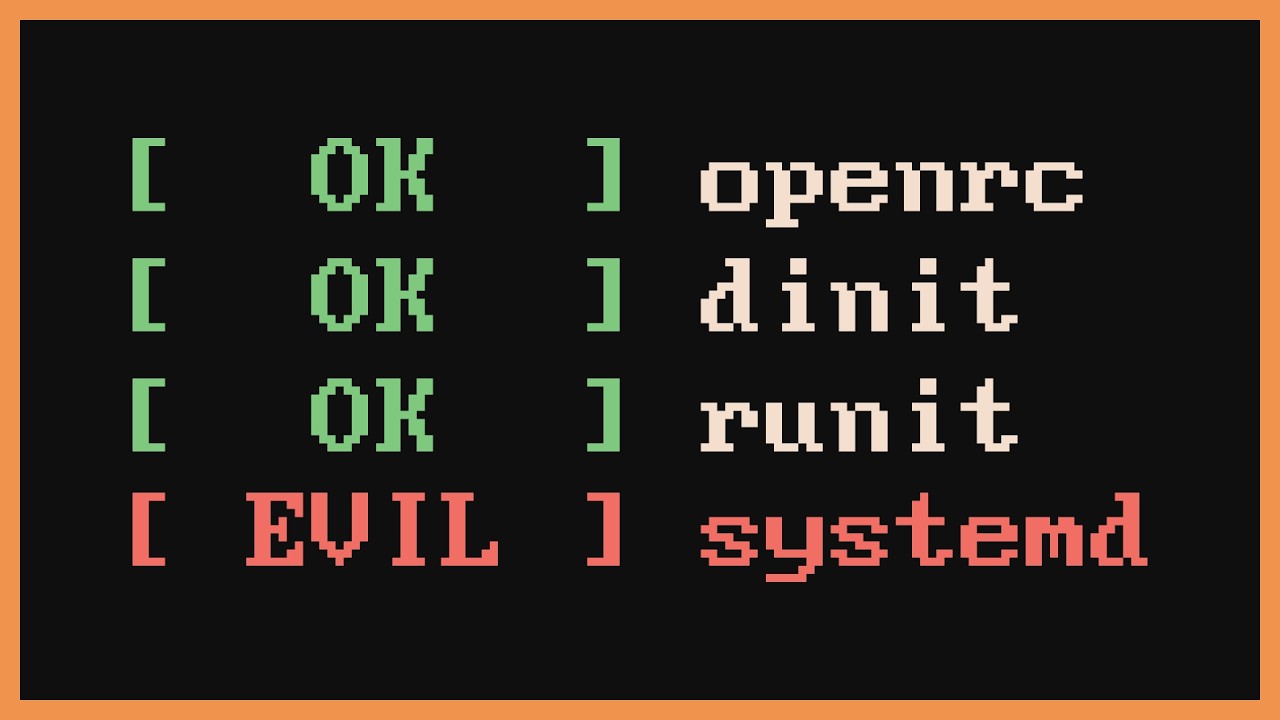
Why are you still using systemd?
code repo for the outro (credit to iceyrazor):
https://git.iceyfox.xyz/iceyrazor/daccfish
-
Find me elsewhere -----------
Symlinx: https://symlinx.net/dacctal
Git repos: https://git.symlinx.net -
Want to support me? ---------
Patreon:
https://patreon.com/dacctal
Monero:
86GKqqdZ4WEVreB6HX7oTq6shx4WvYG8zhbEh...
 sharp relic
sudden sinew
https://youtu.be/LGCJefnJkG4
guess what "normal" users use instead? grub or sysd...
sharp relic
sudden sinew
https://youtu.be/LGCJefnJkG4
guess what "normal" users use instead? grub or sysd...
Off-topic: but that video's takes are kinda weird. Systemd isn't perfect, but there's a reason its stuck around. It works and solved a lot of problems well. Maybe it's time for something new, but systemd is competent software. Also the RedHat is evil take is weird. RedHat is a huge funder and contributor in FOSS spaces, hating on them is biting the hand that feeds you. No they do not control Wayland either.
neon imp
proven sundial
Best to report then
well i put in a report, let's see how it goes
thanks for all the help
proven sundial
neon imp
thanks for all the help
You're welcome if you do find a way to resolve it otherwise let us know

sudden sinew
sharp relic
Off-topic: but that video's takes are kinda weird. Systemd isn't perfect, but th...
agree with you,
also as long as it's tolerated among most ppl here feel free to off-topic, just proceed carefully
neon imp
if my report slaps i hope they give me x1000 rolls
sudden sinew
 neon imp

hazy venture
lol
 pulsar meteor
 hot bolt
My pc force restarts randomly while in Dijiang, Nvidia drivers are on 591, I have an RTX 2070, what do
 summer pagoda
pull up the old reliability monitor
toxic atlas
that sounds like a power issue
checked event viewer or reliability monitor yet?
hot bolt
Event viewer says event 41
summer pagoda
that doesn't tell us anything
toxic atlas
and nothing else around it?
golden zenith
no WHEA logger? nothing else at all?
 orchid plinth
after fresh install windows on new ssd i see this, only in endfield
reboot, check files doesnt help
9800x3d 5070ti
 toxic atlas
orchid plinth
after fresh install windows on new ssd i see this, only in endfield
reboot, chec...
toxic atlas
orchid plinth
after fresh install windows on new ssd i see this, only in endfield
reboot, chec...
Downgrade the Nvidia driver to 591
orchid plinth
ah, nice, nvidia drivers again
ah, also, i tried start use dx11 and its work fine

what difference in gmae with dx11/vulkan?
toxic atlas
Yeah Nvidia fucked up Vulkan for a bunch of games in 595 drivers
orchid plinth
toxic atlas
Yeah Nvidia fucked up Vulkan for a bunch of games in 595 drivers
nvidia drivers shit as always
waiting for high end intel gpu..
toxic atlas
Dx11 is for "compatibility", for really old cards
Vulkan for everything released in the past decade
orchid plinth
toxic atlas
Dx11 is for "compatibility", for _really_ old cards
Vulkan for everything releas...
i mean, what real difference in game
toxic atlas
Dx11 also has some memory leaks, and that's pretty much it
toxic atlas
Not really
orchid plinth
if not other things doens worry me
unique pike
tall acorn
restart your computer, and switch to dx11 then back to vulkan
Nah nvm, it is connection issue, when i switch network it's working normally
hot bolt
toxic atlas
and _nothing_ else around it?
no idea if this tells you anything or not
 toxic atlas
orchid plinth
if not other things doens worry me
toxic atlas
orchid plinth
if not other things doens worry me
If you don't wanna downgrade drivers, you can stay on Dx11 'till Nvidia fixes their vibecoded crap
summer pagoda
do you oc your card at all?
toxic atlas
Or undervolt
orchid plinth
toxic atlas
If you don't wanna downgrade drivers, you can stay on Dx11 'till Nvidia fixes th...
ye, cuz on 591 what i use early other games like the finals had worse perfomance, so idk what give this difference, driver or fresh oc
hot bolt
summer pagoda
do you oc your card at all?
you're talking about mine or the guy above me?
summer pagoda
you
hot bolt
nope
orchid plinth
summer pagoda
do you oc your card at all?
ALL SLIDERS TO RIGHT IN MSI AF XDD
toxic atlas
hot bolt
nope
That... Doesn't sound good
orchid plinth
thats the only way in pc gaming
toxic atlas
I'd recommend first a DDU & fresh GPU driver reinstall
If that doesn't fix it... We might have a failing card on our hands
That or the power supply is sending wonky voltages, if you have an old one to test with that'll be great
summer pagoda
2070 yea? could just need a repaste
toxic atlas
summer pagoda
2070 yea? could just need a repaste
Shouldn't bring up a BSOD if that was the case, should just throttle
summer pagoda
we can only hope 
toxic atlas
@hot bolt
hot bolt
toxic atlas
That or the power supply is sending wonky voltages, if you have an old one to te...
More likely to be gpu issues I think, It's been a little fucky wucky ever since I reinstalled drivers last time
toxic atlas
Clean reinstall or just update?
hot bolt
reinstall
toxic atlas
DDU et all?
golden zenith
from ddu or the app itself
hot bolt
It's very likely that my dumbass didn't reinstall the drivers properly
toxic atlas
If you're not sure (and have the time to do it now), grab DDU and give it a go
golden zenith
yea, like Max said... most likely the driver corrupt itself
or Windows/KLAC fked with your drivers
just pray it not a failing gpu
toxic atlas
I'd rather blame Windows Update for fucking up drivers
hot bolt
I only uninstall nvidia stuff with DDU, right?
toxic atlas
Yeah
GPU - NVIDIA
golden zenith
yes
if you have amd/intel drivers.... it either for your iGPU or something went wrong
hot bolt
I didn't use DDU the first time I tried reinstalling the drivers, didn't properly clean the former drivers, so it's probably just a bad install
tall acorn
hot bolt
I didn't use DDU the first time I tried reinstalling the drivers, didn't properl...
yeah, you can try following the DDU guide in the pins for a clean install 👍 #tech-support message
hot bolt
tall acorn
yeah, you can try following the DDU guide in the pins for a clean install 👍 htt...
I did, ty for the guide
 hot bolt
tall acorn
what are your system specs, <@556661018487422976>?
hot bolt
tall acorn
what are your system specs, <@556661018487422976>?
Windows 11 home 64-bit (10.0, build 26200)
Intel Core i7-10700F @ 2.90GHz (16 CPUs)
32gb DDR4 RAM (2x16gb)
Samsung 980 500gb SSD
Nvidia RTX 2070 4GB
Framerate stutters, but only when moving
tall acorn
hot bolt
Windows 11 home 64-bit (10.0, build 26200)
Intel Core i7-10700F @ 2.90GHz (16 CP...
i'd recommend disabling or deleting xbox gamebar if you don't actively use it to record your gameplay
hot bolt
hot bolt
Framerate stutters, but only when moving
Doesn't do this when I walk in places I've already been, I guess it's possibly trying to compile shaders? Really weird
tall acorn
switch to dx11 and back to vulkan to forcefully recompile shaders
occasionally it'll fail to recompile shaders properly upon loading the game, even when it's required
can happen if you ever clear the shader cache or clean install drivers sometimes
 tall acorn
 river remnant
why is it always stuck here whenever there's an update
river remnant
why is it always stuck here whenever there's an update
switch to dx11 and back to vulkan, wait for 10 minutes, if it still isn't working you can restart your computer
i'll share the latest patch notes here


 tall acorn
i'll share the latest patch notes here
tall acorn
tall acorn
i'll share the latest patch notes here
most of the common issues and bugs resulting from the update have been fixed
a lot of them for good now
prior fixes only solved certain issues for a select number of users, but now they should be fixed for everyone
quest softlocks is one example
 sour mirage
hello guys, what is the game size after updating? mine becomes 92 gb that is why
river remnant
man i have to reboot everytime its updating huh
river remnant
sour mirage
hello guys, what is the game size after updating? mine becomes 92 gb that is why
no it aint, its still 40 ish for me here
 drowsy cipher
sour mirage
hello guys, what is the game size after updating? mine becomes 92 gb that is why
drowsy cipher
sour mirage
hello guys, what is the game size after updating? mine becomes 92 gb that is why
47.4gb for me. never done any manual cleaning
river remnant
yeah
 sour mirage
ic ic, it seems smth go wrong then. I might reinstall later.
river remnant
meanwhile
 drowsy cipher
i think it didnt clean your update temp files
tall acorn
sour mirage
hello guys, what is the game size after updating? mine becomes 92 gb that is why
continue with the installation process and finish loading into the game to clear any residual files after updating
if they still aren't cleared, you may fully reinstall the game afterwards
tall acorn
river remnant
man i have to reboot everytime its updating huh
changing your DNS might also resolve the issue
sour mirage
and i entered the game afterward, still 92gb that is why
i think i'll reinstall, thanks for the help my guys!
sour mirage
river remnant
meanwhile
i play wuwa too but damn their optimization is pepega ngl.
 leaden barn
tall acorn
<@300265432131043328>
leaden barn
tall acorn
<@300265432131043328>
fixed it turns out it was a setting in discord itself that made the gpu focus on one thing thats why it wasnt working
tall acorn
leaden barn
fixed it turns out it was a setting in discord itself that made the gpu focus on...
there's various windows and discord related configurations which could cause the issue
tall acorn
leaden barn
fixed it turns out it was a setting in discord itself that made the gpu focus on...
i assume you disabled hardware accelerated GPU scheduling (HAGS) in the discord settings?
tall acorn
honestly i would've recommended against disabling that.. but i also have it disabled myself too lol
can't have discord consuming any GPU time whenever i'm trying to play a game..
leaden barn
yeah and honestly i dont need that function myself i think
tall acorn
you can force discord to utilize your iGPU, but i have mine disabled too
 sour cosmos
does anyone else's game run slower after the update?
tall acorn
sour cosmos
does anyone else's game run slower after the update?
nvidia driver version?
sour cosmos
tall acorn
nvidia driver version?
i should have the newest one
i can check though
no i'm up to date
tall acorn
what is it?
river remnant
sour mirage
i play wuwa too but damn their optimization is pepega ngl.
So ass compared to endfield
tall acorn
@sour cosmos what is your nvidia driver version?
i'd simply advise you to revert your nvidia graphics driver to version 591.86, as future versions are unstable and will cause multiple issues depending on the version you have 👍
tall acorn
sour cosmos
i should have the newest one
your slowness/lag/stuttering is most likely caused by updating the graphics driver to a 595.xx version
sour cosmos

idk how to revert it, but i know other games like league and microsoft games will be mad at me for doing so
tall acorn
they won't
you can follow the nvidia DDU guide that's attached to the pins, or try finding the option to reinstall old drivers in the nvidia app
i'd recommend clean installing using DDU though, and removing the nvidia app as it's quite pointless
hot bolt
hot bolt
More likely to be gpu issues I think, It's been a little fucky wucky ever since ...
Unfortunately, Endfield still causes restarts, I believe my GPU is failing
hoping turning settings down while lighten the load on it
golden zenith
tall acorn
i'll share the latest patch notes here
guess you miss it yesterday, i did send the patch note
sour cosmos
the game load was way high for no reason
golden zenith
hot bolt
Unfortunately, Endfield still causes restarts, I believe my GPU is failing
hmm... not bsod huh?
hot bolt
golden zenith
hmm... not bsod huh?
Computers flags the event as a blue screen, but I'm thinking it's gpu because my monitor shuts off first before the rest of the computer shuts off
tall acorn
possibly something else entirely unrelated
tall acorn
hot bolt
Unfortunately, Endfield still causes restarts, I believe my GPU is failing
what's your GPU, could you check to see if you have anything overclocked in your system?
river remnant
tall acorn
switch to dx11 and back to vulkan, wait for 10 minutes, if it still isn't workin...
all the methods doesnt work, i even verify the integrity files
should I have to wait for them to patch ts
tall acorn
river remnant
all the methods doesnt work, i even verify the integrity files
change your DNS
river remnant
tall acorn
change your DNS
lemme try using 1.1.1.1
 radiant plinth
Hey so I'm not sure if this is a recent issue or not as I haven't touched my base since the Laevatein essentially because of fully optimizing it. I finally finished the 1.1 Update and went to set up my Cuprium farm and bumped into this crash. If I remove everything from the base (my Wuling is currently empty), I can zoom out and no crash but if my base is a bit more packed like this video clip, it crashes. Has anyone had this issue and they were able to resolve it? Everything else in the game works fine no issues.
Event viewer error logs throws these 2 errors at me:
Faulting application name: PlatformProcess.exe, version: 1.5.2.0, time stamp: 0x69771403
Faulting module name: Qt5WebEngineCore.dll, version: 5.15.8.0, time stamp: 0x6541809b
Exception code: 0xc0000005
Fault offset: 0x0000000001d5f4cd
Faulting process id: 0x4A84
Faulting application start time: 0x1DCB6674168BA47
Faulting application path: C:\Program Files\GRYPHLINK\games\EndField Game\PlatformProcess.exe
Faulting module path: C:\Program Files\GRYPHLINK\games\EndField Game\Qt5WebEngineCore.dll
Report Id: 40801e5f-40ab-4eb2-8a38-3b156d536943
Faulting package full name:
Faulting package-relative application ID:
Faulting application name: Endfield.exe, version: 2021.3.34.0, time stamp: 0x699efbeb
Faulting module name: unityplayer.dll, version: 2021.3.34.0, time stamp: 0x699efbf5
Exception code: 0xc0000005
Fault offset: 0x0000000001af9b3c
Faulting process id: 0x353C
Faulting application start time: 0x1DCB667355CDAC2
Faulting application path: C:\Program Files\GRYPHLINK\games\EndField Game\Endfield.exe
Faulting module path: C:\Program Files\GRYPHLINK\games\EndField Game\unityplayer.dll
Report Id: 97b8aa74-8a78-4953-b4b2-b1a16d0e3890
Faulting package full name:
Faulting package-relative application ID:
Current things I've tried:
-
Started in both Vulkan and Direct x11
-
Repair Endfield
-
Reinstalled Endfield fully clean
-
Rollback on Windows update
-
Updated all drivers and rolled them all back (tested both ways)
My specs are
GPU: AMD Radeon 9070XT
CPU: AMD Ryzen 7 7800X3D
RAM: Corsair DDR5 32 GBs
Motherboard: MSI X670E Gaming Plus Wifi
tall acorn
hot bolt
Windows 11 home 64-bit (10.0, build 26200)
Intel Core i7-10700F @ 2.90GHz (16 CP...
mentioned up here as well
hot bolt
RTX 2070, I just remembered I heard a click inside my pc a few days ago before it restarted, but I checked everything and couldn't find anything, PSU that could be a possible hint for a PSU issue?
drowsy cipher
oh, ultrawide funnies, did those ever get resolved
tall acorn
radiant plinth
Hey so I'm not sure if this is a recent issue or not as I haven't touched my bas...
temporarily switch to windowed mode instead of fullscreen or a non-ultrawide resolution until it's fixed,
you may also continue playing with an ultrawide resolution if you really want to, as long as you don't fully zoom out in the top-down view whenever you're using the batch select mode
river remnant
hot bolt
RTX 2070, I just remembered I heard a click inside my pc a few days ago before i...
PSU issue needs an immediate replacement before it damage your whole component
tall acorn
river remnant
PSU issue needs an immediate replacement before it damage your whole component
don't know if it's a PSU issue yet
river remnant
tall acorn
change your DNS
so it is a DNS issue, thanks
golden zenith
hot bolt
Computers flags the event as a blue screen, but I'm thinking it's gpu because my...
most of the time gpu will give bsod or black screen. Rarely it will cause auto restart tbh
Whenever it auto restart, it sometime the mobo, cpu or psu failing
since your event log are clean, im thinking it the psu that failing
river remnant
tall acorn
don't know if it's a PSU issue yet
I learn it the hard way, make sure to always check your psu first
tall acorn
golden zenith
most of the time gpu will give bsod or black screen. Rarely it will cause auto r...
from what i saw, they only shared one BSOD
hot bolt
I have 3 now
tall acorn
@hot bolt, could you share with us your entire reliability history graph, if you don't mind?
and also share the windows failures in here
👍
golden zenith
yea, we need to dig a bit deeper tbh
radiant plinth
tall acorn
temporarily switch to windowed mode instead of fullscreen or a non-ultrawide res...
tried those options just now, didnt work, still crashed
But not zooming out all the way is "fine"
hot bolt
1st one from 3 days ago

 tall acorn
radiant plinth
tried those options just now, didnt work, still crashed
tall acorn
radiant plinth
tried those options just now, didnt work, still crashed
windowed might not work, but have you tried a non-ultrawide resolution yet?
tall acorn
hot bolt
1st one from 3 days ago
have you followed the windows system corruption guide yet?
@hot bolt, #tech-support message
radiant plinth
tall acorn
windowed might not work, but have you tried a non-ultrawide resolution yet?
yea... it just worked but when i tried to exit AIC mode, it then proceeded to crash on me
hot bolt
tall acorn
have you followed the windows system corruption guide yet?
I haven't
radiant plinth
The weird part is if I go to a factory zone that has less items or like... remove 5 of the facilities, it stops crashing
tall acorn
hot bolt
I haven't
follow that guide and check to see if you're still crashing afterwards ✅
golden zenith
does game not like too many facilities on ultrawide monitors.....
they really need to fix that
radiant plinth
Curse of owning an UW i guess... I think for now I just wont zoom out all the way cause it seems to be working fine like that

 tall acorn
 oak widget
disable frame generation
tall acorn
golden zenith
does game not like too many facilities on ultrawide monitors.....
haven't looked deeply into the issue and don't currently plan to, but it's an issue with the batch selection mode specifically for extended resolutions after the V1.1 patch increased the maximum zoom out size
tall acorn
oak widget
turn in-game sharpening to 1.0 as well
oak widget
done
 golden zenith
tall acorn
haven't looked deeply into the issue and don't currently plan to, but it's an is...
golden zenith
tall acorn
haven't looked deeply into the issue and don't currently plan to, but it's an is...
i dont have a uw monitor so i cant test it.
golden zenith
radiant plinth
Curse of owning an UW i guess... I think for now I just wont zoom out all the wa...
yea, that may be for the best. for now i think it best to contact HG about this. their contact in #contact-us
oak widget
i think there is still lack of color
 tall acorn
oak widget
done
tall acorn
oak widget
done
check to see how it looks after adjusting the sharpening to 1.0, also what's your monitor model?
radiant plinth
golden zenith
yea, that may be for the best. for now i think it best to contact HG about this....
yea I already did but they never gave me a support ticket to follow up on and its been some time
tall acorn
disable chromatic abberation as well
oak widget
tall acorn
check to see how it looks after adjusting the sharpening to 1.0, also what's you...
how do i check this?
tall acorn
@oak widget, you may consult this guide to adjust your in-game performance settings, and also copy these settings in your nvidia control panel below ✅

 oak widget
now the results
 golden zenith
radiant plinth
yea I already did but they never gave me a support ticket to follow up on and it...
golden zenith
radiant plinth
yea I already did but they never gave me a support ticket to follow up on and it...
their average time is about 7 days. Hopefully they looking into it on their end. it a known issue here
tall acorn
make sure you restart the game after you apply the in-game changes from the above guide, and the nvidia control panel settings
tall acorn
oak widget
now the results
if you want to be absolutely sure everything is set correctly and the best image quality/performance is provided, you can also perform a clean driver installation by following the Nvidia DDU guide that's in the pins, and configure the nvidia control panel settings after you have finished doing that, @oak widget, #tech-support message 👍
oak widget
tall acorn
if you want to be absolutely sure everything is set correctly and the best image...
i actually don't know what's ddu
i am not good at this stuff
i am changing the settings you mentioned above, if the problem is still there, i am gonna use that ig
sour mirage
hmm i'm also curious, can pc reboot/restart by itself because of gpu driver?
oak widget
idk if u asked me this
but ig there are info
 tall acorn
oak widget
i actually don't know what's ddu
i am not good at this stuff
i am changing the ...
tall acorn
oak widget
i actually don't know what's ddu
i am not good at this stuff
i am changing the ...
make sure you have this setting ticked too
 golden zenith
oak widget
i actually don't know what's ddu
i am not good at this stuff
i am changing the ...
golden zenith
oak widget
i actually don't know what's ddu
i am not good at this stuff
i am changing the ...
well i assume it some sort of dlss model that making it over-sharpen & lack of colors, but i dont use Nvidia. for now follow Zencrox
golden zenith
sour mirage
hmm i'm also curious, can pc reboot/restart by itself because of gpu driver?
very rare but yes
sour mirage
ic ic, thanks for the info guys
tall acorn
-# 595.51 
tall acorn
drives your computer into the ground
game ready ✅
tested and certified, both by nvidia and microsoft ✅
oak widget
game is actually running smooth
but i think color still lacking
 tall acorn
tested and certified, both by nvidia and microsoft ✅
tall acorn
tall acorn
tested and certified, both by nvidia and microsoft ✅
meanwhile your graphics card is melting itself
tall acorn
oak widget
game is actually running smooth
but i think color still lacking
could you provide clearer details as to what color is lacking?
tall acorn
oak widget
game is actually running smooth
but i think color still lacking
is this with DLAA/DLSS or TAAU enabled?
oak widget
tall acorn
is this with DLAA/DLSS or TAAU enabled?
dlaa dlss
oak widget
tall acorn
could you provide clearer details as to what color is lacking?
i mean it's looks so bland
when i watch ytuber and others, their quality is just good
 broken swift
oak widget
game is actually running smooth
but i think color still lacking
broken swift
oak widget
game is actually running smooth
but i think color still lacking
I recommend 65% digital vibrance
In Nvidia control panel/app
golden zenith
colors are personal preference tbh
golden zenith
broken swift
hai hai~~
 sour mirage
@tall acorn also i fix the issues, due to some errors when i tried to transfer the game from my hdd to ssd, the main game files become 2. That is why i got 92gb. Now i deleted one and it is all ok now. Thank you for the help~
tall acorn
sour mirage
<@998206058487099412> also i fix the issues, due to some errors when i tried to ...
👍
tall acorn
broken swift
I recommend 65% digital vibrance
reasonable amount, i personally just leave mine set to 50% and the rest is default
broken swift
oak widget
ohh it lightened up with digital vibrance
Yea, digital vibrance is great especially with hdr. Imo sweet spot is 55-70% depends on monitor
tall acorn
i don't like oversaturated colors tbh
oak widget
 golden zenith
iirc, the alt + f3 open up the filter... they can fafo which filter they want
broken swift
tall acorn
i don't like oversaturated colors tbh
Understandable
golden zenith
it depends if they wan a individual setting for each games
oak widget
the game is actually running smooth
so the frame generation killing it
tall acorn
oak widget
the game is actually running smooth
so the frame generation killing it
don't use frame generation 👍
@oak widget, check the in-game settings guide again if you need to ☝️
broken swift
oak widget
the game is actually running smooth
so the frame generation killing it
It's the opposite for me, frame gen somehow make Endfield run with a lot less stutters 
oak widget
tall acorn
<@635172347606728746>, check the in-game settings guide again if you need to ☝️
i changed everything
all control panel and this settings
oak widget
broken swift
It's the opposite for me, frame gen somehow make Endfield run with a lot less st...
urs prolly high end pc
tall acorn
possibly 120 stable FPS if you optimize the settings
intensive areas such as wuling will most likely result in 90~ stable FPS
which is still great
golden zenith
oversaturated colors can be good if you playing competitively like cs2 to spot enemies...
otherwise, it just looks very bad
oak widget
 tall acorn
on the dijiang
broken swift
oak widget
urs prolly high end pc
Nah, mine is only a mid end i will wait for optimization because my frame graph is spiking a lot (i did a lot of troubleshooting but no fix)
tall acorn
broken swift
Nah, mine is only a mid end i will wait for optimization because my frame graph ...
consult the functionality performance guide as well to fix your issue 👍
oak widget
 broken swift
golden zenith
oversaturated colors can be good if you playing competitively like cs2 to spot e...
broken swift
golden zenith
oversaturated colors can be good if you playing competitively like cs2 to spot e...
Yea, oversaturated is bad but 55-65% digital vibrance give me the perfect saturation
tall acorn
oak widget
honestly i don't see any lacking colors in these images
possibly a result of my monitor
oak widget
tall acorn
honestly i don't see any lacking colors in these images
cuz of digital vibrance
i am getting 115 fps in wuling
tall acorn
there appears to be strange artifacts in the background of your screenshots as well
 golden zenith
we dont see lacking colors is because it photo taken in the system, need to use a phone or camera to see it sadly
oak widget
i should take pics from the r button
tall acorn
oak widget
cuz of digital vibrance
shouldn't have an effect on the screenshot afaik will affect screenshots
oak widget
tall acorn
~~shouldn't have an effect on the screenshot afaik~~ will affect screenshots
it dashes when i take screenshot
broken swift
tall acorn
consult the ~~functionality~~ performance guide as well to fix your issue 👍
Yea... 591.86 will still stutters for me. 1.1 optimization is basically cooked to burnt
golden zenith
broken swift
Yea... 591.86 will still stutters for me. 1.1 optimization is basically cooked t...
got tried reseting the in game shader cache?
 long valve
i am not getting my oroberyl?
tall acorn
long valve
i am not getting my oroberyl?
?
oak widget
 long valve
i am stuck
tall acorn
daily missions?
long valve
yes not geting it
broken swift
golden zenith
got tried reseting the in game shader cache?
Yes, i cleared everything
tall acorn
broken swift
Yea... 591.86 will still stutters for me. 1.1 optimization is basically cooked t...
clean install again
long valve
stuck at 1930
tall acorn
long valve
i am stuck
could you share a screenshot of that happening to you if possible?
long valve
reloding my game to see if it fixed
broken swift
But how the heck did it even turn from flatline to my heart beat

 oak widget
 broken swift
tall acorn
clean install again
broken swift
tall acorn
clean install again
This is actually my 2nd clean Endfield reinstall and 5th driver clean ddu
oak widget
i think i should lower digital vibrance
golden zenith
broken swift
But how the heck did it even turn from flatline to my heart beat <:PerliWheeze:1...
even the game shader cache file in locallow folder as well huh...
broken swift
oak widget
i think i should lower digital vibrance
Every monitor has it's own perfect digital vibrance value
broken swift
golden zenith
even the game shader cache file in locallow folder as well huh...
Yep...

 golden zenith
broken swift
Yep...
golden zenith
broken swift
Yep...
oof... well not surprising, game should be runing it in async
broken swift
Well at least i can be certain that my rig isn't the issue here
broken swift
golden zenith
oof... well not surprising, game should be runing it in async
"better optimization" they said
tall acorn
long valve
if you're absolutely certain, you may contact customer support about the issue you're having #contact-us
tall acorn
broken swift
This is actually my 2nd clean Endfield reinstall and 5th driver clean ddu <:Perl...
i'm assuming you've done both properly?
and you don't have wonky setting configurations?
broken swift
tall acorn
i'm assuming you've done both properly?
Yes, i even remove shader cache before and after ddu
broken swift
tall acorn
and you don't have wonky setting configurations?
Nope, games like doom which uses vulkan run on a perfectly flat fps graph
 golden zenith
broken swift
"better optimization" they said <:PerliWheeze:1171272662664892437>
golden zenith
broken swift
"better optimization" they said <:PerliWheeze:1171272662664892437>
well sacrifices need to be made for that. it either we get lower performance when moving around or we spend our time compiling shaders
MHWild was an example of that
spend 30mins to compile shaders
broken swift
golden zenith
well sacrifices need to be made for that. it either we get lower performance whe...
It took me a bit more than 2 minutes to compile 1.0 shader and no stutters. 40-50s in 1.1
And i tried running around for 30m, still stutter 
broken swift
golden zenith
spend 30mins to compile shaders
Damn, that's long. The longest shader compilation i've ever seen might be in ff16 (30m on 12400+sata ssd)
golden zenith
broken swift
Damn, that's long. The longest shader compilation i've ever seen might be in ff1...
they switched to async in title update 4, now it like less than 5 mins
ofc the compiling shaders are still there, just in the background now
over time the more you play, the less stutter it get... in theory that is
broken swift
Welp... In Endfield case it didn't
golden zenith
yup... they might have fked up something
& every update/patch note, we have to compile the god damn shader everytime
so yea... it bad
broken swift
Well i think Endfield can be compared with cp2077 first release in term of performance and bugs
drowsy cipher
broken swift
Well i think Endfield can be compared with cp2077 first release in term of perfo...
good old perlica silverhands
 broken swift
tall acorn
cyberpunk was nearly a nightmare on release
broken swift
tall acorn
cyberpunk was nearly a nightmare on release
I might've overexaggerated a bit lol
tall acorn
it's honestly a disservice to the optimization of this game, to say launch technical issues between arknights endfield and cyberpunk are similar in severity, but comparisons between anything in general is always fine
there's a good bit of quality of life, story, and combat work that can be done for the game
and maybe 3~ critical technical issues (memory leak, cpu core overutilization, something else) attributed to this game
golden zenith
well cp2077 first released was more like game lauched in alpha without testing tbh... now it a lot better compared to first release
oh well, hopefully they learned their bloody lesson
tall acorn
technical issues in arknights endfield are also fixed or mentioned in multiple instances throughout the week at times
cyberpunk still has issues to this day sadly
comparing the two is still fair though
broken swift
tall acorn
technical issues in arknights endfield are also fixed or mentioned in multiple i...
Iirc it had it's last update last year?
tall acorn
tall acorn
comparing the two is still fair though
i only disagree with how similar they may be in terms of performance and bugs 
tall acorn
broken swift
Iirc it had it's last update last year?
it's last major update, yes i believe

 atomic spruce
whats wrong with my ping
 drowsy cipher
i have no idea whats going on with the ping display. if everything is fine, its 0/1ms, if something is wrong, its 400+. there is no inbetween
atomic spruce
oh ok
drowsy cipher
keep in mind this is my subjective experience
rancid loom
drowsy cipher
 drowsy cipher
Seid gegrüßt, Oberfeldwebel
rancid loom
lol
drowsy cipher
you started it
rancid loom
yea I know
drowsy cipher
 rancid loom
just wanted to greet ya in Deutsch
rancid loom
drowsy cipher
which red one?
drowsy cipher
crayon...
rancid loom
bruhh
drowsy cipher
trust me

 gritty ridge
chat I might just do a full fresh install of windows
do yall know if its ideal to use this option or if its better to do it manually

 frosty dew
internet got cut off cuz fuck me, now i have to rely on data and wireless wifi, cant download drivers
drowsy cipher
drivers arent that huge - is your mobile data that limited?
frosty dew
yeah, the speed is on kilobytes
drowsy cipher
yeah that sucks
frosty dew

best thing i can do now is use integreated and remove the dgpu here
just because it has more support and hopefully use my gpu instead of having 0% utilization
still boggles me why it runs on 0% utilization
drowsy cipher
maybe its just me but it seems you tried to upload an image and it didnt go through
 rancid loom
frosty dew
still boggles me why it runs on 0% utilization
rancid loom
frosty dew
still boggles me why it runs on 0% utilization
...did you properly update your chipset drivers by any chance?
 shut vector
drowsy cipher
maybe its just me but it seems you tried to upload an image and it didnt go thro...
shut vector
drowsy cipher
maybe its just me but it seems you tried to upload an image and it didnt go thro...
empty image on my end too
rancid loom
because if it's 0% utilization, something's not communicating with the GPU for it to work
also you're that 750 ti guy iirc
shut vector
gritty ridge
do yall know if its ideal to use this option or if its better to do it manually
use the option and pray you dont randomly get sent to bootloop hell
rancid loom
shut vector
use the option and pray you dont randomly get sent to bootloop hell
I mean, if it doesn't detect the recovery environment, the option can't function and it will kick him back to Windows anyway
well well well..


 bitter swan
new nvidia version update still sht?
tall acorn
bitter swan
new nvidia version update still sht?
✅
drowsy cipher
yup
rancid loom
bitter swan
new nvidia version update still sht?
ofc it is
drowsy cipher
tall acorn
gritty ridge
do yall know if its ideal to use this option or if its better to do it manually
fresh install from USB is better, but reset this PC is easier, @gritty ridge, #tech-support message
bitter swan
welp.. my gpu gone need to clean uninstaller again 
 tall acorn
bitter swan
welp.. my gpu gone need to clean uninstaller again <:despair:1168558752102875237...
tall acorn
bitter swan
welp.. my gpu gone need to clean uninstaller again <:despair:1168558752102875237...
?
bitter swan
tall acorn
?
went update to latest then went downgrade to 591
tall acorn
are you running with both a nvidia and AMD GPU?
bitter swan
no
bitter swan
ye
tall acorn
bitter swan
went update to latest then went downgrade to 591
revert to nvidia driver version 591.86, and check to make sure it's enabled in your device manager 👍

below the display adapters tab
 bitter swan
tall acorn
below the display adapters tab
bitter swan
tall acorn
below the display adapters tab
do i press update drivers?
golden zenith
rancid loom
hiiii
tall acorn
bitter swan
do i press update drivers?
no
what is your currently installed driver version?
bitter swan
this what i install rn
 tall acorn
@bitter swan launch your nvidia control panel, you can find your driver version here by clicking on system information in the bottom left
 tall acorn
bitter swan
this what i install rn
tall acorn
bitter swan
this what i install rn
follow the Nvidia DDU guide that's attached to the pins to clean install your drivers
bitter swan
aite
tall acorn
golden zenith
“Well, first of all, they’re completely wrong. The reason for that is because, as I have explained very carefully, DLSS 5 fuses controllability of the of geometry and textures and everything about the game with generative AI,”
— Jensen Huang (NVIDIA), during GTC 2026 Q&A Session
well
drowsy cipher
tall acorn
golden zenith
> “Well, first of all, they’re completely wrong. The reason for that is because,...
with generative AI- everything about the game with generative AI
sadly might be the worst sentence you're going to hear from the gaming industry wise for a good while
rancid loom
bitter swan
aite
if you are unsure abt stuff, you can always ask here
rancid loom
golden zenith
> “Well, first of all, they’re completely wrong. The reason for that is because,...
wdym controllability old man?
so without the glitters and glamours and not making it as a PR statement, this just says that DLSS 5 fuses the game's textures and geometrical shaders with generative AI
tf?
and what were we even wrong abt in the first place??

he says it's not post processing
tall acorn
system specifications?
it's alright if it says that in-game, it's simply calculating the hardware requirements and performance incorrectly 👍
golden zenith
that indicator is a lie tbh...
for RAM, game should be using like 4-5GB at most
tall acorn
golden zenith
that indicator is a lie tbh...
for RAM, game should be using like 4-5GB at most
steam, discord, multiple other things consuming their finite amount of RAM on the computer, which are included in the screenshot
@delicate sequoia, check the in-game settings guide if you're interested in optimizing your settings ☝️
you can also adjust your nvidia control panel settings accordingly, as i noticed you also have a Nvidia GPU

 golden zenith
> “Well, first of all, they’re completely wrong. The reason for that is because,...
golden zenith
golden zenith
> “Well, first of all, they’re completely wrong. The reason for that is because,...
 summer pagoda
They just need to not touch the material
that's 70% of the ugo look people complain about
tall acorn
golden zenith
https://i.programmerhumor.io/2026/01/1d124ed538f26360f9f72b0e8160a9ec37be971faca...
there realistically isn't much point from a business and financial perspective, in catering to the consumers who complain about the majority of changes the company makes, regardless of it being profit-driven or not, especially when there's a market who won't complain that's at least 10x more profitable in comparison, and worthwhile to invest resources in, just in the near foreseeable future alone
though it'd still be nice if consumers weren't getting screwed over most of the time
golden zenith
it more of me taking a piss at them.... but overall, the environment on dlss 5 is not bad, just the looks on the npcs is too much
rancid loom
tall acorn
there realistically isn't much point from a business and financial perspective, ...
I'd agree with this...if investing resources on things that matter didn't affect the whole electronics community
tall acorn
from what i saw it heavily lessens the shadow quality and character quality respectively if applied
certain shadows vanish entirely, bright blue lighting everywhere else
a few textures change to be more realistic or slightly better quality, and not much else benefit can be seen aside from the overall generative AI look of the game
rancid loom
tall acorn
certain shadows vanish entirely, bright blue lighting everywhere else
so they're enhancing textures by enhancing unnatural lighting?
tall acorn
if that's your cup of tea, i'm sure DLSS 5 is great for many people
it probably won't be within my tastes personally though
summer pagoda
golden zenith
it more of me taking a piss at them.... but overall, the environment on dlss 5 i...
we've had near photorealistic lighting for environments already with RT and PT so it looks more like a side-grade
tall acorn
rancid loom
I'd agree with this...if investing resources on things that matter didn't affect...
🤷♂️
tall acorn
rancid loom
I'd agree with this...if investing resources on things that matter didn't affect...
it unfortunately doesn't matter if anybody agrees with the moral standpoints of chasing profits, as there's clear and hidden beneficiary reasons on why screwing everyone else over is better, both in the short term and the long term
i don't agree with it either
rancid loom
tall acorn
it unfortunately doesn't matter if anybody agrees with the moral standpoints of ...
true
tall acorn
memory prices won't fall until 2028 at the absolute earliest
and right now stuff such as RAM is 4x - 5x it's previous price
rancid loom
so in the end it's just corporate screwing us over
tall acorn
great for the memory manufacturers, sucks for everyone else
manufacturing costs decrease, and profits soar into the skies
golden zenith
summer pagoda
we've had near photorealistic lighting for environments already with RT and PT s...
true... looks good and all but the fps tank, it a no-go for me
tall acorn
golden zenith
true... looks good and all but the fps tank, it a no-go for me
DLSS 5 apparently* requires a spare 5090 to utilize, and the primary card is likely required to be on par with a 5070 at the very least, so the 5090 can perform well in regards to the generative AI that's apparently* used
might require less, but you're going to need dual GPU's for DLSS 5 from what i've heard*, to even consider using it in the first place
drowsy cipher
" a spare 5090"
 tall acorn
drowsy cipher
" a spare 5090"
tall acorn
drowsy cipher
" a spare 5090"
yeah i have a spare 5090 just lying around
rancid loom
tall acorn
tall acorn
yeah i have a spare 5090 just lying around <:PerliFumo:1148081871855570975>
only set me back $3K USD, a very worthwhile choice i made a few months ago, just for this moment
we'll see if they drop DLSS 5.5 with extra presets for better image quality at a higher cost soon
tall acorn
summer pagoda
some form of gen ai is the future though
AMD is already working on next gen "neural rendering" for project helix

 summer pagoda
It's my money, I should be allowed to gamble it away
rancid loom
summer pagoda
It's my money, I should be allowed to gamble it away
the age verification thingy is diabolical from NY's Attorney General tho
 neon wadi

what is wrong
its been only around kb/s the whole downloading process
what should i do
tried reconnecting and didnt work
neon wadi
erm im kinda stupid on changing that
how do i change dns
i usually just use vpn and dns on like chrome...dont know how to entirely change it out of chrome
toxic atlas
neon wadi
ID? Win11?
Or I guess Aki got it
@rancid loom since they seem to be ID, try with BebasDNS
 fossil plover
Nvidia's new tech is goated!
 toxic atlas
What a longball guess lol
 empty void
I'm just stuck on releasing resources for whatever reason. Been ~an hour
 tall acorn
decided to switch on frame generation for a moment, just to check a few things out
monitoring tool is reporting framerates above the set limits i have on my setup
clear artifacting around certain UI elements during motion, which is amplified on higher frame generation settings
summer pagoda
LSFG?
tall acorn
and the frametime graph is always reporting 0ms or nonsensical values, as was also presented in joker's case
frosty dew
rancid loom
...did you properly update your chipset drivers by any chance?
i did
its just the game dosent use the gpu
tall acorn
frosty dew
i did
its just the game dosent use the gpu
what are you running on? a laptop or a desktop?
toxic atlas
empty void
I'm just stuck on releasing resources for whatever reason. Been ~an hour
Try the following:
- Delete
%ProgramFiles%\GRYPHLINK\games\EndField Game\Endfield_Data\Persistent\HGDownloadand restart game - Restart PC & run game as Admin
- Use ProtonVPN (free, or another VPN service if you already have one)
Gotta wait at least 10 minutes to validate in the releasing resources screen
frosty dew
its literally my problem right now
game not using gpu
tall acorn
toxic atlas
Try the following:
* Delete `%ProgramFiles%\GRYPHLINK\games\EndField Game\Endfie...
mobile
frosty dew
tall acorn
what are you running on? a laptop or a desktop?
desktop
tall acorn
i considered mentioning it, but didn't think it was necessary
tall acorn
resolving mobile issues is also an entirely different can of worms i'm not actively ready to get into
tall acorn
 formal crown
nvm it loaded
formal crown
nvm it loaded
👍
consult the functionality guide that's attached to the pins in the future, if you happen to encounter any unfixable stuck while loading issues again
rancid loom
toxic atlas
Try the following:
* Delete `%ProgramFiles%\GRYPHLINK\games\EndField Game\Endfie...
Max, I also recommend that the launcher be run as admin as well
tall acorn
rancid loom
Max, I also recommend that the launcher be run as admin as well
they're playing on mobile