#tech-support
1 messages · Page 156 of 1
 agile tusk
citizens complaint center. afaik u can report water electricity and even telco companies as well as other stuff like information abt certain things
 rancid loom
toll free hotline? or no?
rancid loom
agile tusk
citizens complaint center. afaik u can report water electricity and even telco c...
interesting....something to take note of
agile tusk
rancid loom
toll free hotline? or no?
national public service hotline so i assume toll free. i reported thru their form online. call and text also works
rancid loom
agile tusk
national public service hotline so i assume toll free. i reported thru their for...
aight will take note of that in the future
gotta finish the main story post Ruan Yi
agile tusk
godspeed
agile tusk
about story and gameplay? or technical issues?
 silk jackal
agile tusk
about story and gameplay? or technical issues?
silk jackal
agile tusk
about story and gameplay? or technical issues?
both
agile tusk
let the story build up.. 1.1 still early
benefit of doubt
but your expectations are also valid
silk jackal
some parts were good, i wont deny that but u view it overall, they did tangtang's arc dirty
agile tusk

silk jackal
is it this one?

 proven sundial
silk jackal
some parts were good, i wont deny that but u view it overall, they did tangtang'...
proven sundial
silk jackal
some parts were good, i wont deny that but u view it overall, they did tangtang'...
I call tangtang ganggang now

silk jackal
proven sundial
I call tangtang ganggang now
she was crying for the half of the story
XD
 molten lantern
seriously? i thought 1.1 improved in terms of story
 golden zenith
proven sundial
I call tangtang ganggang now
golden zenith
proven sundial
I call tangtang ganggang now
meanwhile i call her Tang²
 wheat turtle

silk jackal
molten lantern
seriously? i thought 1.1 improved in terms of story
nope hahahahaha
 broken swift
golden zenith
how did they f up the amd gpu clock speed
broken swift
golden zenith
how did they f up the amd gpu clock speed
well... they also f up my gpu clock (nvidia)

golden zenith
silk jackal
this what happens when the devs try to listen to the players complains way too much
 bold briar
oh no, small update. the game's gonna break
 sudden sinew
 agile tusk
sudden sinew
<:PerliFumo:1148081871855570975>
agile tusk
sudden sinew
<:PerliFumo:1148081871855570975>
omg its been a while helo hello
sudden sinew
agile tusk
omg its been a while helo hello
hi there
golden zenith
not the safe land
 proven rivet
How do i rebuild shader cache
silk jackal
sudden sinew
<:PerliFumo:1148081871855570975>
sell your information to the goverment
 agile tusk
proven rivet
How do i rebuild shader cache
agile tusk
proven rivet
How do i rebuild shader cache
switch to dx11 > open and let it rebuild in login > exit and open in vulkan this time
proven sundial
sudden sinew
<:PerliHug:1351397824222331040>
Hope you are doing well today 😆
sudden sinew
proven sundial
Hope you are doing well today 😆
kinda... caught cold
 sleek sentinel
hi anyone having cpu spike issue after today's update?
proven sundial
sudden sinew
kinda... caught cold
Just relax then if you need emotional support just let me know

sudden sinew
imma go eat smth
proven sundial
sleek sentinel
hi anyone having cpu spike issue after today's update?
What's your cpu usage ?
broken swift
sleek sentinel
hi anyone having cpu spike issue after today's update?
You're the 5th victim today 
sudden sinew
sudden sinew
imma go eat smth
homeoffice today so 
sleek sentinel
proven sundial
What's your cpu usage ?
70ish to 90 whenever i enter that new map
but valley seems ok
avg ~30 ish
 proven sundial
sleek sentinel
70ish to 90 whenever i enter that new map
proven sundial
sleek sentinel
70ish to 90 whenever i enter that new map
Which cpu ? And yeah wuling is a mess right now alongside the new map
sleek sentinel
proven sundial
Which cpu ? And yeah wuling is a mess right now alongside the new map
i5-11gen
had feeling it was wuling problem
broken swift
sleek sentinel
had feeling it was wuling problem
Probably too weak for wuling or newer right now, my 14600k reach 50% there after 30m
*It's Optimization issue
sleek sentinel
broken swift
Probably too weak for wuling or newer right now, my 14600k reach 50% there after...
everything becomes weak after a time
there optimization come
 toxic atlas
golden zenith
toxic atlas
golden zenith
It Max, He Back
 steel swift
Ok the game runs well on my laptop
agile tusk
max lazarus, the one who rose
proven sundial
He needs more time to recover
sudden sinew
proven sundial
He needs more time to recover
everyone do
proven sundial
sudden sinew
sudden sinew
everyone do

sudden sinew
proven sundial
..?
 sudden sinew
toxic atlas
it's fine, i'm okay
just won't be as active as before
proven sundial
Makes sense
You have to do your thing
Those americans really gave you something
toxic atlas
not just that
just... a lot of shit piling up all at once, from all possible fucking directions
proven sundial
You have to find some peace while you can but easier said then done of course 
toxic atlas

 short ridge
yo max is back
rancid loom
toxic atlas
not just that
just... a lot of shit piling up all at once, from all possible fuc...

 maiden ermine
guyzu should I use 3x fg with 60 fps capped or fg off with 120 fps
rancid loom
Test
rancid loom
 rough slate
I need help
rough slate
I need help
May we know the issue pls
sudden sinew
maiden ermine
guyzu should I use 3x fg with 60 fps capped or fg off with 120 fps
which display res do you have?
maiden ermine
I have 120 Hz
sudden sinew
and which gpu?
maiden ermine
rtx 5060 laptop gpu
maiden ermine
sudden sinew
1080p?
2K but I play on 1200p (my aspect ratio is 16:10)
sudden sinew
maiden ermine
2K but I play on 1200p (my aspect ratio is 16:10)
1440p 16:10 right?
toxic atlas
maiden ermine
rtx 5060 laptop gpu
60fps capped with 2x fg if you want to powersave / keep temps lower
120fps without fg if you want less mush from sudden movement, just raw perf
rough slate
I’m doing a campaign with stream element
rancid loom
Aaand nobody replied back
rough slate
And had to install the game on my pc
maiden ermine
sudden sinew
1440p 16:10 right?
yes, however I have set my res to 1200p since I like that more so 1200p for the game
rough slate
I had a hard time to install it… finally did
maiden ermine
toxic atlas
60fps capped with 2x fg if you want to powersave / keep temps lower
120fps witho...
okay, ty!
sudden sinew
maiden ermine
2K but I play on 1200p (my aspect ratio is 16:10)
basically said 1080p but 16:10 (1200x1920)
you can set dlaa as settings inside the game, which is enough
rough slate
But now it doesn’t want to launch
maiden ermine
sudden sinew
you can set dlaa as settings inside the game, which is enough
oh no I dont actually notice any diff with dlaa so I play on quality... I wanted to know if I should use 120 fps with no fg or 60 fps with 2x
my cpu is running at 95 degrees with 120 fps
toxic atlas
DLSS & Framegen are not needed by your GPU to play the game smoothly
only use them if you're worried about temps and/or on battery
toxic atlas
maiden ermine
my cpu is running at 95 degrees with 120 fps
that's sadly just the way the game behaves, loves making CPUs boost for nothing and ramp up the temps without actually using all that extra power
maiden ermine
toxic atlas
DLSS & Framegen are not needed by your GPU to play the game smoothly
only use th...
I prefer using DLSS since I am on a laptop however I was unsure about keeping fg on or not bcuz like u pointed out I did notice some mush with sudden movement
toxic atlas
still waiting for devs to acknowledge the issue
 hollow locust
toxic atlas
still waiting for devs to acknowledge the issue
hollow locust
toxic atlas
still waiting for devs to acknowledge the issue
The cpu bug? It’s been more than a month
maiden ermine
toxic atlas
that's sadly just the way the game behaves, loves making CPUs boost for nothing ...
man.... so should I just play on 120 fps?
toxic atlas
doesn't matter at what framerate you play at
unless you limit the CPU TDP, it'll keep boosting for nothing
maiden ermine
toxic atlas
doesn't matter at what framerate you play at
unless you limit the CPU TDP, it'll...
I limited the max performance boost to 99%
is this the same thing which you mentioned
hollow locust
They don’t even acknowledge the issue they always answer mails telling you to turn of dlss and use Vulkan but that does nothing
proven sundial
hollow locust
They don’t even acknowledge the issue they always answer mails telling you to tu...
It's already been acknowledged
They closed threads for other reasons
 plain sandal
Anyone had bugged out Seekers of the Lost Treasure 3?
hollow locust
proven sundial
It's already been acknowledged
Not mention a single time on all of the patch notes
toxic atlas
hollow locust
They don’t even acknowledge the issue they always answer mails telling you to tu...
the nvidia-features & dx11 issues have been acknowledged
the cpu bug not really
proven sundial
plain sandal
Anyone had bugged out Seekers of the Lost Treasure 3?
The one on the bridge ?
hollow locust
If CN doesn’t say anything they are never fixing this
toxic atlas
in-game DLSS & FG are just a mess
you're better off using Lossless Scaling for FSR & FG
plain sandal
No no the one in the cave
plain sandal

the crib is supposed to be interaction point
and as a something of a funny connection
rough slate
Hello
proven sundial
plain sandal
Ah yeah i saw another 2 people stuck here
 proven sundial
plain sandal
if I exit photo mode, i get teleported back to the cave
proven sundial
plain sandal
if I exit photo mode, i get teleported back to the cave
It's best to be reported
No workaround as of yet
proven sundial
rough slate
Hello
Hello
rough slate
Can someone help me! I’m can’t launch the game
proven sundial
rough slate
Can someone help me! I’m can’t launch the game
Which platform and OS ?
rough slate
Windows
sudden sinew
maiden ermine
my cpu is running at 95 degrees with 120 fps
then it's the cpu's thermal issue and not the gpu nor the graphics/framegen-related, be careful game's very cpu-heavy for assets load, no matter what settings you set cpu's temperature might be the same
so hope the devs perform an optimization for the game's cpu
proven sundial
rough slate
Windows
I see did you try a repair via launcher ?
rough slate
proven sundial
I see did you try a repair via launcher ?
Computer Platform
• Desktop PC
• Model: Dell OptiPlex 3020
Operating System
• Microsoft Windows (Windows 10)
Processor (CPU)
From the OptiPlex 3020 series it is typically:
• Intel Core i5-4570 or
• Intel Core i7-4770
Your screenshot earlier suggested an Intel Core i5 generation CPU.
Memory (RAM)
The system information screen showed:
• Installed RAM: 8 GB
Architecture
• 64-bit operating system
• x64-based processor
rough slate
proven sundial
I see did you try a repair via launcher ?
I did not! Will try now
toxic atlas
4th gen with 8gb ram... damn
rough slate
toxic atlas
4th gen with 8gb ram... damn
I ain’t a big shot like you 🤷🏾♂️
toxic atlas
rough slate
I ain’t a big shot like you 🤷🏾♂️
that's a 13yr old chip
rough slate
toxic atlas
that's a 13yr old chip
😩🤣
proven sundial
It will run though
toxic atlas
proven sundial
It will run though
yeah, if you have a good SSD and at least 16gb ram
proven sundial
toxic atlas
yeah, if you have a good SSD and at least 16gb ram
They optimized for 8Gb systems
toxic atlas
huh? when did that happen?
maiden ermine
sudden sinew
then it's the cpu's thermal issue and not the gpu nor the graphics/framegen-rela...
you are right, I tweaked multiple settings and stuff the temps were basically the same
My performance is consistent with no stutters but just wanted to know if 120 fps is better or 60 wt 2xfg :)
ty to u asw for helping
proven sundial
toxic atlas
huh? when did that happen?
I datamined 1.1
rough slate
So what should I do guys?
toxic atlas
proven sundial
I datamined 1.1
though you'd still need a dGPU though at that amount of memory
proven sundial
toxic atlas
though you'd still need a dGPU though at that amount of memory
True
proven sundial
rough slate
So what should I do guys?
Do you know if there is a gpu inside ?
Kinda searching
rough slate
proven sundial
Do you know if there is a gpu inside ?
GPU:
• Intel HD Graphics 4600
 wheat pier
1.1 running worse on Vulkan than 1.0 on dx11 lol
proven sundial
Welp
rough slate
proven sundial
That will be hard to run
Ok 🥹
proven sundial
Can you dm me
rough slate
Ok
rough slate
proven sundial
Can you dm me
I did
sudden sinew
maiden ermine
you are right, I tweaked multiple settings and stuff the temps were basically th...
np
btw the max+ 395 better than this lol.
https://youtu.be/jIHYEa-5y_U
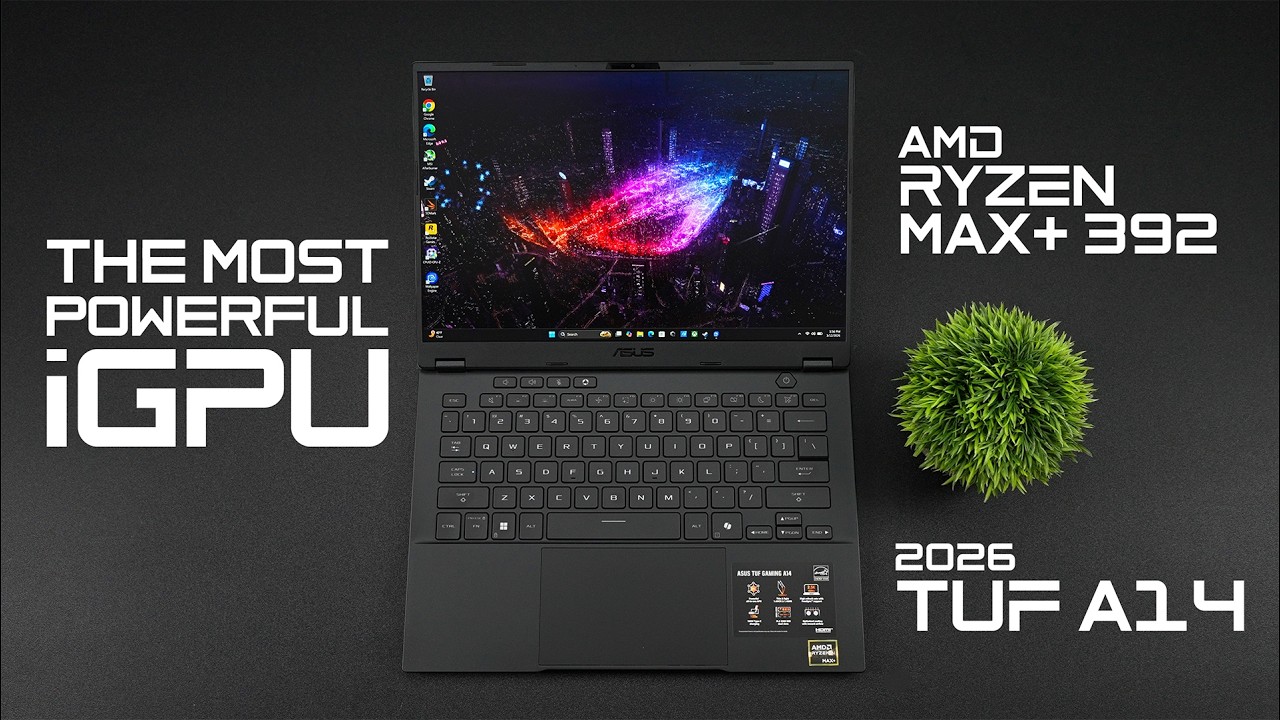
This Laptop Has The Most Powerful iGPU! Vip-URCDKey 25% code for software: ETA Windows 11 Pro Key($25):https://biitt.ly/RUZiX Windows 11 Home Key($23):https://biitt.ly/SQKqi Windows 10 Pro OEM Key($20):https://biitt.ly/KpEmf
Windows10 Home Key($17):https://biitt.ly/2tPi1
Windows 10 LTSC 2021 Key($15): https://biitt.ly/W564e Office 2019 pro key...
 tall acorn
maiden ermine
you are right, I tweaked multiple settings and stuff the temps were basically th...
tall acorn
maiden ermine
you are right, I tweaked multiple settings and stuff the temps were basically th...
honestly neither with x2 frame generation, as you want to have as much framerate as possible and 120fps isn't really enough, but that at least means 120 fps is better than 60 fps in comparison, to answer your question
maiden ermine
tall acorn
honestly neither with x2 frame generation, as you want to have as much framerate...
I am dumb like mad dumb so sorry, but you basically mean 120 raw fps is better than 60 fps 2xfg?
tall acorn
yeah that too
 hollow ruin
was going to asking about the a bug were the game would be still be running normally but the login screen is stuck but once i managed to click through it would still be running normally but now it's just blacked screen, i kinda fixed it by switching to directx11 to fix it but ya i just posted it in feedback on bug report section
maiden ermine
tall acorn
yeah that too
ah gotchu, ty for ur help too
I am gonna use 60 fps with 2xfg tho, my cpu temps with 120 raw fps is too high for my comfort : )
 hidden compass
Ah my crash issue has been fixed finally 😋
tall acorn
maiden ermine
I am dumb like mad dumb so sorry, but you basically mean 120 raw fps is better t...
really simplified,
frame generation splits your framerate in slightly less than half, and then guesses what an in-between frame will look like based off the next frame in the render queue
so with 60fps you'd likely go to having 30 real frames, and 30 fake frames, which will most likely result in quite the smudged appearance, and slightly delayed game input response
i believe you have a different underlying issue if CPU temperatures are reaching unreasonably high levels, even though you have a graphics card capable of frame generation
maiden ermine
tall acorn
i believe you have a different underlying issue if CPU temperatures are reaching...
its only for endfield, this has been the case since like forever
toxic atlas
tall acorn
i believe you have a different underlying issue if CPU temperatures are reaching...
it's a laptop
tall acorn
possibly the CPU core overutilization bug, thermal paste, dust, cooling issues, or it's bottlenecking
maiden ermine
my temps are fine in all other games
maiden ermine
tall acorn
possibly the CPU core overutilization bug, thermal paste, dust, cooling issues, ...
the laptop is only a month old so prolly none of that
maiden ermine
tall acorn
might want to clean out the dust
its only for endfield tho
I can play wuwa just fine
toxic atlas
the utilization bug is pretty guaranteed
tall acorn
maiden ermine
its only for endfield, this has been the case since like forever
you can mitigate the issue by disabling turbo boost while you play the game if you want
maiden ermine
tall acorn
you can mitigate the issue by disabling turbo boost while you play the game if y...
I have my performance at 99% the max I mean, is that what you are talking about??
is this it
 toxic atlas
though
if you didn't already
you should update your chipset drivers
it reportedly worked for a lot of people
tall acorn
maiden ermine
is this it
yeah that works to disable turbo boosting (as long as you have that power plan enabled), what temperatures is your CPU reaching, if you don't mind me asking?
maiden ermine
toxic atlas
though
if you didn't already
you should update your chipset drivers
it reportedl...
oh I dont know what chipset drivers are, where can I find them?
maiden ermine
tall acorn
yeah that works to disable turbo boosting (as long as you have that power plan e...
with fps cap on 120 and fg off its 94
tall acorn
AMD DDU guide should update them iirc
maiden ermine
with 60 fps 3x fg its 83
toxic atlas
tall acorn
AMD DDU guide should update them iirc
chipset, not GPU
tall acorn
toxic atlas
_chipset_, not GPU
might be wrong, but the installer should be able to download similar drivers for the computer?
toxic atlas
also the usual reminder for PC/Laptop users, the GPU isn't the only component in your system requiring drivers for windows
maiden ermine
where do i find chipset drivers
tall acorn
it isn't explicitly outlined in the guide though
toxic atlas
yeah just grab SDI-Origin, select "indexes only" when asked what to download, then select all & install
tall acorn
maiden ermine
with fps cap on 120 and fg off its 94
i'd personally prefer 90~ real frames as opposed to 30 real frames and 30 generated frames, or worse, but that's only my opinion
maiden ermine
tall acorn
i'd *personally* prefer 90~ real frames as opposed to 30 real frames and 30 gene...
I am not comfy with the temps soo yeah..
tall acorn
feel free to continue using frame generation if it mitigates your temperature issue, and leaves you with a satisfactory enough result in the end
follow what max is saying with SDI-Origin to update your chipset drivers
maiden ermine
toxic atlas
yeah just grab [SDI-Origin](https://www.glenn.delahoy.com/snappy-driver-installe...
uh...
tall acorn
toxic atlas
yeah just grab [SDI-Origin](https://www.glenn.delahoy.com/snappy-driver-installe...
visual guide could help
toxic atlas
maiden ermine
uh...
open the site, scroll down, find this link
 maiden ermine
 toxic atlas
run the SDIO_x64 exe
it'll bring up a popup asking what to download, select indexes only
maiden ermine
SDIO X644 R829?
toxic atlas
yeah, R829 is the version number (Release 829)
 toxic atlas
hm
no popups or anything?
maiden ermine
I got it
toxic atlas
ah, just a bit late
toxic atlas
yup
maiden ermine
 toxic atlas
click select all on the left, then install
 toxic atlas
it'll download on its own what drivers it needs
toxic atlas
maiden ermine
close that one, that's just the download options for all available driver packs
 toxic atlas
though it's funny it's the "power and temperature monitor" driver
then you're already up-2-date with the rest, just that one is outdated
maiden ermine
how did you see that-
toxic atlas
i mean yeah you just posted it
maiden ermine
so chipsets are updated?
toxic atlas
for the most part yeah
just that one specific driver is outdated
maiden ermine
toxic atlas
i mean yeah you just posted it
I am so forking dumb sorry 💀🙏
toxic atlas
nah, you're good
maiden ermine
940 MB WHAT THE HELLYY
toxic atlas
it's downloading the specific driver pack that contains that driver
(even if you don't actually need the entire pack)
though if you clicked "download all" in that popup you'd be downloading about 55gb of drivers for basically 95% of hardware out there
good tool to have around / know about, not very intuitive though
maiden ermine
btw will this driver help?
toxic atlas
hopefully
it's still part of the chipset driver set, and specifically targets automatic power+temperature regulation
sudden sinew
it's a 50-50 tbh, hope it does
Btw if you want to have something more pain than linux/unix
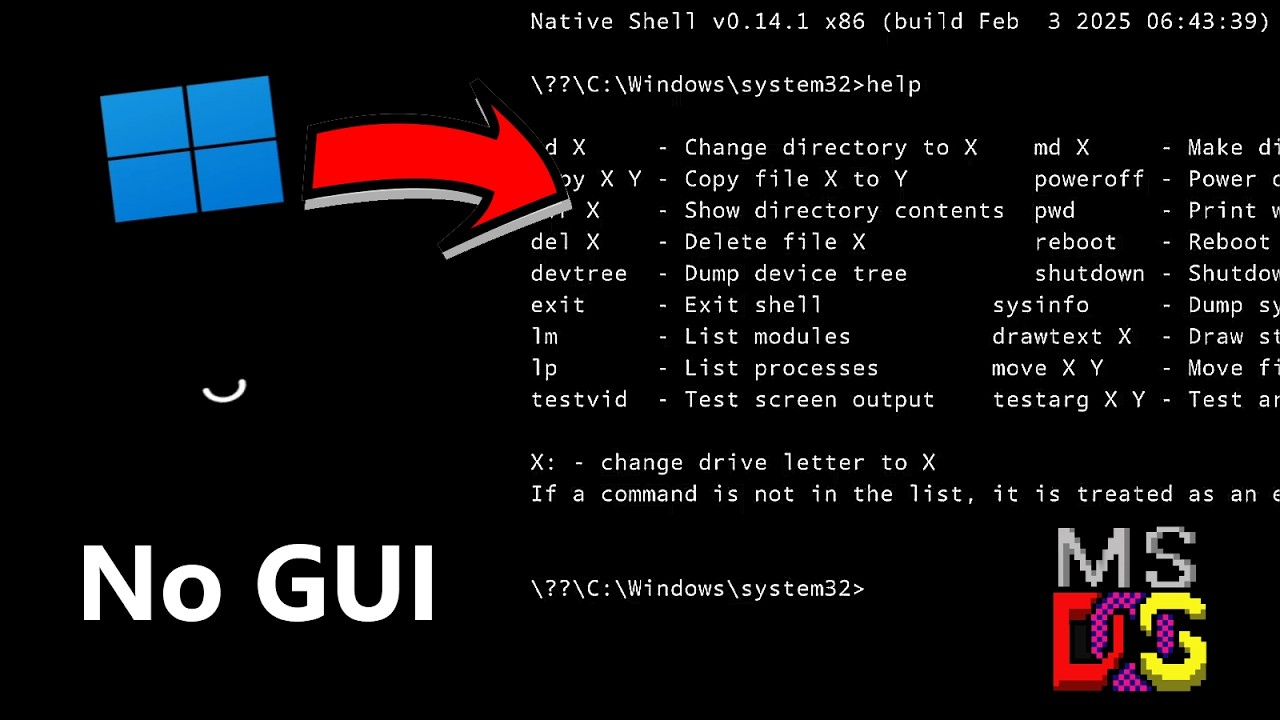
Hello! In this video, we will try to run Windows 11 with no GUI at all. And yes, that is totally possible! Here in this video we will going into how it works and how to try it yourself!
Which ngl, you can even make your completelly OWN GUI from Scratch using the NTDLL.DLL, USER32.DLL,... calls and APIs to rebuild Windows totally from scratch!
...
toxic atlas
updating this stuff helped quite a few people get the game running better on their systems
though sadly it doesn't work for all
toxic atlas
sudden sinew
https://youtu.be/G4eLGMsonAM
Btw if you want to have something more pain than l...
that's just windows server core edition
 soft arch
maiden ermine
btw will this driver help?
soft arch
maiden ermine
btw will this driver help?
What were the temps you were hitting ?
maiden ermine
well my game is anyway running pretty well
maiden ermine
soft arch
What were the temps you were hitting ?
83 cpu 65 gpu
sudden sinew
toxic atlas
that's just windows server core edition
core edition still better than that thing
maiden ermine
I actually came here to knw if I should use 120 fps without fg or 60 fps with fg : )
Hehehe
ok its installed
I should restart right?!
soft arch
I have permanently run the game on 80W anything above is frying my cpu
toxic atlas
yeah, restart your laptop after
toxic atlas
soft arch
I have permanently run the game on 80W anything above is frying my cpu
game makes my chip boost to 120-130w
though i have a good cooler so i'm not that worried
toxic atlas
maiden ermine
on ph rn :)
well have fun ig
soft arch
toxic atlas
game makes my chip boost to 120-130w
though i have a good cooler so i'm not that...
Desktop?
toxic atlas
yeah
maiden ermine
me too
 maiden ermine
 white forum
;>
white forum
;>
4K????? damnn
toxic atlas
you can limit the CPU power draw (TDP) and game will run just fine anyway
some laptop manufacturers let you do it from their software
maiden ermine
@toxic atlas ayo wtf happened
soft arch
white forum
;>
I run everything maxed except resolution which is at 2k
toxic atlas
maiden ermine
<@618956405411414041> ayo wtf happened
?
white forum
maiden ermine
4K????? damnn
look at my load tho
toxic atlas
the in-game load estimates are crap
 soft arch
The heck
 toxic atlas
maiden ermine
tf happened
toxic atlas
maiden ermine
tf happened
windows 11 after a restart happened
 toxic atlas
let it settle
tall acorn
@white forum
maiden ermine
yes
white forum
tall acorn
<@177969768710668288>
yawn
sudden sinew
maiden ermine
yes
dayum that thing overheats like hell
toxic atlas
maiden ermine
core 7 240H
the fuck is intel cooking letting a base tdp 45w chip boost to 115w
sudden sinew
speaking of another "1370p" lmfao
toxic atlas
yeah you gotta find the setting to limit the power draw on that shit
maiden ermine
toxic atlas
the fuck is intel cooking letting a base tdp 45w chip boost to 115w
i- dk what that means
tall acorn
toxic atlas
the fuck is intel cooking letting a base tdp 45w chip boost to 115w
the chip
maiden ermine
toxic atlas
yeah you gotta find the setting to limit the power draw on that shit
I have done that
99%
maiden ermine
maiden ermine
is this it
this?
maiden ermine
toxic atlas
not the boost cap
NOOO
white forum
toxic atlas
the fuck is intel cooking letting a base tdp 45w chip boost to 115w
14700k oc can easy just issue is keeping them from frying
 ivory cedar
Have you compared driver AF 16x to in-game AF 8x?
Some games doesn't like driver AF, don't know if Endfield is one of them.
 sinful ruin
Game crashes on loading screen (before login)
[03-14 17:18:16.113] [info] [main_controller.cc] [HGEventLogSDK::MainController::Initialize] [line:81] [thread 7332] Start initializing. version number: 1.8.8.2
[03-14 17:18:16.113] [info] [system_properties.cc] [HGEventLogSDK::SystemProperties::Initialize] [line:31] [thread 12808] Initialize system properties.
[03-14 17:18:16.114] [info] [system_properties.cc] [HGEventLogSDK::SystemProperties::HandleSandbox] [line:205] [thread 12808] Start handling sandbox file.
[03-14 17:18:16.183] [info] [system_properties_win.cc] [HGEventLogSDK::SystemPropertiesWin::InitGPUDriverInfo] [line:797] [thread 12808] d3d12 feature level checked successfully.
[03-14 17:18:16.189] [info] [system_properties.cc] [HGEventLogSDK::SystemProperties::Initialize] [line:40] [thread 12808] Initialize system properties finished.
[03-14 17:18:16.204] [error] [http_request.cc] [HGEventLogSDK::HttpRequest::SyncExecute] [line:86] [thread 12808] CURL performed failed! 6,
[03-14 17:18:16.205] [warning] [main_controller.cc] [HGEventLogSDK::MainController::GetIPv6] [line:611] [thread 12808] Can not get ipv6 with code 6.
[03-14 17:18:16.205] [info] [main_controller.cc] [HGEventLogSDK::MainController::Initialize::<lambda_6f92a6f8ec4ca28842d0629a7e0c3ac3>::operator ()] [line:99] [thread 12808] Initialized
[03-14 17:18:16.205] [info] [app_instance.cc] [HGEventLogSDK::AppInstance::EventSendLoop] [line:453] [thread 7212] Start instance event loop.
[03-14 17:18:18.554] [info] [app_instance.cc] [HGEventLogSDK::AppInstance::SendData] [line:431] [thread 7212] Set heartbeat duration!

my framework vs his cpu 
ivory cedar
sinful ruin
Game crashes on loading screen (before login)
```js
[03-14 17:18:16.113] [info]...
Change your DNS.
toxic atlas
maiden ermine
NOOO
you can try ThrottleStop to limit the power draw
soft arch
sinful ruin
Game crashes on loading screen (before login)
```js
[03-14 17:18:16.113] [info]...
Network issue
sinful ruin
ivory cedar
Change your DNS.
to whaty
 toxic atlas
what country are you in?
maiden ermine
what happened
 sinful ruin
toxic atlas
what country are you in?
sinful ruin
toxic atlas
what country are you in?
poland
toxic atlas
maiden ermine
what happened
why are you set to high perf mode
sudden sinew
boom
maiden ermine
the previous temps I told u were on high perf asw
toxic atlas
gotta wait a minute, they'll post in #do-not-post-or-get-beaned soon enough
there it is
 toxic atlas
maiden ermine
what happened
toxic atlas
maiden ermine
what happened
check the task manager
see what's using all those resources (cpu+gpu)
tall acorn
ivory cedar
Have you compared driver AF 16x to in-game AF 8x?
i haven't, because the difference is quite marginal, but sure i could if you want
sudden sinew
sinful ruin
to whaty
dns server assignment to manual and set to the IP of the dns server that works, you're in poland, so quad9 (9.9.9.9 and 149.112.112.112) is good
 sudden sinew
dns server assignment to manual and set to the IP of the dns server that works, ...
sudden sinew
sudden sinew
dns server assignment to manual and set to the IP of the dns server that works, ...
9.9.9.9 and 149.112.112.112
toxic atlas
maiden ermine
ah you have already booted up the game
i meant to ask what are your temps at idle, without the game running
maiden ermine
toxic atlas
ah you have already booted up the game
i meant to ask what are your temps at idl...
lemme close the game
tall acorn
@ionic sonnet, refer to the functionality tutorial [Error Code: 2] section - #tech-support message
 maiden ermine
68 cpu 54 gpu
ok the clock speeds are normal
ig it was acting up bcuz of the driver update...?
maiden ermine
maiden ermine
68 cpu 54 gpu
58 now
sinful ruin
ugh
why this game cant just work
sudden sinew
@maiden ermine can you please check nvidia driver version please?
maiden ermine
sudden sinew
<@1321387443383177321> can you please check nvidia driver version please?
its the january one
toxic atlas
sudden sinew
<@1321387443383177321> can you please check nvidia driver version please?
i swear to god they still didn't fix their shit?
tall acorn
toxic atlas
i swear to god they _still_ didn't fix their shit?
last 4 releases are still unstable for certain games
sudden sinew
sinful ruin
ugh
why this game cant just work
what did you set?
 dire path
my game freezes , crash while collecting materials in wuling.can you help me fix it?

 maiden ermine
591.86
tall acorn
@pale trail, could you try switching to dx11 and back to vulkan?
sudden sinew
maiden ermine
591.86
good
sudden sinew
toxic atlas
i swear to god they _still_ didn't fix their shit?
nope
worse and worse
maiden ermine
ah this problem again, I had this above problem on my previous laptop
anyway ty for your help @sudden sinew @toxic atlas
thanks a lot
tall acorn
dire path
my game freezes , crash while collecting materials in wuling.can you help me fix...
verify the integrity of the games files until it doesn't happen anymore
sudden sinew
np
maiden ermine

toxic atlas
try throttlestop to limit the power
if you don't wanna drop the high perf mode in the alienware app
maiden ermine
toxic atlas
try throttlestop to limit the power
if you don't wanna drop the high perf mode i...
noteddd
sinful ruin
sudden sinew
what did you set?
this
and like
the game worked
and it just stops
crashing during loading resources
with some fucked up network errror?
like what in the FUCK
 ivory cedar
sinful ruin
this
and like
the game worked
and it just stops
crashing during loading resourc...
ivory cedar
sinful ruin
this
and like
the game worked
and it just stops
crashing during loading resourc...
Could try other DNSs + enable DOH.
sudden sinew
sinful ruin
this
and like
the game worked
and it just stops
crashing during loading resourc...
you are in europe
you use american dns and no alternate ip
what in the actual F
tall acorn
maiden ermine
noteddd
return here if you require help with throttlestop in the future
sudden sinew
sinful ruin
this
and like
the game worked
and it just stops
crashing during loading resourc...
use 1.0.0.1 as alternative, 1.1.1.1 as preferred dns and let's see
also, please repair game integrity
maiden ermine
tall acorn
return here if you require help with throttlestop in the future
ty 😭
ivory cedar
tall acorn
i haven't, because the difference is quite marginal, but sure i could if you wan...
If you have spare time, maybe yeah.
sinful ruin
sudden sinew
also, please repair game integrity
did that 3 times
ivory cedar
sudden sinew
you are in europe
you use american dns and no alternate ip
what in the actual ...
Cloudflare has a server in Warsaw iirc, so prob fine.
sinful ruin
sudden sinew
use 1.0.0.1 as alternative, 1.1.1.1 as preferred dns and let's see
agian crashed
proven sundial
#coreisolation issue #windows defender blocking klac #unityplayer.dll cannot function
Sorry just tagging it here
I hate making exceptions on windows defender
Another backdoor
sudden sinew
sinful ruin
agian crashed
ok try quad9 (9.9.9.9 and 149.112.112.112), run launcher as administrator, then repair the game, and let's see
wtf are you spamming about
not here
ivory cedar
Spamming is gonna make people dislike you
ivory cedar
Ni hao.
sinful ruin
sudden sinew
ok try quad9 (9.9.9.9 and 149.112.112.112), run launcher as administrator, then ...
again same crash
 sudden sinew
Gokigenyou
proven sundial
Ti were zukne vortzak kunde gy nieten anders doen ofwa dwoazn
sudden sinew
sinful ruin
again same crash
aight, then let's clear game cache time
steel swift
proven sundial
Sorry just tagging it here
Say no more
 proven sundial
toxic atlas
proven sundial
toxic atlas
Sorry using my dialect hate people like this
toxic atlas
oh i do too
straight up hit that report for political spam on them
like get a fucking life
sinful ruin
sudden sinew
aight, then let's clear game cache time
and where it is? -_-
sudden sinew
sinful ruin
and where it is? -_-
on C:\Users\{insert your username path here}\AppData\LocalLow
there's a Gryphline folder, delete it
 still spade
Launcher is not starting
sudden sinew
sudden sinew
on C:\\Users\\{insert your username path here}\\AppData\\LocalLow
there's a Gry...
wait or...?
sudden sinew
still spade
Launcher is not starting

sudden sinew
still spade
Launcher is not starting
how is launcher not starting?
sinful ruin
sudden sinew
on C:\\Users\\{insert your username path here}\\AppData\\LocalLow
there's a Gry...
guess what
didnt happen
dogshit
sudden sinew
sinful ruin
didnt happen
didn't work?
sinful ruin
did not wokr
sudden sinew
sinful ruin
did not wokr
now I'm suspecting you for using HDD or a sata device lol
still spade
sudden sinew
how is launcher not starting?
I see the process on task manager, but nothing is on screen or on taskbar.
proven sundial
still spade
Launcher is not starting
Uninstall launcher
You keep the games files anyway
sinful ruin
sudden sinew
now I'm suspecting you for using HDD or a sata device lol
- im not
- how the fuck would that even matter
tall acorn
sudden sinew
on C:\\Users\\{insert your username path here}\\AppData\\LocalLow
there's a Gry...
%localappdata%low/Gryphline leads to the same place without the editing shenanigans
 ionic sonnet
tall acorn
<@628131057945804810>, refer to the functionality tutorial **[Error Code: 2]** s...
ionic sonnet
tall acorn
<@628131057945804810>, refer to the functionality tutorial **[Error Code: 2]** s...
Will do thanks also why is this a thing that’s happening recently is it a bugged update?
sudden sinew
tall acorn
%localappdata%low/Gryphline leads to the same place without the editing shenanig...
true
tall acorn
ionic sonnet
Will do thanks also why is this a thing that’s happening recently is it a bugged...
launcher failed to extract the files properly
toxic atlas
ionic sonnet
Will do thanks also why is this a thing that’s happening recently is it a bugged...
issue since release
ionic sonnet
toxic atlas
issue since release
Didn’t happen to me until the 1.1
So it’s new for me
sudden sinew
sinful ruin
1. im not
2. how the fuck would that even matter
- good then, can you please check for ssd health?
- does matter, else game loads too slow or refuses to load resources
sinful ruin
sudden sinew
1. good then, can you please check for ssd health?
2. does matter, else game loa...
well, the game worked since release till 2 days ago
er playing yesterday
today doesnt work
toxic atlas
ionic sonnet
Didn’t happen to me until the 1.1
launcher is trash and doesn't do proper sum checks mid-download on the chunklets
if your internet fluctuated during the 1.1 update (which on PC was basically a reinstall), that's gonna do it
 hazy venture
ayo people so as y'all know i'm on LTSC and my screenshots don't go in my screenshot folders but instead gets in a temp folder.. how do i fix it?
toxic atlas
hazy venture
ayo people so as y'all know i'm on LTSC and my screenshots don't go in my screen...
you installed the screen snipping tool from MS Store?
sudden sinew
hazy venture
ayo people so as y'all know i'm on LTSC and my screenshots don't go in my screen...
using snipping tools?
hazy venture
toxic atlas
you installed the screen snipping tool from MS Store?
no, it was preinstalled i believe

i'm using it
toxic atlas

Microsoft Store - Download apps, games & more for your Windows PC
Capture images easily with the new Snipping Tool app on Windows 11. Use mouse, touch, or pen to edit screenshots and share them anywhere.
Note: The new Snipping Tool is available only on Windows 11. If you’re using Windows 10, Snip & Sketch will download to your PC instead.
hazy venture
before LTSC it used to save the screenshots to the folder of screenshots
still spade
proven sundial
You keep the games files anyway
The installer now won't start too. But I still see it on my task manager.
proven sundial
still spade
The installer now won't start too. But I still see it on my task manager.
???
Is your windows broken
still spade
proven sundial
Is your windows broken
I can open or install any other programs. I'll restart and see if that fixes it.
proven sundial
still spade
I can open or install any other programs. I'll restart and see if that fixes it.
Sure
 wanton flint
still spade
I can open or install any other programs. I'll restart and see if that fixes it.
wanton flint
still spade
I can open or install any other programs. I'll restart and see if that fixes it.
use sfc /scannow to repair corrupted files and DISM /Online /Cleanup-Image /RestoreHealth to restore system health
Run in Admin CMD
toxic atlas
wanton flint
use sfc /scannow to repair corrupted files and DISM /Online /Cleanup-Image /Rest...
i'd generally run them the other way around, DISM first then SFC
as the SFC datastore can also be bad
tall acorn
☝️
sudden sinew

Plus: In response to California Age Verification law, SUSE VP of Engineering says, "SUSE will not be adopting a policy stating that our products can't be sold or used in California."
More from The Lunduke Journal:
https://lunduke.com/
proven sundial
Did the law not get rejected
?
The verification one
Atleast that is what i read
toxic atlas
proven sundial
Did the law not get rejected
by literally the entire community, yeah
but they put it in place before anyone could object
just more govt sneaky shit
just run an audit on their servers see how many are configured with age checks
make them fine themselves
still spade
wanton flint
use sfc /scannow to repair corrupted files and DISM /Online /Cleanup-Image /Rest...
Does that ever do anything? Restarting my pc fixed it anyways,
wanton flint
proven sundial
I'll be off now gotta make some food for the walking strawberries
If the problem stays on windows, Yes
wanton flint
toxic atlas
linux still better at running the game <:PerliFumo:1148081871855570975>
Linux are for people who use their brain
toxic atlas
my 84yr old grandpa would disagree, enjoying Zuma, Supaplex & Bejeweled on an old thin client running mint
for some people it really doesn't matter what OS they use
as long as it runs their shit it's good
 latent remnant
did you not read what I said
toxic atlas
the releasing resources issue can also be caused by a network error
but the game doesn't make it clear at all what's going on
you could try ProtonVPN (free), see if it fixes stuff
(no, VPNs are not against ToS, unless used for nefarious stuff)
 patent ferry
Hello everyone! Recently, every time I enter into top down bulk editing of my factory (its not build to insane degrees as I'm still fairly new) but the game crashes to desktop. Any ideas? I have a pretty high end pc so it shouldnt be a hardware issue.
toxic atlas
game crashes if there are too many packages sent/received from the server at once
surprisingly, it's network-dependent
try bulk-editing in smaller chunks or a VPN
patent ferry
My issue is it crashes the moment I start dragging the box to select
my factory is still pretty empty since im fairly new to the game still
but even if it selects one item it crashes...and only in bulk, works fine in any other mode
toxic atlas
hm, that is weird
tried an integrity check from the launcher?
golden zenith
are you using Ultrawide Monitor?
patent ferry
golden zenith
are you using Ultrawide Monitor?
Yes
golden zenith
ahhh
patent ferry
toxic atlas
hm, that is weird
tried an integrity check from the launcher?
I just did that, and checking it now
toxic atlas
golden zenith
ahhh
is there a known issue with ultrawides i missed out on?
patent ferry
yea, this time it crashed the moment I pressed X to go into bulk
toxic atlas
golden zenith
https://discord.com/channels/950244160684834837/1482052081358475325
holy wide
toxic atlas
from that one report, no zooming all the way out i guess
patent ferry
toxic atlas
from that one report, no zooming all the way out i guess
That seems to be it, zoomed in it doesnt crash
golden zenith
toxic atlas
the releasing resources issue can also be caused by a network error
but the game...
@latent remnant Like Max said, Game doesnt make it clear at all & we stuck here guessing. Try Max Solution first
if that doesnt work, Delete the HGDownload folder & Run as Admin... Xomori new solution
btw Max
 toxic atlas
patent ferry
That seems to be it, zoomed in it doesnt crash
toxic atlas
patent ferry
That seems to be it, zoomed in it doesnt crash
from their crash dump, it seems to be something with the transition logic for the bulk mode
so you should be able to freely zoom in/out while in bulk or outside bulk, just don't switch between the modes while zoomed out
tall acorn
patent ferry
Is th ere a workaround?
switch off ultrawide resolution, use windowed mode, or don't zoom out all the way until it's fixed
 lilac remnant
Is CPU overheating still an issue, or has it been fixed?
tall acorn
lilac remnant
Is CPU overheating still an issue, or has it been fixed?
still an issue for now
toxic atlas
CPU boosting is still an issue
patent ferry
toxic atlas
from their crash dump, it seems to be something with the transition logic for th...
got it, thank you.
lilac remnant
Thanks 🫠
patent ferry
tall acorn
switch off ultrawide resolution, use windowed mode, or don't zoom out all the wa...
Ill try that if i come into the issue again, but ill first try what Zen said
toxic atlas
lilac remnant
Thanks 🫠
what you can do though, limit the CPU power draw with ThrottleStop
game won't be affected
lilac remnant
toxic atlas
what you can do though, limit the CPU power draw with ThrottleStop
Thanks, I guess I’ll try it out. Was hoping they’d fix it before i had to use workarounds
 drowsy cipher
i overslept a little, hello hello
proven sundial
 coarse plover
is there anyway to check CPU health percentage ?
coarse plover
is there anyway to check CPU health percentage ?
that would be useful but no
 floral crypt
Hello, I have a problem with Depot Bus Simulation. After completing main goal (store 5 amethyst bottle in the depot bus) I can't move forward to the bonus goal and use filling unit. There is still invisible wall. I restar the simulation and also restart the game and it's for nothing
proven sundial
floral crypt
Hello, I have a problem with Depot Bus Simulation. After completing main goal (s...
The wall just does not dissappear after main right ?
floral crypt
Yea, I watch tutorial on YT and it should dissappear
coarse plover
floral crypt
Hello, I have a problem with Depot Bus Simulation. After completing main goal (s...
u can skip it, the game have tutorial skip button
proven sundial
floral crypt
Yea, I watch tutorial on YT and it should dissappear
You can skip it but i would report it #contact-us
for others
coarse plover
coarse plover
u can skip it, the game have tutorial skip button
skip doesn't mean lose the reward
floral crypt
I already send them a email.
I skipped this but I still want my 15 oroberyls hahah
coarse plover
floral crypt
I already send them a email.
I skipped this but I still want my 15 oroberyls hah...
bonus 15 also received when u skipped that
golden zenith
well, skipping will give you all the rewards.... only thing you want to do it manually is just for a badge iirc
floral crypt
Oh, thanks a lot then 😛
Last question.
Where can i skip this?
If I end a simulation there is no bonus for me
golden zenith
i cant remember, skipping should be on the manual
proven sundial
floral crypt
Where can i skip this?
I think you can just grab the rewards after ending simulation
should be selectable
sinful ruin
sudden sinew
1. good then, can you please check for ssd health?
2. does matter, else game loa...
so like any working solution to run the game?
or will it just refuse to run
. . .
golden zenith
14 Mar 2026 Patch Note Where my 0 Ping 
 floral crypt
I got this, thanks
 dusk sphinx
golden zenith
btw Max
dusk sphinx
golden zenith
btw Max
why would you even need frame gen, since those are locked to rtx 40 and 50 series you got a more than capable gpu for 60-120fps on max settings bro
tall acorn
dusk sphinx
why would you even need frame gen, since those are locked to rtx 40 and 50 serie...

toxic atlas
golden zenith
btw Max
lmao idk how i missed this
toxic atlas
dusk sphinx
why would you even need frame gen, since those are locked to rtx 40 and 50 serie...
because laptops
battery saving & lower temps
tall acorn
4050/4060 will struggle without DLSS balanced/performance
dusk sphinx
toxic atlas
because laptops
oh wait i forgot about those
golden zenith
someone dont know what lsfg & afmf as well
tall acorn
image quality and latency sucks in comparison though
dusk sphinx
toxic atlas
battery saving & lower temps
battery saving? wouldnt the framegen itself use more resources and vram ?
toxic atlas
though yeah
better running Lossless Scaling (FSR + FG) than the game's built-in implementation
toxic atlas
dusk sphinx
battery saving? wouldnt the framegen itself use more resources and vram ?
it's a common misconception, but no
dusk sphinx
toxic atlas
though yeah
better running Lossless Scaling (FSR + FG) than the game's built-in ...
omg yall give me a lossless scaling tutorial
tall acorn
dusk sphinx
battery saving? wouldnt the framegen itself use more resources and vram ?
capped framerate usually prevents this, though often times it would
dusk sphinx
my frame generation looks like AI slop over my screen
toxic atlas
dusk sphinx
omg yall give me a lossless scaling tutorial
grab it off steam, then app explains plenty
dusk sphinx
toxic atlas
grab it off steam, then app explains plenty
had it in the past with gtx 1050 + radeon hd 7850 but it looked bad
toxic atlas
though it's like 7$ iirc
toxic atlas
dusk sphinx
had it in the past with gtx 1050 + radeon hd 7850 but it looked bad
it changed quite a lot
tall acorn
i wouldn't recommend LSFG in most cases tbh
tall acorn
it is personal preference though
toxic atlas
dusk sphinx
ima try in cyberbug cause i have it open with path tracing
set it to adaptive framegen, target a stable framerate (preferably your monitor's)
dusk sphinx
toxic atlas
set it to adaptive framegen, target a stable framerate (preferably your monitor'...
is it good if i use dlss in the game too?
tall acorn
dusk sphinx
is it good if i use dlss in the game too?
yeah it's fine if you need it
toxic atlas
you can use the in-game DLSS, just don't enable Lossless Scaling's upscaler (only use LSFG)
dusk sphinx
hm it is smoother but high input lag and weird spaghetti frames near the edge of the screen
toxic atlas
(also don't forget to disable the in-game FG)
toxic atlas
dusk sphinx
hm it is smoother but high input lag and weird spaghetti frames near the edge of...
you can try the LS upscaler as well, instead of game's DLSS
see if that fixes it
though when running framegen, i generally leave the resolution native
dusk sphinx
i put lsfg at 1.5x fixed and most of the spaghetti shadow frame stuff near the edges dissapeard but the fps itself is lower too
and input lag is .. massive
 tall acorn
toxic atlas
though yeah
better running Lossless Scaling (FSR + FG) than the game's built-in ...
tall acorn
toxic atlas
though yeah
better running Lossless Scaling (FSR + FG) than the game's built-in ...
also want to mention that lossless scaling's frame generation is generally good for certain games that don't support native frame generation, but i'm reasonably sure it isn't better than any existing frame generation algorithms from nvidia or AMD, (not too sure about intel currently)
toxic atlas
do adaptive 120 and nuke DLSS
dusk sphinx
toxic atlas
do adaptive 120 and nuke DLSS
recipe for disaster huh
just to clarify cyberpunk with PT cant get a stable 30 for me rn
tall acorn
it allows further configurations for generating frames and the algorithms used, but it isn't functionally better artifacts-wise or latency-wise compared to native FG implementations
toxic atlas
it really depends on the game and how the devs implemented the built-in FG
for some LSFG is literally better than what's already in the game
dusk sphinx
new update : i disabled path tracing and set fixed 2x with 30fps cap ingame and dlss performance now its stable and no artifacts and input lag is generally okayish
but damn rip path tracing 🥀
toxic atlas
nvidia-specific features are a fucking nightmare in this game
tall acorn
dusk sphinx
i put lsfg at 1.5x fixed and most of the spaghetti shadow frame stuff near the e...
adaptive FG and extended options for changing the frame generation method is nice
 wicked vector
Anyone running cachyos on the steam deck w/ endfield? I was reading cachy actually has slightly better performance in some games than steamos 
toxic atlas
it has better performance because SteamOS doesn't have NTsync in Stable branch yet
it has it in Beta though
wicked vector
It has a newer kernel too. Significantly
toxic atlas
Though idk about running Cachy on a Deck, I'd rather go with Bazzite Handheld
tall acorn
tall acorn
adaptive FG and extended options for changing the frame generation method is nic...
still won't have better image quality compared to dedicated frame generation implementations, as they often efficiently utilize hardware dedicated resources and additional data such as motion vectors in nvidia's case
wicked vector
Cachy has a handheld edition just like steamos
And bazzite
You hear about it more on the rog ally than the steam deck but it is completely possible to install on it
toxic atlas
wicked vector
Cachy has a handheld edition just like steamos
Huh
Didn't know that
wicked vector
wicked vector
I'm tempted to try it. I'd prefer if it was easier to swap SSDs with the steam deck OLED. I don't really wanna nuke steamos
sudden sinew
sinful ruin
so like any working solution to run the game?
reinstall the game is the last resort
before that, may I ask which specs does your PC have?
wicked vector
Because sd cards are attached to the USB lane on the motherboard they're limited to USB speeds..the steam deck can do 100mbps on an SD card but the SSD is attached to the pcie lane which is 900-2000mbps. I'd rather take the thing apart and keep my steamos than install a nerfed, slower cachyos... especially when the whole point of cachy is SPEEEEEEEED
sudden sinew
lol
true
if you have usb3.2 it wont run fast enough for the game to run while externalbooting
toxic atlas
sudden sinew
if you have usb3.2 it wont run fast enough for the game to run while externalboo...
No? USB 5gb (3.2 Gen1) does mighty fine
wicked vector
I just gave you specs
sudden sinew
toxic atlas
No? USB 5gb (3.2 Gen1) does mighty fine
weird, but mine got kernel panic last time attempting to run endfield on cachy while being extenally booted and externally ran
wicked vector
Also USB 3.2 is USBc. I'm booting off an external SSD dog
sudden sinew
usb 3.2 cable/adapter + usb 4 slot
sudden sinew
wicked vector
Also USB 3.2 is USBc. I'm booting off an external SSD dog
ik that
toxic atlas
wicked vector
Also USB 3.2 is USBc. I'm booting off an external SSD dog
No
USB4 is USB-C -only
All USB3 specs are also USB-A compatible
wicked vector
I'm not doing that when I can just open the thing and replace the SSD
sudden sinew
toxic atlas
No
USB4 is USB-C -only
All USB3 specs are also USB-A compatible
need to fact check
3.1 still has A iirc
toxic atlas
I have a 3.2 Gen2 (10gb) USB-A port on my motherboard
wicked vector
Either way, the steam deck sd card slot only runs at 100mbps
So it's not worth dual booting off
 toxic atlas
My bad USB 3.2 Gen1 is USB-A -compatible
Gen2 is USB-C -only
God I hate the naming convention on this shot
 toxic atlas
Oh wait
toxic atlas

Universal Serial Bus (USB) is an industry standard, developed by USB Implementers Forum (USB-IF), for digital data transmission and power delivery between many types of electronics. It specifies the architecture, in particular the physical interfaces, and communication protocols to and from hosts, such as personal computers, to and from peripher...
TRUE 3.2 is type-c
3.1 , what was later renamed to 3.2 gen 2x1 is still type-a
tall acorn
toxic atlas
God I hate the naming convention on this shot
yeah there's like 5+ different USB 3 iterations
 slim dawn
Is this the right place to ask about why the stationary npcs are now just grey? It's something that's only happened for me since the update. I know my PC is below minimum, but is there any specific setting that I can switch to fix this?
toxic atlas
So yeah I was technically right 3.2 Gen2 is type-a -compatible
Just Gen2x1 though, Gen2x2 is not
tall acorn
had to deal with this a good while ago when i was trying to make sure i didn't get screwed over by generalized specifications and bad naming conventions
toxic atlas
slim dawn
Is this the right place to ask about why the stationary npcs are now just grey? ...
Tried an integrity check from the launcher?
golden zenith
slim dawn
Is this the right place to ask about why the stationary npcs are now just grey? ...
what your ram size?
tall acorn
slim dawn
Is this the right place to ask about why the stationary npcs are now just grey? ...
try increasing the shader cache size in your brand control panel and switching to dx11 and back to vulkan
sudden sinew
toxic atlas
So yeah I was technically right 3.2 Gen2 is type-a -compatible
Just Gen2x1 thoug...
imagine limiting the usb A lane width
slim dawn
toxic atlas
Tried an integrity check from the launcher?
Will do that too
slim dawn
golden zenith
what your ram size?
8gb ;-;
Surprisingly though, before the update it was able to handle it.. ok. There'd be quite some stuttering when walking into range of npcs, but once they were loaded it was fine
golden zenith
slim dawn
8gb ;-;
Surprisingly though, before the update it was able to handle it.. ok. T...
ahh, that might be the problem
toxic atlas
... way below minimum, huh
golden zenith
Devs "Optimized" it for below minimum spec
slim dawn
toxic atlas
... _way_ below minimum, huh
Honestly, in stunned by the fact it works pretty okay, generally. Long loading times, sure, but not thet long either
golden zenith
you need about 10GB - 12GB for them to load properly
toxic atlas
Yeah but you still need the ram and a good SSD at least so you get a good experience
12gb is the actual true minimum (if on windows), 16 if you're running on integrated graphics
tall acorn
tall acorn
had to deal with this a good while ago when i was trying to make sure i didn't g...
partially because i was trying to mostly convert to using USB-C all around, utilizing high-speed/transfer and fast charging wherever necessary, instead of fiddling around with incompatible cords and slower speeds all the time
tall acorn
golden zenith
Devs "Optimized" it for below minimum spec
i don't think this is only an issue for those with low memory?
toxic atlas
God I hate hunting for compatible cables
slim dawn
Honestly, I don't mind that much if its just something I have to live with. I'd say I'd try to buy some more ram, but... That's not a good idea right now, is it?
tall acorn
slim dawn
Honestly, I don't mind that much if its just something I have to live with. I'd ...
premium technical support advice
- "buy more ram to fix your issue"
golden zenith
tall acorn
i don't think this is only an issue for those with low memory?
well Xomori tested & limited his RAM to 7.5GB... not sure if devs did it for Optimization reason
#tech-support message
tall acorn
golden zenith
well Xomori tested & limited his RAM to 7.5GB... not sure if devs did it for Opt...
interesting
slim dawn
tall acorn
premium technical support advice
- "buy more ram to fix your issue"
Hey, when I'm this below minimum, I'm willing to accept that as legit advice XD
toxic atlas
slim dawn
Honestly, I don't mind that much if its just something I have to live with. I'd ...
Depends
You also got a GPU? Or running off integrated?
tall acorn
turns out it is a memory issue
golden zenith
we can try the shader cache method first, but it most likely related to memory
tall acorn
after re-checking the reports in #1481345124939075756
sudden sinew
tall acorn
premium technical support advice
- "buy more ram to fix your issue"
LMfAOOOo
tall acorn
all of them have 8GB of memory lol
toxic atlas
Linux is the no-financial-investment fix
tall acorn
possibly fixable by configuring some windows settings
sudden sinew
toxic atlas
Linux is the no-financial-investment fix <:PerliFumo:1148081871855570975>
like this?

and then still test for if I'm being banned or not after a while?
tall acorn
tall acorn
all of them have 8GB of memory lol
didn't bother asking this time around, but this is also probably the case for those that have reported the same issue in this channel
toxic atlas
tall acorn
possibly fixable by configuring some windows settings
If they're on 10 or LTSC, it's a maybe
toxic atlas
sudden sinew
like this?
Use Spritz Wine TkG, not CachyOS
sudden sinew
toxic atlas
Use Spritz Wine TkG, not CachyOS
the launcher is bugged
bugged as heck lmfao
toxic atlas
I mean the launcher is a mess on windows as well
What did you expect?
Oh wait what are you running? Thought it was Bottles for a moment
sudden sinew
toxic atlas
I mean the launcher is a mess on windows as well
What did you expect?
that's why I installed cachy
 toxic atlas
Ah it's Honkers
sudden sinew
 slim dawn
toxic atlas
Depends
You also got a GPU? Or running off integrated?
slim dawn
toxic atlas
Depends
You also got a GPU? Or running off integrated?
This will very much expose how little I know, but: how do you tell?
sudden sinew
toxic atlas
Ah it's Honkers
and anime launcher
toxic atlas
Yeah, same team
sudden sinew
slim dawn
This will very much expose how little I know, but: *how do you tell?*
it's a neutral question
toxic atlas
slim dawn
This will very much expose how little I know, but: *how do you tell?*
See in task manager
In the performance tab
sudden sinew
sudden sinew
it's a neutral question
if you use only igpu, then it can eat ram
if you got gpu, then you got extra vram
toxic atlas
You should also have a GPU section
slim dawn
toxic atlas
You should also have a GPU section
Yup, I do.
toxic atlas
Mind sharing a screenshot?
slim dawn
 sudden sinew
...
slim dawn
sudden sinew
...
toxic atlas
sudden sinew
...
Hey, it's still an okay card, supports the full Vulkan spec
He only needs the extra RAM if he sticks with Windows though
sudden sinew
slim dawn
<:PerliFumo:1148081871855570975>
have fun playing on 4G VRAM and 8G RAM, you need to optimize the game
slim dawn
I am pleasantly surprised that this thing runs this game decently well
toxic atlas
slim dawn
I am pleasantly surprised that this thing runs this game decently well
Game runs on 10yr old integrated graphics (GPU in CPU) as old as your card just fine
Though it really wants that RAM
slim dawn
toxic atlas
Game runs on 10yr old integrated graphics (GPU in CPU) as old as your card just ...
sadly feeding it more ram is rather difficult right now, no?
agile tusk
slim dawn
grey npcs may break your immersion, but it also helps make sure you can actually play 
toxic atlas
slim dawn
sadly feeding it more ram is rather difficult right now, no?
Depends on your system
Mind sharing a screenshot of the memory tab in task manager? Full thing
 random nest
Endfield keeps flickering now, is this a problem with the game or the latest Nvidia drivers?
ivory cedar
random nest
Endfield keeps flickering now, is this a problem with the game or the latest Nvi...
Latest NVIDIA driver.
slim dawn
agile tusk
grey npcs may break your immersion, but it also helps make sure you can actually...
I am curious though, what might have changed between updates that made them suddenly become grey npcs? it was fine before. Well, my definition of fine
agile tusk
random nest
Endfield keeps flickering now, is this a problem with the game or the latest Nvi...

toxic atlas
random nest
Endfield keeps flickering now, is this a problem with the game or the latest Nvi...
downgrade to 591 or switch to studio driver
random nest
Roger
ivory cedar
toxic atlas
downgrade to 591 or switch to studio driver
V595.79 Studio also has this issue
sudden sinew
btw @toxic atlas is this signed? or should I sign it myself
 toxic atlas
ivory cedar
V595.79 Studio also has this issue <:PerliWaaaaa:1145586641629609995>
toxic atlas
ivory cedar
V595.79 Studio also has this issue <:PerliWaaaaa:1145586641629609995>
Oh studio 595 dropped?
slim dawn
toxic atlas
Depends on your system
Mind sharing a screenshot of the memory tab in task manag...
 ivory cedar
toxic atlas
Oh studio 595 dropped?
ivory cedar
toxic atlas
Oh studio 595 dropped?
Yea.
slim dawn
made notably worse by me using discord, but yes its struggling
sudden sinew
rip
toxic atlas
slim dawn
You have a free slot
You should be able to find a DDR4 8GB stick of RAM off a 2nd hand store or refurbished for cheap
agile tusk
slim dawn
I am curious though, what might have changed between updates that made them sudd...
since 1.0, the game has a problem with memory leak. my guess is that they’re trying to lessen this problem on minimum and below specs for 1.1. they still haven’t truly addressed the issue though 
tall acorn
toxic atlas
You have a free slot
You should be able to find a DDR4 8GB stick of RAM off a 2n...
$20 - $40 i hope

toxic atlas
tall acorn
$20 - $40 i hope
New? No way
2nd hand? It's a maybe
sudden sinew
JEHT WTF ARE YOU NAMING YOURSELF
agile tusk
look around fb marketplace too. plenty of boomers not knowing abt their system selling either below recommended (and sometimes way overpriced)
agile tusk
sudden sinew
JEHT WTF ARE YOU NAMING YOURSELF <:PerliWheeze:1171272662664892437>
to remind lurkers latest drivers are dogwater
slim dawn
toxic atlas
You have a free slot
You should be able to find a DDR4 8GB stick of RAM off a 2n...
I'll have a poke around, see what prices are. Thanks for all the advice, you guys have been really helpful 
tall acorn
agile tusk
look around fb marketplace too. plenty of boomers not knowing abt their system s...
12TB of SSD storage on a $60 motherboard
agile tusk
slim dawn
I'll have a poke around, see what prices are. Thanks for all the advice, you guy...
don’t feel inclined to spent a grand amount of money for RAM though  at the end of the day its you and your system against the world. just have to learn to accept devs’ way of optimization
  but if you have the means, go for it!
 obsidian badge
Have you experienced any lag since the update? I haven't been able to play since. Thanks.
agile tusk
obsidian badge
Have you experienced any lag since the update? I haven't been able to play since...
many people have experienced lag and stutters on pc. mobile and ps5 also suffers too
obsidian badge
Ok thanks
agile tusk
a good chunk of ppl that come here report of micro stuttering here and there
agile tusk
obsidian badge
Ok thanks
there are solutions you can try for yourself and see if it improves performance 
 radiant elm
I usually use 360p since that's all i can use but some stuff like the icons and some feature are still in high quality
Is there any reason some of the stuff after opening stuff immediately turns everything into the same quality?
agile tusk
@tall acorn this question is more of your alley
radiant elm
radiant elm
I usually use 360p since that's all i can use but some stuff like the icons and ...
I was also using directX & trying to check if there's different if i turn it off
tall acorn
obsidian badge
Have you experienced any lag since the update? I haven't been able to play since...
system specifications?
agile tusk
intel uhd graphics 620 right?
radiant elm
yes
agile tusk
i remember you
tall acorn
switch to dx11 and back to vulkan to rebuild the shader cache
radiant elm
thank you for remembering me
tall acorn
radiant elm
I usually use 360p since that's all i can use but some stuff like the icons and ...
Is there any reason some of the stuff after opening stuff immediately turns everything into the same quality?
"some of the stuff"?
icons and such?
agile tusk
you can send us a screenshot for more context 
radiant elm
like opening the regional depot, shop and some stuff
im still on shader compiling section since i turned the directx off so hollon
tall acorn
don't know what you might specifically be referring to, as "some stuff" even with slight context is still quite vague, so screenshots would be appreciated if you can manage to take some 👍
radiant elm
yes im able please wait
 undone oyster
Looks like I'm not the only one, they messed up vulkan in this last update somehow. Like they removed or broke their frame pacing code. I had to switch back to DX11.
radiant elm
I only said some stuff because I'm unsure if it only works on some stuff or everything that changes into a ui like regional ui or etc
tall acorn
undone oyster
Looks like I'm not the only one, they messed up vulkan in this last update someh...
nvidia driver version?
check that in your nvidia control panel system settings
or the app
sinful ruin
sudden sinew
reinstall the game is the last resort
before that, may I ask which specs does y...
12700k
3070ti
2x16gb ddr5
ssd 1t + hdd 3t
(game and system on ssd)
undone oyster
595.79, I reverted to .71 and made no difference.
In the end it was Endfields engine
tall acorn
undone oyster
595.79, I reverted to .71 and made no difference.
i'd advise reverting to nvidia driver version 591.86, as future versions are unstable 👍
agile tusk
all 595 drivers as of current is buggey
 agile tusk
you are like the 75th person we have told to rollback
undone oyster
Gotcha
tall acorn
i'll update the counter soon
toxic atlas
agile tusk
you are like the 75th person we have told to rollback
you kept track?
agile tusk
toxic atlas
you kept track? <:PerliDerp:1146342157825871873>
last time i remember we reached way beyond 67… so 75 may not be far off from the counter now
tall acorn
last estimated track was like 5 - 10 off, i don't recall
drowsy cipher
nah i think we hit 70 yesterday already
tall acorn
it's hard to tell sometimes without going back and reading through the messages lol
golden zenith
meanwhile... im worried for cachy
 tall acorn
definitely past 70 now though
toxic atlas
golden zenith
meanwhile... im worried for cachy
arch still on 590.48
proven sundial
golden zenith
meanwhile... im worried for cachy
Do not worry because i have a b780 and 7900 xtx now

should arrive soon honestly
agile tusk
b780 benchmarks 
radiant elm
I think I might've fixed it? I was test running no directx for awhile and that problem are gone
tall acorn

 sudden sinew
agile tusk
to remind lurkers latest drivers are dogwater
sudden sinew
agile tusk
to remind lurkers latest drivers are dogwater
xD
radiant elm
everything goes 360p
 dapper ravine
my issue yesterday seems to be solved (until windows strikes again lol)
thank you for your support
radiant elm
but i think i solved it just by turning the direct off
tall acorn
dapper ravine
my issue yesterday seems to be solved (until windows strikes again lol)
thank yo...
what was your original issue again?
toxic atlas
radiant elm
but pretty much its like this before
oh that's the resolution scaling setting fucking things up
sudden sinew
sinful ruin
12700k
3070ti
2x16gb ddr5
ssd 1t + hdd 3t
(game and system on ssd)
which nvidia driver version did you install then?
radiant elm
toxic atlas
oh that's the resolution scaling setting fucking things up
i guess its not optimized in directx?
dapper ravine
tall acorn
what was your original issue again?
game not passing "loading resources"
fixed by full reinstall on another drive
toxic atlas
radiant elm
i guess its not optimized in directx?
directx is only there for 11+ yrs old GPUs
sudden sinew
golden zenith
meanwhile... im worried for cachy
I'm not worried, bcz not nvidia user
radiant elm
toxic atlas
directx is only there for 11+ yrs old GPUs
i have no idea if intel uhd graphic is but alright
agile tusk
2017 gpu for the 620 i think
golden zenith
sudden sinew
I'm not worried, bcz not nvidia user
ever since they broke nvidia drivers after 566.36.... i immediately jump ship
toxic atlas
radiant elm
i have no idea if intel uhd graphic is but alright
what was your CPU again?
toxic atlas
so UHD 620 then
 toxic atlas
yeah that's the res scaling not applying properly to only the game, started applying to the UI as well
sudden sinew
 spring smelt
radiant elm
spring smelt
radiant elm
huh, did not know they made retro mode
undone oyster
just squint
golden zenith
sudden sinew
proven sundial
radiant elm
vaseline gaming
radiant elm
yes if you play in 360p
toxic atlas
radiant elm
8365
yeah... not gonna run vulkan on that alone
radiant elm
idk
toxic atlas
 summer pagoda
they didn't account for the UI?
summer pagoda
they didn't account for the UI?
they are
just that apparently on DirectX it sometimes also applies to the UI as well
just sometimes
tall acorn
summer pagoda
they didn't account for the UI?
it's supposed to, this is probably happening because of that due to something else
toxic atlas
radiant elm
behold
what was the trigger? happened after a loading screen? or opening/closing some menu?
radiant elm
5 star arclight from gambling did it
sudden sinew
this is the dumbest common vulnerability I've ever seen (changed password to a 32-chars string btw)
 radiant elm
those electric really pulls my resolution away
sudden sinew
radiant elm
when i turned directx on it was opening regional
toxic atlas
radiant elm
5 star arclight from gambling did it

now i wonder if the headhunting scene fucks it up
steel swift
radiant elm
toxic atlas
<:LifengThink:1445318451085447188>
now i wonder if the headhunting scene fucks ...
and sometimes when changing to other uis too
before
prty much why i said some stuff
either i just gamble it again and itll come back temp fixed or wait it up
agile tusk
imagine using headhunting screen to fix the vaseline
toxic atlas
radiant elm
either i just gamble it again and itll come back temp fixed or wait it up
how about a teleport? triggering a loading screen?
 radiant elm
yea tping fixes it
agile tusk
 lilac badge
can they fix their game
lilac badge
can they fix their game
oh hey fellow 9060xt user
radiant elm
i can see the world
lilac badge
agile tusk
oh hey fellow 9060xt user
oh hello
toxic atlas
radiant elm
yea tping fixes it
so a scene reload makes the res scale apply properly only to the game behind the UI
game messes up the UI layers ordering i guess lol
radiant elm
fire gameplay
agile tusk
lilac badge
oh hello
same frametime as mine #tech-support message
golden zenith
Oh.... they fix the AMD low clock usage
golden zenith
it back to 2k+ now
agile tusk
radiant elm
im here just seeing my stuff goes on fire while i play
you may have 🥔 pc but the important thing is you’re able to experience what endfield has to offer  even if playing at 360 is a must
 sacred leaf
how do i get into there?
 radiant elm
agile tusk
you may have 🥔 pc but the important thing is you’re able to experience what end...
radiant elm
agile tusk
you may have 🥔 pc but the important thing is you’re able to experience what end...
I might see the world differently but I enjoy the same experiences as yall
 agile tusk
sacred leaf
how do i get into there?
agile tusk
sacred leaf
how do i get into there?
oerr #help is suited for that
sacred leaf
agile tusk
oerr <#956086681499496448> is suited for that
oh i thought this was the help mb
wheat turtle
wat i miss
agile tusk
sacred leaf
oh i thought this was the help mb
this is for software and hardware support 
toxic atlas
need to get a new mouse... my MX M3s has been abused for quite a while and left click button started failing
remapped it to the thumb button but still not the same
radiant elm
i broke it using claim credit this time
lilac badge
lilac badge
can they fix their game
Lowering settings , limiting fps to 60 , nothing seems to improve frame pacing
agile tusk
lilac badge
Lowering settings , limiting fps to 60 , nothing seems to improve frame pacing
thats just the current state of the game. my testings didnt do much in regards to frametime too
but its not noticeable in actual gameplay so i dont bother
golden zenith
it just the game sadly, even mine is not flatline

if you want flatline, go to linux
agile tusk
golden zenith
it just the game sadly, even mine is not flatline
wait how do u make ur metrics overlay look like that
im seeing adrenalin
 golden zenith
no need afterbuner, this is pure RTSS
summer pagoda
RTSS overlay customization is peak gaming
agile tusk
golden zenith
no need afterbuner, this is pure RTSS
oh pog
since i keep hearing that afterburner conflicts with adrenalin
golden zenith
People have this bloody misconception, where to get this overlay, you must install afterbuner
It a different app
which is called RTSS
afterbuner comes with it during the full install
agile tusk

golden zenith
agile tusk
radiant elm
talking to npc turn the resolution to shit too
did it turn into vaseline mid sentence?
radiant elm
yea
summer pagoda
stacking 360p with the dof bug
agile tusk
beautiful day outside at 5am. gonna go for a drive brb
proven sundial
agile tusk
beautiful day outside at 5am. gonna go for a drive brb
Lol
casually doing so
golden zenith
might as well ask since there no customer
should i summon for Rossi or skip
summer pagoda
what are the chances that Rossi's best team includes lavacake
 radiant elm
I mean rossi are like cool phy team
unless you roll her for headhunting bp quest like me
😎
golden zenith
well, i dont mind her character design.... the skills are what interest me
radiant elm
this resolution reminds me of my 3 years without proper glasses
this is how i see for 3 years
brings back memories
 supple hemlock
summer pagoda
what are the chances that Rossi's best team includes lavacake <:PerliFumo:114808...
supple hemlock
summer pagoda
what are the chances that Rossi's best team includes lavacake <:PerliFumo:114808...
ehh, hard to say
rossi is probably sub dps at best
lava is purely dps
agile tusk
i pull bc i want my sibling duo tgt
supple hemlock
its mor that rossi will hav to work in a laeva team
 pulsar meteor
Is there no way to disable this grey NPCs?
I want to see the NPCs
I don't care if it destroys my PC
golden zenith
as of now, there no way to bypass it.... it seems memory issue
pulsar meteor
Bro they're recycling NPCs?
One of the stockaders look like one of the UWST duo in power plateau
golden zenith
let me guess... 8GB of RAM?
pulsar meteor
golden zenith
let me guess... 8GB of RAM?
Yeah
golden zenith
yea, it your hardware already. or you can blame the devs for their "Optimization"
 proven sundial
pulsar meteor
Yeah
proven sundial
pulsar meteor
Yeah
You could add virtual memory
pulsar meteor
proven sundial
You could add virtual memory
My GPU is only using 35%
It's my RAM itself that's 8GB
golden zenith
VRAM & Virtual Memory are different things
pulsar meteor
Man, 16GB SODIMM used to be 3k. Now it's 7k
pulsar meteor
golden zenith
VRAM & Virtual Memory are different things
Huh?
golden zenith
does people not know...
ivory cedar

pulsar meteor
Doesn't the V in VRAM mean Virtual?
proven sundial
Vram= video ram
ivory cedar
Imagine Virtual Random Access Memory insude GPU
proven sundial
That would be awful
 golden zenith
ivory cedar
Imagine Virtual Random Access Memory insude GPU <:1kb:1318137756253163530>
golden zenith
ivory cedar
Imagine Virtual Random Access Memory insude GPU <:1kb:1318137756253163530>
So in other words, Fake RAM
pulsar meteor
proven sundial
How do I know if Endfield is using Virtual RAM
pulsar meteor
proven sundial
 toxic atlas
pulsar meteor
toxic atlas
pulsar meteor
that's way too high
set initial to 2048, maximum to 12288
pulsar meteor
toxic atlas
that's way too high <:PerliStare:1171270701840334908>
set initial to 2048, maxi...
Okay
I'll set it from 2048 to 20480
ivory cedar
Nice numbers. Reminds me of a game
toxic atlas
keep in mind if something actually makes heavy use of this it'll go onto your C:\ drive
this same memory is also used for windows hibernation
so if you let it go higher than 1.5x your RAM, it will just fill up your drive
pulsar meteor
toxic atlas
so if you let it go higher than 1.5x your RAM, it will just fill up your drive
I don't understand
I have 6 GB ram, so my maximum is 8GB?
toxic atlas
you said you have 8gb ram
so you want the swapfile (pagefile / virtual memory) to be x1.5 that
aka 12gb, or 12288mb
 proven sundial
pulsar meteor
proven sundial
pulsar meteor
You have 8gb of physical ram right ?
pulsar meteor
proven sundial
You have 8gb of physical ram right ?
The stick itself is 8GB yes
toxic atlas
type it in, then click set
after that, restart your device
proven sundial
pulsar meteor
The stick itself is 8GB yes
Ok then it is good
pulsar meteor
proven sundial
Ok then it is good
I set it 12288
Tho should I be concerned Task Manager only shows 7.3GB or is that part of the 8GB stuff
toxic atlas
it won't show up in task manager
what we're setting here is "emergency" ram, memory that'll only get used in case the system is running out
proven sundial
It provides some extra stability
toxic atlas
depending on program, should at least alleviate them
proven sundial
Well atleast you have a buffer
toxic atlas
did you restart windows that fast?
pulsar meteor
toxic atlas
did you restart windows that fast?
Yes
toxic atlas
huh
guess i'm used to my shitbox work laptop that boots up in like 2-3 minutes
proven sundial
toxic atlas
huh
guess i'm used to my shitbox work laptop that boots up in like 2-3 minutes
Seems like endfield likes to gobble physical ram which is normal
toxic atlas
i mean we already knew that since release
proven sundial
It's fine