#tech-support
1 messages · Page 70 of 1
 broken swift

 golden zenith

well, so far new amd driver is okay
but dam shader cache on Async
making the game stutter
 barren forge
why have I been stuck on this? I also tried verifying file integrity

I'll try a PC restart next. might be all it is honestly but just thought to ask
broken swift
barren forge
why have I been stuck on this? I also tried verifying file integrity
Try switching to dx11 and back to vulkan
If that doesn't work clean shader cache with ddu
barren forge
broken swift
Try switching to dx11 and back to vulkan
switching that on and relaunching with it off helped actually. thanks!
 carmine palm
@broken swift I got an update on the my rtx 2060m laptop gpu spike like 2 days ago, override the game to use preset K make the gpu usage stop spiking but will kinda stutter alot when loading like texture like tp to another area, or another example is like in the character menu when I switch to another operator it will be delayed for sec with the voice playing ahead, but then I can switch to that operator again and there are no lag and i assume it already load that texture so cause memory issue or cause dlss 4 since mine is a 20 series? I do have memory clock at -250mhz since that help it not crash but it didn't stutter that hard before like just minor spike for less than sec and now have to wait like 30s before it kinda stabilize
broken swift
carmine palm
<@1191371569176531075> I got an update on the my rtx 2060m laptop gpu spike like...
It's normal for 4gb gpu with slower vram speed. And dlss4 is usable in all rtx gpu
4.5 (M/L) is the only one that has issue with 20xx/30xx due to the lack of fp8 support
broken swift
carmine palm
<@1191371569176531075> I got an update on the my rtx 2060m laptop gpu spike like...
You can try increasing shader cache size to 10gb
 tall acorn
carmine palm
<@1191371569176531075> I got an update on the my rtx 2060m laptop gpu spike like...
tall acorn
carmine palm
<@1191371569176531075> I got an update on the my rtx 2060m laptop gpu spike like...
copy these settings in your nvidia control panel, @carmine palm


also reinstall your graphics drivers if you haven't already
tall acorn
released 30 minutes ago for asia servers
 broken swift
 patent shoal
do ur umbral <@1191371569176531075>
patent shoal
do ur umbral <@1191371569176531075>
My characters are only at lv60 
patent shoal


broken swift
Too busy with the factories
broken swift
patent shoal
<:PerliStareYou:1171270704310792332> <:PerliStare:1171270701840334908>
But i think can reach lv80 tonight
 graceful sphinx
.nonews
 scenic orchidBOT
 graceful sphinx
does anyone else have an issue where switching to dx11 causes the game to not use the gpu?
or just run extremely slowly
patent shoal
graceful sphinx
does anyone else have an issue where switching to dx11 causes the game to not us...
did u have issue with vulkan ?
since using dx11 is when vulkan failed / buggy
graceful sphinx
patent shoal
did u have issue with vulkan ?
um not really apart from the loading resources glitch
graceful sphinx
releasing resources*
patent shoal
uhh
graceful sphinx
barren forge
why have I been stuck on this? I also tried verifying file integrity
this thingy
patent shoal
like corrupted texture ?
oh
so after searching on this channel, its indeed can be fixed with using directx11
but its not permanent fix
so uh
patent shoal
graceful sphinx
does anyone else have an issue where switching to dx11 causes the game to not us...
this issue also happened on vulkan too or not ?
when u still can use vulkan
before getting releasing resources bug
graceful sphinx
patent shoal
this issue also happened on vulkan too or not ?
ye vulkan runs fine
 static vigil
What did the patch even do/fix?
tall acorn
graceful sphinx
does anyone else have an issue where switching to dx11 causes the game to not us...
it's best if you use vulkan to play the game, but if so could you explain the issue you're having in more detail please?
static vigil
So the issue with relay tower unpowered suddenly when is in range. Not there.
graceful sphinx
tall acorn
it's best if you use vulkan to play the game, but if so could you explain the is...
well everything in dx11 is ten times slower, like literally
load times, shader compiling,
and after thirty minutes of waiting i finally get in the game, and my fps are like 0.9
i looked into the task manager and noticed that Arknight's process was apparently using 100% of my gpu, but when i looked in like the main gpu usage, it was just 0% ocassionaly fluctuating into 1
let me get a ss
this is what im talking about

just thought it was weird
its usually at 0% not 9%
tall acorn
graceful sphinx
well everything in dx11 is ten times slower, like literally
load times, shader c...
force the application to utilize your dedicated GPU in your windows settings @graceful sphinx
 kindred glacier
graceful sphinx
well everything in dx11 is ten times slower, like literally
load times, shader c...
kindred glacier
graceful sphinx
well everything in dx11 is ten times slower, like literally
load times, shader c...
If you a using laptop, in dx11 mode game will run on integrated GPU, no matter was choose in windows. So use vulkan.
graceful sphinx
tall acorn
force the application to utilize your dedicated GPU in your windows settings <@7...
not workie, already tried sadly
the funny thing is, my pc has no integrated gpu
if you don't count the onboard gpu of the motherboard
tall acorn
desktop or laptop?
graceful sphinx
desktop
tall acorn
what's your cpu
tall acorn

graceful sphinx
kindred glacier
graceful sphinx
the funny thing is, my pc has no integrated gpu
what's your cpu? mb some ryzen with integrated graphics? idk.
tall acorn
graceful sphinx
well everything in dx11 is ten times slower, like literally
load times, shader c...
have you reinstalled your graphics drivers using DDU yet?
possibly a driver related issue
graceful sphinx
tall acorn
have you reinstalled your graphics drivers using DDU yet?
yep i got the latest ones after uninstalling with DDU
tall acorn
i'm assuming you followed the proper steps, so lets move onto something else
graceful sphinx

tall acorn
vulkan runs fine for you, right?
graceful sphinx
fine is subjective but yes
tall acorn
switch to dx11 below the play button in the launcher, launch the game, and switch back to vulkan below the play button, and afterwards launch the game again
alternatively you can try using a VPN
kindred glacier
graceful sphinx
fine is subjective but yes <:AmiyaFumoSalute:1145598745107513404>
you can try redownload the game and use vulkan. Idk how it works, but I have troubles before with sound and next time with texture. It help's twice.

 graceful sphinx
kindred glacier
you can try redownload the game and use vulkan. Idk how it works, but I have tro...
graceful sphinx
kindred glacier
you can try redownload the game and use vulkan. Idk how it works, but I have tro...
i have yet to try that, thank you 
kindred glacier
Any ideas? Game just don't start at all and stuck like this, after today update. Checking resources not help, reset PC do nothing:(
On laptop works fine, but.

I really don't want to re-download game 3rd time but...

 wicked notch
can we find endfield in AMD Adrenaline?
 rancid loom
wicked notch
can we find endfield in AMD Adrenaline?
rancid loom
wicked notch
can we find endfield in AMD Adrenaline?
Yes
If not, you can manually add it
Just search for the correct. exe in the game folder
rancid loom
kindred glacier
I really don't want to re-download game 3rd time but...
You might wanna close those other Endfield apps
tall acorn
kindred glacier
I really don't want to re-download game 3rd time but...
force close the endfield.exe applications and try again
let me know if that doesn't work
kindred glacier
rancid loom
You might wanna close those other Endfield apps
nope, I reboot my pc twice, nothing helps
tall acorn
assuming you've tried clicking the play button multiple times
kindred glacier
tall acorn
assuming you've tried clicking the play button multiple times
You can't do this)
wicked notch
rancid loom
Yes
where can i typically find those exe file
patent shoal
since the launcher only let u to open 1
tall acorn
tall acorn
switch to dx11 below the play button in the launcher, launch the game, and switc...
assuming you've tried this as well? @kindred glacier
rancid loom
wicked notch
where can i typically find those exe file
C:\Program Files\GRYPHLINK\games\EndField Game\Endfield.exe
if you installed in the same directory as mine
kindred glacier
tall acorn
assuming you've tried this as well? <@393208162083405825>
yeah, it's do nothing(
wicked notch
rancid loom
if you installed in the same directory as mine
thanks ill try
rancid loom
wicked notch
thanks ill try
np, just open Adrenalin and then you can manually add the game there
tall acorn
rancid loom
C:\Program Files\GRYPHLINK\games\EndField Game\Endfield.exe
try launching from the exe directly, @kindred glacier
%ProgramFiles%/GRYPHLINK/games/EndField Game/Endfield
 wicked notch
rancid loom
np, just open Adrenalin and then you can manually add the game there
wicked notch
rancid loom
np, just open Adrenalin and then you can manually add the game there
is it this one

well yeah should be, thanks
wicked notch
rancid loom
oh you downloaded it thru Epic Games
i wanted to download it through steam, it wasnt there, i then checked epic games
 solemn dew
I can't find endfield in the nvidia app to do the suggested thing of reverting the game back to the unoptimized state
patent shoal
solemn dew
I can't find endfield in the nvidia app to do the suggested thing of reverting t...
then it wont get affected at all imo
since the nvapp doesnt have ur endfield.exe to optimize in the beginning
solemn dew
alright thanks
solemn dew
how do I do that
patent shoal
and let the nvapp refresh to register the game in the list
what launcher did u use ?
solemn dew
I think I got it from google play? on desktop
solemn dew
am I playing the wrong version
rancid loom
Oh you mean Google Play for PC?
 solemn dew
rancid loom
Oh you mean Google Play for PC?
solemn dew
rancid loom
Oh you mean Google Play for PC?
yeah
solemn dew
oh
kindred glacier
tall acorn
try launching from the exe directly, <@393208162083405825>
- **`%ProgramFiles%...
Nope, I just reinstall game client again. It's just not working.
solemn dew
is that why it was so slow
solemn dew
lol
rancid loom
go to their official website, download the launcher and install the game again
once you're done then just add it thru the Nvidia app if it's not yet detected
solemn dew
https://endfield.gryphline.com/en-us it's this right just to be sure

Arknights: Endfield
Arknights: Endfield is a real-time 3D RPG with strategic elements published by GRYPHLINE.
wicked notch
wait is my resolution 4k?
 tall acorn
kindred glacier
Nope, I just reinstall game client again. It's just not working.
tall acorn
kindred glacier
Nope, I just reinstall game client again. It's just not working.
are you.. on mac?
tall acorn
wicked notch
wait is my resolution 4k?
do you have a 4k monitor?
wicked notch
no
tall acorn
adjust the resolution
tall acorn
what are your specs?
kindred glacier
tall acorn
are you.. on mac?
Nope, windows 11)
 patent shoal
this is native resolution issue situation
wicked notch
tall acorn
what are your specs?
9070 xt and 7500f
rancid loom
wicked notch
my monitor is 2k
what's the refresh rate?
wicked notch
120
patent shoal
monitor ?
tall acorn
assuming your resolution in your windows settings is set to 2k?
rancid loom
can you try turning off Vsync? 
wicked notch
u mean my monitor's
patent shoal
type / name
wicked notch
180 max
patent shoal
yeah
wicked notch
iirc
tall acorn
wicked notch
wait is my resolution 4k?
also why is it windowed? switch to fullscreen
wicked notch
mag275qf
tall acorn
and disable FMF in adrenaline, along with any other custom settings you have in there
patent shoal
did he has DSR equivalen on amd ?
enabled ?
idk the name
VSR ?
i think its VSR
tall acorn
it's ancient
wicked notch
fsr u mean
tall acorn
VSR
wicked notch
yeah its fine now
tall acorn
virtual super resolution
wicked notch
when i close all the adrenaline stuff
wicked notch
it was windowed just now because i was tinkering some shi
patent shoal
wicked notch
when i close all the adrenaline stuff
yeah, pls dont use VSR, it mess with monitor configuration
patent shoal
i mean if u want to experiment with upscaling shit, then
u can use it
but
im not recommending it
tall acorn
AMD adrenaline has been reported to cause many issues with the game
tall acorn
yeah just disable any custom settings you have set in adrenaline for the game
rancid loom
tall acorn
AMD adrenaline has been reported to cause many issues with the game
I'm probably one of the exceptions 
tall acorn
and it should be fine
let us know if you encounter any further issues while playing the game, as there's been consistently similar reports from AMD users with the same components - not yours though
patent shoal
rancid loom
I'm probably one of the exceptions <:kekw:769309786935918603>
u're the one
wicked notch
another question should i get a monitor with like freesync premium
because my current one doesnot
have it
or it does not matter
rancid loom
I don't think freesync is useful for Endfield
wicked notch
like a general suggestion
rancid loom
it's useful if you play FPS games a lot I guess
wicked notch
so if i dont play fps i dont need to care about it at all?
patent shoal
imo, yes
but
usually
high refresh rate monitor
has freesync premium built in
"usually"
patent shoal
its the normal freesync
not the premium ones
the thing is
premium freesync is just certification
u can still use gsync with adaptive sync
 patent shoal
premium freesync is just certification
patent shoal
patent shoal
premium freesync is just certification
to guarantee it compatible with gsync
rancid loom
but not the premium one
patent shoal
rancid loom
Mine has Freesync...if I plug my monitor in using a DP Cable
oh yeah this also
iirc u cant use freesync on hdmi
u need to use DP
wicked notch
im using an hdmi
patent shoal
ah
rancid loom
you'd be seeing Adaptive Sync in Adrenalin if you're using HDMI
wicked notch
ok so i dont need to care about the freesync shi if im not superhardcore fps player?
patent shoal
yeah
tall acorn
wicked notch
another question should i get a monitor with like freesync premium
you're fine, and also your monitor already has freesync..
wicked notch
alr
patent shoal
well, it also has different function
which is power saver
lower refresh rate will resulting in lower power usage
lemme send ss
carmine palm
broken swift
It's normal for 4gb gpu with slower vram speed. And dlss4 is usable in all rtx g...
mine is 6gb hence why it is weird that is it happening now and already change cache size to like 10+gb iirc
patent shoal
thats why we have this feature
 patent shoal
carmine palm
mine is 6gb hence why it is weird that is it happening now and already change ca...
patent shoal
carmine palm
mine is 6gb hence why it is weird that is it happening now and already change ca...
shader cache size wont improve performance if ur vram is small, even on higher capacity vram, it wont increase any performance at all
shader cache function is just to save the shader compilation so u wont need to recompile shader everytime u open the game
so setting it too small will make the cache get purged
and triggering shader recompile every time u start a game
tall acorn
if it's too small, you will have stuttering issues in games
rancid loom
leading to longer load times
patent shoal
for every scene
setting it at 10GB is the best one iirc, even best, set at infinite and leave that alone
shader cache size is highly corelated with how many games u had
wicked notch
thanks guys for the assistance provided
patent shoal
so u cant say, "I got no space left for high shader cache" when u had soo many games
but, for a few games, just set it at 10 GB
carmine palm
tall acorn
copy these settings in your nvidia control panel, <@350082526288543747>
i just reinstalled the game driver from studio driver and while I'll try this config since iirc i have refresh rate at 60 since playing on TV and vsync to fast here cause gemini said the ingame useless vram and my laptop might have defective vram
basically only started to have serious stutter problem like a patch 1 or 2 weeks ago after i managed to make my game not crash
wicked notch
tall acorn
you're fine, and also your monitor already has freesync..
oh another question, how do i check if it supports freesync actually, i went to the product page, it didnt say anything about that, so i assumed it didnt have one
tall acorn
wicked notch
ok so i dont need to care about the freesync shi if im not superhardcore fps pla...
freesync is intended to eliminate stuttering and screen tearing, it's a form of VRR which adjusts your monitor refresh rate to be within sync of the received framerate
tall acorn
wicked notch
oh another question, how do i check if it supports freesync actually, i went to ...
it supports freesync
you probably have it enabled already
tall acorn
carmine palm
i just reinstalled the game driver from studio driver and while I'll try this co...
?
tall acorn
carmine palm
i just reinstalled the game driver from studio driver and while I'll try this co...
do you have game ready drivers or studio drivers?
 cerulean schooner
anyone playing on epic games having trouble buying anything? when i try to buy any item it doesn't reach the screen to checkout
wicked notch
tall acorn
it supports freesync
ya i mean how do i check it, i wanna know it so ik what to look for when buying a new monitor
tall acorn
wicked notch
ya i mean how do i check it, i wanna know it so ik what to look for when buying ...
press the button underneath or behind your monitor panel to access the OSD settings
and navigate to adaptive sync
you might have to scroll to find it
patent shoal
like this
 tall acorn
cerulean schooner
anyone playing on epic games having trouble buying anything? when i try to buy a...
tall acorn
cerulean schooner
anyone playing on epic games having trouble buying anything? when i try to buy a...
known issue, only fix as of right now afaik is to use a different launcher
cerulean schooner
tall acorn
known issue, only fix as of right now afaik is to use a different launcher
ok, i really wanted the cashback
tall acorn
lmfao
carmine palm
tall acorn
do you have game ready drivers or studio drivers?
i reinstalled the game driver last night
and change the dlss preset to K
the gpu doesn't spike anymore at least so maybe that is because of dlss 4.5
kindred glacier
kindred glacier
Nope, I just reinstall game client again. It's just not working.
Re-download the game helps again. All works fine now)
tall acorn
carmine palm
the gpu doesn't spike anymore at least so maybe that is because of dlss 4.5
DLSS 4.5 presets are L and M respectively
J and K are DLSS 4 presets
tall acorn
carmine palm
i reinstalled the game driver last night
using DDU?
golden zenith
nvidia and the terrible naming scheme for dlss, not sure how many model there are already
broken swift
golden zenith
nvidia and the terrible naming scheme for dlss, not sure how many model there ar...
15+ lol
patent shoal
golden zenith
nvidia and the terrible naming scheme for dlss, not sure how many model there ar...
i mean, is there a better naming for dlss presets
broken swift
But only J,K,M,L are "usable"
broken swift
patent shoal
and FG
I thought it's only "recommended" and "default" for rr and fg
golden zenith
patent shoal
other than using alphabets
they can just say dlss4.5 UP, P, B, Q, AA
patent shoal
golden zenith
they can just say dlss4.5 UP, P, B, Q, AA
uhhhh
patent shoal
broken swift
I thought it's only "recommended" and "default" for rr and fg
no
it has multiple presets
tall acorn
golden zenith
nvidia and the terrible naming scheme for dlss, not sure how many model there ar...
honestly not the worst naming scheme ever
broken swift
golden zenith
they can just say dlss4.5 UP, P, B, Q, AA
M and L have a big difference
tall acorn
compared to literally everything else nvidia/amd/intel, it's not bad
 summer pagoda
patent shoal
and remember, we have preset for RR too
summer pagoda
patent shoal
and remember, we have preset for RR too
Plz Jenson give us an updated Ray Reconstruction model with DLSS 5 🙏
tall acorn
but it's not good either
patent shoal
broken swift
M and L have a big difference
for Ray Reconstruction, theres preset D, E, and forgot the other
and J
broken swift
Oh i didn't know that
broken swift
But the only game i played that has rr support is cp2077
summer pagoda
Ray Reconstruction is DLSS 3 but it looks better than 4.5 in cyberpunk in any RT scenario
It's that cracked
carmine palm
tall acorn
using DDU?
didn't that do that yet but i did tried it before since basically crash on all games and now maybe because of vram though I did resinstall windows 11 after the windows 10 end of support if that mean anything
broken swift
summer pagoda
Ray Reconstruction is DLSS 3 but it looks better than 4.5 in cyberpunk in any RT...
rr in cp2077 is black magic but does it work with 4.5 now?
It doesn't work with 4.5 before
summer pagoda
RR should be thought of like it's own scaler
tall acorn
carmine palm
didn't that do that yet but i did tried it before since basically crash on all g...

patent shoal
summer pagoda
RR should be thought of like it's own scaler
RR is not scaler tho ?
summer pagoda
But you should think of it as such
summer pagoda
It uses DLSS preset D
broken swift
summer pagoda
It uses DLSS preset D
Even K is good enough but Nvidia still hasn't update it
tall acorn
ignoring the fact you upgrading to windows 11, follow the DDU tutorial that's been posted up here to clean install new drivers, @carmine palm
summer pagoda
The denoiser is the RR part, but it can't be separated from the model it was released with
summer pagoda
Yes
broken swift
patent shoal
is different than DLSS preset D
But it only work with preset D iirc
patent shoal
and even the .dll file is different
summer pagoda
Hence think of it as it's own "scaler"
patent shoal
broken swift
But it only work with preset D iirc
yeah because RR need the compatible presets
patent shoal
summer pagoda
Hence think of it as it's own "scaler"
ahh now I get what u meant
golden zenith
tall acorn
honestly not the worst naming scheme ever
well true, can be so much better instead of doing my own research
carmine palm
tall acorn
ignoring the fact you upgrading to windows 11, follow the DDU tutorial that's be...
ok I'll do this when I get home though I'm kinda doubtful it well work but we'll see and use the global setting you screenshot @tall acorn? also I'm using the medium texture and balance dlss for reference
 proven sundial
@golden zenith Windows vs linux https://youtu.be/VOK4NtCkNGg
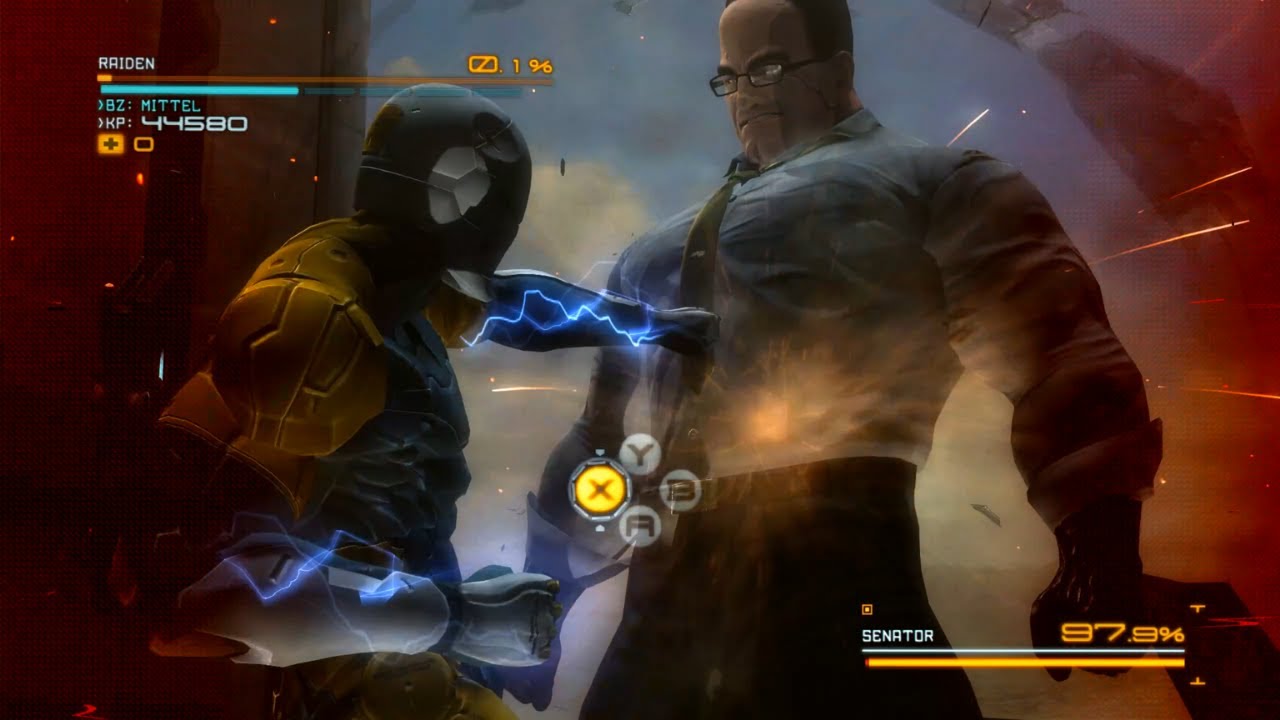
#MetalGearRisingRevengeance
Bad Edit, FML :)
➠Song: It Has To Be This Way (Platinum Remix) - Jimmy Gnecco
summer pagoda
But Raiden does win in the end
summer pagoda
 Linux Propaganda
 toxic atlas
summer pagoda
<a:dorojam4:1335562603392663552> Linux Propaganda <a:dorojam4:133556260339266355...
toxic atlas
summer pagoda
<a:dorojam4:1335562603392663552> Linux Propaganda <a:dorojam4:133556260339266355...
For this game? It's a clear answer which one runs it better 
In other points, yeah, it's a debate and getting people out of their comfort zone
proven sundial
Hey gotta start somewhere
summer pagoda
I'm comfy with windows even when their updates are cooking my nvidia drivers 
proven sundial
summer pagoda
I'm comfy with windows even when their updates are cooking my nvidia drivers <:b...
summer pagoda
Friend of mine is thinking of switching because they can't get win11 on their hardware
rancid loom
I only run Windows coz that's the OS I have been familiar with for the past few years of my life. I can't be bothered to learn another OS
summer pagoda
If it comes to it I might just buy them a new mobo so they can avoid it 
golden zenith
right now downloading cachy os on the 20y/o pc i have🙃
proven sundial
summer pagoda
If it comes to it I might just buy them a new mobo so they can avoid it <:Encore...
😂
You're crazy hahahha
 free money
proven sundial
free money
proven sundial
What a nice scam
summer pagoda
What do mean MrBeast doesn't want to give free crypto
summer pagoda
The bots are evolving
 proven sundial
You know what is crazy on linux i get 30 more fps on arc raiders than windows 
 elfin tapir
just like i said. my ping is 270 in asia and 120 in eu/america
summer pagoda
Yea I was going to p6 gil but Perlica asked for 30k again 
rancid loom
I wanna go back to the Windows 7 era where bloatware wasn't prevalent on the OS that you were installing
proven sundial
elfin tapir
just like i said. my ping is 270 in asia and 120 in eu/america
Mhm still able to connect though ?
rancid loom
now we have this Ai slop embedded on our systems that we don't even need
summer pagoda
More Spyware just a different coat of paint
rancid loom
summer pagoda
More Spyware just a different coat of paint
this lmao
elfin tapir
proven sundial
Mhm still able to connect though ?
yes but 300ms sounds like hell
summer pagoda
me who has 3 Chinese root kits installed
 rancid loom
elfin tapir
yes but 300ms sounds like hell
rancid loom
elfin tapir
yes but 300ms sounds like hell
it doesn't sound like it, it is hell.
proven sundial
Well if you think about it windows alone has 34 apps running telemetry
elfin tapir
rancid loom
it doesn't sound like it, it is hell.
alr eu it is then
rancid loom
proven sundial
Well if you think about it windows alone has 34 apps running telemetry
How many years has it been since Win11 was introduced?
proven sundial
rancid loom
How many years has it been since Win11 was introduced?
5 years
rancid loom
Like, Windows 10 started off rough no doubt but in due time the OS got refined that it became good and useable
proven sundial
Windows 11 is just random bullshit gooooooo
summer pagoda
How many years until Discord has an global AI bot that can answer all these questions
rancid loom
then Microsoft ditched it just so that we can get introduced to this Windows 11
rancid loom
summer pagoda
How many years until Discord has an global AI bot that can answer all these ques...
oh boy, speaking of Discord, I heard they'll be requesting identification now
proven sundial
Yeah back to teamspeak
summer pagoda
TeamSpeak isn't competitive with discord though
There's a service called Matrix something that is a pretty good clone apparently
proven sundial
I'm not sharing my id with a platform that leaked 8 million accounts details + credit cards
rancid loom
summer pagoda
Sorry but I'm not going back to the stone age
proven sundial

Teamspeak is alright now honestly
I tried the new client a few months ago
And seems pretty good
rancid loom
ah an alternative then
 bold briar
kindred glacier
Nope, windows 11)
bold briar
kindred glacier
Nope, windows 11)
you know its legit when it have russian symbol in it
 mystic tendon
So I don't think I can get in the game? I am stuck on loading resources
elfin tapir
does it really matter if i play on 120 fps or 60? i get 100 fps on max settings with dlaa
wicked notch
elfin tapir
does it really matter if i play on 120 fps or 60? i get 100 fps on max settings ...
If you feel no difference then stick with 60 ig? Like does it matter or not it's for u to decide
broken swift
elfin tapir
does it really matter if i play on 120 fps or 60? i get 100 fps on max settings ...
60 hurt your eyes a lot
rancid loom
elfin tapir
does it really matter if i play on 120 fps or 60? i get 100 fps on max settings ...
I'd say it'll depend on your hardware
or in this case your monitor
 sudden sinew
proven sundial
sudden sinew
proven sundial
defo not paying a dime for the client xD
rancid loom
and as well as your comfortability in viewing frames
proven sundial
sudden sinew
defo not paying a dime for the client xD
Oh you mean the ts7 one ?
sudden sinew
proven sundial
Oh you mean the ts7 one ?
mobile teamspeak
proven sundial
Oh lol
rancid loom
broken swift
60 hurt your eyes a lot
depends on the viewer honestly. I mean if it's a stable 60 fps then there'd be no minor frame stutters and that helps out a lot if you kind of have motion sickness(?)
proven sundial
sudden sinew
<:PerliDerp:1146342157825871873>
Yeah no need hahaha
broken swift
sudden sinew
mobile teamspeak
Wait it actually cost money for this?
 sudden sinew
broken swift
Wait it actually cost money for this?
sudden sinew
broken swift
Wait it actually cost money for this?
yea
rancid loom
lmao it's a paid service?
kindred glacier
bold briar
you know its legit when it have russian symbol in it
Whym? I don't have any cyrillic in launcher/game path.
 broken swift
rancid loom
depends on the viewer honestly. I mean if it's a stable 60 fps then there'd be n...
broken swift
rancid loom
depends on the viewer honestly. I mean if it's a stable 60 fps then there'd be n...
Yea, and also depends on how the game is optimized. Like elden ring 60fps can look as smooth as Endfield 120fps (frametime wise)
elfin tapir
rancid loom
I'd say it'll depend on your hardware
well mine is 60hz anyway
rancid loom
kindred glacier
Whym? I don't have any cyrillic in launcher/game path.
he probably means this
 bold briar
kindred glacier
Whym? I don't have any cyrillic in launcher/game path.
bold briar
kindred glacier
Whym? I don't have any cyrillic in launcher/game path.
i meaen the windows. its not windows 11 ppl usually familiar with
rancid loom
elfin tapir
well mine is 60hz anyway
can you adjust it? is your monitor only capable of 60hz?
broken swift
elfin tapir
well mine is 60hz anyway
Then why run at 120fps?
elfin tapir
rancid loom
can you adjust it? is your monitor only capable of 60hz?
nope its a tv
rancid loom
elfin tapir
nope its a tv

elfin tapir
broken swift
Then why run at 120fps?
idk i did it cuz i had the option for it since i js cranked everything to max
rancid loom
I will also ask Joker's question
elfin tapir

rancid loom
bruh
even if you up the fps your viewing experience won't really change anything honestly
like
broken swift
elfin tapir
idk i did it cuz i had the option for it since i js cranked everything to max
Well you could always upscale the window resolution to 4k or 8k. Run 60fps with those to fully ultilize your pc
golden zenith
it really up to you... 120 for better reponse time, 60 if you want to run something in the background
rancid loom
you didn't notice the difference coz you're still viewing the game as if it's 60fps
sudden sinew
rancid loom
lmao it's a paid service?
hope we all have a good alt soon
golden zenith
but i recommend 60 since windows need a bit headway
rancid loom
sudden sinew
hope we all have a good alt soon
ye
broken swift
golden zenith
it really up to you... 120 for better reponse time, 60 if you want to run someth...
Screen tearings
Iirc only 120hz+ tvs have vrr
golden zenith
broken swift
Screen tearings <:PerliDerp:1146342157825871873>
^ also this
rancid loom
broken swift
Screen tearings <:PerliDerp:1146342157825871873>
that's where Vsync comes in
kindred glacier
bold briar
i meaen the windows. its not windows 11 ppl usually familiar with
No, it’s just a regular Windows 11 Enterprise version, only with MyDockFinder(from steam) installed. And the Cyrillic letters you see there are completely normal)
broken swift
rancid loom
that's where Vsync comes in
Then it lock the fps to 60fps
elfin tapir
broken swift
Well you could always upscale the window resolution to 4k or 8k. Run 60fps with ...
yes but my tv is only 1080p
rancid loom
broken swift
Then it lock the fps to 60fps <:PerliWheeze:1171272662664892437>
at least there'll be no screen tearings
elfin tapir
golden zenith
it really up to you... 120 for better reponse time, 60 if you want to run someth...
fair
broken swift
elfin tapir
yes but my tv is only 1080p
 elfin tapir
golden zenith
it really up to you... 120 for better reponse time, 60 if you want to run someth...
elfin tapir
golden zenith
it really up to you... 120 for better reponse time, 60 if you want to run someth...
yeah now its capped at 120 fps in game with a few apps open in the bg
elfin tapir
broken swift
so i js set dsr to max?
broken swift
elfin tapir
so i js set dsr to max?
Set it to 2k dldsr for a lot better image quality even better than 2k native at the cost of more vram and power consumption
broken swift
elfin tapir
so i js set dsr to max?
How much vram do you have?
tall acorn
elfin tapir
so i js set dsr to max?
?
sudden sinew
rancid loom
ye
me meanwhile testing random shi

 broken swift
rancid loom
<@1191371569176531075> this shizz is what's limiting my GPU capability atm
broken swift
rancid loom
<@1191371569176531075> this shizz is what's limiting my GPU capability atm
Wait so the mobo is limiting it
bold briar
kindred glacier
No, it’s just a regular Windows 11 Enterprise version, only with MyDockFinder(fr...
the Cyrillic letters makes it looks like totally legit windows 11 os
rancid loom
broken swift
Wait so the mobo is limiting it <:PerliWheeze:1171272662664892437>
ye, coz it only has a slot for PCIe 3 not 4
broken swift
Not even pcie3 x8
tall acorn
rancid loom
<@1191371569176531075> this shizz is what's limiting my GPU capability atm
iirc it isn't that detrimental to the performance, only a small uplift generally measured in the single digits, even going from PCIE 4.0 -> 5.0
elfin tapir
broken swift
How much vram do you have?
its a 2060 super i dont even think it can support it since i didnt find the option
broken swift
tall acorn
iirc it isn't that detrimental to the performance, only a small uplift generally...
But this is x4...
sudden sinew
sudden sinew
me meanwhile testing random shi
btw time to reroute cdns of my official site
tall acorn
broken swift
Well you could always upscale the window resolution to 4k or 8k. Run 60fps with ...
upscale to 8k and 60fps? lmfao
rancid loom
tall acorn
iirc it isn't that detrimental to the performance, only a small uplift generally...
yeah but it still kinda limits the capability of my GPU but eh I gotta use what I have
broken swift
elfin tapir
its a 2060 super i dont even think it can support it since i didnt find the opti...
It's there but i don't recommend enabling it cause you only have 8gb
broken swift
tall acorn
upscale to 8k and 60fps? lmfao
Go DLSS, I choose you!
elfin tapir
broken swift
It's there but i don't recommend enabling it cause you only have 8gb
whats the name?
tall acorn
broken swift
But this is x4...
what's his card?
broken swift
elfin tapir
whats the name?
Dsr factor,
elfin tapir
broken swift
Go DLSS, I choose you!
LMAO. isnt dlaa better graphics?
broken swift
tall acorn
what's his card?
6400lp
broken swift
elfin tapir
LMAO. isnt dlaa better graphics?
Actually no for rtx40xx or newer
tall acorn
elfin tapir
its a 2060 super i dont even think it can support it since i didnt find the opti...
i definitely wouldn't enable DLDSR if you intend on running high settings
will most likely run out of VRAM
broken swift
tall acorn
will most likely run out of VRAM
10gb in wuling
tall acorn
lowering in-game texture and world quality for a slightly sharper image quality isn't even nearly worth it
broken swift
elfin tapir
LMAO. isnt dlaa better graphics?
But for 30xx or lower it is
Cause K and M, situation
elfin tapir
broken swift
Dsr factor,
i only have it in the global settings
broken swift
elfin tapir
i only have it in the global settings
I mean set it in global
elfin tapir
tall acorn
i definitely wouldn't enable DLDSR if you intend on running high settings
well i always run highest settings. atleast i try to
broken swift
elfin tapir
i only have it in the global settings
And change it here
 broken swift
elfin tapir
well i always run highest settings. atleast i try to
broken swift
elfin tapir
well i always run highest settings. atleast i try to
I'm not going to take any responsibility for lagging, heavy fps drop, textures not loading correctly,... Here
elfin tapir
broken swift
I'm not going to take any responsibility for lagging, heavy fps drop, textures n...
i mean... im only using half my vram rn
broken swift
Cause in early areas it's using 9-10gb and wuling it's 10gb+
broken swift
elfin tapir
i mean... im only using half my vram rn
Dldsr 1440 need a lot of vram...
elfin tapir
broken swift
Dldsr 1440 need a lot of vram...
i used the dl 2.25x wtv wtv
smooth 60 fps
tho my tv sucks so quality is same
tall acorn
broken swift
Cause in early areas it's using 9-10gb and wuling it's 10gb+
you're using a higher native resolution than them
broken swift
tall acorn
you're using a higher native resolution than them
1080p dldsr to 1440p (2.25)
elfin tapir
and my vram usage is still 4.4gb?
broken swift
elfin tapir
and my vram usage is still 4.4gb?
Did you change the whole window res?
 azure swift
is endfield always at 100% cpu usage a bug
broken swift
 azure swift
my fan is spinning like crazy
broken swift
broken swift
Here @elfin tapir
elfin tapir
azure swift
my fan is spinning like crazy
mine isnt LMSO
 south mesa
do you guys experience low res npc model during dialogue cutscene? is that just how the game is or I have issue? for example the generic npc of UWST workers have blurry texture but main characters and other important figures are fine and high res? thanks in advance
broken swift
azure swift
is endfield always at 100% cpu usage a bug
Max 60% for me and 65c max (3 hours) but it shouldn't use this much
tall acorn
azure swift
is endfield always at 100% cpu usage a bug
it's a known issue and the developers are currently looking into fixing it
toxic atlas
azure swift
is endfield always at 100% cpu usage a bug
Yes, due to some unfortunate stack usage by the devs
tall acorn
south mesa
do you guys experience low res npc model during dialogue cutscene? is that just ...
could you send a screenshot of this happening?
or preferably a short video if you can
what are your specs?
elfin tapir
broken swift
i js did and im still at 60 fps and now 5.6 gb vram usage
maybe vsync got turned on or sth shi idk
broken swift
elfin tapir
i js did and im still at 60 fps and now 5.6 gb vram usage
Did you restart the game?
elfin tapir
broken swift
Did you restart the game?
i have to restart?
azure swift
south mesa
do you guys experience low res npc model during dialogue cutscene? is that just ...
it's always be like that (my texture is low btw)
broken swift
elfin tapir
i js did and im still at 60 fps and now 5.6 gb vram usage
And check ingame setting too, it should be 2560x1440 full screen
broken swift
elfin tapir
i have to restart?
That's mandatory...
south mesa
tall acorn
what are your specs?
I only have iGPU of Ryzen 5 5600G. I know it doesn't meet the minimum spec but I didn't have any issue playing cp2077 on medium-high setting so far (with upscaler)
azure swift
the operators and endmin model while cutscence will always be at the highest graphic setting
elfin tapir
broken swift
And check ingame setting too, it should be 2560x1440 full screen
okay ijs did
50 fps
off
oof
i can fell itt
feel it
maybe that wasnt such a good idea
 old vector
Haven't been playing the game in two days, and now im having this issue
 elfin tapir
6.8gb vram usage
broken swift
elfin tapir
maybe that wasnt such a good idea
Now you know what i was talking about lol
old vector
is this a vpn angle
south mesa
azure swift
it's always be like that (my texture is low btw)
ohh I see, thanks for answering!
broken swift
elfin tapir
6.8gb vram usage
That's the fun thing, it will rise up extremely fast
tall acorn
old vector
Haven't been playing the game in two days, and now im having this issue
Switch to Dx11 -> Restart the game -> Switch to Vulkan -> Restart the game
 hybrid cloak
any help? yesterday was fine
 azure swift
old vector
is this a vpn angle
azure swift
old vector
is this a vpn angle
for me it's because the poor internet connection
tall acorn
tall acorn
Switch to Dx11 -> Restart the game -> Switch to Vulkan -> Restart the game
@hybrid cloak
elfin tapir
broken swift
Now you know what i was talking about lol
am i supposed to see a difference in game tho? should i tunr on dlss and not pick dlaa?
broken swift
elfin tapir
am i supposed to see a difference in game tho? should i tunr on dlss and not pic...
For now use dlss balanced
azure swift
switched from 2.4g to 5g fixed the issue (to me at least)
old vector
hybrid cloak
any help? yesterday was fine
try pressing confirm multiple times until it actually starts downloading, i get this issue every time
or restart the game
elfin tapir
broken swift
For now use dlss balanced
i set it to quality and now im back to 60fps
azure swift
you can just spam until you get into the game @old vector , about 3-7 times
old vector
what
 azure swift
old vector
what
azure swift
old vector
what
well this is new
broken swift
elfin tapir
i set it to quality and now im back to 60fps
Remember to monitor the vram usage too, once it reached 7,4-7,6 the lags will show up. Restart the game by then
elfin tapir
broken swift
Remember to monitor the vram usage too, once it reached 7,4-7,6 the lags will sh...
it will go higher? rn its at 6gb
broken swift
elfin tapir
it will go higher? rn its at 6gb
10,5gb max on mine after 3 hours
About 30m ingame it will use more
elfin tapir
broken swift
About 30m ingame it will use more
huh why
tall acorn
old vector
what
try using a VPN
broken swift
elfin tapir
huh why
The more you play the more textures will be loaded to gpu
elfin tapir
broken swift
The more you play the more textures will be loaded to gpu
i see
well everything is super small on my screen now outside the game
cant see shi
broken swift
elfin tapir
well everything is super small on my screen now outside the game
Increase your window scale
In setting display
broken swift
elfin tapir
my vram usage got lower
If it's running smoothly then let it be 🗿
Idk why and how, but if it work, it work
rancid loom
speaking of which, every time I switch to Vulkan, the game keeps crashing lmao
I'm gonna try to run it again on Vulkan and see how it goes
elfin tapir
broken swift
If it's running smoothly then let it be 🗿
is 2560x1440 4k or 2k?
rancid loom
elfin tapir
is 2560x1440 4k or 2k?
It's 1440p
 elfin tapir
rancid loom
It's 1440p
elfin tapir
rancid loom
It's 1440p
its lower than 2k and 4k?
broken swift
elfin tapir
is 2560x1440 4k or 2k?
People call it 2k but technically it's not
rancid loom
elfin tapir
its lower than 2k and 4k?
Ye
elfin tapir
i see
broken swift
elfin tapir
its lower than 2k and 4k?
4k=2160p
rancid loom
broken swift
People call it 2k but technically it's not
Weird naming conventions I must say
broken swift
elfin tapir
how to do 4k <:PerliDerp:1146342157825871873>
Dsr 4k is worse than dldsr 2.25 in term of look
elfin tapir
why tho
rancid loom
Bud is trying to stress test his game by switching resolutions
elfin tapir
broken swift
Dsr 4k is worse than dldsr 2.25 in term of look
whats the difference between dldsr and dsr
broken swift
elfin tapir
why tho
Dldsr use ai and stuffs to create better image better than 1440p native
Dsr just resize 1440p to 1080p
tall acorn
elfin tapir
whats the difference between dldsr and dsr
What is Nvidia Dynamic Super Resolution (DSR)?
-
- Dynamic Super Resolution is intended to improve image quality by rendering at a higher native resolution, and then downscale it to your monitor afterwards. Unfortunately this has a significant VRAM and performance cost due to rendering 1.78x/2.25x more pixels at their respective settings.
What is Nvidia Deep Learning Dynamic Super Resolution (DLDSR)?
-
- Deep Learning Dynamic Super Resolution is intended to improve image quality utilizing a Deep Learning AI algorithm to render at a higher native resolution, and then downscale it to your monitor afterwards. This is much more effective than DSR as it utilizes the same tensor cores on your graphics card as DLSS. Unfortunately this comes with a significant tradeoff of VRAM and performance, as ultimately your monitor is rendering at even higher resolutions.
rough explanations
elfin tapir
rancid loom
Bud is trying to stress test his game by switching resolutions
i mean... no other way to test my pc yk... also all the yt vis testing games on a 2060 super are fake since i always get higher fps than them
rancid loom
Btw any hopes on this so I can get Endfield to run on Vulkan? @tall acorn @broken swift
tall acorn
rancid loom
Btw any hopes on this so I can get Endfield to run on Vulkan? <@9982060584870994...
?
broken swift
rancid loom
Btw any hopes on this so I can get Endfield to run on Vulkan? <@9982060584870994...
It should work on 6400lp
elfin tapir
tall acorn
# What is Nvidia Deep Learning Dynamic Super Resolution (DLDSR)?
- - Deep Learn...
so basically dldsr 4k is best?
elfin tapir
broken swift
It should work on 6400lp
what is a 6400lp?
tall acorn
2.25x DLDSR delivers an image quality essentially identical to DSR 4x, without nearly as much of a performance hit
rancid loom
broken swift
It should work on 6400lp
Ye but it keeps on crashinh after a few minutes once I enter the game, I mean after I see the operators
broken swift
elfin tapir
so basically dldsr 4k is best?
Dldsr can only do 2.25 and 2.75 of your pc res
*1.75,2.25
If you want 4k dldsr
tall acorn
broken swift
Dldsr can only do 2.25 and 2.75 of your pc res
*1.75,2.25
1.78x and 2.25x
rancid loom
elfin tapir
what is a 6400lp?
It's my GPU, AMD one
tall acorn
don't use DSR, it's pointless
broken swift
The tv need to be 1440p or so
broken swift
tall acorn
1.78x and 2.25x
Oh my bad
elfin tapir
rancid loom
It's my GPU, AMD one
uhhh is it old? better than like a 5700?
elfin tapir
broken swift
The tv need to be 1440p or so
ohhh i see
rancid loom
elfin tapir
uhhh is it old? better than like a 5700?
Better but it's old yeah, uh 5 years old iirc
elfin tapir
well i think im gonna set everything back to normal. i recorded 1 minute of 2560x1440 30 fps and it was like 500mb
elfin tapir
rancid loom
Better but it's old yeah, uh 5 years old iirc
ohhhhh i see
elfin tapir
rancid loom
Better but it's old yeah, uh 5 years old iirc
dw my gpu is from 2019 too so older
rancid loom
elfin tapir
ohhhhh i see
I mean the technology but not the card itself since I bought this brand new in 2024
elfin tapir
rancid loom
I mean the technology but not the card itself since I bought this brand new in 2...
fair
rancid loom
Shaders currently compiling

Although I got a question
What's my benefit in running Endfield on Vulkan than DX11?
broken swift
rancid loom
What's my benefit in running Endfield on Vulkan than DX11?
Better fps for new gen gpus
golden zenith
broken swift
Like rtx 20xx and rx 6xxx above
golden zenith
also amd is better on vulkan
rancid loom
broken swift
Like rtx 20xx and rx 6xxx above
So it should benefit me yes?
elfin tapir
wait@broken swift my quality is actually at 2880x1620 not 2560x1440
broken swift
rancid loom
So it should benefit me yes?
Yea
rancid loom
Then why the frick does it crash?
broken swift
elfin tapir
wait<@1191371569176531075> my quality is actually at 2880x1620 not 2560x1440
Dldsr 1440p is the best for fps/quality
broken swift
rancid loom
Then why the frick does it crash? <:PerliWheeze:1171272662664892437>
It must've been cursed
elfin tapir
broken swift
Dldsr 1440p is the best for fps/quality
2880x1620 is worse quality dldsr?
golden zenith
Dev coded in a Speghetti bomb
rancid loom
Lul
broken swift
elfin tapir
2880x1620 is worse quality dldsr?
No it's better but not worth the fps tradeoff
elfin tapir
broken swift
No it's better but not worth the fps tradeoff
i run 60 fps anyway on 2880c1620 tho
elfin tapir
broken swift
Like rtx 20xx and rx 6xxx above
is dx12 not good?
i use dx12
its fine
broken swift
elfin tapir
i run 60 fps anyway on 2880c1620 tho
Then keep running it, what i said i for situation with high fps
golden zenith
rancid loom
Hold on let me run the game a bit
does it say hw issue on reliability mon?
broken swift
elfin tapir
i use dx12
Endfield doesn't have dx12?
elfin tapir
broken swift
Endfield doesn't have dx12?
oh
rancid loom
golden zenith
does it say hw issue on reliability mon?
Wait I'm trying to run the game
golden zenith
sure, take your time
elfin tapir
broken swift
Then keep running it, what i said i for situation with high fps
i think ive had my fun with dldsr. it doesnt make a difference since my tv sucks. ill go back to 1080p so i dont blow up my card
ill it wehn i get an actual monitor
broken swift
elfin tapir
i think ive had my fun with dldsr. it doesnt make a difference since my tv sucks...
That's wierd it's day/night difference for me on my 1080p monitor
 sharp dust
Will Endfield run in an ultra wide resolution? (5kx2k) and or 3840x1600?
elfin tapir
broken swift
That's wierd it's day/night difference for me on my 1080p monitor
i have a sony bravia tv with a shi ton of lines on it. 60hz and almost 20 years old
broken swift
sharp dust
Will Endfield run in an ultra wide resolution? (5kx2k) and or 3840x1600?
Yes
sharp dust
But the spaghetti code tanks FPS?
broken swift
sharp dust
But the spaghetti code tanks FPS?
If you have a gpu capable for that then you can brute force it lol
 jaunty elm
Guys how do I fix my ps5 being stuck on releasing resources
sharp dust
elfin tapir
it js makes my gpu cry
What GPU?
 tawny dragon
Is the background blur while using dlss still a thing?
sharp dust
I was having issues with it in Cyberpunk 2077
broken swift
tawny dragon
Is the background blur while using dlss still a thing?
It's there for taa too
sharp dust
Frame gen and all that caused weird artifacts and blurs/smears so I just turned all thr A/I off, yes even with 4.5
rancid loom
golden zenith
sure, take your time
No it doesn't say hardware issue, it just say Application issue and I tried searching dor the error. Copilot says it's a memory access violation
broken swift
sharp dust
Frame gen and all that caused weird artifacts and blurs/smears so I just turned ...
Maybe something is wrong with your driver. For me it's 0 artifacts and is a lot better than native/dlaa4
 junior dove
A friend was softlocked in the starting point where you have to interact with the shredder, but the originium isn’t in the backpack. Reset the game and couldn’t fix. Any solutions?
elfin tapir
sharp dust
What GPU?
2060 super. maybe ill keep dldsr on actually
broken swift
rancid loom
No it doesn't say hardware issue, it just say Application issue and I tried sear...
So it's like the the situation for the guy with legion laptop lol
hybrid cloak
azure swift
you can just spam until you get into the game <@766095910622855198> , about 3-7 ...
about 50+ times now... still same error
 ivory remnant
Hi all. My FPS from 280 to 120 when I switch to menu or open map . This cause a bit lagging in between , how do I fix it but still keep FG x3 on?

 golden zenith
rancid loom
No it doesn't say hardware issue, it just say Application issue and I tried sear...
golden zenith
rancid loom
No it doesn't say hardware issue, it just say Application issue and I tried sear...
Like a said, a Speghetti Bomb
rancid loom
broken swift
So it's like the the situation for the guy with legion laptop lol
Ye but my PC memory usage doesn't even spike up to that kind of atrocity lmao
azure swift
hybrid cloak
about 50+ times now... still same error
damn...
broken swift
ivory remnant
Hi all. My FPS from 280 to 120 when I switch to menu or open map . This cause a ...
Fg don't run in menu
rancid loom
It's like... The game is trying to access/use memory when it's not supposed to
sharp dust
broken swift
Maybe something is wrong with your driver. For me it's 0 artifacts and is a lot ...
Possibly?
It effectively a new build, I had 3090 in it briefly before replacing it with my 5090 but considering it was Nvidia->Nvidia I didn't thing DDU was necessary and just did a clean install of the newest driver.
broken swift
ivory remnant
Hi all. My FPS from 280 to 120 when I switch to menu or open map . This cause a ...
But why do you need 120+fps in menu
ivory remnant
broken swift
But why do you need 120+fps in menu
I don't but it cause lagging/stuttering when I open menu or using map
broken swift
ivory remnant
I don't but it cause lagging/stuttering when I open menu or using map
Dude it's only a menu lag, almost every game has it
sharp dust
elfin tapir
2060 super. maybe ill keep dldsr on actually
IIRC DLDSR/DSR/DLSS was only available for 40 series and up?
broken swift
sharp dust
Possibly?
It effectively a new build, I had 3090 in it briefly before replacin...
Hmmm, that's wierd. I blame Nvidia
elfin tapir
sharp dust
IIRC DLDSR/DSR/DLSS was only available for 40 series and up?
no. dldsr and dsr are for rtx20 and up
broken swift
sharp dust
IIRC DLDSR/DSR/DLSS was only available for 40 series and up?
Fg x2: 40xx
Fg x4: 50xx
Dldsr: all rtx
Dlss: all but dlss4.5 only good for 40xx/50xx
sharp dust
Gotcha.
elfin tapir
broken swift
Fg x2: 40xx
Fg x4: 50xx
Dldsr: all rtx
Dlss: all but dlss4.5 only good for 40xx/...
what is fg?
broken swift
elfin tapir
what is fg?
Frame gen
sharp dust
Frame Generation
broken swift
broken swift
Fg x2: 40xx
Fg x4: 50xx
Dldsr: all rtx
Dlss: all but dlss4.5 only good for 40xx/...
And smooth motion for 40xx/50xx
sharp dust
AI frame prediction and insertion.
ivory remnant
broken swift
Dude it's only a menu lag, almost every game has it
yeah well it's annoying dude
sharp dust
If I understand it correctly it's basically like if your GPU is waiting on a frame from your CPU (CPU bound) the GPU hallucinates extra frames to keep the 1% lows up.
rancid loom
Trying out low settings on Endfield. Turned off all AMD post processing settings and checking to see if Vulkan will run this time
 near sequoia
im here with releasing resources prblem again... this time deleting the HGDownload doesnt work either
help help
summer pagoda
ivory remnant
Hi all. My FPS from 280 to 120 when I switch to menu or open map . This cause a ...
Ooo there is a way to retain fg in menus, but I only know how to do it in UE titles. Clueless about unity tinkering
elfin tapir
can i do dsr 4.00? 3840x2160? is that 4k? will my pc blow up?
broken swift
elfin tapir
can i do dsr 4.00? 3840x2160? is that 4k? will my pc blow up?
You can but why? It's heavier and worse than 1.78 dldsr
elfin tapir
broken swift
You can but why? It's heavier and worse than 1.78 dldsr
idk i wanna try it
hopefully it wont crash or anything
sharp dust
Then try it! Your PC isn't going to blow up but it may get hot and ramp up the fan curve.
summer pagoda
Crash because of vram limits maybe
ivory remnant
summer pagoda
Ooo there is a way to retain fg in menus, but I only know how to do it in UE tit...
could you share the link or name so I can search more. Swapping between top view, map, menu and normal is not smooth so i wanna fix that.
broken swift
summer pagoda
Crash because of vram limits maybe
He has 2060s with 8gb...
That 8gb definitely won't do well
sharp dust
elfin tapir
can i do dsr 4.00? 3840x2160? is that 4k? will my pc blow up?
Yes that is considered 4k resolution.
Is that the native resolution of your monitor though?
Ultimately you should try to run the game at your monitor's native resolution.
elfin tapir
sharp dust
Yes that is considered 4k resolution.
Is that the native resolution of your mo...
nope xd
elfin tapir
broken swift
You can but why? It's heavier and worse than 1.78 dldsr
11 fps
anyways ill stick to dldsr 2.25
sharp dust
elfin tapir
11 fps <:PerliWheeze:1171272662664892437>
Frackin' stop motion gaming.
summer pagoda
ivory remnant
could you share the link or name so I can search more. Swapping between top view...
For a UE game it would be a an engine config line edit; r.Streamline.DLSSG.RetainResourcesWhenOff=1
DLSSG would be the FG DLL
elfin tapir
alr enough fun with dldsr i want my 100 fps back
summer pagoda
just use DLSS in tandem with DLDSR
broken swift
elfin tapir
alr enough fun with dldsr i want my 100 fps back
You have 60hz
summer pagoda
if you already play at 1080p native then just run the 4k equivalent at performance DLSS
elfin tapir
summer pagoda
just use DLSS in tandem with DLDSR
i could but my tv sucks lwk
rancid loom
Okay I think I'm close to knowing what's wrong with why I can't run the game on Vulkan
elfin tapir
i can count the pixel if i get close enough
rancid loom
However I have a few questions why is it happening like so
 slender sigil
hai, so ive got my settings on max as far as i know? but it seems that other peoples game looks better, this may just be me being stupid or something, but is this the max settings? and is their anything im missing to make it look better?


i may just be stupid but i wanted to double check
broken swift
slender sigil
hai, so ive got my settings on max as far as i know? but it seems that other peo...
How "bad" is it?
slender sigil
oh not bad at all
summer pagoda
elfin tapir
i can count the pixel if i get close enough
I have to be like 5in away to count pixels 109~ ppi
slender sigil
it looks great!
it just seems like idk
theirs something dif about the way others peoples game looks
broken swift
Others probably use Nvidia filter
slender sigil
maybe its just the environments im in
OOHH
ok i was thinking about using that
that might make sense
summer pagoda
Sharpen+ gang 
 broken swift
Find your own Nvidia filter setting
summer pagoda
looks great at 922p?
summer pagoda
 summer pagoda
There was an update today?
rancid loom
summer pagoda
There was an update today?
Ye for Umbral Monument
summer pagoda

 fair fulcrum
slender sigil
yeah like see
fair fulcrum
slender sigil
yeah like see
are u in fullscreen or windowed mode?
slender sigil
fair fulcrum
are u in fullscreen or windowed mode?
fullscreen
broken swift
summer pagoda
There was an update today?
Yea but nothing changed lol
summer pagoda
what changed is that I'm 200 Oroberyl richer
rancid loom
But see here's the weird thing, if it's a VRAM issue, how come I can run the game on Medium High settings without a hitch in DX11, but not in Vulkan.
That's awfully weird
broken swift
summer pagoda
what changed is that I'm 200 Oroberyl richer <a:dorojam4:1335562603392663552>
Same, woke up> got free 200
fair fulcrum
slender sigil
fullscreen
ive had this funny issue on w11 specifically where a lot of games dont scale to native res even when the resolution is selected initially by default, i usually have to swap to windowed mode in a diff res then back to native
otherwise the game was scaling a smaller res at fullscreen for me
slender sigil
fair fulcrum
ive had this funny issue on w11 specifically where a lot of games dont scale to ...
oh nono this is 1440p lmao
broken swift
rancid loom
But see here's the weird thing, if it's a VRAM issue, how come I can run the gam...
Probably because vulkan use more vram? Have you tried monitor vram usage?
slender sigil
the screenshot is just low res
golden zenith
rancid loom
That's awfully weird
hmm, weird.... something wrong with the game or driver level issue then
fair fulcrum
i know, im just saying
fair fulcrum
even if it says its native, and its fullscreen, it might not be rendering at native
rancid loom
golden zenith
hmm, weird.... something wrong with the game or driver level issue then
Nah it's more like the game uses more VRAM in Vulkan than DX11 but graphics API changes how a game uses VRAM?
fair fulcrum
but i also run 5120x1440 and games on windows just, really dislike that even with support for the resolution
rancid loom
I'll try monitoring it more
golden zenith
rancid loom
Nah it's more like the game uses more VRAM in Vulkan than DX11 but graphics API ...
you can test your vram if you, but i say it still some sort of logic between the game & the drivers
like how a centain Nvidia driver crashed MHWild
 stiff iris
Need help, I encounter this issue after the quick update. I tried running the game using Vulkan and Dx11 both, restarted the pc, checked the game integrity and run Gryphlink as admin but it's still stuck. How do I solve this?
 rancid loom
Vulkan should be more faster honestly
Okay so at Medium Low settings, I'm using about 3.6/4GB VRAM
And that's not bad in my perspective
sharp dust
stiff iris
Need help, I encounter this issue after the quick update. I tried running the ga...
Have you uninstalled and reinstalled?
summer pagoda
stiff iris
Need help, I encounter this issue after the quick update. I tried running the ga...
try 👉 #tech-support message
stiff iris
sharp dust
Have you uninstalled and reinstalled?
Not yet as I consider this my last option
golden zenith
rancid loom
And that's not bad in my perspective
yea it not bad, im running around Endfield now to test the new amd driver for now
stiff iris
summer pagoda
try 👉 https://discord.com/channels/950244160684834837/956086683571462154/146816...
Will look into this for now before doing the unstill thing
rancid loom
So I tried testing it out again while fighting in Wuling Energy Alluvium
3.4GB VRAM
Weird so it's not a VRAM issue then
golden zenith
did it crash again?
rancid loom
golden zenith
did it crash again?
No it didn't. I was able to finish the fight
It's still currently running rn
But the moment I shift my focus onto a different window or if I change the window resolution to fullscreen, the game goes haywire and shuts down
proven sundial
rancid loom
It's still currently running rn
If you want more detailed gpu statistics https://gpuopen.com/rgp/

AMD RGP gives you unprecedented, in-depth access to a GPU. Easily analyze graphics, async compute usage, event timing, pipeline stalls, barriers, bottlenecks, and other performance inefficiencies.
rancid loom
proven sundial
If you want more detailed gpu statistics https://gpuopen.com/rgp/
Aight I'll take a look at it later
For now I'll experiment more on this
ivory remnant
summer pagoda
For a UE game it would be a an engine config line edit; `r.Streamline.DLSSG.Reta...
Thanks. Seems like I need to get Lossless Scaling.
rancid loom
Coz the tradeoff is when I use Vulkan, the game loads faster on loading screens compared to DX11
summer pagoda
direct storage at work?
rancid loom
But DX11 can run all the way without a hitch and on Medium High settings too
rancid loom
summer pagoda
direct storage at work? <:PerliStare:1171270701840334908>
Not sure wasn't able to check but that's not the main issue
 lean dome
proven sundial
If you want more detailed gpu statistics https://gpuopen.com/rgp/
lean dome
proven sundial
If you want more detailed gpu statistics https://gpuopen.com/rgp/
sup my friend
proven sundial
summer pagoda
direct storage at work? <:PerliStare:1171270701840334908>
Vulkan is actually not using direct storage anymore
summer pagoda
anymore?
proven sundial
lean dome
sup my friend
Hello there
golden zenith
 srsly
srsly
 pulsar island
how to fix stuck on releasing resources?
 proven sundial
pulsar island
how to fix stuck on releasing resources?
proven sundial
pulsar island
how to fix stuck on releasing resources?
make sure to fully restart your pc
 rancid loom
I just put my game on full screen, and it worked but when I go to the Main Menu in game by pressing ESC it crashed lmao
 hollow karma
Can Helio G100 run Endfield
pulsar island
owkay owkay wait
proven sundial
rancid loom
I just put my game on full screen, and it worked but when I go to the Main Menu ...
Any errors on event viewer ?
summer pagoda
hollow karma
Can Helio G100 run Endfield
below spec
hollow karma
Another instance...
rancid loom
proven sundial
Any errors on event viewer ?
 lean dome
hollow karma
Can Helio G100 run Endfield
lean dome
hollow karma
Can Helio G100 run Endfield
i think ir can
hollow karma
Well it runs albeit fine on his phone.
Apparently the guy was a beta tester, he just said to me that probably no one did beta testing using the Honor phone series so maybe that's why my phone cannot run arknights
proven sundial
rancid loom
That is just the webviewer anything else ?
hollow karma
I mean at this point I think my friends having Endfield even below the minimum requirements is because of beta testing complaints
broken swift
rancid loom
Okay so at Medium Low settings, I'm using about 3.6/4GB VRAM
Usually the fps will reduce a lot when you only have like 0,3-0,5gb vram left. And high chance for crash too
rancid loom
proven sundial
That is just the webviewer anything else ?
that's the most recent one
broken swift
hollow karma
Can Helio G100 run Endfield
Well g100 is a bit faster than 685 but it's way under minimum
rancid loom
Same errors althroughout @proven sundial
lean dome
my dimensity 1000 ultra can run this game at 60fps no issues
hollow karma
685 is just so low.... I guess
rancid loom
already checked further and the errors are saying the same thing
hollow karma
broken swift
Well g100 is a bit faster than 685 but it's way under minimum
Yeah only conclusion I got is that it was used for beta testing
proven sundial
rancid loom
already checked further and the errors are saying the same thing
Hmm then that's fine should be something else then
hollow karma
Or maybe they just didn't list the minimum requirements right
lean dome
hollow karma
685 is just so low.... I guess
i mean you can still try
hollow karma
I can't
lean dome
even 30fps is good enough
hollow karma
I turned off play protect and all I still can't play Endfield
broken swift
lean dome
my dimensity 1000 ultra can run this game at 60fps no issues
Dude, my 870 which has 40% faster gpu than 1000u couldn't hold 60fps. Avg 35fps medium and very high render
pulsar island
proven sundial
make sure to fully restart your pc
i did this, but still stuck
proven sundial
pulsar island
i did this, but still stuck
Anything particular you noticed when it happened ?
lean dome
broken swift
Dude, my 870 which has 40% faster gpu than 1000u couldn't hold 60fps. Avg 35fps ...
sorry its 1200 ultra
pulsar island
ohhh, nevermind. it worked! thank you!
summer pagoda
hollow karma
I turned off play protect and all I still can't play Endfield
not even remotely a potential fix btw
it is whole different system separate from the user
lean dome
i always forgot
proven sundial
pulsar island
ohhh, nevermind. it worked! thank you!
Oh good to know have fun ❤️
pulsar island
thank youu!
broken swift
lean dome
sorry its 1200 ultra
It doesn't make sense tho. Both 1200u cpu and gpu is 5-10% weaker than 870. And even 8 gen 2 couldn't hold 60fps
 broken swift
Huawei
broken swift
hollow karma
Honor phones....
Well...
summer pagoda
Didn't Honor get bought out by like Oppo or something back in like 2018
hollow karma
I got a partial answer from the email
hollow karma
What I have a problem with is that MagicOS is implied to not have a problem
It's not even mentioned on the Specs not being supported
broken swift
summer pagoda
Didn't Honor get bought out by like Oppo or something back in like 2018
I thought Huawei still own it?
hollow karma
Oh if Huawei owns it, it answered my questions basically
summer pagoda
one of the big chinese guys owns it
proven sundial
Let's be honest people chinese phone software sucks balls
Aggressive memory management faulty threading
hollow karma
Honor is not part of Huawei no more it's just an independent Chinese corp
rancid loom
proven sundial
Hmm then that's fine should be something else then
Okay now I know what app is rendering the game
hollow karma
But I do wonder if they used HarmonyOS for MagicOS and that caused the problem I have too
broken swift
proven sundial
Let's be honest people chinese phone software sucks balls
The old miui and others (android 11-13) ones work really good but since hyper os and newer came out it's all downhill
rancid loom
It's not really Endfield itself but the PlatformProcess.exe
summer pagoda
new small phone brand comes out
gives enthusiast all they want at a great price
...
absorbed by an industry giant and goes to shit
proven sundial
rancid loom
It's not really Endfield itself but the PlatformProcess.exe
You used the advanced monitoring right ?
hollow karma
summer pagoda
>new small phone brand comes out
>gives enthusiast all they want at a great pric...
And I'm a victim of the shit 
proven sundial
broken swift
The old miui and others (android 11-13) ones work really good but since hyper os...
Yeah it's just not what it used to be is all
broken swift
hollow karma
And I'm a victim of the shit <a:NecoDance:1022342916741537862>
How much did you spend on the phone?
hollow karma
Below 15k that's why I bought it.. I thought it was very economic at the time
 west sierra
why my game just don't start? it happens after I shut down the game for the first time, the 2nd time it starts to freeze. usually I need to restart to enter the game again
 broken swift
hollow karma
Below 15k that's why I bought it.. I thought it was very economic at the time
broken swift
hollow karma
Below 15k that's why I bought it.. I thought it was very economic at the time
Into $?
west sierra
 hollow karma
It's basically a deal to have 512gb, 8+8 and snapdragon 685 all at once below 15k
broken swift
hollow karma
No not dollars
That's double the price of my mom's brand new Iqoo z10x 💀
hollow karma
Or hugher
proven sundial
You guys in the phillipines are getting scammed
rancid loom
proven sundial
You used the advanced monitoring right ?
Ye
hollow karma
proven sundial
You guys in the phillipines are getting scammed
Love it
broken swift
hollow karma
Or hugher
And it has d7300 8gb ram...
hollow karma
So I got scammed and it lead to me not being able to play Endfield. It's a crazy butterfly effect
proven sundial
rancid loom
Ye
Anything in specific that happens ?
broken swift
proven sundial
You guys in the phillipines are getting scammed
In my country it's the same for "official" stores lol. Buying directly from china is much cheaper
tall acorn
west sierra
why my game just don't start? it happens after I shut down the game for the firs...
Switch to Dx11 -> Restart the game -> Switch to Vulkan -> Restart the game
golden zenith
proven sundial
Let's be honest people chinese phone software sucks balls
i agree ||(it pain me to say this even though im chinese...)||
tall acorn
try that, let me know if it doesn't work
hollow karma
golden zenith
i agree ||(it pain me to say this even though im chinese...)||
Is the HONOR phone brand prominent there?
Lemme just confirm
old vector
old vector
Haven't been playing the game in two days, and now im having this issue
Ok probably the whole reason for this was that the launcher wasn't updated because I always use the direct exe file, I was like offline for 2 days so had no idea of an update, it's fixed now
hollow karma
Because in this chat, I never got the implication that somebody else other than me uses a HONOR phone
golden zenith
hollow karma
Is the HONOR phone brand prominent there?
i dont live i cn so i cant confirm
tall acorn
rancid loom
pretty sure you don't have overclocked ram right?
hollow karma
Oh
rancid loom
tall acorn
pretty sure you don't have overclocked ram right?
My mobo doesn't even have the capability to do so kek
summer pagoda
hollow karma
Is the HONOR phone brand prominent there?
5%? 
 rancid loom
And yeah I just restarted my PC because after that session, Endfield won't close, even thru task manager
broken swift
hollow karma
Because in this chat, I never got the implication that somebody else other than ...
As a guy who live near china, most people here don't know Honor lol
elfin tapir
alr the dldsr stutters are starting to show
hollow karma

broken swift
hollow karma
<:KDJPain:936613887279767653>
But don't be sad, Honor Win is 1 of the best seller phone here so it's reputation just got increased by a lot
proven sundial
rancid loom
And yeah I just restarted my PC because after that session, Endfield won't close...
I wonder does running via exe cause the same issue ?
hollow karma
 it still doesn't save me from the fact that I have this specific problem that seemingly has a complicated answer
again maybe the minimum specs requirements aren't listed right...
rancid loom
proven sundial
I wonder does running via exe cause the same issue ?
I dunno lol. I always ran the game thru the launcher
hollow karma
Add in Snapdragon 695 and Helio G100 to the minimum requirements
proven sundial
rancid loom
I dunno lol. I always ran the game thru the launcher
Worth giving it a shot
hollow karma
It really runs fine in the phone
rancid loom
proven sundial
Worth giving it a shot
Will try
proven sundial
hollow karma
It really runs fine in the phone
You need to stop complaining at some point
Just accept it
hollow karma
Yeah that's the point I have been defeated
broken swift
hollow karma
It really runs fine in the phone
Define "fine". Minimum requirements phones should be able to hold a locked 30fps at low without stutters. If it can't then it's bellow
hollow karma
broken swift
Define "fine". Minimum requirements phones should be able to hold a locked 30fps...
I didn't feel stutters mate
It's that optimized
 sand hull
^
broken swift
hollow karma
I didn't feel stutters mate
That's odd, my friend with helio g99 and 680 can't even run genshin lol
*It's not smooth
hollow karma
There's exceptions to the rule ig anyways thanks for accommodating me. Really didn't think that my first chat in Endfield would be in #tech-support
proven sundial
hollow karma
There's exceptions to the rule ig anyways thanks for accommodating me. Really di...
Take care 
broken swift
hollow karma
There's exceptions to the rule ig anyways thanks for accommodating me. Really di...
Hope the devs will green light your phone in the future
rancid loom
@proven sundial third time I'm opening thru the exe file itself
proven sundial
Sounds good without the launcher there should be less factors at work
lean dome
broken swift
The old miui and others (android 11-13) ones work really good but since hyper os...
i havent updated to hyper os yet
im still on miui 14
miui 14 has been stable for me
proven sundial
lean dome
i havent updated to hyper os yet
Stay on your os then haha no need to update to hyper turd
rancid loom
I think I'll just play it in DX11 for now. It's looking more like a compatibility issue coz my CPU is so old
proven sundial
rancid loom
I think I'll just play it in DX11 for now. It's looking more like a compatibilit...
How old is your cpu and which one is it ?
broken swift
lean dome
i havent updated to hyper os yet
Yea, stay miui forever dude
rancid loom
proven sundial
How old is your cpu and which one is it ?
Intel i5-6500
proven sundial
rancid loom
Intel i5-6500 <:PerliWheeze:1171272662664892437>
Hmm perhaps vulkan is hammering the cpu too much
rancid loom
proven sundial
Hmm perhaps vulkan is hammering the cpu too much
Ye my CPU is older than Vulkan
proven sundial
rancid loom
Ye my CPU is older than Vulkan
Ah yeah makes sense quad core dx 11 will only use 2 threads most of the time
Shit makes me realize what a crazy difference we have
In terms of cpu
broken swift
proven sundial
In terms of cpu
96 cores vs 4 cores 💀
proven sundial
broken swift
96 cores vs 4 cores 💀
Nah not that big
24 core / 48 threads vs 4 core/4 thread
Still big ass difference
bold briar
did they fixed the ram leaking issue? i just finished a 90min-+ sesion and the game only peaked at 4.7gb of ram
broken swift
bold briar
did they fixed the ram leaking issue? i just finished a 90min-+ sesion and the g...
It's still there for me but worse
I'm too used to it and it feels normal now
 still aurora
?
 bold briar
broken swift
It's still there for me but worse
bold briar
broken swift
It's still there for me but worse
yh nevermind, might be just random
proven sundial
still aurora
?
Have you not solved the problem with the other guy yesterday ?
broken swift
still aurora
?
Have you tried playing with .exe file instead?
elfin tapir
do y'all think the game has more room for optimization?
broken swift
elfin tapir
do y'all think the game has more room for optimization?
I think yes but only the devs know the answer
elfin tapir
@broken swift oh yeah with dldsr 2.25 2880x1620 I'm getting a good 80 fps now on average and 60fps in heavy areas.
elfin tapir
broken swift
I think yes but only the devs know the answer
I'm trynna see if I can get 120 fps with my card without upgrading
broken swift
elfin tapir
I'm trynna see if I can get 120 fps with my card without upgrading
Upgrade you tv/monitor first lol
If you have 1000fps but your monitor is 60hz then you can only see 60fps
elfin tapir
broken swift
Upgrade you tv/monitor first lol
you would cry if u saw my tv
 versed nimbus
@proven sundial recently noticed my other drives aren't seen as internal, can this cause issues ingame?
proven sundial
versed nimbus
<@451803155353829378> recently noticed my other drives aren't seen as internal, ...
On partitioning ?
versed nimbus
windows menu says I could remove them as if its a usb
broken swift
elfin tapir
you would cry if u saw my tv
Show me... I want to see it lol
versed nimbus
endfield is not on one of those drives btw
still aurora
broken swift
Have you tried playing with .exe file instead?
i deinstalled the game i said that before
proven sundial
versed nimbus
endfield is not on one of those drives btw
Just show me the ss
still aurora
proven sundial
Have you not solved the problem with the other guy yesterday ?
i didnt, like i did all he send me and theres 0 help with the game launching
broken swift
still aurora
i deinstalled the game i said that before
Oh my bad
 proven sundial
versed nimbus
proven sundial
versed nimbus
Kan je partities openen in je zoekfunctie
versed nimbus
Ican't
proven sundial
Ik wil het gewoon eens zien om zeker te zijn

 proven sundial
versed nimbus
Dit?
proven sundial
versed nimbus
Dit?
Yup ziet er oke uit geen probleem
Niets om zich zorgen over te maken
versed nimbus
Alright
proven sundial
still aurora
i didnt, like i did all he send me and theres 0 help with the game launching
So where do we stand is it fully deleted off your system now ?
@toxic atlas is brtfs or ext4 better ? I always tend to go towards ext 4
still aurora
proven sundial
So where do we stand is it fully deleted off your system now ?
ig
ima reinstall windows rq if it wont help ill let you know
proven sundial
still aurora
ima reinstall windows rq if it wont help ill let you know
You can do it via reset this pc in the search bar