#tech-support
1 messages · Page 68 of 1
 rancid loom
 short ridge

 toxic gust
I don't think its my specs problem that's causing the freezing huh
 hazy venture
 finite hound
I presume everyone else also have the same issue when CPU skyrockets to 100% after like 40-50 minutes mark?
short ridge
hazy venture
https://tenor.com/view/midnight-the-cat-stopped-working-midnight-the-cat-cat-cat...
LOOOOOOL
 golden zenith
what happened with bobwizard
 rocky yacht
okay thank you, i was just wondering because ive played like 7 times now but it seems to be random when it does and doesnt work. also not sure if making my pc shut down like that is ruining my parts
rocky yacht
rancid loom
Hardest way is we dig a little deeper and I ask if your drivers are all updated ...
i think so thats what i did first and with a fresh install with DDU
 broken swift
toxic gust
I don't think its my specs problem that's causing the freezing huh
broken swift
toxic gust
I don't think its my specs problem that's causing the freezing huh
Freezing mostly caused by undervolting/overclocking in Endfield. If it's not then the problem is deep real deep
rancid loom
rocky yacht
okay thank you, i was just wondering because ive played like 7 times now but it ...
nah, it should not ruin your part because the system already shuts down before the game destroys your hardware 
short ridge
@@finite hound wait what kinda freezing issues we having
toxic gust
broken swift
Freezing mostly caused by undervolting/overclocking in Endfield. If it's not the...
That's the only problem I have right now. Just freezes the whole laptop
rocky yacht
rancid loom
nah, it should not ruin your part because the system already shuts down before t...
im so glad i can deal with endfield breaking the bank but not my pc as well
broken swift
toxic gust
That's the only problem I have right now. Just freezes the whole laptop
Freeze the whole laptop or just the game?
golden zenith
rocky yacht
im so glad i can deal with endfield breaking the bank but not my pc as well
What happened?
rancid loom
finite hound
I presume everyone else also have the same issue when CPU skyrockets to 100% aft...
My CPU always is at 95-100% when running the game because it's bottlenecking but I know that's normal
finite hound
short ridge
@<@734772351253872713> wait what kinda freezing issues we having
After like 30-40 minutes mark CPU's usage by this game gets piled up to 100%, so I thought to ask if everyone else have the same thing
toxic gust
broken swift
Freeze the whole laptop or just the game?
Laptop
rocky yacht
golden zenith
What happened?
pressing launch freezes screen then shuts down pc back to login
toxic gust
I can't even change tabs
hazy venture
yes, especially since your cpu is barely good enough for 120fps
broken swift
finite hound
I presume everyone else also have the same issue when CPU skyrockets to 100% aft...
After 1 hour it's 50-60 and stay right there for me
 sudden sinew

ASUS Global
2024 ASUS TUF Gaming A16 is paired with the latest AMD Ryzen™ 9 7845HX CPU, up to an NVIDIA® GeForce RTX™ 4070 Laptop GPU, and NVIDIA® Advanced Optimus support.
sudden sinew
sudden sinew
https://www.asus.com/laptops/for-gaming/tuf-gaming/asus-tuf-gaming-a16-2024/
found your laptop
golden zenith
rocky yacht
pressing launch freezes screen then shuts down pc back to login
i just saw your reliability log, WHEA error
finite hound
broken swift
After 1 hour it's 50-60 and stay right there for me
Hm... Yeah imma do some troubleshooting for my pc then to see the issue, thanks for the answer
short ridge
sudden sinew
https://www.asus.com/laptops/for-gaming/tuf-gaming/asus-tuf-gaming-a16-2024/
that shit gonna cozt 2k
 hasty flame
is the dlss framegen implementation broken right now? it feels a lot less smooth than in other games, like the input delay in pretty noticable
golden zenith
have to check event viewer
sudden sinew
short ridge
that shit gonna cozt 2k
and a hellish 4050
 proven sundial
hasty flame
is the dlss framegen implementation broken right now? it feels a lot less smooth...
proven sundial
hasty flame
is the dlss framegen implementation broken right now? it feels a lot less smooth...
Forget about dlss it causes more issues than it solves for now
toxic gust
This my old video of how it freezing
broken swift
hasty flame
is the dlss framegen implementation broken right now? it feels a lot less smooth...
Turn off discord pc
rocky yacht
golden zenith
have to check event viewer
that was when i tried updating my nvidia driver it bluscreened, so i uninstalled with DDU and reinstalled with no more problems
short ridge
@hazy venture why are we copying me
 toxic gust
golden zenith
have to check event viewer
toxic gust
golden zenith
have to check event viewer
Event viewer for error?
hasty flame
broken swift
Turn off discord pc
what do you mean
sudden sinew
toxic gust
Event viewer for error?
yup~
hazy venture
sudden sinew
https://www.asus.com/laptops/for-gaming/tuf-gaming/asus-tuf-gaming-a16-2024/
EW ASUS STOP
broken swift
hasty flame
what do you mean
Frame gen hate discord
hazy venture
short ridge
<@402074704514514954> why are we copying me
cuz it was the same reaction
hasty flame
like the discord overlay?
 ancient smelt
hasty flame
is the dlss framegen implementation broken right now? it feels a lot less smooth...
ancient smelt
hasty flame
is the dlss framegen implementation broken right now? it feels a lot less smooth...
depends on the gpu load since if the gpu extra hard + frame gen it cause delay\
broken swift
toxic gust
This my old video of how it freezing
Could be ram issue or driver issue
golden zenith
toxic gust
Event viewer for error?
sorry not you, that for bob
hasty flame
ancient smelt
depends on the gpu load since if the gpu extra hard + frame gen it cause delay\
my gpu doesnt max out tho, thats whats weird about it
toxic gust
broken swift
Could be ram issue or driver issue
Driver been updated
sudden sinew
hazy venture
EW ASUS STOP
bro you need to identify rigs even before helping others 
hazy venture
hasty flame
my gpu doesnt max out tho, thats whats weird about it
too poor cpu then
hazy venture
sudden sinew
bro you need to identify rigs even before helping others <:PerliWaaaaa:114558664...
lmao i thought you were sending random laptop stuff
ancient smelt
hasty flame
my gpu doesnt max out tho, thats whats weird about it
what gpu ur using?
broken swift
toxic gust
Driver been updated
You can try cleaning shader cache with ddu or do a clean install with ddu
sudden sinew
hazy venture
lmao i thought you were sending random laptop stuff
AS IF I'M SO FREE TO DO THAT 
hasty flame
hazy venture
too poor cpu then
 sudden sinew
^^
hasty flame
ancient smelt
what gpu ur using?
5080
hazy venture
pff 15% not even getting one
 hazy venture
hasty flame
hazy venture
hasty flame
that's exactly the case
toxic gust
broken swift
You can try cleaning shader cache with ddu or do a clean install with ddu
Last time I was told to delete HGDownload and the game run smoothly, the only issue was when I use ALT + TAB to switch tabs
The laptop freeze
sudden sinew
hazy venture
pff 15% not even getting one
hope you lose 50/50 for cursing me
||/jk||
ancient smelt
hasty flame
5080
bruh thats more powerfull than mine, but im running fine on 3x mfg. if its 4x too much s
hazy venture
sudden sinew
hope you lose 50/50 for cursing me
||/jk||
:( meannie /jk
broken swift
toxic gust
The laptop freeze
Does this happen to other games/apps?
toxic gust
toxic gust
Last time I was told to delete HGDownload and the game run smoothly, the only is...
Not the only issue, but i notice it happened when I did that
golden zenith
rocky yacht
pressing launch freezes screen then shuts down pc back to login
open event viewer > windows logs > system
toxic gust
Nope only endfield
hazy venture
hasty flame
5080
what cpu?
hasty flame
hazy venture
that's exactly the case
its fps cap limited tho, i dont think its a cpu issue
 rancid loom
@golden zenith #tech-support message
hasty flame
hazy venture
what cpu?
14600kf
rocky yacht
golden zenith
open event viewer > windows logs > system
did u wanna see the bluesceen from the 29th?
toxic gust
Someone suggested that it might be a duplicate screen issue cuz I plug HDMI
broken swift
toxic gust
Nope only endfield
Try repair the game. If that doesn't work do a clean Endfield reinstall
hazy venture
hasty flame
its fps cap limited tho, i dont think its a cpu issue
what's your issue? i didn't see 😭
golden zenith
rancid loom
<@279983139089154059> https://discord.com/channels/950244160684834837/9560866835...
Reliability Mon And Event Viewer Are not the same
toxic gust
broken swift
Try repair the game. If that doesn't work do a clean Endfield reinstall
Right
broken swift
toxic gust
Someone suggested that it might be a duplicate screen issue cuz I plug HDMI
No? That's not going to cause issue
golden zenith
rocky yacht
did u wanna see the bluesceen from the 29th?
no need
golden zenith
rocky yacht
did u wanna see the bluesceen from the 29th?
those 2 are enough
rancid loom
golden zenith
Reliability Mon And Event Viewer Are not the same
I know but it still shows the error tho. So you wanna do a deep dive on the error?
hasty flame
hazy venture
what's your issue? i didn't see 😭
the input latency feels horrible, I think the framegen is just broken and its not a hardware issue, usually framegen adds like maybe 30% to pc latency but in endfield it feels like I have 60 fps base
golden zenith
rancid loom
I know but it still shows the error tho. So you wanna do a deep dive on the erro...
something is causing the his bsod, can be any parts
rancid loom
golden zenith
something is causing the his bsod, can be any parts
aight
hazy venture
hasty flame
the input latency feels horrible, I think the framegen is just broken and its no...
then i suggest not putting frame gen on.. ig
rocky yacht
golden zenith
those 2 are enough
is there anything u wanted from event viewer then
hasty flame
hazy venture
then i suggest not putting frame gen on.. ig
if only there was a way to increase the fps cap without violating tos lmao
broken swift
hasty flame
the input latency feels horrible, I think the framegen is just broken and its no...
Screen refresh rate? And do you have anything like smooth motion, low latency, fps limiter on in control panel/app setting?
golden zenith
golden zenith
open event viewer > windows logs > system
@rocky yacht ^first
hazy venture
hasty flame
if only there was a way to increase the fps cap without violating tos lmao
hm, well, i think 120fps is good enough 😭
it's not an fps game yk
rocky yacht
golden zenith
<@690895256484577320> ^first
yes what do u want to see
sudden sinew
hazy venture
hm, well, i think 120fps is good enough 😭
your rigs can too 😭
hasty flame
free performance is free performance 😂
hazy venture
sudden sinew
your rigs can too 😭
wdym 😭
broken swift
hazy venture
hm, well, i think 120fps is good enough 😭
120+fps is definitely a lot better than 120fps
hazy venture
broken swift
120+fps is definitely a lot better than 120fps
yeah.. but not neccessary for endfield 😭
sudden sinew
broken swift
120+fps is definitely a lot better than 120fps
1440p+240Hz is enough for goalset 
golden zenith
rocky yacht
yes what do u want to see
then filter current log and filter this settings.
 proven sundial
I can tell you i can push 220 fps unlocked on v4 and wuling 140 fps unlocked but is it worth it for other systems probably not
rocky yacht
golden zenith
then filter current log and filter this settings.
done
sudden sinew
sudden sinew
1440p+240Hz is enough for goalset <:PerliWheeze:1171272662664892437>
even tho I run AK:E on 120/4K 
broken swift
sudden sinew
1440p+240Hz is enough for goalset <:PerliWheeze:1171272662664892437>
Why not 1440hz 720p
hasty flame
hazy venture
it's not an fps game yk
also my slow ass needs every extra frame for dodging lmao 😭
golden zenith
rocky yacht
done
take a ss, i want to see the error
hazy venture
hasty flame
also my slow ass needs every extra frame for dodging lmao 😭
LMAO
skill issue ngl
sudden sinew
sudden sinew
even tho I run AK:E on 120/4K <:PerliDerp:1146342157825871873>
lemme test my TV screen 
rocky yacht
golden zenith
take a ss, i want to see the error
 hasty flame
hazy venture
skill issue ngl
hasty flame
hazy venture
skill issue ngl
i knowww :((
broken swift
hasty flame
also my slow ass needs every extra frame for dodging lmao 😭
Dude if you want low latency for dodging then disable fg and turn reflex boost
But the game dodge window is extremely long?
hasty flame
broken swift
Dude if you want low latency for dodging then disable fg and turn reflex boost
yeah, thats what I am doing now
rocky yacht
golden zenith
take a ss, i want to see the error
or the bluesceen one?
hazy venture
broken swift
But the game dodge window is extremely long?
yes, lol
golden zenith
rocky yacht
or the bluesceen one?
WHEA Logger Error on top
golden zenith
rocky yacht
or the bluesceen one?
select that and ss the detail
broken swift
hazy venture
yes, lol
Yea lol, it's 500% easier than soulborne and even then enemies hit like sponge lol
hasty flame
broken swift
But the game dodge window is extremely long?
okay hear me out (i swear this is not cope lmao), the red indicator is kinda difficult to see on aggeloi 💀
sudden sinew
hazy venture
skill issue ngl
go DL and play Phigros/Milthm and see who got skill issue
sudden sinew
sudden sinew
go DL and play Phigros/Milthm and see who got skill issue <:PerliWheeze:11712726...
/j
hazy venture
broken swift
Yea lol, it's 500% easier than soulborne and even then enemies hit like sponge l...
wait until you meet level 80/90 bosses, they do insane damage
broken swift
hasty flame
okay hear me out (i swear this is not cope lmao), the red indicator is kinda dif...
💀
hazy venture
hasty flame
okay hear me out (i swear this is not cope lmao), the red indicator is kinda dif...
💀
sudden sinew
hazy venture
wait until you meet level 80/90 bosses, they do insane damage
need better DPSes
hazy venture
sudden sinew
need better DPSes <:PerliWheeze:1171272662664892437> <:PerliWheeze:1171272662664...
i run leavatain 😭
broken swift
hazy venture
wait until you meet level 80/90 bosses, they do insane damage
Well not as bad as Rahdan elden ring or lv100 holo wuwa
rocky yacht
golden zenith
select that and ss the detail
 proven sundial
Looks guys we just need to accept other people are just from all skill ranges
rocky yacht
raw is cut off
sudden sinew
proven sundial
Looks guys we just need to accept other people are just from all skill ranges
agree
golden zenith
rocky yacht
my bad, ss the detail under the general tab
sudden sinew
broken swift
Anyway bye guys, goodnight
gngn
golden zenith
bye
sudden sinew
sudden sinew
gngn
(me about to say おやすみ)
 proven sundial
broken swift
proven sundial
broken swift
 hazy venture
broken swift
hazy venture
broken swift
goodnight!!!!!!!!
broken swift
sudden sinew
(me about to say おやすみ)
Is that good night in Japanese?
sudden sinew
sudden sinew
(me about to say おやすみ)
habit lmao
sudden sinew
broken swift
Is that good night in Japanese?
yup
golden zenith
rocky yacht
ah fk, it processer core
golden zenith
rocky yacht
issue should be CPU
rocky yacht
golden zenith
ah fk, it processer core
theres also 2 others with APIC ID 8 and 4
proven sundial
Are you missing stuff on device manager ?
golden zenith
sudden sinew
wtf core fail?
yes, it possible
sudden sinew
golden zenith
yes, it possible
never seen it, even on my 1370P
 burnt bough
why no dlss
proven sundial
We best check device manager first before conclusions
rocky yacht
these were from when i updated drivers, it hasnt happened since i did DDU reinstall
what do i check
sudden sinew
burnt bough
why no dlss
you dont need at 1080 or maybe 1440
golden zenith
rocky yacht
what do i check
follow what Xomori said
sudden sinew
sudden sinew
you dont need at 1080 or maybe 1440<:PerliDerp:1146342157825871873>
unless you 4K
golden zenith
meanwhile i try to figure stuff out
burnt bough
sudden sinew
you dont need at 1080 or maybe 1440<:PerliDerp:1146342157825871873>
my nvidia app has dlss turned on
the settings had dlss at launch
now it doesnt'
proven sundial
Check if there are any devices missing
Like with a question mark
Open everything for a full overview
sudden sinew
burnt bough
my nvidia app has dlss turned on
the settings had dlss at launch
now it doesnt'
nvidia blacklisted it
rocky yacht
proven sundial
Like with a question mark
Open everything for a full overview
i cant see anything weird only an exclamation mark beside wifi since i dont use it i havent touched it
proven sundial
Well if you don't use it just temporarily disable it for now
rocky yacht
okay


 sudden sinew
 proven sundial
rocky yacht
proven sundial
rocky yacht
Unknown usb device ?
sudden sinew
 sudden sinew
proven sundial
Unknown usb device ?
sudden sinew
proven sundial
Unknown usb device ?
oh
golden zenith
oh no
rocky yacht
dont look at me it says unknown
sudden sinew
Descriptor even fails
proven sundial
Time for a chipset update
sudden sinew
bios upd

 slender mantle
rocky yacht
dont look at me it says unknown
slender mantle
rocky yacht
dont look at me it says unknown
windows + r, msinfo32 and let us see your bios version\
 sudden sinew
proven sundial
Causes interference
sudden sinew
proven sundial
Causes interference
cpu-direct thing?
golden zenith
wifi chip as well having error
proven sundial
sudden sinew
cpu-direct thing?
Just makes weird crashes happen
 sudden sinew
golden zenith
wifi chip as well having error
sudden sinew
golden zenith
wifi chip as well having error
now that you noticed...
 hazy venture
rocky yacht
hazy venture
rocky yacht
what's your motherboard
sudden sinew
proven sundial
Just makes weird crashes happen
rocky yacht
golden zenith
wifi chip as well having error
idk if its relevant but its a wifi motherboard but when i built it i didnt set it up cuz i dont care abt wifi
sudden sinew
hazy venture
what's your motherboard
bro check he wrote it 2 ti--
hazy venture
sudden sinew
bro check he wrote it 2 ti--
what where-
 hazy venture
yes
rocky yacht
sorry thanks again everyone
yes i physically put the pc together no i dont know what is going on
hazy venture
you have a bios update 2026, you may want to do it
golden zenith
sudden sinew
hazy venture
what where- <:PerliDerp:1146342157825871873>
4 msgs before this
 sudden sinew
rocky yacht
sudden sinew
rocky yacht
and here
hazy venture
sudden sinew
and here
it shows in it? i'm blind?
rocky yacht
i updated my drivers for the first time since install and now bios too why does endfield need so much compared to every other game </3
how does one update a bios
hazy venture
sudden sinew
and here
no it doesn't show :(
 arctic token
omg dude thank you so much it's back now
 hazy venture
rocky yacht
how does one update a bios
hazy venture
rocky yacht
how does one update a bios
you need an USB key, mostly
proven sundial
Or live update via the bios/uefi
arctic token
still no idea what happened that caused frame gen to go missing
hazy venture
you just install the update on it and connect the usb key behind, or live yeah ig
sudden sinew
hazy venture
no it doesn't show :(
r5 6 core(ddr4 system) rtx 3060 and so on
hazy venture
sudden sinew
r5 6 core(ddr4 system) rtx 3060 and so on
i asked the motherboard..
not the cpu+gpu
baka
rocky yacht
ok id rather just wait for an endfield update to fix this tbh
hazy venture
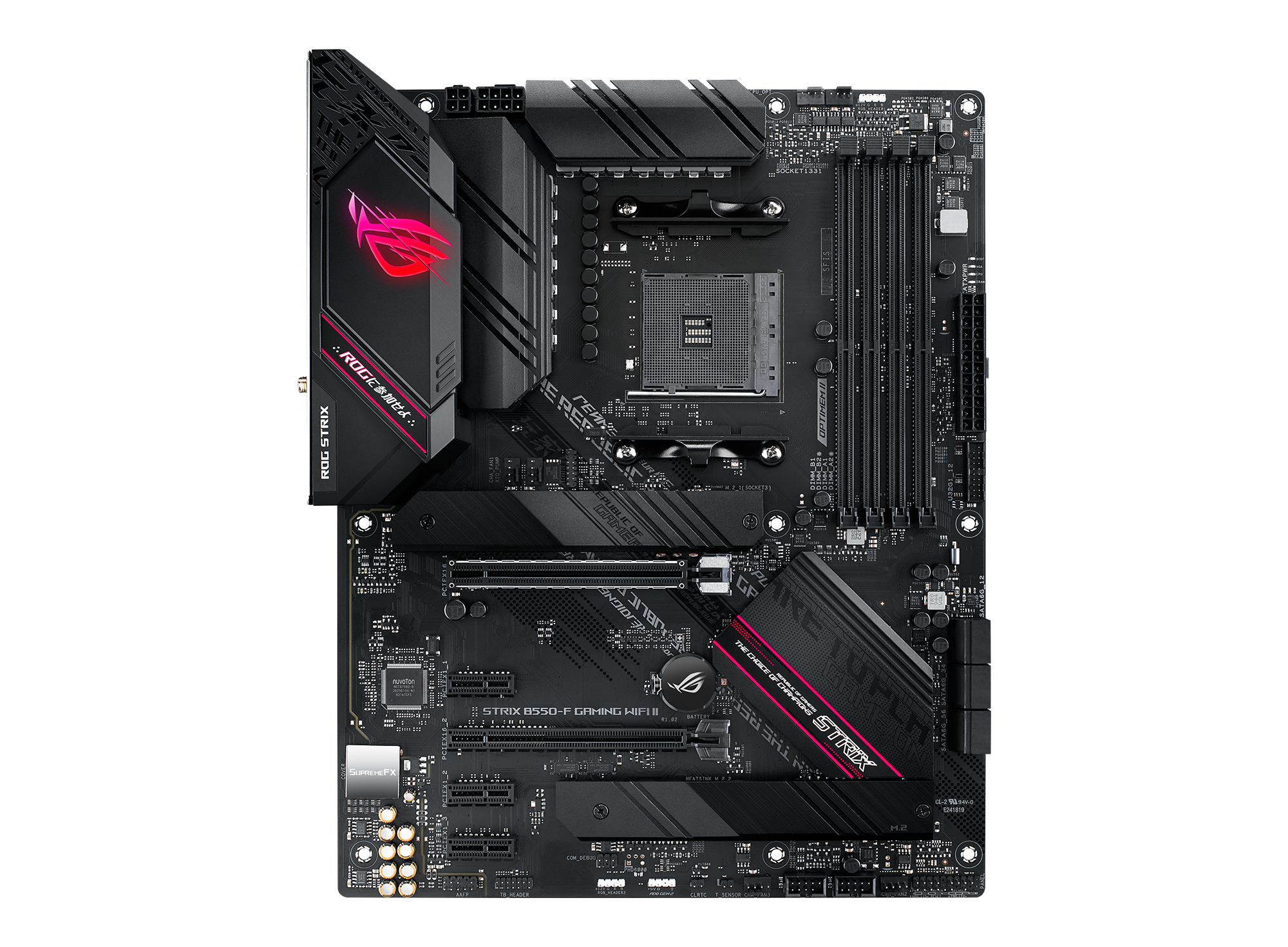
@ROG
Carte mère de Gaming ATX AMD B550 Ryzen AM4 avec PCIe® 4.0, Ethernet 2,5 Gbit Intel®, Wi-Fi 6E, deux slots M.2 avec dissipateurs thermiques, USB 3.2 Gen 2 et plus
link
it's in french but just select your country ig
rocky yacht
bonje
hazy venture
rocky yacht
ok id rather just wait for an endfield update to fix this tbh
ok ok, your choice
rocky yacht
ill look
but installing a driver was already pushing it
i didnt get a pc to have to do more work
yk
but thank you so much
i do rlly appreciate it
sudden sinew
hazy venture
baka
proven sundial
rocky yacht
but thank you so much
Well we are just making sure everything is running properly
 thorn zealot
Does anyone know why is my Perlica and Xaihi couldn't be contacted on OMV Djiang?
 sudden sinew
thorn zealot
Does anyone know why is my Perlica and Xaihi couldn't be contacted on OMV Djiang...
slender mantle
rocky yacht
i do rlly appreciate it
sudden sinew
thorn zealot
Does anyone know why is my Perlica and Xaihi couldn't be contacted on OMV Djiang...
slender mantle
rocky yacht
i do rlly appreciate it
oh you have had problem since 28 jan
 rocky yacht
i just use it to game so i didnt mind the bluescreen on driver updates it just meant i didnt bother update 😭
thorn zealot
sudden sinew
<#956086681499496448>
I did asked there, but nothing helped
 swift lotus
hey, i got kinda stuck and not sure what to do, im on "building an outpost" quest, where i need to check the specified outport port of the sub-pac, the problem is, i accidently used unstuck option, and it teleported me out of the quest area, and now i can't back, theres invisible wall i cant get through to the port, any idea what can i do?
rocky yacht
slender mantle
oh you have had problem since 28 jan
pls ignore my rage i was sad cuz i played day 1 no issue then the next day it didnt work
slender mantle
rocky yacht
pls ignore my rage i was sad cuz i played day 1 no issue then the next day it di...
do these problems happen on other games?
sudden sinew
thorn zealot
I did asked there, but nothing helped
we as HW and SW support can help you lesser than you think
rocky yacht
slender mantle
do these problems happen on other games?
no ive never had an issue like this before, other than the bluescreen when updating drivers to fix this but that went away after DDU reinstall
sudden sinew
thorn zealot
They directed me here...
in worst case do Customer Support
thorn zealot
sudden sinew
in worst case do Customer Support
It's not important tho, but it becames important because my PERLICA goes missing lol
sudden sinew
thorn zealot
It's not important tho, but it becames important because my PERLICA goes missing...
whaa don't make me cry perlica best partner you could eve--
wait but we cant help you
thorn zealot
hazy venture
find her
Everyone keep saying that, I've looking on OMV Djiang
hazy venture
thorn zealot
Everyone keep saying that, I've looking on OMV Djiang <:PerliWaaaaa:114558664162...
de-assign her
from control nexus
thorn zealot
sudden sinew
whaa don't make me cry perlica best partner you could eve--
wait but we cant hel...

hazy venture
and search her
thorn zealot
hazy venture
de-assign her
I did
hazy venture
you did?
thorn zealot
hazy venture
and search her
I did
short ridge
hazy venture
jesus
i told yall outdated bios was one of the reasons
but no always ram
thorn zealot
hazy venture
you did?
Yeah...
hazy venture
oh..
short ridge
thorn zealot
Still missing
sudden sinew
hazy venture
you did?
use ;
hazy venture
LMAO
hazy venture
sudden sinew
use ;
?
thorn zealot
hazy venture
sudden sinew
hazy venture
?
greece question mark /j
thorn zealot
Why Perlica... why did you left me like this
hazy venture
...
rocky yacht
hazy venture
(https://rog.asus.com/ch-fr/motherboards/rog-strix/rog-strix-b550-f-gaming-wifi-...
is there instuctions with what to do with the bios download thing or what would i look up to find a guide?
short ridge
thorn zealot
Why Perlica... why did you left me like this <:PerliWaaaaa:1145586641629609995>
you didnt pay her
sudden sinew
short ridge
you didnt pay her
short ridge
paypal her 30k and she will return
hazy venture
rocky yacht
is there instuctions with what to do with the bios download thing or what would ...
ask people here
ye
T404 or anyone
sudden sinew
.paypal
 scenic orchidBOT

 hazy venture
lmao
proven sundial
rocky yacht
is there instuctions with what to do with the bios download thing or what would ...
Look for youtube videos along the same lime
 full spear
anyone knows how to fix this? i encounter many places like this, no such problem in other games only in endfield
 short ridge
rocky yacht
is there instuctions with what to do with the bios download thing or what would ...
short ridge
rocky yacht
is there instuctions with what to do with the bios download thing or what would ...
you would be better of getting a phone and following a guide, updating bios is a delicate process
hazy venture
uhh
hazy venture
full spear
anyone knows how to fix this? i encounter many places like this, no such problem...
reinstall the game??
short ridge
you need a usb though
full spear
hazy venture
reinstall the game??
already did
hazy venture
hm
hazy venture
short ridge
you would be better of getting a phone and following a guide, updating bios is a...
what? nahhh it's easy!
sudden sinew
hazy venture
(https://rog.asus.com/ch-fr/motherboards/rog-strix/rog-strix-b550-f-gaming-wifi-...
lol my cousin has a white edition of thi--
rocky yacht
is there actually any chance it will solve my problem tho or just good to do for my pc
short ridge
rocky yacht
is there actually any chance it will solve my problem tho or just good to do for...
yes theres a BIG chance
hazy venture
rocky yacht
is there actually any chance it will solve my problem tho or just good to do for...
actually a good chance it would
short ridge
outdated BIOS is the root of 99% of problems
hazy venture
it would improve system stability ALOT
rocky yacht
sorry i am doubtful i have had countless people over the years say to update drivers and that whole thing is a scam
slender mantle
rocky yacht
sorry i am doubtful i have had countless people over the years say to update dri...
bios updating isn't
hazy venture
updating bios is not hard, you just need to be careful that you don't have a power shortage.
sudden sinew
rocky yacht
sorry i am doubtful i have had countless people over the years say to update dri...
you must know that bios is smth others can actually crack into too
short ridge
rocky yacht
sorry i am doubtful i have had countless people over the years say to update dri...
drivers and bios versions are different, both are important but BIOS updates is essentially updating the language your motherboard uses to speak to the cpu or other components and make it mmore effective
rocky yacht
do you know around how long it takes
short ridge
its ESSENTIAL
rocky yacht
essential but only to endfield </3 if only i hated the game hahaha
hazy venture
(when you start the process)
rocky yacht
tysm guys ill look into it now
hazy venture
find a good video for it
proven sundial
rocky yacht
sorry i am doubtful i have had countless people over the years say to update dri...
I'll just keep it simple for you the bios is your operating system for your motherboard
short ridge
who the fuck would say driver updates are a scam
rocky yacht
ME
sudden sinew
short ridge
who the fuck would say driver updates are a scam
I'm questioning too
short ridge
rocky yacht
ME
i am sorry but if you think that way you should not own a pc
a gaming pc
espicially
rocky yacht
its because a gaming pc is for playing games yk
sudden sinew
rocky yacht
ME
System issue fix vs Trust Issue, what to prioritize?
rocky yacht
not updating drivers
short ridge
rocky yacht
its because a gaming pc is for playing games yk
and playing games requires specific hardware settings and drivers you NEED to update
sudden sinew
sudden sinew
System issue fix vs Trust Issue, what to prioritize?
also the bios version is out for a while
slender mantle
you still have to update your bios when changing to another amd am4 cpu lol
sudden sinew
sudden sinew
also the bios version is out for a while
and your windows runs on these standards
proven sundial
Calm down everyone he gets it now
rocky yacht
haha dw the drivers are just a personal issue
golden zenith
i nvr said anything though
hazy venture
it's true that amd drivers are a pain, but bios updates are a whole different thing UwU
rocky yacht
i updated my friends bc they were having issues and it didnt fix anything and then i did the same for me now and it also didnt fix anything
so we got personal beef u see
sudden sinew
rocky yacht
haha dw the drivers are just a personal issue
if you DL the bios at the wrong site then it's a real issue
short ridge
rocky yacht
i updated my friends bc they were having issues and it didnt fix anything and th...
ofc it didnt, your bios version is ancient
rocky yacht
all i do on my pc is log on open game shut down
golden zenith
rocky yacht
i updated my friends bc they were having issues and it didnt fix anything and th...
it really depend how deep the issue is
sudden sinew
sudden sinew
if you DL the bios at the wrong site then it's a real issue
but not when some one says there's a new version and you need to go to the official support site and get it
hazy venture
everyone calm down lmao he gets it (x2)
slender mantle
rocky yacht
i updated my friends bc they were having issues and it didnt fix anything and th...
try reinstalling the game, if the issue still occurs then go for bios updating
hazy venture
leave him alone, he needs to watch video to update it
sudden sinew
hazy venture
everyone calm down lmao he gets it (x2)
I'm pretty calm lol, unless I troll u hard 
hazy venture
slender mantle
try reinstalling the game, if the issue still occurs then go for bios updating
nah, just update bios anyway
slender mantle
Madam Herta is a peerless gem
rocky yacht
wait no guys i HATE drivers and bios pls tell me more
hazy venture
sudden sinew
I'm pretty calm lol, unless I troll u hard <:4419anyasmug:1209138240490311710>
meannie
sudden sinew
hazy venture
meannie <:PerliDerp:1146342157825871873>
lmao
rocky yacht
sorry u guys are helpful 😭 ty lemme try it
sudden sinew

short ridge
rocky yacht
wait no guys i HATE drivers and bios pls tell me more
theres no going around it
update the BIOS
NOW
hazy venture
rocky yacht
sorry u guys are helpful 😭 ty lemme try it
reinstall or bios update-
golden zenith
...
sudden sinew
rocky yacht
wait no guys i HATE drivers and bios pls tell me more
you hate the wrong thing....
proven sundial
rocky yacht
sorry u guys are helpful 😭 ty lemme try it
Don't you have your mobo manual ?
hazy venture
oh uh, my mouse pad is not working, hm
sudden sinew
sudden sinew
you hate the wrong thing....
if you hate it so hard why not use linux...
hazy venture
how weird.
short ridge
sudden sinew
if you hate it so hard why not use linux...
mf he will throw his pc away with linux
wont touch any device for the rest of his life
sudden sinew
short ridge
wont touch any device for the rest of his life <:PerliWheeze:1171272662664892437...
rocky yacht
at the end of the day i like gaming and not PCs so if it doesnt open a game i will just get a new one
sudden sinew
short ridge
wont touch any device for the rest of his life <:PerliWheeze:1171272662664892437...
if they use the wrong distro, like vanilla arch
rocky yacht
thats how i got my pc to begin with
short ridge
rocky yacht
at the end of the day i like gaming and not PCs so if it doesnt open a game i wi...
so you will spend extra 1.5k or more isntead of just updating BIOS?/???
or drivers???
hazy venture
short ridge
so you will spend extra 1.5k or more isntead of just updating BIOS?/???
😂
maybe bro is rich
who know
proven sundial
Welp we got another PEBCAK
slender mantle
new pc in big 26 😭
golden zenith
rocky yacht
theres only so much time i can give to a hobby and wasting that on bios stuff is not exactly what i want 😭
golden zenith
not another one
short ridge
rocky yacht
theres only so much time i can give to a hobby and wasting that on bios stuff is...
its AT MOST an hour long process....
rocky yacht
i regret building my pc so much i wish i just got prebuilt (which i know ppl online hate but be fr)
im here for the games not the computer
slender mantle
prebuilt is fine tho
short ridge
rocky yacht
i regret building my pc so much i wish i just got prebuilt (which i know ppl onl...
theres nothing wrong in getting a prebuilt, but not updating any of the drivers or outdated BIOS is the real issue here
arctic token
given how badly i handled pcs in computer lab prebuilt is better for me
 short ridge
no matter how good of a PC you have outdated BIOS version WILL kill it any way or another
thats just saying i got a car for just driving and then not maintaining it, changing oil every now and then or refilling gas in it
thats not how computers work
rocky yacht
i still use a $5 keyboard because i cant be bothered updating it i just wanna game (the spacebar is broken)
rocky yacht
short ridge
thats just saying i got a car for just driving and then not maintaining it, chan...
then buying a new car when it breaks down 🙏
golden zenith
proven sundial
Bobwizard you are digging your own grave here
it like almost all the Techminisrator are jumping on this
slender mantle
rocky yacht
i still use a $5 keyboard because i cant be bothered updating it i just wanna ga...
update your bios update your bios update your bios
 rocky yacht
guys my time is SO VALUABLE every second i spend complaining about bios instead of updating it you owe me 500 origeometry
sudden sinew
slender mantle
update your bios update your bios update your bios
lmfao
proven sundial
golden zenith
it like almost all the Techminisrator are jumping on this
Well i CBA to deal with Pebcaks that just go bonanzas
short ridge
proven sundial
Well i CBA to deal with Pebcaks that just go bonanzas
explain the terminology used in this peculiar sentence oh so great one
sudden sinew
rocky yacht
guys my time is SO VALUABLE every second i spend complaining about bios instead ...
your firmware is important, it changes e.g the volt settings, gives your windows features so your system can run properly
golden zenith
proven sundial
Well i CBA to deal with Pebcaks that just go bonanzas
sound about right
rocky yacht
can someone explain to me again that im stubborn and dumb and bios isnt my mortal enemy
sudden sinew
also, you don't brick your system if you don't install weird firmwares or unsupported ones
rocky yacht
IM DOING IT NOW DW
proven sundial
short ridge
explain the terminology used in this peculiar sentence oh so great one
||problem exists between chair and keyboard||
rocky yacht
short ridge
https://tenor.com/view/midnight-the-cat-stopped-working-midnight-the-cat-cat-cat...
hes calling me handsome and smart and kind and talented
 glass plover
someone know if i can update dlss dll manual? anticheat allow that?
sudden sinew
rocky yacht
is 8gb usb enough for this
you don't even need that much, but it's more than enough for a bios FW
sudden sinew
glass plover
someone know if i can update dlss dll manual? anticheat allow that?
why manually update dlss dll? what's your resolution? specs?
also doing 3rd-party-given dll might cause you serious issues w/ the game
glass plover
asking just for knowing because there some aruging in ru offtop about how shitty is endfield dlss and there some question if you can update it to 4.5
short ridge
proven sundial
||problem exists between chair and keyboard||
OH I AM FUCKING SLOW I GOT IT NOW
sudden sinew
glass plover
asking just for knowing because there some aruging in ru offtop about how shitty...
fun fact that nvidia even dropped endfield out of nvidia app
golden zenith
short ridge
OH I AM FUCKING SLOW I GOT IT NOW<:PerliWheeze:1171272662664892437>
srsly
short ridge
proven sundial
<:PerliDerp:1146342157825871873>
shouldnt have drunk the 4 cups of coffee an hour ago
sudden sinew
sudden sinew
fun fact that nvidia even dropped endfield out of nvidia app
blacklisted
proven sundial
short ridge
shouldnt have drunk the 4 cups of coffee an hour ago
Alright hahahha
sudden sinew
glass plover
asking just for knowing because there some aruging in ru offtop about how shitty...
also I'd prefer patience and turn off dlss
glass plover
but you can't...
sudden sinew
glass plover
but you can't...
why not?
glass plover
taau is just another upscaler
short ridge
glass plover
but you can't...
use TAAU instead of DLSS
 gaunt wagon
what is Lung ? ty
 glass plover
so it's not possible to play native, that whole arguing reason in ru chat
short ridge
glass plover
so it's not possible to play native, that whole arguing reason in ru chat
yes but you wont be using DLSS
glass plover
people saying smth like "ghosting" etc
sudden sinew
gaunt wagon
what is Lung ? ty
@hazy venture help
short ridge
thats the whole thing
golden zenith
gaunt wagon
what is Lung ? ty
Race: Lung
Chen
gaunt wagon
ow ty
 bold briar
if only they managed to fix the game, the world society would healed
short ridge
bold briar
if only they managed to fix the game, the world society would healed
if only
...
i have a problem which a whole team of 5 tech enthusiasts couldnt solve
sudden sinew
glass plover
so it's not possible to play native, that whole arguing reason in ru chat
tbh the devs should give players none option instead of decking taau over nothing just to hide their intensive resource use which brings nothing
glass plover
they need to fix ryzen leak too...
sudden sinew
glass plover
they need to fix ryzen leak too...
I got ryzen.... no leak
golden zenith
short ridge
i have a problem which a whole team of 5 tech enthusiasts couldnt solve
i already told you, need to memtest86 for accurate result
glass plover
i too
sudden sinew
glass plover
i too
but I got no issues
sudden sinew
glass plover
i hear there some problem with usage on amd
nvidia gpus too
short ridge
golden zenith
i already told you, need to memtest86 for accurate result
i bet you my left nut that shits gonna be positive
glass plover
compare to intel
sudden sinew
sudden sinew
iris xe driver issue exists
devs think arc driver is still the same thing and gave us a warning to change to ver 8xxx which players dont have on iris-based cpus
bold briar
short ridge
if only
gotta shout out to the vibes coder employe, they managed to turn bugs into features
sudden sinew
bold briar
gotta shout out to the vibes coder employe, they managed to turn bugs into featu...
glass plover
oh, about dlss
someone says you can change dlss to preset m and you got 4.5 dlss in endfield
sudden sinew
tbh vibe coding needs proper schools amd must require proper certifications
glass plover
work good they say
sudden sinew
glass plover
oh, about dlss
someone says you can change dlss to preset m and you got 4.5 dlss...
which GPU do you have tho?
glass plover
2060
proven sundial
Whoever does vibe coding deserves cymbals to the head
golden zenith
short ridge
i bet you my left nut that shits gonna be positive
all i can say is, it still HAVE a chance to be positive
BUT to narrow down have to use a testbench of different pc to narrow that shit down
glass plover
4.5 work on 2060 if i correct
sudden sinew
glass plover
2060
then dlss 4.5 is not for you lol
glass plover
i thought it not, but google says it works
sudden sinew
glass plover
4.5 work on 2060 if i correct
where did you even got that information
glass plover
let me re-check
golden zenith
short ridge
i bet you my left nut that shits gonna be positive
we trying to Get An Error so you can send that shit back for warrenty
glass plover
maybe i'm stupid
sudden sinew
glass plover
i thought it not, but google says it works
Send (wrong) AI informations here we'll slap you hard
sudden sinew
glass plover
4.5 work on 2060 if i correct
also why dlss4.5 w/ 5 ai frames and only 1 real frame
you could use taau which is even better than dlss for now on endfield
proven sundial
Dlss is still bugged
glass plover
sudden sinew
Send (wrong) AI informations here we'll slap you hard <:PerliDerp:11463421578258...
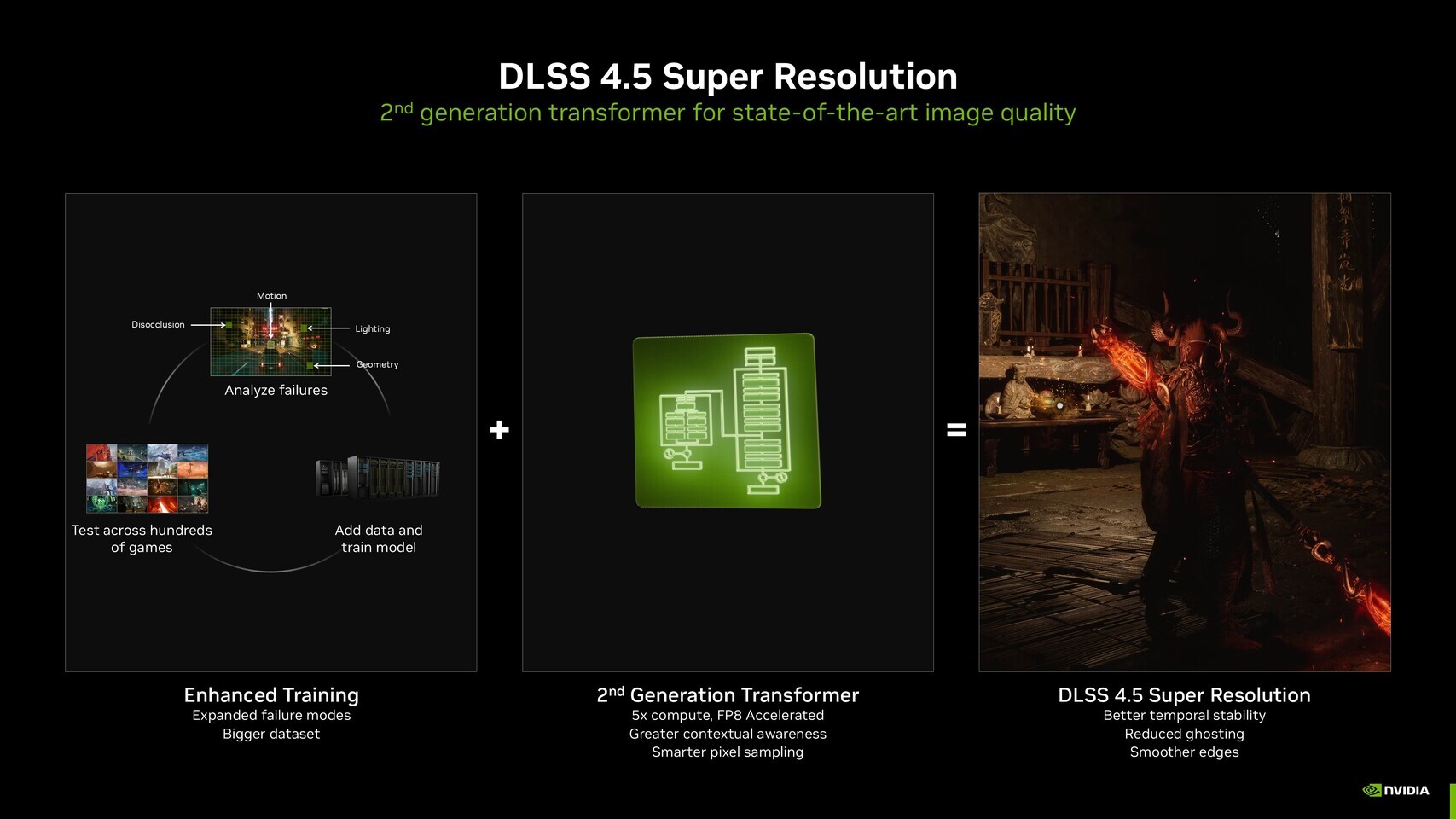
TechPowerUp
NVIDIA's DLSS 4.5 was the one of the most interesting CES-centric announcements from the company's 2026 keynote. Today, the company confirmed to the community that DLSS 4.5 will be available for every GeForce RTX GPU from day one. This includes even the older RTX 20, RTX 30, and RTX 40 series, besid...
sudden sinew
sudden sinew
you could use taau which is even better than dlss for now on endfield
this on 90FPS 1440p
 crystal bridge
Ok why is it get and on a some how my rtx 5090 is fps dropping in the game today 
sudden sinew
proven sundial
Dlss is still bugged
this too
glass plover
proven sundial
Dlss is still bugged
someone says 4.5 don't have that big problem with ghosting
proven sundial
glass plover
someone says 4.5 don't have that big problem with ghosting
It's not about the ghosting i mean there are several problems with dlss implementation itself
glass plover
ohh that
after dune awakening i think this game have everything alright
dune is dogshit
 pseudo narwhal
does anybody know of a max Wuling Stock Bill base blueprint? Like, the idealized output for making stock bills?
crap wrong channel
sorry
sudden sinew
glass plover
someone know if i can update dlss dll manual? anticheat allow that?
btw do this at your own risk 👌
don't pull others in
glass plover
sudden sinew
btw do this at your own risk 👌
don't pull others in
yeah i just asking, not recommended ofc
sudden sinew
pseudo narwhal
sorry
is ok :D
sudden sinew
glass plover
yeah i just asking, not recommended ofc
ok 
glass plover
but as i understand you don't really need to change any dll
just change preset in nvidia inspector
so it's cool
but thanks anyway for helping
proven sundial
crystal bridge
Ok why is it get and on a some how my rtx 5090 is fps dropping in the game today...
Noticed anything in particular ?
sudden sinew
crystal bridge
Ok why is it get and on a some how my rtx 5090 is fps dropping in the game today...
@waxen breach you'll cringe 
crystal bridge
sudden sinew
crystal bridge
Ok why is it get and on a some how my rtx 5090 is fps dropping in the game today...
ok, I need some more informations first, which specifications does your PC have?
crystal bridge
9950x3d and 5090 astral along with 64gb of ram
Didnt do this anytime before until today
sudden sinew
crystal bridge
9950x3d and 5090 astral along with 64gb of ram
lifetime PC
glass plover
holy build
rocky yacht
updated bios yawn that was so easy imagining complaining about having to do that
 viral hill
crystal bridge
Didnt do this anytime before until today
viral hill
crystal bridge
Didnt do this anytime before until today
I have the exact same thing, on 5080 tho. Started today, was fine yesterday
rocky yacht
lemme try open the game again
crystal bridge
rocky yacht
updated bios yawn that was so easy imagining complaining about having to do that
Bios updates are so easy lol
 steel swift
crystal bridge
steel swift
crystal bridge
insane
crystal bridge
viral hill
I have the exact same thing, on 5080 tho. Started today, was fine yesterday
Very strange restarted my pc to double check
Yesterday no issues at all
Gameplay was like butter
steel swift
Wait for tomorrow mt
sudden sinew
@crystal bridge @viral hill you both did the DDU method? how did you optimize your rams? and which settings via controlpanel/nvidia app and in game settings?
viral hill
sudden sinew
<@899283719079231528> <@389136985773703168> you both did the DDU method? how did...
I did DDU, removed nvidia app, didnt work
crystal bridge
sudden sinew
<@899283719079231528> <@389136985773703168> you both did the DDU method? how did...
I did this one time I’m not doing it again for arknights and it’s only arknights
crystal bridge
Absolutely didnt work
viral hill
I reverted back to 591.74 drivers and they seem fine, i dont get frame drops with those
sudden sinew
golden zenith
gotta clear ram
^ and clear cache
crystal bridge
I think it’s just arknights I’ll test another game
rocky yacht
omg who could have seen this coming updating bios did not change anything </3 :( hahaha
slender mantle
rocky yacht
omg who could have seen this coming updating bios did not change anything </3 :(...
time to reinstall the game
steel swift
Why nobody waits for 2morrow update
golden zenith
rocky yacht
omg who could have seen this coming updating bios did not change anything </3 :(...
is there new event log that show another whea-logger?
viral hill
sudden sinew
<@899283719079231528> <@389136985773703168> you both did the DDU method? how did...
I tried everything, all settings on lowest, different scaling, DLSS/tauu, fg on/off, DDU, removed cache, optimized SSD (unallocated space) rebooted a billion times. Only thing that has worked was going back to 591.74
proven sundial
rocky yacht
omg who could have seen this coming updating bios did not change anything </3 :(...
Atleast we ruled out that problem how about the chipset drivers ?
crystal bridge
viral hill
I tried everything, all settings on lowest, different scaling, DLSS/tauu, fg on/...
I’m on the latest and ran just fine before kind odd doesn’t work today
viral hill
crystal bridge
I’m on the latest and ran just fine before kind odd doesn’t work today
Yeah i know its weird, I was on the latest as well
crystal bridge
I know it’s not my pc cause everything other is running fine
rocky yacht
golden zenith
is there new event log that show another whea-logger?
another 2 but its APIC ID 0 and 13
golden zenith
rocky yacht
another 2 but its APIC ID 0 and 13
yup, follow Xomori first
sudden sinew
viral hill
I tried everything, all settings on lowest, different scaling, DLSS/tauu, fg on/...
ok what about nvidia control panel? or nvidia app?
rocky yacht
proven sundial
Atleast we ruled out that problem how about the chipset drivers ?
wdym like the device manager stuff is all the same
proven sundial
rocky yacht
wdym like the device manager stuff is all the same
viral hill
sudden sinew
ok what about nvidia control panel? or nvidia app?
Tried all default settings in both NVCP and APP, tried forcing different models, J,L,K,M, tried resize bar, tried shader cache size 10gb, unlimited
nothing changed
proven sundial
rocky yacht
wdym like the device manager stuff is all the same
Look for your ryzen 5 3600 processor
In the list
viral hill
crystal bridge
On the second pc no issues at with the 5080 etc
What drivers do you have on the 2nd pc?
latest as well?
crystal bridge
viral hill
What drivers do you have on the 2nd pc?
I have no clue the woman doesn’t take care of her pc
viral hill
xD
sudden sinew
viral hill
Tried all default settings in both NVCP and APP, tried forcing different models,...
what about ram config?
like how much volts
crystal bridge
I’m updating windows making sure it’s not a bug
sudden sinew
sudden sinew
what about ram config?
xmp or docp?
viral hill
sudden sinew
what about ram config?
Didnt change anything but i have 64gb, standard ddr4 3600mhz xmp settings (ryzen 5700x3d)
rocky yacht
proven sundial
Look for your ryzen 5 3600 processor
okay done
sudden sinew
viral hill
Didnt change anything but i have 64gb, standard ddr4 3600mhz xmp settings (ryzen...
so you need your ram on 1.35V. or around 1.28 else your rig got instable at 1.2V
rocky yacht
anything else i should do
proven sundial
rocky yacht
anything else i should do
Normally ryzen master should auto regulate the cpu
viral hill
sudden sinew
so you need your ram on 1.35V. or around 1.28 else your rig got instable at 1.2V
 crystal bridge
sudden sinew
so you need your ram on 1.35V. or around 1.28 else your rig got instable at 1.2V
crystal bridge
sudden sinew
so you need your ram on 1.35V. or around 1.28 else your rig got instable at 1.2V
Why would they need to chnage if now if it ran perfectly fine before 
Assuming it’s the gpu driver most likely
sudden sinew
crystal bridge
Assuming it’s the gpu driver most likely
assumimg too, they said they reinstall 1000x
viral hill
crystal bridge
Assuming it’s the gpu driver most likely
if you wanna try it, go back to 591.74, that solved it for me
crystal bridge
sudden sinew
assumimg too, they said they reinstall 1000x
I reinstalled mine it’s the same
 toxic atlas
sudden sinew
so you need your ram on 1.35V. or around 1.28 else your rig got instable at 1.2V
toxic atlas
sudden sinew
so you need your ram on 1.35V. or around 1.28 else your rig got instable at 1.2V
only some motherboards are affected
proven sundial
@rocky yacht try the game via exe lets see how it goes
sudden sinew
toxic atlas
only some motherboards are affected
oh
toxic atlas
not all with Zen3
crystal bridge
viral hill
if you wanna try it, go back to 591.74, that solved it for me
I’ll try that I’m not updating drives cause dude nvidia is going bad rn 😭
ai slop over good and stable drivers
 rocky yacht
proven sundial
Normally ryzen master should auto regulate the cpu
rocky yacht
proven sundial
Normally ryzen master should auto regulate the cpu
yea that installed with it, but i tried opening it and it crashed my pc same way as endfield
proven sundial
rocky yacht
yea that installed with it, but i tried opening it and it crashed my pc same way...
Huh
Definitely a cpu issue
sudden sinew
crystal bridge
I’ll try that I’m not updating drives cause dude nvidia is going bad rn 😭
ai s...

rocky yacht
should i still try open endfield
golden zenith
rocky yacht
should i still try open endfield
new whea error that says processor core?
crystal bridge
Definitely a driver issue loaded Wuwa same thing random fps drops
rocky yacht
yes 2 with APIC ID 4 and 12
proven sundial
rocky yacht
yes 2 with APIC ID 4 and 12
Seems like a consistent cpu problem
golden zenith
rocky yacht
yes 2 with APIC ID 4 and 12
3 ways to solves your issue
- Downclock your CPU (Longest and Annoying solution)
- Buy & replace your AM4 CPU, also thermal paste as well
- Buy a new system (Easiest & Expensive option)
rocky yacht
ok but since it works for everything except endfield
is there a chance theyll update that fixes it
golden zenith
you can wait, but i highly doubt so
proven sundial
Endfield is pretty much one of those cpu intense games
If a core fails it fails hard
golden zenith
^what Xomori said
sudden sinew
proven sundial
Hehe amd 7900 xtx without issues
8060S w/o issues, also testing on TV lmfaooo
 rocky yacht
i guess i get it but ive played a lot of pretty heavy games and ive never had problems is endfield really just leagues above every other game
golden zenith
there something i call wear & tear
proven sundial
Well i can tell you only 2 games show true hardware failure
Endfield and battlefield 6
They use all your cores
And gobble it up like a cupcake
rocky yacht
so should i not play at all or just try each day like i have been and play when it opens
i dont wanna wear and tear everything to pieces
proven sundial
Honestly in your situation wait for a major patch
Perhaps it can reduce overall load
crystal bridge
viral hill
if you wanna try it, go back to 591.74, that solved it for me
Trying this now still bad on latest
viral hill
I wonder if it could be because of the new windows update?
[Gaming] Fixed: This update addresses an issue that determines device eligibility for the full-screen gaming experience.
rocky yacht
proven sundial
Honestly in your situation wait for a major patch
and its definitely cpu not psu cuz mine could be faulty
 zenith lake
why is the window tweaking when I try to move the launcher in linux ?
proven sundial
rocky yacht
and its definitely cpu not psu cuz mine could be faulty
You had problems with your psu ?
sudden sinew
lmao
 rocky yacht
proven sundial
You had problems with your psu ?
rocky yacht
proven sundial
You had problems with your psu ?
only this but my model had apparantly had issues for people
sudden sinew
 proven sundial
rocky yacht
only this but my model had apparantly had issues for people
proven sundial
rocky yacht
only this but my model had apparantly had issues for people
If your psu would have problems most likely your full pc would shut down
proven sundial
sudden sinew
<:PerliStare:1171270701840334908>
In 4 quackadoodles
bold briar
sudden sinew
<:PerliStare:1171270701840334908>
whats wrong with your mouse space
rocky yacht
proven sundial
If your psu would have problems most likely your full pc would shut down
is that not the critical 41 error
crystal bridge
viral hill
https://support.microsoft.com/sv-se/topic/february-10-2026-kb5077181-os-builds-2...
Doubt it cause I didn’t have that until now
viral hill
crystal bridge
Doubt it cause I didn’t have that until now
ok, good to know! i was unsure when mine updated
rocky yacht
proven sundial
If your psu would have problems most likely your full pc would shut down
like could this still be psu? idk
 proven sundial
rocky yacht
is that not the critical 41 error
proven sundial
rocky yacht
is that not the critical 41 error
Not necessarily a psu shutdown goes power out right away no Bsod
golden zenith
rocky yacht
like could this still be psu? idk
Kernel power 41 can be anything
rocky yacht
so it doesnt rule it out then?
golden zenith
yes, only way to know is to stress test your pc
crystal bridge
Rolled back drives and testing
golden zenith
but even then...
 drowsy cipher
the issue isnt ruling something out, the issue is that its not narrowing it down
 still aurora
guys i accidentally deleted anticheat expert and deleted the game cuz the launcher didnt turn on, now its the same problem after trying to install the game back, what do i do?
crystal bridge
Also why is the endfield launcher still ripen when running the game it’s so dumb it should close 😭
 proven sundial
rocky yacht
so it doesnt rule it out then?
proven sundial
rocky yacht
so it doesnt rule it out then?
In my mind it seems more likely the cpu
Unless you have something to add to it
crystal bridge
Rolling back same issue
viral hill
aww :<
still aurora
still aurora
guys i accidentally deleted anticheat expert and deleted the game cuz the launch...
 rocky yacht
proven sundial
Unless you have something to add to it
rocky yacht
proven sundial
Unless you have something to add to it
no i was just wondering since i do have a 500W spare psu but thats kinda low i feel
rocky yacht
crystal bridge
I just wanted to play the game man
tell me about it 🙏
im not that squeamish but after seeing the guts of my pc for the past hour i do feel a little queasy
toxic atlas
i still blame windows
proven sundial
rocky yacht
no i was just wondering since i do have a 500W spare psu but thats kinda low i f...
500 watts is pretty low not recommended
toxic atlas
sudden sinew
bold briar
whats wrong with your mouse space
wdym?
still aurora
dude do i even get the help or nah
sudden sinew
sudden sinew
<:PerliStare:1171270701840334908>
less lags than expected

(this is my test acc btw)
sudden sinew
still aurora
dude do i even get the help or nah
did you reinstall the launcher and the game?
still aurora
sudden sinew
did you reinstall the launcher and the game?
i deinstalled em both
and still the same problem
still aurora
still aurora
.
rocky yacht
sorry not endfield but is there any reason why after the bios update typing on discord is extremely laggy
drowsy cipher
its currently estimating your age by your typing to decide if it wants your id next month or not
proven sundial
rocky yacht
sorry not endfield but is there any reason why after the bios update typing on d...
Try to restart first you had 2 cpu errors
rocky yacht
im australian been there done that 🙏
sudden sinew
rocky yacht
sorry not endfield but is there any reason why after the bios update typing on d...
?? what does it mean?
rocky yacht
i did sadly i mean no big deal just feels weird
golden zenith
rocky yacht
sorry not endfield but is there any reason why after the bios update typing on d...
did you have some setting in your bios before, cause when you bios update, the setting reset
drowsy cipher
still aurora
i deinstalled em both
see if there's any remainders in %appdata% ? sounds like an odd carryover from an incomplete removal
sudden sinew
rocky yacht
i did sadly i mean no big deal just feels weird
ah
rocky yacht
golden zenith
did you have some setting in your bios before, cause when you bios update, the s...
no i wouldnt touch that, anyway dw theres bigger issues
tysm again
still aurora
drowsy cipher
see if there's any remainders in %appdata% ? sounds like an odd carryover from a...
win r or just type that in filesearch?
drowsy cipher
you can just slap that into the explorers adress bar
still aurora
yeah dude there are still even dark souls 1 files 😭
drowsy cipher
i was about to say i have an easyanticheat folder but EAC and ACE are different things why do all of them need to sound the same damnit
locallow has a bunch of a stuff
 sudden sinew
ADOFAI on TV lmao
 still aurora
drowsy cipher
i was about to say i have an easyanticheat folder but EAC and ACE are different ...
still aurora
drowsy cipher
i was about to say i have an easyanticheat folder but EAC and ACE are different ...
i tried to install ace back but saw that ace setup deletes it lol
yep still isnt launching
 toxic atlas
still aurora
yep still isnt launching
toxic atlas
still aurora
yep still isnt launching
checked the windows event viewer yet?
sudden sinew
proven sundial
Lol good that your gpu drives it properly
better than playing it on KB or on smol screen xD
sudden sinew
proven sundial
Lol good that your gpu drives it properly
and in fact it's an iGPU running w/ CPU on 120W I'd praise AMD for that xD
golden zenith
New AMD drivers update today.
No Endfield support still
proven sundial
It is what it is
They should just give me back crossfire
What a shame that mgpu tech is gone
 tall acorn
still aurora
guys i accidentally deleted anticheat expert and deleted the game cuz the launch...
tall acorn
still aurora
guys i accidentally deleted anticheat expert and deleted the game cuz the launch...
?
have you tried launching the game directly yet?
and restarting your computer
then reinstalling the game
paste %ProgramFiles%/GRYPHLINK/games/EndField Game/Endfield into the search bar of your file explorer, @still aurora
still aurora
tall acorn
have you tried launching the game directly yet?
yeah
still aurora
tall acorn
then reinstalling the game
i cant install it just cuz the error keeps going
bold briar
sudden sinew
wdym?
idk, it looks smaller than the chance of this game being fixed
crystal bridge
I’m just getting unstable frame drops randomly
Now I have unplugged my gpu cable and reseated ram
still aurora
tall acorn
and what's the error
 still aurora
still aurora
still aurora
that was before i deinstalled and now also
tall acorn
crystal bridge
I’m just getting unstable frame drops randomly
Now I have unplugged my gpu cab...
what are your specs, have you tried reinstalling your graphics drivers?
still aurora
msi afterburner and rivatuner also off
bold briar
crystal bridge
I’m just getting unstable frame drops randomly
Now I have unplugged my gpu cab...
we all have the same issue or similar. you just need to get used to it, vibes coder employe is trying their best to deliver hotfix for this game
viral hill
crystal bridge
I’m just getting unstable frame drops randomly
Now I have unplugged my gpu cab...
Do you have nvidia app installed? i forgot to mention when i rolled back to the earlier driver version i installed it without the nvidia app. Dunno if that might help
proven sundial
still aurora
that was before i deinstalled and now also
Have you tried running both launcher and game exe as admin ?
still aurora
proven sundial
Have you tried running both launcher and game exe as admin ?
нгр
yuh
sudden sinew
bold briar
idk, it looks smaller than the chance of this game being fixed
ah you mean like, where or how to control? I got a Mytrix Controller for that xD
proven sundial
still aurora
yuh
Okay so can you list what has been done so far ? I'll try to see what else can be done
tall acorn
try disabling your antivirus @still aurora
still aurora
tall acorn
try disabling your antivirus <@1059483572509081722>
its disabled
tall acorn
also go to %ProgramFiles%/AntiCheatExpert and let me know what you see there
still aurora
proven sundial
Okay so can you list what has been done so far ? I'll try to see what else can b...
day before i got 0xc00000001 on windows but i fixed it
sudden sinew
bold briar
idk, it looks smaller than the chance of this game being fixed
lmao
still aurora
still aurora
day before i got 0xc00000001 on windows but i fixed it
and turned sata off my hdd
now i only got ssd running
crystal bridge
I have
- Rolled back drives ( didnt work)
- Windows update ( didnt work windows is trash and full of bloat ware lol)
3.unpluged my gpu cable and restated that ( didnt work ) - Reseated my ram
Spec
9950x3d
5090 astral
Msi x870e
64gb of ddr5 6000mhz
And 4tb of storage
still aurora
still aurora
and turned sata off my hdd
only the launcher was on hdd and i think it isnt the problem
tall acorn
crystal bridge
I have
1. Rolled back drives ( didnt work)
2. Windows update ( didnt work wind...
i'm assuming you used DDU to reinstall your drivers?
we could try a more stable driver version if you want, or just try to reinstall the latest drivers
still aurora
tall acorn
?
i mean the windows error when it cant turn on properly
tall acorn
although there's reported issues with the latest nvidia drivers and windows updates
still aurora
and u get the blue screen on startup
sudden sinew
crystal bridge
I have
1. Rolled back drives ( didnt work)
2. Windows update ( didnt work wind...
so you didn't use safe mode to uninstall and reinstall the driver
still aurora
with 0xc00000001
tall acorn
tall acorn
also go to `%ProgramFiles%/AntiCheatExpert` and let me know what you see there
@still aurora
still aurora
error
sudden sinew
@tall acorn you have the tutorial? xD
tall acorn
yeah hold on
crystal bridge
sudden sinew
so you didn't use safe mode to uninstall and reinstall the driver
Nope just went to the site and installed the driver even with ddu it acts strange something with 50 series is wrong
still aurora
tall acorn
also go to `%ProgramFiles%/AntiCheatExpert` and let me know what you see there
it says o dont have it
i deleted it accidentally as i said
crystal bridge
Now I’ll uninstall and reinstall
sudden sinew
crystal bridge
Nope just went to the site and installed the driver even with ddu it acts strang...
#tech-support message
do this
viral hill
crystal bridge
Now I’ll uninstall and reinstall
do it with DDU in safe mode and its worth trying the installer that removes nvidia app
what he said ^^
 past mason
I need some help.
The game is shit btw.
doesn't give granular control over setting. Maximum graphics looks like blurry mess even if AA is tweaked.
I find the best settings to he everything low for the best clarity.
Is there any middle ground between higher setting+ clarity
crystal bridge
viral hill
do it with DDU in safe mode and its worth trying the installer that removes nvid...
I did this isn’t the first time
sudden sinew
viral hill
do it with DDU in safe mode and its worth trying the installer that removes nvid...
seems like you didn't use the exact thing instructed there am I right?
with or without disabling windows updater?
proven sundial
still aurora
i deleted it accidentally as i said
You have repaired windows integrity right with the first error you had right ?
sudden sinew
sudden sinew
with or without disabling windows updater?
because the updater messes the driver HARD
tall acorn
@crystal bridge follow this tutorial using DDU to clean out your old graphics card drivers, and manually select driver version 566.36 during the Nvcleaninstall part, afterwards follow the rest of the process to continue reinstalling your drivers
still aurora
proven sundial
You have repaired windows integrity right with the first error you had right ?
i did
but i dont know if it matters
viral hill
sudden sinew
seems like you didn't use the exact thing instructed there am I right?
i did xD worked for me when downgrading. did you tag the wrong message?
tall acorn
if you didn't do that DDU process with all the similar steps, there's a chance you did it wrong
proven sundial
still aurora
but i dont know if it matters
What method did you use
tall acorn
past mason
I need some help.
The game is shit btw.
doesn't give granular control over sett...
what are your specs?
proven sundial
Sfc or DISM
sudden sinew
viral hill
i did xD worked for me when downgrading. did you tag the wrong message?
ah then sry bcz you said you did the same got a smilliar spec and so on
tall acorn
still aurora
it says o dont have it
look in programfiles manually and see if it's there (probably isn't)
 still bridge
Anyone else having issues with the game looking pixelated during dialog or cutscenes? If so is there a fix? I’ve tried messing with all types of different options and while DLAA kinda helps, it’s still bad
 still aurora
proven sundial
What method did you use
still aurora
proven sundial
What method did you use
just commands and windows own fixers
tall acorn
still bridge
Anyone else having issues with the game looking pixelated during dialog or cutsc...
go into your camera tool in-game and adjust the DOF slider in the top left
sudden sinew
still aurora
just commands and windows own fixers
now I'm even more confused
tall acorn
drag it all the way over to the left and back
still aurora
tall acorn
look in programfiles manually and see if it's there (probably isn't)
it isnt here i just deleted it agaib
tall acorn
that'll fix the pixelated issue at least
past mason
tall acorn
what are your specs?
4070
viral hill
sudden sinew
ah then sry bcz you said you did the same got a smilliar spec and so on
Yes, we have the same problem but mine got fixed when going back to 1 older driver version using the DDU guide. I tried reinstalling the latest version with DDU but that didnt fix it. So im just running an older one now
sudden sinew
proven sundial
You have repaired windows integrity right with the first error you had right ?
like dism tool? @still aurora
tall acorn
still aurora
like it doesnt apper there
is the game currently installed?
sudden sinew
viral hill
Yes, we have the same problem but mine got fixed when going back to 1 older driv...
ahhhh
lmfaoo ok
tall acorn
past mason
4070
if you have the nvidia app, switch your DLSS preset to J
still aurora
tall acorn
is the game currently installed?
no
still aurora
sudden sinew
like dism tool? <@1059483572509081722>
yeah
sudden sinew
viral hill
Yes, we have the same problem but mine got fixed when going back to 1 older driv...
looks like the NVIDIA blacklist went trrrr
past mason
tall acorn
if you have the nvidia app, switch your DLSS preset to J
I tried thise presets using Nvidia Profile Inspector
somewhat better than dlaa but still ehh
proven sundial
still aurora
just commands and windows own fixers
DISM /Online /Cleanup-Image /RestoreHealth you tried this then i assume if not do so
sudden sinew
still aurora
yeah
understandable now
still bridge
tall acorn
if you have the nvidia app, switch your DLSS preset to J
I tried preset M as it was recommended by others and still isn’t great.
still aurora
proven sundial
DISM /Online /Cleanup-Image /RestoreHealth you tried this then i assume if not d...
in cmd ig?
proven sundial
still aurora
in cmd ig?
Yeah yeah
still bridge
AA is fine in every other game I’ve played besides this.
proven sundial
Take your time
tall acorn
still aurora
it was stuck for like 50 seconds
@still aurora, press Windows key + R, type in Cmd and press Ctrl + Shift + Enter to run the command prompt as an administrator
afterwards paste these commands into the prompt to remove any lingering AntiCheatExpert services from your system
sc delete ACE-GAME
sc delete ACE-BASE
sc delete "AntiCheatExpert Service"
sc delete "AntiCheatExpert Protection"
past mason
still bridge
AA is fine in every other game I’ve played besides this.
worst part is there is no option to turn of AA at all. Nvidia override doesn't work. It's because TAAU /DLSS/ DLAA introduces blur
that's why the game looks crisp with lowest setting
there are less things to process
fuck AI
tall acorn
proven sundial
DISM /Online /Cleanup-Image /RestoreHealth you tried this then i assume if not d...
also you haven't done this yet after getting bluescreens? 
tall acorn
still aurora
gimme a min
@still aurora
Here's the order of commands and why this sequence makes sense:
1. dism /online /cleanup-image /startcomponentcleanup
This command removes old, unused versions of Windows Update files and components, which can free up space and prepare the system for repair operations. It ensures your component store is in good shape before proceeding with deeper repairs.
2. dism /online /cleanup-image /restorehealth
This command scans the component store for corruption and repairs it by downloading fresh files from Windows Update or a specified source. It's essential to fix any issues in the component store that might cause problems for the System File Checker (SFC).
3. SFC /SCANNOW
This command checks the integrity of system files and replaces any corrupt files with the correct version, using the component store repaired by the previous command. Running it last ensures it has access to a clean component store.
Why this Order? Running startcomponentcleanup first prepares the system for repair. restorehealth ensures the repair tools themselves aren't compromised. SFC can then operate effectively, relying on the now-clean component store.
still aurora
tall acorn
<@1059483572509081722>, press `Windows key + R`, type in `Cmd` and press `Ctrl +...
says them all arent downloaded
proven sundial
still aurora
ok its successful
Nice nice all repaired ?
tall acorn
still aurora
says them all arent downloaded
run services.msc and check to see if there's any ACE services there
tall acorn
still aurora
do i restart the pc now?
follow the guide i pasted directly above
proven sundial
Also just check the rest from zen
still aurora
proven sundial
Nice nice all repaired ?
yeah it says so
still aurora
proven sundial
Also just check the rest from zen
already running first one
tall acorn
past mason
I need some help.
The game is shit btw.
doesn't give granular control over sett...
could you send a screenshot of this please?
i'd give it a second - usually posts in another channel that gets them banned
 south imp
Has there been this short update break yet?
tall acorn
south imp
Has there been this short update break yet?
? context
viral hill
Nop
viral hill
tall acorn
? context
 tall acorn
viral hill
tall acorn
viral hill
sweet
tall acorn
south imp
Has there been this short update break yet?
@south imp, the update will start <t:1770863400:R> and last roughly 10 minutes
you might be able to log in during the grace period though
still aurora
tall acorn
you might be able to log in during the grace period though
3 mins 0% scanned 😭
tall acorn
still aurora
3 mins 0% scanned 😭
for which one?
continue waiting and make sure you don't click into the prompt after you run the command
otherwise it might appear to stall
south imp
tall acorn
<@1117753228235395073>, the update will start <t:1770863400:R> and last roughly ...
Thanks
past mason
tall acorn
could you send a screenshot of this please?
found a solution:
https://www.rxddit.com/r/FuckTAA/comments/1qkh2wy/arknight_endfield_gameplay_without_taau_or_dlss/
rxddit.com
I wonder why devs forced TAAU/DLSS while there is better alternatives like MSAA or SMAA
Game gets 70-90 fps while recording with OBS (1080p 120fps 6000Kbps) and 120fps without stutter while not recording
Why would someone do this to a game while it can be better without it or don't give a option to close it
however I like my games when I can ...
still aurora
tall acorn
for which one?
last one
tall acorn
past mason
found a solution:
https://www.rxddit.com/r/FuckTAA/comments/1qkh2wy/arknight_end...
i wouldn't play with DLSS disabled tbh
makes the game look significantly worse without any anti-aliasing
 prisma iris
is it possible to make the game always open using DirectX11 through the game's EXE without using the launcher? like using launch arguments or something?
crystal bridge
DDU DIDNT WORK ASWELL
tall acorn
prisma iris
is it possible to make the game always open using DirectX11 through the game's E...
type -force-d3d11 at the end of the shortcut @prisma iris
tall acorn
crystal bridge
DDU DIDNT WORK ASWELL
do you still have the nvidia app?
prisma iris
tall acorn
type `-force-d3d11` at the end of the shortcut <@269853367793221632>
thanks 
crystal bridge
tall acorn
do you still have the nvidia app?
After I removed drivers no
I installed everything again
tall acorn
still stuttering?
crystal bridge
Only on arknights
tall acorn
crystal bridge
I have
1. Rolled back drives ( didnt work)
2. Windows update ( didnt work wind...
i'm assuming your ram isn't overclocked, you could try checking reliability monitor in your windows start menu to see if there's any potential issues
 tall acorn
crystal bridge
After I removed drivers no
tall acorn
crystal bridge
After I removed drivers no
also cleared the shader cache right?
have you tried switching to Dx11 and then switching your launch mode back to vulkan?
crystal bridge
tall acorn
i'm assuming your ram isn't overclocked, you could try checking reliability moni...
100% overclocked
tall acorn
try the steps above and send me a screenshot of your reliability history
afterwards try undoing your computer overclocks temporarily
viral hill
I just noticed something funny, my windows logs was fiiiillllled with program errors, like every minute. I asked Gemini about them and got:
Problem Signature P1: 1b8: This is the specific error code. In Windows, 1b8 (often related to VIDEO_MINIPORT_RECOVERY_FAILED or similar internal video scheduler errors) usually triggers when the graphics driver stops responding and Windows attempts to reset it to keep the system running.
But all of a sudden they stopped when I no longer have Nvidia APP installed.
Maybe thats why endfield runs so well now.... 

crystal bridge
Definitely was on
 tall acorn
viral hill
I just noticed something funny, my windows logs was fiiiillllled with program er...
tall acorn
viral hill
I just noticed something funny, my windows logs was fiiiillllled with program er...
the nvidia app has been known to interfere with stuff related to the game for many different reasons
 crude oak
past mason
found a solution:
https://www.rxddit.com/r/FuckTAA/comments/1qkh2wy/arknight_end...
crude oak
past mason
found a solution:
https://www.rxddit.com/r/FuckTAA/comments/1qkh2wy/arknight_end...
Ive tried this method, didnt worked it. How did he did that?
viral hill
Shame, i liked the app (when it worked) but i think i'll stick to nvcp and profile inspector for a loooong time now xD
crude oak
tall acorn
i wouldn't play with DLSS disabled tbh
Prefer this than a unsharp blurry destortion effect experience. I prefer with anti aliasing/upscaling off than that.
tall acorn
crude oak
Prefer this than a unsharp blurry destortion effect experience. I prefer with an...

yeah that's fair enough i guess
it's mostly about personal preference at the end of the day and how you enjoy playing your games
crude oak
i still searching this solution about disabling antialiasing/upscaling, but thats a honest repsonse.
 waxen breach
past mason
found a solution:
https://www.rxddit.com/r/FuckTAA/comments/1qkh2wy/arknight_end...
waxen breach
past mason
found a solution:
https://www.rxddit.com/r/FuckTAA/comments/1qkh2wy/arknight_end...
your ram is on maximum do not increase other settings like textures because the game can eat over 8gb vram. in wuling you will notice it.
crude oak
waxen breach
your ram is on maximum do not increase other settings like textures because the ...
Funny enough, mine isnt even using many rams. Not sure if Wuling is not affected here, but seems like some players still affects that. Also he have a solution how to diasble that (which didnt worked). Nothing to do with rams.
waxen breach
crude oak
Funny enough, mine isnt even using many rams. Not sure if Wuling is not affected...
i mean i play in a bigger resolution then FHD and have everything maxed out Native, the game sucking 8.4 or 8.7 GB vram i think
tall acorn
waxen breach
your ram is on maximum do not increase other settings like textures because the ...
that's not his video
waxen breach
i see
tall acorn
and he's not going to have a VRAM issue with this game regardless unless he's in 4k
crude oak
waxen breach
i mean i play in a bigger resolution then FHD and have everything maxed out Nati...
I use Full HD, maybe thats why.
waxen breach
but 7.8Gb is still high for 1080p, but i think the game itself is more CPU heavy then GPU heavy
crude oak
My guess DLSS (as a upscaling) could be a Ram memory leak since this was issue on Tower of Fantasy 1.0, which disabling that upscaling fixed that before.
waxen breach
nvidia has again problems with drivers, maybe this is why, latest windows update did something to the drivers
nvidia is blaming windows and windows is blaming nvidia ...
crude oak
waxen breach
nvidia has again problems with drivers, maybe this is why, latest windows update...
This has 100% nothing to do with drivers.
And i used tof with this
waxen breach
crude oak
This has 100% nothing to do with drivers.
never say never, Nvidia has garbage drivers since one or two years
sudden sinew
crude oak
And i used tof with this
Tower of Fantasy has been optimized for a while now
even in the era I played pre-1.0 Beta I did not see any issues except few lags and bugs which is reported
sudden sinew
sudden sinew
even in the era I played pre-1.0 Beta I did not see any issues except few lags a...
since the 2.0 there were some lags which need some patches too
crude oak
Cant remmeber much with this since i quitted ToF in dec 2022. sometimes i used with off which looked jagged edges (i dont care that today and prefer with off today which Endfield still lacks of that setting today :( )
waxen breach
what settings you want ?
sudden sinew
plus, these are open-betas on ToF, in comparision of open beta, in which you can still have big playerbase and more reports compared to AK:E's closed beta
crude oak
waxen breach
what settings you want ?
Disabling Anti Aliasing/Upscaling, thats the only wish i want on Endfield. Still finding for workarounds tho, i dont care for risk. Neverness to Everness (which i got joined) has a off option but still not here yet.
sudden sinew
crude oak
Disabling Anti Aliasing/Upscaling, thats the only wish i want on Endfield. Still...
everyone do hope lol
waxen breach
crude oak
Disabling Anti Aliasing/Upscaling, thats the only wish i want on Endfield. Still...
do you use DLSS ? then it is overwriting AA so just turn off DLSS if you use it, DLAA it is called or on AMD part it is FSR Native AA doing the same
sudden sinew
sudden sinew
everyone do hope lol
now being biased and going against us brings nothing, we just try our best to have issues fixed, not trying to do random stuffs, especially where few mods are monitoring here too and we can report them in case we see anomalies
crude oak
waxen breach
do you use DLSS ? then it is overwriting AA so just turn off DLSS if you use it,...
I dont want a alternative anti aliasing. I want to disabling all together.
crude oak
sudden sinew
now being biased and going against us brings nothing, we just try our best to ha...
you can suggest it on hypergryph feedback survey. i did already 3 times.
waxen breach
crude oak
I dont want a alternative anti aliasing. I want to disabling all together.
i dont think this will be the future, the future you will see more and more games will offer just DLAA/FSR/XeSS for AA
tall acorn
crude oak
I dont want a alternative anti aliasing. I want to disabling all together.
just turn it off then
are you only forced to use DLSS/TAAU?
crude oak
tall acorn
just turn it off then
The thing is, there is no off option.
crude oak
tall acorn
are you only forced to use DLSS/TAAU?
Yes, the game is forced.
tall acorn
force it off in the control panel settings
crude oak
tall acorn
force it off in the control panel settings
I wonder where is a screenshot how to force it off?
waxen breach
crude oak
I wonder where is a screenshot how to force it off?
google it, why do you need a screenshot from someone ?
crude oak
Since i dont use control panel so often??
waxen breach
but why you are woundering why there is no screenshot ?
tall acorn
waxen breach
google it, why do you need a screenshot from someone ?
it's fair for them to ask for a screenshot
tall acorn
crude oak
I wonder where is a screenshot how to force it off?
unfortunately i don't think there's actually a way to force it off in the control panel or nvidia app settings, only forcing the DLSS mode itself
waxen breach
tall acorn
it's fair for them to ask for a screenshot
it is more like the way it was asked for a screenshot
 crude oak
well, The setting about anti aliaisng is greyed out on control panel anyways
tall acorn
it's possible to force it off using a third party tool (NVPI), but i don't know if i would recommend doing this
past mason
 crude oak
tall acorn
it's possible to force it off using a third party tool (NVPI), but i don't know ...
crude oak
tall acorn
it's possible to force it off using a third party tool (NVPI), but i don't know ...
I even used that one when i tried to force it off on the DLSSEnhancer from NexusMods by Hybred (which they have this NVPI). It says "Preset K" does not matter which one. It simply ignores that when i tried to use that method. Not sure if i missed to follow the steps but i tried the best on out there.
Yeah, i already researching on internet, nothing a solution find
 devs should just give an option to turn off AA

 crude oak
past mason
<:vomit:1206970174499196938> devs should just give an option to turn off AA
crude oak
past mason
<:vomit:1206970174499196938> devs should just give an option to turn off AA
Suggest it on feedback survey when its coming. I have already wrote that on feedback aswell 3 times that i want a off option here.
past mason
crude oak
Suggest it on feedback survey when its coming. I have already wrote that on feed...
DL-- was a mistake
 sudden sinew
crude oak
you can suggest it on hypergryph feedback survey. i did already 3 times.
sudden sinew
crude oak
you can suggest it on hypergryph feedback survey. i did already 3 times.
unlike the beta response, the survey system must contain atleast 20 ppl having the same issue to have be noticed
tall acorn
past mason
DL`--` was a mistake
assuming all of your settings are maxed out?
waxen breach
i dont see any problem with it
and the devs never wanted people to zoom that close on the charakters, 100% not gonna happen for you to get AA off and even when they do, you really think this will change anything ?
sudden sinew
crude oak
you can suggest it on hypergryph feedback survey. i did already 3 times.
also, with your current actions I assume it's hard to get anything properly from you through unless it's someone else having your same game situation replies in a way the ppl and devs know what to do on-list
past mason
waxen breach
and the devs never wanted people to zoom that close on the charakters, 100% not ...
zoomed in to highlight the problem. with any DLxx motion clarity is terrible
during normal gameplay
waxen breach
but you are not playing zoomed in
sudden sinew
tbh, only use DLSS when you play on 4K
else keep your hand, because it's only different in a very small way but does bring lags
waxen breach
and the clearly has a mod installed that let him zoom in without the charakters to get transparent
past mason
there are no mods
waxen breach
then why the charakter is not getting transparent when you zoom that close in ?
sudden sinew
waxen breach
and the clearly has a mod installed that let him zoom in without the charakters ...
I agree
waxen breach
i am talking about the last screenshot 100% the anti transparent mod
past mason
camera mode in game ( press R)
waxen breach
past mason
camera mode in game ( press R)
even the camera mode will make them transparent when your camera is too close
sudden sinew
waxen breach
then why the charakter is not getting transparent when you zoom that close in ?
chill down a bit ||there's a magnifier tool on windows from MS too||
sudden sinew
waxen breach
even the camera mode will make them transparent when your camera is too close
about to reply that
bro doesn't even reply anymore 💀
crude oak
sudden sinew
also, with your current actions I assume it's hard to get anything properly from...
Maybe i should spread it with this issue. I already made description on a low end pc benchmark test video that these ones are blurry + even affects performance.
past mason
use mouse to drag this slider. When max use mouse scroll to zoom in even more
 crude oak
Yes, TAAU also affect performance, if this is not forced, they would even running better.
i forget to mention
crude oak
past mason
use mouse to drag this slider. When max use mouse scroll to zoom in even more
Have you tried to use 1080p and lower? this would be more noticable than that.
past mason
@crude oak and @tall acorn are already on the track with this issue and solution is either remove AA using tweaks(doesnt not work) or add optionto disable AA.
sudden sinew
crude oak
Maybe i should spread it with this issue. I already made description on a low en...
do it in a way so you don't get banned for attempting an anti-market action (sonst weder ich noch @waxen breach kann dir helfen)
sudden sinew
sudden sinew
do it in a way so you don't get banned for attempting an anti-market action (son...
(translation: else neither I nor Allxtend can help you)
crude oak
sudden sinew
do it in a way so you don't get banned for attempting an anti-market action (son...
I didnt anti market thing that. i just dont like that forced blurry and want a off option so other people can do it suggest aswell. Does not mean the game is bad just because of that.
waxen breach

 sudden sinew
crude oak
I didnt anti market thing that. i just dont like that forced blurry and want a o...
sudden sinew
crude oak
I didnt anti market thing that. i just dont like that forced blurry and want a o...
good then 
past mason
bro doesnt even know how to use camera mode 
waxen breach
this is the closest i can get but now again where you will be benefited by playing the game like that ?
 past mason

Detail 1 00:00
Detail 2 00:43
Detail 3 02:03
#pcgameplay #games #nvidiageforce #PunishingGrayRaven #gaming #comparison #unity #unity3d #kurogames #hoyoverse #unrealengine #unrealengine5 #unrealengine4 #wutheringwaves #wutheringwavesgameplay #pcgameplay #cutscene
#characterdesign #character #jinshi #multiplayer #shorekeeper #raytracing #blac...
crude oak
sudden sinew
good then <a:MenheraThumbsUp3:998772223152226364>
Sometimes i forget to mention about affecting performance aswell (which i also wrote that). Ive been playing games many games so i know that.
waxen breach
past mason
bro doesnt even know how to use camera mode <:seihuh:1323172164668624967>
not the point here, the point is what you want out of no AA ?
past mason
true img clarity
waxen breach
show me the last game in the last 5 years that have that ?
DLSS implemented = game done
the devs wont remove Forced AA because this way they have to rewrite alot and disable DLSS
and you really belive they will do that ?
the Image quality and cleariity is great in this game, compared to other games
crude oak
Yes, and its very easy. If title screen while loading has the anti aliasing/upscaling off or on the menu with the gadget thing (i dont know how to call) there is 100% possible.
waxen breach
if you want a better image clearity then go up in Resolution and do not use any Upscaler
waxen breach
crude oak
Yes, and its very easy. If title screen while loading has the anti aliasing/upsc...
i think you guys dont understand the true problem here
since DLSS and FSR is pushed so hard in to games, and people hype the tech like there's no tomorrow, alot of things changed
 dim hazel
did a patch happen between yesterday and today?, performance tanked overnight
crude oak
waxen breach
since DLSS and FSR is pushed so hard in to games, and people hype the tech like ...
Is this the true problem here?
waxen breach
i have this kind of problems with alot of games with even better graphics but it is all caused by DLSS / FSR even when you do not use them
waxen breach
crude oak
Is this the true problem here?
yes DLSS and FSR implementations are the true problem, even if you do not use them
this is why i mean this problem wont go away and it is not as easy to fix
crude oak
waxen breach
yes DLSS and FSR implementations are the true problem, even if you do not use th...
I dont think this is the issue here.
waxen breach
crude oak
I dont think this is the issue here.
then i can just recomend you to look for that, because it is all the problems in all games
you think FF16 is looking great on max settings ?
and yes there are problems caused by Upscaler
crude oak
waxen breach
you think FF16 is looking great on max settings ?
Not only this. Even TAA is blurry. But Final Fantasy Games are general blurry, very blurry
waxen breach
crude oak
Not only this. Even TAA is blurry. But Final Fantasy Games are general blurry, v...
because it is not AA what you are looking at
the problem is DLSS and FSR
and if you think because you use TAA that this get better ? nope
go search on the internet why games are blurry nowdays
the texture resolution is good enough nowdays to be honest
even AA is great
and dont need a change
but when you say it is the AA when it's not then people get confused
crude oak
im even a r/FuckTAA member so i know that already
 latent remnant
sapling check never works even after relog
 waxen breach
crude oak
im even a r/FuckTAA member so i know that already
waxen breach
crude oak
im even a r/FuckTAA member so i know that already
r/Anything is kinda ... like you self sabotate you 😄
crude oak
latent remnant
sapling check never works even after relog
have you tried to teleport it here and back to here? otherwise i dont really know with this.
sudden sinew
past mason
https://youtu.be/o6_GfUCTQO0
I dont even see thighs on 100mm
latent remnant
already did
sudden sinew
sudden sinew
I dont even see thighs on 100mm
assuming you still use mods, if yes, avoid posting it here, if noticed you'll get troubles.
waxen breach
latent remnant
sapling check never works even after relog
try to move your camera more down
latent remnant
i've already tried every angle including waving my mouse all over the screen and it never worked
 waxen breach
latent remnant
i've already tried every angle including waving my mouse all over the screen and...
waxen breach
latent remnant
i've already tried every angle including waving my mouse all over the screen and...
try to more a little bit around, i remember i had the same problem where something did not got market for the mission
crude oak
waxen breach
r/Anything is kinda ... like you self sabotate you 😄
I dont know what you mean. Also Both espcially Forced AA/Upscaling are a huge issue.
sudden sinew
sudden sinew
~~FXAA when~~
orig TAA is better than TAAU too
waxen breach
crude oak
I dont know what you mean. Also Both espcially Forced AA/Upscaling are a huge is...
show me a game that do not have forced AA ? like you say it
 summer pagoda
waxen breach
show me the last game in the last 5 years that have that ?
summer pagoda
waxen breach
show me the last game in the last 5 years that have that ?
I'm late but I just wanted to mention BF6 released with a no AA option 🙃
It all comes down to how the devs are building the game though as temporal solutions are often used as the final pass for effects. If a player is okay with breaking images like that, and there is not competitive advantage, then why not have the option 
past mason
 sudden sinew
orig TAA is better than TAAU too
sudden sinew
sudden sinew
orig TAA is better than TAAU too
while TAAU upscales stuffs, maybe a 4K screen could be it's target, but defo not the 1080p/1440p/2K targets
crude oak
waxen breach
show me a game that do not have forced AA ? like you say it
Neverness to Everness Co-Ex Test. Yes im not joking with that. Even as a Unreal 5 game, which many games like Infinity Nikki has forced, that game one is not forced. And i love this.
waxen breach
summer pagoda
I'm late but I just wanted to mention BF6 released with a no AA option 🙃
It al...
Has it DLSS / FSR ? Then it has AA
past mason
very nice Nvidia 📉

 summer pagoda
waxen breach
Has it DLSS / FSR ? Then it has AA
summer pagoda
waxen breach
Has it DLSS / FSR ? Then it has AA
all can be disabled
No AA at all? Was that really the question?
past mason
 crude oak
Context @past mason ?
waxen breach
summer pagoda
all can be disabled
No AA at all? Was that really the question?
if there is DLSS/FSR implementation then you dont need even any AA like SMAA or TAA because DLSS is a AA itself
sudden sinew
waxen breach
show me a game that do not have forced AA ? like you say it
don't bet, you'll hurt if I say HSR and Genshin actually dont have forced Anti Aliasing...
past mason
crude oak
Context <@218663831335993344> ?
DLxx yields artifacts at pixel level. Its not perfect. Thats why when there is movement you feel this out of place motion. No AA does not have this issue. MSAA /SMAA are somewhat better (can reduce performance but atleast it works )
sudden sinew
waxen breach
if there is DLSS/FSR implementation then you dont need even any AA like SMAA or ...
agree halfly, but lol cool down
summer pagoda
waxen breach
if there is DLSS/FSR implementation then you dont need even any AA like SMAA or ...
I understand that... the context of my reply is to games that have a "No AA" option. The assumption is that you wouldn't use a scaler too...