#[ARCHIVED] Update 8 - Furniture Mode
257 messages · Page 1 of 1 (latest)
 muted grotto
muted grotto
**Please post here if you're having Furniture Mode related issues.
Use the form...
muted grotto
muted grotto
muted grotto
**Please post here if you're having Furniture Mode related issues.
Use the form...
 loud timber
Platform: PS4
Issue: Furniture mode just… does not work. I think it’s been three times in a row I’ve opened the furniture menu only for it to freeze entirely. It doesn’t pull up the side scroll bar or anything— just ends up freezing me until I have to force quit my game. I have fully restarted my game each time this has happened, as my only choice to open has been to force close it.
 strange epoch
Platform: steam
Issue: furniture mode tries to open. Characters are still visible moving. Side bar does not open and I can not interact with anything. Must force quit in order to resume game.
 reef mist
Platform: Xbox PC (not steam)
Issue: furniture mode freezes and can't place anything outside, forced to quit game. Furniture mode works indoors.
 gilded mantle
Platform: PS5
Issue: furniture mode freezes anytime I open it and because of that I cannot advance with any of the quests as they require placing objects in the valley.
 stone mauve
Platform: Switch
Issue: Same as everyone else above, I open the menu and it doesn’t work, so can’t place any furniture including Jack’s house, the multiplayer object, etc
 vivid vale
Platform: Switch
Same as everyone above. Furniture menu cannot open. Characters still visibly moving from overheard view
 random lodge
platform : switch
same issue as above!
 tardy mulch
Platform: pc, steam
Issue: same as everyone else. Opening furniture mode freezes the game and I have to force quit to exit
muted grotto
Update if you keep trying to go into the eternity isle than you will get a little further each time hopefully
 iron widget
Platform: PC, xbox game pass
Issue: same as everyone else above... opening furniture mode makes the game go nuts, for me the camera still works, but even after porting, keyboard nor gamepad is reacting anymore, the furniture, inventory, wardrobe tabs are all empty. repaired the game, restarted the game, nothing helps. it also says "requires house upgrade" in red on my screen whenever it happens, maybe it has something to do with that?
screenshot: https://media.discordapp.net/attachments/218031294821433344/1181688020081066074/image.png?ex=6581f7ba&is=656f82ba&hm=91728f7b0396a6126cfde02583862fdb6c928bb885b49247666d6e20b139bdbd&=&format=webp&quality=lossless&width=1202&height=676


 bright prism
Platform: Xbox Game Pass on PC
Issue: Furniture mode freezes game play. Shows visual movements like when not in furniture mode, like characters walking around. Can no longer control camera angle or select items. Only happens outside. If I press the furniture button to decorate ('F' in my case) the furniture inventory will come up, but there is nothing to place in any category and it says "Requires House Upgrade". (My house is fully upgraded) I can click on inventory and wardrobe as well, but it only highlights the categories and they stay highlighted, but are inaccessible. If I try furniture mode thru my inventory first instead, I can't click on anything at all or open the side bar. Have to force quit game either way.
Screenshots:


 neat notch
Platform: Switch
Issue: Chest stuck, cannot remove.
Furniture item name: Small Chest
Sooo, Perfect place and spots you people made! It al fits soo well. Those spots are made for chests, but... The chest in the photo is stuck. I wanted too replace it, but no angle let me grab the chest.

 iron widget
for the people having the issue with the furniture mode: if you manage to access the menu, you can go to title screen instead of rebooting the game entirely, saves some time.
the furniture mode not working is literally game-breaking though, can't progress on quests that require placing things (cannot do multiverse quest, cannot place jack's house...), also cannot move already placed items to access areas (for example, one of the matryoshkas was/is in a little section that i built stones around, would need to move one stone to get in there. can't.)
 eternal raptor
Platform Switch: Furniture mode not working in valley. My house has moved forward and I can’t place valley visit station or other furniture
 jolly crest
Platform: Switch
Issue: furniture mode not working outdoors, but will work in my house
 willow gulch
Xbox one game pass furniture mode won't come up and have to restart
muted grotto
Ps5 when i delete furniture its no longer in my storage and doesnt exist. Happening for black tables mainly and scrooge storage chests
 pliant viper
Platform: Steam
Issue: Photo Backdrop footprint is way to the right of the item actual footprint and grass is showing through the bottom of the backdrop.
Furniture Item Name: Photo Backdrop
 muted grotto
Ps5- eternity isle foraging supplies for crafting do not sit on any table! Please fix this as all our other ones do like the wood, ingots etc.
 elfin cave
Platform: PS5
Issue: Cannot go into furniture mode. Menu won’t open at all and even attempting to go to that option locks my entire game (can’t exit the menu, nothing responds) so I have to force quit the game. I’ve tried a dozen times, restarted my game and console, and it persists all day.
 neat jay
I am having the same furniture mode issue in my Valley as well I am Crossing on the PC and Nintendo switch they are both freezing on me when I open the furniture menu.
iron widget
this issue has not even been added to the tracker, even though many people seem to have it...  for me it only happens in dreamlight valley, eternity isle is fine. which makes me think, it has something to do with a building there. please, please fix this; we literally cannot play cause we cannot use one of the most basic functions of the game and - in combo with questing bugs in the DLC - in the worst case cannot make any progress in either world. just to clarify, this happens every time, it's not just sometimes, the mode is entirely unusable. the moment you open it, the game crashes, 100% reproducable
eternal raptor
Switch Furniture mode Valley only: the moment I try to place the valley visit station or jack’s, I am unable to do anything other than highlight ‘inventory’, ‘wardrobe’ or ‘Furniture’. Unable to select and have to force quit game. Please add as known Bug and address.
 lime owl
Platform: PC - Steam
Issue: The Flynn figurines are tagged as part of the Frozen collection instead of the Tangled collection.
Furniture Item Name: Flynn Figurine A, Flynn Figurine B


 void cypress
Platform: Xbox Series S
Issue: opening furniture mode outdoors causing a soft crash, just fixed in overhead view with no furniture menu loading, characters around me move and sound continues but I’m stuck and can’t get out, forcing me to close game. Only happens outdoors, indoors it seems to be okay……..this is preventing me placing Jacks house and the multiplayer portal, plus any quest requiring placement of items in the valley. Plus will also affect decorating this weeks dream snap 😢
 unborn mulch
Platform: Steam
Issue: Same as everyone else unfortunately. Furniture mode broken outside, works fine indoors.
 glossy monolith
Platform: PC (Steam)
Issue: Decorating Mode on the main Valley - Once you enter decorating mode you can no longer play the game as it glitches and doesnt let you click anything or exit the mode meaning its totaly crashed. This is stopping me from adding multiplayer, adding Jacks house or completing any quest that requires you to add items into the valley. This is a game breaking issues and i cannot continue to play with this issue.
Furniture Item Name: All Furniture
neat notch
Platform: Switch
Furniture item name: Timebending Table
Issue: Some items do not appear in the right category.
Some items do not appear in the right category, but the most important one The Timetable is not appearing in a category table and not able too find under Filter; Acient Civilization.
Therefore need too scroll in catergory All and scrool over a 1000 items. Not fun.

 slow jackal
Platform: PS5
Issue: Dreamlight Fountain missing from where I placed it in my valley. It is not showing up in my furniture inventory either when I go into furniture mode and look through All.
Furniture Item Name: Dreamlight Fountain
 keen goblet
Platform: PC and Steam Deck
Issue: Furniture Mode Freezing entire game when opening outside of house. Cant progress quests.

 earnest roost
Platform: PC/xbox app
Issue: Working bench does not show up in any of the categories but "all" - not sure if that is on purpose, but I just don't see this to be efficient, going through all furniture just to get my work bench, should be under tables or utilities imo
neat notch
Platform: Switch
Issue: The Ariel Craftingstation still cannot be placed on top off pathways.
 loud timber
Platform: Ps4
Issue: Day 2. Every time I open furniture mode it crashes the game. It’s not fair that we end up being left behind as people with a literal game breaking issue, please at least acknowledge this. Not only can we not progress in the rest of the game, this will give us issues with the Star Path, with completing Dreamlight duties, with unlocking Jack, with completing the new Scrooge quest, with unlocking multiplayer, etc. if this takes too long we’ll also miss out on the Jack Dreamlight style. Please just help us out, we cannot play lol.
 keen summit
Platform: Switch Lite
Issue: Upon opening inventory and selecting the Furniture tab, the tab appears to be selected, however, it is simultaneously closed and the button to close/open is missing. I am unable to exit this mode in this state though I am able to move my character around. Being unable to do anything I am forced to force quit the game.
I have attempted Repairing, Deleting and Redownloading the software to no avail.
Furniture Item Name: Entirety of Valley Furniture Tab
Screenshot of the lack of exit button and final problem screen possible before force reset is necessary:

 timid lantern
Xbox x: can’t remove items placed on tables either in my house or outside.
 young briar
PC - Put around 25 tables in my storage and now they are nowhere to be found
 thorny wasp
Platform: Xbox series S
Issue: Furniture Mode Freezing entire game when opening outside of house. Can't progress the quests.
 calm mortar
Platform: computer - Steam
Issue: Tropical wood doesn't go on counters like the base game woods (didn't check the other new woods)
Furniture Item Name: Tropical wood
Screenshot/Video:
 loud timber
Platform: PS4
Issue: Still the same issue. Have done troubleshooting with several people with the same issue and checked Reddit, found several other people experiencing it. It impedes several progressions now-- including the tasks, of which i currently have half of my duties blocked up by "place 3 furniture items" quests I cant complete. I cannot get Jack, I cannot place a multiplayer portal, and I cannot even place the furniture I bought from the Premium shop. Seriously? I'm praying whatever hotfix comes out fixes this, because I was really looking forward to this update and buying the DLC but now my hopes(and heart) are crushed lol.
 hoary tree
Platform: PC
Issue: Unable to interact or highlight a version of the Simple Maple, uncertain if it occurs with other tree variants
Furniture Item Name: Simple Maple
Screenshot/Video:
stone mauve
Just to add, to get around the fact I couldn’t place Jack’s house in the valley, I have temporarily placed it in Eternity Isle so I can at least work on his quests. Can’t do that for the multiplayer thing though
 crystal torrent
Platform: pc- steam
Issue- copper doesnt go on counter like other items
Item name: copper
Pic:

 cedar cove
Platform: PC
I don’t have an option to remove this egg stand? I’ve moved it all around, and rebooted my game multiple times. But whatever I do I am not able to remove it. Not sure if it’s a bugged item or just my game- but the rest of furniture mode is working fine for me.

 spare arch
Console: PS5
Issue: Many of the resources won’t go on tables? This hasn’t been an issue for lots of resources in game and I’d love for it to be sorted out for all the people like me who have storage rooms by item


 foggy dragon
Platform: Steam
Issue: Twitch Drop Items Disappearing/Missing
Furniture Item Name: Gamer Desk, Gamer Chair, Gamer Desktop
Screenshot/Video: Here is a picture of the items from the game my friend still has but disapeared for me.

 keen stag
Platform: pc & steam deck. Furniture item issue: ancient time bending table. picked up and put away to move to diff location and now it is gone. Second furniture issue: all my boxes have the same inventory, I can’t make more space because all chests are linked.
gilded mantle
Could you please add the furniture mode freezing bug to the issues tracker? It nearly completely stops some of us from playing and it has not been addressed by the devs yet.
 manic parrot
Nintendo Switch: Every time I try to open furniture menu the game locks and crashes. Makes it impossible to progress in game….
 zealous kite
Platform: steam.
Issue: cant place furniture in certain spot.
 sinful terrace
Switch:
3 of these tables just glitched out of existence, I was trying to put them in my inventory but they kept reappearing when I left build mode so I left the game and now they are just gone
 iron widget
platform: pc xbox gamepass
i now legit have 5 quests that i cannot progress in because of the furniture mode breaking the game. 🤡
 smoky vine
Platform: Steam Deck
Issue: these 2 lamps which should be the same (the only difference I see is the color) have way different hitbox and I can’t place it like the yellow one

 loud timber
Platform: PS4
Issue: Day 3, still no working furniture mode, still no ability to play the game. Acknowledge this and fix it. We genuinely cannot progress the game. People with the error 201 completely destroying their game were ignored for over a MONTH, causing an incredible amount of fans to straight up leave. Let alone how long the PS4 community waited and begged over Dreamsnaps. Please acknowledge this issue.
 low dagger
Platform: Xbox
Issue:fl Furniture mode, outside in the calley does not work. I cannot place the "Valley Visit Station" or Jack's house. I cannot progress through the game. It's been 3 days now. When I attempt to, pans the camera as if the menu has opened, but it doesn't open. I'm then locked in that screen. I can scroll to wardrobe and inventory, but when I select them, nothing happens. I cannot back out. The only option is to restart the game. Platform: Xbox
Issue:fl Furniture mode, outside in the Valley does not work. I cannot place the "Valley Visit Station" or Jack's house. I cannot progress through the game. It's been 3 days now. When I attempt to, it pans the camera as if the menu has opened, but it doesn't open. I'm then locked in that screen. I can scroll to wardrobe and inventory, but when I select them, nothing happens. I cannot back out. The only option is to restart the game. Please help.
keen goblet
Platform: PC/Steam Deck
Issue: Day 3 of not being able to enter furniture mode. No Quest Progression, No Dreamsnap participation. Please fix.
 neat jay
I feel like this is falling onto deaf ears we need furniture mode fixed please I was waiting so patiently for this update and the expansion this is ridiculous please address this problem sincerely a girl who's recovering from cancer and chemotherapy and just wants to preoccupy her time with something positive.
 alpine heath
My game on switch keeps crashing when I try to open furniture mode. I need to place Jack's house but when I press X and go to furniture it freezes every single time and I have to force close the game and restart
 tawdry rain
Platform: PC
Issue: items get moved after existing the furniture mode amd some of them are missing entirely. I put an item, it will not be there when existing and when I look back to put it again I don't have it anymore. I can buy more but it happened with crafted items too and that's resources that I don't get back
 native parrot
Platform: PC
Issue: in furniture mode I tried to store some furniture and after I finished it went back to the same place it was before - after restart the furniture was completely gone - not in the room and not in my stored space
iron widget
furniture mode update: i opened another ticket (in another language this time) and copypasted all the messages about the furniture mode breaking the game, they replied to me just now that they have forwarded everything to the technical team. make sure to open tickets and not only post in here, i'm afraid they don't read the discord at all. 
 pulsar marsh
It won't me let open furniture outdoors. It causes my game to get stuck on furniture tab. I am forced to reset my game. I even restarted my ps5 numerous times and nothing is working. Please halp!!!
eternal raptor
Switch: 3 days being unable to use furniture mode in the valley. Eternity isle works fine.
I have even removed some villager houses as I was over the extra item limitations.
When can we expect a patch?
stone mauve
Switch : furniture mode continues to be broken in the outside areas of the Valley. Everywhere else it works (inside buildings, eternity isle)
tardy mulch
Steam,PC: furniture mode is still broken and it’s very upsetting that the devs haven’t acknowledged this game breaking glitch. I can’t even get an email response.
 little sedge
Platform: Steam, Steam Deck, Epic Games, Switch
Issue: Same as everyone else reported above. The game is freezing when trying to open the Furniture mode in the main Disney Dreamlight Valley (outdoor only). Unable to remove or add any items in the valley. Unable to progress with quests that require using furniture mode. Can not close the furniture mode and have to restart the game every time.
I have received reply from Gameloft Customer Care for my ticket suggesting the following that I have already tried multiple times:
-Try to restart your game.
-Make sure your connection is stable.
-Try to restart your device that you are playing on.
Submitted another ticket and hoping that the dev team will be notified about this issue.

 stark hearth
Platform: Switch
Issue: Furniture Mode
Some items (tables mainly) cannot be removed. Additionally, some items cannot be put in tables (so far softwood, tropical wood, and clay).
I do also have one regular small storage chest that I cannot transfer items to.
 wintry obsidian
Issue: cannot access furniture mode in steamdeck (because the carried items mode will also not open)
 delicate kraken
Issues opening up the furniture mode to clear rooms in a house skin.
 craggy tideBOT
Please remember that these forums are for bugs and issues only and not a discussion space. Content that does not include a bug or other issues that do not fit this space are subject to removal.
 dense magnet
Platform: Switch
Issue: In game when I go to open my furniture tab inside my valley to place an item down it shows nothing and it just gets stuck. Then I have to restart the game over!
 sweet ember
Platform: PS5
Issue: Furniture mode
I have two trees in my plaza that I can’t move or remove. And I can walk right through them as if they’re not there. But I can’t place anything where they are.
 novel vault
Platform: switch
Issue: furniture mode
Same issue as everyone else. While outside and trying to access the furniture menu, the menu doesn’t not open. Game music and NPCs continue to move but controls stop working and have to reboot. Tried reinstalling the game, clearing memory, and redownloading save from the cloud. Only happens with my daughter’s save file. Mine is working fine. I even downloaded her save file to myself switch and the same thing happens.
elfin cave
PS5
Day 5 of being unable to use furniture mode. Game completely locks when clicking that menu, and the game has to be force closed. No end-user troubleshooting has fixed, nor will fix, this. We need it patched ASAP bc THE WHOLE first week of the update (longer, if this goes unaddressed) is passing by with a large chunk of the player base unable to even edit their valley or progress with furniture-related quests. This includes streamers & content creators like myself who are unable to work on projects (videos, tutorials, etc.) until it’s fixed.
 jagged ember
Platform: Xbox
Issue: Can't place the ancient machine I made in the glittering dunes as it's not showing up in the furniture menu and Scrooge is telling me I've made it and need to place it.
Furniture Item Name: basic ancient cooker
Screenshot/Video:

 low dagger
Xbox: still no furniture mode...
 acoustic blade
Platform: pc
Issue:missing stack of gems after coming out of furniture mode, I have the shiny version but when it came outnof furniture mode I lost stacks of 50 for each of these regular gems
Furniture Item Name: tourmaline & sapphire
Screenshot/Video:
 random heath
Platform: Xbox one
Issue: Can't select/remove tree. Placed two in my plaza and cannot select them. Can select and remove other trees, both old and new, but cannot select these two specific ones I've just put down.
Furniture Item Name: Simple Maple Tree
 dusky trench
**Platform: **PC
**Issue: **Pebble Path not working. This is a full square of the pebble path with boarder. There is a path even where it is blank. When i tried to remove it all and redo it, the pathing image stayed on the ground, however i could overlay even more path ontop of it, resulting in the images doubling up (top middle and one right below it)

 ember shale
Platform: PC
Issue: This is the only piece of ore that cannot be placed on a table, it is Copper.
Oasis Glass, Amber, Plastic and Pearls also have the same problem 😦

 red tapir
platform: pc
issue: the right click to rotate camera and scroll wheel to zoom in and out is extremely slow now when decorating indoors. not sure if this was intentional or not, but i preferred how much quicker it was before this update bc now i have to click and drag several times.
 south juniper
Platform: Steam PC
Issue: The ToM single tables don't like to be deleted. They will get stuck and if you try and move them around and then exit to save some things will revert back to how it was. Pic 1 is how I wanted it and when I save it goes back to pic 2. Only way to get it to stop it to restart. This only really happens inside.

 loud timber
Platform: PS4
Issue: Still can't use furniture mode. This prevents us from using PURCHASED FEATURES as much as it does free ones. Please acknowledge those who are unable to use furniture mode.
 analog sierra
Platform: PC (Steam)
Issue: Not sure where I'm suppose to post this, but thought it suited here since it deals with furniture mode. I want to display the new crafting materials, but I'm not able to with copper. However, I can for the other ones. I even restarted my game and it still won't let me.
Update: Same with the tropical wood
Furniture Item Name: Copper, Tropical Wood
Screenshot/Video:

 analog sierra
Platform: PC (Steam)
Issue: The Leaf Pile Rug prevents me from opening my chests from the front like it normally does. I have to open my chests from the corners instead.
Furniture Item Name: Leaf Pile Rug
Screenshot/Video:


 grizzled patrol
Platform: Switch
I see that I can remove the large Sand dunes in furniture mode, but I don't see them as an option to put down. It's not showing as an item in Underbrush, Trees or paths and don't see it as a craftable item or in my decor modals either.
 silk bough
hoary tree
Platform: PC
Issue: Unable to interact or highlight a version of the Simple Mapl...
silk bough
hoary tree
Platform: PC
Issue: Unable to interact or highlight a version of the Simple Mapl...
Platform: Xbox X
Second this!
low dagger
Platform: Xbox
Existing issue: still cannot access furniture mode, outside in the Valley.
New issue: cannot hang out with Jack on Eternity Isle.
 marsh star
Platform: PC (Xbox App)
Issue: Changes are not saved correctly when exiting the Furniture mode and furniture is placed where it shouldn't be. It seems to mostly happen when I'm spending a lot of time in the furniture menu (like 15+ minutes). See videos below. It was happening before the Jack update too. See clips below.
Are any other players also experiencing this? I haven't seen anyone mention it and it's happening to me a lot. It was also happening when I was playing on Switch a few months ago (before switching to PC).
 austere pulsar
Platform: Xbox PC
Issue: Went into furniture mode to grab a flower from a different biome and placed it next to my character and my character walked up to it and got stuck running into it, the only way to back out of it was going into furniture mode or something, I wasn't able to move around it.
Wanted to note, since I'm here that there is still an issue with furniture mode that it doesn't save when exiting and things get moved around in random places
 strange epoch
Platform: steam
Dreammango tree disappeared after moving it. Space is still shown in red when placing other items.
 quartz rune
Platform: Nintendo Switch Issue: Can't move Rapunzel's tower to main valley
 royal spade
Platform: PC/Steam
 austere jolt
Platform: Switch
Issue: Sometimes, furniture mode will lock up when trying to save and exit, forcing me to close the game.
The image attached shows the loading symbol in the middle - it will infinitely spin while some of the graphics glitch out as seen on the path.
Upon reloading the game, it does seem to have saved.
 iron widget
platform: pc xbox game pass
issue: using the furniture mode in the valley STILL makes the entire interface turn unresponsive. this has been going on since the dlc launch and it's utterly insane to me that it is still not on the trello board and ticket replies sound like that gameloft does not acknowledge that it is a bug on their side. please, say anything
 jovial nexus
Platform: switch
Issue: when I exit furniture mode my items go back to the way they were.
Didn’t we have this issue resolved already…feel like we have gone backwards with this update/dlc with a lot of old problems reoccurring 😔
 radiant verge
A lot of the time my game crashes now in furniture mode or when using the portals 🥹
 random ravine
Platform: ps5
Opening furniture crashes the game. Have been unable to use furniture mode since the new update.
 tall temple
Platform: PC
One of my fruit trees went invisible after moving it. The game still registers it as there, as it wont let me put anything on top of it. So I basically have an unusable square of space now.


 glad ivy
jovial nexus
Platform: switch
Issue: when I exit furniture mode my items go back to the way t...
glad ivy
jovial nexus
Platform: switch
Issue: when I exit furniture mode my items go back to the way t...
This is happening to me as well. I am on Steam/PC, not Switch.
spare arch
Platform: PS5
Issue: The small red stall won’t let me put anything on it
 willow gulch
Still not getting furniture mode to come up on Xbox one and no fix has been talked about for it
 wind echo
PS4: the timebending table needs proper tags. It’s not under any categories or colors. I can only find it by scrolling all the way to the bottom.
keen goblet
IDK if anyone has checked for PC, however my issue of no furniture mode has been fixed!
loud timber
Platform: PS4
Issue: I'm glad for the people who got hot fixes, as it seems that may have fixed it, but other platforms are still left unable to continue the game with the same furniture mode bug. I'm kind of tired of being ignored continuously.
tardy mulch
Yess just checked, the furniture mode bug is fixed for me too. Steam, PC. I hope it happens for everyone else soon!
iron widget
platform: xbox game pass PC
furniture mode in the valley still doesn't work. i can sometimes click on some stuff after opening it but then the interface turns unresponsive again. the hot fix was only for switch, steam and epic, so i'm not really super surprised...
though, man... i have to say this, especially now that it's been fixed on some platforms. i have yet to meet a person where any and everything was fine and without bugs since the dlc launch. as been mentioned in this channel, this even affects content creators, people that should be a high priority for you, gameloft. that it wasn't and isn't even worth to address this game-breaking issue on the trello board nor the game-news channel or any socials is seriously off-putting. and not even any sort of compensation for all the people paying 30 bucks to have their game be broken? you forced a game update onto everyone that seemingly did not go through any reasonable QA, hence made the game pretty much unplayable for a big chunk of people across all platforms for a variety of reasons; and then remained radio silent for a week straight? (other than posting those misleading advertisements on twitter lol. please look at the emoji reactions, it's hilariously sad. read the room for real.)
idk i really like the game but this has been handled in the worst way possible. it's not so hard to communicate.  you have a huge active DISCORD for exactly this reason.
edit: the furniture mode is now fixed on xbox game pass with the latest hot fix; the point about gameloft's lack of proper communication in this matter still stands
manic parrot
Nintendo switch small fix today fixed furniture mode bug
random ravine
Ps5 furniture mode still doesn't work.
gilded mantle
Platform: PS5
Issue: it’s been a full week and the furniture mode still doesn’t work. I’m happy for all the people who got this issue resolved but I think they should focus on fixing it on all platforms.
 scenic bobcat
Platform: xbox
Issue: I placed the purple cottage down in eternity Isle . Removed it so I could change some things now the house has disappeared from my inventory
elfin cave
Platform: PS5
Issue: Day 8 - over a week now - of being locked out of furniture mode and now it’s the last day to submit DreamSnaps so we will surely miss out on moonstones since we can’t decorate. Troubleshooting has not resolved it; it appears only the hotfix has (for those that received it).
 lethal badge
Platform: PC
Issue: The placement of this tile went a little weird like it was doing when borders first came out. I tried to remove it but I can't. I tried "remove all" and as you can see int he screenshot, the hand isn't registering a furnishing.
Furniture Name: Yellow and Blue Speckled Path

 merry belfry
Platform: PC - Steam
Issue: Cannot pick up a large tree after placing it by mistake in my plaza. Nowhere on it is it clickable, tho other trees nearby can be picked up.
 bronze yarrow
Platform: Nintendo Switch
Issue: I was starting my storage for Eternity Isle today and I can't, for some reason, put copper ore onto the table, such as Amber, pearls and the little colorful pebbles you get from the stones in the glittering dunes, the plastic bags you can fish in the ocean, the jungle wood or the bones you get from fishing in the glittering dunes. I don't know if that is a bug or intended, but I could place every other ore onto the table except for copper and the other mentioned things above, which is confusing me
 analog ginkgo
Platform Switch
issue can’t move raounzels house in eternity isle.
low dagger
Xbox: I'm happy to report that I was finally able to place my valley visit station in my valley today.
Edit: Now that I placed visit station, furniture mode is gone. But it didn't crash my game.
 hidden notch
Platform: PC
Issue: Flynn Figurine A & B are in the Frozen section and not in the Tangled section of collections
 barren frost
Platform: PC
Issue: The corner zircon tiles have one corner that can't go under another object. Being a floor tile, I believe this shouldn't happen.
pulsar marsh
Platform: PS5
I got the PS5 update today and I am able to use furniture mode outdoors again. After 8 days at least. Yay!
 wary cloak
these green and purple pebbled paths are glitched and won't let me remove them at all. I have restarted my game and they are still there. I orginally placed them and they looked like this.. then when I tried to remove them until things got fixed they wont go away at all.. it look really bad and when I put other paths over it the trim peaks out on them :c
 stone mauve
Platform: Switch
These are old books from an old Merlin quest that never went away and I had in storage. I pulled them out to use for the dreamsnap and now I can’t pick them up or delete them from the room. Help!

 upbeat meteor
Platform: PS5
Issue: In furniture mode, you can not place resources from isle onto counters for storage purposes.
Furniture Item Name: any of the new resources from the isle
 waxen mulch
The Cinderella bridge painting is upside down when I put it on the wall.

 tough trench
Platform: PC
Issue: There is a glitched tree that I cannot remove in furniture mode

 marsh yew
Platform: Steam/PC
Some items that I removed from eternity island are now not available for me to re select and use in furniture mode I.e. chair with the swing, large sand dune piles, etc.
 solar lantern
Platform: switch
Issue: it tells me I need to upgrade my house to add more rooms. I currently have 7 rooms across 3 floors and a fully upgraded house
 astral trout
Platform: xbox one
Issue: New DLC paths can't be placed properly, lags my game when trying to exit furniture mode.
Picture:

 coral bear
Platform: ps4
Issue: when i received the new house pack (the rapunzel cottage) I placed it down and decorated it a little. I didn't like where I placed it after all so I removed the house (it was extra in valley. Not main house) so I moved it and tried to place it as my main house.
it deleted my furniture that I had placed inside it. Like a sink and art on walls. Not in inventory at all
 quaint sparrow
Platform: Switch
Furniture Item: Ice Rink (from the current star path)
Issue: Not sure if this really counts a s a bug, but the ice rink doesn't seem to have any color or style tags so it's really hard to find in any of the furniture menus. The only way I've been able to locate it is to select "All" and scroll aaaalllllllll the way to the bottom of the list
 crystal breach
Platform: PC While inside my house it is almost impossible to decorate OR Cook - opening up Furniture mode or Cooking mode causes heavy lag after closing them - almost impossible to move around - once I reach the exit to house - exit - reenter - can move around fine until! I open Furniture mode or Cooking mode! Furniture mode has been doing this since 1.7 update, but has gotten extremely worse. Cooking mode started doing the heavy lag since 1.8 update.
 sterile fog
Platform: Nintendo Switch
Issue: Items such as resources from DLC rift in time, eternity isle are not allowing placement on-top of benches/tables etc.
wind echo
PS4: Why can’t this well in the Plains go on top of pathing? Haven’t tested the other yet, but that’s annoying.

 pale atlas
Platform: Xbox
Issue: bronze and blue fence pieces won't go on top of the metallic flagstone tile unless the tile rotated a certain way


 nova night
Switch
Picture is upside down

 full olive
Issue: items spawning in unaccessible areas.
I just... I don't even know anymore, Gameloft. This is getting ridiculous.
 full olive
Platform: Xbox
Issue: Leafy Trellis don't line up with one another.


 eager brook
Platform: Switch
Issue: trying to place paths in my plaza, but they keep partially disappearing and separating to individual squares rather than staying connected whenever I exit furniture mode.
pale atlas
Platform: Xbox
Issue: metallic flagstone have be rotated certain way for tea set to go on top of

 lean veldt
Platform: Switch
Issue: Cannot remove big maple trees once placed.
Furniture Item Name: Maple tree
Screenshot/Video:```
 remote delta
Platform: PS5
Issue: I can’t remove part of a path that I placed.

 pulsar tangle
Platform: PC
Issue: Attempted to lay down some "Yellow and Blue Speckled Path". It appears it has that old issue where tiles do not join correctly with other tiles. When I attempted to remove them, there is a remnant of the path which cannot be touched or removed.
 pale atlas
Platform Xbox
Issue: can't put anything on top of metallic flagstone tile unless it rotated a certain way


 rocky vector
Platform: Switch
Issue: when in furniture mode I will delete or move an item and it always returns to the previous placement no matter what I do. It’s happened with chests and tables so far.
 tidal flint
Pic 1: Isle inventory
Pic 2: Village inventory
Rapunzel's Art Class Banner is restricted to Isle only. Please remove the restriction since we can move Villagers.


 summer wyvern
Platform: Xbox
Issue: Several trees I placed are now unable to be selected and moved. If I hover the hand over the tree it just doesn't ever highlight it, tried multiple angles, both zoomed in and out. Noticed someone else also mentioned they had a stuck tree too. The trees that are stuck for me are all "Simple maple" trees but the bigger version.
 fervent hazel
Platform : All
Furniture item : Banner and t-shirt from jack level 10 quest
Issue : The banner and clothes are in the Eternity Isle catalog despite the fact that we get them in a Dreamlight Valley quest.
 warm beacon
Platform: PC/Switch
Issue: "Simple maple" tree cannot be selected, moved, or deleted
 atomic nymph
Platform: PC through steam
Issue: I cannot remove certain large trees placed before the full access update. The tree variant is the tall maple and it’s the largest one. I can fully walk through it like it doesn’t even exist.


 summer crater
not sure if this is the correct chat but there is a random red square when i try and place a house in this spot 😦 can place literally anything else covering that spot, dig it up plant something, grow it, remove everything and again it shows nothing with a rug over it but then when i try to place a house it is red still. its in the grove of the wild tangle


 shrewd valley
Platform: Switch
Issue: I can't place anything on these stalls from Eternity Isle. The grid doesn't even appear

 cerulean plover
Platform: Steam/PC
Issue: Normally you can move/place Wells anywhere on the map while in Furniture mode, but for some reason the well located in The Courtyard cannot be placed anywhere but The Docks or The Courtyard, as attempts to place it anywhere else on the map results in "red markers" preventing it from being placed.

 random tartan
Can’t move the shelves once they are placed
 cerulean plover
Platform: Steam/PC
Issue: While re-organizing The Glittering Dunes, I removed some sand dunes. However, when I later wanted to add one back, I realized I could not locate it under any of the Furniture > Landscaping options, as I expected it would be hiding under Rocks. Once removed from the world, the sand dunes simply disappeared.
 tidal flint
Platform: PS5
Issue: disappearing Memory Frames in new Winter Palace (extra house)
Whenever you go out of furniture mode, a Memory Frame becomes invisible. You can't remove them. Can't shrink the room to fix it,


 harsh nexus
Platform: PC
Issue: I also deleted some sand dunes just so it was easier to move around in the "Glittering Dunes" but now I want to bring some back to decorate and they are no where to be found under crafting, or furniture.
Screenshot/Video:

 zealous hull
Platform: PS5
Issue: After the recent patch/update today (12/20/2023), I'm experiencing significantly more instability issues with furniture mode. Game is crashing a lot more than it was previously.
I'm decorating in Eternity Isle, which is no where near the item limits. It seems moving houses makes it more likely to crash
wind echo
PS4: why does the piano fit under the new awnings when the harp that’s much shorter doesn’t? 🤔


 ruby veldt
Platform: PC & Xbox
Issue: Couldn’t remove a table on PC no matter what I tried. Updated the game today & logged in through Xbox. Noticed that the table was gone but so was the Spinel that was sitting on top of it. As well as a whole table I had of every egg & dish as well as seed from Easter I had. Both the table & items are gone & missing from my inventory.
muted grotto
Platform: Nintendo Switch
Issue: this candle has been stuck on the forgotten land pond edge for months. Can’t pick it up no matter how close or what angle I come from. This is the pond in the back of forgotten lands. It got stuck back when we had the Forget Me Not Dreamsnap. There is also no Ticket category to report this type of issue with support.

 dawn elbow
Platform: Xbox
Issue: I can’t remove or adjust this shelf. When I hover over it nothing happens.
Furniture Item Name: Wall shelf
Screenshot/Video:
 analog sierra
Platform: PC (Steam)
Issue: I'm not sure where to post this but Flynn's scramblecoin figures are under the wrong series in the collections page. He's under the Frozen tag instead of the Tangled tag.
Furniture Item Name: Flynn Figurine A, Flynn Figurine B
Screenshot/Video:
 analog sierra
Platform: PC (Steam)
Issue: I'm not able to place this outside even though I can for the other two radios.
Furniture Item Name: Blue Retro Portable Radio
Screenshot/Video:
 muted grotto
Platform: PC/Steam
Issue: The Monsters Inc. chair: Sulley's Comfort Chair, is missing the "Sit" interaction. Have tried placing it in different areas, both indoors and outdoors to make sure the interaction isn't blocked and it's just treated like a decoration and not a chair. Simply cannot sit on it.
analog sierra
Platform: PC (Steam)
Issue: I'm not able to pick up the BBQ tool set from the nightstand. It only highlights the night stand so I'm not able to put either of these back into my inventory.
Furniture Item Name: Yellow BBQ Tools, Elegant Nightstand
Screenshot/Video:
 muted grotto
Platform: PC/Steam
Issue: These new market stalls have no decorative object slots, so we can't display anything on them. I was so upset when I discovered this. I would love to be able to put things on them. Edit: I just discovered the small blue market stall does have objects slots, so only the red is missing them.

 onyx shore
Platform: PC (Steam)
Issue: Unable to put the fridge back into inventory, there is no button input on screen. Keyboard and controller do not work.
Furniture Item Name: Fridge Covered in Notes
Screenshot/Video:

 white storm
Platform: PC
Issue: Unable to remove furniture, no items sitting on top.
 abstract hatch
Platform: PC
Got that annoying bug that happens since day 1, when you quit furniture mode and it doesnt save the position of the items, things just get randomly placed or go back to where they were before editing furniture. Except this time i lost items, i placed 2 items and when i exited furniture mode the items disapeared from the room and did not go back into my inventory
 potent fossil
Platform: PC/Steam
Issue: Can place items by the window on the left, but not on the right.

 burnt prairie
Platform: Xbox Series X
Issue: After placing item “Wall Shelf” indoors item becomes unable to be selected or moved.
 fleet narwhal
dawn elbow
Platform: Xbox
Issue: I can’t remove or adjust this shelf. When I hover over it...
fleet narwhal
dawn elbow
Platform: Xbox
Issue: I can’t remove or adjust this shelf. When I hover over it...
The shelf is facing the wall instead of attaching to it, if you spin the camera around the Hover point is actually behind the wall. Also if you've put items on it , they'll be invisable untill you switch it around too
fleet narwhal
Platform: PC (through X-box game pass)
Issue: Wall Shelving is not going all the way to the corners if one is placed the opposite wall. Tried this on all four corners with the same result. Though they have to be facing each other on the oppisit wall if it's a T shape it's fine.
I haven't tried with the shorter wall shelfs or the corner pies, but since the other wall is blank I'm not sure why this is happening.
Furniture Item Name: Wall Shelf
Screenshot/Video:

 full bobcat
Platform: PC/Steam
Issue: When selecting companion animals to be in Zeros house, they wont appear. The companion house deletes my selections after i exit from the "Select companions" menu. The menu also says "Select up to 0 companions" all the time
Furniture: Zero's house

 sinful quest
I'm having issues when placing the honor alter in Moana's level 10 quest. I have restarted my game, had the alter on and off the map when opening the game and had moana hang out with me before and after i placed the alter with no luck on moving onto the next step for the quest. Please let me know how to fix this- thank you!
 warm ingot
Platform: PC (Steam)
Issue: Can't place copper on benches/tables.


 foggy agate
Platform: switch
Issue: all items on the ground can't be put on tables
After removing the sand dune in the desert you can't put it there again, because it can't be found in the furnitures and also not in the trees/bushes

 craggy lynx
Platform: PC/Steam
Issue: Can't place Tall Bookshelf in back right corner of room. It physically will not let me move it to that spot, as if there are no snap points there.

 reef basin
Platform: PC/Steam
Issue: Flynn's figurine is mistakenly filed under the Frozen filter
 ruby veldt
Platform: Xbox/PC
Issue: Removed Chronicle of Ancients to redecorate my valley, looked for it so I can place it back by Merlin’s house & it’s not in any listed furniture section. I’d like to have that back….
 thorny lance
Platform: Nintendo switch
Issue: after exiting furniture mode some items dissappear and do not appear in my inventory anymore
cerulean plover
Platform: PC/Steam
Issue: While inside the house I attempted to replace the old desk with a new desk. Step 1: Select and remove old desk... it's removed as expected. Step 2: Move new desk into the spot where the old desk was located... that works too. Step 3: Exit Furniture mode to save furniture placement... nope, reverts back to pre-move. Note any attempt to move or remove the old desk has no effect. The old desk always reappears in the same spot and if any furniture was placed in its location, that new furniture is moved back to where it was pre-placement or simply removed altogether if not placed anywhere else in the room before placing it on the spot of the old desk.


 worn hound
Platform: Steam (PC and Steam Deck)
Issue: I was rearranging furniture and my door and my bookshelf are somehow in the same location and I can't move them. I can interact with the bookshelf as storage, but I can't use the door at all. My crafting tables are in the room the door leads to so this is frustrating.
Furniture Item Name: Door/Bookshelf
Screenshot/Video:

 cobalt delta
Platform: Switch Lite
Issue: Object limit showing as identical for both Eternity Isle and the main Valley
In the pause menu, my object limit shows exactly the same number of objects placed on Eternity Isle and the main Valley. I've done Zero decorating in Eternity isle so doesn't make sense its showing up as the same object limit
 serene flint
Platform: Xbox S
Issue: Camera not moving correctly and cannot pick up items no matter the angle
Furniture Item Name: Barrels and camp fire
Screenshot/Video:
 sturdy bolt
Platform: switch. Issue: every time I try to rearrange my room, the kitchen counter disappears and the other furniture doesn’t stay where I put it. Tried several times and get the same outcome.
analog sierra
Platform: PC (Steam)
Issue: There's a spot in The Grove where I'm not able to place any furniture at but I can place paths over it.
Screenshot/Video:


 warm ingot
Platform: PC (Steam)
Issue: Wall Shelf and Corner Wall Shelf are extremely bugged. The corner shelf refuses to be placed in the actual corner. The regular wall shelves are very often placed backwards and is very difficult to get turned the right way, you can't even grab them when they are the wrong way around. Items placed on these shelves often turn invisible and can only be seen if I move my camera outside the room, and just now three shelves and all the items I placed on them have disappeared completely (they are not in my inventory either).


 merry birch
platform: steam
issue: when placing some canvas, the game briefly shows several furniture behind the door
 shy hill
Platform: xbox game pass for pc
Issue: Unnecessary steps for furnituring home inside, and it resets inside house
Furniture Item Name: Custom Desk and Custom Couch (Sofa?)
Screenshot/Video:

 snow lintel
Platform: PC (Xbox Game Pass)
Issue: Release the Rapunzel banner from the shackles of Eternity Isle! I want it in my original valley!
Furniture Item Name:Rapunzel's Art Class Banner
Screenshot/Video:

 patent perch
Platform: Nintendo switch
Issue: try to remove the hot cocoa stand from my valley, as soon as I exit furniture mode it spawns back in
 main bridge
Platform: Pc windows store
Issue: can't remove cans, I tried different angles

 vernal notch
Platform: PC (Steam)
Issue: Items I craft are not showing in furniture mode.
 tame lynx
Platform: Switch
Issue: Furniture Mode won't work for the orb pillar for some reason even though I have the hand icon on the orbpillar itself in Furniture mode. Everything else is fine. I thought I should let you know about it.
 analog ginkgo
Platform Switch
Issue furniture mode continues to not save changes or items placed on tables either disappear or end up on the floor. Using furniture mode outdoors causes frequent crashing.
 brittle crystal
Platform: PS5
Issue: Green grapes are now white and the brown/gold/black checker board is now pink/red/black.
 muted grotto
Platform: Nintendo Switch
Issue: If you remove the sandhills on eternity isle they are just gone forever. They are not listed anywhere in furniture mode.

 shadow pasture
Platform: PC (steam)
Issue: Cannot remove / move Wall-E bicycle in the Peaceful Meadow
Furniture Item Name: Yellow Bike
Screenshot / Video:

 nova shadow
Platform: PC (steam)
Issue: Items reverted back after decorating and leaving furniture mode.
Screenshot/Video: https://clips.twitch.tv/SavoryAntediluvianLyrebirdJKanStyle-KvhaBDEC8FTAhVny
 cerulean plover
Platform: PC/Steam
Issue: While placing bookshelves in my vault one bookshelf is no longer selectable. See below, first bookshelf (on the left) can be selected while the second bookshelf (on the right) cannot.

 cerulean plover
UPDATE: The problem apparently has to do with how the bookshelf "snaps" to the wall. As shown the support beams below the shelf are backwards. Another player, Algeria#4486, was kind enough to provide me with a workaround solution: 1) Empty the shelf; 2) Rotate camera BEHIND the wall (i.e. into the void behind the wall); 3) Select the shelf. And that works, allowing me to move the shelf and place it back so it snaps correctly to the wall (i.e. support beams attached to wall).
 merry birch
cerulean plover
**UPDATE**: The problem apparently has to do with how the bookshelf "snaps" to t...
merry birch
cerulean plover
**UPDATE**: The problem apparently has to do with how the bookshelf "snaps" to t...
on PC/Steam: I noticed sometimes the bookshelves that are wall items do this too! here: potion cupboard and tall bookshelf. It doesn't seem to concern flat furniture like tapestries.
this issue is here at least since september

 cerulean plover
Platform: PC/Steam
Issue: I noticed that while Scrooge's First Dime only occupies 1 square, it will not lock into either spot for the Cobra Statue (in this case, the Red Cobra Statue). As such you cannot place Scrooge's First Dime onto the Cobra Statue, unlike other furniture that occupies 1 or 2 spaces (which can be placed in those 2 available spots on the Cobra Statue).

 brittle crystal
Please allow us to put stuff on the stall on the left, from the DLC. Like you can on the food stall on the right.
 gilded dock
Platform: pc/Microsoft
Issue: Wall Shelf unable to rotate and placing in incorrect orientation. Also unable to select or pick it up to move or remove after placing.
Furniture item name: Wall Shelf
Screenshot:

 stone birch
https://i.gyazo.com/a77c6acfca441b0b10173f7055941b37.png
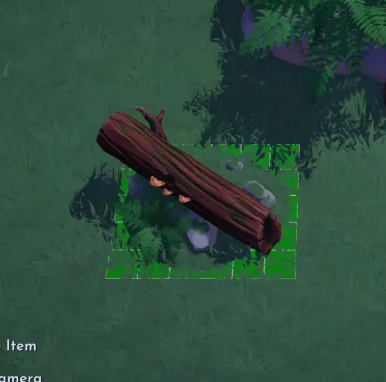
this item is not available to buy again in furniture mode
 wind echo
PS4: another spot with an inexplicable spot where no item can be placed, but pathing is fine. This time in the overlook.
 wind echo
PS4: The eternity isle ruler diaries, Gaston’s diary, and Rapunzel’s lyrics have been added to the memory frame pool, which makes it really hard to scroll through.

 wispy lake
Platform: PS4
Issue: Gaston’s house doesn’t allow for paths to be placed under it like all (?) other houses, see Rapunzel’s and EVE’s for reference.


 still stirrup
Platform: Switch
Issue: Can't move furniture back into my inventory. I have multiple items I am not allowed to remove from my rooms sadly.
Furniture Item Name: L-Couch for pals, the tall bookcase and scars cooking station.
Screenshot/Video:
 uncut shoal
Platform: Nintendo Switch
Issue: I moved EVE's house/ship from Eternity Isle to the Valley and when I exited furniture mode it disappeared. She is no longer in the character menu on the map tab, he house is not in my inventory in the House section, and her house has not reappeared on Eternity Isle
 junior bison
Platform: xbox series x
Issue: items from rift of time not being able to be placed on tables ect. Hope this is a bug and not intended.
 tepid shoal
Hey sorry, hope this isnt the wrong bags and issues channel but i found this and thought i would point out that Flynn is in tangled not frozen

 grizzled crystal
Platform - Nintendo Switch
Eternity Isle crafting items don't sit on tables.
 vestal furnace
Issue: when placing furniture it moves back into inventory or other spaces where I’ve placed previouslyPS4: I want to make Gaston’s lodge part of a village build but I can’t put pathing inside the lodge’s hit box.

 indigo sonnet
Platform: PC
Issue: Placed the "Disposable Camera" on the "Painted Wood Table" and now cannot pick up the camera off the table, therefore unable to delete the table (also placed in the main room of the house so cannot resize the room to delete the items)
Furniture Item Name: Disposable Camera and Painted Wood Table
Screenshot/Video:
 analog ginkgo
Platform Switch
Location Eternity Isle
Issue I removed sand dunes in the desert not realizing they aren’t anywhere in furniture mode. I looked in trees, rocks, bushes and even my own inventory.
 gilded inlet
Putting this bug here, because I'm not entirely sure where to put it but it is duplicated by Furniture Mode.
Platform: PC
Issue: When in furniture mode and (from my experience) I have moved a fair amount of items (around 5-10) without leaving that mode, once I do my character is completely unable to move and is frozen in place. I have to always quit to main menu to fix it.
For example: going around every biome to pick up specific flowers, and once you exit Furniture Mode, you are frozen. I've had this happen twice now within 2 days and doing the same steps, the issue repeats.
 silent nebula
I'm unable to place the poets corner for the poetic licence quest. The object states that it must be placed outdoors, which I obviously am, but a note appears that the object cannot be placed here. I've tried every area in the rift with the same result. I've tried to place it in the Valley and I can get the object out of the menu but again obviously I cannot insert it in the Valley. Please advise.
 wet jasper
Platform: switch
Issue: (video below) It decided it wanted to do this now every time I exit furniture mode
 tame flame
Platform: Steam/PC
Issue: Wall Shelf, I placed some fish up there and when I left my house and came back they were gone just gone, I couldn't place anything back up there but I was able to delete the shelf like it had nothing on it.
Screenshot:
 weak hound
Platform: PC
Issue: I have been trying to place some additional doors in my houses and the Door icon does not show up in the Furniture Mode. I have purchased multiple doors and since the update, have not been able to place them.
Furniture Item Name: Doors
 wooden drift
Platform: PS4
Not sure if it's a big but, why can't I put pathing under Gaston's house like all the others 🤔
 true mica
Platform: Steam (steamdeck)
Issue: The lilo & stitch lifeguard towers in natural wood are invisible in furniture mode. I just bought the red one from Scrooge, but it’s completely missing in the entire inventory. It’s just not visible or detected by the collection tab either. So I can’t select/ place it or buy another one. The lifeguard towers in white wood are however working fine.
 spice grove
Platform: Series X
Issue: Items are rearranging upon leaving furniture mode. Items are in places they were never originally in. No saving is happening while in furniture mode for 30+ min. The picture is after leaving furniture mode after I placed everything in neat and organized places and suddenly everything was strewn about.

 frank vigil
Platform: Nintendo Switch
Issue: Furniture items moving upon exiting furniture mode. Same issue as was happening in July after the Vanellope update.
 oak parrot
Platform: steam Issue: furniture mode is wonky. Some items will be stuck and unable to move, then when you go out of furniture mode it’s all rearranged. I couldn’t remove a cabinet but restarted and that finally moved however it’s not working for shelves. The ones we craft, I can’t move them, I can’t store them, nothing.
 misty crane
Switch:
While in Furniture mode, flowers turn invisible no matter what biome or land Im on.
 warm depot
Platform: Switch
Issue: I have one table that I absolutely cannot get rid of. I've tried removing it entirely, moving it around (both within the same biome and to others), and even moving/deleting it and placing new furniture in the same spot. When I exit Furniture Mode, it's in the same spot as always; in the last scenario where I placed new furniture, the new stuff just gets bounced around to make room for the table.
I've also experienced the same issue as others where items end up in different spots than they were placed.
 jolly moon
Platform: Xbox one
Issue: Some of the Eternity Isle items can't be placed on tables/crates which is frustrating for designing and organizing storage rooms.
It would also be nice if coffee beans were made smaller so you could fit them in one square. Size proportions of some foods compared to each other are strange.
 shrewd raft
Platform: PS4
Issue: Cannot place certain items on the table; even if items seemingly in the same category can be placed on tables some cannot. An example is quartz can be placed on tables, but copper cannot. Another example is other woods, but not tropical wood.
Screenshot/Video:


 blissful whale
I spent a bunch of time decorating in E.I. and when I went to save and quit furniture mode all of it disappeared. And two of the decorations I put on a table are now floating and I can't remove them
 tawdry summit
Platform: Nintendo
Issue: I have Wall-Es garden in my village. I was redecorating yesterday and moved it somewhere temporarily but it has now disappeared completely from my village. I have searched every biome by foot and through furniture mode but it's gone.
jolly moon
Platform: Xbox one
Issue: The shelves you craft in the dlc can't be moved after you place them on a wall. I've tried quitting furniture mode and quitting the game and it doesn't change. When you hover over the (empty) shelf the hand doesn't open at all.
Edit: a helpful member suggested to try from the backside of the walls because the shelves were backwards and this fixed the unlovable shelf problem!
However I have a new shelf problem, the corner shelves plain refuse to go into some corners, even if there is a shelf beside them, nothing under them etc.
 mortal oasis
Platform: xbox series x
Issue: new jungle wood does not sit on top of counters
Screenshot/Video: https://www.xbox.com/play/media/Wn5Cd68XPj

 loud latch
platform: PC
issue: Eric’s Ship Player home missing left door inside
description: was decorating then the door disappeared and hasn’t come back, can’t access that room at all anymore and can’t place a new door
 low token
Platform: PC- Steam
Issue: Corner shelf- it works for every corner except for the top left when facing the entryway. It's like this for every room. Please let me put my corner shelf in that corner T_T
Screenshot/Video:
marsh star
marsh star
Platform: PC (Xbox App)
Issue: Changes are not saved correctly when exiting the ...
Platform: PC (Microsoft/Xbox shop)
Issue: This is an update on the bug mentioned in my previous post. The bug is still happening and it has been around for at least a year. I was also experiencing it on Switch before I started playing exclusively on PC. Changes are not saved correctly when exiting the Furniture mode and furniture is placed where it shouldn't be. It seems to mostly happen when I'm spending more than 5 minutes in the furniture mode. It's so annoying. My workaround is to exit furniture mode often and save, but sometimes I forget to do it for more than 5 minutes and the bug strikes again. This bug is not mentioned on the Trello board even if I've seen multiple people sharing the same bug on Reddit and here.
 wicked fractal
Platform: PC (steam)
Issue: This has happened twice and finally figured out what was happening. Fruit trees/bushes will "disappear" but is still present in the game preventing you to place anything in it's spot but my character is able to run through the "empty" spot. The only way to fix it is to shut down the game and relaunch it.


 silk current
Platform: Win11 - Windows Xbox Game Pass
Issue: Furniture mode resets, and furniture goes missing. When I exit out of furniture mode the furniture moves seemingly at random. Further more, some of the funiture goes missing, it is no longer in my inventory.
And the Toy Story category in funiture collection is gone too so I can't find the name of the specific table I lost.
Furniture Item Name: The glass cloud table from toy story
 leaden inlet
Platform: Xbox
Issue: 2 decor items unable to be removed for months. They are stuck along the edge of pond in Peaceful Meadow
 hidden kraken
Platform: Switch
Issue: Purple and green speckled path is glitched and won’t fill. Also when I have it laid down and try to fast travel anywhere my game will crash immediately.
analog sierra
Platform: PC (Steam)
Issue: I'm not able to fill the path without it breaking.
Furniture Item Name: Yellow and Blue Speckled Path
Screenshot/Video:

 small crane
**Please post here if you're having Furniture Mode related issues.
Use the format below:**
Issue:  while placing in my plaza, it glitches hard by suddenly erasing all of my border stone paths 900plus, took out my carpet also.
Furniture Item Name: Zen Garden
Screenshot/Video:```Platform: PC (Steam)
Issue: The foliage for the waterfall have bugged out.
Furniture Item Name: Nala's Waterfall
Screenshot/Video:

 haughty gazelle
Platform: Xbox One
Issue: I had placed this item a while back and it had dissappeared but when redecorating today i found it was on the other side of the wall and i cant remove it.
Furniture Item Name: Potion Cupbaord
Screenshot/Video:
 shrewd valley
Platform: Switch
Issue: can't place certain dropped items like coffee beans and Dreamlight Fruit on tables or stalls
Photo:

 high whale
Platform: PC (Xbox Game Pass)
Issue: Furniture disappears and disappears from my furniture list.
Furniture Item Name: Wall Shelf and Corner Wall Shelf.
I had shelves along this wall and one corner shelf, they were acting up and wouldn't stay or keep the gems in place (several shelves even turned around and wouldn't let me turn them the correct way). Decided to restart my game, when I did, most of my gems disappeared (just those that stayed on the one shelf and the ones on the floor were the only ones that stayed). Now my other Wall Shelves items are gone from my Furniture Mode.
 shrewd valley
Platform: Switch
Issue: in some rooms I can't place bookshelves in this 2×1 spot in the corner, especially 2×4 items

 low schooner
Platform: Switch, Issue: I moved all the eternity isle fruit trees/bushes to the second floor of the unlockable docks area (above eve and wallee’s little date area). The trees/bushes were placed in neat rectangles of six or four along the side walls. When I closed furniture mode though, only some had moved where I’d put them, and some had switched places with a plant from a different rectangle. Some moved back down to the main landing of the unlockable area where I’d kept all the plants before. I don’t know if it’s related to what’s wrong with this area, but the gray rock you can see next to the telescope, I was unable to remove when clearing the area for plants.

 analog sierra
Platform: PC (Steam)
Issue: I'm having an issue placing these shelves in the corner and some of the hinges won't face the wall.
Furniture Item Name: Small Wall Shelf, Wall Shelf, Corner Wall Shelf
Screenshot/Video:


 main ore
Platform: Steam
Issue: when trying to place the bridge painting, it's upside-down from the description and there is no way to rotate it


 hearty arrow
Platform: Playstation 5
Issue: camera highlights with table and no way to to remove it,i recently was doing a dreamsnap and was putting back all my furniture and got to the camera and no matter what angle or how zoomed in or out or where i moved the table,it wouldn't let me remove the camera,so i can remove the table,already made a ticket and they say there aware,now just waiting on the fix 😮💨
muted grotto
Platform: PC/Steam
Issue: Extreme lag after going in and out of furniture mode in the players house (this lag doesn't happen when in furniture mode outside)
Furniture Item Name: N/A
Screenshot/Video: (video shortened in order to upload here but i have a longer video if necessary)
Extra notes: The lag goes away after leaving your house and going back in but if you enter furniture mode again whilst in the house it starts lagging again, the lag is fully game side as it runs perfectly fine IN furniture mode and anywhere else within the valley including inside the players house (until you enter and leave furniture mode of course as seen in video)