#smart kids gameroom, and the mystery of the unpackable .chc files
65 messages · Page 1 of 1 (latest)
 distant snow
this screenshot from my tinke is what the .chc file is usually grouped with, a .pal and .scr file, alongside the main .chc file.
https://file.garden/Y2lswZOdi23QPPVI/Screenshot_20240806_234458.png
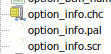
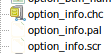
while tinke says that the .chc file is lre compressed, trying to unpack it leads to a useless file that tinke can’t do anything with.
there are multiple .chc files like this inside the rom, all grouped with .pal and .scr files as well.
while tinke may not be able to do anything with this, maybe another extractor might give me a clue.
distant snow
though i’m having trouble finding a good extractor to use
distant snow
coming back to this post after about a week and i have made zero progress on figuring out what the deal with these .chc files are
 median geyser
can you post the decompressed chc here?
and the compressed original too, for good measure
distant snow
hold on
let me get them from my steam deck
distant snow
@median geyser i apologize for making you wait but here
i feel like they have to have SOMETHING on them
its just that tinke isnt unpacking them properly
distant snow
oh yeah i can also supply the .pal and .scr files it comes with
distant snow
distant snow
median geyser
can you post the decompressed chc here?
i have supplied everything that you may need, if you do come back to this, please feel free to dm me or reply to this message with a ping.
 fallen flower
Might have something but need to reorganise the output data, at the moment it's an 8x5680px png lol
fallen flower
distant snow
i have supplied everything that you may need, if you do come back to this, pleas...
Almost got it, so looks like the .pal file has the palette data with each colour as 2 bytes, then the .chc file (unpacked) is the image data made up of 8x8 pixel tiles where each byte is used as an index to the palette, and think the scr might be the tilemap because no matter what width I use, the tiles don't line up right apart from the To the parents bit
 distant snow
how did you do that
fallen flower
Wrote some C#
distant snow
ah
fallen flower
Reminded me of some of the CD-i stuff I've seen which used similar techniques
distant snow
sadly this is not the “ask mother to help” screen but i can try and find it
i believe “option_menu.chc” is what i’m looking for
there were other files labled “option_menu” but they were in formats readable by tinke
sadly i may not be able to put these onto the site because i didn’t rip them myself
fallen flower
distant snow
sadly i may not be able to put these onto the site because i didn’t rip them mys...
I can always provide the code or I used or an exe, once I've got it down, then you can use that to rip them yourself 🙂
distant snow
if it’ll work on my steam deck with proton then it’ll be fine
then i can start ripping stuff myself
fallen flower
https://blog.jetbrains.com/dotnet/2023/08/23/how-to-install-jetbrains-rider-on-steam-deck/#installing-.net-on-steam-deck suggests you can install the .net part of things at least
That's that original option_info one, lemme see if the menu works without adjustments

Does that look right?

@distant snow that's the code for reference, for the exe you'd need to call it from the command line and pass the paths to the files, and the dimensions to sue for the output, might have to try a few times to get the right output, width on both of those seems to have been 256 but of course the height varies
You'll need to install .net 8 sdk as per that jetbrains guide, then from cmd or the SteamDeck equivalent, you'll need to do something like: CHCParser.exe "PathTo.PalFile" "PathToUnpacked.CHC" "PathTo.SCR" width height
distant snow
fallen flower
Does that look right?
the colors are off
and some tiles are missing but i could easily just edit that
fallen flower
Do you have a screenshot/picture of the original? Probably just how I'm interpreting the palette data
distant snow
fallen flower
Do you have a screenshot/picture of the original? Probably just how I'm interpre...
i can screenshot the orignal screen
hold on
 fallen flower
Fairs, think I know what to do


Just had to swap the r and b when extracting the colours 🙂
distant snow
fallen flower
missing tiles
or are those tiles just reused tiles
fallen flower
Must have reused the one at index 0
distant snow
there’s two empy tiles on the speech bubble and an empty tile on the boy’s hat
fallen flower
Yeah 🤔
distant snow
maybe try matching tiles up with the empty tiles
seeing which one fits
oh yeah thank you for helping me solve this mystery btw
fallen flower
I'll have a look tomorrow, getting late here, and no worries 🙂 I enjoy the puzzle most of the time
distant snow
i might try and figure it out myself
with a bit of editing and cross-referencing the original

obviously this isn’t the rip i’m gonna post to tsr
it’ll be a more complete rip like the feed hamsters/exterminate monsters sheet
fallen flower
Turns out, for any tile index larger than the actual number of tiles it only uses one byte for the index and uses the other byte as a flag to rotate the tile

So for 0xe908 (0x08e9) it uses the 0xe9 (233) to get the tile, then 0x08 as a rotate instruction
fallen flower
Code and exe