#What about dialogs?
1 messages · Page 1 of 1 (latest)
 sand owl
 dense emberBOT
sand owl
Hi datapack guys!
Most of the stuff I use when developing datapacks is from 2023...
dense emberBOT
sand owl
Hi datapack guys!
Most of the stuff I use when developing datapacks is from 2023...
 pearl fox
Dialogs are very useful and allow for some previously impossible behaviour. Datapacks can run the dialog command and even specify inline dialogs. This way we can show any data value to the player through macros as scores/nbt aren't properly resolved through dialogs.
Dialogs also come with a decent limitation. When they run commands (in their button actions), the player must have permission to run said command. That way we are limited to only using the /trigger command for most players, thus limiting the data we can collect from a dialog being only booleans (converted to an int) and numbers.
TLDR;
very useful with previously impossible behaviour but they are quite limiting
https://misode.github.io/dialog/ I recommend playing around with misode's awesome tool to understand their layout limits
 charred laurel
The two best uses of dialogs ive seen are
- Replicating a book for a custom book gui, see [the cookbook from crop and kettle](#1392091070812131408 message)
- Config menus through the pause menu, see Smithed Data Pack Menu Dialog or smth similar
-# (top link is to the smithed server)
 gray elbow
Given enough effort you can do more, I have a proof of concept player selection dialog datapack.
However I also think dialogs in their current state should be treated the way they are marked, as an experiment.
Their layout is very limited and quite frankly I would rather see Mojang do a few major breaking changes on dialogs.
Dialogs can run commands but those always run as the player and thus, much like text components, are limited to the permissions that a player has.
It boils down to only having the trigger command for non operators.
 brisk crater
charred laurel
The two best uses of dialogs ive seen are
1. Replicating a book for a custom boo...
brisk crater
charred laurel
The two best uses of dialogs ive seen are
1. Replicating a book for a custom boo...
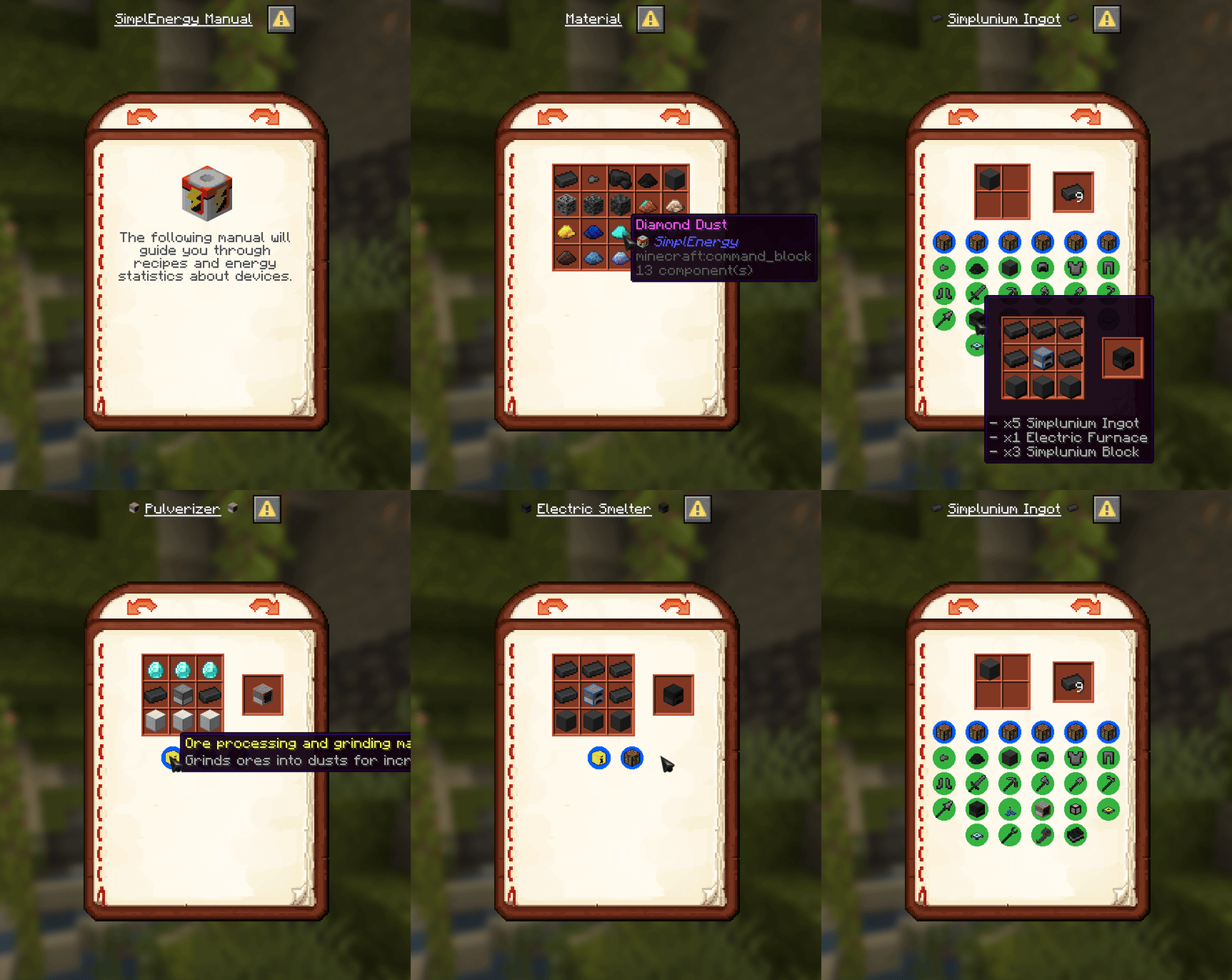
 charred laurel
For reference, all of these crazy uses of dialogs are using custom fonts to basically create any asset
 unreal ginkgo
charred laurel
The two best uses of dialogs ive seen are
1. Replicating a book for a custom boo...
unreal ginkgo
charred laurel
The two best uses of dialogs ive seen are
1. Replicating a book for a custom boo...
cnk my beloved
only thing for these is it puts a LOT of trigger things in chat
a necessary evil but slightly annoying
 hazy granite
I use dialogues to simulate crafting with the advantage of checking custom data on the ingredients. It's amazing if you learn how to use them
 ashen radish
unreal ginkgo
only thing for these is it puts a LOT of trigger things in chat
ashen radish
unreal ginkgo
only thing for these is it puts a LOT of trigger things in chat
gamerule send_command_feedback false
sand owl
Can I display item textures in dialogs WITHOUT hardcoding them into custom fonts?
btw the inline dialogs thing is super useful
ashen radish
you can use atlas but they're small icons
sand owl
how small?
I basically aim to create a inventory view
without interaction with a chest minecart
ashen radish
sand owl
how small?
very
charred laurel
ashen radish
yeah i dont think there is a way other than custom fonts
* There's no way to dynamically other than custom fonts. You can display items, but its more limited.
{
  "body": {
    "type": "minecraft:item",
    "item": {
      "id": "minecraft:acacia_planks",
      "components": {
        "minecraft:item_model": "foo:bar"
      }
    }
  }
}
``` The advantage of custom fonts / font magic, is that you can position things in the dialog more freely (still with some limits)exactly
hazy granite
unreal ginkgo
only thing for these is it puts a LOT of trigger things in chat
Me when using "random roll" before learning that using "random value" doesn't output to chat.
ashen radish
me using random roll on a server to troll people who doesn't acknowledge the /random
sand owl
The 'item' display option seems actually pretty good.
But here come two problems:
- How to put more objects in the same line? (Columns seems not to work for that)
- Input and output objects seem to be separated, how can I have a item object to be a button (clickable item)?
charred laurel
charred laurel
\* There's no way to dynamically other than custom fonts. You can display items,...
See above
Dialogs are very locked down. Font magic is the hack to break out of that
sand owl
charred laurel
Dialogs are very locked down. Font magic is the hack to break out of that
but that also means I cannot work with items and inputs
so I'll have to abort