#Datapack Help
1 messages · Page 1 of 1 (latest)
 patent haloBOT
<@&1201956957406109788>
Someone will come and help soon!
💬 While you wait, take this time to provide more context and details.
✅ Once your question has been resolved (or you no longer need it), please click Resolve Question or run /resolve
 meager totem
Can anyone update this datapack for me to version 1.21.4, it's not just updating pack.mcmeta. You have to change the files, if anyone can help me I would appreciate it.
I don't know English, that is, I can't watch a 100% tutorial to guide myself and I don't know anything about programming or anything related to datapack. So if anyone can help me step by step on how to update or do it for me, I appreciate it. If you want to contact me, here's my discord: CharlieGamer71 # 8727
Help | Java 1.21.4
https://www.planetminecraft.com/data-pack/upgradeable-spawner/
https://www.youtube.com/watch?v=BtMzQlMryuM
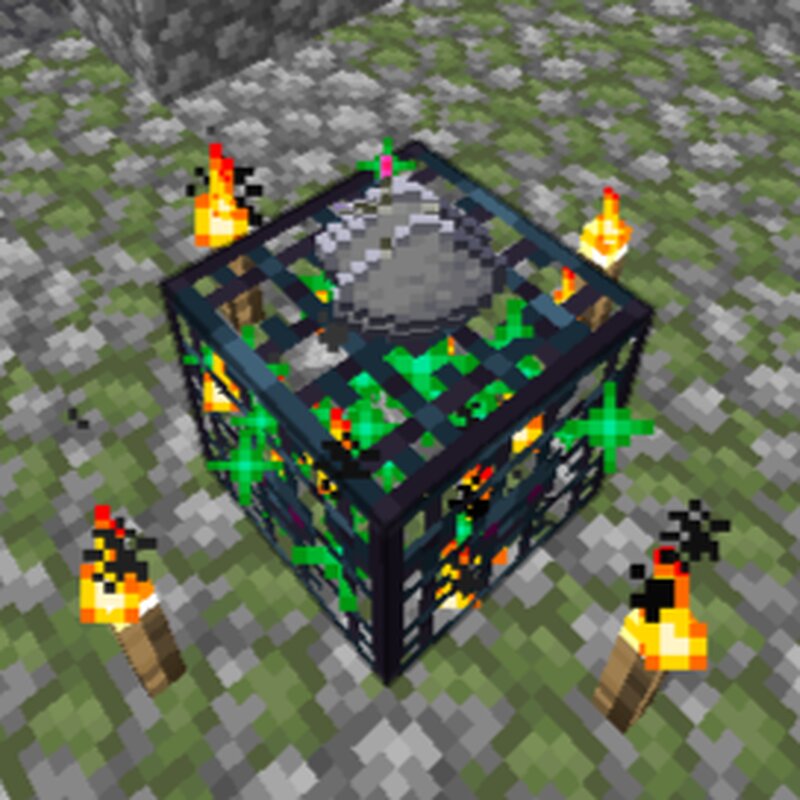
Planet Minecraft
Upgradeable Spawner v1.5 Drop item on spawner to upgrade it. Look at a spawner and trigger getSpawnerData to get spawner data. trigger u spawner.config...
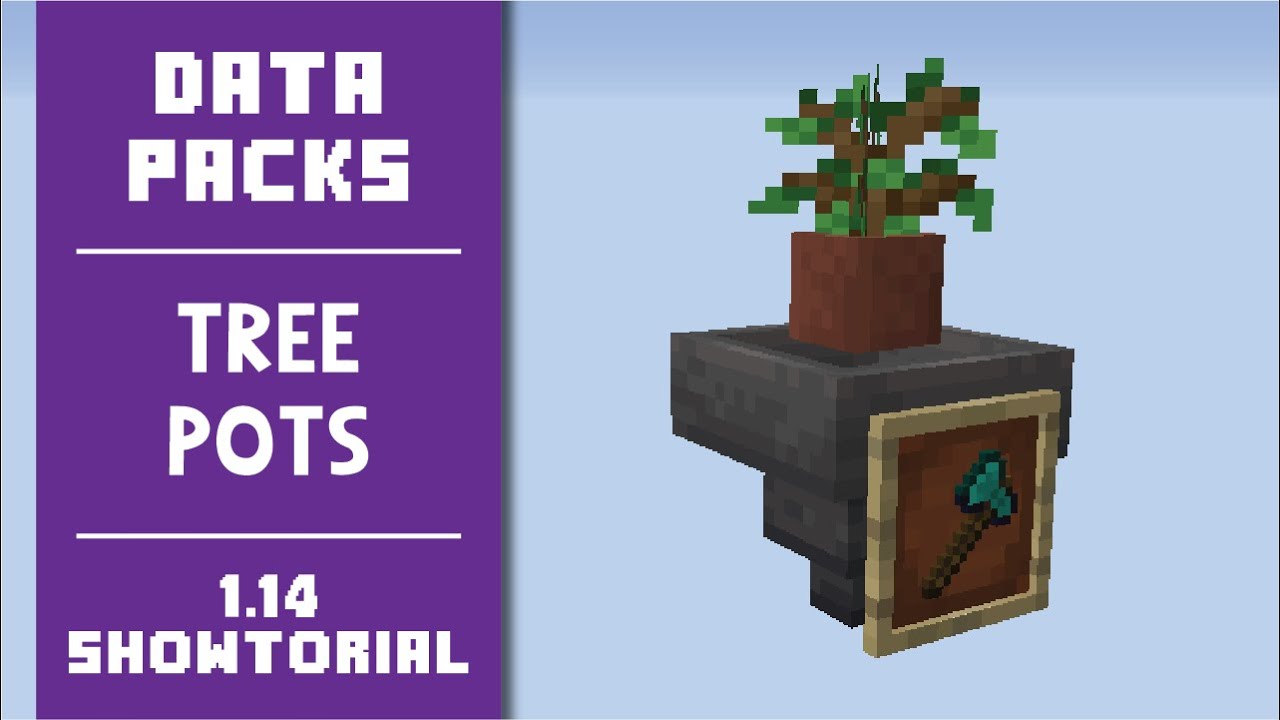
It's my first data pack for the 1.14 snapshots! This time we look at "Tree Pots"...
Auto-magically generate tree-related drops without the hassle of chopping down trees.
This data pack uses commands added in the 1.14 snapshots. It will not function in 1.13
Downloads:
http://mc.voodoobeard.com#tree_pots
Download other data packs at:
http://m...
meager totem
I don't know anything about datapack/programming so I would really like it if you could tell me what to do step by step or if you could do it for me.
patent haloBOT
patent halo
<@&1201956957406109788>
<@&1166082198152159386> <@&1202694677766348840>
🙇 Helpers Arise!
Please note that you still might not immediately get a response since all helpers are human beings and volunteers (and also might be sleeping right now)
 Requested by charliegamer71
 strange elk
This isn't really the purpose of these channels. We are more equipped to help teach people how to make data packs or solve problems with what they're working on. If you're starting from no experience, updating another person's data pack is not a great place to start, and we're not well-equipped to provide guidance for you if you don't have specific questions or issues.
meager totem
So I was trying to update these old datapacks because I wanted to use them in the new versions, but I saw that within Minecraft, the commands that I execute manually work normally. But if the datapack itself is not executed/functional. I do what has to be done for the datapack to work and it doesn't work.
Through this I want to learn how to use datapacks.
I want to know what I need to do to update the datapack to the current version. The datapack was version 1.19 1.20 and I want to put it in 1.21.4. I changed the pack format to 61 which is from version 1.21.4. I changed the plural names to singular as there was a change in the snapshots, but even so it still doesn't work.
meager totem
I came here to ask for help, because I've already been on reddit in communities that deal with datapacks and they said that I had to update to the current version. I updated the Pack format and renamed the folder names and it still doesn't work.
strange elk
Well, in theory we can start by checking the logs when you /reload the pack to see what errors pop up. I'm sure there will be a lot and it may not give them all to you at once, but a LOT of syntax changed between 1.20 and 1.21.4, so there will be a lot to do.
Certainly it's worth noting that yeach, changing the pack format does absolutely nothing. That is used exclusively as an indicator for what version the data pack says it supports, it doesn't actually fix or update anything the data pack does
meager totem
meager totem
My logs from yesterday were supposed to appear and it seems that the file doesn't appear or I can't open the logs, it seems that they are out of date, I don't know.
strange elk
Yeah we don't want the logs file, you need to actually look at the live output logs at the time you are loading the pack
 golden mauveBOT
Logs
When making or debugging Minecraft datapacks, it is useful to have the Minecraft logs open in order to view errors quickly.
To open the logs:
- Enable the logs in the Minecraft Launcher (see image)
- Start Minecraft
The logs should open in a separate window. Datapack errors are shown in the when you /reload and are almost always in red text or yellow text.
 meager totem
Every time I reload it reloads the recipes and the datapack generates the item and then stops again.
 meager totem
pls help-me
 dapper ruin
I don't really understand, can you explain the issue again? Thanks
meager totem
i send this video to explain.
When you hit /reload the datapack it generated an item in the chest, now it doesn't generate it anymore, but I want it to continue generating the item even without hitting /reload.
In resume, the datapack was supposed to work automatically without pressing /reload.
meager totem
dapper ruin
I don't really understand, can you explain the issue again? Thanks
you understand this video?
meager totem
?
dapper ruin
meager totem
When you hit /reload the datapack it generated an item in the chest, now it does...
You put your function definition in the load.json file, but you need to put it in tick.json for it to run on a loop
Oh wait you do schedule it to every 100 seconds nvm
It looks like it should work. The issue might be you build the thing the wrong way round, since the rotation has to be the same each time
meager totem
I didn't build it wrong, it's like this, look at the datapack video.
It's my first data pack for the 1.14 snapshots! This time we look at "Tree Pots"...
Auto-magically generate tree-related drops without the hassle of chopping down trees.
This data pack uses commands added in the 1.14 snapshots. It will not function in 1.13
Downloads:
http://mc.voodoobeard.com#tree_pots
Download other data packs at:
http://m...
meager totem
dapper ruin
You put your function definition in the `load.json` file, but you need to put it...
Can you teach me step by step how to do this?
dapper ruin
meager totem
I didn't build it wrong, it's like this, look at the datapack video.
I know, but it depends whether you build it on the x axis or the z axis
Rotating it 90 degrees from what the datapack expects will mess it up
meager totem
dapper ruin
I know, but it depends whether you build it on the x axis or the z axis
I've built it from several different angles and it always worked, until 1.19 after 1.20 and 1.21 which changed the datapacks it stopped working.
dapper ruin
meager totem
Can you teach me step by step how to do this?
Since you already have a loop set up, it would probably just be easier to change the 100s on the last line to a smaller value like 10s
dapper ruin
meager totem
I've built it from several different angles and it always worked, until 1.19 aft...
Which version are you currently using?
meager totem
How do I resolve the files? What should I do first? What would the code look like?
meager totem
dapper ruin
Which version are you currently using?
1.21.4
dapper ruin
meager totem
How do I resolve the files? What should I do first? What would the code look lik...
There aren't any problems that I can see, I'm trying to figure out why it doesnt generate the item
If you run a /loot give @s loot vb:treepots/birch command, does it give you the item?
meager totem
is right?
patent haloBOT
meager totem
is right?
Quick Look
# Detect and Loot
# Trees
execute at @e[type=minecraft:item_frame,nbt={Item:{id:"minecraft:diamond_axe"}}] if block ^ ^ ^-1 minecraft:hopper[enabled=true] if block ^ ^1 ^-1 minecraft:potted_oak_sapling run loot insert ^ ^ ^-1 loot vb:treepots/oak
execute at @e[type=minecraft:item_frame,nbt={Item:{id:"minecraft:diamond_axe"}}] if block ^ ^ ^-1 minecraft:hopper[enabled=true] if block ^ ^1 ^-1 minecraft:potted_birch_sapling run loot insert ^ ^ ^-1 loot vb:treepots/birch
execute at @e[type=minecraft:item_frame,nbt={Item:{id:"minecraft:diamond_axe"}}] if block ^ ^ ^-1 minecraft:hopper[enabled=true] if block ^ ^1 ^-1 minecraft:potted_spruce_sapling run loot insert ^ ^ ^-1 loot vb:treepots/spruce
execute at @e[type=minecraft:item_frame,nbt={Item:{id:"minecraft:diamond_axe"}}] if block ^ ^ ^-1 minecraft:hopper[enabled=true] if block ^ ^1 ^-1 minecraft:potted_jungle_sapling run loot insert ^ ^ ^-1 loot vb:treepots/jungle
execute at @e[type=minecraft:item_frame,nbt={Item:{id:"minecraft:diamond_axe"}}] if block ^ ^ ^-1 minecraft:hopper[enabled=true] if block ^ ^1 ^-1 minecraft:potted_acacia_sapling run loot insert ^ ^ ^-1 loot vb:treepots/acacia
execute at @e[type=minecraft:item_frame,nbt={Item:{id:"minecraft:diamond_axe"}}] if block ^ ^ ^-1 minecraft:hopper[enabled=true] if block ^ ^1 ^-1 minecraft:potted_dark_oak_sapling run loot insert ^ ^ ^-1 loot vb:treepots/darkoak
execute at @e[type=minecraft:item_frame,nbt={Item:{id:"minecraft:diamond_axe"}}] if block ^ ^ ^-1 minecraft:hopper[enabled=true] if block ^ ^1 ^-1 minecraft:potted_mangrove_propagule run loot insert ^ ^ ^-1 loot vb:treepots/mangrove
execute at @e[type=minecraft:item_frame,nbt={Item:{id:"minecraft:diamond_axe"}}] if block ^ ^ ^-1 minecraft:hopper[enabled=true] if block ^ ^1 ^-1 minecraft:potted_cherry_sapling run loot insert ^ ^ ^-1 loot vb:treepots/cherry
# Fungus
execute at @e[type=minecraft:item_frame,nbt={Item:{id:"minecraft:diamond_axe"}}] if block ^ ^ ^-1 minecraft:hopper[enabled=true] if block ^ ^1 ^-1 minecraft:potted_crimson_fungus run loot insert ^ ^ ^-1 loot vb:treepots/crimson_fungus
execute at @e[type=minecraft:item_frame,nbt={Item:{id:"minecraft:diamond_axe"}}] if block ^ ^ ^-1 minecraft:hopper[enabled=true] if block ^ ^1 ^-1 minecraft:potted_warped_fungus run loot insert ^ ^ ^-1 loot vb:treepots/warped_fungus
# Azaleas
execute at @e[type=minecraft:item_frame,nbt={Item:{id:"minecraft:diamond_axe"}}] if block ^ ^ ^-1 minecraft:hopper[enabled=true] if block ^ ^1 ^-1 minecraft:potted_azalea_bush run loot insert ^ ^ ^-1 loot vb:treepots/azalea
execute at @e[type=minecraft:item_frame,nbt={Item:{id:"minecraft:diamond_axe"}}] if block ^ ^ ^-1 minecraft:hopper[enabled=true] if block ^ ^1 ^-1 minecraft:potted_flowering_azalea_bush run loot insert ^ ^ ^-1 loot vb:treepots/flowering_azalea

# Loot Interval
schedule function vb:treepots/treepots 10s```Looks okay
meager totem
dapper ruin
You put your function definition in the `load.json` file, but you need to put it...
how to make tick.json?
dapper ruin
You don't need it, the schedule command on the last line makes it loop
meager totem
dapper ruin
You don't need it, the schedule command on the last line makes it loop
Should I remove the schedule?
meager totem
ok
meager totem
meager totem
how to make tick.json?
?
dapper ruin
meager totem
You can change the duration of the loop by changing 10s
If you want
If you want the loop to be faster, change 10s in the function to a different value. 10s means it runs every 10 seconds
Can you put a say the function run command somewhere in the function so that you know the loop works?
meager totem
dapper ruin
If you want the loop to be faster, change `10s` in the function to a different v...
Yes, I know that.
meager totem
dapper ruin
Can you put a `say the function run` command somewhere in the function so that y...
how to make this?
dapper ruin
Add a line to the function which is simply just: say the function has run
So that whenever the function runs it sends a message to chat which says "the function has run"
It's useful to debug
meager totem
dapper ruin
Add a line to the function which is simply just:```
say the function has run```
where should i add this in .mcfunction?
meager totem
it's ok?
dapper ruin
Yes
meager totem
And now?
dapper ruin
Reload, and see if the message gets sent
meager totem
ok, i'll open the world and test if it works.
the datapack now works, but the message keeps appearing all the time.
Is there any way I can disable this message and make it work without the message appearing?
dapper ruin
Just remove the message
We only put it there so we can check the function even runs in the first place
Not sure what exactly fixed it but it's fixed now so yay
meager totem
but then won't it stop working again?
dapper ruin
All that command does is sends a message to chat
It is unrelated
Changing the schedule might have done something
meager totem
thankyou so much the datapack is working again, now the upgradable spawners are missing.
dapper ruin
meager totem
thankyou so much the datapack is working again, now the upgradable spawners are ...
I don't know what these are
meager totem
dapper ruin
I don't know what these are
what?
Planet Minecraft
Upgradeable Spawner v1.5 Drop item on spawner to upgrade it. Look at a spawner and trigger getSpawnerData to get spawner data. trigger u spawner.config...
dapper ruin
This is a separate datapack?
meager totem
yeah
meager totem
dapper ruin
This is a separate datapack?
this is a other datapack
meager totem
This datapack works on 1.19 too and due to the 1.20 and 1.21 updates it stopped working.
dapper ruin
You should use an automatic upgrader for this like EMU
Lemme find a link
GitHub
The Easy Map Updater (E.M.U.) is a toolset implemented in Python for automatically updating Minecraft maps for Java Edition to the latest version. - StickyPiston-Hosting/Easy-Map-Updater
meager totem
What would be the use of it?
meager totem
meager totem
This datapack works on 1.19 too and due to the 1.20 and 1.21 updates it stopped ...
the datapack when you throw certain items into the spawner like lapis lazuli, glowstone, redstone and sugar, it upgrades the spawners but when these items are dropped on top it does not disappear the items in the case it sucks the items, and this is wrong because it was for the items to disappear or in other words suck the items.
dapper ruin
meager totem
What would be the use of it?
to update it to 1.20+
meager totem
dapper ruin
to update it to 1.20+
does it automatically update datapack to 1.21.4?
meager totem
dapper ruin
https://github.com/StickyPiston-Hosting/Easy-Map-Updater
I don't have python because my hard drive is full, and also because I don't use python.
dapper ruin
It will be quite difficult to update the datapack manually
meager totem
Will this python update automatically?
meager totem
?
dapper ruin
Yes, it updates your datapack automatically
meager totem
and how do i upload the datapack to it?
dapper ruin
All the info is in the description of the link I sent
patent haloBOT
Closed for inactivity
This question has been inactive for some time, so it's going to be closed for inactivity. If you still need it, please disregard this message.
Any further messages or reactions will re-open this thread.
meager totem
I can't open it.
meager totem
I need your help, I was messing with the datapack that treepots, I was going to change the chance of more oak log appearing in the chest I had managed, but I went to add more things the datapack stopped working, then I decided to revert and I couldn't, then I deleted the file, and tried to redo it again, I put the command: say the function has run and it didn't work anymore, can you help me I will be sending the file here.
 random bronze
meager totem
I need your help, I was messing with the datapack that treepots, I was going to ...
random bronze
meager totem
I need your help, I was messing with the datapack that treepots, I was going to ...
But this is still the same problem/datapack, right?
or why did you post it in here first?
(you also didn't close the question properly, you just added the tag and closed the post. Please use the bot.)
meager totem
Yes, I'm having a problem with the same datapack, and I don't know how to use the bot.
random bronze
meager totem
Yes, I'm having a problem with the same datapack, and I don't know how to use th...
I am loosing my mind (not purely because of you, just in general because nobody reads anything and especially in the last few days there were a lot of people with stuff they didn't read even if it was litteraly the message above theirs)