#I need help with a new gui system im working on
1 messages · Page 1 of 1 (latest)
 hardy cairn
 pallid treeBOT
hardy cairn
how would i spawn a entity with a spawn egg with that entity having tags also re...
pallid treeBOT
hardy cairn
how would i spawn a entity with a spawn egg with that entity having tags also re...
<@&1201956957406109788>
Someone will come and help soon!
💬 While you wait, take this time to provide more context and details.
                        🙇 After a while, hit the Summon Helpers button to ping the helper team. They'll be happy to help you


                        ✅ Once your question has been resolved (or you no longer need it), please click Resolve Question or run /resolve
 lethal snow
use https://mcstacker.net to generate give command spawn eggs
but I don’t understand the question
hardy cairn
i trimmed it down
ok
so
how would i spawn a entity with a tag and replace entitys position with a barrel
i really just need help with the barrel part
 echo nimbus
use an item frame
 lethal snow
As I said you can use mcstacker to create a give command which spawns a marker with tags, then you can detect that marker with execute at @e[type=marker,tag=…] run setblock …
lethal snow
echo nimbus
use an item frame
why?
echo nimbus
lethal snow
If you tell us what this is for then maybe there’s a better way
echo nimbus
lethal snow
why?
cuz he/she/it just wants to place down a custom barrel
they don't actually need a entity
hardy cairn
it would make it more simple
but the problem is
what i tend to do with this
i need it so when that barrel is set there it will automatically open the barrel
and i need the barrel invis
echo nimbus
you can't with datapacks
hardy cairn
the barrel invis?
echo nimbus
that it automatically opens
 coarse zealotBOT
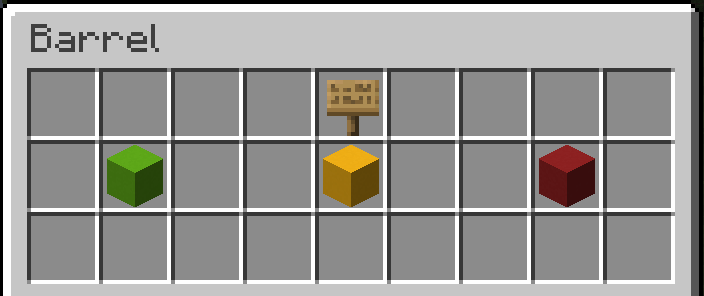
Custom Gui
>>> The guide is too long for Discord, please follow [this link](https://datapackhub.gitbook.io/custom-barrel-gui/) to get to the Guide.
 lethal snow
You have to have it on a block or a chest minecart
 rain geyser
if you don't want it bound to a block, you need a floating chest minecart in their head
echo nimbus
then you just need regular right click detection
coarse zealotBOT
Rightclick Detection
>>> There are multiple ways to detect right clicks using datapacks/commands, here is a quick rundown on each of them and their cons and pros!
You can get more detailed instructions on how to use them using their corresponding /methods
Warped Fungus on a Stick (WFOAS)/Carrot on a Stick (COAS)
This method works by using an item.used scoreboard objective which triggers when using either of the two items and then running commands as/at players with a score of 1 or higher.
Pros:
- easy to pull off
- works in any world
- doesn't require additional entities
Cons:
- wfoas attracts striders/coas pigs and rabbit
Depends:
- detects up to 5 clicks/second when holding right click
Eye of Ender (EoE)
This method works by using an advancement to detect whenever a player uses an eye of ender and then executing code as/at them.
Pros:
- doesn't require additional entities
- doesn't attract mobs
- doesn't need to run every tick
Cons:
- slows player down when holding right click
- only works in worlds without strongholds (there are ways to work around this, although these are way less performant)
Depends:
- detects up to 20 clicks/second when holding right click
- bound to the player, not a specific location
Interaction Entities
This method works by using an advancement to check whether a player interacted with an interaction entity and then executing code
Pros:
- see "depends"
- can also detect left clicks
Cons:
- requires an additional entity
Depends:
- detects up to 5 clicks/second when holding right click
- bound to a specific location, not player
- can't be interacted through
rain geyser
no that would then still require 2 clicks
when do you want the player to be able to open the gui?
like when they hold a specific item?
or in a specific area?
rain geyser
you need what?
hardy cairn
strongholds
rain geyser
what do strongholds have to do with this?
hardy cairn
Cons:
slows player down when holding right click
only works in worlds without strongholds (there are ways to work around this, although these are way less performant)
to right click detection
rain geyser
ah, you don't want rclick detection
rain geyser
rain geyser
when do you want the player to be able to open the gui?
most of the time
rain geyser
rain geyser
when do you want the player to be able to open the gui?
when do you want the gui to open?
rain geyser
hardy cairn
and left click
not possible (*)
echo nimbus
hardy cairn
and left click

lethal snow
the only way to open a custom ui is to trick them into right clicking it
hardy cairn
hm
rain geyser
you always need an actual container that they open
hardy cairn
ok what are the available ways
rain geyser
and that can be a minecart or a block
hardy cairn
then
rain geyser
and you open these with rclick
either click on the block or on the minecart
the minecart can be moved since its an entity
lethal snow
what do you actually want to put in the custom ui?
rain geyser
so if you want do "add a gui to an item" you really just spawn the gui in a minecart in their face when they hold the item and with rclick they interact with the minecart
that also makes it so other players and projectiles can't hit you
rain geyser
it doesn't help you in any way
hardy cairn
the only downside is that it attracts stuff
lethal snow
you can’t open a ui with just right click detection
you need to make them legitimately right click on a container block or a chest minecart
hardy cairn
so what is possible
echo nimbus
hardy cairn
a trading menu
if it works for a wandering trader use that instead
lethal snow
you want it custom right?
hardy cairn
its a player trading
lethal snow
so you can trade with other players and stuff
hardy cairn
yes
hardy cairn
lethal snow
so you can trade with other players and stuff
this
hardy cairn
what ever is easier for my smooth brain
lethal snow
or have it in a specific block like a “trading block” or something idk
rain geyser
hardy cairn
what ever is easier for my smooth brain
custom gui is not easy and a minecart make it more complicated
a chat based gui is quite easy
but limited to text
as the interactable elements
hardy cairn
how would they trade there items via text?
rain geyser
like trade mainhand item
put item to trade in mainhand - run the chat based gui - select player to trade - wait for them to accept
or something like that
rain geyser
how do you then want to initiate the trade?
via command? is that fine?
it would be a /trigger <...> command
hardy cairn
/trigger placeholdertrade
rain geyser
then you need to add that objective with the criteria trigger
and enable that for all players
iirc you can do that every tick for @a without major sideeffects
hardy cairn
ye
rain geyser
and react to that being 1
because a /trigger without a number sets it to 1
or increases by 1? comes out to the same
hardy cairn
how would i do this
hardy cairn
how would i do the code cause i honestly dont know how i would do it
rain geyser
giving a unique id
- initiate a global score once
- any time a new player joins, set their id to the global score
- then increase the global score
u got macros right? if not this is very annoying
hardy cairn
i dont have one nor do i know what a macro is
rain geyser
what version are you in?
hardy cairn
1.20.4
rain geyser
k
u can use macros so all good
displaying all players, the easy way
- execute as all players
- send a tellraw to the player who ran the command with their name and a /trigger click event that triggers to their score (maybe add some offset here if needed)
then the player who ran the command can just click on them and their triggered score corresponds to the player
hardy cairn
ok know i get it
hardy cairn
rain geyser
displaying all players, the easy way
- execute as all players
- send a tellraw...
hello?
hardy cairn
@rain geyser
i have done it
i just need help with the macro
that prints off everybodys name in chat that is in the world/server
i did the click event
rain geyser
macros can run commands while replacing parts of the command
to run a macro with a scoreboard value, you do something like this
execute store result storage a: a.score int 1 run scoreboard players get @s id
function some:macro/function with storage a: a
$say THIS SHOULD BE THE TELLRAW COMMAND WITH /trigger gui_trigger_score set $(score)
this would print the say command with the score where $(score) is
you can use that to build yyour tellraw
hardy cairn
rain geyser
macros can run commands while replacing parts of the command
to run a macro with...
hello?
 uneven dove
hardy cairn
what does it do
uneven dove
hardy cairn
what does it do
Hello, can you tell me briefly what the discussion was about?
hardy cairn
one sec
ok
im back
basically im trying to create a text based trading system
you trade whatever is in your mainhand
uneven dove
hardy cairn
you trade whatever is in your mainhand
What have you already done?
uneven dove
They helped you here, I asked about it. what is already in the datapack?
hardy cairn
uneven dove
They helped you here, I asked about it. what is already in the datapack?
ok
so what ive done so far
is
trade.mcfunction: ```
tellraw @a {"text": "[Server] Trade Started", "color": "#ca6eff"}
tellraw @s {"text": "[Player Selector]", "clickEvent": {"action": "run_command","value": "/function duckie:test"}}
scoreboard players set @s trade 0
playsound minecraft:block.note_block.bell player @s ~ ~ ~ 500
test.mcfunction: tellraw @s {"selector":"@a"} playsound minecraft:block.note_block.harp player @a ~ ~ ~ 500
pallid treeBOT
pallid tree
<@&1201956957406109788>
<@&935561184806060073> <@&1202694677766348840>
**🙇 Helpers Arise!**
Please note that you still might not immediately get a response since all helpers are human beings and volunteers (and also might be sleeping right now)
 Requested by drummerduck2000