#how to raycast
1 messages · Page 1 of 1 (latest)
 frozen pecan
 umbral acornBOT
frozen pecan
I am trying to restart my 3x3 mining pickaxe goal for which I got to know that I...
umbral acornBOT
frozen pecan
I am trying to restart my 3x3 mining pickaxe goal for which I got to know that I...
<@&1201956957406109788>
Someone will come and help soon!
💬 While you wait, take this time to provide more context and details.
                        🙇 After a while, hit the Summon Helpers button to ping the helper team. They'll be happy to help you


                        ✅ Once your question has been resolved (or you no longer need it), please click Resolve Question or run /resolve
the raycasting is for detecting blocks mineable by the (netherite) pickaxe as it can only mine blocks in the pickaxe_mineable tag
 elder jewelBOT
⚙️Raycast
If you've not made many datapacks, you might not be familiar with raycasting. It's a really useful tool which we can use to essentially find where the player is looking and then do stuff (such as spawn explosions 😎).
To create a raycast, we can use a recursive function. A recursive function is a function which will run itself over and over again. In our case, the function will run itself 0.1 blocks forward (^ ^ ^0.1) each time, and repeat until it hits something. It will do this all within the same tick - but bear in mind that the bigger the distance, the more laggy it will be. We can stop this unwanted behaviour by putting a distance limit on the raycast - each time it runs itself, it will count down on a scoreboard, and only repeat if it hasn't hit the limit.
start_raycast function:
# Set the distance limit on the raycast. (10 x limit in blocks, so 1000 would be 100 blocks)
scoreboard players set .limit <any objective> 1000

# Start the raycast
execute at @s anchored eyes positioned ^ ^ ^.1 run function <namespace>:raycast
raycast function:
# Remove one from the limit
scoreboard players remove .limit <objective> 1

# Optional - place a particle, to make the raycast leave a trail
particle minecraft:dust 1 0 0 1 ~ ~ ~

# If the raycast has hit a block, do something
execute unless block ~ ~ ~ #<namespace>:pass_through run setblock ~ ~ ~ diamond_block

# If the raycast hasn't hit a block, continue, but only if the limit is 1 or more (1..)
execute if block ~ ~ ~ #<namespace>:pass_through positioned ^ ^ ^0.1 if score .limit <objective> matches 1.. run function <namespace>:raycast```

namespace/tags/blocks/**pass_through**.json:```
{
    "replace": false,
    "values": [
        "minecraft:air",
        "minecraft:cave_air",
        "minecraft:void_air"
    ]
}
This should be it! Make sure you add all the functions, and fill in all the blanks (indicated by <this>). Then, you can run the start_raycast function as a player, and it should work.
 wicked shadow
frozen pecan
oh
wicked shadow
frozen pecan
oh
lmk if you have any issues or confusing moments with this method
 wicked shadow
frozen pecan
what do you mean by: 0.1 block forward" ?
wicked shadow
frozen pecan
what do you mean by: 0.1 block forward" ?
well
literally 0.1 blocks forward
frozen pecan
so it runs every tick?
wicked shadow
raycast is essentially like a beam that first checks current position whether its a block, if its not it will move forward on 0.1 blocks it will repeat that over and over until it reaches a block and then you type your code like destroy the block or whatever
wicked shadow
frozen pecan
so it runs every tick?
it runs recursively, as fast as your cpu allows (very fast, a lot faster than tick)
wicked shadow
"eto" ?
frozen pecan
like if the player is looking at a block, it signals the pickaxe if it is mineable with a tag from where the raycasting runs
am I right?
frozen pecan
wicked shadow
"eto" ?
to
wicked shadow
frozen pecan
like if the player is looking at a block, it signals the pickaxe if it is mineab...
you could do that
frozen pecan
so can it sense blocks around that
wicked shadow
around what
frozen pecan
as in the player looks at the centre block of the 3x3, how does it detect remaining blocks under the mineable tag
wicked shadow
how?
frozen pecan
oh
so I gotta setup 8 predicates linked to the raycast
so let me get it straight, If the block looking at by the player is under the tag, it runs the raycast which results in 8 more predicates and if not under the tag, doesn't at all.
lemme quickly go through the wiki to actually learn to input commands or functions
@wicked shadow can you suggest a tutorial or site to learn coding
wicked shadow
frozen pecan
so let me get it straight, If the block looking at by the player is under the ta...
8 predicates?
frozen pecan
well it has to detect blocks in every single direction to the mined block so actually more than 8
so more like 27 predicates cuz a 3x3 miner mines in a cube of 3x3x3 so 27
am I correct? @wicked shadow
frozen pecan
huh
wicked shadow
where you get these numbers from
frozen pecan
my small brain
frozen pecan
wicked shadow
24 times actually
how?
wicked shadow
frozen pecan
how?
yea well usually when people mean 3x3 pickaxe it mines a 3x3x2 space 99% of the time, but if yours is 3x3x3 then ig yea its 27 blocks
frozen pecan
yeah you're right cuz of air blocks
frozen pecan
wicked shadow
yea well usually when people mean 3x3 pickaxe it mines a 3x3x2 space 99% of the ...
so, what is the command to execute ifblock at the right/left/diagonal
wicked shadow
frozen pecan
so, what is the command to execute ifblock at the right/left/diagonal
figure it out bruh
you never used relative coordinates
?
i am pretty sure there is a video on relative coordinates on youtube
frozen pecan
ok
frozen pecan
yeh I m not getting how to code it
wicked shadow
frozen pecan
yeh I m not getting how to code it
did you make a raycast already?
frozen pecan
wicked shadow
did you make a raycast already?
umm not yrt
give me a min
@wicked shadow how do I code it in?
I know nothin about coding
wicked shadow
frozen pecan
umm not yrt
huh then why are you saying you're not getting it? you're not even there
just code the raycast first
divide your main goal into small tasks
frozen pecan
ok
frozen pecan
kk
frozen pecan
wicked shadow
1st raycast
2nd block detection
wait, what ais the difference?
wicked shadow
frozen pecan
<@660129612256247845> how do I code it in?
exactly like it was written in the tutorial
wicked shadow
frozen pecan
wait, what ais the difference?
one is raycast the other one is block detection
dont ask too many questions, sooner you get to work - the sooner you will realise
raycast as i explained is a beam, and block detection is... well a block detection
frozen pecan
kk
frozen pecan
wicked shadow
exactly like it was written in the tutorial
ook
frozen pecan
wicked shadow
exactly like it was written in the tutorial
I have done it
so what now @wicked shadow
frozen pecan
mhm
wicked shadow
what did you test it on
frozen pecan
wdym
frozen pecan
elder jewel
this thing
frozen pecan
wicked shadow
exactly like it was written in the tutorial
..
wicked shadow
i said
"do exactly like here"
wicked shadow
okk so you shoot a block and then what happens
frozen pecan
I am lost
wicked shadow
frozen pecan
block
-how did you test it, did you shoot a block or an entity?
-block
frozen pecan
give me a minute
wicked shadow
here you agreed that you tested it on a block
frozen pecan
uhm no
wicked shadow
frozen pecan
uhm no
screenshot evidence

 wicked shadow
no need to sorry
i am sorry for making you feel like you should apologize lmao
you wanna vc rn
frozen pecan
wicked shadow
i am sorry for making you feel like you should apologize lmao
nah all good
frozen pecan
wicked shadow
you wanna vc rn
In school
online to be exact
uhh @wicked shadow
can you please tell me my mistake in the code
it ain't detecting
wicked shadow
frozen pecan
In school
why are you even making datapack at school.......
wicked shadow
frozen pecan
can you please tell me my mistake in the code
can you just send it as a zip
or just copy the code
frozen pecan
kk
frozen pecan
wicked shadow
why are you even making datapack at school.......
online breh
wicked shadow
oh alright
frozen pecan
here
but the thing I don't get is how does the raycast link up with the block detection?
wicked shadow
frozen pecan
It detects an entity
oh so it works?
frozen pecan
no
I just went through the code and understood that it detects an creeper
but it did not load in for me
it didn't even detect my datpack
frozen pecan
k
wicked shadow
who tf made the tutorial
@deep pelican can you ask ppl to replace current raycast tutorial with a better one? maybe i will make a pr myself
p.s. i am sorry for ping, not relevant anymore
frozen pecan
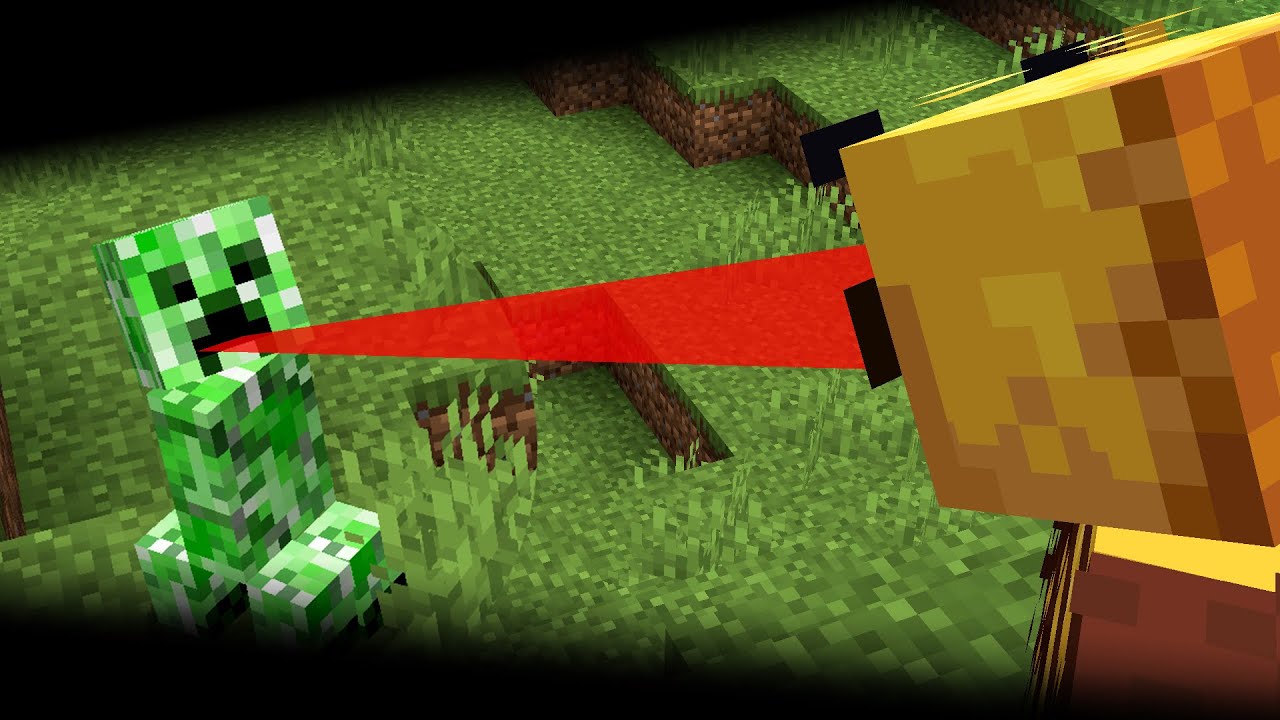
A quick tutorial on raycasting in Minecraft: how to raycast in a Minecraft data pack / using vanilla Minecraft commands.
NOTE: In newer versions of Minecraft some block names have changed, so the ray_permeable tag needs to be updated.
Introduction to data packs: https://youtu.be/x3ZSJr9NHGE
Raycasting demo project: https://www.danjb.com/files/...
frozen pecan
wicked shadow
<@543741360478355456> can you ask ppl to replace current raycast tutorial with a...
😄
wicked shadow
oh bro
frozen pecan
oh
wicked shadow
elder jewel
you should use this
frozen pecan
2 yrs
frozen pecan
wicked shadow
you should use this
ight
wicked shadow
is bad
frozen pecan
yeh 2 yrs old too
imma get to that 10-15minutes, I am getting a call, excuse me please
wicked shadow
no prob
wicked shadow
frozen pecan
not loading up 😦 <@660129612256247845>
what does that even mean
@frozen pecan what do you mean not loading up
wicked shadow
@frozen pecan whats not loading up
frozen pecan
sorry, the datapack is not being recognized @wicked shadow
wicked shadow
frozen pecan
sorry, the datapack is not being recognized <@660129612256247845>
there is no way, screenshot the insides of your datapacks folder
wicked shadow
@frozen pecan
frozen pecan
KK
wicked shadow
silabear set offline status


 craggy obsidian
I think they meant the datapacks folder of your world
Where that data pack is placed into
Also - if you /datapack list - does it show up?
wicked shadow
craggy obsidian
I think they meant the `datapacks` folder of your world
HELL YEAS
wicked shadow
frozen pecan
WORLD/datapacks/*
i am pretty damn sure your datapack is inside another folder and thats why it doesnt show up
because why elsse woudl there be extra folder in the zip you sent me
craggy obsidian
To be recognized and loaded, just the pack.mcmeta needs to be there and in the correct format
wicked shadow
frozen pecan
ah yes
AH YES GOT IT... (NO SCREENSHOT)
frozen pecan
wicked shadow
AH YES GOT IT... (NO SCREENSHOT)
sorry, I had to go run an errand
gimme a sec
my pc is dying
wicked shadow
is dead right
frozen pecan
wicked shadow
is dead right
wait bruh, my pc is shutting down every time I open VS code
I m panicking rn
wicked shadow
frozen pecan
wait bruh, my pc is shutting down every time I open VS code
do you have your minecraft open at that same time too?
frozen pecan
wicked shadow
do you have your minecraft open at that same time too?
nope
 upper gorge
frozen pecan
wait bruh, my pc is shutting down every time I open VS code
upper gorge
frozen pecan
wait bruh, my pc is shutting down every time I open VS code
scary
and odd…
sorry idk why that might be 😭
frozen pecan
yr
@wicked shadow I fixed it
I add to close bacground applications in task manager, my cpu as at 118% lol
lemme try it out
wicked shadow
@frozen pecan down to vc like in 3 hours
frozen pecan
I don think I can
It's like 7AM rn and I got school by 8:30-9 ish
@wicked shadow
the pack ain't working for some reason
it should send out a red beam wherever I looked and turn every block I run into to a diamond
wicked shadow
bruh
does it still not show up ?
the folder structure should look like this
.minecraft/saves/YOUR WORLD/datapacks/raycasting/pack.mcmeta and it should show up
i am pretty sure what you have looks more like
.minecraft/saves/YOUR WORLD/datapacks/raycasting/raycasting/pack.mcmeta
because thats how you sent it here
 deep pelican
frozen pecan
deep pelican
frozen pecan
do you ever create the gg scoreboard?
frozen pecan
uhh
frozen pecan
deep pelican
do you ever create the gg scoreboard?
wdym
frozen pecan
wicked shadow
because thats how you sent it here
I changed that
wicked shadow
frozen pecan
wdym
he asks if you have
scoreboard objectives add gg dummy
in your load function
wicked shadow
deep pelican
do you ever create the gg scoreboard?
thats not important right now since datapack isnt even showing up but all the paths and pack.mcmeta are correct lol
 unique pelican
frozen pecan
wdym
unique pelican
frozen pecan
wdym
If you never run the command to initialise the scoreboard, it won't exist and therefore won't store any values
wicked shadow
wicked shadow
thats not important right now since datapack isnt even showing up but all the pa...
.
frozen pecan
wicked shadow
thats not important right now since datapack isnt even showing up but all the pa...
it does show up bro
frozen pecan
frozen pecan
the pack ain't working for some reason
.
frozen pecan
frozen pecan
it should send out a red beam wherever I looked and turn every block I run into ...
.
wicked shadow
frozen pecan
sorry, the datapack is not being recognized <@660129612256247845>
since then you've never said it shows up
unique pelican
wicked shadow
he asks if you have
`scoreboard objectives add gg dummy`
in your load function
Have you run this command?
frozen pecan
I should've said that, mb
wicked shadow
yea so ig just create the scoreboard in the load function
 unique pelican
You need to put that in the file data/ray_demo/functions/load.mcfunction
unique pelican
load.json tells the game which functions to run on load, the commands then need to go in the functions themselves
frozen pecan
ohk
deep pelican
You also need to create data/ray_demo/functions/load.mcfunction first
Then in that mcfunction you put the scoreboard command
wicked shadow
frozen pecan
<@660129612256247845>
IN LOAD
frozen pecan
OK
frozen pecan
deep pelican
Then in that mcfunction you put the scoreboard command
done
so now what? @deep pelican
unique pelican
Does it work now?
frozen pecan
nope
unique pelican
Lemme take a look at the files for a second, then I'll try and figure out what's wrong
frozen pecan
kk
unique pelican
So does the function not run at all?
unique pelican
Do you correctly run the start_raycast function? Like what prints in chat when you run the command
frozen pecan
it runs nothin
frozen pecan
unique pelican
Do you correctly run the start_raycast function? Like what prints in chat when y...
what command?
unique pelican
/function ray_demo:raycast_start
 unique pelican
That means the function hasn't loaded properly
Show me the chat output of /datapack list
I have to go now, I'll be back later. Maybe someone else can help you in the mean time
 unique pelican
frozen pecan
unique pelican
frozen pecan
Looks like your datapack is disabled. Run /datapack enable raycasting
frozen pecan
ok
unique pelican
Now try the raycast function again
frozen pecan
k
wicked shadow
frozen pecan
uhh <@660129612256247845> please help
/datapacks enable raycasting
oh yea
 unique pelican
/function ray_demo:raycast_start
unique pelican
unique pelican
/function ray_demo:raycast_start
Alright, see if this works
unique pelican
ok cool
frozen pecan
soo uhm how doesit help me make a3x3mining pickaxe?
@wicked shadow so what do I do from here?
unique pelican
Basically, you want to detect the player using the pickaxe, then run a raycast to find the block they broke, and then destroy the 3 blocks around it
frozen pecan
unique pelican
Basically, you want to detect the player using the pickaxe, then run a raycast t...
8*
frozen pecan
wicked shadow
LETS GO
YE
unique pelican
frozen pecan
8*
that, I can't maths
frozen pecan
wicked shadow
pls now ask help from the neovim guy
ight
frozen pecan
unique pelican
that, I can't maths
ok lol
unique pelican
The only problem is, the block they just broke is now broken
Which means you can't detect it with raycast
unique pelican
So there's probably two ways that you could do this
frozen pecan
hmm
unique pelican
One is to look for an item that is newly created, and assume that it came from the block they broke
The other is to check what block they are looking at each tick when holding that pickaxe, and then you know which block it is when they use it
frozen pecan
hmm
unique pelican
Those are the two that I can think of, anyway
frozen pecan
unique pelican
The other is to check what block they are looking at each tick when holding that...
this seems more 'sane'
frozen pecan
unique pelican
The other is to check what block they are looking at each tick when holding that...
how do i DO IT ...
unique pelican
But I haven't really made something like this before, so maybe someone else has a better way
Sorry, I have to go now. I can help you later
frozen pecan
np
umbral acornBOT
umbral acorn
<@&1201956957406109788>
<@&935561184806060073> <@&1202694677766348840>
**🙇 Helpers Arise!**
Please note that you still might not immediately get a response since all helpers are human beings and volunteers (and also might be sleeping right now)
 Requested by saigamez
 fiery stag
isnt this resolved already
wicked shadow
fiery stag
isnt this resolved already
not even close
 swift pike
frozen pecan
I am trying to restart my 3x3 mining pickaxe goal for which I got to know that I...
swift pike
frozen pecan
I am trying to restart my 3x3 mining pickaxe goal for which I got to know that I...
you don't need raycasting, you can just check when the player uses the pickaxe, and once he does so mine the block around the block as well
frozen pecan
swift pike
you don't need raycasting, you can just check when the player uses the pickaxe, ...
but it should only be able to mine blocks that can only be possibly mined by a pickaxe
swift pike
frozen pecan
but it should only be able to mine blocks that can only be possibly mined by a p...
huh
what do you mean
do you mean blocks around it should only break if the correct tool is used?
frozen pecan
swift pike
do you mean blocks around it should only break if the correct tool is used?
yeah
frozen pecan
swift pike
well this exists https://github.com/misode/mcmeta/blob/data-json/data/minecraft/...
oh
so umm how do I implement the code? @swift pike
swift pike
you need to init a scoreboard that tracks when the player uses his pickaxe
if they have 1 or more score they'll get it removed and the adjacent blocks will get broken (if they are a part of #minecraft:mineable/pickaxe)
and there loot table will be dropped on the floor
swift pike
you'd need the block coords of the recently mined block
raycast can't get you that info (unless you do it every tick)
frozen pecan
swift pike
raycast can't get you that info (unless you do it every tick)
since I got the raycast done, I think this is better
so I need to setup block detection now right?
...
swift pike
frozen pecan
so I need to setup block detection now right?
execute if block ~ ~ ~ #minecraft:mineable/pickaxe
frozen pecan
so how do I get the coordinates of the block? @swift pike
swift pike
The only solution I can think of is to store the targeted block of the last tick somewhere
but that'll be really slow
swift pike
on multiplayer, defintly
frozen pecan
this seems more complicated than I thought
swift pike
on singlplayer, maybe okay
frozen pecan
swift pike
on multiplayer, defintly
yep its for my server
swift pike
why don't you consider making a plugin instead
frozen pecan
what do you mean?
swift pike
a plugin
frozen pecan
how would it help?
frozen pecan
oh
I use aternos for hosting which doesn't allow to import plugins
I think I have to give a pause to this idea
and work on other concepts
I think I'll work on some basic things before reaching such stages like this
Time to close this ticket and open a different one
Thanks for the help!!
umbral acornBOT
Question Closed
Your question, #1204314612095524864 (how to raycast), was resolved!
Original Message
I am trying to restart my 3x3 mining pickaxe goal for which I got to know that I need raycasting which I know nothin about
Duration open
1d5h37m
umbral acornBOT
🗑️ Recycling Thread
This thread has been inactive for some time, so I'm going to archive it.
If you're still using the thread, just send a message and it'll pop back on the thread list.