#xbox loading screen issues
1 messages · Page 2 of 1
 edgy elk
 balmy blade
When I get my tax return next year we plan to buy a couple computer monitors for me. A new Xbox and a new TV. Maybe I'll luck my way out of this bug lol
 mint plaza
Unfortunately that's not really a thing - if it were, we totally would have!
edgy elk
Ah. that stinks. But atleast you have a couple thousand QA testers at your service lol @mint plaza
balmy blade
I got my old Xbox out. It's updating now, We will see if I get the bug on both Xboxes
balmy blade
I'm now exclusively using the blast mines, don't want that mole in my inventory at all lol
mint plaza
balmy blade
I got my old Xbox out. It's updating now, We will see if I get the bug on both X...
i am still so curious about this
balmy blade
It's almost nap time, I'll be able to test soon
balmy blade
Loading game now on other Xbox, I'll make a new save
mint plaza
i am excite!!
balmy blade
Only took 12 minutes to get the mole, saving and loading now
Mole duplication glitch doesn't happen. Attempting to load a save with the molin inventory now
Loaded, my older Xbox does not suffer from MOLE intolerance
Going to load my save from my other Xbox on this one and see what happens
Oh wow, so that's what using the mole is supposed to look like, that's cool
Oh my God that outline would help so much when using it
mint plaza
ok so it's definitely specific to your xbox and not the account!
balmy blade
Correct, same account used on both Xboxs
Man, I really like the mole with the way it's supposed to work
Doing one more test
Saving on the console that works, with mole in inventory, seeing if it still perpetual loads on the intolerant Xbox
Yep perpetual load
So it has nothing to do with the save file itself either
mint plaza
this is helpful!
balmy blade
The save files are not corrupted, there's something about specific Xboxes that just can't load with the mole in inventory
I have a question. I didn't think to test on the working box, I don't really want to go load it.
When things are working properly should your tools like the pickaxe and the mole be stackable?
mint plaza
i think so?
balmy blade
Just feels weird to put 250 moles in one slot lol
Like it's a big device and you really don't need to have more than one maybe two or three if you store them in separate parts the map if you have this glitch, but if you're carrying it you really only need one
 primal wing
let me load up my save and check to see if its supposed to stack or not
yeah it stacks
balmy blade
How the mole is supposed to look when used
How it appears to a mole intolerant Xbox
@mint plaza I've done everything I think I can do to help at this point. No idea how you are going to figure out this bug since it's not even on every Xbox, but let me know if you have any questions or want me to test anything seeing as I have one that bugs out and one that doesn't.
mint plaza
balmy blade
<@493625785140248586> I've done everything I think I can do to help at this poin...
i really appreciate all of the help
@old ivy would know better than i, but we might be getting to the end of testing on this one and more into the "what is the hardware difference" part!
balmy blade
Yeah
 oak hinge
Look I’ve tried all these different things even did the power cycling thing and it still won’t work I’ve lost two worlds to it so far
mint plaza
you've tried cloud gaming?
oak hinge
No I haven’t let me give it a shot
mint plaza
oak hinge
No I haven’t let me give it a shot
TLDR, the MOLE in your inventory is causing the bug. You don't need to fully play in cloud gaming, just open the saves that won't load and take the MOLE out of your inventory before saving again.
You can continue playing on the Xbox normally (aka without cloud gaming), just make sure to remove the MOLE from your inventory before saving!
oak hinge
Ok thanks
 knotty flume
Ok so that's the next mystery, why do these broken saves work on cloud
balmy blade
Because there's nothing wrong with the save file, The save file is not broken
knotty flume
Cloud iirc is a virtual Xbox series X it should be the same hardware
balmy blade
There is some sort of issue on some Xboxes but not all, probably a difference in hardware or something
I only have Xbox One, The one that I normally play on and the older one
knotty flume
Has anyone had it happen on series X? I know I haven't encountered anything on mine
balmy blade
The older one does not have the bug My newer one does have the bug, someone else on s doesn't have the bug and another person on s does have the bug
oak hinge
knotty flume
Has anyone had it happen on series X? I know I haven't encountered anything on m...
Yea that’s what I’m having trouble with
mint plaza
its a hardware issue, one that we're trying to figure out !
oak hinge
I think I just fixed it though
balmy blade
All in all the Xbox problem seems to be rare, making it much harder to pinpoint
knotty flume
oak hinge
Yea that’s what I’m having trouble with
And the exact same save would work on cloud?
oak hinge
mint plaza
TLDR, the MOLE in your inventory is causing the bug. You don't need to fully pla...
It worked thank you so much I thought I just lost 20+ hours of progress
oak hinge
knotty flume
And the exact same save would work on cloud?
Yep strange isn’t it
knotty flume
Yeah very weird
mint plaza
yeah the saves themselves aren't broken!
knotty flume
I think it raises more questions than answers tbh
knotty flume
Might be a strange question, what country are you from
oak hinge
Me?
knotty flume
Yup
oak hinge
America
mint plaza
i am wondering if somehow it's like a tiny variance in manufacturing or something
oak hinge
mint plaza
i am wondering if somehow it's like a tiny variance in manufacturing or somethin...
Could be
oak hinge
knotty flume
Maybe there's a regional variance in hardware
I think your right
knotty flume
Maybe it's a faulty batch... lol
The only way you could find out is by having someone ship over their Xbox which isn't feasible
But like even if it was a defect what specifically about the Mole would trigger it
oak hinge
Maybe theirs a slight difference in the models like the Nintendo switch
knotty flume
I mean I guess the MOLE has special data
oak hinge
Like in terms of changes made over time
primal wing
Time to buy up a bunch of Xboxes and hope one of them has the issue.
knotty flume
For example PAL, North America, Pacific
So they can lock regions out of specific versions of games
mint plaza
primal wing
Time to buy up a bunch of Xboxes and hope one of them has the issue.
lol we cannot do that
primal wing
Not you, me. 
knotty flume
Like I said I think the only way you could pin point the bug at this stage is to have someone ship their Xbox lol
Unless there's a way to get remote access
mint plaza
Sadly, no
balmy blade
It would however let you test yourself to see if the bug has been fixed
But it probably would not help in actually fixing the bug
 deft haven
balmy blade
How it appears to a mole intolerant Xbox
deft haven
balmy blade
How it appears to a mole intolerant Xbox
Sorry to complicate things, but I get the loading bug without the missing MOLE indicator. It looks perfectly fine on my Xbox, but I still have infinite loading.
balmy blade
So you have the mole intolerant Xbox, but you see the first video not the second video?
knotty flume
balmy blade
It would however let you test yourself to see if the bug has been fixed
With how temperamental the bug is you can't even be sure
deft haven
balmy blade
So you have the mole intolerant Xbox, but you see the first video not the second...
Exactly. Whatever goes wrong, seems to be able to go wrong in degrees. I have a very light case: normal MOLE graphics, loading bug can be fixed by a restart of the console.
For you, the graphics are also affected, don't know how easy you fix the issue.
For some, it needs a power cycle. For others, even that doesn't help.
I still somehow feel that even though there is a root difference in Xboxes apparently, all other games don't run into this issue, so I still think Techtonica needs to do something different to navigate around the problem.
balmy blade
Nothing helps, though I have not tried a cloud gaming session to get my save back
It seems that that would help because others who have said powering down doesn't help have been able to get it back by loading it on the cloud
deft haven
Oh, harsh case then
balmy blade
At least we figured out that the saves are not corrupted and we figured out ways to get your save back
deft haven
Somehow I love this puzzle. I'm sure it will be fixed (again, so many games do okay on all xboxes, it must be solvable. Also, it worked before the last update). And I'm so looking forward to the deep dive on why the hell some xboxes didn't like the way Techtonica saved the mole in the inventory after the latest update but not before.
deft haven
balmy blade
How the mole is supposed to look when used
Fun fact, your first video still doesn't have the complete graphics, there should be single voxels highlighted that will be removed from the affected area. They are shown with an X, I believe.
balmy blade
It did have that, other than when I was at the very edge of its ability which is where I was for that video
Edge of its distance of being able to work
mint plaza
deft haven
Somehow I love this puzzle. I'm sure it will be fixed (again, so many games do o...
there will 100% be a deep dive on it!
balmy blade
I'll certainly pay attention to it. As a fellow Dev lol
balmy blade
How does auto save get triggered. I left it run yesterday while I left, came back a couple hours later and it had crashed but there was no new auto save.
balmy blade
Obviously I could have crashed right away, I have know way of knowing how long it ran before it crashed so it might not have had time to auto save if it is on a timer at all
mint plaza
yeah it is just on a timer!
edgy elk
so far ive only had it to where the outline is disappeared. My saves are fine and i even loaded my 0.1 save and finished victor. @mint plaza
Im on series X
mint plaza
edgy elk
so far ive only had it to where the outline is disappeared. My saves are fine an...
on cloud gaming? or...?
edgy elk
Nope, standard.
edgy elk
It loaded right up with MOLE in inv.
no problems at all and also. The lag was gone so thank you guys for fixing that.
mint plaza
Huh. I have no idea what changed? lol
is this fixed for anyone else?
i also saw someone dropped this tidbit on the feedback forums:
go to xbox settings then down to system then over to storage then clear local saved game system will restart load up techtonica click continue and pick up where you left off
does this help the issue, or is it solely the MOLE?
 vale totem
Ok dumb question, since yall cannot recreate the issue, could you log into an account that does have the issue on the developer xbox
 safe matrix
I've tried deleting the local save and cache, however it never helped my situation on the Xbox One X
For my situation the only way to move forward at the moment is put MOLE in storage.
This allows the saves to load, however I still have issue with no outline or center vortex
mint plaza
vale totem
Ok dumb question, since yall cannot recreate the issue, could you log into an ac...
it's not account specific!
it is hardware specific haha
mint plaza
safe matrix
For my situation the only way to move forward at the moment is put MOLE in stora...
it's weird how some people can fix with some of these steps, and some can't
vale totem
How is it hardware specific? I mean i know its xbox but i though it was only a handfull of us affected
mint plaza
vale totem
How is it hardware specific? I mean i know its xbox but i though it was only a h...
so, if you turn on cloud gaming, you are fine! also, a player tried loading the same save on a different xbox and it worked. Same account, different hardware, save loaded in just fine
Y'all have something in common with your hardware and we still aren't sure what it is!
 verbal crest
@mint plaza Sent you DM with some info 👍
For the folk that are experiencing this issue, can you all confirm there's nothing attached to the console apart from 1 official controller and that's it? And I mean Xbox One Wireless controller from Microsoft, not a third party one.
balmy blade
verbal crest
For the folk that are experiencing this issue, can you all confirm there's nothi...
Yes
verbal crest
balmy blade
Yes
Dang it. Do you by any chance have access to a USB SSD about 6GB in size? If you could borrow one, attach it to the console's USB, format it using the Xbox's instructions and move the game to it. See if it's still having a problem.
balmy blade
I'm the one with two Xboxes, One of them has the bug one of them does not, if I save the game with the mole in my inventory on the one that will not load that game, I can then get on to my Xbox that will load the game and open that exact same save file no problem
verbal crest
I understand. Are both of your Xbox's Xbox One's?
balmy blade
But I have not tried running the game off of a flash drive.
verbal crest
Or do you have an Xbox One and Xbox Series X?
balmy blade
They are both Xbox One
But we have seen people with the s and the x that also have the bug
balmy blade
I'm not those people so I can't confirm for sure, but they just said Xbox S so I assumed it was not the Xbox One S
Could Xbox have come up with a more confusing naming convention for their consoles?
Xbox, Xbox 360, Xbox One, Xbox One S, (I never heard about the) Xbox One X, Xbox S, and Xbox X
The only way it could be worse is if they named them Xbox sf3851, Xbox fs4923, Xbox sf3006, Xbox fs1760
But maybe I shouldn't give them any ideas
verbal crest
Okay, so let me focus on just your setup and see what we can try. After all, a resolution for you may not work for everyone else.
So you do you @balmy blade have an Xbox One, Xbox One S, Xbox One X, Series S or Series X? Which two do you have?
balmy blade
I believe they are both Xbox One.
However the one that I play on might be the one S. I know for sure the one that doesn't have the bug is the original Xbox One
I didn't actually buy the Xbox I'm using the most It was given to me by my brother

I think it's the one s
verbal crest
Yeah, that's the Xbox One S 🙂
So, just to make sure I've got this in my head. You usually play on a black Xbox One, that looks like this?
 balmy blade
My Xbox One that doesn't have the bug, is literally the first release of the Xbox One I bought it almost right away
No that's the older one
The white one is my main one, with the bug
verbal crest
Aaahh okay
So, again, just to make sure I got this 🙂
The issue you're experiencing happens on this one:
 balmy blade
That's the mole intolerant one, correct
verbal crest
The second Xbox One that you're not having the issue with is on this one?
 balmy blade
Correct
verbal crest
Right, gotcha.
balmy blade
And a save that won't load on the white one loads just fine on the black one
verbal crest
If I recall correctly, there is a minor and I mean aboslute minor difference between the two hardware 😕
But can I remember what it was? No 😦
balmy blade
I've never been a hardware person, I certainly couldn't tell you
verbal crest
So, let's remove the possibilities one by one. What was the situ ref external flash drive? Are you able to borrow one for testing purposes?
balmy blade
I might have one somewhere, I had to run games off a flashdrive in my 360
verbal crest
Okay, if you could dig it out, attach it to your Xbox One S (the white Xbox where you have the issue), go to Settings > System > Storage Device and you should see your SSD/Flash Drive listed there. Format it. Then Go to My games & app, find Techtonica, press the Menu button (the old Start button) and select Manage game and add-ons. The next screen should look like this:

Move the cursor over to Techtonica at the top of the right hand side column, press the menu button again (start button) and this time select Move.
Put a tick in the box for Techtonica and move it to the external flash/SSD drive. Once its finished moving, turn the console off for 30 secs, and remove the plug. Let the system completely shut down. Then plug everything back in and try and launch the game.
balmy blade
Alright, I will look for the flashdrive tonight, if I can find it I'll give that a shot
verbal crest
Awesome, thank you 🙂
 latent swift
So, an interesting fix for this issue. My friend whose save it was that "broke" with the bug, made a new save, deleted it, and was then able to load the broken save that normally sits in infinite loading.
Though when we tried it a second time it got stuck infinite loading again
 heavy compass
So the common thread in this case is whatever hardware specific thing is happening here that the users all have in common🤔
 topaz pelican
My xbox series X has the issue. But my friends xbox series S did not and he was host
 viral nest
heavy compass
So the common thread in this case is whatever hardware specific thing is happeni...
viral nest
heavy compass
So the common thread in this case is whatever hardware specific thing is happeni...
i dont understand how it can be a hardware issue, we are all using the same hardware when we were playing 0.1 the issue has only happened since 0.1.1 came out so the hardware hasnt changed
primal wing
Something in the update isn’t playing nice with some hardware.
Since players that are affected can just hop to a new Xbox or play on the cloud whatever is going on isn’t save or account based but hardware
viral nest
so wouldnt that be a software issue
primal wing
That’s what they mean when they say hardware based.
If it were fully software based then something like a reinstall would fix it or the issue could persist across different hardware such as a new Xbox or cloud if it was causing an issue with the actual save.
safe matrix
verbal crest
And One X or Series X? Sorry, couldn't resist 🙂
I have an Xbox One X and an Xbox One S.
Both are experiencing the same loading bug.
I've also used two separate accounts on both.
heavy compass
viral nest
i dont understand how it can be a hardware issue, we are all using the same hard...
Understandable, also from a purely logic standpoint the soc which executes the instructions doesn't lead me to believe off hand that should be the case, after all it's the simple SOC and should be interesting the compiled code the same and having the same exact behavior, however, the results of user testing shows this isn't exactly the case for some reason. Not that I can logically totally explain this one either but I'm sure eventually the logic behind why this is the case will eventually be known. I am really curious myself what is causing this as it's a fascinating bug.
deft haven
Isn't the logic
If A and B, then C
A being the mole in inventory,
B being the hardware difference
C being the loading bug
Which also means:
C doesn't happen if A is not there, or if B is not there
verbal crest
safe matrix
I have an Xbox One X and an Xbox One S.
Both are experiencing the same loading b...
Oh no way! Xbox One X too?! Dang it 😕
So we know it happens on Xbox One S, Xbox One X and Xbox Series X? Ah man, was really hoping to point it at a hardware issue but Series X shares practically nothing with One S 😕
balmy blade
Do any of the bugs exist between all Xboxes, or do some Xboxes have no bugs at all
deft haven
I have a Series S and also have it.
I'm not sure about that hardware part, the hardware is pretty different between those 4 consoles, isn't it? I suspect some other setting to be responsible.
Still think logging what happens during loading would help (next update, anonymous logs are sent in case of an error?)
safe matrix
balmy blade
Do any of the bugs exist between all Xboxes, or do some Xboxes have no bugs at a...
So far as I've seen (as I've been reading along since the beginning) the only Xbox that hasn't had the issue is the original OG Xbox (big bulky black one)
primal wing
In the little strawpoll I posted a bit back I believe every Xbox had at least one vote.
 compact belfry
I’m on the Xbox series X and I just got hit with the loading issue bug, I can load into my world for a second then the whole game crashes I hope this can get fixed soon.
compact belfry
Fixed , full hard reset on Xbox, cleared MAC address, cleared persistent blue ray storage, and deleted reserved space and deleted one save file. Works fine now.
deft haven
compact belfry
I’m on the Xbox series X and I just got hit with the loading issue bug, I can lo...
That's not the loading bug, though, the loading bug is being stuck on the loading screen.
Could still be related, of course, but could just be a random crash from a different early access issue, that's just how it is
compact belfry
deft haven
That's not the loading bug, though, the loading bug is being stuck on the loadin...
I wasn’t stuck i loaded in
heavy compass
deft haven
Isn't the logic
If A and B, then C
A being the mole in inventory,
B being the ...
Sure but I mean isn't the main advantage of developing for consoles, because it supposed to have the same hardware and those the code thats executed is supposed to behave the same, it seems like more and more consoles are basically going the same route as pcs, aka you cant predict how the code is going to operate anymore on consoles, so that means the main advantages of why developers would go the console route no longer holds true for some reason, meaning the only other main reason to go the console development route now is simply to reach more users now
deft haven
I can't speak to that, to be honest... if indeed this bug turns out to be caused by differences between Xboxes of the same model, I guess you're right.
I'm very curious to finally learn what was up with that bug. Right now it's everybody's guess. 🙂
 wicked adder
Xbox series x both me and my husband, two separate xboxs. Can't get past the black techtonica screen
Well one is a series x, one is a series s. Same prob
This screen. Can't go past it. Can't load a game. Do not pass go. Do not collect $200. On either system. Worked fine yesterday. Restart the game, the Xbox etc. Nothing
 mint plaza
I’m sure it’s buried, but there is a temp solution for this! Enable cloud gaming and remove the MOLE from your inventory. Save, and you should be good to go from there!
Just make sure you store the MOLE in a chest before saving.
wicked adder
Ok. How do you enable cloud gaming?
I'm pretty sure I already have it enabled
Am I supposed to open the game differently to play in cloud gaming? It usually just does it on it own. I'm so confused
There's no cloud icon on it in my.library
 hot brook
I also have this problem
balmy blade
mint plaza
I’m sure it’s buried, but there is a temp solution for this! Enable cloud gaming...
That doesn't look like the loading a save file screen, that looks like booting up the game to begin with.
I believe that would be a different issue than the mole issue
hot brook
Yeah its the startup screen when you launch the game
heavy compass
Yep its a different issue and those these suggestions wouldnt help them, though they could try the basic ones with resetting the data the xbox, reinstalling, etc to see if they can get to main menu.
Does show that the xbox users are currently experiencing multiple different issues right now
wicked adder
Yeah. I can't even get to the screen to load a game. I have restarted. Hard reset the Xbox. Currently uninstalling and reinstalling and see what happens. But it's on both series s and series x and started at the same time.
Question. What version should the Xbox say is installed? It says 0.1.26.0. Isn't it supposed to be .1?
Ah. Once I uninstalled it allowed me to use cloud gaming, so I will see if that works. Wait time to get in is 10 mins soo
balmy blade
That must mean cloud gaming is still working then
Another reason I don't like using cloud if enough people are playing you have to wait to log in
wicked adder
I've honestly never used cloud gaming so I was confused trying to figure out how, until when I went to reinstall saw the option. Figured click and see what happens lol
heavy compass
yeah but it wouldn't offer a long term solution if the installed version on the console cannot get to the game main menu
wicked adder
Yeah. That's a problem. And why is it doing that all of a sudden
heavy compass
thats only a work around for the main issue in this thread, aka getting stuck on loading a save screen, yours is a separate issue
wicked adder
Oh goodie.
heavy compass
at least with the ones that are reported on this server, yours is the first case I heard of so I have no idea why that is happening
 digital willow
My game is getting stuck on the way to the main menu right now as well as my friends games too
It’s getting stuck right here
 heavy compass
hmmm make that two cases now👀
digital willow
Three
heavy compass
three?
digital willow
My friend has the same problem
I’m trying to play with him right now we just discovered it
 strange wind
make it 4
digital willow
Are you a dev?
heavy compass
poor rob_fhg they have to figure this out to🥹
hot brook
Make it 6
digital willow
heavy compass
hmmm make that two cases now👀
Are you a dev?
heavy compass
I wonder if a seperate thread should be made for this hmmm
heavy compass
digital willow
Are you a dev?
you want fire hose team, cityfires is the only dev on but idle hmmm
wicked adder
Yeah..still waiting to get into cloud. It says sorry queue is taking longer than expected...sooo that may not even work
heavy compass
yeah, xbox users cant catch a break😦
digital willow
My friends is trying to access the game from the cloud. The same problem occurred, but this time its saying “almost there 2 mor minutes to your game!”
Will update
wicked adder
Mine said that too..until it said it was taking longer than expected and the bar stopped moving. It said 10 minutes at the beginning. Been over 20 and not in
heavy compass
I wonder if the issue could breaking cloud gaming, idk just theorizing
digital willow
wicked adder
Mine said that too..until it said it was taking longer than expected and the bar...
Oh man
Yup just happened to him as well same as sweet
wicked adder
Idk. I'm going to see if I can get in through cloud on my pc
digital willow
Okay good luck
wicked adder
Soo it loaded in on my pc through cloud, but...it's still stuck on the techtonica screen
Gotta be an Xbox / Microsoft issue
heavy compass
wicked adder
Soo it loaded in on my pc through cloud, but...it's still stuck on the techtonic...
wait this is happening on pc to?
wicked adder
I have only.played the game on Xbox. After it didn't work, I tried to play on Xbox via cloud. That didn't work. So I logged into Xbox on my PC, which I haven't done before, and attempted to play it via cloud on my PC. It go into the game on my pc, but only to the the black techtonica screen that I am stuck on on xbox
So Idk about steam, or if you download it on pc
I can try installing it via Xbox on my PC. But I don't have the paid version to try steam
heavy compass
i only play on steam downloaded game and havent seen that, if its happening on cloud gaming to im a loss on what is happening unfortunately
wicked adder
Got into it via cloud on Xbox and still can't get past the black techtonica screen
heavy compass
crud😦
 heady forge
I can't get to the main menu after launching the game on. My Xbox X
wicked adder
Natha85 same. We were just brainstorming some solutions but so far nothing is working
 worthy wyvern
Can't play the game, wtf
balmy blade
Note to self, don't log off right now haha
digital willow
wicked adder
Natha85 same. We were just brainstorming some solutions but so far nothing is wo...
Check it now
compact belfry
My friend just got two tectónicas on his home page
mint plaza
Yeah Xbox seems to be wonky tonight
compact belfry
mint plaza
Yeah Xbox seems to be wonky tonight
My friend hasn’t been able to get into my game for 3-4 days
balmy blade
compact belfry
My friend hasn’t been able to get into my game for 3-4 days
He might have the mole bug, have him play through the cloud, and get the mole out of his inventory
So long as he doesn't same with the mole in inventory he should be fine in non cloud play
compact belfry
balmy blade
So long as he doesn't same with the mole in inventory he should be fine in non c...
He tried that and cloud gaming couldn’t work
balmy blade
Anyone know if we can play through Xbox game pass on the computer?
I've seen something about the game pass being the Xbox and PC before but never looked into it.
I think my factory is too much for my Xbox to handle. I'm crashing every 5 minutes now
worthy wyvern
Yes you can @balmy blade . I'm doing so right now
balmy blade
I might have to switch over to that then.
I lowered all settings to the minimum and it's working again but my computer would def handle this better
viral nest
I know this isn't the save issue.
I was using the cloud gaming to stream my xbox display to my PC monitor ( so the xbox was actually playing the game and my PC was just a second display screen)
On this I noticed that the mole area of effect outline makers was missing. As soon as I stopped using my PC monitor and went back to the TV display the outlines came back.
Hope that makes sense.
As I say I know its not the save issue but wanted to let people know as the mole is causing issues for many xbox users
compact belfry
viral nest
I know this isn't the save issue.
I was using the cloud gaming to stream my xbo...
It’s definitely a ram issue my Xbox doesn’t even get hot
Xbox series x has 16 gb of ram and series s has 10 gb
And it’s also a game optimization issue
The hope is that all of this is hopefully fixed in 0.1.2
And then there is also the issue on Microsoft’s side too
But I don’t know that much about that side
 late sinew
I've had no issues for about 2days now im back loading screen again
But restarting my xbox x and straight back on the game works everytime
balmy blade
ive switched to the PC as my xbox cant handle my factory anymore
deft haven
So, what part of the Xbox (in all its versions) is touched by a restart and somehow cares about the mole in the inventory... but is also dependent on the Xbox version or some other variable that is different between xboxes?
Database? Cache?
I'm still thinking so much about this 😅
mint plaza
deft haven
I'm still thinking so much about this 😅
So are we lollll
deft haven
You'd tell us if there's any kind of hot trail, right?
compact belfry
Is there a max amount of saves that the game can handle before it gets buggy. Maybe respawning too much?
primal wing
I set up a turbo controller to spam saves when I thought the size of the game's save file was the issue and that didnt end up anywhere for me
compact belfry
I just went and deleted all of my saves before
I’ll just wait tell 0.1.2 and hope everything gets smoothed out.
What about group tick speeds
Instead of checking to see if one item is powered at a time check to see if a group of items are powered at a time
mint plaza
deft haven
You'd tell us if there's any kind of hot trail, right?
100%
we would be yelling it from the rooftops if we knew what was going on lol
deft haven
👍
mint plaza
Adding this for people who are new to thread!
The TLDR:
- This is a known issue, that as of 0/28 we know the root cause!
- It is triggered by having the MOLE in your inventory when you save and can be reliably triggered while having two controllers connected to your Xbox. There are most likely other triggers, but as we've found one, we can work on fixing it!
- For workarounds, first try power cycling your Xbox (fully unplug and restart).
- Next, if possible, switch to cloud gaming and remove the MOLE from your inventory before saving.
- You can either continue playing on cloud gaming, or switch to local saves. You will need to remove the MOLE from your inventory (put it into a chest) before exiting the game each time if playing local.
Hope this helps!
mint plaza
mint plaza
The TLDR:
1. This is a known issue, that as of 0/28 we know the root cause!
...
 fiery sky
@mint plaza hi 😊👋 so i tried few Things but nothing helped...... gonna start a new Game and Play a while .... If the issue is going to come Back gonna let you know
verbal crest
May I just mentioned to all, when you're referring to your console, would you mind stating exactly which one it is please? I've seen, "My Xbox X" but that could be Xbox Series X or Xbox One X, which one? Thank you 🙂
mint plaza
hi! so even with cloud gaming and taking the MOLE out of your inventory, it still didnt fix?
verbal crest
mint plaza
hi! so even with cloud gaming and taking the MOLE out of your inventory, it stil...
Who's that message to Pud?
primal wing
its to Rixo
verbal crest
Oh my stupid ageing eyes, totally didn't seen Rixo's message 😆
verbal crest
mint plaza
didnt realize you snuck a message in right before me!
Like a ninja! 🥷
 fast bobcat
What’s the issue you are talking about above with the mole?
My friend and I have a save that we cannot get him to load into but new games work
New saves I should say
mint plaza
That's exactly what happens! Please read the pinned posts
It doesn't happen on every xbox
verbal crest
I can't repro the issue 😦 Super frustrating, I'm on Xbox Series X. Question, the MOLE is always in your inventory unless you move it to a storage box right? Or am I missing something?
primal wing
correct, you have to specifically put the mole in a box

 primal wing
you take it out of your inventory and put it into a storage container. But if you arent having an issue you wont see any difference
verbal crest
Ignore the PC buttons by the way, just launching on PC to grab screenshots.
Aaahh okies, let me remove it from my inventory and put it in the storage container, back in a sec 🙂
Dang it, it's fine with the MOLE in the storage container 😕
primal wing
yeah the mole in storage is a work around so that people can load their saves. With mole in storage and then saving that save will load
verbal crest
Oh right, where does the MOLE have to be to break the game? Inventory or Storage Box?
Wait, I just realised what you mean, it needs to be in inventory right?
primal wing
In inventory, but just having it in the inventory will not 100% cause the game to break for everyone
verbal crest
Understood, thank you for explaining it to me. I have an old Xbox One so I'll try it on that at some point too.
balmy blade
Which version of Xbox you have doesn't seem to matter, The problem exists and doesn't exist on every type of Xbox. Some of us are just lucky and have one of the mole intolerant Xboxes
 devout shuttle
Doesn't happen on my series s
verbal crest
True, call it 'repro attempts on different models'. If it doesn't happen on my Series X, no point me trying another 10 times. But if I can try on a different Xbox, it may happen?
verbal crest
devout shuttle
Doesn't happen on my series s
I think I read someone who has a Series S having the same problem 😕
balmy blade
Correct
devout shuttle
verbal crest
I think I read someone who has a Series S having the same problem 😕
That's why I edited it to my instead of the lol
balmy blade
I have an Xbox One S that has the bug and an original Xbox One that doesn't have the bug
primal wing
according to the poll I started at least one person has voted to have the issue on each version of xbox
verbal crest
Yeah, I thought that was the case. Still, I'll try on another Xbox and see what happens. I'll try and change the steps a little too and see if I can break it.
heavy compass
primal wing
according to the poll I started at least one person has voted to have the issue ...
Really how interesting, one would think the bug would be more common and easier to reproduce, because it's not isolated to one specific variation of the xbox.
mint plaza
heavy compass
Really how interesting, one would think the bug would be more common and easier ...
It's like, a very very small subset of players experiencing this
I'd guess less than 1/100
safe matrix
We should all buy the lotto 🤣🤣🤣
compact belfry
Should the MOLE bug be fixed with 0.1.2?
mint plaza
I mean, we hope so lol
But until we can actually figure out the root cause, we can't just sort it out magically haha
compact belfry
Could it be the MOLE and the Scanner seeing how they both interact with the world?
fast bobcat
We have started a new world on my friends console and now instead of me not being able to load in my friend can’t even load his own game.
fiery sky
mint plaza
hi! so even with cloud gaming and taking the MOLE out of your inventory, it stil...
Hi ... yes it worked thx 😊👋
deft haven
Just to chime in, yes, I have the loading bug on the Series S.
I've wondered today if the severity of the bug might be tied to the model of the
Xbox? Like, can all people with a Series S simply restart to get it running, whereas people on the One need a power cycle? Would maybe shed light on what part is affected if so...
Good to know it's only 1%, btw. Sad to be among them, tough to find such a bug, but nonetheless good overall
deft haven
compact belfry
Could it be the MOLE and the Scanner seeing how they both interact with the worl...
I was also wondering about interaction. Want to try removing everything from the hotbar and the inventory except the MOLE and see it if triggers the loading bug. Can't try this today, though, busy day
fast bobcat
So when you guys say the cloud gaming are you meaning you load into the game on your phone/laptop?
primal wing
you can play via the cloud on your xbox
You just need to uninstall the game and then when you choose to play the game you will have an option to install or play via cloud
fast bobcat
Gotta uninstall and play via the cloud to try and get in okay
mint plaza
and all you gotta do is stick the MOLE in a chest, and you can switch back
The pinned post explains it!
 real carbon
So haven’t been following for a sec. I understand we are focusing on the infinite loading issue but is there any progress on the perpetual crashing issue?
mint plaza
perpetual crashing?
real carbon
Yeah as soon as you load into a save it crashes
primal wing
real carbon
Yeah as soon as you load into a save it crashes
have you tried full power cycle and/or trying to play on the cloud?
real carbon
Yes to both, I submitted a bug report as well.
primal wing
intresting. Does this happen with new saves or just your existing ones?
compact belfry
real carbon
Yes to both, I submitted a bug report as well.
Happened to my friend too
real carbon
primal wing
intresting. Does this happen with new saves or just your existing ones?
All of them, new saves will be good for a couple hours then start crashing.
deft haven
"good for a couple hours" could maybe mean it goes bad after crafting the MOLE?
Having the MOLE in you inventory triggers that bug. Put it in a container somewhere before saving and the savegame will load.
 old ivy
deft haven
You'd tell us if there's any kind of hot trail, right?
old ivy
deft haven
You'd tell us if there's any kind of hot trail, right?
So, I wish I could report a super hot trail, but here's sort of a quick summary of where I am right now. Please take all of this with a grain of salt:
- We're still not able to repro this issue with 3-for-3 consistency (or, even, frankly, with 1-for-10 consistency) on any of our retail Xboxes or test kits. So unless and until that changes, everything I say from hereon in is speculative, because I'm going based on assumptions and inferences rather than hard data.
- The fact that the issue (1) appears to be localized to specific pieces of hardware, rather than user profiles or even the save files themselves, (2) doesn't appear to correlate with any particular type of Xbox or peripheral, (3) sometimes cures by doing a hard restart, (4) cures by transferring the save file to a different device, all leads me to think that the issue is somehow related to caching or settings -- something that is software-generated and stored at console level.
- My current working theory -- and, again, I cannot stress the word "theory" enough in that statement -- is that this is related to a bug that we've seen a couple times where the control mapping for MOLE modes gets messed up. We've seen that this can cause a save/load issue, and there are a couple other inferences that make me like this as a possible cause, or a different bug with a similar underlying cause. First, it explains why the MOLE seems to correlate with the problem in the wild. Second, it goes some way to explaining why this issue only seems to have emerged after the 0.1.1 update, since that update included some code changes to how control settings are mapped/governed to help facilitate some of the added features and bugfixes in 0.1.1. Third, I can at least tell myself a story about how some sort of control-mapping issue might be linked to a console-level cache or setting, which would help explain why this seems to be tied to specific pieces of hardware.
With all of the above said, there's still a lot this theory doesn't explain:
- Why does this seem to occur more frequently in the retail environment?
- Why doesn't it repro consistently for all users?
- Why doesn't it seem to be related to whether players have: (1) changed any MOLE control bindings, (2) changed their MOLE mode or bit, (3) hidden/unhidden the MOLE, or equipped/unequipped the MOLE, as opposed to merely having it exist in inventory? I would expect all those variables to be relevant if the underlying problem is related to control bindings, and they have seemed relevant when I've been able to produce a similar-looking issue, but they haven't been relevant in user reports.
So, that's a long way of saying, we still aren't in a position to know anything with a high degree of certainty, but I at least have a working hypothesis, which is an improvement.
primal wing
On the control mapping theory do custom control mappings transfer across with the save or is that somehow stored console side. I havent touched the control mapping here outside of the steps you shared previously to try and break my game so I dont know where those are all stored
old ivy
They're not linked to a specific save. They're stored at the user/device level.
I really can't explain how this would affect some folks that haven't changed their settings, but not others. That's the missing piece that really hurts my confidence in this diagnosis.
Either there's a missing variable I haven't identified yet, or the similarity between the symptoms of this issue which we've seen in test and the one folks are having on live is leading me down the garden path.
(Which is an idiom I have never fully understood. Being led down a garden path sounds pretty nice to me.)
primal wing
ok rob I MIGHT have something weird happening here after your theory
gonna give it a few minutes
deft haven
Thank you Rob! This is super interesting to read and it's nice to be in the loop about this.
One control mapping thing that some people change is inverted Y axis... not sure if as few people as 1/100 do it, but at least I have the loading bug and play inverted.
primal wing
alright I was able to give my game the bug and then also get it working with no power cycle and no cloud
So I have controller A and controller B both Xbox Series controllers. Controller A ive been using this whole time no issues, but I did notice when looking at the Mole controller mapping both options are blank and I can not remap. Connected controller B and noticed that the mapping is not blank and I can re-map. As soon as the controller was connected and I tried to load a save, nada. disconnecting the controller and then just closing the game(since it was stuck loading) and using controller A got me back in my save no issues
mint plaza
excuse me
primal wing
Jan if you can get your game to load can you look at the MOLE controller mapping?
 mint plaza
if anyone with the bug has multiple controllers, can y’all see if you can repro this?
 deft haven
Okay, I need to preface this with the fact that I'm toying around with my theory that maybe the MOLE alone isn't the issue, but some interaction. I could load into the game okay with only the MOLE in my inventory, and just now could also load into my game with only the MOLE in the inventory and in the hotbar (but this 2nd attempt was shortly after the first, so I don't now yet if that was a clean attempt).
So, right now I'm in the game and could load in successfully. In that case, both controller mappings say
"Left Bumper"
as it should be... will try to repro with the second controller
I now have two controllers connected, both say "Left Bumper".
Ryan, I'm not sure I'm following... you're saying with the controller with mapping filled out, saving will lead to the loading bug?
Or trying to load with a controller with filled out mapping will fail?
I guess I'm testing two theories at the same time now, what with my empty inventory that seems to help... will load a save with more stuff in the inventory
primal wing
So in my case controller A(blank mappings) loads, but with A and B(filled out mappings) connected it does not load
I dont think everyone with this issue has two controller connected at the same time but it would add some merit to the "controller mapping funkiness is the trigger" so what is the trigger of the controller mapping funkiness
deft haven
You definitely got something there... I don't have the blank mapping but:
- I found a save that wouldn't load with both controllers connected (but both have correct mappings)
- closed the game, disconnected the first controller, restarted the game: save loads
- closed the game, disconnected the second controller, then reconnected the first controller, then restarted the game: save loads
- closed the game, connected both controllers again: save falls to load again!
I'm not sure what that means .. I don't normally have two controllers attached, but only one (and always the same one)
primal wing
so it would make sense why it works on a secondary xbox(people are less likely to have multiple controller connected there?) and on the cloud(I believe it only allows one input device)?
deft haven
Yeah! And I guess very many people never ever had 2 controllers connected to their xboxes... still trying to understand why it's so rare.
Now I wonder if, when someone encounters the loading bug, disconnecting and reconnecting their controller would work.
primal wing
When you arent using your second controller do you have it plugged in by chance?
old ivy
Disconenct all but one controller may be another mitigation step for folks.
It would also help explain why power cycles sometimes fix the issue, since, if you're using wireless controllers, I bet you only have one connected immediately after the power cycle.
primal wing
I also wonder if people are charging their second controller via the console and when they power cycle they unplug power AND the charging cable. So it works, then they go and reconnect plug in the controller and boom
deft haven
Two more (tentative) data points:
- with two controllers connected, I can still load savegames where the mole is not in my inventory
- when I remove the controller from the settings menu within the game (instead of disconnecting it), it also seems to work okay after that!
Ryan, I do not have the second controller connected while not using it, unfortunately.
deft haven
old ivy
Disconenct all but one controller may be another mitigation step for folks.
I don't think that's it, I regularly have the bug, but I never had two controllers connected while experiencing that. My second one was without batteries up until 5 minutes ago. 🙂
primal wing
deft haven
Two more (tentative) data points:
- with two controllers connected, I can still ...
I was also able to repro this. Two controller, save with mole in storage, loading no problem. So the issue is a combo controller mapping, mole issue?
deft haven
Ryan, do you happen to play inverted?
primal wing
I do not. Everything control wise in my game is stock default
deft haven
primal wing
I was also able to repro this. Two controller, save with mole in storage, loadin...
Could you also repro having two controllers connected, but removing one from within the settings menu in the game? Little button in the top left of the controller mapping screen
mint plaza
I'm wondering if maybe it's the settings themselves?
 primal wing
it loads no problem with the second contoller "removed" from settings but still connected
deft haven
Okay, same. So the game definitely doesn't like two controllers, but it also doesn't like one controller sometimes. At least with the mole in the inventory.
I mean, yeah, sure, that makes sense 
I guess all this is kinda good for proving Rob's control mapping theory, at least!
Now I would like to know from other people with the loading bug if they all have 2 controllers registered at their console.
devout shuttle
I've only ever had 1 controller connected and never had the issue.
mint plaza
like these settings, is it related? as i believe ryan had two diff settings
 deft haven
Yeah, he had no entries for one controller. But I had what you're showing here on both controllers, and still both Ryan and I have the bug...
(I imagine Rob running around the studio now, looking controllers up to various consoles 😃)
devout shuttle
Mine look like this
 primal wing
yeah my main controller always has blank values for both of them while the secondary controller is filled in
mint plaza
and was it the blank controller or the filled in one with issues?
devout shuttle
Now I cannot open the mole but it worked before
primal wing
so whatever controller was connected second is what had them filled in, regardless of the actual controller.
I removed my A controller doing Jan's test which left me with Controller B which before had mappings filled out but now that it was the primary(only) controller the game saw it had blank mappings
deft haven
Oh, hm, so blank is good? And why and how did MadManc just wreck his mole?
devout shuttle
Is it supposed to be the same button to close and save the mole settings?
All I did was open the settings I did nothing else
primal wing
yeah they should both be left bumper by default
primal wing
can you choose to reset to default, does that make it show buttons again or still blank?
devout shuttle
I'll check
No that doesn't fix it
Remapping to this fixed it, now I'll check if I have the bug

My game still loads
old ivy
deft haven
(I imagine Rob running around the studio now, looking controllers up to various ...
Replace "running around the studio" with "ordering on Amazon" 😂
viral nest
Hi everyone. Just caught up with the chat.
I can confirm that I have the load issue. And this is my current situation regarding the mole.
1, I haven't unlocked any of the upgrades to the mole other than the first one which is required for the story.
2, I haven't used the mole to remove large areas of the map.
3, I haven't used any of the extra mole modes in the mole menu.
4. My button configuration is the standard setup, I haven't changed anything.
4, I don't play with inverted on
5, when I'm playing I only have 1 single wireless controller connected. This is the standard controller that came with the console.
6, my mole is always in the inventory.
7, I tried the mole in a container. However got the bug where it duplicated multiple times.
I play on xbox series x game pass
old ivy
viral nest
Hi everyone. Just caught up with the chat.
I can confirm that I have the load ...
If you open Controls and restore them to defaults, does it make a difference?
deft haven
viral nest
Hi everyone. Just caught up with the chat.
I can confirm that I have the load ...
Did you ever have a second controller registered with your console (even if you only use one when playing, your Xbox still knows about two, maybe?)
viral nest
old ivy
If you open Controls and restore them to defaults, does it make a difference?
I can try it. But I never changed them from defaults in the first place
viral nest
deft haven
Did you ever have a second controller registered with your console (even if you ...
Yes I have a second controller linked to the console. But very rarely used. And when it is used it is on different games
devout shuttle
Restore defaults does fix the key bindings and the buttons are back to normal for me
primal wing
viral nest
Yes I have a second controller linked to the console. But very rarely used. And ...
you dont happen to have it wired to your console, like for charging purposes?
devout shuttle
My controller is connected with a wire but it is the original controller
viral nest
primal wing
you dont happen to have it wired to your console, like for charging purposes?
No my controllers are plugged in to a USB socket and charged separately
primal wing
hmm.
deft haven
viral nest
Yes I have a second controller linked to the console. But very rarely used. And ...
Thank you. This is interesting, I believe. Maybe only people with 2 registered controllers get the loading bug
primal wing
I have used what im calling Controller B on the console before, but not since I started playing Techtonica. So it did have multiple controllers registered in the past
deft haven
I have a good feeling about this trail
viral nest
OK I have just switched the game on.
Gone to the settings on the game and clicked reset defaults.
Then I clicked load game and selected my latest save. And its just loaded straight away. And no issues
No restarts etc needed this time.
deft haven
So interesting! 👀
old ivy
viral nest
OK I have just switched the game on.
Gone to the settings on the game and clic...
Checks out w/the settings theory, thanks!
deft haven
I'm going to bed now, I'm looking forward to this chat in 8 hours. 😃
viral nest
old ivy
Checks out w/the settings theory, thanks!
I will try the game tomorrow after a few hours of it being off and let you know what happens
primal wing
Now I wonder why I can’t reset my controller settings to default 
devout shuttle
If you're pressing the yes button but it seems like nothing has happened, it has coz I thought the same.
primal wing
Hmm then something else is going on with my game because it doesn’t change the blank mapping of the Mole stuff. lol.
devout shuttle
Are you doing it in the remapping section or the main menu.

It didn't work for me until I used this restore defaults.
This one didn't work
 primal wing
The remapping section. I can’t even manually remap the mole stuff. It’s not that big a deal since my game works fine it’s just weird.
devout shuttle
I never changed the mole settings but when I opened the remapping section and went to mole they were blank.
viral nest
devout shuttle
This one didn't work
This is the one that I did. And my game loaded straight away
devout shuttle
viral nest
This is the one that I did. And my game loaded straight away
That's actually good to know tbh, but I was just on about it not resetting my button mapping I've not had the loading/mole issue.
heavy compass
It sure is interesting looking through this discussion, it looks like we might be getting closer to figuring what the root of the issue might be which would eventually lead to hopefully a fix in the future 
devout shuttle
heavy compass
It sure is interesting looking through this discussion, it looks like we might b...
This is why I was willing to break my game, if it finds a fix it helps everyone.
heavy compass
Believe me if I had a xbox I would be trying really hard to break the game right now also.
primal wing
Team work makes the dream work, rob shared a theory we dug into it and was able to cause the bug to happen where it previously wasn’t, reliably. That’s a win, now to just figure out why.
devout shuttle
I've been trying to get this bug to happen on my Xbox but I just cannot get it to happen.
heavy compass
primal wing
Team work makes the dream work, rob shared a theory we dug into it and was able ...
Also still need to figure out why it doesn't happen on every xbox.
primal wing
devout shuttle
I've been trying to get this bug to happen on my Xbox but I just cannot get it t...
the two controller thing didnt trigger it for you?
devout shuttle
primal wing
the two controller thing didnt trigger it for you?
I don't have 2 controllers I'm afraid
My son won't come over until a week on Friday either so won't be able to check that until then but I believe it will have been tested anyway by then.
primal wing
ahh. Well if it does trigger it for you as well we can continue down that train of thought for sure
old ivy
I think the thing at root here is that something in the control mapping code doesn't respond well to having both those MOLE functions mapped to the same button, even though that is how they are supposed to work. And it'
s kind of like Schroedinger's bug -- as long as nothing makes the game look at those settings, it's OK, but as soon as something happens that makes the game pay attention, it gets into a state that results in errors.
And it's possible that one of the deltas between Xbox and other platforms is that something about the controller handing code makes it so that, if multiple controllers are registered, the game looks inside the box in a way that it doesn't in other cases.
Anyway, more investigation tonight.
GOOD WORK, BUG SQUAD
primal wing
im here all week 
devout shuttle
I'm just here, lurking, lol
primal wing
gonna spend the whole stream tomorrow brainstorming ideas 
primal wing
Hmm so I was finally able to reset my main controller controls to where its LB for both mole options and the game loads. I was wondering if the second controller having its controller visually mapped correctly was what was causing the issue in my particular case but does not seem the be the case. now what would happen if I were to remap the controls to different buttons on the second controller 
second controller connected, remaped mole controls, no loading
mint plaza
 versed stump
We couldn't have made an ARG this complicated if we tried
versed stump
We couldn't have made an ARG this complicated if we tried
Speak for yourself Brandon!! Haha
viral nest
old ivy
Checks out w/the settings theory, thanks!
Hi Rob. I tried again this morning and the load bug hit again. Had to do a fully power reset to get the game to load
deft haven
I'm curious: did you also try to reset the settings again?
I know it seems like nonsense, you just did, but I wonder if resetting the settings has the same effect as restarting/ powercycling the console.
viral nest
deft haven
I'm curious: did you also try to reset the settings again?
I know it seems like ...
Resetting the settings didn't work this time. Had to do the power cycle
deft haven
Hrng
heavy compass
Indeed😅
 old ivy
 primal wing
only took 1500 messages but we got there. Hopefully we wont be taking this journey again
deft haven
Took 2 months to repro the bug, 8 minutes to fix it if I understood the message correctly 😅
devout shuttle
primal wing
only took 1500 messages but we got there. Hopefully we wont be taking this journ...
I'm pretty sure we will but for another bug one day lol.
deft haven
devout shuttle
I'm pretty sure we will but for another bug one day lol.
Boo! Hiss! 😖
😃
devout shuttle
deft haven
Boo! Hiss! 😖
😃
It's just part of the journey.
Tbh I've enjoyed the collaboration that's happened with trying to reproduce this bug and the amazing people here that helped to do it.
primal wing
today was a good day to repro the bug, clear the air for the Rob stream
mint plaza
devout shuttle
Tbh I've enjoyed the collaboration that's happened with trying to reproduce this...
its not about the bugs, but the friends we made along the way
devout shuttle
mint plaza
its not about the bugs, but the friends we made along the way
So true.
balmy blade
i didnt read everything i missed, ive been busy the last couple days.
i would have never thought controller button mapping would have had anything to do with it.
im just glad i narrowed it down to the MOLE so you guys could figure it out from there. i had not even the slightest clue left after that
remember, i have an xbox that works and one thats mole intolerant, ill happily test the patch for ya 😛
mint plaza
currently explaining the bug on stream right now!
balmy blade
I'll have to catch the recording sadly
safe matrix
Go to show how teamwork helps everyone.
Also, never dismiss an idea just because it seems impossible.
 grizzled harness
Is the Xbox x load bug been solved ?
primal wing
they have been able to reproduce it so now its on to actually making the fix that stops it from happening
that will likely come with the 0.1.2 update at the end of October/early November
unless they push an update early specfically for this issue
grizzled harness
primal wing
that will likely come with the 0.1.2 update at the end of October/early November
Oh I see…happy they were able to reproduce the bug.. I suppose problem will be solved soon! Thanks Ryan
mint plaza
i updated the pinned post, which is exciting
real carbon
GGs everyone. TBH I was just confused and laid down to cry but GG everyone else 😎
balmy blade
There were certainly a couple different people that had little breakthrough moments
Team effort for sure
balmy blade
mint plaza
i updated the pinned post, which is exciting
And having 2 controllers connected?
Does that mean literally just having 2 controllers that are able to be used on the Xbox? I don't think a single time in my testing and having the issue that I actually had 2 controllers actively on.
primal wing
I dont think it was necessarily two controllers that caused the problem but that two controllers reliably cause whatever control mapping issue that was going on
balmy blade
I'll need to watch the stream I missed
primal wing
here is the Vod by the way
https://www.twitch.tv/videos/1937418041
 brave dew
Game still crashes even on lowest settings
compact belfry
brave dew
Game still crashes even on lowest settings
Hopefully that gets fixed in 0.1.2
deft haven
balmy blade
And having 2 controllers connected?
Does that mean literally just having 2 cont...
My feeling was, just having two controllers registered with the Xbox might be enough. Doesn't matter if you ever had both connected since Techtonica came out.
I imagine something like 2 entries in an internal database, and the game somehow checks both and the Xbox gets confused or something.
balmy blade
Has to be how it happened on mine, I never had the second controller on.
deft haven
I also tried to find out if there's a way to un-register a controller, but I don't think there is. I could pair it with another device, and that would e.g. stop the controller from being able to turn the console on, but I'm guessing its entry will always live in the Xbox. Only way to remove it would be to completely factory reset the console, which is excessive.
 pastel relic
It’s something todo with the mole too as my mate is on Xbox one s and he put the mole in a chest before saving worked fine for him for a while until I placed belt mkii over the two rocks on victor in front of the water fall and it literally broke his game through him to dashboard and he can’t load again, where is with myn I completely grabbed everything and did full victor tiers before the update and won’t load
safe matrix
deft haven
I also tried to find out if there's a way to un-register a controller, but I don...
I've done this reset twice on my Xbox One X And only connected one controller (a newer Xbox series controller).
This issue had still persisted, only MOLE in storage corrected. However I have not had time to try the latest mapping theory. (And it seems no longer need to 😀)
deft haven
safe matrix
I've done this reset twice on my Xbox One X And only connected one controller (a...
Hm, that's interesting and somehow... disconcerting.
But yeah, I'm positive, too! This should probably fix it!
primal wing
I think the two controller thing was an easy reliable way to trigger the mapping issue but not necessarily the only way to trigger it which is why some saw it without ever connecting another controller
mint plaza
primal wing
I think the two controller thing was an easy reliable way to trigger the mapping...
most likely this is the case!
 simple orchid
I'll just throw my voice in here as well, new to discord. Literally no-one ever answers the [email protected] email on the Xbox loading screen so I thought I'd try here. I've read the cold-reboot stuff above and I'll try that later. But aside from that, my experience is: Played 0.1.0, but after the factory reaches a certain size the crashing became ridiculous. It would crash to Xbox ( series X ) homescreen after any time between 20 seconds and a maximum of about 10 minutes. Only autosaves make it remotely usable as you don't lose too much. Then 0.1.1 came out and the game got even worse. The new non-mushroom core-composer growth ( which can grow up through solid rock of the cave ceiling ) messed up my factory big time - I have a big bleacher-build second factory floor way up above the Victor ceiling - on the same horizontal level as the high-up copper vein in the elevator cave - I just dug straight back to Victor from there. All the previous-mushroom-capped composers in Victor that had flared out and stopped growing as expected had now somehow gone right through the ceiling up into my next factory and ruined it, even though there's ( in real terms ) probably 100 feet thick of rock between that factory floor and Victor cave underneath it. But even taking photos of it was hard, as the game had got even more unreliable and I was lucky to get 2..5 minutes tops before it crashed. Sometimes I could make it last longer if I didn't actually look at any of the factory at all, but carefully moved around the edges with my back to everything. But even that wasn't perfect. Then the game stopped loading completely. I tried leaving it loading for a good 10 minutes or so, but nothing. I'll try the full power-off thing tonight, and load from menu instead of continue as per recommendation. I did make a 2.5GB Xbox-formatted USB thumb drive backup , and offered via the support email to post it, see if the devs could use it for repro, but never got a reply.
Haven't actually been able to play for weeks, but dropped in on the steam version while bored at work and they said there was a big thread here about xbox unreliability, so...
Oh, if it helps, when it did still load there was a secondary issue that about 50% of the time when you spawned into the game everything would look like it worked but you couldn't pick anything up off belts, though other things worked. I quickly got into the habit of trying that before doing anything else in the game.
primal wing
simple orchid
I'll just throw my voice in here as well, new to discord. Literally no-one ever ...
just in regards to the [email protected] part, I dont know if it was a typo on your end but the email is actually [email protected]. I dont know the workflow of that email so I cant say one or or another if you would have gotten a response at the correct email or not but just thought Id clear that part up if it was intentional
heavy compass
I have no idea what fusiongames is, cant even load the website👀
deft haven
That does sound pretty horrible, I gotta say.
With the usual caveat of "well, it's early access, don't expect a working game" out of the way, two things stuck out for me:
-
the core composer issue must be due to some specific circumstance that only happened when the shroom to tower change happened.. that was probably bad luck. I started a new save after that update and never had an issue with it
-
the not being able to pick things up happens to me when I didn't close the game after playing, but entered via quick resume. That is also a bug, of course, but very easy to work around if that is also the case for you.
Loading bug will soon be history, as it seems, and machine streaming will also benefit performance, so my advice is: cut your losses instead of sticking with that save, hope you enjoyed your first save, play again in November with the new update. 
Trying to get the very complex factory with messed up cores back to work in a game that's still so much in flux... i think down that road lies sorrow.
mint plaza
primal wing
just in regards to the [email protected] part, I dont know if it was a typ...
We do not answer this email really, as an FYI!
You can reach us on Discord, our feedback website created for this purpose, reddit, or steam tho!
latent swift
so has the xbox loading bug been fixed now? or has the problem just been found & you're working on fixing it still?
primal wing
Working on a fix. Will likely get pushed out in the next update. End of October/Early November.
latent swift
ah, so no early hotfix if they get it figured out soon
primal wing
I do not believe that is the plan but who knows.
latent swift
shame
heavy compass
I would be curious of how much priority they are giving to this bug, with any luck a fix should be included within the next update, though they have only just recently been able to reproduce it I do wonder how easy or hard it is to get properly fixed.
simple orchid
I made some youtube videos ( not searchable, direct links only, so won't 'tarnish' Techtonica searches ). Devs, please take the time to watch them, apologies for the camera work, just me on an iphone in the other hand. There's no sound, or nothing useful... One of them is very short, but what to look for is in the descriptions. These were all filmed last night in 0.1.1d, after the cold-start plus manual-savegame-load got me going again, thx for that. These videos show 2 crash to home screens, and one more happened about 3 seconds after video-end, as noted in descriptions. My xbox is well vented, never overheats, and runs all other games perfectly. Hopefully something useful here: https://youtu.be/eUaXHE4CxCI
https://youtu.be/94l4LCjEJEw
https://youtube.com/shorts/Fd4QNDrPZoo
https://youtu.be/MEn61QLSYyI
https://youtube.com/shorts/HiIpAZoyhCM
https://youtube.com/shorts/Kcn7B-UyRmk
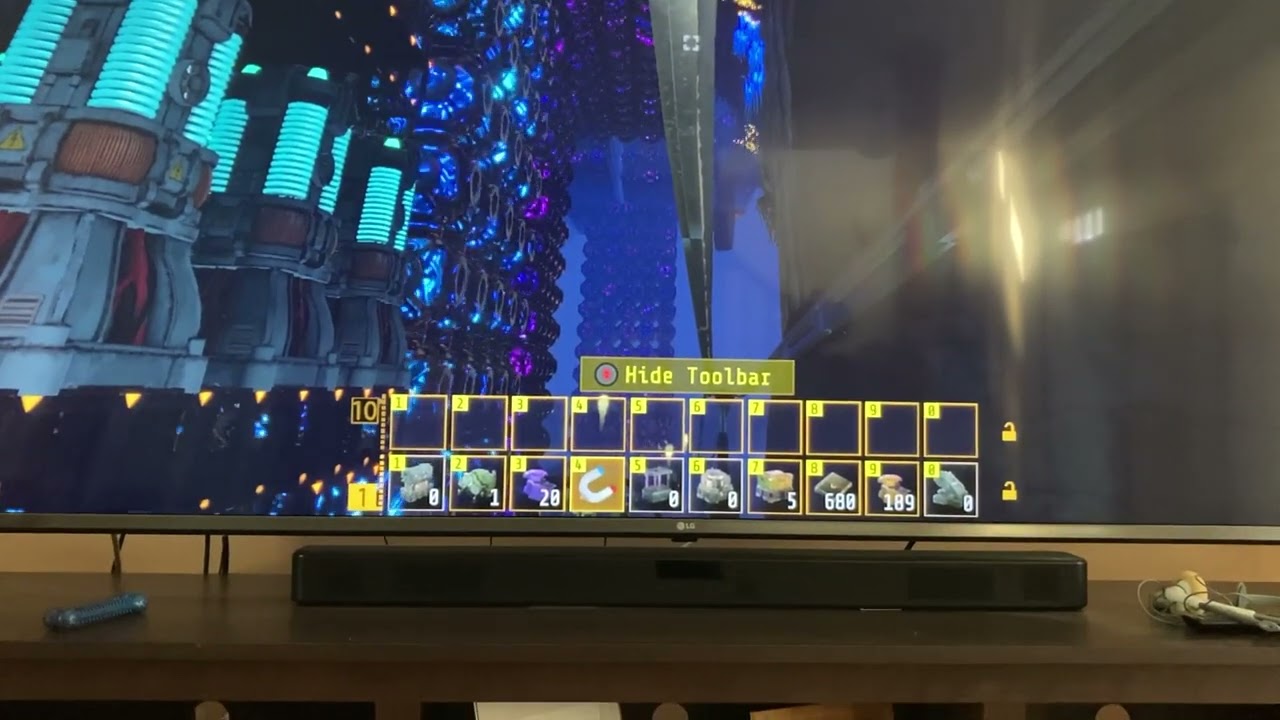
The toolbar navigation is just insane. I never could work it out sensibly, so I’m the end I just remember where something is horizontally on the bar then keep hitting either up or down until I see it appear. How else can people navigate a system where in this video I select bar number 1, then press down, which selects bar number 2, then press do...
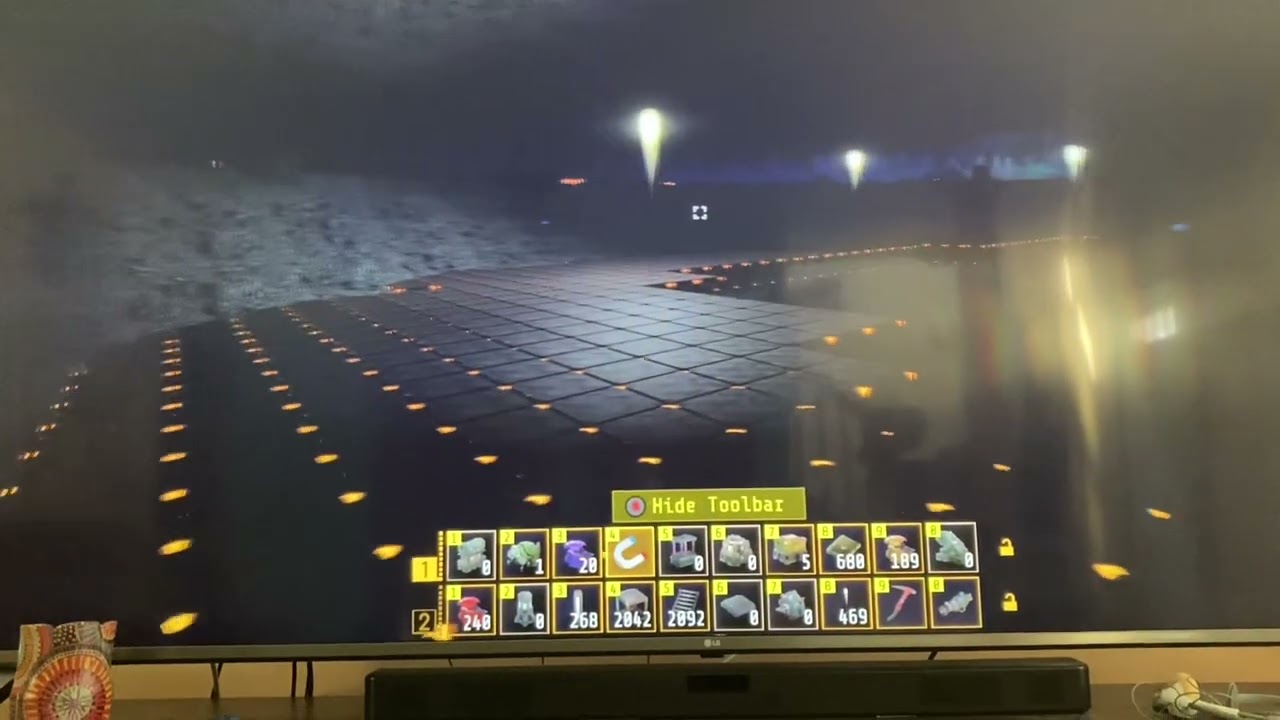
More lighting problems especially bad in 0.1.1d, were mostly ok in 0.1.1. Mostly.

I built my lights in 0.1.0, and while they would occasionally give problems when the origin of the light went off screen, they mostly worked when 100% visible. 0.1.1d breaks that, and they’re just really bad now, many places are now plunged into darkness in a game that’s already dark, and gets hard on the eyes after a while.

This shows some of my factory above the Victor ceiling, in 0.1.0 the composers mushroomed out correctly in the cave underneath, this factory is maybe 100 feet above victor ceiling, then in 0.1.1 new composer logic forces cores up through solid rock and eventually into my factory and clogs it all up. Having tall composers is nice but they should ...
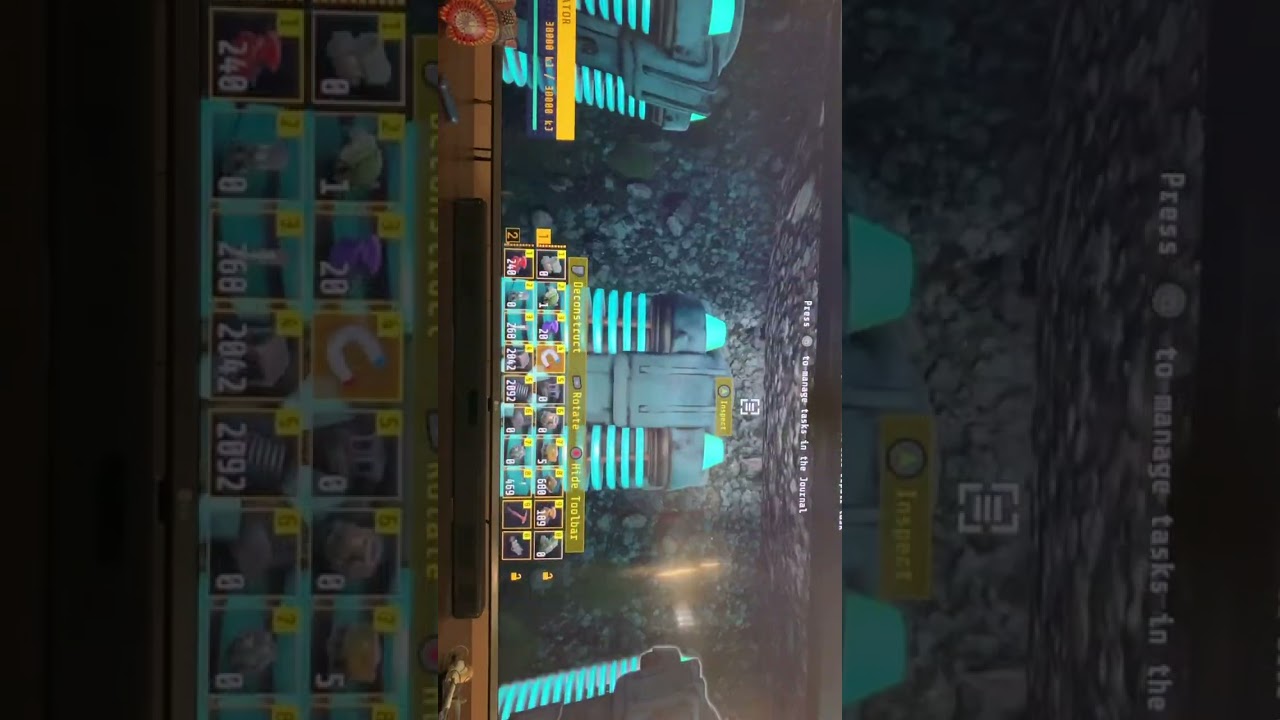
Unfortunately this is extremely common on monorails, so I rarely ride them as it’s mostly a death sentence for the game. Sorry for orientation, phone on one hand controller in other.
primal wing
heavy compass
I would be curious of how much priority they are giving to this bug, with any lu...
since they know its control mapping related and know that there were control mapping related code changes in 1.1 I think that probably helps a ton in getting it sorted out
heavy compass
primal wing
since they know its control mapping related and know that there were control map...
True, but they also said how they were implementing code should have been correct implementation wise, assuming they are following supported practices, but it seems to be leading to issues regardless, thats why i got the impression it might be a bit more complex to fix than it initially might seem like.
simple orchid
I posted 6 links above, but only 5 previews appeared, I guess click the links instead of the previews? Not sure which one is missing
primal wing
heavy compass
True, but they also said how they were implementing code should have been correc...
Yeah I dont think itll be easy, because nothing in game dev is, and with the added oddity of it not happening on its own on every xbox
 crimson spoke
Am I crazy or does it take ages to load into a friends world
brave dew
The game doesn't save my graphics settings... which also have to be set to the lowest because the game will crash too much if I don't have them at the lowest. Also while manually updating my settings the game often freezes or crashes, and if that was not enough even on the absolute lowest settings the game still lags and has a high chance of crashing. Please for the love of God fix this in the next update
Also research cores are still insanely leggy despite the changes made to them
 cyan plover
It could be a bad cache, or a cache corruption localized in the physical game, I’ve had a few issues over the years with this
If it’s the case then follow these steps to test for the ones having the bug
Uninstall Techtonica
Go to settings>network>alternative MAC address>Clear/Automatic>Confirm reset (this completely resets the buffers, Ram and cache as opposed to waiting 10 minutes unplugged)
Reinstall techtonica
Load game
If this doesn’t fix it, consider sending your save file to the dev team to comb over, you’ll need access to a pc for Xbox users
When the devs get it, do the opposite to have it on the PC game pass version, run it, save it, close it, go to Xbox, load from cloud (I recommend making a test account and have a game key or disk available for pc, or just buy another license for testing and write it off) then have that test account on Xbox sign it in with an account with game pass (have the test as the active but have both accounts signed in) then load techtonica on test (where the donated save should be load from cloud to get in on console and see if it bricks if it does export the new save game and compare to the donated to see where the issue could arrive)
@old ivy @mint plaza @deft haven @balmy blade
It could be a compounded bug so it’s worth testing and having set up for any Xbox specific bugs
primal wing
the mac address reset thing has been tried by others here and it hasnt been a failproof work around, its also not a save issue since the same exact save works on different consoles and in the PC gamepass without any issues
cyan plover
Importing a game to Xbox based games requires more work and you might have to take ownership of the folder (googles your best bet if you don’t know how)
mint plaza
cyan plover
It could be a bad cache, or a cache corruption localized in the physical game, I...
hey there! Take a peek at our pinned posts 🙂 we've been able to repro this and diagnose the issue on our end! the engineering team is just working on the fix
or were you responding to the person who commented above you?
sorry, too many comments in this thread 😅
simple orchid
Request: For those of us with older eyes, and that sometimes have to play in the (bright) daytime before other people hog the TV in the evening, could you consider adding a(nother) lighting option, to the 4 or so quality variants, this one being effectively 'fullbright' , with a reasonable ambient level throughout the game? Yes, I know it totally kills the excellent moody lighting and glowing vegetation, but at certain times of day it's hard to make out everything onscreen if you don't have curtains dense enough to black out all daylight so you can see everything, and a couple of hours of that gives a headache when you just want to do some factory work, then later play it properly with the right lighting etc. Just a thought.... ( feel free to put some sort of lighting-disclaimer in the corner in yellow or something, so people don't just comment on screenshots or videos and say it looks bad )
mint plaza
simple orchid
Request: For those of us with older eyes, and that sometimes have to play in th...
can you put this in #🛠-suggestions and not in the xbox thread?
simple orchid
mint plaza
can you put this in <#1004023752792752280> and not in the xbox thread?
Ah, ok. Done. Sorry, I have very little interest in or knowledge of Discord, and only got here because your Steam people suggested it was a better place for Xbox related stuff than there.
 lusty hill
Hey so everyone knows it seems like if you remove the mole from your inventory it doesn't brake the save
cyan plover
simple orchid
Request: For those of us with older eyes, and that sometimes have to play in th...
Turn the tv or monitor to vivid
balmy blade
@surreal saffron you posted in bug reports, read the pin here, store your mole in a chest, not inventory, and you will be able to load on the xbox again. they are working on the bug now that they figured out how to reproduce it
 sour thunder
I have the same issue. New game he loads bud my already load file not.
mint plaza
sour thunder
I have the same issue. New game he loads bud my already load file not.
please try the steps in the pinned post!
 frozen oriole
I am having issues bring up my save after I save and leave the game
 prisma pilot
Game after 90h (in one save) unplayable
- lags (frames about 20-30)
- crashes
Platform : Xbox Series X
Newest update
Game is purchased
Vsync Off
Good Sunday together 😉
 tight tendon
whens the next update please let me know i just wanna play with my cousin and no matter what it wont let him join me tried every solution we already have progress but now he cant join at all
2nd day trying
primal wing
update is at the end of october/early November
have you tried the stuff listed in the pinned comments?
tight tendon
yeah i tried it all im bout to ses if it works again waited a day but i even had my buddy get in my account and load my save so he had the data on his xbox and he still couldnt join i went on his account and removed everything out of his inventory and still nothing i do not wanna start over for the 3rd time i just wanna play lowkey have tried every single solution
its a simple fix just update it and fix bugs only way its gonna work please do sooner so everyone could play not asking you guys to add anything new but please update bugs SOONER:(
primal wing
They are working on a fix but this hasnt been the easiest bug to work with, also Lauren explains here in this video why they bundle patches/fixes rather than just throwing them out there when something is done
https://youtu.be/Swlls1aPg_g?si=9pKLKO0kVwA00eOo&t=197

Let’s chat frobbable objects, mass gathering of plants, game balancing, and more. Plus, Techtonica will be 20% off October 3-10!
0:00 Intro
0:39 Mass Gathering for plants
2:25 Frobbable Objects
3:16 Why we bundle patches
5:32 Outro
=== Wishlist Techtonica on Steam ===
https://store.steampowered.com/app/1457320/Techtonica/?utm_source=email&...
tight tendon
yeah i understand im just frustrated and i know its not there faults. such a good game if it continues to update the community will expand but if this game is always bugged then thats a problem but il wait til october and give my feedback off then
mint plaza
please understand this game is basically brand new to early access! as time goes on there will be less and less bugs.
Also, we can’t release random bug patches to Microsoft bc of their certification process. We have to submit well in advance of release for them.
Question: we haven’t encountered people where the mitigation steps don’t work at all. Has your friend tried to use cloud gaming?
 loud crow
Frankly you guys need to just take this game completely offline until y'all get it fixed and stop wasting people's time this game's been out on PC for 2 years and you still have the same bugs
And furthermore you guys need to stop saying go to cloud gaming cuz it doesn't work on there either do y'all even play your game how about you go and check it out on cloud gaming play three different types of games and watch your files get corrupted or go to cloud gaming once you get disconnected as soon as you get in the game
You can't can't say it's the Cloud Server because why is it every other game works except this particular game I wonder take it offline
primal wing
I havent seen someone have an issue in regards to the save issue when going to the cloud. The game is about 3 months old at this point an in early access. As annoying as it is, for players and devs, bugs are gonna be a thing and they are doing their best to tackle all the bugs they can while still working to add new QoL and features
deft haven
**Important Rules **
• Be kind and respectful to others. If you disagree, keep it civil (jokes included).
#🪧-rules message
prisma pilot
loud crow
Frankly you guys need to just take this game completely offline until y'all get ...
Funny little boy 😅
 tight tendon
FOR EVERYONE I HAVE FOUND THE BUG ITS BEEN DAYS BUT DO NOT SAVE THE MOLE IN YOUR INVENTORY WHEN YOU LEAVE THANK ME LATER!!!!
mint plaza
tight tendon
FOR EVERYONE I HAVE FOUND THE BUG ITS BEEN DAYS BUT DO NOT SAVE THE MOLE IN YOUR...
yes that's in the pinned messages!
but am glad you found it too 🙂
prisma pilot
Grrrrr 🤬 that’s it … F***
I quit …. 🚨🤬🚨
Im a Little pissed
Hope next update fix this issue (3 savegame 🤬)
90H savegame 🤮
Xbox one X - after crash - game crash after 4 sek.
prisma pilot
prisma pilot
Grrrrr 🤬 that’s it … F***
I quit …. 🚨🤬🚨
Im a Little pissed
Hope next up...
M.O.L.E NOT in inventory
prisma pilot
prisma pilot
Grrrrr 🤬 that’s it … F***
I quit …. 🚨🤬🚨
Im a Little pissed
Hope next up...
Powercycle done - nothing changes
Earlier savegame - same problem
= game deleted
Locking for next update
tight tendon
how do I open the freight elevator door? i’m running at 1.8 GJ and dont understand please help
?
primal wing
what are the otehr requirements, it should tell you in the little log thing. But also you're better off asking in #🏭-tt-gen-chat since this is just meant for the xbox save issue which not everyone is looking at
knotty flume
tight tendon
how do I open the freight elevator door? i’m running at 1.8 GJ and dont understa...
It needs to be connected via HVC
mint plaza
prisma pilot
Grrrrr 🤬 that’s it … F***
I quit …. 🚨🤬🚨
Im a Little pissed
Hope next up...
this is most likely not related to the MOLE bug. Do you have the HVC and monorail connected somewhere?
prisma pilot
mint plaza
this is most likely not related to the MOLE bug. Do you have the HVC and monorai...
Monorail yes (maybe 5)
HVC no
All with powerfloors
mint plaza
Hmm. Have you tried opening an earlier save?
prisma pilot
mint plaza
Hmm. Have you tried opening an earlier save?
Yep. Same problem.
prisma pilot
mint plaza
Hmm. Have you tried opening an earlier save?
Deleted the game - wait to 0.12 with a fresh start …
 subtle pelican
Anyone else’s mole flatten basically become a lawn mower? All mine does since logging in today doesn’t change terrain at all? Idk I wasn’t sure if this was a bug or a small change as I know there’s been a lot of issues around the mole
mint plaza
subtle pelican
Anyone else’s mole flatten basically become a lawn mower? All mine does since lo...
I responded to you in gen chat! but pls keep this one for Xbox issues only / open a new thread in #1132398428555575348 if ya want 🙂
subtle pelican
I just accidentally responded in gen chat I’m so sorry thank you for the quick response
 open basin
My Problem is after at least Playing 4 hours my sage doesn't want to load
My safe doesn't want to load anymore
deft haven
Have you had a look at the pinned post in here?
open basin
I don't think so
deft haven
You will find aa workaround in there, you should check it out!
(Click on the title of this thread, and then you'll find it)
brave dew
My game does not save my video settings(which have to be turned to the lowest possible options) Please fix this
digital willow
Seems like i have to redo 3h of gameplay.
 sour sierra
dude my whole thing is just speggetti like so many things are going to so many other things and i forget where stuff goes
 remote tangle
NanoMeal i remove the yours message here due to double posting i dont want to run in multiply topics for the same issue. https://discord.com/channels/910687347987873852/1163145905046814822
 feral kernel
Hi having an issue we’re my friend can’t join the game we started, he can join an old save I started on my own but we want to continue the one we started any idea how we can fix it ?
deft haven
Both of you should start the game fresh before trying to join - if one of you has used the Xbox's quick resume feature, that could be the reason for it not working.
 kindred blade
I also have the issue with infinitely loading up my world. Ive pretty much tried everything in the book and still has the issue.
Ive let it load for a good 15-20 min
primal wing
I assume youve checked the pinned comments here?
kindred blade
If your asking me. Yes. I have read through this
primal wing
so even after playing on the cloud and making sure the Mole wasnt in your inventory when saving you still have the loading issue?
kindred blade
I dont play on the cloud. And this is the first that ive heard about the mole thing. cause i started playin last night. And the first joining the discord.
Joined here to see what everyone was saying if there was a fix for it
primal wing
There are a couple work arounds pinned in this thread, #1147166202876133558 message
one of them is to play on the cloud until you can put the mole in storage and then you can go back to playing locally. Also if you have any other controller connected that might be causing issues as wel
heavy compass
Long story short mole is one of the triggers for it, having two controllers connected to the Xbox can also have the issue more often happen, currently the devs can reproduce it so one can expect a fix for it at some point in time.
kindred blade
I just solved the problem by making a new save. Wasnt to far into it so it didnt matter.
But the topic id like to address and not sure if its already known but ill make it known is the mole duplicating itself
I just duplicated more of them
 unique night
I have slightly the same issue but instead of me not being able to connect its my coop partner, we're both running the series x local install.
The first encounter with the bug there was a massive lag spike and it kicked him (was unable to join after that) we restarted since we weren't very far, now this time my game crashed and he was unable to join after that. The only things left to try is cache resetting both our consoles and we'll throw in another unplug of the consoles for a few minutes, I'm also seeing something about loading into cloud and putting the mole away. Now I have no issues loading into my own game, he is simply stuck at an infinite loading screen however the game does tell me he had joined, he even attempted to join a different players game and it still told me he had joined, I think there is some networking bug locking him to my session of sorts considering that. The only thing both saves have in common that I can tell, was the core composer was getting close to the ceiling both times. But on the first save I was able to manage only one core composer to the ceiling, this save we have 2 and it just got to the ceiling when we crashed an he was unable to rejoin. Again I have absolutely no issue joining my own save, but we've tried everything except for the cache reset which I'll give an update once he's home and gives it a try that way both our consoles are fresh.
Edit: all he has to do is unplug his console for 15 seconds then he is able to rejoin me everytime the bug happens. Which is every few hours. Not ideal but understandable the game is in alpha. 💯 hope this helps other people. For us it's just that simple.
latent swift
So, an old game save me & a friend had, he got it working via xcloud, and put the mole in a chest to save. Then trying to load it via the console, still perpetually loads.
 sand violet
I got a monorail running and idk why it will not send items I try sending items and I get hit with the red marker and it stops
 prisma pilot
Energy ?
Available 0 MJ
sand violet
I got plenty or power
prisma pilot
sand violet
I got plenty or power
Powerfloors all connected? All monorails ?
transmitter and receiver?
sand violet
yes it used to work then it stoped and idk why
sand violet
why laugh @prisma pilot ?
prisma pilot
Love the bugs they don’t make sense
sand violet
o ok
sand violet
do you know how to fix it?
brave dew
prisma pilot
Love the bugs they don’t make sense
I like the bugs because they don't get fixed
 frozen steppe
sand violet
I got a monorail running and idk why it will not send items I try sending items ...
frozen steppe
sand violet
I got a monorail running and idk why it will not send items I try sending items ...
I got that bug too, temporarily fixed it by adding more connection points to the power floor that it was on, then it stopped working around 30 minutes later despite having 300-400 full accumulators and accumulators charging up when placed on the same power floor
sand violet
so there's no perm fix?
frozen steppe
Not that I know of
frozen steppe
After it stopped working though, I couldn't get the broken one working again, even after replacing it, but weirdly enough it stopped working pretty much immediately after I did the last repair for Victor and didn't start up again even after all the accumulators refilled
sand violet
i tryed replaceing to still brocken
 hoary condor
Games still broke for me cant load my save
primal wing
Youve tried everything listed in the pinned post here?
hoary condor
I tried starting a new game saveing loading the new save then loading the save i want to play
Ok i tried the cloud gaming and was able to load the save and move the mole out my inventory
 unborn merlin
@vale totem have you fixed it I’m having the exact same problem
vale totem
No i haven't, but they finally tracked the issue down, its the mole, before you log off put it into a storage chest save and log off. Something about the mole is whats causing the glitch
The dev team has finally recreated it and are working on a permanent fix
 safe wren
So I got hit with the mole bug on the last update, no biggie. I deleted all the saves and started fresh saving with the mole in a chest everytime. I've been playing for about a week now not having touched the mole, just building and crafting and building. I've got 3 factory areas, all have some kind of power supply each but all are tied together by hvc as well. Now all the sudden in having issues with elements not loading properly ie: power floors specially (some load some don't) but that seems to affect most others in that they don't load in the correct locations as placed. They're slightly off on the height plscement but it renders them untouchable.
safe wren
This area is supposed to be 90% covered in power floors and is my main factory setup with 3 core composers.

 dim ember
primal wing
dim ember
primal wing
It can yeah.
mint plaza
safe wren
This area is supposed to be 90% covered in power floors and is my main factory s...
this is likely due to a borked save. are you using monorails w/ the HVC?
heavy compass
I wonder if the upcoming update is going to have a fix for the save loading issue for the Xbox🤔
mint plaza
we are hoping it fixes it. like, cautiously optimistic. no guarantees though, because this was a really weird one effecting a very, very small subset of players so we can't be 100% that we've tested every instance!
primal wing
well we'll be here to run it through its paces
mint plaza
i expect nothing less lol
 foggy snow
Ok I'm getting the infinite loading screen. I have put all the graphics setting to low, I have started a new game and then tried loading my original save from there. I have even started a complete new game and that now has an infinite loading screen. It's ashame I really like the game but this is a bit annoying.
primal wing
check out the pinned post, it seems its related to something with the MOLE. So play on the cloud and save with the mole in storage rather than inventory and then you can go back to playing locally
primal wing
yeah. On xbox if you uninstall the game and then go to play it it will give you the option to play on the cloud or to install it. Play it on cloud, put mole in a storage box and then save. After that you can keep playing on the cloud or reinstall the game and just make sure to store the mole before saving.
foggy snow
Ok mint I'll give that ago later when I am home. Thank you so much.
safe wren
mint plaza
this is likely due to a borked save. are you using monorails w/ the HVC?
Yeah, I have 2 set up. One from lima to Victor, and one from Victor to the waterfall area in the pic. Whatever it is seems to trickle down thru past saves as well. Ones that previously loaded fine.
viral nest
so just to clarify, am i right in thinking that from what i have read so far, that the loading bug may be fixed for the new patch?
heavy compass
viral nest
so just to clarify, am i right in thinking that from what i have read so far, th...
In theory it might be, in practice this bug is weird so we won't know what the results are until more people test it
mint plaza
exactly, it was really, really difficult to reproduce the bug so we can't be 100% that we've found every case of it happening
viral nest
OK my job as soon as this patch gets approved by Microsoft is to break the game and give Rob a headache 🤣🤣🤣🤣🤣🤣
hoary condor
🤣 break the game thats easy lol give me creative access and watch the frames drop 😂
heavy compass
viral nest
OK my job as soon as this patch gets approved by Microsoft is to break the game ...
Rob be like
 foggy snow
primal wing
yeah. On xbox if you uninstall the game and then go to play it it will give you ...
foggy snow
primal wing
yeah. On xbox if you uninstall the game and then go to play it it will give you ...
Didn't need to uninstall the game. I loaded my save on my phone and did what you said with the mole and boot Xbox loaded the save with no issues. Thank you
 gleaming rock
My game crashes all the time while using the monorail to ride across the map.
mint plaza
gleaming rock
My game crashes all the time while using the monorail to ride across the map.
Ah this thread is for a specific Xbox loading issue! Make a new one, tag me, and we can sort it out 🙂
sand violet
sand violet
I got a monorail running and idk why it will not send items I try sending items ...
@mint plaza is is a way to fix this?
mint plaza
sand violet
<@493625785140248586> is is a way to fix this?
can you make a new thread and tag me?
xbox loading screen issues
also i retitled this to make it more clear!
old ivy
viral nest
OK my job as soon as this patch gets approved by Microsoft is to break the game ...
Joke's on you, because I always have a headache.
I'm basically a much sadder version of The Hulk. 🤣
primal wing
The Sulk
old ivy
I feel seen.
viral nest
old ivy
Joke's on you, because I always have a headache.
i have just seen the post regarding the xbox delay. no wonder you still have a headache lol
old ivy
I mean, the goal is to find this stuff before it goes live, so, hey, the system worked! 😂
heavy compass
viral nest
i have just seen the post regarding the xbox delay. no wonder you still have a h...
post about xbox delay?
primal wing
heavy compass
post about xbox delay?
#🏭-tt-gen-chat message
mint plaza
there is also a brand new channel #❎-tt-xbox for techtonica on xbox chat!
primal wing
not to get off topic, but could you move it under gen-chat since its kinda like general(xbox) chat?
heavy compass
primal wing
https://discord.com/channels/910687347987873852/910687350097580035/1166424534258...
Oh I wasn't aware that update for xbox was being delayed, well sounds like its for the best.
primal wing
yeah it sounds like a relatively last minute thing that lauren announced right around when it went live on steam. A lot was going on there so it was easy to miss if you arent on discord a bunch like I am 
mint plaza
yeahhh, it was something we worked right up until the deadline on
heavy compass
primal wing
yeah it sounds like a relatively last minute thing that lauren announced right a...
I wonder if the bug is "We tried to fix the loading issues but made it worse or caused another issue that was just as bad"
primal wing
Are we allowed to know what the issue was? I’d be curious to see what passed cert but then didn’t get the Fire Hose stamp of approval. 
mint plaza
unfortunately i cannot share at this time!
primal wing
Figured you would if you could. Haha.
viral nest
the update was delayed as FireHose found microsoft has stuck this guy in to the game to take on sparks

yes im showing my age
lol
sand violet
mint plaza
can you make a new thread and tag me?
ok
viral nest
mint plaza
unfortunately i cannot share at this time!
So are you allowed to share now?
Was the fight between sparks and clippit that bad lol
mint plaza
lmaoooooooo
hoary condor
Still bugged on xbox
Had a mole in my inventory and had to reload my save and get locked on the loading screen again
old ivy
@hoary condor do you have two or more controllers connected, or one?
hoary condor
Just 1
old ivy
If you uninstall and reinstall, does that have any effect?
hoary condor
I had to uninstall and load cloud save put the mole in a box and save and reinstall to get back into my game
old ivy
Alright, thanks Brony.
Obviously, we'll have to do more investigating to figure out why this seems fixed on our end, but folks are still seeing it.
deft haven
hoary condor
Just 1
Have there ever been 2 different controllers connected to your console?
pastel relic
V1.2 so far so good on Xbox series s/x but not working on the Xbox one s/x still loading screens
compact belfry
Had a random massive lag spike randomly one time in the 6 hours that I’ve played the update so besides from that hiccup we are good
knotty flume
Did you try the capped FPS?
Not sure if it makes any difference but try capping it to 60
pastel relic
Xbox one s still no grid layout on the mole and no issues have been fixed still crashing and won’t load
mint plaza
pastel relic
Xbox one s still no grid layout on the mole and no issues have been fixed still ...
So it’s working now on the xbox x but not your xbox one?
pastel relic
Yeah basically I’ve got the series s and my mate has the one s, no issues seemed to have worked on the Xbox one
Be even deleted his save and played fresh got about two hours in and crashed and stuck on the loading screen plus his mole didn’t have the grid
He sorry
pastel relic
mint plaza
So it’s working now on the xbox x but not your xbox one?
Sorry forgot reply to you but have put in in the chat
mint plaza
So weird! Rest assured we’re still working on this to figure out it. Really thought we’d squashed it 😦
pastel relic
mint plaza
So weird! Rest assured we’re still working on this to figure out it. Really thou...
You did squish it on the series s/x so far, just think the Xbox one s needs a little work they have less virtual ram I think
old ivy
Hey, everyone, we're still trying to figure out why this seems to have improved in some cases but not in all, but, in the meantime, the following mitigation steps seem to be able to keep folks playing:
- Disconnect any controllers other than the one you are using to play.
- If you previously had multiple controllers, or were having an infinite loading problem, restart the game with only one controller connected, go to Settings, and restore defaults using the option from the main Settings menu.
- Remove the MOLE from your inventory before saving the game.
Obviously, the above are a pain, and having to juggle all that is not the Techtonica experience we want folks to be having, but those steps seem to be helping most folks to avoid the problem in the immediate term.
 mighty island
Good afternoon groundbreakers,
I play on X ONE S and X One
After the latest update, we of course had the same issue, as reported by many here.
Game loads, and gets to loading screen and never fully loads.
In another case, The "Continue" or "Load" options were not there.
Without hesitation, I looked at my wife, and said, Just do the proper hard power.
Save, Quit to Xbox Dashboard.
Menu button > X QUIT
Xbox Button - Shut down
Wait for proper shut down,
UNPLUG POWER... Wait. Because capacitors.
Plug in power, turn on Xbox
Start up Techtonica,
Continue is now an option, and the game loads correctly.
So, the TLDR;
DO the proper power off after the update, because the XBOX is odd and sometimes needs to actually do a real shut down.
mint plaza
mighty island
Good afternoon groundbreakers,
I play on X ONE S and X One
After the latest upd...
And you can continue the game w/ the MOLE in inventory now?
like exit and return??
mighty island
I'll try that in a few minutes, to test out that specific bug.
But, IIRC, I always have the MOLE on Hotbar 1 in my inventory at all times.
mint plaza
thanks! i just want to see if the loading screen issue is totally resolved for you now
and if resetting the power like that enables our fix... well xbox what r u doin
mighty island
So far, we have only had it occour, after the 0.1.1 and 0.1.2 updates.
The Xbox lies to us all.
Controller > Shut down
Is actually "Hibernate"
And the only way to actually really truly power that sucker down is to unplug the power connector.
Becuse it likes to be 'fast startup'
And the entire thing is basically a VM running on top of the Xbox OS which is a VM Host.
mint plaza
right right
mighty island
Yep, just tested and verified on my other profile.
This time, i knew in less than 10 sec and the game is ready to load.
MOLE is in inventory slot 4 Hotbar 1
mint plaza
Can everyone else give this a shot?
mighty island
As far as controllers go,
We have quite a few, but usually only one sync'd to the main Xbox at a time.
I also have a logitech G923 wheel, but its unplugged.
I can try to troubleshoot with a bunch of controllers plugged in to see if causes any other issues,
I can also move the Mole to different inventory slots if that would help?
mint plaza
might as well test around!
(no obligation though!!)
im wondering if players still needed to clear that cache after the update
mighty island
Possibly.
It sounds like the Xbox just likes to really hold onto that last bit of Virtual Memory during a 'hibernate'
Especially if you are all working dedicated on WindowsX64 platforms, and then running it as the Xbox VM.
Memory management is slightly different, but almost* totally compatabile..
Which sounds like where the issue is coming from.
primal wing
so im an edge case since I dont have the issue normally but can make myself have it but even after shutting down, unplugging and fully draining power I can still make the loading issue happen with 2 controllers connected
mint plaza
FWIW we actually are testing on xboxes
mighty island
Well, of course, I didn't mean to infer that you were not.
Just saying that when the meat and guts of boring memory management, in the Development world is tricky even for those that understand it. (at least for me) And that the Xbox is fun anomaly, compared to Standard X86/X64.
mint plaza
ahh i see
mighty island
I restarted the game,
Plugged in a 2nd USB controller
First controller is Xbox One Stellar Shift - Latest firmware
Second controller is a PowerA USB controller.
Started the game,
Clicked Continue.
Loading screen....
I'm going to desktop in a min and see if this actually was a cause of a lock up, Interesting...
mighty island
Damn, I hate when testing makes more work.
I'm sorry. :/
Let me see if I can unplug and play
WITHOUT a hard power.
Because then it may be something with Input Mapping, instead of Memory management.
I never though about multiple controller connections till reading this thread earlier.
primal wing
id be curious to see if the hard reset fully fixes it for users with just one controller. That would be an easy workaround at least, and if someone wants to have two controllers connected for some reason, they can remove one from the settings and load in just fine otherwise
mint plaza
True true!
mighty island
Soft reset did not resolve the not loading bug.
Just finished a hard reset.
Wireless controller connected,
Forgot I had the USB Logitech Wheel controller connected.
Loading Bug.
So, I accidently tested two different
2 controller setups, and it seems to also cause loading issues.
I'll hard power again and try once more, to verify.
mint plaza
ah shoot
mighty island
But, if next step proves to work
Then the soft work around can be
"Hard power off,
Ensure that only a single controller (wireless or not) is connected"
Load game"
Then you can connect other controllers for other games.
Not the greatest, but still a work around.
Confirmed
Just loaded up into factory.
SINGLE CONTROLLER CONNECTED AT STARTUP
Tested again
Quit game to desktop (XBOX STILL ON)
Controller menu button > Turn off controller
(Wireless XBOX ONE controller)
Made sure it was off,
Plugged in USB controller.
Tested inputs,
Started up game.
Loaded up right away.
More testing,
Once the game is Running
Powered on the Wireless controller,
Both work as expected.
primal wing
the root of the issue still seems to be the mole. With two controllers connected and no mole in inventory, loads no problem. So I think the solution here is just remove the mole from the game and make players pickaxe everywhere
deft haven
It will definitely load! That has always worked.
The interesting new bit you brought up is the power down changed things for you, which is interesting
mighty island
The power down has Always worked properly for me.
deft haven
It's late where I am, but I'm definitely trying this out tomorrow morning!
mighty island
Ok, So
No MOLE in inventory.
Tried single USB controller.
Game started fine.
USB + Wireless controller. > Game locked at LOADING screen, not even main menu. Hmm.
Quit, game, desktop (NO HARD POWER)
Disconnected and reconnected both controllers.
2 controller startup, and no MOLE in inventory and it worked.
*Scratches head
I love bugs.
deft haven
Welcome to our merry little band!
mighty island
Now, I'm just gonna do some testing for no damn reason.
Does Techtonica support the Logitech G923 wheel?
Lets seeeeeee
I can guarantee you,
It drives better than Forza Motorsport.
deft haven
Stream to beat the game with it or it didn't happen 🤣
mighty island
OMG. lol.
I needed that laugh, Thank you.
I'm literally belly laughing at my desk thinking of how silly that wold be.
I'll make a Racetrack with MK3 conveyers.
deft haven
😋
mighty island
So,
The MOLE + Controller bug is interesting.
If yall find more info, I can test as well.
mint plaza
please please play w/ the wheel
mighty island
Initial testing, I could load the game but it didn't like the input settings.
And I could not navigate the menu.
I did a full power off, unplug,
Power on
Only the wheel connected at this pont.
*This is just for science at this point, simply because I can.
Nope, I Figued as much.
The input mappings on this thing are not nearly as *Nice as the earlier models.
I can navigate Xbox menus with D-Pad etc but since the Analog Wheel is mapped to L and R sticks,
I don't think the game likes it too much.
Now to boot with normal controller and see if I can manually map.
Nope, Tried a bunch of different stuff.
Manually binding the D-Pad, Pedals, and other things.
Guess todays silly quest for trying something that shouldn't work, doesn't actually work.
(And NO I am in no way asking for wheel support, i was just being silly testing controller inputs because I physially have them handy.)
At least we found a solution to people who have the MOLE in the inventory, and want to actually load the game.
primal wing
You may not be asking for wheel support but I now am. Heading right over to #🛠-suggestions
mighty island
LOL.
Well if they need someone to test, I can do that. But I'm pretty sure its going to be low low low on the priority list.
heavy compass
mighty island
Ok, So
No MOLE in inventory.
Tried single USB controller.
Game started fine.
US...
 mighty island
Yeah, I just accidently tested again.
MOLE in inventory,
Left my extra controller plugged in and no load.
unplugged extra controller and it works.
heavy compass

It seems like the central aspects to the loading bug are still the MOLE and having a second controller both being in certain conditions but isn't always 100% always true🤔 Guess we can always remove the MOLE and just put a warning on the game, to make sure not to have a second controller connected, not a ideal solution to be sure.
brave dew
As of 1.2 my game won't even load!
heavy compass
Is it possible to trick the game to think the MOLE isn't in the inventory when it is, as thats part of whats somehow causing it🤔
brave dew
Ignore my message it just takes a while
deft haven
mint plaza
Can everyone else give this a shot?
No dice for me. Unplugged my power, waited for 2 minutes. Replugged and then started my console, when it was on, I connected one wireless controller.
Started the game, loaded a savegame by clicking "load game" that had the mole in inventory, and it's loading forever.
Wow, I really have a very stubborn console. Glad the power cycle works for some people and the update fixed it for some, too!
If anyone from the team ever wants to check out my stubborn Xbox here in Germany, Tuesdays and Thursdays usually work. 😅
mint plaza
deft haven
No dice for me. Unplugged my power, waited for 2 minutes. Replugged and then sta...
ah I am sorry! this is the weirdest bug
heavy compass
and most be frustrating from a dev stand point, i mean not knowing what the real issue is or how to implement a fix.
mint plaza
we are doing what we can!
old ivy
Brief update, we were able to repro the infinite loading problem again, and are back to debugging. Thanks everyone for your patience and help in reporting new info.
old ivy
heavy compass
and most be frustrating from a dev stand point, i mean not knowing what the real...
I will say, it is rapidly climbing up my nemesis bugs list. 😂
And I have had some nemeses in my time.
primal wing
 heavy compass
old ivy
Brief update, we were able to repro the infinite loading problem again, and are ...
heavy compass
old ivy
Brief update, we were able to repro the infinite loading problem again, and are ...
Really now I'm curious, did it involve the same steps before, was there another factor, why did it seem like your fixes worked before, I'm just really curious now.
That's at least some good news though, reproducing loading issue is step one, now step two is to make it stop happening😉
mighty island
deft haven
No dice for me. Unplugged my power, waited for 2 minutes. Replugged and then sta...
What Xbox do you have?
I have tested on my X One S
I can test on the regular Xbox One
I do not have an X One X to test though.
deft haven
mighty island
What Xbox do you have?
I have tested on my X One S
I can test on the regular Xbo...
I have a Series S !
mighty island
It may or may not make a difference,
But after you choose shut down.
Let it do a proper shut down.
Unplug the power...
Push the power on button on the xbox itself, and hold it for a sec
Then give it a moment and plug back in, boot up, and try to load.
deft haven
Will try, but I don't find it likely that the last bit of electricity causes such a complex issue... Bit then again, who knows! I'm in Germany, our electricity is 220V (which I guess doesn't matter because there's a transformer and the actual current traffic the Xbox is the same everywhere)
Maybe Techtonica doesn't like high voltage. I'm willing to believe almost any wild theory atm 😃
mint plaza
deft haven
Will try, but I don't find it likely that the last bit of electricity causes suc...
it's actually due to xbox caching data! until you unplug your xbox, it never truly shuts down lol
primal wing
now to figure out why some xboxes have issues with cache and others dont
deft haven
I still think of the launch when a local setting (comma for decimals, dot for thousands separator) meant the game had weird visual settings for some people. I'm kind of still thinking that for some people, a hidden variable means the game doesn't use the cache correctly, but that something goes wrong
It might not be the Xboxes is what I'm saying, it could be multiple profiles, a letter in the profile's bio, some setting...
 fallow slate
I've read though this thread and tried everything and nothing worked I didn't have mono or hvc yet
 toxic granite
hey just had this same problem and was able to get past it,
i was using a wireless controller for a while, then tried to switch to a wired controller.
noticed the game wasn't acting right, then did a manual save
did a force quit on the game/application, and tried to reload and continue my save from the main menu, nothing worked
unplugged the console from power
tried loading game again, both continue and load save
still stuck on loading screen
did a soft reset of the console
same problems
unplugged my wired controller and swapped back to my wireless controller and it worked. I also turned my setting down to lowest in most settings
toxic granite
fallow slate
I've read though this thread and tried everything and nothing worked I didn't ha...
are you using a wired controller? how many controllers do you have?
@mint plaza I'm sure you have an off day, so I am sorry for tagging you, but I was able to get past this loading bug ☝️
vale totem
So idk if anyone is still having this problem post update but i know i definitely am, and the old method of hard restart and unplugging is not working anymore
toxic granite
vale totem
So idk if anyone is still having this problem post update but i know i definitel...
what are your graphics settings?
vale totem
All max i think
toxic granite
ok
vale totem
Ill try lowering them rq
toxic granite
next question, how many controllers do you have?
and are any of them wired vs wireless?
toxic granite
hm
primal wing
do you have more than one connected, like charging possibly?
toxic granite
i would suggest turning down the settings then restarting the xbox
vale totem
Nope the others are all off and have been for 2 months
primal wing
Since you only have one controller connected, uninstall the game, play from the cloud to put your MOLE into storage and then you can redownload the game and play normally, just remember to put the mole back into storage before quitting out
vale totem
Wait i thought the mole problem got fixed in the last update?
primal wing
For some, but not for all.
compact belfry
Infinite loading screen when trying to join someone on pc game pass
vale totem
Deleting cloud gaming to put the mole away and then redownloading did not work
So far none of the old methods to fix this issue are working anymore
vale totem
Ok figured it out, if your using wireless headphones and a wireless remote, unplug the usb bluetooth reciever for your headphones before you log in, the game or xbox is reading the usb reciever as a second controller
 stray ginkgo
@vale totem holy #### is that really it lmao 🤣
vale totem
Dead serious its worked twice in a row now
stray ginkgo
Yep just fixed my problem I'm so pissed lmao I had this problem in mine craft too
vale totem
Same thing for me lol thats why i thought to try it
Pretty sure its an xbox bug, for some reason it cant identify what type of usb is plugged in and just defaults to controller status
stray ginkgo
Are you using turtle Beach? Was never an issue till I got this headset
vale totem
Yep i am
primal wing
I never thought about that. It might not be "controllers" but also "accessories"
vale totem
If the accessory uses a usb, its worth unpluggin it and tryin again
heavy compass
So basically as long as the xboxs detects a device connected to it as a controller it can cause the bug to happen, can be wireless headphones, remote or anything really hmmm🤔
toxic granite
Yea mine was with a wired controller, this is odd.
heavy compass
controllers as was commonly reported so i expected, things like headphones i most admit i didnt expect, but follows logic, xbox detects as controller and because multiple controllers are what is reported to cause the loading bug, that follows the logic, does mean users are going to have to be careful the xbox isnt incorrectly detecting a device connected as controller because that can cause it to occur
simple orchid
If this is any help, after the latest update I had the usual problem that the game wouldn't start, did the full power unplug, then it worked ok. After that it was fine, the whole MOLE/Inventory or controller thing seems like a red herring, never a problem for me. What will 100% stop the game loading is if I play any other game in between Techtonica sessions. If I don't, the launch/continue/loading/running launch is now fine. Side note, good job on the stability improvements on 0.1.2. Prior to this version, the previous two were unplayable for me as the game would crash in anything from 20 seconds to 10 minutes. I can now go for an hour or so before it dies. Still room for improvement, but I can actually get some work done in there now. I can even ride the monorails, which previously would be guaranteed death due to the rapidly changing scenery. Still makes me nervous every time I ride one right now, due to ingrained fear from previous experiences, but eventually I'll get over it 🙂
Oh, since other people mention it, yes, massive frame drops at times when lots of things updating ( basically when riding the monorails ), but as long as it doesn't crash I can accept that for the moment.
If I do run another game in between Techtonica sessions, I have to unplug the xbox for a while before I can play it again. If I don't, it works fine. That leads me to wonder if the Xbox's fast-reload system has some sort of ID embedded in the fast-ram that says which game it's for and Techtonica isn't checking perhaps, and tries to use someone else's without returning a code to say "that's not mine, just load without it" - I don't know the low level XBox memory stuff, just working off what I'm seeing.
viral nest
@old ivy hi Rob.
Not sure if this info helps. However I have noticed that when I do a manual save on my game it is creating two saves at the exact same time.
Take for example the two saves for 7.55am this morning. If I load the top one I have constant loading issues. However if I load the second one the game loads within seconds.
I don't use the continue button as that uses the top save.
 fallow slate
I feel like it's because an issue with the game auto saving every minute and not overwriting its self I checked my data for the game after I couldn't load and there where 30 auto saves
old ivy
vale totem
Ok figured it out, if your using wireless headphones and a wireless remote, unpl...
Oh, interesting. That's a thought.
old ivy
viral nest
<@499950242683158529> hi Rob.
Not sure if this info helps. However I have noti...
Huh, weird. Has anyone else seen something like this?
 upbeat creek
old ivy
Huh, weird. Has anyone else seen something like this?
upbeat creek
old ivy
Huh, weird. Has anyone else seen something like this?
I have. I go in and prune the duplicates from time to time. I didn’t think much of it, assumed it was me pressing the save button accidentally more than once.
heavy compass
upbeat creek
I have. I go in and prune the duplicates from time to time. I didn’t think much ...
Really interesting🤔
deft haven
viral nest
<@499950242683158529> hi Rob.
Not sure if this info helps. However I have noti...
I can partially confirm this behaviour: many (not all) of my manual saves with version 0.1.1d have duplicate entries.
I've tried it with the new version, I don't get duplicates there.
Also, I haven't found a duplicate save where one would load and the other wouldn't, it still seems to depend on the mole and nothing else for me. I had duplicate saves with the mole in a container that load, and duplicate ones where both do not load.
digital willow
I’m having loading issues on two saves one just under 60 hours hasn’t loaded since 1.1 update and the other just under 6 started yesterday, going to try and see if it’s the mole like someone recommended but I don’t have hope for it
It launches both on cloud gaming so I’m currently redownloading the game took the mole outve my inventory on both saves to see if that help
deft haven
I'm quite positive it will help! Just remember to put your MOLE back into inventory before you save!
(i changed my playstyle to only have the mole with me when I have digging to do)
digital willow
Yea fixed both saves but the first one still really laggy eh started the second plan on playing it
fallow slate
So if I unplug everything that could be considered a controller it loads lmao
I wonder if that's why it works during cloud play since it's technically not your hardware controlling it
Also did some testing with the mole and found that has nothing to do with it
But from this thread it seems a little duck hunty lol
primal wing
yeah the cloud stuff works because it only pulls in one controller/accessory. Probbaly amoung other thigns as well. Id be curious to hear what you have that points to the MOLE having nothing to do with it, because in my testing even with 2 controllers if the mole is not in my inventory it loads just fine.
fallow slate
I can load with or without it, seems like the only thing that matters is the hardware for an example I have 2 controllers and m&k all have to be unplugged for it to load then the Hud is Glitched trying to display the inputs for mouse keyboards and matching it together with the controller binds leaving white squares
And the only bug the more gives me is the vfx is a little wonky sometimes
*mole
digital willow
fallow slate
Also did some testing with the mole and found that has nothing to do with it
The mole in the inventory was a problem for me I tested a few times anytime I exit a world and try to load it within my inventory it doesn’t load but it does when it’s not in my inventory nothing unplugged or plugged in when I was testing it
 digital willow
fallow slate
<@456226577798135808> interesting the only thing that mattered was what was plug...
digital willow
fallow slate
<@456226577798135808> interesting the only thing that mattered was what was plug...
Tried on mine but I use an external storage device and it was the only thing I didn’t unplug but if that was the issue I would’ve had to stop playing the game until it was fixed seeing I have all my games on it
digital willow
Yea
deft haven
fallow slate
Also did some testing with the mole and found that has nothing to do with it
Sounds like you are having the opposite case of me.
🇦 Variable A is responsible for controllers/ accessories causing the bug. This seems to be true for everyone?
🇧 Variable B is responsible for the MOLE causing issues.
I can't load even with only one controller connected, but the mole in container fix works for me. Variable B is the culprit of what I'm seeing.
You, Waffle, can load MOLE saves as long as you have only one controller connected. Variable A is the culprit for you.
Many others seem to experience both variables.
Now, prize question: what do you, Waffle, have ever done differently from me?
I'm in Germany, Series S console, wireless controllers, installed game on the Xbox's hard drive. I have played with the Game set to English or German, in both cases I get the bug. I have duplicate manual saves on occasion, but not all the time.
fallow slate
I unplug my controller while it's loading so it has nothing to pick to use then it stutters then loads
fallow slate
deft haven
Sounds like you are having the opposite case of me.
🇦 Variable A is responsib...
^
Let's just admit that technology is magic and sometimes it works and sometimes it's just a bunch of angered goblins in cables
deft haven
You have a wired controller then?
I imagine my wireless controller is still registered in the system, could be one difference that angers the goblins.
fallow slate
Yes it is wired only, and that is a valid point
knotty flume
Ah here's a wild thought. People having issues with controllers, are they third party by any chance
deft haven
I only have MS ones
mint plaza
fallow slate
Let's just admit that technology is magic and sometimes it works and sometimes i...
Rob would agree with this
heavy compass
knotty flume
Ah here's a wild thought. People having issues with controllers, are they third ...
If so MS is planning on fixing this issue🤣
primal wing
knotty flume
Ah here's a wild thought. People having issues with controllers, are they third ...
I also only have MS ones
knotty flume
heavy compass
If so MS is planning on fixing this issue🤣
No 🤣 have you seen their statement
heavy compass
knotty flume
No 🤣 have you seen their statement
hmm?
knotty flume
They're banning them
heavy compass
knotty flume
They're banning them
thats what I meant be "fixing this issue" 😉
after all if the devices dont work, they can cause no issues right🤣
knotty flume
Fixed by marking as "won't fix"
heavy compass
we all know this is MS preferred "fix"
mint plaza
i didnt scroll up and was like "hey no we are gonna fix this" lmaooo
primal wing
ban anyone that has the issue, then no one has the issue. 
heavy compass
primal wing
ban anyone that has the issue, then no one has the issue. <:think:65714754828867...
Pretty sure this was the exact reasoning in the MS board meeting
mighty island
fallow slate
Let's just admit that technology is magic and sometimes it works and sometimes i...
Technology is the most amazing and baffling thing I have ever dealt with.
Being in I.T. for almost 2 decades, I have seen things that should never ever fail a certain way, totally fail, because MAGIC
knotty flume
I think it's more impressive seeing things that should fail work
mighty island
I've seen that before as well, and you are so right.
Seeing something that should totally fail, work properly.
Really makes me go. whoah
old ivy
fallow slate
Let's just admit that technology is magic and sometimes it works and sometimes i...
I hate how true this is. 😂
 old ivy
knotty flume
Ah here's a wild thought. People having issues with controllers, are they third ...
old ivy
knotty flume
Ah here's a wild thought. People having issues with controllers, are they third ...
It's possible this is a contributing variable, but we have repro'd with stock MS controllers, so I don't think it's the determining one.
old ivy
deft haven
I can partially confirm this behaviour: many (not all) of my manual saves with v...
I'm trying to think why this would have changed between .1.1 and .1.2, and it hurts my head. 😂
old ivy
deft haven
Sounds like you are having the opposite case of me.
🇦 Variable A is responsib...
This is essentially where I'm at. I think there are two separate-but-not-wholly-unrelated issues at play, and we're trying to figure out why some people seem to have one but not the other, because I'm guessing whatever that missing variable is will explain why the fix didn't take across the board.
mint plaza
I'm ready for it to be something incredibly simple, too
old ivy
If I'm being Punk'd, then I guess hats off to the showrunners. 😂
primal wing
 simple orchid
I did mention above, but it never seemed to have got any reply, that the 100% way of making Techtonica fail for me is to play another game in between Techtonica sessions. If I do, it won't load in, and needs the cold reboot. If I don't, the game loads fine very time, no MOLE problems at all. Reposting because of the comments above about variables A & B , as though there were only 2 things that made Techtonica fail.
Something about the quick resume
deft haven
Cache (and controller scheme in the cache?) is definitely a prime suspect, but it's still weird that different people are differently affected.
Although I will say, I don't think we've had anyone who had the bug with a console where there was only ever 1 controller known to the console...
simple orchid
I only ever use one controller, and the loading-crash will always hit if/when I play something else in between sessions.
The game itself will also crash, every night, but I can get an hour or so out of it in between crashes, and the auto-saving is excellent, so I can tolerate it.
primal wing
I think its funny that the "less complex" platform is actually the one having all these issues. Can never win when you're making a game
simple orchid
Console development is always a good idea, even if you're mainly aiming at a PC market. Leaks will just slow a PC down over time, leading to performance issues, but on a console they'll crash, as their isn't the same type of virtual memory. Good way to catch problems early.
primal wing
now im kinda wondering, what if I connect a second controller to my computer
mint plaza
are you trying to break your PC game lol
primal wing


 mint plaza
hahaha that gif is perfect
primal wing
so fun fact, the PC version only will recognize the last controller plugged in if you try to connect more than one controller
heavy compass
old ivy
This is essentially where I'm at. I think there are two separate-but-not-wholly-...
Well I guess we can just hope what your able to repro and fix for will cover the remaining cases
knotty flume
old ivy
It's possible this is a contributing variable, but we have repro'd with stock MS...
It's probably not worth testing with third party given the announcement
primal wing
there is a difference between 3rd party and unauthorized. Plenty of third party controllers are authorized by MS, those will continue to work.
 potent berry
idk what info I can provide that would be new, I am on a series x, but It has been happeneing to me both before and after the latest update, last time I had a second controller connected to my xbox was 3+months ago, I can't connect to my buddy (yes I had a mole in my invintory), and I can not load into my own saves. It might be of note that I use a Razer Wolverine Ultimate instead of a stock xbox controller. Something else of not is that post update I could load my games the first time I loaded into them and then after that when I went back to actually play I started load looping again.
 stuck prawn
So based on what I’ve read online and a few of what you guys have been saying, the general consensus is that the loading issue occurs with the MOLE? and sometimes your controller? That’s.. a doozy. I’ve basically had the same issues as everyone else, I played for around 9 hours the other day, and then I logged off and hopped on the next day only to find out I couldn’t load the save, I even tried to goto older saves and it didn’t work, then I hard restarted my Xbox and everything and it still didn’t work, although I read a suggestion online that said to try and load the game from the cloud and remove the MOLE from your inventory and then save, and it loaded the save afterwards with no issue, I don’t know if that’ll work for everyone but it worked for me!
primal wing
Yup yup, that seems to help the majority of people. The MOLE just doesnt know how to play nice
stuck prawn
I saw some memes about the 0.0 update or something like that, I’m guessing the MOLE will join that hall of fame of causing everyone trouble lol
compact belfry
“We have partnered with nuralink so that the game will no longer require a controller, it will be controlled by your mind instead” small font> “ we are not responsible for any injury or death” really small font> “this game is still in beta so instead of currupting your saves it might you might experience memory loss” really really really small font > “how can you even read this!?!??”
 night dirge
Is there any update on the xbox loading screen issue? I am still running into this issue. Usually restarting or doing a full shutdown fixes the issue.
primal wing
nothing concrete. Still some of the same workarounds. if you have two controllers connected(or any other accessories like headphones or a media remote perhaps), disconnect all but one controller and then you should be able to load. If you only have one controller uninstall the game, play from the cloud to put your MOLE into storage and then you can redownload the game and play normally, just remember to put the mole back into storage before quitting out. You can can keep doing the full power shutdown
night dirge
Ok thanks for the tips
 pale river
Not sure if anybody else is having an issue when loading and half of the stuff in the map is gone like my power floors and therefore I have to exit and reload the save.

 deft haven
This has happened occasionally to people. I believe sometimes a restart fixes it, but sometimes that save is corrupted, unfortunately, and you'll have to backtrack a couple of saves earlier.
sour sierra
it makes me stay on loading for like legit hours i left my system running all night and it didnt load
 next dove
yes please fix this I have to clear local saved files to even continue playing this game . Or I’m stuck in a never ending load screen
Yea I just tried 9 times this morning to get in . I love the game it’s fun but if I can’t play there is 0 reason to play . I uninstalled till this is fixed
viral nest
leave your console on the load screen for hours will not fix/ help the problem.
the work around is to quit the game then restart the console. once you done that re load the game but dont use continue now, use the load game function.
i do this all the time and im playing my game within minutes
deft haven
Check the pinned messages, there's a workaround pinned there
 umbral hill
where can i find the pinned msg
primal wing
Tap the little people icon in the top right then you’ll see it.

but if you have two controllers connected(or any other accessories like headphones or a media remote perhaps), disconnect all but one controller and then you should be able to load. If you only have one controller uninstall the game, play from the cloud to put your MOLE into storage and then you can redownload the game and play normally, just remember to put the mole back into storage before quitting out.
umbral hill
the issue might be related to one of the mole upgrades i think perhaps becuase we hadnt done any mole upgrades till just recent and then we started having this issue
mint plaza
umbral hill
the issue might be related to one of the mole upgrades i think perhaps becuase ...
really? that would be a new hint towards the root cause. any of y’all have issues before you unlocked upgrades?
primal wing
It was pre .1.2 but someone had an issue right after unlocking the mole. I can test a new save with my two controllers to see if a fresh mole still has the issue
primal wing
2 controllers pre crafting Mole, all good
2 controllers after crafting Mole, no good
umbral hill
That is weird that's the only thing I can think of because there was nothing that had changed
compact belfry
Could you guys implement a failsafe for the auto save system. I know it’s easier said than done but what automatic corrupt save detection that would delete the save before the player would play it.
Or a if auto save is intrupted delete auto save on next game launch
This would also initiate a backup of previous auto save or most recent save to the failed auto save position that would automatically replace the corrupt auto save on game launch
viral nest
mint plaza
really? that would be a new hint towards the root cause. any of y’all have issue...
I have had the issue since 0.1.1
I don't actually research the mole upgrades as I don't see the need to because destroying things with the mole isn't my gaming style.
So I wouldn't say the upgrades were the cause of the bug
compact belfry
Meanwhile I’m destroying the whole top right corner so I can place 50,000 cores
 sturdy seal
Yeah I just started yesterday w/ my friend and we had a blast for about 5 hours.
I did some playing on my own today and when he got back home he is being hit with infinite loading screens. Any help?
primal wing
if he has two controllers connected(or any other accessories like headphones or a media remote perhaps), disconnect all but one controller and then you should be able to load. If you only have one controller uninstall the game, play from the cloud to put your MOLE into storage and then you can redownload the game and play normally, just remember to put the mole back into storage before quitting out.
sturdy seal
10-4 thanks for the help
sturdy seal
We don't have access to cloudplay R.I.P
Imma just take a pause for a while and hopefully it can get fixed. Super excited to play soon I'm in love 💕
primal wing
How dont you have access to cloud play, is that just a gamepass thing and you bought the game outright?
mint plaza
sturdy seal
We don't have access to cloudplay R.I.P
Imma just take a pause for a while and...
you can also just put the MOLE in a container before saving! and a full unplug power cycle reset should help too
sturdy seal
10-4