#Does anyone know how to create a sunflower seed in blender?
1 messages · Page 1 of 1 (latest)
 plucky panther
 vast ravine
thats pretty simple to do u create a tear drop shape
UV unwrap among the circumference of it vertically
and then grab a low quality sunfloewer seed photo from google and then apply it on both sides of the sunflower seed vertically
plucky panther
I don’t know how to do those first 2 steps
Anyway I tried creating one myself and it turned into a crystal
💀
 light sage
i only started blender a couple weeks ago but maybe try to get a tube widen it out then flatten it a bit
 dapper glacier
find an image of a sunflower seed png then use

Monster Mash is a new sketch-based modeling and animation tool that allows you to quickly sketch a character, inflate it into 3D, and promptly animate it. You can perform all interactions in the sketching plane. No 3D manipulation is required.
@plucky panther
image needs to have a transparent background,
use this to make it t b
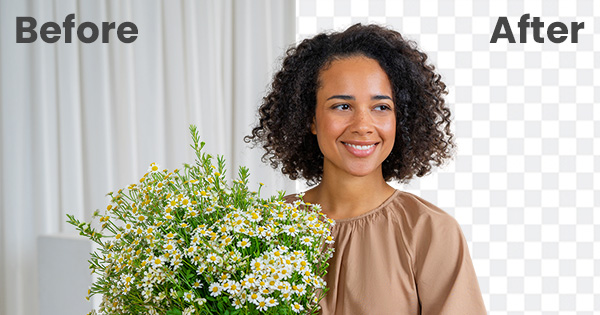
remove.bg
Remove image backgrounds automatically in 5 seconds with just one click. Don't spend hours manually picking pixels. Upload your photo now & see the magic.


when it wraps depending on the image, it might have white lines on the edges..
to reduce that you can create a second image with the back ground removed, and make it sligihtly larger with an ap like gimp
but if it is smaler and or depending on the image you might not notice it
then to export import do


then scale it down
plucky panther
Wow
plucky panther
dapper glacier
What app or website is this
 plucky panther
Thanks so much I’ll try it out when I have the chance (please don’t close this yet)
plucky panther
dapper glacier
How did you do that?
 dapper glacier
plucky panther
How did you do that?
dapper glacier
plucky panther
How did you do that?
click on the model, then up at the top is Home, Scale
click on that

then hold down the CTRL and ALT key at the same time, click on one of the dots like the green one, and it will scale the whole model, instead of one of the z y or x s
 plucky panther
It will show the numbers as well?
dapper glacier
I think that is a new feature in studio.. it just started doing that
but yes, I think it should show that
plucky panther
Alright thanks so much
dapper glacier
ya, if you need more help on any of it let me know..
plucky panther
Got it 👍
plucky panther
@dapper glacier
It worked :D

But I have a question
Is there a way to change the color of it in studio?
dapper glacier
well u could use a different image when you create it
u can go into the properties and delete the texture Id and put in a different one that you have


@plucky panther
you can leave the texture id blank and then use material generator then use it as a material varient

you can leave the texture id blank and then use material generator then use
surface texture

u can make a new image with GIMP and use it as the texture id after you upload it
dapper glacier
plucky panther
Is there a way to change the color of it in studio?
yes
plucky panther
dapper glacier
yes
So I modified this image to have some transparency on some parts of it, if I use the original image you sent for the layer and mask and the animate, then used the modified version for the template image, will it be transparent on the parts where I made the image transparent, so I could color the part and the color would show on the transparent parts of the part in studio?

I also just uploaded the modified image to my decals and used it for the textureid on the mesh. Why is it black and shows those tiny dots?

@dapper glacier
dapper glacier
umm
what is the image of your modifed texture?
the decal might not wrap the same as the original image, you would need to use the original image to be the source of what you change it to
then draw something similar to its borders and the inside part..
if you new image has transparency then it might be bleeding through the black of the other side of the mesh
texture image or something...
maybe change the color of the mesh to the color you want the holes to be...
plucky panther
Alright