#Basic Pycord Help (Quick Questions Only)
1 messages · Page 84 of 1
 proud mason
it does everything for you
it calls a function from a separate thread, so event loop is not blocked
 static juniper
proud mason
you might be better off using `asyncio.to_thread`
static juniper
proud mason
you might be better off using `asyncio.to_thread`
u mean i replace
this line threading.Thread(target=deb, args=(code, callback,)).start()
to asyncio.to_thread(deb, code, callback)
?
proud mason
static juniper
to `asyncio.to_thread(deb, code, callback)`
that would work
it needs to be awaited btw
proud mason
awesome
 pseudo surge
Done! Now the follow up question: any thoughts on making multiple or dynamic persistent paginators based on user input? Right now if I change the pages at all, it still remembers the old pages and mixes them in (which seems bizarre to me).
proud mason
pseudo surge
Done! Now the follow up question: any thoughts on making multiple or dynamic per...
multiple paginators will work with no changes required
if you are talking about same set of pages but sent multiple times, that will work rn with the code you have
if you are talking about different set of pages, then each set of pages will need a separate custom id. so maybe p1-prev, p1-indicator, p1-next. then p2-prev, p2-indicator, p2-next and so on
dynamically generated pages is a bit difficult. you will need to store the page determining inputs in a db (i assume you take some input from users and make the pages based on that)
you will then need iterate over all of the entries in the db, create a separate paginator object for each one of them and add to bot
pseudo surge
Aha! Thank you, that's helpful 🙂
proud mason
proud mason
dynamically generated pages is a bit difficult. you will need to store the page ...
you will also need to somehow make a unique key for each paginator (you could simply use the row id which the db offers). you will need to use this unique key in the custom id
so 1-p, 1-i, 1-n for the 1st paginator
2-p, 2-i, 2-n for the 2nd and so on
@pseudo surge edited some messages ^
pseudo surge
proud mason
if you are talking about different set of pages, then each set of pages will nee...
This is really great thank you. I'm now working through different set of pages.
Would that also need to be added to bot?
Since the existing on_ready has: paginator = Paginator(pages=my_pages, use_default_buttons = False, custom_buttons=customButtons(), author_check=False)
Would I need something like: paginator2 = Paginator(pages=my_pages2, use_default_buttons = False, custom_buttons=customButtons2(), author_check=False)?
So a separate list of pages, a separate buttons function, and also a separate command to call the new pages and new buttons?
proud mason
pseudo surge
This is really great thank you. I'm now working through different set of pages. ...
mhm seems right. or you could make a dynamic function for the buttons
accept a string and prefix that to the custom id
proud mason
proud mason
if you are talking about different set of pages, then each set of pages will nee...
smth like this
so you will only need 1 function
pseudo surge
proud mason
so you will only need 1 function
Ok I'll try it. I hardcoded two different sets of pages and customButtons() for now. They both work! What's weird is that the first one now posts twice when I use its command.
The original one throws lots of errors in the console too but all three (two from the first command and one from the second) are working 🤷♂️
proud mason
pseudo surge
Ok I'll try it. I hardcoded two different sets of pages and customButtons() for ...
Huh
A few things i would ask you change would be to pass timeout as a parameter
And use button.label to get the index
Smth like int(button.label.split('/')[0])
Where button is the thing return by xyz.children[2]
 full basin
anyone knows why my pycharm yells about pycord not being installed, when it clearly is
proud mason
Installed in pycharms venv? 🤔
 silver moat
full basin
anyone knows why my pycharm yells about pycord not being installed, when it clea...
silver moat
full basin
anyone knows why my pycharm yells about pycord not being installed, when it clea...
skill issue check your python packages
silver moat

PyCharm Help
full basin
silver moat
~~skill issue~~ check your python packages


its yelling me cause its not in reqs
silver moat
yeah then add it to reqs
silver moat
then specify a specific version/commit
full basin
i am
git+https://github.com/Pycord-Development/pycord@36fea34594a3b88ddc46b76e226b030ab555f542
silver moat
then click on "More actions..." and click ignore
proud mason
silver moat
then specify a specific version/commit
That totally defeats the purpose of master branch lmao
Hmm or maybe not
pseudo surge
proud mason
Where button is the thing return by `xyz.children[2]`
Ok will do. I made a third paginator and it's working fine with the second. No errors and no doubling so we'll call it good for now! I'm going to spend the next couple of days implementing a db and trying to create pages based on player input. Hope it's ok if I jump back in here if/when I get stuck again. You've been tons of help and it's much appreciated 🙂
proud mason
pseudo surge
Ok will do. I made a third paginator and it's working fine with the second. No e...
Oh btw a quick heads up. Having tons of persistent paginators might take up memory (since you would be loading all of them into the bot at startup)
Check how much memory consumption increases with around 15-20 paginators added. If the difference is negligible, then you are good to go
If there is a big difference, you might have an issue
You might need to implement a dynamic custom id paginator (difficult. Would need regex n stuff) and lazy load the contents
This approach might be slower, but more memory efficiency
pseudo surge
proud mason
Oh btw a quick heads up. Having tons of persistent paginators might take up memo...
This is good to know. Especially since my plan is for all server members to have a personalized persistent paginator. We'll see how it goes haha
 eternal wing
So i am making it when my bot creates a voice channel, it joins it and plays a lil audio file for 3 seconds and leaves. While in VS Code it works perfectly, but when i use Nuitka to convert it to an executable it does not play audio anymore and all for the error i get is ```
Nonetype: None
Literally doesn't help, but maybe someone here knows what it could be? With print functions i found out the voice object and audio objects are assigned, so is it maybe something with the ```
while channel.play(source)
?
 fervent cradle
can i somehow disable a button outside the button class with the custom id?
 drowsy hound
newbie here, I can't import discord (or pycord) after installing the library by pip install py-cord
any advice?
I'm stuck like this:

oh, nevermind, I didn't select the virtual environment... hehe
 viral peak
is there a way to suppress this error when my bot gets @'d?
Ignoring exception in command None:
discord.ext.commands.errors.CommandNotFound: Command "hi" is not found
fervent cradle
viral peak
is there a way to suppress this error when my bot gets @'d?
`Ignoring exception ...
handle the command error and ignore it
 wary rover
Hello!
If you need to set spaces for your buttons, here are 3 spaces I've found that work properly.
    # Spaces:
    # 6px : U+FFA0 (ᅠ)
    # 8px : U+2800 (⠀)
    # 13px : U+3164 (ㅤ)
Example:
@discord.ui.button(label="⠀⠀⠀⠀⠀⠀⠀⠀⠀⠀ABSENCE LONGUE⠀⠀⠀⠀⠀⠀⠀⠀⠀⠀⠀", style=discord.ButtonStyle.gray, disabled=True, row=2)
    async def absCallback(self, button: discord.ui.Button, interaction: discord.Interaction):
        pass
 full basin
wary rover
full basin
wary rover
Does this look good on mobile
fervent cradle
is there a way to edit just a field of an embed from an interaction?
wary rover
full basin
Does this look good on mobile
On phones, you need to use the 8px only, the others won't work. That's cool, it lets you do both pc and mobile formatting.
wary rover
full basin
Does this look good on mobile

I spent 1 hour making this clean, but it's cool in the end.
full basin
fervent cradle
is there a way to edit just a field of an embed from an interaction?
Get the original response, get the embed, get the fields, edit the field, edit the msg with the new embed
full basin
wary rover
Oh cool
fervent cradle
full basin
Get the original response, get the embed, get the fields, edit the field, edit t...
yeah i figured, i cba having multiple fields they make it look ugly for what im trying to do. id need to edit the description but only one single part of it
fervent cradle
async def on_command():
    print('command invoked')

bot.event(on_command)```does not seem to be working
this is in main.py
 warped jungle
Idk why, but I keep getting this error when running my code (it has slashcommand groups)````discord.errors.ExtensionFailed: Extension 'cogs.xbox' raised an error: AttributeError: 'SlashCommand' object has no attribute 'name'
full basin
fervent cradle
does not seem to be working
.idw
 winter condorBOT
fervent cradle
does not seem to be working
winter condorBOT
fervent cradle
does not seem to be working
Saying it doesn't work or asking what's wrong with this code is not helpful for yourself or others.
Describe what you expect and/or tried (with your code), and what isn't going right.
Please provide any errors you get for optimal assistance.
full basin
warped jungle
Idk why, but I keep getting this error when running my code (it has slashcommand...
me neither if you dont show code
warped jungle
full basin
me neither if you dont show code
sorry, forgot it, just a mmoment
    def __init__(self, bot):
        self.bot = bot

    xbox = discord.SlashCommandGroup('xbox', 'comandos relacionados ao Xbox')

    @xbox.command()
    @discord.slash_command(name="foto", description="Pega a foto de um perfil da xbox live",
                           guild_ids=[1118383691052359741])
    async def foto(self, ctx, gamertag: discord.Option(required=True)):
        response = requests.get('https://xbl.io/api/v2/search/' + gamertag, headers=headers)
        photo = json.loads(response.text)
        link = photo['people'][0]['displayPicRaw']
await ctx.respond(f"{link}")nvm already uncovered it
 young bone
warped jungle
nvm already uncovered it
young bone
warped jungle
nvm already uncovered it
Also dont use requests
warped jungle
young bone
Also dont use requests
why so?
young bone
warped jungle
why so?
?tag requests
 obtuse juncoBOT
Why you should not use the requests library for your bot
requests is a popular HTTP library for Python. It is however not a good option for Discord bots, since it is not async and blocking.
This essentially means that your bot will not be able to execute any code at all while a request is happening. Since requests usually take a few seconds to complete, this can have a detrimental effect on your bot's performance. E.g if a user executes a command that performs a request taking 5 seconds to complete, no one else will be able to use your bot for those 5 seconds.
Please look at using a HTTP library that has async support, such as aiohttp or httpx
warped jungle
thank you very much
fervent cradle
full basin
.idw
well i have the code
i have an on_command listener
and when a command is invoked, it doesnt do anything
 tribal girder
how do i make a select menu not expired? i set timeout to None but still interaction failed after a hours
fervent cradle
i've got a button that updates the participant count of the embed, but when i click on the button, the time resets back to what it was originally
        calc_time = discord.utils.utcnow() + self.duration
        end_time = discord.utils.format_dt(calc_time, style="R")
``` the duration variable is a timedelta of some seconds

problem has to be in here, it doesnt set it as the current time, it updates the embed with a new date thats the original date and not the date that is relative making the countdown be pretty much useless. I also want to ask if having to query a db for all the participants in there is more efficient than to store the participants count in a variable, and update it that way adding by increments of 1. please be kind enough to ping when reply.and how can i access the global nickname of a user?
 granite stratus
Hello I can't make hthis to work
@app.route("/upload", methods=["POST"])
async def upload():
    image_data = request.form.get("image_data")
    image_bytes = base64.b64decode(image_data)
    guild_id = channels.guild
    channel_id = channels.images
    guild = bot.get_guild(guild_id)
    channel = guild.get_channel(channel_id)

    async def send_image():
        await channel.send('Uploading...')
        print("Uploading")
        image_file = discord.File(io.BytesIO(image_bytes), filename="image.png")
        message = await channel.send(file=image_file)
        image_url = message.attachments[0].url
        return image_url

return await send_image()``` File "main.py", line 46, in upload
return await send_image()
File "main.py", line 39, in send_image
await channel.send('Uploading...')
File "/home/runner/arltools-bot/venv/lib/python3.10/site-packages/discord/abc.py", line 1616, in send
data = await state.http.send_message(
File "/home/runner/arltools-bot/venv/lib/python3.10/site-packages/discord/http.py", line 283, in request
async with self.__session.request(
File "/home/runner/arltools-bot/venv/lib/python3.10/site-packages/aiohttp/client.py", line 1141, in __aenter__
self._resp = await self._coro
File "/home/runner/arltools-bot/venv/lib/python3.10/site-packages/aiohttp/client.py", line 467, in _request
with timer:
File "/home/runner/arltools-bot/venv/lib/python3.10/site-packages/aiohttp/helpers.py", line 700, in __enter__
raise RuntimeError(
RuntimeError: Timeout context manager should be used inside a task```please ping me if you have the answer
 loud sail
hey, why doesn't the bot leave the voice channel after 20 seconds if no one (except the bot itself) is in the voice channel anymore ...
 cyan quail
loud sail
hey, why doesn't the bot leave the voice channel after 20 seconds if no one (exc...
cyan quail
loud sail
hey, why doesn't the bot leave the voice channel after 20 seconds if no one (exc...
instead of using create_task and while loops, use the tasks extension https://docs.pycord.dev/en/master/ext/tasks/index.html
Pycord
One of the most common operations when making a bot is having a loop run in the background at a specified interval. This pattern is very common but has a lot of things you need to look out for: How...
loud sail
cyan quail
instead of using create_task and while loops, use the `tasks` extension https://...
okay, this?
loud sail
loud sail
okay, this?
 cyan quail
that is part of it, but you still need to start the loop etc.
just look through the rest of the example
really the first example is more straightforward
fervent cradle
fervent cradle
and how can i access the global nickname of a user?
anyone? Member.global_nickname doesnt seem to exist
fervent cradle
oh so basically just asking my bot to have a few errors i guess. any eta on 2.4.2?
cyan quail
idk
cyan quail
probably in the readme somewhere
pip install git+https://github.com/Pycord-Development/pycord
fervent cradle
cyan quail
`pip install git+https://github.com/Pycord-Development/pycord`
[    ] Installing...[31mWARNING[0m: pipenv requires an #egg fragment for version controlled dependencies. Please install remote dependency in the
form
git+https://github.com/Pycord-Development/pycord#egg=<package-name>.
Installation Failed``` whats the name argument to the setup function? i cant seem to find it in the setup.py file or any other relative onesis that what you mean?
fervent cradle
fervent cradle
```
[ ] Installing...[31mWARNING[0m: pipenv requires an #egg fragment for ver...
its just py-cord, found it no worries
cyan quail
ohok
cyan quail
loud sail
is that what you mean?
pretty close; before using self.check_voice_channel_empty.start(), you should check if self.check_voice_channel_empty.is_running() otherwise it will error
loud sail
cyan quail
pretty close; before using `self.check_voice_channel_empty.start()`, you should ...
I don't get any errors at all. Nothing comes up in my console; the bot just stays in the voice channel after 5 seconds.
fervent cradle
can anyone tell me why this displays the time as 2 hours ago?
duration=datetime.timedelta(seconds=40)
calc_finish_time = discord.utils.utcnow() + duration
finish_time = discord.utils.format_dt(calc_finish_time, style="R")```
finish time suddenly becomes 2 hours ago fair ledge
had a similiar issue once. All your time stamps are calculated in the same timezone?
@fervent cradle
someone has an idea on how ro make this work for bridge commands? currently that event listens only when using a / command and not for my prefix command
@bot.event
async def on_application_command(ctx):
    print("listener works.")
on_command for prefix
fervent cradle
fair ledge
had a similiar issue once. All your time stamps are calculated in the same timez...
yeah, everything is utc even in commands just in case. the duration is a timedelta of seconds
cyan quail
fervent cradle
can anyone tell me why this displays the time as 2 hours ago?
`duration=datetim...
utcnow is the UTC timezone, but finland uses UTC+2
so you will see it as 2 hours ago
fervent cradle
okay but when i first create the embed its the right time and when i update it, its still right time just resets to what it was originally
cyan quail
all format_dt does is wrap the unix timestamp in <t:time:format>
so e.g. epoch is <t:0>
<t:0>
for you this probably shows as 2am
warped jungle
how do I set a command permission oonly for administrators?
cyan quail
warped jungle
how do I set a command permission oonly for administrators?
if it's slash, use the @default_permissions decorator https://docs.pycord.dev/en/master/api/application_commands.html#discord.commands.default_permissions
note that guild admins can override/change these permissions
warped jungle
thank you very much
fervent cradle
        calc_time = discord.utils.utcnow() + self.duration
end_time = discord.utils.format_dt(calc_time, style="R")``` but this ends up showing the correct timewhen its made:
end_time = discord.utils.utcnow() + timedelta(seconds=time)```

when i update it:
```py
        end_time = discord.utils.utcnow() + self.duration
``` that resets the time for whatever reason even tho it is the same thing
 cyan quail
but you're generating a new time?
fervent cradle
cyan quail
but you're generating a new time?
well i dont want to generate a new time when i add the button, i fetch all the info like the prize host winners and the duration until it ends, so theres no reason for it to change again if its permanent?
class EnterButton(discord.ui.View):
    def __init__(self, giveaway_data, get_entries):
        self.prize = giveaway_data[0]['prize']
        self.winners = giveaway_data[0]['winners']
        self.host = giveaway_data[0]['userid']
        self.duration = giveaway_data[0]['duration']
        self.channel_id = giveaway_data[0]['channelid']
        self.participant_count = get_entries[0]['count']
        super().__init__(timeout=None)

    @discord.ui.button(label='Enter', style=discord.ButtonStyle.primary, emoji='🎉', custom_id='persistent_view:GawEnterBtn')

    async def button_callback(self, button, interaction):
        r = await interaction.client.addUserToGaw(interaction.user.id, interaction.message.id)
        await interaction.response.send_message(r, ephemeral=True)

        chnl = interaction.client.get_channel(self.channel_id)
        msg = chnl.get_partial_message(interaction.message.id)

        end_time = discord.utils.utcnow() + self.duration

        self.participant_count += 1
        em = discord.Embed(colour=0x303136, title=f"🎉 New Giveaway! 🎉", description=f"**Prize:  ** {self.prize}\n**Hosted by: **<@{self.host}>\n**Winners: **{self.winners}\n**Ends **<t:{int(end_time.timestamp())}:R>\n**Participants: **{self.participant_count}")
        em.set_footer(text=f"Giveaway id — {interaction.message.id}")
        if icon := interaction.guild.icon: em.set_author(name='Giveaway!', icon_url=interaction.guild.icon.url)
        else: em.set_author(name='Giveaway!')
await msg.edit(embed=em)``` also having it like this with the self.participant_count += 1 isnt good cus if someone clicks on it it still adds a number when it isnt meant tojust split across "\n" and take the 2nd last item with [-2] to get the existing line
and yeah i really wouldn't update it on every click in the first place, especially if you're expecting a lot of activity
fervent cradle
cyan quail
just `split` across `"\n"` and take the 2nd last item with `[-2]` to get the exi...
and what about it?
cyan quail
basically
you take your description and use .split("\n") to separate it into a list of each line
and the second-last item in that list is the "Ends" line
so then you can just put that into your updated description
(though honestly, if you're already saving data for each giveaway then you should just add the start time in that saved data)
fervent cradle
oh yeah thats a good idea, but i think i wont need it? since i wont be updating the embed on each click anymore
just every minute
cyan quail
fair enough
fervent cradle
if i had a lot of people lets say like idk 100 people click at the same time it would break or something?
hmm idk, now im just thinking to remove the participants completely, i mean, most bots dont have it anyways
cyan quail
fervent cradle
if i had a lot of people lets say like idk 100 people click at the same time it ...
with the current setup of updating it on every click it would be somewhat troublesome yes
but yeah if you don't need participant count that also works
back when i made my gw system i just threw in that count after it ended
fervent cradle
it wouldve looked cool, but i think it would just not be worth for the future
i have that yeah
fervent cradle
cyan quail
back when i made my gw system i just threw in that count after it ended
do you have a new bot where you update it when someone enters?
cyan quail
no, since there isn't much point
and again, if there's high activity it'll just get ratelimited/laggy
fervent cradle
its only for looks i guess, even the bigger bots dont have any of that stuff
cyan quail
jagrosh's giveawaybot which has always been pretty popular used to update the timer every few seconds (before timestamps existed) which often led to outages
fervent cradle
ah, okay, well i have a tasks loop that checks for all giveaways that have the finished false boolean, it checks for the time if its ended and edits the message, i think its the most efficient
cyan quail
yeah that's a pretty reliable method
fervent cradle
in any case, i should always use discord.utils.utcnow() yeah?
cyan quail
as long as you're consistent then yeah
fervent cradle
how could i disable a button in a ui class in a message.edit
fervent cradle
if i have a partial message ^
cyan quail
fervent cradle
if i have a partial message ^
just recreate a dummy view with them disabled
assuming the button style/labels etc. are always the same you can just mimic the view
 tribal charm
Hey everyone, im new to making discord bots. So far i found out theres nextcord and pycord (discordjs aswell but im not happy with that even tho i prefer js) Can someone point me to a reference where i can learn about the differences?
fervent cradle
if i have a partial message ^
silver moat
tribal charm
Hey everyone, im new to making discord bots. So far i found out theres nextcord ...
You can see a list of Python Discord API Wrappers here: https://libs.advaith.io/#python
Compares Discord libraries and their support of new API features
cyan quail
fervent cradle
if i have a partial message ^
my answer's still the same
if it's a partial message you have zero info about the message
so you have to do it yourself or fetch it 
fervent cradle
cyan quail
my answer's still the same
yeah its worked, thanks so much
 meager mica
I'm using bot.wait for message is there a way I can make it async or run async function inside of th check
silver moat
?tag xy
obtuse juncoBOT
An XY problem is when you're trying to ask about your attempted solution, rather than your actual problem.
You are trying to solve problem X, using solution Y. Instead of asking for help with X, you ask about Y. This only results in frustration as whoever is trying to help you needs to ask several questions before even beginning to help you with your actual issue, wasting both their own, and your time. Always include as much information as you can about your problem, including attempted solutions. If there are solutions you've ruled out, include them along with an explanation as to why you've ruled them out.
 rare ice
Do delete an ephemeral message, do I do the normal InteractionResponse.delete_message()?
young bone
rare ice
Do delete an ephemeral message, do I do the normal `InteractionResponse.delete_m...
It should work like a normal message
rare ice
Oh ok
rare ice
young bone
It should work like a normal message
Not really

Did interaction.message.delete()
 gentle flare
hey how do I get the input of a Modal form?
full basin
gentle flare
hey how do I get the input of a Modal form?
self.children[someIndex].value
silver moat
full basin
self.children[someIndex].value
*some_index
gentle flare
ok and from where can I do that?
silver moat
gentle flare
ok and from where can I do that?
from the callback
gentle flare
ah ok thx
full basin
silver moat
*`some_index`
gentle flare
Ok I now Implementet the awnser from before and now it says that I hava a NoneType in channel. Here is the Code:
class AnnoucementConfigModal(discord.ui.Modal):
    def __init__(self, CLIENT, CONFIG, guildid, *args, **kwargs):
        self.CLIENT = CLIENT
        self.CONFIG = CONFIG
        self.guildid = guildid

        super().__init__(
            discord.ui.InputText(
                label="Announcement Channel",
            ),
            discord.ui.InputText(
                label="Annoouncement Roles",
                style=discord.InputTextStyle.long
            ),
            *args,
            **kwargs
        )

    async def callback(self, interaction):
        content = discord.Embed(
            color = discord.Color.green(),
            title = f"Announcement Config Updated :white_check_mark: ",
            type = "rich"
        )

        channel = self.children[0].value
        roles = self.children[1].value
        ConfigManager.EDITAnnouncementSystem(self, self.guildid, self.CONFIG, channel, roles)

        await interaction.response.send_message(embed=content)
What am I doing wrong?
young bone
gentle flare
Ok I now Implementet the awnser from before and now it says that I hava a ``None...
there is not any channel
gentle flare
channel is the input of the first TextField. But in the Function "EditAnnouncementSystem() I get the error that the veriable 'channel' of type NoneType is. I dont know why.
young bone
gentle flare
channel is the input of the first TextField. But in the Function "EditAnnounceme...
But you know basic Python?
silver moat
gentle flare
channel is the input of the first TextField. But in the Function "EditAnnounceme...
show the code for EDITAnnouncementSystem?
 brittle fable
is there a time or timestamp option under discord.Option?
full basin
No
fervent cradle
full basin
No
hi do you know if there are examples on the event listener on_command?
for some reason, mine isnt working. wanted to check out listeners
had a print statement in it. and when i invoked a command, nothign printed
pls ping respond, anyone. thanks
cyan quail
fervent cradle
hi do you know if there are examples on the event listener on_command?
there's nothing special about it? just takes ctx as the argument
warped jungle
Is it possible to create a command to make the bot speak in only one channel without storing info related to the channel in a database? (info = channel id)
cyan quail
warped jungle
Is it possible to create a command to make the bot speak in only one channel wit...
a bit crude, but store the ID in a message which you fetch on startup?
warped jungle
cyan quail
a bit crude, but store the ID in a message which you fetch on startup?
thank you
cyan quail
or perhaps set a channel description and iterate through all channels to look for the correct one
warped jungle
I managed to do it in a similar way like as you said right there
cyan quail
ah voice channels don't have descriptions anyway
but hey whatever works
wait im stupid
cyan quail
warped jungle
I managed to do it in a similar way like as you said right there
why not just store the channel id as a variable...?
warped jungle
cyan quail
why not just store the channel id as a variable...?
yeah, thats a pretty neat idea, I will use it
thanks
 elfin dagger
how do you make this app thing, is there like an example on github?
 full basin
elfin dagger
how do you make this app thing, is there like an example on github?
full basin
elfin dagger
how do you make this app thing, is there like an example on github?
GitHub
Pycord, a maintained fork of discord.py, is a python wrapper for the Discord API - pycord/examples/app_commands/context_menus.py at master · Pycord-Development/pycord
elfin dagger
ty 👍
 torpid wraith
I am editing a message on a task loop every 2 minutes. However, if the Discord API happens to go down for a short while (which doesn't happen often, but has happened a couple times recently), it throws an error when attempting to edit the message and soft locks the bot. Is there a proper way to handle this runtime condition? Would a simple try/catch be okay?
 copper pine
While my bot is in ctx.defer, it doesn't respond to the rest of the commands. What should I do?
cyan quail
torpid wraith
I am editing a message on a task loop every 2 minutes. However, if the Discord A...
You can add an error handler for individual loops (check example on docs page for ext.tasks) or try-except also works, but do you really need to edit every 2 seconds?
cyan quail
copper pine
While my bot is in ctx.defer, it doesn't respond to the rest of the commands. Wh...
You're probably running blocking code in this deferred command
torpid wraith
cyan quail
You can add an error handler for individual loops (check example on docs page fo...
TYVM. And yes, I do (I think) to update game server information in a status channel.

 tulip ledge
Here is the code:
class Buttons(discord.ui.View):
    @discord.ui.button(label = "Help", style = discord.ButtonStyle.primary, row = 1)
    async def button_callback(self, button, interaction):
            embed = discord.Embed(
            title = "Bot Help",
            color = discord.Colour.blurple(),
        )
            embed.add_field(name = "Text", value = "Text", inline = False)
            embed.add_field(name = "Text2", value = "Text2", inline = False)
            await interaction.response.send_message(embed = embed, ephemeral = True)
    @discord.ui.button(label = "Server Info", style = discord.ButtonStyle.secondary, row = 1)
    async def button_callback(self, button, interaction):
            embed = discord.Embed(
            title = "Server Info",
            color = discord.Colour.blurple(),
        )
            embed.add_field(name = "Server Name", value = f"**{guild.name}**")
            embed.add_field(name = "Members", value = f"**{guild.members}**")
            await interaction.response.send_message(embed = embed, ephemeral = True)
 coarse spire
tulip ledge
Here is the code:
```
class Buttons(discord.ui.View):
@discord.ui.button(la...
coarse spire
tulip ledge
Here is the code:
```
class Buttons(discord.ui.View):
@discord.ui.button(la...
You didn't define guild. Either, you have to define guild, or change it to interaction.guild
tulip ledge
interaction.guild does this for current server?
coarse spire
Yeah
 clear vault
Why my bot cant add / commands
coarse spire
clear vault
Why my bot cant add / commands
.idw
winter condorBOT
clear vault
Why my bot cant add / commands
Saying it doesn't work or asking what's wrong with this code is not helpful for yourself or others.
Describe what you expect and/or tried (with your code), and what isn't going right.
Please provide any errors you get for optimal assistance.
clear vault
coarse spire
.idw
@slash_command(name=f'binichgebannt',
                       description=f':no_entry: » Glaubst du, dass du vom Bot ausgeschlossen bist? Bekommst du komische Fehler?')
@commands.cooldown(1, 1000, commands.BucketType.user)
async def binichgebanntslash(ctx):
await ctx.send("halo")```DOesnt work
coarse spire
Are you getting any errors when you try it?
coarse spire
you need to change it to @bot.slash_command or whatever you defined your bot as
clear vault
coarse spire
you need to change it to `@bot.slash_command` or whatever you defined your bot a...
doesnt work 😄
coarse spire
clear vault
doesnt work 😄
What did you define your bot as, and did you define it with discord.Bot?
clear vault
coarse spire
What did you define your bot as, and did you define it with `discord.Bot`?
commands.bot
coarse spire
clear vault
commands.bot
You need to change it to discord.Bot
clear vault
coarse spire
You need to change it to discord.Bot
Why
coarse spire
commands.Bot only works for prefixed commands
clear vault
Nvm got it already
 coarse spire
And you can remove the command_prefix from discord.Bot as discord.Bot only is for slash commands
clear vault
coarse spire
And you can remove the command_prefix from discord.Bot as discord.Bot only is fo...
But it still doesnt work
coarse spire
And your slash command looks like this:
@bot.slash_command(name=f'binichgebannt',
                       description=f':no_entry: » Glaubst du, dass du vom Bot ausgeschlossen bist? Bekommst du komische Fehler?')
@commands.cooldown(1, 1000, commands.BucketType.user)
async def binichgebanntslash(ctx):
await ctx.send("halo")```?Does the bot start up properly?
clear vault
Yes
coarse spire
Can you show your code where you define the bot, and the code for the slash command?
tulip ledge
coarse spire
Yeah
But the view also shows only 2nd button
coarse spire
tulip ledge
But the view also shows only 2nd button
Ah, yeah. The callbacks needs to be different if you have more than 1 button in the view. So change the second callback's name to second_button_callback or something
tulip ledge
Ok, I will try this
clear vault
coarse spire
Can you show your code where you define the bot, and the code for the slash comm...
bot = discord.Bot(command_prefix=commands.when_mentioned_or("."), intents=intent)
botcolor = 0xffffff

tempchannel = SlashCommandGroup(name="tempchannel", description="Die Standart TempChannel Befehle.", guild_ids=[717854928944496774])


@tempchannel.command(name='add', description='Füge einen Voice Channel als TempChannel hinzu.')
@commands.guild_only()
@commands.cooldown(1, 4, commands.BucketType.user)
async def addtempchannel(ctx, channel: Option(discord.VoiceChannel, 'Dieser Channel wird als TempChannel hinzugefügt', required=True)):
....```Did you import SlashCommandGroup?
tulip ledge
Thanks for help
clear vault
coarse spire
Did you import SlashCommandGroup?
from discord.commands import SlashCommandGroup, Option, slash_command```Replace that with from discord import SlashCommandGroup, option
clear vault
coarse spire
Replace that with `from discord import SlashCommandGroup, option`
Let me try
Nope
coarse spire
Change channel : Option(discord.VoiceChannel, .....) to channel : discord.Option(.......)
tulip ledge
But how to make a variable that is an optional value for members to add?
clear vault
coarse spire
Change `channel : Option(discord.VoiceChannel, .....)` to `channel : discord.Opt...
Why? xD
I have imported Option from discord
coarse spire
clear vault
Why? xD
You still need to use discord.Option. You imported option from discord. Not Option
coarse spire
tulip ledge
But how to make a variable that is an optional value for members to add?
For a slash command, or what?
clear vault
coarse spire
You still need to use discord.Option. You imported *option* from discord. Not *O...
Option
I imported option
tulip ledge
coarse spire
For a slash command, or what?
Yes, for slash command
coarse spire
tulip ledge
Yes, for slash command
if you're using discord.Option you can just pass required=False
tulip ledge
discord.Option?
coarse spire
yeah
tulip ledge
What is this?
coarse spire
can you show how you define the command?
tulip ledge
Like user = discord.Member = None?
coarse spire
tulip ledge
Like `user = discord.Member = None`?
yeah. For that, if you want a user parameter that is not required, just do: user:discord.Member=None
coarse spire
clear vault
Option
so, you need to import option from discord (from discord import option), and then for the command use discord.Option(........)
tulip ledge
I have this library imported to my project
When discord.Member is for selecting users, discord.Option is for custom input?
coarse spire
tulip ledge
When `discord.Member` is for selecting users, `discord.Option` is for custom inp...
discord.Option is another way to add parameters with specific input to slash commands. For example: member:discord.Option(discord.Member)
tulip ledge
What about just a number?
winter condorBOT
coarse spire
So, If you want a parameter to be optional, you can either use user:discord.Member=None or user:discord.Option(discord.Member, required=False)
tulip ledge
number: discord.Option(int, required = False)
Like this?
coarse spire
yeah
clear vault
coarse spire
so, you need to import option from discord (`from discord import option`), and t...
And I can’t do: from discord.commands import Option and then use option?
coarse spire
from discord.commands import Option wouldn't work for this.
tulip ledge
How to make a message in a specific channel when someone joins or leaves the server, for logging purposes? I already know about on_user.join and on_user.leave events
coarse spire
Just get the channel and then send the message to it
tulip ledge
Can you show a code example?
coarse spire
channel = bot.get_channel(channel_id)
await channel.send(message)```Thanks
Can the bot send an emote from test server to main server? I just want these for "member joined" and "member left" messages
cyan quail
tulip ledge
Can the bot send an emote from test server to main server? I just want these for...
as long as it has external emoji perms, yes
fervent cradle
currently using this package https://pypi.org/project/lyricsgenius/ to get the lyircs and info about creators but whenever i try searching for an artist i get greeted with:
discord.errors.ApplicationCommandInvokeError: Application Command raised an exception: HTTPError: [Errno 401] 401 Client Error: Unauthorized for url: https://api.genius.com/artists/569922?text_format=plain
The access token provided is expired, revoked, malformed or invalid for other reasons.``` ` artist = self.genius.search_artist(author, max_songs=3, sort="title", include_features=True)`, but when searching for a song `song = self.genius.search_song(song)`, this does not happen why? i know this probably isnt the right server nut i dont know where else to ask cyan quail
fervent cradle
currently using this package https://pypi.org/project/lyricsgenius/ to get the l...
cyan quail
fervent cradle
currently using this package https://pypi.org/project/lyricsgenius/ to get the l...
if you try to open this endpoint in browser, you get ```json
{"meta":{"status":401,"message":"This call requires an access_token. Please see: https://genius.com/developers"}}
yes and i have that
when i use the search song it doesnt say what i sent about a token
just retrieves the correct song
cyan quail
i mean you still got a 401 which does mean unauthorized...
fervent cradle
but why does search song work and search artist doesnt? it works basically the same way. im trying to figure out of its something on my end, genius or the pypi package itself
cyan quail
perhaps raise an issue on the github?
fervent cradle
cyan quail
perhaps raise an issue on the github?
have you got any other recommendations for similar packages?
cyan quail
well, i'm not much of a genius user myself so i wouldn't know
you could always just use the api directly with aiohttp/requests
fervent cradle
anyone knows where i can see all the d.py forks or whayever? theres a link someone sent a few days ago i can find it tho
coarse spire
fervent cradle
anyone knows where i can see all the d.py forks or whayever? theres a link someo...
Here are all the Python Discord API libraries: https://libs.advaith.io/#python
Compares Discord libraries and their support of new API features
 oblique river
import discord dont work for me with Python 3.11 normaly the Discord API should be installed togehter with Python
coarse spire
.idw
winter condorBOT
Saying it doesn't work or asking what's wrong with this code is not helpful for yourself or others.
Describe what you expect and/or tried (with your code), and what isn't going right.
Please provide any errors you get for optimal assistance.
oblique river
Can you not see what i write i dont have errors its not a code its about Python
proud mason
oblique river
import discord dont work for me with Python 3.11 normaly the Discord API should ...
No? You need to install it
oblique river

proud mason
?tag install
obtuse juncoBOT
- Uninstall discord.py or any other forks of discord.py you might have with the namespace
discord.
python -m pip uninstall discord.py discord -y
2a. Install py-cord
python -m pip install py-cord
2b. Update py-cord
python pip install -U py-cord
Installing other builds:
Note: You need to have git installed. Use ?tag git to find out how to install git.
Updating the module to master branch (unstable):
pip install -U git+https://github.com/Pycord-Development/pycord
oblique river
i already install it but it still not work
young bone
I really want my blue role back 
young bone
oblique river
i already install it but it still not work
Show the pip list pls
oblique river
w8 i will try to install again
fervent cradle
can someone tell me if there is a way to let my own check bypass cooldowns?
young bone
fervent cradle
can someone tell me if there is a way to let my own check bypass cooldowns?
yes
 soft girder
Please tell me what am I doing wrong
class TlB(discord.ui.View):
    def __init__(self):
        super().__init__(timeout=None)
        self.updater.start()

    def cog_unload(self):
        self.updater.cancel()

    @tasks.loop(seconds=2.5)
    async def updater(self, interaction):

        msg = interaction.message

        await interaction.response.defer()
        guild = interaction.guild_id

        data1=f"SELECT rowid,* FROM teamlist WHERE server_id = {guild} AND place= 'vip'"

        cursor.execute(data1)
        item2 = cursor.fetchmany(4)
        db.commit()
        b = ""
        i = 0
        for el in item2:
            i+=1
            b += f"**{i}**.{el[5]}__{el[1]}__ | {el[2]} | <@{el[3]}>\n"

        data2=

        cursor.execute(data2)
        item = cursor.fetchmany(28)
        db.commit()

        a = ""
        f=4
        for el in item:
            f+=1
            if 4<f<17:
                a += f"**{f}**.{el[5]}__{el[1]}__ | {el[2]} | <@{el[3]}>\n"
            if f>16:
                a += f"Res.🔴**{f}**.{el[5]}__{el[1]}__  | {el[2]}  | <@{el[3]}>\n"

        await interaction.edit_original_response(content=f":scroll: __**TEAM LIST**__ :scroll: \n**🕐Time: `19:00` Moscow **\n \n{b}{a}\n \n`•To confirm participation, click on ✅\n•1-4 vip slots.`")
        print("Team list updated")


    @discord.ui.button( label="Confirm participation",custom_id="button-1",emoji=":white_check_mark:",style=discord.ButtonStyle.success,row=1)
    async def button_callback(self, button: discord.ui.Button, interaction):


        guild = interaction.guild_id
        msg = interaction.message
        user = interaction.user

     ...........

        await msg.edit(content=f":scroll: __**TEAM LIST**__ :scroll: \n**:clock1:Time: `19:00` Moscow **\n \n{b}{a}\n \n`•To confirm participation, click on ✅\n•1-4 vip slots.`")
await interaction.response.send_message(f"You confirm participation.",ephemeral = True)```@tasks.loop didn't work
young bone
soft girder
@tasks.loop didn't work
where is your wait_until_readyline?
soft girder
    @commands.Cog.listener()
    async def on_ready(self):
self.bot.add_view(TlB()) ```This didn`t work?
clear vault
coarse spire
`from discord.commands import Option` wouldn't work for this.
Huh i use it in other bots and it works
fervent cradle
can i somehow edit a message with a paginator
young bone
fervent cradle
can i somehow edit a message with a paginator
I would say yes?
soft girder
young bone
I would say yes?
 young bone
?
 fervent cradle
young bone
I would say yes?
fervent cradle
young bone
I would say yes?
how? i mwant i have a message i wanna edit it so it has a paginator
how can I listen for a select menu interaction and a wait for message at the same time?
 cerulean stump
fervent cradle
how can I listen for a select menu interaction and a wait for message at the sam...
cerulean stump
fervent cradle
how can I listen for a select menu interaction and a wait for message at the sam...
what do you mean by "at the same time"
and what do you want to do
fervent cradle
My thought was that I am able to have a message with a select menu that I can use and while using it I am able to send a message the bot can process. (With the wait_for method)
cerulean stump
and does it have any connection to each other?
fervent cradle
Yep. I have a message where I list something. And the select menu filters the list so only specific entries are shown. And with the message you "select" one entry
cerulean stump
isnt it better to create slash command with autocomplete
fervent cradle
It could be, but I don't want to use many slash commands for my game
fervent cradle
young bone
I would say yes?
how can i edit a message to add a paginator to it lol
cerulean stump
fervent cradle
It could be, but I don't want to use many slash commands for my game
I don't know what exactly you want to achieve
but u can edit dropdown or message
msg = await ctx.respond(view=YourDropdown())

user_msg = await self.client.wait_for('message', check=lambda m: m.author == ctx.author)
await msg.edit_original_response(view=YourDropdown(filters=user_msg))
or vice versa
young bone
cerulean stump
```py
msg = await ctx.respond(view=YourDropdown())
user_msg = await self.client...
that is not gonna work
 river summit
how do i get a list of all a member's permissions in a guild?
cerulean stump
young bone
that is not gonna work
what do you mean
 topaz ruin
is there a way to detect when a bot stops for logging?
fervent cradle
I solved it. I had a wrong way to thing about the problem
cerulean stump
cerulean stump
what do you mean

 river summit
why are my inline fields doing this? i want two fields on each line yet it does this.
embed.add_field(name="Creation Date", value=discord_join, inline=True)
embed.add_field(name="Server Join Date", value=server_join, inline=True)
embed.add_field(name=f"Roles", value=roles, inline=False)
embed.add_field(name="Nitro User", value=nitro_booster, inline=True)
 fervent cradle
cerulean stump
fervent cradle
cerulean stump
Not like this. There is a function that the bot can wait for the user to type text (await self.bot.wait_for("message"))
Where a user can type something in the chat and the bot can process it.
And I want that I'm able to use the select menu while waiting for that text input from the user
fervent cradle
if i send a message using ctx.respond can i edit thay message to contain a paginator and replace the content of it with the pages?
 swift smelt
does anyone have some optimisation tricks? I have a bot that is on 79 servers and it consists of 1105 lines of code utilising pycord. I host it on my Raspberry Pi 4B 4gb alongside a few other projects. They work flawlessly while my Discord bot lags as hell and sometimes takes 20 seconds to realise its too late to respond to users command.
it is connected through ethernet with approx 140 ms ping to discord api
cerulean stump
fervent cradle
Not like this. There is a function that the bot can wait for the user to type te...
???
youre still able to use select menu
fervent cradle
ok
 round rivet
river summit
why are my inline fields doing this? i want two fields on each line yet it does ...
round rivet
river summit
why are my inline fields doing this? i want two fields on each line yet it does ...
since roles isn't inline it can't be set inline with anything
cerulean stump
and bot wait for message event with defined check
round rivet
if you want 2 fields I'd add an empty one with ZWSPs
river summit
round rivet
if you want 2 fields I'd add an empty one with ZWSPs
alright, thank you!
cerulean stump
fervent cradle
Not like this. There is a function that the bot can wait for the user to type te...
btw
 round rivet
fervent cradle
Yep. I have a message where I list something. And the select menu filters the li...
round rivet
fervent cradle
Yep. I have a message where I list something. And the select menu filters the li...
couldn't you just use more selects
proud mason
swift smelt
does anyone have some optimisation tricks? I have a bot that is on 79 servers an...
A low api latency while while still having such high lag could indicate that you have code that blocks the event loop
Do you use requests library?
proud mason
fervent cradle
how? i mwant i have a message i wanna edit it so it has a paginator
.rtfm paginator.edit
winter condorBOT
1 results
cerulean stump
round rivet
couldn't you just use more selects
from what I understand he wants to do something aka search
hence I suggested autocomplete
fervent cradle
proud mason
.rtfm paginator.edit
is there one for interaction? discord.errors.ApplicationCommandInvokeError: Application Command raised an exception: TypeError: expected Message not <class 'discord.interactions.Interaction'>
proud mason
fervent cradle
is there one for interaction? `discord.errors.ApplicationCommandInvokeError: App...
pr is open. will be added soon
as of now, you can call await interaction.original_response() to get the message and pass that
gentle flare
young bone
But you know basic Python?
yes I know basic Python.
fervent cradle
proud mason
as of now, you can call `await interaction.original_response()` to get the messa...
        await ctx.respond(embed=discord.Embed(title="a", colour=discord.Colour.embed_background()))
m = await interaction.original_response()``` like that or what? that doesnt seem to work, should it be ctx.original_response()class ConfigManager():
def GETLoadGuildConfig(self, guildid):
with open(f'./data/{guildid}/config.json','r') as configFile:
guildConfig = json.load(configFile)
return guildConfig
def SETGuildConfig(self, guildid, CONFIG):
JSON_CONFIG = json.dumps(CONFIG, indent= 4)
with open(f'./data/{guildid}/config.json', 'w') as configFile:
configFile.write(JSON_CONFIG)
def SetUpGuildConfig(self, guildid):
if not os.path.exists(f'./data/{guildid}/'):
os.makedirs(f'./data/{guildid}/')
shutil.copy("./template_guild/config.json", f"./data/{guildid}/config.json")
return True
else:
return False
def EDITAnnouncementSystem(self, guildid, CONFIG, channel, roles):
CONFIG['AnnouncementConfig']['channel'] = channel
CONFIG['AnnouncementConfig']['permissions'] = roles
ConfigManager.SETGuildConfig(self, guildid, CONFIG)
atp wouldnt it be easier to use a db like postgres?
gentle flare
gentle flare
```py
class ConfigManager():
def GETLoadGuildConfig(self, guildid):
...
Ok I tried it again now and ist works. I think bec. I restartet my Pc.
Anyway thx
fervent cradle
proud mason
as of now, you can call `await interaction.original_response()` to get the messa...
i need to get one from ctx.respond()
proud mason
fervent cradle
```py
await ctx.respond(embed=discord.Embed(title="a", colour=discord.Co...
Is that an actual thing? If not, try ctx.interaction instead of interaction
fervent cradle
proud mason
Is that an actual thing? If not, try `ctx.interaction` instead of `interaction`
so ctx.interaction.original_response
ah gotcha yes
thank you
proud mason
Nice
 scenic raven
I'm wondering how big of a iterable basic autocomplete can handle before performing badly?
So the bot I'm working on basically manages task lists, and I was thinking it would be a good feature to save users' inputs to put in autocomplete when adding a new task. Assuming a fast implementation of producing phrase lists to feed to autocomplete. . .
young bone
scenic raven
I'm wondering how big of a iterable basic autocomplete can handle before perform...
Why that question?
scenic raven
young bone
Why that question?
Because I'd want to limit the like dictionary it's pulling from so it doesn't get too slow to be useful (or not do this if like it's 30 or something)
young bone
I havent really test it
But its also more how fast the bot and the internet connection is
@scenic raven How do you host the bot?
scenic raven
On digital oceans smallest droplet (it only serves my house tho)
silver moat
anything less than 200 should definitely be fine
 thorny cipher
can someone please elaborate on the differences between discord.utils.get() and discord.utils.find()?
from my understanding, discord.utils.find() can use filters and with discord.utils.get() you can use attributes
scenic raven
thorny cipher
from my understanding, `discord.utils.find()` can use filters and with `discord....
That's basically it.
scenic raven
(im assuming you know find can take an arbitrary filter function)
thorny cipher
yes, thank you
warped jungle
is there any way for the bot to fetch the connected accounts in the user's account?
young bone
warped jungle
is there any way for the bot to fetch the connected accounts in the user's accou...
What?
warped jungle
young bone
What?
for example, if I want the bot to get the user's gamertag that is linked to his discord account, is it possible for the bot to do it?
sorry if I wasnt clear
full basin
The api doesn't give you access to users connections
warped jungle
Thanks
silver moat
Actually, there's oauth2, and https://discord.com/developers/docs/resources/user#get-user-connections

Discord Developer Portal
Integrate your service with Discord — whether it's a bot or a game or whatever your wildest imagination can come up with.
 novel jay
https://guide.pycord.dev/voice/playing
wavelink V2 comes with discord.py and also changes a ton of stuff so it doesn't work now, so should probably be removed from the guide or specify a version
https://github.com/PythonistaGuild/Wavelink/blob/main/requirements.txt
 main solstice
Is there an example of how to get the audio stream from the voice_client? If I put the data = ctx.voice_client.socket.recv(4096) (after using discord.sinks.RawData(data, ctx.voiceclient) into the decoder.decode(data), only "none" comes out.
 tidal narwhal
does anyone know what Import "discord" could not be resolved means
i did pip install py-cord in terminal and it worked previously
silver moat
What IDE/Text Editor are you using?
tidal narwhal
vs code
tidal narwhal
silver moat
if it still doesn't work, check the python version selected
problem still here
my pycord version is py-cord 2.4.1 and the python version is 3.11
silver moat
Type pip --version and see if that matches the Python version selected
tidal narwhal
silver moat
Type `pip --version` and see if that matches the Python version selected
pip 23.1.2 from C:\Program Files\WindowsApps\PythonSoftwareFoundation.Python.3.11_3.11.1264.0_x64__qbz5n2kfra8p0\Lib\site-packages\pip (python 3.11)
silver moat
and what is your selected Python interpreter's path?
tidal narwhal
silver moat
and what is your selected Python interpreter's path?
oh its fixed now after i chose the microsoft store interpreter ty
silver moat
yay
 zinc cloak
yay
 brave prawn
Background:
I am attempting to use decorators to reduce code redundancy. I have a slash command named blacklist that takes in an integer as an input, and a decorator named group_required.
Problem:
Pycord has my *args and **kwargs as options in the slash command instead of intended integer user through option
Question:
What would be the best way to have a decorator that takes in arguments from my function.
Code:
def group_required(func):
    async def wrapper(ctx,*args, **kwargs):
        group = await mongo.get_group(discord_id=ctx.author.id)
        if not group:
            embed = discord.Embed(
                title="Error", description="You are not in a group", color=0xFF0000
            )
            return await ctx.interaction.response.send_message(embed=embed)
        ctx.group = group  # Attach the group to the context
        return await func(ctx, *args, **kwargs)

    return wrapper

@bot.slash_command(name="blacklist", description="Blacklist a user from the bot")
@group_required
async def blacklist(ctx, user: Option(int, "The user to blacklist", required=True)):
    await mongo.add_blacklist(user_id=user, discord_id=ctx.interaction.user.id)
    embed = discord.Embed(
        title="Success",
        description=f"Blacklisted user {user} from the bot",
        color=0x00FF00,
    )
    await ctx.interaction.response.send_message(embed=embed)

 rain carbon
how do i set the default option in a select menu
winter condorBOT
tulip ledge
Can I run my bot without command prompt window? If yes, it is possible to write code errors to a log file?
scenic raven
tulip ledge
Can I run my bot without command prompt window? If yes, it is possible to write ...
Ofc. The first depends on your OS, and https://docs.python.org/3/howto/logging.html#logging-to-a-file

Python documentation
Author, Vinay Sajip ,. Basic Logging Tutorial: Logging is a means of tracking events that happen when some software runs. The software’s developer adds logging call...
tulip ledge
And what if I do not need the command prompt window open at all times?
scenic raven
tulip ledge
And what if I do not need the command prompt window open at all times?
https://stackoverflow.com/questions/411247/running-a-cmd-or-bat-in-silent-mode if you're on windows.

Stack Overflow
How can I run a CMD or .bat file in silent mode? I'm looking to prevent the CMD interface from being shown to the user.
young bone
If you host more than one bot you can use PM2
tulip ledge
.bat file?
scenic raven
Windows script. . .
tulip ledge
But my file is in .py format
fervent cradle
anyone knows why i get this error?
Traceback (most recent call last):
  File "/home/jan/.local/share/virtualenvs/src-6N5Py4Sj/lib/python3.11/site-packages/discord/commands/core.py", line 131, in wrapped
    ret = await coro(arg)
          ^^^^^^^^^^^^^^^
  File "/home/jan/.local/share/virtualenvs/src-6N5Py4Sj/lib/python3.11/site-packages/discord/commands/core.py", line 1000, in _invoke
    await self.callback(self.cog, ctx, **kwargs)
  File "/home/jan/MatrixBot/src/cogs/fun.py", line 92, in image
    await paginator.edit(m)
  File "/home/jan/.local/share/virtualenvs/src-6N5Py4Sj/lib/python3.11/site-packages/discord/ext/pages/pagination.py", line 1076, in edit
    self.message = await message.edit(
                         ^^^^^^^^^^^^^
TypeError: InteractionMessage.edit() got an unexpected keyword argument 'suppress'

    raise ApplicationCommandInvokeError(exc) from exc
discord.errors.ApplicationCommandInvokeError: Application Command raised an exception: TypeError: InteractionMessage.edit() got an unexpected keyword argument 'suppress'```Can you show the line of code?
fervent cradle
await ctx.respond(...)
m = await ctx.interaction.original_response()
await paginator.edit(m) # Line 92```Like, I still want to run a Python file, in this case, a bot, but without output console
proud mason
fervent cradle
```py
await ctx.respond(...)
m = await ctx.interaction.original_response()
await...
Ah yes that's broken. You will need to go the longer route
Add message = await m.channel.fetch_message(m.id) between the last 2 lines and pass message to paginator.edit
fervent cradle
proud mason
Ah yes that's broken. You will need to go the longer route
Add `message = awai...
i mean it works fine before
fervent cradle
proud mason
Ah yes that's broken. You will need to go the longer route
Add `message = awai...
this shouldnt rate limit my bot if more users do it at once right, since im fetching the message wouldnt partial message be fine too?
young bone
I wonder if a bot can edit user messages @proud mason
proud mason
fervent cradle
i mean it works fine before
are you sure about that?
proud mason
fervent cradle
this shouldnt rate limit my bot if more users do it at once right, since im fetc...
well current code doesnt allow PartialMessage
ill add that in my pr
proud mason
young bone
I wonder if a bot can edit user messages <@454219912773107723>
a bot can actually edit a user's message lol
the only thing it can edit is the supress kwarg
fervent cradle
proud mason
are you sure about that?
yeah, yesterday it literally worked, unsure why it dont work now, but thats fine! Thank you!
fervent cradle
proud mason
ill add that in my pr
maybe you could actually add discord.Interactions.interaction as well haha
proud mason
fervent cradle
maybe you could actually add discord.Interactions.interaction as well haha
yes lol ive already done that
fervent cradle
nice, just ping me or give me a dm once its finished so i can update my code if u dont forget if not then no worries
proud mason
fervent cradle
nice, just ping me or give me a dm once its finished so i can update my code if ...
you can keep an eye out for https://github.com/Pycord-Development/pycord/pull/2105
there are some issues which would need to be fixed first
fervent cradle
could anyone help me point in the right direction of making automoderation? Any guide that will help me get started? I can't find anything on pycord docs or guide its probably just me being blind but still, any helps appreciated, thanks!
cyan quail
fervent cradle
could anyone help me point in the right direction of making automoderation? Any ...
https://docs.pycord.dev/en/master/api/models.html#discord.Guild.create_auto_moderation_rule only on master branch right now that's a lie
fervent cradle
im using it anyways
fervent cradle
cyan quail
<https://docs.pycord.dev/en/master/api/models.html#discord.Guild.create_auto_mod...
can i get an example of how id use it also?
cyan quail
i mean
cyan quail
fervent cradle
can i get an example of how id use it also?
await create_auto_moderation_rule(name="Example", event_type=AutoModEventType.message_send, trigger_type=AutoModTriggerType.keyword, trigger_metadata=AutoModTriggerMetadata(...), actions=[AutoModAction(...)], enabled=True, exempt_roles=[...], exempt_channels=[...], reason=None)
```writing a full example is way too long, just look through the docs and what each model hasokay, and where exactly do i put it? like in a command? i dont need any events it just works?
cyan quail
i mean
just use it how you'd use any other function...?
this is only to create a rule
(which you can already do from guild settings)
fervent cradle
cyan quail
just use it how you'd use any other function...?
okay so i just do a command, and then it works no other shenanigans
cyan quail
pretty much
fervent cradle
on a modal callback. I can get the value of a field with self.children[0].value. my Childens have custom Ids, is there another way to get the value of the field with the custom_id?
like this:
(self.children.get_field('team_name').value
proud mason
you could iterate over the children and check custom id 
or maybe use discord.utils.get
.rtfm utils.get
winter condorBOT
2 results
fervent cradle
ok
fervent cradle
cyan quail
pretty much
and in an option, can you have it display different options depending on what the user picked in the previous one
cyan quail
fervent cradle
and in an option, can you have it display different options depending on what th...
That's possible with autocomplete, but not regular options
fervent cradle
cyan quail
That's possible with autocomplete, but not regular options
sure, autocompletes fine, how could i get that done? I want to display metadata for whatever the trigger type a user picked in the option before
fervent cradle
last question is there currently a way to create sub sub commands
fervent cradle
yes
fervent cradle
silver moat
so a command like `/animal vertebrae cow`
exactly that
cyan quail
fervent cradle
last question is there currently a way to create sub sub commands
you just do the same as you would to make a regular subcommand

 somber pelican
 thorny stag
what
thorny stag
what
show pip list
thorny stag
somber pelican
show `pip list`
what do I need to have installed?
somber pelican
thorny stag
what do I need to have installed?
show it
run the command and show the output
thorny stag
wait frick I might discord.py installed
proud mason
you should also uninstall and reinstall pycord after you uninstall dpy
thorny stag
proud mason
you should also uninstall and reinstall pycord after you uninstall dpy
got it
lmao that was it. im so silly :/
gentle flare
Hey how can I enter multiple roles in my options? When I try it with this I can only enter one role: ```py
async def announcement(self, ctx: discord.ApplicationContext, announcementchannel: discord.Option(
discord.TextChannel,
description="Announcement Channel",
required=False),
        roles: discord.Option(
        discord.Role,
        description="Permissions",
        required=False
    )):
But I want to enter a undefined number of roles.use a role select menu
 round sorrel
l o g i c
gentle flare
but I want it to be an option
silver moat
gentle flare
but I want it to be an option
either add multiple roles as optional ones or parse it as a string
gentle flare
ah ok
fervent cradle
i was reading up on embedded activity, and it said discord will not verify bots who use it, is this still up to date? as the message doesnt seem to exist
silver moat
the message does exist, you just need to be in the discord developers server
 zealous bear
how would i do an alias for a simple prefix command
full basin
pass aliases=["myalias"] to the decorator
zealous bear
full basin
pass aliases=["myalias"] to the decorator
thanks!!
 worldly schooner
If you defer a context you cant ephemeral it anymore?
young bone
worldly schooner
If you defer a context you cant ephemeral it anymore?
Context?
worldly schooner
application context
aka ctx.defer()
if you do ctx.defer once you cant send an ephemeral response anymore?
young bone
You also have to add ephemeral to the defer
worldly schooner
I see, thanks!
worldly schooner
Im getting no errors, but just wondering, am I doing it right?

It works but I wanna know if Im doing the best practice
cyan quail
worldly schooner
It works but I wanna know if Im doing the best practice
if this works fine then fair enough, but you can also set a global Bot.before_invoke or Cog.cog_before_invoke to apply to the entire bot/cog automatically
worldly schooner
Understood, the before invoke ive set before was only to make an especific validation for those especific commands
 versed fern
I'm trying to add all members with a certain role to a thread (Can't just ping the role, since this doesn't work for roles with more than 100 members). Therfore, I need to get a list of members to add. I'm using this code:
member_mentions = [member.mention for member in thread.guild.members if ping_role in member.roles]
For whatever reason, thread.guild.membersonly returns me and the bot, not the other members (my test account and some bots) of my test server. Any ideas why?
cyan quail
versed fern
I'm trying to add all members with a certain role to a thread (Can't just ping t...
did you fetch the guild?
fervent cradle
oh another question. I have a modal. when the modal gets submitted, the bot sends a message with a select menu. when I select something in the selct menu the bot should edit the message of the first select menu (different class) with the message for the second select menu. How can I do it?
the messages are ephemeral
cyan quail
pass the interaction from the message you want to edit through to your new class, then use interaction.edit_original_response
fervent cradle
cyan quail
pass the `interaction` from the message you want to edit through to your new cla...
ok and how can I pass the interaction?
fervent cradle
yeah like this: await interaction.response.send_message(embed=embed, view=SelectCountry(team_data, interaction), ephemeral=True)?
cyan quail
hopefully
fervent cradle
I have it like this:
        await interaction.response.send_message(embed=embed, view=SelectCountry(team_data, interaction), ephemeral=True)

class SelectCountry(discord.ui.View):
    def __init__(self, team_data, interaction):
        super().__init__(timeout=None)
        self.team_data = team_data
        self.interaction = interaction

    #@staticmethod
    #def select_country(self):
    selection_menu_country_list = []

    with open('countries.json', 'r', encoding="utf-8") as f:
        data = json.load(f)["countries"]

    for i in data:
        selection_menu_country_list.append(discord.SelectOption(
            label=str(i).title(),
            value=str(data[i])
        ))

    #return selection_menu_country_list

    @discord.ui.select(custom_id='select_co-trainer-nationality', placeholder="🚩 | Co. Nationalität auswählen", options=selection_menu_country_list)
    async def select_callback(self, select, interaction):
        embed = discord.Embed(
            title="Co. Trainer Namen auswählen",
            description="Bitte wähle unten einen der 10 Namen aus!"
        )
        self.team_data["co_trainer_na"] = select.values[0]

        await interaction.edit_original_response(embed=embed, view=SelectTrainerName(self.team_data))
and I get a unkown webhook error
cyan quail
well 1) it'd be self.interaction.edit_original_response, but 2) i may have misunderstood your original question, does interaction.response.edit_message work?
gentle flare
Im currently trying to add my own help command. I followed the docs but I cant call the function in discord.
young bone
Did you set the help command to None?
gentle flare
no I followed the docs an set the help command class to the template class from the docs
Pycord's commands extension comes with a built-in help command. In this guide, we will take a look at them as well as learn how to create your own. Let's dive in!
I dont have any errors in the console it just doesent show up in discord
 vague folio
Hi, newbie here. I have a new API bot, that I granted permissions doing all the jazz of creating a url then linking to my server. After that I ran my script in my local machine where I define some commands with "@bot.command", Just to test I have this in my script:
@bot.command(description="This command is a Test")
async def little_test(ctx, prompt: discord.Option(str)):
print(f'Little_test called with prompt: {prompt}')
gentle flare
vague folio
Hi, newbie here. I have a new API bot, that I granted permissions doing all the ...
I think you need to add self to the arguments. try ```py
@bot.command(description="This command is a Test")
async def little_test(self, ctx, prompt: discord.Option(str)):
print(f'Little_test called with prompt: {prompt}')
ok, and then to call the command itself with a bot (that I'm triggering externally with an API, I just send the message "/little_test 'something as prompt' " and it should trigger the command, correct?
vague folio
and should I redo the whole permission process everytime I change something in my code? It's not working so far
gentle flare
what do you mean with permission process?
vague folio
Oauth2, URL generator, picking the scopes application.commands and bot, then the bot the permissions
versed fern
Can’t find guild.fetch nor thread.fetch_guild. Do you mean thread.guild.fetch_members?
versed fern
cyan quail
did you fetch the guild?
Somehow failed to reply
versed fern
vague folio
Oauth2, URL generator, picking the scopes application.commands and bot, then the...
just set them up once and you're good to go
gentle flare
gentle flare
Im currently trying to add my own help command. I followed the docs but I cant c...
I still have the problem with my help command
fervent cradle
do i need to put @commands.guild_only() in front of all commands or are they usable only in servers by default
fervent cradle
I have a paginator. How can I edit a message so it displays the paginator?
Is that right?
await interaction.response.edit_message(paginator=paginator)
you need to add it
fervent cradle
fervent cradle
I have a paginator. How can I edit a message so it displays the paginator?
.rtfm paginator.edit
winter condorBOT
1 results
fervent cradle
.rtfm paginator.edit
winter condorBOT
1 results
fervent cradle
fervent cradle
.rtfm paginator.edit
don't understand
this is my code:
        paginator = Paginator(pages=self.create_pages(), custom_view=PickTeamLogo(self.team_data))

        await paginator.edit(interaction.message)

        await paginator.respond(interaction, ephemeral=True)
I don't know what I need to change
do u already have a message? U said edit
yea it is in a interaction. I have a button and after the button is pressed the paginator should show up
and what error do you get?
but it shouldn't create a new message It should edit the message with the button to the paginator
fervent cradle
fervent cradle
and what error do you get?
no error
in the code it sends the paginator
but as a new message
oh, well then u need to send ur message first, and edit it as a paginator?
No I have a message. When I click the button on that message the message should be edited to the paginator
yeah, so why do u send another paginator? u need to take that message u have sent, and then in the button callback edit it so it adds paginator to it
here:
    @discord.ui.button(label='Nein', emoji='❌', custom_id='cancel_change_name', style=discord.ButtonStyle.blurple)
    async def cancle_callback(self, button, interaction):
        with open('logos/logos.json', 'r') as f:
            logos = json.load(f)

        logo = logos["1"]

        embed = discord.Embed(title='Such dir ein Logo aus',
                              description='Drücke auf den Knöpfen unten, um zwischen Logos zu tauschen. Drücke dann auf den Knopf `Übernehmen`, wenn du das Logo behalten willst')

        embed.set_image(url=logo)

        paginator = Paginator(pages=self.create_pages(), custom_view=PickTeamLogo(self.team_data))

        await paginator.edit(interaction.message)

        await paginator.respond(interaction, ephemeral=True)
``` the full calback functionyeah thats my question how I can do it
i told u "u need to take that message u have sent, and then in the button callback edit it so it adds paginator to it" u need to get the original message where the button is and edit it with paginator.edit
fervent cradle
fervent cradle
i told u "u need to take that message u have sent, and then in the button callba...
YEA but how do I do it?
normaly i would do it with await interaction.response.edit_message(embed=embed)
but I thing that don't work right?
fervent cradle
fervent cradle
i told u "u need to take that message u have sent, and then in the button callba...
like this?
await interaction.response.edit_message(paginator.edit())
no, just paginator.edit(message) and the message needs to be a discord.Message so u need to fetch the message
ok
fervent cradle
fervent cradle
no, just paginator.edit(message) and the message needs to be a discord.Message s...
How do I fetch the message?
I thought like this, but that don't work xD
message = await interaction.fetch_message()
.rtfm TextChannel.fetch_message
winter condorBOT
1 results
fervent cradle
fervent cradle
.rtfm TextChannel.fetch_message
This is the code:
message = await interaction.channel.fetch_message(id=interaction.message.id)
but I get this error:
discord.errors.NotFound: 404 Not Found (error code: 10008): Unknown Message
the message is ephmemeral
fervent cradle
fervent cradle
This is the code:
`message = await interaction.channel.fetch_message(id=intera...
id is not a positional argument, and the channel is the actual channel object
fervent cradle
fervent cradle
id is not a positional argument, and the `channel` is the actual channel object
ok I just removed the id= and get still the same error
mb, edited the message
fervent cradle
fervent cradle
mb, edited the message
yes it is a setup process and I edited the message like three times before
but how would it then work?
somber pelican
how do i pass arguments to a loop?
versed fern
How do I access the Bot/Client inside of an event?
young bone
versed fern
How do I access the Bot/Client inside of an event?
In a cog?
versed fern
yep
young bone
self.client
versed fern
thx
fervent cradle
fervent cradle
yes it is a setup process and I edited the message like three times before
okay so if u have the message object just pass it in paginator.edit
fervent cradle
fervent cradle
okay so if u have the message object just pass it in paginator.edit
Yea I know you said it like 4 times. But if you read my message before you can See that I'm unable to get the message
My Problem is that I don't know how to get the message when its got edited
When I print the message ID in the console It prints a message ID, but when I try to fetch it it says that it is unable to find a message
zealous bear
is it possible in pycord to set different slowmodes for a channel for different roles?
silver moat
nope, discord limitation
versed fern
cyan quail
did you fetch the guild?
Now fetching the guild, but there no longer are any members found at all
    guild: discord.Guild = await bot.fetch_guild(thread.guild.id)
    member_mentions = [member.mention for member in guild.members if ping_role in member.roles]
What are the intents?
fervent cradle
fervent cradle
When I print the message ID in the console It prints a message ID, but when I tr...
okay, well, u could wait until om's pr is done then u can pass in an interaction
fervent cradle
fervent cradle
okay, well, u could wait until om's pr is done then u can pass in an interaction
OK so then I could do paginator.edit(interaction)
?
proud mason
fervent cradle
OK so then I could do paginator.edit(interaction)
?
After that pr is complete, yes
fervent cradle
OK nice, do you know how long it will take? Roughly?
proud mason
I can't really give the perfect estimate, but about a week or 2
fervent cradle
Ok thanks
proud mason
proud mason
I can't really give the perfect estimate, but about a week or 2
Another pr would be needed to be created and merged first tho
fervent cradle
Hmm
versed fern
young bone
What are the intents?
intents=discord.Intents(
  guilds=True,
  members=True
),
also added to the bot?
versed fern
inside super().__init__() yes
worldly schooner
Is there a way to change activities putting the countdown time with epoch in it?
like this

I tried with listening type but it did not work
Im testing with playing rn
nope, did not work

is there a actual way to put relative times in bot activities?
I wanted to put it with the R parameter, so it should transform it in relative
 pseudo vine
Hmm, I wonder if it is possible after I closed the modal window to open a new one without sending a message?
worldly schooner
Not showing timestamps at all


anyone know why?
Edit: Realized that bots only support simple status, and dont rich presences
 spring hare
pseudo vine
Hmm, I wonder if it is possible after I closed the modal window to open a new on...
spring hare
pseudo vine
Hmm, I wonder if it is possible after I closed the modal window to open a new on...
No. You can only send modal on interaction response, but not after another modal
pseudo vine
How do I then send a modal window after I received a message
spring hare
pseudo vine
How do I then send a modal window after I received a message
wdym?
 long ginkgo
hey i need some help
versed fern
versed fern
Now fetching the guild, but there no longer are any members found at all
```py
...
Any ideas why this isn't working? guild.members returns an empty list (Tried thread.guild.members before without fetching the guild, but it would only return my account and the bot itself, not the other members/bots on the server)
versed fern
pseudo vine
How do I then send a modal window after I received a message
.rtfm on_message
winter condorBOT
pseudo vine
spring hare
wdym?
I want to send multiple modal windows in a row, but you said that I need to first send a callback to the first modal window, then how do I call the second modal window without a command or a button click
spring hare
long ginkgo
hey i need some help
Send your question pls
long ginkgo
spring hare
Send your question pls
how can i check if member is timeouted or no?
i used if member.timeout:
but its not working with me
versed fern
.rtfm member.timed_out
winter condorBOT
1 results
spring hare
pseudo vine
I want to send multiple modal windows in a row, but you said that I need to firs...
You can't send modals without interaction or after another modal
Create message with multiple buttons, which respond to every modal
You can also use paginator, if you really want
fervent cradle
i noticed ctx.author has been changed to match with the new pomelo users, is there a way for that to happen with audit logs yet? with discord.AuditLogEntry maybe like .author or .user so it gives the pomelo (nick)
or for a discord.User or discord.Member anyway
 quaint coral
What's a simple way for me to check, every time a slash command is evoked, if the user evoking it has either administrator permissions or if they have one role among a list of "admin" roles (which will change over time) and, in case they do not have any of these roles, the command only presents them a message stating they do not have the necessary permissions to evoke that command?
I kind of did it with a custom decorator, but I am raising an error and I don't want to log this specific error into the console, as it would clutter it too much.
This is how I implemented it:
class AdminCheckFailure(commands.CheckFailure):
    """Raised when the is_admin check fails"""
    pass

@bot.event
async def on_command_error(ctx, error):
    if isinstance(error, AdminCheckFailure):
        pass  # Suppress the custom exception
    else:
        # If we're not handling the error, call the default error handler
        await bot.on_error("on_command_error", ctx, error)

# Custom check decorator that checks whether the author of the command has administrator permissions
# or if the author has a role that is listed in the admin_roles table. If neither condition is met, the check fails, and the command doesn't run.
def is_admin():
    async def predicate(ctx):
        if ctx.author.guild_permissions.administrator:
            return True
        else:
            async with aiosqlite.connect('spellguardian.db') as db:
                cursor = await db.execute('SELECT role_id FROM admin_roles WHERE guild_id = ?', (ctx.guild.id,))
                admin_roles_ids = [row[0] for row in await cursor.fetchall()]
                if any(role.id in admin_roles_ids for role in ctx.author.roles):
                    return True
        await ctx.respond("You do not have the necessary permissions to run this command.", ephemeral=True)
        raise AdminCheckFailure("Admin permissions required")
    return commands.check(predicate)
.rtfm default_permissions
winter condorBOT
1 results
fervent cradle
this will only show the commands for users who have the permission
spring hare
quaint coral
What's a simple way for me to check, every time a slash command is evoked, if th...
has_permissions(administrator=True)
spring hare
¯_(ツ)_/¯
fervent cradle
well has permissions is better in any way?
quaint coral
Hmm, but the check I need is not supposed to be tied to permissions themselves (as in role/channel permissions) other than Administrator, I want them tied to either having the Administrator permission or having a role that has been added to the list of "admin roles". This is more so I can let Moderators/Helpers use specific commands that do not depend on role permissions
I was using the has_permissions decorator and it works perfectly when you need to prevent commands being run based on role permissions
spring hare
quaint coral
Hmm, but the check I need is not supposed to be tied to *permissions* themselves...
So, you want custom check command?
quaint coral
spring hare
So, you want custom check command?
In a way, yes. I need a custom decorator that either checks for Administrator permission OR if the user evoking it has one of the roles from the "admin_roles" table, as per my code above. The one I implemented does work, but I am throwing the error into the console. The bot is ignoring it the exception, I just did not want to log this specific exception on the console
spring hare
quaint coral
In a way, yes. I need a custom decorator that either checks for Administrator pe...
def check_permissions():
    async def check_perms(ctx: Context) -> bool:
        #magic

        if not access:
          return False
        # or
        if not access:
            raise MissingPermissions(["Use bot"]) # Or any other Exception, even your own

        # if you want to give access
        return True
    return check(perms_lister)
Hmm, I believe that is basically what I am doing on the snippet I presented, but I am raising a custom Exception I implemented to try and prevent the entire traceback to be shown on the console. Is there any way to suppress it?
spring hare
quaint coral
Hmm, I believe that is basically what I am doing on the snippet I presented, but...
@bot.event
async def on_command_error(ctx, error):```?I tried that and I'm not being able to suppress it from showing on the console :/
@bot.event
async def on_command_error(ctx, error):
    if isinstance(error, AdminCheckFailure):
        pass  # Suppress the custom exception
 grizzled sentinel
Are you using slash commands? If so on_application_command_error needs to be used
quaint coral
grizzled sentinel
Are you using slash commands? If so `on_application_command_error` needs to be u...
That worked, thank you so much! 
Also, thank you, @spring hare and @fervent cradle ^.^
main solstice
Hey, someone had posted me a github repo yesterday where someone had developed their own StreamSink to process the audio stream live with speech recognition. Unfortunately I lost the link to the Repo :S
silver moat
main solstice
Hey, someone had posted me a github repo yesterday where someone had developed t...
GitHub
Contribute to wmetryka/pycord-voice-interface development by creating an account on GitHub.
main solstice
Thanks!
i was just wondering how to get the "vc" object into main.py ( leave function). i want the bot to leave the channel with /leave. aka:
@bot.command()
async def leave(ctx):

    await vc.disconnect() # how to get the vc?
it was created above in the /join function:
vc = await ctx.author.voice.channel.connect()
proud mason
main solstice
i was just wondering how to get the "vc" object into main.py ( leave function). ...
.rtf context.voice
.rtfm context.voice
winter condorBOT
proud mason
that
fervent cradle
fervent cradle
i noticed ctx.author has been changed to match with the new pomelo users, is the...
anyone
cyan quail
fervent cradle
i noticed ctx.author has been changed to match with the new pomelo users, is the...
This is not on 2.4.1; currently, User.global_name is only available on master branch
on master, User.display_name will prioritise guild nickname > global name > username
fervent cradle
okay so if i wanna recreate it i need to do Member.username (Member.global_name)
cyan quail
that's just str(member), but again only on master
though that won't work if they have a nickname set either, so yeah your method is probably better that is a lie, it still works even with nickname
fervent cradle
ah alright thank you
 red musk
One quick question. How can I access the message of a button that was clicked? So I click a button and in the callback fuction I want to get the message object of the message with the button
silver moat
interaction.message
red musk
so I can do thinks like this message = interaction.message
and then I could edit the message or add a component or a paginator to this message?
silver moat
yeah
red musk
OK thanks
copper pine
How can I make the "style" optional?
 full basin
Pass a default value
copper pine
ok, works well but when its executed with prefix command return this error: missing 1 required keyword-only argument: 'style'
Style its optional, but when its executed with prefix style, its required, why?
 full basin
copper pine
ok, works well but when its executed with prefix command return this error: miss...
full basin
copper pine
ok, works well but when its executed with prefix command return this error: miss...
Pass style = None
grizzled sentinel
copper pine
ok, works well but when its executed with prefix command return this error: miss...
I recommend using option in the definition of the function instead of decorator I think it makes it cleaner, You choice though.
async def create(
        self, ctx, name: discord.Option(str, description="The Name For This Survey", max_length=64, required=True)
    ):
 halcyon gorge
Having a bit of trouble with opus atm. I installed PyNaCl and it's telling me to that opus was not loaded, I tried adding discord.opus.load_opus() into the cog however, I know that I need to pass the name parameter into the function but I have no idea what I am supposed to pass in
rare ice
Do button custom_ids have a character limit?
cyan quail
rare ice
Do button `custom_id`s have a character limit?
all custom_ids are max 100 chars
fervent cradle
i was just wondering if using pypi packages lets say googletrans since it isnt asynchronous does it block other commands from being used or something or am i getting this wrong
elfin dagger
fervent cradle
i was just wondering if using pypi packages lets say googletrans since it isnt a...
The official library google makes for google translate has async support although I’m not sure if googletrans uses it
But yes since it’s not async it will be blocking
red musk
silver moat
yeah
that don't work.
This is my code.
        message = interaction.message

        pg= Paginator(pages=self.add_page(), custom_view=SelectMember(self.member_list))

        await pg.edit(message)
I get no error and discord says that the interaction wasn't successful
proud mason
red musk
that don't work.
This is my code.
```py
message = interaction.message
...
That won't work rn. A PR is under works to add that feature
red musk
ok
fervent cradle
how can I get the current page number of a paginator?
or just the current page?
oh and the paginator has a custom view
So what I'm trying to do is that, if the button of the custom view (subclassed) is clicked I want to get the current paginator page
full basin
.rtfm paginator.current_page
winter condorBOT
Target not found, try again and make sure to check your spelling.
winter condorBOT
81 total results
discord.ext.pages.Paginator
discord.ext.pages.Paginator.add_button
discord.ext.pages.Paginator.add_default_buttons
discord.ext.pages.Paginator.add_item
discord.ext.pages.Paginator.add_menu
discord.ext.pages.Paginator.cancel
discord.ext.pages.Paginator.clear_items
discord.ext.pages.Paginator.disable
discord.ext.pages.Paginator.disable_all_items
discord.ext.pages.Paginator.edit
discord.ext.pages.Paginator.enable_all_items
discord.ext.pages.Paginator.from_message
discord.ext.pages.Paginator.get_item
discord.ext.pages.Paginator.get_page_content
discord.ext.pages.Paginator.get_page_group_content
discord.ext.pages.Paginator.goto_page
discord.ext.pages.Paginator.interaction_check
discord.ext.pages.Paginator.is_dispatching
discord.ext.pages.Paginator.is_finished
discord.ext.pages.Paginator.is_persistent
fervent cradle
.rtfm Paginator
winter condorBOT
81 total results
discord.ext.pages.Paginator.message
discord.ext.pages.Paginator.on_check_failure
discord.ext.pages.Paginator.on_error
discord.ext.pages.Paginator.on_timeout
discord.ext.pages.Paginator.page_action
discord.ext.pages.Paginator.refresh
discord.ext.pages.Paginator.remove_button
discord.ext.pages.Paginator.remove_item
discord.ext.pages.Paginator.respond
discord.ext.pages.Paginator.send
discord.ext.pages.Paginator.stop
discord.ext.pages.Paginator.to_components
discord.ext.pages.Paginator.update
discord.ext.pages.Paginator.update_buttons
discord.ext.pages.Paginator.update_custom_view
discord.ext.pages.Paginator.wait
discord.ext.pages.PaginatorMenu
discord.ext.pages.PaginatorMenu.add_option
discord.ext.pages.PaginatorMenu.append_option
discord.ext.pages.PaginatorMenu.callback
fervent cradle
full basin
The paginator has a current_page or something like that attr
hmm can't find it
full basin
Pycord
This module provides an easy pagination system with buttons, page groups, and custom view support. Example usage in a cog: API Reference: Page: Attributes content, custom_view, embeds, files. Metho...
fervent cradle
elfin dagger
But yes since it’s not async it will be blocking
and if it's blocking what does that mean for me? Users cant do the same command at the same time?
how can I fetch a channel from a button callback?
spring hare
how to convert emoji name to discord default emoji?
Like: :black_circle: -> ⚫
full basin
fervent cradle
how can I fetch a channel from a button callback?
interaction.guild.get_channel?
fervent cradle
thanks
grizzled sentinel
Am I doing something wrong with the inline?
em = discord.Embed(
            title="Survey Creation Wizard",
            description="""...""",
            fields=[
                discord.EmbedField(name="Survey Name", value=name),
                discord.EmbedField(name="Questions", value="No Questions"),
                discord.EmbedField(name="Required", value="", inline=True),
                discord.EmbedField(
                    name="User Settings", value="..."
                ),
                discord.EmbedField(
                    name="Survey Settings",
                    value="...",
                ),
            ],
        )
I want the 3rd field to be next to the second field.
 full basin
grizzled sentinel
Am I doing something wrong with the inline?
```py
em = discord.Embed(
...
full basin
grizzled sentinel
Am I doing something wrong with the inline?
```py
em = discord.Embed(
...
inline should be false iirc?
inline=True means the field will take all line afaik
grizzled sentinel
The default is False tho
full basin
yeah
grizzled sentinel
So either way there should be some on the same line as the rest would be false
full basin
youre telling it to use the whole line
grizzled sentinel
But then why are Survey Name and Questions not on the same line if they are both false?
grizzled sentinel
Ok, I have to go now. I will look into the lib code later to see if someone broke it. I just wanted a sanity check.
full basin
what version btw
2.4.1?
ok youre right
inline=False makes it use the whole line
pass inline=True to your questions field too
grizzled sentinel
Ah, I think your right. I remember its weird like that.
I'm 80% sure that will work. Thanks!
elfin dagger
fervent cradle
and if it's blocking what does that mean for me? Users cant do the same command ...
If something in your bot is blocking it won’t be able to do anything else until the task is complete
Let’s say your translate command is blocking and someone uses it, no other users will be able to run any command until the translate command has finished
Funny coincidence I actually just finished implementing a translate feature on my bot that uses google translate and I ran into the blocking problem
fervent cradle
what package have you used instead?
elfin dagger
fervent cradle
what package have you used instead?
I used google’s official package
pip install google-cloud-translate
fervent cradle
thanks


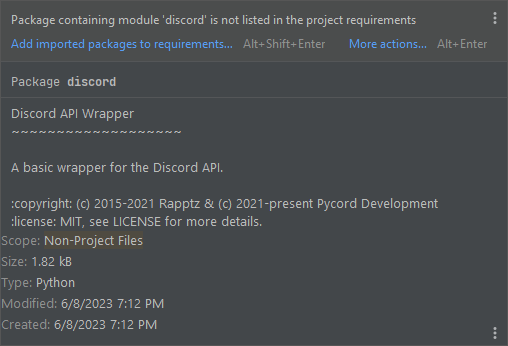 fervent cradle
thank you
oh boy this is gonna be a pain re doing it
is there any way i can test for if any other of my commands are blocking?
elfin dagger
fervent cradle
is there any way i can test for if any other of my commands are blocking?
Run the command you’re checking and then run any other command
young bone
fervent cradle
is there any way i can test for if any other of my commands are blocking?
Do you use something like requests?
fervent cradle
no
elfin dagger
elfin dagger
https://cloud.google.com/translate/docs/setup
The example google gives for python uses TranslationServiceClient which is blocking
young bone
any normal def func?
fervent cradle
young bone
any normal def func?
yeah
elfin dagger
Just change it to TranslationServiceAsyncClient and it’ll become async
fervent cradle
ah okay, thanks
elfin dagger
Don’t forget to async def and await afterwards
fervent cradle
young bone
any normal def func?
def random_string(n):
    chars = ascii_letters+"1234567890"
    charset = [i for i in chars]
    token = ""

    for i in range(0, n):
        token += random.choice(charset)

return token``` say this oneor my custom check for developer commands
young bone
add async to it
fervent cradle
so i should always add async to all functions even if they dont use anything async?
round sorrel
Quick question: How to add user option
fervent cradle
young bone
add async to it
cus this one doesnt use any other library other than pythons built in ones
elfin dagger
fervent cradle
cus this one doesnt use any other library other than pythons built in ones
You should still add it because it seems anyone can input an arbitrarily large number for n
fervent cradle
well i only use those internally they havent got user input
elfin dagger
You should still add it
Doesn’t cost much to do it and will make your bot slightly faster especially if the function is being called many times
fervent cradle
okay
elfin dagger
Don’t forget to add await wherever you call the function
fervent cradle
pretty sure this one cant have it
def isDeveloper():
    async def check(ctx):
        return True if await ctx.bot.getPermissions(ctx.author.id) == "developer" else False

return commands.check(check)```if its a check
elfin dagger
Can you not just remove def isDeveloper
elfin dagger
Oh ok
I’m less sure about that maybe someone with more experience
But I would assume it can also be async
fervent cradle
ive tried, but i dont think u can await decorators
besides, the check is async already which is the part that does all the work
elfin dagger
If it’s a decorator it doesn’t need async https://stackoverflow.com/questions/42043226/using-a-coroutine-as-decorator
Stack Overflow
in this scenario:
async def foo(f):
async def wrapper(*args, **kwargs):
return f(*args, **kwargs)
return wrapper
@foo
async def boo(*args, **kwargs):
pass
is the call to foo ...
Oops
Google 👍
fervent cradle
pretty sure __init__ cant be async either, so unfortunately i cant do all of them async
elfin dagger
Init cannot be async yes
fervent cradle
class MatrixBot(commands.Bot):
    def __init__(self, *args, **kwargs): # I dont think this can be async
        self.config = Config()
maintenance = self.checkMaintenance() # Hence i cant use await here```I mean normal def func.
fervent cradle
yeah i know
young bone
?tag ri
obtuse juncoBOT
 No tag
 ri found.
fervent cradle
fervent cradle
```py
def random_string(n):
chars = ascii_letters+"1234567890"
charset =...
.
young bone
?tag rie
obtuse juncoBOT
You can run blocking code (such as PIL/Pillow) in an executor to run it in a separate thread: ```py
def my_blocking_func(*args):
...
@bot.command()
async def test_command(ctx):
ret = await bot.loop.run_in_executor(my_blocking_func, 'put', 'args', 'here')``` see the documentation (https://docs.python.org/3/library/asyncio-eventloop.html?highlight=run_in_executor#asyncio.loop.run_in_executor) for more info
Python documentation
Source code: Lib/asyncio/events.py, Lib/asyncio/base_events.py Preface The event loop is the core of every asyncio application. Event loops run asynchronous tasks and callbacks, perform network IO ...
fervent cradle
young bone
?tag rie
so to run this
googletrans.GoogleTranslator(source="auto", target=language)```

id do
```py
await self.bot.loop.run_in_executor(googletrans.GoogleTranslator, )``` and how do i add those args there?just py await self.bot.loop.run_in_executor(googletrans.GoogleTranslator, source="auto", target=language ?
young bone
Is it in a func?
fervent cradle
its a lib i installed i was just wondering if thats even possible now
t = googletrans.GoogleTranslator(source="auto", target=language)
t.translate(text=str(text))``` thats how the full code would lookI know that there was a glitch at the google tanslater library
elfin dagger
fervent cradle
just ```py
await self.bot.loop.run_in_executor(googletrans.GoogleTranslator, sou...
await self.bot.loop.run_in_executor(googletrans.GoogleTranslator, source, language)
the arguments work the same way as calling a function normally
fervent cradle
ohhh, so you dont need to specify them? or if i wanted a source how would i specify the source? im not following here a little
elfin dagger
fervent cradle
ohhh, so you dont need to specify them? or if i wanted a source how would i spec...
you don't need to specify which argument is which value
it's just like
googletrans.GoogleTranslator(source, language)
if you wanted source to be something else you'd just do
await self.bot.loop.run_in_executor(googletrans.GoogleTranslator, "different_source", language)
you don't have to specify which argument it just uses the order in which you defined them
oh yeah i almost forgot, arguments with default values should be after any and all arguments that don't have a default value
fervent cradle
elfin dagger
if you wanted source to be something else you'd just do
```py
await self.bot.loo...
ahh so if i want the source to be auto i just add "auto"
elfin dagger
fervent cradle
ahh so if i want the source to be auto i just add "auto"
in place of "different_source" yes
your source has a default value though so it should be moved after language
and then in this case you can simply just not pass an argument for source and it will default to "auto"
fervent cradle
oh so i just do source, language
elfin dagger
if you don't want a default source correct
fervent cradle
so i can do something like so
await self.bot.loop.run_in_executor(GoogleTranslator, source, language).translate(text=str(text))```, is that correct?it looks so
the function here would be called GoogleTranslator with the arguments source and language so if that's what you have it would probably work assuming .translate works as intended
fervent cradle
discord.errors.ApplicationCommandInvokeError: Application Command raised an exception: NameError: name 'source' is not defined``` right so it has to be "auto"i'm pretty terrible at this library actually so unfortunately i can't help here, someone more experienced will be able to help
 hallow peak
Alright 👍
elfin dagger
sorry 😔
hallow peak
💀 I'm sorry that was completely unintended
fervent cradle
um, well, now py from utils.utils import random_error_msg print(random_error_msg())
just returns
<coroutine object random_error_msg at 0x0000019E1663EF60> so what do i do
async def random_error_msg():
    error_names = [
    ]

return random.choice(error_names)```list of course has names
elfin dagger
fervent cradle
um, well, now ```py
from utils.utils import random_error_msg
print(random_error_...
try converting it to a string first
fervent cradle
ah so return str(random...)
full basin
fervent cradle
um, well, now ```py
from utils.utils import random_error_msg
print(random_error_...
You printed the coroutine
You have to await it if you want the result
fervent cradle
elfin dagger
the function here would be called `GoogleTranslator` with the arguments `source`...
  File "C:\Program Files\WindowsApps\PythonSoftwareFoundation.Python.3.11_3.11.1264.0_x64__qbz5n2kfra8p0\Lib\asyncio\base_events.py", line 829, in run_in_executor
    executor.submit(func, *args), loop=self)
    ^^^^^^^^^^^^^^^
AttributeError: type object 'GoogleTranslator' has no attribute 'submit'``` righti think you have to add None as the first argument
https://docs.python.org/3/library/asyncio-eventloop.html#asyncio.loop.run_in_executor
Python documentation
Source code: Lib/asyncio/events.py, Lib/asyncio/base_events.py Preface The event loop is the core of every asyncio application. Event loops run asynchronous tasks and callbacks, perform network IO ...
 finite flame
uhm I have somthing really weird:
file 1
here I define DiscordAuth class and create an object of it with its init values
class DiscordAuth:
    client_id: str
    client_secret: str
    redirect_uri: str
    scopes: str
    client_session: aiohttp.ClientSession | None = None
    tokens: TokenDB

    def __init__(
            self,
            client_id,
            client_secret,
            redirect_uri,
            scopes=('identify',),
    ):
        self.client_id = client_id
        self.client_secret = client_secret
        self.redirect_uri = redirect_uri
        self.scopes = "%20".join(scope for scope in scopes)
        self.tokens = TokenDB()

    @classmethod
    async def start(cls):
        print("client id:", cls.client_id)
        if cls.client_session:
            return
        print("client session starting...")
        cls.client_session = aiohttp.ClientSession()
        print("client session started")

discord_auth_client: DiscordAuth = DiscordAuth(
    "729466387185270884",
    "my client secret :^)",
    "http://localhost:4200/callback",
    ("identify", "guilds")  # scopes
)
file 2
here I import the created object and use its start() function to init the web client
from .auth.discord import discord_auth_client as dac

@router.on_event("startup")
async def on_startup():
    await dac.start()
now I run into an exception tho; can someone explain to me how I can use the object before its initialization is finished (can't explain the exception in any other way)
ERROR:    Traceback (most recent call last):
  File "D:\projects\python\discord-bot-web\.venv\lib\site-packages\starlette\routing.py", line 645, in lifespan
    async with self.lifespan_context(app):
  File "D:\projects\python\discord-bot-web\.venv\lib\site-packages\starlette\routing.py", line 540, in __aenter__
    await self._router.startup()
  File "D:\projects\python\discord-bot-web\.venv\lib\site-packages\starlette\routing.py", line 622, in startup
    await handler()
  File "D:\projects\python\discord-bot-web\routers\discord_api.py", line 12, in on_startup
    await dac.start()
  File "D:\projects\python\discord-bot-web\routers\auth\discord.py", line 93, in start
    print("client id:", cls.client_id)
AttributeError: type object 'DiscordAuth' has no attribute 'client_id'```nope, still
elfin dagger
fervent cradle
nope, still
is the error still the same?
fervent cradle
elfin dagger
is the error still the same?
yes
fervent cradle
elfin dagger
is the error still the same?
updated code if needed:
await self.bot.loop.run_in_executor(GoogleTranslator, None, "auto", language).translate(text=str(text))```oh it should be None comes before GoogleTranslator
fervent cradle
oh, my apologies
elfin dagger
yeah np
proud mason
You could use asyncio.to_thread which makes that a bit easier
fervent cradle
how about an example?
young bone
fervent cradle
how about an example?
google it ;3
fervent cradle
i mean since this works i dont need to really do much anymore to change it
right and i have issues again lmao
so i have my own error handler
its basically just a bunch of if isinstance checks
    elif isinstance(error, gdshortener.GDGenericError):
        embed.description = "..."


    else:
        embed.description = error
        # raise error

    await ctx.respond(embed=embed, ephemeral=True)```

but whenever it receives an error i get:
Traceback (most recent call last):
File "C:\Users\jan.virtualenvs\src-UVICV5iw\Lib\site-packages\discord\interactions.py", line 900, in send_message
adapter.create_interaction_response(
File "C:\Users\jan.virtualenvs\src-UVICV5iw\Lib\site-packages\discord\webhook\async_.py", line 523, in create_interaction_response
form[0]["value"] = utils._to_json(payload)
^^^^^^^^^^^^^^^^^^^^^^^
File "C:\Users\jan.virtualenvs\src-UVICV5iw\Lib\site-packages\discord\utils.py", line 673, in to_json
return json.dumps(obj, separators=(",", ":"), ensure_ascii=True)
^^^^^^^^^^^^^^^^^^^^^^^^^^^^^^^^^^^^^^^^^^^^^^^^^^^^^^^^^
File "C:\Program Files\WindowsApps\PythonSoftwareFoundation.Python.3.11_3.11.1264.0_x64__qbz5n2kfra8p0\Lib\json_init.py", line 238, in dumps **kw).encode(obj)
^^^^^^^^^^^
File "C:\Program Files\WindowsApps\PythonSoftwareFoundation.Python.3.11_3.11.1264.0_x64__qbz5n2kfra8p0\Lib\json\encoder.py", line 200, in encode chunks = self.iterencode(o, _one_shot=True)
^^^^^^^^^^^^^^^^^^^^^^^^^^^^^^^^^^
File "C:\Program Files\WindowsApps\PythonSoftwareFoundation.Python.3.11_3.11.1264.0_x64__qbz5n2kfra8p0\Lib\json\encoder.py", line 258, in iterencode
return _iterencode(o, 0)
^^^^^^^^^^^^^^^^^
File "C:\Program Files\WindowsApps\PythonSoftwareFoundation.Python.3.11_3.11.1264.0_x64__qbz5n2kfra8p0\Lib\json\encoder.py", line 180, in default
raise TypeError(f'Object of type {o.class.name} '
TypeError: Object of type ApplicationCommandInvokeError is not JSON serializable```
full basin
you need to convert error to str
fervent cradle
with add_field, I put 4 tables in a row, and I would like the 4 to be aligned?
 silver moat
fervent cradle
with add_field, I put 4 tables in a row, and I would like the 4 to be aligned?
silver moat
fervent cradle
with add_field, I put 4 tables in a row, and I would like the 4 to be aligned?
they can't be aligned horizontally aligned since each embed "row" can only have 3 fields, but they can be vertically aligned
round rivet
if you want a 2x2 grid you can add a field with zero-width spaces between week and month
fervent cradle
round rivet
if you want a 2x2 grid you can add a field with zero-width spaces between week a...
ho ty for astuce
round sorrel
Question: How to add user option
silver moat
round sorrel
Question: How to add user option
as in slash commands or what?
round sorrel
in slashs
fervent cradle
(ctx, name: str)
silver moat
just type hint discord.User
silver moat
are you using @option or arg: discord.Option
round sorrel
discord.Option
fervent cradle
@silver moat for slash commands i juste need commands in discord.ext
silver moat
round sorrel
discord.Option
yeah then just discord.Option(discord.User, other stuff go here)
silver moat
fervent cradle
<@586743480651350063> for slash commands i juste need commands in discord.ext
what?
round sorrel
ok tysm
Also can I ask how to DM members via bot?
silver moat
await user.send()
round sorrel
so when the option user is named " user " its user.send(f"{message}")?
fervent cradle
silver moat
what?
it asks to add a description to the order, doesn't it?
silver moat
round sorrel
so when the option user is named " user " its user.send(f"{message}")?
yes
silver moat
fervent cradle
it asks to add a description to the order, doesn't it?
I'm sorry, I don't know what you are asking for
fervent cradle
silver moat
I'm sorry, I don't know what you are asking for
no i helped you because i thought it just asked for a description of slash command
silver moat
fervent cradle
<@586743480651350063> for slash commands i juste need commands in discord.ext
what about this?
fervent cradle
for add a description of slash command i juste need commands in discord.ext
young bone
Did you took a look at the examples?
fervent cradle
young bone
Did you took a look at the examples?
no I just asked for a chatgpt what I needed to import to have a slash command, then I didn't need an additional module to make my command
full basin

elfin dagger
💀
spring hare
Why there is no position kwarg in guild.create_role()?
worldly schooner
how do I disable a button that just got interacted?
spring hare
worldly schooner
how do I disable a button that just got interacted?
set self.disabled=True and edit message with view=self
worldly schooner
thankyou
spring hare
Does unicode_emoji for roles still exist?
young bone
spring hare
Does unicode_emoji for roles still exist?
Do you mean stuff like that?
 spring hare
young bone
Do you mean stuff like that?
spring hare
young bone
Do you mean stuff like that?
Oh, wait
Yeah thx
I thought you can only set images as icons
young bone
spring hare
I thought you can only set images as icons
It is a image
You cannot set an emoji as a icon
spring hare
 young bone
oh
spring hare
young bone
You cannot set an emoji as a icon
I thought that too lmao
quaint coral
Alright, so I want to set up my bot to run on a VPS. I ordered one on Contabo and set up the Ubuntu machine, installed VSCode, installed the Python package for VSCode, created a virtual environment and used the requirements.txt I created on my Windows machine, which was running the bot without any issues.
When I try to run the code, I am getting an ImportError:
(.venv) discwiz@vmi1340411:~/wiz_bot$ /home/discwiz/wiz_bot/.venv/bin/python /home/discwiz/wiz_bot/wiz_bot_V1.py
Traceback (most recent call last):
  File "/home/discwiz/wiz_bot/wiz_bot_V1.py", line 2, in <module>
    from discord import option
ImportError: cannot import name 'option' from 'discord' (/home/discwiz/wiz_bot/.venv/lib/python3.10/site-packages/discord/__init__.py)
Any ideas on why I can't seem to import that? I do have py-cord 2.4.1 installed on the virtual environment:
(.venv) discwiz@vmi1340411:~/wiz_bot$ pip show py-cord
Name: py-cord
Version: 2.4.1
Summary: A Python wrapper for the Discord API
Home-page:
Author: Pycord Development
Author-email:
License: MIT
Location: /home/discwiz/wiz_bot/.venv/lib/python3.10/site-packages
Requires: aiohttp, typing-extensions
Required-by:
Can you show the file?
silver moat
pip list and show output
quaint coral
silver moat
`pip list` and show output
This is the output:
(.venv) discwiz@vmi1340411:~/wiz_bot$ pip list
Package                  Version
------------------------ ---------
aiohttp                  3.8.4
aiosignal                1.3.1
aiosqlite                0.19.0
APScheduler              3.10.1
async-timeout            4.0.2
asyncio                  3.4.3
attrs                    21.4.0
chardet                  4.0.0
charset-normalizer       3.1.0
discord                  2.2.2
discord.py               2.2.2
discord-py-interactions  5.1.0
discord-py-slash-command 4.2.1
discord-typings          0.5.1
disnake                  2.8.1
emoji                    2.2.0
ffmpeg-python            0.2.0
frozenlist               1.3.3
future                   0.18.3
idna                     3.3
imageio-ffmpeg           0.4.8
multidict                6.0.2
numpy                    1.22.3
pandas                   1.4.1
peewee                   3.16.2
Pillow                   9.5.0
pip                      23.1.2
py-cord                  2.4.1
pycord                   0.1.1
pycryptodome             3.14.1
python-dateutil          2.8.2
python-dotenv            1.0.0
pytz                     2022.1
regex                    2022.3.15
setuptools               68.0.0
six                      1.16.0
tomli                    2.0.1
typing_extensions        4.5.0
tzdata                   2023.3
tzlocal                  5.0.1
yarl                     1.7.2
yeah, uninstall discord, discord.py, discord-py-interactions, discord-py-slash-command, discord-typings, and disnake
and probably also show requirements.txt
oh yeah and reinstall py-cord
zealous bear
hi silly squid!
quaint coral
silver moat
yeah, uninstall discord, discord.py, discord-py-interactions, discord-py-slash-c...
Alright, just uninstalled them. And this is the content of my requirements.txt :
aiohttp==3.8.4
aiosignal==1.3.1
aiosqlite==0.19.0
APScheduler==3.10.1
async-timeout==4.0.2
asyncio==3.4.3
attrs==21.4.0
chardet==4.0.0
charset-normalizer==3.1.0
discord==2.2.2
discord-py-interactions==5.1.0
discord-py-slash-command==4.2.1
discord-typings==0.5.1
discord.py==2.2.2
disnake==2.8.1
emoji==2.2.0
ffmpeg-python==0.2.0
frozenlist==1.3.3
future==0.18.3
idna==3.3
imageio-ffmpeg==0.4.8
multidict==6.0.2
numpy==1.22.3
pandas==1.4.1
peewee==3.16.2
Pillow==9.5.0
py-cord==2.4.1
pycord==0.1.1
pycryptodome==3.14.1
python-dateutil==2.8.2
python-dotenv==1.0.0
pytz==2022.1
regex==2022.3.15
six==1.16.0
tomli==2.0.1
typing_extensions==4.5.0
tzdata==2023.3
tzlocal==5.0.1
yarl==1.7.2
Also uninstalled and installed py-cord again. Now the bot's running. Funny thing is, I did not remember I had all of those old and/or deprecated libraries... And even funnier is that it was running just fine on Windows lmao
I suck at this, sorry, @silver moat. Thank you for the assistance ^.^
zealous bear
i would like to know how i can make my bot auto post something every ___ hours or minutes in a certain channel
silly squid fr the best person here (in my personal experience)
silver moat
quaint coral
Alright, just uninstalled them. And this is the content of my `requirements.txt`...
yeah remove the same things from requirements.txt as well
young bone
also remove this pycord==0.1.1
silver moat
zealous bear
i would like to know how i can make my bot auto post something every ___ hours o...
Pycord
One of the most common operations when making a bot is having a loop run in the background at a specified interval. This pattern is very common but has a lot of things you need to look out for: How...
quaint coral
silver moat
yeah remove the same things from `requirements.txt` as well
Yup, I definitely need to clean up my dependencies on Windows 😳. I didn't even use virtual environments when I first started this
quaint coral
young bone
also remove this `pycord==0.1.1`
And thank you for reminding me of that! 😄
young bone
oof
zealous bear
silver moat
https://docs.pycord.dev/en/master/ext/tasks/index.html
is it really as simple as this?
@tasks.loop(minutes=720)
async def post_trade():
    # Retrieve trade information from the database
    async with aiosqlite.connect('trade_database.db') as conn:
        cursor = await conn.cursor()
        await cursor.execute('SELECT have, want, tradelink, channel_id FROM trades')
        trades = await cursor.fetchall()

    # Post the trade information in the specified channel
    for trade in trades:
        have, want, tradelink, channel_id = trade
        channel = bot.get_channel(channel_id)
        if channel:
            embed = discord.Embed(title="Trade Advertisement", color=0x86def2)
            embed.add_field(name="[Have]", value=have, inline=False)
            embed.add_field(name="[Want]", value=want, inline=False)
            embed.add_field(name="[Trade Link]", value=tradelink, inline=False)
            await channel.send(embed=embed)
you might want to use hours instead of minutes, but looks fine to me
zealous bear
silver moat
you might want to use hours instead of minutes, but looks fine to me
awesome
i am having this other issue though, where i'm getting this error
     ^^^^^^^^^^^^^^^^^
AttributeError: 'Bot' object has no attribute 'slash_command'. Did you mean: 'add_command'?``does that mean that something is clashing with pycord?
young bone
and maybe show the pip list ;3
silver moat
re-install = uninstall + install
zealous bear
silver moat
re-install = uninstall + install
alright
fervent cradle
@silver moat can you help me please ?
silver moat
fervent cradle
<@586743480651350063> can you help me please ?
with?
fervent cradle
silver moat
with?
here
zealous bear
@silver moat so i am trying to create a command where someone can input some data and it starts autoposting it. do i need to like initialze that tasks loop in the command for it to work?
or anyone else
spring hare
why you ping admin? 💀
spring hare
zealous bear
<@586743480651350063> so i am trying to create a command where someone can input...
I don't really understand what you mean
zealous bear
spring hare
why you ping admin? 💀
we were talking prior
spring hare
Oh, ok
spring hare
zealous bear
<@586743480651350063> so i am trying to create a command where someone can input...
I think you can create a task, where it loops through the list and post stuff
zealous bear
spring hare
I think you can create a task, where it loops through the list and post stuff
yeah i want to initialize it with a command
is that possible
something like /post for example
spring hare
Depends on your implementation
I don't really much know what you want
You can just add stuff to list, and on next loop it will see new stuff
zealous bear
spring hare
Depends on your implementation
am I able to DM you?
spring hare
Uhm... Yes, you can, but please, keep your question in this channel
zealous bear
spring hare
Uhm... Yes, you can, but please, keep your question in this channel
I wanted to send you the full code privately
we can continue to discuss here if you want
silver moat
spring hare
why you ping admin? 💀
since when did i get promoted
zealous bear
silver moat
since when did i get promoted
😂
zealous bear
zealous bear
<@586743480651350063> so i am trying to create a command where someone can input...
.
silver moat
spring hare
Depends on your implementation
.
proud mason
I think you can call the my_loop.start() method inside the cmd. That might work
zealous bear
proud mason
I think you can call the `my_loop.start()` method inside the cmd. That might wor...
ah not defined
proud mason
Well where is the loop function? Is this in a cog or smth?
zealous bear
zealous bear
ill do my best to write it all here
i want to create a slash command where you can enter three values + the ID of a channel and then they get organized into this post that i want to be posted in that channel with the id the user provided on a timed basis
zealous bear
proud mason
Well where is the loop function? Is this in a cog or smth?
no its all right next to eachother
proud mason
Hmm then how is it not defined?
You can pass parameters to the start method btw
.rtfm loop.start
winter condorBOT
1 results
proud mason
Oh hmm wait. You might need to create the loop function inside the command
Since 1 task loop can only be started once
zealous bear
proud mason
Hmm then how is it not defined?
not sure
this should make it much easier
@bot.slash_command(guild_ids=server, name='createautopost', description='Create an automatic trade advertisement!')
async def createautopost(ctx, have: discord.Option(str), want: discord.Option(str), tradelink: discord.Option(str), channel_id: discord.Option(str)):
    # Store trade information in the database
    async with aiosqlite.connect('trade_database.db') as conn:
        cursor = await conn.cursor()
        await cursor.execute('CREATE TABLE IF NOT EXISTS trades (have TEXT, want TEXT, tradelink TEXT, channel_id INTEGER)')
        await cursor.execute('INSERT INTO trades (have, want, tradelink, channel_id) VALUES (?, ?, ?, ?)',
                             (have, want, tradelink, channel_id))
        await conn.commit()

    await ctx.respond("Trade information stored and scheduled for autoposting!", ephemeral=True)
    my_loop.start()


@tasks.loop(seconds=10)
async def post_trade():
    # Retrieve trade information from the database
    async with aiosqlite.connect('trade_database.db') as conn:
        cursor = await conn.cursor()
        await cursor.execute('SELECT have, want, tradelink, channel_id FROM trades')
        trades = await cursor.fetchall()

    # Post the trade information in the specified channel
    for trade in trades:
        have, want, tradelink, channel_id = trade
        channel = bot.get_channel(channel_id)
        if channel:
            embed = discord.Embed(title="Trade Advertisement", color=0x86def2)
            embed.add_field(name="[Have]", value=have, inline=False)
            embed.add_field(name="[Want]", value=want, inline=False)
            embed.add_field(name="[Trade Link]", value=tradelink, inline=False)
            await channel.send(embed=embed)
here's my full code 😂
silver moat
bruh not literally my_loop 💀
zealous bear
LOL
fervent cradle
someone can help me for debug my script please ? idk what is error
zealous bear
silver moat
bruh not literally `my_loop` 💀
post_trade.start
i'm sorry i'm braindead
💀
silver moat

zealous bear
silver moat
<:blobpat:908922991486840852>
i have a new problem