#How to create a bot that can use / commands
1 messages · Page 1 of 1 (latest)
 last rapids
 hoary shuttle
can you help me?
hoary shuttle
can you help me?
do you mean slash commands?
hoary shuttle
yes
hoary shuttle
last rapids
do you mean slash commands?
If you know, please help me write a demo code for me to review
 sudden laurelBOT
Here's the slash basic example.
hoary shuttle
last rapids
do you mean slash commands?
https://www.youtube.com/watch?v=Geoos96ht6Y&t=321s
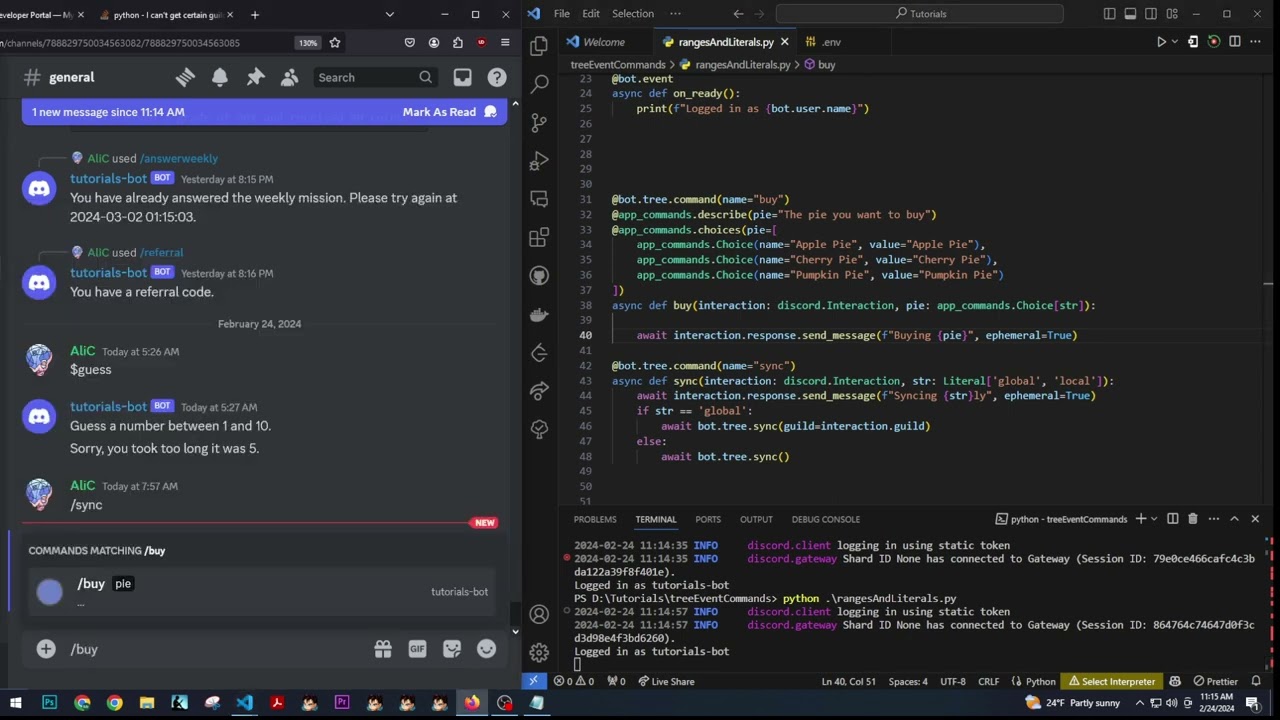
Can you help me use slash command like in this video?
 last rapids
that is discord.py and not py-cord
hoary shuttle
I followed but it doesn't work and no errors appear
hoary shuttle
last rapids
that is discord.py and not py-cord
so can you help me? 😦
last rapids
can you show your pip list pls
 lost fiber
you have discord.py installed
this library is py-cord
So either you installed the wrong library or you're in the wrong discord, your choice
hoary shuttle
When I followed the video and ran the bot, no errors occurred
lost fiber
lost fiber
So either you installed the wrong library or you're in the wrong discord, your c...
.
hoary shuttle
So which one should I use? discord.py or pycord
lost fiber
you choose
from this discord you will only receive biased answers most likely
but imo the slash command syntax is a lot more simple in pycord
hoary shuttle
What about the features and operating speed of these two libraries?
lost fiber
I haven't used discord.py since years, so idk
but slash commands just seem more logical here
hoary shuttle
no Bot class?
 hoary shuttle
lost fiber
you have discord.py installed
hoary shuttle
lost fiber
you have discord.py installed
I deleted it
lost fiber
and what did you install instead, the packagename?
hoary shuttle
and in the example you gave did 'import discord'
hoary shuttle
lost fiber
and what did you install instead, the packagename?
pycord
lost fiber
kind of a name conflict with an existing package when pycord was made
lost fiber
hoary shuttle
it all leads to "import discord" so I don't know
yea because that's how py-cord is imported
hoary shuttle
lost fiber
yea because that's how py-cord is imported
Do I need to do anything else?
lost fiber
not really
hoary shuttle
I can't find the intents value in the Bot class 😦
lost fiber
because it's not in the bot class
it's discord.Intents
 hearty raptor
Excited to create your first bot? Once you install Pycord, you can start right
hoary shuttle
How can a bot send messages that only the person using the command can see?
 hoary shuttle
bot = discord.Bot()

@bot.event
async def on_ready():
    print(f"{bot.user} is ready and online!")

@bot.slash_command(name='hello')
async def hello(ctx):
    await ctx.respond('Hey')

bot.run()```
Can you help me edit?add this in the response
hoary shuttle
lost fiber
add this in the response
Can you tell me why when I write "ephemeral" vscode doesn't suggest the code for me as usual. Even when I type "respond" it's the same
lost fiber
because it's a kwarg
the IDE can't really know what that function takes for kwargs
read the docs, always, it helps a lot
hoary shuttle
So there's no way for vscode to suggest those codes?
 edgy ivy
you have to "type-hint" discord.ApplicationContext or vsc doesn't know what type ctx is.
or more formally, intellisense
hoary shuttle
Can you show me an example?
lost fiber
oh right the kwargs are also documented in the code right? ide readably?
edgy ivy
@bot.slash_command(name='hello')
async def hello(ctx: discord.ApplicationContext):
    await ctx.respond('Hey')
no, just the respond part
hoary shuttle
async def hello(ctx: discord.ApplicationContext):
    await ctx.respond('Hey', ephemeral=True)```
oh, but it still cannot suggest "ephemeral"yea, because of what i said about kwargs
lost fiber
edgy ivy
no, just the respond part
a that you meant
for stuff like that (kwargs aka keyword arguments) you need to read the docs
Pycord
Pycord is a modern, easy to use, feature-rich, and async ready API wrapper for Discord. Features: Modern Pythonic API using async/ await syntax, Sane rate limit handling that prevents 429s, Command...
edgy ivy
lost fiber
yea, because of what i said about kwargs
technically, it's not entirely true, but whatever I don't want to explain it
lost fiber
ik
hoary shuttle
Is there any utility on vscode that can suggest code when I write a piece of code too many times?
lost fiber
ideally, you should notice that and make that bit of code its own function
hoary shuttle
lost fiber
ideally, _you_ should notice that and make that bit of code its own function
Is this a feature of a utility?
 edgy ivy
lost fiber
thats intellicode
edgy ivy
lost fiber
thats intellicode
what
lost fiber
i dont think you have copilot
edgy ivy
no, it's just copilot
lost fiber
but copilot is paid?
edgy ivy
it's clearly the video
lost fiber
oh i thought they sent their own screen lmao
edgy ivy
you can even see copilot
lost fiber
hoary shuttle
Is this a feature of a utility?
also, that is discord.py
do not watch that video
hoary shuttle
i know
lost fiber
but yea thats copilot and costs money
And i think you should learn programming yourself first before using AI
hoary shuttle
I learned programming before, I quit in October 2023 and I'm very bad at finding reference materials to learn more about python
lost fiber
as i said, youtube and the internet in general are FULL of it
w3schools, geeks4geeks, etc.
hoary shuttle
but about discord bot I couldn't find any perfect documentation
everything is half-hearted
lost fiber
Pycord
Pycord is a modern, easy to use, feature-rich, and async ready API wrapper for Discord. Features: Modern Pythonic API using async/ await syntax, Sane rate limit handling that prevents 429s, Command...
and for the start especially, https://guide.pycord.dev/introduction
Pycord Guide is a complete guide for Pycord. Learn how to create Discord Bots today!
hoary shuttle
And I also want to thank you, thank you for helping me for nearly 2 hours. Thank you very much.