#welcome message isnt working
1 messages · Page 1 of 1 (latest)
 indigo lichen
- this looks like dpy
- you're missing
selffrom your interaction on_submit - you never added
nameto your modal
you should define the InputText inside the init and then use self.add_item
if you actually are using pycord, you should rename on_submit to callback
move it inside the __init__
and then do self.add_item
...?
my guy i just described it to you step by step
to add an item to a modal, you typically do Modal.add_item(...)
in this case, self is your Modal object which can only be accessed inside of functions such as __init__
therefore, inside the __init__ function you can do self.add_item(...) to add your InputText
 fading houndBOT
Please put your code in a code block:
```py
Here is your Code
```
That makes reading code in Discord a lot easier:
print("This is an example.")
 quaint ridge
please just send your code as code
you didn't even send your Leave class
did you respond in the callback?
indigo lichen
you didn't define bot
 thorny cloak
indigo lichen
1) this looks like dpy
2) you're missing `self` from your interaction on_submit
...
thorny cloak
indigo lichen
1) this looks like dpy
2) you're missing `self` from your interaction on_submit
...
Dude
Did you even look at the traceback
It's clearly not discord.py because there is no module named discord.commands
Plus, discord/bot.py
Plus, Pycord is LITERALLY a fork of discord.py
 true bison
what editor you use if it's vs code whts the theme?
 brisk crater
Is the problem still the button?
The indentation isn’t correct, callback should be a function of the class, not inside the init scope
One back, so that it is part of the class
Does it work?
Add self.bot = bot to init
And use self.bot instead of bot inside the callback
Also, are you creating 2 bot instances?
MyBot inherits from Bot and you also habe a bot object inside of it
I guess your MyBot class is your actual bot, so get rid of the self.bot
Huh?
This shouldn’t even pass the sanitizer checks
If you send the code of init and not a screenshot, I‘ll show you
But give me a moment
class MyBot(commands.Bot):
def __init__(self):
intents = discord.Intents.default()
intents.members = True
watching = discord.Game(name=f"/help | karris.netlify.app")
super().__init__(
command_prefix=commands.when_mentioned_or('!'),
help_command=None,
guild_id=965566481322606592,
activity=watching,
intents=intents
)
self.pool = None
and all normal bot attributes can be accessed with self
self.bot.pool.acquire
you pass the bot instance to the Modal and save it as self.bot
so self.bot will be of the type MyBot
class Modal2(Modal):
    def __init__(self, bot):
        self.bot = bot

    async def callback(self, interaction):
        self.bot...
and you shouldn’t do
def __init__(self, bot = commands.Bot)
the equal will set a default value with creates a new bot function
yes
or at least looks right, you'll have to test it
depends on the import
import discord -> discord.ui.Modal
from discord.ui import Modal -> Modal
I prefer the Modal over discord.ui.Modal for readability
then Modal is enough
you're still using bot instead of self.bot in the callback
134
it should be
just bot would refer to a global variable
no, it's not inside a class
just self
brisk crater
brisk crater
```py
class MyBot(commands.Bot):
def __init__(self):
intents = disco...
oh I see, I actually send it that way (more or less)
Didn’t pay attention to the parameters
you need to pass your bot to the Modal
modal = Modal2(bot)
yep
329
weird
it's the pool
for some reason it's None
but you change it in the on_ready, so it's weird
yes, but theoretically on_ready overwrites it
you may want to debug the on_ready function
and go step by step
no, then you remove the reference completely
use a debugger...
ohhh
watch some tutorials
Can’t explain that here
why
😂
maybe install something like PyCharm, I like their debugger
indigo lichen
thorny cloak
Dude
Did you even look at the traceback
It's clearly not discord.py because ther...
I said dpy because on_submit is theirs, so I assumed they mixed up code between the two
thorny cloak
Ah I see
indigo lichen
define it...? I saw you tried it in on_ready but 
brisk crater
Does the create_pool work as intended?
brisk crater
bot.pool doesn‘t exist, I know you had self.pool prior and that should be the correct usage. The problem is most likely with the creation of the pool
brisk crater
fix the create_pool function / use one that works
quaint ridge
bot.pool is None
brisk crater
I doesn’t respond because of your database problem
quaint ridge
Line 138 what's "name"?
 dry zinc
Is your problem solved?
can you give me an example of this?
So one thing i noticed is that you have a bare except in your modal2 callback. You should specify the error that it should catch.
Could you show me the code for /joinmsg
Ok a few things I noticed. Your if argument == "Delete": is indented to much.
You need to setup guildID as a primary key in your database so that there can only be 1 welcome message per guild. The reason it is not the same is because you have 2 welcome messages for the guild. And it is taking the first one instead of the most recent one you inputted.
What database are you using? You could update the row instead of deleting and recreating
you could also use elif instead of if for the last 2
yes
Do you want to have 1 welcome message per guild or 1 welcome message per channel?
ok, than guildID should be a primary key in your database
yes, it should be not none to
👍
You need to delete rows 2 and 3 because they have the same guildIDs as other rows
In modal2 you can use ON DUPLICATE KEY UPDATE like this, so if there is already a row for that guild it will change the welcome message instead of throwing an error
INSERT INTO welcome (guildID, channelID, msg) VALUES (%s, %s, %s) ON DUPLICATE KEY UPDATE msg=%s;
and in execute just add another msg argument
yes, but you need to fill the last %s argument by using self.callback[0].value again. So it should be there 2 times.
Also add a ; at the end of the SQL. It is just good practice to end the statement.
You dont need the %s in the SQL, you had 4 in the SQL already and you just need to add 4 arguments to match with it. Also the ; goes at the end of the SQL string (msg=%s;)
yes :)
Now do a bit of testing and see if the command is still acting weird
Can you send your modal2 code it is hard to read from the images
i think that there is an error that is being caught by the except.
is there a reason for the try/except around ch?
indigo lichen
get_channel will never raise an error like that, it'll only return None
dry zinc
^
so get rid of the try/except there and see if that makes the error go away.
yes
XD
That would make sense, because you are trying to add it to the database but at the same time you are retrieving it. What is the except for in the modal callback? You should try not to have bare excepts. IT should specify an error to catch.
Comment it out for now becouse there is a lot of code but i dont see the purpose.
what is all the code under the except for, what does it do?
but yes, that is what i mean
The new SQL i gave you should fix that.
Comment out the try: and all the code in the except: and see if the command works.
Unfortunately I have to go, if you still experience issues post them here and someone else can help or I can try to tomorrow.
brisk crater
self.callback[0]
Doesn’t work, I guess it would be self.children[0]
but isn’t that what you want?
I assumed from the context
insert guild, channel, message, or just update message
not sure, but this looks kinda wrong

ok
give it a try without
dry zinc
The part in Luis message above should not be there, I think it must have been a copy paste error.
It is right in the linked message
brisk crater
does inserting % signs work?
dry zinc
brisk crater
does inserting % signs work?
%s is not SQL but it is what the connector lib uses to put placeholders in. (f-strings are prone to SQL injection)
brisk crater
ok, wasn’t sure about that
where is the command code? (not the nodal)
ok, what's the code for the join event?
dry zinc
In the linked image shows that you are using interaction.channel.id and not the channel id of the variable you entered.
brisk crater
also, where is line 910?
I thought it would be the join event
you could pass the channel along to the modal
well, if line 902 fails, it continues and ch is accessed without being initialized
dry zinc
async def joinmsg(interaction: discord.Interaction, argument: Option(str, "Set a Joinmsg", choices=['Add', 'Delete', 'Show']),
                  channel: discord.TextChannel = None):
Here you take a channel argument. you should use that. channel.id
brisk crater
you could also add a return in the except
it should, but you might want to do ch.mention, otherwise it prints the object
SlashCommandGroup? what did you do?
you have to pass it in Modal2(bot, channel)
and save via self.channel = channel
and get with self.channel.mention
did you try reading your errors before sending them here?
I literally won't answer this
start reading your errors from the bottom
so?
did you try?
brisk crater
which one?
brisk crater
brisk crater
Maybe use self.channel to insert to the db?
.
brisk crater
Fetchone and then index 1?
Also READ YOUR ERRORS
Get yourself a rubber duck!
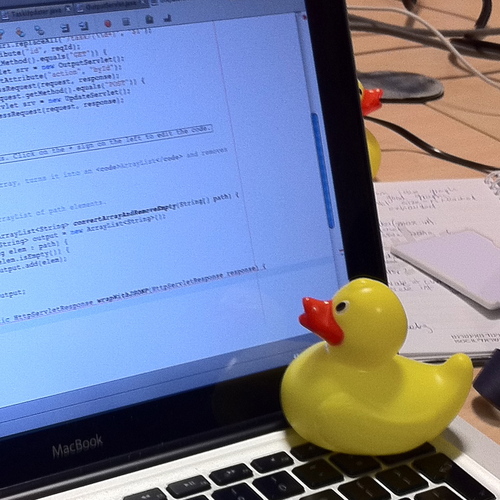
In software engineering, rubber duck debugging (or rubberducking) is a method of debugging code by articulating a problem in spoken or written natural language. The name is a reference to a story in the book The Pragmatic Programmer in which a programmer would carry around a rubber duck and debug their code by forcing themselves to explain it, l...
brisk crater
Did you read the Wikipedia article?