

1 messages · Page 1 of 1 (latest)
 calm kelp
Im modeling this car and im confused on why im getting these shader problems. Any solutions?
 tulip summit
bad topology and/or auto-smooth, generally
calm kelp
tulip summit
bad topology and/or auto-smooth, generally
how could i fix this?
im using creasing
just saying'
 languid gale
its seems like that vertex in not aligned well in position with others... look like a dent.. or may be overlaping
calm kelp
languid gale
its seems like that vertex in not aligned well in position with others... look l...
I will send the mesh of the model in a bit, not home right now
tulip summit
yeah, there's your issue
don't use creasing
it is good in the very few cases where adding geometry is either impossible or would ruin the model as a whole
otherwise, add supporting edge loops
calm kelp
tulip summit
it is good in the very few cases where adding geometry is either impossible or w...
ok, thanks
tulip summit
i would really suggest you check out this video: https://www.youtube.com/watch?v=zSLELihVi6I, there's a lot of great tips there
and if you want to model cars, i suggest: https://www.youtube.com/watch?v=VGPvxIrobFE
#b3d #Blender #modeling
Support me, by checking out my Realtime Planet Creation Addon for Blender: https://bit.ly/3WI706E
If you've enjoyed this video and learned something new, consider subscribing. Do you have any other Tutorial requests? Write a comment and I will answer you.

In this tutorial, we will make a Tesla Model S (inspired) car model in blender. This is part 1 of a 4 part series. I feel like most 3D artists at some point always wanted to make cars. So this video. It's a great introduction to modelling for beginners but we cover a few advanced concepts too. If you have any issues with the pace of the tutorial...
calm kelp
tulip summit
i would really suggest you check out this video: https://www.youtube.com/watch?v...
thanks, another question, how do i change the flow of the edge loop thingy so that it goes with the crease of the fender?
 tulip summit
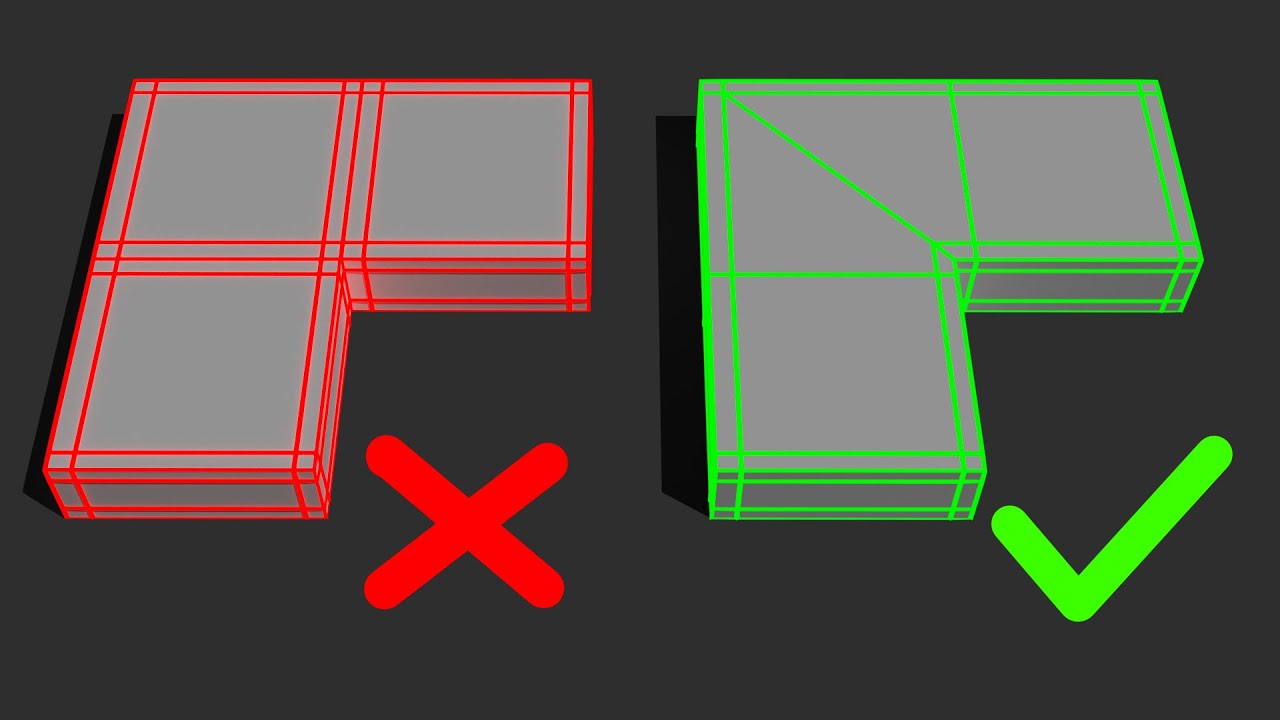
should be something like this, i presume
obviously check where those other two edges are going - if they're flowing into something else you might need some more work

