#How do i make this connect?
1 messages · Page 1 of 1 (latest)
 gleaming sun
Now i dont have much knownledge for this one, but im pretty sure the Shrinkwrap modifier can do that

In this video, learn how to use the Blender Shrinkwrap modifier to bend/fold/shrink geometry to match other geometry in your models! This can be helpful for adding bands, details, decals, and much more!
Want to Support The CG Essentials?
http://www.patreon.com/thecgessentials
BLENDER SHRINKWRAP MODIFIER DOCUMETNATION
https://docs.blender.org/...
Nice
Nice
 vestal python
If i understand your issue correctly, that's not going to work for you because that video is talking about deformations around a single axis, in the case of the video the Z axis. What you're asking is how do you deform a surface around a globe which is more than one axis. What @gleaming sun has explained to you is correct - a shrinkwrap modifier is what you're needing. You just need to make sure that you have sufficient subdivisions on the plane to have it deform smoothly. You can add a simple subdivision modifier before the shrinkwrap modifier and adjust the level of detail until you have the desired result
gleaming sun
Yea
Or just a bigger mass
More verticies basically
So a subdivision set to simple
Maybe set the levels in viewport more than zero
To like 3 or something, or else blender can crash
vestal python
this is loop cuts. you need in both directions
oh, and the modifier you need to have it in the viewport also
gleaming sun
When you add more subdivisions, the mass of the object increases. So the more subdivisions, the more heavier it gets. Its like resolution.
gleaming sun
vestal python
this is loop cuts. you need in both directions
Yes, if you just add loopcuts along one axis, it will only bend along one axis
vestal python
yes but you need to add them in both axis
using the simple subdivision modifier gives you more control and is non-destructive
depending on what your goal is, you could either duplicate the faces on your mesh that you already ahve and make them into their own object, or just assign a different material to the area you're trying to modify
What is your end goal here? Describe in detail what you're trying to achieve and maybe we can give you a simpler solution?
right, so when you say a decal do you mean like grafitti on a surface or an actual 3D object sticking out of the surface?
ahh i see. try this: https://www.youtube.com/shorts/bqXm0kFakls never tried this addon before though and its $10
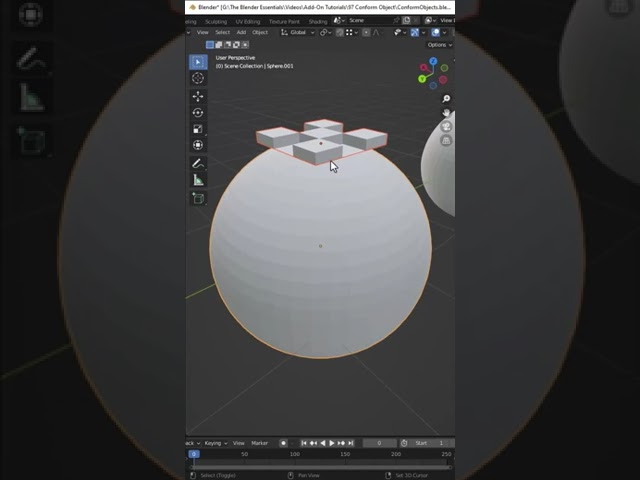
In this video, check out Conform Object - a Blender Add-On that allows you to wrap objects on top of other objects! It's like a shrinkwrap modifier for objects!
CONFORM OBJECT TUTORIAL
https://www.youtube.com/watch?v=lvGqK8BvHhI
CONFORM OBJECT DOWNLOAD LINK (Affiliate Link)
http://www.theCGEssentials.com/ConformObject

but you could just as easy duplicate the faces from the original mesh and/or extrude
are you trying to make the R2D2 specifically?
i think you're overcomplicating it by trying to have one mesh conform to another
as ive said numerous times previously - take the existing mesh from your dome and duplicate/extrude the faces in the shape you need
select, shit+d to duplicate, P -> selected
alt e
remember to share your work in #1060291641841299486 🙂
vestal python
Great job
vestal python
Sweet