#Femtofox - Tiny, low power Linux node!
1 messages · Page 13 of 1
 chrome tide
Didn't you have commands to mount the partitions on another linux system ?
 mild hare
chrome tide
Didn't you have commands to mount the partitions on another linux system ?
mild hare
chrome tide
Didn't you have commands to mount the partitions on another linux system ?
ah chroot
Sorry got sidetracked


Pure debian, no android
Reading LUKS guide now
chrome tide
mild hare
ah chroot
Can you chroot if the SD card doesn't boot anymore ?
mild hare
Oooh good point
Dude finding the offsets in foxbuntu was a nightmare. I have them somewhere but not handy.
chrome tide
dwhacks needs to fsck the card..
mild hare
Yeah and cuz foxbuntu is not a gpt partition you can't just pop it into a machine and just fsck it
mild hare
 polar ingot
friggin womp womp
polar ingot
friggin womp womp
And I don't got offsets close by 😢
polar ingot
oh well. I guess Ill re-image it at some point
mild hare
I think in the python tool we used to write the ssd's in the GitHub may have it. I can take a quick look
chrome tide
polar ingot
oh well. I guess Ill re-image it at some point
I'm telling you, use Win32DiskImager to take a back up of the card. There is a way to mount img file, if you get the offsets of the partitions..
mild hare
polar ingot
oh well. I guess Ill re-image it at some point
Mpwrd-os doesn't have this problem. Just slot it and has a real fs
chrome tide
polar ingot
yeah,
Time to switch to mPWRD-OS.. ;P
So far so good for me, other than missing net-tools, i2c-tools, and vim..
polar ingot
so no sensors?
mild hare
polar ingot
im ready for mpwrd-os!

GitHub
mPWRD-OS First release!
WarningThis initial release is not guaranteed to be forward-compatible (with future releases).
Do not install "in production". Do test and report bugs! 🐛
Report b...
mild hare
polar ingot
so no sensors?
Have not tested sensors but I think it works? i2c-tools is just for debugging
mild hare
use apt-get not apt. Slightly faster
chrome tide
polar ingot
so no sensors?
Nah, my BME280 works, just no way to check i2c..
polar ingot
roger
chrome tide
Hmm... So I installed i2c-tools last night, but still getting this.
will@luckfox-pico-mini:~$ i2cdetect
-bash: i2cdetect: command not found
Ski hills last day is tomorrow, and then I just have to finish shut down, and I'll be done managing 30 employees and back with some free time for projects
 shrewd turtle
i think another tip, is to stop meshtasticd before apt operations, any bit of extra free ram helps (that isn't getting swapped to sdcard)
 nova frost
shrewd turtle
i think another tip, is to stop meshtasticd before apt operations, any bit of ex...
nova frost
shrewd turtle
i think another tip, is to stop meshtasticd before apt operations, any bit of ex...
There should be an upgrade option in mpwrd-config that does this for you
polar ingot
is there a specific place to talk about mpwrd?
It detected my timezone wrong, like not THAT wrong, but kinda wrong lol. I feel like it should detect it, say "is this correct" and give you the option to change. Just a little first boot feedback
chrome tide
polar ingot
It detected my timezone wrong, like not THAT wrong, but kinda wrong lol. I feel ...
mpwrd-menu should let you change it, but it's setup during initial boot when you create your root password, and local user..
chrome tide
Anyone tried one of these ? https://www.amazon.com/DWEII-Lithium-Battery-Charger-Converter/dp/B0DCVRXTW8/

DWEII 3pcs Type-C 15W 3A Fast Charge UPS Power Supply / 18650 Lithium Battery Charger Module DC-DC Step Up Booster Converter 5V 9V 12V (5V)
nova frost
chrome tide
Anyone tried one of these ? https://www.amazon.com/DWEII-Lithium-Battery-Charger...
Not that one but I got something better
 chrome tide
nova frost
chrome tide
nova frost
Wth is that ? ;P
 quasi onyx
hmmmmm
chrome tide
nova frost
Solar charger, ups etc.
I can see that. But what is it called ? Where can someone get it ?
nova frost
4.5-24.5 vin
nova frost
chrome tide
I can see that. But what is it called ? Where can someone get it ?
My Etsy, when delivered..
chrome tide
nova frost
My Etsy, when delivered..
When and where ? ;P
quasi onyx
lol
nova frost
chrome tide
When and where ? ;P
Shouldn't be more th an a week
chrome tide
nova frost
Shouldn't be more th an a week
store link ?
NVM, found it in pinned messages
quasi onyx
lol
chrome tide
Femtofox Pro v1.7 now, wow..
nova frost
Yee
nova frost
chrome tide
store link ?
Also in my profile 😛
chrome tide
It's all fancy w/ interchangable radio modules now..
What is the mikrobus-compatible pcb ?
I also see a PoE 2-pin JST, how do you use that ?
quasi onyx
u need a poe module
chrome tide
Ah
chrome tide
nova frost
Also in my profile 😛
Got an estimated price for the board ?
nova frost
chrome tide
Got an estimated price for the board ?
£25 plus tariffs, postage and packaging
chrome tide
So 50ish USD ?
nova frost
So probably like $120 🤪
I'd suggest buying a few pieces to cut down on cost
Dare I suggest finding some like minded friends?
chrome tide
Maybe SoCal Mesh ppl will be interested..
quasi onyx
heh
chrome tide
I would need a link w/ product details most likely to get anyone on board tho..
quasi onyx
i am like minded 🙃
chrome tide
quasi onyx
i am like minded 🙃
You aren't in the US tho.. ;P
chrome tide
@nova frost There are 2 battery JSTs, are both used at the same time ? But the backup is activated after main dies ?
chrome tide
nova frost
We use a lot of li-socl2 cells
What are those ? Never heard of them..
Hmm.. Chloride battery..
 sour horizon
Can I input my steam turbine? It outputs 73v
quasi onyx
lol
chrome tide
What rechargeable batteries do you recommend for it ?
chrome tide
sour horizon
Can I input my steam turbine? It outputs 73v
Buck it down, and should be fine.. ;P
chrome tide
nova frost
😛
21700 ? ;P
nova frost
Anyway, they use li-socl2 are used in smoke detectors. They got high internal resistance, hence the need for a supercap
quasi onyx
mmmm
quasi onyx
chrome tide
My smoke detectors use 120v..
dont they have a battery backup tho
nova frost
Maybe not...
quasi onyx
usually they have if its mains powered
nova frost
chrome tide
They are Nest Protects tho, so..
Well, those 10 year ones that are retrofit use them.
Anyway, we digress
I wouldn't run a fox off li-socl2
chrome tide
quasi onyx
dont they have a battery backup tho
They do but I think it's Lipo
nova frost
But I would perhaps consider using that input for e.g. another 5v source like an Anker or something
There was an old request for a poe-backed solar node...
Which I thought was interesting, but I guess if you want to try solar but not commit.
quasi onyx
hah
chrome tide
If it's going on my house, I would pref PoE, since I can run a network cable to it, and be done.. I have PoE switches..
nova frost
Well, v1.7 has a socket that has the rectifiers for Poe built in.
But not the transformer.
So bring a silvertel or something and you're probably good to go
chrome tide
You making a PoE board for it next ? ;P
chrome tide
LOL
nova frost
COTS is easier and cheaper
But a nice, efficient charger board is hard to find.
The tedious part of Poe is the detection and negotiation.
chrome tide
Yea
quasi onyx
just leave poe to the big gues
nova frost
It's possible to make a small, "real" Poe converter, or a small one that works on fake power injection, but doing both is really hard.
quasi onyx
yea
chrome tide
So which silvertel is recommended ?
nova frost
Like, there are negotiation chips and stuff, but switching between 60v and 5v and bootstrapping it all...
Well, the charger board will take up to 24v
So any of them?
chrome tide
That doesn't really help. I looked and don't see any that would be plug n play..
nova frost
As Iris will tell you, the naked boards are a bit finicky - they demand huge bulk caps on their output.
quasi onyx
chrome tide
So which silvertel is recommended ?
https://www.mouser.com/ProductDetail/Silvertel/AG5405?qs=stqOd1AaK79%2Fxd5F96tfEA%3D%3D
can do like 30W at 5V but requires external components
that too lol

u need to add these
https://www.mouser.com/ProductDetail/Silvertel/Ag97005-FL?qs=jcD%2FCkGBYeP9k9cGX%252B5wng%3D%3D
this one has them onboard but can do max like 13W or so
nova frost
quasi onyx
https://zipline.valzzu.xyz/u/jO3cxS.png
I included that
quasi onyx
u still need a cap
chrome tide
Do you need more than 13w for a 1W mesh node ?
nova frost
No
 nova frost
I might make an equivalent of the meshmess but for power.
There's too many options.
Put a 90V efuse on the front and just let you plug in whatever you like.
Poe+++? Fake Poe? Solar? Car 24v output? I can probably manage those.
quasi onyx
yup
shrewd turtle
QI power when?
nova frost
I could probably build that into the pcb
chrome tide
SOOO So far, mPWRD-OS is solid when it comes to this wifi NIC I am using.. No KPs, or anything so far..
Is there a mPWRD-OS thread somewhere ?
sour horizon
You in it
quasi onyx
lol
nova frost
chrome tide
Is there a mPWRD-OS thread somewhere ?
Presumably when it leaves preview-pre-alpha-prototyping it'll get yet another channel
mild hare
chrome tide
Is there a mPWRD-OS thread somewhere ?
Issues in mpwrd-os and pmwrd-menu probably help us the most for now. I am supposed to be doing docs n stuff but life keeps finding a way to sidetrack me.
sour horizon
I wanna see more details
Like when I go to radio config I don’t know what state it’s in
mild hare
A related sidetrack though, this Mobian phone is a life/development changing tool.
mild hare
sour horizon
Like when I go to radio config I don’t know what state it’s in
Throw in an issue in mpwrd-menu, I like the idea.
nova frost
I had a quick play before - the new menu is wicked fast.
I need to work out how to get the RTC working.
mild hare
nova frost
I need to work out how to get the RTC working.
Yeah, on my to-do list too.
sour horizon
I tried to set the time zone the other day and fell asleep waiting for it
mild hare
sour horizon
I tried to set the time zone the other day and fell asleep waiting for it
You mean locales? I did mention that
sour horizon
just the time zone haha
mild hare
Woah, never had that happen.
sour horizon
must be your fancy SD card
mild hare
sour horizon
just the time zone haha
Autodetect timezone should be like instant if network is up.
polar ingot
So, with this new latest/greatest OS, i see theres mpwrd-menu, but I don't see anything in there for setting channels, or sensors or channel/config url. is this all to be done the CLI way?
mild hare
polar ingot
So, with this new latest/greatest OS, i see theres mpwrd-menu, but I don't see a...
Contact, first choice in the menu
polar ingot
I thought that was the messaging interface
sour horizon
It would be cool if the menu had basic config like name and such
mild hare
Does config as well, I think F12?
mild hare
sour horizon
It would be cool if the menu had basic config like name and such
I have mpwrd-config repo too, got put aside for clean menu first
polar ingot
I feel like the the femtobuntu somehow have a config that was basically exactly this contact config without the messaging part
anyway, seems faster so far....
mild hare
Bleeding edge, like we basically leaked it while we work on it
mild hare
polar ingot
I feel like the the femtobuntu somehow have a config that was basically exactly ...
This was exactly the case
mild hare
Um. Careful.
mild hare
polar ingot
also, exiting contact seems to take for.ev.er
True, @fast adder mentioned a bug they know about
I use the android client over the network to config usually
polar ingot
if the config was saved from contact on a foxbuntu node, it should maybe work?
mild hare
polar ingot
if the config was saved from contact on a foxbuntu node, it should maybe work?
Oh for contact? Maybe, I have no clue.
polar ingot
couple more questions.....
how to enable i2c sensors?
and do you know where contact wants the config saved? home folder?
mild hare
polar ingot
and do you know where contact wants the config saved? home folder?
I'm not super fluent with Contact. That's @fast adder baby.
mild hare
polar ingot
couple more questions.....
how to enable i2c sensors?
@chrome tide had his bme280 working out the gate. There is a config in /etc/meshtasticd/config.d that should have i2c enabled for meshtasticd.
Lemme know whatever you find, I'm spread pretty thin.
Any/all findings help
chrome tide
mild hare
<@712726191764930631> had his bme280 working out the gate. There is a config in...
Not out the gate, you have to uncomment the I2C device line.. Or use a config file to do it..
 cat /etc/meshtasticd/config.d/femtofox_i2c.yaml
 I2C:
 #  I2CDevice: /dev/i2c-1
  I2CDevice: /dev/i2c-3
I enable webserver also, but I'm sure that's using a bunch of resources.. LOL
mild hare
I swears there is a stand alone yaml that does that but I trust ya
polar ingot
Oh fun. well, im still waiting for contact to close....
mild hare
Mash ctrl-c like it owes you $
polar ingot
last time that didnt work.... I closed the terminal and re-sshed
feel like thats a whoopsies though
mild hare
Oh that reminds me. Trying to be very gentle on resources but tmux is something I feel like I can't live without
polar ingot
mashing ctrl-c doesn this also
mPWRD-menu
============

Main Menu
Lightweight TUI for mPWRD-OS.

 > Contact
   Meshtastic Related Services
   meshtasticd Repository
   Mesh Apps Manager
   Network Quick Start
   Board Config
   Exit

Arrows or j/k to move, Enter to select, q to go back.
Launching contact...


^C^CTraceback (most recent call last):
  File "/opt/pipx/venvs/contact/lib/python3.13/site-packages/contact/__main__.py", line 153, in start
    interface_state.interface.close()
    ~~~~~~~~~~~~~~~~~~~~~~~~~~~~~~~^^
  File "/opt/pipx/venvs/contact/lib/python3.13/site-packages/meshtastic/tcp_interface.py", line 80, in close
    super().close()
    ~~~~~~~~~~~~~^^
  File "/opt/pipx/venvs/contact/lib/python3.13/site-packages/meshtastic/stream_interface.py", line 139, in close
    self._rxThread.join()  # wait for it to exit
    ~~~~~~~~~~~~~~~~~~~^^
  File "/usr/lib/python3.13/threading.py", line 1094, in join
    self._handle.join(timeout)
    ~~~~~~~~~~~~~~~~~^^^^^^^^^
KeyboardInterrupt

During handling of the above exception, another exception occurred:

Traceback (most recent call last):
  File "/usr/local/bin/contact", line 6, in <module>
    sys.exit(start())
             ~~~~~^^
  File "/opt/pipx/venvs/contact/lib/python3.13/site-packages/contact/__main__.py", line 156, in start
    interface_state.interface.close()
    ~~~~~~~~~~~~~~~~~~~~~~~~~~~~~~~^^
  File "/opt/pipx/venvs/contact/lib/python3.13/site-packages/meshtastic/tcp_interface.py", line 80, in close
    super().close()
    ~~~~~~~~~~~~~^^
  File "/opt/pipx/venvs/contact/lib/python3.13/site-packages/meshtastic/stream_interface.py", line 139, in close
    self._rxThread.join()  # wait for it to exit
    ~~~~~~~~~~~~~~~~~~~^^
  File "/usr/lib/python3.13/threading.py", line 1094, in join
    self._handle.join(timeout)
    ~~~~~~~~~~~~~~~~~^^^^^^^^^
KeyboardInterrupt```It's in the config.yaml.. I just make my own config for it, so updates don't complain about me making changes to config.yaml.. LOL
mild hare
polar ingot
mashing ctrl-c doesn this also
```femto@femtofoxhome:~$ mpwrd-menu
mPWRD-menu
=...
It's never graceful when you force exit
chrome tide
polar ingot
mashing ctrl-c doesn this also
```femto@femtofoxhome:~$ mpwrd-menu
mPWRD-menu
=...
That's expected, your killing the PID, so it spits out trash.
polar ingot
yeah, it let me back into the pwrd menu
chrome tide
Well not killed the PID, but force closed via ctrl-c
I have this file also..
cat /etc/meshtasticd/config.d/femto_config.yaml
# this sets the mac address source to eth0, replacing the previous code that derived a seed from the CPU s/n.
# of course, eth0 also has its mac address derived from CPU s/n, but this way meshtastic uses the exact mac address, instead of a bastardized version converted to a 9 digit int with `| bc | tail -c -9`.
General:
  MACAddressSource: eth0

# this activates the webserver
Webserver:
  Port: 443 # Port for Webserver & Webservices
  RootPath: /usr/share/meshtasticd/web # Root Dir of WebServer
  SSLKey: /etc/meshtasticd/ssl/private_key.pem # Path to SSL Key, generated if>
  SSLCert: /etc/meshtasticd/ssl/certificate.pem # Pa
Oh, and theres no i2c-tools to check the bus?
polar ingot
seems my old config from contact loaded in just fine
chrome tide
mild hare
For now apt-get it
Even doing that, it doesn't seem to work..
mild hare
chrome tide
Even doing that, it doesn't seem to work..
I used it a week or two ago working on rtc.
chrome tide
Hmmm..... When I type i2c and hit tab, nothing comes up. But if I do it on my other femto running fembuntu, it does..
I've even typed the full command, and says not found.
But if I try to install it again, it says its already installed..
mild hare
Hang on, sshed into a femto and installing
 fast adder
polar ingot
and do you know where contact wants the config saved? home folder?
fast adder
polar ingot
and do you know where contact wants the config saved? home folder?
I forget, but if you export a config, it'll tell you the path that it uses.
fast adder
polar ingot
I feel like the the femtobuntu somehow have a config that was basically exactly ...
We did have a somewhat parallel repo for a while called "Control". It was the same menu minus the App Settings option. I ended up just archiving that repo but you can still launch the config menu without the chat stuff using contact -c
mild hare
fast adder
We did have a somewhat parallel repo for a while called "Control". It was the s...
I had no idea!
fast adder
mild hare
I had no idea!
--settings,--set,--control,-c: Launch directly into the settings.
mild hare
That's right! Saw while porting old femto-config into mpwrd-config
@fast adder btw the exit is pretty brutal lately even with zero nodes in db
Gets better after use though
fast adder
mild hare
<@938154024228765776> btw the exit is pretty brutal lately even with zero nodes ...
I’ll take a look. It actually closes the connection now. I added that not too long ago. Might be what’s hanging.
mild hare
Like maybe it's just first load? I nuke and do fresh images so often I'm a bad judge of it.
mild hare
chrome tide
Even doing that, it doesn't seem to work..
Bruh, problem
export PATH="$PATH:/usr/sbin"
Dunno how the hell this happened


@twilit mountain /usr/sbin is not in path. Worried an extension stomped it. Heads-up
Prolly my fault
chrome tide
mild hare
export PATH="$PATH:/usr/sbin"
This is kinda important...... No ? LOL
mild hare
mild hare
export PATH="$PATH:/usr/sbin"
Paste that and good to go. Holy hell.
chrome tide
Might be better to add it to the bashrc file, or even /etc/profile
mild hare
chrome tide
Might be better to add it to the bashrc file, or even /etc/profile
This wasn't a problem couple weeks ago
Will find out what happened after I read William Gibson to the princes of chaos.
chrome tide
I would have figured it out, just been dealing with a migraine the last couple days..
chrome tide
mild hare
This wasn't a problem couple weeks ago
The issue is in /etc/profile..
# /etc/profile: system-wide .profile file for the Bourne shell (sh(1))
# and Bourne compatible shells (bash(1), ksh(1), ash(1), ...).

if [ "$(id -u)" -eq 0 ]; then
  PATH="/usr/local/sbin:/usr/local/bin:/usr/sbin:/usr/bin:/sbin:/bin"
else
  PATH="/usr/local/bin:/usr/bin:/bin:/usr/local/games:/usr/games"
fi
export PATH
The else path is what I am getting at least..
will@luckfox-pico-mini:~$ printenv | grep PATH
PATH=/usr/local/bin:/usr/bin:/bin:/usr/local/games:/usr/games
@chrome tide mystery solved I think. Pretty sure we just newbed out. When I was using it weeks was using sudo. Armbian adds /usr/sbin path to root user but not normal users.
chrome tide
Pretty much.. But if you change the else PATH, to include that path, you will be good. That's what I did..
mild hare
So functioning as intended by the deities upstream.
polar ingot
I watched Predetor Badlands and contact didnt quit..... really needs ctrl-c
contact -c also seems to hang on close, and this is the error (no ctrl-c):Fatal error: 'NoneType' object has no attribute 'close' Traceback (most recent call last): File "/opt/pipx/venvs/contact/lib/python3.13/site-packages/contact/__main__.py", line 153, in start interface_state.interface.close() ^^^^^^^^^^^^^^^^^^^^^^^^^^^^^^^ AttributeError: 'NoneType' object has no attribute 'close'
chrome tide
mild hare
So functioning as intended by the deities upstream.
It def needs to be fixed, upstreamers can be ID10Ts sometimes.. ;P
polar ingot
anyone install meshing-around on mpwrd yet?
 restive scarab
alright I did custom build adding RTL8188EUS and seems to be working fine on lyra zero w, opening issue requesting it be enabled
the onboard wifi would be more ideal obviously, but this at least gets some more usb chipsets that people are likely to have on their existing builds
also may wanna try and trap ctrl-c during that first boot - ended up having rx/tx swapped and after sorting out seemed hung so starting spamming it and just speedrunning my way to a shell, which was fine for me but most users want the nice and quick setup wizard
fast adder
polar ingot
I watched Predetor Badlands and contact didnt quit..... really needs ctrl-c
maybe found something. When you have a moment, update to 1.5.5 and let me know if that solves it for ya.
chrome tide
I think Imma install nightly on my mPWRD-OS femtofox.. Running beta right now..
I think Imma shutdown the web server also..
 mild hare
restive scarab
alright I did custom build adding `RTL8188EUS` and seems to be working fine on l...
mild hare
restive scarab
alright I did custom build adding `RTL8188EUS` and seems to be working fine on l...
Rtl8188eus was included I thought, crap will check. I have many of these.
mild hare
polar ingot
anyone install meshing-around on mpwrd yet?
@sour horizon has
But was work with all the deps. Think he may have an image.
chrome tide
Missing lshw also
With how slow apt/apt-get is, I don't want to have to install commonly used tools..
mild hare
chrome tide
With how slow apt/apt-get is, I don't want to have to install commonly used tool...
Yeah dude for real. But we gotta be careful to do just the most general stuff all our meshers use. So smash in issues so we got a list to look at. There's a handful we need for sure
chrome tide
mild hare
Yeah dude for real. But we gotta be careful to do just the most general stuff a...
I already added it to my issue #60.. ;P
Included details about i2c-tools also..
regarding path
mild hare
chrome tide
Included details about i2c-tools also..
So that path thing is just a reminder to use sudo on tools that need sudo?
I'll look though to be sure.
chrome tide
LOL really ? sudo doesn't add a path to the user's PATH..
mild hare
No but it accesses the root's PATH
chrome tide
I'll test it after this install is completed to make sure..
To be fair, here is the path from Fembuntu.. PATH=/home/femto/.local/bin:/usr/local/sbin:/usr/local/bin:/usr/sbin:/usr/bin:/sbin:/bin:/usr/games:/usr/local/games:/snap/bin
So /usr/sbin is included in that one..
chrome tide
Eh, I'm heading to bed.. apt-get is taking a long time to do this install..
nova frost
mild hare
Will find out what happened after I read William Gibson to the princes of chaos.
Which one? His early stuff is kinda 15+
shrewd turtle
restive scarab
alright I did custom build adding `RTL8188EUS` and seems to be working fine on l...
RL8188EUS, do you know if thats thr driver used for these guys https://www.amazon.com/dp/B08F2ZNC6J?ref_=ppx_hzsearch_conn_dt_b_fed_asin_title_3 ?

EW-7811Un V2 is a nano USB wireless adapter that supports maximum range and speed. Despite the size, this tiny USB adapter supports higher data rate of up to 150Mbps when connecting with wireless 802.11n device which is 3 times faster than your normally 11g connection. You can just plug it into c...
looks like they may be case
giving up on ac1200, it just doesn't work well, can't scan most of time, and driver needs too much consecutive memory
i don't need AC on a device who's ultimately going to be deployed outside 😛
sour horizon
mild hare
But was work with all the deps. Think he may have an image.
@polar ingot I didnt press it onto a download yet but there is a how to/fork at the moment.
sour horizon
I didn’t preload but this same image will “easy run” TC2 etc as well
Just git clone stuff
If there is need I can run an action so there is a .image vs a “compile”
Was slacking to see what changes might happen
I do feel, learning to build this image far outweighs waiting for the little device to try and figure it out on its own, Ubuntu VM in open box will do it easy
restive scarab
shrewd turtle
RL8188EUS, do you know if thats thr driver used for these guys https://www.amazo...
not 100% but pretty sure that is, if you plug it into a linux box lsusb should show RTL8188EUS device even if the kernel doesn't have module for it. the one I'm using is a 2.4GHz tp-link.
chrome tide
restive scarab
not 100% but pretty sure that is, if you plug it into a linux box `lsusb` should...
We really need lshw installed. I ran this command and got the driver info.. sudo lshw -C network
driver=mt76x0u
The NIC I'm using is the Panda Wireless PAU0B
chrome tide
shrewd turtle
RL8188EUS, do you know if thats thr driver used for these guys https://www.amazo...
This info is from the product desc..
**UPDATED VERSION** Featuring new generation of N150 Wi-Fi 4 adapter powered by RTL8188EUS
You're right, it does pull root path when using sudo. But i2cdetect doesn't need to be ran as root, so..
polar ingot
fast adder
maybe found something. When you have a moment, update to 1.5.5 and let me know ...
exits properly from the mpwrd menu and contact -c now! still not snappy, but thats to be expected on this hardware I would assume
fast adder
polar ingot
exits properly from the mpwrd menu and contact -c now! still not snappy, but tha...
nice! thanks for the update.
polar ingot
sour horizon
I do feel, learning to build this image far outweighs waiting for the little dev...
i run arch btw lol
sour horizon
I only have a fork for the existing project
So arch or whatever, Debian might build well from Debian is the advice is
polar ingot
It can do it with docker acording to armbian, so doing that
it was more just a chance to use the "i use arch btw" meme.....
sour horizon
I can press build on GitHub if it would be handy
polar ingot
I agree with you that learning to build the image is a great plan. I'm cool with that
sour horizon
If you have a good PC it’s under 20min and I feel like apt update takes that long
polar ingot
"good" pc..... Thinkpad t480. nothing special but should handle it
its chuggin along
add this to the reasons I really like the femtofox. more learning!
weeeeeeeeee
I should probably dig deeper. would be fun to have pre-configured builds for each of my nodes with their settings...
 quasi onyx
interesting
restive scarab
looks like the kernel cfg is missing dallas/maxim RTCs, building now with aic8800dc support to see if I can get the lyra zero w onboard wifi/bt going
chrome tide
Yea, I dont think my RTC is working on my mPWRD-OS device.
restive scarab
it shows up in the i2c scan though right?
polar ingot
sour horizon
If you have a good PC it’s under 20min and I feel like apt update takes that lon...
39 minutes on this little thinkpad
polar ingot
here we go. booting the new built image!
shrewd turtle
silly question, but whats the usecase for requiring a rtc in these devices?
sour horizon
I vote use gpsd
Keeps time on logs and .. I’m not sure Ethernet ntp was working last I tested in firmware but
Also keeps time in mesh
If you use stuff in the internet time is needed somehow so it’s the biggest .. reason to keep time?
nova frost
shrewd turtle
silly question, but whats the usecase for requiring a rtc in these devices?
Primarily because Meshtasticd crashes if the computer time shifts more than about 3 weeks while it's running...
And because pinodes were the source of bad time to the point they changed the time algorithm.
shrewd turtle
nova frost
Primarily because Meshtasticd crashes if the computer time shifts more than abou...
damn...it can drift 3 weeks?
i mean, that can happen if clocks resets to some default time after reboot, then gets ntp'ed to correct time
nova frost
No, the RTC shouldn't drift, but if Meshtasticd starts before it establishes network time then things go sideways.
restive scarab
also what happens when your node doesn't have network?
nova frost
RTC prevents that.
nova frost
restive scarab
also what happens when your node doesn't have network?
It tells time by checking the the position of the sun and the colour of the leaves.
 sour horizon
welcome to the twilight zone
restive scarab
nova frost
It tells time by checking the the position of the sun and the colour of the leav...
but what if it's raining, does that mean time no longer exists?
sour horizon
At long as it moves forward it’s going back and catching back up with realtime again
 nova frost
 restive scarab
looks like CH341 was also skipped in the kernel, meshstick appears to be working with my custom kernel that compiled as module + modprobe to load it. AIC8800DC not so much
nova frost
restive scarab
looks like `CH341` was also skipped in the kernel, `meshstick` appears to be wor...
Issue plz
restive scarab
I'M MAKING A LIST (checking it... maybe)
 restive scarab
also making customize-image.sh work with an array, installing a single apt pkg one at a time offends my sense of efficency
restive scarab
especially there, why run apt install foo + apt install bar + apt install baz when you can apt install foo bar baz
or wait, actually it already does with multiple pkgs, just called individually - way less annoying
polar ingot
saweeeet, meshing-around installed on mpwrd with i2c temp.
restive scarab
Hrmm ch341 may already be compiled in and I’m just looking at the USB-UART driver version that I compiled in going through the device drivers, will see when this next one is done building for aic8800. E80-900M2213S still doesn’t seem to work on Lyra Zero W though but not sure how matrix i/o is setup to enable spi (I see /dev/spidev0.0 but no idea what pins it’s trying right now)
nova frost
restive scarab
Hrmm ch341 may already be compiled in and I’m just looking at the USB-UART driv...
Did you get e80 to work with my switching table?
restive scarab
Neither myself or @lavish sorrel ever had any LR11xx it working on the Lyra zero w, same pins work fine with SX126x based stuff when setup with luckfox-config to load the overlays and create /etc/luckfox.cfg though. Latest theory was something funky with matrix i/o and SPI timings the LR11xx is sensitive to
nova frost
restive scarab
Neither myself or <@669119352070602752> ever had any LR11xx it working on the Ly...
GitHub
@jp-bennett can you review these and tell me if the format is correct?
🤝 Attestations
I have tested that my proposed changes behave as described.
I have tested that my proposed changes do not ca...
Can you have a look at that?
Although I now have about eleventy femtos with mikrobus slots, so I suppose I could test it myself...
restive scarab
LR1121 generic matches what i've used in the past for E80-900M2213S, your E80 yaml though I'm not sure on, the E80-900M2213S v1.1 datasheet also only shows DIO5/DIO6 
 polar ingot
@sour horizon after a reboot mesh-bot wasnt happy? Mar 22 20:14:41 femtofoxhome bash[893]: 2026-03-22 20:14:41,232 | CRITICAL | System: abort. Initializing Interface1 [Errno 111] Connection refused
but a sudo systemctl restart mesh_bot seemed to work fine
sour horizon
polar ingot
but a ```sudo systemctl restart mesh_bot``` seemed to work fine
I just patched this but if you add
After=meshtasticd.service
Requires=meshtasticd.service
To [unit] on the service file sudo systemctl edit mesh_bot.service
nova frost
restive scarab
LR1121 generic matches what i've used in the past for E80-900M2213S, your E80 ya...
Oh, the one I'm using matches what I worked out on the mikrobus
sour horizon
I have a PR suggestion on contact to handle escape better on slow devices
polar ingot
Roof node back up
 polar ingot
hey @sour horizon, trying ollama with mesh-bot for the first time.... getting request time out in the logs and a message back that says "Request Error". Is this little guy too slow for that?
sour horizon
polar ingot
hey <@702529613838155856>, trying ollama with mesh-bot for the first time.... ge...
Follows global urlTimeout in the .ini 15 second - may need higher on the roof..
These devices are not capable of local. You could run ollama on a pi in meshOS but likely easier to run raspian for a full LLM (openweui gives you more tooling)
polar ingot
yeha i have ollama in a proxmox vm. it works with things like opencode and openwebui so I figure that should work. Ill look at the timeout
sour horizon
It’s just using requests to pull the api so very tcp basic
polar ingot
does it need the /v1 after the url like most other apps?
nova frost
sour horizon
Follows global urlTimeout in the .ini 15 second - may need higher on the roof.. ...
MeshOS is a unified productivity environment for macOS. I think you mean MPWRD-OS
sour horizon
polar ingot
does it need the /v1 after the url like most other apps?
No just point it to host:11434 in config
polar ingot
made it 45 and that worked! Fun.
chrome tide
So i finally put my solar node up over my roof line, before it was just sitting on my firewood stack.. LOL
fast adder
polar ingot
exits properly from the mpwrd menu and contact -c now! still not snappy, but tha...
I merged a PR from @sour horizon in release 1.5.6 related to the hang-on-quit. Maybe better?
sour horizon
A new image / package would need to be pulled down
polar ingot
sour horizon
A new image / package would need to be pulled down
upgrade doesnt work from the mpwrd-menu?
polar ingot
theres an option to upgrade packages seperatly. said I got 1.5.6 after the upgrade....
nova frost
Hmmm
I should qualify: I am using mpwrdOS but the node had to be hidden away cos my kid keeps grabbing it off the desk
So I've only had a brief play with the new menus
mild hare
polar ingot
upgrade doesnt work from the mpwrd-menu?
Which? meshtasticd or something in mesh apps?
Oh contact.
Will check later that pipx is looking in the right place.
mild hare
--global ?
sour horizon
Didn’t check that
When I patched I cloned, didn’t run a recompile due to lack of packaging at the time
The issue isn’t actually contact imo but the close() in api
Some creative refactor to exit() with time
polar ingot
My spud-mpwrd seemed to upgrade contact no problem from the menu
============

Contact
Manager: pipx | Package: contact

   Install
 > Upgrade
   Uninstall
   Back

Arrows or j/k to move, Enter to select, q to go back.
Upgrading Contact...

[sudo] password for femto:
upgraded package contact from 1.5.5 to 1.5.6 (location: /opt/pipx/venvs/contact)

Completed successfully.```So it might be fine?
.. missing build components to compile pipx-OSC?
mild hare
 sour horizon
Looks like it’s fine?
See if the “bug” is gone
You came from 1.4 OM
speaking of… will there be age checks in this OS
My systemd just had me put my ID up to the webcam
mild hare
it aint 2027 spud

Republican in Kentucky got a bill up to do that check for entire US.
sour horizon
More than just KFC voting for it now
mild hare
Either mind control or tech bros lining pockets. None of these politicians are doing what's best.
sour horizon
What’s best ..
Is to enjoy meshtastic
Don’t throw away your old hardware for burgers and free ice cream
mild hare
i always used to say "I need solar and fruit trees" after reading the news. last of my batteries get delivered today and fruit trees already in the ground. I'm out of reassurances.
Maybe order a bunch of components next.
sour horizon
I hear ya, and also have cleaned out a lot of garages ya know
eventually access to GitHub will require a valid
It’s just like taxes
mild hare
one of the founders lives 5 minutes from me. I should take him fruit.
sour horizon
Wax poetic about simpler times
 sour horizon
I’m a Dahlia guy - tubers
And agree - some times I wish I was just a farmer and my news of the day was the bachelor is canceled now what we gonna watch
mild hare
sour horizon
And agree - some times I wish I was just a farmer and my news of the day was the...
It's good to have goals.
sour horizon
need to get some components - still working on an ideal game play screen this way
mild hare
gotta drive a couple towns over. but food for thought: the mini pico tweaks are good so far right? tried to speed it up best I could. apt too, not much faster i can make it without running scripts instead of apt[-get]. Most issues are general OS related at this point right?
I'm dying to drive boards that arent a Lada.
 twilit mountain
mild hare
gotta drive a couple towns over. but food for thought: the mini pico tweaks a...
twilit mountain
mild hare
gotta drive a couple towns over. but food for thought: the mini pico tweaks a...
@shrewd turtle has been playing with a few different tweaks that may be worth adding.
mild hare
twilit mountain
<@365234083585982472> has been playing with a few different tweaks that may be w...
I saw the one sysctl for drivers. Will eyeball that for sure.
shrewd turtle
twilit mountain
<@365234083585982472> has been playing with a few different tweaks that may be w...
Awesome, I'm repaving so now could be a perfect time. Fyi, apt upgrade failed due to some missing firmware directories in /lib/firmware
To armbian-firmware package
sour horizon
As far as I can tell the platform is twice as stable yea, I didn’t test WiFi adapters or get wild
but the armbian builder is much improved and if you are on arm making images it’s faster to build a new image vs attempt any on device forklifting almost
I do think some more common tools are needed in the base image .. git, i2c easy access I do think is nice addition
The Motd could be tweaked to include the menu and also it might be nice to dump a help file or readme in the user home .. a local doc file for basic use or something
shrewd turtle
In office today so can't share any additional details, but I imagine anyone would see the same
mild hare
sour horizon
As far as I can tell the platform is twice as stable yea, I didn’t test WiFi ada...
Yeah docs on the list.
polar ingot
Agree with @sour horizon , would love the see the menu on the MOTD, probably instead of armbian-config. Otherwise mine so far is trucking along and seems faster/more stable then femto.
one question, did the battery thing ever get figured out? or is that portduino? Shows <1% in my nodes list..
also.... zero device metrics. but that could be a me issue in the config
chrome tide
Wifi IS DEF more stable!!!! LOL
mild hare
polar ingot
one question, did the battery thing ever get figured out? or is that portduino? ...
portduino. but people have hooked i2c monitors (INAx) that work.
polar ingot
yeah, i think they still don't show the "power state" like plugged in or whatever. No biggy
mild hare
polar ingot
yeah, i think they still don't show the "power state" like plugged in or whateve...
yeah always shows zero battery.
sour horizon


 mild hare
sudo dpkg -i ./3-23-dev-mpwrd-menu_0.1.0_all.deb```
Has Configure menu option (contact -c).
Has wifi sync service installed (disabled by default, enable and start in services menu).
For wifi toggling, have your client radio as admin on mpwrd femto, use mobile client on your client radio, find the mpwrd node, choose remote admin, choose network, toggle wifi and save. Couple of things about wifi toggle,to toggle again you have to exit and re-enter the network menu (meshtastic thing) and toggling off is usually really quick but toggling on takes me about 20 seconds to connect to wifi and get an ip. "Works on my setup" 😆 but the wifi mesh toggle was completely rewritten and seems stable once you get the hang of using it.Let me know how it works out and lemme know if you need help understanding how to use it. Want some other eyes on it before I publish the changes to live deb.
Toggled the wifi about 20+ times with this deb. Seems to work good with a little patience and learning how to use it. Should help for those nodes you dont want to get the ladder or climbing gear out for.
ie. phone hotspot, toggle wifi on, ssh in and apt-get update && apt-get upgrade -y and pray you have enough phone battery and patience. Or just reconnect to your home wifi if it's a home roof node. If you aren't on solar none of this probably matters to you.
shrewd turtle
restive scarab
alright I did custom build adding `RTL8188EUS` and seems to be working fine on l...
@restive scarab what did you change to add RTL8188EUS, creating a customized build for myself
twilit mountain
shrewd turtle
<@104805144864002048> what did you change to add RTL8188EUS, creating a customiz...
We already ship the EXTRA_WIFI bit from Armbian upstream. It's almost certainly another Kernelconfig flag that needs to be set to =m
https://github.com/armbian/build/blob/main/config/kernel/linux-rockchip-rv1106-vendor.config
This is the kernelconfig for the "rv1106" family (which includes rv1103), I maintain this at Armbian upstream 😅
If we can find what needs to be enabled (=m) I'll get it added upstream
We are avoiding shipping a custom kernel in mPWRD-OS itself at all costs (using Armbian upstream and submitting patches as needed works much better)
shrewd turtle
oh ok, for testing, is it possible to patch the kernel config through userpatches?
twilit mountain
shrewd turtle
oh ok, for testing, is it possible to patch the kernel config through userpatche...
Absolutely!
Copy https://raw.githubusercontent.com/armbian/build/refs/heads/main/config/kernel/linux-rockchip-rv1106-vendor.config to
userpatches/linux-rockchip-rv1106-vendor.config
and hack away
Just note any of your changes would be replaced with a kernel update from apt (when a newer revision is published, which does happen)
shrewd turtle
twilit mountain
Just note any of your changes would be replaced with a kernel update from apt (w...
oh good thing to know 🙂
twilit mountain
That caveat is the reason I refuse to modify the kernel in mPWRD-OS itself (especially when Armbian is so easy to contribute to)
Great for testing though ❤️
restive scarab
shrewd turtle
<@104805144864002048> what did you change to add RTL8188EUS, creating a customiz...
device drivers > network device > wireless lan > rtlwifi family > rtl8188eus
looks like it's CONFIG_R8188EU=m from grepping the kernel config file
twilit mountain
restive scarab
looks like it's `CONFIG_R8188EU=m` from grepping the kernel config file
Does it flip on anything else?
shrewd turtle
R8188EU is the one in staging i think right?
restive scarab
hrmm not sure, my kernel config has drifted a bit trying to get lyra zero w's onboard aic8800 working and even w/o that still seems to have SPI timing issues with LR11xx and then my FTDI cable stopped inputting correctly so it all went back into the back of crap
twilit mountain
restive scarab
hrmm not sure, my kernel config has drifted a bit trying to get lyra zero w's on...
Lyra Zero W's AIC8800 works out of the box (at least when I added it)
you just have to
rfkill unblock all
that would imply it was even detected, which it wasn't in v0.1.0 when I tried
twilit mountain
It doesn't power on at all until you run rfkill
Which is a (power saving) feature not a bug (just not immediately apparent)
restive scarab
 twilit mountain
This is why we need to write docs 😅
restive scarab
did you try the gpio twiddle trick to swap between onboard/ufl antennas?
twilit mountain
restive scarab
did you try the gpio twiddle trick to swap between onboard/ufl antennas?
I have not! I thought it was a solder-thing. It's a GPIO? 😮
Would be cool to expose that in Armbian (and thus mPWRD-OS)
restive scarab
yeah, somewhere in luckfox's docs...lemme see if i can (re)find it
echo 55 > /sys/class/gpio/export
cd /sys/class/gpio/gpio55
echo out > direction
echo 1 > value
Hmm I suppose that should work in Armbian too (I believe we have the sys_gpio stuff enabled in the kconfig)
mild hare
@twilit mountain I thought all the standard drivers we all have in drawers was m already, I swear I remember that nigjt
twilit mountain
mild hare
<@161932349959831552> I thought all the standard drivers we all have in drawers ...
RTL8188EU is cancer, but it's prolific (cheap)
I don't have any / didn't test / didn't think about it
We/Armbian upstream should support it though, they're everywhere
restive scarab
yeah gpioinfo seemed to work which I think relies on it, and yeah this RTL8188EU is literally (unplug from smolfox, plug into zero w)
mild hare
twilit mountain
We/Armbian upstream *should* support it though, they're everywhere
super low power too
restive scarab
and was def a common one people used for femto builds
twilit mountain
mild hare
<@161932349959831552> I thought all the standard drivers we all have in drawers ...
I was trying to avoid enabling EVERYTHING (and still am) but this makes the cut
twilit mountain
restive scarab
yeah `gpioinfo` seemed to work which I think relies on it, and yeah this RTL8188...
On RK3506 / other rockchip SOCs the whole kitchen sink is enabled more or less, at least as far as wifi adapters are concerned ❤️
restive scarab
i just got pico mini As, pico (non-mini) on the babelfox, pico + lyra ultra and the lyra zero w
well and the raspis, zero w2 works great w/wehooper's nebra duo hat, no hoops to jump through or shenanigans
 upper salmon
I haven't a clue how to power this, 1.7 or 1.1.
 nova frost
usb-c next to the RJ45
nova frost
upper salmon
I haven't a clue how to power this, 1.7 or 1.1.
usb-c next to RJ45
its both serial and power
upper salmon
Hmmmm, any tips? lol
I’ll post here for now
I’m using an official raspi 27W (I think) PSU, has all of the voltages
 mild hare
upper salmon
mild hare
upper salmon
 upper salmon
 mild hare
what you feeding it?
mild hare
upper salmon
I'm gonna let v1.1 boot up and do its thing first
you on mpwrd-os yet?
mild hare
upper salmon
no clue what that is
successor to Foxbuntu
mild hare
upper salmon
raspi 27W PD PSU
i never us PD's with foxes. you got a regular 5v2-3 amp supply or usb-c to usb-a and just plug it into that laptop?
mild hare
try pulling the pico out and plugging it back in maybe (with power off)
mild hare
worth a try, I have had to a couple of times.
mild hare
upper salmon
no clue what that is
GitHub
Armbian + Meshtastic == mPWRD-OS. Contribute to mPWRD-OS/mPWRD-OS development by creating an account on GitHub.
upper salmon
interesting.....I can swap foxes
mild hare
upper salmon
interesting.....I can swap foxes
i was just gonna say this. leave the sd cards where they are
like try old sd and pico on new board
and use laptop to power it
upper salmon
standby
upper salmon
mild hare
https://github.com/mPWRD-OS/mPWRD-OS/releases
Oh, I did not put 2 and 2 together about that
mild hare
upper salmon
Oh, I did not put 2 and 2 together about that
first release, missing some goodies but it's been treating me great
upper salmon
lights are blinking
mild hare
upper salmon
lights are blinking
so another test...
upper salmon
fair
naughty fox doesn't boot up
do I have to wait the 7 mins for the first boot to happen????
before removing it from power?
mild hare
probably. i always watch the bootup with a usb-c to usb-a cable on a laptop and watch it with a terminal. linux or windows?
upper salmon
linux
mild hare
sudo tio -b 115200 /dev/ttyUSB0
mild hare
upper salmon
I use arch, BTW
😆
mild hare
upper salmon
I did just install minicom
perfect
I always watch on serial for first boot/build
in fact I watched every single 1.1 I ever shipped boot and sent a message on it. 😁
upper salmon
but even still, it doesn't like it
mild hare
upper salmon
but even still, it doesn't like it
nothing?
minicom -D /dev/ttyUSB0 -b 115200
upper salmon
I take that back
mild hare
minicom is annoying where you gotta plug it in before the command
upper salmon
I was assuming it could whip up a command, but I ran it, found the settings, and am looking at it now
ooooOOOoooOO, what's the password LOL
mild hare
new pico new board old sdcard?
 mild hare
sorry, I'm confused (just crawled out from under a car). what hardware you get booted?
upper salmon
so the v1.7 combo has the v1.1 fox on it, and booted and on the network
console access works, and I can get to it over the webpage console, that is slick BTW
swap SD cards?
mild hare
1.7 femtofox pro, old sd card, pico mini from new 1.7 board?
upper salmon
currently I have 1.7 femtofox pro, working sd card, pico mini from 1.1 board working
upper salmon
mild hare
128gb max btw if that matters
thank you
bad SD card something
thank you so much
I learned stuff, cowabunga
MINICOM, WOOOOOOOOOOOOOOOOOOOOOOOOOOOOOOOOOOOOOOOOOOOOOOOOOOOOOOOOOOOOO!
mild hare
upper salmon
bad SD card something
try imaging it again or download a new image and try again
upper salmon
the download is fine, I did two cards back to back
one works the other not
still, thank you very much
mild hare
upper salmon
MINICOM, WOOOOOOOOOOOOOOOOOOOOOOOOOOOOOOOOOOOOOOOOOOOOOOOOOOOOOOOOOOOOO!
Foxes have a special place in my heart.
 upper salmon
back to the M-Powered OS, should I rock that???
mild hare
upper salmon
back to the M-Powered OS, should I rock that???
if you testing out hell ya.
upper salmon
mild hare
Foxes have a special place in my heart.
that is so awesome, I love it
mild hare
may be missing a few wifi drivers and minor features but it's been stable as hell
upper salmon
I love the linux-radio crossover, it's fun
mild hare
did your 1.1 come from california?
upper salmon
mild hare
if you testing out hell ya.
I have two foxes, what else would I do in the meantime 🙂
upper salmon
mild hare
did your 1.1 come from california?
I dunno, pretty sure that was etsy, the 1.7 was NYC groupbuy
i don't remember* off hand
mild hare
if it was usa etsy, it may be in that picture 😉
upper salmon
awesome sauce, I love that kind of thing, makes me feel special like mom says I am 😉
mild hare
Btw, mpwrd-os supports other boards (I have not tested personally tested them yet) that are way faster. Femtofox pro is meant for low power like solar or mobile.
upper salmon
oh yes, this is what I want to get into
@restive scarab I'm sure has been like, any day now, PDD will put it all together, maybe, maybe not 😉
these non linux nodes are portable, but soulless
lol
sour horizon
mild hare
Btw, mpwrd-os supports other boards (I have not tested personally tested them ye...
The le potato will ride again
mild hare
Btw, dunno if it's still there but in SF back in the day on 11th and Harrison there was a place called The Za Spot. They put the weirdest shit on pizza like asparagus, red potatoes, etc. and to top it off there was a man hole outside that would vent steam. We always jokes the turtles were down there partying.
oh and eggplant
sour horizon
Had one with macaroni and cheese once at a pizza joint near Lewis and Clark .. wanna say it was in Lewis.
It was a good weird one
Mustard sauce
 upper salmon
sour horizon
Had one with macaroni and cheese once at a pizza joint near Lewis and Clark .. w...
upper salmon
sour horizon
Had one with macaroni and cheese once at a pizza joint near Lewis and Clark .. w...
my current favorite NYC slice is the pasta slice, have 1-2 a week😋 . It doesn't seem like normal pizza toppings, but I am of the opinion you can put whatever you want on YOUR pizza
so used a different sd card, cowabunga, two foxes blinking at me!!!!!!!
mild hare
Epic!
upper salmon
I went from 0 working femtofoxes today, to 2 working femtofoxes, and I also learned how to use minicom, @shrewd turtle !!! WOOOOOO!
thank you all!
I have a couple of radios in my studio.......what should I set my '30dBm Transmit Power' to so I don't blast out everything withing 20 feet?
sour horizon
As low as you want I run 5-10 and let the roof handle it all
Client mute and client base
If they are about a foot apart and not running some wild antenna they won’t cause harm
upper salmon
yeah, I have the same setup, but I was curious if 22 is +22dBm
I have 2 femtofoxes, a meshtoad and a v4 all on muzi whips within 10-15 feet of each other
a few regular radios around
sour horizon
Most people do the same
upper salmon
I've never messed with that setting before, so that's nice to dial back 🙂
last question of the night, both foxes have the same mac addresses on my network, did that happen when I swapped around pico minis and sd cards??
mild hare
upper salmon
last question of the night, both foxes have the same mac addresses on my network...
yes. mac is generated at first boot based on cpu serial number. guessing you did both first boots on same pico.
upper salmon
Yes, ok, good exercise, I’ll power them down and try again tomorrow
Thanks for the help, seriously 👊
restive scarab
@upper salmon still waiting for when I can order a pie over mesh 😉
upper salmon
restive scarab
<@321036596847575062> still waiting for when I can order a pie over mesh 😉
for real, maybe for a whole pie, maybe not for just a slice
shrewd turtle
upper salmon
I went from 0 working femtofoxes today, to 2 working femtofoxes, and I also lear...
hah, I wound up ultimately swiching to using screen 'screen /dev/ttyUSB4 115200', i had issues with copy and pasting in minicom, instead of figuring out the issue (likely related to flow control), just started using screen
shrewd turtle
twilit mountain
RTL8188EU is cancer, but it's prolific (cheap)
@restive scarab fyi, enabling R8188EU (r8188eu) worked perfectly, and seems to be the most stable usb wifi card I have tried thus far with the board. I will see if I can raise upstream, but issue is that its a staging driver (but does that even matter?)
I also tried ac1200, which was a mess that kept dropping/dissociating, and driver failed to load often due to consecutive memory issues. I think AC drivers in general pull in a huge memory hungry stack
upper salmon
What do you all use to configure your radios? I’ve been using my iOS app as making yaml files isn’t always liked by the device
nova frost
upper salmon
What do you all use to configure your radios? I’ve been using my iOS app as mak...
I just stick the standard yaml file in there, with the i2c enabled, and use the android app to configure the normal settings.
restive scarab
meshtsticd yaml + meshtastic python cli here

 cerulean helm
I was wondering why the 180-degree USB-C wasn't installed in the normal spot, and I put it in and then I realized, oh yeah, I need to get to the SD card.
The real question is Foxbuntu or mPWRd
Lol
quasi onyx
mpwrd ofc
 quasi onyx
huh
cerulean helm
 sour horizon
cerulean helm
sour horizon
cerulean helm
Looks like #notabomb
cerulean helm
lol
nova frost
cerulean helm
Are you in the EU?
cerulean helm
Ahh
cerulean helm
💸
nova frost
See how you get on with that one. It's marginally better than the e22p unless you have a high noise environment
cerulean helm
SD card faces in right?
🤏
Had to use a little piece of cardboard to guide it in
Does it does USB gadget or do I need Ethernet?
nova frost
cerulean helm
Does it does USB gadget or do I need Ethernet?
Once in place, you can use the usb port on the side to get serial access
cerulean helm
Oh, yep, just plugged it in.

What baud?
115200 didnt work
Oh weird 115200 worked
I was getting garbled but now have the password prompt
 nova frost
With small node comes small responsibility
cerulean helm
quasi onyx
yes
cerulean helm
 quasi onyx
nice
 quasi onyx
yeeesss
cerulean helm

 cerulean helm
Poor little thing loading Cockpit

Now to get this in a better location
Normal people just buy a Heltec V3
I'm not so normal.

quasi onyx
neither am i 🙃
cerulean helm

1W on the dot
I have this as high as the T1000E so far, but not seeing anything even receive
Hmm
I wonder if the Amazon special antenna is actually tuned
Okay, I moved it a little bit and reseated everything and yeah, we're pulling in some people.

I love the song and dance of getting all your nodes favorited and talking to each other.

Finally
Well, that figures...

The acknowledgements I was receiving was myself.


Now I just look like the crazy person and nobody wants to respond.
nova frost
 sour horizon
Can I charge from POTS
upper salmon
nova frost
See how you get on with that one. It's marginally better than the e22p unless yo...
Does NYC qualify as a high noise environment?
 cerulean helm
Is the USB-C interconnect just for the USB-A or is that pulling some other function?
cerulean helm
 nova frost
Just the usb a interconnect
shrewd turtle
cerulean helm
nice case...ish
still waiting for someone smarter than myself to create a 3d printable case for newest revision 😛
chrome tide
nova frost
When do I get mine ? ;P
polar ingot
hey @twilit mountain I had no problem building armbian a few times, and then thought I would experement with a luckfox pico pro, which built a few times without problem, and now: 🐳|🔨] err: The group `i2c' already exists, but has a different GID. Exiting.
twilit mountain
polar ingot
hey <@161932349959831552> I had no problem building armbian a few times, and the...
I've seen that error before... 🤔 you're still building minimal right?
iirc this is an Armbian upstream issue with the non-minimal images
twilit mountain
It still needs a fixin 🔨 just upstream (in Armbian)
polar ingot
10-4
twilit mountain
https://github.com/armbian/build/pull/9607
Speaking of 🙂 RTL8188EU support inbound

GitHub
Description
Enable (=m) RTL8188EU on rockchip-rv1106 family.
Not sure how I missed this before! Unfortunately these Realtek 8188EU is quite popular.
Tested/working with luckfox-pico-mini.
Ran ./com...
polar ingot
twilit mountain
iirc this is an Armbian upstream issue with the non-minimal images
correct, minimal builds
thanks
 fervent pier
I have to hand it to @twilit mountain and @mild hare - mPWRD-OS is pretty darn slick! Nice work guys!
 chrome tide
I think we need a mPWRD-OS channel or thread at the very least. Trying to get ppl into it on the SoCalMesh discord..
shrewd turtle
prob a good idea, especially if it spans beyond femtofox
nova frost
chrome tide
I think we need a mPWRD-OS channel or thread at the very least. Trying to get pp...
Thread in #meshtasticd ?
Ideally it'll be folded into that whole piece eventually
chrome tide
nova frost
Thread in <#972586878337433670> ?
Yes, I think that's where it should go..
polar ingot
@chrome tide have you tried an oled with mpwrd-os?
chrome tide
I have a 2.4" OLED on my 1 femtofox im testing mPWRD-OS on..
With an I2C rotary encoder..
I also have a BME280 on it..
polar ingot
ok. mine isnt working with a bmp280. perhaps something in my settings
polar ingot
Good question, I didnt know it could check. BMP is working
chrome tide
If you see it detected in logs, then it could be that telemetry isn't enabled for env sensors..
polar ingot
Mar 28 11:20:43 hfox meshtasticd[944]: INFO  | 11:20:43 0 SSD1306 found at address 0x3c
Mar 28 11:20:43 hfox meshtasticd[944]: INFO  | 11:20:43 0 SSD1306 found at address 0x3c
Mar 28 11:20:43 hfox meshtasticd[944]: INFO  | 11:20:43 0 BMP-280 found at address 0x76
Mar 28 11:20:43 hfox meshtasticd[944]: INFO | 11:20:43 0 2 I2C devices found```yup its there... twice?
got it
native tft was selected by default
 proven plaza
The fox has moved into its new enclosure.
I just hope I hooked everything up right.
 nova frost
proven plaza
The fox has moved into its new enclosure.
I just hope I hooked everything up rig...
nova frost
proven plaza
The fox has moved into its new enclosure.
I just hope I hooked everything up rig...
I assume you're going to run it at 500mW?
Some of the NYmesh are struggling with the boards causing a brownout at the full 1W
They're fitting them with supercaps to try and compensate
proven plaza
I'm in the EU, so I'm only allowed 500 mW anyway.
nova frost
 nova frost
proven plaza
I'm in the EU, so I'm only allowed 500 mW anyway.
nova frost
proven plaza
I'm in the EU, so I'm only allowed 500 mW anyway.
I'm not your mum 😉
proven plaza
I have to receive the signal from the other side too, so using "very" high power on just one side doesn't really help much.
nova frost
proven plaza
I have to receive the signal from the other side too, so using "very" high power...
Like this?

Tbf, it's snr not rssi, but still
proven plaza
I'm really curious to see how the signal strength changes once the Fox goes live. Right now, I'm using a RAK with a 3.5 dBi antenna. The Fox will have a 6 dBi antenna.
restive scarab
CE 1.1 alpha ran fine for about 8months here 🤷
chrome tide
nova frost
I assume you're going to run it at 500mW?
I'm gonna be running at 1W... I don't want brown outs... You make fix ? ;P
chrome tide
nova frost
Like this?
I read this as TBoi at first.... :\
polar ingot
proven plaza
The fox has moved into its new enclosure.
I just hope I hooked everything up rig...
what is that purple board I'm seeing in a lot of photos lately?
polar ingot
chrome tide
I read this as TBoi at first.... :\
same
mild hare
polar ingot
what is that purple board I'm seeing in a lot of photos lately?
socketed radio.
cerulean helm
 cerulean helm
polar ingot
what is that purple board I'm seeing in a lot of photos lately?
cerulean helm
polar ingot
what is that purple board I'm seeing in a lot of photos lately?
There's you a good shot.
nova frost
polar ingot
what is that purple board I'm seeing in a lot of photos lately?
Yee, there's EU and US variants of the radio, and I can't keep up with the different SKU so I dug this design out from last year. I've been meaning to do this thing with the usb port, too.
chrome tide
Hell I need one of these, simply cuz of the USB-A port!
polar ingot
well that's slick!
shrewd turtle
i would be very happy if i never had to see another ipex connector 😛
i have multiple broken devices(not femtofoxes, but others) because something silly happened and pulled/tugged at the socket. Or if its recycled too many times it just decides to not fasten anymore :/
am I the only one that feels that way?
twilit mountain
Right there with ya. I've lost a few ipex connectors 😅
nova frost
shrewd turtle
i would be very happy if i never had to see another ipex connector 😛
That's why I put the radio face down 🙃
nova frost
shrewd turtle
am I the only one that feels that way?
Can put a sma connector on the next ones if you feel that strongly?
shrewd turtle
nova frost
Can put a sma connector on the next ones if you feel that strongly?
heh no worries, but that does sound good 😛
nova frost
It's a process of continuous improvement. I'll look at how to incorporate it better.
It's already been pointed out that the ipex is very close to the usb port, meaning it's difficult to make a retainer that's a suitable thickenss
upper salmon
Supercap to battery backup on strix???? What size JST connectors do I need from FemtoFox to strix?

 sour horizon
I put a fork on mpwrd-menu with some ideas for enhance
Cleaned up some items and added ability to have this on more platforms
Like why can’t someone just run this menu to manage a pi
*still some things missing for this
nova frost
upper salmon
Supercap to battery backup on strix???? What size JST connectors do I need from...
Supercap goes in the big holes on the right (check underside for polarity)
nova frost
upper salmon
Supercap to battery backup on strix???? What size JST connectors do I need from...
You need mx1.25 off the Strix (or just solder to the header pins at the bottom) and jst-ph (2.0mm) on the femto
sour horizon
sour horizon
Like why can’t someone just run this menu to manage a pi
They can now
I’m not dep pipx yet but
See if these ideas are used
mild hare
sour horizon
Like why can’t someone just run this menu to manage a pi
I made it work for ubuntu as well. I dont see why not.
sour horizon
Yea I added a lot to it - the repo wasn’t clean prior
mild hare
sour horizon
Yea I added a lot to it - the repo wasn’t clean prior
Doped up from medical but will eyeball and cherrypick when I'm able.
twilit mountain
sour horizon
I put a fork on mpwrd-menu with some ideas for enhance
Went ahead and incorporated a few packages from you and @chrome tide but uh 😅 you're a crazy person for installing build-essential on these poor things (and breaking system packages with meshtastic cli)
sour horizon
twilit mountain
Went ahead and incorporated a few packages from you and <@712726191764930631> bu...
I saw; it’s only disk space.
And the change allows base OS connectivity to the api
In pipx it’s CLI
I understand the desire for a end-point hardened
I also feel there should be a dev-fork
This package will power any arm easily
twilit mountain
I encourage the dev-forks ❤️ Please go nuts
sour horizon
I reforked today for OS and figured it’s gonna sit that way
twilit mountain
mPWRD-OS is like 8 layers deep of open source projects standing on top of other open source projects, add another layer!
twilit mountain
sour horizon
I reforked today for OS and figured it’s gonna sit that way
I'd suggest you just keep main untouched in your fork, and create another branch (make that other branch the default branch).
Then when changes are made upstream you can easily just press "sync fork" and then run git pull & git rebase main locally
That's the lazy fork flow I typically follow lol
sour horizon
Totally but finding the branch is not always for the birds
twilit mountain
sour horizon
Totally but finding the branch is not always for the birds
Just make your branch the default 👍 (and leave main there for syncin, out of sight)
mild hare
twilit mountain
I encourage the dev-forks ❤️ Please go nuts
And we can cherrypick the good stuff from forks as we go, but no nuclear powered roller coaster kitchen sink like last time. And after foxbuntu I'm an advocate that us meshers have "needs". But gotta be slow and surgical. Couldnt install MT7601u last night on lyra zero, so I get it. And I always install build-essentials cuz I dev stuff. So dont lose heart, just gonna take some patience.
sour horizon
The tool could ask for hardened or dev
chrome tide
twilit mountain
Went ahead and incorporated a few packages from you and <@712726191764930631> bu...
Are they related to my git issue ? 😉
twilit mountain

GitHub
We don't want to add everything under the sun. But these are reasonable (and small).
vim git i2c-tools net-tools fonts-noto-color-emoji
Resolves #60
Caved and added a few
Those additions made sense without adding too much extra.
sour horizon
Except for vi who uses that
twilit mountain
The flip side of adding big dependencies like build-essential is... now you've gotta update all those packages 😅
twilit mountain
sour horizon
Except for vi who uses that
Yeah I'm a proud nano user @chrome tide is nuts 🤪
chrome tide
twilit mountain
Yeah I'm a *proud* nano user <@712726191764930631> is nuts 🤪
vi for life!!!! ;P
twilit mountain
There are enough of you, and the package is small enough 😛 I give up
chrome tide
twilit mountain
There are enough of you, and the package is small enough 😛 I give up
I used pico when I was first starting out in the mid-90s, but I found vi, and have never tried another..
twilit mountain
Props to @sour horizon for remembering emoji. Can't believe I forgot those 😅
chrome tide
LOL
twilit mountain
That's core functionality in Meshtastic-land.
chrome tide
vi over emojis.. ;P j/k
upper salmon
nova frost
Supercap goes in the big holes on the right (check underside for polarity)
A or B?

I soldered to A, the holes to the right of the connector.
Is it B on the right side of the board?
Sorry for the red markup
 upper salmon
Damn, I completely mis understood that
upper salmon
nova frost
brb - just making the writing bigger
Both sides?
I do love all of the extra printed on bits 🙂
@nova frost solder supercap to these pins?
 sour horizon
Mind the gap
 upper salmon
That’s not the same board
nova frost

 nova frost
upper salmon
That’s not the same board
nova frost
upper salmon
That’s not the same board
best I can do at 1:30
continuous improvement
mesh moves fast
upper salmon
Like this?
 nova frost
yes
upper salmon
Thank you 😎
nova frost
there's two + holes in case you can only rustle up 0.1F caps or something
nova frost
and an earlier design didn't have as many holes, so naturally the first supercap I bought was exactly the wrong spacing
upper salmon
I know that feeling well!
nova frost
I did do some research on what standard spacings were for supercaps, and the research came back with "whatever your heart desires"
2.5? 2.54? 5? 5.08? 5.25? etc.
upper salmon
Got the supercap in the correct spot, now to figure out mounting.
Get some rest, Monday is right around the corner
mild hare
sour horizon
I reforked today for OS and figured it’s gonna sit that way
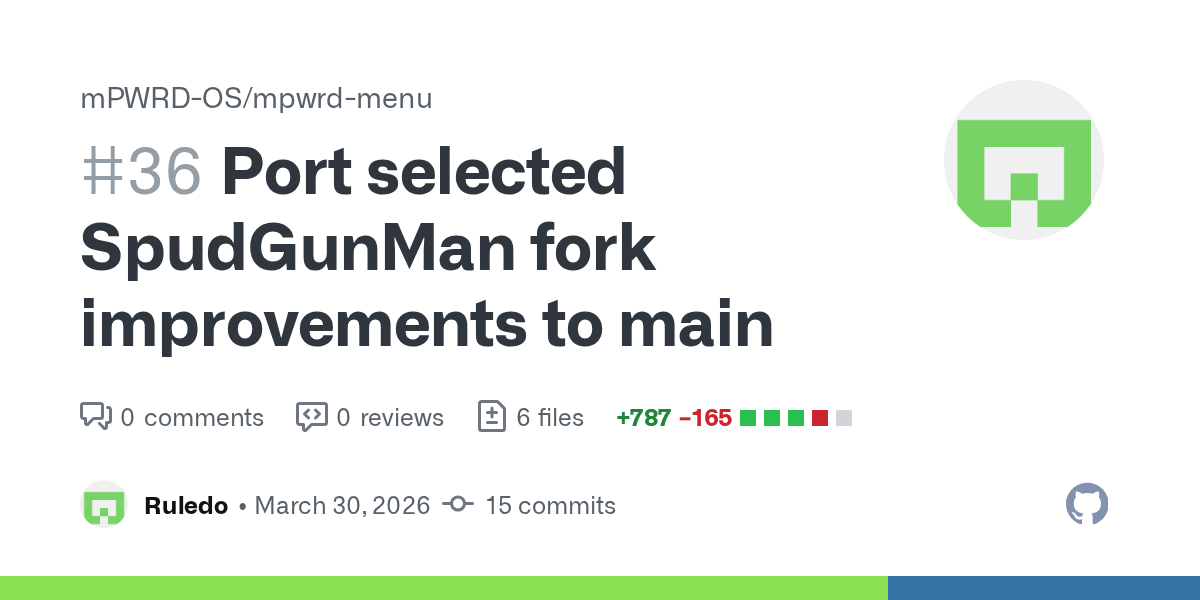
GitHub
Summary
Bring selected improvements from SpudGunMan's fork into main, adapted to match the current menu flow and code style.
Changes
add script-directory fallback for mesh-apps.conf and me...
Should be an artifact to test or just use the repo. Will merge to main after I kick it around more (gotta dig out a pi)
mild hare


Added versions display. Also Configure menu entry and mesh wifi toggle (disabled service by default) are live. sudo apt-get update && sudo apt-get upgrade -y
upper salmon
I love TUI’s and pizza 🍕
sour horizon
mild hare
https://github.com/mPWRD-OS/mpwrd-menu/pull/36
I enjoyed
keep the current main menu ordering and existing workflow files unchanged
I could have just moved back and added a pr but heh
No tag .. just cherry pick
I closed the issue - the code handled it
I also noticed some issues mentioned n #meshtasticd but it’s beyond scope for now here
mild hare
sour horizon
I enjoyed
keep the current main menu ordering and existing workflow files unch...
all good. your changes were tight and clean. thank you.
mild hare
sour horizon
I also noticed some issues mentioned n <#972586878337433670> but it’s beyond sco...
Do issues like spaghetti, throw em all at it and see what sticks. Also, if you throw in issues referencing stuff on your fork you think should go in I'll totally try to look when I do passes. Unfortunately I am not yet omnipresent like jbennet or nomdetom 😅
sour horizon
mild hare
Do issues like spaghetti, throw em all at it and see what sticks. Also, if you ...
Those raviolis are busy cookin’
I will circle back on the fork in a few days and synch and clean - I can branch ideas if easier
mild hare
@sour horizon and hey I heard what you wer saying about a tight version vs full version. Thats kinda what happened to mpwrd-config (not menu) and it's dusty on the shelf. Focusing on clean mpwrd-menu now but yeah, we'll find a place for all the things one way or another.
mild hare
sour horizon
I will circle back on the fork in a few days and synch and clean - I can branch ...
Whatever is easiest for you to be creative. I can cherry pick and give credit easy too so no worries
chrome tide
1 issue I'm seeing w/ mPWRD-OS, is wifi doesn't seem to reconnect after it disconnects
Hmm, seems like the mt76x0u driver had some issues..
This is before unplugging wifi when it wouldn't connect, to after I unplugged it. I had to reboot to get the wifi to work again.
nova frost
chrome tide
1 issue I'm seeing w/ mPWRD-OS, is wifi doesn't seem to reconnect after it disco...
mine does that on foxbuntu
and also on rasbian
chrome tide
Yea, that was my main issues with foxbuntu, and that driver..
It would randomly just KP sometimes also..
I figured it was due to the older kernel for the KPs.. Since mPWRD-OS doesn't KP, that kinda confirms it for me..
sour horizon
chrome tide
vi over emojis.. ;P j/k

The flaw, disclosed on March 30, 2026, affects all Vim versions before 9.2.0272 and has been assigned CWE-78
chrome tide
sour horizon
https://cyberpress.org/vim-vulnerability/
Sounds like it's a local user vulnerability.. It's highly unlikely that someone on my network, or outside of my network will be able to log into one of my systems. I have everything locked down by IP also.
Especially if it's connected directly to the internet..
sour horizon
chrome tide
Especially if it's connected directly to the internet..
You know nano users don’t have these issues
mPWRD OS undone by vim
chrome tide
If you're dumb enough to put it directly on the internet, then so be it.. :/ LOL
sour horizon
Hear me out meshtastic shell to vim apt
chrome tide
sour horizon
Hear me out meshtastic shell to vim apt
Say what ?
sour horizon
%{`sudo meshtastic --tunnel`}
Open in a new tab and let me add some libs
cowsay the planet
chrome tide
You have to have access to the system to do that, from my understanding. You can't randomly inject it, remotely.
chrome tide
Yea, my wifi seems to keep disconnecting, and not reconnecting..
mild hare
Tom has same problem. I do not.
nova frost
"works on my machine"
Yee, but you run an enterprise -grade network with 5-9s uptime
Backed by literally uninterruptible power supplies
I run 6 5 cheap-ass mesh WiFi boxes from a decade ago, that are backed by some vape cells and stuff I bought off Ali for a dollar
That need resetting nightly to stop them going weird.
😝
mild hare
i use Mikrotik everywhere.

музыка:KEATS//COLLECTIVE – Street Fever - Blame;
Zombie Zombie – Rocket Number 9 (Gesaffelstein Remix);
It Hz - Rangstagism
nova frost
mild hare
i use Mikrotik everywhere.
Enterprise -grade
mild hare
consumer priced
mild hare
they got $50-$100 routers and aps
restive scarab
only thing that consistently drops off my wifi is the RTL8188EUS dongle on foxbuntu (if left idle, leaving mosh connected seems to let it stay connected) and an orange-pi zero2 which is especially sensitive to interference / high channel utilization but comes back after forcing it to reconnect
mild hare
I think thats the combo Tom uses
nova frost
Yee, lowest power one I could find
chrome tide
I have Unifi APs, pfSense router, Cisco managed switches, and UPSes on everything..
chrome tide
Welp, just got a KP w/ mPWRD-OS..
mild hare
dang mt76u is the chip I love most.
chrome tide
mild hare
dang mt76u is the chip I love most.
Yea, it seems pretty solid.. I think it could be due to the USB getting bumped.. need a v1.7 for testing.. LOL J/K
shrewd turtle
for me, mpwrd+r8188eu(RTL8188EUS dongle) is the most stable for me
have not had any drops that I am aware of
chrome tide
nova frost
I think I'm out of stock of those
.
chrome tide
Would this work for a battery powered FemtoFox ? https://interestingengineering.com/energy/nrd-nuclear-battery-nbv

Interesting Engineering
NRD unveils a Nickel-63 nuclear battery claiming 100-year life for ultra-low power devices in remote environments.
@quasi onyx I was gonna ask if it would work for a Washtastic board also... ;P
 floral marten
chrome tide
Would this work for a battery powered FemtoFox ? https://interestingengineering....
floral marten
chrome tide
Would this work for a battery powered FemtoFox ? https://interestingengineering....
I think you’d need 1000 of them to power an NRF node.
quasi onyx
Can it supply enough voltage and current?
floral marten
It’s putting out nano-amps
chrome tide
I think it's to low right now..
chrome tide
But a nuclear powered node, would be cool.. LOL
quasi onyx
Maybe one day
chrome tide
Just need to order some radio active hazard stickers..
mild hare
chrome tide
Just need to order some radio active hazard stickers..
Don't need nuke bro.
 chrome tide
mild hare
Don't need nuke bro.
chrome tide
mild hare
Don't need nuke bro.
I don't have THAT kinda money right now.. LOL
Still looking for work.. 🙁
mild hare
chrome tide
I don't have THAT kinda money right now.. LOL
Was a batteryhookup.com buy, think it was $20 or less last year.
upper salmon
I have a DS3231 RTC and a F2F 1.1, do I need to enable this in software before installing? Running Foxbuntu v1.0.0
I got it working just by plugging it in again.
I plugged it in a little while ago, the whole thing would not boot. Unplugged it, booted fine. Guess I had my dummy shoes on. I dunno what was the issue.
nova frost
upper salmon
I got it working just by plugging it in again.
I plugged it in a little while a...
Wrong way round, maybe?
Can't think of any other reasons.
upper salmon
I did look that up, and I plugged it in facing the center of the board. Who knows, I'm glad it's working 🙂
upper salmon
Shifting gears a bit, trying to get this beast to boot up. I tried two different SD cards, no lights 🙁
ideas?
 nova frost
upper salmon
Shifting gears a bit, trying to get this beast to boot up. I tried two different...
nova frost
upper salmon
Shifting gears a bit, trying to get this beast to boot up. I tried two different...
You've got the polarity wrong
I think
The plug into the board is reversed. Swap the wires over inside the plug.
quasi onyx
Ahaahah
nova frost
upper salmon
Shifting gears a bit, trying to get this beast to boot up. I tried two different...
did this fix it?
upper salmon
nova frost
did this fix it?
I just swapped it around, it did not.
I did notice the +++ on the board 🙂
nova frost
upper salmon
I just swapped it around, it did not.
I did notice the +++ on the board 🙂
does it work when plugged in the other way?
upper salmon
no
mild hare
You check if it says anything via serial?
@upper salmon If card is no good, it'll spam a message, RKBOOT or something I think. If you get nothing, it's something else.
nova frost
upper salmon
I just swapped it around, it did not.
I did notice the +++ on the board 🙂
Can you start breaking it down a bit and seeing what is working and what isn't?
- Luckfox pico mini
- Luckfox baseboard with no radio
- etc.
In fact, if you have a multimeter, it might be worth taking all the modules out of the sockets and just checking if there's continuity between 5v and gnd.
upper salmon
mild hare
You check if it says anything via serial?
I'll try that today
upper salmon
nova frost
Can you start breaking it down a bit and seeing what is working and what isn't?
...
I will also try that today 🙂
 upper salmon
nova frost
Can you start breaking it down a bit and seeing what is working and what isn't?
...
upper salmon
nova frost
Can you start breaking it down a bit and seeing what is working and what isn't?
...
pulled the luckfox pico mini out....plugged into computer, no blinky blinky with either SD card. Figures I just screwed together the other fox that I have
mPWRD-OS_26.02.0-trunk_Luckfox-pico-mini_trixie_vendor_6.1.115_minimal.img.xz
I did rename it to mPWRD-OS_26.02.0-trunk_Luckfox-pico-mini_trixie_vendor_6.1.115_minimal.img before writing to sd card with dd, correct actions??
nova frost
Hmmm. Xz is zipped - I think it needs decompression first?
 warm geyser
yeah, you probably need to run it through unxz (or whatever that's an alias for) first
nova frost
Winrar that's 3700+ days over the 40 day free trial?
mild hare
Balena etcher can take the compressed file as is.
nova frost
Ah, true. I found it worked better with it decompressed
mild hare
Never had an issue
restive scarab
I can't remember which flasher I used but one wasn't happy with .xz (I switch between raspi's, balena and armbian's imager)
upper salmon
nova frost
Hmmm. Xz is zipped - I think it needs decompression first?
Man, that’s totally on me. When I tried to unzip it, it didn’t like the xz


 quasi onyx
awesome
mild hare
Sweet dude!
upper salmon
 restive scarab
I can't remember which flasher I used but one wasn't happy with .xz (I switch be...
restive scarab
restive scarab
I can't remember which flasher I used but one wasn't happy with .xz (I switch be...
well it's def not Armbian Imager (just flashed .xz to sd card, it showed "Decompressing Image" before it started the write)
twilit mountain
Armbian Imager and Balena both handle it fine 👍