#meshing-around BBS/utility BOT
1 messages · Page 8 of 1
 somber condor
 gentle kestrel
somber condor
This happens every day… every time the scheduler runs the command..
gentle kestrel
somber condor
This happens every day… every time the scheduler runs the command..
I put a patch in to use the default vs say nope, thanks
Also would have been a ask chirpy issues
 drowsy rock
I know just enough about linux to raise my own blood pressure. Wtf.
 gentle kestrel
Specifically it’s wanting to stop and restart the service to reload the new code
Oh shoot I’m sorry @drowsy rock do a bash ./update.sh
If that don’t work do a sudo bash ./update.sh
You can use up arrow and tab to help on command line
I havent +x it yet if not needed
You can chmod +x update.sh to do what you just typed (might still need a sudo)
 gentle kestrel
I saw sudo nano prior, if you edited it with sudo you need to always edit it with sudo, or copy delete and remake with no elevation
Tricks like sudo su - say heck with sudo
If someone hacks into the os it’s likely already a mess
drowsy rock
Sudo su did the trick
I had a pie set up with a webcam monitoring my chicken incubator a few years ago and I came downstairs one day to see a bunch of bullshit about how my pie was taken over by some organization and it was a Chinese IP. So I probably have screwed myself into being way too cautious since then
gentle kestrel
Woah, yea not ideal
Set up a webcam with openCV to detect dogs 🐕 on the chicken cam and alert to alert.txt
If I ever see a turnkey pi/sony cam YOLO that I can turn key into the bot I will
gentle kestrel
Wanted to call this out:
- Location-Based Alerts: Get notified when members arrive back at a configured lat/long, perfect for remote locations like campsites, or put a geo-fence. You can also run a script or send a email. Another idea is to lower the cycle and use the bot as a 'king of the hill' or 🧭geocache game. You can also run a script to change a node config or turn on the lights🚥, have it drop an alert.txt to send a message like "Hello Start the 📊Survey"
 eager zephyr
Questions about emergency alerts:
Are state/county level alerts captured in the FEMA IPAWS feed?
Also, what about ShakeAlert alerts?
gentle kestrel
Gonna take those in reverse, ShakeAlert looks cool! But I don’t see a API and I would hope they work with FEMA?
There is the earthquake command which tells you what was last recorded, I don’t know a broadcast alert will be handy for them as, no need to tie up airspace at moments of shake was my only reason holding back
I thought if the ground shakes you know
More of .. was that
Oh shit it was
As for the ipaws feed, I really feel this is a lot dependent on the local groups use of EAS service already
I have seen errors and typos and recalls of the most humorous nature working on this
The answer is yes, start with one or two and see how it goes
Too much filter blocks it and too little it’s a mess
One thing which is handy I find is watching the debug logs it will say on test day (Wednesday like today)
I saw for example a “state wide” test ignored I hadn’t had in my list I might see next go round
My area isn’t big on use of EAS any emergencies are not like mid west
Earthquakes being one
I enjoy earthquake data and keep a separate goofy project in GitHub
Specifically the earth and the recent solar activity is very very interesting to me and always has been
I could go on for a while on observations I have seen with sketchy tools
eager zephyr
gentle kestrel
Gonna take those in reverse, ShakeAlert looks cool! But I don’t see a API and I ...
ShakeAlert is super cool - you can actually get alerts a few seconds BEFORE the earthquake hits. I’ve worked with the folks at PNSN before for getting connections to their seismometers for the network. Milliseconds of latency count for them. The data from the initial earthquake waves has to hit the seismometers and get analyzed and the earthquake has to be detected and calculated for impacts to various locations then if alert criteria is met for a location it issues an alert. The alerts are specific to the impacts at each location they’re sent to. It can stop trains/elevators, close water/gas valves, etc… the use to the actual warnings to the public is that few seconds of warning are supposed to let you stop doing something dangerous and get somewhere safe. Originally you had to download a specific app but now for major events (5.0+ at your location I believe) they are supposed to go out over WEA as well.
Anyway long story short there is an API but you have to meet certain technical and competency requirements to access it. It’s been a few years since I asked. I got the impression they were very willing to work with people/projects who check the right boxes, but I never went much further with it. UW runs it mainly in the PNW.
Tl;dr no idea if they show up on the standard alert feed but due to the latency sensitive nature they may not.
gentle kestrel
In theory they do but this goes back to the local WEA/EAS team
The shake alert has X account with 15min delay but I don’t see any way to get this data without being John Hopkins or having a LLC to approach the transaction
I find this is also an issue with lightning
The data is the asset
People pay, the asset is not as free for use by projects like us
If you know anyone or find any way to have a key 🔑 I’m all ears
I don’t wanna web scrape places that will be upset or always be shifting
eager zephyr
gentle kestrel
If you know anyone or find any way to have a key 🔑 I’m all ears
I do know someone, the data is free. But I wasn’t personally ever able to pass their qualification checks to get a key. I can ask about this type of project.
gentle kestrel
eager zephyr
I do know someone, the data is free. But I wasn’t personally ever able to pass t...
Yea; I can’t find qualifiers outside of being a monolith
eager zephyr
gentle kestrel
Yea; I can’t find qualifiers outside of being a monolith
Well one of their partners has this in their literature, so the standards can't be that high. ha.

 stone lance
eager zephyr
Well one of their partners has this in their literature, so the standards can't ...
stone lance
eager zephyr
Well one of their partners has this in their literature, so the standards can't ...
Wait, using a dynamic IP address and a relay switch makes me unhackable?
I will need a second opinion on that.
eager zephyr
stone lance
I will need a second opinion on that.
Why? This configuration is impossible to hack.
Please connect me to your nuclear power plant's master off switch.
stone lance
Ok, I'm going to fetch the wrench.
gentle kestrel
Just put a ping refactor in to enhance its response with UDP systems

Now shown is [rf] for direct [gw] when UDP and MQTT
If the traffic is wild it will be shown as [F] for flood
Interested to hear feedback if bad
 exotic ledge
To use multiple schedules to do different things (wx in the morning, net announcement once a week, bbslink calls) I modify the scheduler.py module, correct? Are there any specific settings I need to set on the Scheduler block in the ini?
gentle kestrel
exotic ledge
To use multiple schedules to do different things (wx in the morning, net announc...
Ini should say custom to use the lower section
Let me know how it goes!
GitHub
you should be able to now ping @ and if its a node ID it will send a BBS mail with a joke in it
@mesb1 thanks for idea
https://github.com/SpudGunMan/meshing-around/issues/224
 cold jungle
Sir spud, I noted that update.sh wipes custom scheduler additions. Thoughts on making a .gitingored custom_schedules.py?
And thanks for the bot, I waited too long to take a peek at it.
exotic ledge
gentle kestrel
Ini should say custom to use the lower section
Let me know how it goes!
I'm sure I've mucked something up lol. Can you double check me?
I'm setting the bbslink to 5 min for some testing before I adjust and deploy.
                # Custom scheduler job to run the schedule see examples below

                #Send WX every Morning at 08:00 using handle_wxc function to channel 2 on device 1
                schedule.every().day.at("14:37").do(lambda: send_message(handle_wxc(0, 1, 'wx'), 1, 0, 1))

                # Send bbslink looking for peers every other day at 10:00
                schedule.every(5).minutes.do(lambda: send_message("bbslink MeshBot looking for peers", 2, 0, 1))

                # custom scheduler job to run the schedule see examples below
                logger.debug(f"System: Starting the custom scheduler default to send reminder every Monday at noon on Device:{schedulerInterface} Channel:{schedulerChannel}")
                schedule.every().monday.at("12:00").do(lambda: logger.info("System: Scheduled Broadcast Enabled Reminder"))```


Here is whats in config.ini

```[scheduler]
# enable or disable the scheduler module
enabled = True
# interface to send the message to
interface = 1
# channel to send the message to
channel = 2
message =
# value can be min,hour,day,mon,tue,wed,thu,fri,sat,sun
value = custom
#interval to use when time is not set (e.g. every 2 days)
interval =
# time of day in 24:00 hour format when value is 'day' and interval is not set
time =```Great idea, do a git pull && bash update.sh
gentle kestrel
exotic ledge
I'm sure I've mucked something up lol. Can you double check me?
I'm setting the...
Try ^^
exotic ledge
gentle kestrel
Try ^^
I did and it doesn't even appear to attempt in the systemctl log 🙁 up for a little over an hour and not even a peep for bbslink 🙁
but it didnt' break the service, so thats good lol
cold jungle
exotic ledge
I did and it doesn't even appear to attempt in the systemctl log 🙁 up for a lit...
in config.ini, there is also
bbslink_enabled = True
exotic ledge
cold jungle
in config.ini, there is also
```bbslink_enabled = True```
Yep. I had it working on the basic scehduler block in the config file, and I could again. I'm just trying to get more functions on scheduled tasks rather than a node and a meshing around instance for each one
enabled = True
# list of banned nodes numbers ex: 2813308004,4258675309
bbs_ban_list =
# list of admin nodes numbers ex: 2813308004,4258675309
bbs_admin_list =
# enable bbs synchronization with other nodes
bbslink_enabled = True
# list of whitelisted nodes numbers ex: 2813308004,4258675309 empty list allows all
bbslink_whitelist =```Gotcha, yah I just got this setup last night on a custom schedule and it's been working well.
been testing with every hour:
schedule.every().hour.at(":00").do(lambda: send_message("bbslink MeshBot looking for peers", 1, 0, 1))
and before that, testing 1 min in the future:
schedule.every(1).days.at("13:09").do(lambda: send_message("bbslink MeshBot looking for peers", 1, 0, 1))
exotic ledge
I see some inconsistencies in mine compared to yours. You've to the .at("xx:xx") for your bbs link and the (1).days where as I don't. I'll change that and see what it does
No dice 🙁
gentle kestrel
exotic ledge
No dice 🙁
Try a new clean file? Make sure Python is clean indents
logger.debug(f"System: Scheduling bbslink MeshBot looking for peers every 2 minutes on Device:{schedulerInterface} Channel:{schedulerChannel}") schedule.every(2).minutes.do(lambda: send_message("bbslink MeshBot looking for peers", schedulerChannel, 0, schedulerInterface))
This works for me
 gentle kestrel
Updated this
 gentle kestrel
I took out my docu-blaster3420 and gave a rework to all .md
gentle kestrel
exotic ledge
No dice 🙁
I had a typo in the update copy I don’t think that was your issue but I just fixed it
exotic ledge
I tried doing a full fresh install of the new version and was running into an install error on line 17 so I installed one revision back
gentle kestrel
exotic ledge
I tried doing a full fresh install of the new version and was running into an in...
Thank you fixed
exotic ledge
awesome!
gentle kestrel
ESP32-S3 7inch Display Development Board, ESP32 With Display, 800×480, Options For Touch Function, 32-bit LX7 Dual-core Processor, Up to 240MHz Frequency, Supports WiFi & Bluetooth | ESP32-S3-Touch-LCD-7
If nothing else, I figured it may load base firmware
 heady raven
Did a recent update... got and error--
git pull Updating 76e9bd8..2e26819 error: Your local changes to the following files would be overwritten by merge: .gitignore README.md install.sh modules/README.md modules/games/README.md modules/games/wodt.py modules/scheduler.py update.sh Please commit your changes or stash them before you merge. error: The following untracked working tree files would be overwritten by merge: INSTALL.md etc/README.md modules/adding_more.md script/README.md Please move or remove them before you merge. Aborting
Had to do a - git reset --hard origin/main
HEAD is now at 2e26819 Update install.sh
gentle kestrel
Sounds about right, checking GitHub logs / don’t have answer other then I was blasting save which auto submits
I may have backed up the code checker cloud thing
You should be good, you got me mid 💥
7k insertions and 2115 deletions.
1.9.77777 silliness till now
exotic ledge
hmm updating and pulling down the a fresh git getting this error during install
Permissions set for meshbot on logs and data directories
./install.sh: line 398: syntax error: unexpected end of file
happened twice in the same spot. wanted to make sure the pull didn't mess up
gentle kestrel
exotic ledge
hmm updating and pulling down the a fresh git getting this error during install
...
Do a git pull programming python and bash
Forgot to close an fi
Thank you 🙏
gentle kestrel
A new map command will just log the location to a csv
You can say map good taco place and it will add the nodeID,lat long and SNR if any at all
gentle kestrel
More documents in, notable is a full page on bbs mail and link.
Some improvements to memory use, and also other stuff like rss reader should be more “robust” now when fetching content
exotic ledge
Was up until 3am trying to get the custom_schedule.py modules working it acts like it doens't even load anything even when the value is set to custom. Did a couple of versions, a couple of reinstalls, and I must be doing somethign incredibly wrong 🙁
gentle kestrel
exotic ledge
Was up until 3am trying to get the custom_schedule.py modules working it acts li...
More performance improvements in try again?
(I have it working on a few systems) it should be really turn key I hope 🙁
exotic ledge
gentle kestrel
(I have it working on a few systems) it should be really turn key I hope 🙁
I mean, the basic scheduler is and it works great. I'm just trying to send out a bblink to one channel and wx to another channel from 1 interface, and a daily message about regional settings on LF20 on another interface
i wiped what I had and am getting a fresh pull
I'm also 100% not discounting that I could be doing something incorrectly. My python and linux knowledge is, perhaps, barely passed novice
gentle kestrel
exotic ledge
I'm also 100% not discounting that *I* could be doing something incorrectly. My ...
What do you edit it with?
exotic ledge
nano
gentle kestrel
Are you on a pi?
exotic ledge
full ubuntu vm
gentle kestrel
Get either vs.code (apt install code) or use a package Thonny
It will likely change your life for Python
exotic ledge
Ok thanks I'll grab it, but currently I'm not doing anythign but uncommenting and modifying values in custom_scheduler.py (like changing schedulerChannel to 1 to output to channel one and schedulerInterface to 1 to use interface 1) and setting the basic schedule value to custom
schedule.every(1)minute.do(lambda: send_message("bbslink MeshBot looking for peers", 2, 0, 1))
If I can get it working I'll not flood the mesh with bbs calls 🤣
gentle kestrel
exotic ledge
``` schedule.every(1)minute.do(lambda: send_message("bbslink MeshBot looking ...
Looks good you can also add a logger.debug or print(“hello”) to have confirmations visually it’s working
gentle kestrel
I did type fix every file and the installers I added “” if you use wild strings I didn’t account prior
Folder permissions could have been bad out of raspian
exotic ledge
So added this logger that I copied from the top
logger.debug(f"System: Starting the custom scheduler default to send for BBSlinks on AIDA:{1} Channel:{2}")
Combed through the mesh_bot service logs and I don't see the anything DEBUG | System: with my note.
Verified that my [scheduler] block is correct:
# enable or disable the scheduler module
enabled = True
# interface to send the message to
interface = 1
# channel to send the message to
channel = 2
message = "MeshBot says Hello! DM for more info."
# enable overides the above and uses the motd as the message
schedulerMotd = False
# value can be min,hour,day,mon,tue,wed,thu,fri,sat,sun.
# value can also be joke (everyXmin) or weather (hour) for special scheduled messages
# custom for module/scheduler.py custom schedule examples
value = custom
# interval to use when time is not set (e.g. every 2 days)
interval =
# time of day in 24:00 hour format when value is 'day' and interval is not set
time =```

and near as I can tell I shouldn't need to change anything except for the value and setting it to custom'If it's all correct I'll probably just kill the VM and get a fresh ubuntu install going. This is all it does anyways lol
gentle kestrel
exotic ledge
So added this logger that I copied from the top
``` logger.debug(f"System: St...
If you didn’t see a log or more simply a print(“works”) something isn’t working
You shouldn’t need a reinstall but try a rm -rf meshing-around and start over?
exotic ledge
I've done that like 7 times 😛
gentle kestrel
I added some examples to the custom file for logging
gentle kestrel
exotic ledge
I've done that like 7 times 😛
Practice? 🤣
gentle kestrel
Added docs for schedule https://github.com/SpudGunMan/meshing-around/blob/main/modules/README.md
Also added a “link” auto config value
Try using a joke one to baby step issue of no run
somber condor
So… I’m pretty sure you’re sick of me bringing this up all the time… but I keep getting this error:
I updated yesterday, but I got it before with prior version. What am I doing wrong?

 exotic ledge
Something was wrong with my config.ini file somewhere. I dropped it in to text-compare to see the difference between the working one that I pulled from the template and simply changed the schedule value to custom - no real difference in the file itself. Maybe permissions? But I would think that the bot wouldn't even load if the permissions on the config file were wrong 🤷
Except for having an interface 2?
stone lance
When you say no real difference, is there a difference?
Yamls are notoriously finicky
exotic ledge
There is, and i'm going block by block stopping and starting
stone lance
Almost like... The other amls
exotic ledge
but nothing like a wrong space or a missing comment#
exotic ledge
the one that wasn't working? Sure lemme scrub a couple things
wut
DadJokes set to False and the scheduler doesn't run
DadJokes set to True and I'm getting DEBUG | System: Custom Scheduler
gentle kestrel
That would make sense if, the module is missing it will not run hence a crash ..
gentle kestrel
somber condor
So… I’m pretty sure you’re sick of me bringing this up all the time… but I keep ...
I just refactored these errors for more errors
Meaning more verbose
Depending on reasons
 exotic ledge
You're the best!
gentle kestrel
exotic ledge
You're the best!
Well thanks, and thanks for working then to fix it up, others won’t have the issue and it would have taken me a while to see it
exotic ledge
Glad to help! I don't do much more than powershell scripting at work, but I don't give up and I'll dig and dig if i have to 😄
gentle kestrel
gentle kestrel
That took too long but it’s better looking now
gentle kestrel
docker pull ghcr.io/spudgunman/meshing-around:main
docker network create meshing-around-network
docker compose run meshtasticd
docker compose run meshing-around
docker compose run ollama
I haven’t got a trick way to config.ini yet but it’s close
You will need to get the IP for meshtasticD
If you downloaded a copy prior it may be orphaned, if you see a hash sorry
Any suggestions for improvements holla
cold jungle
tic-tac-woes
 gentle kestrel
cold jungle
tic-tac-woes
gentle kestrel
cold jungle
tic-tac-woes
 drowsy rock
Would it be possible to schedule something by sending a message to the bot?
cold jungle
gentle kestrel
I updated but tic tac toe still says no. Other games seems to work but my kids haven't learned blackjack yet.
stone lance
cold jungle
I updated but tic tac toe still says no. Other games seems to work but my kids ...
Yet
"the objective is simple. The house will take your money. It is your job to slow that process down for long enough to eat the buffet and get a couple of free drinks."
gentle kestrel
cold jungle
I updated but tic tac toe still says no. Other games seems to work but my kids ...
Latest pull? I can’t replicate across machines here anymore, I could replicate on some prior

There was a patch for better resolution for gametracker
I reverted my first idea
gentle kestrel
drowsy rock
Would it be possible to schedule something by sending a message to the bot?
Got a use case? Like an alarm clock? Don’t forget lunch is in the microwave
cold jungle
gentle kestrel
Latest pull? I can’t replicate across machines here anymore, I could replicate o...
Yeah, maybe something stuck somewhere...
eager zephyr
cold jungle
Yeah, maybe something stuck somewhere...
Happened to me a couple times too
heady raven
gentle kestrel
Got a use case? Like an alarm clock? Don’t forget lunch is in the microwave
WOW dude you have been busy with meshing around... I just started playing with the scheduler... As well nurse dude is learning python - got a Raphael Kit for Raspberry Pi - still just a script kiddie from the 90's - ALA old IT career 🇪🇪
Mahalo 🥔 for the inspiration. 

gentle kestrel
Sweet!
cold jungle
gentle kestrel
Latest pull? I can’t replicate across machines here anymore, I could replicate o...
deleted the meshing-around folder and recloned. Still not working but not a big deal.
INFO | Device:1 Sending DM: 🎯Tic-Tac-Toe🤖 '(e)nd'  1  |  2  |  3   4  |  5  |  6   7  |  8  |  9  Pick 1-9: To: pdxlocs MO Base
INFO | System: 🤖 Simulator packet detected from Device: 1 Channel: 0 NodeID:251658240 ShortName:xbbs
WARNING | Device:1 Ignoring DM: 6 From: pdxlocs MO Base
INFO | Device:1 Sending DM: MeshBot, here for you like a friend who is not. Try sending: ping @foo or, cmd To: pdxlocs MO Base```What’s the OS? I can’t replicate it I did just break wiki
cold jungle
gentle kestrel
What’s the OS? I can’t replicate it I did just break wiki
Raspberry pi OS Trixie.
The other games I've tried work.
gentle kestrel
Sheesh, I really can’t. I will look more into it
cold jungle
I'll try running it on my mac in a bit
gentle kestrel
K, soon as I either revert or fix this current refactor
 gray igloo
Got it, have a great day 🤣
 gentle kestrel
gray igloo
Got it, have a great day 🤣
gentle kestrel
gray igloo
Got it, have a great day 🤣
You in USA? (No issues here try increasing timeout)
drowsy rock
gentle kestrel
Got a use case? Like an alarm clock? Don’t forget lunch is in the microwave
Or just scheduling or removing announcements without having to log into the BBS.
gray igloo
gentle kestrel
You in USA? (No issues here try increasing timeout)
nope 😅
that wxalert response
e
gentle kestrel
gray igloo
nope 😅
Open meteo?
Wiki back online and got rid of the old include

Using Wikipedia API now
Gotta step out for a bit BBL
gentle kestrel
gray igloo
that wxalert response
 gray igloo
yea doubt it works in finland lol
was i blind or what but didnt see an option to disable the wx commands
heady raven
gentle kestrel
mwx is fun to play with as well - set the forcast for x nember of daze hihi 73
cold jungle
cold jungle
I'll try running it on my mac in a bit
same result running on mac. Also found a new one with Video Poker:
CRITICAL | System: Error processing packet: 'cash' Device:1```
Then no game play gentle kestrel
gray igloo
yea doubt it works in finland lol
gentle kestrel
gray igloo
yea doubt it works in finland lol
With Meteo weather enabled and noaa alerts disabled. I don’t see it in my Cmd list
gray igloo
Ill check later today
gentle kestrel
cold jungle
same result running on mac. Also found a new one with Video Poker:
```INFO | De...
May have been the issue all along
for me, all work right now. New patch cleaning up bad global var
Also fixed an issue where UDP/flood would be able to play games on channels making more of a mess
I hope to not have game issues henceforth haha
Tick tac toe!
Martin wheee you at
 crimson onyx
Being very tired. Been working to fix issues with 2.7.11 causing t114's to completely corrupt
all I did was write CLIENT_MUTE to the config, and BAM
cold jungle
gentle kestrel
I hope to not have game issues henceforth haha
Working now for me! Thank you.
gentle kestrel
cold jungle
Working now for me! Thank you.
Whew!
gentle kestrel
crimson onyx
all I did was write CLIENT_MUTE to the config, and BAM
Nice, well thank you for effort on cleaning!
crimson onyx
You're welcome?
Right now, I'm putting off the Admin interface for the BBS until the weekend is over.
gentle kestrel
No rush; I’m tying to find a run away vibration on pin 6
crimson onyx
There's a refactor I have do to and not looking forward to it. I figured out what 2.7 is breaking when communicating with the meshtastic node, and why the BBS ends up going offline in TCP mode
gentle kestrel
crimson onyx
There's a refactor I have do to and not looking forward to it. I figured out wh...
Oh yea anything interesting
crimson onyx
Also, for some reason I have having a HELL of a time getting a GPS module working with the t114 as well
gentle kestrel
Random idea if you enable the detection sensor is it ghost firing
crimson onyx
So, there's a race condition... the node is expecting a BLE "ack" to the service after the nodelist ( 69421 ) is requested
So you send 69421, wait, node sends a bunch of entries from nodeDB...but it's also not LISTENING anymore when it's doing that
so it just stops sending the nodes, at all.
Instead of sending the whole nodeDB
gentle kestrel
I think you are tracking a good issue
crimson onyx
so if you hve.. you know... 200 nodes... it might get to 66 or whatever and then go silent
meaning you're waiting forever for the rest of the nodelist ( if expecting 200 ) and things break
crimson onyx
but then, when messages come in -- instead of sending you the -message- content .. it send THE REST OF THE NODELIST
gentle kestrel
Haha - it would be cool if there was a better node list method
crimson onyx
and it has to poop out however many nodes are left before it will process messages again. This is worse on TCP than BLE ( because TCP is faster and hits the race condition more )
Well, that's the thing.
They changed things so that 69420 gets node ID and stuff, and 69421 is supposed to be dedicated to nodelist stuff
but this is stopping that from working right
I spent -three days- trying to debug this, then went back to v2.6 and poof, everything works
so it's a 2.7.x bug
gentle kestrel
I caught some of the details in #apple - I haven’t figured it yet either but I know it’s there and growing in size
I can feel the issue happen more lately with more stress when I dev bot
I sent Garth like 6 dumps lately
Totally random - I notice when I stand near another node it happens like clockwork
So my tbeam is over there and I dev next to the bot when I send more data the app seems to crash out
Is the bot ble trying to talk to phone?
(Disabled I think) is the bot Lora causing ble issues
It’s almost like clock work lately
I will work on the bot, find an issue in firmware track it, forget what I was working on bot delete files push wrong files because I’m a squirrel and then fix video poker
gentle kestrel
Hangman now has ability to hangman.json and it has a how to document now
gentle kestrel
Very exciting 📰 news, and thanks for everyone’s patience.
readrss will now read 🥁
ATOM feeds! ⚛️
 gentle kestrel
 gentle kestrel
Nothing heard, might be good to say. Some minor changes in which should improve memory and performance
gentle kestrel
Stack overflow gave me a snip to support rss 1,2,atom and I have I think example of each in .template working anyway
gentle kestrel
crimson onyx
Well, that's the thing.
I tossed some noodles in to dink with compressing on air.
Specifically bbslink
🤖 2🤖
It’s not hot code yet
But if I can also send compressed telemetry along with my “compressed?” Text
Either in a multichannel future
Or just good’ nuff for a potato bot

Fixed this data
gray igloo
@gentle kestrel does the web dashboard generate automatically or do i need to manually do that everytime?
gentle kestrel
gray igloo
<@702529613838155856> does the web dashboard generate automatically or do i need...
Right now it’s a log scrape tool so it needs ran at midnight and let the index cycle
drowsy rock
crimson onyx
There's a refactor I have do to and not looking forward to it. I figured out wh...
Mine is offline right now. Gotta go to the attic to reset.
gray igloo
gentle kestrel
Right now it’s a log scrape tool so it needs ran at midnight and let the index c...
Time to do a cron job xd
Would be cool if it was automatic and would show some live activity ish stuff 😅
 gentle kestrel
gray igloo
Would be cool if it was automatic and would show some live activity ish stuff 😅
gentle kestrel
gray igloo
Would be cool if it was automatic and would show some live activity ish stuff 😅
Like this?
https://github.com/SpudGunMan/meshing-around/pull/231
yes it needs a full refactor, it likely will be a new fusion idea with firefly I have a internal build. But before venturing there tidying up the 1.0 ideas 💡
GitHub
Plan to add systemd timer to run mesh_bot_w3.service daily at 4:20 am:
Create etc/mesh_bot_w3.timer file with timer configuration to run daily at 4:20 am
Update install.sh to copy the timer file...
gentle kestrel
drowsy rock
How do I uninstall and reinstall?
There is comments in https://github.com/SpudGunMan/meshing-around/blob/main/install.sh
Very bottom
I will see about adding a -nope
Aka auto-remove
drowsy rock
Perfect. Done. Reinstalling now
gentle kestrel
gentle kestrel
Like this?
https://github.com/SpudGunMan/meshing-around/pull/231
yes it needs...
This PR has a reworked installer with uninstall. Now
 lunar fog
So.... I went ahead and blew my instance away (uninstalled as per instruction in install.sh), and re-installed from scratch. I used the basic default configuration that would be installed by me not creating a "config.ini" file by using the "config.template". I then started modifying the config.ini, adding functionality 1 step at a time and testing.
I ran into an issue that I am a bit confused about.
When it cam time to test the custom scheduling functionality, looked as the documentation on the Github site first and it instructs you to "Set schedulerValue = 'custom' to activate your custom schedules.". Ok... This is in the section describing "editing custom_scheduler.py". But this section does not exist in that file. I then looked in the config.ini file in the scheduler section, "schedulerValue" also does not exit in that file either But... within that file, these instructions exist "# custom for module/scheduler.py custom schedule examples" which I assume is referring to the "value =" option below that statement.
So I set "value = custom" and rebooted, but none of the scheduled events from "custom_Schedule.py" are being fired off.
gentle kestrel
lunar fog
So I set "value = custom" and rebooted, but none of the scheduled events from "c...
Start small like with a log only
Want a video?
lunar fog
nothing is being logged
gentle kestrel
logger.debug(f"System: Starting the custom_scheduler.py defa
That was there by me
Every Monday
Only change to custom
config['scheduler'].get('value', '') # default empty
This is the value in config.ini
lunar fog
So I am not following you: Here is the first few lines of custom_scheduler.py...

what are you telling me to change to "custom"
?
BTW, config['scheduler'].get('value', '') # default empty is what I changed to "custom", rebooted and no events are being fired off
gentle kestrel
lunar fog
what are you telling me to change to "custom"
The value of value in config.ini under [scheduler]
Nothing in .py
Only change .ini
Start bot, should say “Monday”
lunar fog
So.... Going back to what I posted... I modified config.ini... I set "value = custom" and rebooted the pi... I think that is what you are directing me to do...
lunar fog
There is nothing being logged in "mesh-bot.log"... Should there be>
I modified config.ini... I set "value = custom" and rebooted the pi...
gentle kestrel
If it’s a new install it will log debug messages
lunar fog
So when I say Nothin
gentle kestrel
You might want to try the new installer if you think it’s permissions?
gentle kestrel
What pi OS?
 gentle kestrel
Oh yes thinking, the older B sorry all trix now
Lemme boot a new os and see what’s up I gotta test new installer anyway
I had some user folder issues here and there I think
lunar fog
And what I was trying to communicate (and not doing a good job)... was that there is conflicting instructions about the scheduler depending on where you look.. just a heads up
trying to be a good beta tester....
gentle kestrel
lunar fog
And what I was trying to communicate (and not doing a good job)... was that ther...
Figured it out and why you had issues
Give me a few
somber condor
SHould I upgrade the Pi to Trixie?
gentle kestrel
somber condor
SHould I upgrade the Pi to Trixie?
Do it as you had before I fixed two major things one I had not cleaned up two
If any of the values were empty it would dump errors (you didn’t know this neither did I think about it till now patched)
I also had like 3-5 blocking - most critical was dad jokes
Repairs in and you don’t just get my bad default jokes
In burning and testing a new trickie and install uninstall now
somber condor
updating now
rebooting
I never saw these entrys in the log before:
2025-10-25 13:48:02,647 | DEBUG | System: Ignoring Channels: ['']
2025-10-25 13:48:02,647 | DEBUG | System: Logging Metadata Stats Enabled, leaderboard
2025-10-25 13:48:02,647 | DEBUG | System: Scheduler Enabled
2025-10-25 13:48:02,707 | DEBUG | System: No existing Mesh Leaderboard found, starting fresh
2025-10-25 13:48:02,708 | DEBUG | System: Starting the weather scheduler to send weather updates every 3 hours on Device:1 Channel:2
2025-10-25 13:48:02,708 | DEBUG | System: Starting 3 async tasks
2025-10-25 13:48:02,709 | DEBUG | System: RX Subscriber started
2025-10-25 13:48:02,709 | DEBUG | System: Watchdog started
2025-10-25 13:48:02,710 | DEBUG | Scheduler loop started
2025-10-25 13:48:15,130 | INFO | System: 🪫 New low battery record: 94.0% from NodeID:3806695596 ShortName:ELPt
gentle kestrel
I see good things
somber condor
gentle kestrel
I see good things
we like good things
gentle kestrel
Thanks for patience and pointing it out @somber condor
It’s a crazy pile of code over here flying all over
somber condor
NP... I'm Happy to help....
somber condor
gentle kestrel
I see good things
Just an FYI... First basic event fired at 16:48 my time... so far so good:

I was expecting a bit more verbose debug information about the scheduler.... Not a big deal....
drowsy rock
What do the red errors mean?
 somber condor
it looks like those services may not have been installed. Did you install the pre-requisites before running the install.sh?
"requirements"...
somber condor
are you running on a Pi?
drowsy rock
Yes
I do know it made me choose between pong bot or mesh bot, so that one doesn't surprise me. But the other two do.
I chose mesh
somber condor
So.. me too... When I ran the install.sh, I received some errors about something not installing correctly (versioning). So I actually did the manual install and that entails running "pip install -r requirements.txt ".. but I got the same error that I got when running install.sh
so there is a "over ride" that the error displays when you get the error message (manage environment" or something like that. You need to use that override to compete the installation of the requirements... Which includes the reporting service and the web service
@gentle kestrel can probubly explain this better then I can...
drowsy rock
Ok I'll wait for him ha. No hurry. The bot itself is working on the mesh 🤷🏻♂️
gentle kestrel
drowsy rock
What do the red errors mean?
I patched to keep errors away
If you don’t use a service
gentle kestrel
somber condor
I was expecting a bit more verbose debug information about the scheduler.... Not...
Tossed some logs in
somber condor
Thank you!
gentle kestrel
2025-10-25 18:34:00,772 | DEBUG | System: Scheduled Tasks 3, Details:['Every 1 week at 12:00:00 () (last run: [never], next run: 2025-10-27 12:00:00)', 'Every 2 minutes () (last run: 2025-10-25 18:32:55, next run: 2025-10-25 18:34:55)', 'Every 1 day at 09:00:00 () (last run: [never], next run: 2025-10-26 09:00:00)])']
They will look like this
drowsy rock
Another question... Say i want to send a weather forecast at 07:30 every morning. I don't see where "option" is to put weather.

 gentle kestrel
value can also be 'joke' (everyXmin) or 'weather' (hour) or ''link' (hour) for special auto messages
drowsy rock
Would it be
value = weather
Interval =
time=07:30?
Ok
So replace day with weather.
What if I only wanted the weather on Tuesday?
Also can I copy paste this block multiple times to have multiple scheduled messages?
gentle kestrel
Flip to using custom
But good point about the “easy” weather
It’s dumb to have it hourly
gentle kestrel
drowsy rock
Would it be
value = weather
Interval =
time=07:30?
I updated docs and code
Yes it would be thst now
drowsy rock
gentle kestrel
If you don’t use a service
What services need to be restarted after changing anything? I've always been just rebooting but I don't feel like that's necessary.
drowsy rock
Ok thanks
gentle kestrel
This looks juicy
"category": "anti-social-behaviour",
Welp, I had access and it’s now rejected, 🇬🇧 gets a boo for api access
120 lbs a year they want
Strangely the funny one of police data works
 twin dust
Tell what’s bloody hard to decipher train data. In its raw form you have to track all the carriages that make up the trains.
gentle kestrel
Hook me up with an API and ..

There is also a How to document, it’s early might need refactors but
I couldn’t sleep
gentle kestrel
gentle kestrel
data.police.uk
Can anyone else get this data?
Patched the updater some bash may have thrown errors
drowsy rock
gentle kestrel
Oh damn i might have to go check out presque isle if they're doing a club event. That's right by me.
drowsy rock
gentle kestrel
Patched the updater some bash may have thrown errors
Brb
Errors are gone.

What did I screw up here? No weather report received at 08:00.
 gentle kestrel
drowsy rock
Errors are gone.
gentle kestrel
drowsy rock
Errors are gone.
What did the logs say? Latest pulls should now have every 20min log for schedule showing last ran and next run
gentle kestrel
drowsy rock
What did I screw up here? No weather report received at 08:00.
schedule.every().day.at(schedulerTime)(lambda: send_message(handle_wxc(0, schedulerInterface, 'wx'), schedulerChannel, 0, schedulerInterface))
stone lance
twin dust
Tell what’s bloody hard to decipher train data. In its raw form you have to trac...
That's what a database is for. TOPS stuff...
gentle kestrel
I have a refactor for making scheduling easier I think will be much preferred
drowsy rock
gentle kestrel
`schedule.every().day.at(schedulerTime)(lambda: send_message(handle_wxc(0, sched...
Does the time need the quotes? "08:00"?
gentle kestrel
drowsy rock
Does the time need the quotes? "08:00"?
Pause for a second
drowsy rock
Ok
gentle kestrel
Better.. Python
gentle kestrel
drowsy rock
Ok
Try again
Do a git or update
And  to all using check or do
cp etc/custom_scheduler.py modules/custom_scheduler.py
it’s fully refactored now
The old works ok? But the new is cleaner in many ways
somber condor
gentle kestrel
The old works ok? But the new is cleaner in many ways
Old (from yesterday 🤣) is working well. You are way too productive….
gentle kestrel
somber condor
Old (from yesterday 🤣) is working well. You are way too productive….
Haha keeps me out of trouble!
Check out the new format it’s much nicer on the eyes.
I also added some nice logs now
somber condor
gentle kestrel
Haha keeps me out of trouble!
Check out the new format it’s much nicer on the ...
Gonna do a pull now
I need to automate this…. Like 4 times a day
gentle kestrel
Haha well it comes and goes; summertime I’m not behind a screen as much. Winter hit quick and well

I can dream
somber condor
So.. should I update to Trixie on my Pi?
gentle kestrel
Boy I don’t know yet myself
I hope this wasn’t prompted by an error but
Only complaint so far in trixie is missing depends
too new and all
And for me it’s the classics like old ham radio crap
I gotta find out why my build for hamlib is crashing, it’s me
I don’t know how I feel about new vnc but it’s kinda low issue
Wayland is
somber condor
I really like the enhanced logging. Thanks for implementing that
I just wanted to make sure me running bookworm was causing issues for you if you were developing against trixie…. I’m happy to stay where I am
gentle kestrel
Totally fine, no worries at all it’s still very stable in my head the other day I read bullseye incorrectly
drowsy rock
Will do once my printer finishes updating! My linear rails arrived so i took it apart to figure out brackets, to find out they shipped the incorrect rails. Back together with the worn out pom wheels until Wednesday
 drowsy rock
Probably just drill aluminum angle brackets on the drill press.
So the changes are in custom scheduler? And how do I activate that, just does it automatically after I do my schedule and save it/restart bot?
gentle kestrel
A git pull will update the code
gentle kestrel
gentle kestrel
And <a:alert:785359003521777706> to all using check or do
`cp etc/custom_schedu...
Take note of this
I also just patched, and changed the default to one day of weather
send_message(handle_wxc(0, 1, 'wx', days=1), channel, 0, interface)
If interesting
This is all in custom
it won’t update unless you copy the etc/ over or check it for example code
I didn’t realize this was so handy and it just wasn’t well built before
Call it schedule a 2.0
@drowsy rock
gentle kestrel
Patched up dx command a little.
Specifically the assist to filter by xOTA is now just ota= and I had by= but changed that to
of=
makes more sense to say
dx of=k7mhi
And shorter to say
dx ota=POTA
drowsy rock
Sorry got pulled away unexpectedly
gentle kestrel
No worries, code gets better as time ticks
drowsy rock
I must be doing something wrong. Git pull said everything was up to date and I had something scheduled to send 4 minutes ago and it never sent
gentle kestrel
drowsy rock
I must be doing something wrong. Git pull said everything was up to date and I h...
what are you editing files with? Try baby steps
What’s the .ini say use joke at 2 min
If that works change joke to custom
If it fails your custom.py is bad
Copy over and try again
There is lots of logs now for schedule
Send logs
Fixed filtering on

Not sure how much further to go
Added some documents for bbs
Cleaned up a little more
Had a typo on the method for “bbslink” schedule documents and files update
If you don’t use, don’t worry
 lunar shore
@gentle kestrel Just did git pull. Thanks for all the new features. Leaderboard super neat.
gentle kestrel
lunar shore
<@702529613838155856> Just did git pull. Thanks for all the new features. Lead...
Thanks! 🚀
drowsy rock
The one thing that I scheduled in config.nie just sent so that's working at least. Can you use the config.ini As well as the custom.py?
gentle kestrel
No if custom is set it’s all in custom_
This goes back to the basic nature of the bot, or my inability to come up with a meaningful way to take advantage of Python schedule without writing a million lines just to have a .ini parse the same values
However at this stage it’s likely easy to ask conky to make an ini

I got a box of displays in the mail today
gentle kestrel

running on a pi0W
I’m happy with performance so far
It’s not gonna play sim city 3000
But it may play some other stuff
drowsy rock
Do I have to set .ini to call custom, or just remove my announcement from .ini and put it in custom?
gentle kestrel
Can you show me the .ini announcement?
Perhaps I’m not accounting for the settings
I just thought I should add a custom string option for the .ini basic eh
I may have crappy examples
gentle kestrel
GitHub
A enhancement request to link the LLM model to use wiki module when enabled. I would like it to LLM Determine the subject of the question from input, search Wikipedia, and optionally Google using b...
Any input or ideas send em in
Gonna stick conky on it

 gentle kestrel
The “value” is either custom or not
Custom_ will not be evaluated
So currently you have one single daily message
gentle kestrel
drowsy rock
Config.ini
Seen here
gentle kestrel
drowsy rock
Custom_scheduler.py
This is a mess - my fault I’m looking at better language
gentle kestrel
drowsy rock
Custom_scheduler.py
I refactored it back to “lambda” build too confusing otherwise
Pull a new copy and see if you like it
I added stuff to help
Old should work, new might be better
heady raven
Aloha --- my femtofox meshing around recent update is LOLO
Oct 26 16:45:08 wh6gxz-fox systemd[1]: Started MESH-BOT. Oct 26 16:45:29 wh6gxz-fox python3[3836]: Traceback (most recent call last): Oct 26 16:45:29 wh6gxz-fox python3[3836]: File "/opt/meshing-around/mesh_bot.py", line 16, in <module> Oct 26 16:45:29 wh6gxz-fox python3[3836]: from modules.system import * Oct 26 16:45:29 wh6gxz-fox python3[3836]: File "/opt/meshing-around/modules/system.py", line 94, in <module> Oct 26 16:45:29 wh6gxz-fox python3[3836]: trap_list = trap_list + trap_list_location_de Oct 26 16:45:29 wh6gxz-fox python3[3836]: TypeError: can only concatenate tuple (not "str") to tuple Oct 26 16:45:30 wh6gxz-fox systemd[1]: mesh_bot.service: Main process exited, code=exited, status=1/FAILURE Oct 26 16:45:30 wh6gxz-fox systemd[1]: mesh_bot.service: Failed with result 'exit-code'. Oct 26 16:45:31 wh6gxz-fox systemd[1]: mesh_bot.service: Consumed 9.807s CPU time. Oct 26 16:45:31 wh6gxz-fox systemd[1]: mesh_bot.service: Scheduled restart job, restart counter is at 5. Oct 26 16:45:31 wh6gxz-fox systemd[1]: Stopped MESH-BOT. Oct 26 16:45:31 wh6gxz-fox systemd[1]: mesh_bot.service: Consumed 9.807s CPU time. Oct 26 16:45:31 wh6gxz-fox systemd[1]: Started MESH-BOT
gentle kestrel
heady raven
Aloha --- my femtofox meshing around recent update is LOLO
`Oct 26 16:45:08 wh6...
Thank you!
Hit a pull
heady raven
thought i'd see the log output this way...
 gentle kestrel
heady raven
thought i'd see the log output this way...
gentle kestrel
heady raven
thought i'd see the log output this way...
Rad, that’s the work of @broken sorrel!!
 heady raven
weird I see output from 2.7.13 nuZ meshtasticd on the log and other nodes but not the meshtasticd node issuing the cmd... hmmm


anythoughts?
gentle kestrel
UDP flooding going on?
Multiple nodes with UDP in same broadcast zone
Packets arrive too fast
or get UDP’d
heady raven
hmm repent reboot-- now i'm getting the output ala meshtasticd -- i do have alot of meshtastid on my network
gentle kestrel
Haha yes same; network segmentation is the best way to handle it today
 gentle kestrel
heady raven
oh yeah... nurse dude = geek man...
gentle kestrel
heady raven
oh yeah... nurse dude = geek man...
Nice! I hope to add some more to the list for ya!
 heady raven
gentle kestrel
Nice! I hope to add some more to the list for ya!
heady raven
gentle kestrel
Nice! I hope to add some more to the list for ya!
ahh brah that is sweet!
gentle kestrel
Uptime testing is going well 2 hours just said hello to it
 gentle kestrel
Still happy, it’s been bashed with traffic all night. This is the “UDP only” method
Runs a display manager only under mudp
somber condor
Is there a way to get “current” weather conditions?
 stone lance
Looking out of the window?
gentle kestrel
Speaking of weather, I saw something about possibly checklist being refactored. Anyone use the command checkin be interested to hear any feedback
drowsy rock
Maybe a check-in time window for an event in particular. Like right now I have Friend hunting alone in a tree stand, it would be cool if there was a notification sent if he did NOT check in at certain intervals.
Also a location based check in. Node hits a radius within certain checkpoints and is automatically checked in and a notification sent
gentle kestrel
The first part will be an enhancement, the second part is currently in the “sentinel module”
drowsy rock
True
Forgot about that
I guess adding the ability to set sentry ocations through the mesh would be cool.
gentle kestrel
It can still be enhanced for the checkin, I got those details in there
gentle kestrel
drowsy rock
I guess adding the ability to set sentry ocations through the mesh would be cool...
Like how
Yes I plan for that eventually
drowsy rock
A command.
Setsentry: 42.59332,-77.20094
(Response) Sentry 1 set.
Setsentry: 43.30383, -79.10038
(Response) Sentry 2 set.
Listsentry
(Response)
Sentry 1: 42.59332,-77.20094
Sentry 2: 43.30383, -79.10038
Delete Sentry 1
(response)
Sentry 1 deleted
gentle kestrel
Roger
I have a lot of ideas around this and haven’t ironed out a well formed plan yet to start
The move to a core like TC2 or firefly is needed to really handle this
Or not, but time will tell
drowsy rock
I feel you there. I ordered an hdmi switch to make using my pi easier. I don't have bad vision, but looking at my phone screen through ssh is like a mind numbing wall of tiny text. And that's when it's not disconnecting randomly.
I screwed up the schedule somehow and now nothing sends. I'll be more useful when I can use the big screen
gentle kestrel
I really like this product it’s made by multiple suppliers

It comes in a heavy box with many sundries
I have a few now and they hold up
drowsy rock
I have that exact one. Lost the cable for it 😂
I have like a 32" gaming monitor that's perfect. I don't game, but I can set up multiple windows and they're all big enough to see at once.
I just hate constantly disconnecting it from the PC since I always have that doing stuff for 3d printing
gentle kestrel
Get a HDMI to web adapter and just put them in tabs
drowsy rock
I've never even heard of that
gentle kestrel
There are a half dozen or so products I have a few which use an app on the phone KVM anywheee and all its kinda cool but the gen.1 I have is temperamental I seen some kickstarters for new ideas
It’s basically a frame parser on a pi haha
We need a good wireless video standard for low grade visuals
drowsy rock
I guess i could do a remote desktop session from the Windows pc. Hdmi switch will be here Wednesday anyways though
I used to do that with tailscale.
gentle kestrel
gentle kestrel
https://github.com/SpudGunMan/meshing-around/issues/242
Tossed in some ideas
drowsy rock
Logged in via putty on the big screen. Tried 'custom' and just custom in config.ini.
Tried 18:00 and "18:00" for the time in custom_scheduler.py
No dice
gentle kestrel
I’m running out of ideas, works for others and me all over
I can make a video
Screen shots in a fancy doc
You can DM the the files and I can use them on my bot
.
In other news I been testing LLM all day and it’s working ok
OpenwebUI is nice native
gentle kestrel
Ok; new LLM mess seems ok
Added OpenWebUI which is really the biggest thing
If you don’t know
You can load it with markdown of PDF’s of your owners manuals and then search that
Askai will use wiki for context
It’s not openAI
But it works
heady raven
gentle kestrel
You can load it with markdown of PDF’s of your owners manuals and then search th...
I've got to check this out!
with aloha 🤙 
gentle kestrel
Oh, this is juicy ….
Read the help files it made.. shit I’m out of a job!
🧃
🥤
Think of the lemons 🍋
My kids usta take shit all over the house and set up a fake store I would run out of money or try and return items I thought sucked
So this was kinda for that
Or like jamesarich had the idea for
Tool check outs and check in
I haven’t reviewed the code yet but I don’t imagine it will be trash
Disclaimer, this isn’t for commercial use
But, enjoyment
If you enjoy a ham fest swap, that’s on you pal .. 73
I do wanna refactor some things so
@drowsy rock it took the idea you had and … did well
Tree 🌲 calls?! Barcode scanners ..
Juicy
This thing is rad fun
heady raven
Oh yeah 👀🙃

so -- next OpenWebUI -- docker only? I have docker running on another server not this one...
gentle kestrel
heady raven
so -- next OpenWebUI -- docker only? I have docker running on another server not...
The easy way yes; otherwise it’s a machine build from docs
It’s not quick work
The docker spins up fast and till you know what you dooin
I recall blowing the volumes away a lot when I was new at it, if you never played with openwebUI you could spend a month lost in it easily
gentle kestrel
I pressed a release to have freeze before the next one
drowsy rock
gentle kestrel
I’m running out of ideas, works for others and me all over
Yeah I don't think it's an issue with the program I just think I'm not getting something set up correctly. Would you mind sending a screenshot of your custom scheduler.py?
And the schedule section of config. Ini
drowsy rock
Dude that code is amazing. I forgot to answer your question regarding editor. Using Nano. Perhaps it is an indentation issue?
gentle kestrel
Yes that could be, the white space in Python is as important as the code
My copies are the live ones on GitHub
I added some more “documentation” to the custom .py
1. in config.ini set "value" under [scheduler] to: value = custom 2. edit this file to add/remove/modify schedules 3. restart mesh bot 4. verify schedules are working by checking the log file 5. Make sure to uncomment (delete the single #) the example schedules down at the end of the file to enable them Python is sensitive to indentation so be careful when editing this file. https://thonny.org is included on pi's image and is a simple IDE to use for editing python files.
.
If you happen to use docker I just updated :main release with suggestions from dependabot
gentle kestrel
Another one in the queue https://github.com/SpudGunMan/meshing-around/issues/245
GitHub
Can this project refactor the current 'tide' command in modules/locationdata.py And optimally use Linux local program xtide for data calculations offline https://flaterco.com/xtide/ Ideally...
drowsy rock
No docker. I just installed on a fresh pi image with the provided script
drowsy rock
Oh I thought of another suggestion the other day. For the leaderboard, separate high flying nodes for top speed so ground base ones can have their own category
 mortal shale
is chunking broken for anybody else?
I keep just getting the first chunk of cmd's response, for example
I was having that issue and then just pulled again
But I have some weird merge conflicts because I modified mesh_bot.py's scheduler section
Every time I run cmd, I get this back:
Bot CMD?:ping, bbshelp, bbslist, dx, games, hfcond, howfar, howtall, joke, leaderboard, messages, moon,
I ran wx and the log indicates it should have sent four packets and instead sends only the first
I just backed up my mesh_bot.py and ran git reset --hard origin/main and I'm still only getting the first chunk
heady raven
wokring out this error...
INFO | Device:1 Channel:1 ReceivedChannel: Askai the meaning of life From: Nurse dude rns ,644 | INFO | Device:1 Channel:1 SendingChannel: Average query time is: 36 seconds ,876 | WARNING | System: LLM Query: Ollama API request failed: HTTPConnectionPool(host='192.x.x.x', port=11434): Read timed out. (read > ,877 | INFO | Device:1 Channel:1 SendingChannel: ⛔️ Request Error
ran the cmd askai a few times with the same results... repent -- reboot???
nah- still get read timed out... hmmm... 🤪
gentle kestrel
heady raven
wokring out this error...
I`NFO | Device:1 Channel:1 ReceivedChannel: Askai the...
Did it work before? Looks like a failure on connection? was llmUseWikiContext enabled?
Was the model changed
I have the url timeout at the config value times like 5?
So 100 second wait
Is ollama working online if you just browsed
(I can’t replicate)
gentle kestrel
mortal shale
is chunking broken for anybody else?
Not that I know of.
mortal shale
It used to work, but I don't think I changed anything
gentle kestrel
Try disable custom see if a syntax clogged
mortal shale
I'm doing a complete re-install from scratch right now
gentle kestrel
I may not have accounted for something
mortal shale
It's almost done
gentle kestrel
The only chunking issue is with some radios or close setups might need splitDelay = 2.5 extended
I have dropped a lot of wait
mortal shale
It is almost definitely weird cruft because I started using the bot when the scheduler was still in mesh_bot and it ended up somehow borked
And then I did something dumb in git
gentle kestrel
Let’s see how the new build goes, I can’t replicate the issues
The new custom_ template has a try: safety guard now as well to trap errors better
If there is any error; it would make the whole bot feel like it’s shaking
heady raven
gentle kestrel
Was the model changed
yeah it worked for a bit same model etc. looked at the log on the AI pi5 16gb...
so- when i run cmd askai i get this output
level=INFO source=ggml.go:492 msg="offloaded 0/35 layers to GPU" :00 level=INFO source=server.go:1306 msg="waiting for server to become available" status="llm server loading model" :00 level=INFO source=server.go:1310 msg="llama runner started in 2.60 seconds" 00 | 50.047560918s | 192.168.86.38 | POST "/api/generate"
gentle kestrel
heady raven
yeah it worked for a bit same model etc. looked at the log on the AI pi5 16gb......
What changed from the post today the 28th around 03:00PST
Did you move ollama
Change models
To better trap the error need to know how it changed
Did you try docker?
OpenwebUI?
Adjust rhe raw mode
I should draw a logic tree
I have a new and old install and they work with no hiccups
heady raven
gentle kestrel
OpenwebUI?
no none of that-- i'm using docker openwebui on another pi and it's not active- openwebai is BIG--
gentle kestrel
heady raven
no none of that-- i'm using docker openwebui on another pi and it's not active- ...
Yes it is it can be huge fyi
Make sure http://IP:3000 loads all over
Make sure the model in .ini is also in the upper left
Make sure you can search in webUI
heady raven
TPSConnectionPool(host='apps.fema.gov', port=443): Max retries exceeded with url: /IPAWSOPEN_EAS_SERVICE/rest/feed (Caused by SSLError(>
🤪
gentle kestrel
heady raven
`TPSConnectionPool(host='apps.fema.gov', port=443): Max retries exceeded with ur...
Is this unrelated to LLM?
Make sure certs are trusted by bot service
Environment=REQUESTS_CA_BUNDLE=/etc/ssl/certs/ca-certificates.crt Environment=SSL_CERT_FILE=/etc/ssl/certs/ca-certificates.crt
.
Added notes to LLM readme for more help OpenWebUI
heady raven
I think is about PAWS - SSLCert verification...
Oct 28 07:40:08 hawaiimeshmap bash[44449]: 2025-10-28 07:40:08,629 | WARNING | System: iPAWS fetching IPAWS alerts from FEMA failed: HTTPSConnectionPool(host='apps.fema.gov', port=443): Max retries exceeded with url: /IPAWSOPEN_EAS_SERVICE/rest/feed (Caused by SSLError(SSLCertVerificationError(1, '[SSL: CERTIFICATE_VERIFY_FAILED] certificate verify failed: unable to get local issuer certificate (_ssl.c:992)')))
Ok-- Log from mes bot
Oct 28 07:57:11 hawaiimeshmap bash[904]: 2025-10-28 07:57:11,912 | INFO | Device:1 Channel:0 ReceivedChannel: Askai what is the meaning of life? From: Nurse dude rns Oct 28 07:57:12 hawaiimeshmap bash[904]: 2025-10-28 07:57:12,831 | INFO | Device:1 Channel:0 SendingChannel: Please wait, response could take 30+ seconds. Fund the SysOp's GPU budget! Oct 28 07:58:05 hawaiimeshmap bash[904]: 2025-10-28 07:58:05,088 | WARNING | System: LLM Query: Ollama API request failed: HTTPConnectionPool(host='192.168.86.24', port=11434): Read timed out. (read timeout=50) Oct 28 07:58:05 hawaiimeshmap bash[904]: 2025-10-28 07:58:05,089 | INFO | Device:1 Channel:0 SendingChannel: ⛔️ Request Error
Log from Ollama pi--
10:00 level=INFO source=server.go:1306 msg="waiting for server to become available" status="llm server loading model" 10:00 level=INFO source=server.go:1310 msg="llama runner started in 41.46 seconds" 500 | 50.05193974s | 192.168.86.38 | POST "/api/generate"
gentle kestrel
Try it all from the browser @heady raven
Make sure it works 100% before using the bot
Make sure 100% the models are loaded
If not 102% sure it’s likely that
less bot logs more screenshots of it working outside the bot
gentle kestrel
drowsy rock
Oh I thought of another suggestion the other day. For the leaderboard, separate ...
Yes, Done
heady raven
`the big Q...
Olama run gemma3:latest
what is the meaning of life
Okay, let's tackle this big one:`
BLAH blah...
gentle kestrel
This sounds good? Step one
If that was results via openwebui(ollama) very good
Make sure it works from Lynx or or something on the bot node
Validating no firewall etc
Likely not due to not a 404 but complex error
I assume model selections
Make sure you got the API key! 🔑
heady raven
NAME ID SIZE PROCESSOR CONTEXT UNTIL gemma3:latest a2af6cc3eb7f 5.3 GB 100% CPU 4096 About a minute from now
It's runs fine from the cmd line...
gentle kestrel
I don’t see a screenshot of OpenWebUI
It’s a web page can’t be used via CLI without lots of experence
Is the web page working
From docker to html it’s about 5min or so
Depending on PC I use only high speed disk here
This is .. latest compute?
A pi might fall down
I should add that note
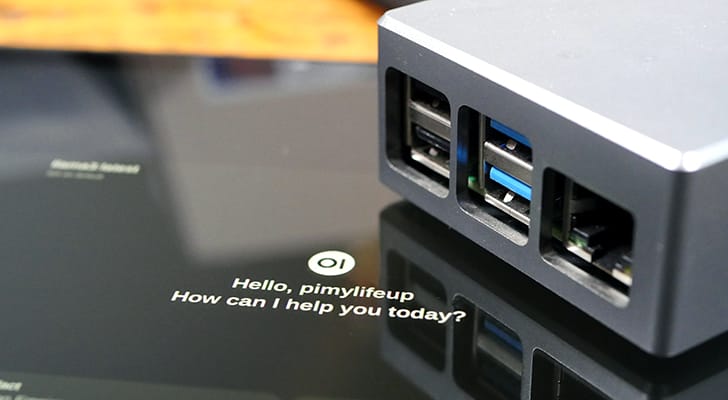
Random first google
heady raven
gentle kestrel
I don’t see a screenshot of OpenWebUI
I'm not running OpenWebUI.. just Ollama... I ran out of room on the pi I was configuring it on last night. have to start over... 🤪
gentle kestrel
heady raven
I'm not running OpenWebUI.. just Ollama... I ran out of room on the pi I was con...
Ok good to know. So this is a new install?
heady raven
gentle kestrel
Ok good to know. So this is a new install?
no the install was running and then all the logs you saw-- no config change.. 🤪
gentle kestrel
heady raven
no the install was running and then all the logs you saw-- no config change.. �...
Ohhhh, I got ya
You did a git pull and here we are?
Let me read logs again now understanding this
gentle kestrel
mortal shale
Just need to fix my scheduling now
Update has a quick diff check
heady raven
gentle kestrel
Let me read logs again now understanding this
sorry bro- playing with a few AI toys... yeah-- just trying to figure out - wtf-- it was working --
gentle kestrel
No worries Did you set 0.0.0.0 in ollama service file
mortal shale
I've been updating by doing sudo git pull; sudo systemctl restart mesh_bot
Is that dumb?
gentle kestrel
naw but the update.sh will do it and other stuff for ya
Like if you edit the bot
It will warn you before your work is trashed
And if you don’t know what you edited and it broke it will force a reset
This is all because it happens to me daily
heady raven
Wtf 😳 nothing new in the configuration really just a lot of playing around. I’ll get to the bottom of this ha ha. Obsession gotta love it.
 gentle kestrel
heady raven
Wtf 😳 nothing new in the configuration really just a lot of playing around. I’l...
gentle kestrel
heady raven
Wtf 😳 nothing new in the configuration really just a lot of playing around. I’l...
Nice I added the notes to LLM.md for the future
heady raven
Sweet still working OK then ha ha
 gentle kestrel

GitHub
…ration
Add WSJT-X and JS8Call integration for forwarding digital mode messages to mesh network. Not fully tested Please test and let me know what needs changed
I don’t have a full time HF rig POTA only
*testing welcome (issue submitting git would be handy if you have specific details)
drowsy rock
I'm going to have to figure out what you guys are doing to control this with a web interface. I have been working my ass off soldering things and 3D printing things and haven't followed closely since last night but it sounds interesting whatever it is haha
gentle kestrel
Haha it should work and yes it’s just a dashboard
I got ideas
Its map is for users of the bot not any user heard
FYI
Lots of other map projects
It’s a very basic log scraping data collector, my frustration if a log changed the engine needs fixed
drowsy rock
Have you seen my map in the maps section? I didn't think of it until now, but that would be a cool implementation. It's for showing points that had service of any kind for all users, not BY user. The points fade over a given time frame. I didn't make that selectable on the map because I thought of that afterwards, Pat I have used it set to 6 months, a month, a week. Basically the idea is to show where there is coverage at all times and older points fade out gradually. If they don't get updated with new points you can tell that that area no longer has service for some reason. It's set up so you just download the position logs of other nodes and then it parses out the relevant information to place on the map. I also made it so removes older points within 100 yd of new points to avoid congestion.
gentle kestrel
drowsy rock
Have you seen my map in the maps section? I didn't think of it until now, but th...
I think I have once yes; I’m gonna possibly fork firefly for a dash/client
Need to work out some game ideas 😉
Pygame can deliver via HTML
Gonna churn thru some core ideas and decide if a new bot engine is needed
If yes that changes the dashboard quickly
Ironing out checklist in a tree right now
drowsy rock
Looking into this now

So I'm using Geany And it says permission denied when I go to save a file. Any ideas?
Okay I think I see what's going on. So should I edit the one in modules or etc?
Sudo geany
gentle kestrel
drowsy rock
Okay I think I see what's going on. So should I edit the one in modules or etc?
Modules
etc/ copy is the one I change with GitHub
drowsy rock
How do I find your examples on GitHub? Or did I misinterpret that message
gentle kestrel
cat etc/custom_scheduler.py
If you edit it - git will overwrite
It’s like config.template
I could rename it to avoid confusions
drowsy rock
Ohhhh ok
gentle kestrel
I renamed it
heady raven
Mkay -- it went LOLO on me --
Oct 28 15:17:04 hawaiimeshmap bash[14077]: PermissionError: [Errno 13] Permission denied: 'config.ini' Oct 28 15:17:04 hawaiimeshmap systemd[1]: mesh_bot.service: Control process exited, code=exited, status=1/FAILURE Oct 28 15:17:04 hawaiimeshmap systemd[1]: mesh_bot.service: Failed with result 'exit-code'. Oct 28 15:17:04 hawaiimeshmap systemd[1]: mesh_bot.service: Scheduled restart job, restart counter is at 5. Oct 28 15:17:04 hawaiimeshmap systemd[1]: Stopped mesh_bot.service - MESH-BOT. Oct 28 15:17:04 hawaiimeshmap systemd[1]: mesh_bot.service: Start request repeated too quickly. Oct 28 15:17:04 hawaiimeshmap systemd[1]: mesh_bot.service: Failed with result 'exit-code'. Oct 28 15:17:04 hawaiimeshmap systemd[1]: Failed to start mesh_bot.service - MESH-BOT.
I think I'll stay away from updating femtofox bot-- until this one is back and happy
gentle kestrel
heady raven
I think I'll stay away from updating femtofox bot-- until this one is back and h...
Looks like you sudo ‘d the config.ini?
This file is ignored by me
You can chmod it or handle it with a copy from .temolate
I know what it is; you have high security
It’s trying to add the new if 'inventory' not in config:
[inventory] enabled = False
The bot and config.ini are in separate security realms
So handle it however
drowsy rock
gentle kestrel
Ok the checklist and inventory is in
Will it recognize "check in" as well?
gentle kestrel
checkin
otherwise check all checks could get crazy
Did you check in the box for the cat
heady raven
gentle kestrel
The bot and config.ini are in separate security realms
I went for the chmod for the fix-- happy -- not sure why the update changed it-- my set-up was the same. learning and playing - good stuff
gentle kestrel
That file is in my .gitignore
heady raven
gentle kestrel
That file is in my .gitignore
btw -- same issue with the femtofox update -- w/same chmod fix -- oh yeah
gentle kestrel
heady raven
btw -- same issue with the femtofox update -- w/same chmod fix -- oh yeah
Some time a push will have in update.sh
echo "Warning: config.ini is owned by root (possibly edited with sudo)."
drowsy rock
I'm trying to install this not using sudo because that seems like it's been an issue for me. What do I do to get around this without also using sudo?
 gentle kestrel
sudo chown -R meshbot:meshbot "/opt/meshing-around/-around/logs"
sudo chown -R meshbot:meshbot "/opt/meshing-around/-around/data"
sudo chown meshbot:meshbot "/opt/meshing-around/-around/config.ini"
sudo chmod 640 "/opt/meshing-around/-around/config.ini"
sudo chmod 750 "/opt/meshing-around/-aroundlogs"
sudo chmod 750 "/opt/meshing-around/-around/data"
@drowsy rock @heady raven
This should clear it up
I’m adding to install
drowsy rock
Thank you
bbs@raspberrypi:/ $ sudo chown -R meshbot:meshbot "/opt/meshing-around/-around/data"
sudo chown meshbot:meshbot "/opt/meshing-around/-around/config.ini"
sudo chmod 640 "/opt/meshing-around/-around/config.ini"
sudo chmod 750 "/opt/meshing-around/-aroundlogs"
sudo chmod 750 "/opt/meshing-around/-around/data"^[[201~chown: invalid user: ‘meshbot:meshbot’
bbs@raspberrypi:/ $ git clone https://github.com/spudgunman/meshing-around
fatal: could not create work tree dir 'meshing-around': Permission denied
bbs@raspberrypi:/ $
GitHub
BBS Mesh Scripts for Meshtastic. Contribute to SpudGunMan/meshing-around development by creating an account on GitHub.
drowsy rock
It's always this baffling permission shit that causes me to abandon the RPI for 2 mroe years.
i have no idea. the default one which is probably bbs
drowsy rock
how do I change users?
gentle kestrel
it really don’t matter except your sanity
drowsy rock
or what is best ha.
gentle kestrel
If security isn’t a issue disabling sudo all together might help
gentle kestrel
drowsy rock
it's online, just not through the router for ssh etc.
gentle kestrel
Yea it’s like UAC in windows
It’s nice but it’s not
I could have better set up the project folder
drowsy rock
Okay now we're getting somewhere
gentle kestrel
Good waiting to push a schedule patch 😉
drowsy rock
since i already installed ollama, i can skip that, right? it takes a century to download
mesh
y
damnit lol
gentle kestrel
Yea
drowsy rock
Ok I see the openwebui you were messing with. that's docker only?
gentle kestrel
to quick start yes
You will want to figure it out in docker
It’s a huge ecosystem
drowsy rock
ok I will leave that be for now
gentle kestrel
Yes ideally learn it on its own
It’s huge
You can spin up you own LLM with it
huge
Very powerful
drowsy rock
nice. will have to mess with that
do i have to add anything for the new checklist since i just pulled the latest?
drowsy rock
ok
gentle kestrel
Features are done being added for the day
drowsy rock
js8call. i like that
gentle kestrel
Now it’s bug fix, enhance for the weekend
gentle kestrel
drowsy rock
js8call. i like that
Do test it
I haven’t at all yet and it might be crap
Someone already asked me “you don’t use js8 call do you”
Haha
I don’t much at all
Specifically I don’t know what is a good alert yet
Tomorrow I plan to build a full lab and get test functions in
drowsy rock
I used to run it every day when I had room for a full wave 80m loop antenna outback. not the situation currently so i run it portable only occasionally
gentle kestrel
Yea I’m only potable these days, but I wanted to have this for pota
Meshbot on the truck with WiFi and my pota laptop connected
Get spots and alerts
drowsy rock
yes. been wanting to pota. have not yet.
gentle kestrel
Dooo it, it’s a blast
drowsy rock
for config.ini scheduler. i set value to custom. leave the enabled line = true or false?
drowsy rock
wife and i each signed up for accounts and i keep seeing events that i want to go to, but every single time i have something else going on.
ok
gentle kestrel
Just go out and work 10 contacts some day when you got time
Don’t spot or schedule
basic ham radio 📻
Be sure to log and keep good notes of each park and log
I like to keep a log for each park
Never mix parks
Apps like polo/ham2k are nice
Just do this till you feel comfortable
Then worry about logs and pushing past 10
I enjoy working field radio first, due to the chaos and extra troubleshooting
Not all enjoy that and practice is the only way to eliminate stress
drowsy rock
same. I have some pretty great field setups i continue to improve. I like to focus on the absolute lightest weight, minimal setups.
and speed
gentle kestrel
I can deploy in 30min or less work almost all bands up to 300w and have 1xx qso in 4 hours or less
drowsy rock
I make chalk line antennas that have knots at pre tested lengths for various frequencies so you can feel them in the dark as you unreel them.
gentle kestrel
Sweet!
drowsy rock
[scheduler]
enable or disable the scheduler module
enabled = True
interface to send the message to
interface = 1
channel to send the message to
channel = 0
message = "MeshBot says Hello! DM for more info."
enable overides the above and uses the motd as the message
schedulerMotd = False
value can be min,hour,day,mon,tue,wed,thu,fri,sat,sun.
value can also be 'joke' (min/interval) or 'weather' (time/day) or 'link' (hour/interval) for special auto messages
'custom' for module/scheduler.py custom schedule examples
value = joke
interval to use when time is not set (e.g. every 2 days)
interval = 1
time of day in 24:00 hour format when value is 'day' and interval is not set
time =
i have not received a joke
gentle kestrel
Something has gone wild, sadly I can’t replicate this at all
2025-10-28 19:59:19,682 | INFO | Device:1 Channel:2 SendingChannel: I went to the zoo the other day, there was only one dog in it. It was a shitzu. 2025-10-28 19:59:20,063 | INFO | System: ð¤ Simulator packet detected from Device: 1 Channel: 2 NodeID:3720400227 ShortName:5LAB 2025-10-28 20:00:00,928 | DEBUG | System: Scheduled Tasks 1, Details:['Every 1 minute () (last run: 2025-10-28 19:59:21, next run: 2025-10-28 20:00:21)])']
It should look like this
drowsy rock
my current favorite and coincidentally by far my cheapest setup, (tr)uSDX with a microsoft surface go, solar panel, lipo battery, and solar panel. Everything but the panel and computer fit in a small waterproof case, it all fits in a saddlebag with plenty of extra room. wsjt-x, js8call, winlink (with vara), and FLDIGI on the computer so i can do whatever.
gentle kestrel
Important bits
[scheduler] enabled = True value = joke interval = 1
gentle kestrel
drowsy rock
my current favorite and coincidentally by far my cheapest setup, (tr)uSDX with a...
Awesome
drowsy rock
it's donig SOME things. 2025-10-28 23:01:57,887 | INFO | System: 🥶 New coldest temp record: 2.85°C from NodeID:2648399514 ShortName:🪽
2025-10-28 23:01:57,888 | INFO | System: 🥵 New hottest temp record: 2.85°C from NodeID:2648399514 ShortName:🪽
2025-10-28 23:01:58,364 | DEBUG | System: Packet Received on SerialInterface Interface
gentle kestrel
You need to see something like this for schedule
Scheduler loop started Tasks: 1, Details:['Every 1 minute
drowsy rock
2025-10-28 22:59:12,655 | DEBUG | System: RX Subscriber started
2025-10-28 22:59:12,655 | DEBUG | System: Watchdog started
2025-10-28 22:59:12,655 | DEBUG | System: Scheduler loop started Tasks: 0, Details:[]
2025-10-28 22:59:33,151 | DEBUG | System: Packet Received on SerialInterface Interface
do i need to activate dad jokes?
gentle kestrel
Did you disable it?!
Yes to use the option it will need to be useable on mesh
I’m not checking this now
drowsy rock
yes haha. it kept sending jokes when i had a person messaging about a sprained ankle so i disabled it lol
gentle kestrel
Haha
drowsy rock
I will go make it true and try again
gentle kestrel
By default it should trap only when it’s at position zero
So saying this joke is good won’t do it
Joke now will
Older code didn’t do that
 gentle kestrel
Haha nice 
drowsy rock
Omg it sent the same one twice haha
gentle kestrel
Did you update to very latest
I fixed this around the moment you installed I think
drowsy rock
no but i will now
done. these two popped up. not sure if relevant. Job for mesh_bot_reporting.service failed because the control process exited with error code.
See "systemctl status mesh_bot_reporting.service" and "journalctl -xeu mesh_bot_reporting.service" for details.
for custom scheduler, I only edit the commented out portions at the bottom and uncomment? also, Do i leave it as the variable "schedulerChannel", and then change the channel up above where it currently has like ("xfdssd", 2, 0, 1)
For example, I want this to be channel 0 on interface 1. The way it's set up, I would imaging that I do not change the variables (schedulerChannel, schedulerInterface), but instead go above and change them here? def send_wx(channel, interface):
## uses system.send_message to send the result of handle_wxc(id,id,cmd,days_returned)
send_message(handle_wxc(0, 1, 'wx', days=1), channel, 0, interface)
gentle kestrel

Channel is 0 and interface is 1
Just replace word scheduleChannel

I’m using a fancy IDE to make it pretty
You won’t see all the color and some text
drowsy rock
Ok I set up 2. the jokes to test.
Send a joke every 2 minutes
    schedule.every(2).minutes.do(lambda: send_joke(channel=0, interface=1))
    ### Send a good morning message every day at 9 AM
    #schedule.every().day.at("09:00").do(lambda: send_good_morning(schedulerChannel, schedulerInterface))
    ### Send weather update every day at 8 AM
    schedule.every().day.at("08:00").do(lambda: send_wx(channel=0, interface=1))
allllllright we are IN
I am going to call it a night soon, but I informed my buddy about checking in and out. I want to figure out how to make it alert me when someone misses a checkin.
Or more specifically, alert a channel we have set up for a few of us.
I'll mess with that tomorrow though. Thanks for the patience and all the help!
gentle kestrel
It will send to broadcast alert channel
It for sure does something let me know how field testing goes
gentle kestrel
To anyone interested in offline tide data https://github.com/SpudGunMan/meshing-around/pull/248

GitHub
The current tide command uses NOAA API, limiting functionality to US locations. This adds optional global tide prediction using the tidepredict library, which provides offline predictions from Univ...
I would be interested to hear your feedback
I am not eager at this moment to merge
I’m not sure if I have bad time zone (very possible) but my data didn’t seem accurate
Read the help
It’s intended for offline use
drowsy rock
gentle kestrel
It for sure does something let me know how field testing goes
Checkin works and says the time. Checklist does not work, and it doesn't send an alert anywhere. This is the friend who is actually in a tree stand for real


On a positive note, got my weather report at 8:00am
gentle kestrel
So it’s not all cloudy! 🌥️
gentle kestrel
drowsy rock
Checkin works and says the time. Checklist does not work, and it doesn't send an...

It needs to be like 20 min checkin or more as it runs on the watchdog. At 20min processing
I used checkin 4
drowsy rock
Ok so it works, it just had a 59 minutes after "late" delay.
 gentle kestrel
I should set the minimum checkin to like 20
If you say checkin 10 it will say it will check in 20 but the math will actually still be normal
It’s a hard one, due to the alert running only on the :20
drowsy rock
Can the "overdue" be adjusted down? Or customizable?
gentle kestrel
Yes but it’s using checkin.time - now.time is all
Anything you read can be altered for the most part
The only limit is the processing of alerts only happens at moments in time, not every second … talking this out I could bump it up actually so
It’s 5am local, this is just a note to move the alert for this up the stack before the API checks which is the whole point it’s on the 20
drowsy rock
Ok it send another reminder after an additional 20 minutes so that's good. The only thing not working is 'Checklist'.
gentle kestrel
drowsy rock
Ok it send another reminder after an additional 20 minutes so that's good. The o...
?

Another issue to fix is that the alert falls into normal buffers for not being annoying and - this one should be annoying (I should have gotten like 2-3 alerts ‼️)
Also I should add the BEL
drowsy rock
When I message a main channel with Checklist, bot responds in a DM "No data to display."
drowsy rock
Oh fuck yeah the ALERT BELL CHARACTER.
That's what kept setting off the Dad jokes during the sprained ankle situation
drowsy rock
gentle kestrel
This would mean no one is checked in ?
It did it even when he was still checked in. I tried it right away and after I had gotten the first alert that he was 59 minutes overdue
I'm not home now so no code or log examination possible
gentle kestrel
Somewhere I fixed a missing key but I think you got that patch
It would show up as a .error.red
if you see it, pull will handle that
drowsy rock
Ok
gentle kestrel
A stack of patches in; but it was a lot of refactoring old ideas up
Specifically emergency alert
So; be advised to keep an eye ipaws and EAS are working
They worked in lab but I don’t have a real test case yet
I refactored it hard
heady raven
gentle kestrel
So; be advised to keep an eye ipaws and EAS are working
I've been getting SSL errors from ipaws... Haven't done a update today - yet... hihi
gentle kestrel
heady raven
I've been getting SSL errors from ipaws... Haven't done a update today - yet... ...
validate ssl changes to service file in /etc
Linux environment space
compare yours to my template in bot/etc/
heady raven
Oct 29 09:00:10 hawaiimeshmap bash[2386]: 2025-10-29 09:00:10,821 | WARNING | System: iPAWS fetching IPAWS alerts from FEMA failed: HTTPSConnectionPool(host='apps.fema.gov', port=443): Max retries exceeded with url: /IPAWSOPEN_EAS_SERVICE/rest/feed (Caused by SSLError(SSLCertVerificationError(1, '[SSL: CERTIFICATE_VERIFY_FAILED] certificate verify failed: unable to get local issuer certificate (_ssl.c:992)')))
heady raven
gentle kestrel
compare yours to my template in bot/etc/
I'll check it out-- i've had my head in a few other things. been letting this one go--
gentle kestrel
Depending on OS I think armbian is has the change?
New trixi?
I’m on a dist-update still so my env is old
heady raven
gentle kestrel
Depending on OS I think armbian is has the change?
I have trixi running on a pi 2w for dev- playing with a Raphael kit.
I'm going to wait for the apps I use to catch up before I move to TRIXI. I also have a cloud server in Oahu - Debian Bookworm latest - running AllStar link node 598143... http://wh6gxzhub.ddns.net/allmon3/ I have to many nodes... 🤪
I run a lot of stuff on raspberry pi's of all sizes hihi with the latest bookworm... 👀 maybe a BOT in the cloud someday... hmmm
gentle kestrel
Built a lab today for WSJT and JS8 and it all works! Hihi
Way to go copilot
Sounds like offline and global tide data is still no go
It works but - the data is shit for me and won’t load for another
Likely leave the branch there for a while
heady raven
gentle kestrel
Way to go copilot
I play with WSJTX and few other digital modes. My QRZ page is a bit outdated.
This is COOL! Currently, I have digital modes configured on a DigiPi... https://craiger.org/digipi/ maybe some things there to use in meshing-around just noticed you are on the digipi server... very cool
gentle kestrel
Really? Cool!
That’s a nice project!
I like the use of web console
The WSJT works just the way anyone would want I think it’s perfect for spotting alarm
JS8 call I don’t use enough to know if it’s super handy but works about the same way
heady raven
gentle kestrel
JS8 call I don’t use enough to know if it’s super handy but works about the same...
I played with JS8 call a few years ago- ran a bunch of ham software on this device called an Inovato quadra -- I run Hamclock on it - awesome $ price
This guy is something else! What a
https://inovato.com/?srsltid=AfmBOoquid3J1fElRAVMXcu3yd8lXaT6BhDNSYdSd7j4ocUvQygZS2YD
gentle kestrel
Yea they are popular!
drowsy rock
Is there a way to make echo repeat the message into default channel, when messaged via DM? Also, it does not like punctuation at the end of sentences. It just returns the example hello for that.
Oh it's because if '?' In message.lower.
Fixed
 drowsy rock
 gentle kestrel
drowsy rock
Oh it's because if '?' In message.lower.
gentle kestrel
drowsy rock
Oh it's because if '?' In message.lower.
Haha yea it’s a local echo; got a use case
it’s abuse factor is obviously high
In goofin with this
GitHub
State-of-the-art TTS model under 25MB 😻 . Contribute to KittenML/KittenTTS development by creating an account on GitHub.
It can hear it can think it can .. speak?
heady raven
here's a good one -- hmmm
Amtliche WARNUNG vor STURMBÖEN 🚨 Amtliche WARNUNG vor STURMBÖEN
translation I guess - Official warning of gale-force winds
gentle kestrel
I’m glad warnings work
gentle kestrel
The checklist now has working approvals. With an auto approve checkin
It will only alert on approved checking
✅ approved ☑️not
if checklist isn’t working delete the data base
 gentle kestrel
also patched leaderboard to better handle high fly
heady raven
How am I getting this on ealerts...
I config'd something wrong haha
🚨 Amtliche WARNUNG vor STURMBÖEN
🚨 Amtliche WARNUNG vor STURMBÖEN
gentle kestrel
heady raven
How am I getting this on ealerts...
I config'd something wrong haha
🚨 Amtliche...
You may not have, actually
heady raven
gentle kestrel
You may not have, actually
I like LEADERBOARD! very cool info-
gentle kestrel
heady raven
How am I getting this on ealerts...
I config'd something wrong haha
🚨 Amtliche...
Thanks I didn’t think that all out prior
gentle kestrel
Guess what day it is …
New command day!!!

API key free limited to like 1k a day
But you can just free type topics
So that’s fun
drowsy rock
Got mine
gentle kestrel
Haha it should work now as well, last second changes before sleep didn’t work
drowsy rock
Will update when I get home
gentle kestrel
Also now updated to allow a sort_by in config.ini
I find it can give some different results from “popular” to the other more timely
Also of note im forcing last 7 day headline
So news on something 14 months ago may not return?
🤷 lmk if it needs more
It’s the cleanest option for generic news I seen yet aside from $ services
The goal overall is offline, and Readnews will always work why this got the latest news
 gentle kestrel
somber condor
gentle kestrel
somber condor
This is a external error. If it started back and things ok
No worries
If you ran the latest command early it may have crashed
I used a bad string for a header
somber condor
so... I un-installed and am re-installing from scratch.... I will let you know if any issues arrise
gentle kestrel
Were you using the reporting tool?
somber condor
no
gentle kestrel
I don’t expect a reinstall needed
drowsy rock
I've been doing that. I saved a copy of config.ini with the important stuff so i can just swap it right in
somber condor
mee too
gentle kestrel
I put a copy in backup as well now
somber condor
so... it appears that some file/directory permissions have chnaged
changed

now, user "meshbot" owns data/logs and config.ini
is this new?
gentle kestrel
Kinda, turns out it wasn’t properly being set all over - did this make a mess?