#US Nebraska
1 messages · Page 2 of 1
 hard heath
Whoever it is holds a special place for me since he/she was the first node I picked up with a stock Heltec and stubby antenna while standing on my roof. But times are changing and he/she needs to get with them!
 remote zephyr
Yeah the mesh sure is vulnerable to misconfigured nodes, I hate to think about what a malicious node could do
hard heath
remote zephyr
Yeah the mesh sure is vulnerable to misconfigured nodes, I hate to think about w...
Yeah that's a scary thought.
It doesn't help for current issues, but I wonder if the devs could write in something to the firmware where if a role is deprecated for some reason, the device would automatically revert to client role. The 'trigger' could just be connection to a node with newer firmware. I can't see it being used much really, but I wish something like that was in place for situations like this. Though I could see it being abused and/or exploited too.
There was some talk of newer firmware nodes starting to ignore nodes in router_client by default at some point going forward, but even that could be really disruptive when not all nodes are said newer firmware. The 'ignore' function is really just for blocking messages from a nonpreferred node. I wonder if it blocks just direct messages or even relayed messages. Hopefully the former.
 quasi beacon
hard heath
There was some talk of newer firmware nodes starting to ignore nodes in router_c...
quasi beacon
hard heath
There was some talk of newer firmware nodes starting to ignore nodes in router_c...
It does nothing with the message. No ack, no rebroadcast, nothing shows up in the logs. This would be helpful for someone spamming the channel. For someone in router/repeater mode that shouldn't be, one of the issues is the early rebroadcast that can step on better placed router nodes trying to rebroadcast at the same time. "Ignore" won't help with that.
It's a good question though if messages rebroadcasting from an ignored node still make it through. I'm pretty sure they do, because there is no trace routing as a message hops. I believe only the node ID from the originator travels with the message.
remote zephyr
I'm in Lincoln and actually see a node
Trying to send in the discord Link but it's not going through
quasi beacon
I stopped in on EBT today and set to ignore 12cc. It has already dropped 2-3% TX time. This should save a couple of watt-hours of battery consumption per day!
And channel utilization hasn't gone above 25% on EBT since! Hopefully this holds!
 narrow ledge
I was out on the bike this weekend with REDX and I heard your yagi test around 10:48 at the Wabash Trace trailhead park off Harry Langdon. I tried to reply, but my messages on the public channel never got an ACK.
The FA16, RED1 and/or RED2, RED3 are not on permanent power yet, and were likely down when you were doing your test. I will work to get at least one of those on dedicated power soon.
quasi beacon
narrow ledge
I was out on the bike this weekend with REDX and I heard your yagi test around 1...
Nice! Did you pick up anything else on the trail?
hard heath
Nice - thanks Scott!
narrow ledge
quasi beacon
Nice! Did you pick up anything else on the trail?
Unfortunately, I did not. I did bring some gear with me for some field testing during a bike camping overnighter. I will post up some pics and words later.
quasi beacon
narrow ledge
Unfortunately, I did not. I did bring some gear with me for some field testing d...
Impressive!! I've been meaning to ride the Wabash all the way to the MO border at some point with an overnight. Although probably a summer trip for me! 😂
hard heath
narrow ledge
I was out on the bike this weekend with REDX and I heard your yagi test around 1...
I never heard your reply, but that would have been a record distance for me round trip! 34km one way from what I can see. It has a 48 degree span and I had it painting downtown at the time, but it was picking up other things outside that window.
narrow ledge
hard heath
I never heard your reply, but that would have been a record distance for me roun...
It might have been related by other nodes. Is there a way to see the path of received messages?
quasi beacon
narrow ledge
It might have been related by other nodes. Is there a way to see the path of rec...
No, only if you see the most recent update in the node list and it shows an rssi/SNR reading (rather than x number of hops), or of you do a manual trace route and it comes back without any hops.
Although I guess if you check the logs on the message shows the same number of hops left that it started with, then you know it was direct.
narrow ledge


This weekend I went bike camping down the Wabash Trace to Mineola. I used the opportunity to bring some Meshtastic gear with me for some real world testing. It didn’t go as well as I’d hoped, but was still a useful exercise. I set up a client node at Margaritaville about 6 miles south of CB. At camp I set up another in the branches of a tree (higher than the one shown in the photo) about 10 miles down the trail. Finally I had my T1000E on me. Only once did I get any update from the Margaritaville node. The terrain out there is challenging for RF. I might try again later with nodes closer to each other or better placed. I did not see any other traffic south of CB.
quasi beacon
narrow ledge
This weekend I went bike camping down the Wabash Trace to Mineola. I used the op...
Sweet setup on the bike! How cold did it get overnight? And yeah, range from node to node without extra height or extra TX power is pretty limited.
quasi beacon
quasi beacon
Although I guess if you check the logs on the message shows the same number of h...
So if you catch the message in time before the log fills up, if "hop start" and "hop limit" are the same number, it was a direct message. Otherwise, the difference between those numbers was the number of hops to reach you.
 distant kettle
FWIW my true position is towards the south edge of the precision-reduced GPS position I'm transmitting. If you want to really dial it in, shoot for the CHAP Center at 1201 Gregg Rd. I'm a stone's throw from there.
Judging by signal strength, EBT seems to be close enough that if it fell out of the tree it might hit me on the head, so that should get you EBT too
also for the record I mostly monitor agv3 (same location) right now, agov is connected to a PC and being used for an experiment. I am working on coming up with a better naming scheme :p
narrow ledge
quasi beacon
Sweet setup on the bike! How cold did it get overnight? And yeah, range from nod...
The tracker card got the data for me. It was 29° in my tent at the lowest. But light wind and an abundance of firewood made it quite pleasant.
 quasi beacon
narrow ledge
The tracker card got the data for me. It was 29° in my tent at the lowest. But l...
quasi beacon
narrow ledge
The tracker card got the data for me. It was 29° in my tent at the lowest. But l...
Not bad for December in the Midwest!
narrow ledge
quasi beacon
Not bad for December in the Midwest!
Here’s some more insight into the operation of the tracker card. This log excerpt shows the channel utilization and battery for a portion of my trip. It’s neat to see the correlation of channel utilization to my movement. I don’t think there were any nodes receiving my GPS telemetry out in the country, however.
 hard heath
distant kettle
FWIW my true position is towards the south edge of the precision-reduced GPS pos...
hard heath
distant kettle
FWIW my true position is towards the south edge of the precision-reduced GPS pos...
This is very helpful - thank you! It does change my bearing setting and I'll take it into account. Ideally I'd like to split the beam between the Old Market and you as well as EBT. I think that's within the capabilities without needing to move it, but having the option to point it remotely would be nice too.
quasi beacon
hard heath
This is very helpful - thank you! It does change my bearing setting and I'll tak...
Yeah, auto aiming would be awesome! If it's a wide enough beam pattern like Merlin, I think you'll be able to cover Bellevue and downtown.
Just saw you mentioned 48 degree pattern earlier. Probably a good chance that works if you split the difference and aim towards south O.
hard heath
quasi beacon
Just saw you mentioned 48 degree pattern earlier. Probably a good chance that wo...
That's what I was thinking too. Though the specs are not very clear and say 40/48 degree beam, but don't specify which is horizontal and which is vertical.
An auto aiming device could be cool. I could use steppers like a telescope mount for horizontal and vertical movement. Maybe a compass or accelerometer board too for measuring the bearing and vertical pitch. It would be easy to go overboard.
 tawdry compass
I think a good spot for a node might be Hitchcock park campground or on top of Crescent. I think it would be great for downtown and north O + CB
narrow ledge
Just put FA16 back on the roof. This time with a little bit of a westerly view.
remote zephyr
i'm seeing it 3 hops
quasi beacon
tawdry compass
I think a good spot for a node might be Hitchcock park campground or on top of C...
I've tested radio stuff from the top of the tower at Hitchcock. Can confirm a 22db Lora device can reach to a good station in Bellevue (this was with Helium.) I think a sweet location to cover those areas would be the tower in little Italy, half way between the zoo and downtown.
remote zephyr
i camped at the high backpacking camp site at hitchcock facing omaha and could hear a node every now and then but could not get an ack, but that was with the included heltec v3 non sma antenna
narrow ledge
Hi folks! I see a couple of nodes running with BBS in the name. Are these actually bulletin board systems? How do I access? Any hints? Are the operators here on the discord?
quasi beacon
narrow ledge
Hi folks! I see a couple of nodes running with BBS in the name. Are these actual...
Yep! Just send the node a DM and it should respond with an options menu. Heads up, the reliability isn't great if you're more than a hop away. I have occasionally gotten into them, but struggled to navigate consistently. If you search YouTube for meshtastic bbs, there's a couple good videos on the topic.
 tacit schooner
I run the doopy node, feel free to test it out. It’s not super consistent like amc said but it’s pretty fun
narrow ledge
Neat! I’ve tried sending DMs to the BBS but no response. Last time I checked I was 4 hops away.
distant kettle
I suspect that FA16's performance may be affected a bit by multipath issues from all the buildings down there. Basically the signal "echoing" off of the buildings etc so that the echoes overlap each other and make packets unreadable
It is possible that this might be helped by a higher gain antenna with a flatter pattern, or something
Briefly saw a contact all the way out in Columbus, NE earlier today
tawdry compass
quasi beacon
I've tested radio stuff from the top of the tower at Hitchcock. Can confirm a 22...
Yeah, good Idea.
quasi beacon
distant kettle
Briefly saw a contact all the way out in Columbus, NE earlier today
Was that super early this morning around 5 or 530? I was on a flight from OMA to DFW and saw the Columbus node... But had the T1000 on mute, so I don't think it should have relayed any packets from there. Also saw ~5 in Lincoln.
distant kettle
actually, by "earlier today" I meant like yesterday afternoon, oops
quasi beacon
Also picked up an Omaha node from 300+km away with 2 hops, the final transmit had to have been another Omaha node but couldn't get a trace.
distant kettle
Lol wow
quasi beacon
distant kettle
actually, by "earlier today" I meant like yesterday afternoon, oops
Oh interesting... Maybe a different flight. Can't imagine that route would happen on the ground!
quasi beacon
distant kettle
Lol wow
 distant kettle
just picked up another airborne node


 wooden mulch
What does the realistic battery life look like on the T1000-E?
remote zephyr
@narrow ledge ? I think he was saying 2 days wasn't an issue, but not sure how much he had left
wooden mulch
Thanks! I just ordered two Heltec V3's that should be here tomorrow.
narrow ledge
wooden mulch
What does the realistic battery life look like on the T1000-E?
I seem to get two days with mine. I’ve been carrying it with me most of the time. I just ordered a second. I hope to test them out on group bike rides soon.
distant kettle
wooden mulch
What does the realistic battery life look like on the T1000-E?
like everyone else said, about 2 days with the standard configuration, but if you do things like disable the integrated GPS, run it in CLIENT_MUTE, etc. you can squeeze out more
the GPS draws more current than everything else put together
well, averaged over time, anyway. The LR1110 does peak higher while transmitting
hard heath
Forgive me if I'm misremembering, but was someone here working on an Omaha Mesh website? Something that would give info on how to set up nodes, etiquette on roles and telemetry updates, etc.?
I was thinking about building a node to transmit at the maximum power allowable under a ham license (10W), then change the name to either an Omaha Mesh website or maybe a short link for this discord channel. It wouldn't be monitored and would never be used for Tx (would have to be unencrypted anyway). The whole point would be a really loud node with a good chance of being seen by new people that would hopefully visit the site.
remote zephyr
can you talk on the default LongFast channel when using a ham license, it's technically encrypted but just with a shared known key
quasi beacon
remote zephyr
can you talk on the default LongFast channel when using a ham license, it's tech...
This was my understanding as well.
quasi beacon
hard heath
I was thinking about building a node to transmit at the maximum power allowable ...
Not sure I follow "never be used for TX" , but also being seen by new nodes. The node info updates would still be transmitting encrypted (I think?) which I didn't think was allowed for ham.
But it's a good thought. If there was a website in the future, we could add it to the name of one of the router nodes.
remote zephyr
Yeah someone just has to set it up
hard heath
quasi beacon
Not sure I follow "never be used for TX" , but also being seen by new nodes. The...
Yeah I could have worded that better. Or just done better research. I meant it wouldn't be used for speaking on LongFast or sending direct messages except to another ham, given that it wouldn't be able to use encryption. I guess it would just 'exist' and broadcast node info, which of course is still Tx. I'm assuming that wouldn't be encrypted either, but I'm assuming all the other nodes would still be able to see it. And at higher power (10ish watts) it would be hard to miss
remote zephyr
if i was going to do all that i'd just put it on a diffrent frequency and have it on a seprate mesh altogether
hard heath
remote zephyr
if i was going to do all that i'd just put it on a diffrent frequency and have i...
I may do that eventually if I build a couple of them. But having a node with the name advertising a resource for local info on the mesh would be nice. Chicago does something like that, or at least they were when I was visited.
quasi beacon
hard heath
I may do that eventually if I build a couple of them. But having a node with the...
I just landed in Chicago and saw this. 😂
hard heath
quasi beacon
I just landed in Chicago and saw this. 😂
Do they still have one up? It's been a while since I visited
quasi beacon

The bbs node is a 1 way connection to my T1000 though. Can't get into the bbs
Not as many nodes flying over as I expected though. Guessing a lot of them are using private channels on other frequencies.
wooden mulch
Do most people have MQTT enabled on the default channel? Right now I have 2 nodes, both set for Client_Mute role so they arent stepping on each other. Only difference is one has MQTT enabled with the root topic as msh/US/NE/# Uplink and Downlink enabled on default channel. the other i have MQTT disabled. I am brand new to this and trying to figure out what MQTT does and doesnt do.
remote zephyr
i think for the around here in a populated area you general want MQTT disabled for everything
 wintry wraith
quasi beacon
wintry wraith
quasi beacon
That’s my node! Lol
Feel free to join our discord if you want as well
Looks like it was down but I just fixed it
Send a dm to dfix saying “Cmd”
It’ll show you some commands
quasi beacon
wintry wraith
Send a dm to dfix saying “Cmd”
I'm back in Omaha now, but thanks for checking in! How'd you stumble across this?? 😂
hard heath
wooden mulch
Do most people have MQTT enabled on the default channel? Right now I have 2 node...
I agree with elicriffield. It seems like almost everyone in the Omaha mesh disables MQTT. What are the names of your nodes? And what general area are you in? A lot of us use fixed GPS coordinates to show general area while still maintaining some privacy.
wintry wraith
quasi beacon
I'm back in Omaha now, but thanks for checking in! How'd you stumble across this...
Every so often I search for the word Chicago on this server
 brisk mica
remote zephyr
can you talk on the default LongFast channel when using a ham license, it's tech...
brisk mica
remote zephyr
can you talk on the default LongFast channel when using a ham license, it's tech...
That would fall in a very gray area. FCC regulations never actually mention encryption, but do say, "messages encoded for the purpose of obscuring their meaning" are prohibited. You could argue that a publicly published key would mean it wasn't intended to obscure the meaning. But I doubt this interpretation would be readily accepted if you were ever called out on it.
remote zephyr
what about relaying an encrypted message you can't even decode?
could a ham do that?
brisk mica
remote zephyr
what about relaying an encrypted message you can't even decode?
a ham is not allowed to relay a message that is illegal
brisk mica
remote zephyr
what about relaying an encrypted message you can't even decode?
Amateur radio licenses and meshtastic don't really mix.
remote zephyr
Yeah seems like they should of just left that out of the config as an option because when i first saw it my first thought was "i'm a ham, i should check yes"
hard heath
If you change channels and only ever use fully open (no encryption, even public keys) I would think that would be fine. Unless the node in 'ham mode' would continue to relay messages encrypted in any fashion. I need to learn more about all this.
My half baked idea of changing the name to a website or link to discord is inappropriate as well. Mesh docs say your long name must be your call sign in Ham mode, and that it will 'publicly transmit' the call sign every ten minutes. The docs also caution to make sure you're editing the default LongFast channel to pull encryption
tacit schooner
Speaking of the website, I spun up a basic Wordpress site on my homeland but haven’t had much time to configure it much. Once I get it somewhat setup, I’ll reverse proxy it through cloudflare so it’s secure and share it with you all.
So if anyone is good at Wordpress, lmk lol
remote zephyr
hard heath
If you change channels and only ever use fully open (no encryption, even public ...
I think you would have to change frequency to
hard heath
remote zephyr
I think you would have to change frequency to
Yeah for best results in an area already congested with encrypted traffic that would make the most sense. It'd be nice if they added that to the official mesh page discussing ham mode
wooden mulch
hard heath
I agree with elicriffield. It seems like almost everyone in the Omaha mesh disab...
Blackout1 and Blackout2 near 132nd and Maple. One is currently set as client the other is set as client_mute.
hard heath
Yep I've picked those up at work and at home
wooden mulch
With nodes set up at your home, are most people putting them on their wifi networks and connecting to them that way? Or using Bluetooth? I have 1 on WiFi connected to an old phone and the other on my daily cellphone via Bluetooth. I miss a lot of messages on the Bluetooth connected node. It seems like the Bluetooth connection times out.
tawdry compass
Depends on the device. some phones or tablets suck with meshtastic bluetooth
I have one good phone, and one good tablet for meshtastic on bluetooth.
Never miss much
wooden mulch
I guess it could also be that the node on WiFi is outside on my patio and the node on BT is inside, some messages could be the "end of the line" at the outside node and not getting forwarded again for the indoor node to pickup...
hard heath
I use WiFi with my home nodes but have to switch between the two at the moment given that one is omni and the other is directional. WiFi is much faster than BT at any rate. But my mobile nodes are all BT.
Some mesh devices have awful BT connectivity. The original T114 was hot garbage. V2 is supposed to be better but I'm still waiting on my replacement.
 uneven zinc
What client do you use with WiFi nodes? Just the web based one?
hard heath
Android app on my phone. I tried the web interface but it's not for me. Switching between nodes is a bit clunky and doesn't always switch 'cleanly'. Usually I need to switch to 'None (Disable)' in between nodes for a couple seconds.
remote zephyr
i just tried the android app on my phone with a direct usb-c cable to a node and man that's a lot snappier
tacit schooner
i didnt know that was posisble
remote zephyr
Yeah works great
tacit schooner
do you think it would work on apple? lol
remote zephyr
not sure about iphone, someone try it and let's see
tacit schooner
let me go find a bidi usb c
so it powers the device, but i still need bluetooth it seems
remote zephyr
bummer
tacit schooner
did you have to enable any special features or functions on the phone or radio?
remote zephyr
nope it just poped up "would you like something something to be able to talk to something something" and i clicked yes then in the app where you select what to connect to
tacit schooner
damn apple and their want to block everything
remote zephyr
 uneven zinc
Ah. Apparently WiFi only works on Android. Oh well.
wooden mulch
uneven zinc
Ah. Apparently WiFi only works on Android. Oh well.
Oh that's rough!
tacit schooner
the new software has a built in web ui now!!
hard heath
Seeing a lot of new nodes lately. but for some reason I'm also getting other notifications about 'new' nodes that aren't new and are already in my node database. Like it will say 'new node' and list one I regularly see updated every hour. Weird.
tacit schooner
I’ve been seeing the same on my mature nodes
wooden mulch
I turned my new node notification off in my android notification settings after about 10 minutes of setting up and connecting to my first node. After the 5th or 6th notification in a row I decided that was enough 🤣
hard heath
tacit schooner
I’ve been seeing the same on my mature nodes
Glad I'm not the only one!
hard heath
wooden mulch
I turned my new node notification off in my android notification settings after ...
Yeah I should turn mine off. Back when there were only a handful of nodes in Omaha it was REALLY exciting to get that notification. With so many false notifications I think it's time to shut mine off.
quasi beacon
hard heath
Seeing a lot of new nodes lately. but for some reason I'm also getting other not...
Same
quasi beacon
wooden mulch
I guess it could also be that the node on WiFi is outside on my patio and the no...
You're probably right about this, I see it a lot with my home/mobile nodes.
tawdry compass
wondering how the ice is going to effect all outside nodes. especially the high ones.
tacit schooner
Alright... super basic and a long way to go but here is the start. side note: it is still riding on my domain name but i can look into something dedicated later on when its more fleshed out. I present a website:
tawdry compass
everyone stay safe in this weather...
hard heath
tacit schooner
Alright... super basic and a long way to go but here is the start. side note: it...
Thanks for setting this up!
hard heath
tawdry compass
wondering how the ice is going to effect all outside nodes. especially the high ...
First time I'm glad mine are in the attic. Telescope mount is still outside though. Under like six covers though
tacit schooner
Here is the google sheet for the website node list, feel free to add your devices. Just use caution so you dont mess with previous entries:
https://docs.google.com/spreadsheets/d/1h7gyXxhEXMfcEgUvb9pdSns0uRFKNk5cT2-3GHuARjQ/edit?usp=sharing

Google Docs
wooden mulch
Aside from using the radio config menu and using NodeBD Reset, is there a way to clear the node database automatically after a certain timeframe? Like anything over 4 hours is automatically removed from the list?
tacit schooner
i thought i heard/saw somewhere after so many, it starts writing over old ones but Im not certain or even how many the threshold is
distant kettle
hard heath
Forgive me if I'm misremembering, but was someone here working on an Omaha Mesh ...
I was, yeah
tacit schooner
you made one too?
tacit schooner
distant kettle
I was, yeah
i just stood up ths site: https://omamesh.bdnets.net/
still a massive work in progress but a start
distant kettle
Just saw that! Still catching up with the conversation
but as I previously stated, I didn't want to be the only one responsible for it anyway in case I get hit by a bus, so I don't mind if someone else wants to work on something too. But obviously at some point it makes sense to unify our efforts so we don't have three competing Omaha mesh websites lol
tacit schooner
I agree, im hoping once things get more fleshed out I'll start setting people with blog rights and maybe even admin rights. wordpress makes that supre simple having a few trusted admins would be ideal
distant kettle
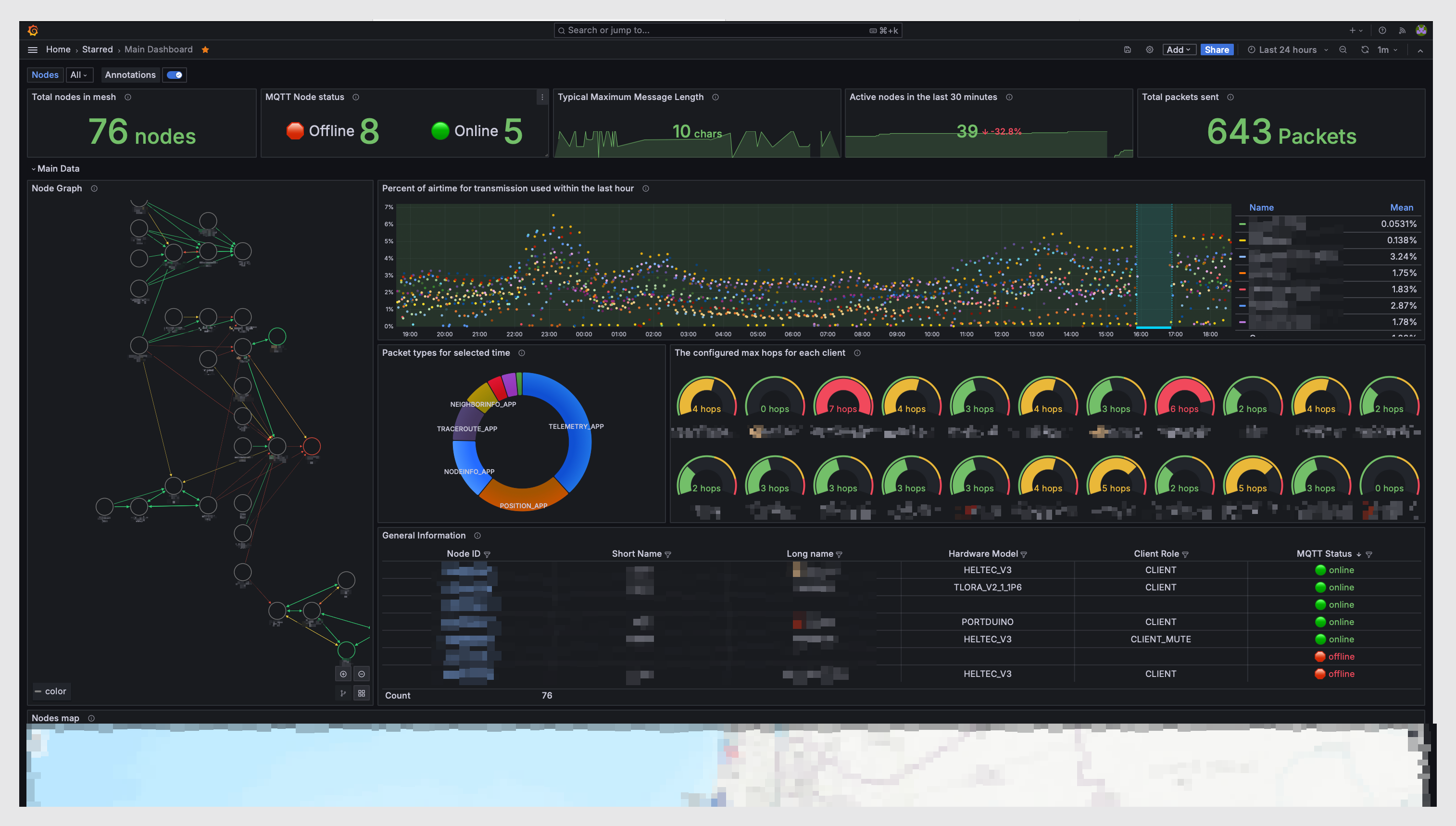
I started setting up a private uplink-only mqtt server so we can run this: https://github.com/tcivie/meshtastic-metrics-exporter
GitHub
Meshtastic MQTT exporter to Prometheus and Grafana (Dashboards included) - tcivie/meshtastic-metrics-exporter
tacit schooner
thats awesome! that would be a really cool thing to have on the website
hard heath
distant kettle
I started setting up a private uplink-only mqtt server so we can run this: https...
This looks really cool. I know folks don't like to use MQTT for bridging communication between distance nodes, but it seems like there's a ton of really useful things it can do outside of that function. I really need to read up on it. That site references the Neighbor Info module. Is that something we should be turning on?
distant kettle
I have Neighbor Info on, it does some cool stuff. But if you're on the default primary channel config the Neighbor Info is not shared over LoRa and only available locally or over mqtt
and yeah, my mqtt is set up for uplink-only, so it just gathers information, no bridging
tacit schooner
is it just pulling from the default mqtt?
distant kettle
tacit schooner
is it just pulling from the default mqtt?
I'm running my own independent MQTT server. The default MQTT scrubs a lot of information because people were accidentally sharing more info than they meant to on there and then getting mad at the Meshtastic maintainers about it
I'll share the info in here possibly later this evening, still tweaking configs
tacit schooner
no problem, id be interested in checking it out sometime
hard heath
Me too. Happy to help test too
tacit schooner
what he said lol
tawdry compass
The problem with MQTT is that it kinda defeats the whole idea of a mesh. If you add the internet to the mix, what's the point? might as well just use your desktop, laptop, or phone for internet and billions of various apps and forums. Just my own opinion, but that's how I feel.
tacit schooner
I see your point, 100%. I just like the idea of being able to scrape metrics and whatnot. It’s just an uplink so it wouldn’t be used for comms
uneven zinc
I wonder if you could setup a MQTT server on a local network and treat it as sort of a UI to the mesh. That could be fun.
tawdry compass
I just like the idea of an independent, off the grid, encryption-available means of communication. I dunno, check with the other big mesh's like Chicago and Austin or even over in the UK and see what their experiences have been with MQTT? Just not understanding the need to bring the internet in. But hey, this isn't Ham radio, there aren't any regulations really. My only hope is that it remains usable for everyone.
 eager raven
For a lot of these apps on a LAN MQTT is just getting the data from the node to the application. It doesn't bring internet into the mesh. I use MQTT on one of my nodes and it is just on my LAN for both meshtastic/atak integration and for metrics. I agree Astro that when its used to connect different meshs it kind of defeats the purpose.
tawdry compass
I just like the challenge of connecting nodes with radio. That's enough for me. Antenna's, placement of thereof, challenges of terrain, propagation, etc. Like I said, as long as it all remains usable, I'm cool with whatever you do.
quasi beacon
eager raven
For a lot of these apps on a LAN MQTT is just getting the data from the node to ...
Even after Friday night, I have to say I share Astrobob's philosophy on this. 😂 But the way you're using it seems totally reasonable. I don't think anyone would be opposed to pulling data from the mesh for analytics/etc. as long as it doesn't impact mesh functionality.
tawdry compass
I've posted about this before, but I have been a solar enthusiast for some years now, I have fairly large portable systems I use when camping off the grid, at my rural property and cabin, and even at my home sometimes. I currently have a 50ah heated LifePo4 battery outdoors I am using for a testbed to see just how much mesh-related hardware I can run off solar unattended. I have a 25 watt panel for the solar. 1 watt photon-special node, and a PI4 for a load.
This is simply to see just how much I can get away with. Currently, the battery is at 69%. We'll see.
tacit schooner
That’s awesome, having test bed like that is really fun and I would love to thinker like that
narrow ledge
The talk about environmental conditions, heated batteries, etc. reminded me to post this picture of my T1000-E after it went through a complete wash and dry cycle in the laundry. I didn’t realize it until it was almost done. I kinda wish it was powered on, dutifully transmitting telemetry, but it was off. The temperature reading was after I pulled it from the dryer. You can imagine how relieved I was that it seemed to be performing normally. 😰
 tacit schooner
That’s wild! Haha
tacit schooner

Atlavox.com
The Atlavox Beacon is a solar-powered Meshtastic node that can increase the coverage and reliability of your Meshtastic network. This all-in-one unit combines the solar panel, enclosure, and antenna mounting rail into an integrated frame system that offers multiple mounting options. RAK WisBlock Included and preinstal
Been following the release of these, looks amazing and some great options!
narrow ledge
At 4.8 miles, it wasn’t a particularly spectacular test, but it was fun to set up a mostly line of sight test over a distance from Fairmount Park to downtown Omaha. SNR 0.5 dB from my T1000-E on my bike to a Heltec V3 with 5 dBi antenna at home.


 quasi beacon
narrow ledge
At 4.8 miles, it wasn’t a particularly spectacular test, but it was fun to set u...
quasi beacon
narrow ledge
At 4.8 miles, it wasn’t a particularly spectacular test, but it was fun to set u...
Nice! Looks like this spot has great elevation. Were you able to pick up any other nodes directly?
narrow ledge
quasi beacon
Nice! Looks like this spot has great elevation. Were you able to pick up any oth...
I did get a handful of new nodes discovered there, and other places while riding through CB. I’ve toyed with the idea of biking up to some of these high points and stashing a node with some high capacity batteries to test for a few days. I just worry about folks disturbing things.
distant kettle
tawdry compass
I just like the idea of an independent, off the grid, encryption-available means...
Chicago is using MQTT the same way - uplink only, to a private MQTT server, purely to collect metrics etc
this does not in any way affect traffic on the mesh itself. it's one way data collection. if internet goes down you just aren't collecting that data anymore
it's pretty easy to make an MQTT server enforce uplink only - you just don't give the user login that the nodes use permission to subscribe to any topics
tacit schooner
i wish the apple app had the some connection options as andriod
and device history
its crazy how many options are missing comparing the two
 young kernel
Hi all. I run a couple of nodes in Lincoln. I was in Omaha last week and was amazed to see how many more nodes have popped up in the last 6 months or so. I wish I could say the same for Lincoln. I know of only one other user (with a cluster of 3-4 devices) that has any appreciable footprint.
quasi beacon
young kernel
Hi all. I run a couple of nodes in Lincoln. I was in Omaha last week and was am...
Thanks for checking in. Yeah it has really exploded in Omaha. Usually around 50 active nodes on at any given time with over 100 on the list. I wonder if there are more in Lincoln that just aren't seeing each other? I flew out of Omaha last week and picked up 5 in Lincoln in a short time. If someone could get a router node up really high (maybe on a tower) it could connect all of those and possibly even bridge to Omaha.
young kernel
quasi beacon
Thanks for checking in. Yeah it has really exploded in Omaha. Usually around 50 ...
It is very possible that there are other nodes around that I'm just not seeing. I will say that I have done quite extensive range testing on my own setup from various topographically strategic places around town and haven't really come across anyone else. I did some testing earlier this fall from the top of the Capitol and only saw my own nodes and the one other cluster I already knew about.
quasi beacon
young kernel
It is very possible that there are other nodes around that I'm just not seeing. ...
I bet the Omaha mesh (at least some of it) would reach to the top of the capital building at this point. Would be interesting to try that again.
I might have to give that a try next time I'm in Lincoln
narrow ledge
tacit schooner
and device history
I like the iOS app, but wish I could connect via WiFi.
tawdry compass
narrow ledge
The talk about environmental conditions, heated batteries, etc. reminded me to p...
amazing it survived. A testament to a quality build?
narrow ledge
My GF and I will be out biking around midtown neighborhoods tonight looking at holiday lights. Look for REDX and REDH on the move. It’ll be interesting to see how they work in this capacity.
quasi beacon
narrow ledge
My GF and I will be out biking around midtown neighborhoods tonight looking at h...
You're a trooper! My bike is hibernating for the winter. Some parts of midtown have great elevation, should be able to make some connections.
tawdry compass
Nothing new here, but a take on British Mesh:
In the first episode of this new series aimed at existing Meshtastic users I attempt to explain the routing system used in Meshtastic LoRa Mesh networks, grab a coffee or a beer as this is about to get real!
This is a complex subject with a lot of unknown variables so please take the advice onboard and use it to influence your own decisions in y...
narrow ledge
Hi Folks! Just for fun, and to help build my understanding, I’ve set up a few nodes on a private mesh. I’m kinda curious to see if they can communicate better than on the public mesh due to less congestion. You’re welcome to join it and help me test and play.
narrow ledge
narrow ledge
Hi Folks! Just for fun, and to help build my understanding, I’ve set up a few no...
Meshtastic.org
QR Code Share Channel URL Should be opened in the appropriate app
narrow ledge
narrow ledge
Hi Folks! Just for fun, and to help build my understanding, I’ve set up a few no...
Here’s the channel URL. The name is OMesh. The 128 bit key is zMA9mXAU4n/FLjxdpnAgHQ==
remote zephyr
I tried sending a message to OMesh
narrow ledge
remote zephyr
I tried sending a message to OMesh
Nothing seen yet. I’ll have a node up in a tower with me tomorrow and see if that helps.
remote zephyr
Left meshsense running overnight and here's the map it created, For some reason i'm not seeing anything downtown or midtown
 narrow ledge
remote zephyr
Left meshsense running overnight and here's the map it created, For some reason ...
narrow ledge
remote zephyr
Left meshsense running overnight and here's the map it created, For some reason ...
Impressive! I tuned my downtown nodes to OMesh last night. Currently have one up in a tall building right now on OMesh
narrow ledge
remote zephyr
Left meshsense running overnight and here's the map it created, For some reason ...
Do the lines mean 0 hops? When I was running meshsense from downtown I would see many of the same nodes, but very seldom would any be connected by lines.
remote zephyr
Yeah each line is a direct connection, it does a bunch of trace routes in maps those
narrow ledge
remote zephyr
Left meshsense running overnight and here's the map it created, For some reason ...
This really highlights the need for some well placed nodes at elevation in the midtown areas.
hard heath
I added the OMesh channel to PHHM, PHOF, and PHYG. Can add it to others as I get to them.
AMC and I did some testing last weekend on a separate channel from the standard channel 20. That severely cuts down on congestion, but also totally isolates nodes to the new channel. We had very reliable direct connections between EBT and PHYG, despite my Yagi not being pointed right at EBT. I had my brother switch X4RE (a 1 watt node with a large fiberglass antenna) over to the test channel too but unfortunately neither I nor EBT could pick him up. Going to set X4RE up with a big Yagi and aim it out a window towards Bellevue
narrow ledge
Cool! Just heard from a friend they heard and ACKed you from standing bear
narrow ledge
hard heath
AMC and I did some testing last weekend on a separate channel from the standard ...
Did you add it as a channel, or make it your primary? Doesn’t it have to be primary in order to benefit from traffic relay and telemetry ?
narrow ledge
narrow ledge
Did you add it as a channel, or make it your primary? Doesn’t it have to be prim...
OMesh, that is
hard heath
I just added it as a channel. I could move it up to primary on another node though.
The tests AMC and I did were with different frequencies. I shouldn't have said those were a different 'channel'. It was a different frequency slot and we just stuck with LongFast and LongSlow
young kernel
If you all are looking for a good spot for a node with easy access and good elevation, there is a small radio shack (possibly ham-related) within Lewis and Clark Monument & Park in Council Bluffs that looked like a really good spot. I was in the parking lot last week and could easily receive ETB.
 remote zephyr

i got three packets from that node near tokpeka, on at 10:19am and one at 4pm and one 7 mins ago
GPS must be off,
remote zephyr
yeah now i'm seeing it in town
hard heath
Got some stock to try making some more antennas. I could apparently attempt a 6.5 foot Yagi. Someone tell me this is a bad idea.
remote zephyr
what's the dBi gain on that suppose to be?
hard heath
15.3 according to DL6WU calculations. Seems low to me but maybe not. Beam width would be narrow.
quasi beacon
remote zephyr
Left meshsense running overnight and here's the map it created, For some reason ...
Weird that it doesn't show EBTs location. On my map it shows the same position as the agov nodes.
distant kettle
OMesh as a primary channel and OMesh as a secondary channel are most likely not going to interoperate, because the frequency slot used is chosen based on the name of the primary channel
Unless it's just on frequency slot 20, in which case it's not going to dodge congestion issues on the main mesh because it is on the main mesh
quasi beacon
Yeah I honestly I don't think congestion is an issue with the lack of connection downtown. It's just a tough spot based on topography. Need a really well placed node downtown or midtown to link up with the rest of the mesh.
distant kettle
I think a well placed router just slightly west or south of the downtown core would be ideal
remote zephyr
Like about 90th and dodge
distant kettle
Congestion of the mesh would probably show up more like inconsistent reachability than the near total unreachability of downtown nodes that we typically see.
I was thinking a bit farther east than that but that wouldn't be bad
uneven zinc
I was talking to a ham tonight at the aksarben meeting about meshtastic downtown. She suspects it could be interferance from a bunch of other 900 mhz stuff down there
distant kettle
Yes, that probably is a problem, as well as multipath issues from reflections off of all the buildings
distant kettle
My hope would be that having a nearby router would be sufficient to overcome those issues somewhat though
LoRa can be perfectly readable with a signal level below the noise floor, so it can overcome a decent amount of interference
Think it just needs that little bump
uneven zinc
True
We could try coordinating some mobile nodes around down there to see what can be heard
distant kettle
Definitely. I haven't been able to get out there lately but I'd like to do some testing downtown
I want to drop a node off somewhere on 13th street a few blocks south of old market and see if it helps link the downtown core at all
quasi beacon
The problem is the huge elevation gains to the south and the west of downtown. A good placement in little Italy or midtown in those high elevation areas would be helpful. Council bluffs could work too with a connection to EBT.
I'll actually be over in council bluffs all morning tomorrow. If I can wake up early enough, I'll set up a 1 watt mobile node to keep running in the car and see if that can link downtown to EBT.
hard heath
I've got a 1 watt node with a mag mount antenna parked near 19th and Harney. Can't see it at all. Spent most of the evening near 19th and Farnam, not even a block away. Two 1 watt nodes couldn't see each other. Concrete sucks.
quasi beacon
hard heath
I've got a 1 watt node with a mag mount antenna parked near 19th and Harney. Can...
Wow, that does suck! 😂 Could either of them see any of the other downtown nodes? (Or are are all of those exclusively running on the private channel?)
quasi beacon
uneven zinc
I was talking to a ham tonight at the aksarben meeting about meshtastic downtown...
The channel utilization metric includes other non-meshtastic Lora traffic on the same frequency. Would be interesting to check what those isolated downtown nodes are seeing for channel util. The rest of the OMA mesh seems to hover around 10% but regularly sees 25+%.
narrow ledge
hard heath
I've got a 1 watt node with a mag mount antenna parked near 19th and Harney. Can...
FA16 is three blocks away. I’ll keep my eye out.
hard heath
narrow ledge
FA16 is three blocks away. I’ll keep my eye out.
It's in a parking garage so I don't expect much. I'm actually heading out soon anyway
quasi beacon
narrow ledge
FA16 is three blocks away. I’ll keep my eye out.
I've got a solid connection to FA16 from the Iowa west fieldhouse
quasi beacon
hard heath
It's in a parking garage so I don't expect much. I'm actually heading out soon a...
What are the node names?
hard heath
quasi beacon
What are the node names?
PhotonAuto is the one in my car. PhotonExp is the other
quasi beacon
hard heath
PhotonAuto is the one in my car. PhotonExp is the other
Haven't seen them yet but picking up x4re, FA16, and red3.
quasi beacon
hard heath
PhotonAuto is the one in my car. PhotonExp is the other
Have you picked up FA16 at all? It seems to have pretty good coverage downtown
hard heath
quasi beacon
Have you picked up FA16 at all? It seems to have pretty good coverage downtown
I did on my home node via a VPN and my brother did on X4RE. Was also able to get a message through to X4RE from PHHM via VPN. Turns out I'm a bit of an idiot though and forgot to even turn PHAU on. I made a new 5V UPS for it and forgot the Killswitch.
quasi beacon
hard heath
I did on my home node via a VPN and my brother did on X4RE. Was also able to get...
Sounds like something I would do!! 😂
hard heath
quasi beacon
Sounds like something I would do!! 😂
I do stuff like this all the time. I'll remember next time! Maybe.
My brother got a message through from X4RE to PHHM. First time that's ever worked. Sometimes mine reach him, but never the opposite before today
quasi beacon
hard heath
My brother got a message through from X4RE to PHHM. First time that's ever worke...
Did he get a trace on it? @narrow ledge is FA16 on the roof semi-permanently now?
hard heath
quasi beacon
Did he get a trace on it? <@796447757401063477> is FA16 on the roof semi-perman...
Can't get a traceroute no matter what I try. I see FA16 and X4RE but traceroutes never complete.
quasi beacon
hard heath
Can't get a traceroute no matter what I try. I see FA16 and X4RE but traceroutes...
Hmmm, do you ever get direct to FA16? Wondering if it went through the mobile node in CB. Very strong signals to both FA16 and EBT.
hard heath
quasi beacon
Hmmm, do you ever get direct to FA16? Wondering if it went through the mobile no...
I assume that it did yeah but can't be sure. I'll try again in a bit
narrow ledge
quasi beacon
Did he get a trace on it? <@796447757401063477> is FA16 on the roof semi-perman...
No. It’s back my east facing window on 7th floor. I’m thinking of a permanent install up there but want to do it right. I’ll be asking for some advice on enclosures, antennas, or even devices for higher power.
hard heath
Got one through. Might just be because FA16 is such a popular node right now!
 narrow ledge
I bet AM is the key here. He just needs to leave his car there all the time. 😹
quasi beacon
narrow ledge
I bet AM is the key here. He just needs to leave his car there all the time. 😹
There's a new router node in CB. Are both your nodes direct to CWE?
narrow ledge
quasi beacon
There's a new router node in CB. Are both your nodes direct to CWE?
I often do, but. Haven’t seen it for a couple of hours.
narrow ledge
I wish I had taken a screenshot of my Meshsense map before AMC moved. His position near the MAC in CB did a lot to open up downtown to the larger mesh via EBT and other points out west and south.
quasi beacon
narrow ledge
I wish I had taken a screenshot of my Meshsense map before AMC moved. His positi...
Yeah, nothing special about the spot I was in. Just far enough East of the hills between the zoo and old market to have good LOS to both EBT and FA16. That's where the CWE node should be a great link but doesn't seem to be performing right.
I didn't see his messages on my home node this afternoon which means he's not reaching EBT. But that location should have a great connection, especially being on a 30ft pole.
Looks like last packet from CWE at my home node was 3 hops away 4hours ago. But with that location, should be a single hop through EBT
quasi beacon
Looks like congestion is an issue in the broader mesh. Some of my messages from CB this morning didn't get through. Around that time EBT was reporting 7% TX util and 20-40% channel util which is quite high.
young kernel
Went up to the top of the, um, Tower of the Plains again today around 1pm and spent time on each of the four observation decks. Picked up two new (to me) nodes. Signal was apparently able to pass through both the Capitol's mesh and Vega's window.

 narrow ledge
Heathen / CWE: Are you on here?
 twin fern
young kernel
Went up to the top of the, um, Tower of the Plains again today around 1pm and sp...
twin fern
young kernel
Went up to the top of the, um, Tower of the Plains again today around 1pm and sp...
Yep, that's me! I saw your messages just a bit after you were gone, so I replied but it was never delivered.
I need to get that node in Ashland setup, I want to see if it can reach anything in Lincoln. I would hope at least from ontop the phallus of the plains it would let us bridge Lincoln and Omaha.
hard heath
twin fern
I need to get that node in Ashland setup, I want to see if it can reach anything...
What setup are you going with? Wondering if a higher powered node would help here. Sometimes more power doesn't do much at all though.
twin fern
I haven't figured that out yet. I'm still feeling a bit poor due to Chirstmas shopping plus a few other projects I needed to figure out first. I do think I'll be able to route a power cord to it though, so at least it wont have to run on solar.
quasi beacon
hard heath
What setup are you going with? Wondering if a higher powered node would help her...
Yeah, if the goal is to reach a 1 watt node in Omaha, I think running higher power makes sense. Otherwise it could end up being a 1 way connection, which I often see from EBT when I'm mobile with a low power node.
Since there aren't any high elevation routers in Lincoln, ideally you'd want to optimize the bridge node to hear everything in Lincoln, and then use the extra power to push to one of the high power/high elevation nodes in Omaha.
hard heath
twin fern
I haven't figured that out yet. I'm still feeling a bit poor due to Chirstmas sh...
I hear you on that. Rough time to allocate funds for other projects.
young kernel
twin fern
Yep, that's me! I saw your messages just a bit after you were gone, so I replied...
Yeah, I'd have stayed up there longer, but I was already getting side-eyed by some of the other visitors. FWIW, I was using just a standard Heltec V3 with a decently tuned 90-degree whip (SWR <1.5 when straight) from behind the mesh window. Tried sticking it through the mesh, but the SWR on those when they're bent is pretty bad and even then it's hard to hold it so the antenna is vertical. At some point I'd like to try my hand at building a DIY Yagi, but not sure I'd be brave enough to walk around up there with it. I should to go out to Bunker Tanker Hill west of the airport again sometime to see if I can reach you from there.
twin fern
I don't know if that node had a GPS tag on it, did you see roughly where it's at?
young kernel
The nodes I saw where yours, my own home nodes (roughly US77 and Van Dorn), one without location from East deck, and a cluster that I already knew about near 27th and Nebraska parkway. I have also picked up a node east of the Sandhills Convention Center on 84th. That's all I really know about in Lincoln.
hard heath
young kernel
Yeah, I'd have stayed up there longer, but I was already getting side-eyed by so...
I'm making several Yagi antennas now and I wouldn't want to walk anywhere carrying them.
young kernel
twin fern
I don't know if that node had a GPS tag on it, did you see roughly where it's at...
In reference to your node specifically, I assume it was the one you've posted about earlier, which I bet I could geoguess pretty accurately. It was only on the North deck that I was picking it up.
narrow ledge
Can y’all recommend a nice priced, decently performing directional antenna? Are there any panel patch style that might be a more discreet alternative to a yagi? I’m wondering if I could get focused on EBT from downtown if that would help fill in the mesh.
quasi beacon
narrow ledge
Can y’all recommend a nice priced, decently performing directional antenna? Are ...
I don't have any to recommend. Makes sense if you're outdoors a panel would blend in easier than a yagi. But if you could make an omni work, that might help link up the other downtown nodes since you're in a good central spot high up.
Are you doing something different with red x2 by the way? Got a 0 hop packet all the way to my home node.
narrow ledge
quasi beacon
Are you doing something different with red x2 by the way? Got a 0 hop packet all...
Red X2 is a T1000E temporarily placed in an advantageous spot. I’m not sure if it’s sustainable in that location. But I was eager to try it out. Please keep the reports coming.
I placed a node (BZYB) at my girlfriend’s place near Elnwood Park. It had been up for a couple of weeks, but I didn’t realize the TX power was really low for some testing. It’s back up to full power now. Watch for it and let me know if it’s working well in the mesh.
Is Zonk on here? I get direct trace routes every time with a good solid signal from BZYB.
 quasi beacon
narrow ledge
Red X2 is a T1000E temporarily placed in an advantageous spot. I’m not sure if i...
quasi beacon
narrow ledge
Red X2 is a T1000E temporarily placed in an advantageous spot. I’m not sure if i...
All packets are either coming through to my home node direct, or single hop. This is impressive because my home location isn't great, so I suspect it has a very solid connection to EBT. But strangely, I haven't been able to get a trace route on it. What are you seeing on your end?
But yeah, if you could get a discreet solar node up in the same spot, I bet it would be a game changer for downtown.
quasi beacon
narrow ledge
I placed a node (BZYB) at my girlfriend’s place near Elnwood Park. It had been u...
Haven't seen this one yet. Will let you know if it pops up. Elmwood Park is sort of down in a valley if I remember right, might be tough to get out.
tawdry compass
narrow ledge
Can y’all recommend a nice priced, decently performing directional antenna? Are ...
Rokland has a couple that are OK. Depends on how much gain you are interested in.
quasi beacon
narrow ledge
Red X2 is a T1000E temporarily placed in an advantageous spot. I’m not sure if i...
It seems like red x2 isn't receiving anything. It still isn't trace routing and it shows 0% channel util. But based on received signal here, it should at least be receiving from EBT and showing some channel util. Wonder if that trip through the washer/dryer killed the RX circuit?
narrow ledge
narrow ledge
Is Zonk on here? I get direct trace routes every time with a good solid signal f...
They are running in router mode and I wonder if the mesh would benefit if they switched to client. I can’t say I ever see Zonk in many other places.
narrow ledge
quasi beacon
It seems like red x2 isn't receiving anything. It still isn't trace routing and ...
Ha ha! It’s different card. It’s placed very near some other telco gear so maybe its RX is overloaded and it can’t hear.
quasi beacon
narrow ledge
Ha ha! It’s different card. It’s placed very near some other telco gear so maybe...
Interesting... Keep us posted what you find on this.
quasi beacon
narrow ledge
They are running in router mode and I wonder if the mesh would benefit if they s...
If there aren't many nodes in range, probably doesn't matter too much. Although I guess it could be a problem if there are other paths out that just aren't used because this one always steals the first hop.
Was that the only node in view for bzyb?
narrow ledge
quasi beacon
If there aren't many nodes in range, probably doesn't matter too much. Although ...
BZYB claims to see a few in range over the past couple of hours.
 quasi beacon
narrow ledge
BZYB claims to see a few in range over the past couple of hours.
quasi beacon
narrow ledge
BZYB claims to see a few in range over the past couple of hours.
Cool, rare to see a spot in town that my home node reaches that EBT doesn't! AMC2 is 1 watt, so it seems to be a 1 way connection. I'm only seeing B740 from this list and it's not a good connection.
hard heath
I show a 1 hop connection to Red X2, strongest I've ever had for a DT node. But like AMC I can't get a traceroute to complete.
Can't see Zonk or BZYB unfortunately
narrow ledge
My access is limited, but I’ll keep trying for a better position to test. I think the receiver is deafened by nearby commercial RF gear.
narrow ledge
hard heath
I show a 1 hop connection to Red X2, strongest I've ever had for a DT node. But ...
I made an adjustment. How does it look out there in Mesh Land?
narrow ledge
narrow ledge
I made an adjustment. How does it look out there in Mesh Land?
Look for REDX replacing FFX2.
narrow ledge
@hard heath Check it out!
 hard heath
narrow ledge
<@881957144860184607> Check it out!
hard heath
narrow ledge
<@881957144860184607> Check it out!
Got the 2016 ping! Tried to return it just now.
Not able to get a traceroute through, but it seems to be bridging a connection to my brother too
narrow ledge
Cool I got your ACK message at 2100
remote zephyr
i saw red X 25 mins ago 4 hops away
hard heath
Messages through to my brother in DT. Crazy how much improved it is!
narrow ledge
This gives me hope.
quasi beacon
narrow ledge
This gives me hope.
I'm getting good traces to you through EBT! What did you change?
narrow ledge
I can’t really say much in the open. Check your DM. 😆
narrow ledge
quasi beacon
I'm getting good traces to you through EBT! What did you change?
A better placement of my T1000-E.
hard heath
narrow ledge
This gives me hope.
I even got a traceroute through to his node. That's a first! Not sure what you changed but it helped a great deal. Great job for the T1000E. Makes me wonder what could be done with the higher gain antenna you mentioned.
 narrow ledge
hard heath
I even got a traceroute through to his node. That's a first! Not sure what you c...
narrow ledge
hard heath
I even got a traceroute through to his node. That's a first! Not sure what you c...
Awesome! It's so cool when it works
narrow ledge
So I’m hearing some feedback from folks trying to find us on Discord. Honestly, I had some issues, too. Seems something changed when the server folks changed the way local channels work. Is there a known to be working link that could be advertised in the public mesh chat?
twin fern
https://discord.com/channels/867578229534359593/1217697721285218314 I think that'll work?
ugh. Thanks discord.
https://discord.com/channels/867578229534359593/1217697721285218314
hard heath
narrow ledge
So I’m hearing some feedback from folks trying to find us on Discord. Honestly, ...
I had problems too. It's downright buried in the main Mesh Discord and not at all intuitive to folks unfamiliar with Discord to begin with
quasi beacon
twin fern
`https://discord.com/channels/867578229534359593/1217697721285218314`
This one works for me, will send it over the mesh again.
tawdry compass
I would suggest we move back to the Nebraska midwest mesh discord. Or, even better, have our own server on discord like Austin and Chicago and others.
 rustic sphinx
I sent my Father-in-Law a RAK Wismesh Pocket for Christmas. I guess those don't come with Wifi? He put it out in his antenna box outside and wanted to connect it to wifi for remote access. Network section only has Ethernet option. Anyone have advise on how he can access the outside unit remotely with only 1 node?


Rokland
RAKwireless is an industry leader in Meshtastic®-ready hardware, and now we are excited to bring you RAK's first all-in-one complete handheld Meshtastic® 915 Mhz radio unit, developed in partnership with Rokland Technologies and QuantumShadow3D.US915 MHz only Meet the WisMesh Pocket. WisMesh Pocket includes a hard ext
hard heath
rustic sphinx
I sent my Father-in-Law a RAK Wismesh Pocket for Christmas. I guess those don't ...
Not sure how simple it would be to add wifi since it's already in a case. You can add a wifi module to the rak board, but then it won't fit.
quasi beacon
Rak has an ipex connector for an external ble antenna. The range is surprisingly good compared to devices with a built in antenna.
hard heath
quasi beacon
Rak has an ipex connector for an external ble antenna. The range is surprisingly...
I've been really surprised at the range for the RAK's BT
The RAK Wismesh Pocket is such a cool device though.. honestly if I were in this position I would put a smaller, more cost-effective device in the antenna box and carry the Pocket. Either a purpose-built higher power node or maybe something else with wifi built-in like a Heltec WS lite.
quasi beacon
hard heath
The RAK Wismesh Pocket is such a cool device though.. honestly if I were in this...
Yeah good call. Would be a shame to run that sweet case inside an enclosure like that. 😂
 outer delta
narrow ledge
Heathen / CWE: Are you on here?
outer delta
narrow ledge
Heathen / CWE: Are you on here?
I am now. Needed the link to the server first, then the channel link worked like a charm.
Names Andy. No need to be to formal. Heathen has been my call sign since military, kinda like an old pair of boots, comfortable.
narrow ledge
outer delta
I am now. Needed the link to the server first, then the channel link worked like...
Welcome! I’m glad you found us! We’ve chatted over the air. I run some nodes in downtown Omaha.
hard heath
outer delta
I am now. Needed the link to the server first, then the channel link worked like...
Glad you're here!
Anyone get any new hardware for the holidays?
narrow ledge
I got a Station G2 on the way and some new digikey antennas to try arriving soon.
hard heath
narrow ledge
I got a Station G2 on the way and some new digikey antennas to try arriving soon...
Nice! I need to make another Ebyte node from some parts hanging around here and put a bigger yagi together. I made a moxon antenna a while back with awful results so here's hoping a yagi attempt isn't just a frightening wall hanger.
narrow ledge
Speaking of antennas, I just broke off the little coil BT/WiFi antenna on a Heltec V3. I’ve read that I can just solder a 3cm wire in its place. I just don’t trust my small parts soldering skills. 😆
hard heath
narrow ledge
Speaking of antennas, I just broke off the little coil BT/WiFi antenna on a Helt...
I always think I have steady hands until I need to solder on circuit boards.
 outer delta
For a general description, CWE looks like this. With a few changes. 9db 48" ant, 10000 mah flat battery. Currently 30' up a pole but I think it needs to be higher. What should I change? This is my first one built and I have a 2nd ready to assemble.
https://youtu.be/_h3UluaqfTw?si=j6_wQzKIkNEHo4DV

Here is the build video of the new 2024 version of my previous Meshtastic Off-Grid Solar Build I made a video on about 7 months ago. This new version has improvements over the previous version that make this one cheaper, easier, and more capable. Please see the complete parts list below if you would like to build one for yourself!
🗣️ Join in on...
tacit schooner
was browsing around at some rc stuff and found this: https://www.radiomasterrc.com/products/bandit-nano-expresslrs-rf-module
If you scroll almost all the way down, youll see its compatible with meshtastic

RadioMaster RC
After extensive research and collaboration with the ExpressLRS team, we are thrilled to unveil the all-new Bandit Nano ExpressLRS RF Module. This cutting-edge module represents the culmination of our efforts to deliver unparalleled performance and reliability for your long-range drone and UAV applications. Features Up
never thought id find this just randomly looking at RC electronics lol
outer delta
tacit schooner
was browsing around at some rc stuff and found this: https://www.radiomasterrc.c...
Ohh drone nodes...
narrow ledge
outer delta
For a general description, CWE looks like this. With a few changes. 9db 48" ant,...
Looks great, Heathen! Is it on full-time? There are periods where I don’t see it from my DTOMA nodes, and I would expect to since we are practically neighbors.
It’s been a little under two full days since I put REDX (T1000-E) in an advantageous outdoor spot, and the battery is still about 40%. Now I’m wondering how long it might last if I connected it to a simple, discreet USB battery, maybe 5000 or more mAh? Maybe 5 days? A week? Two. Sounds like something fun to test.
I think REDX is still doing decent job of connecting DTOMA to the rest of the metro mesh via EBT. Y’all keep the reports coming.
remote zephyr
Yeah i see RedX now 2 hops away
narrow ledge
remote zephyr
Yeah i see RedX now 2 hops away
Awesome! I just ordered two more T1000-E units. Damn things are addictive.
remote zephyr
nice 🙂
outer delta
narrow ledge
Looks great, Heathen! Is it on full-time? There are periods where I don’t see it...
It was on this morning at about 8am, but yes it's always on.
quasi beacon
narrow ledge
It’s been a little under two full days since I put REDX (T1000-E) in an advantag...
Random thought... I just tested a dinky 5v solar panel on a T1000. Shining a bright flashlight on the panel indoors was enough to turn the t1000 on a keep it in charging mode. This was with only 10-20ma of current.
hard heath
outer delta
For a general description, CWE looks like this. With a few changes. 9db 48" ant,...
I have a similar antenna on PHHM and have had good luck, though it's mounted in my attic. It's also on a higher powered node though. 160mW just doesn't cut it for me out here.
quasi beacon
The panel is rated for 150ish ma in full sun. Might be enough to keep it going when the sun is shining.
 hard heath
quasi beacon
The panel is rated for 150ish ma in full sun. Might be enough to keep it going w...
hard heath
quasi beacon
The panel is rated for 150ish ma in full sun. Might be enough to keep it going w...
Looks like the perfect size for the T1000E
quasi beacon
outer delta
It was on this morning at about 8am, but yes it's always on.
Welcome Andy! We chatted when I was in CB a week ago. It seems your CWE node should be performing much better than we're seeing. What nodes are you seeing zero hops to?
narrow ledge
quasi beacon
The panel is rated for 150ish ma in full sun. Might be enough to keep it going w...
I’ll see if I can find something like that that regulates to 5VDC. But I might have a couple of buck converters around that I used for a bike generator hub project.
quasi beacon

Here's another one that could work. It's not regulated but that cuts down on the overhead. 2 watts with a glass panel
The challenge with t1000 is the small battery. Even with a huge solar panel, weeks like this with 4 days without any sun are tough. That's where your idea about using a USB power bank is interesting.
hard heath

I've been making these
6000-7000mah regulated 5V. Would charge off solar too if need be
outer delta
I think it needs more altitude.
 hard heath
I only very sparingly pick up CWE out at PHHM. Never can get a traceroute through
outer delta
Here is what I see 0hop from CWE
 narrow ledge
I just got a traceroute to HTN3, but I haven’t seen CWE for hours.
 outer delta
narrow ledge
I just got a traceroute to HTN3, but I haven’t seen CWE for hours.
outer delta
narrow ledge
I just got a traceroute to HTN3, but I haven’t seen CWE for hours.
Odd. This is htn3

Maybe I need to put that up the pole
narrow ledge
outer delta
Here is what I see 0hop from CWE
I don’t know the Android app, but do those time figures mean it’s been 5 hours since you’ve seen REDX?
narrow ledge
narrow ledge
I don’t know the Android app, but do those time figures mean it’s been 5 hours s...
And 27 hours since you’ve heard FA16?
narrow ledge
hard heath
I do so something similar with some cheap batteries from Amazon. They aren’t picky about current and can charge and discharge at the same time. I get them so I can charge batteries off my bike hub where the current can vary quite a bit and is generally low.
outer delta
I bet it's some of the settings need changed. I flashed it, set it to US 900mhz and router-mute. Everything else is default.
Any suggestions?
narrow ledge
Could you try regular client mode for a while? General consensus is that router mode is best used on nodes with a significant elevation based coverage, like a mountaintop or communications tower. Otherwise it might be consuming hops that might otherwise be better served by other nodes.
I see HTN3 frequently and that might be inside your house. I’m certain something up on that pole should perform really well.
hard heath
narrow ledge
I do so something similar with some cheap batteries from Amazon. They aren’t pic...
These are just cheap 5V UPS boards from overseas with 18650 holders attached. They can be stacked too for more capacity. I use this one in my car (PHAU) paired with a 1 watt node so it charges while driving. I only leave PHAU on while I'm at work and haven't charged it in two weeks.
hard heath
outer delta
I bet it's some of the settings need changed. I flashed it, set it to US 900mhz ...
I know I'm a broken record on this, but I really wish mesh hardware wasn't almost always limited to the 160mW figure. Only the G2 and custom builds will get you up to the 1000mW hard limit (and beyond). It makes for a one sided node at times, but more and more higher powered units are popping up around Omaha
quasi beacon
outer delta
Here is what I see 0hop from CWE
Yeah there's something off here. In that location you should be picking up most of the Omaha traffic via EBT. And for sure should be seeing regular updates from red and FA16. Is the node at the top of the pole? How much of a hassle would it be to pull down and look everything over? Also agree with Scott to stick with client role for now.
Also odd that it's not getting regular updates from the heathen node. That's at the same location right? I assume both have been running in the 42 hours since it updated last?
narrow ledge
CWE looking good so far!


I’m headed to CB south downtown later. I’ll have a T1000E and see how things look there. Hoping to see REDX and CWE.
quasi beacon
Man, the complete lack of sunshine this week is doing a number on EBT. It should be able to run about 3 weeks with no solar on baseline consumption, but with all the extra TX time (where the amp draws 10x the power of the Rak) in router mode, consumption is about 3x baseline. At this rate, it will go down sometime this weekend or early next week.
twin fern
Not very far into Kansas, basically straight south of GI. Didn't expect to see anything down here
 quasi beacon
twin fern
Not very far into Kansas, basically straight south of GI. Didn't expect to see a...
quasi beacon
twin fern
Not very far into Kansas, basically straight south of GI. Didn't expect to see a...
Those are Omaha nodes! Must have hopped from a plane flying overhead.
twin fern
Oh! That's super cool
quasi beacon
I was in Southeast Lincoln today. Picked up OC fecc and mesh 7918.
tawdry compass
narrow ledge
I got a Station G2 on the way and some new digikey antennas to try arriving soon...
Welcome to the G2 brethren. 😎
tawdry compass
quasi beacon
Man, the complete lack of sunshine this week is doing a number on EBT. It should...
Overpaneling is my mantra. 😄
Whatever you think you need for panels, just double it, within reason and requirements, and of course within the limits of your charge controller.
quasi beacon
tawdry compass
Overpaneling is my mantra. 😄
I figured you'd chime in. 😂 There might have been an errant voltage reading this morning. Had a few hours of sun today and back to normal levels.
But yeah, battery sizing in the Midwest is so important. I'd say the same thing as with paneling... Whatever you think you need, double it. Need to be able to survive a week or more of snow cover.
tawdry compass
quasi beacon
I figured you'd chime in. 😂 There might have been an errant voltage reading thi...
Yeah, I was down to 93% on the solar testbed. Back to 100% today.😄
tacit schooner
My crude/temp helium on my G2
 tawdry compass
HOA?
tacit schooner
No, thankfully. Just need time to mount it on my roof and run the cable through the attic
quasi beacon
tacit schooner
My crude/temp helium on my G2
I'm sure you'll address this with the permanent mounting, but make sure the radiating portion of the antenna clears the pipe completely. Don't want metal anywhere other than next to the metal base of the antenna for mounting.
tacit schooner
quasi beacon
I'm sure you'll address this with the permanent mounting, but make sure the radi...
For the permanent install I will definitely, im limited by ceiling height at the moment
narrow ledge
tacit schooner
My crude/temp helium on my G2
What a feed line! 😆
tacit schooner
It might be a little short for the current application 🤔
outer delta
narrow ledge
CWE looking good so far!
I switched it to client mode.
Also on the lookout for an antenna tower, 50ft ish. If you happen to see a use one on offer, pls let me know.
quasi beacon
outer delta
I switched it to client mode.
Also on the lookout for an antenna tower, 50ft ish...
Did you figure out if there was something wrong with the setup on CWE? Still only seems to be online sporadically.
narrow ledge
quasi beacon
Did you figure out if there was something wrong with the setup on CWE? Still onl...
I don’t see CWE as consistently as I would expect, especially being so close.
hard heath
I didn't pick it up at all when I was downtown this afternoon
quasi beacon
narrow ledge
I don’t see CWE as consistently as I would expect, especially being so close.
Yeah, I don't think height is the problem. 30ft should be plenty to have a solid link to EBT and the red nodes.
outer delta
quasi beacon
Did you figure out if there was something wrong with the setup on CWE? Still onl...
I didn't see any problems, it's working as I would expect. Is it still not available in client mode?
Could it be the buildings in downtown blocking?
quasi beacon
outer delta
I didn't see any problems, it's working as I would expect. Is it still not avail...
Do you have a fairly clear view straight south? Are you seeing EBTs updates, if so, what is the signal strength? When I was in CB I had a node in the parking lot at the Iowa west fieldhouse and it was picking up everything from EBT. I would have expected your location just north of there to be similar (or even better given the pole mount.)
And sorry if this is coming across as us pestering you. 😂 Certainly don't mean it that way.
distant kettle
What the heck. I'm seeing nodes in Manhattan, KS. I thought it was maybe a bounce off of a plane but BHR was received direct.


There was a plane node in the area a bit ago but I've been seeing distant nodes for the past hour and BHR definitely came in direct a couple of times. What the heck is going on lol
quasi beacon
distant kettle
There was a plane node in the area a bit ago but I've been seeing distant nodes ...
Wow! Tropo... Something something... Bounce... Something something. ? 😂
distant kettle
That's about where I'm at in my analysis lmao
quasi beacon
Ok, theory... Maybe the radio signal from BHR literally bounced off the plane and reflected out this way? 😂
The plane was probably in that general area based on bdcb location timing vs 3264 timing (flying east)
 elder plover
Morning guys! I'm over in Missouri and we had an airplane at 10:30-10:50 last night and then another this morning around 7:35-7:50. Added around 50 nodes between the two between St Louis and Kansas City.
DId you guys catch the "JFK to LAS" last night?
quasi beacon
elder plover
Morning guys! I'm over in Missouri and we had an airplane at 10:30-10:50 last ni...
Good morning! I didn't see the flight last night, but we definitely noticed the one this morning. What's your approximate location?
elder plover
Jefferson City, Missouri
I have family roots in Norfolk, Wayne, Laurel - not much meshing up there yet that I've stumbled into
quasi beacon
elder plover
I have family roots in Norfolk, Wayne, Laurel - not much meshing up there yet th...
Yeah, not much outside of the Omaha metro that we've seen. Omaha has 100+ nodes and usually ~60 online at any given time.
elder plover
That's impressive and nice work!!
quasi beacon
I used to go to Jeff City regularly for work. Nice area, how's the mesh out there?
hard heath
elder plover
I have family roots in Norfolk, Wayne, Laurel - not much meshing up there yet th...
I've got family up in Norfolk as well and I've never seen another node up there or even when driving up that way
distant kettle
The plane nodes never bounce in anything from that area either whereas I see stuff from KS, MO, and occasionally SD all the time. There's a couple out in Seward that I see occasionally but really not much else in the state from what I can tell
quasi beacon
distant kettle
The plane nodes never bounce in anything from that area either whereas I see stu...
I'll be on a plane to STL late this afternoon. Will see what else pops up. I'll probably keep it on mute though.
tacit schooner
any tested or running reticulum/r nodes? i remember chatting about it before but curious if anyone is running it currently
narrow ledge
Here's TR up in the sky, kiteborn.
 quasi beacon
narrow ledge
Here's TR up in the sky, kiteborn.
quasi beacon
narrow ledge
Here's TR up in the sky, kiteborn.
That's so cool!!! Any estimate on altitude? And how long will it stay in the air?
Maybe a dumb question, I guess it's totally dependent on the wind. 😂
narrow ledge
TR says maybe 300 ft up. He said he might stay until 1630
Weeks ago I set up a node at my GF's place that has never checked into the larger mesh. Just got it with 2 hops.
 crude cedar
distant kettle
The plane nodes never bounce in anything from that area either whereas I see stu...
crude cedar
distant kettle
The plane nodes never bounce in anything from that area either whereas I see stu...
Hey, I'm the one near Seward with a node taped to the inside of a window! At some point I want to get the thing outside and up on a mast of some sort. (There's a grain elevator nearby that would be an AMAZING mounting spot but I'm not sure I could convince them to let me put it up there.)
I bought a couple different nodes to play a few months ago but haven't had the time or energy lately to do much with them.
quasi beacon
narrow ledge
TR says maybe 300 ft up. He said he might stay until 1630
Im stuck in the airport with no connection to the mesh at the moment. Would have loved to check this out from the home node.
quasi beacon
crude cedar
Hey, I'm the one near Seward with a node taped to the inside of a window! At som...
Welcome! There are a few nodes in Lincoln, you might be able to reach them from the top of a grain elevator.
crude cedar
Yeah, one of those in Lincoln is me as well, at work, haha! My ultimate goal would be to make it from home to work with a hop or two on grain elevators along the way. I think it would be feasible if I can get permission and can put together a reliable enough solar setup that I wouldn't have to service often.
quasi beacon
narrow ledge
Weeks ago I set up a node at my GF's place that has never checked into the large...
I just got TR direct from inside the airport terminal!! Hopped my home node too!
narrow ledge
I got TR from FA16 at -5.0dB
!433f1d9c
Route traced towards destination:
!433d3634 --> !433f1d9c (?dB)
Route traced back to us:
!433f1d9c --> !433d3634 (-5.0dB)
narrow ledge
Tony says he's bringing the kite down for a landing. That was a cool experiment.
 elder plover
@quasi beacon I just heard from one of our guys he caught you coming into STL
young kernel
I did not pick up AMC T1000, but I heard 3b33 at 4:41pm "10k ft above Oakland IA". Any plane-to-plane contacts, @quasi beacon?
narrow ledge
@hard heath and others: I made some changes to FFX2 up on the roof. If you’ve previously noticed that you could hear my nodes, but not traveroute to or through them, would you please try again? My theory is that my node was deafened by RF around it and couldn’t hear well. I’ve tried to mitigate that a bit.
tacit schooner
Is this dumb? Will it hurt performance?
 hard heath
narrow ledge
<@881957144860184607> and others: I made some changes to FFX2 up on the roof. If...
hard heath
narrow ledge
<@881957144860184607> and others: I made some changes to FFX2 up on the roof. If...
Last saw FFX2 an hour ago and Farnam 16 about 25 minutes ago. Can't traceroute either, nor get updated position or user info
Direct connections to your node are very, very rare for me though. 99% of the time they go through EBT or AGOV
quasi beacon
young kernel
I did not pick up AMC T1000, but I heard 3b33 at 4:41pm "10k ft above Oakland I...
Not that I know of... But I was also running client mute to avoid the constant rebroadcasting. I did pick up Bennington hilltop from 330km out.
quasi beacon
elder plover
<@892746388662792234> I just heard from one of our guys he caught you coming int...
Cool! Yeah Dave DMd me and I mentioned you had stopped into our discord.
elder plover
You guys have a great New Years!! See everyone in 2025!
quasi beacon
tacit schooner
Is this dumb? Will it hurt performance?
Sharing an antenna with a splitter? Probably wouldn't hurt anything for RX only but I wouldn't want to risk potentially sending 1watt right into the other receiver.
What's the use case you're going for with two nodes?
quasi beacon
narrow ledge
TR on a kite. AT on a plane. What’s next? Who’s going to space?
Lol, I literally had this thought on the plane.
quasi beacon
elder plover
You guys have a great New Years!! See everyone in 2025!
Thanks, you too!!
tawdry compass
anyone have any experience with Reticulum?
 lament perch
No, but I've toying with the idea of flashing RNode onto one of my boards. I'm currious about Reticulum.
tacit schooner
I’ve been looking into it and the apps a bit more, might flash my heltech on it
hard heath
Could be fun to play with. I've got a couple spare nodes I could flash.
tawdry compass
Yeah, it does sound interesting, just checking to see of anyone had any knowledge. Sounds like our regular lora hardware will work?
tacit schooner
I just flashed my spare heltech with it running on mesh chat. Was kinda a pain but once I switched to Linux it was a breeze.
I kinda had to guess on the frequency specs, but it’s been running for a while now. Haven’t seen any others at this time but excited to test it out
lament perch
tacit schooner
I kinda had to guess on the frequency specs, but it’s been running for a while n...
What frequency settings did you use?
tacit schooner
I’ll be home soon and shoot over a screenshot, I don’t remember off the top of my head
tacit schooner
lament perch
What frequency settings did you use?

again, i was not sure what to use so i kinda just went for it. if there are better settings to use that make more sense, please let me know
lament perch
tacit schooner
OK, I'm set the same and Announcing every 15 mins.
lament perch
tacit schooner
I'd be interested in changing spread factor and bandwidth to match the Meshtastic presets for Long_Fast
https://meshtastic.org/docs/overview/radio-settings/#915-mhz-ism-band:~:text=Long Range / Fast,153dB
Bandwidth --> 250 kHz
Spreading Factor --> 11
Maximize your Meshtastic device's potential with detailed radio settings instructions, including frequency bands, data rates, and encryption options.
hard heath
Hoping to give this a shot later tonight or maybe this weekend. 915MHz works for me. Or anything really, so long as we stay well clear of the slot 20 channel (906.875MHz) used by Meshtastic in Omaha.
I had a bunch of aluminum and wound up cutting elements for 4 Yagi antennas. Need to wire up the driven elements yet though.
I also spent some time measuring and analyzing the AliExpress '915MHz' '7dBi' Yagi antenna. The folded dipole is passable and tests around 1.6 SWR. The rest is a big pile of clown shoes. Elements and boom are too large for the frequency. Spacing is seemingly random, and the parasitic elements are the exact same length. Reflector element is far too long. Even the folded dipole itself is too thick for the frequency.
I was using it on PhotonYagi and will never be using it again.
tacit schooner
lament perch
I'd be interested in changing spread factor and bandwidth to match the Meshtasti...
i went ahead and made those changes, i wasnt seeing any announcements before though
lament perch
tacit schooner
i went ahead and made those changes, i wasnt seeing any announcements before tho...
ok, I updated my config too.
 hard heath
Testing small Yagi build.

 quasi beacon
hard heath
Testing small Yagi build.
quasi beacon
hard heath
Testing small Yagi build.
Damn, that's the lowest swr I've ever seen. Nice work! Any idea what the gain would be with this design?
hard heath
quasi beacon
Damn, that's the lowest swr I've ever seen. Nice work! Any idea what the gain wo...
I was pretty excited when I saw it but of course now I can't repeat it. Seems stable-ish around 1.2-1.3. This is the smaller one and should be good for 12dBi
I drew it up to be somewhat modular though. You can decrease the gain and widen the beam by sliding elements off the far end. They're all on tracks in the extruded boom so they can be slid around for tuning as needed.
hard heath
Done with these four. Now for testing. Smaller ones are 16" and should be 12dBi. Larger are about 37" and should be 15dBi.
 tawdry compass
Remember, the higher the gain, the narrower the beam. Wow, Photon, Yagi's gone wild! Good work.
hard heath
tawdry compass
Remember, the higher the gain, the narrower the beam. Wow, Photon, Yagi's gone w...
Yep. I think the bigger ones might be more suited to line of sight and I might not use them until after I move. The beam on them should be 34x35.6 degrees. The little ones are a bit wider at 44.1x47.6 degrees.
narrow ledge
I just put up FFX1 downtown in an advantageous location, similar to before, but this time with a 3000 mAh battery. Let’s see how long it can run like this in the cold. It’s transmitting the temperature, so this weekend should be a good test of that.

 quasi beacon
narrow ledge
I just put up FFX1 downtown in an advantageous location, similar to before, but ...
quasi beacon
narrow ledge
I just put up FFX1 downtown in an advantageous location, similar to before, but ...
Nice! Looking forward to seeing how this goes!
quasi beacon
narrow ledge
I just put up FFX1 downtown in an advantageous location, similar to before, but ...
I'm curious, have you tested the battery bank when the t1000 is fully charged? A lot of these will shut off automatically with the low power draw from a rak.
young kernel
hard heath
I drew it up to be somewhat modular though. You can decrease the gain and widen ...
Awesome builds! Did you use a hairpin? I've been experimenting and can get a decent dipole going but can't figure out impedance matching once the other elements are in place.
narrow ledge
Not specifically. But I did have a USB power meter connected to it as I was testing the battery through charge and discharge cycles. I left the meter connected, but with no load, and was surprised when I looked at it later and the meter was dutifully showing voltage but with no current. I would have expected the battery to shut off.
 jaunty flower
👋
narrow ledge
Hey Zonk! Glad to see you here.
hard heath
young kernel
Awesome builds! Did you use a hairpin? I've been experimenting and can get a dec...
Not on the small ones but I've got one drawn up for the bigger ones. Lots of testing left to do!
narrow ledge
Working on a little something. Just need to drill some holes and get it in a nice spot.
 hard heath
narrow ledge
Working on a little something. Just need to drill some holes and get it in a nic...
hard heath
narrow ledge
Working on a little something. Just need to drill some holes and get it in a nic...
Nice!!
narrow ledge
This is up on the roof now, plugged into AC power. I still need to tweak the attachment, but I’m hoping it’s done. I could try other SMA antennas. Look for DT16 and see if it’s helping the mesh at all.

 quasi beacon
narrow ledge
This is up on the roof now, plugged into AC power. I still need to tweak the att...
quasi beacon
narrow ledge
This is up on the roof now, plugged into AC power. I still need to tweak the att...
Nice! Anxious to see how it performs.
narrow ledge
quasi beacon
Nice! Anxious to see how it performs.
Please try some trace routes and report back what you see. I see some of my outbound traceries going through it on through EBT.
quasi beacon
narrow ledge
Please try some trace routes and report back what you see. I see some of my outb...
Will do. I'll be back at the house late tonight.
hard heath
narrow ledge
Please try some trace routes and report back what you see. I see some of my outb...
I pick it up about once an hour or so, or that's what it looks like from here. Same with Farnam 16 and CWE. Can't get traceroutes through though.
remote zephyr
I see both Red X1 & Farnam 16 in the last 5 mins, both 3 hops away but traceroute didn't work
remote zephyr
oh this is cool, there's an option in meshsense to add to there global map https://meshsense.affirmatech.com/ so i turned that on and it's slowly filling out omaha
narrow ledge
remote zephyr
oh this is cool, there's an option in meshsense to add to there global map https...
I’ll try it.
young kernel
remote zephyr
oh this is cool, there's an option in meshsense to add to there global map https...
Cool! I also heard the 0008 plane node a bit ago from Lincoln when they were over Le Mars, IA. 1 hopped me a Sioux City node, EBT, and a few more without position.
remote zephyr
Sweet
narrow ledge
It’s always fun when the planes fly over. Makes me want to book a trip somewhere. 🤣
@hard heath; I haven’t seen your brother’s downtown node for a few days. Hope all is well there.
hard heath
narrow ledge
<@881957144860184607>; I haven’t seen your brother’s downtown node for a few day...
Yeah I had him bring it by a few days ago so I could run it through a couple things. I sent it back with him today along with a smaller Yagi. The plan is to try aiming it towards EBT or to you. I don't think he's had time to set it up again though.
Has anyone tried ferrite clamps on their coax? Wondering if some type 61 would help cut down on RFI or if it wouldn't be worth it for LoRa.
distant kettle
narrow ledge
This is up on the roof now, plugged into AC power. I still need to tweak the att...
I have that same Linx antenna and it turns out to have pretty disappointing SWR. I was expecting it to be better than the no-name China stuff on Amazon, but the popular Tenmory antenna on there is better
SWR on that Linx is 2.2 at best and tends to vary a lot with proximity to other objects etc
It's also best around 918MHz whereas the Tenmory one is best at 908MHz pretty much exactly where the default Meshtastic freq slot is

915MHz LoRa Antenna Omni Gain RP-SMA Male Connector 2 PCS
narrow ledge
distant kettle
https://a.co/d/2noz4KH
I’ve got this DIY Mall one from Amazon. It looks the same. I wonder if it is. I should get an analyzer so I can test (or build) individual units.
I’ll try it later in the node and see if it helps.

DIYmall 2pcs 915MHz LoRa Antenna 5DBi SMA Male with U.FL/IPEX to SMA Connector Cable Omni-Directional Antenna for LoRa Board Lora32 IoT
tawdry compass
hard heath
Has anyone tried ferrite clamps on their coax? Wondering if some type 61 would h...
I use ferrite clamps on merlin's window pass thru coax. And anything else that needs it. I keep a big box handy. They are cheap.
hard heath
tawdry compass
I use ferrite clamps on merlin's window pass thru coax. And anything else that n...
What material did you get? Seems like type 61 is best for mitigating RFI from 200-2000MHz.
Trying to sort out antennas. My smaller Yagi antennas test great with low SWR and good impedance, but might benefit from ferrite clamps for RFI. The bigger ones are a different story. SWR is okay but impedance is a bit low. I'll go the hairpin route for them and try to sort that out. Wondering if I should be making 1:1 baluns for all of them though given the dipole driven elements
quasi beacon
narrow ledge
Please try some trace routes and report back what you see. I see some of my outb...
None of the trace or position requests from my home node are going through. I do see somewhat regular updates from DT16 in the metrics log but it looks like there are stretches where those aren't making it out. So I suspect the the connection to EBT is marginal. Do you have access to wifi up there in order to monitor the node directly without sitting out in the cold? 🥶
remote zephyr
I left mesh sense running all night and it filled in https://meshsense.affirmatech.com/ with trace routes including to the downtown nodes
quasi beacon
remote zephyr
I left mesh sense running all night and it filled in https://meshsense.affirmate...
I have mixed feelings on this tool. It's cool to see all the connections on the map. But it doesn't provide any indication of connection reliability. If meshsense requests a trace 20 times for a node before 1 goes through, it still shows up the same on the map as a connection that goes through every time. As an example, it's interesting that gtfn shows direct connections to both redh and redx, but not DT16. @narrow ledge are you seeing gtfn direct on any of your nodes?
quasi beacon
remote zephyr
I left mesh sense running all night and it filled in https://meshsense.affirmate...
Also, I've only played with this a couple times in the past. Do you have a sense for how often trace routes are requested for nodes that are already on the map? Curious how much extra traffic these traces are adding to the mesh.
remote zephyr
Yeah it does seem to add quite a bit of extra traffic
jaunty flower
heltec v3 users of the group, i couldnt find a case i liked, so i designed my own: https://www.printables.com/model/1115493-heltec-v3-w-4000mah-case-stock-sma-antennas-case-w
distant kettle
I can get traceroutes to DT16 but not consistently
when it does work, the return path is often direct
distant kettle
quasi beacon
Also, I've only played with this a couple times in the past. Do you have a sense...
IIRC, when you first start it up, it sends traceroutes about as fast as it can, but once it has attempted traceroutes to every node once, there is some considerable delay before it traceroutes a node again
I forget what the default is but it's a couple hours or so iirc
there's a setting that governs that
narrow ledge
jaunty flower
heltec v3 users of the group, i couldnt find a case i liked, so i designed my ow...
When you said it was in a tree, you meant it was in a tree. 😹
jaunty flower
narrow ledge
When you said it was in a tree, you meant it was in a tree. 😹
yup. i wasnt kidding. years of POTA experience has trained me for this. haha
narrow ledge
jaunty flower
yup. i wasnt kidding. years of POTA experience has trained me for this. haha
Is there an external battery attached?
jaunty flower
narrow ledge
Is there an external battery attached?
yup. 4000mah
the omaha mesh needs a mobile tower. someone should get this. https://www.facebook.com/marketplace/item/875062338163342/

Nice van, E350,Rooftop AC, Onan Generator, 40ft mast, Stabilizing Jacks, V-10, 12,000 actual miles, Dual Camera video recording. 10,400 OBO
Thanks
remote zephyr
I saw that, that would be useful for a lot of radio fun
quasi beacon
Well shit... EBT just had a fatal error and will be down for awhile. This is the same issue that happened a week after it was initially installed where it just froze up and became completely unresponsive via BT/Lora/USB. At this point I think it's a firmware issue from early 2.5.x. Sorry guys, it's just too damn cold to climb the tree for another board swap right now.
Here's a bit more detail on the issue from when it happened a second time with the original board... #nrf52 message
I'll need to thoroughly stress test 2.5.15 before putting it back in the tree again. I think it was running 2.5.4 or 2.5.5 when it crashed. Left bluetooth connected from inside the house for about an hour and came back to it "sleeping".
quasi beacon
distant kettle
I can get traceroutes to DT16 but not consistently
Yeah I was seeing the same from EBT today before it crashed. Some crazy routes out but direct on the way back. @narrow ledge I think it goes back to your theory about RF interference in that location negatively impacting RX performance. The SNR numbers from DT16 to EBT were ok and the RSSI was solid.
distant kettle
quasi beacon
Here's a bit more detail on the issue from when it happened a second time with t...
This looks like the issue that they recently reduced the node limit on nrf52 to try and fix
quasi beacon
distant kettle
This looks like the issue that they recently reduced the node limit on nrf52 to ...
Weird... why would being connected via bluetooth trigger that I wonder?
quasi beacon
distant kettle
This looks like the issue that they recently reduced the node limit on nrf52 to ...
Ok I think this is definitely it, thanks for the tip. Found some other references to it as well. It seems to be something related to connecting/disconnecting/reconnecting to the app with a maxed out node list. This might also explain some issues I've seen where the node name or some other config parameters have randomly disappeared on a reboot (or BLE reconnect.)
quasi beacon
jaunty flower
heltec v3 users of the group, i couldnt find a case i liked, so i designed my ow...
Nice! I love the concept of a temporary tree branch install like this. Do you just leave enough paracord tied off at the ground to lower it for a recharge or battery swap every day or 2?
quasi beacon
jaunty flower
the omaha mesh needs a mobile tower. someone should get this. https://www.facebo...
Why do I want this thing so badly?? 😂
quasi beacon
Already missing EBT... looks like 50% of my roof node connections and 80% of my t1000 connections were coming from it previously. 😢
narrow ledge
quasi beacon
Nice! Looking forward to seeing how this goes!
Still running as if it’s plugged in.
jaunty flower
quasi beacon
Nice! I love the concept of a temporary tree branch install like this. Do you ju...
Thanks! When I had it up, I was swapping batteries. But unfortunately it didn't do any better than an attic install. So I took down and just run the node in the attic on permanent power.
narrow ledge
FFX1 was placed in a discreet advantageous spot on 1/3 with a 3000 mah battery connected. It’s still reporting that it’s plugged in. But it was off for several hours overnight and came back online with a reset uptime this morning. I suspect the single digit temps were too much for it. Now it’s showing abnormally warm temps. I’m wondering if the sensor is confused or maybe the device needs a reboot.
quasi beacon
narrow ledge
FFX1 was placed in a discreet advantageous spot on 1/3 with a 3000 mah battery c...
The Seeed spec mentions min charging temp at 0c (32f) and min operating temp of -20c (-4f.) So maybe it stopped charging from the battery bank and ran down its internal battery. Is it facing south? might have picked up a decent amount of solar heat during the day today. EBT was charging at full blast for the first time in a awhile when it bit the dust today.
narrow ledge
quasi beacon
The Seeed spec mentions min charging temp at 0c (32f) and min operating temp of ...
I’m pretty sure it reported plugged in up until it disappeared. But plausible theory. I’ll keep my eye on the metrics.
narrow ledge
narrow ledge
I’ve got this DIY Mall one from Amazon. It looks the same. I wonder if it is. I ...
I swapped the antenna on DT16 with this one just now. An informal A/B, 6 iteration test semantically that it’s hearing a little better. Maybe it’ll get more completed traces now.
quasi beacon
narrow ledge
I swapped the antenna on DT16 with this one just now. An informal A/B, 6 iterati...
EBT will be down till later this week, maybe longer. @distant kettle are you getting DT16 updates 0 hop regularly?
hard heath
quasi beacon
Ok I think this is definitely it, thanks for the tip. Found some other reference...
Very interesting. I had a Seeed Xiao BLE (nrf chip) running on PHAU on and off for a month or so and it was lasting several days on the battery I made. Tried to test it overnight last week and the NRF was locked up. Still can't get it to work even after using the firmware wipe uf2 file. I just switched over to an ESP32 board for now as I'm fed up messing with it.
quasi beacon
hard heath
Very interesting. I had a Seeed Xiao BLE (nrf chip) running on PHAU on and off f...
Yeah, for me it took a couple tries with the wipe uf2 for it to go.
hard heath
quasi beacon
Yeah, for me it took a couple tries with the wipe uf2 for it to go.
I'll keep playing with it later and see if I can't get it to play nicely again. ESP32 board just eats battery so much faster.
quasi beacon
hard heath
I'll keep playing with it later and see if I can't get it to play nicely again. ...
Yeah it's nuts. The devices I've measured before average about 8x the power consumption of a nrf.
hard heath
quasi beacon
Yeah it's nuts. The devices I've measured before average about 8x the power cons...
I'm lucky to get 30 hours out of a 1 watt ESP32 build and a 26wH power pack. Thing is just insatiable.
narrow ledge
The EBT outage is really demonstrating how it’s really the link to joining downtown nodes to the rest of the metro mesh. Here’s what one of my client_mute nodes looks like a while after resetting the node DB.

I’m seeing a few more, but I haven’t received position reports for them. Some are showing multi hops. I’m wondering how they are getting to me.
tawdry compass
hard heath
What material did you get? Seems like type 61 is best for mitigating RFI from 20...

HUAREW 5 Values 28 Pcs Black Clip-on Ferrite Ring Core RFI EMI Noise Suppressor Cable Clip for 3.5mm 5mm 7mm 9mm 13mm Diameter Cable
tawdry compass
hard heath
I'll keep playing with it later and see if I can't get it to play nicely again. ...
Going on like 3 weeks+ with my photon special hooked to the 50ah self heated LifeP04 solar rig.
hard heath
tawdry compass
Going on like 3 weeks+ with my photon special hooked to the 50ah self heated Lif...
That's a bit bigger battery than I've got hanging around here 😂
distant kettle
quasi beacon
EBT will be down till later this week, maybe longer. <@302664947517620224> are y...
Not regularly. Sometimes it's 0 hops, sometimes it's unreachable
@quasi beacon So here's an idea to make EBT more maintainable without having to climb the tree as much.
Get something like one of those 433MHz transmitter + receiver modules. Something like this: https://a.co/d/934ivjX
Install a Raspberry Pi Zero W in the box with EBT. I'm assuming you can probably hit the Wi-Fi in the house from up there, or set it up in access point mode and connect with your phone from the bottom of the tree.
Wire the remote receiver to the reset input on the RAK module, and to the power-on button on the Raspi.
Raspi is connected to the RAK via USB or serial.
Now you can reset the RAK with the 433mhz receiver, and if that isn't enough to fix a problem, you can boot up the Raspi and SSH in and use it to reflash the RAK or whatever you need to do. Shut it down when you're done to save battery

Receiver Module(10 pcs) + 10-in-1 Transmitter
BTW, my RAK running 2.5.18 crashed yesterday and corrupted the nodedb, so there's some kind of issue in that version too. Hopefully it's just something wrong in the alpha and doesn't exist in the latest stable release
I didn't bother diagnosing the issue but if it happens again I will pull logs over serial and dump the flash filesystem to investigate
actually, I'm not sure if raspi zero w has a signal you can assert for power on, but it could also just be powered through a relay with the receiver set up for toggle operation
or a mosfet, or whatever
quasi beacon
distant kettle
<@892746388662792234> So here's an idea to make EBT more maintainable without ha...
Yeah that's an interesting thought. The pi would require more power than my current solar/LTO setup could support though. Would probably need to steal the POE from the helium setup
distant kettle
pi zero W has pretty low current requirements, and I'm assuming it would just be off when not using it
quasi beacon
distant kettle
pi zero W has pretty low current requirements, and I'm assuming it would just be...
oh I gotcha. Will think on it. In the meantime, need to reflash my spare rak board and get it ready to swap. Fingers crossed for some warmer weather later in the week or this weekend.
yeah the crazy thing is, if I hadn't been screwing with the bluetooth connection today I'm sure it would have kept running. It never needed any maintenance aside from the last time it crashed like this.
@distant kettle by the way what are you seeing for an online count currently? My home node was at 60+ this morning, now 33 at the moment. Also curious what the west O folks are seeing. You might be the only connection to the downtown nodes for now.
distant kettle
I show 54 of 80 online
quasi beacon
distant kettle
I show 54 of 80 online
Nice, you must be getting most of the same connections as EBT then. Unfortunately my signal to you is marginal.
distant kettle
 quasi beacon
distant kettle
quasi beacon
distant kettle
Could be worse I guess. In the early days I was happy to get a connection like that to someone. 😂
distant kettle
I need to get this sucker up on the roof one of these days
agv3 is definitely relaying a lot of packets today. switched it from CLIENT_MUTE to CLIENT after EBT went down
quasi beacon
I'm a bit disappointed the home node isn't performing better after relocating it to the roof with a better antenna rather than running through 30 ft of coax. I'm curious, do you see my T1000 node? Sometimes it picks up almost as much as the home node if I have it upstairs near the window.
distant kettle
I see it. It's usually hopped through AMCH but occasionally direct
For whatever reason I can see most of Red's downtown nodes fairly reliably except DT16 which is very intermittent
Also, the path from downtown to me is in general better than the path from me to downtown
Lots of stuff where the traceroute takes a goofy route to get out there but the reply comes back direct. Probably from the poor RF environment downtown
quasi beacon
distant kettle
Lots of stuff where the traceroute takes a goofy route to get out there but the ...
Yeah, I was seeing the same today when I was connected to EBT on the app. I still think a solid setup in Council Bluffs would be the easiest link to downtown. I bet your node has decent coverage in CB as well.
distant kettle
Yeah, it's mostly just trees between me and south-central CB
I have a fairly clear shot across Manawa
Someone needs to sneak up to the top of the Desert Dome and get a node up there ;p
hard heath
quasi beacon
<@302664947517620224> by the way what are you seeing for an online count curren...
44 online now, which is a bit lower than usual. I see intermittent connections to Red's nodes DT but haven't been able to traceroute any of them.
tawdry compass
narrow ledge
The EBT outage is really demonstrating how it’s really the link to joining downt...
I'll swing Merlin's yagi to due East. Maybe that will help, if only a little.
distant kettle
traceroute is super unreliable in a client-dense, router-poor environment, I think
distant kettle
Another idea just came to me. Just run a USB cable down the tree :p Might need an active repeater-type USB cable to cover the distance. Just wrap the end up somehow when you're not using it for a degree of weatherproofing.
I think that the USB method of kicking the device into DFU mode should work even when Meshtastic is crashed.
narrow ledge
In the spring I might be able to put up a node at the sailing club at Manawa. I installed a WiFi access point and webcam there last year and there may be space to co-locate Meshtastic. But there are trees around. Maybe it can punch though.
distant kettle
oops, that was supposed to be in reply to @quasi beacon
distant kettle
narrow ledge
In the spring I might be able to put up a node at the sailing club at Manawa. I ...
915MHz doesn't mind trees too much. It does depend a bit on the amount of foliage on the trees and the amount of water in and on them, so you would see some seasonal/weather based variation there
But I would be surprised if you can't zero-hop EBT at least from a Manawa area rooftop
2.4ghz has trouble with trees and 5ghz will bounce right off them, but ~915 is still low enough to cut right through them fairly well
narrow ledge
distant kettle
2.4ghz has trouble with trees and 5ghz will bounce right off them, but ~915 is s...
I might be able to go out there with a temporary set up and see how it looks. The T1000E is great for that.
distant kettle
Oh great. agv3 crashed again. ugh. I'll go mess with it
think I'll revert back from alpha firmware to beta and hope that was the problem
distant kettle
ok, wiped and back to 2.5.15. Never had any issues for weeks until I bumped it to 2.5.18, so hopefully it's just something broken in there. Same symptoms this time as the other day -- comes back up after a reset, but the nodedb is screwed up in a way where it can't save anything in there at all and it loses the node name configuration (which is technically also stored in nodedb, just preserved if you do a normal nodedb reset)
quasi beacon
distant kettle
ok, wiped and back to 2.5.15. Never had any issues for weeks until I bumped it t...
The benefits of not having a roof/tree mounted node. 😂 Great idea hanging a long USB cable down from the tree by the way!
hard heath
And here I am too lazy to climb into my own attic for an update.. Really glad I don't have to climb up a tree.
distant kettle
I think the issue I'm seeing is different from the one EBT ran into in some way, because it comes back on after hitting reset and mostly works, it's just in a weird state where nodedb is broken, the node name returns to default, and attempts to change the node name don't take
distant kettle
It is possible that my problem relates to trying to operate it on garden variety LiIon cells in below freezing temps... which I thought might end up being a problem but I was hoping it would magically be fine :p
distant kettle
might have to move the damn thing inside for now until I can upgrade to a slightly less garbage power solution
quasi beacon
distant kettle
It is possible that my problem relates to trying to operate it on garden variety...
Are they protected cells? I don't think the rak has any sort of low temp cutoff.
distant kettle
they're protected. my thinking is that current draw transients might be causing micro-brownouts that screw up flash writes, because common liion chemistries can have some issues like that in super cold temps. Not sure though. Have some experimenting to do to figure this out, but I'm kinda hoping it was just a 2.5.18 issue. That node was fine for weeks and then it started having problems a few days after going to 2.5.18. We'll see.
Definitely doesn't seem like the same LFS issue others are having, since it boots up with just a reset but the nodedb alone is corrupted
FWIW, I couldn't get USB serial to come up while it was in the crashed state, so I may be completely wrong about that being a solution for recovering from the crash you've been seeing
I thought USB serial was an independent peripheral inside the nrf52 that can run when the core is hung but I guess I was wrong
hard heath
Just basic cells in my car node's battery too. Seems to be okay so far in the cold but we'll see how far that goes.
Hoping to get one of my Frankenstein antennas in the attic again soon with PHYG and see if I can't help bridge the east/west connection between me and AGOV.
I spent a while last night playing with that Seeed Xiao NRF52 board with no luck. Seems to flash but remains unresponsive afterwards.
tacit schooner
Using my ultra g2 and an environment sensor to calibrate my ecobee thermostat.
Turns out my ecobee was showing about 20% higher than my ultra g2
 distant kettle
so, agv3 died twice in the same strange way within about 72 hrs of being on 2.5.18 after weeks of working flawlessly on every alpha release from 2.5.14 through 2.5.17, so I'm thinking maybe it was a firmware issue after all. It's been on 2.5.15 since yesterday and has been fine so far.
That battery pack is 2 high current 18650s in parallel, always sits between 4.1 - 4.2v, and is charged at a slow enough rate that I doubt it is being damaged appreciably by the cold charging dendrite phenomenon, and I didn't see any problems in the extreme cold last night, so I'm back to thinking it was a firmware bug I tripped over and my janky power setup is just fine
I am going to let it sit on 2.5.15 for a week or so then bump it back up to 2.5.18 or newer and see what happens. If the issue recurs then, I will go dig through commits and see if I can figure out what got broken. They keep messing around with how flash management works on nrf52 to fix another bug, while concurrently messing with some of the logic for handling the nodedb, so it wouldn't shock me if something just got broken in bleeding edge firmware
My hunch is that everything up to 2.5.17 is fine and it was something between .17 and .18 that broke if indeed it is a firmware bug
distant kettle
hard heath
Just basic cells in my car node's battery too. Seems to be okay so far in the co...
FYI agv3 can usually hear PHHM direct, but the return path from me to PHHM is usually indirect, probably because you have more tx power to work with
Still seeing the thing where I can hear DT16 most of the time, but it can't hear me very often. Think it has a hard time receiving through the clutter up there
planning to get my hands on one of those EBYTE boards and build a node with 1W TX a la Photon
hard heath
distant kettle
planning to get my hands on one of those EBYTE boards and build a node with 1W T...
Nice! I've built six of them so far and they seem to work pretty well, though they're pretty power hungry. EBYTE has 1W and 2W boards (30S and 33S).
hard heath
I actually haven't been able to see any nodes in Bellevue since EBT went down. I can see some downtown nodes but only intermittently.
 quick sage
finally got my Solar unit (STFN) together mostly. I was waiting for some 2mm screws and nuts (so tiny compared to 3mm). I did have it charging yesterday for a bit in the not so sunny day. I charged it via usb today. I will put it out tomorrow if I get a break in the action to see how it does, a RAK with two 18650s, two 3w 5v solar panels and a 900mA DFRobot solar panel controller. I think I will be able to keep it up most of the time as long as I don't get it wet or the panels get covered with snow.
quasi beacon
quick sage
finally got my Solar unit (STFN) together mostly. I was waiting for some 2mm sc...
Nice! I see your red and purple nodes 0 hop from my home node but a very weak signal. Will the solar node be in a better spot than those?
And a good rule of thumb for rak power consumption is 1 watt-hour per day. So 5-6ah with 2 18650s should get you about 3 weeks of run time without any sun.
quasi beacon
hard heath
I actually haven't been able to see any nodes in Bellevue since EBT went down. I...
Yeah the connections down here have been very sporadic. Seeing 27 online from my home node at the moment but it was up to 50 for a bit earlier today.
quick sage
quasi beacon
Nice! I see your red and purple nodes 0 hop from my home node but a very weak si...
Purple is a heltec v2.1 so I have to force a firmware on it. And I need to do it again. I have that one in my 2nd floor bedroom north side of the house. Red is a lilygo that I used to have on my desk under a bunch of stuff. I moved it to my office window on the north side of the house. All the others are either on my desk or near that same window. I have white setup with the mqtt so it looks like it is feeding the mqtt server with the rest of the nodes it hits. which is kind of cool, kind of a mqtt router.
I don't know if my gutters are steel or aluminum, I have magnetic bases on the bottom of the solar. I might try and stick it on a gutter on the south side of the house. My luck it will fall and shatter the 3d printed box. lol. If that doesn't work I will probably put it on the deck so I can see it and not forget about it.
The batteries I have in solar say 9900 mAh, I am not sure that is true but it seems to run down about as fast as the 3000mAh I have in Yellow. Yellow is another RAK.
distant kettle
hard heath
I actually haven't been able to see any nodes in Bellevue since EBT went down. I...
I was able to traceroute you once early this morning

But that's obviously a super sketchy route at those SNR levels. I can actually hear your node pretty much all the time, but I don't have the juice to get back to you
hard heath
quasi beacon
Yeah the connections down here have been very sporadic. Seeing 27 online from my...
I've been around 40-50 here, which is a bit lower than usual. It's a lot lower at work, but all the concrete in the walls doesn't help.
hard heath
distant kettle
I was able to traceroute you once early this morning
Nice to see you were able to get that through! Strange that I can't pick you up out here though. Maybe when I get a Yagi back up
quasi beacon
quick sage
Purple is a heltec v2.1 so I have to force a firmware on it. And I need to do it...
Do you have those flat metal roof vents? Might be a good spot for the magnetic mount. I've done several mag mount antenna installs like that and they work well.

Also, with multiple nodes at 1 location, it's usually a good idea to set the best performing one on client and the others on client mute. This prevents them trying to transmit over each other and also cuts down on traffic in general.
quasi beacon
hard heath
Nice to see you were able to get that through! Strange that I can't pick you up ...
PHHM is a 1 watt node right? That's probably the main factor. Very common to have a 1 way connection between a high power and standard power node from what I've seen with EBT.
hard heath
quasi beacon
PHHM is a 1 watt node right? That's probably the main factor. Very common to hav...
Yeah it's one of the higher powered nodes. I guess I shouldn't be surprised that the communication is so one sided at times. More power is nice to have but sometimes it's just like yelling with your ears plugged and trying to hear whispers.
hard heath
quasi beacon
Do you have those flat metal roof vents? Might be a good spot for the magnetic ...
This is a great idea. Makes me wish I had these vents.
quick sage
quasi beacon
Do you have those flat metal roof vents? Might be a good spot for the magnetic ...
I do have those way up top of the roof.. not easy to get to...
quick sage
quasi beacon
Also, with multiple nodes at 1 location, it's usually a good idea to set the bes...
good to know. for the longest time I felt like an island until recently. it was me and a cranky guy in the Ozarks was the closest node for the longest time.
hard heath
First time I've picked up anything west of the river. Only saw this one because of the flight node heading over around the same time.

It was right near the army national guard training site
young kernel
hard heath
First time I've picked up anything west of the river. Only saw this one because ...
I think that's one of the few I see pretty regularly in Lincoln.
hard heath
I'd never seen it before, and it was only about 17km out. Well within usual hailing distance. But getting anything out west of 204th street seems like a tall order.
narrow ledge
Yippie! I got my Station G2. Also got a Nano VNA so I can separate the good antennas from the junk.
It’s running as FFG2. But, unfortunately, I haven’t seen any nodes outside of downtown for a while today.
distant kettle
@narrow ledge I got this but I'm not sure the return path works
 narrow ledge
distant kettle
<@796447757401063477> I got this but I'm not sure the return path works
narrow ledge
distant kettle
<@796447757401063477> I got this but I'm not sure the return path works
I did not get your reply. I’ve not seen anything from outside of downtown for a few hours. Are your nodes offline?
distant kettle
narrow ledge
I did not get your reply. I’ve not seen anything from outside of downtown for a ...
agv3 is online
the others I sometimes have up are shut down to cut down on chatter since the mesh is already in a poor condition with EBT down
I'm still seeing telemetry and stuff from FFG2 though
It's easier to get out of downtown than it is to get into downtown, with all the clutter there. It's like you're shining a flashlight at me, and I'm shining a flashlight back at you, but you have a bunch of other people nearer by shining flashlights in your face at all different angles and stuff blocking your view. I would see your flashlight easily but you'd have a hard time spotting mine
I still think that a well-placed router near, but outside of, downtown would pretty much fix this
A node a little bit away from all the buildings and interference sources would be able to hear others outside of downtown and then regenerate a stronger signal to be received within downtown
If I ever get around to getting up on my roof I might experiment with a yagi pointed north and see if that helps at all
You might also try experimenting with directional antennas pointed towards EBT (when it's back up). That might be enough to do it
narrow ledge
distant kettle
You might also try experimenting with directional antennas pointed towards EBT (...
I’m not sure I could get away with something as indiscreet as a yagi on my rooftop patio, but I’d consider it in my 7th floor window. Maybe that would be good enough to bridge the mesh.
narrow ledge
distant kettle
A node a little bit away from all the buildings and interference sources would b...
What kind of signal strength are you getting from FFG2 vs. FFX1?
quasi beacon
distant kettle
It's easier to get out of downtown than it is to get into downtown, with all the...
Great analogy!
quasi beacon
narrow ledge
Yippie! I got my Station G2. Also got a Nano VNA so I can separate the good ante...
I was in council bluffs for a bit this morning with the t1000 and your G2 was the first node I saw. Picked up very strong on the 24th St bridge over i80, but then I was parked between buildings and my signal couldn't get out. I was still receiving various node updates which I assume were hopping through ffg2 or DT16, including one from midtown. But I couldn't get a trace or message out.
quasi beacon
distant kettle
You might also try experimenting with directional antennas pointed towards EBT (...
Might try to get it going this weekend. Otherwise mid-late next week is supposed to warm up a bit.
hard heath
narrow ledge
Yippie! I got my Station G2. Also got a Nano VNA so I can separate the good ante...
Glad you got it! Haven't seen it out this far but I've been pretty deaf to anything east of about 120th or so. I finally crawled in my attic to update PHHM and hooked up PHYG with a big Yagi pointed roughly at AGOV and EBT. I'm about to go back and put another one up with a different Yagi pointed downtown. Too many nodes but I'm pretty sure that one will be PHEX. I don't plan on running them all the time like PHHM though.
hard heath
narrow ledge
I’m not sure I could get away with something as indiscreet as a yagi on my rooft...
Do you think you could get away with a larger omnidirectional fiberglass antenna? It just looks like a long section of PVC, and can be painted to match surroundings if need be. I've tested and built a lot of antennas, but haven't found one yet that works better than a 10dBi colinear fiberglass antenna on PHHM. Yagis can accomplish more consistent connections with line of sight, but even that is hard to accomplish.
If I were staying in the area long term, I'd find a way to mount the fiberglass antenna up high and outside (likely on a flagpole or as an actual part of the flagpole mast to appease the draconian HOA). Even without that, PHHM in my attic performs well.
I use a four foot fiberglass antenna. I gave my brother a 2 foot one for use downtown in his apartment and after he hooked it up last night I started seeing him again after being gone for several days while testing a Yagi. Even without EBT up, I can see him now. I also started being able to see your new G2 after that. Though I can't traceroute it.
narrow ledge
hard heath
I use a four foot fiberglass antenna. I gave my brother a 2 foot one for use dow...
Do you have a link to the 2 foot antenna? I could test that, inside, at least.
hard heath
narrow ledge
Do you have a link to the 2 foot antenna? I could test that, inside, at least.

Higher dBi: Excellent performance on flat terrain and low hotspot density.
Lower dBi: Excellent performance on uneven terrains, or areas with a high hotspot density.
Middle dBi: Perfect for those environments in between the two above.
Specification:
Feature: Fixed Wall Mount/screw Mount...
I have two of these, but you can buy them all over the place and not just Amazon. The included coax is crap though. I use really short N type to Ipex adapters for PHOF and my brother's X4RE.
Both of the ones from Amazon tested well on a VNA. The 10dBi four footer I have on PHHM also came from Amazon, though it isn't available there anymore. Other listings for 4 footers are though, including at Rokland. I really suspect they're all the same manufacturer anyway.
narrow ledge
hard heath
https://a.co/d/0nB1yBR
Ordered. Hope to be able to test this weekend. Thanks!
hard heath
narrow ledge
Ordered. Hope to be able to test this weekend. Thanks!
I hope it works as well for you as it has for me! You might need a good SMA to n-type adapter if you plan to use it with the G2. Pretty sure the included cable is RP-SMA, and there's a ton of loss with the length and the included SMA/RP-SMA adapter. I never used either of them.
narrow ledge
hard heath
I hope it works as well for you as it has for me! You might need a good SMA to n...
Also got this shorter cable on the way. I think it has the right connectors.
 hard heath
narrow ledge
Also got this shorter cable on the way. I think it has the right connectors.
hard heath
narrow ledge
Also got this shorter cable on the way. I think it has the right connectors.
Should work well I think. I've used cables from that company before
narrow ledge
Well, now I’m concerned. I noticed my G2 didn’t seem to be working as I expected. Then I noticed I couldn’t get it to get a direct trace to some of my other nodes, like the ones on the roof. My Heltec V3 could do it no problem. I only got a response when I cranked up the power to 30. I’m pretty sure it wasn’t like this before. Any hints? I promise I never had it on without an antenna.
narrow ledge
narrow ledge
Well, now I’m concerned. I noticed my G2 didn’t seem to be working as I expected...
I’m going to leave it off for a while and see if that helps. I’ll also reflash it.
narrow ledge
narrow ledge
Well, now I’m concerned. I noticed my G2 didn’t seem to be working as I expected...
Never mind. I’m a dummy. It needs more than regular USB 5v. 🤦🏻♂️
hard heath
narrow ledge
Never mind. I’m a dummy. It needs more than regular USB 5v. 🤦🏻♂️
Ah I forgot about that with the G2. It's pretty power hungry. Really nice node though. Glad you got it sorted!
remote zephyr
I had to try a couple different USB C PD chargers before I found one that agreed with the G2
narrow ledge
remote zephyr
I had to try a couple different USB C PD chargers before I found one that agreed...
I’ve got it connected to a 90W laptop power supply. Amazon will deliver to me some USB-C cables and power blocks later. Hopefully those will work for me.
hard heath
Trying to get more information on Station G2 nodes and usage. From this chart, it looks like it operates similar to the Ebyte 33S board where you need to pay attention to how much gain is being applied, and can't go over 19dB in the Mesh app (for 36.5 dB after amplification). Looks to be set at 10dB from the factory. For those with Station G2 nodes, what level are you setting your SX1262 Tx power in the Mesh app?
I'm not the regulations/ham police. Just curious what your experiences are in Omaha.
 quasi beacon
hard heath
Trying to get more information on Station G2 nodes and usage. From this chart, i...
quasi beacon
hard heath
Trying to get more information on Station G2 nodes and usage. From this chart, i...
Would be interesting to attach a G2 and another low power node to a fixed antenna (separately) with another node receiving from a fixed position and measure the received rssi from node 2. If the chart is accurate, the "10dbm" setting should come in ~8db higher than a standard Rak or heltec. And if we extrapolate down to lower levels, "2dbm" should match a standard node.
If that lines up, just keep it at 10dbm if you're aiming to keep it legal. Then just keep your antenna gain at/below 6dbi for the ERP (radiated power) limit.
narrow ledge
hard heath
Trying to get more information on Station G2 nodes and usage. From this chart, i...
I’ve been reading and looking for recommendations on how to configure my G2 and came across the documentation you shared. I was confused at first on how to set it, but this clears things up a bit. I’ve currently got mine at 11 (because it’s one more than 10). Given the reputation the G2 has (I think) for not receiving as well as it can transit, it doesn’t make sense to blast out a signal if you can’t maintain a connection.
hard heath
quasi beacon
Would be interesting to attach a G2 and another low power node to a fixed antenn...
Kind of similar for the Ebyte 33S board. You have to watch the Tx level in the app because it doesn't reflect the actual output under amplification. The 33S reaches full power (33db) when set to 8db in the app. The manual is pretty specific about never going over 9db in the app or you'll cook the board. Not an issue for the G2 as I'm pretty sure the firmware is compiled with safeguards in mind (limiting to a max of 19db in the app regardless of what you type in). This is not so when you're rolling your own firmware with Ebyte 33S boards. Very, very easy to smoke one with the factory 22db in app setting. The Ebyte 30s is a different story. Much lower amp power, so the 'standard' 22db app setting equates to 30db output once amplified. Much more 'legal' friendly.
I can already throw out more power than I need with 33S boards, but I was looking at the Station G2 for something more adept at Rx. Not sure there's a big difference though.
Receive sensitivity for the 30S board is -150dbm, while the 33S is -135dbm. I haven't found an exact spec for the Station G2, only that it's '4db' better than the G1. Might not be looking in the right place.
narrow ledge
hard heath
Both of the ones from Amazon tested well on a VNA. The 10dBi four footer I have ...
The antenna came today. You were right about the crappy cable. Mine was missing the pin in the SMA connector. 🤦🏻♂️
hard heath
narrow ledge
The antenna came today. You were right about the crappy cable. Mine was missing ...
Yeah that's by design, or I think mine was. It's an SMA-RP cable (reverse polarity) so the pin is missing. It should have come with an adapter you can use to convert it to regular SMA. But regardless, the cable is crap.
narrow ledge
hard heath
Yeah that's by design, or I think mine was. It's an SMA-RP cable (reverse polari...
You’re right! In my excitement upon receiving it I didn’t bother to inspect the packaging or read the instructions. 🤣
narrow ledge
hard heath
Yeah that's by design, or I think mine was. It's an SMA-RP cable (reverse polari...
Even with the crappy cable, it tests out at 1.2 SWR with the antenna sitting on my couch.
I think I’m mostly done with the rooftop patio node, DT16. I still need to tidy up the power cable once it warms up a bit. I’m hoping this doesn’t annoy or frighten the neighbors. I’m still on the fence if I should lock the box, or at least put a little zip tie on it.
 narrow ledge
I think I’m mostly done with the rooftop patio node, DT16. I still need to tidy ...
narrow ledge
narrow ledge
I think I’m mostly done with the rooftop patio node, DT16. I still need to tidy ...
This camera zoom out makes it look way bigger than it is. The box measures 5.9"x3.9"x2.8"
Here’s an update on my externally powered T1000-E node that was discreetly placed on the roof. It was connected to a 3000 mAh battery and left outside in the elements. The external battery gave out a couple of days ago, and the card itself shutdown sometime overnight. This gave me about 7-8 days of usage. It did seem to shutdown at least twice during the coldest nights. I’ve got a 10,000 mAh battery in a similar size that I might try in the future. I might also want to find some kind of minimalist case to help protect the battery and contacts from the elements.
 hard heath
Nice work! A zip tie might not be a bad idea just to know if anyone was messing with it. Didn't you have a message written on one of the nodes explaining what it was? Hopefully the neighbors don't mind.
hard heath
narrow ledge
Even with the crappy cable, it tests out at 1.2 SWR with the antenna sitting on ...
Yeah I was really pleased with the SWR readings I had with mine. Honestly the cable from yours might be totally fine. I just saw a lot of loss from mine and it was way too long for my uses anyway. With the G2 you could always increase Tx power to overcome the losses though.
narrow ledge
Hey, @outer delta ! I haven’t seen CWE online for a while. It might be interesting to see what our isolated mesh looks like now that EBT has been out of the mix for several days.
quasi beacon
narrow ledge
Hey, <@1022677122554273832> ! I haven’t seen CWE online for a while. It might be...
Nice balmy day today. 😂 I swapped boards and it's running in the tree again.
narrow ledge
quasi beacon
Nice balmy day today. 😂 I swapped boards and it's running in the tree again.
I thought I noticed something.
narrow ledge
quasi beacon
Nice balmy day today. 😂 I swapped boards and it's running in the tree again.
Nice job!
quasi beacon
hard heath
Yeah that's by design, or I think mine was. It's an SMA-RP cable (reverse polari...
Yeah, RP is the standard connector type for helium hotspots. The market got flooded with a bunch of gear for that a couple years ago. Lord knows how many setups are out there running without the center pin none the wiser! (And wondering why they only have 100yds of range)
quasi beacon
narrow ledge
I think I’m mostly done with the rooftop patio node, DT16. I still need to tidy ...
Looks great!
quasi beacon
narrow ledge
I think I’m mostly done with the rooftop patio node, DT16. I still need to tidy ...
I bet if you put some sort of sticker on this with an official looking logo saying something about "weather station", nobody would blink at it. 😂
quick sage
I set solar (STFN) outside to charge today. Looks like it is taking charge. Gutters are aluminum so it won't stick to them. I do have some hops trellis (beer hops) that I could stick it onto to get it a bit higher.
narrow ledge
Ok. Here’s another experiment. Here’s FFX2, a T1000-E, inside a brown paper sleeve taped to the inside of a west facing stairwell window 14 floors up. I figured the this would look less suspicious than just the card itself. If this works, I might try pairing it with a battery.
 narrow ledge
Ok. Here’s another experiment. Here’s FFX2, a T1000-E, inside a brown paper slee...
narrow ledge
narrow ledge
Ok. Here’s another experiment. Here’s FFX2, a T1000-E, inside a brown paper slee...
Also hoping the wire mesh in the glass doesn’t affect it too badly.
narrow ledge
quasi beacon
I bet if you put some sort of sticker on this with an official looking logo sayi...
I thought about that. But then wondered if someone might say, “Cool! How can I get the weather data.” 🙄
quasi beacon
narrow ledge
Also hoping the wire mesh in the glass doesn’t affect it too badly.
Yeah I was just going to comment at that. Could e problematic, but only one way to find out!
quick sage
Hey Red is !a2edb178 you. Showing up at the first national tower on the map.
quasi beacon
narrow ledge
Ok. Here’s another experiment. Here’s FFX2, a T1000-E, inside a brown paper slee...
Can you open the window and find a way to secure it to the outside ledge out of sight? Recharging might be a pain though.
hard heath
quick sage
Hey Red is !a2edb178 you. Showing up at the first national tower on the map.
No that's my brother. Not sure why it shows the tower. Probably his GPS settings. He's nearer to 18gh and Farnam.
hard heath
narrow ledge
Ok. Here’s another experiment. Here’s FFX2, a T1000-E, inside a brown paper slee...
Showing up for me as 3 hops away. Your G2 is 2 hops out, and DTOFA16 is 1 hop. No luck on traceroutes though.
narrow ledge
hard heath
Showing up for me as 3 hops away. Your G2 is 2 hops out, and DTOFA16 is 1 hop. N...
Thanks for the report.
narrow ledge
quasi beacon
Can you open the window and find a way to secure it to the outside ledge out of ...
It’s a 100+ year old window in a hard to reach area in the stairwell. I would bet it hasn’t opened in a long time. 🤣
quasi beacon
hard heath
Showing up for me as 3 hops away. Your G2 is 2 hops out, and DTOFA16 is 1 hop. N...
Check this out... Traced when I was connected to EBT. Crazy route out and then a fairly solid signal straight back.
 quasi beacon
narrow ledge
It’s a 100+ year old window in a hard to reach area in the stairwell. I would be...
quasi beacon
narrow ledge
It’s a 100+ year old window in a hard to reach area in the stairwell. I would be...
Fair enough. Do you know the gpm nodes? From the trace I just shared?
narrow ledge
quasi beacon
Fair enough. Do you know the gpm nodes? From the trace I just shared?
That’s wild!! Yes, that’s my buddy in Gifford Park near Duchesne Academy. His nodes are inside upper floor house windows (one west, one east). I think if he could put one outside, that it might help bridge the east/west divide.
Funny, REDX is in my pocket.
quasi beacon
narrow ledge
That’s wild!! Yes, that’s my buddy in Gifford Park near Duchesne Academy. His no...
Interesting. I bet FFX2 in the West window has a solid connection to those 2.
distant kettle
There is a very interesting sort of asymmetry in the routing to and from nodes downtown. Basically, FFX2 is the only one that can reliably hear from Bellevue, and DT16 is the only one that can reliably be heard in Bellevue
For example a traceroute to DT16 will always go:
me > EBT > FFX2 > (sometimes one or more of FFX1 and FFG2) > DT16
And on the way back it just goes:
DT16 > me
This pattern shows up for basically any other node I can manage to traceroute in downtown. It always enters the downtown cluster via FFX2, and exits downtown via DT16
I can always hear DT16 directly but DT16 never appears to be able to hear me or EBT directly
As seen here. The highlighted parts are basically fixed hops for any routing in and out of downtown


Maybe this information will be useful for figuring something out about node placement, idk
distant kettle
quasi beacon
Check this out... Traced when I was connected to EBT. Crazy route out and then a...
looks like AMC was seeing something similar but not identical running traces from EBT earlier
Perhaps DT16 would benefit from a higher gain antenna with a flatter pattern to kinda see past the downtown clutter
quasi beacon
distant kettle
Perhaps DT16 would benefit from a higher gain antenna with a flatter pattern to ...
Would be really interesting to run an sdr up there and see what other radio traffic there is at ~907mhz and neighboring frequencies. Seems that there's so much noise there that it's drowning out any marginal signals from being received. We saw this with several of @narrow ledge 's T1000 rooftop placements as well. I suspect whatever node ends up being the link out of downtown will need close to 0 (or +) SNR to be reliable. Or, rather than an antenna change on DT16, maybe some really specific filtering. I haven't messed with filters before, but the good stuff is pretty expensive.
narrow ledge
distant kettle
As seen here. The highlighted parts are basically fixed hops for any routing in ...
Thanks for the reports. Great data!
If FFX2 has some sort of advantage in hearing known good and well connected routers/clients like EBT, would there be any value in setting FFX2 to router or repeater mode?
I suppose I could try it out for a while and see if there’s any improvement.
distant kettle
@narrow ledge
 narrow ledge
Took two tries for me to get ACK on “hey cool”. And two tries for “testing” and no ACK.
distant kettle
I can't seem to stick a traceroute to REDH nor do I get the final "delivery confirmation" ack on messages to you, so still some reliability issues, but seems like we're getting somewhere with getting downtown connected to the mesh
narrow ledge
I’ve made some changes downtown. Both DT16 and FFX2 are running in router mode. The idea is if these two seem to have a decent path to EBT and AGV then maybe prioritizing these in router mode will help.
distant kettle
(and by "we" I mean "mostly you" lol)
narrow ledge
narrow ledge
I’ve made some changes downtown. Both DT16 and FFX2 are running in router mode. ...
But I’m by no means an expert here. If router mode here isn’t helping, or is destructive, I will change them back to client.
distant kettle
I think ROUTER_LATE will be very useful downtown when it's fully supported
narrow ledge
distant kettle
I think ROUTER_LATE will be very useful downtown when it's fully supported
I’ll have to check that out. Is it in an alpha version?
distant kettle
it was added in 2.5.18 alpha but AFAIK actually configuring that mode is not supported in the mobile apps currently. believe you have to use the Python CLI to put a node in that mode right now.
also, I have reason to believe 2.5.18 has issues on nrf52 devices so wouldn't recommend everyone rush to upgrade
Basic concept of ROUTER_LATE is that it repeats everything it hears, like ROUTER, but only after the timeslots where ROUTER and CLIENT nodes rebroadcast. So the idea is that it doesn't "get in the way" and consume any hops if the packet would be delivered normally by routing through ROUTER and/or CLIENT nodes
Is specifically intended for nodes that maybe don't have the best performance but are placed such that they can potentially fill in dead spots
GitHub
This PR adds a new ROUTER_LATE role.
This role will always rebroadcast packets, but will do so after all other modes. Intended for router nodes that are there to provide additional coverage in area...
narrow ledge
Yeah, I think that describes the situation downtown. I’ll try it, but probably after it becomes more stable. I can easily flash my T1000-E nodes, but flashing DT16 would require me to bring my laptop up to the roof.
quasi beacon
narrow ledge
I’ve made some changes downtown. Both DT16 and FFX2 are running in router mode. ...
I would suggest testing with only 1 of these in router at a time. Otherwise they'll be rebroadcasting on top of each other
narrow ledge
quasi beacon
I would suggest testing with only 1 of these in router at a time. Otherwise they...
Ok. I set DT16 to client.
Looks like I can't set the ROUTER_LATE mode by its name, but I think the data is stored as an integer, and I can set that to anything. I'm going to guess that the new mode is number 12. I will poke some different values in there and see if I can build a table. I couldn't find any documentation that relates the names to the numbers, but I bet it's in the code.

 narrow ledge
Found this in the developer chat. I will try it on FFX1 and replace FFX2 up in the window.
 narrow ledge
Found this in the developer chat. I will try it on FFX1 and replace FFX2 up in t...
narrow ledge
narrow ledge
Found this in the developer chat. I will try it on FFX1 and replace FFX2 up in t...
Done. Look for FFX2 now running alpha firmware using ROUTER_LATE mode.
hard heath
Not surprised it shows up as unrecognized for those of us not on the alpha firmware. Cool to see it working though! I remain unable to get traceroutes to you, though I did get one through to my brother yesterday.
 quasi beacon
narrow ledge
Done. Look for FFX2 now running alpha firmware using ROUTER_LATE mode.
quasi beacon
narrow ledge
Done. Look for FFX2 now running alpha firmware using ROUTER_LATE mode.
Nice! Let us know how it goes. Downtown seems like a good use for the role.
distant kettle
tracert to TR2 on a kite in boys town
 distant kettle
hard heath
Not surprised it shows up as unrecognized for those of us not on the alpha firmw...
distant kettle
hard heath
Not surprised it shows up as unrecognized for those of us not on the alpha firmw...
think the ability to display the node role as ROUTER_LATE depends on the app being up to date, not the node. I'm using a 2.5.15 node and I can see FFX1 displayed as ROUTER_LATE. Android app ver 2.5.16
node just passes an integer role enum to the app and the app decides how to display it
TR2 heard EBT at +1.5dB SNR on this tracert, that's pretty good for that distance

 gilded tide
hard heath
Receive sensitivity for the 30S board is -150dbm, while the 33S is -135dbm. I ha...
gilded tide
hard heath
Receive sensitivity for the 30S board is -150dbm, while the 33S is -135dbm. I ha...
I wouldn't worry about this... as a commercial user in Omaha, seeing a noise floor of -115 is about as good as you'll get.
gilded tide
quasi beacon
Would be really interesting to run an sdr up there and see what other radio traf...
Yes, the 900 ISM band in Omaha is saturated. I've personally deployed hundreds of devices using omnis, yagis, panels, and reflectors, all over the area.
 dapper igloo
distant kettle
think the ability to display the node role as ROUTER_LATE depends on the app bei...
dapper igloo
distant kettle
think the ability to display the node role as ROUTER_LATE depends on the app bei...
This is correct. The names come from the protobuf definitions, and are bundled with both the firmware and the apps, but are not transmitted over the air. v2.5.16 is the earliest version of the android app which includes the protobuf update for ROUTER_LATE.
dapper igloo
narrow ledge
Done. Look for FFX2 now running alpha firmware using ROUTER_LATE mode.
We squashed a couple of notable bugs this morning for that role. The fix should be in 2.5.19, and is already merged into the main project branch on GitHub. Or I can build you a patched 2.5.18 later today if you'd like it ASAP for testing.
distant kettle
dapper igloo
We squashed a couple of notable bugs this morning for that role. The fix should ...
PR#5827, right? I've been watching that one
dapper igloo
distant kettle
PR#5827, right? I've been watching that one
Yep, that's the one 🙂
Didn't show up in testing on the SHORT_FAST mesh here, but @errant venture caught it on his LONG_FAST mesh where everything is slower, and it's thus easier to saturate the queue.
quasi beacon
gilded tide
Yes, the 900 ISM band in Omaha is saturated. I've personally deployed hundreds o...
Welcome! Do you have any meshtastic nodes in Omaha? Sounds like you have some amazing experience!
gilded tide
I "did." Lol. Nothing was "happening" last year and I had pulled them all down. I am one of the "repeater guys" and had them in "good" locations.
When warmer weather returns, I'll start putting them out again.
narrow ledge
dapper igloo
We squashed a couple of notable bugs this morning for that role. The fix should ...
Thanks for checking with us in Omaha. We have a fast growing mesh with some really smart folks building and installing nodes (I’m not that smart… just enthusiastic.)
I’d be game to try an updated version, but I’m in no hurry.
I just switched my alpha ROUTER_LATE back to client, as it seemed like my isolated mesh got even more isolated. I couldn’t even get back into remote admin mode and had to hike up the stairs to get within Bluetooth range. After the switch, I’m seeing the remote nodes start to show up again. I’m not sure if it’s the firmware, or my installation/implementation.
gilded tide
quasi beacon
Welcome! Do you have any meshtastic nodes in Omaha? Sounds like you have some am...
For the locals.... one is (will be back) at Crown Point.
quasi beacon
gilded tide
When warmer weather returns, I'll start putting them out again.
Sounds good! Keep us posted when you get them out again. If you have some really good locations/gear we can rearrange which nodes are running "router" if needed.
gilded tide
quasi beacon
Sounds good! Keep us posted when you get them out again. If you have some really...
All these are router quality locations. Typical direct view sheds are 25 miles.
One site in particular is somewhat a paradox. Due to the antenna and available mounting location, there is a 3-4 mile diameter shadow around it, however, provides good coverage beyond.
dapper igloo
narrow ledge
Thanks for checking with us in Omaha. We have a fast growing mesh with some real...
That is almost certainly the result of the bug we just fixed. It causes packets to get stuck in the TX queue and go nowhere (hence, the unresponsiveness).
What's the hardware platform you're running on? I'll build you a patched version of 2.5.18 with the bugfix on top.
dapper igloo
gilded tide
or esp32s3
Which esp32s3 device specifically? There are tons of them.
Or were you just referring to the station G2, and clarifying that it was an esp32s3 device?
 errant venture
narrow ledge
Thanks for checking with us in Omaha. We have a fast growing mesh with some real...
errant venture
narrow ledge
Thanks for checking with us in Omaha. We have a fast growing mesh with some real...
Yup, this was some of the things I noted, becuase a packet can queue longer then the timeout for remoteadmin (in one case) and on long_fast is very likely to continue to be the case (I didnt actually test this last night (Aus time)
Even connected directly, trying to go through the config menu's on the phone of a device in router_late was... super dragged out once the queue got full.
quasi beacon
gilded tide
For the locals.... one is (will be back) at Crown Point.
Like 72nd & crown point at the TV towers??
gilded tide
Like 🙂
gilded tide
dapper igloo
Or were you just referring to the station G2, and clarifying that it was an esp3...
Station G2
narrow ledge
dapper igloo
That is almost certainly the result of the bug we just fixed. It causes packets ...
I was testing on a T1000-E. Please let me know if you need any more info. I also have Station G2 and/or Heltec V3 where I might try ROUTER_LATE eventually.
gilded tide
dapper igloo
Which esp32s3 device specifically? There are tons of them.
I just pulled a G2 off the shelf. I do have the potential to place one in service on Wednesday, time permitting. Lots of work queued up for mid-week due to the warm up. Getting paid first, playing second.
narrow ledge
gilded tide
Like 🙂
Dang!
quasi beacon
gilded tide
Like 🙂
Wow!!!! Something on one of those thousand+ foot towers would be incredible!
If this materializes, we will need to talk about moving the mesh to medium fast... My router node is already almost overloaded with traffic. Something at that height would be trying to rebroadcast every packet in the city.
gilded tide
quasi beacon
Wow!!!! Something on one of those thousand+ foot towers would be incredible!
lol, no, not at "1,000" hahaha. Keep in mind, the highest amateur repeater "around" is only at 700'
However, any of the sites I can place things are at 200' or higher.
quasi beacon
gilded tide
lol, no, not at "1,000" hahaha. Keep in mind, the highest amateur repeater "arou...
Sorry, I jumped to conclusions. I dream of a node up there every time I see those 4 towers flashing red lights at night. 😂
quasi beacon
gilded tide
However, any of the sites I can place things are at 200' or higher.
Still amazing! Can't wait to see how this goes.
gilded tide
FWIW, one site we won't use.... at 600', due to commercial LoRA already there...
 hard heath
Lots of exciting things going on here today I need to catch up on! Routers or repeaters up high sounds great to me.
Would there be any reason to discuss moving away from the default 'slot 20' along with moving to medium_fast?
quasi beacon
gilded tide
FWIW, one site we won't use.... at 600', due to commercial LoRA already there...
Is this the woodman? I can't think of any other structures in Omaha that tall.
quasi beacon
hard heath
Lots of exciting things going on here today I need to catch up on! Routers or re...
I think med-fast goes to another frequency by default.
Correction, tried and it does keep the same frequency slot if you just manually change the modem preset. Yeah that would be a good idea to change the frequency at the same time. Would make sense to pick a frequency slot strategically based on traffic.
narrow ledge
If we move to a different channel/mode (vs LongFast), how do we make sure newcomers know? Social media? A website? Word of mouth? Some legacy nodes advertising on the primary channel? How have other areas handled this?
hard heath
narrow ledge
If we move to a different channel/mode (vs LongFast), how do we make sure newcom...
A combination of a few I think, but I've only ever seen Chicago's mesh and at the time they just had some legacy nodes advertising a private channel. It wasn't on a different slot or modem preset at the time though. The legacy nodes advertised a website that had details for getting set up properly.
Honestly I think it's a good idea for several reasons. We also have several older nodes with dated firmware still running router_client and throwing wrenches in things. There's one close to me that drives me nuts. I don't think it's well placed at all, but the owner never responds to messages.
quasi beacon
quasi beacon
Is this the woodman? I can't think of any other structures in Omaha that tall.
@gilded tide Oh wait, that must be the First national tower. Just looked it up and woodman is less than 500ft. FN is the only structure in NE over 600. How many arms would you need to twist to hook a meshtastic node into that antenna?? 😂
And on a serious note, what is the application that setup is being used for?
DM me if you can't share publicly. I'm fascinated by this stuff.
quasi beacon
Man, we might need to start thinking about a faster modem setting even without any more growth or without better routers. Just looked at EBT's stats for the last 24 hours and more than 2/3's of the hourly updates show greater than 25% channel utilization, and when I was connected via the app the peaks were near 50%. Many of the non-essential updates stop sending above 25%.
Also saw the online node list hit 70 briefly earlier this evening.
dapper igloo
narrow ledge
I was testing on a T1000-E. Please let me know if you need any more info. I also...
Here you go - have built for all three of those, plus RAK4631, as those seem to be very commonly used at relay sites. This is the 2.5.18 release with the PR 5827 bugfix on top. No other changes.
quasi beacon
For anyone who's interested, I did some tinkering with various modem settings to see the airtime differences on the SDR. This was a 200 character message sent to a second node, pause ~5 seconds, and respond with a 200 character message (the shorter lines are the ack.) For long slow, this screen shot was only part of one message/ack. (in order: Short Fast, Medium Fast, Long Fast, Long Slow)


 quasi beacon
According to the meshtastic docs, theres a 5db hit in link budget moving from long fast to medium fast. But it looks like the airtime is roughly a quarter. Would be interesting to see how mesh reliability compares. (eg. how important is signal strength vs packet collisions/congestion.)
dapper igloo
quasi beacon
According to the meshtastic docs, theres a 5db hit in link budget moving from lo...
We moved from LONG_FAST to SHORT_FAST for our mesh back in September (Wellington region in New Zealand). Overall reliability got a lot better. The SNR was about 6dB better across the board on SF as compared to LF (less noise on the SF frequency maybe?). Any link that had decent LoS continued to work well, including our 254km long link. Links that were marginal on LF got worse, or became unusable. Links that relied on bouncing off hills got worse. Links from moving vehicles were more easily interrupted (shorter transmission time = brief obstruction can take out the entire packet, vs on LF brief obstructions were more survivable).
Channel util went from peaking over 60%, with a completely unusable mesh, to peaking at around 5-7%, with a steady state typically around 4%.
Responsiveness is a lot better... SHORT_FAST is fast, and the delays are a lot shorter - so the overall user experience is much better.
The current size of our mesh is roughly 180 nodes regularly connected. I typically see ~120 within a couple of hours from my home.
narrow ledge
dapper igloo
Here you go - have built for all three of those, plus RAK4631, as those seem to ...
Cool! Thanks much!
distant kettle
There has been discussion for some time now about MEDIUM_FAST possibly becoming the default in Meshtastic 3.0
dapper igloo
distant kettle
There has been discussion for some time now about MEDIUM_FAST possibly becoming ...
That would make a lot of sense. Too many congested LONG_FAST meshes.
It's grown well beyond what was originally envisaged.
distant kettle
narrow ledge
If we move to a different channel/mode (vs LongFast), how do we make sure newcom...
Is possible to set up a bridge between two meshes on different modem presets and frequency slots using two nodes connected to a little private MQTT instance or with a script like e.g. https://github.com/pdxlocations/ChannelLink-for-Meshtastic
GitHub
Contribute to pdxlocations/ChannelLink-for-Meshtastic development by creating an account on GitHub.
distant kettle
quasi beacon
Correction, tried and it does keep the same frequency slot if you just manually ...
I'm not sure this is the case? The documentation, source code, and my own tests all reflect that changing to MEDIUM_FAST preset also changes the slot default to 45
Maybe you're doing something slightly different to what I'm doing, though, dunno
dapper igloo
distant kettle
I'm not sure this is the case? The documentation, source code, and my own tests ...
It keeps it if you changed it from the default 0 (which will use whatever the default for the modem preset is) at some point previously. If you never touched that setting, then it will change automatically.
The same goes for the primary channel name - if you left it empty, it'll update automatically. If you entered something in there, then it'll remain.
distant kettle
That explains it -- it's actually stored as 0 if it's never been changed. thought it might be something like that. thanks
well, later today I'll throw an extra node on MEDIUM_FAST slot 45 if anyone wants to play around with that
narrow ledge
distant kettle
well, later today I'll throw an extra node on MEDIUM_FAST slot 45 if anyone want...
I might try this in the early evening. I’ll check in with you later to see if you’re still running it. Sometimes we have a path.
narrow ledge
I just set this up downtown.
 quasi beacon
dapper igloo
It keeps it if you changed it from the default 0 (which will use whatever the de...
quasi beacon
dapper igloo
It keeps it if you changed it from the default 0 (which will use whatever the de...
Thanks! I would have never put this together on my own. 😂
quasi beacon
distant kettle
I'm not sure this is the case? The documentation, source code, and my own tests ...
Found this... Looks like long fast and medium fast run on the same frequency, but other modem settings (eg long slow) running different different bandwidths do have different frequencies for any given slot.
Maximize your Meshtastic device's potential with detailed radio settings instructions, including frequency bands, data rates, and encryption options.
narrow ledge
narrow ledge
I just set this up downtown.
I didn’t change anything else. Primary channel is still using the default key.
narrow ledge
narrow ledge
I just set this up downtown.
I also set REDX to the same and have it with me. I might switch RED3 over to add more traffic to the mesh.
narrow ledge
quasi beacon
https://meshtastic.org/docs/overview/radio-settings/
So by setting the MF slot to 45, we are on different frequency than LF?
quasi beacon
narrow ledge
So by setting the MF slot to 45, we are on different frequency than LF?
I think you have to manually change the modem setting to medium fast
distant kettle
quasi beacon
Found this... Looks like long fast and medium fast run on the same frequency, bu...
Medium fast runs on 45 by default. Not sure where you see otherwise on that page
quasi beacon
I just hooked to sdr to a 900 antenna on the roof. Will see how the 913.125 frequency looks
quasi beacon
distant kettle
Medium fast runs on 45 by default. Not sure where you see otherwise on that page
Sorry, meant that if they are on the same slot, it uses the same frequency. Whereas long slow is on a different frequency for the same slot.
distant kettle
slot = frequency, always. bandwidth is another issue
observe behavior of freq slot field when changing modem preset. I can find chapter and verse of the source code too if need be
but in any case, to avoid confusion, can always just stipulate that everyone should manually set freq slot
distant kettle
quasi beacon
Sorry, meant that if they are on the same slot, it uses the same frequency. Wher...
oh I see what you're saying. yeah, the center frequency for slots is defined differently on those settings that use a different bandwidth, you're right
quasi beacon
distant kettle
but in any case, to avoid confusion, can always just stipulate that everyone sho...
Yeah, absolutely. I'm bound to miss something otherwise. 😂
So 913.125 looks pretty noisy...
distant kettle
last I looked, the whole damn 915 ISM band is pretty noisy :p would be interested if everyone with an SDR wants to survey the band and compare notes, though
quasi beacon
Just from a quick scan through the band, slot 100 (926.875) out at the upper edge looks pretty clean
distant kettle
might be worth doing some comparisons between freq slots if we want to dig that deep. run some tests with the range test module or whatever.
I will note that some antennas are narrowly tuned enough that the SWR may be nontrivially worse out at the ends of the band
quasi beacon
distant kettle
I will note that some antennas are narrowly tuned enough that the SWR may be non...
Yeah good point
distant kettle
later today I will try to get around to setting up my spare RAK on medium fast defaults
quasi beacon
I'm going to move EBT and my home node over to med-fast slot 100 for some testing if anyone else wants to join.
distant kettle
might also be able to get my friend who has to drive around all day for work to carry a t1000 on medium fast also
narrow ledge
quasi beacon
I'm going to move EBT and my home node over to med-fast slot 100 for some testin...
I’ll join you with two nodes.
narrow ledge
quasi beacon
I'm going to move EBT and my home node over to med-fast slot 100 for some testin...
RED3 and REDX are now on MF 100. I can’t touch any others from where I am now. I’m up pretty high, but inside an office environment.
quasi beacon
Ughhh.... Guys, I suck at this. I forgot to enable Bluetooth before messing with the other settings on EBT remotely. Tried to move to medium fast slot 100 and it's unresponsive now. 😬
But I did get a nice bump in SNR between my home node and t1000, so there's that. 😂
gilded tide
You're not alone... the G2 is either BT or wifi... I run mine on wifi.
Not having BT is sometimes..... irritating
quasi beacon
gilded tide
You're not alone... the G2 is either BT or wifi... I run mine on wifi.
Yeah my router node is 50 ft up in a tree. It's a nightmare to climb. I manage it remotely and usually leave the BT off. I usually try to remember to remotely enable it before messing with other settings so I can go to the site and fix anything that way. Totally forgot this time.
quasi beacon
gilded tide
Not having BT is sometimes..... irritating
If you've been away for awhile you might not have seen the remote admin (over Lora) feature yet. It's pretty sweet.
gilded tide
oh no, I've been using that since 2.4
distant kettle
quasi beacon
Ughhh.... Guys, I suck at this. I forgot to enable Bluetooth before messing with...
I put agv3 on MEDIUM_FAST slot 100 and I can see EBT.
quasi beacon
distant kettle
I put agv3 on MEDIUM_FAST slot 100 and I can see EBT.
Oh good! Maybe it's just something on my end
distant kettle
Make sure your ch. 0 is named MediumFast on the device you are trying to remote-manage with. I believe ch0 name and key must be the same for remote management to work, since it technically rides on that channel
If you have ever messed around with the default channel list on the device you are using to remote-manage, it may not have correctly changed the channel name for ch0 when you changed the modem preset
it sees it as "non-default" so doesn't overwrite it, much like if you have messed with the frequency slots before
quasi beacon
distant kettle
I put agv3 on MEDIUM_FAST slot 100 and I can see EBT.
Which EBT do you see? I had turned on the spare board under a different name to check something.
distant kettle
I switched agv3 temporarily to MF slot 100 and I see EBT and AMCH but not RED3 or REDX. @narrow ledge can you confirm that your channel 0 is configured like this?
 quasi beacon
But might have showed up as EBT. I still don't see it
distant kettle
quasi beacon
Which EBT do you see? I had turned on the spare board under a different name to ...
I see EBT ending in 5fac
Odd. I was able to direct message and tracert AMCH via EBT
quasi beacon
Ok good, that's the right one
distant kettle
It's definitely the right EBT. +10dB SNR
quasi beacon
My home node just went bonkers. Had to cut power and reset
quasi beacon
distant kettle
It's definitely the right EBT. +10dB SNR
How's the SNR look compared to long fast?
distant kettle
4dB better
quasi beacon
distant kettle
4dB better
Nice!
distant kettle
quasi beacon
My home node just went bonkers. Had to cut power and reset
my RAK is acting a little funny since changing it actually. Bluetooth transactions are very slow. Not sure what to make of that
maybe something to do with how the polling loop timing works on different presets? dunno
MF 100 tracert to AMCH
 distant kettle
quasi beacon
Which EBT do you see? I had turned on the spare board under a different name to ...
distant kettle
quasi beacon
Which EBT do you see? I had turned on the spare board under a different name to ...
I saw your f6f8 RAK show up as "test"
Don't see @narrow ledge nodes but need to confirm he is using the ch0 name "MediumFast" since the protocol cares about the names
narrow ledge
I just changed channel 0 to look like this:
 distant kettle
ok, I had to force stop the android app to get it to stop acting weird after changing the modem preset. go figure. @quasi beacon maybe try that
quasi beacon
distant kettle
ok, I had to force stop the android app to get it to stop acting weird after cha...
Thank you!!!! This did it. I had closed/opened the app but didn't do a force stop previously
distant kettle
OK cool. Yeah it was acting incredibly squirrelly for me. Something doesn't get cleaned up right when reconnecting to the same node after changing modem preset I guess
quasi beacon
Yeah weird, I had never seen that before when testing in the past
distant kettle
I always have to force stop it when switching between wifi and BT connected nodes too
quasi beacon
distant kettle
I always have to force stop it when switching between wifi and BT connected node...
Good to know, will keep this in mind
distant kettle
Still not seeing any of @narrow ledge's but considering that that was a very marginal link already on LONG_FAST and with the benefit of routing through the mesh I wouldn't be surprised if it's just too long a shot
At some point I would like to try MF slot 45 and see if it's actually appreciably worse. Staying nearer to defaults may be preferable for user experience purposes if we do indeed migrate the mesh
narrow ledge
distant kettle
Still not seeing any of <@796447757401063477>'s but considering that that was a ...
I’ll leave them running like this for a while just in case a path opens up. I’m on the north side of a building, inside, so any RF path would be obstructed. I could try setting one of my home nodes to the experimental channel later. They have a little better northern exposure.
distant kettle
also, I need to get off my ass and do more work on the website I was trying to create for coordination
OK. At some point I want to put agv3 back on longfast, but before I do I'll stand up a new experimental node to leave on mediumfast
quasi beacon
distant kettle
At some point I would like to try MF slot 45 and see if it's actually appreciabl...
Yeah, this is a good point. And I'm wondering if all the weirdness I'm still seeing is related to being on a non-standard frequency slot. I still can't ping EBT, which means it might be stuck on med-fast slot 100 until I can climb the tree next. 😬
distant kettle
weird. not sure why it's talking to me no problem but both (?) of your nodes are having trouble
quasi beacon
distant kettle
weird. not sure why it's talking to me no problem but both (?) of your nodes are...
yeah, both the home node and t1000. I'll try a different one a bit later since those were both setup to admin EBT
distant kettle
In the future, if you want, you can add agv3's pubkey to the admin list and if you're ever locked out for some reason I can try to get in for you. I'll keep the current keypair backed up in case I have to factory reset again
it might be worth trying to reset nodedb on one of your nodes and seeing if you can reach EBT then. I have seen some funny things happen to nodedb once or twice that result in it confusing the addresses of two different nodes etc.
which in my case resulted in packets being addressed to an entirely different node address when I tried to interact with a specific node
narrow ledge
narrow ledge
I’ll leave them running like this for a while just in case a path opens up. I’m ...
Oops. I meant north side. Edited.
quasi beacon
distant kettle
it might be worth trying to reset nodedb on one of your nodes and seeing if you ...
great call on the nodedb reset. Worked on the test node as you saw, will try on one of the admin nodes now
distant kettle
I swear there's some very interesting bugs hiding out in the nodedb code lol
gilded tide
Did Erayd provide anyone else with the new G2 build?
narrow ledge
gilded tide
Did Erayd provide anyone else with the new G2 build?
Yes. I will try it out tonight with a node running ROUTER_LATE
distant kettle
agv3 is periodically rebooting for no good reason since switching to medium_fast slot 100
so, that's fascinating
i believe we may have angered the gods.
quasi beacon
Gremlins!!! I did finally get back into EBT after the nodedb reset. Bluetooth is ON for the time being. 😂 Thank you for the help this morning!!!!
distant kettle
lol. No worries
gilded tide
narrow ledge
Yes. I will try it out tonight with a node running ROUTER_LATE
FYI, after I put it on a G2, I can't make changes to things like the modem preset. I already reported it to him.
distant kettle

today we have all been given a valuable lesson in why Meshtastic is still considered to be in beta
quasi beacon
narrow ledge
I’ll leave them running like this for a while just in case a path opens up. I’m ...
Which of your nodes had the best connection to EBT previously? After the mess agov and I went through, it might be worth doing a force stop and a nodedb reset on whichever node you plan to test on, just for good measure. I had 3 different nodes that wouldn't interact with EBT at all until the reset
distant kettle
If you're not doing experiments that completely break the mesh at least 2x per week, then are you even truly living?
maybe the real "improvement to mesh performance" was the friends we made along the way
quasi beacon
trace routes are blazing fast... I really hope we get a connect to one of the downtown nodes. @narrow ledge can you connect to DT16 via bluetooth from inside or would you need to open the box?
narrow ledge
quasi beacon
trace routes are blazing fast... I really hope we get a connect to one of the do...
I can admin DT16 over the air with LoRa, but I don’t have the key on it for the devices I have with me right now. I can try it when I go home for lunch.
distant kettle
so far I think a valuable takeaway from all this is that migrating devices to a different mesh is potentially not as straightforward as it looks
distant kettle
narrow ledge
I can admin DT16 over the air with LoRa, but I don’t have the key on it for the ...
proceed with caution since AMC was also using remote admin and had some fun and exciting problems with that after changing modem preset
quasi beacon
Or we're just unlucky today. I've tested so many times before like this and never had this many problems
distant kettle
I'm not prepared to rule out ghosts or maybe an ancient Sumerian trickster god
narrow ledge
I doubt original LongFast will ever go away. But the MediumFast could be an option for those who choose to ratchet their systems and skills up a notch.
gilded tide
"Ratcheting" is considered an advanced skill... I'm still using a rock.
narrow ledge
distant kettle
proceed with caution since AMC was also using remote admin and had some fun and ...
It’s not that hard for me to get up to the roof and BT in.
gilded tide
FWIW... these types of changes are not all that nice in the sites I can get to. We need to nail down what we want before I put anything up.
distant kettle
if we end up running another mesh on a different frequency/modem preset in the long term we can look into some options to bridge between that and longfast
gilded tide
Some of these may have a year or more between maintenance cycles.... ahem... not friendly to "beta" products lol
distant kettle
for sure. I think we're just experimenting for now and any sort of coordinated migration of our essential routers to a different mesh would be something we'd have to plan out a ways down the road
default longfast shouldn't ever totally go away anyway IMO because new users are never gonna find us if we all jump ship
quasi beacon
gilded tide
Some of these may have a year or more between maintenance cycles.... ahem... not...
Lol, I totally get it. When I set up EBT, I tested out flashing firmware via BLE with the intention of never climbing the tree for node maintenance. Even used batteries that should last 20 years. Here a few months later I've been up there twice. 😂
distant kettle
gilded tide
Some of these may have a year or more between maintenance cycles.... ahem... not...
I would definitely recommend smoke testing any new nodes for like a solid month before putting them in hard to reach areas, there are a few odd firmware bugs being hunted down right now that crash nodes dead
particularly on nrf52 platform
quasi beacon
The concern with the current mesh though is that we're already well over 100 nodes, with 60+ online at any given time, and the congestion is already causing reliability problems. With the type of locations @gilded tide might be bringing on, those router nodes are going to be rebroadcasting contstantly and miss a bunch of stuff on the RX side.
distant kettle
I think we somehow ended up with one of the densest meshes in North America
There are some denser areas, though, and I'm not aware of any other local communities that have migrated en masse away from default LongFast. In Europe there are a few that have gone to MediumFast, MediumSlow, or ShortFast, BUT they also have crazy restrictive duty cycle limits and even more congestion on their ISM bands over there, so they have other reasons for doing that too
I think we should talk to other local communities with dense meshes and find out how they are coping with congestion
Can't shake this suspicion that our congestion issues are for some reason slightly worse than they "should" be
gilded tide
I can't imagine we are "dense" lol... but, this is an issue with ad hoc networks in general. I see this in other roles too.
It's why "real" networks iterate into access, aggregation, and distribution, models.
distant kettle
there is some talk of doing more of that in meshtastic 3.0
gilded tide
distant kettle
there is some talk of doing more of that in meshtastic 3.0
Having a backbone channel is a good idea. Those would be fast links anyway. Then be able to tie into an aggregation layer to "neighborhoods", then the access layer to end users.
quasi beacon
So quick summary for anyone who doesn't want to go through the back scroll... EBT and a few others are temporarily testing modem setting "medium fast" with the frequency slot manually updated to 100. Still the default public psk. If anyone else wants to hop on to test, you might need to do a forced reset on the app and/or a nodedb reset if you're seeing anything strange.
distant kettle
gilded tide
Having a backbone channel is a good idea. Those would be fast links anyway. Then...
yep, that's broadly one of the things I've been seeing get discussed
the current design never anticipated this kind of "city mesh" usecase
distant kettle
OKC has a similar size mesh and I'm being told they see like 6-11% ChUtil with 100+ nodes online
see, I really think there is something weird about our situation, the ChUtil figures we see never really "added up" to me
quasi beacon
I briefly bounced back to long fast to send a message to the mesh about the test. Remote admin is so crisp on med-fast comparatively. @hard heath total opposite from what we saw when testing long-slow.
quasi beacon
distant kettle
OKC has a similar size mesh and I'm being told they see like 6-11% ChUtil with 1...
My guess is that the mesh just isn't well connected. I've seen this in several other cities including Miami last week. Their router nodes just weren't seeing much traffic.
hard heath
LongSlow was just glacial. I used a VPN to switch PhotonYagi over to MediumFast and slot 100. I tuned the antenna for 915mhz though so we'll see how that works out.
Awful quiet so far. I'll add PHEX to the mix and see what happens.
quasi beacon
distant kettle
OKC has a similar size mesh and I'm being told they see like 6-11% ChUtil with 1...
One could argue that there could be other Lora traffic in Omaha contributing to channel util, however the other morning EBT was at 7% TX. And it obviously only rebroadcasts meshtastic packets. I don't know what that equates to in channel utilization, but it's a high multiple.
distant kettle
hard heath
LongSlow was just glacial. I used a VPN to switch PhotonYagi over to MediumFast ...
ensure ch0 name is also set to MediumFast or none of the discovery/telemetry/etc works
hard heath
distant kettle
ensure ch0 name is also set to MediumFast or none of the discovery/telemetry/etc...
Yep, done on both of them.
distant kettle
normally one or both of PHYG and PHEX are either direct or 1 hop thru EBT to me so I would expect to see them pop in unless the link budget hit from going to MediumFast is that bad over that range
well, that and the antenna tuning issue. I happen to know that the antenna on agv3 is just about at its best at ~907 and is going to be doing a little worse at 20MHz higher
hard heath
Yeah they weren't able to pick up anything except each other. Going to try moving PHHM over here in a bit.
quasi beacon
hard heath
Yeah they weren't able to pick up anything except each other. Going to try movin...
If I remember right, PHHM was something like -90 RSSI and single digit SNR to EBT previously. If that doesn't go through I would be surprised.
hard heath
Swapped over and I can see AMC Home. Can't get messages or a traceroute through though
narrow ledge
narrow ledge
I just changed channel 0 to look like this:
It doesn’t appear that I can remote admin the DT16 channels over the air, at least not with the iPhone app. I’ll try the CLI. If that doesn’t work I’ll head up to the patio.
quasi beacon
hard heath
Swapped over and I can see AMC Home. Can't get messages or a traceroute through ...
Yeah, strange. I see it but can't get trace route either. It must be ignoring EBT. I had the same problem earlier and had to reset the nodedb.
hard heath
quasi beacon
Yeah, strange. I see it but can't get trace route either. It must be ignoring EB...
Just reset it. I'll let it run awhile and keep my fingers crossed
narrow ledge
For these four nodes running MF 100, Channel 0, “MediumFast”
 narrow ledge
It doesn’t appear that I can remote admin the DT16 channels over the air, at lea...
narrow ledge
narrow ledge
It doesn’t appear that I can remote admin the DT16 channels over the air, at lea...
CLI OTA worked to adjust channels. But I didn’t get an ACK because it breaks the link in flight.
quasi beacon
hard heath
Swapped over and I can see AMC Home. Can't get messages or a traceroute through ...
Looks like you've got a decent connection to EBT. But I could only trace through my test node, not from home for some reason. More gremlins...
 hard heath
quasi beacon
Looks like you've got a decent connection to EBT. But I could only trace through...
hard heath
quasi beacon
Looks like you've got a decent connection to EBT. But I could only trace through...
Same thing I'm seeing. Other nodes work fine, but I can't traceroute EBT. Can't even query for the actual name either. Last contact was 25 minutes ago
distant kettle
is possible the weird nodedb issue is also happening on EBT's end
might have to try to repro this, create a repeatable test scenario, dump the nodedb of a broken node, and report this as a bug. blah
any sort of mesh migration is going to be a bit of a nonstarter if it completely screws up the persistent state of most nodes on which it's attempted
quasi beacon
distant kettle
is possible the weird nodedb issue is also happening on EBT's end
I was able to reset nodedb on EBT remotely. Let's see if this cleans up some of these issues
quasi beacon
distant kettle
any sort of mesh migration is going to be a bit of a nonstarter if it completely...
Yeah no kidding. Especially for the average user who doesn't want to waste a day chasing down little issues like this.
quasi beacon
hard heath
Same thing I'm seeing. Other nodes work fine, but I can't traceroute EBT. Can't ...
Is PHHM still on med-fast? I reset nodedb on EBT. Can't trace PHHM from either node now.
narrow ledge
If folks clear out the nodedb, or just let it sit. Doesn’t it eventually rebuild everything it sees?
hard heath
quasi beacon
Is PHHM still on med-fast? I reset nodedb on EBT. Can't trace PHHM from either n...
Yeah it's still on MediumFast. I reset the nodedb again hoping it would find EBT
Just stays like this.
 quasi beacon
hard heath
Just stays like this.
quasi beacon
hard heath
Just stays like this.
Man that's such a good signal from EBT too, did you ever see + SNR from it before? Doesn't make any sense that nothing's going through.
distant kettle
I can tracert PHHM reliably but DMs don't get the final "received" ack (where cloud with checkmark is replaced by person with checkmark)
extremely weird
every single tracert goes through
hard heath
quasi beacon
Man that's such a good signal from EBT too, did you ever see + SNR from it befor...
Nope, I don't think I've ever seen it that high.
I can traceroute AGOV and send DMs, but mine never get the checkmark either
quasi beacon
Lol, this is a comedy of errors
distant kettle
i'm telling you, it's ghosts
maybe pulling some debug logs over serial is in order here.
if the ghost doesn't get those too
hard heath
PHHM is in my attic. Could be haunted.
distant kettle
we're discovering some great new glitches and tricks for the Unusable Mesh Speedrun here today
quasi beacon
narrow ledge
If folks clear out the nodedb, or just let it sit. Doesn’t it eventually rebuild...
Yeah that's correct
Rebooted all nodes and crossing fingers.
narrow ledge
DT16 and FFX1 are set up in MF100, and were my best links to down south before. Hoping I’ll see something, but not yet.
gilded tide
My plan to take out the decentralized messaging is working..... egggsellent!
quasi beacon
gilded tide
My plan to take out the decentralized messaging is working..... egggsellent!
Powerful commercial interests sent him in as a spy! 😂
gilded tide
Who knew it would be so easy????
I didn't even have to ask anyoen to hold my beer.....
quasi beacon
narrow ledge
DT16 and FFX1 are set up in MF100, and were my best links to down south before. ...
I was going to say I was surprised DT16 didn't get a signal out yet, because EBT always received that well. But with all the other oddities, who knows what's going on. 😂
quasi beacon
narrow ledge
DT16 and FFX1 are set up in MF100, and were my best links to down south before. ...
Have you tried sending any messages out yet?
narrow ledge
Just to make sure, here are screenshots of my config on one node. Note “MediumFast” channel name has no spaces.

 narrow ledge
quasi beacon
Have you tried sending any messages out yet?
narrow ledge
quasi beacon
Have you tried sending any messages out yet?
A few
quasi beacon
narrow ledge
Just to make sure, here are screenshots of my config on one node. Note “MediumFa...
This all looks correct to me. @distant kettle @hard heath is it worth trying the standard slot 45? Or should we throw in the towel and go back to LF?
hard heath
quasi beacon
This all looks correct to me. <@302664947517620224> <@881957144860184607> is it...
I'm game to try slot 45 if you guys are
quasi beacon
hard heath
I'm game to try slot 45 if you guys are
Will move mine over
hard heath
Will do the same here. I'll throw in a nodeDB reset too for good measure
quasi beacon
Before we continue, does someone need to sacrifice a heltec V2 into the Missouri River to please the meshtastic gods?
narrow ledge
Well, now I’m not sure. I can’t TR, message, or admin DT16. It’s not responding.
hard heath
quasi beacon
Before we continue, does someone need to sacrifice a heltec V2 into the Missouri...
I've got a spare lying around here somewhere. Would need a trebuchet to get it that far from here though
Seeing messages from folks after reboots in ch0, but can't get a message back out. EBT shows as unrecognized and I'm unable to traceroute
narrow ledge
DT16 was in router mode. Trying to set it back to client but can’t admin into it now.
quasi beacon
narrow ledge
DT16 was in router mode. Trying to set it back to client but can’t admin into it...
Shouldn't be a problem since there's only a few nodes testing... I've had similar issues with admin after the Lora config changes. I assume it's still on slot 100?
narrow ledge
quasi beacon
Shouldn't be a problem since there's only a few nodes testing... I've had simila...
Maybe it needs a good reboot. Last seen 7 min ago.
narrow ledge
narrow ledge
Maybe it needs a good reboot. Last seen 7 min ago.
It was stuck in a reboot loop that seemed to persist after a power disconnect. I’ll let it drain for a while. I put REDX in the box.
hard heath
Still seeing nothing new on slot 45. Not sure my nodes like MediumFast.
distant kettle
the experiment is not complete until someone's node actually catches fire
quasi beacon
hard heath
Still seeing nothing new on slot 45. Not sure my nodes like MediumFast.
For the first 5 minutes or so I couldn't ping EBT or remote admin. Now it seems to be fine so I reset nodedb.
I'll reboot it again in a few minutes just for good measure since you received some messages after that last time.
quasi beacon
narrow ledge
It was stuck in a reboot loop that seemed to persist after a power disconnect. I...
The ghost found its way downtown. 👻
narrow ledge
Ok, folks. Time for an update on the plan: please restate what setting we testers should be using now
quasi beacon
We're trying medium fast with the default frequency slot (45).
narrow ledge
quasi beacon
We're trying medium fast with the default frequency slot (45).
No channel name?