#Having issue updating instance of model

1 messages · Page 1 of 1 (latest)

mystic moat
#

https://dpaste.com/3DYSD5J3Q

The data from te request, is valid according to my serializer.is_valid but for some resaon it isn't changing in the database, i previously used just PUT method in the view puting partial as True, had to include PATCH maybe the error will be fixed no luck, and my PATCH status code is 200 after serializer .save()

#

[17/Mar/2025 00:34:49] "POST /api/token/ HTTP/1.1" 200 483
{'product_name': 'Second Product updated', 'brand': 'sixth Brand', 'description': 'sixth Description', 'price': 40, 'discount_percentage': 20, 'category': 'men'}
Valid {'product_name': 'Second Product updated', 'brand': 'sixth Brand', 'description': 'sixth Description', 'price': Decimal('40.00'), 'discount_percentage': Decimal('20'), 'category': 'men'}
[17/Mar/2025 00:34:49] "PATCH /api/products/update/2/ HTTP/1.1" 200 265
C:\Users\OWNER\Desktop\marketplace_api\products\views.py changed, reloading.
Watching for file changes with StatReloader
Performing system checks...

#

output of my debug statement in the view, but those changes are not reflecting in the db

agile flax
#

try forcing a manual db save

noble mortarBOT
#

Please format your code according to the guidance in [Sharing Code in Discord](#1306622915365703681 message ) ... in short use backticks around your code
```python
code
```

mystic moat
agile flax
#

both

agile flax
mystic moat
#

thsnks

mystic moat
#

Not the issu cause i tried saving a request in a new app it isn't saving into the db either

#
#Cartview
class CartApiView(APIView):
    def post(self, request):
        print (request.data)
        
        instance= CartItem.objects.all()
        serializer = CartSerializer(instance, data = request.data)
        if serializer.is_valid():
            serializer.save()
            print(serializer.validated_data)
        return Response(serializer.data)
    
    def get(self, request):
        instance= CartItem.objects.all()
        serializer = CartSerializer(instance, many = True)
        return Response(serializer.data)
    ```
#

What im trying to do is just simple post request and it isnt saving

#
#serializer
from rest_framework import serializers
from .models import CartItem

class CartSerializer(serializers.ModelSerializer):

    class Meta:
        model = CartItem
        fields = "__all__"


#script for the request

import requests

endpoints = "http://127.0.0.1:8000/api/cart/"
data = {"product_name":"Sixth Product cart", "brand": "sixth Brand", 
            "description": "sixth Description",
            "price": 40, "category": "men" }

get_response = requests.post(endpoints, json=data)
print(get_response.json())
#

This isnt saving either and im getting status code 200 after the save FUNCTION IS CALLED IN MY TERMINAL

azure socket
#

Are you sure the serializer is valid?

mystic moat
azure socket
#

Can you show us the serializer?

mystic moat
#
from rest_framework import serializers
from access.models import Customer
from .models import Product


class ProductSerializers(serializers.ModelSerializer):
    seller= serializers.SerializerMethodField()
    discounted_price = serializers.SerializerMethodField()
    url = serializers.HyperlinkedIdentityField(view_name = "detail", lookup_field = "pk")
    class Meta:
        model = Product
        exclude = ("slug", "date_created", 'image')

    def get_discounted_price(self, obj):
        return obj.get_discounted_price()
     
    def get_seller(self, obj):
        return obj.seller.email

    def create(self, validated_data):
        request = self.context.get("request")
        validated_data["seller"] = request.user
        return super().create(validated_data)
   

#
from django.shortcuts import render
from .models import Product
from .serializers import ProductSerializers
from rest_framework.response import Response
from rest_framework.views import APIView
from rest_framework.permissions import IsAuthenticated, IsAuthenticatedOrReadOnly, DjangoModelPermissions
from common.permissions import UserPermission
from rest_framework import status


class ProductDeleteUpdateApiView(APIView):
    def put(self, request, pk):
        instance = Product.objects.get(pk = pk)
        print(request.data)
    
        serializer = ProductSerializers(instance, data = request.data, partial = True, context = {'request': request})
        if serializer.is_valid():
            serializer.save()
            print("Valid",serializer.error_messages)
            return Response(serializer.data, status= status.HTTP_200_OK)
        else:
            print(serializer.errors)
            return Response(serializer.error_messages)
    def patch(self, request, pk):
        instance = Product.objects.get(pk = pk)
        serializer = ProductSerializers(instance, data = request.data, partial = True, context = {'request': request})
        if serializer.is_valid():
            serializer.save()
            print("Valid",serializer.validated_data)

            return Response(serializer.data, status= status.HTTP_200_OK)
        else:
            print(serializer.errors)
            return Response(serializer.validated_data)

    def delete(self, request, pk):
        instance = Product.objects.get(pk = pk)
        if instance:
            instance.delete()
            return Response({"message": "Item delist "}, status = status.HTTP_200_OK)
     
#

I detected the error when im trying to update an intance "ProductDeleteUpdateApiView"in the Product model, then i realize even tho everything is okay in myterminal, the requst data is valid it wont reflect the changes in my db

azure socket
#

How are you checking the db afterwards?

#

Does the request return the correct data after the POST?

mystic moat
mystic moat
#

give me a minutes to send somthing

#
import requests
from getpass import getpass


username = input("What is your email? \n")
password = getpass("What is your password? \n")
login_endpoint = "http://127.0.0.1:8000/api/token/"
login_response = requests.post(login_endpoint, json={"email":username, "password": password})
print(login_response.json()['access'])


if login_response.status_code == 200:
    access_code = login_response.json()['access']
    endpoints = "http://127.0.0.1:8000/api/products/update/2/"
    data = {"product_name": "Second brand updated" }
    headers = {
        "Authorization": f"Bearer {access_code}" 
    }
    get_response = requests.patch(endpoints, json=data, headers=headers)
    print(get_response.json())
#

this is the script i use for the update , ill send the terminal output of ths script

#

What is your email?
[email protected]
What is your password?

eyJhbGciOiJIUzI1NiIsInR5cCI6IkpXVCJ9.eyJ0b2tlbl90eXBlIjoiYWNjZXNzIiwiZXhwIjoxNzQyMjQ5MTYzLCJpYXQiOjE3NDIyNDg5MjMsImp0aSI6ImVmMjkwNDZhZTZlNzQxNDA4NDQ0NjhiNjc0OGJlYWRhIiwidXNlcl9pZCI6Mn0.PT46ioPbVk7rhafd1JRBAoQ4zOEQ3HfJsIUaeMoUSf4
{'id': 2, 'seller': '[email protected]', 'discounted_price': 'Discount is NIL', 'url': 'http://127.0.0.1:8000/api/products/2/', 'product_name': 'Second brand updated', 'brand': 'second Brand', 'description': 'second Description', 'price': '40.00', 'discount_percentage': None, 'category': 'women'}
PS C:\Users\OWNER\desktop\marketplace_api>

#

Here it is with the remaining data being passed

#

and for the server terminal no error is being showned that says the request data is invalid

#

System check identified no issues (0 silenced).
March 17, 2025 - 23:01:23
Django version 5.1.6, using settings 'common.settings'
Starting development server at http://127.0.0.1:8000/
Quit the server with CTRL-BREAK.

[17/Mar/2025 23:02:03] "POST /api/token/ HTTP/1.1" 200 483
Valid {'product_name': 'Second brand updated'}
[17/Mar/2025 23:02:03] "PATCH /api/products/update/2/ HTTP/1.1" 200 280

#

{
"id": 2,
"seller": "[email protected]",
"discounted_price": "Discount is NIL",
"url": "http://127.0.0.1:8000/api/products/2/",
"product_name": "Second Product",
"brand": "second Brand",
"description": "second Description",
"price": "40.00",
"discount_percentage": null,
"category": "women"

mystic moat
azure socket
#

Is your project available on GitHub somewhere for me to see the whole thing?

mystic moat
#

i can do that

#

just a minute

#

here it is

azure socket
#

Your requirements is empty, that's going to make it difficult to run

#

I don't know what version of Django you're running, or what other packages you've installed

mystic moat
#

im coming

#

You can check now, thanks

azure socket
#

Yeah, this is odd 🤔

mystic moat
#

how

onyx creek
onyx creek
#

You should only need to un-indent line 34 once, the call to super.save, and it should work as intended

mystic moat
#

Yeah, it works now thank you very much

#

Thankk you @azure socket @agile flax @onyx creek , and is there any thing about my code that need an upgrade or any better waaay of writing the syntax?

onyx creek
#

Not that i noticed in my minimal look at the code.

azure socket
#

I'd suggest you may want to look at DRF's ViewSets to simplify some of your code, and that it's more idomatic for REST APIs to support PATCH/PUT to update a resource on the same URL as GET to retrive ie (i.e. GET /api/projects/2/ and PATCH /api/projects/2/, not PATCH /api/projects/update/2/)

mystic moat
#

thanks!

mystic moat
#

I know about viewset, wanna avoid it due to it abstraction

azure socket
#

What's the problem there?

mystic moat
#

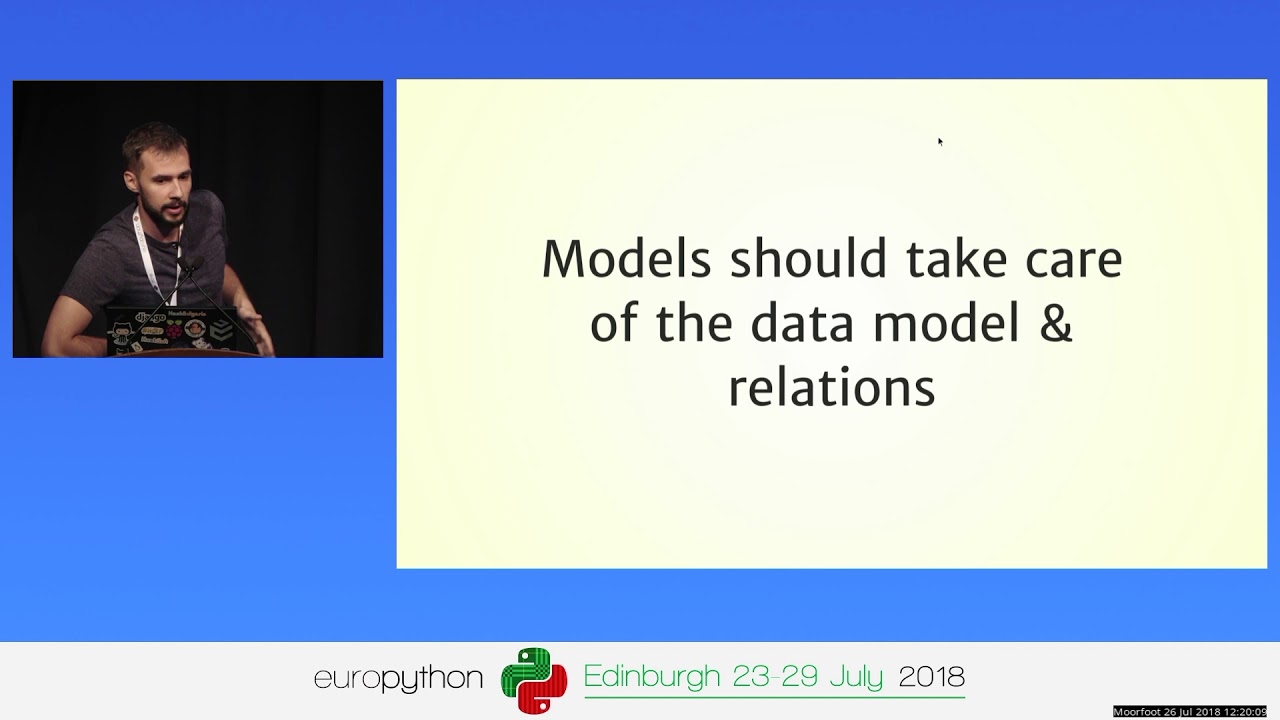
there was this django conference I watched and presenter said something about how having abstraction in your codes is bad

azure socket
#

That seems like a bit of a leap, abstracting common code can greatly simplify your own codebase

#

Of course there's anti patterns and times when it's not a good idea, but in this case it's a library designed specifically to handle this logic for you, and avoid all the repetition your views show

mystic moat
#

thank you, so basically, should use view set to handle CRUD?

#

JUST CRUD nothing else?