#hamidhh
1 messages · Page 1 of 1 (latest)
 glacial cobalt
Do you have a custom csp deployed ?
You probably need to add these directives :
https://stripe.com/docs/security/guide#content-security-policy
 analog finch
How can I do that?
In fact, I just added the stripe link like the below
<script src="https://js.stripe.com/v3/"></script>
glacial cobalt
Can you try to download this sample project and run it ?
https://stripe.com/docs/payments/quickstart?client=html&platform=web&lang=node
analog finch
Indeed, my project is like this project
glacial cobalt
You are facing the issue in your localhost or in a server.
analog finch
both
glacial cobalt
Can you share a screenshot
but it looks like you have something in your network that is blocking some CSP
analog finch
I'm trying to do that, but DC has problem!
glacial cobalt
Are you using a Campany network ?
analog finch
No, it's my home intenrnet
Can I send the screenshot in another place for you like whatsapp
Dc has problem
analog finch
Okay
I have the same errors!
Btw just something came up to my mind!
In my project when I'm pressing pay now button nothing happen!
It seems the payment button take no action
glacial cobalt
analog finch
I have the same errors!
You need to share with us some screenshots.
 scarlet scaffoldBOT

 fiery nova
to be clear, is it causing any actual issue in using the Element or making a payment?
analog finch
 fiery nova
analog finch
https://ibb.co/frB9k6p
fiery nova
analog finch
https://ibb.co/frB9k6p
that's normal, it just means you have an adblocker(it blocks those requests to r.stripe.com, which we use to track usage metrics).
analog finch
fiery nova
to be clear, is it causing any actual issue in using the Element or making a pay...
I didn't get your meaning exactly, but previously that pay now button functioned it always throw errors for me like something went wrong!
I was using test card 4242 4242 4242 4242 for my tests!
But now it does nothing!
fiery nova
have you checked that "undefined is not valid JSON" error?
looks like something in your own code
analog finch
No it's because of one my extentions, it exist on other pages and they are working like a charm!
I even tried to use stripe locally like this
<script src="assets/stripe-v3.js"></script>
but it didn't work! I got the same errors
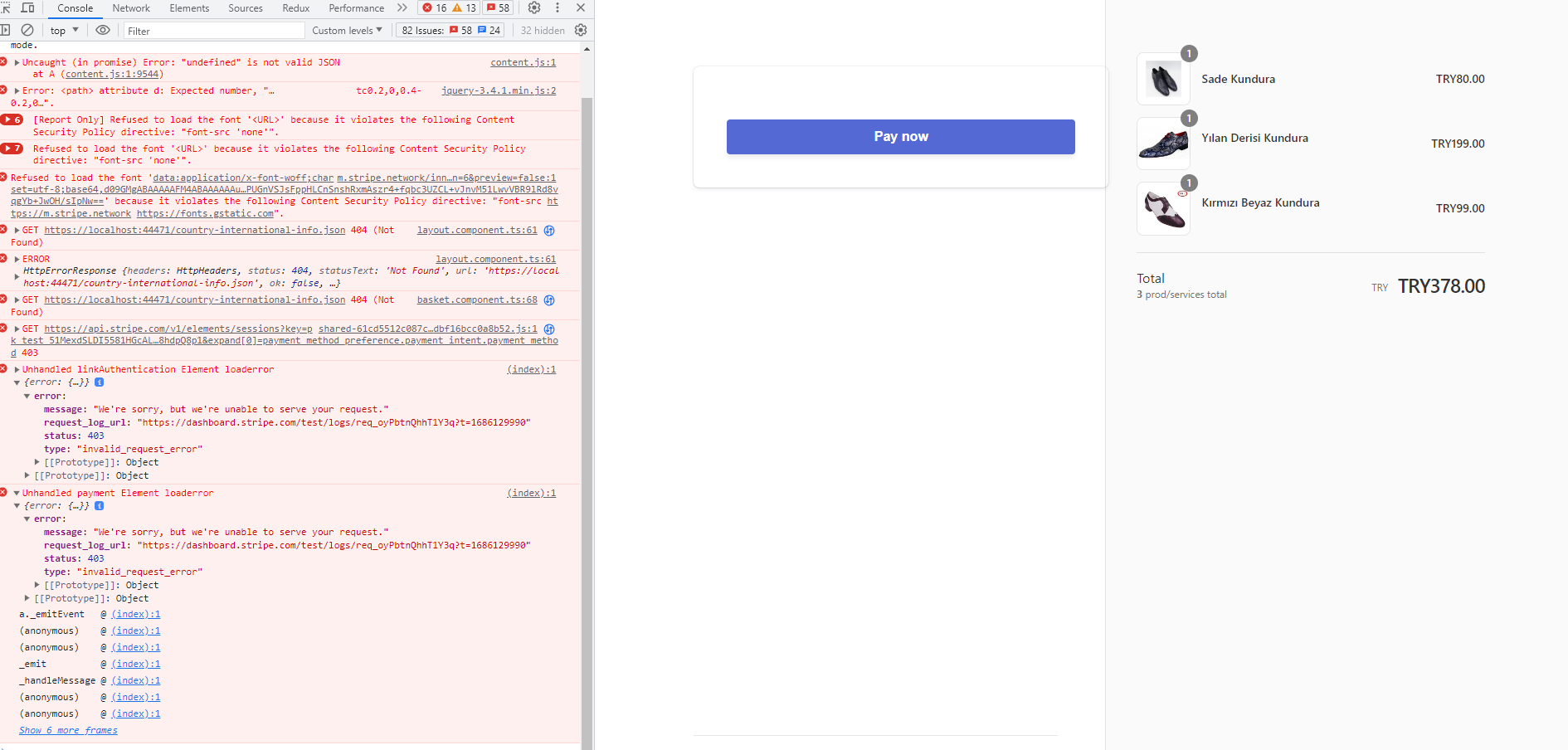
This is another error that I just got
fiery nova
what's the req_xxxx ID in that screenshot, paste it here
analog finch
I just refreshed and I don't get that error, sorry
Btw I a have and 403 error for this url https://pay.google.com/gp/p/js/pay.js
is that okay or what?
fiery nova
that's part of Google Pay, and it might not be a problem. I'd focus on if the page is actually working or not; there can be random errors in the browser console but it doesn't matter if the page actually works.
analog finch
I see
So you mean even if we have these errors on the console the payment process must fulfil
fiery nova
if it works it works
analog finch
I fixed it but there is an error
fiery nova
go on.
analog finch
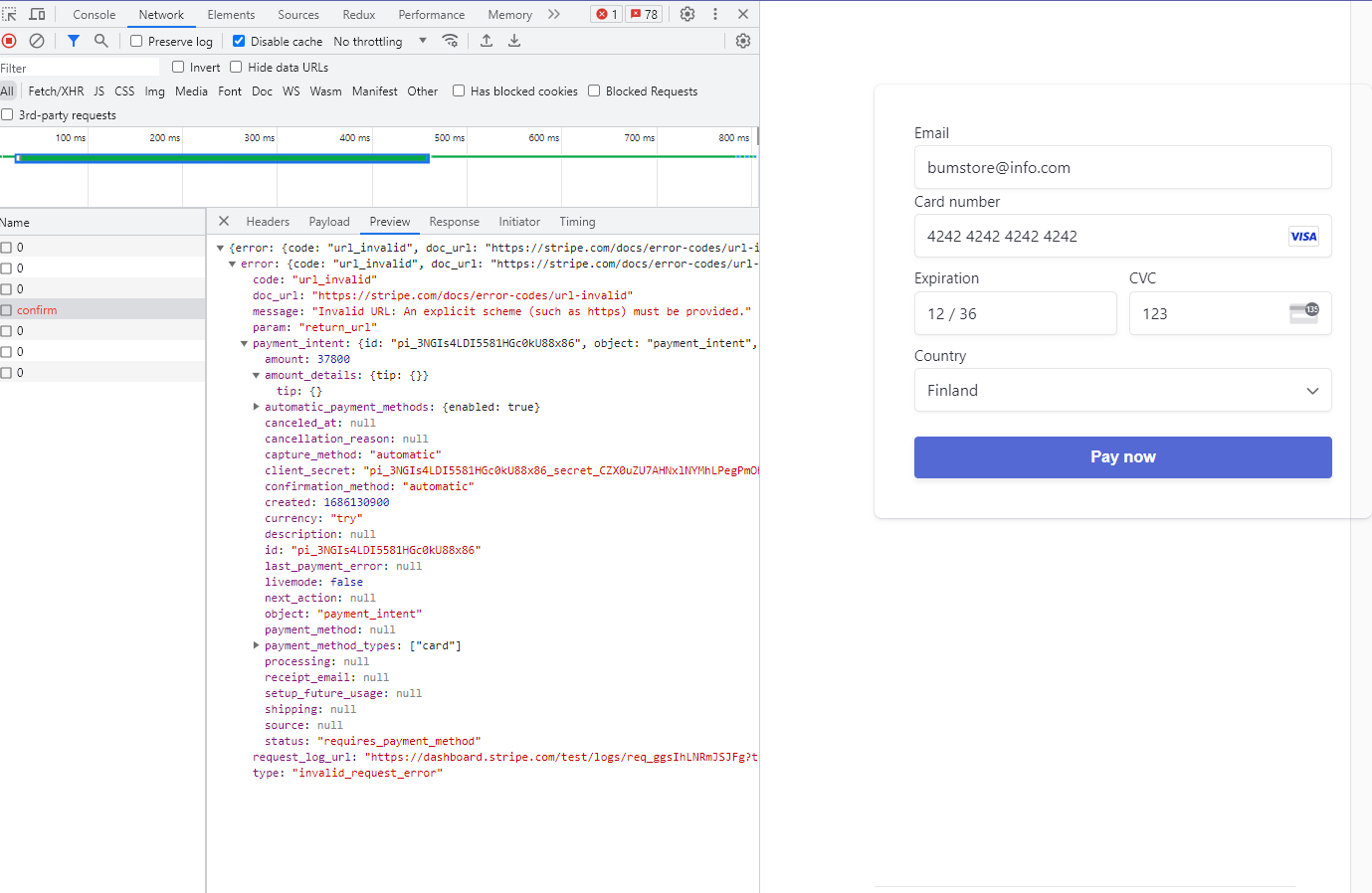
Payment can't complete
This is request url
https://api.stripe.com/v1/payment_intents/pi_3NGIs4LDI5581HGc0kU88x86/confirm
fiery nova
it's because you pass return_url: "localhost/result/success", which is not a valid URL
analog finch
This error is showing under form for seconds!
An unexpected error occurred.
fiery nova
try for example return_url: "http://localhost/result/success", instead
analog finch
so what would be correct?
fiery nova
if you read the error message it tells you
An explicit scheme (such as https) must be provided.",
analog finch
I'm checking
Thank you, it fixed
I have another question which is final one
When the payment form wants to render it takes some seconds like 20-30 seconds, during this time pay now button is active and users can press it, is there any way to disabled it till the form get loaded completely
fiery nova
it should not be taking 20 seconds
but yes, you can disable your pay button until this event triggers : https://stripe.com/docs/js/element/events/on_ready
analog finch
I added this to checkout.js file but it's not working!
document.querySelector("#payment-form")?.on("ready", function (event) {
// Handle ready event
document
.querySelector("#payment-form")
.addEventListener("submit", handleSubmit);
});
fiery nova
document.querySelector("#payment-form") is not what you should put the listener on
you put it on the Elements instance, per the docs I shared
so if you have var elements = stripe.elements(....), it's elements.on('ready', function(){....})
analog finch
So it should be like this
const paymentElement = elements.create("payment", paymentElementOptions);
paymentElement.mount("#payment-element");
paymentElement.on("ready", function (event) {
// Handle ready event
debugger;
document
.querySelector("#payment-form")
.addEventListener("submit", handleSubmit);
});
fiery nova
I think so yes, try it
analog finch
Thank you so much