#dystroy
1 messages · Page 1 of 1 (latest)
 cold island
 signal light
Which Element are you using and can you share a screenshot of what you're referencing?

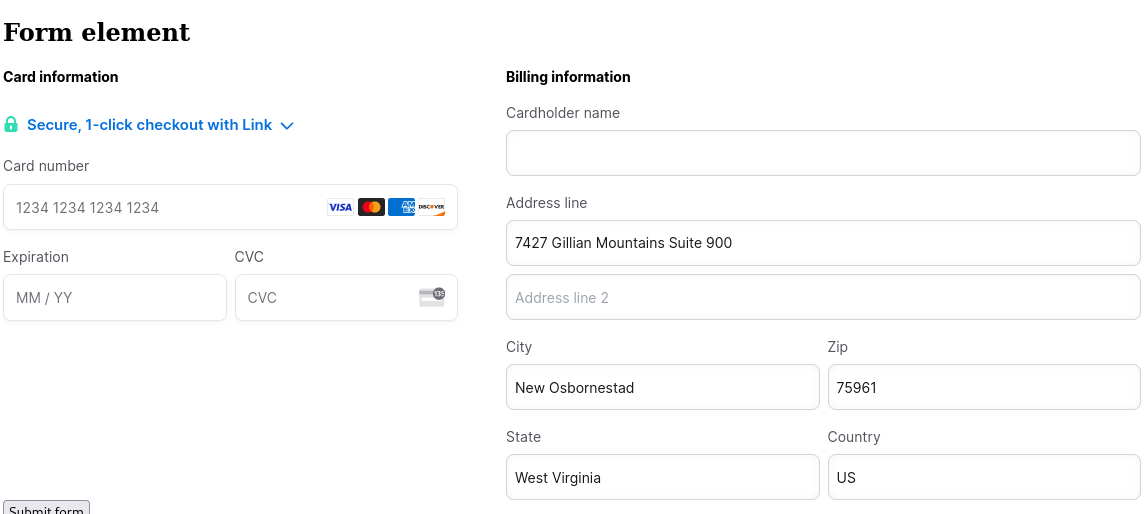 signal light
Can you share a seti_xxx
 lethal pagoda
One created with a test key: seti_1NFuqeR8MPee098rmfwzK8WT
signal light
I think you need to disable Link from the PE here: https://dashboard.stripe.com/test/settings/payment_methods
Sign in to the Stripe Dashboard to manage business payments and operations in your account. Manage payments and refunds, respond to disputes and more.
lethal pagoda
I did it already, but the Link part still appears
We also tried the disableLink parameter in the Card element (in front), but it doesn't seem to work.
If it matters: this is for a Connect platform
signal light
lethal pagoda
We also tried the disableLink parameter in the Card element (in front), but it d...
Well you're not using the Card Element
Linki is enabled for your connected accounts here: https://dashboard.stripe.com/test/settings/payment_methods/connected_accounts
Sign in to the Stripe Dashboard to manage business payments and operations in your account. Manage payments and refunds, respond to disputes and more.
As that Setup Intent was created OBO of the platform, those settings apply
lethal pagoda
Hum. It's a different page for connected accounts, right ? I think we were modifying what we had found in the doc, which was in the Payments tab
signal light
Yes in this case as you're the controlling platform you manage the PM settings for your connected accounts
lethal pagoda
I've set it to "blocked" but it still appears in my tests
signal light
You've only changed the live settings – you're using test keys
There are separate configurations
lethal pagoda
That's done with the "test mode" button ? I've changed it too (after your last message) but the Link widget still appears
signal light
Using the same seti_1NFuqeR8MPee098rmfwzK8WT?
lethal pagoda
No, generating a new one every time. Now it's seti_1NFvJGR8MPee098rrlgH0OhQ
signal light
Hmm, can you share your PE code?
lethal pagoda
Oh, I had missed the "Review changes" button at the bottom so my change wasn't effective. Now it works!
Thank you
signal light
np
lethal pagoda
(just in case, have a note that this "review change" button may be hard to spot for some kinds of people, maybe)