#RonT
1 messages · Page 1 of 1 (latest)
 olive birch
 rocky plover
Hi there!
 magic venture
hello!
rocky plover
Can you try to run stripe logout and then stripe login again?
magic venture
ok
C:\Users\rwmte>stripe logout
You are already logged out.
C:\Users\rwmte>stripe login
Post "https://dashboard.stripe.com/stripecli/auth": write tcp 192.168.1.106:51844->13.237.51.74:443: wsasend: An existing connection was forcibly closed by the remote host.
Sign in to the Stripe Dashboard to manage business payments and operations in your account. Manage payments and refunds, respond to disputes and more.
rocky plover
Thanks, give me a few minutes to look into this.
magic venture
TY
magic venture
hello, any ideas?
rocky plover
Sorry, Discord was busy. Looking into this now.
magic venture
oh ty
 chilly tartan
👋 taking over for my colleague. Let me catch up.
magic venture
hey yeah it's the same problem unsolved
chilly tartan
the easiest way to solve this is to restart you machine
magic venture
reboot? but I've done that many times
chilly tartan
sorry for keeping you waiting
chilly tartan
it is actually possible, but for webhooks Stripe-CLI is the easiest way to listen to events
chilly tartan
You can start by using Stripe without the CLI
magic venture
Can't I test webhooks without it?
chilly tartan
you can but you would have to have an HTTPS website
do you have any firewall rules set up on your Windows?
magic venture
not sure
I did try to turn off the firewall butt it didn't seem to work
I have the firewall and Kaspersky and I tried to turn them off but not sure if I got it correct
chilly tartan
what version of windows are you using?
magic venture
windows 10
chilly tartan
would you mind running the command prompt (cmd) as administrator?
and trying again?
magic venture
ok what do I do?
chilly tartan

How-To Geek
Much of the time, opening the Command Prompt as a regular user is all you need. Sometimes, though, you’ll need to open the Command Prompt as an administrator so that you can run commands that require administrative privileges.
magic venture
C:\Windows\system32>stripe login
Post "https://dashboard.stripe.com/stripecli/auth": write tcp 192.168.1.106:62586->13.237.51.74:443: wsasend: An existing connection was forcibly closed by the remote host.
Sign in to the Stripe Dashboard to manage business payments and operations in your account. Manage payments and refunds, respond to disputes and more.
chilly tartan
would you mind trying solution 1 from https://appuals.com/how-to-fix-an-existing-connection-was-forcibly-closed-by-the-remote-host-error/
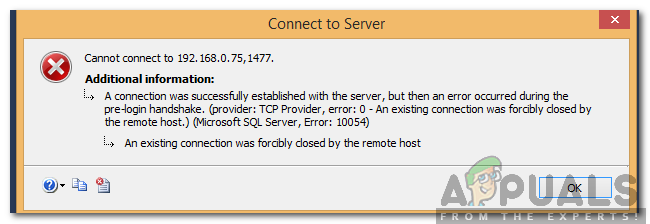
Appuals.com
A remote computer is the one which has no physical presence; it can be accessed only through some sort of a computer network. The Remote Host is the
chilly tartan
you can add a new REG_DWORD then with key SchUseStrongCrypto and value 1
magic venture
Ok done
chilly tartan
would you mind retrying?
magic venture
which way?
chilly tartan
magic venture
C:\Windows\system32>stripe login
Post "https://dashboard.stripe.com/stripecli/au...
this
stripe login in a cmd admin
magic venture
C:\Windows\system32>stripe login
Post "https://dashboard.stripe.com/stripecli/auth": write tcp 192.168.1.106:62719->3.106.27.78:443: wsasend: An established connection was aborted by the software in your host machine.
Sign in to the Stripe Dashboard to manage business payments and operations in your account. Manage payments and refunds, respond to disputes and more.
chilly tartan
which version of stripe CLI are you using?
chilly tartan
ok sorry I'm trying to find another fix
chilly tartan
what is your default browser?
magic venture
firefox
chilly tartan
would you mind changing to chrome?
magic venture
ok
chilly tartan
I'm trying to see what's blocking the connection
magic venture
PS C:\Windows\system32> stripe login
Post "https://dashboard.stripe.com/stripecli/auth": write tcp 192.168.1.106:60306->13.237.51.74:443: wsasend: An established connection was aborted by the software in your host machine.
Sign in to the Stripe Dashboard to manage business payments and operations in your account. Manage payments and refunds, respond to disputes and more.
chilly tartan
in that case there is some IP filtering either from your firewall or from the LAN network you're on
would you mind checking these IPs https://stripe.com/docs/ips
Ensure your integration is always communicating with Stripe.
magic venture
How do I change it?
chilly tartan
and see whether you have access to them or not
magic venture
Ok how do I use this list?
chilly tartan
try to see whether you can ping any oth these?
magic venture
C:\Windows\system32>ping 13.112.224.240
Pinging 13.112.224.240 with 32 bytes of data:
Request timed out.
Request timed out.
Request timed out.
Request timed out.
Ping statistics for 13.112.224.240:
Packets: Sent = 4, Received = 0, Lost = 4 (100% loss),
C:\Windows\system32>ping 13.115.13.148
Pinging 13.115.13.148 with 32 bytes of data:
Request timed out.
Request timed out.
Request timed out.
Request timed out.
Ping statistics for 13.115.13.148:
Packets: Sent = 4, Received = 0, Lost = 4 (100% loss),
C:\Windows\system32>ping 13.210.129.177
Pinging 13.210.129.177 with 32 bytes of data:
Request timed out.
Request timed out.
Request timed out.
Request timed out.
Ping statistics for 13.210.129.177:
Packets: Sent = 4, Received = 0, Lost = 4 (100% loss),
chilly tartan
this means that your firewall and/or network are preventing you from reaching Stripe which is why the stripe login is not working
are you using VPN?
magic venture
no
chilly tartan
are you using an enterprise connection or at home?
magic venture
at home
chilly tartan
do you have any firewall setup on your LAN network?
magic venture
no just my computer
chilly tartan
you need to find a way to allow the IP addresses of Stripe on your network
magic venture
do you think Kaspersky is part of the problem?
magic venture
yes I think
chilly tartan
would you mind trying this please
  -u sk_test_xxx: \
  -d limit=3
Do I run as is or in one line?
chilly tartan
both work
magic venture
C:\Users\rwmte>curl -G https://api.stripe.com/v1/events
curl: (35) schannel: next InitializeSecurityContext failed: Unknown error (0x80092012) - The revocation function was unable to check revocation for the certificate.
curl: (6) Could not resolve host: \
C:\Users\rwmte> -u sk_test_xxx:
'-u' is not recognized as an internal or external command,
operable program or batch file.
C:\Users\rwmte> -d limit=3
'-d' is not recognized as an internal or external command,
operable program or batch file.
C:\Users\rwmte>curl -G https://api.stripe.com/v1/events -u sk_test_xxx: -d limit=3
curl: (35) schannel: next InitializeSecurityContext failed: Unknown error (0x80092012) - The revocation function was unable to check revocation for the certificate.
chilly tartan
you need to replace sk_test_xxx by your secret key
magic venture
oops
chilly tartan
would you mind also trying nslookup api.stripe.com
just to make sure that there is no problem resolving the DNS record
magic venture
C:\Windows\system32>nslookup api.stripe.com
Server: 192-168-1-1.tpgi.com.au
Address: 192.168.1.1
Non-authoritative answer:
Name: api.stripe.com
Addresses: 52.63.106.9
13.210.176.167
52.65.161.237
curl: (35) schannel: next InitializeSecurityContext failed: Unknown error (0x80092012) - The revocation function was unable to check revocation for the certificate.
That curl command is not running properly - what did I do wrong?
 ebon solar
Hey! Taking over for my colleague. Let me catch up.
magic venture
ok thanks
ebon solar
Just to make sure that I'm following your issue, you are having issues while connecting to Stripe APIs ?
magic venture
well the problem is I cannot login using the stripe CLI
seems something about my computer firewall is blocking it
I cannot ping the sripe ips
ebon solar
I invite to run this script and see if every think passes successfully or not
https://github.com/stripe/stripe-reachability
Then you need to make sure that your laptop is able to reach any of Stripe’s fully qualified domain names. You probably need to add a whitelist to your firewall. You can find below the full list of domains names and Ips that Stripe uses:
https://stripe.com/docs/ips
ebon solar
Yes, you need to follow the Readme file in that repository
magic venture
ok
sorry dumb question - how do I run the script?
i have test.sh in a folder
when it runs it opens a cmd window and closes it again - can't see result
ebon solar
You need to use a terminal that runs sh scripts
magic venture
windows shell?
ebon solar
Probably you need to use Powershell
magic venture
mmm no .. I think I have to install WSL