#GianFranco-quantity-set
1 messages · Page 1 of 1 (latest)
 lean zinc
 terse spoke
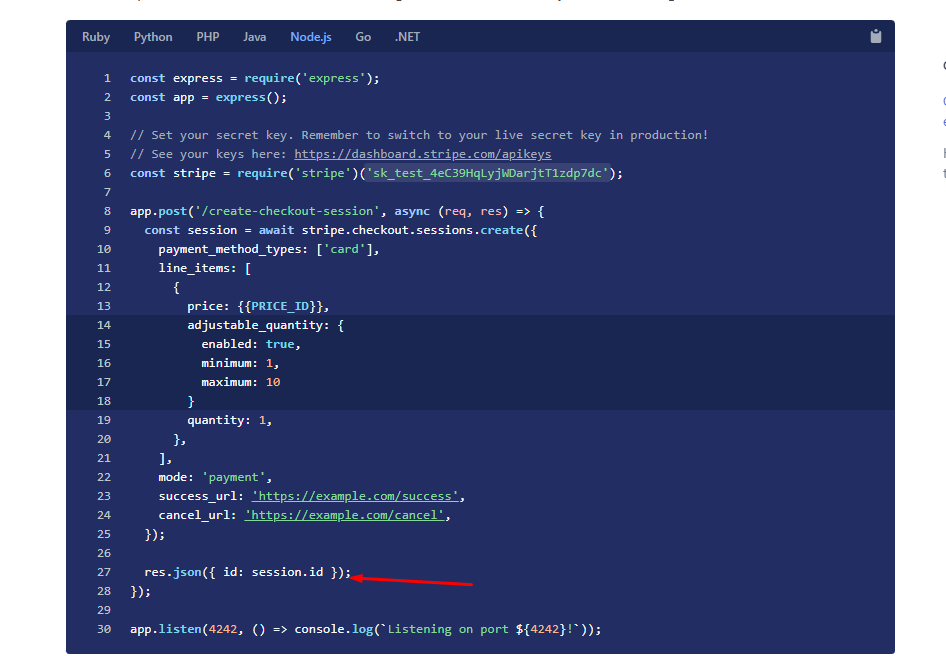
As you can see, I can see when I create checkout session, I can set quantity.
And I'm not sure how can I redirect that checkout page using that returning ID in mobile app(React Native)
 drowsy raft
👋 stepping in here for two-shoes as they need to step away
You can't use Checkout in a React Native app
You would have to use a webview if you wanted to do so
terse spoke
then in React Native app, how can I adjust quantity of product when I buy?
@drowsy raft
drowsy raft
Several people on the server asking for help, be patient please!
drowsy raft
terse spoke
then in React Native app, how can I adjust quantity of product when I buy?
You can't unless you use Invoices as two-shoes mentioned above.
Mostly you would handle this yourself
And just update the amount of the PaymentIntent
And display quantity via your UI and save it in your Database
drowsy raft
Sure!