#dev-help
1 messages · Page 127 of 1
 golden cosmos
 green notch
Currently my frontend do not have access to the PaymentIntend
But that's the method I've been staring at for the past week as I've been trying to get a hold of the test key 😅
It seems we use a Stripe API so old it doesn't even support SCA
golden cosmos
oh noooo, it's probably best to upgrade to the latest version then, so that you have access to new and shiny features
 dry hatch
green notch
Currently my frontend do not have access to the PaymentIntend
dry hatch
green notch
Currently my frontend do not have access to the PaymentIntend
Hi there, to clarify, normally, you would want to create PaymentIntent in your backend, then pass its clientSecret back to your frontend and confirmCardPayment() in there. This (from our Doc) may best describe the flow
 green notch
golden cosmos
oh noooo, it's probably best to upgrade to the latest version then, so that you ...
green notch
golden cosmos
oh noooo, it's probably best to upgrade to the latest version then, so that you ...
My colleague is on that!
 kindred frigate
I have completed this https://stripe.com/docs/checkout/integration-builder integration part. after redirect success page how can i know who is payment done.
 bleak breach
kindred frigate
I have completed this https://stripe.com/docs/checkout/integration-builder integ...
bleak breach
kindred frigate
I have completed this https://stripe.com/docs/checkout/integration-builder integ...
You'd either want to rely on webhooks (https://stripe.com/docs/payments/checkout/fulfill-orders) or customize the success page so you get the Session ID in your URL, which you can then look up the status of (https://stripe.com/docs/payments/checkout/custom-success-page)
Learn how to display a confirmation page with your customer's order information.
 vocal wagon
Hey there guys! We are after a bit of guidance on using Stripe Connect to link up 2 stripe accounts for our business.
Here is our current setup:
Stripe Account 1 - One off payments (Settles to Trust Account)
Stripe Account 2 - Subscriptions (Settles to General Account)
Gross transaction amount settles to Trust Account and IC++ fees are billed to Account 2 (due to trust accounting regulation).
Stripe Account 1 processes the transaction via Pandadoc and creates a customer and stored payment method, then a one-off charge.
What we are then wanting to do with stripe connect is create a recurring subscription in Stripe Account 2 using the customer/payment method created by Stripe Account 1. One complexity is that any stripe connect fees need to be billed to Stripe Account 2, as nothing can be deducted from the Trust Account.
Do you think this workflow is possible, perhaps using this function:
https://stripe.com/docs/connect/cloning-customers-across-accounts
With Connect, you can clone your customers' payment information across multiple connected accounts for reuse.
bleak breach
vocal wagon
Hey there guys! We are after a bit of guidance on using Stripe Connect to link u...
Hi! Almost right, you'd specifically want to clone the PaymentMethods: https://stripe.com/docs/payments/payment-methods/connect#cloning-payment-methods. You wouldn't need to worry about fees, Stripe only takes a fee when funds move around. Cloning a PaymentMethod from account 1 to account 2 and then creating a subscription on account 2 would mean the fees are only incurred on account 2
vocal wagon
Thanks Paul thats very helpful. Would you recommend also cloning the customer, then the payment method, or creating a new customer in Account 2 and attaching the cloned payment method to that?
 left valley
Can i make my own input fields for card no, cvv,expiry on payemnt sheet in react-native
vocal wagon
Hello! What seems to be the problem with the authentification of the accounts?
bleak breach
vocal wagon
Thanks Paul thats very helpful. Would you recommend also cloning the customer, t...
The latter is what we recommend
bleak breach
left valley
Can i make my own input fields for card no, cvv,expiry on payemnt sheet in rea...
Not on the payment sheet, no
bleak breach
vocal wagon
Hello! What seems to be the problem with the authentification of the accounts?
Can you be more specific? Are you running into issues?
vocal wagon
bleak breach
The latter is what we recommend
Great thanks! We are also wanting to provide access to the Stripe Customer Portal on Account 2 so they can manage/update their stored payment method. do you foresee any issues with this if the payment method was cloned from account 1.
bleak breach
vocal wagon
Great thanks! We are also wanting to provide access to the Stripe Customer Porta...
None whatsoever, once the PaymentMethod is cloned to account 2 it "belongs" to account 2 as much as it does to account 1. Just be aware that while the PaymentMethod is cloned, they are two completely separate customers, meaning that if you subscribe the customer on account 2 and then attempt to show them the customer portal from account 1 then that subscription won't show up
vocal wagon
We have clients having problems with the ID, they say they ID isn't accepted in a really long time, that is says it's pending
bleak breach
vocal wagon
We have clients having problems with the ID, they say they ID isn't accepted in ...
Which ID are you talking about here? Can you provide examples?
left valley
bleak breach
Not on the payment sheet, no
I mean Can i make my own input fields or input elements like react js , in react js there is an option to add separate input elements for card no, cvv, expiry anywhere in the ui but in react native all input fields are coming together in Pre-built UI (single-step)
bleak breach
left valley
I mean Can i make my own input fields or input elements like react js , in react...
For the pre-built UI you can't add any additional fields. If you need that you'd follow the custom UI guide: https://stripe.com/docs/payments/accept-a-payment?platform=react-native&ui=custom
Securely accept payments online.
left valley
bleak breach
For the pre-built UI you can't add any additional fields. If you need that you'd...
Ya in custom UI also.....all three fields are coming together, I want to align these filed as my clients want
 prime belfry
hello, i want to ask for help, who should i contact for?
bleak breach
prime belfry
hello, i want to ask for help, who should i contact for?
Depends on the type of help. If you have a code or development question you can ask it here. For all other questions you should reach out to Stripe support: https://support.stripe.com/contact/email
prime belfry
can i chat with stripe support like before? instead of sending email?
bleak breach
prime belfry
can i chat with stripe support like before? instead of sending email?
Try here: https://support.stripe.com/contact
Find help and support for Stripe. Our support center provides answers on all types of situations, including account information, charges and refunds, and subscriptions information. Get your questions answered and find international support for Stripe.
prime belfry
THANKS
vocal wagon
Hello everyone. T
I have a question regarding the fees incurred for card payments from Stripe. Is it possible that these fees are automatically redirected to the customer's costs?
bleak breach
vocal wagon
I have a question regarding the fees incurred for card payments from Stripe. Is ...
Not automatically no: https://support.stripe.com/questions/passing-the-stripe-fee-on-to-customers
Find help and support for Stripe. Our support center provides answers on all types of situations, including account information, charges and refunds, and subscriptions information. Get your questions answered and find international support for Stripe.
 fathom quest
Hi I am new here, but got some queries
 hollow prairie
@fathom quest Hey!
fathom quest
https://stripe.com/docs/payments/capture-later
I am following this, and also
https://github.com/stripe-samples/placing-a-hold/blob/master/without-webhooks/server/node/server.js
The git repo does confirm the paymentIntentId after creating, is it compulsory to confirm the intentId?
hollow prairie
@fathom quest Yep, confirming the PaymentIntent is the method that actually charges the payment method. In some instances, passing confirm: true on creation is sufficient and the PI requires no further action. However with SCA/auth requirements rolling out across Europe it is likely a separate confirmation call is required
@fathom quest That specific sample you've linked to is a manual confirmation flow, which we advise against
@fathom quest The 2 links you've provided are generally unrelated
fathom quest
if confirm charges the payment method, then what does capture do?
I am new to stripe as a whole (I am using it for a client project), so I am really sorry if I sound off.
hollow prairie
@fathom quest In the cases of a capture later process (where you've set capture_method: 'manual' on PI creation), then the capture method is a separate step entirely. Confirmation is still required in all instances
fathom quest
Hmm I am just confused what capture actually does
hollow prairie
@fathom quest The capture later flow (https://stripe.com/docs/payments/capture-later) is useful in cases like a hotel reservation. You check-in, the hotel will authorise a $100 deposit on your card (usually for potential damages, etc). In most cases you check-out and that authorisation is released. However in some cases they may 'capture' (charge) that amount to cover any damage costs. Does that make sense?
Separate authorization and capture to create a charge now, but capture funds later.
@fathom quest It's not a requirement capture manually with Stripe. The default behaviour is to capture immediately at the time of confirmation: https://stripe.com/docs/api/payment_intents/create#create_payment_intent-capture_method
Complete reference documentation for the Stripe API. Includes code snippets and examples for our Python, Java, PHP, Node.js, Go, Ruby, and .NET libraries.
fathom quest
Alright
so paymentIntent.create is to hold the amount initially
paymentIntent.confirm is to process the payment
paymentIntent.capture is to process any additional charges for the amount that was hold when capture_method is manual right?
vocal wagon
Hello happy coders! What are the best ways to display the amount of tax paid on one-off purchases on the receipt generated by Stripe?
We are developing a mobile app so the Stripe checkout wont work. There doesn't seem to be a way to apply a tax-object to a paymentintent or add line-items to display the amount of tax paid by the user on the receipt.
If there's a way to automatically handle taxes on paymentIntents that would be great - but what's most important for us is to display the amount to the customer after a successful purchase.
Is there any way to accomplish this with a paymentintent?
hollow prairie
@fathom quest The PaymentIntent object is just a state machine for a 'potential' payment. When you create a PI, its just a reflection of your intention to make a charge. There's a good breakdown of the API here: https://stripe.com/docs/payments/payment-intents
Learn how to use the Payment Intents API for Stripe payments.
vocal wagon
Hey once again, we were wondering is there a way to get user's card attached to stripe dashboard so we can issue penalty fees with Apple pay?
Our application has no one time payments, we only use the card field component to create setupIntents and connect the card for offsession payments ( React Native )
fathom quest
Alright, thanks for your time and the information @hollow prairie 😄
hollow prairie
@fathom quest Np, let me know if you have any follow-up questions!
@vocal wagon Hey! Right now there's no line item support for PaymentIntents, so generally having a specific amount (for shipping, tax, etc) outlined on a payment receipt that way is not supported. If you can't use Checkout (with it's additional tax features) then you could instead disable the automatic receipts we offer and handle this yourself
@vocal wagon Hey! How are you using SetupIntents? If used correctly, then the resulting payment method should be attached to a Customer object (and visible in the Dashboard)
vocal wagon
hey @hollow prairie right now it works that way for cards.
but 1) Does stripe set default cards once a user adds an intent?
2) Can we initiate a setupIntent with Apple Pay and not only credit cards?
 naive kettle
(Assuming the customer has already a valid payment method attached on Stripe and set as default)
If I create a subscription passing these parameters
Stripe::Subscription.create(
        customer: customer_id,
        billing_cycle_anchor: 6_MONTHS_IN_THE_FUTURE,
        items: [{ plan: plan_id }]
      )
I see that the subscription is created immediately, the invoice created right away and the customer’s card is charged immediately. What parameters should I pass to create a subscription that starts immediately but the customer is charged 6_MONTHS_IN_THE_FUTURE? Is passing trial_end the only solution? And if I pass trial_end should I also pass a value for billing_cycle_anchor?
vocal wagon
hollow prairie
<@456226577798135808> Hey! Right now there's no line item support for PaymentInt...
Thanks for the answer – looks like we have to send the receipt manually then! Is there somewhere where one can suggest features for stripe? The ability to add line-items to a PI would be really handy!
One last question: is there a way for invoices to be automatically paid using the default payment-method for the customer on invoice creation? Then we could generate an invoice instead of a PI and have the invoice generate and handle the PI which from what I can see supports tax-objects.
Thanks for taking your time 🙂
hollow prairie
@vocal wagon Specifically with our React Native SDK?
vocal wagon
Yes
hollow prairie
@vocal wagon Checking to see if that's possible
@vocal wagon Line items with PaymentIntents is definitely we hear a lot of feedback on! Nothing to share on that front right now though
Regarding invoicing, yep you can automatically charge the default payment method (set via invoice_settings.default_payment_method on the Customer object [https://stripe.com/docs/api/customers/object#customer_object-invoice_settings-default_payment_method]): https://stripe.com/docs/invoicing/paying
Complete reference documentation for the Stripe API. Includes code snippets and examples for our Python, Java, PHP, Node.js, Go, Ruby, and .NET libraries.
vocal wagon
@hollow prairie I wrote a more thorough explanation of our usecase
User registers on the app. After registration, we create a customer for that user on our server, and that customer is visible on our stripe dashboard.
After that we have an option to add a credit card (payment method), for future charges. Here on our client side we are using setupIntent to add a payment method for a specified customer. We managed to do that properly, and we see that payment method in the stripe dashboard.
First queston: After we add the payment method (as mentioned above), does stripe automatically attaches that payment method to a customer (in the invoice_settings -> default_payment_method), for charging future invoices and subscriptions or we need to call the stripe api on our server to do that?
Second: Is the same workflow somehow possible with ApplePay? (Is it possible to create a setupIntent with ApplePay, have the same workflow logic)
hollow prairie
@naive kettle If you want to start the subscription immediately, but not bill the user until 6 months time then a trial period is the probably the best path: https://stripe.com/docs/billing/subscriptions/trials
Delay payments on active subscriptions using trial periods.
fathom quest
I got a small question,
Is there any sort of client/customer involvement required when holding an amount for a payment method, or for confirm the paymentIntent?
hollow prairie
@vocal wagon
After we add the payment method (as mentioned above), does stripe automatically attaches that payment method to a customer (in the invoice_settings -> default_payment_method), for charging future invoices and subscriptions or we need to call the stripe api on our server to do that?
You will need to do that manually: https://stripe.com/docs/payments/checkout/subscriptions/update-payment-details#customer-default
Is the same workflow somehow possible with ApplePay? (Is it possible to create a setupIntent with ApplePay, have the same workflow logic)
I think you can useconfirmApplePayPaymentwith the client secret of your SetupIntent: https://stripe.dev/stripe-react-native/api-reference/modules.html#confirmapplepaypayment
Docs here on how to present the Apple Pay sheet: https://stripe.com/docs/apple-pay?platform=react-native
Allow customers to securely make payments using Apple Pay on their iPhone, iPad, and Apple Watch.
Learn how to update the payment method used for future invoices.
Documentation for @stripe/stripe-react-native
vocal wagon
hollow prairie
<@456226577798135808> Line items with PaymentIntents is definitely we hear a lot...
Thank you for the clear and fast answers!
I know I said just one more question, but now I have one final (promise): Would the payment flow for the customer be any different generating an Invoice that automatically charge the card on creation as opposed to using a PI? If not it seems like an invoice would be a good solution to what we're trying to accomplish or is there something I am missing?
hollow prairie
@vocal wagon See this GitHub issue/comment for more context: https://github.com/stripe/stripe-react-native/issues/271#issuecomment-848988884

GitHub
Is your feature request related to a problem? Please describe. When creating a subscription for a customer with a debit card, it is clear and straightforward that the payment method is stored with ...
@fathom quest What do you mean exactly?
vocal wagon
@hollow prairie Thank you, I will look into this, you are very kind!
fathom quest
This is what I am doing.
Whenever customer requests a service a paymentIntent is created. The payment will be initiated when customer confirms all the items required.
However the creating and confirming of paymentIntent are to be done serverside.
I am just trying to know if customer will have to confirm anything from their side for this transaction to complete
 hollow prairie
@vocal wagon The one thing I would point out is that the 3DS/auth flow with invoicing will be different versus a PI (which Stripe.js handles). For example, invoice created with automatic payment but the bank requests 3DS for what I'd imagine is deemed on off-session payment. You'd need to bring your user on-session manually to auth that payment as we don't facilitate that
 slender wharf
I'm sorry for the reply.
I tried various challenges all day today.
I am creating a rest api with lambda.
App.js receives the request and processes it as follows.
app.post ("/ webhook", function (req, res) {})
You can get it by running stripe api in index.js,
Running the stripe api in app.js does nothing.
I can't even consider the error, so please help me.
hollow prairie
@fathom quest Why are you doing confirmation_method: 'manual'? Is there a specific reason? We generally advise against that
fathom quest
Nothing specific, I am just new to this, and I might be getting things wrong 😓
hollow prairie
@fathom quest If your business needs are just a 'normal' payment flow, then this guide is the best path to follow: https://stripe.com/docs/payments/accept-a-payment
Securely accept payments online.
@fathom quest Accompanying samples: https://github.com/stripe-samples/accept-a-payment
GitHub
Learn how to accept a payment from customers around the world with a variety of payment methods. - GitHub - stripe-samples/accept-a-payment: Learn how to accept a payment from customers around the ...
vocal wagon
hollow prairie
<@456226577798135808> The one thing I would point out is that the 3DS/auth flow ...
Thanks for your time and clear answers. Have a great day!
fathom quest
@hollow prairie Can you tell me if this is right or wrong
The business is just like a ride system:
1. User books a ride (paymentIntent is created with the trip amount)
paymentIntent.create({ options here })
2. Once the ride is completed and customer is charged
paymentIntent.capture(id)
hollow prairie
@fathom quest Based on the screenshot you shared above, there's no need to capture manually. Instead you should confirm on the client with Stripe.js to handle any additional authentication that might be required from the bank/card issuer: https://stripe.com/docs/payments/accept-a-payment?platform=web&ui=elements#web-submit-payment
Securely accept payments online.
 limpid scaffold
Hello there
Are stripe api libs are fully backward compatible?
E.g. if project is using stripe php lib v5.8, is it save to upgrade to the current one? (v7.9)
hollow prairie
@limpid scaffold Hello! Our client libraries follow semver versioning, so jumps from 5.x.x to 7.x.x are a major release and indicative of breaking changes. What specifically do you need from 7.x.x?
limpid scaffold
We want to make some step-by-step upgrade to the latest api version
As for 7 version of lib - just to make code look cleaner, as we're using PaymentMethods / PaymentIntents / Tax api`s which don't have their classes in 5.x version
fathom quest
hollow prairie
<@!279550792774582272> Based on the screenshot you shared above, there's no need...
That screenshot above is what I am trying to do, you can ignore that.
The thing is payment method for a customer are already added before the customer initiates the ride i.e. the user will not be asked for card details when creating a ride.
i.e. once the ride is started by driver, everything is supposed to be done internally (server side), it that not possible?
hollow prairie
@limpid scaffold Got it. There's a migration guide for 7.x.x which will outline any breaking changes you should be aware of: https://github.com/stripe/stripe-php/wiki/Migration-guide-for-v7
GitHub
PHP library for the Stripe API. . Contribute to stripe/stripe-php development by creating an account on GitHub.
@fathom quest How are you capturing and saving payment details from your users?
fathom quest
you mean the card details?
They are obtained during registration or later phase (in our project) and added as source to the stripe customer entity (each user has separate stripe customer ID)
hollow prairie
@fathom quest Right, but are they correctly configured for future off-session usage? https://stripe.com/docs/payments/save-and-reuse
Learn how to save card details and charge your customers later.
@fathom quest If you don't want the user to be prompted for payment confirmation/authorisation on each transaction then you need to setup the payment method accordingly
fathom quest
You mean I will have to follow the save-and-reuse guide?
 river scroll
After completing payment auto redirect. to ios app not working anyone help me
hollow prairie
@fathom quest Well that's a guide relevant to capturing and saving payment methods so that they can be charged without prompting your customer or being potentially rejected by the bank. So that would be applicable in your application when your users register
fathom quest
I believe they will have to be verified/confirmed for the first time by users right?
hollow prairie
@fathom quest Yes, likely during the setup. But then this would prevent the need for the user to auth any future off-session payments (where they are not present in a checkout flow, so-to-speak)
fathom quest
Alright I get your point 😄
hollow prairie
@river scroll Hello. Can you provide any more details? There's not much to go on there
fathom quest
fathom quest
<@!844978455355195413> Can you tell me if this is right or wrong
The business is...
Also when that happens, i.e. card won't need confirmation
Is this (content in original message replied to) what I do?
hollow prairie
@fathom quest I'm not sure I understand the question
river scroll
1.i used below code for using redirect stripe payment
let paymentHandler = STPPaymentHandler.shared()
                                         //   StripeAPI.handleURLCallback(with: URL(str))

                                            paymentHandler.handleNextAction(forPayment: takeSecretId, with: self, returnURL: "new-stripe://stripe-redirect") { status, paymentIntent, handleActionError in

                                                switch (status) {
-
i click for complete authentication or fail autentication it's redirect to the another page this page screenshot i attached kindly check it
-
How to click complete or fail authentication automatically move to app so kindly help


@hollow prairie
fathom quest
Lets say user's card is added with resuablility i.e. save-and-result i.e. verified at registration
If so, now I can do:
1. stripe.paymentIntent.create({ }) <-- To hold a amount of the card i.e. when ride is initiated
2. stripe.paymentIntent.capture({}) <-- To charge the card i.e. when ride is completed
and the payment should be successfully transacted without asking for any confirmation from the user right?
hollow prairie
@river scroll Can you please share the ID of a PaymentIntent you're working with?
river scroll
@hollow prairie are you need this one pi_1JFd4kHGEu8wlVR0uz7jj2WH
hollow prairie
@river scroll Thanks, taking a look
@fathom quest No, you'd need to capture and not confirmation
river scroll
fathom quest
Lets say user's card is added with resuablility i.e. save-and-result i.e. verifi...
Yes without confirmation to redirect our application
fathom quest
hollow prairie
<@!279550792774582272> No, you'd need to capture and not confirmation
Ah alright
river scroll
Kindly share me what can i do? @hollow prairie
hollow prairie
@fathom quest I'll share the calls you should make, give me a little while
@river scroll Will check in a moment!
fathom quest
Sure 😄
river scroll
Thank you @hollow prairie
 desert scaffold
hello recently my discord bot got verified and for that there we need to fill something where there is asked id card password or driving licence also its connected with your site i m sending the correct photo also it comes invalid document
hollow prairie
@maiden meadow Hello! What issue are you facing?
 cerulean pineBOT
:question: @desert scaffold Have a non-technical question, account issue, or need one-on-one support?
We wish we could help, but this community is focused on developers and technical discussions. Our support team will be able to assist you better than we can: https://support.stripe.com/contact
desert scaffold
can i ask a question pls not realated to this pls
hollow prairie
@river scroll Is the application URI scheme (new-stripe://) using in the returnURL parameter correctly configured?
@desert scaffold Happy to help with any developer/integration questions!
desert scaffold
stripe doesn't straight away accepts both back and front side of ID card.
is this fact real
river scroll
@hollow prairie this one is my sample project name
This one is correct
I Checked another code for this returnURL thats working fine.. this one is my correct returnURL
 maiden meadow
hollow prairie
<@!864053848971804674> Hello! What issue are you facing?
maiden meadow
hollow prairie
<@!864053848971804674> Hello! What issue are you facing?
Actually I want to update payment request button amount after dom render
river scroll
Kindly check it is this one my URLSCHEME
 hollow prairie
@fathom quest Create your PI:
await stripe.paymentIntents.create({
  amount: 2000,
  capture_method: 'manual',
  confirm: true,
  currency: 'usd',
  payment_method: 'pm_xxx'
});
Capture:
await stripe.paymentIntents.capture(
  'pi_xxx'
);
@hollow prairie
hollow prairie
@maiden meadow Can you share some more details about your integration/code?
fathom quest
hollow prairie
<@!279550792774582272> Create your PI:
```js
await stripe.paymentIntents.create(...
Thanks 😄
hollow prairie
@desert scaffold I don't really have insight into the account verification process!
maiden meadow
// 2. Create a payment request object
var paymentRequest = stripe.paymentRequest({
country: 'US',
currency: 'usd',
total: {
label: 'Total',
amount: tx,
},
requestShipping: false,
requestBilling: false,
requestPayerName: true,
requestPayerEmail: true,
});
Here the tx variable which I have passed I want to update that
I mean after rendering the button can we upadte the amount
as in my application after the total user can add custom tips and after the total amout change
desert scaffold
dont this look like the back part
 hollow prairie
@river scroll I'm not overly familiar with our iOS SDK, so please bear with me. Looking at paymentHandler.handleNextAction parameters, returnURL should be equal to the return_url passed when confirming the PaymentIntent. Looking at your request that created (and confirmed) the PI, you did not pass return_url
https://dashboard.stripe.com/test/logs/iar_LI4jmmmdd9Cflh
https://stripe.com/docs/api/payment_intents/create#create_payment_intent-return_url
Complete reference documentation for the Stripe API. Includes code snippets and examples for our Python, Java, PHP, Node.js, Go, Ruby, and .NET libraries.
river scroll
hollow prairie
<@!867352790229581825> I'm not overly familiar with our iOS SDK, so please bear ...
I checked returnURL its perfect.. which place i give the value confirm=true @hollow prairie
hollow prairie
@river scroll I think need to pass return_url: 'new-stripe://stripe-redirect' when creating the PaymentIntent. On that pi_xxx you shared, you did not
@maiden meadow You need some code to compute the Payment Request Button when your variable (dependency) changes. Are you using React? Our guide for this manages this as an effect (via useEffect): https://stripe.com/docs/stripe-js/elements/payment-request-button?html-or-react=react#react-create-payment-request-instance
Collect payment and address information from customers who use Apple Pay, Google Pay, and browser-saved cards with Payment Request APIs such as Microsoft Pay on Edge.
maiden meadow
No I am not using react
 tawdry knot
Hey guys, I'm looking to set up a webhook, from 1tribeglobal, so that every time we make a sale it buys trees in the amazon... is there someone on hand to give me 10 mins of support in implementing this as I am having major issues with getting the correct response.
maiden meadow
its just a simple javascipt code i have got from stripe docs
but my button amount changes
Is there any other way to do that
hollow prairie
@tawdry knot Hello. I can help, what's the issue?
maiden meadow
apart from react
@hollow prairie Please suggest some other way out to resolve this issue
 drowsy bear
Hi
stripe 3D auth after fails to not go back what can i do please help me
I am using android SDK
river scroll
I not completed the payment.. everything is working fine only return only not working anything for this one kindly suggest any thing @hollow prairie
hollow prairie
@river scroll I've already made a suggestion. You need to update your call when creating the PI to include the return_url parameter. Please try that approach then we can debug further
maiden meadow
@hollow prairie what i can do as i am not using react is there any other way out to reslove this
hollow prairie
@maiden meadow As advised, you need a way for your code to listen for changes to your tx variable and then recompute your paymentRequest instance to update showing the new amount
@drowsy bear Hey there. Can you be a little bit more specific? Is there an error you're seeing?
maiden meadow
Yes but without dom render is that possible
river scroll
returnURL working fine.. i checked perfectly kindly check i attached screenshot.. I have same issue

@hollow prairie
maiden meadow
is there any method to update paymentRequest object in stripe
drowsy bear
@hollow prairie
i am using stripe SDK version 16.1.1 CVV and card fails to redirect my application but 3D authentication fail to show authentication completed page customers only closed that page in manual i need how to automatic redirect authentication completed page to my application class. On my platform is android java code
tawdry knot
hollow prairie
<@!768938807327981590> Hello. I can help, what's the issue?
Thanks ynnoj, I've sent you a friend request so we can resolve it together, much appreciated!
drowsy bear
@hollow prairie
Payment_Settings_Activity.this.runOnUiThread(() -> stripe.handleNextActionForPayment(Payment_Settings_Activity.this, secret));
hollow prairie
@tawdry knot Let's keep the conversation in here!
@river scroll That's the returnURL value in your iOS code. I'm referring to your server code where you create the PI. Seems you're doing this via PHP
tawdry knot
Okay, so I am trying to send a POST request to the URL provided, with the information as a JSON, containing the parameters in step 4 included in this picture.
 hollow prairie
@maiden meadow Sure, you can call paymentRequest.update: https://stripe.com/docs/js/payment_request/update
Complete reference documentation for the Stripe JavaScript SDK.
@drowsy bear Can you share an ID of a particular payment you're having issues with? pi_xxx
tawdry knot
tawdry knot
Okay, so I am trying to send a POST request to the URL provided, with the inform...
Is this something we can solve together here, or am I better off calling support?
hollow prairie
@tawdry knot You'll need your own Stripe webhook handler which will receive your payment_intent.succeeded events and then forward them to that third-party API
@tawdry knot You'll need to construct the payload they're expecting in your Stripe webhook handler
river scroll
i created PI id my back end side PHP
(status: true, the3DSecure: newStripe.The3DSecure(d3Payment: "d3_payment", dSecure: "{"requires_action":true,"payment_intent_client_secret":"pi_1JFdyQHGEu8wlVR0bP8cHg4G_secret_msAcAJD9UKW6AEnDIDoDCCdYG"}", payset: "pk_test_9CnYE16SY0ju0M4GcnOBHzku00gC8VQDPF", path: "restaurants-demo2-telford", paymentIntentID: "pi_1JFdyQHGEu8wlVR0bP8cHg4G"))
{"requires_action":true,"payment_intent_client_secret":"pi_1JFdyQHGEu8wlVR0bP8cHg4G_secret_msAcAJD9UKW6AEnDIDoDCCdYG"}
above one is response
tawdry knot
Gotcha, makes sense, this is my first experience with webhooks and it all is made to sound so simple, but its quite the learning curve! I'll attempt this and come back later with any issues.
drowsy bear
@hollow prairie
i am click fail authenticate buttion to show authenticate completed page


@hollow prairie
how can i redirect automatic in my application
pi_1JFe43HGEu8wlVR0nN5FFE3E
@hollow prairie
hollow prairie
@tawdry knot Np, let me know if I can help any further!
@drowsy bear Thanks, checking
Whoever just asked about the logo, you can change it here: https://dashboard.stripe.com/settings/branding
river scroll
Hi i created payment id via my back end side php code
@hollow prairie
hollow prairie
@river scroll You're not passing the return_url parameter: https://stripe.com/docs/api/payment_intents/create#create_payment_intent-return_url
Complete reference documentation for the Stripe API. Includes code snippets and examples for our Python, Java, PHP, Node.js, Go, Ruby, and .NET libraries.
vocal wagon
Hello
Hello @hollow prairie I'm back with my attachment issue
It's not possible to attach a customer with an unattached pm already used by a payment intent = > 'This PaymentMethod was previously used without being attached to a Customer or was detached from a Customer, and may not be used again.'
The payment method is not attached if the payment intent failed, even if setup_future_usage=off_session
hollow prairie
@drowsy bear Your issue is likely the same (seems you're working from the same account as @river scroll too). Please try and pass the return_url parameter when creating your PI
vocal wagon
If I attach the payment method before the payment intent, I have many 3Ds issues
drowsy bear
@hollow prairie I am working on android domain how can i use return_url
vocal wagon
So, back to my initial question, how to reuse a payment method if the payment intent failed because of insufficient funds ?
hollow prairie
@vocal wagon
This PaymentMethod was previously used without being attached
This is expected. A PaymentMethod is one-time use unless attached to a Customer object
How are setting up the PaymentMethod for future usage?
@vocal wagon
So, back to my initial question, how to reuse a payment method if the payment intent failed because of insufficient funds ?
They can't be unfortunately
drowsy bear
@hollow prairie
return_url set on my side or backend side
hollow prairie
@drowsy bear In your PHP code. where you call $stripe->paymentIntents->create([]);
vocal wagon
@hollow prairie, except 3Ds issues, if I attach the pm before the payment intent, I can reuse it, even if there are insufficient funds. Don't you think there is an issue here ?
hollow prairie
@drowsy bear It needs to match your application URI schema you're using in your Android app
@vocal wagon Which 3DS issues?
river scroll
@hollow prairie okay i will but dont have any parameter name as return url
i attched screenshot this msg my parameter and response
dont have any name as returnurl what can i do?

 vocal wagon
@hollow prairie I receive a "requires action" when I attach the pm to the customer
Someone of the support tell me there is a hidden option in attach payment method => verify=false or something like that. He tells me to not use it because of the CVC check
hollow prairie
@river scroll I've no idea what API you're calling there, but it doesn't look like a Stripe payload or response
drowsy bear
@hollow prairie
I am using URI schema in my manifest fill it's correct
<data android:scheme="${tipsiStripeRedirectScheme}" tools:replace="android:scheme" />
hollow prairie
@drowsy bear This is unrelated to your Android code. You need to pass pass a return_url parameter when creating the PaymentIntent: https://stripe.com/docs/api/payment_intents/create?lang=php#create_payment_intent-return_url
Complete reference documentation for the Stripe API. Includes code snippets and examples for our Python, Java, PHP, Node.js, Go, Ruby, and .NET libraries.
@vocal wagon What is the exact flow? Are also immediately attempting to charge the customer when attaching the PaymentMethod object?
drowsy bear
@hollow prairie
which place to call return_url on my PHP code or stripe SDK ?
hollow prairie
@drowsy bear PHP where you create the PI: $stripe->paymentIntents->create([]);
drowsy bear
@hollow prairie
Okay thanks for your support i will add return url on my PHP code
vocal wagon
The flow is: Online Mode => 1. Front create the PM, 2. Front send the PM to the back, 3. Back create the CUS if not exits, 4. Back initiate the PI with CUS with setup_future_usage=off_session, not the pm. 5. Front confirm the payment with PI secret, PM and CUS
in Offline Mode => Back create the PI with PM and CUS, off_session=True, confirm=True, error_on_requires_action=True
hollow prairie
@vocal wagon That's a little different from what we recommend for saving a payment method during a payment: https://stripe.com/docs/payments/save-during-payment
Learn how to save card details during a payment.
vocal wagon
Before my flow in online mode was to attach the PM to the CUS between steps 3 et 4 but I doesn't work well
river scroll
thanks for ur help i will check and update @hollow prairie
vocal wagon
@hollow prairie the only difference with my flow is the usage of pm attached to the cus.
hollow prairie
@vocal wagon Yeah, we generally advise against attaching a PM directly as it can incur auth checks which are difficult to handle in that flow
@vocal wagon The PM should be passed to confirmCardPayment on the client. The setup_future_usage flag will do the attachment
vocal wagon
@hollow prairie It's what I do. I do not attach the PM, I link the PM to the PI during the confirmCardPayment and I setup the PI with setup_future_usage
hollow prairie
@vocal wagon And what is the actual issue you're facing? Can you share the ID of a PaymentIntent that is proving problematic
@kindred frigate Please can you re-share your code without your secret key! You should roll them to be safe: https://stripe.com/docs/keys#rolling-keys
Manage your API keys to authenticate requests with Stripe.
vocal wagon
I do exactly the same workflow, but there is a use case that is not working with it. PM are attached to the CUS, ONLY if the PI succeed. If not, the PM is not attached and I can't attach it after to the CUS. Just because the PM failed once does not mean that it will not be able to work again later.
kindred frigate
hollow prairie
<@!865153115648688180> Please can you re-share your code *without* your secret k...
I need stripe chargeID
public IHttpActionResult OrderSuccess(Object ob)
{
            StripeConfiguration.ApiKey = ob.ApiKey;
            string session_id = ob.session_id;
            var sessionService = new SessionService();
            Session session = sessionService.Get(session_id);

            var customerService = new CustomerService();
            Customer customer = customerService.Get(session.CustomerId);

            //return Content($"<html><body><h1>Thanks for your order, {customer.Name}!</h1></body></html>");
            return Ok(customer);

    }
 loud junco
Hi! I am paying for a b-side game but somehow my card is declining . What to do with this? also, I am paying using gcash american virtual pay express.
Also, I like to ask if gcash mastercard is acceptable for stripe?
hollow prairie
@vocal wagon This is expected behaviour, as outlined on this page 0:
If the payment completed successfully, the payment’s card is saved to the payment’s customer
The issue is that you're creating the PM separately to the confirmCardPayment call. In our flow, when you click confirm following a failed payment a new PM will automatically be created for you from the Elements component
Learn how to save card details during a payment.
vocal wagon
@hollow prairie pm_1JDoVwCNJXdwnWFj1dUlvh3N fail in online mode pi_1JDoVxCNJXdwnWFjTw5tnASv (insufficient_funds) , then fail in offline mode req_3VpO9DYNySyTLG
hollow prairie
@kindred frigate You have the Checkout Session object, right?
kindred frigate
Yes
hollow prairie
@kindred frigate You can you the expand parameter to expand the PaymentIntent field on the Checkout Session object, and then the Charges field on the PaymentIntent object. Something like:
options = new SessionGetOptions();
options.AddExpand("payment_intent.charges");
session = sessionService.Get(session_id, options);
More details: https://stripe.com/docs/api/expanding_objects?lang=dotnet
Complete reference documentation for the Stripe API. Includes code snippets and examples for our Python, Java, PHP, Node.js, Go, Ruby, and .NET libraries.
 toxic pecan
hiya, wondering if you can help me stop the zoom in when CardElements is focused when using a mobile device. cant seem to find anything that will prevent it..
hollow prairie
@vocal wagon See my previous message. I think that's the cause of the issue you're seeing with re-used PaymentMethob objects on failure. A minor adjustment to your integration and it should fix it
loud junco
Hi! I am paying for a b-side game but somehow my card is declining . What to do with this? also, I am paying using gcash american virtual pay express.
Also, I like to ask if gcash mastercard is acceptable for stripe?
hollow prairie
@loud junco Hello, to be clear you're trying to purchase something from a site?
loud junco
yes
hollow prairie
@loud junco Or are you building your own Stripe integration?
loud junco
i am purchasing
hollow prairie
@toxic pecan Hello. Not sure this is preventable I'm afraid, it's more of an OS behaviour than anything specific to Elements
vocal wagon
@hollow prairie how to fix it, I don't understand
hollow prairie
@loud junco Then you should contact the merchant you're buying from. We've got no insight into purchase issues here I'm afraid
toxic pecan
@hollow prairie interesting. ive read a few articles. but my other input fields taken from theme-ui do not zoom, only stripe cardelements
loud junco
they also wanted me to ask stripe management from this issue
hollow prairie
@vocal wagon You said you create the the PM as the first step, right? Instead, pass the Elements instance to confirmCardPayment as outlined on the guide I shared
@loud junco Then they should write in to support: https://support.stripe.com/contact
Find help and support for Stripe. Our support center provides answers on all types of situations, including account information, charges and refunds, and subscriptions information. Get your questions answered and find international support for Stripe.
@toxic pecan Yeah, I can't comment on other component libraries. But the default iOS behaviour is to 'zoom' to the field in focus. I'm aware of no way to disable that specifically with Elements
 mild juniper
Hi Stripe team. I'm curious to know what sets or controls the maximum payment amount for a credit card transaction. My payment intent creation is failing with the error: "Invalid parameter amount. Amount must be at most $3,000.00 CAD.". Example from the test environment: req_tm0UExVhuJcDey
vocal wagon
@hollow prairie the PM is attached to the CUS even if the PI failed if I pass the card elements in confirmCardPayment ?
 sick talon
mild juniper
Hi Stripe team. I'm curious to know what sets or controls the maximum payment am...
sick talon
mild juniper
Hi Stripe team. I'm curious to know what sets or controls the maximum payment am...
It's specific to the Canadian bank when using ACSS
hollow prairie
@vocal wagon No, but a new PM would be generated by confirmCardPayment when you re-submit as opposed to passing a pre-existing, already used PM
loud junco
okay thank you@hollow prairie
mild juniper
sick talon
It's specific to the Canadian bank when using ACSS
With ACSS, is this a configurable limit? $3,000 is fairly limiting to my use case.
toxic pecan
one last question, at the end of the card elements input, it wants the user to enter a "zip". Although the keyboard is stuck on number pad here for iphone...
sick talon
mild juniper
With ACSS, is this a configurable limit? $3,000 is fairly limiting to my use cas...
It is specific the the bank you're working with, they control it.
toxic pecan
in the uk we have postcodes not zips and they include letters
 vocal wagon
@hollow prairie the error "The provided PaymentMethod was previously used with a PaymentIntent without Customer attachment.." appears in off line mode. So what's the difference between creating the pm during confirmCardPayment or before ?
hollow prairie
@toxic pecan Are you using a test card here?
toxic pecan
yes, is that why?
vocal wagon
Each time I call confirmCardPayment, I generate a new PM before
mild juniper
sick talon
It is specific the the bank you're working with, they control it.
Ok, understood. If the payment method is a credit card (via new card element on the front end), why would the creation of the payment intent fail before adding the payment method? Here's an example I just tried now: req_6L2P6uGpWzRmO8
hollow prairie
@toxic pecan The 'type' of that input is determined by the card you're using. For example, if it's a US issued card then the field will be a ZIP (i.e. numbers). A UK card will have an alphanumeric postcode field
@toxic pecan In some instances, depending on origin of card, there may be no postcode/zip field
toxic pecan
@hollow prairie ok perfect thanks for that
sick talon
mild juniper
Ok, understood. If the payment method is a credit card (via new card element on ...
Because you're specifying acss_debit as an option in the payment method types, which triggers a check that your amount is allowed with that type.
hollow prairie
@toxic pecan Most (if not all) our test cards are US based I believe
mild juniper
sick talon
Because you're specifying `acss_debit` as an option in the payment method types,...
Yes, that was my suspicion. How can I specify a permitted payment method type if I don't yet know which type the user will make? Can I leave it empty?
sick talon
mild juniper
Yes, that was my suspicion. How can I specify a permitted payment method type if...
The best flow here is if the amount is under $3000, include acss_debit. Otherwise don't include it in the options.
Otherwise you'd get into this weird situation where we'd let the user select ACSS, they'd get an error, and you'd have a terrible UX.
mild juniper
sick talon
Otherwise you'd get into this weird situation where we'd let the user select ACS...
Right.. ok, thank you. I'll investigate my flow. In my specific examples, these are all test ACSS accounts from Stripe, but in production, I presume this $$ limit varies from bank to bank?
sick talon
mild juniper
Right.. ok, thank you. I'll investigate my flow. In my specific examples, these ...
correct
hollow prairie
@vocal wagon In the case of your offline mode, you're erroring whenever there's action required (which is likely for any cards that haven't previously been setup)
vocal wagon
@hollow prairie I don't think you understood my problem. I work on a financing solution, I lend money and collect it through customer cards. It doesn't matter if by the time the customer gives us their card, it doesn't have the funds. What is serious is that I cannot retry to recover the money later on, hoping that the funds are available in his bank. This is why in "online" mode, even if the PI fails, it must be possible to attach the card to the customer so that in "offline" mode I can try to recover the money later without the customer intervention. We are talking about customers here who have problems paying, so they will not come back to hand over their card each time there is a money problem.
hollow prairie
@vocal wagon
You're right, I did misunderstand your use case. My bad, I apologise
even if the PI fails, it must be possible to attach the card to the customer
Unfortunately this just isn't possible right now. On any failure (irrespective of reason - 3DS, insufficient funds) the PM won't be attached the customer in question
vocal wagon
@hollow prairie that is not true, in my previous flow, I attach the PM to the CUS before, except 3DS issues, it was ok with the insufficient funds
 trim turtle
Hi again, would you be able to check with PPRO if there might be an issue with the integration (for this specific payment pi_1JCNAOEzBYXlqFmpNugjWi4J or more broadly)?
sick talon
vocal wagon
<@!844978455355195413> that is not true, in my previous flow, I attach the PM to...
What was your previous flow? The Sources API?
vocal wagon
@hollow prairie there is no work around possible ?
Hello 🙂 I am just wondering, I have created a market place with stripe connect, I’ve been asked to create an invoice so that the connected account receiving money from a user, can see a break down of the costs and fees (i.e. our platform’s fee and the stripe payment process fee and their end profit), is this possible? The docs seem to imply that creating an invoice is for collecting fees, when I believe collecting and paying out already happens with stripe connect, would my use case also work for creating an invoice?
sick talon
trim turtle
Hi again, would you be able to check with PPRO if there might be an issue with t...
I don't see any Giropay-related outages around the 12th
sick talon
vocal wagon
Hello 🙂 I am just wondering, I have created a market place with stripe connect,...
There isn't such a thing as an invoice for the transfer from your platform (if that's what you're asking). Invoices are only used for funds being paid from a customer to an account.
kindred frigate
hollow prairie
<@!865153115648688180> You can you the expand parameter to expand the PaymentInt...
how to get orderID in checkout session code
var sessionService = new SessionService();
Session session = sessionService.Get(session_id);
            var customerService = new CustomerService();
            Customer customer = customerService.Get(session.CustomerId);

            var options = new ChargeCreateOptions()
            {
                Amount = 2000,
                Currency = "usd",
                Source = "tok_visa",
                Metadata = new Dictionary<string, string>
                    {
                        { "OrderId", "6735" },
                    }
            };
Thanks, this error occurred on July 12, another example I can provide is pi_1JFFevEzBYXlqFmpR1Cdao0a from 15 hours ago. Would it be possible there were issues at these times?
sick talon
vocal wagon
<@!844978455355195413> there is no work around possible ?
If a card has any error (including insufficient funds) on attaching to the Customer, it won't attach. You might want to ask the support team via https://support.stripe.com/contact if they can change that functionality for your specific use case, but short of that, there isn't a workaround.
Find help and support for Stripe. Our support center provides answers on all types of situations, including account information, charges and refunds, and subscriptions information. Get your questions answered and find international support for Stripe.
vocal wagon
Ok, thanks for your time
sick talon
trim turtle
Thanks, this error occurred on July 12, another example I can provide is pi_1JFF...
Nothing about Giropay has been reported for the past few weeks, no. Are you seeing this across different Sources or are those both the same underlying bank account?
trim turtle
sick talon
Nothing about Giropay has been reported for the past few weeks, no. Are you seei...
These are different customers with different bank accounts. I don't know if they are using the same bank (or group of banks) though. These are not the only examples we had in the last few weeks too, there are more in our platform account
trim turtle
sick talon
Nothing about Giropay has been reported for the past few weeks, no. Are you seei...
Some of the PaymentIntents were updated for a second attempt a few minutes, hours or even days after the first failed attempt. Might this be an issue?
sick talon
trim turtle
Some of the PaymentIntents were updated for a second attempt a few minutes, hour...
Looking into whether there's anything on the PPRO side currently.
trim turtle
sick talon
Looking into whether there's anything on the PPRO side currently.
Thank you!
kindred frigate
kindred frigate
how to get orderID in checkout session code
var sessionService = new SessionSe...
Please suggest me
sick talon
kindred frigate
how to get orderID in checkout session code
var sessionService = new SessionSe...
You're setting Charge.metadata which means you need to retrieve the Charge that you created, and the metadata will be on that Charge.
kindred frigate
sick talon
You're setting `Charge.metadata` which means you need to retrieve the Charge tha...
i want stripe charge ID from checkout session
            var sessionService = new SessionService();
            Session session = sessionService.Get(session_id);

            var customerService = new CustomerService();
            Customer customer = customerService.Get(session.CustomerId);
can you suggest please code
sick talon
kindred frigate
i want stripe charge ID from checkout session
var sessionServi...
Once the CheckoutSession completes successfully, The CheckoutSession will have a payment_intent, and that PaymentIntent will have a Charge in https://stripe.com/docs/api/payment_intents/object#payment_intent_object-charges
Complete reference documentation for the Stripe API. Includes code snippets and examples for our Python, Java, PHP, Node.js, Go, Ruby, and .NET libraries.
vocal wagon
Hello is there anyone that can help me?
sick talon
vocal wagon
Hello is there anyone that can help me?
What's your question?
kindred frigate
sick talon
Once the CheckoutSession completes successfully, The CheckoutSession will have a...
I did not get stripe charge ID in this document
Please see the below, This code is previous code
Charge charge = new Charge();
var chargeOptions = new ChargeCreateOptions
{
Amount = session.AmountTotal,
Currency = session.Currency,
CustomerId= customer.Id,
};
var chargeService = new ChargeService();
charge = chargeService.Create(chargeOptions);
i have updated latest stripe dll. now i have merge code into checkout
Please suggest how to get charge.Id from checkout session, below code for checkout session
var sessionService = new SessionService();
Session session = sessionService.Get(session_id);
            var customerService = new CustomerService();
            Customer customer = customerService.Get(session.CustomerId);
If you're using Checkout, you'd never need new Charge(). Start with the code sample on https://stripe.com/docs/payments/accept-a-payment?platform=web&ui=checkout#redirect-customers
 vivid jolt
we have a screen that lists out customers with subscription(s) ... what is the best way to fetch this since list customers API doesn't provide details for subsbcriptions.
sick talon
vivid jolt
we have a screen that lists out customers with subscription(s) ... what is the b...
vivid jolt
this API does not include customer information right?
is there a way to expand customer @sick talon
kindred frigate
sick talon
If you're using Checkout, you'd never need `new Charge()`. Start with the code s...
yes i have implement this code, and it is working.. but i have maintain in database stripe charge ID.
do you know how to get stripe charge id from session ID or customer ID
sick talon
vivid jolt
is there a way to expand customer <@!844926168478122025>
On each Subscription when listing the Subscriptions, or do you mean expanding Subscriptions when retrieving a specific Customer? The latter isn't possible.
vivid jolt
yea i thought so. It only has customer id
sick talon
kindred frigate
yes i have implement this code, and it is working.. but i have maintain in datab...
If you have a CheckoutSession, it's the answer I posted above. It's on the CheckoutSubscription's PaymentIntent under charges.
sick talon
vivid jolt
yea i thought so. It only has customer id
When listing Subscriptions you can expand data.customer
vivid jolt
when doing data.customer ... the SDK makes additional API calls?
sick talon
vivid jolt
when doing data.customer ... the SDK makes additional API calls?
No, it'll expand each Subscription's customer object inline.
vivid jolt
oO ok nice
sick talon
trim turtle
Thank you!
I'm not seeing anything specific across PPRO for Giropay. What I'd recommend is writing in to the support team via https://support.stripe.com/contact and mention you were recommended to write in from our Discord so that the Giropay specialists can investigate why your authentications are failing.
Find help and support for Stripe. Our support center provides answers on all types of situations, including account information, charges and refunds, and subscriptions information. Get your questions answered and find international support for Stripe.
trim turtle
sick talon
I'm not seeing anything specific across PPRO for Giropay. What I'd recommend is ...
@sick talon Sounds good, will do that. Thank you for your help!
 distant pelican
I'm having an issue where I'm using connect and stripe checkout - I get checkout.session.completed but it does not hit the webhook. The original issue came from me having 2 webhooks active at once and it was sending to the wrong one. I disabled the first one and im trying to debug second one, but it simply is not hitting the webhook at all. I managed to hit it once with one event which I can keep resending (so I have verification that my webhook is reachable from stripe) but after I complete a session nothing happens. Any ideas?
I can also see in the log events for my webhook a 200 OK after a checkout.session.completed, but there is no stripe event created?
sick talon
distant pelican
I'm having an issue where I'm using connect and stripe checkout - I get checkout...
What's the event id?
distant pelican
there is no event id, that is my issue, i have payment intent and a log id
sick talon
sure, the PI id would work as well
distant pelican
pi_1JFgGsDH4mMwLsQW8XLUNGmk
and I have "req_dq1wVNYZfLA3YY" on my webhook logs which the timestamp matches
 west pivot
Probably a silly question, but I'm a bit paranoid. I have a live Stripe Checkout set up, I know it works on my test version. Is there a way just to test it once for the live version to guarantee it's okay?
sick talon
distant pelican
pi_1JFgGsDH4mMwLsQW8XLUNGmk
Yeah you can see on https://dashboard.stripe.com/test/events/evt_1JFgH7DH4mMwLsQW4d8rZltD that it wasn't sent to any webhook endpoints (you can get to that Event from the PaymentIntent's page on the Dashboard). All of your Endpoints are Connect endpoints but that PaymentIntent is from your own account so it won't have any events sent to any endpoints. You need an endpoint that is not connect: true.
 dark veldt
Hi people, how can I retrieve 'line_items' from a paymentIntent or a Charge?
sick talon
dark veldt
Hi people, how can I retrieve 'line_items' from a paymentIntent or a Charge?
Neither of those use line_items. Assuming you're using Checkout for one-time payments, the line_items are only used to calculate the amount and do not reflect on the PaymentIntent.
dark veldt
sick talon
Neither of those use line_items. Assuming you're using Checkout for one-time pay...
yep, that's my case
sick talon
west pivot
Probably a silly question, but I'm a bit paranoid. I have a live Stripe Checkout...
Testing in live mode is against the Stripe terms of service. Generally speaking though, if it works in test mode, it will work the same in live mode.
dark veldt
i just wanted to know what the product name the user bought
should I pass it as a metadata?
west pivot
sick talon
Testing in live mode is against the Stripe terms of service. Generally speaking ...
Gotcha, that makes sense. Thanks for the information!
distant pelican
sick talon
Yeah you can see on https://dashboard.stripe.com/test/events/evt_1JFgH7DH4mMwLsQ...
So I just remove the connect part while testing?
sick talon
dark veldt
should I pass it as a metadata?
metadata is a good use for that, yeah
west pivot
I'm sure it'll be okay, but will keep an eye on the dashboard etc 🙂
sick talon
distant pelican
So I just remove the connect part while testing?
Not sure what you mean. Are you planning to use connect? That PaymentIntent isn't using Connect currently.
 cosmic galleon
Hello. Is it documented somewhere the data constraints on the customer object? : https://stripe.com/docs/api/customers/object
Complete reference documentation for the Stripe API. Includes code snippets and examples for our Python, Java, PHP, Node.js, Go, Ruby, and .NET libraries.
sick talon
cosmic galleon
Hello. Is it documented somewhere the data constraints on the customer object? :...
What do you mean by data constraints?
dark veldt
sick talon
metadata is a good use for that, yeah
the metadata I set at session create, will be available at the paymentIntent aswell? how can I retreive it?
sick talon
cosmic galleon
length, restricted chars etc
anything we publish is in https://stripe.com/docs/upgrades#what-changes-does-stripe-consider-to-be-backwards-compatible but generally not in the detail it sounds like you're looking for
Keep track of changes and upgrades to the Stripe API.
distant pelican
sick talon
Not sure what you mean. Are you planning to use connect? That PaymentIntent isn'...
We are using connect and its working fine, but we have non stripe issues in our webhook which is why I just need it to hit the webhook so I can debug our issues. But I do not understand what you mean, we are just using checkout for an amount not products that is correct. But how can I get my checkout to hit the webhook?
sick talon
dark veldt
the metadata I set at session create, will be available at the paymentIntent asw...
You'd set it on the PaymentIntent directly when creating the CheckoutSession https://stripe.com/docs/api/checkout/sessions/create#create_checkout_session-payment_intent_data-metadata
Complete reference documentation for the Stripe API. Includes code snippets and examples for our Python, Java, PHP, Node.js, Go, Ruby, and .NET libraries.
cosmic galleon
I guess it's trial and error then to find out. Im hoping to validate user input before the Stripe API service call fails, so it reduces service calls and gives user a better experience of on-the-fly validation, rather than when we're about to create the acount
sick talon
distant pelican
We are using connect and its working fine, but we have non stripe issues in our ...
OK let me make sure I get what you're saying. When you say you're using Connect and it's working fine, do you mean your current live mode setup is using CheckoutSession or is it using PaymentIntents directly?
dark veldt
sick talon
You'd set it on the PaymentIntent directly when creating the CheckoutSession htt...
Thanks for the help! I will check this.
sick talon
cosmic galleon
I guess it's trial and error then to find out. Im hoping to validate user input ...
Essentially. You'll get an "invalid" error if you run into a specific field being invalid.
distant pelican
sick talon
OK let me make sure I get what you're saying. When you say you're using Connect ...
Live is using CheckoutSessions with Connect.
cosmic galleon
sick talon
Essentially. You'll get an "invalid" error if you run into a specific field bein...
Thanks, It gets tricky trying to tie the Stripe API response back to the field within our app to tell our customer which field they need to ammend
sick talon
distant pelican
Live is using CheckoutSessions with Connect.
I'm seeing some Destination Charges on your platform in live mode, are you ever using Direct Charges or always Destination Charges?
vocal wagon
is there a way to get the invoice related to a particular transaction? I saw you can get a list of invoices
To build something like this...
 sick talon
vocal wagon
is there a way to get the invoice related to a particular transaction? I saw you...
sick talon
vocal wagon
is there a way to get the invoice related to a particular transaction? I saw you...
From a PaymentIntent you'd look at https://stripe.com/docs/api/payment_intents/object#payment_intent_object-invoice
Complete reference documentation for the Stripe API. Includes code snippets and examples for our Python, Java, PHP, Node.js, Go, Ruby, and .NET libraries.
distant pelican
sick talon
I'm seeing some Destination Charges on your platform in live mode, are you ever ...
Its not the same account that is live anymore, but I think I solved the issue by creating a event webhook instead of connect webhook. But its a bit confusing to me now because we are using connect.. It's quite a complicated situation. Basically im just an external dev for this app. The app is a ticket system for small football teams. So my client (owner of app) has their own clients (the clubs) and the money goes via connect to the clubs stripe accounts if i understood it correctly, with a cut being paid into the owners
vocal wagon
sick talon
From a PaymentIntent you'd look at https://stripe.com/docs/api/payment_intents/o...
Sorry I'm confused what you're referring to. In order to build a screen like the above, I need to call this API, I'm guessing: https://stripe.com/docs/api/balance_transactions/list. I don't see a payment_intent_object , is that the source?
And also, does this mean, that if I have a list of 10 transactions, I need to call the API 10 times to get the invoice URLs?
sick talon
distant pelican
Its not the same account that is live anymore, but I think I solved the issue by...
So a Connect webhook will get events that happen on the connected account. That's anything that you make API calls for with the Stripe-Account header (e.g. Direct Charges). If you're using Destination Charges (e.g. transfer_data on CheckoutSessions) then the events are on your own account and use a regular Endpoint (meaning it has connect: false)
distant pelican
ah ok, got you - but I should be using event webhook now when testing locally in testmode since its all my own accounts right?
sick talon
vocal wagon
Sorry I'm confused what you're referring to. In order to build a screen like the...
If you're listing BalanceTransactions, each of those will have a source field which can contain Charges (ch_****) that will link to an Invoice in https://stripe.com/docs/api/charges/object#charge_object-invoice (if an Invoice exists)
Complete reference documentation for the Stripe API. Includes code snippets and examples for our Python, Java, PHP, Node.js, Go, Ruby, and .NET libraries.
sick talon
vocal wagon
Sorry I'm confused what you're referring to. In order to build a screen like the...
and yes, you can't expand an Invoice directly from listing BalanceTransactions
dark veldt
sick talon
You'd set it on the PaymentIntent directly when creating the CheckoutSession htt...
Thanks, man! Passing the values as metadata worked!!
sick talon
distant pelican
ah ok, got you - but I should be using event webhook now when testing locally in...
You should use the same type of Endpoint that you'd be using in live mode, based on what I mentioned in my last response.
vocal wagon
sick talon
and yes, you can't expand an Invoice directly from listing BalanceTransactions
to clarify, does that mean the source field will only be populated if the invoice exists?
sick talon
vocal wagon
to clarify, does that mean the `source` field will only be populated if the invo...
No, the Source will be there but the Charge that is linked in that Source field may or may not have an Invoice
vocal wagon
How would you implement this then? Surely it's not spamming the stripe API per line-item?
sick talon
vocal wagon
How would you implement this then? Surely it's not spamming the stripe API per l...
I can't really give broad advice like that on how to build what you're trying to, but it's not out of the question that you'd need to make multiple API calls like that.
vocal wagon
What type should be used when trying to confirmSetupIntent with Apple pay?
on react native
Ok. is there any way to reduce these API calls then, perhaps some indication / hint I can use to determine whether a transaction has an invoice or not? Is there only a subset of "types" that can hold an invoice, for example?
"type": "charge"
sick talon
vocal wagon
What type should be used when trying to confirmSetupIntent with Apple pay?
Can you elaborate on what object you're looking for a type for? ConfirmSetupIntent itself is shown in https://github.com/stripe/stripe-react-native/blob/b831a18d9ccc5f2b68db2d7c7d94bcf1b1af0f86/src/hooks/useConfirmSetupIntent.tsx#L2
GitHub
React Native library for Stripe. Contribute to stripe/stripe-react-native development by creating an account on GitHub.
sick talon
vocal wagon
Ok. is there any way to reduce these API calls then, perhaps some indication / h...
You can set expand: [data.source.invoice] when listing BalanceTransactions, that will get the Invoices for Charges
vocal wagon
@sick talon I mean we are trying to add Apple Pay to the dashboard , but it wont connect the card to the dashboard so we can charge users later


The first one was paid by with a card, second one was paid with apple pay, but as you can see on the 2nd, we cannon see the payment methods
sick talon
vocal wagon
<@!844926168478122025> I mean we are trying to add Apple Pay to the dashboard , ...
See https://stripe.com/docs/apple-pay?platform=web#recurring-payments -- you can only use Apple Pay for one-off payments or to setup a Subscription
Allow customers to securely make payments using Apple Pay on their iPhone, iPad, and Apple Watch.
vocal wagon
Can I make additional charges to apple pay users?
Like if I want to issue a penalty later?
sick talon
vocal wagon
Can I make additional charges to apple pay users?
You would need them to reauthorize with the Apple Pay sheet again. That link I posted has the details.
 zenith kite
Hi guys, would like to query why the description on a payment in a payout on the stripe dashboard is still showing just the id when a description has been added to the payment? po_1JDfx7HY30WihSWa2GhcYkuD Cheers
vocal wagon
sick talon
You can set `expand: [data.source.invoice]` when listing BalanceTransactions, th...
That's exactly what I was looking for, thank you so much!
 sick talon
zenith kite
Hi guys, would like to query why the description on a payment in a payout on the...
sick talon
zenith kite
Hi guys, would like to query why the description on a payment in a payout on the...
Might be a dashboard bug or it might be intentional. The support team would be the place to report that via https://support.stripe.com/contact and they can look into whether it's intentional or not. I'm guessing it's a bug.
Find help and support for Stripe. Our support center provides answers on all types of situations, including account information, charges and refunds, and subscriptions information. Get your questions answered and find international support for Stripe.
zenith kite
sick talon
Might be a dashboard bug or it might be intentional. The support team would be t...
Okay, cheers. Hopefully it's a bug, our customers would find it very useful to be able to see the description of those payments as a summary.
 toxic quartz
hello there,
I have connected an account with api and kept the payout automatically so when I transfer the funds to connected account then how much time it will take to reach their bank account
sick talon
@toxic quartz The timing from when the Payout is created to it being available in their bank account is at the discretion of the bank.
toxic quartz
so if I transfer the funds then will I also needs to create a payout even if I have selected automatic at the time of account creation
sick talon
toxic quartz
so if I transfer the funds then will I also needs to create a payout even if I h...
That's a different question and is covered in https://stripe.com/docs/payouts#payout-schedule or the support team can answer Payout scheduling questions via https://support.stripe.com/contact
Find help and support for Stripe. Our support center provides answers on all types of situations, including account information, charges and refunds, and subscriptions information. Get your questions answered and find international support for Stripe.
Set up your bank account to receive payouts.
 viscid burrow
We want to let people import current subscriptions from Stripe into our app. Do you have an Export of Subscriptions where we can pull the customers name from the Card and also the Subscription ID? Is there a Custom Customer csv export where we can define attributes from related objects or something? Otherwise to import name we need to have the Stripe customer do Excel vlookups.
toxic quartz
thank @sick talon
sick talon
viscid burrow
We want to let people import current subscriptions from Stripe into our app. Do ...
The support team may be able to help with such an export via https://support.stripe.com/contact -- you won't be able to get the cardholder name via the API
Find help and support for Stripe. Our support center provides answers on all types of situations, including account information, charges and refunds, and subscriptions information. Get your questions answered and find international support for Stripe.
vocal wagon
sick talon
You would need them to reauthorize with the Apple Pay sheet again. That link I p...
Yes but how do we charge the apple pay user from the Stripe Dashboard? Like if the user is late with returning a product, and we want to charge them 10USD, even tho they removed our app, can we do that?
sick talon
vocal wagon
Yes but how do we charge the apple pay user from the Stripe Dashboard? Like if t...
You don't charge an Apple Pay PaymentMethod from the dashboard.
vocal wagon
How do we charge the Apple Pay user then? ( if he has no app anymore )
sick talon
vocal wagon
How do we charge the Apple Pay user then? ( if he has no app anymore )
You should never plan to make an off-session payment with an Apple Pay PaymentMethod that you collected previously. They are single-use by design unless you set up a Subscription with it.
vocal wagon
Got it thanks!
 exotic scaffold
Say I'm using Stripe Connect within an app - am I right in assuming that if I want their branding to appear in the checkout for my app, they'll need to update their branding info?
sick talon
exotic scaffold
Say I'm using Stripe Connect within an app - am I right in assuming that if I wa...
https://stripe.com/docs/payments/checkout/customization#branding has the details in one of the boxes (for Connect)
Learn about the different ways you can customize your Stripe Checkout integration.
 cobalt plaza
Hi! When I create a subscription with a trial period, it doesn't create a payment intent (I think that's because the first invoice is 0$), but as a consequence, the user can't accept the 3D authentication window when subscribing. This means that the subscription won't be able to renew automatically, because the user has to take action and authenticate with the 3D thing. How can I make the user authenticate when he initiates the subscription right away, so that he doesn't have to do it when the trial ends?
sick talon
cobalt plaza
Hi! When I create a subscription with a trial period, it doesn't create a paymen...
The Subscription will have a setup_intent that you can use with https://stripe.com/docs/payments/save-and-reuse#web-collect-card-details to set up the card before the first payment happens.
Learn how to save card details and charge your customers later.
cobalt plaza
sick talon
The Subscription will have a `setup_intent` that you can use with https://stripe...
I see, are you talking about pending_setup_intent?
 sand tusk
Can someone tell me what criteria I need to satisfy for the "Readers" link to show up in the dashboard for Connect users? acct_1JEwBvB0fJ7QE4HQ works and acct_1JFeFuJoKW5fMaqI doesn't and I'm unclear why.
sick talon
sand tusk
Can someone tell me what criteria I need to satisfy for the "Readers" link to sh...
The support team can help with Dashboard issues via https://support.stripe.com/contact
Find help and support for Stripe. Our support center provides answers on all types of situations, including account information, charges and refunds, and subscriptions information. Get your questions answered and find international support for Stripe.
sand tusk
sick talon
The support team can help with Dashboard issues via https://support.stripe.com/c...
Ok @sick talon I'm asking here because I thought the criteria was at least one location (and possibly Terminal) created via the API. I'll ask them.
sick talon
sand tusk
Ok <@!844926168478122025> I'm asking here because I thought the criteria was at ...
👍 Yeah we don't really have much info on what the Dashboard criteria would be as it isn't a native API thing
sand tusk
sick talon
👍 Yeah we don't really have much info on what the Dashboard criteria would be a...
Gotcha thank you.
 fair geyser
I'm interested in the metered subscription model, but I have concerns that something may fail in sendinig the usage before the billling date. I really don't want Stripe to actually create the invoice and send the payment until I approve (either through automation or by manual inspection). Is there a way to do that? I'm looking for something like:
- Send usage every day
- At the end of the month, verify usage is correct
- Tell stripe to invoice/bill
 dim hearth
fair geyser
I'm interested in the metered subscription model, but I have concerns that somet...
dim hearth
fair geyser
I'm interested in the metered subscription model, but I have concerns that somet...
If you have concerns about the invoice at the end of the billing cycle being correct, there is always a ~1 hour period where the Invoice has been created but not finalized. During that period you can add additional invoice items to make up for any errors in the invoice.
fair geyser
Is there a webhook when the invoice is created?
dim hearth
fair geyser
Is there a webhook when the invoice is created?
Yup! invoice.created is what you would want.
fair geyser
Thanks!
If there is an issue that our automated system flags, is there a way we can suspend the invoice for manual checking?
dim hearth
fair geyser
Thanks!
If there is an issue that our automated system flags, is there a way w...
I haven't tried this out myself, but in that period where the invoice is still a draft you could try updating it so that auto_advance: false (see https://stripe.com/docs/api/invoices/update#update_invoice-auto_advance). Again, I've never tried this so definitely test this out to make sure this does whaty ou're expecting
Complete reference documentation for the Stripe API. Includes code snippets and examples for our Python, Java, PHP, Node.js, Go, Ruby, and .NET libraries.
fair geyser
Thanks. I'll try this!
So, the process would be:
- Submit daily usage
- Wait for invoice.created webhook
- Check invoice
- Set auto_advance=false if there is an issue.
- Deal with issues as I need to.
dim hearth
fair geyser
So, the process would be:
1. Submit daily usage
2. Wait for invoice.created webh...
Yup! That's the basic idea 👍
fair geyser
Thanks
 versed helm
Hey, I'm pretty sure this invoice is incorrect in_1JEr97Kw8DGVSI1LGHopRSnD. The proration looks to be wrong.
I've chatted with you all previously about a proration gone wrong and it was due to a bug on your end. I believe give the looks of that invoice that it's a similar issue.
Thanks!
dim hearth
versed helm
Hey, I'm pretty sure this invoice is incorrect in_1JEr97Kw8DGVSI1LGHopRSnD. Th...
Let me take a look! Do you mind giving a bit more context into what the original issue was?
versed helm
From the email post-mortem from your Support team: "Starting as early as April 29, a small subset of subscriptions charged customers more than they should have after the subscription’s quantity changed. If a one-time discount coupon had been applied, and the quantity of the subscription changed multiple times in the same subscription period, then the resulting invoice incorrectly applied previous coupon discounts to the proration credit amount. This led to a smaller amount being credited on the invoice for the proration than the customer should have received. This issue is now resolved.
"
fair geyser
This is somewhat of a salesy question, but if I use subscriptions, I understand I am charged 2.9% + 0.30 and additionally 0.5%. But am I also charged 0.4% for invoices that subscriptions generate?
dim hearth
versed helm
From the email post-mortem from your Support team: "Starting as early as April ...
Ah, it's this bug... this may take me more than a few minutes
dim hearth
fair geyser
This is somewhat of a salesy question, but if I use subscriptions, I understand...
Yes, I believe that's right (but we don't deal with pricing much here so can't 100% confirm) - I'd suggest reading https://support.stripe.com/questions/stripe-invoicing-pricing
Find help and support for Stripe. Our support center provides answers on all types of situations, including account information, charges and refunds, and subscriptions information. Get your questions answered and find international support for Stripe.
versed helm
dim hearth
Ah, it's this bug... this may take me more than a few minutes
When this bug first appeared, we were lucky on our end that the client never saw the wrong invoice. In this case, a client has seen this invoice and paid for it. Please let me know how Stripe will help us resolve this for our client. Thanks
fair geyser
I read this as I will not be charged for recurring invoices:
How will I be charged if I use both recurring Stripe Billing and Stripe Invoicing?
Recurring billing fees are covered by Stripe Billing—see the Billing pricing page for details.
One-time invoice fees are part of Stripe Invoicing pricing—see the Invoicing pricing page for details.
dim hearth
fair geyser
I read this as I will not be charged for recurring invoices:
How will I be charg...
I'd suggest contacting support (https://support.stripe.com/contact) if you have more detailed questions about fees/pricing. I can try to give answers, but this isn't really a technical question and I wouldn't be completely sure that I was correct
Find help and support for Stripe. Our support center provides answers on all types of situations, including account information, charges and refunds, and subscriptions information. Get your questions answered and find international support for Stripe.
fair geyser
Ok. Thanks
vocal wagon
Hey all!! I have created a Stripe Checkout integration for my app and it works great. One thing I'd like to change though...I have a product which is a membership with two payment options: quarterly and annual
I'd like to give users the option to choose which plan they want to subscribe to in the Stripe Checkout process.
Currently, when creating the Stripe Checkout session on my server, I am passing a price_id in line_items.
Is there a way to pass multiple price IDs, or to instead pass the product ID (which contains the different pricing options)?
Ideally, when the user is redirected to Stripe Checkout, there is a dropdown menu which allows them to choose their preferred pricing plan.
 smoky ledge
^ Am also very curious about this
vocal wagon
Can't find anything explicit in the docs about it
but I assume it has to be possible
 carmine flare
TLDR: If I change my secret API key, but keep the old secret API tied to my account, will customer data still be saved?
We recently moved our WHMCS billing platform over to a new host. In doing so, I had to setup the stripe API key again. Will the new key pull customer data with the old key that’s still on the account?
dim hearth
vocal wagon
Is there a way to pass multiple price IDs, or to instead pass the product ID (wh...
No, there isn't anything like this in Checkout today - you'd have to have the dropdown to choose the price BEFORE creating the checkout session and redirecting. Alternatively, you can add both items to the Checkout session w/ adjustable quantity (https://stripe.com/docs/payments/checkout/adjustable-quantity) and have the user choose to delete one (this is just a suggestion, I wouldn't necessarily recommend it since it introduces a lot of user error if a user deletes the wrong one)
Configure the Checkout Session so customers can adjust line item quantity during checkout.
dim hearth
carmine flare
TLDR: If I change my secret API key, but keep the old secret API tied to my acco...
Yes, the new key should still pull data that was created with the old key
vocal wagon
Interesting!
Are there plans to integrate that functionality? Seems like something most every membership could benefit from
I think it's very rare that a membership based system has only one pricing option
smoky ledge
dim hearth
No, there isn't anything like this in Checkout today - you'd have to have the dr...
Would this also apply for tiers; (standard and standard+; as an example)
versed helm
@dim hearth I'm looking at our other invoice (luckily we only have a few clients at the moment on this product) and they also look to have the same issue.
dim hearth
vocal wagon
Are there plans to integrate that functionality? Seems like something most every...
This isn't something we currently have plans to add - most users who have a membership system like this w/ different levels have the option to choose the level on their own site/UI before the redirect to checkout (see the screenshot for an example)
 dim hearth
smoky ledge
Would this also apply for tiers; (standard and standard+; as an example)
dim hearth
smoky ledge
Would this also apply for tiers; (standard and standard+; as an example)
Are you asking if adjustable quantities also applies to tiers?
 crisp falcon
Hi, is there a way to set account permissions for a user to read-only on Live, but allow write permissions on Test mode?
smoky ledge
dim hearth
Are you asking if adjustable quantities also applies to tiers?
Sorry no; let me clarify. Would we have to let them select a tier before making a checkout session; (as with price points)
OR
Can they select a tier within the checkout session.
dim hearth
smoky ledge
Sorry no; let me clarify. Would we have to let them select a tier before making ...
Is this a tiered price (determined by a quantity) like the ones talked about here (https://stripe.com/docs/billing/subscriptions/tiers) ?
Learn how to change invoice amounts based on how much your customers buy.
smoky ledge
dim hearth
Is this a tiered price (determined by a quantity) like the ones talked about her...
Ah sorry no; I mean subscription tiers; like standard and standard+
dim hearth
smoky ledge
Ah sorry no; I mean subscription tiers; like standard and standard+
Gotcha - just wanted to be extra sure since "tiers" can mean so many different things. So yes, for tiers like that where you're defining different prices for each tier you would need them to select the tier prior to redirecting to checkout.
smoky ledge
Good to know; thanks.
dim hearth
crisp falcon
Hi, is there a way to set account permissions for a user to read-only on Live, b...
No, I don't believe there's a way to do that.
crisp falcon
dim hearth
No, I don't believe there's a way to do that.
Ok, thanks
smoky ledge
One more question; is there a way to plug in a coupon as a default.
context; We are having a summer sale and we want to offer everyone 20% off; when we start the checkout session; could we just give the session a coupon to plug in automatically or would they need to do it manually.
dim hearth
smoky ledge
One more question; is there a way to plug in a coupon as a default.
context; W...
Have you tried setting discounts when creating the session (https://stripe.com/docs/api/checkout/sessions/create#create_checkout_session-discounts)?
Complete reference documentation for the Stripe API. Includes code snippets and examples for our Python, Java, PHP, Node.js, Go, Ruby, and .NET libraries.
 dim hearth
versed helm
<@!845165114360856596> I'm looking at our other invoice (luckily we only have a ...
dim hearth
versed helm
<@!845165114360856596> I'm looking at our other invoice (luckily we only have a ...
Sigh, prorations can be very complicated - I believe the root issue was fixed, but because of how prorations work and the nature of this particular bug, it persisted for the first subscription update after the fix was applied. From what I remember, the solution that was suggested was to cancel the current subscription and recreate it fresh to be completely sure that the bug wouldn't manifest in future generated prorations. You've already gone and update the subscriptions since then so I believe the bug won't appear on future invoices generated for that subscription, and if you need to correct any amount that the user owes there are two options:
- If they owe you more money, add it as an additional line item to be picked up on the next invoice
- If you owe them money, correct the existing invoice with a credit note
dim hearth
smoky ledge
Would this be it?
Yup!
smoky ledge
dim hearth
Yup!
Thank you!
 echo pollen
Just confirming, when we hit 20 transactions and the PCI compliance stuff is kicked off, we will still be able to process other payments right? We soft launched Monday & Tuesday, but are going live for real now. No idea how many payments to expect today but it could be like 100, and I'd hate to have to throw a kill switch when we hit 20 transactions.
dim hearth
echo pollen
Just confirming, when we hit 20 transactions and the PCI compliance stuff is kic...
I believe you should still be able to process payment, but if you want to be extra sure you can contact support https://support.stripe.com/contact
Find help and support for Stripe. Our support center provides answers on all types of situations, including account information, charges and refunds, and subscriptions information. Get your questions answered and find international support for Stripe.
 sacred crest
Is the "period_end" property on the Invoice Object supposed to represent the associated "Subscription" period end? Or is it something different?
Wasn't able to intuit that from the description in the API documentation: "End of the usage period during which invoice items were added to this invoice."
dim hearth
sacred crest
Is the "period_end" property on the Invoice Object supposed to represent the ass...
Is this something you're just curious about, or are you looking for a specific piece of information. I just want to checkout because period_end is a bit weird, and personally I wouldn't rely on it for most things
versed helm
dim hearth
Sigh, prorations can be very complicated - I believe the root issue was fixed, b...
Thanks @dim hearth I believe they were overcharged. I'm not sure how to calculate the amount correctly. There is also the Stripe processing fee to account for. How shall we proceed?
sacred crest
dim hearth
Is this something you're just curious about, or are you looking for a specific p...
@dim hearth I have a cron job that runs every morning, and I want to update all of my customers' payment status by checking to see if their most recent payment's associated subscription's period is still active.
dim hearth
sacred crest
<@!845165114360856596> I have a cron job that runs every morning, and I want to ...
Can you just grab their subscription and check the latest_invoice of the susbcription and check the payment status?
dim hearth
versed helm
Thanks <@!845165114360856596> I believe they were overcharged. I'm not sure how...
Mm... the stripe processing fee makes this a bit complicated, but putting that aside for now - I believe the corrected value for "Unused time on 21 × Activate (with $500.00 off) after 23 Jun 2021" would be -88.97.
sacred crest
dim hearth
Can you just grab their subscription and check the `latest_invoice` of the susbc...
What if their latest invoice is "paid" but it happened months ago? We'd need a way to validate that the paid invoice is for the current billing period.
versed helm
dim hearth
Mm... the stripe processing fee makes this a bit complicated, but putting that a...
@dim hearth Thank you!
This amount is for this invoice in_1JEr97Kw8DGVSI1LGHopRSnD, correct?
I found another invoice with the same issue, in_1JDUbiKw8DGVSI1LAgwn5TxV. What is the calculation for this one?
I believe those are the only invoices currently affected but does Stripe have the ability to confirm this?
dim hearth
sacred crest
What if their latest invoice is "paid" but it happened months ago? We'd need a w...
The latest invoice on a subscription should always be the one for the current billing period - there shouldn't be a situation where the latest invoice is from two billing cycles ago and the subscription has a more recent unpaid invoice
 charred ore
Hi all, can a customer resubscribe from the manage billing portal after they've cancelled and it's past their current_period_end? I'm trying it out right now and the resubscribe button disappears if it's passed the current_period_end
sacred crest
dim hearth
The latest invoice on a subscription should always be the one for the current bi...
The only case I can think of where this wouldn't be the case is if the subscription associated isn't active anymore, so we'd just need to add "if subscription is active" AND "latest invoice is paid". Does that sound correct?
 abstract compass
We are testing webhook for subscription locally using the stripe listen --forward-to <localhost> command. However, are are seeing Client.Timeout exceeded while awaiting headers error seemingly randomly. What could be causing that? How do we fix it? Our server is using Azure Function, which has a 5 min timeout, which we are definitely not hitting.
 dim hearth
versed helm
<@!845165114360856596> Thank you!
This amount is for this invoice in_1JEr97Kw8...
dim hearth
versed helm
<@!845165114360856596> Thank you!
This amount is for this invoice in_1JEr97Kw8...
Yup, that calculation is for in_1JEr97Kw8DGVSI1LGHopRSnD. For in_1JDUbiKw8DGVSI1LAgwn5TxV, it would be -94.49 for the "Unused time on 19 × Activate (with $500.00 off) after 15 Jun 2021". Also just want to add that for that particular one the value is actually -94.487, but I'm not sure how rounding works with prorations so I've just assumed we round up to -94.49
dim hearth
charred ore
Hi all, can a customer resubscribe from the manage billing portal after they've ...
No they cannot - once a subscription has been scheduled to cancel at the end of the billing cycle and the current period is over it cannot be restarted. A new subscription would have to be created
sacred crest
dim hearth
The latest invoice on a subscription should always be the one for the current bi...
@dim hearth or... given that Stripe already manages it, I should be able to just say "if subscription is 'active" and that alone should satisfy the requirements. Does that sound right?
dim hearth
sacred crest
<@!845165114360856596> or... given that Stripe already manages it, I should be a...
I assume you're working with subscriptions that are charge_automatically right? Then yes, I would say it's enough to just check that the subscription status is active.
versed helm
dim hearth
Yup, that calculation is for in_1JEr97Kw8DGVSI1LGHopRSnD. For in_1JDUbiKw8DGVSI1...
Thank you! Did you want me to wait until you give more information? I plan responding to the same Support person (Mary), who reached out previously, with the numbers you calculated and to get an official email response as a post-mortem for our team/clients.
sacred crest
dim hearth
I assume you're working with subscriptions that are `charge_automatically` right...
Awesome, thanks!
 cosmic ferry
Hello! I am looking for information on "1099K capability" for custom accounts. Mainly around 1. Do we need to migrate ~36000 of our existing customer accounts 2. are there any capabilities that do not work together with 1099K capability 3. What restrictions will be put in place if there is an account with missing information and does not update it. 4. any other nuances to accounts with all required information present.
dim hearth
versed helm
Thank you! Did you want me to wait until you give more information? I plan res...
No, go ahead and reach out through your ticket with the proration amounts I've given 👍. I can start looking on my end for the best way to check if you have other affected invoices, but it may take a while - I'll make sure that any additional information makes its way to your either here or in the ticket itself
dim hearth
abstract compass
We are testing webhook for subscription locally using the `stripe listen --forwa...
Hm... that's one I haven't seen before - do you mind writing up a github issues on the stripe-cli repo so I can pass that on to the folks in charge of the CLI?
versed helm
dim hearth
No, go ahead and reach out through your ticket with the proration amounts I've g...
Ok, great. And fwiw, we luckily only have 4 subscriptions at the moment that might be affected by this:
sub_JcyQquZKEMOtqL
sub_Jd9gbQkuEriu9O
sub_JeNn3GJrDVarqS
sub_JrGkBC876BcVbX
dim hearth
cosmic ferry
Hello! I am looking for information on "1099K capability" for custom accounts. M...
Hello!
- If you have existing accounts that don't already have this capability then yes, you would need to add this capability to them
- No, there shouldn't be any issue with requesting the 1099 capability with other connect account capabilities
- Once the capability is enabled and the account is missing the necessary information I believe payouts may be disabled once you hit a certain threshold depending on which 1099 capability you enable. For Form 1099-MISC it's a $600 threshold and for Form 1099-K it's $20,000
I'd suggest reading through these links
Learn about capabilities (which determine what a connected account can do) and the associated information requirements you must satisfy to use them.
 crystal goblet
.NET integration sample integration doesn't compile. Chokes on Response.Headers.Add("Location", session.Url); in CheckoutApiController. session.Url errors
dim hearth
crystal goblet
.NET integration sample integration doesn't compile. Chokes on Response.Headers....
Which integration/guide are you looking at?
crystal goblet
vocal wagon
Hey, anyone can help me?
dim hearth
crystal goblet
this one https://stripe.com/docs/checkout/integration-builder
Gotcha - yeah I can replicate that locally when I download the sample. Let me take a look and see what the issue is
vocal wagon
vocal wagon
Hey, anyone can help me?
I am trying to finish a integration for a payment method
dim hearth
vocal wagon
I am trying to finish a integration for a payment method
What do you need help with?
crystal goblet
dim hearth
Gotcha - yeah I can replicate that locally when I download the sample. Let me ta...
awesome. we're trying to spin up a new company and trying to figure how all this works
vocal wagon
dim hearth
What do you need help with?
I am not knowledged enough to creat the source objet
dim hearth
crystal goblet
awesome. we're trying to spin up a new company and trying to figure how all this...
Ah, found the issue! In the StripeExample.csproj file change the Stripe.net version from 37.35.0 to 39.54.0
Then re-run dotnet restore and dotnet run
vocal wagon
So, if anyone can help me... thanks
dim hearth
vocal wagon
I am not knowledged enough to creat the source objet
Can you be more specific? Are you seeing errors, or are you just confused?
vocal wagon
dim hearth
Can you be more specific? Are you seeing errors, or are you just confused?
I am just so confused with it all
dim hearth
vocal wagon
I am just so confused with it all
Are you a developer?
vocal wagon
dim hearth
Are you a developer?
no
dim hearth
vocal wagon
no
Gotcha, and what exactly are you trying to do with Stripe? There are a number of simpler integrations and some that don't require any code/developer experience at all which may be a better fit
vocal wagon
dim hearth
Gotcha, and what exactly are you trying to do with Stripe? There are a number of...
I am trying to do this integration
https://stripe.com/docs/sources/multibanco
But I even don't know where to start... I already activated this payment method on stripe and woocommerce, so it already appears as a payment method, but it is not operational as I did not make the integration with wordpress yet
Use Sources to accept payments using Multibanco, the most popular payment method in Portugal.
dim hearth
vocal wagon
I am trying to do this integration
https://stripe.com/docs/sources/multibanco
B...
If you're using Stripe through WooCommerce then you shouldn't be following https://stripe.com/docs/sources/multibanco and should instead be contacting Woocommerce/following their guide. You need to integrate with Wordpress + Woocommerce first to get this all working
Use Sources to accept payments using Multibanco, the most popular payment method in Portugal.
cosmic ferry
dim hearth
Hello!
1. If you have existing accounts that don't already have this capability ...
thank you for the info.. 🙂 I will get back if I need more insight on this
vocal wagon
dim hearth
If you're using Stripe through WooCommerce then you shouldn't be following https...
Can you help me with that?
vocal wagon
vocal wagon
Can you help me with that?
Maybe even op on a voice channel? Thank you
dim hearth
vocal wagon
Can you help me with that?
No, this channel is focused on direct integrations with Stripe. We can't really help with WooCommerce integrations since we didn't build it, and don't have any insight into all the steps needed to get it to work
vocal wagon
Hi ! I'm looking for some data I can't find on stripe api documentation. I'm trying to get the "issuing bank" of a payment intent. It appears on the stripe app but is not present neither in charges object nor payment method object. Can you tell me how to extract this info ? Thanks a lot for your help !
dim hearth
vocal wagon
Hi ! I'm looking for some data I can't find on stripe api documentation. I'm try...
Do you mind giving me an example payment intent ID that I can work backwards from?
vocal wagon
dim hearth
No, this channel is focused on direct integrations with Stripe. We can't really ...
When I try do do a payment with this payment method I receive this page, so I think that this is a problem with the integration with stripe
 vocal wagon
dim hearth
Do you mind giving me an example payment intent ID that I can work backwards fro...
vocal wagon
dim hearth
Do you mind giving me an example payment intent ID that I can work backwards fro...
Yes, this one for example pi_1JFk0aDlpLzq27jHc6jXkkJF : issuing bank should be "BNP Paribas"
vocal wagon
vocal wagon
When I try do do a payment with this payment method I receive this page, so I th...
I keep trying to figure out what is the source object
versed helm
Hello again, on the topic of prorations. If the quantity updates frequently throughout the billing-cycle than the prorated line-items can quickly become overwhelming - meaning lots of lines of used/unused time etc.. Aside from not prorating, are there any methods to, for lack of better wording, consolidate prorations?
dim hearth
vocal wagon
Yes, this one for example pi_1JFk0aDlpLzq27jHc6jXkkJF : issuing bank should be "...
Thanks! Give me a few minutes to take a look
dim hearth
vocal wagon
When I try do do a payment with this payment method I receive this page, so I th...
This is a page that shows up in test mode - with multibanco we create a source that needs to be charged once it's ready (see https://stripe.com/docs/sources/multibanco#make-a-charge-request-using-the-source) . Since you're integrating with WooCommerce, this is something they should have built into their code already. If. you're not seeing it work, you need to be contacting them to know what's missing. It may be that you need to set up a webhook, or something else but there's no way for me to know on my end since I don't know how woocommerce has implemented multibanco
Use Sources to accept payments using Multibanco, the most popular payment method in Portugal.
vocal wagon
dim hearth
This is a page that shows up in test mode - with multibanco we create a source t...
ok, thank you
dim hearth
vocal wagon
Yes, this one for example pi_1JFk0aDlpLzq27jHc6jXkkJF : issuing bank should be "...
Ah, I see what's going on here - there are some fields that are dashboard-only/gated. In this case, issuer on the payment method is gated (you can see it labeled as a preview feature here https://stripe.com/docs/api/payment_methods/object#payment_method_object-card-issuer). If this is something you want enabled for your account, you should contact support (https://support.stripe.com/contact).
Complete reference documentation for the Stripe API. Includes code snippets and examples for our Python, Java, PHP, Node.js, Go, Ruby, and .NET libraries.
dim hearth
versed helm
Hello again, on the topic of prorations. If the quantity updates frequently thr...
That's a good question, but unfortunately it's one that I don't have a great answer to. Just thinking things through here... when a customer has repeated updates (say they update from 1 -> 2 -> 3 quantity) what is the behavior you'd ideally like to happen?
 ocean lion
Not sure if this is the place to ask this but I am having trouble not being able to mark an invoice as paid
this customer paid me via paper check
dim hearth
ocean lion
this customer paid me via paper check
Hello! This is a great place to ask 👍
Are you trying to do this through the API or the dashboard?
ocean lion
dashboard
dim hearth
ocean lion
dashboard
When you're viewing an invoice on the dashboard you can click the "..." button, click "Change invoice status", and then you can mark the invoice as paid
vocal wagon
dim hearth
Ah, I see what's going on here - there are some fields that are dashboard-only/g...
Great, thanks for the help ! Will reach out to support then
ocean lion
dim hearth
When you're viewing an invoice on the dashboard you can click the "..." button, ...
I am only getting options to copy payment ID, view customer, and view payment details
dim hearth
ocean lion
I am only getting options to copy payment ID, view customer, and view payment de...
Are you logged in as the admin of the account? Also just want to double check, do you use Connect?
ocean lion
dim hearth
Are you logged in as the admin of the account? Also just want to double check, d...
I am logged in on dashboard.stripe.com as admin, and I do not know what connect is. the only other info I have is that this invoice was part of a subscription.
dim hearth
ocean lion
I am logged in on dashboard.stripe.com as admin, and I do not know what connect ...
Do you mind sharing the invoice ID?
ocean lion
dim hearth
Do you mind sharing the invoice ID?
pi_1J4zDXKZ1VL0VCMafCrQxLZW
dim hearth
ocean lion
pi_1J4zDXKZ1VL0VCMafCrQxLZW
Ah, that's your issue - you're looking at the underlying Payment Intent, not the invoice. Try clicking the "..." button you see here: https://dashboard.stripe.com/invoices/in_1J4yGyKZ1VL0VCMaQHMnJ2h7
ocean lion
dim hearth
Ah, that's your issue - you're looking at the underlying Payment Intent, not the...
ah okay, didn't realize that was the wrong area, that did it
crisp falcon
Hi, do non-invoice payments have a downloadable PDF receipt?
versed helm
dim hearth
That's a good question, but unfortunately it's one that I don't have a great ans...
Good question. I'm not really sure.
The work around I'm thinking about is if prorations were to instead happen in batches.
So, only update the quantity in Stripe at certain intervals.
For example, the subscription is created with a certain quantity, say 10. When the 11th user joins the quantity would update to 50 the proration would happen for that change, and so then up to 50 users could join without a proration happening etc.
dim hearth
versed helm
Good question. I'm not really sure.
The work around I'm thinking about is if pr...
You could try setting proration_behavior: none for any subsequent changes that you don't want to generate a proration
 mighty hill
@crisp falcon Hello! No, they don't. Charges have a receipt_url which leads to a receipt page, but it's not a PDF: https://stripe.com/docs/api/charges/object#charge_object-receipt_url
Complete reference documentation for the Stripe API. Includes code snippets and examples for our Python, Java, PHP, Node.js, Go, Ruby, and .NET libraries.
crisp falcon
mighty hill
<@!866832512113836042> Hello! No, they don't. Charges have a `receipt_url` whi...
Ok, thanks for confirming
versed helm
dim hearth
You could try setting `proration_behavior: none` for any subsequent changes that...
Ah, interesting. So, when updating the subscription quantity I can also pass proration_behavior: none and then at a quantity I want to prorate I pass proration_behavior: create_prorations , and it would only create one proration for that quantity? ... i feel like we'll find some more bugs if i do that haha
echo pollen
I'm running into an issue where I'm seeing Errors on my Developer dashboard again but can't see any details about the error when I click thru to the logs page
mighty hill
@echo pollen Can you share a screenshot of what you're seeing?
echo pollen


clearing all filters on the failed tab only shows me errors from longer ago, nothing about those "Recent errors"
mighty hill
@echo pollen Interesting. Can you give me the ID of a recent Checkout Session on your account?
dim hearth
versed helm
Ah, interesting. So, when updating the subscription quantity I can also pass `p...
Yeah that would be the idea - and I would definitely suggest testing this thoroughly before deciding whether to use it or not. I can already imagine unexpected behavior if you start w/ a prorated update (quantity 10 -> 11) , do a bunch of not-prorated updates (quantity up to 50), and then start doing prorated updates again (quantity 50+). The update from 50 -> 51 would prorate based on 50 being the previous quantity and not 11 (which may be the behavior you want to see since it's when you last generated a proration). You could also explore saving these updates in your own database and then making the actual update request to stripe only when you want prorations to be generated
echo pollen
mighty hill
<@!335642711245979648> Interesting. Can you give me the ID of a recent Checkout...
cs_live_a1YhzwTChAsKker67pOjdvKOPxdVuW6glK6ftBn2ZfW77iikicMYzyhJrg
that is the most recent checkout session Id
mighty hill
@echo pollen Taking a look, hang on...
echo pollen
No rush!
I think Paul helped me last night and said he was having issues seeing it too and put in a bug report
mighty hill
@echo pollen I found the errors. They're all from publishable key requests and can safely be ignored. We don't usually surface errors like this to end users, so I'm surprised the Dashboard is telling you about them.
echo pollen
Nothing wrong on my end then?
mighty hill
@echo pollen Not that I can see. Are you experiencing anything unusual or unexpected aside from the Dashboard telling you these errors exist?
echo pollen
Nope, just trying to be proactive and prevent any future issues (so I can take tomorrow and Friday off!)
mighty hill
@echo pollen I think you're good to go! I'll flag this internally and see if we can get this sorted out.
echo pollen
Thanks!
abstract compass
dim hearth
Hm... that's one I haven't seen before - do you mind writing up a github issues ...
OK - I've posted the issue https://github.com/stripe/stripe-cli/issues/710. I guess my primary concern is - is this something we need to worry about as. we roll into production? Is this a CLI specific issue?
dim hearth
abstract compass
OK - I've posted the issue https://github.com/stripe/stripe-cli/issues/710. I gu...
This is a CLI specific issue - no need to worry about it when you roll into production. I'll be sure to flag it to the right folks internally!
crystal goblet
dim hearth
Ah, found the issue! In the StripeExample.csproj file change the Stripe.net vers...
that worked! thanks for your help
versed helm
Hello again, regarding subscription webhooks, I'm logging the subscription.id that is passed from the customer.subscription.updated webhook.
When I search in the dashboard for the subscription.id there is no results.
I've also looked to see if the id exists in test-mode but it does not. What are these ghost id's?
 lucid hill
Hello, I am new to using webhooks with Stripe - I have one setup and receiving data from a "invoice.payment_succeeded". However, the data (JSON) I am receiving begins with 'Stripe\Invoice JSON: { "id":...'. the Stripe\Invoice JSON: makes it invalid JSON. Am I supposed to be stripping that out "manually" in my code, or am I doing this completely wrong? I just found it odd that I am getting data outside of the curly-brackets.
mighty hill
@versed helm Hello! Can you give me the ID you're trying to look up so I can tell you more about what it is? It's the sub_ ID, right?
versed helm
mighty hill
<@!854224575319375902> Hello! Can you give me the ID you're trying to look up s...
Hey, yes (was about to edit the message 😄 ): sub_DGiBlqB16vrhB9
mighty hill
@lucid hill It sounds like you're logging out the Invoice object or treating the object as a string. You don't need to do any JSON parsing on your end, the PHP library will take care of that for you. Can you tell me more about what you're trying to do?
@versed helm Looking, hang on...
lucid hill
@mighty hill : when receiving the webhook for invoice.payment_succeeded, I want to pull out a few fields so that I can update my DB, fields such as: customer, customer_email, amount_paid, subscription.
mighty hill
@versed helm That's an active Subscription that should show up fine in the Dashboard. If you visit this link what happens? https://dashboard.stripe.com/subscriptions/sub_DGiBlqB16vrhB9
lucid hill
@mighty hill My switch statement was: switch ($event->type) {
case 'invoice.payment_succeeded':
$invoice_object = $event->data->object; // contains a \Stripe\Invoice
...then I was attempting to parse the $invoice_object as JSON.
mighty hill
@lucid hill Gotcha. So assuming the variable containing the Stripe\Invoice JSON stuff is $invoice you can access the customer field using $invoice->customer
@lucid hill And other fields the same way.
lucid hill
@mighty hill : that is what I had initially and it didn't work. Let me try again in case I simply had something obvious incorrect and I was overlooking it. Thanks!
mighty hill
@lucid hill To give a bit more context, when a Stripe object is treated as a string in PHP we provide the JSON version with that prefix for ease of debugging/logging, but the Stripe PHP library handles all JSON decoding for you.
versed helm
mighty hill
<@!854224575319375902> That's an active Subscription that should show up fine in...
Ah, interesting, thank you. I should have tried the url method.
FYI, that sub_id is from the another account. Meaning, we have two accounts. One which listens and logs the sub_id. I just checked the account api keys and they are unique to each account. I wouldn't expect this behavior to be intended, but cool either way I guess. Is it intended?
mighty hill
@versed helm Which behavior are you asking about specifically?
versed helm
Ah, my bad, it's because we the endpoint is the same.
mighty hill
@versed helm Typically two different Stripe accounts would not be using the same webhook endpoint.
versed helm
Yes. Got it. Thanks.
lucid hill
@mighty hill : So maybe that is where I am messing up? ...instead of this:
switch ($event->type) {
case 'invoice.payment_succeeded':
$invoice_object = $event->data->object; // contains a \Stripe\Invoice
I need:
switch ($event->type) {
case 'invoice.payment_succeeded':
$invoice_object = \Stripe\Invoice
mighty hill
@lucid hill No, the original code looks correct. What happens if you log $invoice_object->customer?
lucid hill
@mighty hill - I was going to try that again. Give me 5 mins and I'll give you an update. Thanks.
@mighty hill Yeah, the code I had works fine. ...maybe I need more sleep. Sorry to bother you. Thanks for what you do.
mighty hill
@lucid hill No problem at all, we're here to help! 🙂
 daring lodge
howdy folks
abstract compass
dim hearth
This is a CLI specific issue - no need to worry about it when you roll into prod...
thx!
 austere temple
Hey guys Im integration WeChat with WP and on test mode works fine but when I change the API keys I get this error when I try to pay with real money - Invalid currency: usd. This currency is not supported in your region.
Account is Canadian.
Store accepts USD.
 rough spire
Hello!
How can I accept Stripe services conditions through API??
 daring lodge
austere temple
Hey guys Im integration WeChat with WP and on test mode works fine but when I ch...
daring lodge
austere temple
Hey guys Im integration WeChat with WP and on test mode works fine but when I ch...
hey there @austere temple - do you have an example request id i can look at?
https://stripe.com/docs/api/request_ids
Complete reference documentation for the Stripe API. Includes code snippets and examples for our Python, Java, PHP, Node.js, Go, Ruby, and .NET libraries.
daring lodge
rough spire
Hello!
How can I accept Stripe services conditions through API??
@rough spire is this for a connected account using your platform?
rough spire
Yes sir
daring lodge
rough spire
Yes sir
You need to make sure you provide all required information for identity verification:
https://stripe.com/docs/connect/identity-verification-api#verification-process
Including an acknowledgement of TOS acceptance:
https://stripe.com/docs/api/accounts/update#update_account-tos_acceptance
Learn how Connect platforms can use webhooks and the API to handle identity and business verification.
Complete reference documentation for the Stripe API. Includes code snippets and examples for our Python, Java, PHP, Node.js, Go, Ruby, and .NET libraries.
rough spire
daring lodge
You need to make sure you provide all required information for identity verifica...
But it says "custom only" and i using "express"
 viscid burrow
What is the best field for first name and last name if I want to pull a list of all active Subscriptions and get the email but also the customer's name? Is it the Card.name?
 trim star
Is there a way to qualify for Chargeback protection without using the "New Checkout"? Note: Our client uses a desktop application to run credit card transaction via Stripe Api
daring lodge
austere temple
Hey guys Im integration WeChat with WP and on test mode works fine but when I ch...
I deleted your message because it had some private info in it - and did not have a request id. Can you grab that from the header request-id in the response? It looks like req_1234
daring lodge
rough spire
But it says "custom only" and i using "express"
Oh, then that should be handled for you during the onboarding flow. When the onboarding is complete it is important for your user to click "Submit" because that includes the TOS agreement affirmation.
viscid burrow
And how do we include that associated object in the Stripe::Subscription call?
daring lodge
viscid burrow
What is the best field for first name and last name if I want to pull a list of ...
@viscid burrow do you store info on a customer object? how are you creating these subscriptions? If you have an example subscription ID i can look at I can provide some guidance.
daring lodge
viscid burrow
And how do we include that associated object in the Stripe::Subscription call?
We'll be doing this with Expandsion
https://stripe.com/docs/api/expanding_objects
eg include expand[]=customer in the subscription create/get call, or data.customer if its a list call
Complete reference documentation for the Stripe API. Includes code snippets and examples for our Python, Java, PHP, Node.js, Go, Ruby, and .NET libraries.
vocal wagon
Hello I'm having some trouble with Stripe, my emails do not come from my domain
I am in the dashboard, it says that 5 CNAME are wrong... but they are already in the server parameters, so I don't understand what's going on
daring lodge
trim star
Is there a way to qualify for Chargeback protection without using the "New Check...
No, that's a checkout-only feature. This article explains which payments qualify:
https://support.stripe.com/questions/qualifying-payments-for-chargeback-protection
Find help and support for Stripe. Our support center provides answers on all types of situations, including account information, charges and refunds, and subscriptions information. Get your questions answered and find international support for Stripe.
daring lodge
vocal wagon
Hello I'm having some trouble with Stripe, my emails do not come from my domain
Hey @vocal wagon - this can be tricky for some registrars. I assume you mean the set of _domainkey records? (should be 6 not 5, i think btw)
trim star
daring lodge
No, that's a checkout-only feature. This article explains which payments qualify...
thank you!

 daring lodge
vocal wagon
I have this on my provider
daring lodge
vocal wagon
I have this on my provider
yep, i see that one using nslookup
vocal wagon
and this on stripe dashboard. This CNAME is good
But for this one this does not work
daring lodge
You should run nslookup -type=cname abc123._domainkey.yourdomain.com for each of the other records
Replace the abc123 with each of the entries shown and try to query the DNS records yourself
If you set them up recently it may not have propagated yet
vocal wagon
daring lodge
You should run `nslookup -type=cname abc123._domainkey.yourdomain.com` for each ...
I dont understand. Which one should I test?
daring lodge
all of them need to be set up
vocal wagon
So for the first one that does not work...
daring lodge
you need to create 8 new DNS records in total, if i remember right
daring lodge
the first line of each one is the record to query, and the result should be the value
do if you domain is fun.fr and the random string ia abc123 you run nslookup -type=cname abc123._domainkey.fun.fr
and do that for each record
you should get a result matching the value in your dashboard if configured correctly
 daring lodge
ok, so then thats not configured correctly
how long ago did you create this record?
vocal wagon
I dont remember exactly

The record is setup on my provider.
How much time I am supposed to wait until the next test?
daring lodge
it can take up to 24h to propagate
daring lodge
which DNS provider do you use?
vocal wagon
OVH
Hello, I am coming back to you, some customers has tried to make a payment, but it has been refused

The message is unclear and does not help me to understand what has been happening
daring lodge
vocal wagon
I'm afraid I can't read that either - can you share a request or payment intent ID for that customer?
(what does that link point you to?)
 daring lodge
Can you copy paste that ID please pi_123
mighty hill
@vocal wagon Looks like someone sent you an Invoice to pay. You should reach out to the email address listed at the bottom of that email if you have questions.
vocal wagon
 mighty hill
@vocal wagon You may also want to delete the image above as it contains your email address.
vocal wagon
And more details on that ID
What does the customer have to do to make his payment?
What will happen if I don't pay @mighty hill
mighty hill
@vocal wagon I have no way of knowing. You need to contact the merchant who sent you the Invoice and ask them.
vocal wagon
I never registered on this site and I still received this invoice
mighty hill
@vocal wagon On which site?
daring lodge
vocal wagon
What does the customer have to do to make his payment?
Good news is that the customer is done here, but you need to confirm the payment intent again after the 3ds redirect completes, as this doc explains:
https://stripe.com/docs/payments/accept-a-payment-synchronously?platform=web#confirm-payment
You need to do this because you've chosen to use server-side confirmation. An alternative is using client-side confirmation which manages this step for you:
https://stripe.com/docs/payments/accept-a-payment?platform=web&ui=elements#web-submit-payment
Learn how to confirm a payment on your server and handle card authentication requests.
Securely accept payments online.
vocal wagon
Strite
daring lodge
vocal wagon
Because you did not re-confirm within 1hr, the authentication expired and now you need to collect the payment method details again, have the customer ready to authenticate
mighty hill
@vocal wagon A merchant is using Stripe to send you that Invoice, Stripe isn't sending it to you directly in isolation. You need to ask the merchant why they sent the Invoice, not Stripe.
vocal wagon
mighty hill
<@456226577798135808> I have no way of knowing. You need to contact the merchan...
I'm 15 years old it's probably a scam but if I don't pay that it will pass
vocal wagon
daring lodge
Because you did not re-confirm within 1hr, the authentication expired and now yo...
I dont understand this. WHat I am supposed to reconfirm?
mighty hill
@vocal wagon In this scenario Stripe is like Visa or a bank; we're facilitating the payment process but we didn't initiate it nor do we know details about why it's happening or what will happen if you don't pay. You need to ask the merchant those kinds of questions by emailing the address in the email you got.
vocal wagon
If I have to manually validate all my customers... I prefer to use another payment method!!!!!!!!
That's insane
daring lodge
vocal wagon
I dont understand this. WHat I am supposed to reconfirm?
You need to confimr the payment intent a second time from your server, using the integration pattern you've got right now
echo pollen
Is the StripeAPI throwing a "StripeException: Your card has insufficient funds." error expected behavior if I try to confirm an OffSession payment_intent with a stored payment_method (when the card has insufficient funds)?
daring lodge
vocal wagon
If I have to manually validate all my customers... I prefer to use another payme...
I think there may be some confusion here - you've chosen to confirm the payment on your server explicitly, right?
vocal wagon
daring lodge
You need to confimr the payment intent a second time from your server, using the...
Can it be done from the dashboard?
vocal wagon
daring lodge
I think there may be some confusion here - you've chosen to confirm the payment ...
Well I don't know. Where is this setting?
daring lodge
vocal wagon
Well I don't know. Where is this setting?
It's not a setting, it's an integration pattern. Looking at your requests again, (eg this one: https://dashboard.stripe.com/logs/req_Dc7NMY4HxRssie ) is a server confirmation done by your wordpress plugin.
daring lodge
vocal wagon
Well I don't know. Where is this setting?
You need to contact the vendor of this plugin to get help with how you need to set things up to have the payment confirmed again, or switch to client-side confirmation
vocal wagon
daring lodge
You need to contact the vendor of this plugin to get help with how you need to s...
It's very hard to follow you, I'm trying but I don't really understand exactly what you mean
And that does not explain why my other payments have been accepted

I'm having this, and the last payment if refused... I don't understand
daring lodge
vocal wagon
It's very hard to follow you, I'm trying but I don't really understand exactly w...
Sure, let me rephrase. There are many different ways to integrate Stripe payments. The way you're using (or the way the WP plugin you set up uses) requires a multi-step process like you see in the documentation i linked. There is a step missing at the end to confirm the payment another time, an extra API call to Stripe. If you're not a developer who can modify this code, you need to work with whoever that is, in this case probably the developers of the plugin.
vocal wagon
I want the things to be simple, the customer put their credit card, their bank send 3D secure confirmation and that's all
vocal wagon
vocal wagon
Eeee tes riche ? Ou ta juste une entreprise
rough spire
Hello!
I getting this error trying to create a connected account from API with tos_acceptance values.
      type,
      country,
      business_type,
      email: userFound.email,
      individual: { first_name, last_name, email: userFound.email },
      metadata: { d4t_id: userFound._id + "", customer: customerCreated.id },
      tos_acceptance: {
        ip: "ip",
        date: Math.floor(Date.now() / 1000),
      }
}```

This is my payloadYes, this sounds like a regular decline. Would you expect something else in that case?
vocal wagon
I am sorry to insist but with my settings, 19/20 payments are ok. If this one does not work, I want to understand why to correct the issue
daring lodge
rough spire
Hello!
``` "detail": "You cannot accept the Terms of Service on behalf of St...
Yes, as i explained, for Express that is part of the onboarding process completed by your user. You don't make that API request as a platform.
mighty hill
@rough spire The error you're getting is correct; you can't accept the TOS on behalf of an Express or Standard account, only a Custom account.
daring lodge
vocal wagon
I am sorry to insist but with my settings, 19/20 payments are ok. If this one do...
It did "work" everything was successful including 3DS by the customer, but the payment needs to be confirmed again and it looks like the plug in is not doing that step for you. You need to contact the plugin vendor to ask why or how to fix this.
rough spire
mighty hill
<@!327652513681506305> The error you're getting is correct; you can't accept the...
But how can i do it?? Cause i'm have my own onBoarding process requesting all data to create connect accounts??
mighty hill
@rough spire If you you want to have total control over the onboarding experience you need to use Custom accounts.
 left trench
Hey all, we are still running into a Stripe/Expo issue that we can't seem to find any info on. We used the instruction video from @young ibex to setup Stripe payments using React Native. We are running Expo 0.42. The tutorial is great. The issue we have is that when we try to process a payment, we get an error saying "_NativeStripeSdk.defult.confirmPayment is not a function. (In _NativeStripeSdk.defult.confirmPayment(paymentIntentClientSecret, data, options), _NativeStripeSdk.default.confirmPayment is undefined)".
mighty hill
@left trench The latest version of our React Native library isn't compatible with Expo. You need to use 0.14 I believe.
echo pollen
Just thought the payment would fail, not that it would throw an exception, looks like I missed the fact that I should program around unanticipated errors when doing stuff off session, fixing it now
left trench
Ahhh... Okay.
left trench
mighty hill
<@!803817809821958164> The latest version of our React Native library isn't comp...
0.1.4?
mighty hill
@left trench Yep, that one, sorry!
@echo pollen Have a look here for error handling details: https://stripe.com/docs/api/errors/handling
@left trench This is the corresponding issue if you want to subscribe/comment/bump/etc.: https://github.com/stripe/stripe-react-native/issues/439
 brittle ridge
Hello! Quick question: client side my payment intent params keep coming back as nil (I'm using swiftui). Would anyone be able to give me a few possible reasons as to why this might be? I've tried a few things but without success. Would really appreciate any help. Thank you!
mighty hill
@brittle ridge Which specific parameter(s) are coming back nil?
brittle ridge
I added a setAmount and setCustomer to the parameters
mighty hill
@brittle ridge Can you provide more details, such as the code you're using and the output you're getting?
brittle ridge
Of course. I am using code from Stripe's accept-a-payment repository to create a custom payment flow. So for the server code I used this code: https://github.com/stripe-samples/accept-a-payment/blob/main/custom-payment-flow/server/java/src/main/java/com/stripe/sample/Server.java and added the ability to input amount and customer in the same format as payment method type and currency appear
Client side wise I am using code from the ios-swiftui folder of the repository - only the code needed to implement the card payment method though (https://github.com/stripe-samples/accept-a-payment/tree/main/custom-payment-flow/client/ios-swiftui)
mighty hill
@brittle ridge Which specific lines of which files are having the issue?
brittle ridge
I am not getting any errors per se. The part of the code I am having trouble with is the Buy button: STPPaymentCardTextField.Representable(paymentMethodParams: $paymentMethodParams)
.padding()
if let paymentIntent = model.paymentIntentParams {
Button("Buy") {
paymentIntent.paymentMethodParams = paymentMethodParams
isConfirmingPayment = true
}.paymentConfirmationSheet(isConfirmingPayment: $isConfirmingPayment,
paymentIntentParams: paymentIntent,
onCompletion: model.onCompletion)
.disabled(isConfirmingPayment)
} else {
Text("Loading...")
}
It is only showing "Text("Loading...") on the UI
mighty hill
@brittle ridge So model.paymentIntentParams is nil?
mighty hill
@brittle ridge Did this code work as expected before being modified?
brittle ridge
It worked before I put the view with the STPPaymentCardTextField in a ZStack and added the ability for the user to set the amount and for the ios app to set the customer
Since I did not test it in between I am not quite sure which caused the problem
mighty hill
@brittle ridge That's a lot of changes. Can you narrow down the issue to one specific change by reverting and making one change at a time until you find the specific modification responsible?
brittle ridge
That approach would probably work best. I'll try that. Thank you so much
 pale belfry
Is this a reasonable way to import stripe when using stripe.tokens.create? const stripe = require("stripe")( "pk_test_51HGE3.....");
mighty hill
@pale belfry That's client side? That looks like Node, not Stripe.js, which is very unusual. Can you provide more details about what you're trying to do?
pale belfry
@mighty hill Hi, yes, I'm making a form that will take "business name" and "account #" and "routing #", to do stripe.tokens.create
 past delta
Hi all, quick question regarding Stripe Connect custom onboarding. Our current process generates an onboarding link for our service providers to complete the Identity form, which has worked well so far. Following that, we prompt them to enter ACH information so they can collect payouts. However, we had one user enter a product selection instead of a business website in the initial Stripe onboarding form. When we ping Stripe to check the account status, it comes back as "verified", but with a disabled_reason as "under_review" (it has been in this state for over a week). We have an email in with support that should hopefully resolve the issue for this user, but is there a way to programmatically get more specific about what information is missing without human intervention on our end?
Thanks!
Part of the verification response provided here for context:
{ "status": "verified", "details_Submitted": true, "account_Requirements": { "current_deadline": null, "currently_due": [], "disabled_reason": "under_review", "errors": [], "eventually_due": [], "past_due": [], "pending_verification": [] },
mighty hill
@pale belfry Are you using the Stripe Node library or Stripe.js?
@past delta As far as I know there's no way to get more information about the review beyond contacting support.
past delta
Ah. Good to know, thanks @mighty hill
pale belfry
@mighty hill I was just following CJ's 2019 video https://www.youtube.com/watch?v=RYiscsdICrs&t=762s, maybe api is updated since then
 vernal lynx
Does anyone know if there is a way to add some text to the auto-generated receipt? We're a 501(c)(3) organization, and we need to add a legal notice to the bottom of it
mighty hill
@pale belfry Stripe Node code belongs on your server and uses your secret key. Stripe.js code belongs client-side and uses your publishable key. The video you linked to should show that.
pale belfry
@mighty hill I dont think i can use Stripe.js since im using React
mighty hill
@vernal lynx You can add a description to the Charge: https://stripe.com/docs/api/charges/update#update_charge-description
pale belfry
@mighty hill And i had to acquire the form id with React.useref
vernal lynx
@mighty hill awesome thank you so much
mighty hill
@pale belfry You can and should be using this for Stripe.js in React: https://github.com/stripe/stripe-js
@pale belfry Actually, this is probably more useful: https://github.com/stripe/react-stripe-js
pale belfry
@mighty hill Okay, i tried using "await" for const stripe = await loadStripe('pk......')
But I get Parsing error: Unexpected reserved word 'await'
mighty hill
@pale belfry Have a look at the examples here: https://github.com/stripe/react-stripe-js#minimal-example
versed helm
Hello again, if a subscription is set to proration_behavior: always_invoice does that mean that the CC on file will be charged immediately when the QTY changes?
 gloomy thistle
Hello all,
I am receiving a webhooks from a client and getting all the time from the golang stripe library when trying to unmarshal then event into a stripe charge this error cannot unmarshal array into Go struct field charge.refunds of type stripe.RefundList but I didn't got any error when constructing the event before (where I saw it was checking API major changer there) any idea what exactly is it and how to support it ?
mighty hill
@versed helm That will cause an Invoice to be generated when the quantity changes. The behavior of that Invoice depends on the Subscription's collection_method: https://stripe.com/docs/api/subscriptions/object#subscription_object-collection_method
@gloomy thistle Hello! That's likely due to an API version mismatch. Go is statically typed, so the Go library is pinned to a specific API version. The events you receive need to be using the same API version or you'll get errors.
gloomy thistle
Hmm. Problem is I am working with several client at the same time and receiving webhooks from all of them, do you know how much major API version do I need to support ?
mighty hill
@gloomy thistle With that kind of use case you should be using Stripe Connect and a Connect webhook endpoint that's set up to receive events from your connected accounts in the API version you need: https://stripe.com/docs/connect/webhooks
gloomy thistle
mighty hill
<@!210764520619114496> With that kind of use case you should be using Stripe Con...
ok this is what I already got (not using stripe connect but api keys to create webhook for our customer)
versed helm
mighty hill
<@!854224575319375902> That will cause an Invoice to be generated when the quant...
Got it, thanks. So, if a subscription starts with qty=1 and the qty changes a bunch (1->2->3) during the billing_cycle then there would be three invoices in the next billing date? Instead of the create_prorations option which adds line-items to the upcoming invoice?
abstract compass
We've been testing the lifecycle of our subscription implementation. We are trying to figure out how to simulate less-common use cases such as: subscription entering grace period due to payment issues.
 crimson needle
@gloomy thistle you could force the API version on the Webhook you create at least to match your version of stripe-go if you create the endpoint yourself
 spare harness
Hi all. How can I show this paymnetsheet https://user-images.githubusercontent.com/9365138/117955762-aa23ec00-b318-11eb-958d-c27aed717200.png?
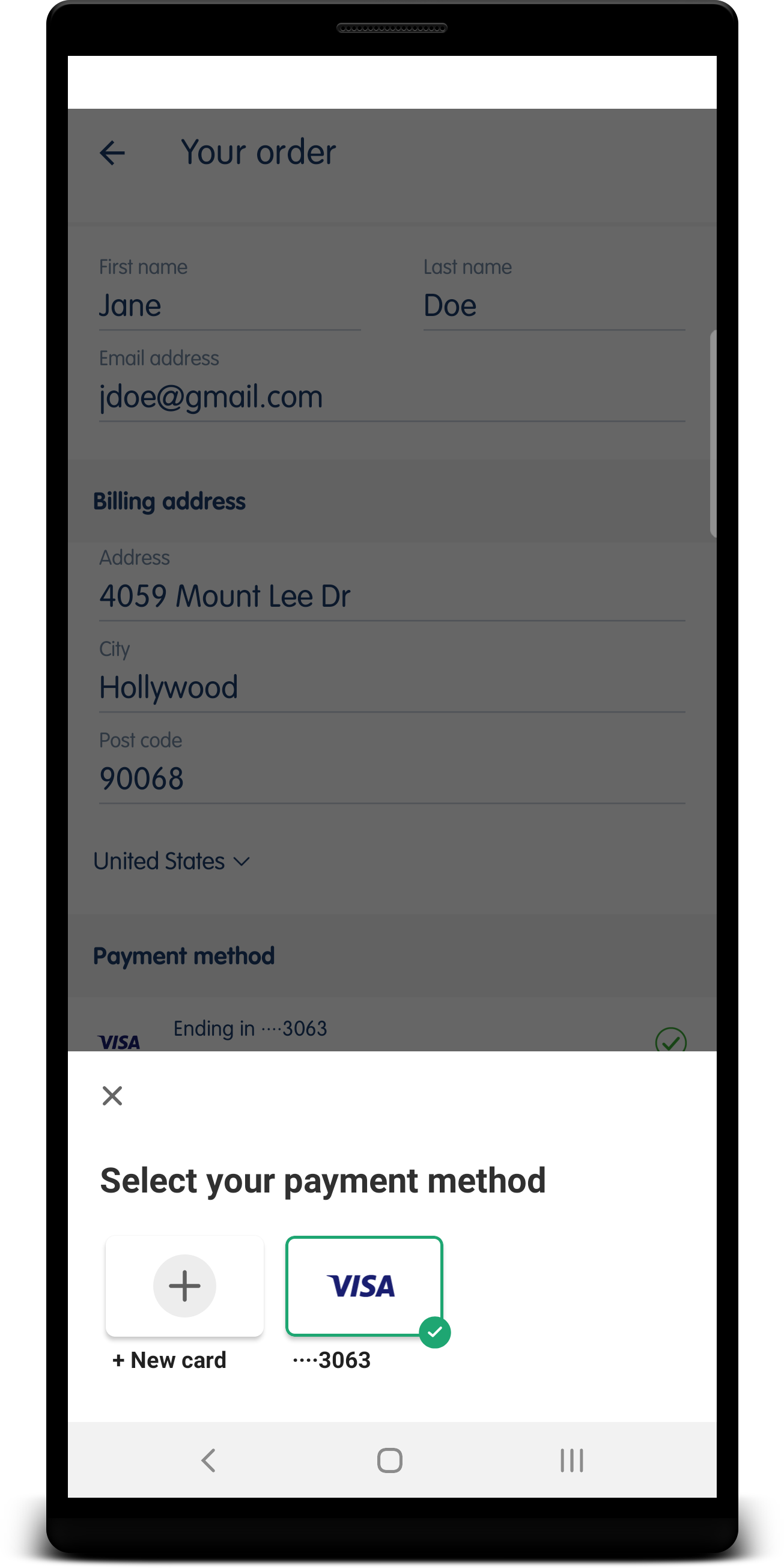 crimson needle
@abstract compass you would use https://stripe.com/docs/billing/testing#payment-failures
gloomy thistle
@crimson needle thanks didn't know I could do that !
crimson needle
@spare harness hello! Do you have more details? Which SDK are you using? iOS, Android or React Native? Where did you find this screenshot from?
spare harness
crimson needle
<@!293820591121760256> hello! Do you have more details? Which SDK are you using?...
crimson needle
@versed helm yes
gloomy thistle
thanks for the quick reaction @mighty hill @crimson needle 🙂
mighty hill
@versed helm Not sure what you mean by "the next billing date". Can you give me an example scenario/timeline and specify what proration_behavior and collection_method are set to?
versed helm
mighty hill
<@!854224575319375902> Not sure what you mean by "the next billing date". Can y...
I mean "upcoming invoice" but if it's always_invoice that would mean "upcming invoiceS" so came up with billing date as a replacement 😄
crimson needle
@versed helm every time you update a subscription and pass proration_behavior: 'always_invoice' then an Invoice is likely to happen immediately so if you do this 5 times this month you'll get 5 invoices for those updates + the invoice for the current month and the invoice at the end of the period for next month
@spare harness what's your real question? Is this your github issue? If not, what are you really trying to do?
spare harness
crimson needle
<@!293820591121760256> what's your real question? Is this your github issue? If ...
I am using payment sheet. But instead of filling always the card details I would like to have the screen to show the cards saved in the account. And I can't get this screen. I always have the screen to fill card details
gloomy thistle
@crimson needle / @mighty hill there is no impact if I am trying to create a webhook with version more recent that the account version? (I am allowed to do that?)
versed helm
Thanks @crimson needle . I do not want to create a bunch of invoices, so that's not what I will use.
How then would I, instead of prorating, charge the for the full period and add it to the upcoming invoice?
I see that I can add line-items by updating a subscription, but does that take into account the tiers of a tiered pricing scheme?
So, for example, a user registers during billing_cycle then I would add a line item with the price_id and qty=1.
Then another user registers, do I add another line-item or change the quantity on the same price qty=2?
 stray talon
Hi, we recently seem to have a higher number of card payment being refused by the bank (do_not_honor error), we are wondering if there are things in our requests that can make it so... Any advice? or anybody ran into such issue in the past?
crimson needle
@versed helm there are many ways to do this and it really depends on the exact end state you want as there are many approaches to proration
But really say your price is $10 per month per quantity. You start with quantity 1 and mid month you move to quantity 2. What we do is we refund you for the half period for quantity 1 so we owe $5 as credit (since it's half a month) and then we charge you for the new quantity (2) for half a month so it's $5 * 2 so you owe $10. This leaves a $5 credit and $10 owed amount as line items. Those will be "pending" and they will be added to the next/upcoming invoice. At the end of the month, when the next month start, we invoice you for $20 (quantity 2 for new month) + $10 (extra amount owed for half month and quantity 2) and -$5 (credit owed for half month at old quantity) so total invoice is $20 + $10- $5 so $25.
@stray talon I'd recommend reading through https://stripe.com/docs/declines first and otherwise talking to our support team directly https://support.stripe.com/contact/email
viscid burrow
How do you Stripe:Subscription.list but only ['active','trialing']
versed helm
crimson needle
<@!854224575319375902> there are many ways to do this and it really depends on t...
Thanks @crimson needle - Let me clarify my questions because I'm not sure you understood.
I'm not looking to prorate. I'm looking to instead add an item to the upcoming invoice. However, if I do this, would the tiers of a tiered price be taken into account?
crimson needle
@viscid burrow you do each value separately, so two separat calls
stray talon
thanks @crimson needle
crimson needle
@versed helm I'm sorry but you're using the same words again and I really don't understnad what that could mean. You can't "add an item to an upcoming invoice" or at least not the way you seem to word it. Can you try and give a concrete example of a flow of payments? That will likely help me understand what you're after and whether we support this flow
spare harness
crimson needle
<@!210764520619114496> yes it just works
Any ideas?
crimson needle
@spare harness I'm working on finding you an answer
spare harness
thanks a lot
viscid burrow
*** Stripe::InvalidRequestError Exception: Invalid status: must be one of active, past_due, unpaid, incomplete, incomplete_expired, or trialing
How do we get both (A) active and (B) trialing
I tried status: 'all' and will exclude later.
crimson needle
@viscid burrow you can not get both at once. You would list all active first and then all trialing and then merge in memory
viscid burrow
Can I get all statuses?
crimson needle
@viscid burrow yes you pass status: 'all
 bold basalt
@spare harness hello! re: your android question, are you creating a new Customer for the PaymentSheet every time?
viscid burrow
The Stripe API does not seem to like status: 'all'
*** Stripe::InvalidRequestError Exception: Invalid status: must be one of active, past_due, unpaid, incomplete, incomplete_expired, or trialing
Stripe::Subscription.list({ limit: 100, starting_after: starting_after, status: 'all'}, :stripe_account => stripe_user_id )
crimson needle
@viscid burrow What API version are you using?
viscid burrow
Sorry. Thats it. I thought we were '2020-08-27' but in development we are still on '2016-03-07'. Technical debt. 🙂
crimson needle
yeah that's right before we added support for all
viscid burrow
OK, is the best way to get a name associated with a Subscription to expand: ['data.customer'] and then pull the "name"?
if it was saved. i know that always isn't available but I'd like to pull the best first name and last name if present somewhere in Stripe.
crimson needle
Yes expanding the customer is a good idea if you are explicitly putting the name on Customer. You might want to also look at that customer's payment methods and its billing details? It really depends on where your integration collects and stores that information
viscid burrow
it's for importing subscriptions created by any other application so we can check Customer. If no name exists, we will probably also look on the card. So when we expand do we need to just get data.customer or something else? And then do we have to retrieve Customer to get the payment methods?
crimson needle
yeah you pass expand: ['data.customer'] to get the full customer object with all info like name or address. For Card details, it depends again on the integration. Assuming you (or connected accounts) use the PaymentMethods API, in that world you'd have to use https://stripe.com/docs/api/payment_methods/list for that customer
vocal wagon
Hey my lovely devs. I currently have a bit of an outdated pricing model, where the service is its own product, and the different intensity of the plans are all items inside the product. From what I understand, the preferred model is to make the different plans to be their own product. This would also make senses because then the invoice would say "Pro.....19.99" "Basic......9.99" instead of "[Name of Service].....19.99" "[Name of Service].....9.99"
So my question is, let's say I re-model everything and adjust the current customers subscription to use the new structure. If I keep the pricing the same, so it's 9.99 -> 9.99, will that be registered as a churn in the metrics?
versed helm
crimson needle
<@!854224575319375902> I'm sorry but you're using the same words again and I rea...
OK. Will try ... first, if proration_behavior: create_prorations then the upcoming invoice will include line items with each proration for the subscription_item , do you follow that?
crimson needle
@vocal wagon I would say yes since you're moving to a completely different product, even with the same price. But it's a question about revenue recognition and the Dashboard and something we're not really familiar with. Asking our support team would be best here
 plucky herald
Does anyone know the currency checkout behaviour when I create a checkout session, I’ve specified a currency for line items but does the end user see their local currency or the currency I specified when making the API call?
crimson needle
versed helm
OK. Will try ... first, if `proration_behavior: create_prorations` then the upc...
sure
@plucky herald they see the currency you specified.
plucky herald
Thanks
versed helm
crimson needle
sure
OK. So, instead of the proration happening I want the same behavior but the full price for the subscription_item when the qty changes, does that make sense?
But only when the subscription_item qty increases.
crimson needle
So I subscribe on July 1st for $10 a month. On July 30 I decide to move to quantity 2, and I suddenly owe $10 extra dollars for July despite having 1 day left in the month?
plucky herald
plucky herald
Does anyone know the currency checkout behaviour when I create a checkout sessio...
Can this be changed so that the user sees their local currency?
crimson needle
plucky herald
Can this be changed so that the user sees their local currency?
No it's not something we support today. With Checkout we only charge in the currency you ask for. In that case you'd ask the customer for their country/currency upfront and then create a Checkout Session with the right currency
versed helm
crimson needle
So I subscribe on July 1st for $10 a month. On July 30 I decide to move to quant...
Yes. Essentially, no matter what an increase in qty warrants a charge.
crimson needle
Yeah but my experience is that you will regret that design because of edge-cases like the one I explained. But overall that's mostly impossible to do today unfortunately without some "hacks". You'd basically need to create a pending invoice item with https://stripe.com/docs/api/invoiceitems/create that represents the quantity increase, and whenever the quantity changes again that month you'd update that pending invoice item to represent the new amount you want to add to next month's invoice.
And separately you'd change the quantity on the subscription with proration disabled (so that next month has the right new quantity)
versed helm
crimson needle
Yeah but my experience is that you will regret that design because of edge-cases...
Awesome, that's seems exactly like what I was curious about. I agree it's not ideal, just an idea.
viscid burrow
In Stripe New Checkout where do you guys put the customer name? On the Customer or the card Payment Method?
 hazy cove
Encountered a crash issue with the stripe expo integration
Using 'setup future payments' the app crashes when leaving the screen without inputing anything
Using official demo snack https://streamable.com/9jyz4h

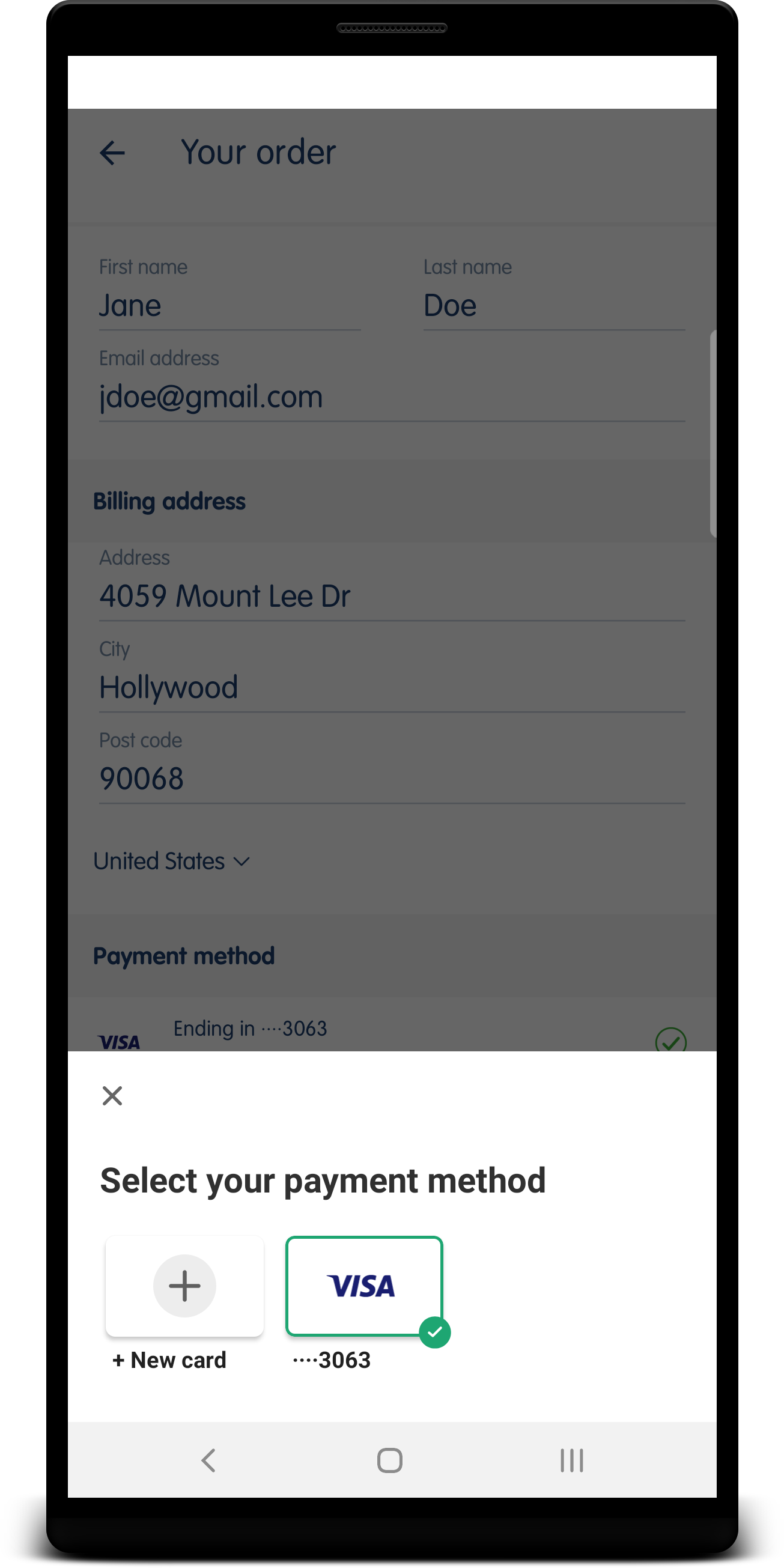 versed helm
Our issue is that invoices/prorations are difficult to explain to clients and internally. Used Time vs Unused Time is proving to be confusing.
I wonder if you've come across invoices that instead of showing the used/unused time instead just show the cost of each qty for the prior month? So, I guess that would be the sum of used and unused time.
crimson needle
viscid burrow
In Stripe New Checkout where do you guys put the customer name? On the Customer ...
both! But the easiest is just to test in Test mode
crimson needle
versed helm
Our issue is that invoices/prorations are difficult to explain to clients and in...
Honestly, I've spent the past few years explaining this to developers myself across channels (here, IRC, email, stack overflow, etc.). I have not found any common trend in what people really want. It's all over the place based on their business model, culture/country or what their previous payment processor did 😦
versed helm
crimson needle
Honestly, I've spent the past few years explaining this to developers myself acr...
Yeah, I can imagine coming up with a good UX for that is rather difficult. Hopefully, my input helps in some way 😄
crimson needle
yeah we're working on better proration but haven't figured out what worked. We did have a beta for "unified proration" which is what you described and it didn't show any improvements around understanding/confusion 😦
hazy cove
I was also wondering if there's a temporary fix to the issue i described, because you can leave the screen if you start to input
crimson needle
@hazy cove what version of Expo do you use?
echo pollen
Is there a method to disallow certain card types via the settings options in my account or do I need to contact Support to accomplish that? Don't want to allow for AMEX.
crimson needle
@hazy cove and which version of our React Native SDK?
hazy cove
"@stripe/stripe-react-native": "^0.1.4",
crimson needle
Did you get 0.1.4 or 0.1.5 installed in that case? The latter doesn't yet work with expo
hazy cove
yarn info @stripe/stripe-react-native
yarn info v1.22.10
{
name: '@stripe/stripe-react-native',
'dist-tags': {
latest: '0.1.5'
},
this is what the yarn info is showing
so yes, it should be version: '0.1.5',
crimson needle
ah okay so you need to rollback to 0.1.4
hazy cove
ah, is there a known issue?
hazy cove
crimson needle
ah okay so you need to rollback to 0.1.4
same issue using 0.1.4
bold basalt
@hazy cove hello! do you see any logs in your console, where you run expo start ? There might be a crash or something happening
@hazy cove also are you sure it was rolled back? the yarn.lock file has stripe-react-native at 0.1.4 ?
bold basalt
looking
hazy cove
actually, might only be on my device
hazy cove
bold basalt
<@!793543814249578517> hello! do you see any logs in your console, where you run...
no related crash or warnings on expo start
hazy cove
bold basalt
<@!793543814249578517> also are you sure it was rolled back? the `yarn.lock` fil...
yarn list --pattern @stripe/stripe-react-native
yarn list v1.22.10
└─ @stripe/stripe-react-native@0.1.4
✨ Done in 0.56s.
this should mean it is at 0.1.4 right?
bold basalt
@hazy cove can you try locally too, outside of the snack? a simple example with CardField
I ask because I ran it today on 0.1.4 and it works fine. There might be something the snack is doing that causes it to crash, looking through the snack to see if there is anything
@hazy cove which screen were you testing btw, from the snack?
hazy cove
bold basalt
<@!793543814249578517> which screen were you testing btw, from the snack?
setup future payments
 low meadow
@fluid beacon I have questions related to creating invoices on connected accounts using the platform account in stripe
hazy cove
here's a video https://streamable.com/9jyz4h
crimson needle
@low meadow what's your question?
low meadow
whenever I create an invoice for my connected subscriptions .. platform account names is used in the invoices
@crimson needle however I like to use stripe connected account to be used as part of the invoices
subscribers don't know the platform account name
hazy cove
bold basalt
<@!793543814249578517> can you try locally too, outside of the snack? a simple e...
I removed everything around <CardField /> and the issue persists if I try to leave the screen without inputing anything
but the app doesn't crash if I start inputing something in
 vestal trench
Good evening! I have a question about retrieving balances in a test environment vs a production environment. The responses don't match for me, so I am curious if it is possible to make them match.
 fast mantle
low meadow
whenever I create an invoice for my connected subscriptions .. platform account ...
fast mantle
low meadow
whenever I create an invoice for my connected subscriptions .. platform account ...
Can you show how you're creating the invoices?
bold basalt
@hazy cove looking through the file ... also not able to repro despite trying the same thing you did. Looking through the code. What do you mean by "remove everything around CardField"? You removed CardField itself, or everything except CardField?
low meadow
fast mantle
Can you show how you're creating the invoices?
we are looking the create subscriber API to create invoice..
hazy cove
bold basalt
<@!793543814249578517> looking through the file ... also not able to repro despi...
Tried to isolate the issue to see what was causing the crash when I go back. It only occurs when <CardField /> is loaded
hazy cove
bold basalt
<@!793543814249578517> looking through the file ... also not able to repro despi...
Also, not sure why the crash doesn't occur if then user starts inputing something in. Is something being initiated when the user taps <CardField>
fast mantle
low meadow
we are looking the create subscriber API to create invoice..
can you show the code you're using?
bold basalt
@hazy cove the onCardChange() prop function is being triggered when something is entered into CardField
but it works for me, been back/forth many times, not seeing it crash ...
@hazy cove do you have the logs open, in your snack browser window?
I can see the console.log from the onCardChange() prop
crimson needle
@low meadow have you used on_behalf_of on the invoice creation? https://stripe.com/docs/api/invoices/create#create_invoice-on_behalf_of
@vestal trench what doesn't match? The balance in Live and Test have separate values entirely but the shape/format is the same
low meadow
crimson needle
<@!183820120483692544> what doesn't match? The balance in Live and Test have sep...
on_behalf_of won't work if auto_advance to true right
crimson needle
The two are entirely unrelated
You can read more about on_behalf_of at https://stripe.com/docs/connect/destination-charges#settlement-merchant
vestal trench
@crimson needle I dont actually care so much about the values, but the fields that get returned in the response. In production when i retrieve our balance, i get 3 different balances, card, bank_account, and financing. But in our test environment I get back only the card balance. This causes some errors on our end because its expecting all 3 types, but only receives one. Was hoping we could somehow how make the response return all types
hazy cove
bold basalt
<@!793543814249578517> do you have the logs open, in your snack browser window? ...
there was nothing logged during the crash in both the snack and on my build
plucky herald
When specifying payment_intent_data.application_fee_amount on a checkout session what currency is this defaulted to?
crimson needle
@vestal trench we only return the other type if you've had that balance before. Make a payment with ACH Debit in Test mode and you'll get the bank_account one. financing won't be returned becuase it's for a Capital offer which only exist in Test mode
You likely should fix the code to be resilient to the key/property being optional
vestal trench
@crimson needle ok. thanks
crimson needle
@plucky herald the currency of the Checkout Session and its line items
plucky herald
crimson needle
<@!488594975374835712> the currency of the Checkout Session and its line items
thanks
low meadow
fast mantle
can you show the code you're using?
def generate_invoice():
payload = json.loads(request.json)
signature = payload.get('signature')
request_data = payload.get('request_data')
payload.pop('request_data')
payload.pop('signature')
print(signature)
webhook_secret = environ.get('stripe_webhook_secret')
print(webhook_secret)
if webhook_secret:
    try:
        event = stripe.Webhook.construct_event(
            payload=request_data, sig_header=signature, secret=webhook_secret)
        data = event['data']
    except Exception as e:
        return e

data_object = data['object']
# subscription_id = data_object.get('subscription')
subscription_id = data_object.get('id')
customer_id = data_object.get('customer')
# stripe.Subscription.retrieve("sub_JZbff03GKupJUt")
invoice = stripe.Invoice.upcoming(
    customer=customer_id,
    subscription = subscription_id
)
print(invoice.get('id'))
stripe.Invoice.pay(invoice.get('id'))
return {"result":"success"}
If you want to do this as the connected account you're going to need to pass stripe_account to the stripe.Invoice.upcoming method. https://stripe.com/docs/api/connected_accounts
But the customer will need to exist on the connected account. You'll do that using stripe.Customer.create in the same way.
low meadow
fast mantle
If you want to do this _as the connected account_ you're going to need to pass `...
so should i pass the connect account id when i create
return stripe.Customer.create(
description = description,
address = patient.get('address'),
email = patient.get('email'),
metadata = {"patient_id": patient.get('id')},
name = patient.get('name'),
payment_method = payload.get('payment_method_id'),
phone = patient.get('phone')
)
bold basalt
@hazy cove yeah I'm not clear on why yours is crashing ... mine isn't, I've been able to enter email / card input and navigate back/forth, it stays fine.
On the snack, how do I check what version of stripe-react-native it is on? the package.json has 0.1.1 , is it possible to upgrade that to 0.1.4 directly from the web browser?
fast mantle
low meadow
so should i pass the connect account id when i create
You need to pass stripe_account whenever you want to interact with a resource on a connected account, with few exceptions.
low meadow
fast mantle
You need to pass `stripe_account` whenever you want to interact with a resource ...
when i go to stripe dashboard to see the invoice, will it have the connect account name and the logo in the invoice?
can i also set the invoice_auto to true
fast mantle
low meadow
when i go to stripe dashboard to see the invoice, will it have the connect accou...
If you create it for the connected account, yes. But the invoice will be on the connected account dashboard, not your own
You can use the "view dashboard as" feature to see them
crimson needle
You want to read through https://stripe.com/docs/connect/subscriptions end to end. It's a lot of changes to make including creating all Products and Prices on the connected account
low meadow
fast mantle
If you create it for the connected account, yes. But the invoice will be on the ...
but we are using custom connected accounts.. they don't have access to dashboard
fast mantle
low meadow
but we are using custom connected accounts.. they don't have access to dashboard
When something is create within a connected account, it doesn't show up on your normal dashboard, because it belongs to the connected account. If you visit the account page in your dashboard, click the meatball menu in the upper right corner and choose "view dashboard as" to access the dashboard as the account
That's where you'll see the invoices after they're created
low meadow
fast mantle
When something is create within a connected account, it doesn't show up on your ...
if you check this.. I am able to see the invoices for the customers
however, the invoice shows platform account name
fast mantle
low meadow
however, the invoice shows platform account name
Yes, that will show the connected account details if you use stripe_account. But as @crimson needle said, you'll need to adjust your integration
low meadow
fast mantle
Yes, that will show the connected account details if you use `stripe_account`. B...
ok
hazy cove
bold basalt
<@!793543814249578517> yeah I'm not clear on why yours is crashing ... mine isn'...
i think you need to pull it locally to change the dependency
bleak breach
hazy cove
i think you need to pull it locally to change the dependency
Taking over for hmunoz. I can't recreate in the expo app in that snack, let me try locally and using the latest version of stripe-react-native
@hazy cove Can I just confirm which version of Expo you're using? I just tried with Expo v42 and stripe-react-native v0.1.4 and I'm unable to reproduce the crash in that snack
hazy cove
bleak breach
Taking over for hmunoz. I can't recreate in the expo app in that snack, let me t...
Thanks, im using expo 42 with iphone SE on iOS 13.4
stripe-react-native v0.1.4 is the same
 frank mountain
i'm testing out the onBlur callback. works fine for iOS in standalone app, but it's not working in android. is it because it has only been implemented in iOS? i only see this commit for the onBlur callback but it's only for iOS https://github.com/stripe/stripe-react-native/pull/236. it looks like the imperative onBlur has been implemented in both https://github.com/stripe/stripe-react-native/pull/337 but not the callback. is that right?

GitHub
GitHub is where people build software. More than 65 million people use GitHub to discover, fork, and contribute to over 200 million projects.
GitHub
expose CardField methods (focus, blur, clear)
inject CardField reference to react-native InputState so the state of card field input can be handled via RN components like ScrollView
There is no ne...
bleak breach
hazy cove
Thanks, im using expo 42 with iphone SE on iOS 13.4
I'm afraid I'm unable to recreate this. Would you be able to open up an issue here please? https://github.com/stripe/stripe-react-native/issues
GitHub
React Native library for Stripe. Contribute to stripe/stripe-react-native development by creating an account on GitHub.
hazy cove
bleak breach
I'm afraid I'm unable to recreate this. Would you be able to open up an issue he...
i opened it here https://github.com/stripe/stripe-react-native/issues/449 , incase you want to add a comment

GitHub
Describe the bug The app will crash when you leave the screen with <CardField /> and the user did not input anything. To Reproduce Reproducible on the demo snack Go to a screen with &...
bleak breach
hazy cove
i opened it here https://github.com/stripe/stripe-react-native/issues/449 , inca...
Thanks! We'll look into it further
hazy cove
is there anything you think could temporarily fix the issue? I was thinking of overriding the navigation.goBack() because when a user start inputting something, then tries to go back , it does not crash
bleak breach
I don't really know unfortunately, since I can't reproduce I can't tell what's specifically causing the crash
hazy cove
I'm not sure what is being initiated when a user starts typing into <CardField>
bleak breach
frank mountain
i'm testing out the `onBlur` callback. works fine for iOS in standalone app, bu...
It looks like the onBlur callback isn't supported on Android since stripe-android doesn't support it yet 😦
hazy cove
I'll try running the snack locally with logs again and see if anything comes up
is there a reason why 0.1.5 is not supported with expo? How will we know if future versions support expo?
bleak breach
hazy cove
is there a reason why 0.1.5 is not supported with expo? How will we know if futu...
0.1.5 is incompatible with Expo 42, but Expo is working on releasing v43 which should fix it
Expo is tied to specific version of the library, so when we update our library there's a lag while Expo works on a release on their end
rough spire
Hello!
Is there any way to receive transfers from platform account to connected accounts without bank account attached to it??
I mean the connect account be able to receive money from platform account and keep it until attach a bank account to payout.
bleak breach
rough spire
Hello!
Is there any way to receive transfers from platform account to connected...
Movement of funds through Stripe are documented via Balance Transactions: https://stripe.com/docs/api/balance_transactions
Complete reference documentation for the Stripe API. Includes code snippets and examples for our Python, Java, PHP, Node.js, Go, Ruby, and .NET libraries.
Also hi!
rough spire
bleak breach
Movement of funds through Stripe are documented via Balance Transactions: https:...
But I transfer the money when a subscription is created
bleak breach
Yep, that'll still trigger the creation of a Balance Transaction object
plucky herald
you guys are so helpful 🙏🏻
vocal wagon
Is there a way anyway to use session storage with checkoutredirect?
my sessionstorage doesn't persist after i use redirectwithcheckout
bleak breach
vocal wagon
Is there a way anyway to use session storage with checkoutredirect?
What do you mean by "sessionstorage"?
vocal wagon
like windows.sessionstorage
When the user makes a purchase with stripe using redirect, it reloads the page so the session doesn't persist
so the user is logged out in a sense
bleak breach
I'd look into using something like localstorage instead: https://developer.mozilla.org/en-US/docs/Web/API/Window/localStorage
vocal wagon
I dont want to use local storage to maintain their info
Though as long as I dont store secure info
it would be fine I guess
bleak breach
Anything you store on the client is insecure by nature
There's no difference between using localStorage or sessionStorage in that respect
vocal wagon
True
bleak breach
Another option would be to store that data in the query string of your success URL
vocal wagon
Oh, I've never done that or considered that before (new to fullstack)
Ill look into it, thank you
Oh nevermind, Ive used it before
🙂
 exotic oyster
Hello Hello
a site that im helping with is having some issues with stripe, specifically payment issues

for some reason the containers for these elements just stopped working today
and we dont know why
dim hearth
versed helm
Yeah, I can imagine coming up with a good UX for that is rather difficult. Hope...
I'm going to also leave this as a note in the ticket you have on file, but something about your invoices was bothering me earlier and I wanted to take another look. When going back and getting a more complete history of the subscription, I believe the invoices you sent over are actually not incorrect. As an example, let me walk through one of them:
- in_1JDUbiKw8DGVSI1LAgwn5TxV: This invoice has the line item "Unused time on 19 × Activate (with $500.00 off) after 15 Jun 2021". This subscription was updated to apply a discount in the middle of its initial trial phase, and the $500 discount is reflected with in the first non-zero invoice in_1J2cIlKw8DGVSI1LzL6J7OOs when the quantity was 19. At some point in the next cycle, you updated the subscription quantity from 19 -> 20 which generated a credit proration for the discounted amount you paid in in_1J2cIlKw8DGVSI1LzL6J7OOs, and also created a debit proration for the amount you owe with the new quantity. This is entirely expected since the discount is one-time and does not apply to future prorations. The original bug that was happening would persist this one-time coupon across multiple updates, which is not what you're seeing.
If you have questions feel free to ask them here or in the ticket!
bleak breach
exotic oyster
and we dont know why
Hi, are there any errors in the console?
exotic oyster
We dont think so
It seems that there was another person in here on the 15th that had a similar problem
bleak breach
It's hard to diagnose really without being able to reproduce
but it looks like Stripe.js isn't loading correctly, there should be an error in the browser in that case
exotic oyster
Would you like a link to the site? Its currently an issue with the site right now.
bleak breach
Sure
exotic oyster
alright check dms.
 kind python
Hello, I am having a problem testing this integration in my site https://stripe.com/docs/payments/integration-builder here is link to my code: https://replit.com/@KaviGupta1/Accept-Payment-July-17#server.js
Learn how to embed a custom Stripe payment form in your website or application.
 bleak breach
kind python
Hello, I am having a problem testing this integration in my site https://stripe....
bleak breach
kind python
Hello, I am having a problem testing this integration in my site https://stripe....
What's your problem?
kind python
Something is wrong with the paymentIntent and clientSecret
bleak breach
Your server is 404'ing when fetching /secret
bleak breach
looking into it
kind python
ok
bleak breach
Is your server running? Can you add logging in server.js to check that the express server is up and running?
kind python
On which line?
bleak breach
line 1 of server.js
kind python
Ok done
bleak breach
When you run it do you have a console or something on the backend? You should be able to see logs there
bleak breach
That means your server isn't running
kind python
How do I fix it?
kind python
Do you mean running it on local host?
bleak breach
That's one way yes. Basically repl.it is running their own server which is serving the HTML and JS files. Your server.js isn't being run anywhere so your /secret route can't be called
kind python
If i use VS Code that would fix it correct?
bleak breach
VS Code is just an editor, it won't fix your code
kind python
no but VS Code does't run on its own server it uses local host
Also I got this sample Integration to work and I also uses server: https://stripe.com/docs/payments/integration-builder
Learn how to embed a custom Stripe payment form in your website or application.
 lucid raft
@kind python if you want to test your local application with a publicly assessable URL, you can make use of ngrok https://ngrok.com/
That's normally how you would develop locally
ngrok secure introspectable tunnels to localhost webhook development tool and debugging tool
kind python
@lucid raft thank you
fathom quest
Hello there, I had a small doubt.
If I hold some amount on customer's payment method by creating manual capture payment intent, the user/customer won't be able to use that amount else where, isn't it?
|| Let say the customer has 500$ on his/her card, and I create paymentIntent to hold 450$, he/she won't be able to use the 450$ that is being hold? Or can that amount be used by user elsewhere?||
 meager oasis
fathom quest
Hello there, I had a small doubt.
If I hold some amount on customer's payment m...
meager oasis
fathom quest
Hello there, I had a small doubt.
If I hold some amount on customer's payment m...
When you create a PaymentIntent/Preauthorization that card is authorized for $500, and that $500 is pulled from their available credit.
fathom quest
I am doing capture_method: 'manual', so that won't be instantly pulled when I create the intent isn't it?
meager oasis
If they have a credit limit of $500, and you're authorizing for $450, you tie that up until you complete that PaymentIntent for either the full amount, or a partial amount thereof. The remainder is released when you complete the authorization
It is.
Even though you capture manually, from the users perspective, the transaction shows as "pending" for the full amount
fathom quest
right, and user won't be able to use that pending amount elsewhere right?
meager oasis
Correct.
fathom quest
Alright, thanks for your time and the information 😄
meager oasis
There's no way to change this behaviour, because when you authorize, you're guaranteeing the funds, but deciding to release the difference later
Gas Pumps are a great example of how this works
fathom quest
I actually don't use stripe, and belong to south Asian nation as well. So things here are bit different. That's why I might sound dumb when it comes to stripe 😓
Anyways I cleared my doubts thanks to you 😄
meager oasis
you'd be surprised as to how many people don't understand how Preauthorizations/PaymentIntents work over here in North america
vocal wagon
How do you change billing period for a subscription? I'm trying to post to subscriptions with the subscription change and then post to invoices to generate the new invoice but the invoice endpoint says nothing to invoice. the same workflow works fine for changing subscription with the same billing period
lucid raft
@vocal wagon by changing billing period you mean you want to charge user from monthly to yearly or you want to shift the charging date? e.g. instead of 5th each month to 1st of the month?
vocal wagon
change from monthly to yearly
lucid raft
You will need to create a new yearly price and update the subscription with the new price id.
The invoice will be auto generated for you in the background. You don't have to manually invoice your customer
vocal wagon
why is that flow different from changing subscription on the same billing period?
lucid raft
Learn how to upgrade and downgrade subscriptions by changing the price.
yeah, it is different. the difference is that for change subscription with the same period, the invoice will be delayed until the next billing cycle.
vocal wagon
i see, thx
lucid raft
Learn how to upgrade and downgrade subscriptions by changing the price.
 lusty spire
Hey I had just started using stripe, I have a question can we send an email from wed using stripe as there is a condition where I have to send the email to the customer if the storage gets full while uploading files.
bleak breach
lusty spire
Hey I had just started using stripe, I have a question can we send an email from...
While Stripe can send emails to your users, there's no way to send highly custom emails like the one you're describing. You should send those emails from your own server
lusty spire
OK got it just wanted to know if we can send email from the web side or not thank you
plucky herald
This sounds like a dumb question but, do I need to have line items on Stripe checkout? Am I able to just specify an amount?
bleak breach
plucky herald
This sounds like a dumb question but, do I need to have line items on Stripe che...
I'm assuming you're looking to make a one-off payment. Either way yes you need to specify line_items
You can pass in price_data if you don't want to use an existing Price and create one dynamically
vocal wagon
Hello Guys, we'd like to integrate a Stripe Billing Form on our website for the chekout. We're just wondering if and how it is possible to add an consent checkbox for the GDPR in this form. I didn't find any information in the doc. Any tips or doc on this point please ?
lucid raft
@vocal wagon Stripe does not provide such checkout box out of the box, you will have to build a custom checkbox in your checkout page and record your user consent separately in your own DB
vocal wagon
Great ! Thanks for the feedback. Do you know any solution for Wordpress ? (Before I dive into code)😌
lucid raft
I think wordpress has its own form builder or plugins that can build a form for you. Those form builder should have checkin box available
meager oasis
vocal wagon
Great ! Thanks for the feedback. Do you know any solution for Wordpress ? (Befor...
There's 2! Forminator is the one I use with elements, WPPayForms is the one I use with Checkout
I mentioned the wrong person, sorry wsw
vocal wagon
Hello,Can this payment tool be used in China?
It seems impossible to withdraw money with "CNY"
lucid raft
@vocal wagon Stripe is not yet available inside mainland China.
settlement in CNY is not supported yet. but feel free to write into our support to be sure. https://support.stripe.com/contact/email
Find help and support for Stripe. Our support center provides answers on all types of situations, including account information, charges and refunds, and subscriptions information. Get your questions answered and find international support for Stripe.