#sekiro not working with controller
94 messages · Page 1 of 1 (latest)
 worldly hound
 strong dawn
hey guys i am trying to play sekiro using a ds edge, but the controller sorta ac...
strong dawn
hey guys i am trying to play sekiro using a ds edge, but the controller sorta ac...
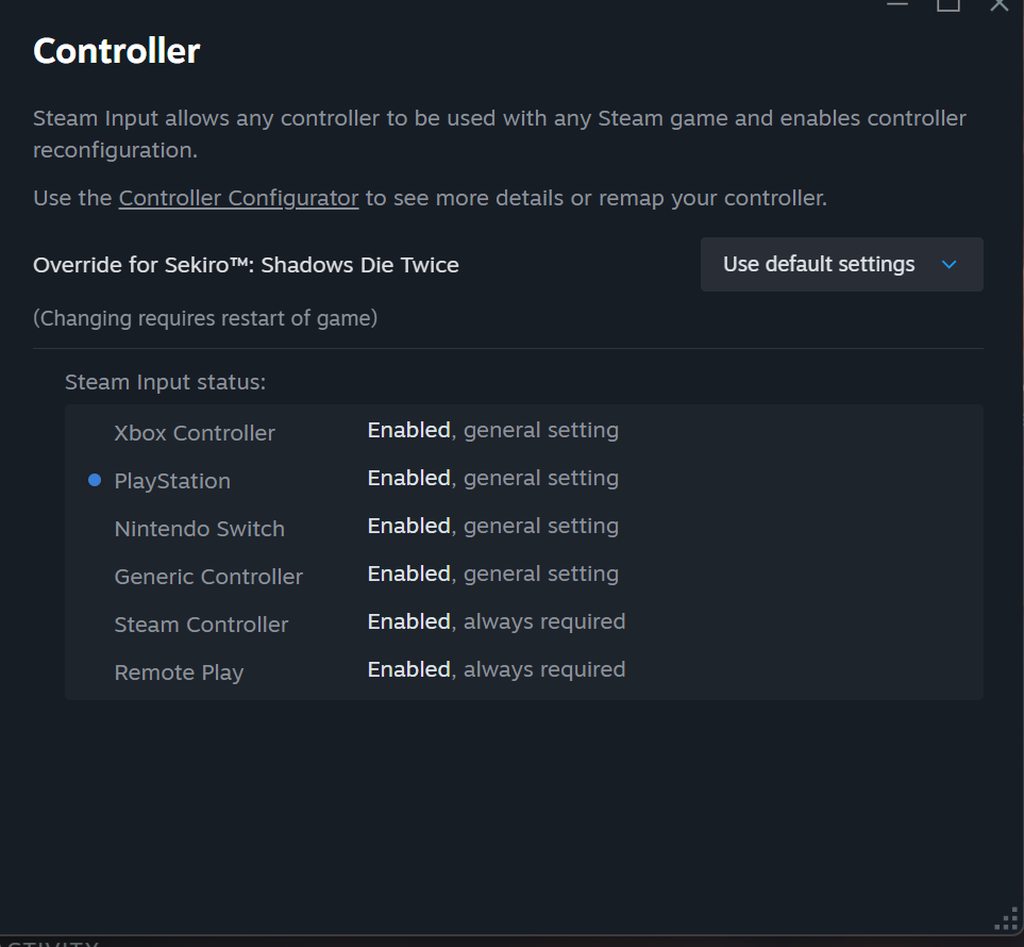
might need to disable steam input for Sekiro. if that doesn't work, might need to disbable the steam input desktop layout like this: Steam Settings > Controller > scroll down to Desktop Layout > Edit > Disable Steam Input
strong dawn
before, if i unpluigged my keyboard, my controller would work in game, but a few weeks ago that stopped working
so disable steam input first
if that doesnt work, disable steam input desktop layout
worldly hound
strong dawn
so disable steam input first
ya try disabling it for Sekiro first
strong dawn
why is sekiro such a pain
worldly hound
you can do that by clicking the little Controller icon on the game's steam library page, OR if you have the game open you can press Shift+Tab and click the controller icon near the bottom of the screen
strong dawn
wait so i can launch the game first
strong dawn
game is launched
 strong dawn
so close game?
worldly hound
strong dawn
so close game?
nah, just probably make sure Steam Input is enabled. there's a good chance you could have it disabled if you have DSX set to Xbox Emulation mode, but i'm not sure. that works with Elden Ring at least
 worldly hound
how are you gettin to that menu?

 worldly hound
try like this instead
 worldly hound
strong dawn
so its enabled
worldly hound
strong dawn
so its enabled
ya it is enabled
 worldly hound
ya you don't have to use DSX if you are using Steam Input. it looks like in Steam Input the gyro is set to act as a mouse, so you can change that if you want and see if that helps.
the alternative would be you can disable Steam Input and try DSX in Xbox mode instead
(you'll prob have to disable steam input again after switching to xbox mode, steam input is enabled or disabled per controller usually)
strong dawn
i cant get it man
it keeps defaulting to keyboard and mouse
let me close the game, i turned off dsx
worldly hound
strong dawn
it keeps defaulting to keyboard and mouse
with Steam Input disabled and DSX in Xbox mode?
strong dawn
dsx on with xbox selected, and sisabled steam input
worldly hound
i saw in your steam thing it showed gyro to mouse, that could be part of why
worldly hound
ya
 strong dawn
there has to be a way to fx this right
worldly hound
it has an annoying habit of turning itself on when you switch controllers and stuff
worldly hound
strong dawn
there has to be a way to fx this right
ya
strong dawn

launching now
NO GO
controller not working
any other game it works besides this
gosh why is sekiro so hard to get working with controller
maybe its hidhide
can i do anything with hidhide to poteinally fix my issue?
worldly hound
strong dawn
can i do anything with hidhide to poteinally fix my issue?
prob not, as long as it is working fine it should be okay. lemme google around a bit
worldly hound
can you open this and press a button and then send a screenshot? https://hardwaretester.com/gamepad
Displays info about all gamepads connected to your computer. Check buttons, joystick axes, drift, vibration, and more. Works with all controllers and joysticks in a modern browser.
without changing anything else
also maybe try the Desktop Layout thing i mentioned above!
 worldly hound
strong dawn
cant find my dam controller
worldly hound
strong dawn
cant find my dam controller
Strange. If you try disabling the steam input desktop layout does that help?
strong dawn
ok i plgged into usb

should i leave usb plugged into controller, or unplug it and disable steam input desktop layout?
so the game sound is coming out of the controller
what a freaking shit show
worldly hound
strong dawn
should i leave usb plugged into controller, or unplug it and disable steam input...
It shouldn't matter whether you're using USB or Bluetooth. The Dualsense Edge thing is showing because when plugging it in it wasn't hidden fast enough, but the two xinput entries are interesting. I suspect they are not from DSX but idk yet.
worldly hound
strong dawn
so the game sound is coming out of the controller
That's because the controller has audio devices and Windows sets it as the default audio devices when you plug it in sometimes
Just gotta set it back to your speakers or headphones or whatever. Same with your microphone
worldly hound
I'd rather you stay on Bluetooth, but to make sure things aren't tainted by weird connection stuff, please do these steps exactly:
- Unplug the controller. Do not turn it back on
- Close DSX as well as your browser
- Open DSX
- Turn on your controller and connect by Bluetooth
- Set DSX to Xbox Emulation Mode
- Disable Steam Input Desktop Layout like this
Steam Settings > Controller > scroll down to Desktop Layout > Edit > Disable Steam Input - Open this website, press a few buttons, and send a screenshot https://hardwaretester.com/gamepad
Displays info about all gamepads connected to your computer. Check buttons, joystick axes, drift, vibration, and more. Works with all controllers and joysticks in a modern browser.
strong dawn
i refunded it cause i didnt think itd work, once i get the funds in my bank account ill repurchase
such a pain in the freaking ass
by far the hardest game to get controller working
emulators are easier
worldly hound
Sorry gamer