#Autogenerate Metadata movie list

1 messages · Page 1 of 1 (latest)

thick forum
#

Does anyone know a way to autogenerate a list of all my movies that fit the metadata_file format for movie matching? I really don't wish to have to create thousands of entries.

Over the years, I have been adding my own personalized labels to each movie to specify a specific Age rating (i.e. "Age 10" or "Age 16", etc.). I would be great is PMM could recreate those labels in the event of data loss.

The autogenerated list would at least help me get started, or is there even a way to extract the existing labels and place them in the list too?

The list I'm talking about is this (obviously I would be only using the "label:" attribute):

metadata:
Godzilla (1954):
match:
title: Godzilla
year: 1954
content_rating: R
Godzilla (1998):
match:
title: Godzilla
year: 1998
sort_title: Godzilla 03
content_rating: PG-13
Shin Godzilla:
sort_title: Godzilla 06
content_rating: R
Godzilla 1985:
content_rating: PG
"Godzilla 2000: Millennium":
originally_available: 1999-08-18
Godzilla Against MechaGodzilla:
originally_available: 2002-03-23
Godzilla Raids Again:
content_rating: G
originally_available: 1955-05-21
Godzilla vs. Biollante:
content_rating: PG
Godzilla vs. Destoroyah:
content_rating: PG
originally_available: 1995-01-19

ancient spearBOT
#

Welcome @thick forum!

Someone from <@&938443185347244033> will assist when they're available.

Including the meta.log from the beginning is a huge help, type !logs for more information.

#

You can press the "Close Post" button above or type /close at any time to close this post.

west relic
#

let me double check

#
libraries:
  Movies:
    operations:
      metadata_backup:
        path: config/Movie_Backup.yml
        sync_tags: true

This will create a file only with attributes that have been locked as the lock normally means you/PMM has specifically set it

thick forum
#

Oh, that is TOO AWESOME! Thank you! So far it looks very good. I'll keep reviewing, but I like what I see.

thick forum
# west relic ```yml libraries: Movies: operations: metadata_backup: path:...

Okay, this got me very close, but it is missing movie Editions. For example I have two Editions of "That Thing You Do!" but only one of them is showing up in the generated list. The other edition ("Extended") I have labelled with "Age 18":

That Thing You Do! (1996): title: That Thing You Do! year: 1996 label.sync: Age 14

west relic
#

Does the metadata file PMM created show either edition?

thick forum
#

Yes, it shows the "Theatrical Cut", which is in the code shown above. The "Extended" edition is missing. I did a text search through the file.

#

Same thing for "The Abyss" ("Theatrical Cut" and "Special Edition" editions)

#

This is the "Extended" edition. The Label is locked.

median obsidian
#

I imagine this is because they both have the same title so one wins.

thick forum
#

According to Plex this is how they are to be named:
https://support.plex.tv/articles/multiple-editions/
/Media
/Movies
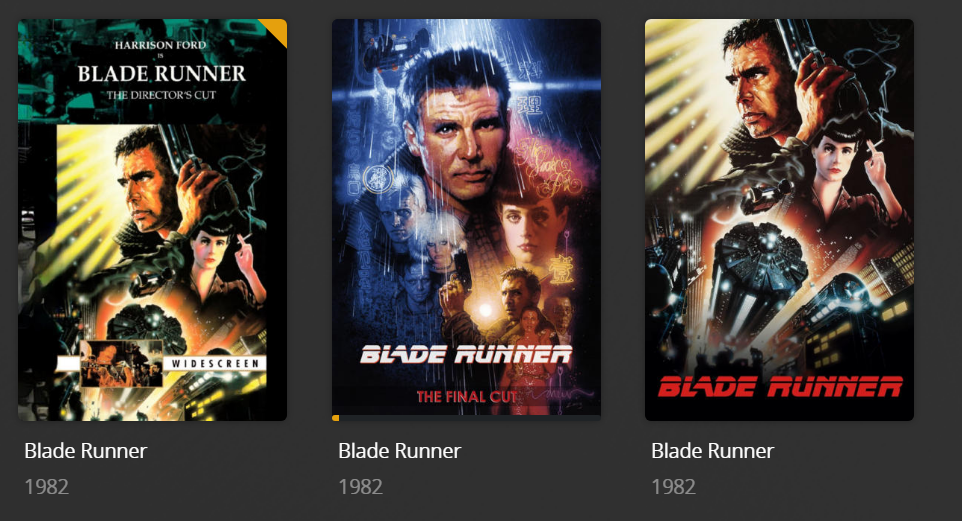
Blade Runner (1982) {edition-Director's Cut}.mp4
Blade Runner (1982) {edition-Final Cut}.mp4

But yes, I don't think PMM is taking that into account.

Plex Support

Tip!: The ability to specify different editions for a movie requires a Plex Pass subscription for Server admin account. Currently,...

median obsidian
#

Not the file, the title and year as shown in Plex.

thick forum
#

So, then it seems PMM needs to check the "Editions" field.

median obsidian
#

You can only have one "that thing you do (1996)" in yaml

#

I think this metadata backup needs a bit of attention.

#

To account for this sort of thing and adopt new PMM matching.

thick forum
#

Agreed. Is there something additional I need to do to get some attention on this from the developers?

median obsidian
#

Maybe open an issue in GitHub if one doesn't exist already.

thick forum
#

👍