1 messages · Page 1 of 1 (latest)
 compact kernel
Is there a reason why these collections can not be added? I see that it's giving me option, but I assume there is a way to go around this right?
I'm asking this since other ones are being added correctly whilst not being listed in the array of available collections.
I'm using this configuration:
https://github.com/meisnate12/Plex-Meta-Manager-Configs/tree/master/JJJonesJr33/Plex-Meta-Manager-All
Logs:
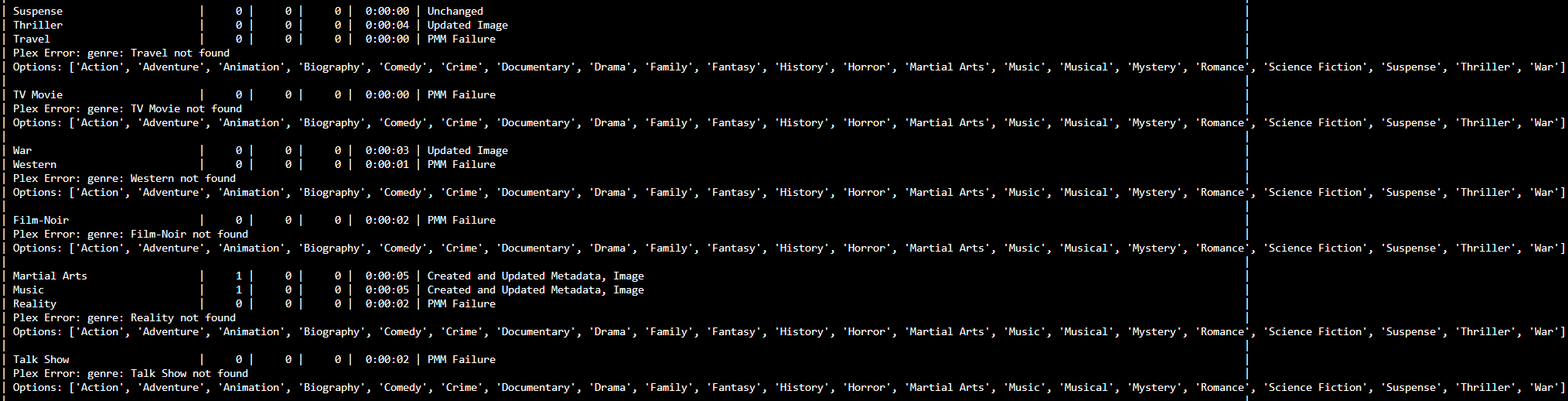
https://i.imgur.com/Rc3gPRo.png
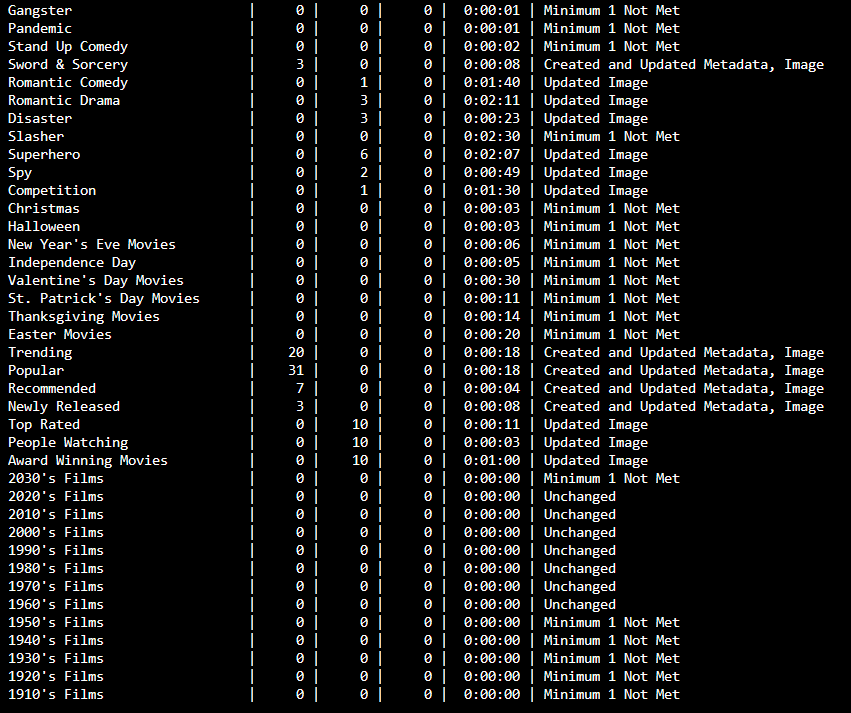
https://i.imgur.com/0ufXn0q.png
Everything else has been added just fine, except for these.
 ivory prism
Please don't use images for text logs.
 chrome pulsarBOT

You have been asked to provide your log file, which will allow us to support you further.
You can find your meta.log file within the logs folder of your Plex Meta Manager config folder [right next to config.yml].
You can drag-and-drop your meta.log file directly into Discord, you do not need to upload it to a third-party site unless it exceeds the 50mb size limit.
Please DO NOT manually extract, copy and paste text from your log files directly into Discord as the formatting can be difficult to read and can often redact parts of the log file that are important for full context.
 Thanks for using PMM
ivory prism
Thanks for using PMM
ivory prism
That error is telling you that the genre doesn't exist in your Plex library.
The next line ["Options: ..."] is the list of genres that do exist in your Plex library
If you use the default metadata files, genre collections will be created dynamically based on your Plex library's contents.
compact kernel
ivory prism
If you use the default metadata files, genre collections will be created dynamic...
This is the file that has the genres in it.
Is it because of an update that we are not limited to only plex libraries or how do I need to understand this
ivory prism
That file contains a list of specific, hardcoded genres. You don't have movies with all of those genres, for example "travel".
So PMM attempts to do a plex search for movies with genre "travel", and that search fails because you don't have any movies with that genre. That's what this line in the log means:
[ERROR] | Plex Error: genre: Travel not found
You apparently have show_options set to True, so the next line in the log shows the list of genres that you do have in Plex:
| Options: ['Action', 'Adventure', 'Animation', 'Biography', 'Comedy', 'Crime', 'Documentary', 'Drama', 'Family', 'Fantasy', 'History', 'Horror', 'Martial Arts', 'Music', 'Musical', 'Mystery', 'Romance', 'Science Fiction', 'Suspense', 'Thriller', 'War']
Any genre defined in that JJJonesJr33 file that isn't in that list will produce this same result.
Basically this is you walking into a shop and asking for all their Belgian chocolate and the staff replying "We don't have Belgian chocolate; we have French, German, and English".
You "fix the above error" in any number of ways:
compact kernel
ivory prism
That file contains a list of specific, hardcoded genres. You don't have movies ...
Okay thank you! In option 4 you're referring to the Options list?
and, I just don't have a big enough library yet I guess lol
I will comment them out for now since I don't want notifiarr to keep sending me messages over and over again.
ivory prism
Option 2 would be removing everything not in that list from the metadata file.
There are 16 collections defined in that file that produce this same "error" in your log.
Plex Error: genre: Adult not found
Plex Error: genre: Anime not found
Plex Error: genre: Children not found
Plex Error: genre: Film-Noir not found
Plex Error: genre: Food not found
Plex Error: genre: Home and Garden not found
Plex Error: genre: Indie not found
Plex Error: genre: Mini-Series not found
Plex Error: genre: News not found
Plex Error: genre: Reality not found
Plex Error: genre: Short not found
Plex Error: genre: Sport not found
Plex Error: genre: Talk Show not found
Plex Error: genre: Travel not found
Plex Error: genre: TV Movie not found
Plex Error: genre: Western not found
Thanks for the help. I will most likely use other people configs as inspiration and build my own. Then I know how it all works
Read up on all settings etc.
compact kernel
What you said at 3., when I eventually add a movie for one of these 16 genres the error will be gone?
ivory prism
Yes, in the same way that when that shop starts stocking Belgian chocolate your question would then be met with a bar of Belgian chocolate.
This isn't so much an error to fix as it is a notification that you're asking Plex for something that isn't available.
If you replaced the JJJonesJr33 file in your config with:
- git: PMM/genre
You'd get a set of collections that match whatever genres are currently in your library, with no "errors" in the log.
compact kernel
Okay, how would it deal with my custom posters?
can I just put them in the assets folder accordingly?
ivory prism
Custom posters on movies or collections?
compact kernel
collections
ivory prism
Same mechanism.
ivory prism
My understanding is that the asset pipeline trumps every other source WRT images.
compact kernel
that is good
Do you perhaps have a link to the PMM/genre config?
would like to have a look at it
ivory prism
ivory prism
One thing to remember about all the non-PMM configs in that config repo is that they are not necessarily reviewed for correctness or maintained by their authors.
That is not so say that they are to be avoided, just noting that it's a possibility. Things may changed since they were written, etc.
For example, the overlay config in this file would not work if you tried to use it today:
https://github.com/meisnate12/Plex-Meta-Manager-Configs/blob/48a7f15a888cc7d073a62c1ddd69b47c52f2b69a/djnield/Movies-4K.yml
compact kernel
Yeah makes sense!
There were a view options in jjj that I could also not find anywhere
But this is really helpful
The default PMM/genre does seem a little limited when it comes to the amount
ivory prism
amount of what?
compact kernel
Of genres
ivory prism
It pulls the genres from your library, it doesn't have an arbitrary limit so far as I know.
compact kernel
Oh then I completely misunderstand what is happening lol
was looking at this file
https://github.com/meisnate12/Plex-Meta-Manager-Configs/blob/master/PMM/genre.yml
ivory prism
That's the one. Those specific genres listed in the file are things that get combined.
They're not the only ones handled.
compact kernel
Ah okay thanks
ivory prism
Just ran that file against my 1000-movie test library, and it created 31 genre collections:
|        Title         |   +   |   =   |   -   | Run Time | Status                                   |
|======================|=======|=======|=======|==========|==========================================|
| Genre Collections    |     0 |     0 |     0 |  0:00:04 | Created and Updated Metadata, Image      |
| Action               |     0 |     0 |     0 |  0:00:12 | Created and Updated Metadata, Image      |
| Adventure            |     0 |     0 |     0 |  0:00:16 | Created and Updated Metadata, Image      |
| Animation            |     0 |     0 |     0 |  0:00:10 | Created and Updated Metadata, Image      |
| Anime                |     0 |     0 |     0 |  0:00:07 | Created and Updated Metadata, Image      |
| Biopic               |     0 |     0 |     0 |  0:00:16 | Created and Updated Metadata, Image      |
| Children             |     0 |     0 |     0 |  0:00:08 | Created and Updated Metadata, Image      |
| Comedy               |     0 |     0 |     0 |  0:00:15 | Created and Updated Metadata, Image      |
| Crime                |     0 |     0 |     0 |  0:00:16 | Created and Updated Metadata, Image      |
| Documentary          |     0 |     0 |     0 |  0:00:09 | Created and Updated Metadata, Image      |
| Drama                |     0 |     0 |     0 |  0:00:18 | Created and Updated Metadata, Image      |
| Family               |     0 |     0 |     0 |  0:00:08 | Created and Updated Metadata, Image      |
| Fantasy              |     0 |     0 |     0 |  0:00:08 | Created and Updated Metadata, Image      |
| History              |     0 |     0 |     0 |  0:00:05 | Created and Updated Metadata, Image      |
| Horror               |     0 |     0 |     0 |  0:00:07 | Created and Updated Metadata, Image      |
| Indie                |     0 |     0 |     0 |  0:00:06 | Created and Updated Metadata, Image      |
| Martial Arts         |     0 |     0 |     0 |  0:00:05 | Created and Updated Metadata, Image      |
| Music                |     0 |     0 |     0 |  0:00:21 | Created and Updated Metadata, Image      |
| Musical              |     0 |     0 |     0 |  0:00:06 | Created and Updated Metadata, Image      |
| Mystery              |     0 |     0 |     0 |  0:00:09 | Created and Updated Metadata, Image      |
| Reality              |     0 |     0 |     0 |  0:00:07 | Created and Updated Metadata, Image      |
| Romance              |     0 |     0 |     0 |  0:00:12 | Created and Updated Metadata, Image      |
| Science Fiction      |     0 |     0 |     0 |  0:00:10 | Created and Updated Metadata, Image      |
| Short                |     0 |     0 |     0 |  0:00:07 | Created and Updated Metadata, Image      |
| Sport                |     0 |     0 |     0 |  0:00:07 | Created and Updated Metadata, Image      |
| Suspense             |     0 |     0 |     0 |  0:00:07 | Created and Updated Metadata, Image      |
| Talk Show            |     0 |     0 |     0 |  0:00:07 | Created and Updated Metadata, Image      |
| Thriller             |     0 |     0 |     0 |  0:00:13 | Created and Updated Metadata, Image      |
| TV Movie             |     0 |     0 |     0 |  0:00:23 | Created and Updated Metadata, Image      |
| War                  |     0 |     0 |     0 |  0:00:07 | Created and Updated Metadata, Image      |
| Western              |     0 |     0 |     0 |  0:00:07 | Created and Updated Metadata, Image      |
| Film Noir            |     0 |     0 |     0 |  0:00:12 | Created and Updated Metadata, Image      |
Okay so the only question that I have. I see in the genre.yml it picks certain posters from a library.
url_poster: https://raw.githubusercontent.com/meisnate12/Plex-Meta-Manager-Images/master/genre/<<key_name_encoded>>.jpg
How would I go about changing this? I want to have all files locally instead of pulling them. This way I always know that the posters are available, and if I want to change something I throw a new file in the assets folder.
ivory prism
Use the asset pipline.
compact kernel
That is the problem I am having with the jjj as well, it picks up the posters from a certain url. But it does not put it in my assets folder, nonetheless the folders are being made for the .pngs to be put in.

for example
compact kernel
ivory prism
Use the asset pipline.
Do you mean this one?
operations:
assets_for_all: false
and set that to true?
libraries: # Library mappings must have a colon (:) placed after them
  Anime:
    metadata_path:
      - /config/metadata/anime.yml
    settings:
      missing_path: config/missing
      asset_directory:
        - config/assets/anime
    operations:
      assets_for_all: false
      split_duplicates: false
      delete_unmanaged_collections: false
  Movies:
    library_name: Movies
    metadata_path:
      - /config/metadata/genres.yml
      - /config/metadata/holidays.yml
        # - /config/metadata/studios.yml
      - /config/metadata/movie_suggestions.yml
      - /config/metadata/awards.yml
        # - /config/metadata/collections.yml
      - /config/metadata/decades.yml
    settings:
      missing_path: config/missing
      asset_directory:
        - config/assets/movies
        - config/assets/movies/movies
        - config/assets/movies/awards
        - config/assets/movies/collections
        - config/assets/movies/decades
        - config/assets/movies/genres
        - config/assets/movies/holidays
        - config/assets/movies/studios
        - config/assets/movies/movie_suggestions
    operations:
      assets_for_all: false
      split_duplicates: false
      delete_unmanaged_collections: true
  TV Shows:
    library_name: Series
    metadata_path:
      - /config/metadata/kids.yml
      - /config/metadata/networks.yml
      - /config/metadata/tv_suggestions.yml
    settings:
      missing_path: config/missing
      asset_directory:
        - config/assets/series/
        - config/assets/series/kids
        - config/assets/series/networks
        - config/assets/series/tv_suggestions
    operations:
      assets_for_all: false
      split_duplicates: false
      delete_unmanaged_collections: true
settings: # Can be individually specified per library as well
  cache: true
  cache_expiration: 60
  asset_folders: true
  asset_depth: 3
  create_asset_folders: true
  create_asset_directories: true
  dimensional_asset_rename: true
  sync_mode: sync
  delete_below_minimum: true
  delete_not_scheduled: false
  run_again_delay: 2
  missing_only_released: true
  only_filter_missing: false
  show_unmanaged: true
  show_filtered: true
  show_options: true
  show_missing: false
  show_missing_assets: false
  show_missing_season_assets: false
  save_missing: false
  tvdb_language: eng
  ignore_ids:
  ignore_imdb_ids:
  minimum_items: 1
  default_collection_order:
  download_url_assets: true
  verify_ssl: true
  item_refresh_delay: 0
  asset_directory: config/assets
  missing_path: config/missing
  playlist_sync_to_users: all
  show_missing_episode_assets: true
  show_asset_not_needed: true
  custom_repo:
  prioritize_assets: false
  playlist_report: true
  check_nightly: false
this is my config file at the moment
ivory prism
You need to put the image in the asset directory and then prioritize local assets.
compact kernel
Okay and prioritizing the local asset is done with assets_for_all correct?
or is there another option for that
ivory prism
Creating folders controlled by:
https://metamanager.wiki/en/latest/config/settings.html?highlight=prioritize_assets#create-asset-folders
Downloading controlled by:
https://metamanager.wiki/en/latest/config/settings.html?highlight=prioritize_assets#download-url-assets
Naming and how folders are searched described here:
https://metamanager.wiki/en/latest/home/guides/assets.html
Default priority of the various image specifiers:
<#general-chat message>
compact kernel
Hm but than I find it weird, since in my other configs I have url_poster defined with a link. It should then download that to my assets directory right?
in the corresponding folder.
This makes me think I have something wrong in my config.yml since it does create the different folders where the posters belong.
Or do I have to manually set them in there and have prioritize_assets to true?
ignoring the url's
ivory prism
I would expect that URL assets would be downloaded; I'm not sure if they get split up into folders. The log probably contains some details.
ivory prism
If you have a local image in the asset directroy and you want to that override the URL, you need prioritize_assets: true
compact kernel
hm, what I want to achieve is download all assets and after that set priotize_assets: true
but it's not doing that first part
[2022-09-20 02:40:57,985] [builder.py:2580]           [WARNING]  | Asset Warning: Unable to find asset folder: 'Adventure
                                                                 | Asset Directory Created: config/assets/anime/Adventure'
I think I just have it misconfigured
Perhaps that running PMM again will now download the posters to their folders since the folders are now created?
ivory prism
I don't use this feature, so don't have any specific suggestions. I would just do a lot of testing with various settings to characterize the behavior.
compact kernel
Seems fair enough I think I will run pmm another time with python plex_meta_manager.py -r and see if it now downlaods the posters
it should do it now since all the directories are created, and they weren't when it was first run,
lol that worked
 pastel kettle
yea i was just looking at that
compact kernel
It now downloads the posters
pastel kettle
it wont create and download in the same run
compact kernel
noticed haha
tested that just now
Some of my posters are missing anyway so... What I do wonder and I don't know if I asked this yesterday (cant remember).
When I download a poster, and it's stored in my corresponding assets folder. When the link becomes invalid, due to various reasons (deletion for example), will this update my poster in my library?
I know that if I pull my posters from theposterdb and it does not exist anymore it will return that it has not been found.
But when I have an imgur link for example, and the poster is deleted, does this mean that the imgur photo "bla bla bla not found" (see ss) overwrites the one in my assets folder?
(I know I can prevent this by setting prioritize_assets: true) but I'm curious if this could happen
 pastel kettle
no it shouldnt
compact kernel
ivory prism
If you replaced the JJJonesJr33 file in your config with:
```
- git: PMM/ge...
If I were to change my current genre config for my movies with the above. Like this:
  Movies:
    library_name: Movies
    metadata_path:
      - git: PMM/genre
      - /config/metadata/holidays.yml
        # - /config/metadata/studios.yml
      - /config/metadata/movie_suggestions.yml
      - /config/metadata/awards.yml
        # - /config/metadata/collections.yml
      - /config/metadata/decades.yml
    settings:
      missing_path: config/missing
      asset_directory:
        - config/assets/movies
    operations:
      assets_for_all: false
      split_duplicates: false
      delete_unmanaged_collections: true
And I set:
prioritize_assets: true
Will all the available folders still be created inside my /config/assets/movies folder, or only the ones it can find?
Noticed I tagged you, my bad!
ivory prism
the only list of genres it knows about are the ones in your library.
compact kernel
Okay, so this isn't the most ideal situation if I want to store my metadata locally I assume?
custom assets*
ivory prism
I don't understand what problem you're trying to solve.
You want local folders for the genres that you have, correct?
Not a bunch of random ones that you don't have?
ivory prism
That depends on your library
This YML:
- git: PMM/genre
Is going to look at your library man d come up with a list of genres. On myu test library, that was 31 or so.
On yours, or my main library, it would be smaller or larger.
Meaning a different set of folders in any of the three cases.
compact kernel
Okay that makes sense, and when I add a new movie with a new genre it will add this on the next run
ivory prism
I don't understand why you consider that "not ideal".
ivory prism
That has nothing to do with this.
You'll need to design, or not, a poster for all the genres.
It seems ideal that you would have to do that only for the genres you actually have in your library.
compact kernel
Yeah you're right.:)
ivory prism
If what you want is a random list of genres that do not necessarily reflect your library, you don't want this YML file, but then you'll need to manually keep track of what genres you want collections for and keep that YML up to date and deal with errors in the log, etc.
Personally, I don't create genre collections since the UI can already filter by genre.
compact kernel
Oh you mean the categories of plex?

How do you have it set up for your movie library?
compact kernel
I mean after all it's personal preference. I like to be able to click the genres haha
ivory prism
Of course.


