#Oh no evil AI.. Good lord. F.. off.. Go back to the middle ages..
1 messages · Page 7 of 1
 snow zinc
You think? I export in sRGB.
 tall mountain
you can see the definition of the rock behind so much more
yeah yeah i got my screen in sRGB
I was on gaming mode
but now i see
i have made so many of these series
snow zinc
The first picture is from my usual model that has a lot of denoising. But I used also my antialiasing model on it before upscaling.
The second one is only 1 model that is specialised for more detail but leaves a bit noise.
tall mountain
I always liked this one
 snow zinc
too much blur ^^ And too centric.
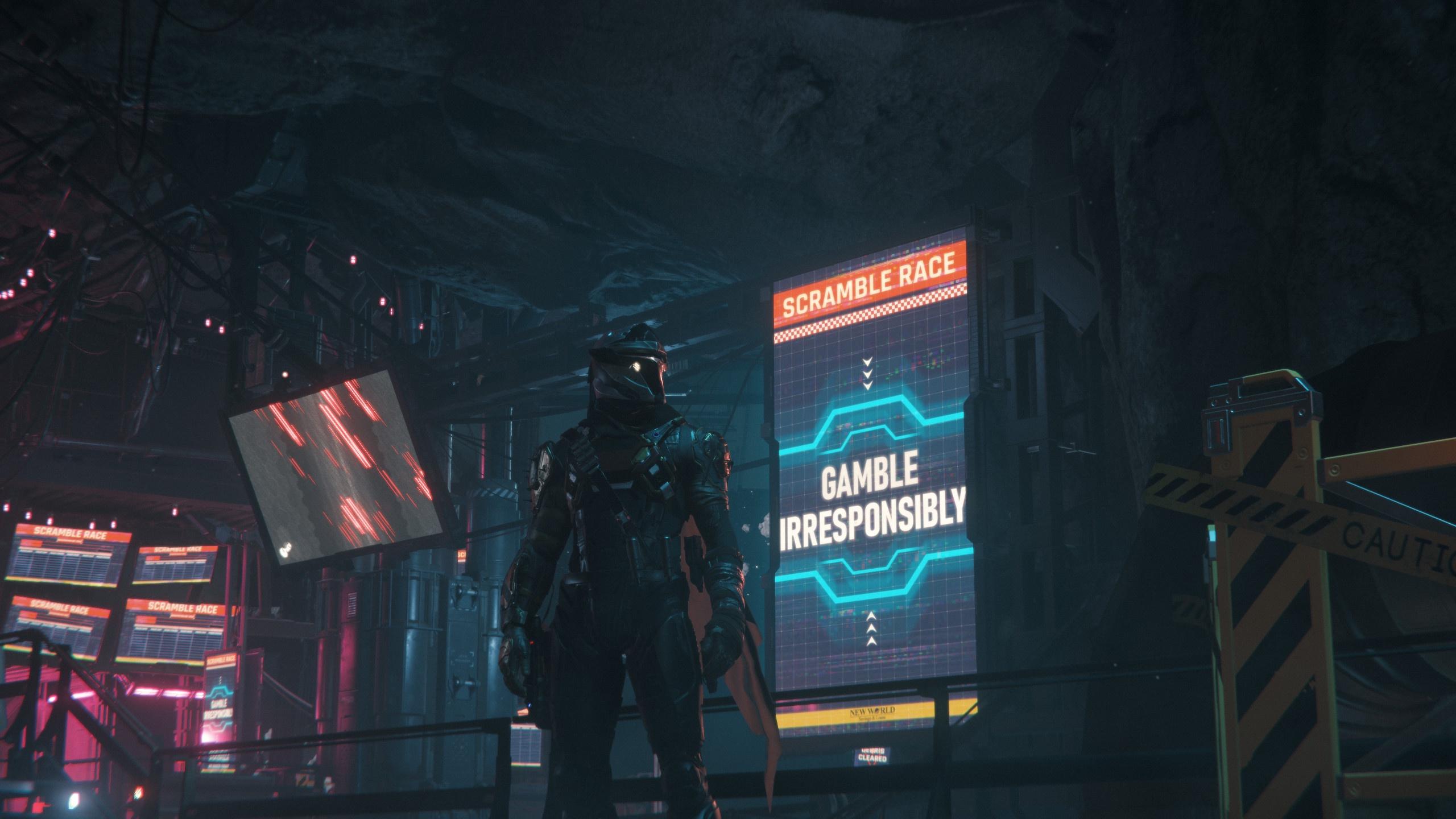 snow zinc
Person standing in the middle of the picture is no good. ^^
tall mountain
last one
 snow zinc
The rule of thirds is a composition guideline that places your subject in the left or right third of an image. Learn how to use (& break) the rule of thirds today.
tall mountain
i like the framing here
snow zinc
That one is better
tall mountain
yeah i cant look at guides man
i go by my gut
i always take dozens of shots in a spot
or a good few on the move
then agonize over which one is the best
tall mountain
im sure you do
especially when you do the edits
case in point you gave me two choices
snow zinc
When I take screenshots only a fraction stays. The rest is deleted ^^
tall mountain
i should be more diligent like that
hey check this one out
i always loved it
short series

was never sure if there was anything there
haha I knew it!!!!
that was the one!!!!
it's that quasi ethereal feeling of light and glass!
and us being there for it
snow zinc
 snow zinc
Adobe Lightroom and Cupscale
tall mountain
hey btw i went back and i have to say that the second edit on this one is awesome!!
tall mountain
snow zinc
Adobe Lightroom and Cupscale
that's pretty cool
well thanks for taking the time to work with my moments in time!
you have a beautiful touch!
snow zinc
🙂
snow zinc
@tribal swan 4K

 tribal swan
snow zinc
<@941765330953461840> 4K
tribal swan
snow zinc
<@941765330953461840> 4K
THANKS ! what are the settings for 4k ? i have Cupscale but i don't understand much
snow zinc
 snow zinc
@amber sparrow Looks so fucking good how the faces now are made. 4x resolution crop.
 snow zinc
@tender onyx 4K One max details and one slightly denoised.


 tender onyx

snow zinc
@soft turtle 4K

 onyx rock
I tried to fix this one but had no luck

idk this onelooked cool too.
not sure if anyone can spiff it up 🙂

 onyx rock
Ooh tks
 soft turtle
snow zinc
<@702868250505117697> 4K
soft turtle
snow zinc
<@702868250505117697> 4K
Thx
 amber sparrow
snow zinc
<@400533009679515659> Looks so fucking good how the faces now are made. 4x resol...
amber sparrow
snow zinc
<@400533009679515659> Looks so fucking good how the faces now are made. 4x resol...
that's still from 3.16 though
snow zinc
😮
 snow locust
@snow zinc :) Another one, but now at Hurston
 snow zinc
@white crane 40% more resolution and removed artefacts.

 white crane
good work as allways
snow zinc
snow locust
<@422128060100378625> :) Another one, but now at Hurston

@white crane 40% more resolution and also removed JPEG artefacts.
 white crane
thanks for that too


 queen creek
snow zinc
<@512720873736634389> 4K and removed jpeg artefacts 🙂
queen creek
snow zinc
<@512720873736634389> 4K and removed jpeg artefacts 🙂
Holy-
The quality is so much better
Thank you so much
snow zinc
 🙂
🙂
queen creek
How do you do that? lol
snow zinc
GitHub
Image Upscaling GUI based on ESRGAN. Contribute to n00mkrad/cupscale development by creating an account on GitHub.

I Love Free Software
Here is a free AI image upscaler for Windows based on ESRGAN. Use it to upscale images 4 times the original size without loss of quality
snow zinc
Its addicting. ^^
queen creek
snow zinc
Its addicting. ^^
Yeah if only I could get my game to look like that
snow zinc
@amber sparrow 40% more resolution
 amber sparrow
snow zinc
<@400533009679515659> 40% more resolution
amber sparrow
snow zinc
<@400533009679515659> 40% more resolution
Cool! What software do you use? Topaz Gigapixel?
snow zinc
Above I linked it.
 crimson steppe
snow zinc
<@322766522571292673> 4K
crimson steppe
snow zinc
<@322766522571292673> 4K
Thanks so much!
queen creek
@snow zinc do you possibly have a tutorial on how to work this
i've downloaded it and tried upscaling but I get error messages
snow zinc
queen creek
<@422128060100378625> do you possibly have a tutorial on how to work this
What GPU do you have?
queen creek
snow zinc
What GPU do you have?
rtx 3070
 queen creek
 snow zinc
Thats weird. Well, you should still be able to use NCNN.. But with a 3070 you should have way more options. Here is how mine looks.

I think somethign went wrong with the installation
delete it and reinstall the dependencies
Use the embedded
snow zinc
The installation of the dependencies takes a few minutes. If it doesnt show any further progress show me the scren of it
https://discord.gg/................. nXzcUNgS
youc an also always reach out to the discord of the dev himself.
that dude had the same issue it seems.
#777893135770320906 message
It must be some issue with your installation..
queen creek
snow zinc
It must be some issue with your installation..
i've reinstalled it
 snow zinc
Ok, should not take too long. If you have no super slow internet.
Maybe disable Virusscanner or set a exception.
I use only windows defender.
if it already fails there..
Also dont use a folder thats protected
queen creek
snow zinc
if it already fails there..
same here
 snow zinc
Nie
wait
there should come up a dos windows which runs through
it installs the embeded version then.
queen creek
 queen creek
yup
queen creek
promising!
 snow zinc
now that looks good!
Then you will have already more options than I have. ^^ With a nvidia GPU
I can only use singlemodel.
you can use then interplation and chaining and all that good stuff
queen creek
Lol I have no idea what it all means
snow zinc
You can say that it should use two different models the same time with a certain percentage to every model.
you know
queen creek
should i make changes to settings or keep the same?
 snow zinc
keep it that way
queen creek
alright
snow zinc
 queen creek
these are the models I have
 snow zinc
maybe set this one to 100.
If you ever export in webP
its just way more efficient in compression than jpeg
I use it sometimes when files get to large ^^
BSRGAN is already a fgood mode.
I useed that a lo.
removes noise very well, but you will sacrifice details
Try it.
queen creek
which AI network do i use
snow zinc
Pytorch is the one you have to use when you want to use all the options beside "Single model"
they require CUDA
I can use only esrgan and realesrgan
realesrgan is only for 4x Models.
Uploading some of the models I use.
But you can find a lot of models in the links i provided abve
jaywreck removes JPEg artefacts solely
 snow zinc
Loks god.
You have a 1080p picture.
The model you use is 4x so youll get a 8K picture.
Thats a huge file and unnesessary.
Set teh resolution on the right.
queen creek
how can i get it in 4k?
queen creek
are these all models you use ^^
snow zinc
If you have a 1080p picture set percentage tehre to 50% for example.
thatll give you 4K
doubles only 1080p
math
yeah I use those models
queen creek
so like this
 queen creek
what output format is best
snow zinc
And use as AI model "Pytorch" ESRGAN. Thats where your GPU should be best since it uses cuda. probably faster a lot.
PNG as best format
should be default
snow zinc
Yeah knock yourself out. 🙂
queen creek
snow zinc
Yeah knock yourself out. 🙂
how long does it usually take?
 snow zinc
Should not be very long. You have a 3070. The thing is you see no progress bar with ESRGAN. You can work around that by using the debugging.

realESRGAN AI network shows it in the bar below.
 snow zinc
Huh.. So no progress.. shown. stuck at that warning?
You would probably have to use a newer pytorch installation.. maybe.. I mean, just run realESRGAN as AI model I guss.
should work flawless.
If you dont use teh other stuff anyway.
queen creek
 queen creek
how long should that take?
queen creek
its not really doing anything lol
snow zinc
Check if there is a window in the background.
queen creek
just cupscale and the console
snow zinc
also you can disable the debugging when you use anyway realESRGAN as AI network.
converting should maybe take a minute max
queen creek
it looks like its moving again
snow zinc
Ah
For example. a picture took that long fr me for comparison.

depending on resolution of course.
your card should be a bit faster.
I got a RX6600 XT. Which is slightly above 3060 performance.
queen creek
nothing happened lol
 snow zinc
Nice! There we g. 🙂
snow zinc
huh.. I see that.. tahst weird..
should have made it 4K.
@white crane 40 more resolution
 queen creek
what model did you use for that image you upscaled for me yesterday?
white crane
thanks 🙂
snow zinc
queen creek
what model did you use for that image you upscaled for me yesterday?
That was ultrasharp.

you see it in the fileending
snow zinc
Maybe reenable the debugging.
queen creek
where do i put the download when finished?
snow zinc
to see if there is any error
queen creek
alright
 queen creek
ok
snow zinc
And if it fails for whatever reason, there is still a plan B. Another newer app that you may use. 😉
snow zinc
No leave it at realesrgan. Since ultrasharp is 4x, you can leave it at that
realesrgan only supports 4x
 snow zinc
You can enable it, but wont be important
queen creek
snow zinc
You can enable it, but wont be important
can i close this window when it sdone
 snow zinc
you can
queen creek
So how do i save the photo?

 snow zinc
nice it worked. :()
🙂
I am trying atm a new programm for upscaling as I just learned it now accepts NCNN.
snow zinc
use the refresh preview buttom left below corner
snow zinc
^^
queen creek
yeah it finished but now its just resizing
so far nothing
its 150mb
jeez
can i even post things worth that much
8k is too big
lol
 queen creek
 tiny lion
Can someone magic this one please?
tiny lion
Can someone magic this one please?
how does this look

its supposed to be 4k
tiny lion
Looks sharp, think you can do some colour enhancements too if any?
queen creek
tiny lion
Looks sharp, think you can do some colour enhancements too if any?
I don't think I have that ability but @snow zinc might be able to help you
so far i only know how to upscale lol
snow zinc
I spent some time testing the other App thats in development and now finally supports NCNN models.

But if cupscale is complicated for you, better dont use chainner. ^^
When you come back from that program, you cant but appreciate how easy and userfriendly cupscale actually is. ^^
 tiny lion
Nois! I plan to take a "Finley abroad" screenie every week, so depending how I fare myself I might need one every week 😅
white crane
in the end you can call it: Finleys great Adventure thourgh the universe 😂
queen creek
snow zinc
Jeez the quality is amzing
I wouldn't want to put myself through the pain of figuring out chainner but it looks tempting
snow zinc
@fading seal 4K

 fading seal
snow zinc
<@490192290057551882> 4K
fading seal
snow zinc
<@490192290057551882> 4K
Nice, thanks !
snow zinc
@amber sparrow Upscaled and colorgraded
 onyx rock
Ting of beutty


 snow locust
Quantanium rock in real life!
snow zinc
@wild iris enhanced and added antialiasing. Also a denoised version, 2nd one.


 wild iris
snow zinc
<@192655778115616768> enhanced and added antialiasing. Also a denoised version, ...
wild iris
snow zinc
<@192655778115616768> enhanced and added antialiasing. Also a denoised version, ...
yeah i had a variation of that with all that contrast but it stole from the natural look imo
anti al looks nice tho
thx!
for reference
 snow zinc
@amber sparrow 40% more resolution and removed HUD.


 fast fox
damn nice job on the hud removal
you now that now that you have made that you will be our temporary hud remover button lol
 void wagon
You have more of these ? 😍
snow zinc
void wagon
You have more of these ? 😍
Youc an find thse at artstation.com. 🙂
@nocturne thistle 4K

 nocturne thistle
snow zinc
nocturne thistle
snow zinc
@olive mauve 4K

 olive mauve
snow zinc
<@422328571596636160> 4K
olive mauve
snow zinc
<@422328571596636160> 4K
Superb as always my man🤙🏻
snow zinc
@tall mountain High Res. ^^
 tall mountain
Thanks, but I added chromatic aberration on purpose.
snow zinc
Still has. I didnt remove that
snow zinc
@severe fulcrum 4K


 severe fulcrum
snow zinc
<@852402419600982036> 4K
severe fulcrum
snow zinc
<@852402419600982036> 4K
You are the best!! TYSM
 vivid geyser
Unfortunately a JPG cause afterburner has stopped recognizing SC, but I hope some touchups can be made to this, caught this exiting Teasa Spaceport
 snow zinc
vivid geyser
Unfortunately a JPG cause afterburner has stopped recognizing SC, but I hope som...
snow zinc
vivid geyser
Unfortunately a JPG cause afterburner has stopped recognizing SC, but I hope som...
 snow zinc
@wild iris added antialiasing and denoised. 🙂
 snow zinc
@peak cove

 peak cove
snow zinc
<@353233562641891329>
peak cove
snow zinc
<@353233562641891329>
Thanks!!
snow zinc
@😎🎁 Ĺ𝓲ⓜᗷo山 🐤☮#6969
40% more resolution
 snow zinc
@robust path
40% more resolution

 robust path
snow zinc
<@353233562641891329>
robust path
snow zinc
<@353233562641891329>
A little secret for everyone, tis preselected for may the 4th
snow zinc
@robust path
I have a new favorite AI Model. ^^
4K

@odd steppe Some antialiasing added and noise reduction. Fantastic picture!!

@hardy sandal New favorite Ai Model. 😉 4K and enhanced. Antialiasing.
3x new different models I tried and I really like them.


New Models I recommend.
 hardy sandal
snow zinc
<@647842938684178452> New favorite Ai Model. 😉 4K and enhanced. Antialiasing.
...
hardy sandal
snow zinc
<@647842938684178452> New favorite Ai Model. 😉 4K and enhanced. Antialiasing.
...
Very nice, thank you 
snow zinc
@hexed summit 4K and edited slightly.

 hexed summit
snow zinc
<@509163481438617621> 4K and edited slightly.
hexed summit
snow zinc
<@509163481438617621> 4K and edited slightly.
Oh, thank you! :D


 fair topaz

 quaint fable
snow zinc
<@647842938684178452> New favorite Ai Model. 😉 4K and enhanced. Antialiasing.
...
quaint fable
snow zinc
<@647842938684178452> New favorite Ai Model. 😉 4K and enhanced. Antialiasing.
...
Those models look lovely and crispy
snow zinc
Yeah I think so too. I really love the remacti one.
quaint fable
I'll have to grab those when I'm at my computer
snow zinc
I tested them against the Ultrayandere very thoroughly in picture comparisons and the remacti is better in any way.
More detail
Also a tiny bit noise reduction.
But still more detail as unltrayandere and any of the other ones. Remaxti supersmooth though changes a bit the cntrast and lowers it. You have to adjust later for that again.
Uniscale balanced is similar with no noise reduction.
quaint fable
A fair trade I'd say
snow zinc
Yeah it doesnt erase details like bsrgan or realesrgan. Those are just brutal on noise reduction but erase a lot.
Its a good middle mode
quaint fable
They definitely look good, that's for sure
 faint thistle
snow zinc
<@296592597256765440>
great one! upscaled to 4K. 🙂
faint thistle
snow zinc
<@296592597256765440>
great one! upscaled to 4K. 🙂
👍


 violet blade
thanks :p
snow zinc
@violet blade 4K
 snow zinc
@snow locust antialiasing and 4K upscale. 🙂
 snow zinc
@polar quail 4K and edited
 snow zinc
@green thicket 4K and added anti aliasing
 snow zinc
😉
 green thicket
if only the turret doors didnt have that visual bug

 snow zinc
@magic hinge upscaled to 4K, added antialiasing and denoised.

 ebon lily
snow zinc
<@265292926987403265> 4K
ebon lily
snow zinc
<@265292926987403265> 4K
looks pretty good!

 fair topaz
fast fox
snow zinc
<@301818076918317058> Problem solved. 😉
god that looks good
snow zinc
@violet sundial 4K

 violet sundial
oh cool, ty
snow zinc
@polar quail 4K, added antialiasing, slightly edited.


 white marten
snow zinc
<@296418924948619277> 4K
white marten
snow zinc
<@296418924948619277> 4K
Awesome thanks!
snow zinc
@polar quail 40% more resolution. Antialiasing added and slightly enhanced in contrast and detail.
 snow zinc
@severe lance 4K
 snow zinc
@regal fiber https://github.com/n00mkrad/cupscale/releases/

GitHub
Image Upscaling GUI based on ESRGAN. Contribute to n00mkrad/cupscale development by creating an account on GitHub.
I Love Free Software
Here is a free AI image upscaler for Windows based on ESRGAN. Use it to upscale images 4 times the original size without loss of quality
 halcyon trout
@snow zinc could u upscale these images?


make it 4k and do ur other magic stuff lol
snow zinc
@tender onyx 4K and antialiasing added. You can see it at the cockpit where the red glas is. Removed the edges from the original. 🙂
 tender onyx

snow zinc
@halcyon trout


 sly citrus
snow zinc
<@230746548445773825> 4K
sly citrus
snow zinc
<@230746548445773825> 4K

 hybrid basin
@snow zinc 4k?
 snow zinc
hybrid basin
<@!422128060100378625> 4k?
snow zinc
hybrid basin
<@!422128060100378625> 4k?

 regal fiber
snow zinc
<@185883779875864576> https://github.com/n00mkrad/cupscale/releases/
regal fiber
snow zinc
<@185883779875864576> https://github.com/n00mkrad/cupscale/releases/
I appreciate it, currently figure out how to install everything haha

 hybrid basin
@snow zinc 4k?
 snow zinc
hybrid basin
<@!422128060100378625> 4k?
snow zinc
hybrid basin
<@!422128060100378625> 4k?

 snow zinc
@wispy orbit 4K


 halcyon trout
snow zinc
<@306487399058243585> 4K
halcyon trout
snow zinc
<@306487399058243585> 4K
Hey can you send me the software u use to upscale them?
found it already no need to
snow zinc
@regal fiber Try that model: 😉

 quaint fable
Smexy
regal fiber
snow zinc
<@185883779875864576> Try that model: 😉
Ill give it a try in a bit. How much difference do the models have?
regal fiber
Dang, I'm excited to try it out. I've been experimenting with reshade me as well
 shrewd fjord
snow zinc
<@306487399058243585> 4K
shrewd fjord
snow zinc
<@306487399058243585> 4K
thx 😍
snow zinc
@winter shard 4K

 winter shard
snow zinc
<@291197195795824640> 4K
winter shard
snow zinc
<@291197195795824640> 4K
Hehe
snow zinc
@hallow parcel
4K and removed jpeg artefacts.
 snow zinc
@peak cove 40% more resolution
 peak cove
snow zinc
<@353233562641891329> 40% more resolution
peak cove
snow zinc
<@353233562641891329> 40% more resolution
Awesome. Thanks again, friend!


 regal fiber
This is such a cool picture dang
snow zinc
@subtle lintel 4K

 subtle lintel
DAMN.
snow zinc
Yeah I am mpressed myself ^^
subtle lintel
might be going to get more pics today so hopefully there'll be more to come lol
snow zinc
@fossil dove 4K
 snow zinc
@median pike 4K

 median pike
I wasn't expecting this. Thx @snow zinc !!
snow zinc
@orchid patio What a psycho. 😄 4K
 snow zinc
@red wyvern 40% more resolution and denoised.


 snow zinc


 fathom slate
tysm dude, you rock!
fathom slate
What are the settings you used in this one, just so I can stop bothering you? Mine look too artificial with 4x_BSRGAN
Mitchell 100%
snow zinc
@errant smelt 4K 🙂

 errant smelt
snow zinc
<@257114611025838090> 4K 🙂
errant smelt
snow zinc
<@257114611025838090> 4K 🙂

snow zinc
@amber sparrow 40% more resolution and added antialiasing. Also denoised. 🙂
 snow zinc
@mint wave 4K 😉

 mint wave
Very cool. Thank you 😄
snow zinc
🙂
@amber sparrow 40% more resolution, added Antialiasing and denoised.
The faces are now so awesome made.
 snow zinc
@tender onyx 4K
 tender onyx
snow zinc
@robust path 40% more resolution

@sleek light 4K

@robust path
anti aliasing, colorgraded, 40% more resolution
 amber sparrow
snow zinc
<@163293432708595712>
anti aliasing, colorgraded, 40% more resolution
amber sparrow
snow zinc
<@163293432708595712>
anti aliasing, colorgraded, 40% more resolution
When you spent all your money on a luxury ship so you can’t afford better armor. 😅
 magic hinge
 snow zinc
@fast fox
 fast fox
:)
snow zinc
@tender onyx 4K
 tender onyx
amber sparrow
 snow zinc
@civic coral 4K and denoised.
 snow zinc
@subtle lintel upscaled
 magic hinge
 snow zinc
magic hinge
snow zinc
magic hinge
 snow zinc
Artificial Intelligence. ^^
fast fox
our savior and doom :)
peak cove
@snow zinc any chance you could work some magic on this image?

It's very low res, so no worries if it's kinda pointless to try


 peak cove
Perfect!! Thanks again, friend!
snow zinc
@errant smelt 4K
 errant smelt
snow zinc
<@257114611025838090> 4K
errant smelt
snow zinc
<@257114611025838090> 4K
 snow zinc
@rough grail 4K
 hybrid basin
@snow zinc 4k?
 snow zinc
@tender onyx awesome! 2x resolution and slightly edited.
 snow zinc
hybrid basin
<@422128060100378625> 4k?
snow zinc
hybrid basin
<@422128060100378625> 4k?
 regal fiber
@snow zinc how do you get/find the different models for cupscale?
snow zinc
@wheat skiff 4K


 snow zinc
@wide hedge antialiasing and 4K and edited. One detailed and one denoised.

 snow zinc
@fluid cedar 4K and edited slightly. Great picture!! 😃
 snow zinc
@halcyon trout edited and denoised.
 halcyon trout
tysm
 fluid cedar
new wallpaper now thank you 
snow zinc
Still my wallpaper since 400i release. ^^


 gray ocean


 halcyon trout
fluid cedar
new wallpaper now thank you <a:CatKisso:777215369723117649>
halcyon trout
fluid cedar
new wallpaper now thank you <a:CatKisso:777215369723117649>
Lmao i set it as my wallpaper aswell
snow zinc
^^
snow zinc
@worthy pond cleaned from JPEG artefacts and edited slightly. Removed HUD

 boreal comet
Anyone make this prettier?
 snow zinc
boreal comet
Anyone make this prettier?
snow zinc
boreal comet
Anyone make this prettier?
Antialiasing and 40% more resolution
 snow zinc
@leaden widget double resolution and edited.
 fast fox
any "preset" you have for upscaling the images? cant find my way around, kinda stupid if i gotta be honest
snow zinc
I use gain Res always first and then follow up with a upscaling model.
fast fox
snow zinc
I use gain Res always first and then follow up with a upscaling model.
in cupscale?
cause thats what im using and i get an error bc i didnt select something i was supposed to select and i dont even know where to select that thing lol
snow zinc
fast fox
cause thats what im using and i get an error bc i didnt select something i was s...
what error
snow zinc
@amber sparrow 40% more res and edited
 tall mountain
@snow zinc any chance u can touch this up?
 boreal comet
tall mountain
<@422128060100378625> any chance u can touch this up?
boreal comet
tall mountain
<@422128060100378625> any chance u can touch this up?
is this taken with a cell phone?

 snow zinc
tall mountain
here is another one to try
snow zinc
tall mountain
here is another one to try

 onyx rock
1cho you think you could remove some of the evil noise?
 snow zinc
@craggy veldt 4K and edited slightly.

 snow zinc
BSRGAN
 craggy veldt
snow zinc
<@531320676142022666> 4K and edited slightly.
craggy veldt
snow zinc
<@531320676142022666> 4K and edited slightly.
ty🦀
onyx rock
cool
fast fox
snow zinc
what error
not a technical error its just that i didnt select an upscaling method and tbh dont even know where to select it
snow zinc
You have to choose the model on the left and then click preview down below left.
then you can save it right bottom when done
fast fox
snow zinc
You have to choose the model on the left and then click preview down below left.
what do you use/reccomend?
ouch
 snow zinc
fast fox
what do you use/reccomend?
snow zinc
fast fox
what do you use/reccomend?
Do you have a AMD card or nvidia?
Becasue you use pytorch only when you have nvidia. It uses CUDA.
This is how it looks with my AMD card.
 fast fox
snow zinc
Do you have a AMD card or nvidia?
fast fox
snow zinc
Do you have a AMD card or nvidia?
amd yeah
snow zinc
Ok, than you cant choose pytorch
use realesrgan as AI network for 4x models.
and esrgan for 1x models.
fast fox
realesrgan-x4?
 fast fox
ok wait i dont even have that many options
snow zinc
Yeah I downloaded some models.
fast fox
under AI i put realesrgan
snow zinc
You cant
one of the disadvantages
of an AMD card taht has no cuda
at least with cupscale
use single model
A software that also offers interpolation with more than 1 model is Chainner.
https://discord.gg/................... RpMnYaxB
you can build nodes as you want.
 fast fox
uh yeah i had experiences with nodes in blender im not going trough that rabbit hole again, for now xd
fast fox
so RealESRGAN instead of just ESRGAN?
snow zinc
Yeah then always realesrgan ^^
fast fox
bicubic filtering, is that just how i wanna view the image?
while the 2 buttons under it are the actual controls
holy shit it worked very well
im starting to see why some people are so obsessed with upscaling
snow zinc
No put it to point filtering
its faster
and you see every pixel without filtering
if you wanna learn and see what the models do, use point filter
fast fox
snow zinc
and you see every pixel without filtering
yeah thats what i had
so now its all zoomed in
do i just save it like this?
snow zinc
Ah. no problem, then do it again with full screen.
cutout is handy when you wanna check how the model does perform and dont wanna wait for the whole picture
fast fox
ah yeah i may have clicked refresh preview (cutout) by accident
so if i want to save a comparison gif i need to make a small cutout?
snow zinc
Yeah I would make cutout.
fast fox
yeah cause it doesnt even let me do it with the big image
how do i change cutout size? do i just zoom in and press refresh preview (cutout)?
snow zinc
save preview
fast fox
aw shit
snow zinc
otherwise he will start again the upscale and then save directly.
fast fox
ahh ok
snow zinc
I dont uise the upscale and save anymore. I only use preview and then choose save preview
fast fox
ahh thats handy it just saves the upscale in the original folder
snow zinc
Yep, with the name of the model tahts used
fast fox
one thing stopping me was having to rename and put the upscaled files in the ss folder but this is so much more convenient


 snow zinc
fast fox
hmm
snow zinc
fast fox
hmm
yeah your picture is masive. 😄
It has also a loimit in the preview.
8192 pixel is max in preview
witdh or length
fast fox
oh yeah but i zoomed in so it should make it a cutout no?
snow zinc
Yes, I dont know.
fast fox
snow zinc
yeah your picture is masive. 😄
holy shit 34mb i just noiticed
i wont be able to even post them here
it directly upscaled to 4k damn
snow zinc
Yes, thats why I limit my pictures to 4K
hybrid basin
@snow zinc can you 4k this photo please?
 snow zinc
I choose the resolution on the right side at resize after upscale.

 fast fox
snow zinc
I choose the resolution on the right side at resize after upscale.
fast fox
snow zinc
I choose the resolution on the right side at resize after upscale.
right completly ignored the right side lol
ah thats nice this server lets me upload bigger pics bc its been boosted
snow zinc
yep
quaint fable
Yeah, think we have 100mb limit or something outrageous
 fast fox
 quaint fable
But from my experience, if you want the image to load within a reasonable time, keep it below 20 or so
fast fox
it took so long to upload, my internet aaaa
snow zinc
^^
fast fox
mmmm it looks so nice
fuck man now im gonna spend all night upscaling my last 60 screenshots
snow zinc
xD
hybrid basin
Idk how to convert lol
fast fox
yeah i upscaled it for you, just very long to load bc i have slow internet
 fast fox
snow zinc
Use PNG next time. 😉
fast fox
snow zinc
Use PNG next time. 😉
i used png?
snow zinc
I mean to make the screenshot in PNG in the first place
hybrid basin
I need a caption for this
snow zinc
You can use geforce experience or AMD driver
 snow zinc
I did already
hybrid basin
And up the brightness just a little? So it pops out a little more to the eye?
@snow zinc
fast fox
you can do that yourself too ^^
fast fox
hybrid basin
And up the brightness just a little? So it pops out a little more to the eye?
if you brighten it up you will prob ruin the upscale
quaint fable
Do colour correction pre upscale then
fast fox
will it still look good tho?
quaint fable
fast fox
will it still look good tho?
Yeah, still looks fine
It extrapolates data pre-existing in the image to upscale
Why it can look a bit smooth or plastic-y if you really zoom in sometimes
So if you do colour correction/ editing before upscaling, it'll use that to extrapolate. Whereas if you do it after, you're editing the 'raw' image
It doesn't make much difference either way from my experience
Apart from maybe the size of the final image
fast fox
so wait how do i change the upscale size, cause on the right side its just 100/50/25
quaint fable
Downscales for smaller file size and a small amount of image quality loss (usually barely noticeable unless you do something funky)
You can change it for individual pixels if you wish - 1080pix width, for example
fast fox
quaint fable
You can change it for individual pixels if you wish - 1080pix width, for example
where?
quaint fable
And it'll up/downscale to fit
fast fox
ohh
quaint fable
Where it says percent, it should be on a dropdown menu
fast fox
so it always upscales to 8k and then it will downscale to the res i selected?
quaint fable
Not sure about always upscaling to 8k, but yeah, it'll downscale to the res/ % you specify
fast fox
quick question, does cupscale just crash? cant do anything and every time i press it does the windows sound
does that mean it just crashed?
fast fox
hybrid basin
Alt Tab and try again
nah didnt work
snow zinc
It doesnt crash. Its probably just a window in the background.

 fast fox
great, i have a crippling upscaling addiction now, without even realizing i've upscaled most of my ss
fast fox
any way to make cutout comparisons? i mean i zoom in and any comparison i do is of the full image, video and gif comparison says the cutout is too big no matter how much i zoom in
OHH got it nvm

 rough grail
snow zinc
<@262472471104585728> 4K
rough grail
snow zinc
<@262472471104585728> 4K
Awesome
rough grail
snow zinc
<@262472471104585728> upscaled and edited. 4K
Thank you
 fossil dove
 snow zinc
Depending on the model I use, it will upscale mostly 4xd the res and then I use resize after upscale on the right to set a specific width in pixel.
 snow zinc
@runic patio

 runic patio
Thank you so much mate
It fells like the Connie is coming from another dimension to enter the hangar
snow zinc
🙂
hybrid basin
4k?


 robust path
@snow zinc upscale this pls
 snow zinc
great picture! 40% more resolution and antialiasing. I love the antialiasing model you see in the video. Didn't change the resolution but it corrects things like this, things you cant fix with only more resolution alone. Its always the first step I take with high quality pictures like good JPEGs and PNGs.

Slightly edited.
 snow zinc
@quartz mist 4K and edited! Looks really cool!
 robust path
snow zinc
Slightly edited.
robust path
snow zinc
Slightly edited.
WOOOOO 
Its the aliasing that was hurting me a bit as well, thanks for fixing it


 snow zinc
Terrapin picture looks amazing.
quaint fable

fast fox
snow zinc
Terrapin picture looks amazing.
when does the terrapin not look amazing
snow zinc
@worthy pond Nice! Antialiasing added and slightly edited
 snow zinc
Guy that is new at the CIG vehicle artist team. Lets see what he cooks up. 🙂
https://www.artstation.com/artwork/o2l0aw

ArtStation
A modular environment art test I did for Cloud Imperium Games. I only relied on face weighted normals, trims, and decals for this whole project. The entire scene is lit and rendered in Unreal Engine 5 and everything was done within 2 weeks. I am excited to say that I was successful and was offered the job as a Vehicle Artist at the end of it :D....
snow zinc
The single most impressive thing I have seen in regards of rendering. As a 40 year old that grew up with computers and had a 486 DX2 66 as first PC, I am excited to be alive and being able to watch the development from early graphics to now finally, real photorealism. I was about to call bullshit and fake on the video, until he turned the lights off. Bravo! What a time to be alive.
Unreal Engine 5. Imagine the games we may get in the future. Wow. https://youtu.be/2paNFnw1wRs

My latest environment, freely based on a real-life train station in Toyama, Japan.
The environment is running in Unreal Engine 5, lit with Lumen. I didn't use Nanite.
I worked on all modeling, texturing, lighting and animation for this video.
The only exception is foliage, which is from Quixel Megascans.
More on Artstation: https://www.artstatio...
quaint fable
Holy shit I thought that was the actual place to be used as a comparison
That's insane
quaint fable
Slight colour edits from previous shots, no upscaling


@fast fox Not sure if it's an improvement or not, but you've got a bit more clarity on the finer details and the atmo itself should look a bit more smoggy and polluted too
 quaint fable
Still got some of the noise, which is a bit more obvious now
But that can be sorted out in cupscale if needed
Still a good shot though


 snow zinc
Nice. ^^
It would be somehow interesting to know if some people that make screenshots actually have some kind of color blindness and how that affects their screenshots ^^
fading seal
i know a guy who found out he was colorblind in a drawing class in college, when he did bright orange grass and the teacher asked him about it
 quartz saffron
Hello, could you set the screenshot to hier quality please?

 quartz saffron
Thanks so much
 hearty mountain
By anychance could you make the image a bit sharper? for some reason when i use nvidia DSR my screenshots get really blurry
 snow zinc
hearty mountain
By anychance could you make the image a bit sharper? for some reason when i use ...
snow zinc
hearty mountain
By anychance could you make the image a bit sharper? for some reason when i use ...
 hearty mountain
Thanks!
 worthy pond
@snow zinc any chance you can soup this up a little?

 worthy pond
That's awesome thanks, I wish I'd snapped it more central but it was one of those moments to take a quick shot


 native lotus
 snow zinc
Removed the aliasing at the sides of the ship which was very visible. But it came at a cost.
 native lotus
looks amazing, thank you
native lotus
this one shouldn't have (too much) aliasing :)
 halcyon trout
@tall mountain Upscaled by 100%

 magic loom
Able to get an upscale on this @snow zinc? c:
 snow zinc
magic loom
Able to get an upscale on this <@422128060100378625>? c:
snow zinc
magic loom
Able to get an upscale on this <@422128060100378625>? c:
Nice Picture!
 magic loom
snow zinc
Nice Picture!
magic loom
snow zinc
Nice Picture!
Cheers 
 hidden zinc
@snow zinc Can you make these a bit sharper or something. They are a bit blurry i believe


 halcyon trout
 south palm
Oh hey, saw u on youtube
south palm
halcyon trout
Oh hey, saw u on youtube
Howdy
halcyon trout
Hey
quaint fable
 snow locust
magic loom
Able to get an upscale on this <@422128060100378625>? c:
snow locust
magic loom
Able to get an upscale on this <@422128060100378625>? c:
looks real tbh
snow zinc
@robust path 40% more resolution and antialiasing added.
 snow zinc
@tender onyx Antialiasing and 4K
 tender onyx

snow zinc
@sleek light edited

 wet yew


I was just wandering around grim hex and I didn’t think I would see anything screenshot worthy but the way the light shines through the window..
snow zinc
@hollow kraken 4K and antialiasing added.

 hollow kraken
ooh, looks great, ty
snow zinc
Great picture!
snow zinc
@stable walrus Removed some HUD, enhanced slightly and added antialiasing. Also 20% more resolution.

@opaque grove Antialiasing and 40% more resolution

@hollow mist 4K and antialiasing added.

@red wyvern 40% more resolution and antialiasing added.
 snow zinc
@hollow kraken 4K + antialiasing.
 tall mountain
 tall mountain


 snow zinc
@wet sparrow
4K
 snow zinc
@fast fox 4K antialiasing. Nice pictures!
 fast fox
thanks man


 fast fox
i was gonna upscale them myself but guess i dont have to now, thanks man
wet yew
My pc was having tons of problems and I had to factory reset, and I’m trying to set up cupscale again. I installed the embedded python with cupscale but everything else like cuda upscaling says missing dependencies. Anyone know how to get the dependencies?
fast fox
i am going to shit myself idk why its doin this

 snow zinc
@hallow wave 4K
 fast fox
yeah idk i stilldont get full error message
Failed to parse "auto" to int: Input string was not in a correct format. does this say anything?
snow zinc
Are all dependencies tehr?
fast fox
what
 fast fox
huh
 snow zinc
Well, that explains it ^^
fast fox
yeah
thats a lot of red
idk why i mean i havent done anything since last time i used it
snow zinc
You did something ^^
fast fox
well yeah but nothing that i recall could do something like that
i dont think downloading like 2 games can break this, at least i think
do i have any options to fix this or am i fucked?
 snow zinc
fast fox
do i have any options to fix this or am i fucked?
snow zinc
fast fox
do i have any options to fix this or am i fucked?
I would delete it and reinstall it
fast fox
snow zinc
I would delete it and reinstall it
did that and the dependency checker says the same
am i missing python script on my pc? is that what its saying?
well i redownloaded python and nothing changed apart from the taskbar icon of cupscale
looking trough the logs says the same
make of this what you think, ah also its in italian for whatever reason
im confused and tired, gonna make a coffe
snow zinc
best to ask in the Dev discord.
fast fox
yeah i should
snow zinc
@sharp lion edited.
 snow zinc
Lightroom
 sharp lion
aww.. not free... :p


 snow zinc
@modest cargo 4K

 obtuse patio
halcyon trout
<@158721083133001739> Upscaled by 100%/4x
obtuse patio
halcyon trout
<@158721083133001739> Upscaled by 100%/4x
Very nice, thanks!
halcyon trout
@snow zinc Upscale?
 snow zinc
halcyon trout
<@422128060100378625> Upscale?
snow zinc
halcyon trout
<@422128060100378625> Upscale?
40% more resolution. 🙂
 halcyon trout
ty
 halcyon trout
snow zinc
Use PNG. 😉
halcyon trout
snow zinc
Use PNG. 😉
How can i change that
fading seal
snow zinc
<@490192290057551882> 4K 🙂
Great work, thanks !
snow zinc
halcyon trout
How can i change that
You ned to use another screenshot tool that uses PNG as save fileformat. The SC screenshot function only saves in JPEg
You can use Nvidia geforce experience or AMD driver suite.
halcyon trout
okay
snow zinc
@fast fox Nice picture!
 halcyon trout
@slate brook Upscaled it by 100%
 fast fox
@snow zinc well i fixed it but im still getting an error fuck me

[ESRGAN] Upscaling Error: Index was outside the bounds of the array.
at Cupscale.Main.Upscale.<Run>d__8.MoveNext()
ok nvm i joined their discord and it said that amd fucked up their vulkan drivers
sharp lion
@dawn helm played a bit with editing, hope you don't mind c:
 snow zinc
fast fox
ok nvm i joined their discord and it said that amd fucked up their vulkan driver...
snow zinc
fast fox
ok nvm i joined their discord and it said that amd fucked up their vulkan driver...
No no.. reinstall the AMD driver
If the debuggign shows you that vulkan.xxx is missing, thats an Driver issue.
I had that when I deleted something from nvidia in my folders.
I had to reinstall my AMD driver to fix it.
I have the latest AMD driver installed and it works. 🙂
fast fox
wait
im about to uninstall my amd gpu driver from device manager
wont that like fuck shit up?
snow zinc
Just reinstall the driver over it.
I had this issue once from one day to the other and the dev pointed me to the debugging.
I then saw the vulkan dll issue.
fast fox
i mean it reinstalled itself after i restarted my pc
now im trying to reinstall the latest drivers again
even that didnt help
i think i should just revert to previous version
snow zinc
I use that one.
 fast fox
snow zinc
I use that one.
fast fox
snow zinc
I use that one.
yeah thats not the latest thats why its working for you
snow zinc
So it was a good thing to not use beta drivers ^^
snow zinc
^^
violet blade
@snow zinc maybe some more resolution?
 fast fox
violet blade
<@422128060100378625> maybe some more resolution?
fast fox
violet blade
<@422128060100378625> maybe some more resolution?
fear not i am here when 1cho isnt. 5k

result wasnt that good prob bc image is a jpg
i dont really know how to remove jpg artifacts xd
quaint fable
There is a jpg specific thing to can use, should come with base cupscale
snow zinc
@tall mountain
4K
 tall mountain
snow zinc
<@456226577798135808>
4K
tall mountain
snow zinc
<@456226577798135808>
4K
Beauty 👌
white crane
@snow zinc you could do your work on this ? ^^
 worthy pond
@snow zinc any chance you can fix the hanger on this image? Is possible?
 fast fox
hangar?
worthy pond
yeah the white patch/paint glitch ruins the pic lol
snow zinc
yeah tahts more photoshop
worthy pond
I'll get it again when the ship spawn with a full paint job lol
quaint fable
worthy pond
yeah the white patch/paint glitch ruins the pic lol
If you're desperate for the shot, sometimes relogging fixes it
I think it's tied to the session itself, reclaiming, etc.. doesn't seem to fix it from my experience
 dawn helm
sharp lion
<@201032484803051520> played a bit with editing, hope you don't mind c:
dawn helm
sharp lion
<@201032484803051520> played a bit with editing, hope you don't mind c:
This looks amazing!
 copper zealot
worthy pond
I'll get it again when the ship spawn with a full paint job lol
copper zealot
worthy pond
I'll get it again when the ship spawn with a full paint job lol
Good luck with that. They really bugged the front elavator for the 400i so the paints almost never properly work with it
worthy pond
@copper zealot yeah it's about 25% of the time it's right
snow zinc
@white crane
 white crane
snow zinc
<@598913406141071400>
white crane
snow zinc
<@598913406141071400>
wow, thanks mate
snow zinc
white crane
wow, thanks mate
You're welcome. ^^ But use PNG next time.

I really love the paint on the prowler
I dont own teh prowler but it looks fantastic on that black
I bought teh skin just inc ase ^^
white crane
i have the green and this one. I still decide which to keep
The new one looks like a paint the Nine tails will use

 snow zinc


 snow zinc
@fair topaz That are some nice colors! Antialiasing and 4K.

@bronze arrow Best I could do.
 snow zinc
Some upscales from the Subscriber thingy from CIG Website.


 pastel mason
You are a legend, you don't receive even close to enough recognition for what you do! Keep it up.
snow zinc
@obtuse raft 4K

 obtuse raft
Oooo
snow zinc
@proud surge Added antialiasing. Now its perfect. 😉
 pastel mason
@snow zinc Hey, could you upscale or add some flair to 3 images of mine. Me, along with an org are trying to make a poster for the company and need some cool screenshots


 snow zinc
pastel mason
<@422128060100378625> Hey, could you upscale or add some flair to 3 images of mi...
snow zinc
pastel mason
<@422128060100378625> Hey, could you upscale or add some flair to 3 images of mi...


 grim agate
pastel mason
grim agate
pastel mason
Really nice thanks. What programs do you use for this kind of image editing? @snow zinc

 stone plaza
snow zinc
<@159967460991303682>
stone plaza
snow zinc
<@159967460991303682>
Oh my ❤️ thanks 😁
snow zinc
Added antialiasing
 snow zinc
Some pictures from artstation edited slightly.


 snow zinc
@little sentinel 4K

 little sentinel
snow zinc
<@435437026444312576> 4K
little sentinel
snow zinc
<@435437026444312576> 4K
majestic  Thank you!
quartz saffron
Hello, could you upscale my screenshot please

 quartz saffron
Thanks you
snow zinc
fantastic pictrue from caterina
 quartz saffron
Waw
snow zinc
@tender onyx 4K 🙂
 tender onyx

snow zinc
@violet blade 4K and edited

 violet blade
Thank youuuu
snow zinc
@worthy pond Antialiasing and editing
 worthy pond
@snow zinc lovely work
snow zinc
@wooden wedge 4K

 wooden wedge
thx sm man
snow zinc
@worthy pond Added Antialiasing. Also edited slightly.
 snow zinc
Some really nice space pictures: https://www.artstation.com/vadimsadovski
 wooden wedge


@snow zinc could u please do ur thing to both images and pick ur fav
i wanna upload to #sc-screenshots
snow zinc
@wooden wedge I accept, because it's PNG. I dont touch JPEGs anymore ^^
snow zinc
wooden wedge
 wooden wedge
THX BRO its BEAUTIFUL 💜
snow zinc
🙂
snow zinc
@small delta 4K

 small delta
 tall mountain
snow zinc
<@456226577798135808>
4K
tall mountain
snow zinc
<@456226577798135808>
4K
 sharp lion
@magic plaza 4K, plus a lil editing, I'm by no means a pro though, not even close

 magic plaza
sharp lion
<@402736520731033602> 4K, plus a lil editing, I'm by no means a pro though, not ...
magic plaza
sharp lion
<@402736520731033602> 4K, plus a lil editing, I'm by no means a pro though, not ...
Thank you! (I was about to yell at Mickey for pinging me in here lmaoo)
sharp lion
(sorry :p )


