#Oh no evil AI.. Good lord. F.. off.. Go back to the middle ages..
1 messages · Page 6 of 1
 snow zinc
snow zinc
snow zinc
If you save in PNG discord doesnt do anything.
 tall mountain
Oh bet
tall mountain
snow zinc
If you save in PNG discord doesnt do anything.
can i ask what u used to 4k enhance it
snow zinc

GitHub
Image Upscaling GUI based on ESRGAN. Contribute to n00mkrad/cupscale development by creating an account on GitHub.
tall mountain
ty
snow zinc
@quaint fable Cant wait until we have MT clouds on all planets and moons.

 quaint fable
Can't wait either, it's strange going from mostly flying around MT to going elsewhere and seeing the flat cloud layers again
Also makes planets look 10x better than they already look
I'm interested to see if the clouds will ever have an effect on gameplay (masking some radar signatures, etc.. Sorta thing)
 lime cipher
snow zinc
https://github.com/n00mkrad/cupscale/releases/
lime cipher
snow zinc
https://github.com/n00mkrad/cupscale/releases/
what AI network, Model, and settings do you typically use for cupscale? I tested it out with RealESRGAN and Realesrgan-x4plus.
snow zinc
realESRGAN and BSRGAN are good allrounder. By now I use several models depending on the picture. Its a process. You will learn by trying different models on different pictures and see where they are good and where not.
lime cipher
Thanks, any suggestions on whether or not to resize up / down before or after upscaling?
snow zinc
dont resize before upscale. Only resize after upscale if you want to keep a certain size.
 lime cipher
Thanks. I figured if I resized before upscaling, it would probably make the pixel size too large making the resolution lower?
snow zinc
that all the models I use.
There are rare scenarios where resizing before upscale helps, but very rare as I find.
NMKD are devs models.
A lot are redudand, thats why I keep to those above.
BSRGAN and realESRGAN tend to unblur when you dont want to.
Then I have to work around that with some other mdoels. Thats why I have the noise model for example.
Or like here.. BSRGAN tend to create tiles and stains at certain backgrounds.

@warm mesa denoised

@tall mountain enhanced and 4K

 warm mesa
snow zinc
<@!355190503114801154> denoised
warm mesa
snow zinc
<@!355190503114801154> denoised
See, that's so nice
snow zinc
When pictures have no noise they feel like you can step into them.
I love that clean look
tall mountain
snow zinc
<@456226577798135808> enhanced and 4K
sick bro
warm mesa
tall mountain
sick bro
That was a nice shot man. I say Hey man nice shot.
What a good shot, man.
tall mountain
tyty, looks great with the edit
snow zinc
@rustic vessel
4K and denoised

 rustic vessel
nice
lime cipher
@snow zinc Watching you make these edits makes me want to get into postprocessing too. Been messing around with Cupscale, a little confusing at first but makes a huge difference in image quality.
snow zinc
Its not even about the higher resolution. Its the denoising and anti aliasing you can do with it.
snow zinc
lime cipher
<@!422128060100378625> Watching you make these edits makes me want to get into p...
It really does! 🙂 I was addicted the moment I found it. Thats why this thread is alive since so long. It just is so satisfying to see a noisefree and smooth picture.
snow zinc
@thorny zodiac 4K and denoised. 🙂 These Low res edges from frontal reentry effects are almost impossible to remove without manual editing in photoshop. I did my best in lightroom and with Ai.

 thorny zodiac
snow zinc
<@!850222978557411349> 4K and denoised. 🙂 These Low res edges from frontal reen...
thorny zodiac
snow zinc
<@!850222978557411349> 4K and denoised. 🙂 These Low res edges from frontal reen...
Ahhh was waiting for it haha, still looks great, thank you. :)

 quaint vale
snow zinc
<@!268713736557166592>removed sharp edges from reentry effects and denoised. 🙂
quaint vale
snow zinc
<@!268713736557166592>removed sharp edges from reentry effects and denoised. 🙂
 👍
👍


 snow zinc
@fierce phoenix 4K and denoised

@fierce phoenix I missed some HUD Elements. Removed them.
 snow zinc
GitHub
Image Upscaling GUI based on ESRGAN. Contribute to n00mkrad/cupscale development by creating an account on GitHub.
 kindred haven
👍
 snow zinc
@fluid roost 4K, enhanced, denoised and removed JPEG artefacts. 🙂

@tall mountain You can also set the pixel resolution manually.
 tall mountain
oh awesome ill try it when i take another SS i like
snow zinc
Yeah, only thing I think is a bug, I have to report this to the Dev I think, is when you "refresh preview (cutout)" with that pixel setting. It will handle the cutout as if it was the whole picture. This doesnt happen for example when you choose a percentage with a cutout preview. THen it handles the cutout as cutout and changes the res relative to the whole picture.
tall mountain
damn
lime cipher
snow zinc
It really does! 🙂 I was addicted the moment I found it. Thats why this thread i...
What denoiser do you use? Topaz Denoise AI? And is the enhancement from Lightroom?
snow zinc
I use cupscale and then a appropriate model for scaling and denoising.
I dont like programs like topaz where I get a more polished UI but have less control. In cupscale I can use the exact model I want and can download them anywhere.
lime cipher
Just discovered the model comparison tool, can run multiple models against one image to see which model has qualities I like. Feel like I'm going to love cupscale.
 snow zinc
lime cipher
Just discovered the model comparison tool, can run multiple models against one i...
snow zinc
lime cipher
Just discovered the model comparison tool, can run multiple models against one i...
model comparison tool? What you mean?
lime cipher
snow zinc
model comparison tool? What you mean?
 snow zinc
@plain thistle more resolution, removed artefacts, fog, noise.
 snow zinc
lime cipher
snow zinc
lime cipher
Where did you find this? Maybe something you only have with an nvidia card?
lime cipher
@snow zinc this icon at the top right
 snow zinc
oh god I just saw it. xD
lime cipher
haha
snow zinc
I dont get how it works though..
lime cipher
you select a picture first, then choose multiple models under "add models". Then, it will process the image using mulitple models simulatenously, that way you can see which model you prefer post-processing.
Gives you a side-by-side of all the models for comparison, I'll show you one of mine

Not my best picture by any means since I'm still learning, but this demonstrates how it works
snow zinc
Ahh.. Nice. I did that always manually. But thats really a thing that saves my time.
lime cipher
It does make my cupscale app freeze like hell if I do any more than like, 2 at a time. 3 made it freeze entirely and use 100% GPU with a 3070 RTX
snow zinc
ah ok. I tried 3 now. ^^ Worked, but I used anyway only the cutout. Whole pictures take several minutes probably.
lime cipher
Sweet, hopefully it helps
I need to learn how you enhance your images after you upscale them. So far upscaling makes a huge difference though.
snow zinc
 snow zinc
BSRGAN and RealESRGAN are my favorites.
I use now also a model that adds anti aliasing which is very helpful with edges from low res VFX effects in SC.

Like you see the pixels on the left on the gladius. the right ones are more smoothed. I mostly do that model first now and then upscale it. makes the picture more smooth and sharp.
snow zinc
lime cipher
I need to learn how you enhance your images after you upscale them. So far upsca...
I first enhance them, then upscale them. Adobe Lightroom is on the beginning, since some editing actually produces noise by itself.
https://discord.gg/............ nbB4A5F
And that is the devs discord.
https://discord.gg/............ npRWMRYj
I like that comparison wizard. xD


 tribal ore
snow zinc
<@!205022884555522048> 4K and enhanced. 🙂
tribal ore
snow zinc
<@!205022884555522048> 4K and enhanced. 🙂
love the edit! thank you
snow zinc
@signal wave
enhanced your picture and made it 4K. 🙂

 snow zinc
😃
 signal wave
Is it ok if i post it in #sc-screenshots crediting you ?
snow zinc
Of course. 🙂
signal wave
:DDD
snow zinc
@thorny zodiac

 lime cipher
Still learning/practicing, what I've come up with on day one


 haughty elm
I definitely need to learn how to do this. These images look amazing!
snow zinc
Nice!
 tiny lion
I'm way too colourblind to start changing colours with precision lol
snow zinc
😄
Changing the colors of a picture cant do a lot.
Its something I always do with my screenshots. SC has to much fog and weird colors.
@azure mulch 4K and denoised. 🙂
 snow zinc
@errant smelt 4K and enhanced and denoised.

@tribal ore
4K and denoised and enhanced. 🙂

 tall mountain
@vast island i rlly liked this one so i upscaled and dehazed
 snow zinc
Nice 🙂
quaint fable
Tried upscaling one of my own
Before

After

Not sure if it worked or not lol, but I tried
Seems to create some weird artefacts in terms of the hud a little, but eh
 alpine totem
Hey @snow zinc I'm back with some more jumptown photos! Feel free to play around with any of these...


 snow zinc
alpine totem
Hey <@!422128060100378625> I'm back with some more jumptown photos! Feel free t...
snow zinc
alpine totem
Hey <@!422128060100378625> I'm back with some more jumptown photos! Feel free t...
Love the HH pic. Removed the edges of the fire VFX and increased resolution. Also added more contrast and fire to the effects ^^
 snow zinc
quaint fable
After
snow zinc
quaint fable
After
Dude.. xD Thats a 16K picture. xD
snow zinc
😄
Dont touch the resize before upscale. 🙂
BSRGAN has in its name "4x".
That means it will automatically 4x the resolution. its hardcoded into it.
YOu can then by "resize after upscale" change the end resolution.
quaint fable
Ah, right
I'll not supersize it next time lol
No wonder it was talking so long to load
alpine totem
snow zinc
Love the HH pic. Removed the edges of the fire VFX and increased resolution. Als...
🥵
nice work as always!
ty
quaint fable
How would I go about fixing the smaller artefacts like the hud being blurred and stuff? Or is that just innate within the ai and not much can be done?
And any other general tips for use/ best quality achievable?
snow zinc
The HUD is already blurred in the original. I suspect that its the dirty glass maybe and the camera is just outside the cockpit? Maybe thats why its already so bad.
A lot is try and error and to learn how which models performs with which picture. There is a comparison wizard in the top right corner.
you can there choose a few models and best is to zoom in on a part of the picture and then choose in that wizard "Current preview crop". So it will not take ages to render the whole picture.
There you have a side by side comparison what each model does.
And remember, I was clueless in the beginning too. This thread exists since months now and if I just made 1 picture every day, it would be already over hundred pictures. Its probably several hundred I upscaled by now. It takes time to learn what model does what.

Just set the scale to 1 so you see side by side the general character of the models.
quaint fable
snow zinc
The HUD is already blurred in the original. I suspect that its the dirty glass m...
Ah, didn't realise that, oops lol
Okay, cool, thanks for the tips
snow zinc
@fast fox enhanced and 4K

 fast fox
thats sick
snow zinc
@fast fox4K and denoised but lost details.
 fast fox
thats really cool
quaint fable
Finally got ReShade working \o/
Anyone have some recommended settings or presets? Currently using "Amped brilliance, colour and detail" by Shewtz, seems a bit grainy even with grain off
snow zinc

 quaint fable
Still learning how to do this I suppose
¯_(ツ)_/¯
Looks a bit like a painting when you zoom in lol
 tall mountain
quaint fable
Looks a bit like a painting when you zoom in lol
tall mountain
quaint fable
Looks a bit like a painting when you zoom in lol
fucking dope bro
snow zinc
@sly umbra enhanced 🙂

 sly umbra
ty that was the only one i couldnt get
snow zinc
sly umbra
ty that was the only one i couldnt get
Try to keep the pictures at 4K. 🙂
@tiny lion 4K and enhanced. 🙂

@meager flume highres and enhanced. Could have been extreme good, if it was no JPEG. 
 snow zinc
@tiny lion 4K 🙂
 tiny lion
Thats awesome. Wish the game screenshot tool wouldnt make JPG's. Because I currently only have 1 monitor I cant tab out to use Lightshot
snow zinc
You can use reshade as a pure screenshot tool or MSI Afterburner. I use afterburner. 🙂
tiny lion
Do those work while tabbed on SC?
snow zinc
 tiny lion
I should really get Lightroom. Currently have photoshop and using the preserve detail 2.0 image resize function and the auto colour, contrast and tone
But it isnt close to what you produce here
snow zinc
I do everythign manual. 🙂
 meager flume
@snow zinc Like this?

Wait discord itself is compressing it?

Explore bloknayrb's photos on Flickr. bloknayrb has uploaded 356 photos to Flickr.
snow zinc
meager flume
<@422128060100378625> Like this?
Thats fine. PNG is not being compressed by Discord. JPEG is. Also your picture format was just jpeg.
snow zinc
meager flume
<@422128060100378625> Like this?
40% more resolution, enhanced, smoothed edges from low res VFX effects like DoF and blur in SC and denoised. 🙂

And I use an AI Model that can smoothen the edges.

Alone by upscaling you wont get that result.
snow zinc
@fossil dove4K 🙂

 fossil dove
Thank you!
snow zinc
@mellow edge 4K and enhanced and denoised 🙂
 snow zinc
@lament nest 4K

 mellow edge
snow zinc
<@!425094124488622081> 4K and enhanced and denoised 🙂
mellow edge
snow zinc
<@!425094124488622081> 4K and enhanced and denoised 🙂
😍 thanks il replace my desktop background wiv this one
 lament nest
snow zinc
<@!285042605123960832> 4K
lament nest
snow zinc
<@!285042605123960832> 4K
Thanks, but why x)
snow zinc
Just because ^^
snow zinc
Ai and lightroom
lament nest
Adobe illustrator or artifical intelligence lmao
snow zinc
Artificial intelligence ^^
snow zinc

GitHub
Image Upscaling GUI based on ESRGAN. Contribute to n00mkrad/cupscale development by creating an account on GitHub.
lament nest
nice! opensource!
lament nest
and what do you use lightroom for?
snow zinc
Lightrom for general editing like contrast, colors etc.
AI just for upscaling and denoising
lament nest
you use these 3 sites as part of the "AI" part?
snow zinc
First is the link to the prorgam.
lament nest
yup
snow zinc
second is the devs drive where you can download models
snow zinc
and 3rd is a general Wiki where you find models you want.
lament nest
what do models do?
snow zinc
No not models like that 😄
A model is a matrix how the AI upscales and behaves. How it is trained. on what pictures and what for.
snow zinc

the first one and BSRGAN
Yeah it takes time. The GPU is maxed out and upscales
Well, not really long. LIke a minute or so
Depends on the GPU as well
lament nest
ok so hummmm
snow zinc
Size of the picture you are upscaling etc
lament nest
put it in, choose your model (you use GainRESV blabla), then press "okgoman" , poof, ur picture enhanced?
snow zinc
Yeah I load the picture, choose the setting I want. Model and resize factor and press Go ^^
 snow zinc
lament nest
could you try with this one? wondering how it'll go with the clouds
snow zinc
lament nest
could you try with this one? wondering how it'll go with the clouds
4K

And denoised of course.
That model works better. Doesnt unblur the clouds .
 snow zinc
Not when you save PNG, well yes compressed but not lossy.
fossil dove
Reshade works for this?
fossil dove
lament nest
i already have reshade
does it affect FPS much?
lament nest
idk
but reshade make 2K screenshot of 7-10MB per screen to almost 500KB per screen, definitely worth it, plus you can modify the looks of your game
snow zinc
You definitely lose quality when a picture gets shrinked like taht.
@regal timber 4K and denoised.

@worthy widget 4K and denoised. 🙂

 worthy widget
snow zinc
<@!266629556067106818> 4K and denoised. 🙂
worthy widget
snow zinc
<@!266629556067106818> 4K and denoised. 🙂
Wut do u mean?
snow zinc
I made that picture 4K and removed grain and noise from compression and so
worthy widget
Oh, how do u do it?
snow zinc
If you scroll up you see the links I shared.
quaint fable
No, it really is just magic lol
1ch0 is our resident magician
Taps your image with their wand and boom
4k and crystal clear
haughty elm
snow zinc
No AI Upscaling and Adobe Lightroom ^^
Which do you use first, upscale or lightroom?
snow zinc
First Lightroom. Because some edits produce noise by themself. Which I then later with Cupscale remove again.
haughty elm
That make sense. Thanks.
snow zinc
@worthy pond Denoised and enhanced

 worthy pond
Nice thanks @snow zinc also found I could sell my warez at the T&D was nice!
snow zinc
@lime cipher enhanced and denoised

 snow zinc
Check this site.
https://photos.google.com/settings There I can set it to keep original size or safe space.
Home for all your photos and videos, automatically organized and easy to share.
snow zinc
@twin pewter 4K and enhanced and denoised. 🙂

 twin pewter
thank you very much
snow zinc
@worthy pond 4K and enhanced. 🙂
 worthy pond
thanks! @snow zinc
snow zinc
Denoised

 wild iris
snow zinc
Denoised
wild iris
snow zinc
Denoised
The lack of that grain makes it look like a blender render 🤖
snow zinc
😄
snow zinc


 fast fox
mm nice pics, are these related to a game/movie or just random good 3D renders
snow zinc
They are from Destiny 2. From "Station Eleven" the TV Series. And random scifi.. All from Artstation. 🙂
First two and last two are more random sci fi
helmet is destiny 2
and the others are from station eleven
fast fox
mm looks cool
tiny lion
Could you magic this picture to beauty pretty please, 1ch0? :3

I tried, but it didn't come out any better if not worse so the above it the original 😅
 calm crown
tiny lion
Could you magic this picture to beauty pretty please, 1ch0? :3
calm crown
tiny lion
Could you magic this picture to beauty pretty please, 1ch0? :3
Oh dang that armor looks nice, what do you use?
tiny lion
calm crown
Oh dang that armor looks nice, what do you use?
CBH-3 Helmet Grey and TrueDef-Pro Black/Gold/Silver armour which has the UEE Advocacy insignias on it. Undersuit is the Forceflex Greys
The whole set can be bought in the Area18 weapons/armour store
 fast fox
started using reshade and heres a preset i found for SC, it really changes a lot for the good and doesnt even lower fps

 fast fox
sly umbra
im gonna have to get reshade
fast fox
sly umbra
im gonna have to get reshade
it does, this video is a nice tutorial but keep in mind u need the 4.9.1 version bc the newest one doesnt work anymore

In this XXL tutorial we go into all camera settings and controls so that you can take the most beautiful screenshots and recordings.
There is also a guide on how to use ReShade for Star Citizen!
In addition, lots of helpful tips & tricks, as well as a free PDF guide with all camera buttons and controls for download in the Discord!
Reshade Dow...
sly umbra
ty dude
 wet yew
Large photo dump


 sly umbra
wet yew
Large photo dump
sly umbra
wet yew
Large photo dump
what ship is the top pic?
wet yew
Mustang Alpha
sly umbra
i had no idea the mustangs had interiors
wet yew
It has a really nice interior
Yeah
This is the only one that does I believe
I know for sure that the mustang beta doesn’t have an interior and I’m not sure about the mustang gamma
sly umbra
ill need to get one ingame now just to see it
wet yew
It’s pretty nice
It’s not very big but it’s still very aesthetically pleasing
There’s no ramp or anything though
sly umbra
the window at the front looks really nice
wet yew
Indeed
wet yew
I had no idea that reshade makes this much of a difference

Left side is reshade, right side is vanilla
thorny zodiac
@warm jetty
wet yew
wet yew
I know for sure that the mustang beta doesn’t have an interior and I’m not sure ...
I only just realized that I mixed these around, the mustang alpha is the one without the interior and the beta is the one with the interior
@sly umbra just pinging so you don’t get the wrong ship if you actually end up getting it
snow zinc
wet yew
I had no idea that reshade makes this much of a difference
To me left looks worse. The thing is, reshade would need an AI to intelligently change the picture stats.
wet yew
It is pretty annoying having to manually change all the settings
snow zinc
True
wet yew
It doesn’t look very good when it comes to bloom imo
snow zinc
@burnt widget 4K 🙂 and denoised.

 burnt widget
snow zinc
<@!423514915752640534> 4K 🙂 and denoised.
burnt widget
snow zinc
<@!423514915752640534> 4K 🙂 and denoised.
beautiful thx
 halcyon trout
@snow zinc yo can u upscale my 2 images that i posted in sc screenshots?
snow zinc
When I don't forget. 🙂 I'm back at home in a few hours..
snow zinc
halcyon trout
<@!422128060100378625> yo can u upscale my 2 images that i posted in sc screensh...
40% more resolution and enhanced and removed artefacts.
 halcyon trout
ty
snow zinc
@shrewd sphinx 4K and enhanced. Denoised.

@barren carbon enhanced, denoised and 4K

@glacial blaze 4K and denoised. 🙂

 glacial blaze
Thankyou!
snow zinc
@tough grotto 4K and enhanced

 barren carbon
@snow zinc 🙏 Could you please enhance this

 snow zinc
@potent cedar denoised 🙂
 snow zinc
@lone shore 4K and denoised
 snow zinc
@crimson steppe4K

 lone shore
snow zinc
<@!521719085906788386> 4K and denoised
lone shore
snow zinc
<@!521719085906788386> 4K and denoised
tysm
snow zinc
@tall mountain
4K and denoised.
 tall mountain
snow zinc
<@456226577798135808>
4K and denoised.
tall mountain
snow zinc
<@456226577798135808>
4K and denoised.
looks great!
snow zinc


 hybrid basin
can you 4k this @snow zinc
 quaint fable
@hybrid basin tried my best, still learning the software, and no colour correction or changes, just a pure enhancement and upscale (1ch0 will most likely do a better job lol, they are the god of upscale after all)
 snow zinc
You took the right model. Ill see what I can do in lightroom.
snow zinc
hybrid basin
can you 4k this <@!422128060100378625>

@winter breach 4K and enhanced. Just denoised and upped resolution. 🙂

 winter breach
snow zinc
<@!276363131444264961> 4K and enhanced. Just denoised and upped resolution. 🙂
winter breach
snow zinc
<@!276363131444264961> 4K and enhanced. Just denoised and upped resolution. 🙂
I was hoping you would do something about it 🙂 Thx
snow zinc
winter breach
I was hoping you would do something about it 🙂 Thx
🙂
@fossil dove4K
@magic loom Enhanced. 🙂

 magic loom
Nice c:
quaint fable
snow zinc
You took the right model. Ill see what I can do in lightroom.
I don't think I really use any other model lol, tried them all and it seemed to give the best results so i've just stuck with it
¯_(ツ)_/¯
fossil dove
that looks amazing thanks!
snow zinc
quaint fable
I don't think I really use any other model lol, tried them all and it seemed to ...
It definitely is one of the models with BSRGAN that works in 90% of the time.
hybrid basin
@snow zinc 4k?
 snow zinc
hybrid basin
<@!422128060100378625> 4k?
snow zinc
hybrid basin
<@!422128060100378625> 4k?

 dreamy raven
snow zinc
Ai and lightroom
dreamy raven
snow zinc
Ai and lightroom
Just to say thanks for posting the resources the other day - just used the GainRESV3_Natural + BSRGAN combo you mentioned so far but it's a great tool I'd have no idea about otherwise 👍
snow zinc
Awesome! I'm happy when other people use it and can also enjoy their pictures! 😃 Advise, try not to use GainRES model with JPEG without removing the jpeg artefacts before. Because you will create artefacts because the model will not recognize the jpeg artefacts correctly since its not trained for that and make weird textures around edges of shapes.
There are actually 3 GainRES models from the author from the discord. I just chose to use the "natural" one after I made some pixel to pixel comparisons.

3 files
dreamy raven
For the artefacts, best to use something else first (Lightroom etc) or do it in Cupscale?
snow zinc
For just removing artefacts I use 1x_NMKD-Jaywreck3-Lite_320k.pth
But its not the optimal solution for everything. With a picture that has bad artefacts and you want to upscale it, ist most the time better to just use bsrgan or realesrgan. Only when you have situations with rough edges in SC from bad VFX effects like reentry effects, I go the extra mile and go first jaywreck, then Gain RES and then BSRGAN or Ultrayandere. If you do that regulary with any picture a use of only bsrgan or realesrgan will get you more detail. I tested it.
So there are usecases where you use differnt models. They are not perfect for everythign.
dreamy raven
Amazing, thanks for that! I'll have a play and run some comparisons. I run SC below 1080p, but enjoy photography so this is a lifesaver. Example from a test run earlier:
 snow zinc
What resolution is your display?
dreamy raven
1680x1050. It's an old monitor, so the old ratio
snow zinc
Ah ok. 🙂 Time for some 4K monitor. ^^
dreamy raven
There's a reason I'm flying a Mustang starter 😂 We can dream!
snow zinc
haha. 😄 🙂
snow zinc
@barren carbon 4K and denoised. 🙂


 snow zinc
@smoky crypt 4K and denoised. 🙂

 smoky crypt
@snow zinc
OH WAIT
nv,m
stry
just realised
im stupid sorry
thank you xD
it looks awsome
never been here before i thought i did smth wrong
how did you do it?
snow zinc
Ai Upscaling. 🙂
With the new AMD Driver software from today now I can finally make screenshots in 8K.
snow zinc
halcyon trout
can u upscale my image?
 quaint fable
snow zinc
With the new AMD Driver software from today now I can finally make screenshots i...
quaint fable
snow zinc
With the new AMD Driver software from today now I can finally make screenshots i...
Stunning 8k resolution meditation app lol
warm mesa
snow zinc
With the new AMD Driver software from today now I can finally make screenshots i...
You've taken your first step into a larger world.
snow zinc
@quiet kraken 4K and enhanced. 🙂

 quiet kraken
nice 🥶
snow zinc
@odd harbor 4K and enhanced. 🙂


 quaint vale


 glossy carbon
snow zinc
<@!196069068841680896> 4K
glossy carbon
snow zinc
<@!196069068841680896> 4K
Woah that looks amazing thank you!
quaint fable
snow zinc
<@!312616970170400768> 4K
Thanks, looks great!
magic loom
Reckon you can scale this up for me? c:
 sly umbra


The 1st is not upscaled the 2nd is upscaled
does anyone know how i can stop the weird looking parts on the ship
snow zinc
sly umbra
does anyone know how i can stop the weird looking parts on the ship
What you mean?
 snow zinc

Then upscale after that
Use this model for chases like this. It anti aliases the edges.
sly umbra
🙏🙏🙏🙏 youre the god at this
snow zinc
^^
Its the low VFX effects in qualiyt in SC. You have to correct them sometimes. With PNGs I use that model always before I upscale ^^

also here
the model fixes shit like that
snow zinc
@hybrid basin 😉
 magic loom
Reckon you can scale this up for me? c:
magic loom
magic loom
Reckon you can scale this up for me? c:
@snow zinc Reckon you could do your magic on this one for me? c:
 magic loom
♥️
Actually sorry I'm gonna be a pain
Reckon you could take a swing at these?


I'm really fond of them and want to do some more stuff with them
thorny zodiac
1cho 
 quaint fable
magic loom
I'm really fond of them and want to do some more stuff with them
quaint fable
magic loom
I'm really fond of them and want to do some more stuff with them
Usual stuff 1ch0 does, just without the colour correction they do. Hope it looks good. (Great photos by the way)

 quaint fable
thorny zodiac
1cho <:Cat_Please:892844061222899752>
quaint fable
thorny zodiac
1cho <:Cat_Please:892844061222899752>
4k'd and denoised, only without any of the colour correction/ further edits 1ch0 may have done

Still learning the software, but I hope it's alright
¯_(ツ)_/¯
magic loom
quaint fable
Usual stuff 1ch0 does, just without the colour correction they do. Hope it looks...
Cheers man c:
thorny zodiac
looks awesome thanks bro
quaint fable
Doubt i'll ever get to the mastery 1ch0 has, but hey, I try
Glad you both like them
wet yew
Area 18


The actual photos are higher quality, had to compress them to be able to upload to discord
snow zinc
You should be able to upload 100 mb no?
snow zinc
quaint fable
Usual stuff 1ch0 does, just without the colour correction they do. Hope it looks...
You can set the resolution on the right side. So you dont have to create massive pictures that have huge filesizes ^^


 wild iris
@snow zinc heyo, my gpu has crapped out so i can't dlsr to 4k.. can ya help me out withh your fine tuning?
 quaint vale
 snow zinc
 snow zinc
quaint vale
snow zinc
quaint vale
 thorny zodiac


@snow zinc feel free to edit that up better, photoshop is my specialty not lightroom 🙂
i tried to get the stuff to the left of his head vignette...ed? out....? so that you really just see the lights on the right side
snow zinc
thorny zodiac
i tried to get the stuff to the left of his head vignette...ed? out....? so that...
You mean like this?
 thorny zodiac
snow zinc
You mean like this?
thorny zodiac
snow zinc
You mean like this?
ouuu yes pretty much, thank you 🙂
 robust path
@snow zinc could you upscale this one pretty please, need it but its jpg blurry lol
 sly umbra
no.
quaint fable
robust path
<@!422128060100378625> could you upscale this one pretty please, need it but its...
I'm no 1ch0, but it's been enhanced and then upscaled to 4k. Blur seems to be partially caused by the fog so not much I could do there (that I know of) but the rest of it has been cleaned up and all the good stuff
 robust path
thanketh
snow zinc
robust path
<@!422128060100378625> could you upscale this one pretty please, need it but its...
I tried my luck. 🙂

@tall mountain awesome shot! 🙂 I edited it and upscaled it to 4k. 🙂

@blazing kernel4K upscaled.

 blazing kernel

 robust path
snow zinc
I tried my luck. 🙂
robust path
snow zinc
I tried my luck. 🙂
thnks!
tall mountain
snow zinc
<@456226577798135808> awesome shot! 🙂 I edited it and upscaled it to 4k. 🙂
thanks :D
 snow zinc
hybrid basin
<@!422128060100378625> 4k? No filter change please
snow zinc
hybrid basin
<@!422128060100378625> 4k? No filter change please
yeah, there is not much playroom anyway. JPEG. ^^
 snow zinc
@wild iris realESRGAN has lots of noise reduction. But there are so many different models. 🙂
https://icedrive.net/s/43GNBihZyi
https://upscale.wiki/wiki/Model_Database
snow zinc
🙂
snow zinc
@hybrid narwhal 4K

@verbal hull 4K Since there are people that like noise in pictures I did a few different models.


 verbal hull
👍
snow zinc
@ripe orbit
40% more resolution and edited
 snow zinc
@summer relic 4K
 thorny zodiac
@snow zinc 


 vivid geyser
@snow zinc At your earliest convenience, please

 snow zinc
vivid geyser
<@!422128060100378625> At your earliest convenience, please
snow zinc
vivid geyser
<@!422128060100378625> At your earliest convenience, please
I tried my best.

 vivid geyser
Lovely, I'm glad you did what you could. Would the first one being taken during a blizzard have influenced the ability to tweak it?
snow zinc
Mostly it the fact it was JPEG. Lots of artefacts that had to be removed.
vivid geyser
Ah, I see. I just posted straight out of the screenshot folder. Is there anything I can do to make it easier for you, in the event I have more screenshots I'd like to have touched up?
snow zinc
@tired lake 4K
 snow zinc
vivid geyser
Ah, I see. I just posted straight out of the screenshot folder. Is there anythin...
snow zinc
vivid geyser
Ah, I see. I just posted straight out of the screenshot folder. Is there anythin...
Use PNG as a fileformat. 😉
vivid geyser
Would changing them to a PNG after creation really affect that much? I'm not experienced with image editing
quaint fable
I'm not sure if formatting to png after taking the initial shot would work, as it's still originally jpg and would have been compressed (hence artifacts) I think
But don't quote me on it

 snow zinc
You have to take the picture in PNG from the start. Imagine fileformats as cases. A JPEG is a tiny box where you have to squeeze the picture in it and will have to sacrifice information to make it even fit. a PNG is a huge case. It has lots of space to put lots of information in it without the need to sacrifice details and inforamtion.
So by saving the JPEG as PNG, you put a small box in a big box. lots of free space and the little box still contains the small amount of infos.
@violet blade So best is to use a tool that can save in PNG.
A good video for you might be this.

Tips & explanations on increasing the image quality of your in-game screenshots; which is everything from the resolution of the capture, to the file format and compression, and even where you upload it to.
I do all my in-game photography at the highest resolution possible, capture in lossless PNG format, and upload to Flickr where my original s...

 snow zinc
Here you see what gets better when I only remove jpeg artefacts. Thats what the model is for.
 snow zinc
When I save them, it still says jpeg
 violet blade
But I changed the new ones to PNG
violet blade
Renaming from jpeg to PNG
snow zinc
Ah.. 😄 I figured. Thats now how it works. 🙂
violet blade
On my phone it says PNG too
snow zinc
You need a program that saves the screenshots from the game directly into png.
MSi Afterburner is what I use
snow zinc
yeah, anythign that makes no JPEgs ^^
You can in general use JPEG and get good quality but then you would need control over the compression. And when you use Print screen in SC it uses shitty compression
 snow zinc
🙂
violet blade
Thank you so much
 violet blade
Thank you so much
snow zinc
🙂
quaint fable
@snow zinc sorry for the ping, but do you know of any decent photo editing software that we don't have to pay for? Tried Lightroom on my phone but it only works with jpg, which isn't great, had a look online and all the good ones are either subscription based or super expensive so I thought you might be able to throw a few suggestions my way with your experience on photo editing software
vivid geyser
Okay, I just got afterburner configured, I'll retake some screencaps as PNGs and shoot them back in here, see what magic can really be worked
snow zinc
Its definitely a difference.
https://www.theverge.com/2022/3/25/22996130/nvidia-instant-nerf-demo-ai-render-3d-scenes-2d-photos This is so cool.

The Verge
From 2D images to 3D renders with the help of AI
Imagine you could do that with game screenshots. ^^
vivid geyser
@snow zinc there isn't a chance you can impose blizzard-like conditions in the editing process, is there?
snow zinc
Not with lightroom I think. Its not for that. Use photoshop for that.
vivid geyser
@snow zinc some decent recaps that SC allowed me to take, in PNG format. Your help has been greatly appreciated


 snow zinc
👌
thorny zodiac
vivid geyser
<@!422128060100378625> there isn't a chance you can impose blizzard-like conditi...
I can do something like that, 1cho does Lightroom I do Photoshop 
vivid geyser
thorny zodiac
I can do something like that, 1cho does Lightroom I do Photoshop <:FingerGuns:85...
Well luckily, a light blizzard rolled in. But if you could make that last one look a little more believable as a blizzard, I'd appreciate that
Also, it occurs to me now that the last one has a bit of a graphical issue. I don't recall seeing that when I took the screencap
@thorny zodiac if you can impose some blizzard-y effects, this one probably has the most desirable angle from my end
 thorny zodiac
Alright I'll give it a shot when I'm home
 hardy igloo
vivid geyser
<@!850222978557411349> if you can impose some blizzard-y effects, this one proba...
hardy igloo
vivid geyser
<@!850222978557411349> if you can impose some blizzard-y effects, this one proba...
this kinda reminds me of that once scene in interstellar
 thorny zodiac
hardy igloo
thorny zodiac
hardy igloo
my favorite movie, i was thinking the same thing
hardy igloo
we need black holes in sc
thorny zodiac
@vivid geyser


mmannnnn im getting the hang of lightroom
@snow zinc do you approve
vivid geyser
thorny zodiac
<@!422128060100378625> do you approve
Would you like credit for having edited the screenshot? And you as well, @snow zinc. I got a bit excited, but I'll edit the post if you guys would like crediting
thorny zodiac
@tall mountain
 thorny zodiac
vivid geyser
Would you like credit for having edited the screenshot? And you as well, <@42212...
thorny zodiac
vivid geyser
Would you like credit for having edited the screenshot? And you as well, <@42212...
up to you, i dont mind whether or not you do
tall mountain
thorny zodiac
<@456226577798135808>
nice!
thorny zodiac
tall mountain
nice!
snow zinc
thorny zodiac
mmannnnn im getting the hang of lightroom
Lightroom is awesome.
snow zinc
vivid geyser
Would you like credit for having edited the screenshot? And you as well, <@42212...
no worries
quaint fable
Messed around in lightroom, then tidied it up and upscaled. Think it looks alright

Original image for reference
 fast fox
damn is that somewhere in lorville?
snow zinc
Yeah looks fine. 🙂
Maybe upscale with ultrayandere. Cyberpunk looks very clean and static in this picture anyway.
but the gain REs model was fine in this case.
I see lots of aliasing and edges you removed by that
quaint fable
snow zinc
Maybe upscale with ultrayandere. Cyberpunk looks very clean and static in this p...
Would that be in the model database thing you posted a while back?
quaint fable
ESRGAN model?
quaint fable
@summer relic May not be the best, but it's been edited and upscaled for you

 summer relic
quaint fable
<@!553712178356551699> May not be the best, but it's been edited and upscaled fo...
summer relic
quaint fable
<@!553712178356551699> May not be the best, but it's been edited and upscaled fo...
Looks good 🙂 thanks. could you try other one as well ? cant decide which one i like more 😅
quaint fable
Yea, want me to do the same/ similar, or try something else with it?
In terms of colour correction and whatnot, that is
quaint fable
Cool, i'll try and get the same result then
summer relic
how do you guys do this upscale btw. love how smooth it is after that. wish my game looked like that 😄 i have literary everything on full details... but i have only 1920x1080 monitor 🥲
snow zinc
I honestly almost dont wanna touch JPEGs anymore. You always have to work around the artefacts. Its obnoxious.
@summer relic Cupscale as a tool. 🙂
GitHub
Image Upscaling GUI based on ESRGAN. Contribute to n00mkrad/cupscale development by creating an account on GitHub.
quaint fable
summer relic
same/similar 😄
 snow zinc
I need to find a decent tutorial for cupscale...
snow zinc

Here is a free AI image upscaler for Windows based on ESRGAN. Use it to upscale images 4 times the original size without loss of quality
I think this was one I shared a lot.
I look for a tutorial where the infos regarding pytorch are described well. You dont need to install pytorch or anything from teh web. Its already included in the installation.. Most tutorials dont cover that.
Maybe I make myself an tutorial ^^
quaint fable
You've probably got enough experience with it to make a pretty good beginner's guide sort of thing
Been good at explaining it to everyone who's asked so far
snow zinc
👍
snow zinc
quaint fable
I'd like to think I mostly have the hang of it now
Its really not hard, when you understand the basics. But first I was confused as well ^^
If you have a nvidia card, I would recommend to take a look at chaiNNer.

UI looks like that
But the dev doesnt want to support AMD or NCNN like cupscale does, where you can just convert the models to NCNN.
So its out for me ^^
The dev of cupscale wants to rewrite cupscale, too. To make it better in handling and managing models and all that.
quaint fable
snow zinc
Looks more complicated than it has to be, and i'd rather not learn another software lol
 quaint fable
Oh nice
snow zinc
quaint fable
Looks more complicated than it has to be, and i'd rather not learn another softw...
I find it honestly more easy as you see the flow from left to right. In cupscale you go from left to rigth to left to right basically. ^^ You first have to figure out the dependencies and flows.
snow zinc
But for now cupscale does what it is supposed to and that for free. I see no reason to purchase one of the priced prgramms
quaint fable
Free stuff is always nice, that's for sure
Especially when it's to this quality too
snow zinc
I love the freedom. With a priced software I am usually bound to their models and stuff. Here I can use and download what ever model I want and they get better and better.
quaint fable
Yeah, especially since free software is sometimes open source too, so other people can add to it and improve it alongside the dev(s)
snow zinc
With cupscale you basically can. Its on github.
Yeah, I maybe will make a tutorial.
Since I wanna bring more people into the world of upscaling and using AI. Since it can do so much and bring fun to screenshots.
It is so satisfying.  Seeing how the picture gets better smoother. I am addicted. 😄
quaint fable
Yeah, can't lie, it is satisfying to see
They do sometimes look almost cartoonish if you zoom in too much for some pictures, but eh
snow zinc
I think thats only natural as the AI can only work with what is there. So a higher quality picture from the start with higher resolution will always help.
quaint fable
Yeah, didn't think I could escape it
Just wish I had native 4k instead of being stuck with 1920x1080 😭
snow zinc
Yeah, get a 4K monitor!!
I had a 1080p before and now a 4K and its such a difference.
The pixel density
amazing
And they are not so expensive anymore.
And you dont even need a huge card with all teh upscaling techniques now.
I used magpie for FSR before, now even the driver has RSR implemented which is basically FSR in any game.
So I played SC in 4K upscaled from 1080p
looks amazing
I got now a DELL S3221Q monitor.
My focus was to not step down in contrast as I had already a PVA panel before.
So its only 60 Hz also.
I dont care for high Hz
quaint fable
Ah, I don't have a Radeon card so I can't use it
snow zinc
Doesnt matter. Magpie does it. 🙂

GitHub
使游戏窗口全屏显示. Contribute to Blinue/Magpie development by creating an account on GitHub.
Use windows mode or window borderless and set a res below native. magpie will make fullscreen and upscale it. What AMD does now with RSR in driver.
Works awesome.
I got that one now.
https://www.dell.com/en-us/shop/dell-32-curved-4k-uhd-monitor-s3221qs/apd/210-axkm/monitors-monitor-accessories

Dell
A 32-inch curved 4K UHD monitor that supports HDR content playback for a truly immersive entertainment experience.

Quick demonstration on how to set up FSR upscaling for every window in Windows 10 with the chinese version of Magpie 0.5.2.
Reddit Thread: https://www.reddit.com/r/Amd/comments/oxcqfy/magpie_allows_fsr_modded_into_any_windows_game/
Sources:
Magpie 0.5.2 (Chinese): https://github.com/Blinue/Magpie/releases
English Fork: https://github.com/7Br...
quaint fable
Fancy monitor, bit out of budget for me at the moment though lol
quaint fable
snow zinc
Use windows mode or window borderless and set a res below native. magpie will ma...
Seamless upscaling ingame? Sounds awesome
snow zinc
Yes ^^
quaint fable
I'll definitely have a look at it later, not something i'd want to miss out on
Does it translate to screenshots too?
snow zinc
No. screenshots still are in the resolution you set.
quaint fable
Ah okay, not so bad now I know how to upscale myself
snow zinc
Yeah magpie also pays of really when you have a high res monitor.
More pixel means more detail and upscaling playroom
quaint fable
Yeah, can probably take it to 8k or higher if you're running native 4k
snow zinc
No no.. Thats now what magpie does. It just scales the picture to your native res when its lower res in gaem.
So you can choose lower res in game to getr more performance but get a much beter picture when using a higher res monitor.
instead of just going fullscreen and monitor getting blurry picture
quaint fable
Ohhh right
snow zinc
Quick demonstration on how to set up FSR upscaling for every window in Windows 10 with the chinese version of Magpie 0.5.2.
Reddit Thread: https://www.reddit.com/r/Amd/comments/oxcqfy/magpie_allows_fsr_modded_into_any_windows_game/
Sources:
Magpie 0.5.2 (Chinese): https://github.com/Blinue/Magpie/releases
English Fork: https://github.com/7Br...
like it explains here
quaint fable
Yeah, i'll give that a watch later


 white crane
🙂
snow zinc
 white crane
good work mate
snow zinc
All these halos you see are JPEG artefacts. You dont get those with PNG. I removed them to show the difference here.
 white crane
ah
snow zinc
JPEG compresses the picture but by that looses information. thats why JPEG is mostly bad quality. and the save function in SC uses JPEG but even with bad compression.
PNG compresses as well, but lossless.
Tips & explanations on increasing the image quality of your in-game screenshots; which is everything from the resolution of the capture, to the file format and compression, and even where you upload it to.
I do all my in-game photography at the highest resolution possible, capture in lossless PNG format, and upload to Flickr where my original s...
hasgaha explains it well.
white crane
will watch that
snow zinc
Hasgaha is a good duee.
Dude has a own website and does contests and give aways sponsored by CIG
Latest Screenshots! WANT EXCLUSIVE, EARLY ACCESS TO MY CONTENT? Check out my Patreon page for information on how you can help support my work while getting rewards and perks in return like early access to some of my content. My…
 pallid girder
@snow zinc👋
 gray ocean
@snow zinc pick your fav and make it look cool please 🙂


 snow zinc

 fast fox
one is closer to reality while the second one is just outright magic shit lol
not saying their bad though
quaint fable
Went for a more saturated and arcadey look, brightening it all a bit too
Was torn between realism and not though
thorny zodiac
@snow zinc i been using a website to upscale lmao
snow zinc
quaint fable
Seems we have two different approaches lol
Yeah we do. 🙂 I try to keep it realistic always but colorgrade the pictures almost always.
@velvet crater I like that

@wild iris
great picture! 4K now.
 wild iris
Thanks man!! Was going to do it tomorrow morning but that saves me some time!!
wild iris
Hahaha, it is for me too, just an hour and a half past the AM.
quaint fable
snow zinc
Yeah we do. 🙂 I try to keep it realistic always but colorgrade the pictures alm...
Yeah, I think I prefer realism, but sometimes it's nice to give it a bit more pop to tune colour
snow zinc
@hybrid narwhal 4K
 thorny zodiac
@snow zinc got a supply drop for you, I can't do em since I'm not home


 snow zinc
 snow zinc
@fallow dagger 4K
 halcyon trout
snow zinc
<@!405884180057292800> 4K
halcyon trout
snow zinc
<@!405884180057292800> 4K
Hey mind resing up this pic?
 gray ocean
halcyon trout
Hey mind resing up this pic?
gray ocean
halcyon trout
Hey mind resing up this pic?
Need to up that saturation mah bwah
snow zinc
@tender onyx denoised and added anti aliasing.


 grim agate
please may you do the cool thing on this
 thorny zodiac
@snow zinc


 hybrid basin
@snow zinc 4k, clear filter?


 deep mantle
I'm here for the 4K wallpapers hehe
snow zinc
violet blade
 snow zinc
@hidden zinc 4K and edited. When 3.17 hits I have to make some screenshots with the 125A. 🙂 I wish the 100 series had a simple white skin not these origin symbols everywhere.


 hidden zinc
snow zinc
hidden zinc
snow zinc
@hybrid basin
 hybrid basin
@snow zinc can you do the other 2 as well
kindred haven
nice


 wild iris
@snow zinc The NMKD superyandere model is supa cool
snow zinc
It really can be when the quality of the picture is good. 🙂
snow zinc
Oh you mean superyandere. I will download it.
snow zinc
@safe prairie Added antialiasing to it.

 worthy widget
Thanks a lot m8, @snow zinc cheers
snow zinc
worthy widget
Thanks a lot m8, <@422128060100378625> cheers
you're welcome. 🙂
snow zinc
@tired idol
I like the contrast. Good Idea for a picture. Origin right beside the trash of hurston. Well done. I upscaled it and edited it only slightly as I played around and came to the conclusion that the colors are good how they are. 🙂


 tired idol
Haha thanks! @snow zinc
snow zinc
wild iris
<@!422128060100378625> The NMKD superyandere model is supa cool
@olive mauve
Nice!

@olive mauve

@pseudo talon 4K

@hybrid basin
 snow zinc
@robust path 40% more resolution.
 robust path
oooooooooooooooooh
snow zinc
I am trying out some models I havent used in a while and appreciate them again.
Thats where my antialiasing model shines. These hard edges.


Goddamn bicubic filter in chrome..
snow zinc
@ionic fjord 4K
 snow zinc
@tender onyx

 tender onyx

snow zinc
I didnt use the "denoise ALL" model ^^
hybrid basin
@snow zinc 4k please?
 snow zinc
@mighty burrow anti aliasing and 5K.


 onyx rock
my 1st attempt at an upscale using cupscale
 snow zinc
looking good . 🙂
snow zinc
onyx rock
my 1st attempt at an upscale using cupscale
you can set the end resolution here.
 onyx rock
oh! tks
i was just fiddling around, havent rally looked into how to use this thing effectively yetr
snow zinc
@ember hinge 4K and edited
 snow zinc
@severe fulcrum 4K
 onyx rock
is that how the bags look ingame?
or did it just get distorted
 snow zinc
I wondered myself. No thats not how they look. But the screenshot was that way.
 snow zinc
grim agate
snow zinc
grim agate

 severe fulcrum
snow zinc
I wondered myself. No thats not how they look. But the screenshot was that way.
severe fulcrum
snow zinc
I wondered myself. No thats not how they look. But the screenshot was that way.
Yes. I've tried to fix this by repairing, but to no avail.
snow zinc
@worthy pond Original vs. edited. 🙂

 snow zinc
@tough grotto Original vs. Edited and 4K


@peak cove Original vs. edited


@green thicket Original vs. Edited and 4K. 🙂


 green thicket
snow zinc
<@274715993887211522> Original vs. Edited and 4K. 🙂
green thicket
snow zinc
<@274715993887211522> Original vs. Edited and 4K. 🙂

i need to get a better gpu so i can take pics that look nicer
my 1070 isnt liking sc sometimes
snow zinc
I did screenshots with my 1070 a year ago also in 4K. I switch the Resolution for teh Screenshot and switch it back afterwards ^^
green thicket
ah
snow zinc
@odd steppe Denoised.
 snow zinc


 peak cove
snow zinc
<@353233562641891329> Original vs. edited
peak cove
snow zinc
<@353233562641891329> Original vs. edited
Thanks! Great work as always, friend!


 twilit fulcrum
Thanks!
snow zinc
@wild zinc great picture. raised to 4K and slightly edited.

 wild zinc
 uncut sky
snow zinc
4K
uncut sky
snow zinc
4K
new phone wallpaper for me


 snow zinc
@odd steppe Denoised.


 quaint fable

 snow zinc
@quaint fable
4K
 quaint fable
Ooo, was about to start on all the post stuff on my shots, but that looks great, thanks!
snow zinc
@winter breach denoised.
 winter breach
snow zinc
<@276363131444264961> denoised.
winter breach
snow zinc
<@276363131444264961> denoised.
Thx
 pastel mason
@snow zinc Can you please upscale this to 4k? I want to use this screenshot as my wallpapaer?
 snow zinc
pastel mason
<@422128060100378625> Can you please upscale this to 4k? I want to use this scre...
snow zinc
pastel mason
<@422128060100378625> Can you please upscale this to 4k? I want to use this scre...
 pastel mason
You are the best!
snow zinc
🙂
snow zinc
@errant smelt I tried 🙂

 errant smelt
snow zinc
<@257114611025838090> I tried 🙂
errant smelt
snow zinc
<@257114611025838090> I tried 🙂
Still way better than the original 
white crane
@snow zinc please use your magic 🙂
 snow zinc
white crane
<@422128060100378625> please use your magic 🙂
snow zinc
white crane
<@422128060100378625> please use your magic 🙂
Hope you like it. 🙂 40% more resolution.

 snow zinc
@worthy pond Nice!
 worthy pond
@snow zinc thanks!
I took little video going up and down the river at Sunrise, will see what it comes out like, only 30-40fps but max details Inc clouds @4k
snow zinc
Nice
robust path
@snow zinc think you could work some quick magic on this?
 quaint fable
👀
tall mountain

quaint fable
robust path
<@422128060100378625> think you could work some quick magic on this?
Not quite the same work our local magician can do, but i've done some slight colour tweaks and rid some of the noise

Did have to downscale a bunch afterwards though, so not sure on the overall quality
Should be okay
quaint fable
Should be, downloaded as png for me so ¯_(ツ)_/¯
robust path
oh man, ok i guess the original will be fine for [redacted]
hmmmmm but the artefacts
eh it adds to it
quaint fable
I'm guessing it's the storm creating some noise or whatever, i'll check the original anyway
Naturally should be in best condition for ||[REDACTED]||
Ah yea, original is jpg
I'll try tidying it up a bit
Won't be the same work 1ch0 can do, but it's something at least
Did what I could, still have some artefacts but it's a bit clearer now. Not too noticeable seeing as it's super high res anyway
 robust path
thenks
signal wave
@snow zinc what if you did your magic on this masterpiece

Closer but has the "pico the penguin" thing

Oh nevermind, i can just take my helmet off lol, lemme do a last one
there :D
 white crane
or press F4 and move your camera with the arrow keys
snow zinc
@white crane
 white crane
you are the best
grim agate
snow zinc
I wondered myself. No thats not how they look. But the screenshot was that way.
It's meant to be like that

If you zoom in on this
You can see it's not a metal case but actually a material thing
snow zinc
@tall mountain 4K and edited a tiny bit.

 tall mountain
snow zinc
<@456226577798135808> 4K and edited a tiny bit.
tall mountain
snow zinc
<@456226577798135808> 4K and edited a tiny bit.
I appreciate that you took the time to do that my good man!
Helas! like we say in french, I dont like it!
it's way too red! which coming from me is a statement because Red is a bedrock of my life!
snow zinc
^^ yeah I figured
tall mountain
hey no offence
tall mountain
oh right?
ok ok i like the below big time
let me compare it to my own on my drive
snow zinc
 tall mountain
aaah nah
dont get rid of the etheral
you make things too sharp
try the other way
snow zinc
😄
snow zinc

 tiny lion
Anything you think could be improved about this picture? I tried fiddling with the colours a bit, but I just don't see enough small difference which will likely end up in me mocking it up
 snow zinc
Not sure if its better.

 sly umbra


 snow zinc
 fathom slate
Nice picture!
 snow zinc
tall mountain
snow zinc
tall mountain

 snow zinc
onyx rock
upscaled to 4k
snow zinc
onyx rock
upscaled to 4k
It`s alright. Knock yourself out with different models. 🙂 You will see what works and what not. 🙂
@worthy pond edited a bit and denoised. 😉 I love what the models do. One is pure GainRes which adds antialiasing and the other one is BSRGAN which denoised.
 worthy pond
Looks great, more depth of field for sure!
snow zinc
I love how GainRes fixes issue even in pictures and smoothes things out. I didnt even change resolution and you see how the 2. video it just fixes the pixels.
@worthy pond I never tried myself on these EMP fields. Looks nice.
 worthy pond
Almost looks like a planet doesn't it!
 worthy pond
snow zinc
<@254233047568875521> I never tried myself on these EMP fields. Looks nice.
worthy pond
snow zinc
<@254233047568875521> I never tried myself on these EMP fields. Looks nice.
Looks much sharper compared to the original!
onyx rock
are there more models I am just not seeing?
only saw two.
and do oyu do interpolation and all thet?
that
I tried interpolate and it took forever then the result looked terrible
snow zinc
There are LOTs of models. 🙂 @onyx rock The Dev has a drive where you can download all his own models he created and there is even a wiki where you find models sorted by type for what they are trained for.
Also a discord for models in general.
grim agate
Hey 1cho please may you make that screenshot look cooler
snow zinc
There is not so much you can do.. 😦
grim agate
Roger
grim agate
👍
snow zinc
If you have the original..
grim agate
dw its fine
snow zinc
ok
onyx rock
Tks 1cho I'll check it out later
snow zinc
👍
snow zinc
@hoary halo enhanced and denosied.
 snow zinc
@severe fulcrum 4K
 sly umbra

snow zinc
@cobalt cave raised resolution, enhanced and denoised.

@tender wraith raised resolution and denoised.

@violet blade 4K and enhanced. Also removed JPEG artefacts. You dont wanna use JPEG with screenshots. 😉 I made a comparison where I only removed the artefacts and nothing else. You see the difference. Try to use PNG.


 violet blade
snow zinc
<@725321792012681247> 4K and enhanced. Also removed JPEG artefacts. You dont wan...
violet blade
snow zinc
<@725321792012681247> 4K and enhanced. Also removed JPEG artefacts. You dont wan...
Okay, I will
violet blade
snow zinc
<@725321792012681247> 4K and enhanced. Also removed JPEG artefacts. You dont wan...
How do I do that?
Can I just change the jpeg name to png?
snow zinc
No, you have to use another screenshot tool.
Like reshade, geforce experience, MSI Afterburner, AMD screenshot tool.
 cobalt cave
violet blade
Can I just change the jpeg name to png?
cobalt cave
violet blade
Can I just change the jpeg name to png?
if you have an Nvidia card, just use Shadowplay's screenshot. It's PNG
violet blade
cobalt cave
if you have an Nvidia card, just use Shadowplay's screenshot. It's PNG
how
cobalt cave
violet blade
how
alt + ; to open the menu
snow zinc

How-To Geek
Ever wish you could grab an image of what you’re seeing in that beautiful new video game? Well you can—in fact, some tools even let you pause the game and take a screenshot using a free-moving, in-game camera.
This should help you. Older video, but still valid.
@violet blade
violet blade
Thanks you 😄
cobalt cave
snow zinc
https://www.howtogeek.com/340372/how-to-take-screenshots-of-your-pc-games/
any tips for the camera control? DoF especially feels like it's all or nothing
snow zinc
Use smaller field of view. You enhance by that the effect and can better scale it.
Field of view you change by pressing F4 and plus or minus on numpad.
cobalt cave
snow zinc
Use smaller field of view. You enhance by that the effect and can better scale i...
smaller as in more telephoto? My FOV is pretty small or "zoomed in" and the DoF still seems like it's pretty much hit or miss for everything
snow zinc
Yeah it's not very fine in it's adjustment.
cobalt cave
snow zinc
Yeah it's not very fine in it's adjustment.
also, what do you use to upscale?
snow zinc
GitHub
Image Upscaling GUI based on ESRGAN. Contribute to n00mkrad/cupscale development by creating an account on GitHub.
Here is a free AI image upscaler for Windows based on ESRGAN. Use it to upscale images 4 times the original size without loss of quality
snow zinc
@spring ingot 4K

 spring ingot
thanks man
snow zinc
@cobalt cave 4K

 shut condor
snow zinc
<@725321792012681247> 4K and enhanced. Also removed JPEG artefacts. You dont wan...
shut condor
snow zinc
<@725321792012681247> 4K and enhanced. Also removed JPEG artefacts. You dont wan...
I see alot of lost detail in theupscaled image
quaint fable
@boreal comet Tried to get as close to the original as I could

 boreal comet
quaint fable
<@134258151942782976> Tried to get as close to the original as I could
boreal comet
quaint fable
<@134258151942782976> Tried to get as close to the original as I could
Thanks dad, my SS will be better now that I injected reshade
peak cove
 snow zinc
Crusader is just awesome to make screenshots
snow zinc
@white crane removed jpeg artefacts. 🙂
 white crane
nice
snow zinc
@quartz saffron 4K

 quartz saffron
Thanks you
snow zinc
Best I can do. 🙂
 quartz saffron
My 4g is gonna run out with all these BIG pictures xD
snow zinc
😄 😄
@quartz saffron Download Magpie.
https://github.com/Blinue/Magpie/releases
GitHub
使游戏窗口全屏显示. Contribute to Blinue/Magpie development by creating an account on GitHub.
Set a lower resolution ijn game than your monitor has, set the game wo window borderless
than activate magpie
it will upscale to your native monitor resolution
quartz saffron
Ok
snow zinc
 quartz saffron
Ok
snow zinc
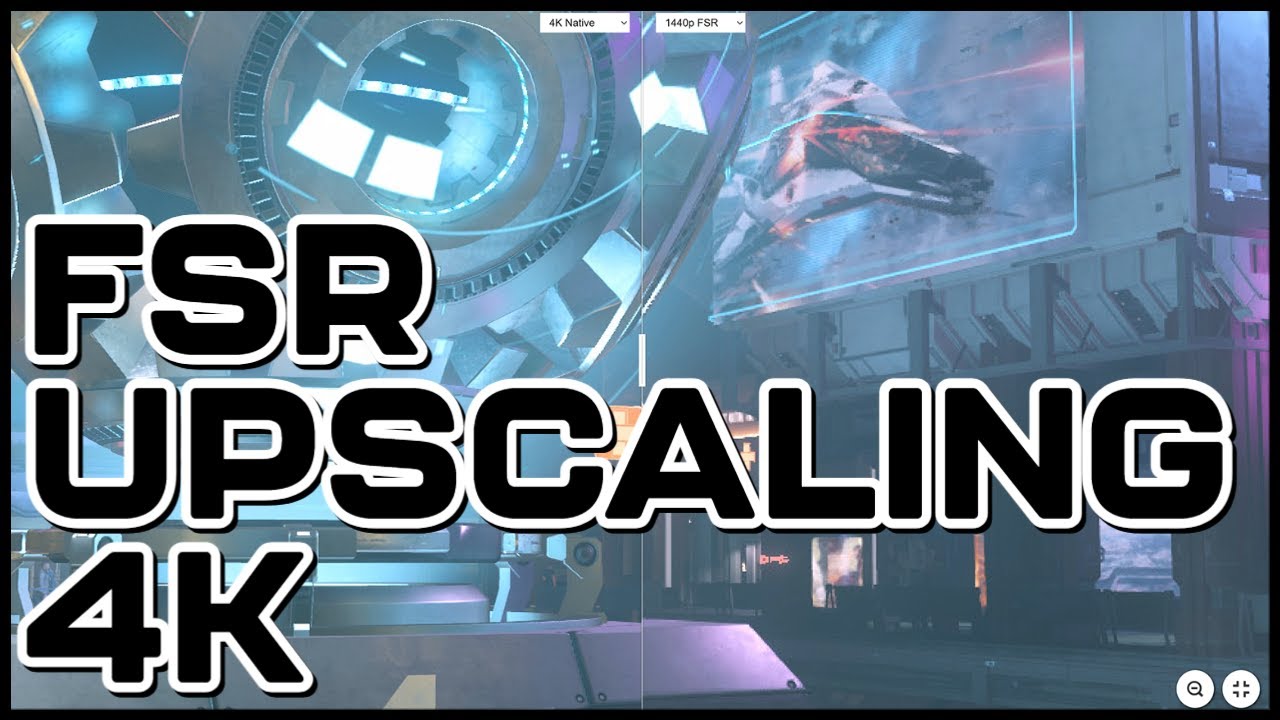
Does AMD's upscaling tech FSR make a big difference in Star Citizen at 4K? A program called Magpie allows you to use FSR in any game and in this video I have tested it with my main system (5900x and RTX 3080) in Star Citizen. Does it bring big performance gains? Is it useful for hign end GPU's?
Magpie Download: https://github.com/Blinue/Magpie...
peak cove
snow zinc
Crusader is just awesome to make screenshots
oops sorry I dind't mean to post it directly in here lol my bad
snow zinc
@robust path 4K 🙂
 robust path
hawt
sly umbra
not sc related but i was messing around in light room

took this pic ages ago but i really like it
apart from the lens flare or whatever thats called 
snow zinc
@shrewd fjord
boreal comet
sly umbra
not sc related but i was messing around in light room
Man, I wanna take my corvette down this road. It looks so nice
snow zinc
Oh yeah, looks nice. 🙂

Problem is with Real Life.. You need a good camera to make good "Screenshots". 😄
Thats actually where the "Ultrasharp" model excels. ^^ At realistic pictures.
 snow zinc
@tired idol 4K
 tired idol
snow zinc
<@358663159734861824> 4K
tired idol
snow zinc
<@358663159734861824> 4K
Thanks mate!
fathom slate
:D
 snow zinc
fathom slate
:D
snow zinc
fathom slate
:D
 snow zinc
@tall mountain Great picture!

 tall mountain
snow zinc
<@456226577798135808> Great picture!
tall mountain
snow zinc
<@456226577798135808> Great picture!
yes yes yes! first one!
wow!!!
i can feel the heat of the big screens on my armor!!!
Really well done mate, thank you for appreciating and enhancing that moment!
tall mountain
waitr wait