#Oh no evil AI.. Good lord. F.. off.. Go back to the middle ages..
1 messages · Page 5 of 1
 white echo
 snow zinc
@left lake 4K enhanced, denoised.


@cursive shadow Lets go high fidelity. That explosion is so beautiful. 😄 4K and enhanced. ^^


 snow zinc
@warm mesa 😉

 warm mesa
snow zinc
<@!355190503114801154> 😉
warm mesa
snow zinc
<@!355190503114801154> 😉
That's nice! Helped that I'd capped it in 4K from the get go.


 willow mica
Dang that makes some difference
@snow zinc you will have to explain how to do that I suck with computers lol
snow zinc
I use Adobe Lightroom for contrast color, etc and then an AI Upscaling tool to clean and upscale the picture. 🙂
 empty bluff
snow zinc
empty bluff
snow zinc
@fast fox 4K and denoised. Cousin Crow is a really cool location. 🙂


 fast fox
snow zinc
<@!430833524153647104> 4K and denoised. Cousin Crow is a really cool location. �...
fast fox
snow zinc
<@!430833524153647104> 4K and denoised. Cousin Crow is a really cool location. �...
CC really is an intersting location
snow zinc
@robust path Great picture! 🙂 I still like the 300 series. Its like a BMW in space. 325A was also my first ship in SC and I will for sure have one always in my inventory. 🙂 40% moresolution and removed jpeg artefacts. 🙂

 robust path
hawt
 cobalt glade
snow zinc
<@!163293432708595712> Great picture! 🙂 I still like the 300 series. Its like a...
cobalt glade
snow zinc
<@!163293432708595712> Great picture! 🙂 I still like the 300 series. Its like a...
I'm in the same boat with the 325a :)
 snow locust
@snow zinc Could you help me out with this one :)
 snow zinc
@snow locust 4K and I tried to enhance it a bit. Dont know if you like it or what you expected. 🙂 I removed the jpeg artefacts though. 🙂

 snow locust
snow zinc
<@!486568673184841738> 4K and I tried to enhance it a bit. Dont know if you like...
snow locust
snow zinc
<@!486568673184841738> 4K and I tried to enhance it a bit. Dont know if you like...
Very nice!
Thanks a lot!


 pine musk
snow zinc
<@!249579617889812481> 4K and photoshopped the HUD and marker out of it.
pine musk
snow zinc
<@!249579617889812481> 4K and photoshopped the HUD and marker out of it.
Nice thanks! 4k conga ha ha
snow zinc
missed the top right marker ^^
 pine musk
Wizardry 🪄
snow zinc
yeah I discovered this tool in adobe lightroom, I never really used. xD
pine musk
Sweet!
snow zinc
@civic coral Denoised. 🙂 And 4K.


@peak cove Denoised and changed nothing else. Great picture!


 peak cove
snow zinc
<@!353233562641891329> Denoised and changed nothing else. Great picture!
peak cove
snow zinc
<@!353233562641891329> Denoised and changed nothing else. Great picture!
Thank you sir!
Do you have a reddit username?
snow zinc
I actually have, but almost never am there.
peak cove
I'm gunna post the high res one under the non high res one I postred to the subreddit and I want top give your credit. Is your reddit username also 1ch0?
snow zinc
My name there is dpbvulcan or 1ch0. I dont know.
I dont know what name can be srearched for.

thats what it says
@snow locust enhanced and removed jpeg artefacts. also 4K res now. Awesome pic!!

 snow zinc
@fathom gorge 4K enhanced and denoised.


 fathom gorge
snow zinc
<@!249224271593734144> 4K enhanced and denoised.
fathom gorge
snow zinc
<@!249224271593734144> 4K enhanced and denoised.
Lightroom?
snow zinc
@odd steppe denoised. 🙂


 pastel mason
omg thanks
snow zinc
@marble ledge enhanced and removed jpeg artefacts. Also 4K. 🙂


@fathom gorge 4K and denoised.


 marble ledge
snow zinc
<@!169743307591647232> enhanced and removed jpeg artefacts. Also 4K. 🙂
marble ledge
snow zinc
<@!169743307591647232> enhanced and removed jpeg artefacts. Also 4K. 🙂
Whoa awesome!
 lyric dew

 snow zinc
@unreal sentinel 4K


 unreal sentinel
snow zinc
unreal sentinel
snow zinc
@quaint vale

 snow zinc
doubled the resolution:

 snow zinc
@regal stump 40% more resolution and denoised.

 regal stump
snow zinc
<@!243891570494013441> 40% more resolution and denoised.
regal stump
snow zinc
<@!243891570494013441> 40% more resolution and denoised.
hmmm i like the vignette, colors are way better too, but I think the ship lost some fine detail. i guess it's the upscale+denoise. still awesome! 🙂
snow zinc
🙂


 foggy imp
snow zinc
<@!786634138030964757> 4K and enhanced. Also removed the watermark from PTU ^^ �...
foggy imp
snow zinc
<@!786634138030964757> 4K and enhanced. Also removed the watermark from PTU ^^ �...
thanks
snow zinc
@hallow parcel 4K
 snow zinc
@radiant elk 4K and enhanced. 🙂
 snow zinc
@fast fox 4K and enhanced. First picture is done by an AI model mostly trained on Anime. You literally can see it in this particular picture ^^
And the other one is RealESRGAN+


Thats how huge the differences can be
fast fox
wow looks really nice
that tree on the left is kinda blocking the view
wish i could just crash my msr into it and break it lol

 reef hare
sick, thanks
snow zinc
you are welcome. 🙂
@dark matrix photoshopped the HUD elements out and enhanced and upscaled to 40% more resolution. 🙂


 dark matrix
snow zinc
<@!278888886069886978> photoshopped the HUD elements out and enhanced and upscal...
dark matrix
snow zinc
<@!278888886069886978> photoshopped the HUD elements out and enhanced and upscal...
nice!, yeh sadly my freecam controls arent working well yet..
snow zinc
 blazing kernel
https://tenor.com/view/daniel-thrasher-you-missed-a-spot-gif-20708179
blazing kernel
https://tenor.com/view/daniel-thrasher-you-missed-a-spot-gif-20708179
I just realized. 😄
snow zinc
@white echo 40% more pixels and denoised. But already a very good quality. 🙂
 white echo
snow zinc
<@!186119876065230848> 40% more pixels and denoised. But already a very good qua...
white echo
snow zinc
<@!186119876065230848> 40% more pixels and denoised. But already a very good qua...
Woohoo! Thanks!
snow zinc
@fluid roost 4K and enhanced.

 snow zinc
@gentle scarab 4K and denoised

 peak cove
Paging @snow zinc 😄
 snow zinc

 fathom slate
snow zinc
Yep-
fathom slate
snow zinc
Yep-
Wait, what are your lightroom processes?
Yeah I definitely need to learn how to denoise properly
 snow zinc
Well, usually I raise the highlights and lower the blacks, enable the masking so I see when I loose details in one or the other direction. Also a bit vibrance usually and clarity. then vignette in the end.
fathom slate
 snow zinc
for denoising, BSRGAN is best. But it has issues with blur. So I test first if ultrayandere is good enough for that on the picture.
fathom slate
Oh, I always use BSRGAN
I'll try the other one
Although the blur doesn't look too bad?
snow zinc
BSRGAN will try to remove the blur. Which can look weird in parts of the pictzre when you dont want that.
Ultrayandere doesnt touch blur
its imo the benchmark for highest quality pictures.
fathom slate
alright
snow zinc
@wheat skiff 4K and denoised.

 snow zinc
@stoic sphinx tried to remove jpeg artefacts and noise. enhanced a bit.

@alpine totem 40 more resolution and enhanced. Also removed jpeg artefacts and noise. 🙂


 alpine totem
snow zinc
<@!143528210435538944> 40 more resolution and enhanced. Also removed jpeg artefa...
alpine totem
snow zinc
<@!143528210435538944> 40 more resolution and enhanced. Also removed jpeg artefa...
Cheers 🍻
snow zinc
Yeah looks great! The explosions with the smoke trails look awesome. 🙂
snow zinc
@velvet crater 4K, enhanced and denoised.

 snow zinc
@odd steppe Since that picture already looks edited to me, I just denoised to not change the character of the picture. Great shot! 🙂

 snow zinc
@gentle scarab Great shot! 4K


 snow zinc
@safe prairie And another one. 😉
 alpine totem
snow zinc
Yeah looks great! The explosions with the smoke trails look awesome. 🙂
alpine totem
snow zinc
Yeah looks great! The explosions with the smoke trails look awesome. 🙂
Yes that algorithm you’re using is awesome, how do you do it?
snow zinc
Enhancing the picture is done in Adobe Lightroom and the upscaling or in this case just denoising is done by AI and "Cupscale" what the app is called.
alpine totem
ah very interesting, im gonna play around with this. thanks!
ive been searching for a good de-noising algorithm
snow zinc
Manually denoising will always fail imo. Only an AI can do this by learning and adapting by training.
I never bothered with denoising in lightroom.
@grim agate 4K and denoised.
 snow zinc
@ivory flower 4K and denoised. 🙂
 snow zinc
@devout patio 40% more resolution and enhanced.

 devout patio
snow zinc
<@!383267902775754753> 40% more resolution and enhanced.
devout patio
snow zinc
<@!383267902775754753> 40% more resolution and enhanced.
phenomenal
snow zinc
@quartz portal 4K and enhanced

 quartz portal
snow zinc
<@!332354591196971008> 4K and enhanced
quartz portal
snow zinc
<@!332354591196971008> 4K and enhanced
wtf thank you holy shit
its my wallpaper now
snow zinc
AI-Upscales and Postprocessing
snow zinc
@daring sinew 4K and enhanced. 🙂


@worthy pond photoshopped HUD out and enhanced. Denoised

 worthy pond
@snow zincN1, forgot to press f12 😄
snow zinc
@tall mountain @tall mountain 40% more resolution. and removed jpeg artefacts.

 tall mountain
snow zinc
<@456226577798135808> <@456226577798135808> 40% more resolution. and removed jpe...
tall mountain
snow zinc
<@456226577798135808> <@456226577798135808> 40% more resolution. and removed jpe...
Dang that looks nice
snow zinc
No worries, I do this anyway mostly for my own fun. And if I can make someones day better with enhancing his screenshot, even better. ^^
snow zinc
@polar quail great picture! I raised resolution by 40% and removed jpeg artefacts. 🙂

 snow zinc
nice. You dont need to make 8K. You can also use on the right the resize after upscale and set it to 50%. With a 1080p picture that would get you 4K. 🙂 because the model 4x the resolution always. 🙂
fathom slate
snow zinc
nice. You dont need to make 8K. You can also use on the right the resize after u...
alright I'll try that again
Oh yeah
I think it looks even better

Also everytime I look at this image, I can't take this out of my mind

snow zinc
Yeah 8K just blows up the filesize ^^
snow zinc
@warped rapids 7165x2015 and denoised. 🙂 Also enhanced a bit.


@ornate ridge 4K 🙂

@fluid roost 4K and enhanced

 ornate ridge
Danke!
snow zinc
Terminator resistance is really fun. The sounds of the plasmarifles identical to the movie. T800 are killers you better dont fight, because normal bullets wont do anythign to them.


 white echo
snow zinc
Terminator resistance is really fun. The sounds of the plasmarifles identical to...
white echo
snow zinc
Terminator resistance is really fun. The sounds of the plasmarifles identical to...
Oh I loved that game, super fun.
snow zinc
Yeah you notice its no AAA, sure. But its still fun and the sounds are really well done. ALso the atmosphere when you first encounter the T800s.
white echo
Man the first time you run into one it's a big time butt clench moment (just did a name change, still me).
snow zinc
Yeah its my first time now that I ran into a t800. Not so far into the game yet. But the music changes and you really feel this is now no cannonfodder anymore, these are killers ^^
I wanted to get a screenshot of him, went around the corner and with 3 shots of his plasma rifle "oneshottet" me. Felt that way ^^
Just saw the red glowing eyes and heard the plasma rifle ^^
warm mesa
You've been terminated fucker.
snow zinc
😄
robust path
snow zinc
<@!528301549831716902> 4K and denoised.
BRO YOU GOTTA PUT THINGS LIKE THIS BACK IN #sc-screenshots
 grim agate

robust path
Thats a fire pic man 
grim agate

robust path
You know
Theres some great pics in here
If you guys repost them to sc screenshots next time it could end up in hof 
snow zinc
I cant post pictures other people made as my own. I wanted to keep the screenshot thread clean so people dont see every screenshot double.
robust path
Oh i know, i meant for the people who get theirs upscaled
snow locust
robust path
Oh i know, i meant for the people who get theirs upscaled
I got a lot of my HOF entries just from scrolling through this thread

 pine musk
snow zinc
<@!249579617889812481> 4K and enhanced
pine musk
snow zinc
<@!249579617889812481> 4K and enhanced
Awesome thank you!
snow zinc
@azure roost 4K and enhanced


 snow zinc


 peak cove
@snow zinc Hey brother. Could you do me a solid and beef this up for me when you have the time? Much appreciated.
 snow zinc
 snow zinc
@dark matrix 40% more resolution and removed any noise and artefacts. 🙂 Also enhanced in Lightroom. 🙂
 snow zinc
@tall mountain 4K
 tall mountain
snow zinc
<@456226577798135808> 4K
tall mountain
snow zinc
<@456226577798135808> 4K
Nice
dark matrix
snow zinc
<@!278888886069886978> 40% more resolution and removed any noise and artefacts. ...
Any idea why the noise is there? or is that just the game
snow zinc
I guess the game and filmgrain? Do you have that enabled? Because I see you have at least chromatic aberration enabled.
dark matrix
Ah i might have again, had to do a complete reinstall
think i turned filmgrain off tho
snow zinc
@scarlet comet 4K and enhanced.

Yeah also I think its the game and my enhancement in lightroom enhances also noise. So that makes it more present in the pictures before I then remove it with the ai.
 scarlet comet
My screenshot was pure in game 👍 no filters
snow zinc
Those were the originals. Enhanced by me and I removed the awful noise in them. Also tinted them more into the violet-white instead of the green tint I don't like. There is just everywhere too much green in SC i feel.
https://www.artstation.com/artwork/zDzKdZ


ArtStation
Had the pleasure to work on some of the feature on the Factory Line Especially the store at the Plaza in New Babbage, microTech in the Stanton system. Played especially with light materials, glass and delicate design to get closer to a minimalistic and ´´pure´´ lines.
Art Direction: Ian Leyland
© 2020 Cloud Imperium Rights LLC and Cloud Imperium...
@wet sparrow
4K
 snow zinc
@quaint fable removed all the artefacts and enhanced it. Also 4K now.

 quaint fable
Holy shit, thank you, that looks so good
snow zinc
@storm reef 40% more resolution and enhanced. Also photoshopped out the HUD elements and removed noise and artefacts.
 snow zinc
@pliant onyx 4K and enhanced.

 white echo
Base Carrack looks better than Expedition Carrack.
 snow zinc
@lusty heath 4K and enhanced.
 snow zinc
@hallow parcel 4K and enhanced


 pliant onyx
 warm mesa
 lusty heath
https://i.gyazo.com/76521a58dd9fd8305d22515e37571c25.png
lusty heath
https://i.gyazo.com/76521a58dd9fd8305d22515e37571c25.png
That's get in there with an editing program and fix it levels of artifacts in the original image.
fathom slate
The amount of effort @snow zinc goes in every photo for nothing but charity should be recognised more often
I salute you, good sir.
o7
warm mesa
o7
warm mesa
snow zinc
Those were the originals. Enhanced by me and I removed the awful noise in them. ...
I agree. I definitely use Tint in reShade as an easy way to tone that down a bit. Perhaps I need to look into other options, too.
snow zinc
fathom slate
The amount of effort <@!422128060100378625> goes in every photo for nothing but ...
To be honest, I am just so bored from the game and angry with CIG for their balanceing decisions since 3.14, that I dont play anymore and have time to process screenshots for my entertainment. ^^
@warm mesa 4K
 warm mesa
snow zinc
<@!355190503114801154> 4K
warm mesa
snow zinc
<@!355190503114801154> 4K
Thanks much--that looks great! A memorable SC moment. Was at 1440 so that I could have better frame rates as I attempted a mid-air rescue of a falling spacer above Crusader.
fathom slate
warm mesa
Thanks much--that looks great! A memorable SC moment. Was at 1440 so that I co...
Was it successful?
warm mesa
fathom slate
Was it successful?
We were unable to execute the pickup in the Hurricane--We were able to do the rendezvous, but the falling spacer was unable to activate the enter the hatch dialogue (even though he was in our party). We did get him in a Cutlass Black however.
warm mesa
He was falling for ten minutes by the time we were close, and it took another twenty minutes to recover him into the Cutlass.
 fathom slate
Do you know what's the terminal speed that someone falls through the planets' atmosphere?
That would help me in case that happens one day to my friends as well
snow locust
fathom slate
Do you know what's the terminal speed that someone falls through the planets' at...
Depends on the gravity and the atmospheric density.
And density depends on your altitude.
I don't know if SC is that detailed, but it might just be.
fathom slate
snow locust
Depends on the gravity and the atmospheric density.
I know that, I just don't think that's simulated in the game for players yet.
Although there are force reactions that depend on wind speed and other variables...
snow locust
fathom slate
Although there are force reactions that depend on wind speed and other variables...
Yeah, and they are quite accurate
fathom slate
Yeah, now I'm not sure
warm mesa
He was falling at 51 meters per second, which is 183 kph or 114 mph. Earth's terminal velocity is 53 to 56 meters per second. So pretty close.
snow locust
fathom slate
Although there are force reactions that depend on wind speed and other variables...
Another thing, if you fall through the higher atmosphere as a player, your spacesuit will start to freeze, even if you are on Hurston. This does make sense, the same thing happens in real life (higher altitude is probably quite cold, especially if you are falling through it at high speeds).
fathom slate
snow locust
Another thing, if you fall through the higher atmosphere as a player, your space...
YESS I've noticed that
Dude, I love the actor status system in this game
I hope they just keep improving it
snow locust
We should move this convo lol
fathom slate
aight, #4-8-0-live?

 warm mesa
fathom slate
Or did he slow down as you got closer to Orison
warm mesa
fathom slate
Or did he slow down as you got closer to Orison
It did appear that it was consistent and unchanging over 512,000 meters to 420,000 meters.
snow zinc
For that kind of picture better go with Ultrayandere. Its the best model for high quality stuff. It doesnt mess with blur and keeps the colors.
There is btw a new GUI for ESRGAN. Released just yesterday I think. Better gui and more options if you use a nvidia card. Doesnt support yet AMD. Its in alpha state.

GitHub
A flowchart/node-based image processing GUI aimed at making chaining image processing tasks (especially those done by neural networks) easy, intuitive, and customizable. - GitHub - joeyballentine/c...
 snow zinc
@floral silo made 4K out of it. denoised. Great picture.

 floral silo
snow zinc
<@!219370086098534400> made 4K out of it. denoised. Great picture.
floral silo
snow zinc
<@!219370086098534400> made 4K out of it. denoised. Great picture.
Thank you😊
snow zinc
@ornate pewter 40% more resolution and a more minor enhancement and a stronger one.


 ornate pewter
Nice! I downscale most shots to 1080uw before posting otherwise the files become too large
Will post the nicer ones at 100%
robust path
ornate pewter
Nice! I downscale most shots to 1080uw before posting otherwise the files become...
use imgur!
it has a large file size limit and it embeds seamlessly on discord
like this https://imgur.com/UFbLXwa

it hides the link when its by itself
snow zinc
@severe juniper Awesome picture. I cant see any way to enhance it in Adobe Lightroom as it would only destroy the picture. But I upscaled it and removed noise. 😉

 severe juniper
Thanks ❤️@snow zinc
snow zinc
 snow zinc
@marble ledge 4K and enhanced.
 marble ledge
snow zinc
<@!169743307591647232> 4K and enhanced.
marble ledge
snow zinc
<@!169743307591647232> 4K and enhanced.
You're amazing! Thanks so much!
snow zinc
^^
quartz portal
@snow zinc hate to request but it would be very much appreciated!
 ornate ridge
ornate pewter
Nice! I downscale most shots to 1080uw before posting otherwise the files become...
ornate ridge
ornate pewter
Nice! I downscale most shots to 1080uw before posting otherwise the files become...
This server is boosted a ton so we have an absolutely massive file size allowance


 snow zinc
@tall mountain more resolution and enhanced.
 grim agate
Hey @snow zinc please may you do your magic on this
 snow zinc
@grim agate Removed that nasty green as good as I could since SC is generally a green sausage and I dont like that at all. ^^ Also reaised to 4K and denoised. ^^
 grim agate
snow zinc
<@!528301549831716902> Removed that nasty green as good as I could since SC is g...
grim agate
snow zinc
<@!528301549831716902> Removed that nasty green as good as I could since SC is g...
cheers
 hearty mountain
i dont mean to be a pain but my mate just sent me this, is it possible to upscale it?
 snow zinc
Not much you can do. Quality suffers.
 hearty mountain
Ah okay thanks anyway
snow zinc
@devout patio enhanced and raised resolution.
 snow zinc
@ornate pewter


 terse geyser
snow zinc
<@!151855041886683136> 4K and enhanced.
terse geyser
snow zinc
<@!151855041886683136> 4K and enhanced.
Lookin good!
 safe prairie
snow zinc
<@!481521912250630164> enhanced.
safe prairie
snow zinc
<@!481521912250630164> enhanced.
It's beautiful 
snow zinc
^^
snow zinc
@split trout 4K
 fathom slate
@snow zinc do your magic :D
 snow zinc
 fast fox
fathom slate
<@422128060100378625> do your magic :D
fast fox
fathom slate
<@422128060100378625> do your magic :D
man where are those caves or sinkholes, i really wanna go to one
 brisk carbon
@snow zinc https://cdn.discordapp.com/attachments/248637571284992000/935648040964984842/unknown_24.png

 fathom slate
fast fox
man where are those caves or sinkholes, i really wanna go to one
fathom slate
fast fox
man where are those caves or sinkholes, i really wanna go to one
I think I accepted a contract to find a missing client that led me to this one in Aberdeen
You can try that
snow zinc
@brisk carbon 4K


 verbal hull
 brisk carbon
snow zinc
<@!144199396286791681> 4K
brisk carbon
snow zinc
<@!144199396286791681> 4K
ty
snow zinc
 snow locust
fast fox
man where are those caves or sinkholes, i really wanna go to one
snow locust
fast fox
man where are those caves or sinkholes, i really wanna go to one
Get on one of my tours :)
fast fox
snow locust
Get on one of my tours :)
fuck yeah
robust path
snow locust
Get on one of my tours :)
im down if i have time
snow zinc
@robust path 40% more resolution and enhanced.

 prisma holly
could somebody try his luck on that one?

 warm mesa
It's too bad about the edge effect--that's a really cool shot.
 astral vessel
If some ppl can do a magic trick on this one, i'll be happy 😁

 snow locust
I love how it is just an upscale request channel now
Instead of Icho himself deciding he just gets requests
snow zinc
@tall mountain denoised. 🙂 Fantastic shot!!
 tall mountain
What do you use to denoise? I heard great things about Denoise AI from topaz labs.
snow zinc
I use Cupscale and in this case BSRGAN as model.
tall mountain
Imma have to look into that. Thanks for letting me know.
snow zinc
you are welcome. 🙂
 tall mountain
From what I can tell, it’s just a upscaling software, but has the capability to denoise? Am I getting that right?
snow zinc
Yes its an upscaling software but it depends on the AI model you use. So you can download and use the model you want.
And I can say keep the resolution and then it just works as a denoiser.
Because different models have different skills. BSRGAN is good with faces, has good denoising.
40% more resolution and denoised.
 tall mountain
Interesting, and good to know. Do you use any other models? And what would they be good for? Obviously I can probably find out on the internet, but I’d rather ask you for SC content anyways what works best for when.
snow zinc
Thats the models I mostly use. BSRGAN and Ultrayandere and realesrgan the most. Sometimes Ultrasharp as well.
BSRGAN and realesrgan when a picture has really have JPEG artefacts and noise. When good quality already and onyl few noise, I tend to use ultrayandere as the best model. It keeps the most detail, has some noise reduction and doesnt change colors. Its mainly trained on Anime so on some pictures you will notice some shapes tend to get a bit more spherical but its not problematic. BSRGAN I use when ultrayandere cant deal enough with artefacts and and noise and realesrgan is the alternative for bsrgan. BSRGAN can sometimes with certain backgrounds show some tiles, because thats how the models render. Or sometimes shows some specks and stains and dont look so good. Then I try realesrgan. Ultrasharp I use when a picture mostly wont profit very much from perfect denoising anyway. Ultrasharp is a model for mostly realistic pictures and jpeg artefacts. Thats what its good for. realSRjpeg is one of the preinstalled ones but I dont use that anymore. Jaywreck is a good alternative when you have big jpeg artefacts and to prepare a picture for upscaling with one of the other models. Noisetoner is a last resort when the picturequality is so bad that no other model can handle the noise or produce some artefacts when they cant handle blur. I only used it a few times. It just removes very raw any nosie but also looses a lot ot details. Its a last resort ^^

Yandereneo is also good with jpeg artefacts.
download models here from the dev and try them out. A lot are redundant as you will learn by time.
This is the discord of the dev.
https://discord.gg/..........XU5dd4Vj
tall mountain
Perfect. Thank you so much. I’ll definitely give this a shot, does not seem complicated, just a lot of trial and error, and I’m used to that already. I take these images with as much resolution as I can in MSI Afterburner, and it saves a nice 50-80mb bmp. Then into photoshop we go, I mostly use Lightroom, but it does not recognize bmp files, so I have to convert in photoshop.
I definitely was looking for something to denoise my images, as a lot of them are good and just have that bit of noise that’s annoying cuz you see it. I was eyeing the Topaz software, but imma give this a shot first. I’m not gonna pay $79 for a maybe, lol. Plus the results this provides is phenomenal. Thank you for introducing this into my life. Much needed. And much love for everything you do for everyone. Thanks again..
snow zinc
You can just make afterburner PNGs. I use afterburner as well.
Lightroom will detect PNGs.
I use lightroom as well
You are welcome. I was immediatly adicted to the upscaling when I first tried it. 😄
tall mountain
Does it differ in quality when saved as png vs bmp? The reason I have it set up for bmp is when I take screenshots in cyberpunk, it’s a much faster process of saving it full resolution, and not take around 10 seconds to save if I was saving as png. With bmp, it’s instant. I’ll include some of my cyberpunk screenshots here. Sorry if thier off topic, I had way to much fun shooting them.


I absolutely love the detail in this game. For each shot, I used mods to set custom lighting for the character, except the second image, I just added some lights to her face, used the existing lighting as it was already set up nicely lighting her from below.
white echo
tall mountain
Does it differ in quality when saved as png vs bmp? The reason I have it set up ...
Both are lossless, but png is compressed and lossless, so it's probably the compressing that's making it take longer to save. Bitmap is basically "raw" lossless. No compression.
tall mountain
I have no problem of switching to png, but the time it takes to compress a 12k image is a tad long lol (in cyberpunk)
white echo
Bitmaps are just huge files, which is why png is often used over it.
tall mountain
Yeah, bmp saved quicker on cyberpunk without timeless, but I stopped playing that a bit ago, I probably should switch it over to png, eh? Lol
Also anyone know a good way to get higher monitor resolution setting added without getting a bigger monitor? Lol. I’ve already maxed out the Nvidia control panel to 6k or the 4x monitor resolution it gave me a option to do. I’d love to hotsample, but Star citizen does not allow that.
snow zinc
You can activate DSR or VSR in your driver settings. 🙂
I have a 4K display but my GPU offers me 5K as max resolution
 tall mountain
Where did you go to find these settings? I might have DSR already enabled if I’m not mistaken, and I think that’s where my gpu allows me to run at 4x my resolution size.
tall mountain
3090 FE
all good. as long as im maxing out, im happy. just wondering if there was anything more i could have done.
tall mountain
 tall mountain
 snow zinc
@worn heart enhanced and removed compression artefacts.

 worn heart
Oh damn, nice 👍
snow zinc
I cant decide if I should go with 8 bit colordepth or 10 bit like my monitor can. colors looks way more natural with 10 bit on my monitor and more vibrant and extreme when going 8 bit..
I guess most still have only 8 Bit monitors? I dont know..
But I think also that wide gamut monitors are also nowadays way more common than a few years back..


Read a bit into it and I will keep it to sRGB..

First, if you buy a wide-gamut monitor, it will mimic Adobe RGB more closely than sRGB. In that case, for personal use on any non-color-managed applications, Adobe RGB will look noticeably better than sRGB (which will be oversaturated by comparison).
Thats exactly what the issue is.. Its weird to see how different apps behave differently. I notice this now in terms of color since the last Windows 11 update finally fixed color management in windows.
@copper stump raised a bit resolution and removed compression artefacts.
 snow zinc
@verbal hull 4K and enhanced.
 snow zinc

 hardy igloo
my reshade decided to change screenshot settings from png to jpeg so now i have to upscale all my screenshots smh lmao


 snow zinc
@hardy igloo upscaled and denoised.

 snow zinc
@molten gust
4K and enhanced and removed artefacts from JPEG compression. 🙂


 snow zinc
@fading seal 4K and enhanced.

 fading seal
Thanks !
 quasi basin
 snow zinc
Finally got Lightroom 10. Wow. So much better than my old version. ❤️
@brazen forge
4K and enhanced.

 molten gust
snow zinc
<@!147980089961742336>
4K and enhanced and removed artefacts from JPEG compressi...
molten gust
snow zinc
<@!147980089961742336>
4K and enhanced and removed artefacts from JPEG compressi...
Ah nice. Ever since i got an ultra wide my screenshot come out blurry and bad quality
snow zinc
You just need to use PNG as format for the screenshots. 🙂
molten gust
How does one do that?
snow zinc
Depends what software you use. I use MSI Afterburner which runs anyway always in the background. But I think nvidia experience also can save in PNG and reshade does as well I think.
The ingame screenshot function is the worst you can do
 hardy sandal
Thank you!
 inland drum
wtf where is this? is this concept artwork?
snow zinc
Thats concept art from artstation. A lot of CIG devs and people that do concepts for them are there. 🙂

ArtStation
ArtStation is the leading showcase platform for games, film, media & entertainment artists.

ArtStation
An older exploration for the Aaron Halo and what it might look like having megastructures split asteroid belts.
© 2020 Cloud Imperium Games Corporation and Cloud Imperium Games UK, Ltd.
Art Direction: Ian Leyland

 stiff horizon
snow zinc
<@!121785043235504131> 4K and enhanced
stiff horizon
snow zinc
<@!121785043235504131> 4K and enhanced
Thanks! Looks cool
quaint fable
snow zinc
The ingame screenshot function is the worst you can do
Oh I just... print screen.... 😅
snow zinc
@wet sparrow 4K and enhanced. 🙂 Awesome shots!!


 wet sparrow
Nice @snow zinc thanks! 👌
snow zinc
@polar quail enhanced

40% more resolution as well
@errant smeltenahnced. I love that scirocco knife! Best looking knife in the game, for me.

 errant smelt
snow zinc
<@!257114611025838090>enahnced. I love that scirocco knife! Best looking knife i...
errant smelt
snow zinc
<@!257114611025838090>enahnced. I love that scirocco knife! Best looking knife i...
Ikr the chain on it looks so nice
snow zinc
@young prairie awesome! upscaled and enhanced.

 young prairie
sabre comet team 😆
 tiny lion
Ah so this is where the magic happens
I don't want to flood this channel with requests, so is there any way I can work your magic myself? Or are you happy to take any request
snow zinc
Well I use Adobe Lightroom and cupscale as tools. ^^ You can post pictures and I will see if I am in the mood to enhance them or if it makes sense.
snow zinc
@robust path
40% more resolution and enhanced.
 snow locust
I case you have time (otherwise I will do it myself cause I wanna find out how it works). And oh yeah, thanks to official Karthu-Al CEO.
 snow zinc
@little sentinel 4K and enhanced. 🙂

 little sentinel
snow zinc
<@!435437026444312576> 4K and enhanced. 🙂
little sentinel
snow zinc
<@!435437026444312576> 4K and enhanced. 🙂
going to steal this from you - thank you master 
snow zinc
@latent kite Edited and upscaled. One is sRGB Colorspace for the simpler monitors one is AdobeRGB Colorspace which is more natural and how it looks on my monitor.


@azure roost 4K and enhanced.


@weak sonnet love that constellation skin!! 4K and enhanced. 🙂
 snow zinc
enhanced
 snow zinc
@olive mauve 4K 🙂
 warm mesa
It should be noted that this HOF pic is a screengrab of a 1920x1080 video taken in November 2018. It aged like fine wine, is my postprocessing tool. LOL
 snow zinc
@whole bridge 4K and enhanced


I like it. Now it looks like a painting, because the artefacts are smoothed out with raw force. ^^


 rustic vessel
 robust totem
<@!474645913365643315> enhanced and denoised
robust totem
<@!474645913365643315> enhanced and denoised
neato
snow zinc
@tall mountain denoised and 4K
 snow zinc
@balmy bison 4K and enhanced

 balmy bison
woah that looks sick
snow zinc
^^
snow zinc
@astral pawn 40% more resolution and smoothed every noise and artefacts out

 astral pawn


 worthy pond
@snow zinc that looks awesome thanks!
snow zinc
@void wagon 4K and enhanced


@stiff horizon 4K and enhanced. Tried a bit of a "cinematic retro look". Idk ^^ I like it.
 snow zinc
You're welcome. ^^
snow zinc
@little sentinel 4K and enhanced
 little sentinel
majestic! Thank you!
snow zinc
You're welcome! I like my work with this one as well. 😄 I hate green if the original game. So I had to do somethign about that ^^
snow zinc
@olive mauve 4K
 snow zinc
@hybrid basin 4K and enhanced.

 hybrid basin
thanks @snow zinc
snow zinc
@stoic sphinx played with colors a bit. And did my best to remove every jpeg artefacts.
 snow zinc
@blissful phoenix 40% more resolution and enhanced
 snow zinc
@fair topaz 4K and enhanced and cleaned of jpeg artefacts.

 fair topaz
 snow zinc
😎
snow zinc
@fair topaz and another one. ^^

 snow zinc
@crimson steppe 4K enhanced and denoised. 🙂
 snow zinc
@hybrid basin already on it. ^^ Nice picture, saw the potential and worked on it. ^^

@robust path 40% more resolution and enhanced.
 hybrid basin
thank you @snow zinc
hybrid basin
snow zinc
<@!704576197916491818> already on it. ^^ Nice picture, saw the potential and wor...
ive gotta hand it to you, you do an awesome job. This is an awesome PC wallpaper
snow zinc
^^
tiny lion
Do we DM requests or post them here?
fast fox
tiny lion
Do we DM requests or post them here?
just post them here
if its good enough he'll just take it from #sc-screenshots and do it without you needing to ask him
snow zinc
@languid pendant great shot! Enhanced and upscaled.

 snow zinc
@split trout 4K and enhanced.

 crimson steppe
snow zinc
<@!322766522571292673> 4K enhanced and denoised. 🙂
crimson steppe
snow zinc
<@!322766522571292673> 4K enhanced and denoised. 🙂
Looks awesome! Thanks so much!!
snow zinc
@tall mountain 4K and enhanced
Well and I was surprised what the AI did with that picture. xD


this is the best version. another model. So you see that every model is differently trained. ^^

@manic nova 4K and enhanced. 🙂

@tender onyx I like it better this way. But your pictures are good to process, already fantastic quality 😄
 snow zinc
@olive mauve 4K


 alpine totem
snow zinc
alpine totem
snow zinc
haha wow that AI can do whacky things eh?
been loving Cupscale BTW, thanks for letting me know about it!
alpine totem
snow zinc
this is the best version. another model. So you see that every model is differen...
which is your favorite model?
 tender onyx
snow zinc
<@!698170428673360023> I like it better this way. But your pictures are good to ...
tender onyx
snow zinc
<@!698170428673360023> I like it better this way. But your pictures are good to ...
Its lovely as usual! Thanks for that!
 olive mauve
snow zinc
<@!422328571596636160> 4K
olive mauve
snow zinc
<@!422328571596636160> 4K
Marry me
snow zinc
alpine totem
which is your favorite model?
in general I would say BSRGAN.
snow zinc
@polar quail enhanced
 snow zinc
@honest marten 4K and enhanced

 honest marten
snow zinc
<@!498538758979977231> 4K and enhanced
honest marten
snow zinc
<@!498538758979977231> 4K and enhanced
That is gorgeous!! o7
tiny lion
May I be so bold to ask for these two or if not both the first one? :3


 tiny lion
Thanks, looks great!
 manic nova
snow zinc
<@!665617349680037898> 4K and enhanced. 🙂
manic nova
snow zinc
<@!665617349680037898> 4K and enhanced. 🙂
what is?
oh shit
that looks sick
snow zinc
^^


 prisma holly
snow zinc
<@!499877581705969665> 4K
prisma holly
snow zinc
<@!499877581705969665> 4K
Thank u
honest marten
Man, these are all fantastic. Nice work. I really enjoy it now that I know it exists. ☺️
robust path
snow zinc
<@!163293432708595712> enhanced
Looks like some kind of war footage 
Thank you 
snow zinc
@worthy pond edited a bit to my liking.
 snow zinc
@fathom slate4K


 devout sinew
:O
now if only it was my reliant tana, but I'll take this still :0
now it's my background :)
thanx
snow zinc
🙂
snow zinc
@mellow galleon 4K and denoised.


 mellow galleon
Thanks man looks great!

 snow zinc
@safe prairie enhanced
 robust path
Now that i think about it, @snow zinc you got a petabyte of storage dont you
How the heck are you not running out of storage with all these images
robust path
snow zinc
<@!97748588263641088> 40% more resolution and enhanced.
Herald
 snow zinc
robust path
How the heck are you not running out of storage with all these images
snow zinc
robust path
How the heck are you not running out of storage with all these images
I dont save the images, I just post them here and delete them. 🙂
My own made pictures are all saved in my google drive
But I also made a second discord account which I named Hosting account. ^^ Because I can upload pictures there too when I sent them to my other account.

 blissful phoenix
snow zinc
🙂
blissful phoenix
snow zinc
🙂
Thank you @snow zinc
snow zinc
You are welcome. 🙂
@daring sinew 4K and enhacned.

@peak cove 3840x1600 and enhanced and denoised. 🙂


 fading seal
snow zinc
<@!353233562641891329> 3840x1600 and enhanced and denoised. 🙂
fading seal
snow zinc
<@!353233562641891329> 3840x1600 and enhanced and denoised. 🙂
damn this one is insanely good
snow zinc
It makes a huge difference, when a picture has no noise and no artefacts. 🙂
peak cove
snow zinc
<@!353233562641891329> 3840x1600 and enhanced and denoised. 🙂
Awesome, thanks!
snow zinc
@warm mesa enhanced and removed that weird line on the right side.
 warm mesa
snow zinc
<@!355190503114801154> enhanced and removed that weird line on the right side.
warm mesa
snow zinc
<@!355190503114801154> enhanced and removed that weird line on the right side.
Aw yiss. Reposting in Screenshots.
snow zinc
Damn, I oversaw the line on the left side..
warm mesa
Hit it my man! I'll pay you 20 quatloos.
snow zinc
picture lost a tiny bit more in detauil since the corrected file from lightroom was 25MB. I ran the AI again and it made the file smaller, lost a tiny bit detail though..

But that weird line on the left is edited away now ^^
warm mesa
snow zinc
But that weird line on the left is edited away now ^^
Right on right on
snow zinc
@warm mesa Much better and more natural and realistic. No aggressive blue. More warmer and darker. 🙂
Also no nosie and 4K

This may be even become my new wallpaper. I like it.
warm mesa
I figured you'd like that one--Cheers!
snow zinc
^^
warm mesa
You still pulled the blues--you have an autofilter set for that?
snow zinc
Nah, all by hand and eye. ^^
warm mesa
Tip o the hat.
snow zinc
I colorgraded more orange into the picture on shadows, medium and highlights and then lowered color saturation.
Gives the pictures a more darker bluw and warmer white.
makes pictures better imo.
Not so poppy colors
like a comic
And dehazed it as well and used clarity and texture.
SC has way to much fog ^^
warm mesa
As a friend of mine quoted from a wise man: "My blues got a lot better when I gave up hope."
I agree on the fog. It's an LOD mitigation tool.
snow zinc
Yeah it is. And it also removes contrast of the picture. You immediatly notice that when you remove the fog and add contrast
warm mesa
Let me see if I can pull another Delamar image. This might be a challenge for you...hold on...
snow zinc
thats what i did in a small rewind.
And the AI tool I use then removed just the jpeg artefacts
warm mesa
snow zinc
And the AI tool I use then removed just the jpeg artefacts
That's really cool to see the process. Delamar was a real treasure chest of visuals.
snow zinc
its pretty easy when you know what you do and want from a picture. like 1 minute. it takes longer almost to use the denoising with my AI tool ^^
best I can do I think
 warm mesa
snow zinc
best I can do I think
warm mesa
snow zinc
best I can do I think
Not bad at all. I pulled that from a video I shot.
 meager flume
snow zinc
meager flume
snow zinc
Very cool! Not sure why my Nvidia software stopped recognizing SC as a game; can't take PNG screenshots using it anymore :(
warm mesa
meager flume
Very cool! Not sure why my Nvidia software stopped recognizing SC as a game; can...
They got the memo that it's not a game, it's a tech demo. ; )
meager flume
Hahaha
warm mesa
The noise got through.
snow zinc
Denoised older picture from me.
 snow zinc

 warm mesa
snow zinc
Denoised older picture from me.
warm mesa
snow zinc
Denoised older picture from me.
I am going to assume that the original was not so warm, for you have captured the ivory and rich red of the couch upholstery in a way that seems very comfortable.
snow zinc
I made the picture warmer when I edited the original one. I just now denjoised it, thats all.


 peak cove
snow zinc
<@!353233562641891329> 3840x1600 and enhanced and denoised. 🙂
peak cove
snow zinc
<@!353233562641891329> 3840x1600 and enhanced and denoised. 🙂
Thank you, sir!
 inner field
snow zinc
<@!640373718584918018>
4K and enhanced.
inner field
snow zinc
<@!640373718584918018>
4K and enhanced.
Thanks this looks incredible!


 void wagon
@snow zinc how u doing this, is it photoshop raw image enhancement ?
snow zinc
Nah, its only adobe Lightroom and AI upscaling ^^
void wagon
snow zinc
Nah, its only adobe Lightroom and AI upscaling ^^
ohhh ok thx
snow zinc
the upscaling tool is free.

GitHub
Image Upscaling GUI based on ESRGAN. Contribute to n00mkrad/cupscale development by creating an account on GitHub.
@warm mesa
 warm mesa
This one, has it been upscaled yet/before?
 snow zinc
warm mesa
This one, has it been upscaled yet/before?
snow zinc
warm mesa
This one, has it been upscaled yet/before?
edited the signatures in the corners away and denoised it.
 snow zinc
@mossy crypt enhanced and denoised. 🙂 Great shot. Good quality!

@split trout 4K and removed jpeg artefacts

 mossy crypt
snow zinc
<@!160150311049232386> enhanced and denoised. 🙂 Great shot. Good quality!
mossy crypt
snow zinc
<@!160150311049232386> enhanced and denoised. 🙂 Great shot. Good quality!
that looks awesome!
thank you
@delicate notch took the screenshot I just posted it btw :)\
warm mesa
snow zinc
edited the signatures in the corners away and denoised it.
Badass!
snow zinc
@fast fox
4K and enhanced
 fast fox
thanks
snow zinc
@wild pasture 4K

 wild pasture
nice
snow zinc
40% more resolution.
@polar quail


 pale charm
snow zinc
<@!536989555161825301> 4K and enhanced.
pale charm
snow zinc
<@!536989555161825301> 4K and enhanced.
Nice thanks!
grim agate
snow zinc
<@!528301549831716902>
4K 🙂
Cheers
snow zinc
@grim agate
 snow zinc
@stiff horizon4K and enhanced.

@meager flume enhanced resolution but couldnt use my fvorite tool "dehaze" as it shows the limitations of JPEG. But made something else. 🙂


 snow zinc
@errant smelt 4K and enhanced. Also removed the HUDs.
 errant smelt
snow zinc
<@!257114611025838090> 4K and enhanced. Also removed the HUDs.
errant smelt
snow zinc
<@!257114611025838090> 4K and enhanced. Also removed the HUDs.
how do you even remove the hud? 
snow zinc
Thats a function in Adobe Lightroom. Spotremover. ^^ It intelligently compares the surroundings and then merges at the spot something together that is similar to it.
I could have done this better though.. ^^

If you know its there, you see it.
errant smelt
snow zinc
If you know its there, you see it.
It still seems to work incredibly well
snow zinc
I could have done better and do it in tiny pieces. Instead I used a large portion at once and thats what you notice more.
Still good enough
errant smelt
wish i knew how to disable the ingame hud tbh
snow zinc
Dont think you can. Only 3rd person. But that view of the gun then is harder to catch ^^
errant smelt
snow zinc
Dont think you can. Only 3rd person. But that view of the gun then is harder to ...
yep cuz your own head would be in the way 
 errant smelt
still love the coda its such an interesting design
snow zinc
Yeah I grows on me.
I love the design of the frag pistol more though.
I like alien designs
errant smelt
Also love the Atzkav sniper, doesn't oneshot anymore doh for some reason...
snow zinc
I prefer the P6. 50 Cal. ^^
errant smelt
yeah but the whole bolt action bits satisfyin y'know? XD

 gray ocean
snow zinc
<@!416694184549023755> 4K and enhanced
gray ocean
snow zinc
<@!416694184549023755> 4K and enhanced
Shit man thanks looks great
snow zinc
@astral vessel 4K and denoised. 🙂
 astral vessel
Wow thanks !
crimson steppe
snow zinc
<@!322766522571292673>
4K and enhacned.
Looks Awesome! Thanks so much!
meager flume
snow zinc
<@!163472560418193408> enhanced resolution but couldnt use my fvorite tool "deha...
Yeah my Nvidia software keeps cutting out :(
stiff horizon
snow zinc
<@!121785043235504131>4K and enhanced.
Epic, thanks!
Each one of these that u upscale for me makes a great wallpaper for a few days xD
snow zinc
meager flume
Yeah my Nvidia software keeps cutting out :(
You can use also MSI Afterburner or reshade to make screenshots. 🙂
snow zinc
@robust path Enhanced, denoised and raised resolution.
 snow zinc

@robust path I love the Dehaze function in Adobe Lightroom 10. ^^
denoised after processing and raised resolution.
Original versus edited.

 snow zinc
I still like it more with less fog in SC. When you remove fog in SC you are basically never wrong. xD Its sad. ^^
@azure mulch 4K and enhanced slightly. Denoised as well.


@uncut sky 4K and enhanced and denoised afterwards.


@wild iris doubled resolution and enhanced.


 uncut sky
ZAMN
uncut sky
snow zinc
<@!369857100664406018> 4K and enhanced and denoised afterwards.
Try dehaze?
see what that does
snow zinc
I didnt wanna use it. I like it how its captured. 😉

 wild iris
snow zinc
<@!192655778115616768> doubled resolution and enhanced.
wild iris
snow zinc
<@!192655778115616768> doubled resolution and enhanced.
Is this an auto level or are you manually adjusting everything?
snow zinc
I do everything manually.
 snow zinc
@tall mountain 4K and enhanced
 tall mountain
snow zinc
<@456226577798135808> 4K and enhanced
tall mountain
snow zinc
<@456226577798135808> 4K and enhanced
why thank you my friend
snow zinc
good picture 🙂
tall mountain
had to take it, rarely find one of those beauties out in the wild
gray ocean
Hey @snow zinc , not sure if you take suggestions or not, but i would love to see one or both of these upscaled, your work is great and i love what you do!


 snow zinc
gray ocean
Hey <@!422128060100378625> , not sure if you take suggestions or not, but i woul...
snow zinc
gray ocean
Hey <@!422128060100378625> , not sure if you take suggestions or not, but i woul...
 snow zinc
yeah i like it too. Great icture
gray ocean
thanks, im hoping ot get better at it lol
gray ocean

 snow zinc
@polar aurora 40% more resolution, enhanced a little and denoised. 😉
I love the defender. Favorite ship.


@languid rune 4K and enhanced


 snow zinc
@robust path
denoised. 🙂

 snow zinc
@blissful phoenix 40% more resolution and enhanced. Denoised


 snow zinc
@wild pasture4K and enhanced. 🙂
 wild pasture
:)
 polar aurora
snow zinc
<@!318797340523757589> 40% more resolution, enhanced a little and denoised. 😉
I...
polar aurora
snow zinc
<@!318797340523757589> 40% more resolution, enhanced a little and denoised. 😉
I...
Thank you!!!
out of curiosity is this photoshop or some other magical program>
snow zinc
Its a combination. I do all the color grading and enhancements in contrast and everything that involves editing the picture in adobe lightroom. Then when I'm finished with that I upscale the picture with an AI Upscaling Software and use a specific AI model (thats what you call them), which I know will do what I want. In this case, smooth the picture and remove noise and jpeg artefacts.

GitHub
Image Upscaling GUI based on ESRGAN. Contribute to n00mkrad/cupscale development by creating an account on GitHub.
Thats the software
snow zinc
You are welcome. 🙂 Since I started it, I created this thread and keep it alive with editing pictures people post in the screenshot channel. ^^ You see how many people here are, thats howmany pictures I did already ^^
polar aurora
lol yeah I'm sure it takes a while as well.
snow zinc
Its actually pretty quickly done. I need a minute per picture max and then the Upscaling with GPU takes another or so. ^^
@grim agate 4K and enhanced.
 polar aurora
snow zinc
Its actually pretty quickly done. I need a minute per picture max and then the U...
polar aurora
snow zinc
Its actually pretty quickly done. I need a minute per picture max and then the U...
dang. that's incredible.
grim agate
snow zinc
<@!528301549831716902> 4K and enhanced.
Noice
warm mesa
snow zinc
<@!355190503114801154> enhanced
Oh that's niiiiice.
molten gust
snow zinc
Some enhanced and denoised pictures from Artstation:
whats the tank one? i might get a canvas of that one if its a print
snow zinc

ArtStation
Another illustration for the good folks at NetEase games two years ago already. Time flies !
As usual the scene is full cgi, no photo used.
@vast island 4K and enhanced

@spice mirage 4K

@lone trench Great shot! Didn't change anything on it. Just removed JPEG artefacts as good as I could. But there has clearly already been some processing on the picture which sadly destroyed details. So I had to do my best to keep the rest thats there and make it smooth..


@bitter loom
4K and enhanced. ^^

@tall mountain denoised and 4K. 🙂

@wet sparrow removed jpeg artefacts.

 snow zinc
Fucking impressive!!
https://youtu.be/j8tMk-GE8hY
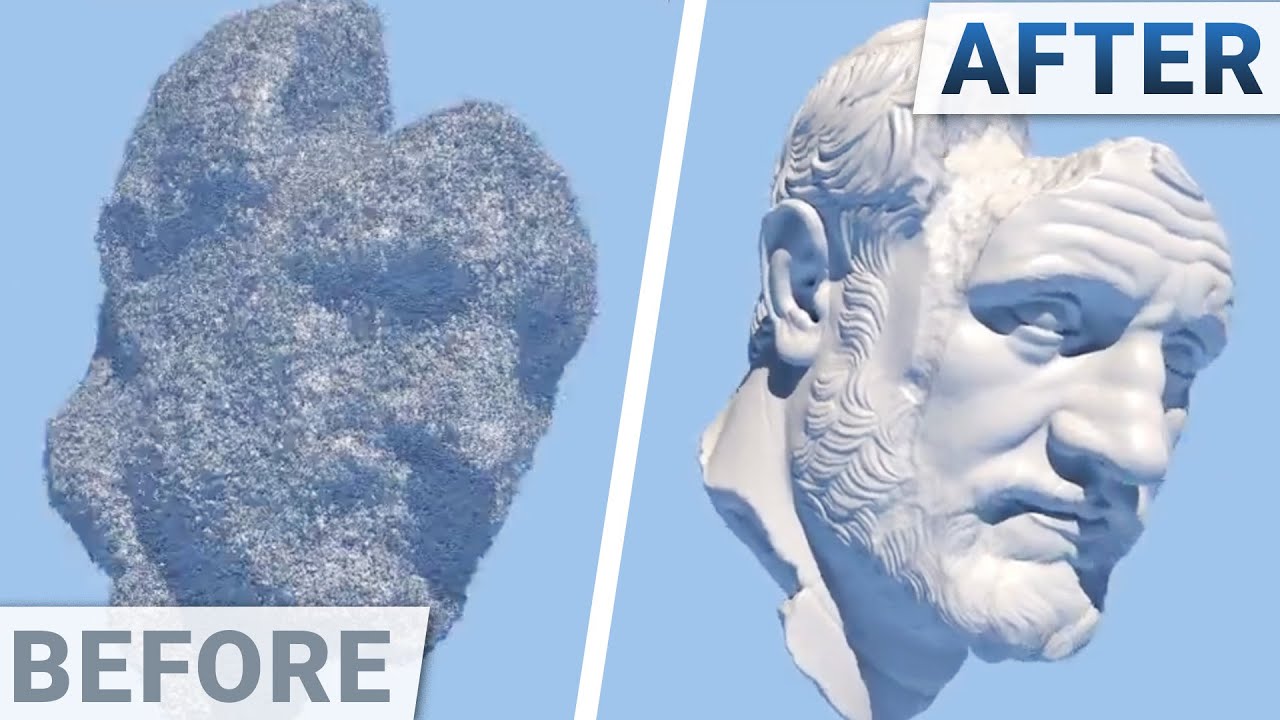
❤️ Check out Lambda here and sign up for their GPU Cloud: https://lambdalabs.com/papers
📝 #NVIDIA's paper "Instant Neural Graphics Primitives with a Multiresolution Hash Encoding" is available here:
https://nvlabs.github.io/instant-ngp/
🙏 We would like to thank our generous Patreon supporters who make Two Minute Papers possible:
Aleksandr Mash...
@zenith lantern
4K and enhanced. 🙂

 grim agate
@snow zinc please may you do the thing on this
 snow zinc
 snow zinc
@winter breach

 snow zinc
 snow zinc
@boreal heron 4K
 wet sparrow
snow zinc
<@!141843264985628672> removed jpeg artefacts.
wet sparrow
snow zinc
<@!141843264985628672> removed jpeg artefacts.
cheers, i still need to adjust my workflow to get bigger less lossy shots
snow zinc
Just use PNG. ^^
Starfield. I am really curious about that game.

@fast fox
remembers me of Prometheus somehow ^^ 4K
 snow zinc
@copper zealot 4K
 snow zinc
@austere plank 4K and enhanced. 🙂


 snow zinc
looks upscaled. 😉 What tool did you use?
 winter breach
snow zinc
looks upscaled. 😉 What tool did you use?
winter breach
snow zinc
looks upscaled. 😉 What tool did you use?
They are upscaled. 😆 I used Photoshop. I have upscaled them because my friend have requested them. 😌
 snow zinc
There are better models for that. 😉 Whats the original?
Either the resolution of the original is very low or the model of photoshop is not ideal.
winter breach
snow zinc
There are better models for that. 😉 Whats the original?
I wasn't aiming for super sharp pics. They looks like old "graphics" from the S-F magazines we grew up on. 🙂
Original resolution was 2560x1080.
snow zinc
Ah nice. 🙂 Yeah I read also Scifi magazines since I was a child.
snow zinc
@fair topaz 4K and enhanced. Original vs. new.

 fair topaz

snow zinc
winter breach
Do you wanna share the original. I wanna try my luck as well. 🙂
@cosmic glen Just denoised and upped resolution to 4K. Picture is great as it is. 🙂

 winter breach
snow zinc
Do you wanna share the original. I wanna try my luck as well. 🙂
winter breach
snow zinc
Do you wanna share the original. I wanna try my luck as well. 🙂
There you go 🙂 Raw files from SC


 snow zinc
@thorny zodiac removed fog from sky to make it more clear. and denoised and 4K. 🙂
 snow zinc
winter breach
There you go 🙂 Raw files from SC
snow zinc
winter breach
There you go 🙂 Raw files from SC
Oh great! Thanks. 🙂 I just love editing pictures. Its so satisfying. ☺️
I hope you and your friend like them. 🙂 Did my best and they are now 4K. 🙂


 snow zinc
@tall mountain 4K and enhanced, denoised. 🙂


 warm mesa
snow zinc
<@!393006987756961792> 4K
warm mesa
snow zinc
<@!393006987756961792> 4K
A rag tag fugutive fleet...
winter breach
snow zinc
I hope you and your friend like them. 🙂 Did my best and they are now 4K. 🙂
snow zinc
@wary jetty
4K and enhanced. 😉

 wary jetty
snow zinc
<@!201616939888410624>
4K and enhanced. 😉
wary jetty
snow zinc
<@!201616939888410624>
4K and enhanced. 😉
Thanks
Will make a good poster for me to memorize this free fly
snow zinc
I thought so. 😉
snow zinc
@sick furnace
changed color. 😉 4K

 sick furnace
snow zinc
<@!485169422139654154>
changed color. 😉 4K
sick furnace
snow zinc
<@!485169422139654154>
changed color. 😉 4K
beautiful 🙂
also took like 20 secs to load

 copper zealot
fast fox
void wagon
What is that ?
copper zealot
fast fox
void wagon
What is that ?
matrix movie, looks like concept art for the 4th (maybe)
snow zinc
yep its a concept art for teh 4th movie. 🙂
snow zinc


ArtStation
THROUGH THE STORM
Hey my friends !
It's a very special image I'm glad to share with you today
because this one is one my first exploration from SW visuals with my friend Ash Thorp,
and also one of my first try of concepting/painting cinematic images after months of practice,
it was something like 3yrs ago now.
My main goal and training was to...
snow zinc
From artstation


 snow zinc
 fast fox
@snow zinc whenever you are here could you upscale this pic so i can use it as my phone wallpaper?

or this one
 snow zinc
fast fox
or this one
snow zinc
fast fox
or this one
 snow zinc
Ultrayandere is the best when you have already a high detail picture. Less noise reduction then BSRGAN or realESRGAN, but keeps most details. Also doesn't change colors. It's the non plus ultra when picture is clean. And all NMKD models are mainly trained on anime. 😋
If CIG would make the screenshot File-Format PNG.. a lot of good pictures would surface. Hate jpeg.
warm mesa
snow zinc
If CIG would make the screenshot File-Format PNG.. a lot of good pictures would ...
One of the good reasons to install reShade, it offers a PNG screenshot capability.
fast fox
snow zinc
If CIG would make the screenshot File-Format PNG.. a lot of good pictures would ...
yeah i never save anything in jpeg
fast fox
snow zinc
Ultrayandere is the best when you have already a high detail picture. Less noise...
oh yeah i saw it in a 3kliksphilip video, just interesting name thats all
snow zinc
Yeah I wonder myself how that name came to be, but whatever ^^
@little bramble4K and denoised
 snow zinc
@ornate ridge 4K 🙂
 snow zinc
@honest marten
4K
 honest marten
snow zinc
<@!498538758979977231>
4K
honest marten
snow zinc
<@!498538758979977231>
4K
Fantastical eye candy as always. Amazing work. Thanks!!!
 little bramble
snow zinc
Yeah I wonder myself how that name came to be, but whatever ^^
little bramble
snow zinc
Yeah I wonder myself how that name came to be, but whatever ^^
nice thank you
snow zinc
@thorny zodiac 4K 🙂
 snow zinc


 snow zinc
^^
snow zinc
Its pretty easy. Warm colortemperature is always more appealing for the eye than colder colortemperature. Thats why I tend to warmer pictures.


Here I didnt go for warmer colors as it wouldnt fit.
This is an artwork from "Station Eleven" new TV series, thats also good.

this as well.
 snow zinc


 snow zinc
@warm mesa4K and denoised.
 snow zinc
@marsh token 4K and enhanced. Original vs. enhanced.

 snow zinc
@echo wigeon removed the Windows activation watermark and enhanced and now its 4K.

 snow zinc

 snow zinc
@honest marten
4K and denoised. Original vs edited.

 honest marten
This is SO much better! Thanks again! Love your work!
snow zinc
^^ nice 🙂
snow zinc
@wild iris
nice! 😉 I changed colors a bit.
 snow zinc
@bitter loom denoised.
 snow zinc
@robust path such a nice ship. Love the design of the 600i.


 robust path
snow zinc
<@!163293432708595712> such a nice ship. Love the design of the 600i.
robust path
snow zinc
<@!163293432708595712> such a nice ship. Love the design of the 600i.
Oooooooooooooooooo
snow zinc
@flat thunder 4K and denoised. 🙂

 flat thunder


snow zinc
@thorny zodiac I found a new released model that specifically works on edges from low resolution, So I can finally remove the edges from the low res reentry effects. ❤️


new version 4K with that new model
Now I can finally edit reentry pictures decently
New model
#579685650824036387 message
 thorny zodiac
snow zinc
<@!850222978557411349> I found a new released model that specifically works on e...
thorny zodiac
snow zinc
<@!850222978557411349> I found a new released model that specifically works on e...
niiiiiice
 long ingot
snow zinc
long ingot
snow zinc
I wish for the day we can get engine effects like this, it'll just be OOOOO everytime I take off lol
snow zinc
@snow locust 4K and enhanced. Also removed all JPEG artefacts.


 snow locust
snow zinc
<@!486568673184841738> 4K and enhanced. Also removed all JPEG artefacts.
snow locust
snow zinc
<@!486568673184841738> 4K and enhanced. Also removed all JPEG artefacts.
Thx!
snow zinc
got more coming ^^
@snow locust And thats all. ^^


@astral vessel 4K and cleaned up from any noise. 🙂 Looks now crystalclear! 🙂
 astral vessel
Oh tysm ! 👍
snow zinc
Looks awesome! Saved it for myself as Wallpaper ^^
@tribal ore 4K and enhanced. 🙂 I love the Anti Aliasing AI Model. Combined with Upscaling the resolution itself, it produces natural and sharp pictures like never before. ❤️ Original vs. edited.

 fast fox
god i love that red
snow zinc
fast fox
god i love that red
 fast fox
did u pop the red there
can hardly see with my shitty used monitor that i got some years ago for 20 moners
snow zinc
Nah I just upscaled and didnt wanna type. So I just replied to your last message ^^
fast fox
ah lol understandable
 tribal ore
snow zinc
<@!205022884555522048> 4K and enhanced. 🙂 I love the Anti Aliasing AI Model. Co...
tribal ore
snow zinc
<@!205022884555522048> 4K and enhanced. 🙂 I love the Anti Aliasing AI Model. Co...
WOW that honestly looks amazing and the red just pops so much more thank you!
snow zinc
@robust path
removed the low res edges from the reentry effects. 🙂
 fast fox
theres something familiar about your pfp but i just cant find out what it is @snow zinc
snow zinc
pfp? What is that.

 robust path
snow zinc
<@!163293432708595712>
removed the low res edges from the reentry effects. 🙂
robust path
snow zinc
<@!163293432708595712>
removed the low res edges from the reentry effects. 🙂
Hawt
snow zinc
@frozen ermine Hope you like it. 4K and denoised. 🙂 Original vs. edited.


@shrewd sphinx 4K and enhanced Original vs edited. 🙂


@fossil dove
4K and enhanced. Removed the Fog. Dont know if you like it. Denoised as well.


 fossil dove
Ngl I am amazed you managed to remove the fog, but I do kinda like the fog though it hides the true scale of it, would I possibly be able to get an upscale one with the fog still?
but that still looks amazing
 fossil dove
thank you soo much!
snow zinc
🙂
 magic loom
Maaan
How did you even remove the fog that's nutty
Like there's no details whatsoever in the spot I circled coz the fogs just blown it out with bloom or whatever but like

You can see all the details in the upscale you sent in that area, it's insane
snow zinc
😄
Adobe Lightroom.
My guess is that lightroom filters the most prevelent color out and enhances the weakest information in that area.
It works wonders
magic loom
Yeah I can tell xD
snow zinc
I love lightroom ^^
 frozen ermine
snow zinc
<@!151113224551399424> Hope you like it. 4K and denoised. 🙂 Original vs. edited...
frozen ermine
snow zinc
<@!151113224551399424> Hope you like it. 4K and denoised. 🙂 Original vs. edited...
That’s dope, I like it
thorny zodiac
snow zinc
I love lightroom ^^
oh i have lightroom, i didnt know thats what you use, I may have to try to edit some
how do you upscale though?
snow zinc

GitHub
Image Upscaling GUI based on ESRGAN. Contribute to n00mkrad/cupscale development by creating an account on GitHub.
fast fox
snow zinc
<@!183322110012293120>
4K and enhanced. Removed the Fog. Dont know if you like i...
how do you remove fog that easily? i never heard of an algorythm/ai that can do that
snow zinc
The information is there, it just has to be enhanced. Would not be possible with a JPEG though. Too limited in data.
snow zinc
@halcyon trout
40% more resolution and enhanced. 🙂

 halcyon trout
snow zinc
<@!299984478762434561>
40% more resolution and enhanced. 🙂
halcyon trout
snow zinc
<@!299984478762434561>
40% more resolution and enhanced. 🙂
Ty that made it alot better
snow zinc
🙂
halcyon trout
The screenshots on a ultrawide for some reason are lower res
snow zinc
It as fine resolutionwise but I always increase resolution no matter what. ^^
Biggest issue was the jpeg artefacts I removed.
halcyon trout
nice
snow zinc
@nimble shuttle enhanced, removed noise and upscaled to 4K. 🙂 Original vs. Edited.


 nimble shuttle
snow zinc
<@!261483898305904641> enhanced, removed noise and upscaled to 4K. 🙂 Original v...
nimble shuttle
snow zinc
<@!261483898305904641> enhanced, removed noise and upscaled to 4K. 🙂 Original v...
AYYYYO thats hot lol
ty ty
snow zinc
^^
snow zinc
@wet yew I did enhance it. I use adobe lightroom and fpr upscaling then Cupscale.
https://github.com/n00mkrad/cupscale/releases/
GitHub
Image Upscaling GUI based on ESRGAN. Contribute to n00mkrad/cupscale development by creating an account on GitHub.
snow zinc
🙂
snow zinc


 snow zinc
@crimson steppe 4K and enhanced. Removed any noise.

 crimson steppe
Looks really good! Thanks so much! 
snow zinc
 snow zinc
@shrewd sphinx removed noise and raised resolution.

 wet yew
Ah I see
wet yew
wet yew
Ah I see
It took me hours to get it working lol
I didn’t know what esrgan was or how to install it


 snow zinc
wet yew
Am I correct?
snow zinc
wet yew
Am I correct?
No 🙂 This already sets the resolution.

so better just resize after upscale to the appropriate resolution.

resize before upscale you will almost never need.
If you have a 1920x1080 picture, it would with 50% "resize after upscale", make a 4K picture instead of 8K.
if you use resize before upscale you dont use Ai. You just use a traditional resizer before teh Ai upscales the picture. That may even make pictures worse. So never use it. keep it at 100%
This how it would work. You dont need step one. Just go from Ai settings to Step 3.

hope that helps 🙂
snow zinc
@ornate ridge4K and denoised. 🙂
 ornate ridge
Ayeee


 noble merlin
snow zinc
<@!277275005870669834>4K and enhanced. 🙂
noble merlin
snow zinc
<@!277275005870669834>4K and enhanced. 🙂
Oh my, that is very nice! Thank you!!


 gray stag
How did you do ?
snow zinc
Magic 😄
gray stag
Hahaha waw
snow zinc
Adobe Lightroom and Ai Upscaling
snow zinc
🙂
 high latch
snow zinc
<@!481390491922071562> 4K 🙂
high latch
snow zinc
<@!481390491922071562> 4K 🙂
Nice 
wet yew
Which ai network and model is the best for star citizen?
For cupscale
I’ve been using realesrgan with the realesrgan-x4 plus model
 grizzled lion
snow zinc
<@!266959087269314570> 4K and enhanced
grizzled lion
snow zinc
<@!266959087269314570> 4K and enhanced
This is Amazing!! Thank you :)
snow zinc
wet yew
Which ai network and model is the best for star citizen?
realesrgan and bsrgan will both serve you well in 90% of all cases.
RealESRGAN AI network is only for 4x Models.
But its the fastest
for others like 1x Models you need one of the other networks
If you have already a very good picture in PNG with high res and little noise, go for Ultrayandere.

 grizzled lion
snow zinc
<@!266959087269314570>high res
grizzled lion
snow zinc
<@!266959087269314570>high res
amazing, thank you so much 🙂
snow zinc
🙂 Great pictures!
snow zinc
@calm crown 4K and denoised. 🙂

 calm crown
Holy balls!
snow zinc
^^ 🙂
calm crown
That’s amazing!
 snow zinc
🙂
@magic loom
4K and denoised.

@gaunt isle4K and enhanced. Removed all the JPEG artefacts as well. Picture is now smoooooth. 🙂

 gaunt isle
Oh Nice ! Thanks ^^
snow zinc
@median cape
4K and denoised. 🙂

 median cape
Your a god ❤️
snow zinc
😄
snow zinc
@fast fox 4K and denoised 🙂
 fast fox
beautiful
snow zinc
It is 🙂
snow zinc
@hybrid basin 🙂

@quaint fable 4K and enhanced! 🙂 Awesome!


First one goes to my wallpaper wallet ^^
Original
 snow zinc
@split trout 4K and removed jpeg artefacts and denoised

@lime cipher 4K and enhanced. Removed noise

@quaint fable 4K and denoised. 🙂


 quaint fable
snow zinc
<@!312616970170400768> 4K and enhanced! 🙂 Awesome!
quaint fable
snow zinc
<@!312616970170400768> 4K and enhanced! 🙂 Awesome!
Holy shit, thank you, they look amazing!
Just a shame Crusader doesn't play particularly nicely with the algorithm you use
snow zinc
I think crusader does well. Its just how the clouds are.
Ah I see what you mean.
yeah, I could use a pure denoiser.
quaint fable
I mean worst comes to worst I'll just blur it slightly lol
But they really do look great, was thinking of swapping my current background for one of the few I took last night and now my decision is much easier
snow zinc
^^
 lime cipher
snow zinc
<@!267553974767452160> 4K and enhanced. Removed noise
lime cipher
snow zinc
<@!267553974767452160> 4K and enhanced. Removed noise
Whoa, looks great. Thanks! Teach me your ways!
snow zinc
@errant smelt
 errant smelt
errant smelt
snow zinc
<@!257114611025838090>



 errant smelt
snow zinc
<@!257114611025838090>
errant smelt
snow zinc
<@!257114611025838090>
makes me curious what kinda magic you could work with the other one 
Lots of lights and shadows and the light coming out of the ship is a bit noisy i think
srsly why does SC make so many things so noisy!
errant smelt
fogs fine if done right but noise is just....why
snow zinc
Ill look at the other picture
errant smelt
snow zinc
Ill look at the other picture
Bottom of the engine exhausts also have very rough edges it seems
snow zinc
 errant smelt
definitely alot smoother looking XD

 snow zinc
^^ Anti aliasing AI model Only way to get rid of edges coming from low res VFX effects
errant smelt
snow zinc
^^ Anti aliasing AI model Only way to get rid of edges coming from low res VFX e...
well its definitely working
snow zinc
Yeah, its great. Especially on the reentry efects.
@tall mountain
4K and denoised and enhanced

@quaint fable 4K and enhanced and denoised
 quaint fable
Blessed by the almighty 1ch0 again?? Looks awesome!