
#Moving modpack into QuestCraft
24 messages · Page 1 of 1 (latest)
 tired leafBOT
 dreamy lakeBOT
**PC Mod Install Guide**
How to install mods using a Computer
NOTE: You will have to manually download all dependencies, these mods will also not show up in modmanager or instance mananger.
- Plug in your headset, and choose a file manager.
- Once the headset is connected, navigate to (SDCARD) Android/Data/com.qcxr.qcxr/files/instances/(version or name)/mods
- Drop any mods in there
- Start the game.
 Written by Cart
 river meadow
@amber lance
extract it before doing anything + don't post random zip files in the server
 amber lance
Oh, sorry
Anytime I would start the mods, it'd get stuck on the "game took ... to start"
The ... Would say how long it took
river meadow
amber lance
The ... Would say how long it took
logs
dreamy lakeBOT
**Getting logs on Quest Guide**
Sending logs from Quest:
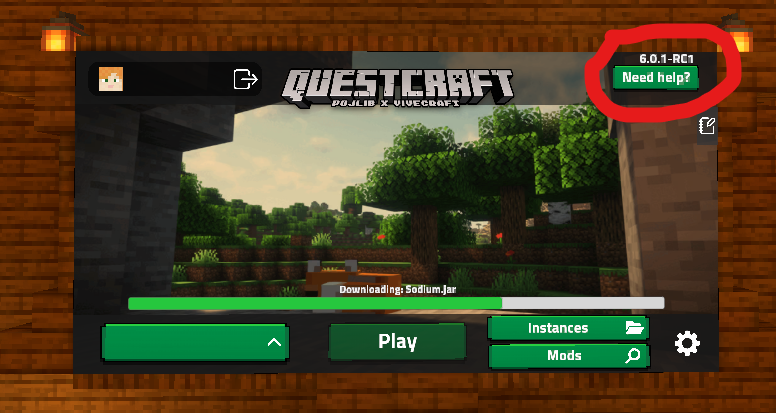
Restart your game, press on need help on the top right, then share the log link inside of support, or ticket where the person is asking for logs.
 Written by Cart
amber lance
river meadow
logs
Written by Cart
amber lance
river meadow
logs
now whenever I open video settings, it crasshes
river meadow
amber lance
now whenever I open video settings, it crasshes
did you enable fullscreen by chance
river meadow
if so, not much can be done other than reinstalling the instance or clearing the settings file straight from the instances page
funny thing is when trying to fullscreen on a 2d screen that doesn't exist mods tend to not like it
amber lance
so, I need to make a new instance and just put mods in there?
river meadow
river meadow
if so, not much can be done other than reinstalling the instance or clearing the...
^
amber lance
river meadow
funny thing is when trying to fullscreen on a 2d screen that doesn't exist mods ...
yeah 😅
Thanks for the help though, I seriously appreciate it 😁
Everything was telling me to delete nvidium, and I don't even have that downloaded
river meadow
amber lance
Thanks for the help though, I seriously appreciate it 😁
Everything was telling ...
if its from reddit: don't believe it
we don't moderate the reddit really at all
also nvidium would automatically disable on arm devices anyways
amber lance
oh, ok, good to know for the future