#ANDROID IMPORTING MEGATHREAD - Ask for help here
3713 messages · Page 4 of 4 (latest)
 honest cipher

 reef kettle
@honest cipher Do I now have to open the file and then select termux or start the termux app and enter what you told me
honest cipher
reef kettle
<@921772331259531324> Do I now have to open the file and then select termux or s...
Screenshot log on termux

 reef kettle
@honest cipher The same thing happens
 honest cipher
reef kettle
<@921772331259531324> The same thing happens
honest cipher
reef kettle
<@921772331259531324> The same thing happens
Where u download termux Playstore?
reef kettle
Yes
reef kettle
@honest cipher I was gone for a short time, I downloaded termux and now I have to enter it again
honest cipher
reef kettle
<@921772331259531324> I was gone for a short time, I downloaded termux and now I...
Screenshot again after u enter sh /sdcard/RISH/rish
 honest cipher
reef kettle
honest cipher
reef kettle
Enter
termux-setup-storage
And allow permission
And enter again sh /sdcard/RISH/rish
reef kettle
@honest cipher Both commands or just one
honest cipher
reef kettle
<@921772331259531324> Both commands or just one
Both
 honest cipher
reef kettle
honest cipher
reef kettle
What android version?
reef kettle
🤣
 worn gull
You haven't done adb pair yet
 whole lantern
adb logcat -e https://webstatic-sea.hoyoverse.com girdim ve hiçbir sonuç alamadım?
 blazing oasis
Why does nothing happen?
honest cipher
blazing oasis
Why does nothing happen?
Xiaomi ?
U can use ascent
https://youtu.be/wWzucdG3b14?si=a6MViWdvCowE0BWX

Please Read instructions first
https://bit.ly/3PPRJyF
Alternatif method
- Brevent
https://youtu.be/jJjvC8KiMDk?si=RmEwgYZ4PGzYnnoV - Shizuku
https://youtu.be/JvKu4-On2Zk - Tracing System
https://youtu.be/BlKP65X5O1k?si=8qDbMH8KQOBCh7X5
Paste your link to website
- Paimon.moe
https://paimon.moe/wish/import - Star Rail Station
https://star...
This is better than ladb
blazing oasis
honest cipher
U can use ascent
https://youtu.be/wWzucdG3b14?si=a6MViWdvCowE0BWX
okok, thank you very muchhh
whole lantern
@honest cipher What is the name of the application in the video?
honest cipher
whole lantern
<@921772331259531324> What is the name of the application in the video?
Ascent check description video for details how to download
whole lantern
Is it possible to write the new command?
honest cipher
whole lantern
Is it possible to write the new command?
Yeap
Just Enter again
whole lantern
Thanks
whole lantern
honest cipher
Yeap
Just Enter again
Does it only take what was seen in the past, right? Because I also made paimon.moe and it came out a little incomplete.
worn gull
whole lantern
Does it only take what was seen in the past, right? Because I also made paimon.m...
It counts only what you can see in-game (6 months pull data), older pull data is not visible on hoyo api
whole lantern
Thanks I thought so, too
 warm blade
How to do this on Android?
 visual harbor
It's heavily confusing
 ruby flume
this is normal I'm afraid. the game does not support doing this, and this is the only way around it
 craggy cloud
~ $ sh /storage/emulated/0/RISH/rish
RISH_APPLICATION_ID is not set, set this environment variable to the id of current application (package name)
What should I do
honest cipher
craggy cloud
~ $ sh /storage/emulated/0/RISH/rish
RISH_APPLICATION_ID is not set, set this en...
Samsung?
Use brevent
craggy cloud
honest cipher
Samsung?
Yes
craggy cloud
honest cipher
Use brevent
Okey, thanks, will try
 frail pine
adb logcat -e https://webstatic-sea.hoyoverse.com/
adb logcat -e https://gs.hoyoverse.com
Why not working
honest cipher
frail pine
adb logcat -e https://webstatic-sea.hoyoverse.com/
adb logcat -e https://gs.hoy...
U can use Ascent

Please Read instructions first
https://bit.ly/3PPRJyF
Alternatif method
- Brevent
https://youtu.be/jJjvC8KiMDk?si=RmEwgYZ4PGzYnnoV - Shizuku
https://youtu.be/JvKu4-On2Zk - Tracing System
https://youtu.be/BlKP65X5O1k?si=8qDbMH8KQOBCh7X5
Paste your link to website
- Paimon.moe
https://paimon.moe/wish/import - Star Rail Station
https://star...
frail pine
honest cipher
U can use Ascent
https://youtu.be/6orlKowsBa0
Share download link
 broken scroll
frail pine
Share download link
broken scroll
frail pine
Share download link

GitHub
Complete rewrite of the whole codebase, reimplement ADB protocol
Please note that all device should be supported by now, if you've encountered any problems, please open an issue or contact me.
...
just released
frail pine
Where download
 carmine grail
broken scroll
https://github.com/4o3F/Ascent/releases/tag/2.1.0
carmine grail
broken scroll
https://github.com/4o3F/Ascent/releases/tag/2.1.0
What's the difference between the two versions of ascent
honest cipher
carmine grail
What's the difference between the two versions of ascent
- Latest version have simply UI
- pairing process which is better than before
- bug fixes
- And now Samsung devices can use Ascent
honest cipher
honest cipher
U can use Ascent
https://youtu.be/6orlKowsBa0
U can watch for details
carmine grail
honest cipher
- Latest version have simply UI
- pairing process which is better than before
-...
Alright thank you
carmine grail
honest cipher
U can watch for details
Already done so 
honest cipher
Ow Nice
and now, Ascent support for read tracing file, so don't need to use manual script
honest cipher
Tracing method I usually recommend lower versions of Android
like android 9 and 10
carmine grail
I'm on android 13 iirc so yeah
broken scroll
V2 has a completely new codebase, much better
carmine grail

broken scroll
I developed v1 in a hurry, while v2 is carefully designed
carmine grail
Oh shi u developed it? That's sick wtf
broken scroll
Yep I developed it
carmine grail
I didn't use the pld brevent cause it seemed like such a pain to do however this one looks simple
broken scroll
And I'm also developing a new website where you can store your wish data permanently on the cloud, can look forward to it.
carmine grail
broken scroll
And I'm also developing a new website where you can store your wish data permane...
Wtf that sounds amazing. Best of luck 
Yeah it's very long that's why I am gonna try ascent instead
honest cipher
carmine grail
Yeah it's very long that's why I am gonna try ascent instead
Nah , better using Ascent 
 broken scroll
yep
carmine grail
Awesome
ruby flume
broken scroll
And I'm also developing a new website where you can store your wish data permane...
so like, google drive? 
@broken scroll might wanna have a chat with @fathom coral, looks like he's making a new paimon site
broken scroll
We can store it for you, I'll check that
ruby flume
broken scroll
We can store it for you, I'll check that
sounds... why? yeah, sounds "why" since virtually everyone has their own cloud account. paimon.moe utilizes that.
worn gull
Probably for something like a git repo? 
ruby flume
worn gull
Probably for something like a git repo? <:Hmm:1005419442190168144>
that did not make sense
worn gull
You can check the diff and easy to rollback if something's wrong
broken scroll
yes, but with millions of gacha data we can analyze the total probability of the whole server
ruby flume
you mean versioning. google drive does that already.
broken scroll
In fact, we already made one for chinese server, and you can check how lucky you are in this pool
worn gull
ruby flume
you mean versioning. google drive does that already.
Yes, but it's not as straighforward as a git repo which you can just check the changes historically
ruby flume
broken scroll
In fact, we already made one for chinese server, and you can check how lucky you...
so just like paimon.moe, with google drive?
I mean. man.
broken scroll
Why do you have to check the changes?
ruby flume
worn gull
Yes, but it's not as straighforward as a git repo which you can just check the c...
sure but a repo doesn't make sense. utilizing repos for that is too much.
basic versioning with a diff functionality does it.
repos do the diff between commits, that's all
broken scroll
ruby flume
so just like paimon.moe, with google drive?
well, in my mind, I can store the data on my server for you
ruby flume
I hear ya, but... why?
worn gull
broken scroll
Why do you have to check the changes?
I think it's just good to have a contingency plan that in case a bug occurs and you can pinpoint the error by checking the diff? Something breaking is pretty common
broken scroll
we can analyse them to get info we can't get from one single account
ruby flume
worn gull
I think it's just good to have a contingency plan that in case a bug occurs and ...
google drive does that already.
you can just have a site like paimon.moe to do the diff between versions
ruby flume
broken scroll
we can analyse them to get info we can't get from one single account
well paimon.moe does that and they don't need to store any user data.
storing the data server-side just sounds unnecessary and raises red flags.
broken scroll
well, I do need to consider that, currently we made a list for each gacha pool, and gives the most unlucky people a gift, and we need to fetch the data server side to make it credible
That's the initial reason we store data server side
ruby flume
I get it, but you can fetch the data, pull the metadata from it and just keep the metadata, just numbers without details.
worn gull
ruby flume
google drive does that already.
you can just have a site like paimon.moe to do t...
Yes, but how deep is google drive versions can be? I never touched that
ruby flume
ruby flume
I get it, but you can fetch the data, pull the metadata from it and just keep th...
it's like common pro-privacy mentality.
broken scroll
yep, think I need to implement an option for user to choose whether to store data in the cloud
worn gull
Anonymizing the data for unwilling users seems to be better option yeah
ruby flume
that's all I meant all along
broken scroll
Initially we think this is a win win situation, we can analyse data and players' don't need to worry about data loss
ruby flume
tbh the main reason people keep losing data is because paimon.moe doesn't seem like it knows what it's doing with peoples' data on google drive.
broken scroll
processing data in browser may cause many issues, it's not as reliable as on a server
ruby flume
broken scroll
processing data in browser may cause many issues, it's not as reliable as on a s...
please don't talk to me like I haven't been a web developer since 2001
broken scroll
Let me clear it, you are worried that storing gacha data on server causes privacy problems, although only the person who uploaded it can see it, am I right?
ruby flume
only the person who uploaded it can see it
untrue. unless you introduce client-side encryption, similar to that of mega.nz
broken scroll
ok I get the problem
 still estuary
Guys, help. I have honor 20pro. The device does not have wirelles debugging functionality. How to get data?
honest cipher
still estuary
Guys, help. I have honor 20pro. The device does not have wirelles debugging func...
U need connect ur phone to PC or use usb OTG
broken scroll
still estuary
Guys, help. I have honor 20pro. The device does not have wirelles debugging func...
or use system trace
 wide roost
Why nothing happens after typing
adb logcat -e https://webstatic-sea.hoyoverse.com/
Its just empty
worn gull
wide roost
Why nothing happens after typing
``adb logcat -e https://webstatic-sea.hoyovers...
change it to adb logcat -e https://gs.hoyoverse.com
wide roost
worn gull
change it to `adb logcat -e https://gs.hoyoverse.com`
Didn't work
Its just empty after entering
worn gull
What phone is this?
wide roost
Poco F5
 ivory roseBOT
Try following this, it's easier
U can use Ascent
Jump
[Go to message!](#1044690490982932490 message)
Please Read instructions first
https://bit.ly/3PPRJyF
Alternatif method
- Brevent
https://youtu.be/jJjvC8KiMDk?si=RmEwgYZ4PGzYnnoV - Shizuku
https://youtu.be/JvKu4-On2Zk - Tracing System
https://youtu.be/BlKP65X5O1k?si=8qDbMH8KQOBCh7X5
Paste your link to website
- Paimon.moe
https://paimon.moe/wish/import - Star Rail Station
https://star...
wide roost
ivory rose
Try following this, it's easier
Where cna I download ascent?
Not in playstore
broken scroll
GitHub
A tool for retrieving wish link of Mihoyo games on Android devices - 4o3F/Ascent
For MIUI remember to switch notification type from MIUI to Native
wide roost
broken scroll
https://github.com/4o3F/Ascent/releases
It worked
How about if I want other account?
Do I have to re pair?
broken scroll
You can, click reset pair and it can unpair
Then you can invoke authorize in the wireless debug settings
wide roost

broken scroll
broken scroll
You can, click reset pair and it can unpair
After this, the cert and key are deleted instantly from your device,. so there isn't much need to do the setting part
honest cipher
wide roost
How about if I want other account?
You only need to change the account from which you want to retrieve the link
And tap connect on Ascent
 craggy terrace
Is there a new way to import wish history on phone yet? My laptop isn't working atm
honest cipher
Scroll up
craggy terrace
Oh thanks
 small flume
Hi!
I want for Paimon to count my wishes on my Android device as well, as well, I have two Andy devices.
Can someone help me how to start doing it?
honest cipher
honest cipher
Scroll up
^
small flume
Can I benefit for your help directly?
Want this feature for the Genshin Impact game. I still want to battle Dvalin more times. My favorite boss!
The single and solo reason why I got in the game in the first place...
honest cipher
Scroll up read instruction before watch video
small flume
Using Ascent method?
honest cipher
The easiest ascent for now, if you think it's hard it's better to give up.
small flume
Have someone told you that you are awesome? Thank you! I will try!
honest cipher
But you need to know, all methods on Android do not support vivo and iqoo devices.
small flume
I have OnePlus 10R and Xiaomi Mi 10T as devices. My two Andys...

 honest cipher
small flume
honest cipher
small flume
Tap apk
small flume
Just a slight remember please if you can give me, I forgot how do you use the site, as well previously i used it on a span on two years just 3 times or 2 times.
honest cipher
26 mb
small flume
Thank you!
honest cipher
Just get the link first, after that you can enter it here

Genshin Impact Wish Counter to track your pity counter and track when you get the character or weapon. You can also automatically import the logs and backup it from PC, Android, iOS, PlayStation then save it more than 6 months.
 small flume
Will do it right now.
If I did not do it before for something else.
:))
On it!

Dev Mode unlocked!
small flume
Did it already.
Yeah.
Reach near the end.
I clicked on connect on Ascend app.
After...what I need to do?
I left the app running and went on Genshin Impact the game and open up the wish history.
Did I proceed right?
honest cipher
small flume
I left the app running and went on Genshin Impact the game and open up the wish ...
Yeap
 honest cipher
small flume
honest cipher
small flume
Adb not connect
Make sure localhost already connected

that's why I said to read the instructions first
honest cipher
small flume
Sorry!

Gist
Wireless Nirkable via Ascent. GitHub Gist: instantly share code, notes, and snippets.
honest cipher
small flume
Thank you!
Just check localhost already connected or not
You can find on wireless debugging
small flume
OK!
honest cipher
If not connect tap reset cert and pair again
small flume
OK!
honest cipher
Because you using OnePlus make sure you already disable permission monitoring
honest cipher
Okay just reset and pair again
small flume
Cool!
honest cipher
Make sure to enter the Pairing code correctly
small flume
It got it, it was satisfied.
honest cipher
small flume
It got it, it was satisfied.
Now go Ascent apps and tap connect
Screenshot notification centre
 honest cipher
small flume
honest cipher
small flume
Did you already tap connect?
small flume
Yeap!
small flume
So, tap on the notification from the Ascend app?
honest cipher
small flume
So, tap on the notification from the Ascend app?
Ya

 urban coyote
Maybe uninstall u webview
honest cipher
small flume
Sigewine!
Gist
Wireless Nirkable via Ascent. GitHub Gist: instantly share code, notes, and snippets.
small flume
OK!
honest cipher
There is a bug on some devices for the latest version of appwebview
honest cipher
honest cipher
Read point 3
https://gist.github.com/Mirai0009/8615e52e09083de9c0ea2dc00dc62ea8...
After you done follow this
Reset cert and pair again
small flume
Ok.
 honest cipher
small flume
honest cipher
small flume
Hmm
maybe you can use the old version of Ascent
It still failed
Revoke first @small flume
https://gist.github.com/Mirai0009/8615e52e09083de9c0ea2dc00dc62ea8#how-to-delete-ascent-localhost
Gist
Wireless Nirkable via Ascent. GitHub Gist: instantly share code, notes, and snippets.
And download old version
.https://github.com/4o3F/Ascent/releases/download/1.0.1-beta%2B2/ascent-1.0.1-beta+2.apk
small flume
 honest cipher
The installation process almost the same with v2
small flume
That may be the problem as well?
honest cipher
small flume
That may be the problem as well?
Some devices may have problems with the latest version
honest cipher
honest cipher
And download old version
.https://github.com/4o3F/Ascent/releases/download/1.0.1...
This one old version
small flume
OK!
honest cipher
honest cipher
Revoke first <@913401621571051540>
https://gist.github.com/Mirai0009/8615e52e0...
You can revoke first
honest cipher
small flume
OK!
Delete Ascent v2 and install old version
small flume
On my way to try it, and got upon this.

Does has any relevance or something?
Or, straight to old version as you said and this one left it for others devices?
Yep!
Old Version to be.
Incoming!
ivory roseBOT
U can follow this if you delete localhost

[Reply to:](#1044690490982932490 message)
Revoke first @small flume
https://gist.github.com/Mirai0009/8615e52e09083de9c0ea2dc00dc62ea8#how-to-delete-ascent-localhost
Jump
[Go to message!](#1044690490982932490 message)
Wireless Nirkable via Ascent. GitHub Gist: instantly share code, notes, and snippets.
honest cipher
small flume
That's to delete the old localhost
small flume
Got it with the Newest version in the finale.

Now where do I copy the link?
The mistake was at me.
small flume
First tap connect on the Ascent app, then opened the game and went on the Hystory wish menu.
honest cipher
Genshin Impact Wish Counter to track your pity counter and track when you get the character or weapon. You can also automatically import the logs and backup it from PC, Android, iOS, PlayStation then save it more than 6 months.
small flume
On Android right?
honest cipher
small flume
On Android right?
Yes
small flume
Ok!
honest cipher
small flume
Ok!
Ow u still use new version right?
small flume
Yeah.
First tap connect on the Ascent app, then opened the game and went on the Hystory wish menu, that was my actions.
It failed that way.
Opened the game and went on that menu first, with the localhost paired, after entering the Ascent app went on the connection tab and taped connect.
After back in to the game, and back and forth to menus, back from the wish menu and history menu, back again on wish and history menu, and sudenly, it told me that something was succesfull.
honest cipher
Maybe just random
small flume
After back on the Ascent app and I got the link.
honest cipher
Usually, after pressing connect, ADB Server will run automatically
small flume
Yeah, it told me that as well.
broken scroll
The problem still occurs randomly?
honest cipher
broken scroll
The problem still occurs randomly?
Currently there are only 2 cases
broken scroll
well, this gonna be a headache
honest cipher
broken scroll
well, this gonna be a headache
After pressing connect it appears like this

This is different from the problem with Samsung
broken scroll
The notification didn't refresh? Haven't think about that part, will look into it
 broken scroll
Probably another manufactor fault, what's your phone's brand?
 honest cipher
small flume
OnePlus 10R
honest cipher
small flume
OnePlus 10R
He is an Ascent Developer
broken scroll
Ok, I'll try to find a testing device and try to reproduce the issue
small flume
Yeah.
broken scroll
Probably, but random problems usually indicate there are defects in code
broken scroll
Especially when I use multiple thread and have to share data around thread pools. I'll recheck again later
honest cipher
small flume
Only my fault.
A few days ago I also got it similar case but on android 11
But when using the old version everything works fine
small flume
Anyway, now you have two screenshots and more info, to look more speciffically on the "case" if you suspect that there are troubles.
broken scroll
Yep, thanks for the info
honest cipher
This is a problem with Android because there are too many device brands and the security level is different for each brand
 honest cipher
Xiaomi usually has no problems
small flume
Just for the process! :)))))))))
honest cipher
The most problems are usually with the Samsung S series
small flume
This one, OnePlus 10R it has the Android 13 version.
honest cipher
Okay guys it's time to sleep 
small flume
I am waiting after Realme to release the 240 W charging phones in my Country Romania as well.
I dislike Samsung, full of bloatware and without charging from 0% to 100% in 20 min, or less.
Because of that I prefer Realme Fast Charging aproach, 240 W on the current USB charging last protocol tech for a 0 to 100% in 9 min. aproximatelly. As well the baterry on normal use can hold for a day, day in a half. Still, sorry, a bit off topic.
Have a good sleep! Thank you for all the help. : D
small flume
Yep, confirmed! Final result:

Device Xiaomi Mi 10T.

Him!
With this version off the App!

Went smooth like butter! Without any trouble.
Still, the final steps toward the wining link to copy was these:
- Go to connect screen on the app, this one:

Then out from the app, on the Hoyoverse game that you want to know your Wish count for, in my case Genshin Impact and went in the game, and straight on the wish menu and after on the wish history menu.
After out from the game and back on the Ascent app, tap connect, out from the Ascent app, back in the game, out from the wish history menu if it stayed there, out from the wish menu, back to my Amber, after, back again on the wish menu, back again on the wish history menu, and finally the Ascent app gave me the link.
Back on the app, click copy, out from the app, on the browser used the link provided by Mirai, chose my server, copied the link in his well deserved place and got the result.
Sorry for long explanation, hope it helps! 🎅
The link provided by Mirai: https://paimon.moe/wish/import
Genshin Impact Wish Counter to track your pity counter and track when you get the character or weapon. You can also automatically import the logs and backup it from PC, Android, iOS, PlayStation then save it more than 6 months.
PS: Both apps: Ascent and the game was running on the whole time.
broken scroll
@small flumeIf you ever encounter the same problem, please try the new v2.1.1
https://github.com/4o3F/Ascent/releases/tag/2.1.1

GitHub
More user friendly operations, especially clearer error indication
Full Changelog: 2.1.0...2.1.1
honest cipher
Nah
I have tried it on android system webview Latest version 119.0.6045.193
it still works fine

 meager stone
How do I do this?
broken scroll
Gist
Wireless Nirkable via Ascent. GitHub Gist: instantly share code, notes, and snippets.
warm blade
Where to download ascent from?
honest cipher
warm blade
Where to download ascent from?
For tutorial
https://youtu.be/6orlKowsBa0?si=pvVDed12J8kEnnhi
Please Read instructions first
https://bit.ly/3PPRJyF
Alternatif method
- Brevent
https://youtu.be/jJjvC8KiMDk?si=RmEwgYZ4PGzYnnoV - Shizuku
https://youtu.be/JvKu4-On2Zk - Tracing System
https://youtu.be/BlKP65X5O1k?si=8qDbMH8KQOBCh7X5
Paste your link to website
- Paimon.moe
https://paimon.moe/wish/import - Star Rail Station
https://star...
 lavish badge
Help
 urban coyote
 naive badger
Any update on vivo/iqoo phones
worn gull
No
naive badger
Sedlyf
broken scroll
naive badger
Any update on vivo/iqoo phones
vivo/iqoo is related to manufacture's edit on android, we can't do anything about it
 hexed kelp
Hi, can I ask how many months worth of pulls I can check from the Paimon moe?
honest cipher
hexed kelp
Hi, can I ask how many months worth of pulls I can check from the Paimon moe?
The data that can be checked is only 6 months
hexed kelp
Aww thats too bad. Tyvm
 fossil mountain
Hello, can anyone teach me how to check paimon moe using android? I'm using Infinix as device to play genshin
honest cipher
Scroll up
craggy terrace
It's not doing anything I followed the videos instructions
 honest cipher
craggy terrace
It's not doing anything I followed the videos instructions
honest cipher
craggy terrace
It's not doing anything I followed the videos instructions
Brand phone?
honest cipher
craggy terrace
Galaxynote20
Ow okay
Probably server not running
Close game first
And hold Ascent apps > app info> and tap force stops
craggy terrace
Do I close the tab to my game entirely?
honest cipher
craggy terrace
Do I close the tab to my game entirely?
Yeap
honest cipher
honest cipher
Ow okay
Probably server not running
Close game first
And hold Ascent apps > a...
Then do this
After that,
Open Ascent again > tap connect
And screenshot notification centre ur phone
craggy terrace
Still the same thing nothing is happening
honest cipher
craggy terrace
Still the same thing nothing is happening
Screenshot notification centre ur phone after you tap connect

I haven't told you to open the game yet
Because Samsung does have a little problem depending on the notification that appears
 craggy terrace
Like this right?
 honest cipher
craggy terrace
Like this right?
honest cipher
craggy terrace
Like this right?
Nah wait
craggy terrace
?

 craggy terrace
 honest cipher
craggy terrace
honest cipher
craggy terrace
Nah open game now
 honest cipher
craggy terrace
Tysm<:peepoSmile:951579378993733742>
honest cipher
craggy terrace
Tysm<:peepoSmile:951579378993733742>
for future users , just need enable wireless debugging and tap connect,
If notification appear like before just enter manual port
This problem is that almost all Samsung connect ports cannot be detected automatically
urban coyote

 true gale
 ivory roseBOT

[Reply to:](#1044690490982932490 message) Guys What should I add in here
For tutorial
https://youtu.be/6orlKowsBa0?si=pvVDed12J8kEnnhi
Jump
[Go to message!](#1044690490982932490 message)
Please Read instructions first
https://bit.ly/3PPRJyF
Alternatif method
- Brevent
https://youtu.be/jJjvC8KiMDk?si=RmEwgYZ4PGzYnnoV - Shizuku
https://youtu.be/JvKu4-On2Zk - Tracing System
https://youtu.be/BlKP65X5O1k?si=8qDbMH8KQOBCh7X5
Paste your link to website
- Paimon.moe
https://paimon.moe/wish/import - Star Rail Station
https://star...
 bleak cosmos
So I don't know how to import my link and the old method is not working and my phone is Poco f5
honest cipher
bleak cosmos
So I don't know how to import my link and the old method is not working and my p...
Use Ascent
bleak cosmos
?
honest cipher
this is the easiest method to use at the moment
Above u
Watch and read instructions
bleak cosmos
How do I do it
bleak cosmos
honest cipher
Watch and read instructions
Where
honest cipher
Please Read instructions first
https://bit.ly/3PPRJyF
Alternatif method
- Brevent
https://youtu.be/jJjvC8KiMDk?si=RmEwgYZ4PGzYnnoV - Shizuku
https://youtu.be/JvKu4-On2Zk - Tracing System
https://youtu.be/BlKP65X5O1k?si=8qDbMH8KQOBCh7X5
Paste your link to website
- Paimon.moe
https://paimon.moe/wish/import - Star Rail Station
https://star...
bleak cosmos
honest cipher
https://youtu.be/6orlKowsBa0?si=pvVDed12J8kEnnhi
Thanks
honest cipher
bleak cosmos
Thanks
Make sure you read description video
bleak cosmos
honest cipher
If you have any issues with Ascent
Tap Get Support on apps
 dusky marsh
Which I should select D:?

 dusky marsh
I already switch that one
But in the tutorial say something about monitoring permissions
And I can't find it
honest cipher
dusky marsh
But in the tutorial say something about monitoring permissions
Ingnore this, this feature only for oppo realme and OnePlus
honest cipher
Use @ if you have problem
dusky marsh
Ok
honest cipher
Basically, usually problem with port not connect
If after you tap connect and just say waiting for link u need only login and open gacha history
If after you tap connect and say enter port you need enter manual port, 5 digit number beside ur localhost
Failure during the pairing process can also occur for Xiaomi devices if you using MIU notification style so make sure u change to android

 honest cipher
 manic plinth
how do I enable the twist analysis?
manic plinth
how do I enable the twist analysis?
Swipe up a bit and watch video
Check description video for instructions
 fair basalt
can someone help me what to do
honest cipher
fair basalt
can someone help me what to do
Basically u only need to follow video tutorial and read instructions
Scroll up a bit
manic plinth
honest cipher
Swipe up a bit and watch video
There are hundreds of videos here. Are you going to ping him?
ivory roseBOT
Jump
[Go to message!](#1044690490982932490 message)
Please Read instructions first
https://bit.ly/3PPRJyF
Alternatif method
- Brevent
https://youtu.be/jJjvC8KiMDk?si=RmEwgYZ4PGzYnnoV - Shizuku
https://youtu.be/JvKu4-On2Zk - Tracing System
https://youtu.be/BlKP65X5O1k?si=8qDbMH8KQOBCh7X5
Paste your link to website
- Paimon.moe
https://paimon.moe/wish/import - Star Rail Station
https://star...
manic plinth
honest cipher
Check description for instructions
I can't find this app.
honest cipher
Yeap because u not reading instructions
This one direct link
https://github.com/4o3F/Ascent/releases/download/2.1.3/ascent_2.1.3.apk
Make sure you read everything in instructions
honest cipher
honest cipher
Yeap because u not reading instructions

 merry scarab
honest cipher
merry scarab
honest cipher
There is this way for iqoo/Vivo given above will it work?
And there was a video on bug report method is it also not working for iqoo
honest cipher
merry scarab
There is this way for iqoo/Vivo given above will it work?
And there was a video ...
Sadly no
honest cipher
ivory rose
Genshin version
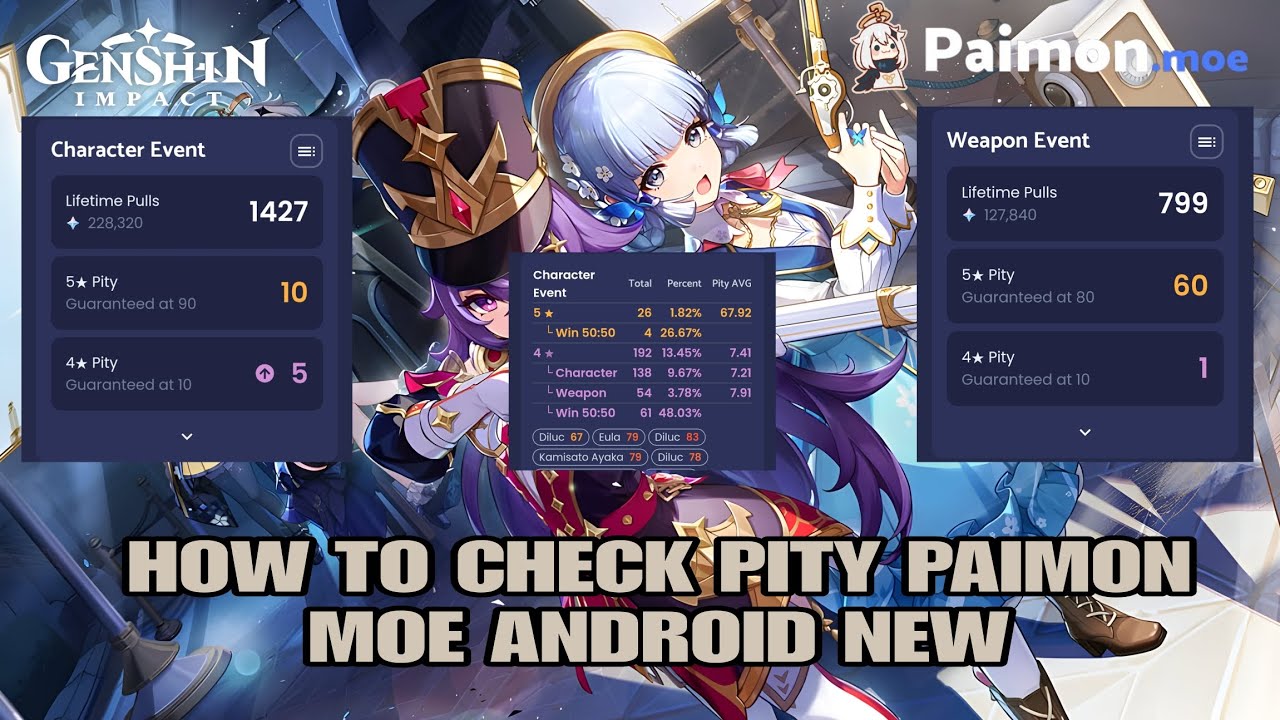
Please read instructions first
https://bit.ly/3PPRJyF
-
Paste your link to website paimon.moe
https://paimon.moe/wish/import -
Join Ascent discord
https://discord.gg/6v6HEUaRWk
DISCLAIMER
Don't make any tutorial or re-upload apps Ascent without Permission from Developer
Support me ❤️
https://saweria.co/mirai07
https://ko-fi.com/mirai07
 thorn sparrow
honest cipher
thorn sparrow
honest cipher
 kindred barn
It's the same?
kindred barn
It's the same?
If have wireless debugging, yes
kindred barn
honest cipher
If have wireless debugging, yes
Yes it have
honest cipher
kindred barn
Yes it have
But, usually for Samsung need enter manual port
kindred barn
How to do this
honest cipher
kindred barn
How to do this
After you tap connect If the server is connected successfully it will appear waiting for link
Cases on Samsung will ask for port
Example enter 5 digit number beside ur localhost
If still have problem tap Get Support on apps
kindred barn
Tysm I will test it
honest cipher
kindred barn
Tysm I will test it
Make sure you not using baterai saver mode & silent mode
kindred barn
Okay
 dreamy fractal
honest cipher
**Genshin version**
https://youtu.be/OK0xQh1sWQc
dreamy fractal
honest cipher
**Genshin version**
https://youtu.be/OK0xQh1sWQc
What program
honest cipher
dreamy fractal
What program
Read instructions
 frosty tangle
Ai lulinha
honest cipher
 bold swallow
now i have to scroll back
bold swallow
now i have to scroll back
Just use Ascent
It's better than LADB
Please read instructions first
https://bit.ly/3PPRJyF
Alternative methods
https://youtu.be/OynAeBK5BZs?si=KsiWXMTIlSd7WFFo
-
Paste your link to website paimon.moe
https://paimon.moe/wish/import -
Join Ascent discord
https://discord.gg/6v6HEUaRWk
DISCLAIMER
Do not create any content with Ascent without Permission
Support me ❤️
https:...
bold swallow
honest cipher
Just use Ascent
yep done
eventho i didnt understand some of the instructions but i manage to make way and learn something
man.... 14 more pull for guaranteed
 honest cipher
bold swallow
eventho i didnt understand some of the instructions but i manage to make way and...
honest cipher
bold swallow
eventho i didnt understand some of the instructions but i manage to make way and...
Ascent makes everything practical
Enter Pairing code and tap connect don't need to enter cmd manual
 bold swallow
 cinder maple
Queria a opção 5
cinder maple
Queria a opção 5
use ascent
u can scroll recent chat
mirai already show the tutorial
cinder maple
Obrigada
bold swallow
sem problemas
 pure lily
Now what do I do if I can't find ascent?
honest cipher
pure lily
Now what do I do if I can't find ascent?
U need download from GitHub
Make sure you read instructions first

GitHub
New Features
Quick approach for root device
Dynamic support channel link
Manual reset of the connect process
Fix
Fix mDNS discovery problem
Full Changelog: 2.1.3...2.1.4
kindred barn
I LOVE IT
ITS THE BEST AND FASTES WAY
@honest cipher
Thanks so much
You the best
 twilit cedar
honest cipher
https://github.com/4o3F/Ascent/releases/tag/2.1.4
twilit cedar
honest cipher
https://github.com/4o3F/Ascent/releases/tag/2.1.4
is there any youtube tutorial to follow along that im not seeing? >.>
OH i think i see it
 wide ibex
bold swallow
honest cipher
Make sure you read instructions first
wide ibex
bold swallow
honest cipher
Make sure you read instructions first
@wide ibex here
 glacial roost
How to use paimon moe its confusing me
honest cipher
glacial roost
How to use paimon moe its confusing me
Brand ur phone?
glacial roost
Android
glacial roost
Realme
honest cipher
glacial roost
Realme
Read this first
https://bit.ly/3PPRJyF
Gist
Wireless Nirkable via Ascent. GitHub Gist: instantly share code, notes, and snippets.
After that, watch the video tutorial at the bottom
 young fossil
How does the link matter?
honest cipher
young fossil
How does the link matter?
This steps how to get website link
To paste on paimon moe website
 trim spire
How to use paimon.moe on xiaomi tablet?
honest cipher
honest cipher
Read this first
https://bit.ly/3PPRJyF
Read this first
Video guide at the bottom
Just scroll down
 native yarrow
cinder maple
Como faço ?
native yarrow
cinder maple
Como faço ?
Oii vc conseguiu? Eu nn entendi como faz
native yarrow
honest cipher
https://youtu.be/OK0xQh1sWQc
Não estou conseguindo achar a opção "wireless debugging" e agora?
bold swallow
native yarrow
Não estou conseguindo achar a opção "wireless debugging" e agora?
turn on developer mode,u can find wireless debugging shown in the screenshot

if u use android tap 5x on the 'build number' to turn on developer option
 twilit orbit
Any method for samsung ?
honest cipher
twilit orbit
Any method for samsung ?
Read this first, video tutorial at the bottom
https://bit.ly/3PPRJyF
Gist
Wireless Nirkable via Ascent. GitHub Gist: instantly share code, notes, and snippets.
 zealous geyser
honest cipher
Read this first, video tutorial at the bottom
https://bit.ly/3PPRJyF
zealous geyser
honest cipher
Read this first, video tutorial at the bottom
https://bit.ly/3PPRJyF
I am using poco x3 pro. You were saying it is having problem with x3 pro. Is it solved?
honest cipher
zealous geyser
I am using poco x3 pro. You were saying it is having problem with x3 pro. Is it ...
All Android only can't works for vivo and iqoo
Except for that brand, it's works fine
zealous geyser
Doer tremux app work? I have it and used to extract wish history for genshin.
honest cipher
honest cipher
Read this first, video tutorial at the bottom
https://bit.ly/3PPRJyF
Try Ascent
It's better than termux
zealous geyser
Is it on playstore?
honest cipher
Nope
zealous geyser
Can you send me a link
honest cipher
Open source
honest cipher
honest cipher
Read this first, video tutorial at the bottom
https://bit.ly/3PPRJyF
Just open this and read instructions
This my gist
Everything you need, I'm ready write there
zealous geyser
I am on mobile network. I can't use wireless debugging. What should i do
honest cipher
Use tethering
Without wireless debugging(WiFi) this would be more complicated
Except if ur phone already got rooted
zealous geyser
I tried system tracing. But termux cant find binutils -y
honest cipher
zealous geyser
I tried system tracing. But termux cant find binutils -y
Basically u can use Ascent for read tracing file
But again, u need downgrade android system webview first u want use Tracing method
zealous geyser
Yeah i selected only to trace web view
zealous geyser
worn gull
use termux from f-droid, not playstore
Can you send me a link
honest cipher
zealous geyser
Yeah i selected only to trace web view
It is not my intention
honest cipher
zealous geyser
Yeah i selected only to trace web view
Read this and follow
https://gist.github.com/Mirai0009/074ab719abe7b6362c277b7d172149ab#note
zealous geyser
honest cipher
It is not my intention
I can't pair coz i am on mobile data. Maybe tomorrow when i connect to WiFi
honest cipher
Hmm, I'm not telling you to pairing
honest cipher
I say u need downgrade android system webview
worn gull
^ and do that as well
honest cipher
Everything will be in vain if you don't do that first
honest cipher
honest cipher
Read this and follow
https://gist.github.com/Mirai0009/074ab719abe7b6362c277b7d...
^
Don't need to run cmd manual and don't need to pairing
You can directly open
Just hold Tracing file file and > share to ascent
zealous geyser
honest cipher
Don't need to run cmd manual and don't need to pairing
I got it. Thanks. But cant it show weapon warps?
Oh i got it
ivory roseBOT

Wireless Nirkable via Ascent. GitHub Gist: instantly share code, notes, and snippets.
 jaunty cradle
hi, were can i access the roles?
naive badger
Has vivo got any changes with the release of Android 14 on their devices
honest cipher
Nope
 last oxide
So is it possible at all to do on Android without paying/downloading a sketchy app?
honest cipher
last oxide
So is it possible at all to do on Android without paying/downloading a sketchy a...
No
last oxide
Sick
honest cipher
Buy PC if you don't want do this = problem solved
honest cipher
ivory rose
U can read this first @river beacon
Video tutorial at the bottom just scroll down
 river beacon
Its hard can i do with laptop?
honest cipher
river beacon
Its hard can i do with laptop?
Basically, this method is the easiest for now
You just need to read the instructions before watching the guide
But if you want use PC method just open website paimon and follow the guide, but you need to install GI on your PC first
honest cipher
honest cipher
Basically, this method is the easiest for now
Please read instructions first
https://bit.ly/3PPRJyF
Alternative methods
https://youtu.be/OynAeBK5BZs?si=KsiWXMTIlSd7WFFo
-
Paste your link to website paimon.moe
https://paimon.moe/wish/import -
Join Ascent discord
https://discord.gg/6v6HEUaRWk
Support me ❤️
https://saweria.co/mirai07
https://ko-fi.com/mirai07
#android #tutorial #gen...
river beacon
Cant find wish
 honest cipher
river beacon
Cant find wish
honest cipher
river beacon
Cant find wish
?
You didn't read the instructions
There is nothing in the instructions that tells you to go into the game folder

bold swallow
 molten haven
@honest cipher from where i should start looking ?
honest cipher
honest cipher
https://youtu.be/OK0xQh1sWQc?si=ELqONnERUz69cc_g
^
molten haven
honest cipher
^
works for android 13 ?
honest cipher
molten haven
works for android 13 ?
Sure, Except for vivo and iqoo phone
molten haven
honest cipher
Sure, Except for vivo and iqoo phone
realme ?
molten haven
honest cipher
Np
ascent application ?
honest cipher
Read instructions
honest cipher
honest cipher
https://youtu.be/OK0xQh1sWQc?si=ELqONnERUz69cc_g
Gist
Wireless Nirkable via Ascent. GitHub Gist: instantly share code, notes, and snippets.
molten haven
honest cipher
https://bit.ly/3PPRJyF
done thanks 
young fossil
Hello anyone have the link for tools for importing wish history on android?
It's just stuck there, nothing is happening
Theres no beginning of main thing
honest cipher
young fossil
The command on termux
su
logcat -e https://webstatic-sea.hoyoverse.com/
Dont w...
U can use Ascent
https://github.com/4o3F/Ascent/releases/latest
GitHub
New Features
Quick approach for root device
Dynamic support channel link
Manual reset of the connect process
Fix
Fix mDNS discovery problem
Full Changelog: 2.1.3...2.1.4
Just open apps and give grant permission after that tap root connect and open wish history
young fossil
honest cipher
U can use Ascent
https://github.com/4o3F/Ascent/releases/latest
Thank you
It worked
honest cipher
 quiet pond
Where to start
quiet pond
Where to start
Gist
Wireless Nirkable via Ascent. GitHub Gist: instantly share code, notes, and snippets.
quiet pond
does it work on android 11
 lusty thunder
Help me

 honest cipher
lusty thunder
Help me
honest cipher
lusty thunder
Help me
If you on Xiaomi, make sure you already changed notification style to android
Don't use MIUI
And try again
 lusty thunder
honest cipher
lusty thunder
honest cipher
That was exactly what was wrong, you are a great friend, thank you very much for helping me, I thank you infinitely 🙇
honest cipher
young fossil
Its only about standred banner?
Link u get already included for all banner
young fossil
honest cipher
Link u get already included for all banner
That's weird because i got of wepan and standred only
honest cipher
young fossil
That's weird because i got of wepan and standred only
This method only can display data 6 months
young fossil
honest cipher
This method only can display data 6 months
Yes and a pulled a lot of 6 month ago
worn gull
young fossil
Yes and a pulled a lot of 6 month ago
Paimon can only see what's shown in in-game history
young fossil
Okk
 marsh forge
Help me
 honest cipher
marsh forge
Help me
honest cipher
marsh forge
Help me
Brand ur phone?
marsh forge
HONOR 90 lite
honest cipher
Ow probably Ascent not support honor, Previously someone used this brand too and the link could not be found
 novel spruce
Good evening
I got stuck at adb connect (failed to connect)
I thought, maybe turmox isn't connected to the same network as my device? (Samsung Galaxy A21s)
but idk how to actually check
any help is appreciated
(no Mirai I do not want Ascend, I wanna figure this out first)
honest cipher
novel spruce
Good evening
I got stuck at adb connect (failed to connect)
I thought, maybe tur...
Just try Ascent
Ascent is a refinement of all existing methods
novel spruce
:\
Alright I'll bite
Yeah that really was the easier way, if not easiest. Thank you for your time
 thin wind
I don't know how to use ascent😭
I tried but I don't get it. I don't know if I'm doing it wrong, or I'm missing steps or just my phone doesn't support it
Help, please
thin wind
I got it, nvm
 limber halo
How to reach the top of the post back ;-; am stuck guys
 storm pivot
honest cipher
storm pivot
honest cipher
Scroll up
And read instructions
Nvm
Best method and easiest u can use Ascent
Just make sure you read instructions first
https://bit.ly/3PPRJyF
This for video guide
https://youtu.be/CeQQoFKLwPY
Gist
Wireless Nirkable via Ascent. GitHub Gist: instantly share code, notes, and snippets.

Please check read instructions first
https://bit.ly/3PPRJyF
Join Discord
©4o3F
#honkaistarrail #genshinimpact #android
honest cipher
JUST INFORMATION
For vivo and Iqoo phone issues link not appear for Ascent already fixed, but you need upgrade ur OS to Android 14
@naive badger this good news
honest cipher
For other methods not sure if still works or not
naive badger
 honest cipher
Nice
naive badger
honest cipher
For other methods not sure if still works or not
Any tutorial?
honest cipher
honest cipher
**__Best method and easiest u can use Ascent__**
**Just make sure you read inst...
This one
honest cipher
naive badger
Thanks for letting me know
Direct link for Ascent apps
https://github.com/4o3F/Ascent/releases/download/2.1.4/ascent_2.1.4.apk
naive badger
Will try it
And let you know if it worked
naive badger
Finalize decrypt crypter
Caused by:
unknown BoringSSL error
Stack backtrace:
0: <unknown>
1: <unknown>
2: <unknown>
3: <unknown>
4: <unknown>
5: <unknown>
6: _ZL15__pthread_startPv
7: __start_thread
honest cipher
naive badger
Finalize decrypt crypter
Caused by:
unknown BoringSSL error
Stack backtrac...
Turn off/on wireless debugging and try again
naive badger
ok
honest cipher
Did Ascent local host already connected?
naive badger
no it didn't
honest cipher
naive badger
no it didn't
Make sure you entered correct number

6 digit number ur Wi-fi pairing code
 quaint flame
Excuse me, I want to ask which one should I choose? Because my cellphone suddenly restarted
 honest cipher
quaint flame
Excuse me, I want to ask which one should I choose? Because my cellphone suddenl...
honest cipher
quaint flame
Excuse me, I want to ask which one should I choose? Because my cellphone suddenl...
Recommended
And also u need connect WiFi or hotspot
 wild perch
Hey, just wanna ask, since I just check paimon moe using the gifthub method, why it just showed my latest pull only? Can I get my old stats?
honest cipher
wild perch
Hey, just wanna ask, since I just check paimon moe using the gifthub method, why...
Its because, ingame history will be deleted every 6 months
So, u can't displays all data
wild perch
Ahh I see...dang it..
Nevermind, tq for tutorial anyways 
 hushed venture
I need guide to get link to paimon moe from discord
honest cipher
hushed venture
I need guide to get link to paimon moe from discord
Scroll up
hushed venture
honest cipher
Scroll up
Where?
ivory roseBOT

[Reply to:](#1044690490982932490 message) Where?
Best method and easiest u can use Ascent
Just make sure you read instructions first
https://bit.ly/3PPRJyF
This for video guide
https://youtu.be/CeQQoFKLwPY
Jump
[Go to message!](#1044690490982932490 message)
Wireless Nirkable via Ascent. GitHub Gist: instantly share code, notes, and snippets.
Please check read instructions first
https://bit.ly/3PPRJyF
Join Discord
©4o3F
#honkaistarrail #genshinimpact #android
 cerulean wasp
 cedar haven
NVM if I'll just install genshin on pc
 wild spire

 crisp bough
wild spire
<a:checkpins:793769424326754336>
crisp bough
wild spire
<a:checkpins:793769424326754336>
counterpoint
 wild spire
#💭・general
 drowsy creek
Hey guys. Does the testing.txt method work anymore? It did in 5.0 but I can't get it to work in 5.1. Did they patch it?
ivory roseBOT

[Reply to:](#1044690490982932490 message) Hey guys. Does the testing.txt method work anymore? It did in 5.0 but I can't get it to work in 5.1...


Here, for guide grab wish URL, just make sure you check pins comments first
Jump
[Go to message!](#💭・chat-bebas message)
#💭・chat-bebas
Please read instructions first
https://gist.github.com/Mirai0009/8615e52e09083de9c0ea2dc00dc62ea8
Join Ascent Discord
https://discord.gg/6v6HEUaRWk
Ascent download
https://github.com/4o3F/Ascent/releases/latest
List game support:
- Genshin Impact
- Honkai Star Rail
- Tears of Themis
- Wuthering Waves
- Zenless Zone Zero
#honkaistar...