#Timshel (2022-09-16)
1 messages · Page 1 of 1 (latest)
 cinder portalBOT
Your feedback thread is automatically created, you can continue your message on this thread!
 bright light
What's wrong with the powershell script?
 hearty cove
lemme bring it up
hearty cove
bright light
What's wrong with the powershell script?
i get this and wehn i paste in the info i get this

 bright light
oh, they changed instructions
hearty cove
bright light
oh, they changed instructions
changed instructions? I copied the instructions on the website
bright light
Ah. you're running Windows 7
hearty cove
Yes
bright light
Try running only the last part:
iex(irm https://gist.githubusercontent.com/MadeBaruna/1d75c1d37d19eca71591ec8a31178235/raw/d40fa0fd74d85d692543c1621669f5f9375b5975/getlink.ps1)
i also have like
 bright light
first one is fine
hearty cove
 bright light
Try running only the last part of the script, the stuff that sarts from iex...
The output then should look like:
 hearty cove
 bright light
yeah, I guess nobody bothered to test on a dead OS

 bright light
That's beside the point
hearty cove
facts
bright light
You should really upgrade though 🙂
hearty cove
perhaps! but manual usually works for me
bright light
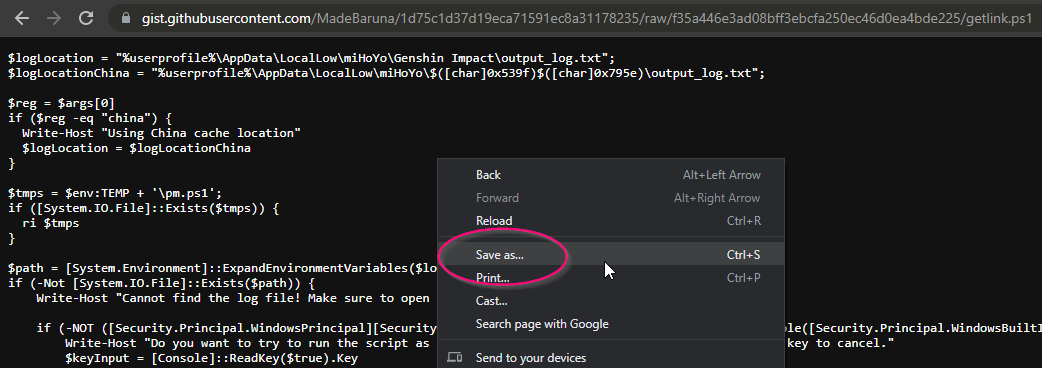
You could try downloading the PS1 file
and right-click -> run with powershell
as in, this one:
https://gist.githubusercontent.com/MadeBaruna/1d75c1d37d19eca71591ec8a31178235/raw/d40fa0fd74d85d692543c1621669f5f9375b5975/getlink.ps1
copy/paste in a browser, right-click, save as whatever.ps1 (make sure it's ps1 and not txt)
then right click on the ps1 file and run with powershell
and that should get you a link on your clipboard
hearty cove
whats the ps1 file?
bright light
the actual powerscript file
basically, what happens is that your powershell is too old, and back then, in Windows 7, it didn't support the & character
hearty cove
Im really not sure how to do that 
 hearty cove
I got it saved and opened in notepad
 hasty bladeBOT
 @hearty cove has leveled up to LEVEL 1
bright light
don't open it in notepad
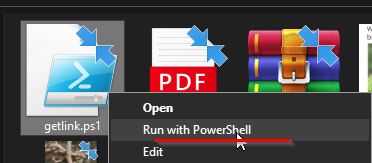


right click, run with powershell
a window will probably briefly flash
then it copies it to your clipboard
bright light
ye
hearty cove
yeah i just get an error
bright light
paste it here
hearty cove
bright light
not that...
hearty cove
I guess it didnt copy to my clipboard when it flashed
i barely caught the screencp but
 bright light
oh well, then google for that 😄
hearty cove
huh?
bright light

Stack Overflow
I am trying to run a cmd file that calls a PowerShell script from cmd.exe, but I am getting this error:
Management_Install.ps1 cannot be loaded because the execution of scripts is disabled on this
hearty cove
the data_2 file you want me to delete?
bright light
ye
bright light
no, exit the game first, then delete file, then open up the game again, go to wish history, then the file will be created again
bright light
👍