
#Need help getting started - I think mungo db setup issue
1 messages · Page 1 of 1 (latest)
 crimson fable
 keen hemlock
crimson fable
Hi guys, looking forward to getting the bot started.
When I start the bot the m...
crimson fable
keen hemlock
https://docs.vocard.xyz/latest/
keen hemlock
crimson fable
Hi guys, looking forward to getting the bot started.
When I start the bot the m...
crimson fable
keen hemlock
https://docs.vocard.xyz/latest/
Yeah I’ve followed that 😦
My username and password is there
The password is my login password yes?
keen hemlock
Have you watched the YouTube video?
crimson fable
keen hemlock
Have you watched the YouTube video?
Yup!
I logged in via google. Does that make a difference
keen hemlock
It makes no difference
crimson fable
keen hemlock
It makes no difference
Anything I can show for you to check why it won’t work
keen hemlock
You can show me your mongodb url
crimson fable
keen hemlock
You can show me your mongodb url
mongodb+srv://adsey8:********@centrelink.dtir7yf.mongodb.net/?retryWrites=true&w=majority&appName=Centrelink
Hid password
keen hemlock
make sure your password doesn't include special character
keen hemlock
 crimson fable
Thank you 🙂
I had already created a new database 🥹
Ps is lavalink for the dashboard only? Does it have to be on same client and is it mandatory
I’m using bot-hosting.net and I’m not sure how to incorporate a Java file
Still errors
 keen hemlock
crimson fable
Ps is lavalink for the dashboard only? Does it have to be on same client and is ...
keen hemlock
crimson fable
Ps is lavalink for the dashboard only? Does it have to be on same client and is ...
no lavalink is for the audio output
crimson fable
keen hemlock
no lavalink is for the audio output
Ok so it’s required
No probs thanks for your help
keen hemlock
yes it is required
crimson fable
keen hemlock
yes it is required
Is there a guide to run in docker
keen hemlock
we didn't have it for now
crimson fable
Ok no worries thanks mate
crimson fable
keen hemlock
we didn't have it for now
Maybe I’ll try replit. Is that easy and free
crimson fable
ok so im very very close to having it working
but
Something broke when playing the track.! The next song will begin in the next 5 seconds.
getting this everytime i play a song
not sure where the error would be logged
lavalink?
keen hemlock
you have to use the latest lavalink server and install the youtube plugin
crimson fable
keen hemlock
you have to use the latest lavalink server and install the youtube plugin
ok cool
do you have a link for that
do i need a youtube api key then?
cause there was no line for adding youtube api
i have the current version 4.0.7
keen hemlock
nah you don't need a youtube api
GitHub
A rewritten YouTube source manager for Lavaplayer. - lavalink-devs/youtube-source
you have to install this plugin into your lavalink server
crimson fable
keen hemlock
nah you don't need a youtube api
cool ioll try that now
also how do i connect to webdashboard
does the plugin go into my compose file? that documentation is very unspecific
keen hemlock
crimson fable
also how do i connect to webdashboard
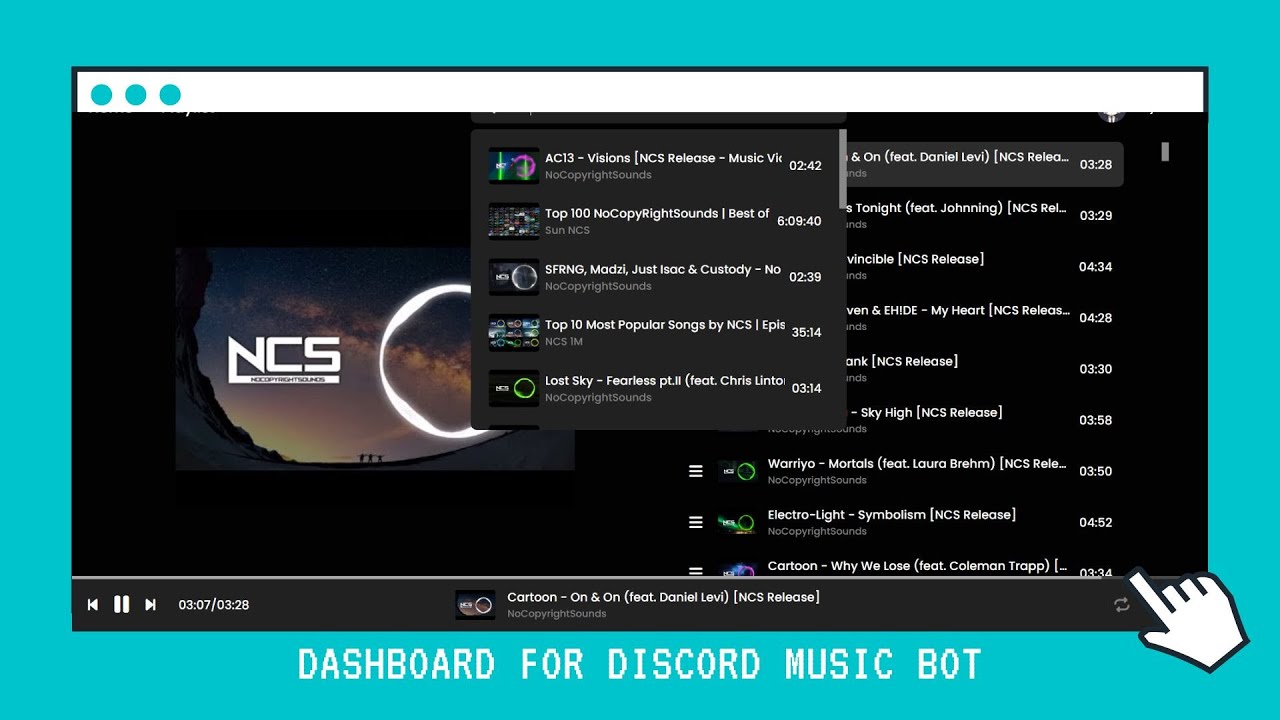
Discord Support: https://discord.gg/wRCgB7vBQv
Github: https://github.com/ChocoMeow/Vocard
Discord Developer Portal: https://discord.com/developers/applic...
#musicbot #python #dashboard #music #discord #bot
Chapters:
0:00 Demo
1:45 Setup Dashboard
keen hemlock
crimson fable
does the plugin go into my compose file? that documentation is very unspecific
no you just need to add few lines in your application.yml
crimson fable
  plugins:
    # Replace VERSION with the current version as shown by the Releases tab or a long commit hash for snapshots.
    - dependency: "dev.lavalink.youtube:youtube-plugin:VERSION"
snapshot: false```just add that to application.yml
ok i see it now
keen hemlock
yes
crimson fable
  plugins:
    - dependency: "dev.lavalink.youtube:youtube-plugin:1.3.0"
repository: "https://maven.lavalink.dev/releases"```you can check this post
#1261511315080347648
crimson fable
this wasw already there
keen hemlock
you need version 1.4.0 not 1.3.0
crimson fable
ok so if i update version might work
crimson fable
keen hemlock
you can check this post
<#1261511315080347648>
from this link do i need that whole file?
crimson fable
    plugins:
        - dependency: dev.lavalink.youtube:youtube-plugin:1.4.0
          snapshot: false
    server:
        bufferDurationMs: 400
        filters:
            channelMix: true
            distortion: true
            equalizer: true
            karaoke: true
            lowPass: true
            rotation: true
            timescale: true
            tremolo: true
            vibrato: true
            volume: true
        frameBufferDurationMs: 5000
        gc-warnings: true
        opusEncodingQuality: 10
        password: YOURPASSWORD
        playerUpdateInterval: 5
        resamplingQuality: LOW
        soundcloudSearchEnabled: true
        sources:
            bandcamp: true
            http: true
            local: false
            soundcloud: true
            twitch: true
            vimeo: true
            youtube: false
        trackStuckThresholdMs: 10000
        useSeekGhosting: true
        youtubePlaylistLoadLimit: 6
        youtubeSearchEnabled: true
logging:
    file:
        path: ./logs/
    level:
        lavalink: INFO
        root: INFO
    logback:
        rollingpolicy:
            max-file-size: 1GB
            max-history: 30
    request:
        enabled: true
        includeClientInfo: true
        includeHeaders: false
        includePayload: true
        includeQueryString: true
        maxPayloadLength: 10000
metrics:
    prometheus:
        enabled: false
        endpoint: /metrics
server:
    address: 0.0.0.0
    http2:
        enabled: false
port: 2333```@keen hemlock thanks heaps legend!! got it working
does dashboard take up much more resources
keen hemlock
crimson fable
<@705783356767338648> thanks heaps legend!! got it working
no problem 
keen hemlock
crimson fable
does dashboard take up much more resources
umm it takes super less resources
crimson fable
awesome 🙂
crimson fable
keen hemlock
umm it takes super less resources
i cant get wep dashboard to work :\
for refernce
the bot is running on a server not my local client
keen hemlock
first you have to know what is the ip of your bot server and your dashboard server
crimson fable
yeah i do
just local ip is fine yes?
do i need to change redirect?
to local ip also
instead of localhost
keen hemlock
if both bot and dashboard are hosting on a same machine then you can use local ip
if not you have to use an external ip
are you using vocard v2.6.8 right now?
crimson fable
believe 2.6.7
let me double check
sorry
you were correct
i think was incorrect port on redirect was stuffing it up
nope still not working
could not bind on any address out of [('192.168.1.75', 37124)]
keen hemlock
what is your current setup for bot ipc_server and your dashbaord
crimson fable
        "host": "127.0.0.1",
        "port": 37124,
"enable": true```forgot to change redirct url in webapp.py
🤦
but still not working
CLIENT_SECRET = os.getenv("CLIENT_SECRET_ID")
REDIRECT_URI = 'http://127.0.0.1:37124/callback'
DISCORD_API_BASE_URL = 'https://discord.com/api'```do i need to change this to local ip?
keen hemlock
are you hosting on your own pc?
keen hemlock
then you can't use 127.0.0.1
crimson fable
192.168.1.75 is the local ip
keen hemlock
192.168.1.75 is your pc ip or the NAS?
crimson fable
the nas
when i put it on the settings.json
it says it cannot bind to that ip and port
keen hemlock
ofc
crimson fable
sorry for my ignorance
keen hemlock
ok now change socketio.run(app, host="127.0.0.1", port=37124) to socketio.run(app, host="0.0.0.0", port=37124) in webapp.py [LINE 211]
keen hemlock
ok that's up to you
keen hemlock
also change http://127.0.0.1:5000/callback to http://192.168.1.75:37124/callback in webapp.py [LINE 23]
keen hemlock
crimson fable
as thats the port id like to use
for the port in ipc_server in settings.json you have to change to another port
crimson fable
keen hemlock
for the port in ipc_server in settings.json you have to change to another port
to 37124 right?
i did that
crimson fable
isnt it 37123
oh
is that the only place ipc server port is referenced
omg why wont it work
keen hemlock
ipc_server is the communication channel between the bot and the dashboard
keen hemlock
yes
keen hemlock
the dashboard will connect to the bot
if the port are correct
what's the port that you are using right now for the ipc_server?
37123 or 37124?
crimson fable
        "host": "127.0.0.1",
        "port": 37125,
"enable": true```should this also be changed to 192.168.1.75
or its ok as localhost
keen hemlock
crimson fable
or its ok as localhost
it is ok or you can change it to 0.0.0.0
crimson fable
CLIENT_ID = os.getenv("CLIENT_ID")
CLIENT_SECRET = os.getenv("CLIENT_SECRET_ID")
REDIRECT_URI = 'http://192.168.1.75:37124/callback'
DISCORD_API_BASE_URL = 'https://discord.com/api'``` socketio.run(app, host="0.0.0.0", port=37124)```should this be 37125?
keen hemlock
no
ok now you have to change ipc_client = IPCClient(secret_key=app.secret_key, callback=message_handler) to ipc_client = IPCClient(port=37125, secret_key=app.secret_key, callback=message_handler) in webapp.py [LINE 102]
keen hemlock
did you access the dashboard on your browser?
keen hemlock
it won't make connection until someone accessing the dashboard
keen hemlock
no need you just need to access the dashboard with your browser
crimson fable
keen hemlock
no need you just need to access the dashboard with your browser
192.168.1.75:37124 yes?
keen hemlock
yes
crimson fable
 keen hemlock

crimson fable
I assumed it would start automatically with docker file sorry
Hmm I’ll have to work out how to start that on my nas
keen hemlock
azarath is working on it
keen hemlock
yea
crimson fable
Do you mean it’ll be ready soon? Or in future
crimson fable
Ok cool. Hypothetically I could just install python and run webapp.py hey?
For a work around
keen hemlock
yes, but it can’t connect to your bot because your bot is hosted in Docker, which uses a separate network
keen hemlock
ipc_server is already hosted in docker env
crimson fable
Ok cool.
Bummer I can’t get it to work.
Is it possible to get it to all run in repl env
keen hemlock
yes but not recommended
crimson fable
Ok no problems. Thanks. I’ll wait
Is there a way I can still get it working. Or is it too convoluted for a novice
Also do I need a domain for my friends to access or does discord handle that
keen hemlock
crimson fable
Also do I need a domain for my friends to access or does discord handle that
you can use a domain name or an IP, the important thing is that you must forward your IP to the public internet so that your friends can access the dashboard
or you can use our offical bot and dashbaord
crimson fable
Yeah cool thanks 🙂 I might just setup a reverse proxy once web app works
Was just thinking qnap has Linux distro… wonder if I can just run the bot natively
crimson fable
Wonder if aws servers will work. Windows or Linux
keen hemlock
It should works
crimson fable
Might try
crimson fable
keen hemlock
It should works
Forgot I have a raspberry pi sitting there with not much on it. Might try on that. Should work on Debian?
 sacred dirge
You're running this in docker, yes?
Where did you get docker-compose.yml from? Original Vocard repo or from my fork?
@crimson fable waiting for your reply. I will have to go soon, unfortunately.
crimson fable
sacred dirge
<@544815511159046162> waiting for your reply. I will have to go soon, unfortunat...
I used your fork bud!
And yes in docker
sacred dirge
I have fixed some issues just now
Check them out, I think it is due to REDIRECT_URI environment
crimson fable
The web app works?? 😂
sacred dirge
It works for me, yes
crimson fable
The image was working fine other than that
Oh awesome
Do I just pull the image and away I go?
sacred dirge
If you're pulling the image it won't work just yet. I'm trying to remember how to update it
In a few minutes I will push it
Just need to remember how. I had a txt with some hints somewhere
crimson fable
sacred dirge
Just need to remember how. I had a txt with some hints somewhere
Haha all good mate. I’ll be super stoked to get the web app working
sacred dirge
crimson fable
Haha all good mate. I’ll be super stoked to get the web app working
ig you can try it now. I have to go, so I haven't checked if it's working, but It should be working from what I understand. Make sure to delete previous docker images. REDIRECT_URI env in docker-compose.yml has to be your host machine IP. It can not be localhost or null ip. You have to provide either your container's IP or your host machine IP and set up port forwarding if you want to have access to the dashboard
crimson fable
sacred dirge
ig you can try it now. I have to go, so I haven't checked if it's working, but I...
Ok I’ll give it a shot and get back to you. Chat next time. Thank you
sacred dirge
crimson fable
Ok I’ll give it a shot and get back to you. Chat next time. Thank you
Good luck! Feel free to text me!
crimson fable
sacred dirge
Good luck! Feel free to text me!
Thanks 🙂 will do!! Excited to have the Web app working
crimson fable
sacred dirge
Good luck! Feel free to text me!
do you know image names off top of your head
nevermind
sorted
1 error occurred:
* Error response from daemon: pull access denied for vocard, repository does not exist or may require 'docker login': denied: requested access to the resource is denied``` @sacred dirge keen hemlock
👍
crimson fable
keen hemlock
👍
any ideas what im doing wrong now
is that config on the redirect/
on developer portal
keen hemlock
yee
crimson fable
keen hemlock
yee
so i need to do the url generator or?
keen hemlock
url generator?
crimson fable
dont worry haha
im lost what to do next
socketio.run(app, host="0.0.0.0", port=37123) is this the right port
sacred dirge
What is your redirect url?
sacred dirge
crimson fable
``` docker compose build vocard
1 error occurred:
* Error response from d...
Did you solve this one?
sacred dirge
In discord developer portal you have to have the same link
crimson fable
it is yeah
same there and in web app
REDIRECT_URI = 'http://192.168.1.75:37123/callback'
 steel trout
crimson fable
steel trout
crimson fable
You cannot log into your personal address from other devices
crimson fable
not even on same network
sacred dirge
Besides that, have you changed any ips, ports, perhaps?
steel trout
Make sure your ip address is associated with your bot
sacred dirge
crimson fable
sacred dirge
If you changed any ports, make sure you changed them in all client.py, server.py...
there is 2 client.py?
sacred dirge
crimson fable
or do i need to use my public ip address
Oh wait. If you're using precompiled image then you can't change port i think
crimson fable
sacred dirge
Oh wait. If you're using precompiled image then you can't change port i think
since when
sacred dirge
You have to build an image yourself if you want to change ports. There is a Dockerfile that is used to build images
sacred dirge
crimson fable
since when
Since you were pulling image from my github
crimson fable
sacred dirge
Since you were pulling image from my github
i never had an issue using other peoples images and changing ports
just looking
i can actually use 8000 anyway
the service i used on that port i dont use anymore
thats for ipc right?
        self,
        bot: commands.Bot,
        host: str = "0.0.0.0",
        port: int = 37121,
sercet_key: Optional[str] = None``` off youre server.pyfrom github
crimson fable
@sacred dirge i think your lavalink image is faulty
Error: Invalid or corrupt jarfile Lavalink.jar
Error: Invalid or corrupt jarfile Lavalink.jar
Error: Invalid or corrupt jarfile Lavalink.jar
Error: Invalid or corrupt jarfile Lavalink.jar
Error: Invalid or corrupt jarfile Lavalink.jar
Error: Invalid or corrupt jarfile Lavalink.jar
Error: Invalid or corrupt jarfile Lavalink.jar
Error: Invalid or corrupt jarfile Lavalink.jar
Error: Invalid or corrupt jarfile Lavalink.jar
Error: Invalid or corrupt jarfile Lavalink.jar
Error: Invalid or corrupt jarfile Lavalink.jar
Error: Invalid or corrupt jarfile Lavalink.jar
Error: Invalid or corrupt jarfile Lavalink.jar
Error: Invalid or corrupt jarfile Lavalink.jar
Error: Invalid or corrupt jarfile Lavalink.jar```logs
crimson fable
steel trout
Make sure your ip address is associated with your bot
perhaps youre able to help me?
feel like im so close
steel trout
crimson fable
perhaps youre able to help me?
How can I help you?
crimson fable
steel trout
How can I help you?
i cannot get my web dashboard to connect
i dont really know what im doing with the redirect if im being honest
steel trout
Is your bot working properly?
crimson fable
steel trout
Is your bot working properly?
well
it was
but i deleted everything and started again
now when i play a song it has an error
steel trout
What is the error?
crimson fable
steel trout
What is the error?
just the dashboard now
steel trout
Wait, I'm going home from school now, I'll go home and text
crimson fable
steel trout
Wait, I'm going home from school now, I'll go home and text
ok thanks
i might be asleep if its a long trip
sacred dirge
crimson fable
```Error: Invalid or corrupt jarfile Lavalink.jar
Error: Invalid or corrupt jarf...
Sorry, my phone ran out of signal
You can use original lavalink image. Mine runs on java 22 instead of 18 that is used on the original one
crimson fable
sacred dirge
Sorry, my phone ran out of signal
all good
crimson fable
sacred dirge
You can use original lavalink image. Mine runs on java 22 instead of 18 that is ...
yeah i moved back to just latest and its working ish
it plays like 10s of music then stops..
sacred dirge
I was in hurry when I was updating it and like I said - I haven't tested it yet
crimson fable
haha its all good
sacred dirge
crimson fable
it plays like 10s of music then stops..
Has to be lavalink issue. You should tell us what is in the logs
sacred dirge
Sure
crimson fable
not sure why
seems to be working again
but cannot work out dashboard
2024-07-20T14:08:47.045Z  INFO 1 --- [Lavalink] [  XNIO-1 task-3] l.server.io.RequestLoggingFilter         : PATCH /v4/sessions/4ynuuzyxeh9c6129/players/962513599862026282, client=172.29.28.4, payload={"voice": {"token": "4fc8a6299b494c0b", "endpoint": "sydney11021.discord.media:443", "sessionId": "03b0c8035efdf3c85e642b99e2c86223"}}
2024-07-20T14:08:47.782Z INFO 1 --- [Lavalink] [ XNIO-1 task-3] l.server.io.RequestLoggingFilter : PATCH /v4/sessions/4ynuuzyxeh9c6129/players/962513599862026282, client=x.x.x.x, payload={"encodedTrack": "QAAAuwMAJUxha2V2aWV3IC0gSG9tZSBUZWFtIChPZmZpY2lhbCBWaWRlbykACExha2V2aWV3AAAAAAADS8AACzRkdzhqZkRVVGowAAEAK2h0dHBzOi8vd3d3LnlvdXR1YmUuY29tL3dhdGNoP3Y9NGR3OGpmRFVUajABADBodHRwczovL2kueXRpbWcuY29tL3ZpLzRkdzhqZkRVVGowL21xZGVmYXVsdC5qcGcAAAd5b3V0dWJlAAAAAAAAAAA=", "position": "0"}``` was palying and just stoppedhalf way through song
sacred dirge
What lavalink version you're using?
sacred dirge
Do you have youtube plugin enabled and youtube source disabled in application.yml?
crimson fable
    password: ""
    sources:
      youtube: false
bandcamp: true``` youtube:
enabled: true # Whether this source can be used.
allowSearch: true # Whether "ytsearch:" and "ytmsearch:" can be used.
allowDirectVideoIds: true # Whether just video IDs can match. If false, only complete URLs will be loaded.
allowDirectPlaylistIds: true # Whether just playlist IDs can match. If false, only complete URLs will be loaded.
clients:``` port: 2333
address: 0.0.0.0```should i change this to actual ip
anyways thats less important atm
dashboard
why
sacred dirge
crimson fable
why
Hard to tell atm
crimson fable
just played a full song without stopping
sacred dirge
Let's call it a day maybe? Once I get home - I'll make sure it works for me, then I'll push new images and then you can try. Right now I can't even check anything on my phone
sacred dirge
IPs shouldn't be changed, only the one used for redirect url
crimson fable
ps i deleted allllll my files
and started again
        "host": "0.0.0.0",
        "port": 37121,
"enable": true```There is a 'web' folder
crimson fable
CLIENT_ID = os.getenv("CLIENT_ID")
CLIENT_SECRET = os.getenv("CLIENT_SECRET_ID")
REDIRECT_URI = os.getenv("REDIRECT_URI")
DISCORD_API_BASE_URL = 'https://discord.com/api'```this pulls from elsewhere?
omg is this why?
@sacred dirge
crimson fable
sacred dirge
By 'this' you mean?
yeah cool thought so
class IPCClient:
    def __init__(
        self,
        host = "0.0.0.0",
        port = 37121,
        secret_key = None,
callback = None```does this need ip?
    def __init__(
        self,
        bot: commands.Bot,
        host: str = "0.0.0.0",
        port: int = 37121,
sercet_key: Optional[str] = None```or this
sacred dirge
If you're running this thing in docker - the only ip you need to change is for redirect uri
Other ips leave as it is
crimson fable
ok
sacred dirge
You can change ports, but not the ips
crimson fable
socketio.run(app, host="0.0.0.0", port=37123, allow_unsafe_werkzeug=True)```should this be 37123 or 37121
        "host": "0.0.0.0",
        "port": 37121,
"enable": true```think ive confirmed then all now
crimson fable
sacred dirge
If you're running this thing in docker - the only ip you need to change is for r...
referring to changing it in the compose file right?
wait
sacred dirge
Ok. So there are 2 ports used. One is for the dashboard, the other is for ipc server. The one that gets exposed to the web is 37123(dashboard port), ipc server port in my configuration is 37121
sacred dirge
Redirect to 37123
crimson fable
so 37123 is correct
sacred dirge
You don't need to change ports if you're not having issues with them like being used by some other app.
crimson fable
sacred dirge
You don't need to change ports if you're not having issues with them like being ...
yeah i didnt change any of them in the end
thats why i deleted everything and started again
long shot but how important is expose: - "2333"
sorry
- "27017"```This is lavalink container port. It is mandatory for the bot to work with selfhosted lavalink
sacred dirge
Oh it is mongodb. I've never used it myself. Choco has added it, I have no clue how it works🤷
crimson fable
oh well ill put it back anyway
keen hemlock

sacred dirge
It is optional to host mongodb
I'd suggest you to use cloud version. It is reliable enough
sacred dirge
Modgodb has nothing to do with the dashboard
crimson fable
yah i realise that
sacred dirge
Yeah sleep it over. When I get home - I try to test everything myself and maybe even record a tutorial
crimson fable
INFO success: webapp entered RUNNING state, process has stayed up for > than 1 seconds (startsecs) this is always taunting me
sacred dirge
It is a log from supervisor. It says that webapp has launched successfully
All good
keen hemlock
I’m sorry for making the dashboard configuration difficult. because it is my first time build it
sacred dirge
Oh nvm
crimson fable
keen hemlock
I’m sorry for making the dashboard configuration difficult. because it is my fir...
its not you

this is me
staring at my laptop
youve done great work
that dashboard is super sexy
cant wait to use it
keen hemlock
I’ve worked hard to ensure setting up Dashboard v2 is as easy as possible
sacred dirge
crimson fable
its not you
I was literally like you when I first discovered this project. After some time you will get skills and knowledge
crimson fable
yeah im still very much in the basic knowledge stage of discord.py
sacred dirge
keen hemlock
I’ve worked hard to ensure setting up Dashboard v2 is as easy as possible
Btw, Choco, I think you should reduce notification display time in your new dashboard. Right now it is kinda too slow
crimson fable
alright im sleeping thanks for all your help
hopefully after sleeping ican work this out
sacred dirge
Sleep well. Sleeping helped me a lot sometimes
keen hemlock
sacred dirge
Btw, Choco, I think you should reduce notification display time in your new dash...
notification display time?
sacred dirge
Helps organise my thoughts and look for different approaches
sacred dirge
keen hemlock
notification display time?
Yeah. Like when you skip a song for example
 sacred dirge
yes, exactly
sacred dirge
Effects selector was not working last time I checked
keen hemlock
it should works now
sacred dirge
Cool, I'll check that. New dashboard is so much better!
keen hemlock
 Yes, I think this is much better too

i added inbox too
and some new shotcut

added get lyrics
 sacred dirge
Too bad I have to use that old dashboard 😪
 sacred dirge
Maybe if verified Vocard bot was available at that moment I would use it
 night burrowBOT
I don't have a bot prefix set.
sacred dirge
But in that case I wouldn't help you with docker, since I wouldn't need to learn the code
sacred dirge
keen hemlock
it is available
I know, but it hasn't been always like that
keen hemlock
sacred dirge
But in that case I wouldn't help you with docker, since I wouldn't need to learn...
No problem, I will try to read these files when I have some free time
 sacred dirge
keen hemlock
No problem, I will try to read these files when I have some free time
sacred dirge
keen hemlock
No problem, I will try to read these files when I have some free time
Sure. As you can see, people are having issues with docker installation, so I need to fix all issues. But in the end - I guess it is the easiest way to install services.
keen hemlock
yee, I will also update the docker installation guide in the documentation
sacred dirge
As I said before - you should create a separate branch for it.
Don't mix it all together with your main branch
I haven't checked how your latest changes for moving .env to settings.json will affect docker installation
keen hemlock
sacred dirge
As I said before - you should create a separate branch for it.
you mean making a separate branch for docker?
sacred dirge
keen hemlock
you mean making a separate branch for docker?
Yes, exactly
You can create a hyperlink in your main readme for that branch
keen hemlock
but I saw that many large projects also directly include docker in the main branch
sacred dirge
Like 'Docker Installation' and when you click on it it sends you to other branch
sacred dirge
keen hemlock
but I saw that many large projects also directly include docker in the main bran...
You can compare your repositories and see how many changes you have to make in order to make webapp work
keen hemlock
If I make a new branch then I have to commit twice one to master branch and one to docker
sacred dirge
Alternatively, you can create a 'docker' folder in your repo and tell user to replace vocard root files with files from that directory
keen hemlock
i see
sacred dirge
But in that case these files need to be up to date with your main branch and I can't provide that, unfortunately
For now I can though
sacred dirge
keen hemlock
If I make a new branch then I have to commit twice one to master branch and one ...
Most of the work about docker has been done. If you learn a bit - it won't be hard to support the existing setup
keen hemlock
sacred dirge
Most of the work about docker has been done. If you learn a bit - it won't be ha...
 sacred dirge
I'm just saying that at the moment I can help you, but in the future - who knows. Life is changing fast, I might be busy most of the time, idk..
keen hemlock
sacred dirge
I'm just saying that at the moment I can help you, but in the future - who knows...
yes, thank you very much for your help and effort
sacred dirge

steel trout
keen hemlock
Seeing this reminds me of a game
steel trout
sacred dirge
<:heart:835842612229046272>
Are you a iu fan?
 steel trout
sacred dirge
I'm just using vocard emojis <:nekocatshrug:853844345039618118>
steel trout
sacred dirge
I'm just using vocard emojis <:nekocatshrug:853844345039618118>
Bruh alright
sacred dirge
Hehe 😂
steel trout

crimson fable
Morning legends! Is today the day I get my dashboard working 😂
keen hemlock
steel trout
Seeing this reminds me of a game <:pa:835842612484243457>
Which game? 
 keen hemlock
The region is hard coded
crimson fable
keen hemlock
The region is hard coded
Oh right.
Just playing round. Trying to work out why the dashboard won’t work 😅
sacred dirge
crimson fable
Just playing round. Trying to work out why the dashboard won’t work 😅
I have tested it. It is working for me
You can use latest images from my repo now
It should be working if configured correctly
Will be waiting for your response
crimson fable
sacred dirge
I have tested it. It is working for me
Just at the hospital with my daughter. Will try soon.
Can I ask.
Are you connecting from same client as the host? Ie host on your pc, connect on your pc
sacred dirge
Well I have 2 bots. 1 is for testing, other - for hosting. I used to test stuff on my host server too, but it is not as fast and convenient. I've tested the dashboard on my localhost IP this time, because my domain name is already occupied by other bot.
crimson fable
sacred dirge
Well I have 2 bots. 1 is for testing, other - for hosting. I used to test stuff ...
Ok just wondering if that’s the cause of my issue
Being that I’m trying to connect from a different client
I can actually try do a pull from here probably
sacred dirge
You should send me your IP configuration once you get home
Wanna make sure that it is right
You can mask your public IP with some random numbers
crimson fable
sacred dirge
You should send me your IP configuration once you get home
Just to confirm it’s the local ip. Not public?
Cause if it’s my local ip address it should matter?
sacred dirge
Well in your case you're gonna need public IP. But for test purposes local IP will do
It's just only be accessible from local network only
crimson fable
sacred dirge
It's just only be accessible from local network only
Yeah that’s fine for now. I will reverse proxy it later
I should be able to get my files
What ones do you wanna see
sacred dirge
settings.json and docker-compose.yml
only the parts responsible for ipc client and redirect url. The rest should be fine as it is. Hopefully, you didn't change any other IP's
crimson fable
Ok lemme see if I can open them on my phone
- REDIRECT_URI=http://192.168.1.75:37123/callback
Sorry if formatting is dodgey. I’m on my phone
 sacred dirge
That's ok. Tell me more about your network. Docker is hosted on one machine and you're trying to reach for it from another, is that right??
crimson fable
Correct
So I have a nas running the bot in docker
And I am trying to access the dashboard from my laptop
sacred dirge
so this local ip is the IP of NAS?
crimson fable
Correct
sacred dirge
Let me check my Synology NAS configuration real quick
crimson fable
sacred dirge
Let me check my Synology NAS configuration real quick
Ok cool thanks
sacred dirge
nothing special there
crimson fable
 sacred dirge
I'd say you could try to deploy it again. I've made some changes to the code, checked if it's working
 sacred dirge
This is from some python file
crimson fable
crimson fable
/web/server.py
crimson fable
crimson fable
What about this
/web/client.py
sacred dirge
Yes. There is no point to change anything there if you're pulling my compiled image from github
Here I have it running on my Docker Desktop

So if it works for me - it should work for you
crimson fable
sacred dirge
Here I have it running on my Docker Desktop
Dashboard accessible?
From other client in same lan
sacred dirge
Im too lazy to enter my discord password with my mobile phone. But the auth page opens
Yes, it is working
I overcame my laziness
crimson fable
sacred dirge
I overcame my laziness
And it worked?
Does my config look correct then?
Perhaps I pull new images and it’ll work!
sacred dirge
I sure hope so!
sacred dirge
crimson fable
And it worked?
Yes, it worked
crimson fable
sacred dirge
Yes, it worked
Awesome 🙂 fingers crossed it works
sacred dirge
🤞
sacred dirge
One guy had a problem with portainer. He runs it on homeassistantOS though, so there were some permission issues
crimson fable
Yeah that’s why I just run it from cli
sacred dirge
I prefer cli too
In my tutorial I need to cover different installation methods. CLI, wizard install and need to figure out how to use portainer
Because it is kinda popular from what I know
crimson fable
sacred dirge
Because it is kinda popular from what I know
Yes portainer is very popular. I can do some testing to help if you need
@sacred dirge same problem
crimson fable
I’m getting so mad
I’ve completely wiped my install and started again.
Still invalid callback
sacred dirge
Can you give me a screenshot of your URI from Discord developer portal?
And tell me when it says invalid callback before or after you enter discord credentials?
crimson fable
sacred dirge
And tell me when it says invalid callback before or after you enter discord cred...
After credentials


@sacred dirge I really don’t know what else to do
crimson fable
sacred dirge
Maybe we're missing something
One thing I have just noticed

This is after pulling your image
With your compose file
I wonder if the web file is elsewhere??
sacred dirge
if you access container terminal and type ls this is what should be inside
 crimson fable

The image should pull all of that stuff yes? I don’t need to put it there first?
Previously I put it there.
That’s why I deleted everything and started again
sacred dirge
This is pretty much everything you need for basic install
 crimson fable
sacred dirge
This is pretty much everything you need for basic install
crimson fable
sacred dirge
This is pretty much everything you need for basic install
Yup got all that there
And it’s not pulling the rest
So perhaps that’s why it’s not working
Lemme try my compose on portainer
sacred dirge
thats odd
So far I have tested this compose on my Synology NAS and my Docker Desktop on Windows
keen hemlock
If you able to access the discord login page means the webapp is started successfully
crimson fable
keen hemlock
If you able to access the discord login page means the webapp is started success...
Ok so why invalid ouath then haha
Somewhere the config for that is wrong
keen hemlock
Make sure your client id is correct
sacred dirge
Oh yes. Good suggestion, Choco!
 crimson fable
Think I may have found something.

Found a file with all the files. Perhaps it’s just randomly install here for no reason
sacred dirge
It looks like a usual container storage
Nothing wrong with it. Since the root folder in docker-compose.yml is not specified, Docker automatically installs and generates a new random folder name.
crimson fable
Yeah I’ve had this happen to me before
sacred dirge
So... About that auth... Are these values set correctly?
 crimson fable
sacred dirge
So... About that auth... Are these values set correctly?
crimson fable
sacred dirge
So... About that auth... Are these values set correctly?
Double check them shortly.
Wondering which compose file I need to look at now….
sacred dirge
Im not sure about that secret key, but check that anyway
I have little knowledge of how discord auth works
sacred dirge
crimson fable
Wondering which compose file I need to look at now….
The one that's somewhat similar to this folder.
crimson fable
crimson fable
This one. The compose settings etc is correct
sacred dirge
crimson fable
this one?
crimson fable
And the bot is online.
crimson fable
crimson fable
This one is default.
sacred dirge
db, backup folders were created by you?
sacred dirge
crimson fable
This one is default.
ig this one created after you pulled my image. It is a container root folder
you don't need to edit anything in it yet
crimson fable
sacred dirge
db, backup folders were created by you?
Mungo is activated. And backup is me yes
sacred dirge
If URI is still invalid, but the webapp is running, auth page opens and bot is working, then there should be something wrong with either ports, or credentials or some other discord stuff that I'm not familiar with
crimson fable
Well this is my take
crimson fable
crimson fable
This folder is the only place I have entered my credentials for the actual bot
The bot is online and working
The web app is running
However
Doesn’t exsist in that folder
I believe the web app is running somewhere in on of these other files.
But incorrect credentials
keen hemlock
keen hemlock
Check line 160 in webapp.py
Try to print the string from this line
crimson fable
keen hemlock
Try to print the string from this line
In the bot or? I’m not sure how you want me to do that
In fact none of the bot stuff is in this file here either.
I’m so confused.
sacred dirge
Mount Volume in Docker
Mount Volume allows you to link a directory or file from the host machine to a Docker container. This enables data persistence, sharing between containers, or accessing host data within the container.
Types of Volumes:
Bind Mounts: Maps a host path to a container path. Changes are reflected immediately in both locations.
Named Volumes: Managed by Docker, these are stored in Docker’s storage area and can be shared across containers. Ideal for persistent data.
Anonymous Volumes: Temporary volumes created when a container starts. They are removed with the container.
Example:
yaml
version: '3'
services:
web:
image: nginx
volumes:
- /path/on/host:/path/in/container
In this example, /path/on/host on the host machine is mounted to /path/in/container inside the container.
Container Root Folder
The Container Root Folder (or root directory) is the top-level directory in the container’s filesystem, analogous to / in Unix-like systems. It is the base directory from which all other paths in the container are referenced.
Key Points:
Isolation: The container’s root folder is isolated from the host system. Files in the container’s root folder are not visible on the host or other containers by default.
File System: Specifying a root folder (e.g., in a Dockerfile) defines the base directory structure for the container’s filesystem.
Example:
If you have a path /app/data in the container, / is the container’s root directory, making /app/data relative to this root.
Here is a quick explaining from chatgpt
what is volume mounts and what is root directory
sacred dirge
crimson fable
Doesn’t exsist in that folder
I figured out that you need some explaining after I've seen this message
container root folder is isolated and all of the bot processes are happening from there. Mount volumes are used to edit certain files or folders inside that isolated folder
keen hemlock
So what is the problem right now?
sacred dirge
He can't get a valid redirect uri
I had the same problem before, but now it is solved (for me at least)
this issue doesn't occur for me, idk what is wrong then. His redirect uri seem to match for both discord dev portal and env that I created
keen hemlock
It should be a problem of incorrect input of client id.
You can verify it by printing the OAuth2 url
crimson fable
sacred dirge
I figured out that you need some explaining after I've seen this message
Thanks for the explanation. Im still unsure why it’s not installed in the folder local to the compose file
Unless I’m misunderstanding and it is. But not visible by normal file browser
crimson fable
keen hemlock
It should be a problem of incorrect input of client id.
Client secret id or?
Wait a minute
Is client id
Supposed to come from oauth panel?
In discord developer portal
Or general tab
 crimson fable
Wait they’re same number haha
sacred dirge
Ain't no way
crimson fable
sacred dirge
Both from here
I meant here and general
The client id was wrong somehow. So no idea what I did there
But updated them both
Made no difference
sacred dirge
Oh, I thought you've meant id and secret are the same

 crimson fable
Turns out
sacred dirge
Can't believe my eyes
crimson fable
I’m just an idiot 🙂
sacred dirge
So what was it?
crimson fable
I have another bot
Somehow……..
I had client id and secret from there 🙃🙃🙃🙃🙃🙃🙃🙃🙃🙃🙃🙃🙃🙃🙃🙃
sacred dirge
alright then...
 sacred dirge
Ah, it's fine
crimson fable
 sacred dirge
I've improved my code, plus I've had a good laugh
So it's all good
I'm glad you've managed to get it working eventually
steel trout
keen hemlock
Which game? <:zzz:835842611176669206>
Roblox
crimson fable
I deserve a special role for being this dumb haha
sacred dirge
We don't play specials here
crimson fable
sacred dirge
I'm glad you've managed to get it working eventually
Thanks heaps mate 🍺🍺
sacred dirge
You're welcome!
crimson fable
sacred dirge
You're welcome!
Now I just need to locate the files so I can add some custom commands in haha
sacred dirge
there are a few ways to do that
create a volume like I did for my bot
volumes: - ./:/app
keen hemlock
steel trout
Roblox <:pa:835842612484243457>
I don’t play Roblox so didn’t know about that
keen hemlock
crimson fable

sacred dirge
sacred dirge
create a volume like I did for my bot
`volumes:
- ./:/app
`
This is the best way to customise your bot I have found. It basically mirrors root container folder contents to directory where docker-compose.yml is located
crimson fable
sacred dirge
create a volume like I did for my bot
`volumes:
- ./:/app
`
I’d suggest perhaps adding this to the base docker compiles. Perhaps with comment it out and write in a description
 crimson fable
ACCEPT
sacred dirge
crimson fable
I’d suggest perhaps adding this to the base docker compiles. Perhaps with commen...
It is for advanced users, who know docker a little. Maybe I'll do some explaining in README later
crimson fable
I think that’s a good option.
I would have opted for that had I known about it
I’m no expert but I’ve been working with docker for quite some time
sacred dirge
You still can. It's just if you clone that directory it is double the size
crimson fable
sacred dirge
You still can. It's just if you clone that directory it is double the size
Wait
So if you do this
You have 2x of all files?
And they just copy each other?
sacred dirge
yes
crimson fable
Righttttyy
I did NOT know that
So no matter what you need the blind volumes
Or whatever you called it
sacred dirge
It is not always like that to be fair
sacred dirge
I'm not a pro, so this topic I'm not sure about
crimson fable
I do have other services running like this
That I cannot find certain files.
Then I find em in this other location hence knowing to look there
I’m gonna make command explain this bot was create by @keen hemlock in an embed with link to here. Cause I wanna change slash command descriptions
sacred dirge
sacred dirge
create a volume like I did for my bot
`volumes:
- ./:/app
`
This method is for developers or enthusiasts like me. For the end user it is better to leave as less files to bother about as possible. At least that is my vision.
crimson fable
sacred dirge
create a volume like I did for my bot
`volumes:
- ./:/app
`
This goes in vocard?
sacred dirge
But I will include some info about this in the readme
crimson fable
sacred dirge
This method is for developers or enthusiasts like me. For the end user it is bet...
I got 16tb so I’m not bothered about couple extra gb
Oh instead of?
sacred dirge
yes
crimson fable
Ok
sacred dirge
Just leaked my tokens
crimson fable
Did you lol
sacred dirge
😅
sacred dirge
I guess I was fast enough 🥲
crimson fable
I just replace exactly as you’ve typed here
sacred dirge
instead of these I mean
 crimson fable
volumes: - ./:/app
Yup
I’ll try it now
See if it breaks again 🙂
lol it’s not working at all now
sacred dirge
you have to have all the files you've got in the container
That's why it's double the size
This is not my container root folder. It used to be config folder with only 4 files
 crimson fable
sacred dirge
you have to have all the files you've got in the container
crimson fable
sacred dirge
you have to have all the files you've got in the container
I’m confused. Do I need to copy the files over?
Will it not automatically pull the files there?
sacred dirge
On some systems it does - on some doesn't
idk how it works
I just copy them and don't bother
sacred dirge
crimson fable
Do I need to edit both files now
Only the one that is in your config folder
It will overwrite the one from the root folder
crimson fable
sacred dirge
Only the one that is in your config folder
Ok cool thanks /)
Last question
If I reverse proxy this
Do I change the callback uri to reverse proxy address
sacred dirge
May I ask you which music player design do you prefer?


 sacred dirge
keen hemlock
First one
sacred dirge
keen hemlock
First one
wasn't asking you xD
keen hemlock

sacred dirge
crimson fable
Does that panel go to dashboard?
Nope
crimson fable
sacred dirge
Nope
Roger that. Have you tried reverse proxy the call back?
sacred dirge
Assuming you have nginx - your config should be like this:
For forward ip choose your docker host ip
 crimson fable
I use caddy but it’s cool I know how to do that.
How about the discord side of things
sacred dirge
you enter http://domain_name/callback
crimson fable
sacred dirge
you enter http://domain_name/callback
Same in compose file too then? Easy
sacred dirge
Pretty much yeah
Since they all are in my local network I'm using http. The dashboard page is https
crimson fable
sacred dirge
Since they all are in my local network I'm using http. The dashboard page is htt...
Kinda lost me here
Cause the bot and web app is in local network?
But if someone else from another network. They need to use https?
crimson fable
A little haha
sacred dirge
Forget it. If you run in any issues let me know
crimson fable
HTTP between nginx and the bot
sacred dirge
yes
crimson fable
Gonna go set up reverse proxy at my pc in next little while see how I go
sacred dirge
Make sure you've enabled websocket support in your proxy
I'm gonna grab something to eat. Good luck there!
crimson fable
Oh is there a webpage somewhere with all commands too?
crimson fable
sacred dirge
Make sure you've enabled websocket support in your proxy
Will do thanks
sacred dirge
crimson fable
Oh is there a webpage somewhere with all commands too?
what commands?
In discord you can type /help
It gives you a list of supported commands
steel trout
crimson fable
I took help from This Server to fix this but it failed but I did it alone :,)
I haven't completed the full Python course yet
crimson fable
sacred dirge
yes
weirdly enough
works without changing the callback link
just reverse proxied and it worked straight away
@sacred dirge no nodes available
🤦
sacred dirge
Page contents might be cached. But I don't know much about it. If it works - good for you.
 crimson fable
sacred dirge
crimson fable
sacred dirge
ah right didnt think of that
ill get some friends to test
cannot get it to work now
lavalink is cooked
sacred dirge
my lavalink image?
sacred dirge
yeah just tell me what exactly you did since it was working last time
no connection to node is not a complicated issue
crimson fable
well i didnt actually test at all
since i updated your image this afternoon
dunno if any of this is helpful
sacred dirge
You can try to use original lavalink just to make sure it is not a problem on my end
ghcr.io/lavalink-devs/lavalink:4.0.7-alpine
 crimson fable
Caused by: java.lang.RuntimeException: java.net.BindException: Cannot assign requested address
    at io.undertow.Undertow.start(Undertow.java:254) ~[undertow-core-2.3.13.Final.jar!/:2.3.13.Final]
    at org.springframework.boot.web.embedded.undertow.UndertowWebServer.start(UndertowWebServer.java:118) ~[spring-boot-3.3.0.jar!/:3.3.0]
    ... 21 common frames omitted
Caused by: java.net.BindException: Cannot assign requested address
    at java.base/sun.nio.ch.Net.bind0(Native Method) ~[na:na]
    at java.base/sun.nio.ch.Net.bind(Unknown Source) ~[na:na]
    at java.base/sun.nio.ch.ServerSocketChannelImpl.netBind(Unknown Source) ~[na:na]
    at java.base/sun.nio.ch.ServerSocketChannelImpl.bind(Unknown Source) ~[na:na]
    at java.base/sun.nio.ch.ServerSocketAdaptor.bind(Unknown Source) ~[na:na]
    at org.xnio.nio.NioXnioWorker.createTcpConnectionServer(NioXnioWorker.java:178) ~[xnio-nio-3.8.8.Final.jar!/:3.8.8.Final]
    at org.xnio.XnioWorker.createStreamConnectionServer(XnioWorker.java:310) ~[xnio-api-3.8.8.Final.jar!/:3.8.8.Final]
    at io.undertow.Undertow.start(Undertow.java:196) ~[undertow-core-2.3.13.Final.jar!/:2.3.13.Final]
    ... 22 common frames omitted
Picked up _JAVA_OPTIONS: -Xmx1G

```is this relevant
sacred dirge
Sort of
The java.net.BindException: Cannot assign requested address error indicates an issue with binding the server to a specified IP address and port. Common causes include:
Invalid IP Address: The specified IP might not be configured on the host machine.
Port in Use: The port might already be occupied by another application.
Network Configuration: There might be network restrictions or misconfigurations preventing binding.
Steps to Resolve
Check IP Address:
    Ensure the IP address is correct and configured. Use ifconfig (Linux/Mac) or ipconfig (Windows) to list network interfaces and IPs.

Check Port Availability:
    Verify if the port is in use. Use netstat -an | grep <port> (Linux/Mac) or netstat -an | findstr <port> (Windows).

Network Configuration:
    Ensure no firewall rules or network policies are blocking the address and port.

Modify Configuration:
    Edit application.properties or application.yml to bind to a valid IP and port.

Example:

properties
server.address=0.0.0.0
server.port=8080
Use localhost or 127.0.0.1:
For local testing, consider binding to localhost or 127.0.0.1.
Review System Limits:
Check system limits for file descriptors and sockets using ulimit on Linux.
Here is a response from gpt
crimson fable
trying to bind a ip address
sacred dirge
default configuration is null ip (0.0.0.0) and port 2333, password=password
sacred dirge
That is what is set by default and was proven to be working
crimson fable
ok i put it back
sacred dirge
password from application.yml is overwritten by env value from docker-compose.yml
crimson fable
also where else did i have to put the call back, just compose and dev portal?
sacred dirge
crimson fable
also where else did i have to put the call back, just compose and dev portal?
yep, only those two
I hope you do know, that when editing docker-compose you have to rebuild your container stack or edit env value for them manually
crimson fable
can you please explain what you mean
wait
i re read
yeah i been doing that
@sacred dirge you online still
i want to fix this.. feeling dumb but i cant think now
the callback has nothing to do with lavalink right
sacred dirge
You should take a break ig. I'm busy atm, so I can't help you, sorry. You can ask for help on lavalink server, maybe they'll know what's up. As of right now - idk what is wrong. I've tested multiple times this thing and it works for me.
Right
sacred dirge
Should be simple yes. Port, password or IP
These 3 things
might be something wrong with them
crimson fable
should be null ip in compose?
sacred dirge
crimson fable
ip null in compose
it was supposed to be null!
type docker ps
send me the output
crimson fable
NAMES
8f3d13d63420 ghcr.io/azarath7/vocard-dashboard:latest "supervisord -c /etc…" 21 minutes ago Up 20 minutes 0.0.0.0:37123->37123/tcp
vocard
f78a0a85db04 mongo:latest "docker-entrypoint.s…" 21 minutes ago Restarting (132) 29 seconds ago
mongo
1388e49e07a8 ghcr.io/lavalink-devs/lavalink:latest "java -Djdk.tls.clie…" 21 minutes ago Up 21 minutes 2333/tcp
lavalink
7745f8041e1b lscr.io/linuxserver/sonarr:latest "/init" 2 weeks ago Up 2 weeks 0.0.0.0:48989->8989/tcp
crimson fable
sacred dirge
it was supposed to be null!
nothing wrong what i can see
lavalink looks like its running normallyt now
but still no node
sacred dirge
Try docker network inspect vocardbot and send me the response
crimson fable
        "Id": "c7e9a505dbd6be814ec0879ce98c629421234d6092abda5fb253f4a3f67d19ee",
        "Created": "2024-07-21T21:10:44.49164784+08:00",
        "Scope": "local",
        "Driver": "bridge",
        "EnableIPv6": false,
        "IPAM": {
            "Driver": "default",
            "Options": null,
            "Config": [
                {
                    "Subnet": "172.29.80.0/22",
                    "Gateway": "172.29.80.1"
                }
            ]
        },
        "Internal": false,
        "Attachable": false,
        "Ingress": false,
        "ConfigFrom": {
            "Network": ""
        },
        "ConfigOnly": false,
        "Containers": {
            "1388e49e07a8bd362714002dd577f55298c5262d2da8771570789882a7e1cecc": {
                "Name": "lavalink",
                "EndpointID": "87110f7c07f7b1e5b56d106270751db640263ec95dbb135b6b066bd389bde5d7",
                "MacAddress": "02:42:ac:1d:50:02",
                "IPv4Address": "172.29.80.2/22",
                "IPv6Address": ""
            },
            "8f3d13d6342084baf3980bb8a64d336e62987cbb5c4c6df308650ecc7739870c": {
                "Name": "vocard",
                "EndpointID": "898d9c162df3b548d4c7cad217f5f4c40e544da817babbfd5a0cf01612e13173",
                "MacAddress": "02:42:ac:1d:50:03",
                "IPv4Address": "172.29.80.3/22",
                "IPv6Address": ""
            }
        },
        "Options": {},
        "Labels": {
            "com.docker.compose.network": "discord",
            "com.docker.compose.project": "discord",
            "com.docker.compose.version": "2.15.1"
        }
}```thanks again for you help
sacred dirge
crimson fable
but still no node
in settings,json you can try to put host address 172.29.80.2 instead of "host": "lavalink",
then restart the bot, make sure to restart vocard container again, just to make sure it boots up later than lavalink container
sacred dirge
sacred dirge
then restart the bot, make sure to restart vocard container again, just to make ...
I was talking about this line just in case
 sacred dirge
Then there must be something wrong with the password. Make sure there are no spaces or missing comas
Containers are in the same network - they HAVE to communicate, but they don't... 🤔
sacred dirge
working lavalink logs should look like this
 crimson fable
show u in sec
 steel trout

sacred dirge
crimson fable
So it is connected. You still getting that error?
steel trout
sacred dirge
So it is connected. You still getting that error?
Do you have a bot?
crimson fable
sacred dirge
So it is connected. You still getting that error?
yep :S
sacred dirge
steel trout
Do you have a bot?
ofc I do
crimson fable
 sacred dirge
Now I'm confused
steel trout
Why??
sacred dirge
steel trout
Why??
his bot is connected to lavalink but says there are no nodes availible
sacred dirge
crimson fable
yep :S
you can try to use public lavalink servers
Host : lavalink.jompo.cloud
Port : 2333
Password : "jompo"
Secure : false
steel trout
sacred dirge
his bot is connected to lavalink but says there are no nodes availible
Check how his settings.json is installed
sacred dirge
Host : lavalink.jirayu.net
Port : 13592
Password : "youshallnotpass"
Secure : false
I can check the contents of settings.json
steel trout
sacred dirge
Host : lavalink.jirayu.net
Port : 13592
Password : "youshallnotpass"
Secure : fa...
Public lavalink
sacred dirge
But if the bot connects then... idk
steel trout
I know jirayu
steel trout
sacred dirge
Host : lavalink.jirayu.net
Port : 13592
Password : "youshallnotpass"
Secure : fa...
This does not work at this time
sacred dirge
@crimson fable send us your settings.json
steel trout
@crimson fable
I recommend you create a private lavalink service
crimson fable
sacred dirge
He was doing that, but it doesn't work for some unknown reason
steel trout
sacred dirge
He was doing that, but it doesn't work for some unknown reason
Oh :/
crimson fable
hellop my password lol
sacred dirge
crimson fable
I guess "@" might be the issue? special characters are not welcome
And you don't need a strong password since it is in your local network only
crimson fable
but i been using this the whole time haha
sacred dirge
default password is "password"
sacred dirge
make sure you have it in settings.json
"lavalink": {
            "host": "lavalink",
            "port": 2333,
            "password": "password",
            "secure": false,
            "identifier": "DEFAULT"
In docker-compose.yml
version: "3.8"

services:
    lavalink:
        image: ghcr.io/azarath7/lavalink-jre22:latest
        container_name: lavalink
        restart: unless-stopped
        environment:
            - _JAVA_OPTIONS=-Xmx1G
            - SERVER_ADDRESS=0.0.0.0
            - SERVER_PORT=2333
            - LAVALINK_SERVER_PASSWORD=password
        volumes:
            ## Use "./" if you want to create a mount from your current directory (where docker-compose.yml is located)
            ## Having access to files INSIDE the container is complicated. Mount function is used to have access to certain container files or folders.
            ## Read more: https://docs.docker.com/storage/bind-mounts/
            - ./lavalink/application.yml:/opt/Lavalink/application.yml
        networks:
            - vocardbot
        expose:
            - "2333"
AND YOU HAVE TO EDIT FILES IN YOUR CONFIG FOLDER
I hope you weren't editing them in your container root folder this whole time
sacred dirge
crimson fable
you need to edit them in this folder
crimson fable
wait
sacred dirge
sacred dirge
AND YOU HAVE TO EDIT FILES IN YOUR CONFIG FOLDER
It just came down to me that this might be the issue
crimson fable
config is the defined volume?
sacred dirge
config folder is the one you ran docker-compose from
container root folder is the one that has ALL bot files
crimson fable
yeah i been editing in correct folder then
sacred dirge
you can try to use default volumes. Maybe after you have mounted /app everything stopped working idk
btw why you had this ip, if you had to use 172.29.80.2 this one?
 sacred dirge
maybe because of the special character in the password. Don't overcomplicate things. Stick to default configuration and step by step you're gonna get there
crimson fable
i changed back to apssword
makes no difference
i might just delete all the files
and start again
what do you think
sacred dirge
Sometimes it helps
Not much left to do
as of host you better stick to lavalink instead of IP. IP is dynamic and can be changed
crimson fable
im ready to rage
no idea
why it wont work
the lavalink is online
i DONT KNOW WHY
theres no nodes avaliable
online

 sacred dirge
You can dump all your config files to some drive. Let me see them.
Maybe something is missing idk
try to get rid of /app volume mount. Replace it with previous value
volumes:
            - ./settings.json:/app/settings.json
            - ./logs/supervisor/:/var/log
This is really, really strange
sacred dirge
Send me your files. You can send them in PMs
keen hemlock
crimson fable
You can also check the logs from the bot
crimson fable
keen hemlock
You can also check the logs from the bot
I got it working last night! Thanks