#Distributed rendering guidelines?

7 messages · Page 1 of 1 (latest)

honest rivet
#

I know this is hard, and I know you don't provide any libraries for it, but assuming one takes care of the whole orchestration required, is it really that hard?

I mean, renderMedia already offers a way to render a specific frameRange. If I distribute the rendering in, say, 4 equal parts and then simply use ffmpeg to concatenate (https://trac.ffmpeg.org/wiki/Concatenate#demuxer the 4 chunks into a single file, wouldn't that be it?

Or are there any factors I'm not considering?
Any tips or guidelines are appreciated.

honest rivet
#

A first naive implementation looks promising.
Simply splitting the renders in two chunks, giving one chunk to one worker, once they are done, concatenate the output files with fluent-ffmpeg like this:

ffmpeg()
    .input(chunksTxtPath) // Use the chunks.txt file as input
    .inputFormat("concat") // Specify the concat format
    .outputOptions("-safe 0") // Add the -safe 0 option
    .outputOptions("-c copy") // Copy the streams without re-encoding
    .save(outputFile) // Specify the output file
    .on("end", () => {
        console.log("Concatenation complete!");
    })
    .on("error", (err) => {
        console.error("Error occurred:", err.message);
    });

There's only one problem. The audio cuts off for a split second in the split frame.

Any ideas on how to solve this?

I believe one does not need to build a full blown distributed system with a concurrency/parallelism like Remotion Lambda to improve the render speed when using Docker-based renderers. Just by splitting in 2 is a 2x speed increase. I'd be happy with splitting into 4 chunks, where each chunk is rendered by a 4 vCPU container with a concurrency of 4.

It took 194 seconds to render 1m of an OffthreadVideo (1080@30). That's too slow for me. But split the rendering in just 4 chunks and we could be looking at a total render time that's under a minute. I'd be happy with it.

zenith river
#

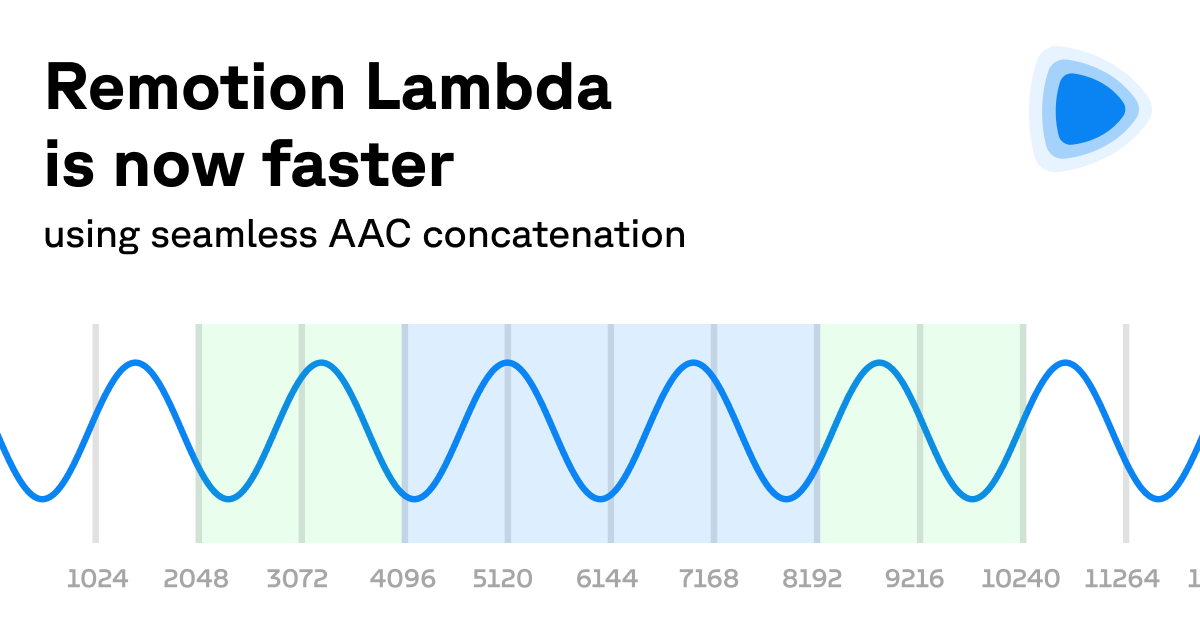
the seamless audio is indeed the hard part.
we wrote about it https://www.remotion.dev/blog/faster-lambda

and in order to solve that, there are 3-4 extra parameters needed to pass to the renderer.
we will expose this and document these, if you want to get started immediately, I would recommend taking a look at renderer.ts and merge-chunks.ts to see what we are doing

With Remotion v4.0.130, Remotion Lambda renders now complete significantly faster!

honest rivet
# zenith river the seamless audio is indeed the hard part. we wrote about it https://www.remot...

I went with the approach of having the main worker to render the full audio and offload the video chunks to other workers. This way I don't need to deal with splitting and concatenating the audio track. But I'm noticing some audios are taking way too long to render. My composition only has a single <Audio> component that spans the whole duration.
For some reason, some are taking way too long to render (the audios are all songs in mp3, being loaded from Cloudfront). Is this expected?

Out of curiosity, how does audio rendering works? Video rendering is simple, you simply take screenshots of the browser screen on every frame (except for the OffthreadVideo which uses ffmpeg direclty to extract each frame). But audio? I don't think you are recording the browser's audio, or are you?

Lately, if the composition only has a single Audio component that spans the whole duration of it, can't Remotion be smart about it and just use ffmpeg to set the audio stream instead of "rendering" it?

#

Slowest frames also report about 1000ms per frame, just rendering audio so no video should be involved. My composition does have an OffthreadVideo but it's muted

zenith river
# honest rivet I went with the approach of having the main worker to render the full audio and ...

Is this expected?
no!

Out of curiosity, how does audio rendering works
audio files are downloaded in entirety, converted to WAV, mixed and encoded into the desired format. this is all via FFmpeg CLI, we log all the commands in verbose mode

I don't think you are recording the browser's audio, or are you?
nope!

can't Remotion be smart about it and just use ffmpeg to set the audio stream
the problem comes also when concatenating chunks together. remotion does not know what happens in the other chunks. that's why we output all chunks with the same audio codec, sample rate and channels, otherwise you cannot merge the chunks

Slowest frames also report about 1000ms per frame
aha! this is a bug or a regression, OffthreadVideo should not extract the frames when rendering an audio
fixing this, sorry: https://github.com/remotion-dev/remotion/pull/4380

it looks to be much faster now!

honest rivet