#Support Itplays
1 messages · Page 1 of 1 (latest)
 limpid perch
 river rampart
i dont think thats normal ._.

oh yeah after the crash i cant run minecraft til i restart my pc (also discord doesnt work either so its prob some java thing)
and sadly i cant post any crashlog or smth i cant even open it with apps cuz its too big
oh yeah weirdly its not actally a crashlog its just a log so it doesnt seem to see it as a crash
 remote coral
that used to happen to me too
remote coral
remote coral
that used to happen to me too
it happened to me in 1.16 tho, when playing on other smps
it was because a mod (in my case, voxelmap) was just spamming the logs like every frame
river rampart
 river rampart
remote coral
it happened to me in 1.16 tho, when playing on other smps
it was because a mod ...
river rampart
remote coral
it happened to me in 1.16 tho, when playing on other smps
it was because a mod ...
did it crash your Minecraft or your java
remote coral
i dont remember it was like half a year ago
can you try like, launching minecraft and trying to open the logs before they get too big?
river rampart
1 sec
oh yeah i just found out when that happens minecraft uses some big amount of ram

i have 4gb allocated
river rampart
my game is starting rn soye
remote coral
later can u go to mc launcher, press instalations, edit on the version you use, press more options and see if you have anything written in the java executable line?
 dreamy plinthBOT
@river rampart uploaded a log,
- Java HotSpot(TM) 64-Bit Server VM, version 1.8.0_51
- Forge 11.15.1.2318 on 1.8.9
- OptiFine M5
river rampart
the java argument?
-Dlog4j2.formatMsgNoLookups=true -Xmx4G -XX:+UnlockExperimentalVMOptions -XX:+UseG1GC -XX:G1NewSizePercent=20 -XX:G1ReservePercent=20 -XX:MaxGCPauseMillis=50 -XX:G1HeapRegionSize=32M
the game is launched and my log is almost 1mb big alr
 river rampart
i got nuthing there
 remote coral
weird
river rampart
i think its not really a minecraft issue rather a java since discord which also runs on java crashes too
remote coral
oh
river rampart
the java crash might be caused by minecraft tho
but i have no idea since i cannot acces the log to see
well the big size of logs cant be caused by the crash tho
cuz when i close the game the logs get big
remote coral
try using something like this https://www.gdgsoft.com/gsplit
and split the log files into many files so that you can open each one individually
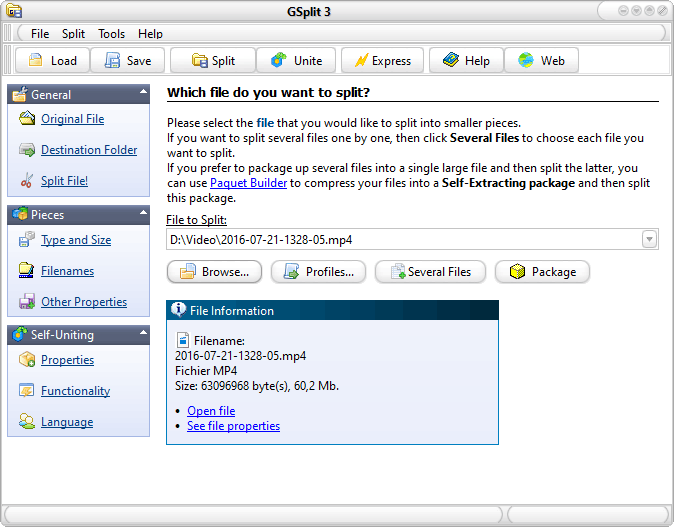
GSplit is a free file splitter that splits any file into smaller files called pieces. Fast, easy-to-use and efficient with lots of customization options.
river rampart
aight
remote coral
if you see an error constantly getting spammed, send it