36 messages · Page 1 of 1 (latest)
 vale otter
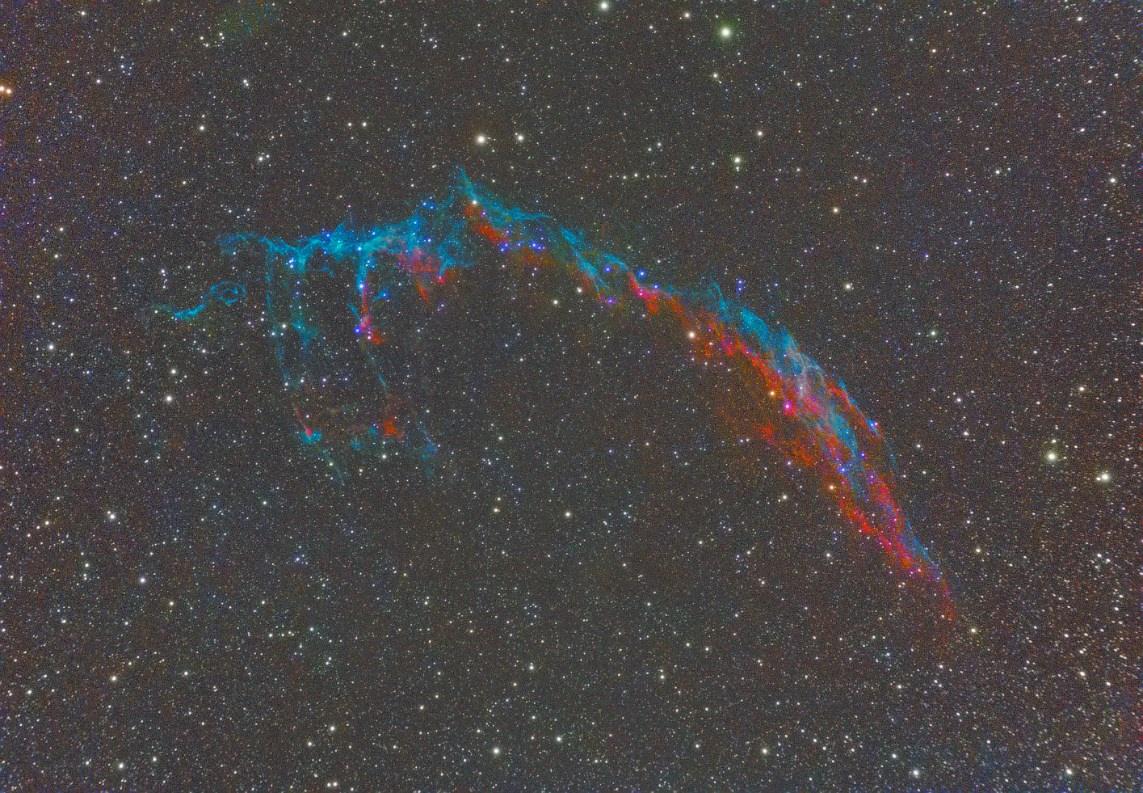
I've made a starless version of the eastern veil nebula but when I try to add stars back in PS it seems to raise the contrast and loose some colour.
I feel like I'm doing something wrong
I know it's really noisy but I'm just trying things at random so it's fine
 wispy patrol
@vale otter so from my experience in PS you might be applying the stars as an incorrect type of layer I’m not sure exactly what it’s called but I think it’s under this tab
 vale otter
wispy patrol
<@255358400244875264> so from my experience in PS you might be applying the sta...
vale otter
wispy patrol
<@255358400244875264> so from my experience in PS you might be applying the sta...
I'm applying it as luminosity layer which should be the right one
wispy patrol
Could you flick through them all of you haven’t already to make sure if not it might be your saving a reloading the “nebula” image as a different file type
I’ve had that effect things and do weird stuff to my images
vale otter
I'll give it a try
 winter crag
Im currently using gimp so I am not sure if thats going to work in ps but I normally use screen or addition mode
vale otter
these are the options I have on PS, not sure which could be equivalent to the ones on gimp
 brave cradle
I usually try everything from lighten to overlay and see which works best. The rest I only use for very specific editing except for difference/subtract, those I use for manual flats to get rid of any gradients
wispy patrol
@vale otter how did it end up working
vale otter
wispy patrol
<@255358400244875264> how did it end up working
it ended up with me going to sleep 😅
I'll try again from 0 later today
 warped spindle
@vale otter Could you send me the unprocessed stack? I'll be able to make a perfect star-layer for you that you can use for your current starless image if you want
vale otter
warped spindle
<@255358400244875264> Could you send me the unprocessed stack? I'll be able to m...

1 file sent via WeTransfer, the simplest way to send your files around the world
wispy patrol
vale otter
https://we.tl/t-SVPH8KaD28
Is alright if I take a quick look at it also
vale otter
wispy patrol
Is alright if I take a quick look at it also
yep, feel free to give it a try
wispy patrol
Thx ☺️
warped spindle
@vale otter Here's the star layer. Paste it on top of your starless image and set the blending mode to "Linear Dodge (Add)". You might need to align the layer so they match resolution again in case you cropped your image. I haven't done any star reduction. If you think this is too much stars you'll need to do one yourself by de-stretching the layer OR using Color Range and Minimum tool.
 vale otter
warped spindle
<@255358400244875264> Here's the star layer. Paste it on top of your starless im...
vale otter
warped spindle
<@255358400244875264> Here's the star layer. Paste it on top of your starless im...
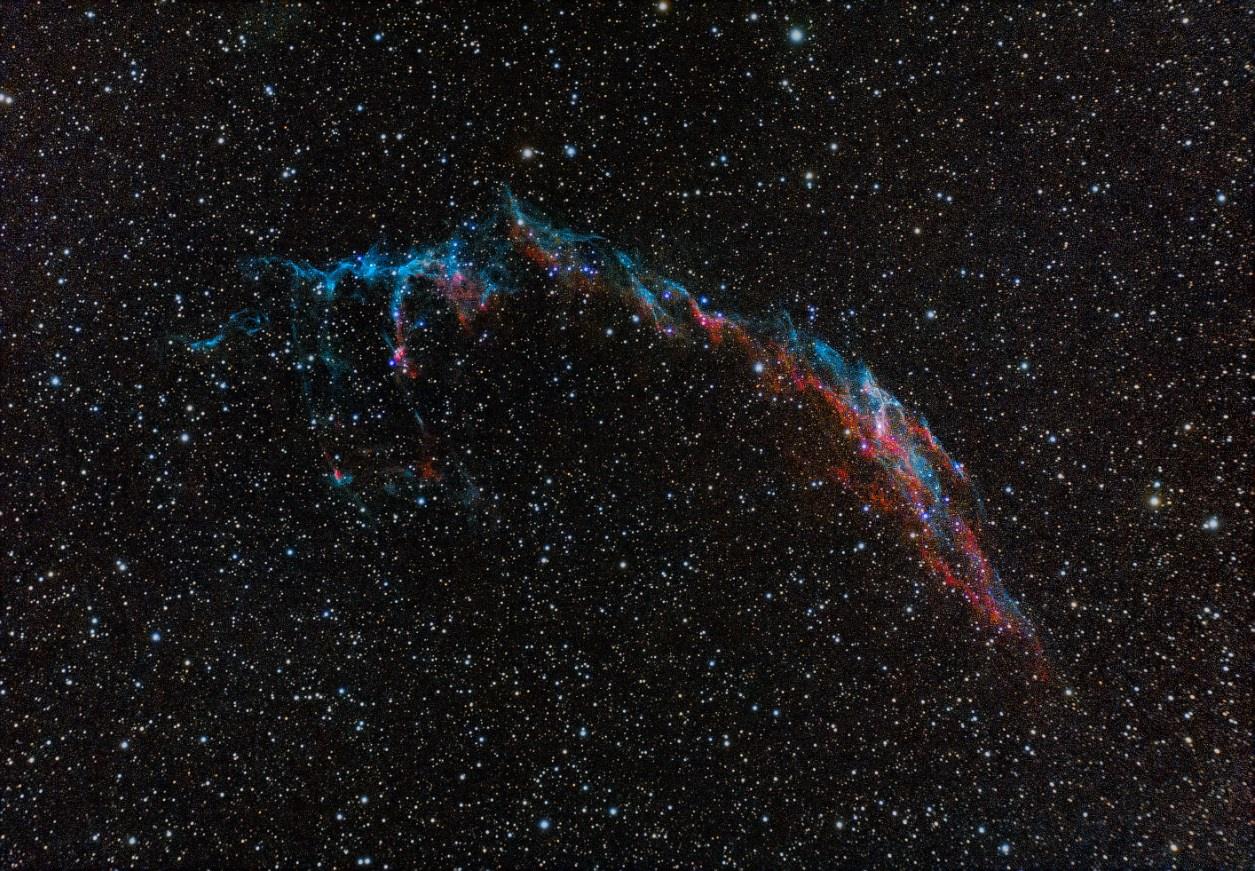
thanks, it looks so much better. Can I ask how did you make it?
vale otter
thx, much easier that I thought. It'll be really useful in the future
 olive remnant
vale otter
I'm applying it as luminosity layer which should be the right one
olive remnant
vale otter
I'm applying it as luminosity layer which should be the right one
If you used Starnet to seperate the stars you need to select "Linear Dodge (Add)"
Ah, I'm late to the game, lol.
vale otter
olive remnant
Ah, I'm late to the game, lol.
Lol no worries, all help is appreciated
I now need to retry to process a bunch of images as I've never added the stars back that way
 twilit furnace
Since we're all late, my method is simply restretching the stars. Relax the stretch, they will become less prominent.
vale otter
twilit furnace
Since we're all late, my method is simply restretching the stars. Relax the s...
you mean stretching less before creating the star mask?
twilit furnace
vale otter
you mean stretching less before creating the star mask?
If you do your starnet when it's linear, you shouldn't have to it that way. I stretch my stars seperately