#steampunk
1 messages · Page 47 of 1
 surreal inlet
 magic parrotBOT
 uncut pewter
will check those out, thanks
 slender dragon
has anyone disabled the thin air mod, any issues you discovered off the bat, cause personally i find it annoying so was curious if anyone has done that?
 mint thistle
not yet, but I am planning on doing something like that
Hilarious, a dungeon got eroded out

such a shame that the mountains don't even reach the clouds 
if only I could use Large Biomes ánd Amplified ...
 fast hare
L hey guys what is iron, gold, and diamond fertilizer even for?
 lavish lynx
good question what are the adventage to using them ?
 tidal urchin
So does everyone have issues rendering new chunks in this pack or is it just me?
lavish lynx
no issues on my part
 slender kettle
tidal urchin
So does everyone have issues rendering new chunks in this pack or is it just me?
slender kettle
tidal urchin
So does everyone have issues rendering new chunks in this pack or is it just me?
#faq performance guide
 worldly ocean
Hello everyone! I need help! Is there a mod in the modpack that allows me to get a spacific enchantment off my tool?
 light seal
Hi, the mechanical crafters are doing some server lags. Can I somehow fix that?
 vernal olive
light seal
Hi, the mechanical crafters are doing some server lags. Can I somehow fix that?
vernal olive
light seal
Hi, the mechanical crafters are doing some server lags. Can I somehow fix that?
don’t use them 
slender kettle
worldly ocean
Hello everyone! I need help! Is there a mod in the modpack that allows me to get...
no
slender kettle
light seal
Hi, the mechanical crafters are doing some server lags. Can I somehow fix that?
update to latest
slender kettle
vernal olive
don’t use them <a:yes:878028157393969163>
its fixed silly
worldly ocean
thanks 😭
vernal olive
slender kettle
its fixed silly
is it?
slender kettle
yeah
vernal olive
pog
light seal
slender kettle
update to latest
Okay
 tribal citrus
i think i know the reson why now. when i put in my latest logs in the attachment area its more then 2mb
vernal olive
that could be the case
tribal citrus
vernal olive
that could be the case
there a way to make it smaller or nah?
vernal olive
tribal citrus
there a way to make it smaller or nah?
mmmm no need to send logs
they can check themselves
once you make a ticket they have access to you’re server and will check themselves
tribal citrus
oh?
ok yesterday its what they asked
all i really said was server wont let me in and says its down done all i could to try to fix it
vernal olive
tribal citrus
ok yesterday its what they asked
probably you’re client logs
tribal citrus
idk if thats what the video said
tribal citrus
vernal olive
yeah client logs they wanted
tribal citrus
oh in the vid it just said latest logs
either way i sent a ticket and now waiting for there reply
vernal olive
nice nice
tribal citrus
are logs not the same
i see now that there asking for my client logs but the vid they sugest is telling me just lattest logs witch is more the 2MB
vernal olive
tribal citrus
are logs not the same
client logs are UR game logs while server is THEIR server logs
 unreal sundial
how is server performance with 6+ people in this pack?
would be running on a 7800x3d with about 10gb of ram
vernal olive
should be pretty fine 
unreal sundial
20 tps all the time?
 sage dew
Hovering with 48~ TPS with 3 people on 16GB of ram. Dedicated server. Still aquiring parts for a home rig
 sage dew
Can't blame chunk generation. Did a lot of moving around. Pack seems to struggle bus when it's loading concurrent chunks with each individual player
 spiral thorn
bet they meant fps
vernal olive
probably
tribal citrus
vernal olive
probably
mind if u hope in vc for 5 secs?
vernal olive
tribal citrus
mind if u hope in vc for 5 secs?
what for?
slender kettle
 storm kiln
1 or -1?
storm kiln
1 or -1?
1
 tough grove
Is it a known thing that the temperature-related equipment buffs added by the sewing table just show up as a blank line on the crafted item?

 dapper ocean
i just updated the pack and it says its v19.5, but the most recent notif is for v18
was 19 just bug fixes or was something changed im not seeing
tough grove
When in doubt check the CurseForge page for the changelog. Create: Missions and Vivecraft were removed, something else I think too. 19.5 was sort of 'stealth' announced xD

Mostly bugfixes

 glad heath
tough grove
Is it a known thing that the temperature-related equipment buffs added by the se...
glad heath
tough grove
Is it a known thing that the temperature-related equipment buffs added by the se...
https://legacy.curseforge.com/minecraft/mc-mods/cold-sweat
They have a discord the mod author checks often
tough grove
Word, yeah, just didn't know if it was an issue specific to the mod or this mod pack but I'll mosey over there
 reef jasper
is tetra crashing for anyone else?
vernal olive
reef jasper
is tetra crashing for anyone else?
what version of the modpack are you on?
reef jasper
latest version; when I try and click anything using steel, it just crashes.
vernal olive
!moreinfo
magic parrotBOT
Hello! For us to help you with your issue, you will need to answer all 8 questions below. Post the answers in this channel:
1. Have you modified the modpack in any way? If so, what did you do? (Updating/adding/removing mods, changing configs)
2. What launcher, or program, are you using to launch the game? (CurseForge, ATLauncher, etc)
3. What Minecraft version are you playing? (1.18.2, 1.16.5, 1.19.2)
4. What version of the modpack are you playing? (v11, v9, etc)
5. What steps are necessary to reproduce the crash? (Launching the game, exploring the world, etc)
6. Have you ever gotten past the point where the crash happens?
7. Send the crash report file into this channel. Right click the modpack, Open Folder, and navigate to the Crash Reports folder. Drag the newest one here. If there is no crash reports folder, do the same thing with the latest.log file in the logs folder.
8. Did you follow the Performance guide linked in #faq?
 old ravine
Hey i'm having trouble loading the game : my driver is up to date and i don't see the problem... also my RAM is never overcharged. Has anyone else had the same problem?
reef jasper
- yes; added ars noveau, touhou little maid, domestic invocation, when dungeons arise
curseforge
1.19.2
latest
attemtping to craft with steel, afterwards it crashes on anything tetra related
no
vernal olive
get 7.
reef jasper
vernal olive
old ravine
Hey i'm having trouble loading the game : my driver is up to date and i don't se...
what gpu do you have
dapper ocean
btw does anyone know the conditions for goblin traders to spawn?
vernal olive
they just spawn time to time
dapper ocean
yeahh thats all i could gather too
reef jasper
i've tried it with and without the ars compatibilty for tetra, tetric combat, with and without, as well as the extra bits mod; forgot the name. with and without as well.
old ravine
vernal olive
what gpu do you have
Radeon RX 570 Series - Is that waht you asked for?
vernal olive
old ravine
Radeon RX 570 Series - Is that waht you asked for?
yeah
is ur monitor connected to that gpu? 
old ravine
No idea- does that help?
 vernal olive
hmm
yeah thats all correct
i guess try to get the very latest version of ur drivers?
old ravine
I'm on the last version, that's why i'm confused
vernal olive
so no updates are needed?
reef jasper
is there anything else i need to post?
old ravine
vernal olive
so no updates are needed?
none
Yeqh i4ll see i4ve lost q bit of òy òotivqtion to investigqte
vernal olive
i feel that
old ravine
A FRIEND OF MINE ALSO DID? MADE ME CAHNGE SOME? I HAD LESS ERRORS BUT STILL NOT WAY TO PLAY
sry cap
vernal olive
old ravine
A FRIEND OF MINE ALSO DID? MADE ME CAHNGE SOME? I HAD LESS ERRORS BUT STILL NOT ...
i dont get that, friend also updated drivers and didnt work?
old ravine
nono$ i meant a friend also went through the logs anad couldn't repair all errors, he sent me here to see if anyone had a solution*
magic parrotBOT
If this command was run in response to your question/issue, it is likely because switching away from the launcher you are currently using would fix your problem.
From our experience, the most stable launcher by far is ATLauncher, also known as ATL.
To install ATLauncher, do the following:
1. Go to https://atlauncher.com/download
2. Install and run the setup, then open the program.
3. Login to your Microsoft account that owns the Java Edition of Minecraft from the Accounts tab on the right. This process is 100% safe, as it goes directly through Microsoft. ATLauncher does not see your account credentials.
4. Go to the Packs tab on the right, then click "Curseforge" on the left.
5. Search the modpack you wish to download.
6. Click "New Instance". Click "Ok" on the opted out mods warning, then click "Open All" on the manual download screen.
7. Let the mods download, ATLauncher will grab them from your Downloads folder and automatically add them to the modpack.
8. Go to the Instances tab, and click "Play" on the modpack you downloaded. If you ever see an "Update" button on the instance, click it.
To transfer your Curseforge world to ATLauncher, simply right click the modpack on Curseforge, or click the 3 dots, then click "Open Folder". Copy the Saves folder, then click "Open Folder" on ATLauncher and paste the Saves folder there.
Because ATLauncher downloads the exact same files as Curseforge does, your world will be the exact same and you will be able to join the same servers. ATLauncher also works without an internet connection (after you've installed the modpack, of course), and does not have any bloat from Overwolf. You are free to uninstall both Overwolf and Curseforge with ATLauncher installed.
old ravine
Okay i'll try this, thanks a lot for your help
vernal olive
reef jasper
visual workbench has issues with tetra.
magic parrotBOT
To reload textures and sounds, press F3 + T. If this doesn't bring up a loading screen, do the following:
1. Press escape and go to the Resourcepacks tab.
2. Move a Resourcepack on the left of the screen to the right.
3. Move that SAME Resourcepack back to the left.
4. Exit the menu.
If step 4 does not bring up a loading screen, do step 2, then step 4, then step 3, and then step 4 again.
slender kettle
vernal olive
ur end
SteamPunk has alot of funny textures
vernal olive
fr
 surreal bolt
magic parrot
To reload textures and sounds, press F3 + T. If this doesn't bring up a loading ...
surreal bolt
magic parrot
To reload textures and sounds, press F3 + T. If this doesn't bring up a loading ...
😔 not fixed
all good tho
ive redownloaded the entire mod pack, refresh textures in game
slender kettle
surreal bolt
all good tho
remove 1 resourcepack at a time to check which one is messing with it
or could be connected textures idk
i nvr tried searching
 dense radish
Anyone know why you tilt sideways after respawning, is there a fix for it?
slender kettle
dense radish
Anyone know why you tilt sideways after respawning, is there a fix for it?
relog
 sterile forum
dense radish
slender kettle
relog
sterile forum
dense radish
slender kettle
relog
@Was hoping more of a fix than that, heh.
vernal olive
dense radish
@Was hoping more of a fix than that, heh.
just rejoining fixes it
dense radish
Darn. Thanks.
 undone inlet
how do you turn off particles?..
vernal olive
undone inlet
how do you turn off particles?..
video settings
undone inlet
i'm looking at video setting rn.
vernal olive
there should be a place called particles
undone inlet
do i really need to press all of them off?
 vernal olive
well what do you need them off for?
since you said how do you turn them off
thats the way to turn em off
undone inlet
nether got very laggy.
vernal olive
test with the particles off
undone inlet
i guess i have to press all of them-
 undone inlet
i have..but it looks like most particles are still enabled.
 vernal olive
undone inlet
i have..but it looks like most particles are still enabled.
vernal olive
undone inlet
i have..but it looks like most particles are still enabled.
check ur game
 rich salmon
Anyone know if any of these are the Ignis boss?


I've been searching for it and cant find it. I'm pretty sure the arena is a circle though from what I was reading
spiral thorn
the 1st one is ignis
rich salmon
Fantastic. Thank you so much
I've been grinding out my gear and I think im finally ready to take this thing on
spiral thorn
good luck
rich salmon
I have the curse ring on so hopefully this is enough

found out why i never saw this thing the first time
its completely underground
dapper ocean
wait
did updating to v19.5 remove my mini wither helmet? QWQ
i cant even check the witheres drops
it was from a mod called "enemy expansion", apparently in their recent update they removed a ton of mobs for some reason, including my hat
so thats cool

 undone inlet
what am i looking at?
dapper ocean
the item list for the mod "enemy expansion"
i got a helmet called the mini wither from the wither, its sub diamond but causes wither 3 on every attack you do
very happy with it
then i update the pack to realize its vanished to thin air
so i looked it up and apparently the mod it was from updated and removed 60% of its content for no reason
tribal citrus
@vernal olive sooo it didnt help lol
vernal olive
tribal citrus
<@460610775887773737> sooo it didnt help lol
hm?
quick uh recap on what’s been happening lol
just list it and i’ll be awoken to fix tmmrw
 vague summit
quick question, does this modpack have a profiler already in it? getting classic server lag
vernal olive
vague summit
quick question, does this modpack have a profiler already in it? getting classic...
nope sadly not. if i remember right
it if does or doesn’t try this
!tps
magic parrotBOT
Please click this link and follow the guide. If you are using a server host such as Bisect, you may be limited in your options and instead have a checkbox to use Aikar's Flags, which will also work:
https://github.com/brucethemoose/Minecraft-Performance-Flags-Benchmarks
If you can not launch your server/game after using these flags, then remove the word java from the start. Also, make sure you are using Java 18 on 1.18.2 / 1.19.2 and Java 11 on 1.16.5. These should be downloaded from Adoptium's website.
If lag persists, do the following command ingame:
/spark profiler start --only-ticks-over 50
Then, send the link in this channel.
tribal citrus
vernal olive
just list it and i’ll be awoken to fix tmmrw
what do u mean recap? like from when it started to fuck up or
vernal olive
tribal citrus
what do u mean recap? like from when it started to fuck up or
nono i’ve been dealing with a lot of things so just a recap on what issues you have been having
i think i remember
bad connection to server?
tribal citrus
yea they said reset the modem or router i did aaaand nothing still the same issue
vernal olive
hmm
might be ur isp then. internet service provider
i’d suggest giving them a call and seeing if you can work something out
 scenic pollen
so PC repair shop removed java from my PC for what ever reason. so i cant run my servers until find right software
may i get link to what i need?
vernal olive
scenic pollen
may i get link to what i need?
!openjdk
magic parrotBOT
- Download an adoptium release for Java (recommended but not required):
- Java 11 (https://adoptium.net/temurin/releases/?version=11) for versions 1.16.5 and below (can also use 8 if its not working)
- Java 18 (https://adoptium.net/temurin/releases/?version=18) for any versions newer (or 17 if 18 doesn't work)
- Consider installing the JRE instead of the JDK for a smaller file size
-
When installing through adoptium, make sure that Add to PATH and Set JAVA_HOME variable are both set to be installed (please see https://imgur.com/a/jPu1h7h for how that would look)
-
Check if java has been correctly installed by running java --version (or java -version on older versions), and seeing if the output is correct (see https://imgur.com/a/OWcoq4p for an example of the output)
- NOTE: 64 bit versions of java ALWAYS have '64-bit Server VM' in the version output. If that is not there, you have installed a 32-BIT version!! If you're getting Out of Memory errors or any other errors, PLEASE install 64-bit
- If the output isn't as intended, you have 2 options.
i) Delete ALL other java versions from your PC (ONLY recommended if you don't need them)
ii) Redirect your launcher/server to use your new installation of Java
Method i
- Uninstall any other java program listed in your programs list (differs by OS, please find a guide for your own OS if you don't know)
- Attempt to re-use the command mentioned above (if the output is now correct, which it should be, you are ready to go)
Method ii
- For a server, please modify the $Java/JAVA variable (found in your startup script depending on ps1/sh) to the path of your java installation. For windows, this path is usually found in "Program Files/Eclipse Adoptium/version_of_java/bin"
- For a client, depending on whether you use CurseForge, GD, or AT, the process is slightly different. Please see a guide for each respective launcher on how to change the java version.
tribal citrus
vernal olive
i’d suggest giving them a call and seeing if you can work something out
idk if that will be posible
vernal olive
tribal citrus
idk if that will be posible
should try
tribal citrus
could there be something wrong with the either net cord??
vernal olive
tribal citrus
could there be something wrong with the either net cord??
could be
do you have another cable?
tribal citrus
i dont think to
tribal citrus
im running a 70ft cord to my upsairs pc from my living room router
scenic pollen
yay server works again. why would PC repair remove java?
tribal citrus
vernal olive
wifi*
dose it matter that my buds cant get on either?
undone inlet
how do i bind my wireless terminal to the main terminal?...
tribal citrus
@vernal olive thats so scuffed this all happend due to a piston i placed to move a viliger lmao
 golden holly
So. Beqcon + advanced wireless....awesome!!!!
Down side, not gokd for a server.
How do i keep a chunk loaded in this mod?
golden holly
undone inlet
how do i bind my wireless terminal to the main terminal?...
Sneak + right click on the main terminal
mint thistle
I read something about the farther away from spawn one is, the more powerful monsters become, is this true? And if so, would you all suggest building a base close to 0/0??
 chilly plinth
mint thistle
I read something about the farther away from spawn one is, the more powerful mon...
chilly plinth
mint thistle
I read something about the farther away from spawn one is, the more powerful mon...
1 yes, 2 that’s up to you. 😛
mint thistle
chilly plinth
1 yes, 2 that’s up to you. 😛
so basically, an amazing start is more than just important
chilly plinth
Basically, you can choose to have it near spawn, or go venture out and about to find the perfect spot for you.
 high cloak
mint thistle
I read something about the farther away from spawn one is, the more powerful mon...
high cloak
mint thistle
I read something about the farther away from spawn one is, the more powerful mon...
it's true but not very impactful in the overworld unless you're venturing out several thousands of blocks
mint thistle
anyone have a nice start with a village and few rivers/oceans?
high cloak
if i'm not wrong the scaling is 1 level per 1000 blocks
only becomes an issue in the end
mint thistle
is the End that dangerous herein?
 mint thistle
not going hardcore or even hardmode
slender kettle
the end was really easy anyways
Ad Astra / Ulterlands / Aether all felt harder then the End
high cloak
yeah but in the context of the scaling mechanic it really only presents itself in the end
slender kettle
high cloak
yeah but in the context of the scaling mechanic it really only presents itself i...

Ad Astra you can already feel the pain
The levels are a lie
high cloak
okay rephrase, it doesn't present itself until dimensions other than overworld and nether
overworld scaling is negligible
slender kettle
How is that the “end”
but yeah
nether and overworld
you dont rly have to care abt scaling
same applies to Blue Skies
high cloak
slender kettle
How is that the “end”
as in the end dimension
slender kettle
The dimensions before the end dimensions arent the “end dinension”
high cloak
which are the dimensions before the end dimension?
high cloak
slender kettle
Ad Astra / Ulterlands / Aether all felt harder then the End
these?
slender kettle
yeah
high cloak
oh cool
slender kettle
but yeah dw too much abt the end 
high cloak
probably cos i always play overworld > nether > end > any other dimension
but going into the end and seeing 80+hp endermen with several bars of armor was a bit of a surprise
slender kettle
high cloak
but going into the end and seeing 80+hp endermen with several bars of armor was ...
dont let the numbers fool you

high cloak
ehh they're significanty tankier than the endermen in the overworld
nothing unmanageable but there is a difference
slender kettle
well if you compare it like that then yeah
high cloak
also am playing hard mode so i could feel regular weapons falling off
slender kettle
high cloak
also am playing hard mode so i could feel regular weapons falling off
the only sword I see viable is the Farslayer
no matter what you chose
but the Farslayer isnt that great either
mint thistle
Atm, I'm still looking for a start where there isn't much ocean near me
high cloak
high cloak
there's enderslayer also
tbf i feel like playing hard mode and having access to the ender slayer makes the end easier for hardmode players than regular players
slender kettle
endermen isnt an issue for regular players
I would say that the hardcore players need the enderslayer
need
like a endermen could come out of nowhere and js murder you 😭
high cloak
slender kettle
endermen isnt an issue for regular players
until you accidentally look at one
true
but the enderslayer just
negates that
slender kettle
one endermen isnt that hard to deal with
slender kettle
to be fair
hardcore players already get their damage nerfed iirc
and guns dont work on endermen
high cloak
which was actually a challenge
high cloak
and then you discover the enderslayer and it's back to ez gaming
mint thistle
When seeing this, would you all restart?
 high cloak
mint thistle
When seeing this, would you all restart?
high cloak
mint thistle
When seeing this, would you all restart?
nope i'd colonize that chunk of land you're on
chilly plinth
Explore, if the spawn chunk isn’t your flavor look around and see what you end up finding
mint thistle
the first few I tried I died straight up because of monsters being near the worldspawn
high cloak
i like waterlogged chunks of land
mint thistle
high cloak
i like waterlogged chunks of land
I'm not tbh, I'm planning on building a massive base that needs to be on land haha
high cloak
ah
chilly plinth
Hence why you go and explore 😛
high cloak
if you already have something in mind then you'd do better to find something that fits
for me i build my base to fit the land i base on
chilly plinth
Most don’t just settle in the spot they drop in at.
 tidal forge
I think it would be good to have vr support cause im a vr player and I think there are more
 chrome jackal
Just my luck. Latest update broke something with my modded version of the modpack. Which probably means I'll have to start all over again with my base.
Four levels, a basement, three towers, and a max-power windmill, all down the drain.
Oh well, just build it again, but better.
Ah, just perfect! Now I can't even download the modpack on ATLauncher!
I swear it was working fine not too long ago.
Can't download the manifest from CurseForge.
surreal inlet
Oi @vernal olive
Bases disappering
Hasn’t it been reported by someone else recently
vernal olive
bases?
vernal olive
chrome jackal
Can't download the manifest from CurseForge.
try going back a version
surreal inlet
Ig I’ll have to download the previous version make a base and then update to see if it goes away
What chunk claim mod is in here?
chrome jackal
vernal olive
try going back a version
Doing that right now. Actually going to load a backup I made before updating.
Most of the extra mods I added in don't want to work with the new update.
vernal olive
mhm
chrome jackal
That worked.
 south arrow
Hi ! I have a v17.5 server and I have an issue to create a party to do the quests together with my friends. When I accept the party invite the game is telling me that the recruit mod is disabbleing this feature, but when I go to the mod config I cannot config this mod. Please help me
slender kettle
south arrow
Hi ! I have a v17.5 server and I have an issue to create a party to do the quest...
update to latest
slender kettle
chrome jackal
Just my luck. Latest update broke something with my modded version of the modpa...
v19.5?
south arrow
slender kettle
update to latest
How can I upgrade the server ?
slender kettle
south arrow
How can I upgrade the server ?
!updateserver
magic parrotBOT

00:00 Update Server Locally
01:19 Update on Server Host/Bisect Hosting Premium
01:39 Update on Server Host/Bisect Hosting Premium
Discord ➔ https://discord.gg/8ZmhaPPbjE
Twitter ➔ https://twitter.com/SharkieTV
Use CODE: LunaPixel for 25% off ➔ https://www.bisecthosting.com/LunaPixel
chrome jackal
slender kettle
v19.5?
That's the update. I was using v19 previously, and playing with Create Mods that aren't in the pack yet (Deco, Big Cannons, Rechiseled: Create, etc.)
slender kettle
chrome jackal
Ah, just perfect! Now I can't even download the modpack on ATLauncher!
i meant this
slender kettle
surreal inlet
Hasn’t it been reported by someone else recently
no
unless you modified your game that will not happen
slender kettle
surreal inlet
I did see someone saying the same thing
surreal inlet
Dont modify the packguys
slender kettle
not in SteamPunk
surreal inlet
slender kettle
not in SteamPunk
Yeah
old ravine
!alternates
magic parrotBOT
If this command was run in response to your question/issue, it is likely because switching away from the launcher you are currently using would fix your problem.
From our experience, the most stable launcher by far is ATLauncher, also known as ATL.
To install ATLauncher, do the following:
1. Go to https://atlauncher.com/download
2. Install and run the setup, then open the program.
3. Login to your Microsoft account that owns the Java Edition of Minecraft from the Accounts tab on the right. This process is 100% safe, as it goes directly through Microsoft. ATLauncher does not see your account credentials.
4. Go to the Packs tab on the right, then click "Curseforge" on the left.
5. Search the modpack you wish to download.
6. Click "New Instance". Click "Ok" on the opted out mods warning, then click "Open All" on the manual download screen.
7. Let the mods download, ATLauncher will grab them from your Downloads folder and automatically add them to the modpack.
8. Go to the Instances tab, and click "Play" on the modpack you downloaded. If you ever see an "Update" button on the instance, click it.
To transfer your Curseforge world to ATLauncher, simply right click the modpack on Curseforge, or click the 3 dots, then click "Open Folder". Copy the Saves folder, then click "Open Folder" on ATLauncher and paste the Saves folder there.
Because ATLauncher downloads the exact same files as Curseforge does, your world will be the exact same and you will be able to join the same servers. ATLauncher also works without an internet connection (after you've installed the modpack, of course), and does not have any bloat from Overwolf. You are free to uninstall both Overwolf and Curseforge with ATLauncher installed.
old ravine
Even this was, exit (1) on the minecraft launcher. No driver problem, No way to fix it in the steampunk logs (using curse forge to instal) and now even by using at Launcher : crash again

 slender kettle
old ravine
Even this was, exit (1) on the minecraft launcher. No driver problem, No way to ...
slender kettle
old ravine
Even this was, exit (1) on the minecraft launcher. No driver problem, No way to ...
!drivers
magic parrotBOT
You (likely) need to update your graphics drivers in order to resolve the crash. Here's how to go about doing that!
1. Identify your graphics card
if you already know skip to the next step
- Open task manager
- Navigate to the "Performance" tab (on Windows 11 this is the button that looks like a heart pulse)
- Press the GPU 0 graph and read your GPU from the top right
Note:
In some cases you may see a GPU 0 and GPU 1. This means your CPU has its own GPU, as well as an external one. You probably want GPU 1 (which is usually the external), but you can ask staff to clarify if necessary.
2. Download your drivers from the manufacturers site
Depending on what you read before, you likely need drivers from either AMD, Intel, or NVIDIA
AMD: https://www.amd.com/en/support
Intel: https://www.intel.com/content/www/us/en/download-center/home.html
NVIDIA: https://www.nvidia.com/Download/index.aspx?lang=en-us
Note:
- For NVIDIA you want to select "Game Ready Driver (GRD)" (this is the default option) for the best performance. Once installing you'd probably prefer downloading GeForce Experience, which will notify you when there's an available drivers update.
- For Intel, you probably want to press "Get Started" under the "Automatically update your drivers and software", which will simplify the process and update everything automatically
- For AMD you probably want to just press "Download Windows Drivers", which will download something called AMD Adrenaline, which will update your drivers automatically.
3. Run the installation, restart your computer, and try playing MC again
- At this point, hopefully your Minecraft is running. If it still does not work, please post any new logs and staff will help assist you with finding the right solution.
magic parrotBOT
Hello! For us to help you with your issue, you will need to answer all 8 questions below. Post the answers in this channel:
1. Have you modified the modpack in any way? If so, what did you do? (Updating/adding/removing mods, changing configs)
2. What launcher, or program, are you using to launch the game? (CurseForge, ATLauncher, etc)
3. What Minecraft version are you playing? (1.18.2, 1.16.5, 1.19.2)
4. What version of the modpack are you playing? (v11, v9, etc)
5. What steps are necessary to reproduce the crash? (Launching the game, exploring the world, etc)
6. Have you ever gotten past the point where the crash happens?
7. Send the crash report file into this channel. Right click the modpack, Open Folder, and navigate to the Crash Reports folder. Drag the newest one here. If there is no crash reports folder, do the same thing with the latest.log file in the logs folder.
8. Did you follow the Performance guide linked in #faq?
 wet summit
1: No
2: CurseForge
3: 1.19.2
4: Steampunk [LPS] (1) v18
5: Using sawmills does it sometimes but using it on a train consistently crashes the game
6: No, both of my testing worlds are locked
7: The game crashed whilst ticking entity
Error: java.lang.IndexOutOfBoundsException: Index: 0
Exit Code: -1
File is uploaded below
8: Yes
slender kettle
wet summit
**1:** No
**2:** CurseForge
**3:** 1.19.2
**4:** Steampunk [LPS] (1) v18
**5:**...
update.
the modpack]
wet summit
slender kettle
update.
19.5 release?
slender kettle
ye
wet summit
TY
i was going to resort to putting the resources for the farm in lava and using command blocks to generate it
 odd isleBOT
hirukaroguetemplar2.0 has been timed out for 2m 

 Reason: Posting Discord Server Invites
hirukaroguetemplar2.0 | 1130268405333753857
vernal olive
@storm kiln why did you post a discord link?
odd isleBOT
Timeout Removal Result:
 Reason: No reason.
 Moderator: @vernal olive

Timeout Removed:
 hirukaroguetemplar2.0 [
1130268405333753857]
storm kiln
vernal olive
<@1130268405333753857> why did you post a discord link?
sorry i was suppose to post the image of my farm
not the discord invite
storm kiln

how much sails do i need to run this farm
?
i tried givin' it a large water wheel
vernal olive
might need mire than 1 of the lsrge wheel
storm kiln
but the water wheel didn't tanked
storm kiln
vernal olive
might need mire than 1 of the lsrge wheel
and or windmill thing?
vernal olive
mindmill could do it
 slender lark
Hello there, I'm new to the modpack and I did wonder, is there any /home /sethome command like? Or all is going through Tempad?
vernal olive
youd maybe need a max one
vernal olive
slender lark
Hello there, I'm new to the modpack and I did wonder, is there any /home /sethom...
tempad
vernal olive
mmmm
slender lark
I'll have to wait a bit then to get it haha
vernal olive
give or twke 2 stacks
vernal olive
slender lark
I'll have to wait a bit then to get it haha
you can add ftb essentials for the commands
slender lark
vernal olive
you can add ftb essentials for the commands
Or as I am playing along, I could rely on the waypoints 😛 Some view that as cheating but as it only affect myself, I can live with it haha !
vernal olive
slender lark
Or as I am playing along, I could rely on the waypoints 😛 Some view that as che...
lol fair enough
try waystones lul
slender lark
vernal olive
try waystones lul
Yes I know those too 😛
vernal olive
yar
slender lark
That's just, I like difficulty, I like wandering around, but going up 90 levels with no staircase is long 😛
Especially if you only do this for a while
I want this to be fun haha
So far I do love the skinned interface, the whole setting and I love Create and Immersive Engineering. So this is perfect 😉
 vernal olive
storm kiln
vernal olive
storm kiln
wheres thr water
storm kiln
vernal olive
wheres thr water
planning to setup the trapdoors first
vernal olive
mm should be enough
vernal olive
gg
 ruby halo
is there a channel to report crashes?
magic parrotBOT
Hello! For us to help you with your issue, you will need to answer all 8 questions below. Post the answers in this channel:
1. Have you modified the modpack in any way? If so, what did you do? (Updating/adding/removing mods, changing configs)
2. What launcher, or program, are you using to launch the game? (CurseForge, ATLauncher, etc)
3. What Minecraft version are you playing? (1.18.2, 1.16.5, 1.19.2)
4. What version of the modpack are you playing? (v11, v9, etc)
5. What steps are necessary to reproduce the crash? (Launching the game, exploring the world, etc)
6. Have you ever gotten past the point where the crash happens?
7. Send the crash report file into this channel. Right click the modpack, Open Folder, and navigate to the Crash Reports folder. Drag the newest one here. If there is no crash reports folder, do the same thing with the latest.log file in the logs folder.
8. Did you follow the Performance guide linked in #faq?
 silk tendon
hello, i had a question regarding a machine i have. I have 9 blocks waterlogged pumps, with a lava tank above it. under it is a moving set of blocks that lets the water through everytime it moves side to side, this should case the lava to flow out of the pumps and then make cobblestone, which it doesnt for some reason, even after lowering the speed. (i am on a server, so i lowered it to see if it was lag), but it didnt change anything. anyone got an idea?

 tidal magnet
Hello, how much RAM does my server need ?
slender kettle
tidal magnet
Hello, how much RAM does my server need ?
how many players
tidal magnet
slender kettle
how many players
max 5
slender kettle
tidal magnet
max 5
7gb
tidal magnet
thanks
golden holly
I posted this up last night, but i think it got buried.
Is there a way to keep a chunk loaded in this mod pack?
Ive got a server with 5 players. We have a central storage unit with advance wireless controllers next to a beacon.
And 1 player is 4000 blocks away and cant use it if there iant anybody close to the beacon.
Suggestions?
slender kettle
golden holly
I posted this up last night, but i think it got buried.
Is there a way to keep a...
with the map
 obsidian ridge
Claim it, forceload the chunk
Make sure you are all in the same party through open pac mod
 lusty schooner
this week ive been working on my power plant and my frames have done a massive dive from a stable 100 to about 50-60 with and without shaders. ive moves to at launcher and setup the adoptium thing but after a day or so my frames did the aforementioned drop. any help?
 obsidian ridge
Create tends to drop frames
lusty schooner
ive played on other modpacks and my frames have never dropped this much
maybe by like 2 or 3
vernal olive
lusty schooner
ive played on other modpacks and my frames have never dropped this much
create is a monster at draining fps
it’s not surprising
obsidian ridge
Never played a Create pack where frames didnt plummet after going all out with the mod lol
vernal olive
i’d suggest these 2 things for you @lusty schooner
golden holly
slender kettle
with the map
Wait, what? How?
vernal olive
!alternates
magic parrotBOT
If this command was run in response to your question/issue, it is likely because switching away from the launcher you are currently using would fix your problem.
From our experience, the most stable launcher by far is ATLauncher, also known as ATL.
To install ATLauncher, do the following:
1. Go to https://atlauncher.com/download
2. Install and run the setup, then open the program.
3. Login to your Microsoft account that owns the Java Edition of Minecraft from the Accounts tab on the right. This process is 100% safe, as it goes directly through Microsoft. ATLauncher does not see your account credentials.
4. Go to the Packs tab on the right, then click "Curseforge" on the left.
5. Search the modpack you wish to download.
6. Click "New Instance". Click "Ok" on the opted out mods warning, then click "Open All" on the manual download screen.
7. Let the mods download, ATLauncher will grab them from your Downloads folder and automatically add them to the modpack.
8. Go to the Instances tab, and click "Play" on the modpack you downloaded. If you ever see an "Update" button on the instance, click it.
To transfer your Curseforge world to ATLauncher, simply right click the modpack on Curseforge, or click the 3 dots, then click "Open Folder". Copy the Saves folder, then click "Open Folder" on ATLauncher and paste the Saves folder there.
Because ATLauncher downloads the exact same files as Curseforge does, your world will be the exact same and you will be able to join the same servers. ATLauncher also works without an internet connection (after you've installed the modpack, of course), and does not have any bloat from Overwolf. You are free to uninstall both Overwolf and Curseforge with ATLauncher installed.
vernal olive
!openjdk
magic parrotBOT
- Download an adoptium release for Java (recommended but not required):
- Java 11 (https://adoptium.net/temurin/releases/?version=11) for versions 1.16.5 and below (can also use 8 if its not working)
- Java 18 (https://adoptium.net/temurin/releases/?version=18) for any versions newer (or 17 if 18 doesn't work)
- Consider installing the JRE instead of the JDK for a smaller file size
-
When installing through adoptium, make sure that Add to PATH and Set JAVA_HOME variable are both set to be installed (please see https://imgur.com/a/jPu1h7h for how that would look)
-
Check if java has been correctly installed by running java --version (or java -version on older versions), and seeing if the output is correct (see https://imgur.com/a/OWcoq4p for an example of the output)
- NOTE: 64 bit versions of java ALWAYS have '64-bit Server VM' in the version output. If that is not there, you have installed a 32-BIT version!! If you're getting Out of Memory errors or any other errors, PLEASE install 64-bit
- If the output isn't as intended, you have 2 options.
i) Delete ALL other java versions from your PC (ONLY recommended if you don't need them)
ii) Redirect your launcher/server to use your new installation of Java
Method i
- Uninstall any other java program listed in your programs list (differs by OS, please find a guide for your own OS if you don't know)
- Attempt to re-use the command mentioned above (if the output is now correct, which it should be, you are ready to go)
Method ii
- For a server, please modify the $Java/JAVA variable (found in your startup script depending on ps1/sh) to the path of your java installation. For windows, this path is usually found in "Program Files/Eclipse Adoptium/version_of_java/bin"
- For a client, depending on whether you use CurseForge, GD, or AT, the process is slightly different. Please see a guide for each respective launcher on how to change the java version.
vernal olive
java 18 ^
lusty schooner
ive done those 2 things already
vernal olive
golden holly
Wait, what? How?
right click and drag
vernal olive
lusty schooner
ive done those 2 things already
shows java17
obsidian ridge
17.0.3
vernal olive
also that’s quite a lot of ram

maybe lower down to 9-8
too much will cause more spikes than good
lusty schooner
ill see what happens thanks for the tips
vernal olive
np
lusty schooner
i downloaded java 18 and have it in my files but it uses java 17
vernal olive
lusty schooner
i downloaded java 18 and have it in my files but it uses java 17
make sure you set it to use java18
not just have it installed
lusty schooner
i have it set to use java 18 in the launcher, is that what i have to do or do i have to do some messing around in the files
vernal olive
make sure ur java path for the pack and launcher is set to 18
lusty schooner
somehow its worse
 vernal olive
hmmm
vernal olive
can you type /flywheel in ur chat and screenshot what it says?
vernal olive
lusty schooner
sorry having a rough day
no worries
lusty schooner
vernal olive
can you type /flywheel in ur chat and screenshot what it says?
ill do that too
vernal olive
lusty schooner
ill do that too
there was a specific command to make flywheel optimize itself
lusty schooner
i see
vernal olive
ye
lusty schooner
i did the /flywheel instancing engine command and that seemed to help a little but my frames have dropped to about 30-40 now
 slender kettle
lusty schooner
i did the /flywheel instancing engine command and that seemed to help a little b...
slender kettle
lusty schooner
i did the /flywheel instancing engine command and that seemed to help a little b...
install spark and run /sparkc profiler start
lusty schooner
ill see if that helps thanks
its still struggling to hit 60fps
this just makes me wish mojang would do some kind of optimisation update
slender lark
Is there a way to delete a loot chest ? As soon as I destroy it it repop
lusty schooner
though it is running smoother with less jittering
lusty schooner
slender lark
Is there a way to delete a loot chest ? As soon as I destroy it it repop
have you tried shift and breaking it?
something worked 0_0
 slender lark
lusty schooner
have you tried shift and breaking it?
slender lark
lusty schooner
have you tried shift and breaking it?
Probably am I stupid but no I did not...
And evidently it was the way to do it.
lusty schooner
sick glad i could help
scenic pollen
nice rig based on that info in screenshot, i have 12600k and RTX3070
lusty schooner
thanks man im really happy with it
scenic pollen
Not gotten far enough into steampunk tank my stuff yet. Gf always busy so always just been me on server trying make things work. Had decent world couple weeks ago but had PC issues and lost the world after having my PC worked on
vernal olive
lusty schooner
i did the /flywheel instancing engine command and that seemed to help a little b...
supposed to be another thing
it’s like /flywheel instancing compat
lusty schooner
i see ill give it a try
lusty schooner
thanks
 slender kettle
lusty schooner
its still struggling to hit 60fps
slender kettle
lusty schooner
its still struggling to hit 60fps
stop the profiler and send it to me
lusty schooner
did the /flywheel backend batching command and...

 warm hare
Can u not insulate armor? in the sewing table
lusty schooner
you need to use leather armor matching the armor piece your using like a leather helmet for your helmet
lusty schooner
slender kettle
stop the profiler and send it to me
how would i stop the profiler?
slender kettle
/sparkc profiler stop
warm hare
@lusty schooner
 lusty schooner
i guess thats it, mines the same
warm hare
Question is it doesnt say insulated, it should, i wonder if it doesnt show but i insulated
lusty schooner
your guess is as good as mine
vernal olive
lusty schooner
did the /flywheel backend batching command and...
that uh
isnt upposed to happen 
lusty schooner
no i guessed so XD
vernal olive
lol
its mainly supposed to be for AMD gpus but it should still be fine

try updating oculus/flywheel
not sperate mods
it should be a mod named that with those 2
lusty schooner
ill see if that helps
scenic pollen
last time i updated a mod. caused compatibilty issue to occur in promince
something in promince pack didnt like the newest version of occulus >.<
vernal olive
scenic pollen
something in promince pack didnt like the newest version of occulus >.<
yeahhh
you gotta be careful what you update
vernal olive
lusty schooner
ill see if that helps
oh got the latest drivers btw?
lusty schooner
sure do
vernal olive
kk
lusty schooner
btw i can only find iris and oculus flywheel compat
lusty schooner
wym try again?
 vernal olive
scenic pollen
back up world and reinstall ?
lusty schooner
it was just visual
i think it was vsync. i just turned it off and my frames shot from 60 to 80-90
storm kiln
guys, i need a model for excavator
can someone help?
i want to mine more efficiently
lusty schooner
like a create schematic or one for immersive engineering?
storm kiln
lusty schooner
like a create schematic or one for immersive engineering?
create mod
i wanna make a vehicle
that allows me to mine underground efficiently
lusty schooner
ill show you a screenshot of mine its simplistic but it does work
gimme a sec
the iron plating, glowstone and seat are optional but basically it uses a furnace minecart, two deployers; one for placing track and the other for placing blocks underneath the track, a 5x5 wall of drills and a plough for picking up any rails that have been passed by the minecart. plus a bunch of chests for storage as the drills automatically send anything they mine into them

hope it helps im not great at explaining
also dejotheawesome gives great tips when it comes to create
storm kiln
uhmm, self-placing and self-removable rails would be neat here
lusty schooner
thats what one deployer and the plough are for
scenic pollen
plough picks up the rails
not made one these,but seen video about something like this
lusty schooner
oh its girders, i basically stole the design off mr beardstone cuz it looked really cool. also thanks
np
ruby halo
does anyone know where to find an elytra exactly?
warm hare
lusty schooner
your guess is as good as mine
So after a good bit of scientific testing, it seems to work, but doesn't say insulated
But don't take my work I might be full of crap lol
Iam 70% sure
tidal urchin
Hey bros so I’ve been having tons of trouble rendering new chunks when exploring. On average it takes 30 seconds for every chunk I need to load when traveling, old chunks are no problem. I get a stable 120 fps while rendering the new chunks. I’ve switched over to ATlauncher and followed the performance guide entirely. I’ve messed with all the settings with rendering. This is also happening to my friend who is on a completely different set up than mine. I’m not really sure what more I can do
slender kettle
tidal urchin
Hey bros so I’ve been having tons of trouble rendering new chunks when exploring...
remove farsighht mod
tidal urchin
slender kettle
remove farsighht mod
I did that on the old launcher at the suggestion of someone and I saw no difference so I neglected to remove it on my ATlauncher instance, do you think that would make a difference if it made no difference on the curseforge launcher?
 flat heraldBOT
tidal urchin
I did that on the old launcher at the suggestion of someone and I saw no differe...
flat heraldBOT
tidal urchin
I did that on the old launcher at the suggestion of someone and I saw no differe...
Please read #faq to see the modpack diferences.
slender kettle
tidal urchin
I did that on the old launcher at the suggestion of someone and I saw no differe...
hm
could you send a ss with f3 open?
tidal urchin
I will do that when I get home, sorry
wet summit
Mechanical presses dont work i think
slender kettle
tidal urchin
I will do that when I get home, sorry
its ok dw, whenever you can 
 wooden hearth
anyone can help me, im havig troube setting my steampunk server
i have an error when executing the powershell command
vernal olive
wooden hearth
anyone can help me, im havig troube setting my steampunk server
i have an error ...
show it
vernal olive
send it over either way dw
wooden hearth
it says "error: did not found or load the principal class @user_jvm_args.txt"
 magic parrotBOT
- Download an adoptium release for Java (recommended but not required):
- Java 11 (https://adoptium.net/temurin/releases/?version=11) for versions 1.16.5 and below (can also use 8 if its not working)
- Java 18 (https://adoptium.net/temurin/releases/?version=18) for any versions newer (or 17 if 18 doesn't work)
- Consider installing the JRE instead of the JDK for a smaller file size
-
When installing through adoptium, make sure that Add to PATH and Set JAVA_HOME variable are both set to be installed (please see https://imgur.com/a/jPu1h7h for how that would look)
-
Check if java has been correctly installed by running java --version (or java -version on older versions), and seeing if the output is correct (see https://imgur.com/a/OWcoq4p for an example of the output)
- NOTE: 64 bit versions of java ALWAYS have '64-bit Server VM' in the version output. If that is not there, you have installed a 32-BIT version!! If you're getting Out of Memory errors or any other errors, PLEASE install 64-bit
- If the output isn't as intended, you have 2 options.
i) Delete ALL other java versions from your PC (ONLY recommended if you don't need them)
ii) Redirect your launcher/server to use your new installation of Java
Method i
- Uninstall any other java program listed in your programs list (differs by OS, please find a guide for your own OS if you don't know)
- Attempt to re-use the command mentioned above (if the output is now correct, which it should be, you are ready to go)
Method ii
- For a server, please modify the $Java/JAVA variable (found in your startup script depending on ps1/sh) to the path of your java installation. For windows, this path is usually found in "Program Files/Eclipse Adoptium/version_of_java/bin"
- For a client, depending on whether you use CurseForge, GD, or AT, the process is slightly different. Please see a guide for each respective launcher on how to change the java version.
wooden hearth
thx
vernal olive
np
fast hare
Hey y’all what does iron, gold, and diamond fertilizer do?
wooden hearth
ok thats fixed, i can run the start.ps1 now but when it ends nothing happens
slender kettle
wooden hearth
ok thats fixed, i can run the start.ps1 now but when it ends nothing happens
wdym
what does it say?
send a ss
slender kettle
fast hare
Hey y’all what does iron, gold, and diamond fertilizer do?
higher quality crops maybe
wooden hearth
 vernal olive
wooden hearth
vernal olive
wooden hearth
delete world and let game make new one
 low geode
Is turtles the cheapest auto-mining option in the game?
vernal olive
hm
reinstall the server files then
since it tried to launch with 8 mightve broken stuff
wooden hearth
ok
slender lark
Don't kill me but I have a very beginner question. I have no issue cutting the upper part of the industrial hemp using a left click with my hoe. My issue is how do I do the same with wheat ? I was only able to collect all (ungrown plants as well) and unable to let the ground seeded
vernal olive
slender lark
Don't kill me but I have a very beginner question. I have no issue cutting the u...
well, just left clicking the top part works, wheat grows differently compared to industrial hemp
slender lark
I was unable to collect when left cliking the top part, unlike hemp
wooden hearth
still crashing when i launch
vernal olive
try to just right click
slender lark
vernal olive
try to just right click
could it be related it's a copper tetra hoe?
vernal olive
maybe?
slender lark
I really enjoy this pack anyway
wooden hearth
it didnt create a world folder either
vernal olive
give the logs
wooden hearth
vernal olive
latest.log was all i needed mb
wooden hearth
sorry
vernal olive
no worries

i wonder why its angry at this
you did reinstall the server files yeah?
wooden hearth
i completely deleted the folder and downloaded it all again
 flat basalt
please more dungeons#
slender kettle
SID
spiral thorn
flat basalt
please more dungeons#
okay, suggest a mod or mod that adds more that is not already in the pack #suggestions
spiral thorn
slender kettle
SID
QWEK
slender kettle
SteamPunk needs Sid balancing treatment 
spiral thorn
slender kettle
SteamPunk needs Sid balancing treatment <:prayge:1019699675869225100>
yeah, so does everything lmao, but Idk if I'll ever get to this, struggling with prom right now as the only person I can really trust to test balance is, well, myself lmao
slender kettle
spiral thorn
yeah, so does everything lmao, but Idk if I'll ever get to this, struggling with...

spiral thorn
because I actually test on a fresh world, don't keep op stuff, know how to test in creative properly, etc
other players giving inaccurate info is a hard battle lol
slender kettle
I might mess with Autoleveling a bit on my own server, along with making datapacks to adjust alot the of gear.
SteamPunk feels like a mess rn imo
spiral thorn
slender kettle
SteamPunk feels like a mess rn imo
it probably is, it'd be a harder test as well because I would have to fully familiarize myself with the guns and iron's spells and spellbooks
slender kettle
its ok
and instead of complaining ill see if I can do anything and ask sharkie about the changes after im done 
slender lark
Is there sorting and or global warehousing system in this modpack or should it be built with funnels and other filters?
spiral thorn
slender kettle
and instead of complaining ill see if I can do anything and ask sharkie about th...
it's all good, you aren't complaining, you recognized that there is a balance issue and weren't annoying about it 😄
slender kettle

slender kettle
slender lark
Is there sorting and or global warehousing system in this modpack or should it b...
storage sorting? 
try use it one more time
slender lark
slender kettle
storage sorting? <:BE_Think:871846108773642330>
Filtering, aside using JEI on a big chest 😉
slender kettle
slender lark
Filtering, aside using JEI on a big chest 😉
not sure on filtering since I used Create for that.
Im not sure if im understanding your question correctly
if you need a organized storage you can use the one from toms
slender lark
slender kettle
not sure on filtering since I used Create for that.
Ahhh tehre's toms
slender kettle
yep
slender lark
Ok forget I asked anything
It's just I like Create, I can do without AE or RS but I need a bit of help sorting things sometime haha 🙂
Going through 200 chest can be tiresome sometime
slender kettle
Toms Storage is my best friend
lusty schooner
speaking of toms storage my system shows double the items and takes forever to craft and move certain items
wooden hearth
i shouldn't have deleted all of it?
vernal olive
no you shouldve
slender lark
Is it possible to bind the crafting of the book of skill or have I to click on the book then on the crafting in the book?
slender kettle
slender lark
Is it possible to bind the crafting of the book of skill or have I to click on t...
craft it once, works forever in your inventory
slender lark
slender kettle
craft it once, works forever in your inventory
I got a page from the quest earlier and it's in the book. How to craft it then? Sorry if I'm lost haha
I probably missed a clue or something
slender kettle
page of skill?
slender lark
Yes
slender kettle
right click to use it
slender lark
It's in the book
 slender lark
Yes but to get the crafter I need to clikc the book then the crafter. And I did wonder if there was a shortcut to access it 🙂
 slender lark
Yes there the book of skills then the crafter, it's two clicks
slender kettle
oh
slender lark
Hence the question about a keyboard shortcut
slender kettle
not that i know of
slender lark
Ok thanks 😉
I'm used to the crafting on a stick I discovered in ATM
(which have a bind)
scenic pollen
how i make a iron farm. it seems i made infinite gravel pit mess
oh shit. maybe it the minecraft version that fucked me on this video i watched for iron farm
scenic pollen
damn it i have infinite gravel now xD
scenic pollen
ok so can someone maybe send me instructions on iron farm that not complicated to make
 vernal olive
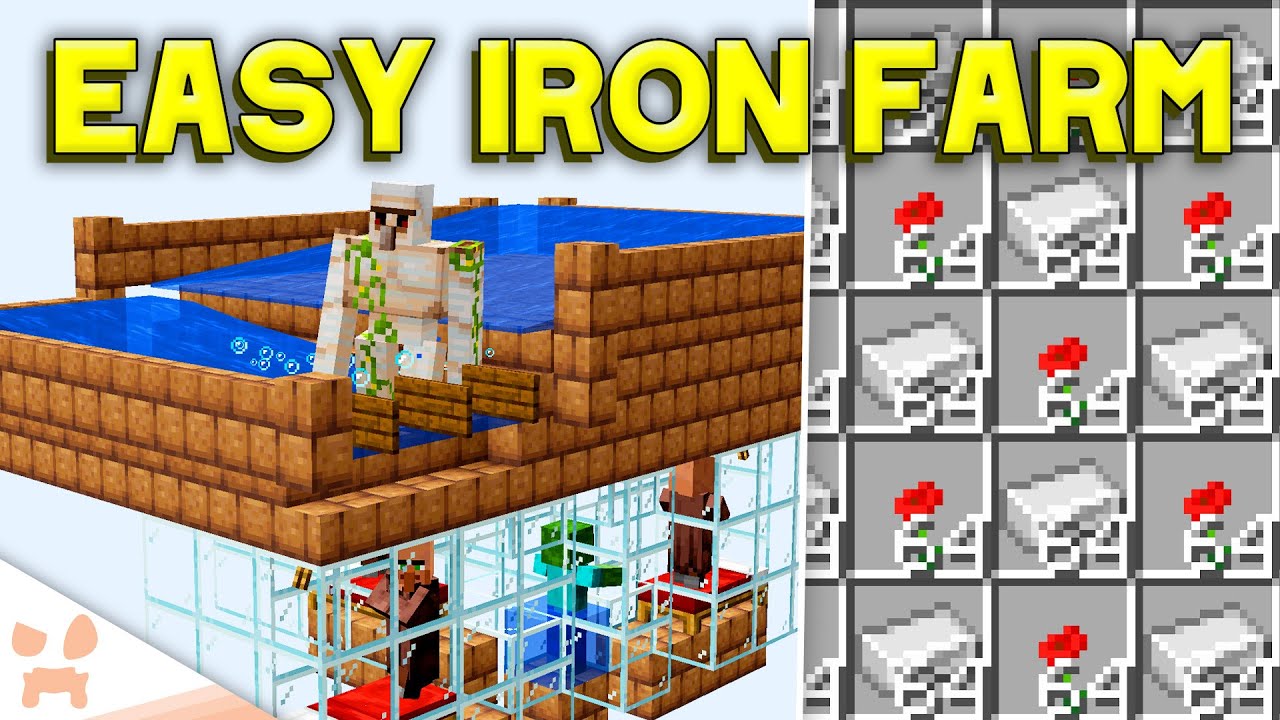
This is the easiest efficient Iron Farm in Minecraft! 💥 this is an updated version of my Easy Minecraft Iron Farm Design with some changes to help efficiency! Location is more important than ever now. This Iron Farm works on Minecraft 1.19 Java Edition. This doesn't work on Minecraft Bedrock Edition. This Farm will also work on Minecraft 1.20!
...
vernal olive
wot
vernal olive
vernal olive
slender kettle
again
tell me whyyyy
vernal olive


A short Tutorial on how to build a NO VILLAGER create iron farm using just cobblestone to produce iron ingots. This design is highly optimised and only uses 5.6k Su to run. As well as this it is also expandable and upgradable with ease.
Schematic:
https://drive.google.com/file/d/1GR-l8dMjON5ZG24uT...
here
do this one
scenic pollen
i was about say that one vids thumbnail was huge device
slender kettle
scenic pollen
i was about say that one vids thumbnail was huge device
blow gravel with encased fan
 scenic pollen
so i got the grave farm. just need phase 2 of making the gravel iron nuggies
tryin keep it small. as only got so much mats on my world
here my power for thje unit so far an have it geared to higher speed

i got lava water drill and mill in this area.

this makes infinite gravel
what the command for killing the partrols?
 ornate zinc
is there any way to make cars?
vernal olive
ornate zinc
is there any way to make cars?
create mod
 ornate zinc
vernal olive
create mod
ornate zinc
vernal olive
create mod
im using the steampunk modlist but i dont see anything that looks like a car
golden holly
vernal olive
right click and drag
So, I did this (Claimed my four chunks) told it to forceload, everyone could access the storage. Until I logged out. How do I keep it from turning off when I log out?
Refresher: I need to keep a chunk loaded for advanced wireless controller to work, whenI am not online for other users who are in teh same party, adn are officers.
vernal olive
golden holly
So, I did this (Claimed my four chunks) told it to forceload, everyone could acc...
gimmie a sec
golden holly
no worries!!!! your aweosme
vernal olive
ornate zinc
im using the steampunk modlist but i dont see anything that looks like a car
oh i dont rlly know i just said create mod lol
chilly plinth
With steampunk there is the train mods in it that allows you to make a car to use on the railroad tracks 🙂
vernal olive
golden holly
no worries!!!! your aweosme
ok i have found the config for it

inside of ur config folder find "openpartiesandclaims-server-claim-config"
all the way on the bottom is that offline forceload
set it to ture
true*
save it
restart server
and now you forceload even when offline
golden holly
vernal olive
ok i have found the config for it
restarting server and will be back in 5 minutes.
vernal olive
sur
 keen holly
is there any ME-system equivalent in this mod?
glad heath
Just toms storage
golden holly
vernal olive
ok i have found the config for it
did not work 😦 chunks


 vernal olive
saved it and made sure it worked adn stuff
golden holly
as best I could.
Since I claimed the chunk, it would work when I'm online, so not sure what testing could be done
golden holly
yeah 😦
Is there a server command? or command block I can use?
golden holly
Well, thanks for the help anyway!!
vernal olive
hopefully one of ur friends will geet on and test for you haha
golden holly
OH! that's what you meant.
yeah, I did have a friend online. I'm sorry.
that's how I know it didn't work 😄
scenic pollen
man these NPCs are dumb as box of rocks

i can not find way to get away from them

welp that kinda took care of my frustration with the idiot AI
scenic pollen
recruits mod is bane of my exsistance. xD
idea behind it is great. but rather find the patrols near towns or camps. not in the wild and invading my home area's
chilly plinth
scenic pollen
recruits mod is bane of my exsistance. xD
ah so maybe that's why qwek removed it from the ducky server xD
scenic pollen
kinda hope it does a vanish from the pack one day.
chilly plinth
can always suggest it 😛 #suggestions
lusty schooner
does anyone know why endermen dont spawn on the main island?
 gilded tundra
the anvil skill thing from improvable skills (?) kicks me from the game whenever i click on it in the menu, not sure if thats something with the pack or the mod itself, or multiplayer funkiness, but figured id ask/mention it
glad heath
Ignore using it for now, that has happened before in the pack a long time ago
undone inlet
how do i remove flint blocks?..it's in my way of processing alloys.
scenic pollen
i was wondering why my fps kept dropping to 10 and then i found these 2 patrol archers shooting hundreds of arrows into something and hitting the ground

these things are so damn stupid
fast hare
How do I keep chunks loaded in this pack?
 slate niche
the server me and my friends made wound up being super laggy after a day? any soltuions?
glad heath
the map in the corner of the screen
top left

that thing
Click on Claimed Chunks button, then left or right-click on map to select chunks that will belong to you. Shift-left or right-click on claimed chunks to toggle forceloading.
low geode
How do I get second tier cutting tool for Tetra? Steel sword still counts as tier 1.
glad heath
you use the sword alot and then upgrade it in the tetra workbecnh iirc
slender lark
I'm a bit lost with the ore generation. I am destroying the layer where it should have diamonds but I am still trying to find any. I know it's a small % but given the number of blocks I destoryed i thought I'll at least find one 😉
glad heath
You could work towards an ore excavator from immersive engineering
slender lark
glad heath
You could work towards an ore excavator from immersive engineering
Thank you for the suggestion
slate niche
how do you obtain sturdy sheets?
 slate niche
how do you powder obsidian
slender lark
slate niche
how do you powder obsidian
You may use JEI to find these recipes.

Mostly you can hover an item and press R for the recipe to make it and U for the recipes that uses it.
 slender kettle
slender lark
slender kettle
slender lark
!reload
magic parrotBOT
To reload textures and sounds, press F3 + T. If this doesn't bring up a loading screen, do the following:
1. Press escape and go to the Resourcepacks tab.
2. Move a Resourcepack on the left of the screen to the right.
3. Move that SAME Resourcepack back to the left.
4. Exit the menu.
If step 4 does not bring up a loading screen, do step 2, then step 4, then step 3, and then step 4 again.
slender lark
slender kettle
!reload
Just tried that but it persist
slender lark
Restarting completely did the trick
 unreal shoal
slender lark
Mostly you can hover an item and press R for the recipe to make it and U for the...
unreal shoal
slender lark
Mostly you can hover an item and press R for the recipe to make it and U for the...
Speaking of this. Just started playing and installed EMI but pressing R over items in the questbook doesnt work. Anyone know why?
slender lark
unreal shoal
Speaking of this. Just started playing and installed EMI but pressing R over ite...
It's working for me so it is strange
unreal shoal
slender lark
It's working for me so it is strange
Thanks anyways. Oh well its jst muildy frustrating
magic parrotBOT
If you are using a cracked Minecraft launcher, we can not assist with your issue. In order to receive help, you need to switch to an approved launcher and provide proof you have purchased Minecraft. This is due to the terms of service and guideline agreements of both Mojang and Discord.
slender kettle
uh huh
odd isleBOT
Ban Result:
Reason: appeal with proof that you own Minecraft
Moderator: @slender kettle
Banned:
inventorykun [775416873860202507]
 knotty night
is this supposed to be technoblade bro💀

does it drop its crown if i kill it
yea just found out

bro hes to over rated
yes he died by cancer but so what
 wheat depot
Technoblade died once again
knotty night
millions die to it why is he so important
wheat depot
I liked his potato war youtube videos 😄
 slender tusk
knotty night
millions die to it why is he so important
slender tusk
knotty night
millions die to it why is he so important
what are you saying my guy, are you mad that people are sad because someone they liked died?
knotty night
why cant i breath up here
 wheat depot
maybe the air gets thin up there? 😛
slender kettle
wheat depot
maybe the air gets thin up there? 😛
I see what you did there 
lusty schooner
he be glowin
 knotty night
it looks like one of those crystals from steven universe
lusty schooner
never watched it
 warped ridge
Hello, I can't find this structure, does anyone know what its named is so I can search for it with /locate?
 scenic pollen
seen it before. cant recall what called, if manage to find tinkerer work shop, that gold mine of create parts.
slender kettle
warped ridge
Hello, I can't find this structure, does anyone know what its named is so I can ...
haunted mansion or smt
iits from the idas mod
slender kettle
lusty schooner
he be glowin
glowy
warped ridge
slender kettle
haunted mansion or smt
ty uwu 
knotty night
should i let lil bro live
 surreal inlet
Nope
knotty night
w choice
surreal inlet
Yeah ikr
 feral star
steam
slender lark
Is there in all the mods one to move full chest (like cardboard or similar things?)
surreal inlet
slender lark
Is there in all the mods one to move full chest (like cardboard or similar thing...
Cardboard boxes and storage drawers should be in there not sure tho
warm hare
Anyone find a nest in this for chickens to lay eggs? i could swear supplementaries or quark had one
 grave trench
Hi! I have a little problem. My friends started a server with the steampunk modpack, and when i played with them, i noticed that i have performance issues. For example: I break a block, and i can go through it, but it doesn't appear broken. Few seconds later it the block disappears. Similar thing that happens is when i put down a torch, the wood texture is not visible, and it doesn't illuminate the area. Few seconds later it works normally. Also sometimes chunks load slowly. Ik that the mod has a performance guide and i did do them, but it didn't help too much. I originally downloaded the modpack with Curseforge, but then changed to ATlauncher. When i play the modpack i have 80-90% memory usage, and my processor is on a high percentage too. I have 16 GB RAM and i give it 8000 MB. Can anyone help me with what's the problem, or what to do?
slender kettle
grave trench
Hi! I have a little problem. My friends started a server with the steampunk modp...
send a screenshot with f3 open
grave trench
I can't right now, but when i can go to my computer i will!
knotty night
slender lark
Is there in all the mods one to move full chest (like cardboard or similar thing...
carry on
shift right click
slender lark
Is chipped bugged ? I did a few nice glass from the glassworks and put them on my new building. On one side it's displaying correctly, on the other side it's as an offset.

 knotty night
maybe u used a differnt type? yea sry im not good with that mod
warm hare
What i the Thermolith from Cold Sweat used for?
scenic pollen
come back from mining trrip. an my iron farm is full of moron NPCs
 chilly plinth
scenic pollen
come back from mining trrip. an my iron farm is full of moron NPCs
chilly plinth
scenic pollen
come back from mining trrip. an my iron farm is full of moron NPCs
That would be the recruits mod being a jerk.
scenic pollen
i gave up on killing them all time. for now my server is off. it be my luck that i cause crash if remove the mod from the pack and server
chilly plinth
scenic pollen
i gave up on killing them all time. for now my server is off. it be my luck tha...
Honestly just disable or remove recruits, I’ve seen quite a few server owners say they did the same thing.
 frail reef
is there a reason why immersive aircrafts gyroscope addon still makes me sway in the wind?
knotty night
warm hare
What i the Thermolith from Cold Sweat used for?
stops u from freezeing up if u get to cold
chilly plinth
I personally hate how temperamental cold sweat is xD
tidal urchin
slender kettle
its ok dw, whenever you can <:okcat:1146341429178794004>
heres my F3 while the game was trying to render
 slender kettle
tidal urchin
heres my F3 while the game was trying to render
slender kettle
tidal urchin
heres my F3 while the game was trying to render
use java18
tidal urchin
slender kettle
use java18
okay thanks
chilly plinth
knotty night
i heat when it gets to hot
For me I always get too cold so far, only problems heat wise is the deserts and lava.
tidal urchin
slender kettle
use java18
same situation, 18 installed
 chrome jackal
Will wild crops appear if I use bonemeal on grass?
warm hare
knotty night
stops u from freezeing up if u get to cold
thanks
knotty night
what does the corrupted eye do
it says treasure but it the loot underground
nvm it broke
vernal olive
tidal urchin
same situation, 18 installed
are those the only chunks that dont render in?
tidal urchin
vernal olive
are those the only chunks that dont render in?
no, it happens whenever i render new chunks
vernal olive
tidal urchin
no, it happens whenever i render new chunks
does rejoining fix it for a few seconds?
tidal urchin
vernal olive
does rejoining fix it for a few seconds?
yeah that or opening the pause menu for a few sec
vernal olive
tidal urchin
yeah that or opening the pause menu for a few sec
hmm
let me check something for you
vernal olive
tidal urchin
yeah that or opening the pause menu for a few sec
remove the mod farsight
tidal urchin
vernal olive
remove the mod farsight
i deleted it already at the suggestion of others and no difference
vernal olive
tidal urchin
i deleted it already at the suggestion of others and no difference
god i love minecraft, ok than as another suggestion try to run a pregen at where you are currently for like a radius of 100 blocks ish
!pregen
magic parrotBOT

Noob explains how to Pre Generate your Minecraft World.
▬▬▬▬▬▬▬▬▬▬▬▬▬▬▬▬▬▬▬▬▬▬▬▬▬▬▬▬▬▬
➔ Modpack: https://www.curseforge.com/minecraft/modpacks/better-minecraft-modpack
➔ Discord: https://discord.com/invite/9S5tfrY4Fr
▬▬▬▬▬▬▬▬▬▬▬▬▬▬▬▬▬▬▬▬▬▬▬▬▬▬▬▬▬▬
➔ Want a Server?
BisectHosting: https://www.bisecthosting.com/LunaPixel
Use the code "LunaPixel" t...
tidal urchin
vernal olive
god i love minecraft, ok than as another suggestion try to run a pregen at where...
okay one sec
chrome jackal
Will wild crops appear if I use bonemeal on grass?
 fast garnet
Is world sharing exclusive to Luna pixel mod packs or could it be added to other mod packs?
vernal olive
fast garnet
Is world sharing exclusive to Luna pixel mod packs or could it be added to other...
excleusive
if you want non get E4mc
vernal olive
yep yep
storm kiln
guys, which side it would be correctly rotated?

it's the rail placer for my excavator
thought i don't know if the space is correct

this is my model:

i'm planning to control it remote control
 full oracle
anyone know why this is happening? im guessing its a texturepack which is messing with it , im using a limited barrel btw
 storm kiln
full oracle
anyone know why this is happening? im guessing its a texturepack which is messin...
storm kiln
full oracle
anyone know why this is happening? im guessing its a texturepack which is messin...
that kind of strange visual bug is not just you
chests in my world are also having texture visual bugs
chrome jackal
Will wild crops appear if I use bonemeal on grass?
full oracle
yea i have noticed that aswell
slender kettle
full oracle
anyone know why this is happening? im guessing its a texturepack which is messin...
issue with the faithless recoursepack most likely
storm kiln
storm kiln
guys, which side it would be correctly rotated?
so, anyone who is a create expert can help?
vernal olive
storm kiln
so, anyone who is a create expert can help?
its pretty correct itll go down and place, maybe its 1 block too up
but other than that its fine
storm kiln
i see
storm kiln
vernal olive
its pretty correct itll go down and place, maybe its 1 block too up
also i don't know the delay of deployer placing the rails
do it need 1 more block space?
or it can be made near the minecraft?
vernal olive
storm kiln
also i don't know the delay of deployer placing the rails
if there is no block with a rail on it itll place
storm kiln
*cart
fast garnet
Wait does the world sharing come from preformatic
slender kettle
fast garnet
Wait does the world sharing come from preformatic
no
Performatic is a modpack
fast garnet
Oh
ornate zinc
is there a way you could make a vehicle that places minecart rails in the front for where its going and pick them back up on the back side
fast garnet
I think comes from the mod Luna
chrome jackal
Okay, let's try a different question. Is there a command that can fix this?
 slender kettle
chrome jackal
Okay, let's try a different question. Is there a command that can fix this?
slender kettle
chrome jackal
Okay, let's try a different question. Is there a command that can fix this?
idts
js relog
slender kettle
fast garnet
I think comes from the mod Luna
yes from the Luna mod
wont work outside of LPS modpacks
full oracle
slender kettle
issue with the faithless recoursepack most likely
i tried removing the faithless texture pack and that just makes it invisible i have also tried turning off the shader and still nothing i should say its only full blocks which are a problem not items opr barrels etc.
slender kettle
full oracle
i tried removing the faithless texture pack and that just makes it invisible i h...
send a ss of your resourcepacks
chrome jackal
slender kettle
js relog
How do I do that?
slender kettle
chrome jackal
How do I do that?
rejoin the world
chrome jackal
slender kettle
rejoin the world
That's what I've been doing, but I was hoping for something a bit more convient. Oh well. 
full oracle
slender kettle
send a ss of your resourcepacks
dont know if this is at all readable
 storm kiln
how do i settup the minecart to joint the model i made for my excavator?
full oracle
slender kettle
that is alot of resourcepacks
yup and i didnt download any myself they were just there
storm kiln
storm kiln
how do i settup the minecart to joint the model i made for my excavator?
create experts please
okay so i discovered minecart assembler
now i need to know how to assemble a minecart
chrome jackal
Does anyone know what the affected radius of the sprinkler from Slice and Dice is?
chrome jackal
I can't really lay the ground work for my farm without knowing the radius of the sprinkler. This thing's gonna be big and it's gonna use a lot of glass, so I really don't have to have to build it twice if I can't avoid it.
surreal bolt
y'all my friend keeps getting exit code 1 when trying to launch the modpack
vernal olive
surreal bolt
y'all my friend keeps getting exit code 1 when trying to launch the modpack
!moreinfo
magic parrotBOT
Hello! For us to help you with your issue, you will need to answer all 8 questions below. Post the answers in this channel:
1. Have you modified the modpack in any way? If so, what did you do? (Updating/adding/removing mods, changing configs)
2. What launcher, or program, are you using to launch the game? (CurseForge, ATLauncher, etc)
3. What Minecraft version are you playing? (1.18.2, 1.16.5, 1.19.2)
4. What version of the modpack are you playing? (v11, v9, etc)
5. What steps are necessary to reproduce the crash? (Launching the game, exploring the world, etc)
6. Have you ever gotten past the point where the crash happens?
7. Send the crash report file into this channel. Right click the modpack, Open Folder, and navigate to the Crash Reports folder. Drag the newest one here. If there is no crash reports folder, do the same thing with the latest.log file in the logs folder.
8. Did you follow the Performance guide linked in #faq?
 short bear
i downloaded e4mc but where do i host to lan?
surreal bolt
- nope, clean install. in attempt to resolve, changed minecraft launch path to include a java install but no help.
- curseforge launcher
- 1.18.2
- v19.5
- Literally booting up the game from the minecraft launcher, crashes and gives exit code: 1 on the launcher
- Nope
- (crash report is from the clean install of the modpack)
- Not yet, but would you reccomend ATLauncher for the steampunk pack? (if you think it would stop the crashing)
storm kiln
how do i pick up my minecart machine?
there is a mod that is being a pain to the ass to me to pick up my machine
the mod that allows me to pickup chests
that mod is a pain to the ass
chrome jackal
Sprinkler only affects a 5x5 area, compared to just using a water block in the middle of the farm, which would be about 9x9 if I done my math right.
surreal bolt
surreal bolt
1. nope, clean install. in attempt to resolve, changed minecraft launch path to ...
@vernal olive any guidance? :3
vernal olive
!drivers
magic parrotBOT
You (likely) need to update your graphics drivers in order to resolve the crash. Here's how to go about doing that!
1. Identify your graphics card
if you already know skip to the next step
- Open task manager
- Navigate to the "Performance" tab (on Windows 11 this is the button that looks like a heart pulse)
- Press the GPU 0 graph and read your GPU from the top right
Note:
In some cases you may see a GPU 0 and GPU 1. This means your CPU has its own GPU, as well as an external one. You probably want GPU 1 (which is usually the external), but you can ask staff to clarify if necessary.
2. Download your drivers from the manufacturers site
Depending on what you read before, you likely need drivers from either AMD, Intel, or NVIDIA
AMD: https://www.amd.com/en/support
Intel: https://www.intel.com/content/www/us/en/download-center/home.html
NVIDIA: https://www.nvidia.com/Download/index.aspx?lang=en-us
Note:
- For NVIDIA you want to select "Game Ready Driver (GRD)" (this is the default option) for the best performance. Once installing you'd probably prefer downloading GeForce Experience, which will notify you when there's an available drivers update.
- For Intel, you probably want to press "Get Started" under the "Automatically update your drivers and software", which will simplify the process and update everything automatically
- For AMD you probably want to just press "Download Windows Drivers", which will download something called AMD Adrenaline, which will update your drivers automatically.
3. Run the installation, restart your computer, and try playing MC again
- At this point, hopefully your Minecraft is running. If it still does not work, please post any new logs and staff will help assist you with finding the right solution.
vernal olive
do dis
surreal bolt
oker
 fluid ferry
is there a way to keep lamps on when attatched to contraptions?
 tribal citrus
i cant see my banners. what butten is it to refresh my shadders?
tribal citrus
fluid ferry
is there a way to keep lamps on when attatched to contraptions?
glue?
oh ON like light
no i dont think there is any light sorce is off when on something like a train idk why
fluid ferry
tribal citrus
i cant see my banners. what butten is it to refresh my shadders?
options > video > shaders
 ornate zinc
how do i exit this gyro copter?
tribal citrus
ornate zinc
how do i exit this gyro copter?
R
tribal citrus
fluid ferry
options > video > shaders
still cant see my banners but thank you
undone inlet
how do you remove a recipe or a item from the game?..it's affecting my machines.
not sure how to use Item Obliterator..
glad heath
undone inlet
how do you remove a recipe or a item from the game?..it's affecting my machines.
Wdym affecting your machine
Modpage says config file name and example pictures
undone inlet
i'm trying to make a andesite alloys, however- my machine keeps making flint blocks
glad heath
Can't you filter andesite alloy on the side of the basin?
And if you do the crafters 2x2 pattern shouldn't make flint blocks
Since it's 3x3 crafting recipe for flint blocks
You could also filter out the flint
Into lava
 surreal inlet
 simple kite
!moreinfo
magic parrotBOT
Hello! For us to help you with your issue, you will need to answer all 8 questions below. Post the answers in this channel:
1. Have you modified the modpack in any way? If so, what did you do? (Updating/adding/removing mods, changing configs)
2. What launcher, or program, are you using to launch the game? (CurseForge, ATLauncher, etc)
3. What Minecraft version are you playing? (1.18.2, 1.16.5, 1.19.2)
4. What version of the modpack are you playing? (v11, v9, etc)
5. What steps are necessary to reproduce the crash? (Launching the game, exploring the world, etc)
6. Have you ever gotten past the point where the crash happens?
7. Send the crash report file into this channel. Right click the modpack, Open Folder, and navigate to the Crash Reports folder. Drag the newest one here. If there is no crash reports folder, do the same thing with the latest.log file in the logs folder.
8. Did you follow the Performance guide linked in #faq?
simple kite
- no
- CurseForge
- 1.19.2
- v19.5
- i think it was bc i killed a gloop in the end or the end gas vents
- nope
slender kettle
simple kite
1. no
2. CurseForge
3. 1.19.2
4. v19.5
5. i think it was bc i killed a gloop in ...
!alternates
magic parrotBOT
If this command was run in response to your question/issue, it is likely because switching away from the launcher you are currently using would fix your problem.
From our experience, the most stable launcher by far is ATLauncher, also known as ATL.
To install ATLauncher, do the following:
1. Go to https://atlauncher.com/download
2. Install and run the setup, then open the program.
3. Login to your Microsoft account that owns the Java Edition of Minecraft from the Accounts tab on the right. This process is 100% safe, as it goes directly through Microsoft. ATLauncher does not see your account credentials.
4. Go to the Packs tab on the right, then click "Curseforge" on the left.
5. Search the modpack you wish to download.
6. Click "New Instance". Click "Ok" on the opted out mods warning, then click "Open All" on the manual download screen.
7. Let the mods download, ATLauncher will grab them from your Downloads folder and automatically add them to the modpack.
8. Go to the Instances tab, and click "Play" on the modpack you downloaded. If you ever see an "Update" button on the instance, click it.
To transfer your Curseforge world to ATLauncher, simply right click the modpack on Curseforge, or click the 3 dots, then click "Open Folder". Copy the Saves folder, then click "Open Folder" on ATLauncher and paste the Saves folder there.
Because ATLauncher downloads the exact same files as Curseforge does, your world will be the exact same and you will be able to join the same servers. ATLauncher also works without an internet connection (after you've installed the modpack, of course), and does not have any bloat from Overwolf. You are free to uninstall both Overwolf and Curseforge with ATLauncher installed.
 wooden hearth
anyone can help me? i cant get it working yet
scenic pollen
Yo how do I level for the aether? I'm getting 1hit by the valkerie boss while in diamond armor 
spiral thorn
scenic pollen
Yo how do I level for the aether? I'm getting 1hit by the valkerie boss while in...
you need enchants
scenic pollen
Max protection type stuff I take it?
scenic pollen
Gotcha, tysm. wanted to go through the aether to kill the sun spirit so I can finally get rid of the gloomy weather lmao
tribal citrus
@vernal olive so I got it fixed
vernal olive
noice
tribal citrus
Server crashed due to me placing a mechanical piston
ornate zinc
how do i pick up minecart contraptions?
i built a miner above ground and im trying to pick it up but i just keep breaking the minecart
vernal olive
yeah breaking the minecart is the way