#bots
1 messages · Page 122 of 1
 vivid lake

 sand scaffoldBOT
tibu2007, you just advanced to level 5
 past swan
!tps
 frank tuskBOT
Please follow the guide here for changing the Java version your server uses. This will improve performance dramatically. If you are on a third party server host, you likely can not change the Java version your server uses. Bisect Hosting and a few VPS providers do allow changing Java version, though, which can usually be done through your server dashboard.
The method on Bisect is to simply go to the main dashboard page, and select "GraalVM 22" as the Java distribution. If it crashes, use 21 instead.
For further performance improvements, you can also follow this guide.
Reducing server render distance in the server.properties file is also a very good way of reducing lag. Most of our modpacks include mods like Bobby and Farsight, which make it so reducing server render distance will not affect players.
If lag persists, run the following command ingame:
/spark profiler start --only-ticks-over 50
Then, send the link in this channel.
sand scaffoldBOT
mrionut, you just advanced to level 4
noetotyle, you just advanced to level 3
GG @strong merlin , you just unlocked the achievement: Casual Typer! 🥳

fungymonkey, you just advanced to level 1
johnegbuger, you just advanced to level 3
smored, you just advanced to level 1
thrange, you just advanced to level 2
gibby6605, you just advanced to level 3
 vague flare
!server
frank tuskBOT
Free Method
To host a server on your own computer, read the selfhosting guide.
This guide goes over how to install, create, and launch a free Minecraft server on all operating systems (MacOS, Linux and Windows). The guide also guides you through installing Java and optimizing your server for better performance.
If you are installing one of our older modpacks, ignore the "README" file that is included in the serverpack files, as they have outdated information.
Paid Method
We suggest renting a server from Bisect Hosting:
Approx. $10 - $25 a month depending on what plan you choose. You can also get 25% off with Code LunaPixel.
Go here and order a plan which fits you. We suggest 1GB per player but nothing lower than 4GB as the server needs at least 3GB to run.
Go to #server-hosting for more Info!
The following advice works for both the Free and Paid methods:
Transferring Your World
If you're playing Singleplayer and want to transfer your world to your server, simply go to your modpack files and navigate to the saves folder. Inside of this folder, you will see your world saves. Rename your desired world save to world. You can then transfer this folder to your server files. If your world was hosted via world sharing, this process has to be done by the person who would click "Share World".
Fixing Lag
To resolve lag issues, simply run the !tps command in #bots and follow the directions provided.
sand scaffoldBOT
mrtryndamere, you just advanced to level 2
 vocal raft
!server
frank tuskBOT
Free Method
To host a server on your own computer, read the selfhosting guide.
This guide goes over how to install, create, and launch a free Minecraft server on all operating systems (MacOS, Linux and Windows). The guide also guides you through installing Java and optimizing your server for better performance.
If you are installing one of our older modpacks, ignore the "README" file that is included in the serverpack files, as they have outdated information.
Paid Method
We suggest renting a server from Bisect Hosting:
Approx. $10 - $25 a month depending on what plan you choose. You can also get 25% off with Code LunaPixel.
Go here and order a plan which fits you. We suggest 1GB per player but nothing lower than 4GB as the server needs at least 3GB to run.
Go to #server-hosting for more Info!
The following advice works for both the Free and Paid methods:
Transferring Your World
If you're playing Singleplayer and want to transfer your world to your server, simply go to your modpack files and navigate to the saves folder. Inside of this folder, you will see your world saves. Rename your desired world save to world. You can then transfer this folder to your server files. If your world was hosted via world sharing, this process has to be done by the person who would click "Share World".
Fixing Lag
To resolve lag issues, simply run the !tps command in #bots and follow the directions provided.
vocal raft
!tps
frank tuskBOT
Please follow the guide here for changing the Java version your server uses. This will improve performance dramatically. If you are on a third party server host, you likely can not change the Java version your server uses. Bisect Hosting and a few VPS providers do allow changing Java version, though, which can usually be done through your server dashboard.
The method on Bisect is to simply go to the main dashboard page, and select "GraalVM 22" as the Java distribution. If it crashes, use 21 instead.
For further performance improvements, you can also follow this guide.
Reducing server render distance in the server.properties file is also a very good way of reducing lag. Most of our modpacks include mods like Bobby and Farsight, which make it so reducing server render distance will not affect players.
If lag persists, run the following command ingame:
/spark profiler start --only-ticks-over 50
Then, send the link in this channel.
sand scaffoldBOT
ttvwolf_hunter_70545, you just advanced to level 1
neko_chan17, you just advanced to level 3
 young rover
!server
frank tuskBOT
Free Method
To host a server on your own computer, read the selfhosting guide.
This guide goes over how to install, create, and launch a free Minecraft server on all operating systems (MacOS, Linux and Windows). The guide also guides you through installing Java and optimizing your server for better performance.
If you are installing one of our older modpacks, ignore the "README" file that is included in the serverpack files, as they have outdated information.
Paid Method
We suggest renting a server from Bisect Hosting:
Approx. $10 - $25 a month depending on what plan you choose. You can also get 25% off with Code LunaPixel.
Go here and order a plan which fits you. We suggest 1GB per player but nothing lower than 4GB as the server needs at least 3GB to run.
Go to #server-hosting for more Info!
The following advice works for both the Free and Paid methods:
Transferring Your World
If you're playing Singleplayer and want to transfer your world to your server, simply go to your modpack files and navigate to the saves folder. Inside of this folder, you will see your world saves. Rename your desired world save to world. You can then transfer this folder to your server files. If your world was hosted via world sharing, this process has to be done by the person who would click "Share World".
Fixing Lag
To resolve lag issues, simply run the !tps command in #bots and follow the directions provided.
sand scaffoldBOT
httpaladin, you just advanced to level 12
 high kernel
!ws
frank tuskBOT
Luna Pixel's World Sharing
Our modpacks don't support any mods that add singleplayer hosting / world sharing because we already provide free world sharing. The 'Essential' mod is therefore incompatible.
To share your world using our own world hosting, click the 'Open to Lan' or 'Share World' button in the game menu when in a singleplayer world, and share the world.
It will give you an address, like magma-cube.mc.lunapixel.gg, which your friends can use to connect directly to your world as if it were a server!
We still highly suggest not to play through LAN as LAN is untested and unreliable. Using it will cause longterm damage to your world.
There is no reason to use LAN, as we support both paid and free methods of hosting a server the normal way.
 sand scaffoldBOT
loudog176, you just advanced to level 1
l0ward, you just advanced to level 6
1voryt, you just advanced to level 1
sloopenator, you just advanced to level 1
totti5307, you just advanced to level 1
masterluma, you just advanced to level 1
loto_subido0, you just advanced to level 1
dejizoku, you just advanced to level 1
hamsterhenry, you just advanced to level 8
raygon_coctel, you just advanced to level 5
darksek, you just advanced to level 1
 spring locust
!alternates
frank tuskBOT
If this command was run in response to your question/issue, it is likely because switching away from the launcher you are currently using would fix your problem.
From our experience, the most stable launcher by far is ATLauncher, also known as ATL. Keep in mind that ATL is NOT related to TLauncher in any way, and is not a cracked launcher.
To install ATL, do the following:
1. Go to https://atlauncher.com/download. If you are on MacOS, then choose the "Jar" version under the "Other" tab.
2. Install and run the setup, then open the program.
3. Login to your Microsoft account that owns the Java Edition of Minecraft from the Accounts tab on the right. This process is 100% safe, as it goes directly through Microsoft. ATL doesn't see your account credentials.
4. Go to the Packs tab on the right, then click "Curseforge" on the left.
5. Search the modpack you wish to download.
6. Click "Install". Then, follow the on-screen directions.
7. Go to the Instances tab, and click "Play" on the modpack you downloaded. If you ever see an "Update" button on the instance, click it.
This video explains the process: https://youtu.be/xMYW1wMbmkM
To transfer your Curseforge world to ATL, simply right click the modpack on Curseforge, or click the 3 dots, then click "Open Folder". Copy the Saves folder, then click "Open Folder" on ATL and paste the Saves folder there. Do the same with the XaerosMinimap folder, or the Journeymap folder, to transfer over any waypoints you've created.
Because ATL downloads the exact same files as Curseforge does, your world will be the exact same and you will be able to join the same servers. ATL also works without an internet connection (after you've installed the modpack, of course), and does not have any bloat from Overwolf. You are free to uninstall both Overwolf and Curseforge with ATL installed.
sand scaffoldBOT
tenshinogado, you just advanced to level 1
dd9y, you just advanced to level 1
omarmstf._, you just advanced to level 1
darksek, you just advanced to level 2
sand scaffoldBOT
icxrs, you just advanced to level 5
emordnys_, you just advanced to level 1
piqachu, you just advanced to level 6
darit_kazu, you just advanced to level 1
pickledsushi, you just advanced to level 1
GG @zinc trout , you just unlocked the achievement: Casual Typer! 🥳

GG @cunning turtle , you just unlocked the achievement: Casual Typer! 🥳

gamerclaw, you just advanced to level 5
bee_vr_, you just advanced to level 1
GG @jolly turtle , you just unlocked the achievement: Casual Typer! 🥳
 sand scaffoldBOT
fluffyewe, you just advanced to level 1
diavolov2, you just advanced to level 1
 reef quest
!rank
sand scaffoldBOT

 jagged drift
!drivers
frank tuskBOT
You (likely) need to update your graphics drivers in order to resolve the crash. Here's how to go about doing that!
1. Identify your graphics card
if you already know skip to the next step
- Open task manager
- Navigate to the "Performance" tab (on Windows 11 this is the button that looks like a heart pulse)
- Press the GPU 0 graph and read your GPU from the top right
Note:
In some cases you may see a GPU 0 and GPU 1. This means your CPU has its own GPU, as well as a dedicated one. You probably want GPU 1 (which is usually the better one), but you can ask staff to clarify if necessary.
2. Download your drivers from the manufacturers site
Depending on what you read before, you likely need drivers from either AMD, Intel, or NVIDIA
AMD: https://www.amd.com/en/support
Intel: https://www.intel.com/content/www/us/en/download-center/home.html
NVIDIA: https://www.nvidia.com/Download/index.aspx?lang=en-us
Note:
- For NVIDIA you want to select "Game Ready Driver (GRD)" (this is the default option) for the best performance. Once installing you'd probably prefer downloading GeForce Experience, which will notify you when there's an available drivers update.
- For Intel, you probably want to press "Get Started" under the "Automatically update your drivers and software", which will simplify the process and update everything automatically
- For AMD you probably want to just press "Download Windows Drivers", which will download something called AMD Adrenaline, which will update your drivers automatically.
3. Run the installation, restart your computer, and try playing MC again
- At this point, hopefully your Minecraft is running. If it still does not work, please post any new logs and staff will help assist you with finding the right solution.
sand scaffoldBOT
dioguinho9084, you just advanced to level 6
icetea9678, you just advanced to level 3
iimrniceguyii, you just advanced to level 9
dd9y, you just advanced to level 2
sand scaffoldBOT
GG @cinder tree , you just unlocked the achievement: Casual Typer! 🥳

.andie, you just advanced to level 5
primordialneal, you just advanced to level 2
sand scaffoldBOT
hryfrz, you just advanced to level 6
catwall, you just advanced to level 2
21xxi, you just advanced to level 6
thehattedman, you just advanced to level 1
sand scaffoldBOT
picoz, you just advanced to level 3
l.b.d, you just advanced to level 2
adam19142, you just advanced to level 2
gio2federal, you just advanced to level 2
sand scaffoldBOT
goserra11, you just advanced to level 1
sand scaffoldBOT
10007791, you just advanced to level 12
sand scaffoldBOT
gun_bird, you just advanced to level 2
mthb7m, you just advanced to level 1
oldest_dream_01999, you just advanced to level 1
princeodd, you just advanced to level 1
.noir0, you just advanced to level 1
sand scaffoldBOT
catwall, you just advanced to level 3
itsmemattie, you just advanced to level 12
sand scaffoldBOT
fain6789, you just advanced to level 3
 zinc silo
!alternates
frank tuskBOT
If this command was run in response to your question/issue, it is likely because switching away from the launcher you are currently using would fix your problem.
From our experience, the most stable launcher by far is ATLauncher, also known as ATL. Keep in mind that ATL is NOT related to TLauncher in any way, and is not a cracked launcher.
To install ATL, do the following:
1. Go to https://atlauncher.com/download. If you are on MacOS, then choose the "Jar" version under the "Other" tab.
2. Install and run the setup, then open the program.
3. Login to your Microsoft account that owns the Java Edition of Minecraft from the Accounts tab on the right. This process is 100% safe, as it goes directly through Microsoft. ATL doesn't see your account credentials.
4. Go to the Packs tab on the right, then click "Curseforge" on the left.
5. Search the modpack you wish to download.
6. Click "Install". Then, follow the on-screen directions.
7. Go to the Instances tab, and click "Play" on the modpack you downloaded. If you ever see an "Update" button on the instance, click it.
This video explains the process: https://youtu.be/xMYW1wMbmkM
To transfer your Curseforge world to ATL, simply right click the modpack on Curseforge, or click the 3 dots, then click "Open Folder". Copy the Saves folder, then click "Open Folder" on ATL and paste the Saves folder there. Do the same with the XaerosMinimap folder, or the Journeymap folder, to transfer over any waypoints you've created.
Because ATL downloads the exact same files as Curseforge does, your world will be the exact same and you will be able to join the same servers. ATL also works without an internet connection (after you've installed the modpack, of course), and does not have any bloat from Overwolf. You are free to uninstall both Overwolf and Curseforge with ATL installed.
sand scaffoldBOT
blasrodrigo21, you just advanced to level 1
blockheadharper, you just advanced to level 1
sand scaffoldBOT
io_kai, you just advanced to level 4
pickledsushi, you just advanced to level 2
cintra_sp, you just advanced to level 2
sand scaffoldBOT
sicrosis, you just advanced to level 2
monkiponkironki, you just advanced to level 2
enderbuoy, you just advanced to level 5
zmuggo, you just advanced to level 1
charleswilliams86, you just advanced to level 1
gibby6605, you just advanced to level 4
sand scaffoldBOT
emavericks, you just advanced to level 1
katelynnarcee, you just advanced to level 5
eriichidalgoo, you just advanced to level 1
GG @warm hound , you just unlocked the achievement: Casual Typer! 🥳

alalwan, you just advanced to level 3
dd9y, you just advanced to level 3
lauchis, you just advanced to level 1
 grand lark
!drivers
frank tuskBOT
You (likely) need to update your graphics drivers in order to resolve the crash. Here's how to go about doing that!
1. Identify your graphics card
if you already know skip to the next step
- Open task manager
- Navigate to the "Performance" tab (on Windows 11 this is the button that looks like a heart pulse)
- Press the GPU 0 graph and read your GPU from the top right
Note:
In some cases you may see a GPU 0 and GPU 1. This means your CPU has its own GPU, as well as a dedicated one. You probably want GPU 1 (which is usually the better one), but you can ask staff to clarify if necessary.
2. Download your drivers from the manufacturers site
Depending on what you read before, you likely need drivers from either AMD, Intel, or NVIDIA
AMD: https://www.amd.com/en/support
Intel: https://www.intel.com/content/www/us/en/download-center/home.html
NVIDIA: https://www.nvidia.com/Download/index.aspx?lang=en-us
Note:
- For NVIDIA you want to select "Game Ready Driver (GRD)" (this is the default option) for the best performance. Once installing you'd probably prefer downloading GeForce Experience, which will notify you when there's an available drivers update.
- For Intel, you probably want to press "Get Started" under the "Automatically update your drivers and software", which will simplify the process and update everything automatically
- For AMD you probably want to just press "Download Windows Drivers", which will download something called AMD Adrenaline, which will update your drivers automatically.
3. Run the installation, restart your computer, and try playing MC again
- At this point, hopefully your Minecraft is running. If it still does not work, please post any new logs and staff will help assist you with finding the right solution.
sand scaffoldBOT
cubed.public, you just advanced to level 4
kenay2125, you just advanced to level 3
Abyss Gazer, you just advanced to level 36
sand scaffoldBOT
rikatokiro, you just advanced to level 8
retrodioxide, you just advanced to level 1
arenzale, you just advanced to level 3
heyitsfuzs, you just advanced to level 29
retrodioxide, you just advanced to level 2
frank tuskBOT
Free Method
To host a server on your own computer, read the selfhosting guide.
This guide goes over how to install, create, and launch a free Minecraft server on all operating systems (MacOS, Linux and Windows). The guide also guides you through installing Java and optimizing your server for better performance.
If you are installing one of our older modpacks, ignore the "README" file that is included in the serverpack files, as they have outdated information.
Paid Method
We suggest renting a server from Bisect Hosting:
Approx. $10 - $25 a month depending on what plan you choose. You can also get 25% off with Code LunaPixel.
Go here and order a plan which fits you. We suggest 1GB per player but nothing lower than 4GB as the server needs at least 3GB to run.
Go to #server-hosting for more Info!
The following advice works for both the Free and Paid methods:
Transferring Your World
If you're playing Singleplayer and want to transfer your world to your server, simply go to your modpack files and navigate to the saves folder. Inside of this folder, you will see your world saves. Rename your desired world save to world. You can then transfer this folder to your server files. If your world was hosted via world sharing, this process has to be done by the person who would click "Share World".
Fixing Lag
To resolve lag issues, simply run the !tps command in #bots and follow the directions provided.
sand scaffoldBOT
valhelsia, you just advanced to level 28
reef quest
?taglist
frank tuskBOT
Available tags (use with !tag): [A] alternates, aternos [B] backup, best [C] compare, compat, cracked [D] define, devs, discord, drivers [E] ea [F] fps, ftbteams [G] glfw, google, gpu [L] linux, logs, lunadown, lvl10 [M] macjdk, maple, mmcn, modified, moreinfo [N] nbt [O] oneshot, openjdk, optifine, outdated [P] PromGuides, paging, performance, pins, pit, port, powershell, pregen, prom, proof, pwiki [Q] queststuck [S] server, serverpack, sharkiemilkshake, storage, suggestion [T] tps, tryit [U] updatemodpack, updateserver [V] vc [W] when, windows11, wsfull
sand scaffoldBOT
ms.typical, you just advanced to level 1
higgi_, you just advanced to level 4
kodi_voidwalker, you just advanced to level 1
narrto, you just advanced to level 3
sand scaffoldBOT
kodi_voidwalker, you just advanced to level 2
 ionic pumice
!rank
 sand scaffoldBOT
masterluma, you just advanced to level 2
sand scaffoldBOT
paparufus, you just advanced to level 2
sand scaffoldBOT
GG @dry hound , you just unlocked the achievement: Casual Typer! 🥳

retrodioxide, you just advanced to level 4
sand scaffoldBOT
billyfrog., you just advanced to level 3
sand scaffoldBOT
rusterrd, you just advanced to level 1
GG @spiral vale , you just unlocked the achievement: Casual Typer! 🥳

io_kai, you just advanced to level 5
sand scaffoldBOT
wideoencefalograf, you just advanced to level 1
sand scaffoldBOT
diogiornonotdelivery, you just advanced to level 2
sand scaffoldBOT
ShardMario, you just advanced to level 4
monkiponkironki, you just advanced to level 3
thecosmics, you just advanced to level 3
sand scaffoldBOT
lmaoboi, you just advanced to level 1
sand scaffoldBOT
leghost2115, you just advanced to level 1
 half parcel
!tps
frank tuskBOT
Please follow the guide here for changing the Java version your server uses. This will improve performance dramatically. If you are on a third party server host, you likely can not change the Java version your server uses. Bisect Hosting and a few VPS providers do allow changing Java version, though, which can usually be done through your server dashboard.
The method on Bisect is to simply go to the main dashboard page, and select "GraalVM 22" as the Java distribution. If it crashes, use 21 instead.
For further performance improvements, you can also follow this guide.
Reducing server render distance in the server.properties file is also a very good way of reducing lag. Most of our modpacks include mods like Bobby and Farsight, which make it so reducing server render distance will not affect players.
If lag persists, run the following command ingame:
/spark profiler start --only-ticks-over 50
Then, send the link in this channel.
sand scaffoldBOT
_slamus, you just advanced to level 2
GG @sullen delta , you just unlocked the achievement: Casual Typer! 🥳

itsjustzet_, you just advanced to level 3
scaeluxultima, you just advanced to level 1
vitaminscandd, you just advanced to level 4
 spice tulip
!pwiki
frank tuskBOT
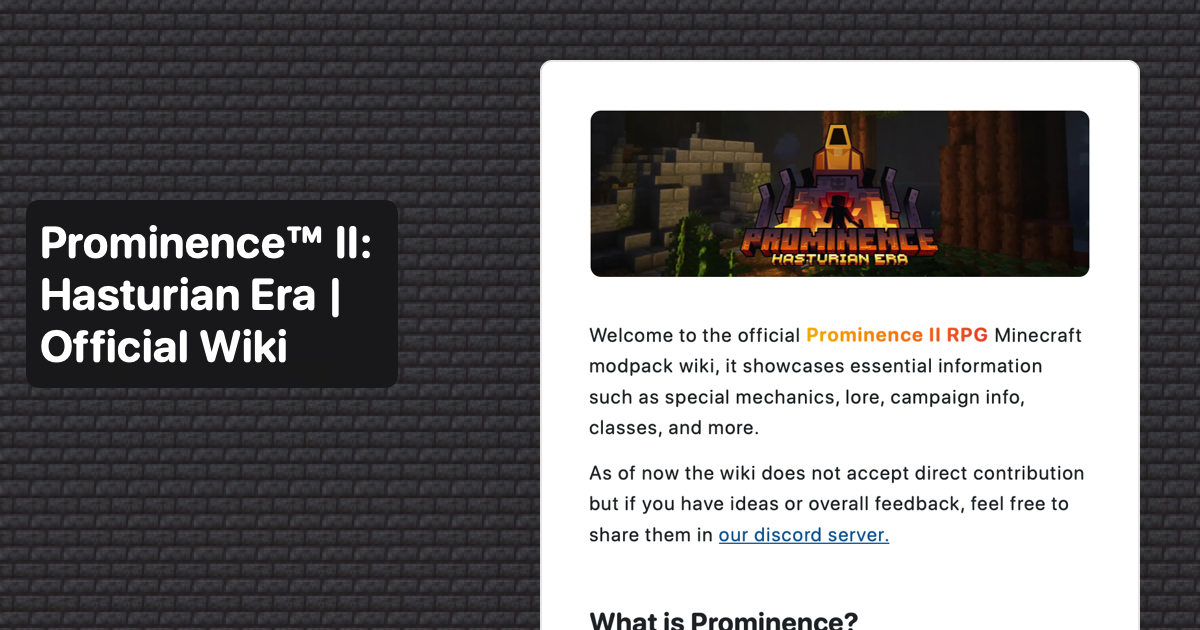 sand scaffoldBOT
_slamus, you just advanced to level 3
sand scaffoldBOT
nahman3535, you just advanced to level 1
unkattsuki, you just advanced to level 1
nohoesnik, you just advanced to level 3
kents727, you just advanced to level 2
pumpkinated., you just advanced to level 5
retrodioxide, you just advanced to level 5
noetotyle, you just advanced to level 5
GG @fluid lynx , you just unlocked the achievement: Casual Typer! 🥳

sakkaku, you just advanced to level 12
flameduo101, you just advanced to level 7
buzzybuzzbzzbzztpsst, you just advanced to level 5
richcapital69, you just advanced to level 1
banana king8990, you just advanced to level 2
dapanikz, you just advanced to level 2
GG @glad cliff , you just unlocked the achievement: Casual Typer! 🥳

pickledchips, you just advanced to level 2
szymi99., you just advanced to level 1
sand scaffoldBOT
zero_0zero, you just advanced to level 3
sand scaffoldBOT
xtimotej, you just advanced to level 1
kermisreiziger, you just advanced to level 1
GG @cosmic swift , you just unlocked the achievement: Casual Typer! 🥳

ghostinthetower, you just advanced to level 22
.himeki, you just advanced to level 8
mr.rares, you just advanced to level 3
low_tiergod, you just advanced to level 1
palayd, you just advanced to level 1
callme_mike, you just advanced to level 7
deriarmaoid, you just advanced to level 2
matteosp, you just advanced to level 1
nutmeg798987, you just advanced to level 1
spring locust
!alternates
frank tuskBOT
If this command was run in response to your question/issue, it is likely because switching away from the launcher you are currently using would fix your problem.
From our experience, the most stable launcher by far is ATLauncher, also known as ATL. Keep in mind that ATL is NOT related to TLauncher in any way, and is not a cracked launcher.
To install ATL, do the following:
1. Go to https://atlauncher.com/download. If you are on MacOS, then choose the "Jar" version under the "Other" tab.
2. Install and run the setup, then open the program.
3. Login to your Microsoft account that owns the Java Edition of Minecraft from the Accounts tab on the right. This process is 100% safe, as it goes directly through Microsoft. ATL doesn't see your account credentials.
4. Go to the Packs tab on the right, then click "Curseforge" on the left.
5. Search the modpack you wish to download.
6. Click "Install". Then, follow the on-screen directions.
7. Go to the Instances tab, and click "Play" on the modpack you downloaded. If you ever see an "Update" button on the instance, click it.
This video explains the process: https://youtu.be/xMYW1wMbmkM
To transfer your Curseforge world to ATL, simply right click the modpack on Curseforge, or click the 3 dots, then click "Open Folder". Copy the Saves folder, then click "Open Folder" on ATL and paste the Saves folder there. Do the same with the XaerosMinimap folder, or the Journeymap folder, to transfer over any waypoints you've created.
Because ATL downloads the exact same files as Curseforge does, your world will be the exact same and you will be able to join the same servers. ATL also works without an internet connection (after you've installed the modpack, of course), and does not have any bloat from Overwolf. You are free to uninstall both Overwolf and Curseforge with ATL installed.
sand scaffoldBOT
nutmeg798987, you just advanced to level 2
sleeeeezy28, you just advanced to level 1
ShardMario, you just advanced to level 5
nutmeg798987, you just advanced to level 3
hav0cx, you just advanced to level 1
twasanhonestmistake, you just advanced to level 6
GG @hollow grove , you just unlocked the achievement: Casual Typer! 🥳

GG @daring jasper , you just unlocked the achievement: Casual Typer! 🥳

metaleen_art, you just advanced to level 2
nutmeg798987, you just advanced to level 4
lusty69, you just advanced to level 1
sand scaffoldBOT
splashpascuz, you just advanced to level 1
schlafen__, you just advanced to level 1
couponwhore, you just advanced to level 5
younglamia, you just advanced to level 1
taevi_ii, you just advanced to level 1
exzotic., you just advanced to level 1
GG @modest crescent , you just unlocked the achievement: True Star! 🥳

nutmeg798987, you just advanced to level 5
themasterdonut, you just advanced to level 2
kyleaxd, you just advanced to level 1
zorgth, you just advanced to level 1
GG @glossy linden , you just unlocked the achievement: Casual Typer! 🥳

nolan1436, you just advanced to level 1
jayr4750, you just advanced to level 1
naasu5992, you just advanced to level 11
 pale aurora
!rank
 sand scaffoldBOT
GG @lost patrol , you just unlocked the achievement: Fire Starter! 🥳

schlafen__, you just advanced to level 2
luminous264, you just advanced to level 1
martshehe, you just advanced to level 2
gyyan, you just advanced to level 1
sand scaffoldBOT
onionknight99, you just advanced to level 2
sand scaffoldBOT
luky5996, you just advanced to level 1
sand scaffoldBOT
corydon4292, you just advanced to level 1
sunshinedn, you just advanced to level 2
sand scaffoldBOT
lunatickmainacc, you just advanced to level 2
averylargeamountofeggs, you just advanced to level 1
driftdroid, you just advanced to level 2
iiecoryan3166, you just advanced to level 1
sand scaffoldBOT
It's {users} birthday! 🎂
sand scaffoldBOT
castlecomics, you just advanced to level 1
comfortable66, you just advanced to level 1
syenous1000, you just advanced to level 4
blooop2822, you just advanced to level 12
xmrkosa, you just advanced to level 4
sand scaffoldBOT
akira.m16, you just advanced to level 16
bracicia, you just advanced to level 4
codemalone, you just advanced to level 1
billyfrog., you just advanced to level 4
tsuy, you just advanced to level 1
beefzuscakes, you just advanced to level 1
sand scaffoldBOT
layla_kraus, you just advanced to level 4
_slamus, you just advanced to level 4
vitinho_programas, you just advanced to level 4
coquihunter, you just advanced to level 1
destialrose, you just advanced to level 2
sand scaffoldBOT
catwall, you just advanced to level 4
aphrodithys, you just advanced to level 1
CP, you just advanced to level 2
antistatism., you just advanced to level 1
castomic, you just advanced to level 1
arbe_ee, you just advanced to level 1
moralynn, you just advanced to level 1
meowruffs67, you just advanced to level 2
poutine0, you just advanced to level 1
iwantmyoldusername._, you just advanced to level 3
swdwr, you just advanced to level 3
sand scaffoldBOT
daemios, you just advanced to level 2
charleswilliams86, you just advanced to level 2
binnbean, you just advanced to level 4
zeag__, you just advanced to level 1
acca1ia, you just advanced to level 2
urdoggydeewater, you just advanced to level 6
wanderingsword, you just advanced to level 1
yasumora, you just advanced to level 1
kitakye32, you just advanced to level 2
gun_bird, you just advanced to level 3
brodytvvnk, you just advanced to level 5
solara0306, you just advanced to level 2
ghostnado, you just advanced to level 3
mjtraps, you just advanced to level 1
sand scaffoldBOT
.himeki, you just advanced to level 9
sand scaffoldBOT
bayyairbender, you just advanced to level 1
sand scaffoldBOT
cheaser25, you just advanced to level 3
sleepyheroes, you just advanced to level 2
GG @cerulean lava , you just unlocked the achievement: Casual Typer! 🥳

goserra11, you just advanced to level 2
sand scaffoldBOT
momonkyeo, you just advanced to level 5
 whole hawk
!server
frank tuskBOT
Free Method
To host a server on your own computer, read the selfhosting guide.
This guide goes over how to install, create, and launch a free Minecraft server on all operating systems (MacOS, Linux and Windows). The guide also guides you through installing Java and optimizing your server for better performance.
If you are installing one of our older modpacks, ignore the "README" file that is included in the serverpack files, as they have outdated information.
Paid Method
We suggest renting a server from Bisect Hosting:
Approx. $10 - $25 a month depending on what plan you choose. You can also get 25% off with Code LunaPixel.
Go here and order a plan which fits you. We suggest 1GB per player but nothing lower than 4GB as the server needs at least 3GB to run.
Go to #server-hosting for more Info!
The following advice works for both the Free and Paid methods:
Transferring Your World
If you're playing Singleplayer and want to transfer your world to your server, simply go to your modpack files and navigate to the saves folder. Inside of this folder, you will see your world saves. Rename your desired world save to world. You can then transfer this folder to your server files. If your world was hosted via world sharing, this process has to be done by the person who would click "Share World".
Fixing Lag
To resolve lag issues, simply run the !tps command in #bots and follow the directions provided.
sand scaffoldBOT
bbcenjoyur_43583, you just advanced to level 4
sand scaffoldBOT
lizardsarewholesome., you just advanced to level 4
sand scaffoldBOT
szparson, you just advanced to level 1
sand scaffoldBOT
retrodioxide, you just advanced to level 6
sand scaffoldBOT
monkiponkironki, you just advanced to level 4
_rixior, you just advanced to level 1
sand scaffoldBOT
nocrustflavor, you just advanced to level 1
sand scaffoldBOT
hotmexicanbabe69, you just advanced to level 9
iceskimoto, you just advanced to level 1
sand scaffoldBOT
ineqah, you just advanced to level 3
samwew, you just advanced to level 1
io_kai, you just advanced to level 6
jackbrown____41023, you just advanced to level 4
l0ward, you just advanced to level 7
GG @queen wharf , you just unlocked the achievement: Pro Typer! 🥳
 sand scaffoldBOT
schlafen__, you just advanced to level 3
meanandgreen, you just advanced to level 1
 orchid hemlock
!tps
frank tuskBOT
Please follow the guide here for changing the Java version your server uses. This will improve performance dramatically. If you are on a third party server host, you likely can not change the Java version your server uses. Bisect Hosting and a few VPS providers do allow changing Java version, though, which can usually be done through your server dashboard.
The method on Bisect is to simply go to the main dashboard page, and select "GraalVM 22" as the Java distribution. If it crashes, use 21 instead.
For further performance improvements, you can also follow this guide.
Reducing server render distance in the server.properties file is also a very good way of reducing lag. Most of our modpacks include mods like Bobby and Farsight, which make it so reducing server render distance will not affect players.
If lag persists, run the following command ingame:
/spark profiler start --only-ticks-over 50
Then, send the link in this channel.
sand scaffoldBOT
kitakye32, you just advanced to level 3
GG @brave arrow , you just unlocked the achievement: Give or Take! 🥳

 sour verge
!tps
frank tuskBOT
Please follow the guide here for changing the Java version your server uses. This will improve performance dramatically. If you are on a third party server host, you likely can not change the Java version your server uses. Bisect Hosting and a few VPS providers do allow changing Java version, though, which can usually be done through your server dashboard.
The method on Bisect is to simply go to the main dashboard page, and select "GraalVM 22" as the Java distribution. If it crashes, use 21 instead.
For further performance improvements, you can also follow this guide.
Reducing server render distance in the server.properties file is also a very good way of reducing lag. Most of our modpacks include mods like Bobby and Farsight, which make it so reducing server render distance will not affect players.
If lag persists, run the following command ingame:
/spark profiler start --only-ticks-over 50
Then, send the link in this channel.
sand scaffoldBOT
.whatsfordinner., you just advanced to level 6
sour verge
frank tusk
Please follow the guide [here](<https://github.com/chorbintime/LPS-readme/wiki/1...
orchid hemlock
!fps
frank tuskBOT
 sand scaffoldBOT
rip_ds1, you just advanced to level 1
 modest crescent
!pwiki
frank tuskBOT
sand scaffoldBOT
rip_ds1, you just advanced to level 2
jackjackjack44, you just advanced to level 1
GG @safe bear , you just unlocked the achievement: Give or Take! 🥳

GG @orchid hemlock , you just unlocked the achievement: Casual Typer! 🥳

exrn, you just advanced to level 2
schlafen__, you just advanced to level 4
 brittle summit
frank tuskBOT
brittle summit
frank tuskBOT
Luna Pixel's World Sharing
Our modpacks don't support any mods that add singleplayer hosting / world sharing because we already provide free world sharing. The 'Essential' mod is therefore incompatible.
To share your world using our own world hosting, click the 'Open to Lan' or 'Share World' button in the game menu when in a singleplayer world, and share the world.
It will give you an address, like magma-cube.mc.lunapixel.gg, which your friends can use to connect directly to your world as if it were a server!
We still highly suggest not to play through LAN as LAN is untested and unreliable. Using it will cause longterm damage to your world.
There is no reason to use LAN, as we support both paid and free methods of hosting a server the normal way.
frank tuskBOT
Free Method
To host a server on your own computer, read the selfhosting guide.
This guide goes over how to install, create, and launch a free Minecraft server on all operating systems (MacOS, Linux and Windows). The guide also guides you through installing Java and optimizing your server for better performance.
If you are installing one of our older modpacks, ignore the "README" file that is included in the serverpack files, as they have outdated information.
Paid Method
We suggest renting a server from Bisect Hosting:
Approx. $10 - $25 a month depending on what plan you choose. You can also get 25% off with Code LunaPixel.
Go here and order a plan which fits you. We suggest 1GB per player but nothing lower than 4GB as the server needs at least 3GB to run.
Go to #server-hosting for more Info!
The following advice works for both the Free and Paid methods:
Transferring Your World
If you're playing Singleplayer and want to transfer your world to your server, simply go to your modpack files and navigate to the saves folder. Inside of this folder, you will see your world saves. Rename your desired world save to world. You can then transfer this folder to your server files. If your world was hosted via world sharing, this process has to be done by the person who would click "Share World".
Fixing Lag
To resolve lag issues, simply run the !tps command in #bots and follow the directions provided.
sand scaffoldBOT
nemesitoo, you just advanced to level 1
21xxi, you just advanced to level 7
mr.rickjr, you just advanced to level 2
 meager falcon
h
sand scaffoldBOT
gyyan, you just advanced to level 2
frank tuskBOT
Luna Pixel's World Sharing
Our modpacks don't support any mods that add singleplayer hosting / world sharing because we already provide free world sharing. The 'Essential' mod is therefore incompatible.
To share your world using our own world hosting, click the 'Open to Lan' or 'Share World' button in the game menu when in a singleplayer world, and share the world.
It will give you an address, like magma-cube.mc.lunapixel.gg, which your friends can use to connect directly to your world as if it were a server!
We still highly suggest not to play through LAN as LAN is untested and unreliable. Using it will cause longterm damage to your world.
There is no reason to use LAN, as we support both paid and free methods of hosting a server the normal way.
 magic storm
this hosting lagging ClownBread
sand scaffoldBOT
kai235423, you just advanced to level 1
hryfrz, you just advanced to level 7
kiririn42, you just advanced to level 9
kaneki1394, you just advanced to level 7
kenchi, you just advanced to level 1
pxpgames, you just advanced to level 1
archeus001, you just advanced to level 5
sand scaffoldBOT
ahstitan, you just advanced to level 1
althleerion, you just advanced to level 1
gio2federal, you just advanced to level 3
red_knight12, you just advanced to level 1
pangoh, you just advanced to level 1
 late marsh
!ws
frank tuskBOT
Luna Pixel's World Sharing
Our modpacks don't support any mods that add singleplayer hosting / world sharing because we already provide free world sharing. The 'Essential' mod is therefore incompatible.
To share your world using our own world hosting, click the 'Open to Lan' or 'Share World' button in the game menu when in a singleplayer world, and share the world.
It will give you an address, like magma-cube.mc.lunapixel.gg, which your friends can use to connect directly to your world as if it were a server!
We still highly suggest not to play through LAN as LAN is untested and unreliable. Using it will cause longterm damage to your world.
There is no reason to use LAN, as we support both paid and free methods of hosting a server the normal way.
sand scaffoldBOT
.enderium, you just advanced to level 5
donutboi26, you just advanced to level 2
serimah, you just advanced to level 13
modest crescent
!pwiki
frank tuskBOT
sand scaffoldBOT
inversion!!!!!!!!!!!!!!!!!!!!!!!, you just advanced to level 60
nutnibbler, you just advanced to level 4
.noir0, you just advanced to level 2
pigeon8664, you just advanced to level 1
arenzale, you just advanced to level 4
puddledrip, you just advanced to level 2
3dwani1, you just advanced to level 1
 rose garden
!server
frank tuskBOT
Free Method
To host a server on your own computer, read the selfhosting guide.
This guide goes over how to install, create, and launch a free Minecraft server on all operating systems (MacOS, Linux and Windows). The guide also guides you through installing Java and optimizing your server for better performance.
If you are installing one of our older modpacks, ignore the "README" file that is included in the serverpack files, as they have outdated information.
Paid Method
We suggest renting a server from Bisect Hosting:
Approx. $10 - $25 a month depending on what plan you choose. You can also get 25% off with Code LunaPixel.
Go here and order a plan which fits you. We suggest 1GB per player but nothing lower than 4GB as the server needs at least 3GB to run.
Go to #server-hosting for more Info!
The following advice works for both the Free and Paid methods:
Transferring Your World
If you're playing Singleplayer and want to transfer your world to your server, simply go to your modpack files and navigate to the saves folder. Inside of this folder, you will see your world saves. Rename your desired world save to world. You can then transfer this folder to your server files. If your world was hosted via world sharing, this process has to be done by the person who would click "Share World".
Fixing Lag
To resolve lag issues, simply run the !tps command in #bots and follow the directions provided.
sand scaffoldBOT
GG @lapis quail , you just unlocked the achievement: Casual Typer! 🥳

grasshooper., you just advanced to level 1
sand scaffoldBOT
99k9, you just advanced to level 8
nedz_, you just advanced to level 1
pigeon8664, you just advanced to level 2
d4rk_phoenixyt, you just advanced to level 3
chiefybeefyquify, you just advanced to level 1
puddledrip, you just advanced to level 3
samorsmth2, you just advanced to level 1
GG @pearl jacinth , you just unlocked the achievement: Give or Take! 🥳

greatsword, you just advanced to level 1
 olive mica
!ws
frank tuskBOT
Luna Pixel's World Sharing
Our modpacks don't support any mods that add singleplayer hosting / world sharing because we already provide free world sharing. The 'Essential' mod is therefore incompatible.
To share your world using our own world hosting, click the 'Open to Lan' or 'Share World' button in the game menu when in a singleplayer world, and share the world.
It will give you an address, like magma-cube.mc.lunapixel.gg, which your friends can use to connect directly to your world as if it were a server!
We still highly suggest not to play through LAN as LAN is untested and unreliable. Using it will cause longterm damage to your world.
There is no reason to use LAN, as we support both paid and free methods of hosting a server the normal way.
olive mica
!server
frank tuskBOT
Free Method
To host a server on your own computer, read the selfhosting guide.
This guide goes over how to install, create, and launch a free Minecraft server on all operating systems (MacOS, Linux and Windows). The guide also guides you through installing Java and optimizing your server for better performance.
If you are installing one of our older modpacks, ignore the "README" file that is included in the serverpack files, as they have outdated information.
Paid Method
We suggest renting a server from Bisect Hosting:
Approx. $10 - $25 a month depending on what plan you choose. You can also get 25% off with Code LunaPixel.
Go here and order a plan which fits you. We suggest 1GB per player but nothing lower than 4GB as the server needs at least 3GB to run.
Go to #server-hosting for more Info!
The following advice works for both the Free and Paid methods:
Transferring Your World
If you're playing Singleplayer and want to transfer your world to your server, simply go to your modpack files and navigate to the saves folder. Inside of this folder, you will see your world saves. Rename your desired world save to world. You can then transfer this folder to your server files. If your world was hosted via world sharing, this process has to be done by the person who would click "Share World".
Fixing Lag
To resolve lag issues, simply run the !tps command in #bots and follow the directions provided.
 pearl jacinth
baha
sand scaffoldBOT
nedz_, you just advanced to level 2
chiefybeefyquify, you just advanced to level 2
sigmaboy24415, you just advanced to level 1
citizen2700, you just advanced to level 1
GG @timid lagoon , you just unlocked the achievement: Pro Typer! 🥳

chiefybeefyquify, you just advanced to level 3
iiecoryan3166, you just advanced to level 2
denbombard3809, you just advanced to level 7
samorsmth2, you just advanced to level 2
rovli., you just advanced to level 1
pumpkinated., you just advanced to level 6
naasu5992, you just advanced to level 12
_riggid, you just advanced to level 1
celestialgloaming, you just advanced to level 1
felixo4184, you just advanced to level 1
.rhythmweeb, you just advanced to level 1
deathskylp, you just advanced to level 1
 modest crescent
!ws
frank tuskBOT
Luna Pixel's World Sharing
Our modpacks don't support any mods that add singleplayer hosting / world sharing because we already provide free world sharing. The 'Essential' mod is therefore incompatible.
To share your world using our own world hosting, click the 'Open to Lan' or 'Share World' button in the game menu when in a singleplayer world, and share the world.
It will give you an address, like magma-cube.mc.lunapixel.gg, which your friends can use to connect directly to your world as if it were a server!
We still highly suggest not to play through LAN as LAN is untested and unreliable. Using it will cause longterm damage to your world.
There is no reason to use LAN, as we support both paid and free methods of hosting a server the normal way.
sand scaffoldBOT
nedz_, you just advanced to level 3
sand scaffoldBOT
xvelozity, you just advanced to level 3
damianpom, you just advanced to level 1
lotusbloom_mtg, you just advanced to level 1
sand scaffoldBOT
jayebirdslc, you just advanced to level 2
9primis, you just advanced to level 1
jainaymadden, you just advanced to level 2
avhaari, you just advanced to level 1
hatoolgerev, you just advanced to level 1
sand scaffoldBOT
_sockie, you just advanced to level 1
artesarts183, you just advanced to level 6
kermityy5792, you just advanced to level 2
d4rk_phoenixyt, you just advanced to level 4
sadnessofdespair, you just advanced to level 3
zanio., you just advanced to level 2
 topaz hedge
!alternates
frank tuskBOT
If this command was run in response to your question/issue, it is likely because switching away from the launcher you are currently using would fix your problem.
From our experience, the most stable launcher by far is ATLauncher, also known as ATL. Keep in mind that ATL is NOT related to TLauncher in any way, and is not a cracked launcher.
To install ATL, do the following:
1. Go to https://atlauncher.com/download. If you are on MacOS, then choose the "Jar" version under the "Other" tab.
2. Install and run the setup, then open the program.
3. Login to your Microsoft account that owns the Java Edition of Minecraft from the Accounts tab on the right. This process is 100% safe, as it goes directly through Microsoft. ATL doesn't see your account credentials.
4. Go to the Packs tab on the right, then click "Curseforge" on the left.
5. Search the modpack you wish to download.
6. Click "Install". Then, follow the on-screen directions.
7. Go to the Instances tab, and click "Play" on the modpack you downloaded. If you ever see an "Update" button on the instance, click it.
This video explains the process: https://youtu.be/xMYW1wMbmkM
To transfer your Curseforge world to ATL, simply right click the modpack on Curseforge, or click the 3 dots, then click "Open Folder". Copy the Saves folder, then click "Open Folder" on ATL and paste the Saves folder there. Do the same with the XaerosMinimap folder, or the Journeymap folder, to transfer over any waypoints you've created.
Because ATL downloads the exact same files as Curseforge does, your world will be the exact same and you will be able to join the same servers. ATL also works without an internet connection (after you've installed the modpack, of course), and does not have any bloat from Overwolf. You are free to uninstall both Overwolf and Curseforge with ATL installed.
sand scaffoldBOT
c0wboy, you just advanced to level 2
 bleak latch
!fps
frank tuskBOT
bleak latch
!tps
frank tuskBOT
Please follow the guide here for changing the Java version your server uses. This will improve performance dramatically. If you are on a third party server host, you likely can not change the Java version your server uses. Bisect Hosting and a few VPS providers do allow changing Java version, though, which can usually be done through your server dashboard.
The method on Bisect is to simply go to the main dashboard page, and select "GraalVM 22" as the Java distribution. If it crashes, use 21 instead.
For further performance improvements, you can also follow this guide.
Reducing server render distance in the server.properties file is also a very good way of reducing lag. Most of our modpacks include mods like Bobby and Farsight, which make it so reducing server render distance will not affect players.
If lag persists, run the following command ingame:
/spark profiler start --only-ticks-over 50
Then, send the link in this channel.
sand scaffoldBOT
kurol, you just advanced to level 2
sand scaffoldBOT
goldenleader, you just advanced to level 10
kqxi, you just advanced to level 1
vando6378, you just advanced to level 1
sxxll11, you just advanced to level 4
GG @still vector , you just unlocked the achievement: Casual Typer! 🥳

cubed.public, you just advanced to level 5
sfre_, you just advanced to level 2
ilyokami, you just advanced to level 7
Jubi, you just advanced to level 4
sand scaffoldBOT
stabilizer91_, you just advanced to level 3
metaleen_art, you just advanced to level 3
meatkermit., you just advanced to level 4
ShardMario, you just advanced to level 6
azure_eiyu, you just advanced to level 4
sand scaffoldBOT
GG @edgy gulch , you just unlocked the achievement: Stay Awhile and Listen! 🥳

GG @inner minnow , you just unlocked the achievement: Who Needs Sleep?! 🥳

 edgy gulch
shut your ass up
sand scaffoldBOT
koolguy48, you just advanced to level 1
 inner minnow
😭
 agile mural
!ws
frank tuskBOT
Luna Pixel's World Sharing
Our modpacks don't support any mods that add singleplayer hosting / world sharing because we already provide free world sharing. The 'Essential' mod is therefore incompatible.
To share your world using our own world hosting, click the 'Open to Lan' or 'Share World' button in the game menu when in a singleplayer world, and share the world.
It will give you an address, like magma-cube.mc.lunapixel.gg, which your friends can use to connect directly to your world as if it were a server!
We still highly suggest not to play through LAN as LAN is untested and unreliable. Using it will cause longterm damage to your world.
There is no reason to use LAN, as we support both paid and free methods of hosting a server the normal way.
sand scaffoldBOT
mthb7m, you just advanced to level 2
itsninjakai, you just advanced to level 1
mcohanov, you just advanced to level 1
siriusorion, you just advanced to level 1
dumdedumder, you just advanced to level 1
cabagecaboochcabache, you just advanced to level 1
sand scaffoldBOT
GG @wintry chasm , you just unlocked the achievement: Casual Typer! 🥳

kermisreiziger, you just advanced to level 2
sand scaffoldBOT
deskyzplayer, you just advanced to level 1
sand scaffoldBOT
lmaoboi, you just advanced to level 2
d4rk_phoenixyt, you just advanced to level 5
averylargeamountofeggs, you just advanced to level 2
GG @vital bay , you just unlocked the achievement: Chatter! 🥳

je__fe, you just advanced to level 3
dom19211, you just advanced to level 1
will4098, you just advanced to level 2
lexkinx, you just advanced to level 1
.happyfruit, you just advanced to level 1
pikanubby, you just advanced to level 1
arenzale, you just advanced to level 5
sand scaffoldBOT
io_kai, you just advanced to level 7
majiktherealone, you just advanced to level 1
arsh_is, you just advanced to level 6
mallyboi9669, you just advanced to level 5
a8a8a8a8a8a8a8a8a8a8a8a8a8a8a8a8, you just advanced to level 2
sand scaffoldBOT
GG @weary gust , you just unlocked the achievement: Casual Typer! 🥳

GG @limpid trail , you just unlocked the achievement: Casual Typer! 🥳

GG @restive kraken , you just unlocked the achievement: Give or Take! 🥳
 sand scaffoldBOT
trevita., you just advanced to level 6
sand scaffoldBOT
andrew8322, you just advanced to level 5
eddysseus, you just advanced to level 8
sand scaffoldBOT
_whoops., you just advanced to level 1
the_piskotek_66561, you just advanced to level 1
alyachi, you just advanced to level 1
sand scaffoldBOT
laric40_90521, you just advanced to level 1
sand scaffoldBOT
notsym, you just advanced to level 1
 muted gale
!ws command
frank tuskBOT
Luna Pixel's World Sharing
Our modpacks don't support any mods that add singleplayer hosting / world sharing because we already provide free world sharing. The 'Essential' mod is therefore incompatible.
To share your world using our own world hosting, click the 'Open to Lan' or 'Share World' button in the game menu when in a singleplayer world, and share the world.
It will give you an address, like magma-cube.mc.lunapixel.gg, which your friends can use to connect directly to your world as if it were a server!
We still highly suggest not to play through LAN as LAN is untested and unreliable. Using it will cause longterm damage to your world.
There is no reason to use LAN, as we support both paid and free methods of hosting a server the normal way.
muted gale
!server
frank tuskBOT
Free Method
To host a server on your own computer, read the selfhosting guide.
This guide goes over how to install, create, and launch a free Minecraft server on all operating systems (MacOS, Linux and Windows). The guide also guides you through installing Java and optimizing your server for better performance.
If you are installing one of our older modpacks, ignore the "README" file that is included in the serverpack files, as they have outdated information.
Paid Method
We suggest renting a server from Bisect Hosting:
Approx. $10 - $25 a month depending on what plan you choose. You can also get 25% off with Code LunaPixel.
Go here and order a plan which fits you. We suggest 1GB per player but nothing lower than 4GB as the server needs at least 3GB to run.
Go to #server-hosting for more Info!
The following advice works for both the Free and Paid methods:
Transferring Your World
If you're playing Singleplayer and want to transfer your world to your server, simply go to your modpack files and navigate to the saves folder. Inside of this folder, you will see your world saves. Rename your desired world save to world. You can then transfer this folder to your server files. If your world was hosted via world sharing, this process has to be done by the person who would click "Share World".
Fixing Lag
To resolve lag issues, simply run the !tps command in #bots and follow the directions provided.
sand scaffoldBOT
GG @maiden pebble , you just unlocked the achievement: Casual Typer! 🥳

ryinsanity, you just advanced to level 9
GG @indigo yarrow , you just unlocked the achievement: Casual Typer! 🥳

hallowedthecoyote, you just advanced to level 3
notsym, you just advanced to level 2
nedz_, you just advanced to level 4
sand scaffoldBOT
agaeti, you just advanced to level 4
sand scaffoldBOT
vegetto3049, you just advanced to level 2
loolsplayz, you just advanced to level 9
sand scaffoldBOT
lotussy, you just advanced to level 1
lotussy, you just advanced to level 2
firewtap, you just advanced to level 2
borsakaplani_, you just advanced to level 1
ilyaku, you just advanced to level 2
humbusklumbus, you just advanced to level 5
lizardsarewholesome., you just advanced to level 5
litrixc, you just advanced to level 1
sand scaffoldBOT
GG @vital bay , you just unlocked the achievement: Casual Typer! 🥳
 sand scaffoldBOT
.morael, you just advanced to level 1
lotussy, you just advanced to level 3
bagetti, you just advanced to level 2
kingarthur_94, you just advanced to level 1
naasu5992, you just advanced to level 13
exzhonya, you just advanced to level 1
GG @fresh plinth , you just unlocked the achievement: Casual Typer! 🥳

bluees_, you just advanced to level 4
sand scaffoldBOT
flameduo101, you just advanced to level 8
nekkura, you just advanced to level 2
vampi_zzk, you just advanced to level 1
menathos, you just advanced to level 1
franticrushz, you just advanced to level 1
sand scaffoldBOT
orca_ow, you just advanced to level 1
litrixc, you just advanced to level 2
thelos9889, you just advanced to level 1
 timid thicket
!ws
frank tuskBOT
Luna Pixel's World Sharing
Our modpacks don't support any mods that add singleplayer hosting / world sharing because we already provide free world sharing. The 'Essential' mod is therefore incompatible.
To share your world using our own world hosting, click the 'Open to Lan' or 'Share World' button in the game menu when in a singleplayer world, and share the world.
It will give you an address, like magma-cube.mc.lunapixel.gg, which your friends can use to connect directly to your world as if it were a server!
We still highly suggest not to play through LAN as LAN is untested and unreliable. Using it will cause longterm damage to your world.
There is no reason to use LAN, as we support both paid and free methods of hosting a server the normal way.
 thick kettle
!ws
frank tuskBOT
Luna Pixel's World Sharing
Our modpacks don't support any mods that add singleplayer hosting / world sharing because we already provide free world sharing. The 'Essential' mod is therefore incompatible.
To share your world using our own world hosting, click the 'Open to Lan' or 'Share World' button in the game menu when in a singleplayer world, and share the world.
It will give you an address, like magma-cube.mc.lunapixel.gg, which your friends can use to connect directly to your world as if it were a server!
We still highly suggest not to play through LAN as LAN is untested and unreliable. Using it will cause longterm damage to your world.
There is no reason to use LAN, as we support both paid and free methods of hosting a server the normal way.
sand scaffoldBOT
zuniorek, you just advanced to level 1
adlas, you just advanced to level 1
picoz, you just advanced to level 4
 sudden horizon
!server
frank tuskBOT
Free Method
To host a server on your own computer, read the selfhosting guide.
This guide goes over how to install, create, and launch a free Minecraft server on all operating systems (MacOS, Linux and Windows). The guide also guides you through installing Java and optimizing your server for better performance.
If you are installing one of our older modpacks, ignore the "README" file that is included in the serverpack files, as they have outdated information.
Paid Method
We suggest renting a server from Bisect Hosting:
Approx. $10 - $25 a month depending on what plan you choose. You can also get 25% off with Code LunaPixel.
Go here and order a plan which fits you. We suggest 1GB per player but nothing lower than 4GB as the server needs at least 3GB to run.
Go to #server-hosting for more Info!
The following advice works for both the Free and Paid methods:
Transferring Your World
If you're playing Singleplayer and want to transfer your world to your server, simply go to your modpack files and navigate to the saves folder. Inside of this folder, you will see your world saves. Rename your desired world save to world. You can then transfer this folder to your server files. If your world was hosted via world sharing, this process has to be done by the person who would click "Share World".
Fixing Lag
To resolve lag issues, simply run the !tps command in #bots and follow the directions provided.
sand scaffoldBOT
blaze_panda009, you just advanced to level 2
sand scaffoldBOT
remsan., you just advanced to level 3
mauchoboi, you just advanced to level 2
krispy_25933, you just advanced to level 1
sand scaffoldBOT
litrixc, you just advanced to level 3
the_piskotek_66561, you just advanced to level 2
iceskimoto, you just advanced to level 2
 keen spear
!ws
frank tuskBOT
Luna Pixel's World Sharing
Our modpacks don't support any mods that add singleplayer hosting / world sharing because we already provide free world sharing. The 'Essential' mod is therefore incompatible.
To share your world using our own world hosting, click the 'Open to Lan' or 'Share World' button in the game menu when in a singleplayer world, and share the world.
It will give you an address, like magma-cube.mc.lunapixel.gg, which your friends can use to connect directly to your world as if it were a server!
We still highly suggest not to play through LAN as LAN is untested and unreliable. Using it will cause longterm damage to your world.
There is no reason to use LAN, as we support both paid and free methods of hosting a server the normal way.
keen spear
!server
frank tuskBOT
Free Method
To host a server on your own computer, read the selfhosting guide.
This guide goes over how to install, create, and launch a free Minecraft server on all operating systems (MacOS, Linux and Windows). The guide also guides you through installing Java and optimizing your server for better performance.
If you are installing one of our older modpacks, ignore the "README" file that is included in the serverpack files, as they have outdated information.
Paid Method
We suggest renting a server from Bisect Hosting:
Approx. $10 - $25 a month depending on what plan you choose. You can also get 25% off with Code LunaPixel.
Go here and order a plan which fits you. We suggest 1GB per player but nothing lower than 4GB as the server needs at least 3GB to run.
Go to #server-hosting for more Info!
The following advice works for both the Free and Paid methods:
Transferring Your World
If you're playing Singleplayer and want to transfer your world to your server, simply go to your modpack files and navigate to the saves folder. Inside of this folder, you will see your world saves. Rename your desired world save to world. You can then transfer this folder to your server files. If your world was hosted via world sharing, this process has to be done by the person who would click "Share World".
Fixing Lag
To resolve lag issues, simply run the !tps command in #bots and follow the directions provided.
sand scaffoldBOT
fishstack, you just advanced to level 1
morose69, you just advanced to level 2
lobsyer, you just advanced to level 1
GG @woven niche , you just unlocked the achievement: Give or Take! 🥳

GG @wheat flame , you just unlocked the achievement: Casual Typer! 🥳

GG @wraith hedge , you just unlocked the achievement: Give or Take! 🥳

solwayfirth5154, you just advanced to level 1
corydon4292, you just advanced to level 2
exploit_2, you just advanced to level 1
 manic pilot
!ws
frank tuskBOT
Luna Pixel's World Sharing
Our modpacks don't support any mods that add singleplayer hosting / world sharing because we already provide free world sharing. The 'Essential' mod is therefore incompatible.
To share your world using our own world hosting, click the 'Open to Lan' or 'Share World' button in the game menu when in a singleplayer world, and share the world.
It will give you an address, like magma-cube.mc.lunapixel.gg, which your friends can use to connect directly to your world as if it were a server!
We still highly suggest not to play through LAN as LAN is untested and unreliable. Using it will cause longterm damage to your world.
There is no reason to use LAN, as we support both paid and free methods of hosting a server the normal way.
 inland shoal
!server
frank tuskBOT
Free Method
To host a server on your own computer, read the selfhosting guide.
This guide goes over how to install, create, and launch a free Minecraft server on all operating systems (MacOS, Linux and Windows). The guide also guides you through installing Java and optimizing your server for better performance.
If you are installing one of our older modpacks, ignore the "README" file that is included in the serverpack files, as they have outdated information.
Paid Method
We suggest renting a server from Bisect Hosting:
Approx. $10 - $25 a month depending on what plan you choose. You can also get 25% off with Code LunaPixel.
Go here and order a plan which fits you. We suggest 1GB per player but nothing lower than 4GB as the server needs at least 3GB to run.
Go to #server-hosting for more Info!
The following advice works for both the Free and Paid methods:
Transferring Your World
If you're playing Singleplayer and want to transfer your world to your server, simply go to your modpack files and navigate to the saves folder. Inside of this folder, you will see your world saves. Rename your desired world save to world. You can then transfer this folder to your server files. If your world was hosted via world sharing, this process has to be done by the person who would click "Share World".
Fixing Lag
To resolve lag issues, simply run the !tps command in #bots and follow the directions provided.
sand scaffoldBOT
borad, you just advanced to level 1
knjy, you just advanced to level 4
misterk1792, you just advanced to level 1
.skayzz, you just advanced to level 1
kysoto, you just advanced to level 6
sand scaffoldBOT
pnflrda, you just advanced to level 1
haznutlatte, you just advanced to level 4
endro1, you just advanced to level 2
lunatickmainacc, you just advanced to level 3
sadakka333, you just advanced to level 1
sadakka333, you just advanced to level 2
baller_gustavo, you just advanced to level 1
𝘄𝗼𝗼𝗱𝗿𝗼𝗮𝗰𝗵, you just advanced to level 19
gyro_the_depresso, you just advanced to level 4
wasonly, you just advanced to level 1
rubydaphy, you just advanced to level 5
deskyzplayer, you just advanced to level 2
l0ward, you just advanced to level 8
 stoic crag
!ws
frank tuskBOT
Luna Pixel's World Sharing
Our modpacks don't support any mods that add singleplayer hosting / world sharing because we already provide free world sharing. The 'Essential' mod is therefore incompatible.
To share your world using our own world hosting, click the 'Open to Lan' or 'Share World' button in the game menu when in a singleplayer world, and share the world.
It will give you an address, like magma-cube.mc.lunapixel.gg, which your friends can use to connect directly to your world as if it were a server!
We still highly suggest not to play through LAN as LAN is untested and unreliable. Using it will cause longterm damage to your world.
There is no reason to use LAN, as we support both paid and free methods of hosting a server the normal way.
stoic crag
!server
frank tuskBOT
Free Method
To host a server on your own computer, read the selfhosting guide.
This guide goes over how to install, create, and launch a free Minecraft server on all operating systems (MacOS, Linux and Windows). The guide also guides you through installing Java and optimizing your server for better performance.
If you are installing one of our older modpacks, ignore the "README" file that is included in the serverpack files, as they have outdated information.
Paid Method
We suggest renting a server from Bisect Hosting:
Approx. $10 - $25 a month depending on what plan you choose. You can also get 25% off with Code LunaPixel.
Go here and order a plan which fits you. We suggest 1GB per player but nothing lower than 4GB as the server needs at least 3GB to run.
Go to #server-hosting for more Info!
The following advice works for both the Free and Paid methods:
Transferring Your World
If you're playing Singleplayer and want to transfer your world to your server, simply go to your modpack files and navigate to the saves folder. Inside of this folder, you will see your world saves. Rename your desired world save to world. You can then transfer this folder to your server files. If your world was hosted via world sharing, this process has to be done by the person who would click "Share World".
Fixing Lag
To resolve lag issues, simply run the !tps command in #bots and follow the directions provided.
sand scaffoldBOT
xocw, you just advanced to level 4
richcapital69, you just advanced to level 2
makoix, you just advanced to level 2
_riggid, you just advanced to level 2
bruhwarrior, you just advanced to level 1
 gaunt verge
!ws
frank tuskBOT
Luna Pixel's World Sharing
Our modpacks don't support any mods that add singleplayer hosting / world sharing because we already provide free world sharing. The 'Essential' mod is therefore incompatible.
To share your world using our own world hosting, click the 'Open to Lan' or 'Share World' button in the game menu when in a singleplayer world, and share the world.
It will give you an address, like magma-cube.mc.lunapixel.gg, which your friends can use to connect directly to your world as if it were a server!
We still highly suggest not to play through LAN as LAN is untested and unreliable. Using it will cause longterm damage to your world.
There is no reason to use LAN, as we support both paid and free methods of hosting a server the normal way.
sand scaffoldBOT
leggygunboy, you just advanced to level 3
mr_souls125, you just advanced to level 1
sleepyheroes, you just advanced to level 3
gabrijel415, you just advanced to level 1
maddoxe293, you just advanced to level 1
jimmyjonson123456789, you just advanced to level 2
clickiswholesome, you just advanced to level 3
pancakefish, you just advanced to level 1
sleepyheroes, you just advanced to level 4
.chacha_, you just advanced to level 1
anthonyaski, you just advanced to level 1
jessezegamer, you just advanced to level 2
finasty_, you just advanced to level 2
GG @tawdry thicket , you just unlocked the achievement: Pro Typer! 🥳
 sand scaffoldBOT
cyufei, you just advanced to level 1
xxmilokixx, you just advanced to level 1
anthonyaski, you just advanced to level 2
arxgami, you just advanced to level 4
curly.cat, you just advanced to level 1
xxmilokixx, you just advanced to level 2
ejay7899, you just advanced to level 2
sulekillx, you just advanced to level 2
conjuration!!!!!!!!!!!!!!!!!!!!!, you just advanced to level 62
therealchrissy, you just advanced to level 3
 jolly wind
!server
frank tuskBOT
Free Method
To host a server on your own computer, read the selfhosting guide.
This guide goes over how to install, create, and launch a free Minecraft server on all operating systems (MacOS, Linux and Windows). The guide also guides you through installing Java and optimizing your server for better performance.
If you are installing one of our older modpacks, ignore the "README" file that is included in the serverpack files, as they have outdated information.
Paid Method
We suggest renting a server from Bisect Hosting:
Approx. $10 - $25 a month depending on what plan you choose. You can also get 25% off with Code LunaPixel.
Go here and order a plan which fits you. We suggest 1GB per player but nothing lower than 4GB as the server needs at least 3GB to run.
Go to #server-hosting for more Info!
The following advice works for both the Free and Paid methods:
Transferring Your World
If you're playing Singleplayer and want to transfer your world to your server, simply go to your modpack files and navigate to the saves folder. Inside of this folder, you will see your world saves. Rename your desired world save to world. You can then transfer this folder to your server files. If your world was hosted via world sharing, this process has to be done by the person who would click "Share World".
Fixing Lag
To resolve lag issues, simply run the !tps command in #bots and follow the directions provided.
sand scaffoldBOT
mallyboi9669, you just advanced to level 6
 cloud haven
!ws
frank tuskBOT
Luna Pixel's World Sharing
Our modpacks don't support any mods that add singleplayer hosting / world sharing because we already provide free world sharing. The 'Essential' mod is therefore incompatible.
To share your world using our own world hosting, click the 'Open to Lan' or 'Share World' button in the game menu when in a singleplayer world, and share the world.
It will give you an address, like magma-cube.mc.lunapixel.gg, which your friends can use to connect directly to your world as if it were a server!
We still highly suggest not to play through LAN as LAN is untested and unreliable. Using it will cause longterm damage to your world.
There is no reason to use LAN, as we support both paid and free methods of hosting a server the normal way.
sand scaffoldBOT
imonssteri, you just advanced to level 1
flameduo101, you just advanced to level 9
ibarv, you just advanced to level 2
stm_z1ppy, you just advanced to level 1
 slow jay
!drivers
frank tuskBOT
You (likely) need to update your graphics drivers in order to resolve the crash. Here's how to go about doing that!
1. Identify your graphics card
if you already know skip to the next step
- Open task manager
- Navigate to the "Performance" tab (on Windows 11 this is the button that looks like a heart pulse)
- Press the GPU 0 graph and read your GPU from the top right
Note:
In some cases you may see a GPU 0 and GPU 1. This means your CPU has its own GPU, as well as a dedicated one. You probably want GPU 1 (which is usually the better one), but you can ask staff to clarify if necessary.
2. Download your drivers from the manufacturers site
Depending on what you read before, you likely need drivers from either AMD, Intel, or NVIDIA
AMD: https://www.amd.com/en/support
Intel: https://www.intel.com/content/www/us/en/download-center/home.html
NVIDIA: https://www.nvidia.com/Download/index.aspx?lang=en-us
Note:
- For NVIDIA you want to select "Game Ready Driver (GRD)" (this is the default option) for the best performance. Once installing you'd probably prefer downloading GeForce Experience, which will notify you when there's an available drivers update.
- For Intel, you probably want to press "Get Started" under the "Automatically update your drivers and software", which will simplify the process and update everything automatically
- For AMD you probably want to just press "Download Windows Drivers", which will download something called AMD Adrenaline, which will update your drivers automatically.
3. Run the installation, restart your computer, and try playing MC again
- At this point, hopefully your Minecraft is running. If it still does not work, please post any new logs and staff will help assist you with finding the right solution.
sand scaffoldBOT
catwhiskers., you just advanced to level 1
rivalsj, you just advanced to level 1
orcao, you just advanced to level 4
booger3468, you just advanced to level 4
nuguri_, you just advanced to level 1
 patent tree
!ws
frank tuskBOT
Luna Pixel's World Sharing
Our modpacks don't support any mods that add singleplayer hosting / world sharing because we already provide free world sharing. The 'Essential' mod is therefore incompatible.
To share your world using our own world hosting, click the 'Open to Lan' or 'Share World' button in the game menu when in a singleplayer world, and share the world.
It will give you an address, like magma-cube.mc.lunapixel.gg, which your friends can use to connect directly to your world as if it were a server!
We still highly suggest not to play through LAN as LAN is untested and unreliable. Using it will cause longterm damage to your world.
There is no reason to use LAN, as we support both paid and free methods of hosting a server the normal way.
sand scaffoldBOT
trueterrablade, you just advanced to level 1
mr.ortiz., you just advanced to level 1
wattsonsbigtoe, you just advanced to level 1
makerboi88, you just advanced to level 6
branack., you just advanced to level 1
artesarts183, you just advanced to level 7
haylayfiseverim, you just advanced to level 1
lucazerp, you just advanced to level 1
kedy.melih, you just advanced to level 4
tintinz7, you just advanced to level 1
akarui_berto, you just advanced to level 14
GG @meager lynx , you just unlocked the achievement: Casual Typer! 🥳

benomgwar, you just advanced to level 1
binkus66, you just advanced to level 2
nedz_, you just advanced to level 5
 digital warren
!alternates
frank tuskBOT
If this command was run in response to your question/issue, it is likely because switching away from the launcher you are currently using would fix your problem.
From our experience, the most stable launcher by far is ATLauncher, also known as ATL. Keep in mind that ATL is NOT related to TLauncher in any way, and is not a cracked launcher.
To install ATL, do the following:
1. Go to https://atlauncher.com/download. If you are on MacOS, then choose the "Jar" version under the "Other" tab.
2. Install and run the setup, then open the program.
3. Login to your Microsoft account that owns the Java Edition of Minecraft from the Accounts tab on the right. This process is 100% safe, as it goes directly through Microsoft. ATL doesn't see your account credentials.
4. Go to the Packs tab on the right, then click "Curseforge" on the left.
5. Search the modpack you wish to download.
6. Click "Install". Then, follow the on-screen directions.
7. Go to the Instances tab, and click "Play" on the modpack you downloaded. If you ever see an "Update" button on the instance, click it.
This video explains the process: https://youtu.be/xMYW1wMbmkM
To transfer your Curseforge world to ATL, simply right click the modpack on Curseforge, or click the 3 dots, then click "Open Folder". Copy the Saves folder, then click "Open Folder" on ATL and paste the Saves folder there. Do the same with the XaerosMinimap folder, or the Journeymap folder, to transfer over any waypoints you've created.
Because ATL downloads the exact same files as Curseforge does, your world will be the exact same and you will be able to join the same servers. ATL also works without an internet connection (after you've installed the modpack, of course), and does not have any bloat from Overwolf. You are free to uninstall both Overwolf and Curseforge with ATL installed.
sand scaffoldBOT
tintinz7, you just advanced to level 2
m4t3x, you just advanced to level 2
vtzn_011, you just advanced to level 1
sand scaffoldBOT
tintinz7, you just advanced to level 3
kinkou_order, you just advanced to level 17
huskytea, you just advanced to level 4
bleak latch
!fps
frank tuskBOT
sand scaffoldBOT
love2756, you just advanced to level 1
GG @sleek sedge , you just unlocked the achievement: Give or Take! 🥳

GG @urban spire , you just unlocked the achievement: Casual Typer! 🥳

mexicanprivilege, you just advanced to level 1
whathemango, you just advanced to level 4
vtzn_011, you just advanced to level 2
moosemanact, you just advanced to level 2
zoethezombee, you just advanced to level 1
hawkta, you just advanced to level 1
pumpkinated., you just advanced to level 7
 robust briar
!server
frank tuskBOT
Free Method
To host a server on your own computer, read the selfhosting guide.
This guide goes over how to install, create, and launch a free Minecraft server on all operating systems (MacOS, Linux and Windows). The guide also guides you through installing Java and optimizing your server for better performance.
If you are installing one of our older modpacks, ignore the "README" file that is included in the serverpack files, as they have outdated information.
Paid Method
We suggest renting a server from Bisect Hosting:
Approx. $10 - $25 a month depending on what plan you choose. You can also get 25% off with Code LunaPixel.
Go here and order a plan which fits you. We suggest 1GB per player but nothing lower than 4GB as the server needs at least 3GB to run.
Go to #server-hosting for more Info!
The following advice works for both the Free and Paid methods:
Transferring Your World
If you're playing Singleplayer and want to transfer your world to your server, simply go to your modpack files and navigate to the saves folder. Inside of this folder, you will see your world saves. Rename your desired world save to world. You can then transfer this folder to your server files. If your world was hosted via world sharing, this process has to be done by the person who would click "Share World".
Fixing Lag
To resolve lag issues, simply run the !tps command in #bots and follow the directions provided.
 white pulsar
!tps
frank tuskBOT
Please follow the guide here for changing the Java version your server uses. This will improve performance dramatically. If you are on a third party server host, you likely can not change the Java version your server uses. Bisect Hosting and a few VPS providers do allow changing Java version, though, which can usually be done through your server dashboard.
The method on Bisect is to simply go to the main dashboard page, and select "GraalVM 22" as the Java distribution. If it crashes, use 21 instead.
For further performance improvements, you can also follow this guide.
Reducing server render distance in the server.properties file is also a very good way of reducing lag. Most of our modpacks include mods like Bobby and Farsight, which make it so reducing server render distance will not affect players.
If lag persists, run the following command ingame:
/spark profiler start --only-ticks-over 50
Then, send the link in this channel.
sand scaffoldBOT
stabilizer91_, you just advanced to level 4
supersexykillbill, you just advanced to level 1
GG @grand parcel , you just unlocked the achievement: Give or Take! 🥳

wilsonn, you just advanced to level 4
elitemeats, you just advanced to level 7
Here you go! 🧙♂️
 wet patio
!rank
sand scaffoldBOT

vulpiss, you just advanced to level 1
leoncamero, you just advanced to level 6
kexxiio., you just advanced to level 1
charleswilliams86, you just advanced to level 3
 restive prairie
!ws
frank tuskBOT
Luna Pixel's World Sharing
Our modpacks don't support any mods that add singleplayer hosting / world sharing because we already provide free world sharing. The 'Essential' mod is therefore incompatible.
To share your world using our own world hosting, click the 'Open to Lan' or 'Share World' button in the game menu when in a singleplayer world, and share the world.
It will give you an address, like magma-cube.mc.lunapixel.gg, which your friends can use to connect directly to your world as if it were a server!
We still highly suggest not to play through LAN as LAN is untested and unreliable. Using it will cause longterm damage to your world.
There is no reason to use LAN, as we support both paid and free methods of hosting a server the normal way.
restive prairie
!server
frank tuskBOT
Free Method
To host a server on your own computer, read the selfhosting guide.
This guide goes over how to install, create, and launch a free Minecraft server on all operating systems (MacOS, Linux and Windows). The guide also guides you through installing Java and optimizing your server for better performance.
If you are installing one of our older modpacks, ignore the "README" file that is included in the serverpack files, as they have outdated information.
Paid Method
We suggest renting a server from Bisect Hosting:
Approx. $10 - $25 a month depending on what plan you choose. You can also get 25% off with Code LunaPixel.
Go here and order a plan which fits you. We suggest 1GB per player but nothing lower than 4GB as the server needs at least 3GB to run.
Go to #server-hosting for more Info!
The following advice works for both the Free and Paid methods:
Transferring Your World
If you're playing Singleplayer and want to transfer your world to your server, simply go to your modpack files and navigate to the saves folder. Inside of this folder, you will see your world saves. Rename your desired world save to world. You can then transfer this folder to your server files. If your world was hosted via world sharing, this process has to be done by the person who would click "Share World".
Fixing Lag
To resolve lag issues, simply run the !tps command in #bots and follow the directions provided.
sand scaffoldBOT
kexxiio., you just advanced to level 2
zagred2105, you just advanced to level 2
kixy, you just advanced to level 1
dumidoofas, you just advanced to level 1
siesta2783, you just advanced to level 1
martshehe, you just advanced to level 3
 vale sedge
!ws
frank tuskBOT
Luna Pixel's World Sharing
Our modpacks don't support any mods that add singleplayer hosting / world sharing because we already provide free world sharing. The 'Essential' mod is therefore incompatible.
To share your world using our own world hosting, click the 'Open to Lan' or 'Share World' button in the game menu when in a singleplayer world, and share the world.
It will give you an address, like magma-cube.mc.lunapixel.gg, which your friends can use to connect directly to your world as if it were a server!
We still highly suggest not to play through LAN as LAN is untested and unreliable. Using it will cause longterm damage to your world.
There is no reason to use LAN, as we support both paid and free methods of hosting a server the normal way.
sand scaffoldBOT
father.moses., you just advanced to level 3
 wispy mesa
!ws
frank tuskBOT
Luna Pixel's World Sharing
Our modpacks don't support any mods that add singleplayer hosting / world sharing because we already provide free world sharing. The 'Essential' mod is therefore incompatible.
To share your world using our own world hosting, click the 'Open to Lan' or 'Share World' button in the game menu when in a singleplayer world, and share the world.
It will give you an address, like magma-cube.mc.lunapixel.gg, which your friends can use to connect directly to your world as if it were a server!
We still highly suggest not to play through LAN as LAN is untested and unreliable. Using it will cause longterm damage to your world.
There is no reason to use LAN, as we support both paid and free methods of hosting a server the normal way.
pale aurora
!rank
 sand scaffoldBOT
jumpman9290, you just advanced to level 1
castmic2523, you just advanced to level 4
tsuy, you just advanced to level 2
lelopa., you just advanced to level 1
GG @tawny egret , you just unlocked the achievement: Casual Typer! 🥳

jotabiuwu, you just advanced to level 5
onionknight99, you just advanced to level 3
samorsmth2, you just advanced to level 3
 onyx quarry
!ws
frank tuskBOT
Luna Pixel's World Sharing
Our modpacks don't support any mods that add singleplayer hosting / world sharing because we already provide free world sharing. The 'Essential' mod is therefore incompatible.
To share your world using our own world hosting, click the 'Open to Lan' or 'Share World' button in the game menu when in a singleplayer world, and share the world.
It will give you an address, like magma-cube.mc.lunapixel.gg, which your friends can use to connect directly to your world as if it were a server!
We still highly suggest not to play through LAN as LAN is untested and unreliable. Using it will cause longterm damage to your world.
There is no reason to use LAN, as we support both paid and free methods of hosting a server the normal way.
sand scaffoldBOT
caber1240, you just advanced to level 1
GG @analog pecan , you just unlocked the achievement: Casual Typer! 🥳

positivecharliesheen, you just advanced to level 1
sand scaffoldBOT
._mage, you just advanced to level 9
GG @inland hemlock , you just unlocked the achievement: Casual Typer! 🥳

azure_eiyu, you just advanced to level 5
fawkes8793, you just advanced to level 2
sand scaffoldBOT
naomirose_, you just advanced to level 9
streetpharmacist, you just advanced to level 1
nushiaa, you just advanced to level 1
knashville, you just advanced to level 6
catwall, you just advanced to level 5
 spare sundial
!ea
frank tuskBOT
The Essential mod is completely incompatible with all of our modpacks, and there's no reason to use it. All of our modpacks already come with built-in, free world hosting, by clicking the "Share World' button in the Open to LAN menu. You can learn more by typing !ws in the #bots channel. You can also run type !server in the same channel to learn how to properly host a server for better performance and more flexibility. In modpacks that aren't owned by us, you can use mods such as e4mc or WorldHost to host a server completely for free without Essential's many issues and crashes and the microtransactions that they constantly bother users with. To learn more about alternatives to the Essential mod, check out this website.
sand scaffoldBOT
ouroboruswraith, you just advanced to level 1
notsym, you just advanced to level 3
samorsmth2, you just advanced to level 4
.namelesss_., you just advanced to level 1
sand scaffoldBOT
sjvega, you just advanced to level 1
halmondnut, you just advanced to level 1
unclenogood., you just advanced to level 1
samorsmth2, you just advanced to level 5
sand scaffoldBOT
lmaoboi, you just advanced to level 3
i_shot_a_pig, you just advanced to level 5
GG @analog pecan , you just unlocked the achievement: Chatter! 🥳
 sand scaffoldBOT
GG @late marsh , you just unlocked the achievement: King of Spam! 🥳

samorsmth2, you just advanced to level 6
cosmicserenity, you just advanced to level 3
sand scaffoldBOT
GG @oblique cloud , you just unlocked the achievement: Give or Take! 🥳

naasu5992, you just advanced to level 14
detg2511_30962, you just advanced to level 1
sand scaffoldBOT
plqnesog, you just advanced to level 1
 twin sigil
!drivers
frank tuskBOT
You (likely) need to update your graphics drivers in order to resolve the crash. Here's how to go about doing that!
1. Identify your graphics card
if you already know skip to the next step
- Open task manager
- Navigate to the "Performance" tab (on Windows 11 this is the button that looks like a heart pulse)
- Press the GPU 0 graph and read your GPU from the top right
Note:
In some cases you may see a GPU 0 and GPU 1. This means your CPU has its own GPU, as well as a dedicated one. You probably want GPU 1 (which is usually the better one), but you can ask staff to clarify if necessary.
2. Download your drivers from the manufacturers site
Depending on what you read before, you likely need drivers from either AMD, Intel, or NVIDIA
AMD: https://www.amd.com/en/support
Intel: https://www.intel.com/content/www/us/en/download-center/home.html
NVIDIA: https://www.nvidia.com/Download/index.aspx?lang=en-us
Note:
- For NVIDIA you want to select "Game Ready Driver (GRD)" (this is the default option) for the best performance. Once installing you'd probably prefer downloading GeForce Experience, which will notify you when there's an available drivers update.
- For Intel, you probably want to press "Get Started" under the "Automatically update your drivers and software", which will simplify the process and update everything automatically
- For AMD you probably want to just press "Download Windows Drivers", which will download something called AMD Adrenaline, which will update your drivers automatically.
3. Run the installation, restart your computer, and try playing MC again
- At this point, hopefully your Minecraft is running. If it still does not work, please post any new logs and staff will help assist you with finding the right solution.
sand scaffoldBOT
GG @cerulean lava , you just unlocked the achievement: Give or Take! 🥳

reincipher, you just advanced to level 2
sand scaffoldBOT
samorsmth2, you just advanced to level 8
elaina_kawaii, you just advanced to level 20
 thin mountain
!rank
sand scaffoldBOT

takahiroice, you just advanced to level 2
swdwr, you just advanced to level 4
GG @stray mica , you just unlocked the achievement: To Infinity!! 🥳

samorsmth2, you just advanced to level 9
sand scaffoldBOT
averylargeamountofeggs, you just advanced to level 3
herbalerectus, you just advanced to level 3
ilyaku, you just advanced to level 3
waleeda, you just advanced to level 1
GG @analog pecan , you just unlocked the achievement: Stay Awhile and Listen! 🥳

bagetti, you just advanced to level 3
GG @analog pecan , you just unlocked the achievement: Pro Typer! 🥳

saszlyk, you just advanced to level 4
tobi5., you just advanced to level 1
samorsmth2, you just advanced to level 10
GG @tidal marsh , you just unlocked the achievement: Casual Typer! 🥳

r_arculous, you just advanced to level 1
cortex_x, you just advanced to level 3
GG @vague bear , you just unlocked the achievement: Casual Typer! 🥳
 sand scaffoldBOT
.javiix, you just advanced to level 2
peachynk, you just advanced to level 1
symnetex, you just advanced to level 3
sand scaffoldBOT
quary_eclipse, you just advanced to level 1
true_energy, you just advanced to level 4
dzeres, you just advanced to level 1
tintinz7, you just advanced to level 4
rusterrd, you just advanced to level 2
darksek, you just advanced to level 3
 scarlet furnace
!ea
frank tuskBOT
The Essential mod is completely incompatible with all of our modpacks, and there's no reason to use it. All of our modpacks already come with built-in, free world hosting, by clicking the "Share World' button in the Open to LAN menu. You can learn more by typing !ws in the #bots channel. You can also run type !server in the same channel to learn how to properly host a server for better performance and more flexibility. In modpacks that aren't owned by us, you can use mods such as e4mc or WorldHost to host a server completely for free without Essential's many issues and crashes and the microtransactions that they constantly bother users with. To learn more about alternatives to the Essential mod, check out this website.
scarlet furnace
!ws
frank tuskBOT
Luna Pixel's World Sharing
Our modpacks don't support any mods that add singleplayer hosting / world sharing because we already provide free world sharing. The 'Essential' mod is therefore incompatible.
To share your world using our own world hosting, click the 'Open to Lan' or 'Share World' button in the game menu when in a singleplayer world, and share the world.
It will give you an address, like magma-cube.mc.lunapixel.gg, which your friends can use to connect directly to your world as if it were a server!
We still highly suggest not to play through LAN as LAN is untested and unreliable. Using it will cause longterm damage to your world.
There is no reason to use LAN, as we support both paid and free methods of hosting a server the normal way.
sand scaffoldBOT
dzeres, you just advanced to level 2
sand scaffoldBOT
GG @desert onyx , you just unlocked the achievement: Pro Typer! 🥳

dquack, you just advanced to level 12
nushiaa, you just advanced to level 2
xxtheginganinjaxx, you just advanced to level 1
corydon4292, you just advanced to level 3
GG @umbral oak , you just unlocked the achievement: Pro Typer! 🥳

s5cr, you just advanced to level 3
ellesse.y, you just advanced to level 2
enviu, you just advanced to level 2
sand scaffoldBOT
heath3077, you just advanced to level 2
alinnnnnnnnnnn, you just advanced to level 1
zyksen, you just advanced to level 4
heath3077, you just advanced to level 3
shinraiyt, you just advanced to level 1
eclipses_._, you just advanced to level 4
.noir0, you just advanced to level 3
anaalridder808, you just advanced to level 2
.himeki, you just advanced to level 10
neko_chan17, you just advanced to level 4
haznutlatte, you just advanced to level 5
nefariousnaoneffy, you just advanced to level 1
judge_official, you just advanced to level 1
heath3077, you just advanced to level 4
jackjackjack44, you just advanced to level 2
modest crescent
!pwiki
frank tuskBOT
sand scaffoldBOT
zmeczvny, you just advanced to level 1
j1blitzz, you just advanced to level 1
GG @solar bison , you just unlocked the achievement: Casual Typer! 🥳
 sand scaffoldBOT
evaporatingdiamond, you just advanced to level 1
almostwise, you just advanced to level 14
heath3077, you just advanced to level 5
phntm_zone, you just advanced to level 1
cyufei, you just advanced to level 2
._mage, you just advanced to level 10
rusogod, you just advanced to level 1
bagetti, you just advanced to level 4
gyyan, you just advanced to level 3
glitchtopher, you just advanced to level 2
andrew.5381, you just advanced to level 2
logan.wo, you just advanced to level 1
spice tulip
!levels
sand scaffoldBOT
Here you go! 🧙♂️
iron_father, you just advanced to level 1
GG @normal elbow , you just unlocked the achievement: Casual Typer! 🥳

iron_father, you just advanced to level 2
 strong remnant
!tps
frank tuskBOT
Please follow the guide here for changing the Java version your server uses. This will improve performance dramatically. If you are on a third party server host, you likely can not change the Java version your server uses. Bisect Hosting and a few VPS providers do allow changing Java version, though, which can usually be done through your server dashboard.
The method on Bisect is to simply go to the main dashboard page, and select "GraalVM 22" as the Java distribution. If it crashes, use 21 instead.
For further performance improvements, you can also follow this guide.
Reducing server render distance in the server.properties file is also a very good way of reducing lag. Most of our modpacks include mods like Bobby and Farsight, which make it so reducing server render distance will not affect players.
If lag persists, run the following command ingame:
/spark profiler start --only-ticks-over 50
Then, send the link in this channel.
strong remnant
!drivers
frank tuskBOT
You (likely) need to update your graphics drivers in order to resolve the crash. Here's how to go about doing that!
1. Identify your graphics card
if you already know skip to the next step
- Open task manager
- Navigate to the "Performance" tab (on Windows 11 this is the button that looks like a heart pulse)
- Press the GPU 0 graph and read your GPU from the top right
Note:
In some cases you may see a GPU 0 and GPU 1. This means your CPU has its own GPU, as well as a dedicated one. You probably want GPU 1 (which is usually the better one), but you can ask staff to clarify if necessary.
2. Download your drivers from the manufacturers site
Depending on what you read before, you likely need drivers from either AMD, Intel, or NVIDIA
AMD: https://www.amd.com/en/support
Intel: https://www.intel.com/content/www/us/en/download-center/home.html
NVIDIA: https://www.nvidia.com/Download/index.aspx?lang=en-us
Note:
- For NVIDIA you want to select "Game Ready Driver (GRD)" (this is the default option) for the best performance. Once installing you'd probably prefer downloading GeForce Experience, which will notify you when there's an available drivers update.
- For Intel, you probably want to press "Get Started" under the "Automatically update your drivers and software", which will simplify the process and update everything automatically
- For AMD you probably want to just press "Download Windows Drivers", which will download something called AMD Adrenaline, which will update your drivers automatically.
3. Run the installation, restart your computer, and try playing MC again
- At this point, hopefully your Minecraft is running. If it still does not work, please post any new logs and staff will help assist you with finding the right solution.
sand scaffoldBOT
potatoes919, you just advanced to level 1
mallyboi9669, you just advanced to level 7
.potpourri, you just advanced to level 4
znnv, you just advanced to level 2
sand scaffoldBOT
.elyjah, you just advanced to level 1
sulekillx, you just advanced to level 3
GG @glad cliff , you just unlocked the achievement: Give or Take! 🥳

ardan, you just advanced to level 7
whathemango, you just advanced to level 5
 abstract verge
!aternos
frank tuskBOT
We don't support Aternos nor can we assist you with using it for reasons listed below;
- You are unable to add / edit the mods to implement a fix that can be game changing at times.
- We are unable to control the updates of our packs on Aternos, nor ever will.
- The hosting is not strong enough to host our packs on there without it crashing every so often.
- We have other free methods that work much better than Aternos does. Run the !ws command and the !server command in #bots for more information on how to host a server for free.
abstract verge
!ws
frank tuskBOT
Luna Pixel's World Sharing
Our modpacks don't support any mods that add singleplayer hosting / world sharing because we already provide free world sharing. The 'Essential' mod is therefore incompatible.
To share your world using our own world hosting, click the 'Open to Lan' or 'Share World' button in the game menu when in a singleplayer world, and share the world.
It will give you an address, like magma-cube.mc.lunapixel.gg, which your friends can use to connect directly to your world as if it were a server!
We still highly suggest not to play through LAN as LAN is untested and unreliable. Using it will cause longterm damage to your world.
There is no reason to use LAN, as we support both paid and free methods of hosting a server the normal way.
abstract verge
!server
frank tuskBOT
Free Method
To host a server on your own computer, read the selfhosting guide.
This guide goes over how to install, create, and launch a free Minecraft server on all operating systems (MacOS, Linux and Windows). The guide also guides you through installing Java and optimizing your server for better performance.
If you are installing one of our older modpacks, ignore the "README" file that is included in the serverpack files, as they have outdated information.
Paid Method
We suggest renting a server from Bisect Hosting:
Approx. $10 - $25 a month depending on what plan you choose. You can also get 25% off with Code LunaPixel.
Go here and order a plan which fits you. We suggest 1GB per player but nothing lower than 4GB as the server needs at least 3GB to run.
Go to #server-hosting for more Info!
The following advice works for both the Free and Paid methods:
Transferring Your World
If you're playing Singleplayer and want to transfer your world to your server, simply go to your modpack files and navigate to the saves folder. Inside of this folder, you will see your world saves. Rename your desired world save to world. You can then transfer this folder to your server files. If your world was hosted via world sharing, this process has to be done by the person who would click "Share World".
Fixing Lag
To resolve lag issues, simply run the !tps command in #bots and follow the directions provided.
sand scaffoldBOT
rivalsj, you just advanced to level 2
ohhsyntex, you just advanced to level 2
branack., you just advanced to level 2
sand scaffoldBOT
kiririn42, you just advanced to level 10
HiddenTides, you just advanced to level 76
khang33, you just advanced to level 3
aaaaa_._aaaaa, you just advanced to level 1
.jxckle, you just advanced to level 2
 vital breach
!server
frank tuskBOT
Free Method
To host a server on your own computer, read the selfhosting guide.
This guide goes over how to install, create, and launch a free Minecraft server on all operating systems (MacOS, Linux and Windows). The guide also guides you through installing Java and optimizing your server for better performance.
If you are installing one of our older modpacks, ignore the "README" file that is included in the serverpack files, as they have outdated information.
Paid Method
We suggest renting a server from Bisect Hosting:
Approx. $10 - $25 a month depending on what plan you choose. You can also get 25% off with Code LunaPixel.
Go here and order a plan which fits you. We suggest 1GB per player but nothing lower than 4GB as the server needs at least 3GB to run.
Go to #server-hosting for more Info!
The following advice works for both the Free and Paid methods:
Transferring Your World
If you're playing Singleplayer and want to transfer your world to your server, simply go to your modpack files and navigate to the saves folder. Inside of this folder, you will see your world saves. Rename your desired world save to world. You can then transfer this folder to your server files. If your world was hosted via world sharing, this process has to be done by the person who would click "Share World".
Fixing Lag
To resolve lag issues, simply run the !tps command in #bots and follow the directions provided.
vital breach
!ws
frank tuskBOT
Luna Pixel's World Sharing
Our modpacks don't support any mods that add singleplayer hosting / world sharing because we already provide free world sharing. The 'Essential' mod is therefore incompatible.
To share your world using our own world hosting, click the 'Open to Lan' or 'Share World' button in the game menu when in a singleplayer world, and share the world.
It will give you an address, like magma-cube.mc.lunapixel.gg, which your friends can use to connect directly to your world as if it were a server!
We still highly suggest not to play through LAN as LAN is untested and unreliable. Using it will cause longterm damage to your world.
There is no reason to use LAN, as we support both paid and free methods of hosting a server the normal way.
sand scaffoldBOT
deathbybunnies, you just advanced to level 4
GG @tardy thicket , you just unlocked the achievement: Give or Take! 🥳

whereareweseeing, you just advanced to level 1
blaidd22, you just advanced to level 3
 trim hazel
!server
frank tuskBOT
Free Method
To host a server on your own computer, read the selfhosting guide.
This guide goes over how to install, create, and launch a free Minecraft server on all operating systems (MacOS, Linux and Windows). The guide also guides you through installing Java and optimizing your server for better performance.
If you are installing one of our older modpacks, ignore the "README" file that is included in the serverpack files, as they have outdated information.
Paid Method
We suggest renting a server from Bisect Hosting:
Approx. $10 - $25 a month depending on what plan you choose. You can also get 25% off with Code LunaPixel.
Go here and order a plan which fits you. We suggest 1GB per player but nothing lower than 4GB as the server needs at least 3GB to run.
Go to #server-hosting for more Info!
The following advice works for both the Free and Paid methods:
Transferring Your World
If you're playing Singleplayer and want to transfer your world to your server, simply go to your modpack files and navigate to the saves folder. Inside of this folder, you will see your world saves. Rename your desired world save to world. You can then transfer this folder to your server files. If your world was hosted via world sharing, this process has to be done by the person who would click "Share World".
Fixing Lag
To resolve lag issues, simply run the !tps command in #bots and follow the directions provided.
sand scaffoldBOT
GG @vague basin , you just unlocked the achievement: Give or Take! 🥳

lekayser, you just advanced to level 2
.noras., you just advanced to level 1
exoegg, you just advanced to level 1
restive prairie
!tps
frank tuskBOT
Please follow the guide here for changing the Java version your server uses. This will improve performance dramatically. If you are on a third party server host, you likely can not change the Java version your server uses. Bisect Hosting and a few VPS providers do allow changing Java version, though, which can usually be done through your server dashboard.
The method on Bisect is to simply go to the main dashboard page, and select "GraalVM 22" as the Java distribution. If it crashes, use 21 instead.
For further performance improvements, you can also follow this guide.
Reducing server render distance in the server.properties file is also a very good way of reducing lag. Most of our modpacks include mods like Bobby and Farsight, which make it so reducing server render distance will not affect players.
If lag persists, run the following command ingame:
/spark profiler start --only-ticks-over 50
Then, send the link in this channel.
sand scaffoldBOT
GG @viral imp , you just unlocked the achievement: Give or Take! 🥳

iggy3275, you just advanced to level 6
.gonkgonk, you just advanced to level 1
iuemo, you just advanced to level 1
krispy_25933, you just advanced to level 2
iuemo, you just advanced to level 2
finasty_, you just advanced to level 3
fatspongebob_1, you just advanced to level 2
almostwise, you just advanced to level 15
iuemo, you just advanced to level 3
GG @mellow sluice , you just unlocked the achievement: Casual Typer! 🥳

jainaymadden, you just advanced to level 3
wet patio
!rank


 chilly kelp
!rank
sand scaffoldBOT

 proud thunder
!tps
frank tuskBOT
Please follow the guide here for changing the Java version your server uses. This will improve performance dramatically. If you are on a third party server host, you likely can not change the Java version your server uses. Bisect Hosting and a few VPS providers do allow changing Java version, though, which can usually be done through your server dashboard.
The method on Bisect is to simply go to the main dashboard page, and select "GraalVM 22" as the Java distribution. If it crashes, use 21 instead.
For further performance improvements, you can also follow this guide.
Reducing server render distance in the server.properties file is also a very good way of reducing lag. Most of our modpacks include mods like Bobby and Farsight, which make it so reducing server render distance will not affect players.
If lag persists, run the following command ingame:
/spark profiler start --only-ticks-over 50
Then, send the link in this channel.
trim hazel
!moreinfo
frank tuskBOT
- What Minecraft version are you using? (1.19.2, 1.20.1, ...)
- What launcher did you run Minecraft with? (e.g. CurseForge, ATLauncher, MultiMC, ...)
- Have you changed the modpack in any way? (e.g. changing mod versions, adding/removing mods)
- What version of the modpack are you using? (v11, v9, etc)
- Have you ever gotten past the crash condition without crashing, or does the game always crash?
- What steps cause the crash?
Required:
Open the game directory (right click pack -> open folder), navigate to the "crash-reports" folder and upload the latest available crash report.
If there is no crash report, navigate to the logs folder and upload "latest.log."
If there is no log, navigate to the base pack directory and upload the hs_err_pid file, if there is one.
sand scaffoldBOT
GG @flat wadi , you just unlocked the achievement: Give or Take! 🥳

iuemo, you just advanced to level 4
richie2max, you just advanced to level 2
alx_killz, you just advanced to level 1
 sinful harness
!tps
frank tuskBOT
Please follow the guide here for changing the Java version your server uses. This will improve performance dramatically. If you are on a third party server host, you likely can not change the Java version your server uses. Bisect Hosting and a few VPS providers do allow changing Java version, though, which can usually be done through your server dashboard.
The method on Bisect is to simply go to the main dashboard page, and select "GraalVM 22" as the Java distribution. If it crashes, use 21 instead.
For further performance improvements, you can also follow this guide.
Reducing server render distance in the server.properties file is also a very good way of reducing lag. Most of our modpacks include mods like Bobby and Farsight, which make it so reducing server render distance will not affect players.
If lag persists, run the following command ingame:
/spark profiler start --only-ticks-over 50
Then, send the link in this channel.
sand scaffoldBOT
rifqi., you just advanced to level 16
andrewstep2_74107, you just advanced to level 1
lexkinx, you just advanced to level 2
copium.cappi, you just advanced to level 1
GG @fallow sedge , you just unlocked the achievement: Give or Take! 🥳

GG @wispy brook , you just unlocked the achievement: Give or Take! 🥳

GG @twilit saddle , you just unlocked the achievement: Give or Take! 🥳

cielbaiting, you just advanced to level 5
GG @sterile jungle , you just unlocked the achievement: Give or Take! 🥳

GG @pearl basalt , you just unlocked the achievement: Give or Take! 🥳

thatperson017, you just advanced to level 1
GG @wind aurora , you just unlocked the achievement: Casual Typer! 🥳

deathbybunnies, you just advanced to level 5
thatperson017, you just advanced to level 2
tintinz7, you just advanced to level 5
GG @spark isle , you just unlocked the achievement: Give or Take! 🥳

rusterrd, you just advanced to level 3
nitumel, you just advanced to level 1
rener, you just advanced to level 6
moarpitty, you just advanced to level 2
GG @tall geyser , you just unlocked the achievement: Give or Take! 🥳

GG @fallen pulsar , you just unlocked the achievement: Casual Typer! 🥳

electront, you just advanced to level 1
althleerion, you just advanced to level 2
markco, you just advanced to level 4
reksuni, you just advanced to level 4
sand scaffoldBOT
eat_nectarines, you just advanced to level 1
farisalshehri_1, you just advanced to level 1
_riggid, you just advanced to level 3
neptuneized, you just advanced to level 1
blackmysst, you just advanced to level 5
vadswe, you just advanced to level 1
GG @lament dawn , you just unlocked the achievement: Give or Take! 🥳

GG @vague verge , you just unlocked the achievement: Give or Take! 🥳

GG @terse pond , you just unlocked the achievement: Give or Take! 🥳

 autumn moth
!ws
frank tuskBOT
Luna Pixel's World Sharing
Our modpacks don't support any mods that add singleplayer hosting / world sharing because we already provide free world sharing. The 'Essential' mod is therefore incompatible.
To share your world using our own world hosting, click the 'Open to Lan' or 'Share World' button in the game menu when in a singleplayer world, and share the world.
It will give you an address, like magma-cube.mc.lunapixel.gg, which your friends can use to connect directly to your world as if it were a server!
We still highly suggest not to play through LAN as LAN is untested and unreliable. Using it will cause longterm damage to your world.
There is no reason to use LAN, as we support both paid and free methods of hosting a server the normal way.
sand scaffoldBOT
richcapital69, you just advanced to level 3
GG @humble storm , you just unlocked the achievement: Give or Take! 🥳

vetate, you just advanced to level 1
late marsh
!ea
frank tuskBOT
The Essential mod is completely incompatible with all of our modpacks, and there's no reason to use it. All of our modpacks already come with built-in, free world hosting, by clicking the "Share World' button in the Open to LAN menu. You can learn more by typing !ws in the #bots channel. You can also run type !server in the same channel to learn how to properly host a server for better performance and more flexibility. In modpacks that aren't owned by us, you can use mods such as e4mc or WorldHost to host a server completely for free without Essential's many issues and crashes and the microtransactions that they constantly bother users with. To learn more about alternatives to the Essential mod, check out this website.
sand scaffoldBOT
mexicanprivilege, you just advanced to level 2
sjvega, you just advanced to level 2
bunlevittron, you just advanced to level 9
naasu5992, you just advanced to level 15
stain67, you just advanced to level 3
GG @cold meteor , you just unlocked the achievement: Give or Take! 🥳

 cold meteor
sand scaffold
GG <@!896208922023714836> , you just unlocked the achievement: **Give or Take**!...
sand scaffoldBOT
cold meteor
sand scaffold
GG <@!896208922023714836> , you just unlocked the achievement: **Give or Take**!...
sand scaffoldBOT
blitzyboiii, you just advanced to level 4
nic69450, you just advanced to level 1
notsym, you just advanced to level 4
pale aurora
!rank
sand scaffoldBOT
 sand scaffoldBOT
ttsgamer, you just advanced to level 2
GG @burnt vine , you just unlocked the achievement: Give or Take! 🥳

devon_48642, you just advanced to level 1
sand scaffoldBOT
kiasty, you just advanced to level 3
 hot ore
!ws
frank tuskBOT
Luna Pixel's World Sharing
Our modpacks don't support any mods that add singleplayer hosting / world sharing because we already provide free world sharing. The 'Essential' mod is therefore incompatible.
To share your world using our own world hosting, click the 'Open to Lan' or 'Share World' button in the game menu when in a singleplayer world, and share the world.
It will give you an address, like magma-cube.mc.lunapixel.gg, which your friends can use to connect directly to your world as if it were a server!
We still highly suggest not to play through LAN as LAN is untested and unreliable. Using it will cause longterm damage to your world.
There is no reason to use LAN, as we support both paid and free methods of hosting a server the normal way.
sand scaffoldBOT
GG @polar totem , you just unlocked the achievement: Give or Take! 🥳

dirtypsyche, you just advanced to level 1
aureliahex, you just advanced to level 8
lucazerp, you just advanced to level 2
thelordbeelzebub, you just advanced to level 3
84oaks, you just advanced to level 1
sand scaffoldBOT
GG @small mist , you just unlocked the achievement: Give or Take! 🥳

zagred2105, you just advanced to level 3
jamaicafxdes, you just advanced to level 1
late marsh
!mmcn
frank tuskBOT
late marsh
Well the bot forgave me 
sand scaffoldBOT
zaelotmusic, you just advanced to level 1
naasu5992, you just advanced to level 16
 timid lagoon
!rank
sand scaffoldBOT

jomshy, you just advanced to level 4
GG @severe sparrow , you just unlocked the achievement: Give or Take! 🥳

buzzybuzzbzzbzztpsst, you just advanced to level 6
sulekillx, you just advanced to level 4
.help.support.me, you just advanced to level 1
GG @robust spade , you just unlocked the achievement: Give or Take! 🥳

ejay7899, you just advanced to level 3
another_, you just advanced to level 1
pichea, you just advanced to level 3
jce4, you just advanced to level 1
thesoulrester, you just advanced to level 1
leymo, you just advanced to level 2
GG @muted oxide , you just unlocked the achievement: Casual Typer! 🥳

shadow.ss, you just advanced to level 1
arkugel, you just advanced to level 4
kazarous, you just advanced to level 2
eden2790, you just advanced to level 53