#better-mc-fabric
1 messages · Page 119 of 1
 hidden fractal
 pearl flume
try 5
hidden fractal
Currently, when I was trying, it was at 4
I tried RL Craft, it worked fine with 5
There were spikes, but only when more mobs were around.
I'm guessing Better Minecraft is less heavier? Or????
More heavier?
Btw, can I give the directory of the instance to someone and they can paste it on their Minecraft Directory? Can I do that?
He doesn't use AT launcher
hidden fractal
hidden fractal
Btw, can I give the directory of the instance to someone and they can paste it o...
Would that work?
pearl flume
I've never touched RLC before. What launcher do they use?
No don't give them the directory, they need to download the modpack through a modded launcher themselves.
hidden fractal
pearl flume
I've never touched RLC before. What launcher do they use?
I played RLC with original launcher
hidden fractal
pearl flume
No don't give them the directory, they need to download the modpack through a mo...
It would break things?
pearl flume
A lot of modpacks don't work without modded launchers
hidden fractal
Ohhhh
pearl flume
vanilla launcher will break things absolutely.
hidden fractal
So, how would a Vanilla launcher get these things?
hidden fractal
Not possible with Vanilla Launcher?
pearl flume
No possible as it breaks a lot of stuff
hidden fractal
pearl flume
No possible as it breaks a lot of stuff
Ohh
What about
Hosting
Server
Like, the modded instance I made
Can I host that within the launcher
pearl flume
You can host a server, but they still need the client side modded launcher and pack downloaded to run the game
hidden fractal
pearl flume
You can host a server, but they still need the client side modded launcher and p...
I get that, obviously
But I can't do all that port forwarding things
pearl flume
The one within ATlauncher? It's port forwarding
hidden fractal
Does it require port forwarding, or is it already done?
pearl flume
You could try a rental site,
pearl flume
Yeah Atlauncher's server feature is port forward required
hidden fractal
Oh.
hidden fractal
pearl flume
You could try a rental site,
No money. Or else I would've gone with that option
pearl flume
!ws you can try this, this is more for temporary use and it can fill up quickly sometimes
 undone latchBOT
Luna Pixel's World Sharing
Our modpacks don't support any mods that add singleplayer hosting / world sharing because we already provide free world sharing. The "Essential" mod is therefore incompatible.
To share your world using our own world hosting, click the "Open to Lan" or "Share World" button in the game menu when in a singleplayer world, and share the world.
It will give you an address, like magma-cube.mc.lunapixel.gg, which your friends can use to connect directly to your world as if it were a server!
We still highly suggest not to play through LAN as LAN is untested and unreliable. Using it will cause longterm damage to your world.
There is no reason to use LAN, as we support both paid and free methods of hosting a server the normal way.
 pearl flume
Or you could find someone who's hosting a server already #1109323795556216862 or check websites that have servers for people to join
think it's host and 1 person for share world
pearl flume
1 person I believe is the limit
hidden fractal
Cannot increase the limit?
pearl flume
No, that'd require an upgrade with payment
Don't think it would count in the worldshare portion anymore at that point.
hidden fractal
Zamm, so many limits.
pearl flume
It is yeah, but it's expensive to run servers for companies.
hidden fractal
I don't suppose At er nos can handle this, can it?
pearl flume
No they can't, and their teams are absolute jerks to people needing help
!aternos had to even make a command about them
undone latchBOT
We don't support Aternos nor can we assist you with using it for reasons listed below;
- You are unable to add / edit the mods to implement a fix that can be game changing at times.
- We are unable to control the updates of our packs on Aternos, nor ever will.
- The hosting is not strong enough to host our packs on there without it crashing every so often.
- We have other free methods that work much better than Aternos does.
hidden fractal
I mean, it is a free service, so...
pearl flume
they are pretty limited as a free option, but free or not, consumers should not be treated as hostile for basic information and help
hidden fractal
What are the other Free Methods? Besides hosting with port forwarding
And world share, since it's only 1
Player
pearl flume
Just port forwarding and World Share
hidden fractal
Zamn
pearl flume
Sadly they are the only safe options
 tulip ermine
how do you exit a boat? nothign is working
im just stuck in one and i cant continue on, cant break it or anything
 lyric basalt
Are there any options for being able to see clearly when submerged in lava with a fire res potion?
 remote stone
How do you use the charm of weightless flow?
I'm walking off cliffs and its not working at all
pearl flume
remote stone
I'm walking off cliffs and its not working at all
put in hot bar, right click it to activate, then stick into a charm slot
you'll need to take it out and right click to deactivate as it it does have durability
remote stone
pearl flume
you'll need to take it out and right click to deactivate as it it does have dura...
Right clicking is equiping it.
pearl flume
hm I'm not sure then, you may have to search a video on youtube
remote stone
The mod appears to not be popular enough for any tutorials on it.
pearl flume
remote stone
The mod appears to not be popular enough for any tutorials on it.
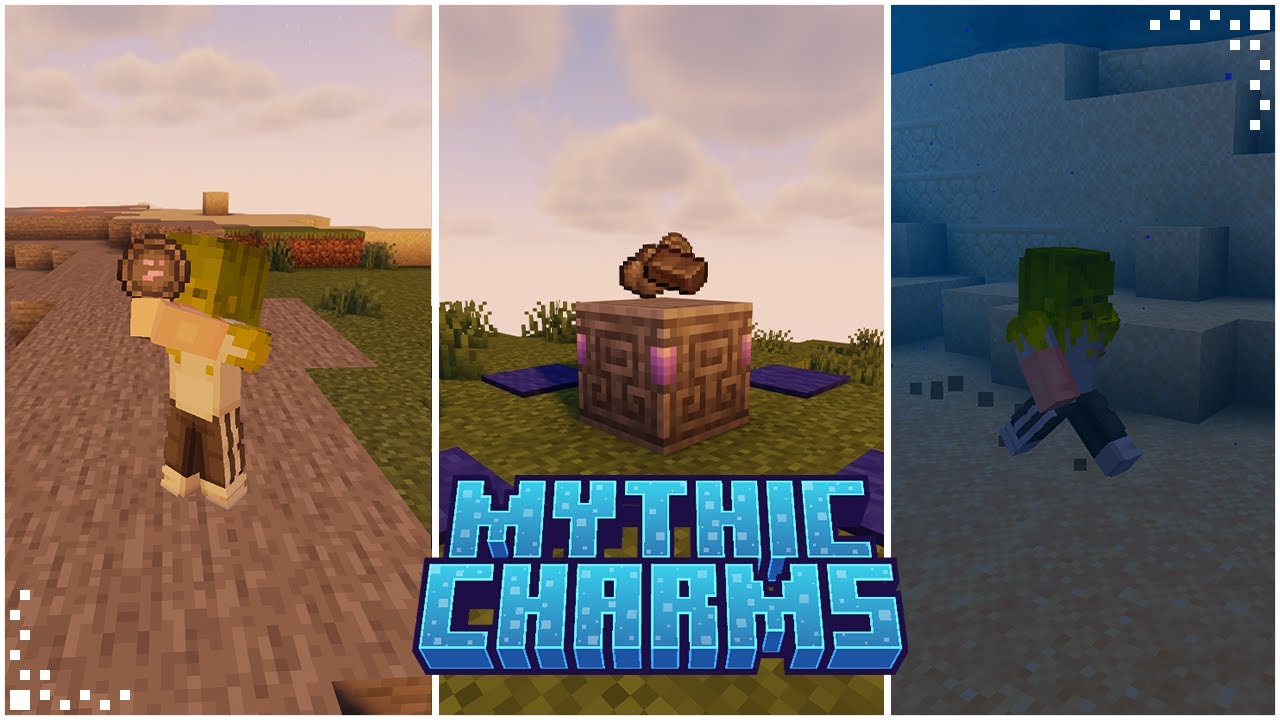
🔔| Still not part of our community? Join our discord here: https://discord.gg/Fc38uu6FnZ
Mythic Charms, a Fabric mod, introduces over 20 enchanting charms inspired by Hollow Knight into the game. Each charm bestows the player with a distinctive ability, allowing for a diverse and personalized gameplay experience.
The flexibility of the mod al...
remote stone
pearl flume
https://www.youtube.com/watch?v=fiLDvLztiZM
Already watched that, in the video the guy just is already wearing it and walks off a block, then floats.
pearl flume


GitHub
Contribute to masik16u/Mythic-Charms development by creating an account on GitHub.
pearl flume
remote stone
Already watched that, in the video the guy just is already wearing it and walks ...
it's an issue with bad optimizations mod it seems
 fallen moon
how does one defeat the twilight lich
 gusty yacht
anyone know how i get connected glass?
 uneven raven
 tropic scroll
settings, java/minecraft, use mc java
 normal mango
Hello! I had a couple questions about BMC2. Are elytras just extremely hard to find or am I bad at looking? And is there anything to do with the dragon egg after the fight?
 main token
normal mango
Hello! I had a couple questions about BMC2. Are elytras just extremely hard to f...
main token
normal mango
Hello! I had a couple questions about BMC2. Are elytras just extremely hard to f...
its not used in any recipees so i doubt it but not 100% sure
is there any way to force villager trades? cause im going towards 500 lecterns mined and cannot get unbreaking 3
lyric basalt
main token
is there any way to force villager trades? cause im going towards 500 lecterns m...
Use a piston to move the lectern. Download villager trade cycling if you want by the voice chat guy henkelmax?
lyric basalt
normal mango
Hello! I had a couple questions about BMC2. Are elytras just extremely hard to f...
From my exploring, blimps with elytra hard to find. But you can craft them in bmc2
normal mango
Do you know what the recipe is? I’m trying to look it up but I can’t find anything about it
normal mango
lyric basalt
From my exploring, blimps with elytra hard to find. But you can craft them in bm...
.
lyric basalt
Not offhand... jei an elytra and right click it? Be in game shortly though. I recall phantom guts
Ohhh
I have tech reborn installed 🙄
Apparently techreborn allows them to be craftable using end rods and phantom membranes in an assembling maching. @normal mango
tulip ermine
Anyone else have this issue where you cant read the seasonal compendium?
im just playing LAN with my gf im not sure if thats why or what
 forest knoll
what would be required to run bettermc 1.20.4 on a minecraft server with a maximum 20 players and good render distance?
tulip ermine
Is it essential to buy a server for this? Im running Lan and im not sure if its worth it to buy a server for just 2 people in the same house
tropic scroll
tulip ermine
Is it essential to buy a server for this? Im running Lan and im not sure if its ...
you dont need to
!server
undone latchBOT
We suggest renting a server from Bisect Hosting:
Approx. $10 - $25 a month depending on what plan you choose. You can also get 25% off with Code LunaPixel.
Go to https://www.bisecthosting.com/LunaPixel and order a plan which fits you. We suggest 1GB per player but nothing lower than 4GB as the server needs at least 3GB to run.
Go to #server-hosting for more Info!
Free Method: (This is hosting on your own PC, which is harder to do so we suggest getting a server via Bisect Hosting)
- Download the serverpack from Curseforge's website
- Right click the start.ps1 file and click Run with Powershell
To join your own server, typelocalhostinto Direct Connect.
This video explains the process https://www.youtube.com/watch?v=wuGUbVbLsDc
The server IP address is your Public IP Address, which can be found by googling my ip address
If other players are unable to join, find a portforwarding guide online.
tropic scroll
forest knoll
what would be required to run bettermc 1.20.4 on a minecraft server with a maxim...
there is no bmc 1.20.4
tulip ermine
tropic scroll
you dont need to
Do i need to figure out portforwarding in order for it to work over the same network? I find most of the time that anytime i try to port forward it just doesnt work
tropic scroll
tulip ermine
Do i need to figure out portforwarding in order for it to work over the same net...
if its the same network you dont need to port forward
all youd need is the ipv4
tulip ermine
tropic scroll
if its the same network you dont need to port forward
ok sweet, is it better to run from a server rather than just doing open to lan?
forest knoll
tropic scroll
there is no bmc 1.20.4
whatever the latest version bruh
tropic scroll
forest knoll
whatever the latest version bruh
you’d need a pretty beefy server
tropic scroll
tulip ermine
ok sweet, is it better to run from a server rather than just doing open to lan?
10000%
tulip ermine
tropic scroll
10000%
okay, how do i modify how much ram the server uses?
tropic scroll
tulip ermine
okay, how do i modify how much ram the server uses?
variables text 🙂
tulip ermine
perfect! tysm 🙂
tulip ermine
@tropic scroll Everytime I launch the powershell script it tells me that the current location of this script contains spaces, can i fix this?
tropic scroll
tulip ermine
<@460610775887773737> Everytime I launch the powershell script it tells me that ...
make sure the folder names going into your serverpack doesnt have any spaces
bmc server world = X
bmcserverworld = ✅
tulip ermine
oh im dumb thank you, i thought it was saying like spaces in the directory or something
tulip ermine
Huh, The only thing im still struggling with is this Seasonal Compendium for Fabric Seasons: Extras, I just wont let me read it for any reason
 shadow pier
why is my game having fps drops
tropic scroll
shadow pier
why is my game having fps drops
!fps
undone latchBOT
 shadow pier
didnt help
tropic scroll
f3 in game and screenshot
shadow pier
ok
shadow pier
tropic scroll
f3 in game and screenshot
 tropic scroll
shadow pier
tropic scroll
shadow pier
have you updated your drivers
shadow pier
yes i think
tropic scroll
check
shadow pier
ok
 steep zephyr
Where’s a good place to ask about shader packs?
remote stone
Is there a way I can find the mod list?
pearl flume
remote stone
Is there a way I can find the mod list?
modpack index website.
they also have a compare feature
remote stone
pearl flume
modpack index website.
I mean as in, a list of just the mod names so I can copy the names.
pearl flume
remote stone
I mean as in, a list of just the mod names so I can copy the names.
yes you can do that from the website. it lists all the mods in a pack
 soft abyss
does the fabric version have any biome mods?
 formal olive
How can i get a serverpack?
 turbid field
Negatory?
pearl flume
formal olive
How can i get a serverpack?
Go to the curseforge page of the modpack you want, go to files, the version you want, then additional files
formal olive
pearl flume
Go to the curseforge page of the modpack you want, go to files, the version you ...
I found it but it doesnt have the jar file i need
pearl flume
formal olive
I found it but it doesnt have the jar file i need
what host you using?
formal olive
pearl flume
what host you using?
Minehost
pearl flume
Does it not have BMC in their list of modpacks already?
formal olive
pearl flume
Does it not have BMC in their list of modpacks already?
They dont have a list of modpacks
what can i do?
 vast storm
how can I fix this?
 pearl flume
vast storm
how can I fix this?
pearl flume
vast storm
how can I fix this?
!moreinfo
undone latchBOT
Hello! For us to help you with your issue, you will need to answer all 8 questions below. Post the answers in this channel:
1. Have you modified the modpack in any way? If so, what did you do? (Updating/adding/removing mods, changing configs)
2. What launcher, or program, are you using to launch the game? (CurseForge, ATLauncher, etc)
3. What Minecraft version are you playing? (1.18.2, 1.16.5, 1.19.2)
4. What version of the modpack are you playing? (v11, v9, etc)
5. What steps are necessary to reproduce the crash? (Launching the game, exploring the world, etc)
6. Have you ever gotten past the point where the crash happens?
7. Send the crash report file into this channel. Right click the modpack, Open Folder, and navigate to the Crash Reports folder. Drag the newest one here. If there is no crash reports folder, do the same thing with the latest.log file in the logs folder.
8. Did you follow the Performance guide linked in #faq?
vast storm
vast storm
how can I fix this?
The mod pack hasn't been modified.
Launching the game from CruseForge.
1.19.2
Better Mc [Fabric] 1.19.2v20
the game crashes instantly when trying to open it
Gotten past the crash twice before crashing again
and heres the report
tulip ermine
Hey when im done playing on my server do i need to type in like save or exit or anything into the powershell console?
 sudden bay
tulip ermine
Hey when im done playing on my server do i need to type in like save or exit or ...
sudden bay
tulip ermine
Hey when im done playing on my server do i need to type in like save or exit or ...
run /stop to stop it
sudden bay
vast storm
remove the serverbrowser mod
tulip ermine
sudden bay
run /stop to stop it
sounds good! ty
vast storm
sudden bay
remove the serverbrowser mod
ah ok ty so much
forest knoll
tropic scroll
you’d need a pretty beefy server
what specs are we looking at around?
shadow pier
bro how am i supposed to update my fabric loader
Incompatible mods found!
net.fabricmc.loader.impl.FormattedException: Some of your mods are incompatible with the game or each other!
A potential solution has been determined, this may resolve your problem:
- Replace mod 'Fabric Loader' (fabricloader) 0.14.25 with version 0.15.6 or later
forest knoll
shadow pier
Incompatible mods found!
net.fabricmc.loader.impl.FormattedException: Some of yo...
copy the error log and ask chatgpt what mod is causing the problem, and either delete or update that specific mod. works like a charm
tropic scroll
shadow pier
Incompatible mods found!
net.fabricmc.loader.impl.FormattedException: Some of yo...
use fabric 0.15.0
tropic scroll
forest knoll
copy the error log and ask chatgpt what mod is causing the problem, and either d...
no. chatgbt doesn’t know what is right or wrong for our modpacks
tropic scroll
forest knoll
what specs are we looking at around?
how many concurrent players
forest knoll
tropic scroll
no. chatgbt doesn’t know what is right or wrong for our modpacks
i had issues after adding extra mods onto bettermc, game kept crashing. I pasted the log on chatgpt and it told me the specific mods that had the same ID
forest knoll
tropic scroll
how many concurrent players
15-20?
tropic scroll
forest knoll
15-20?
like online all the time
forest knoll
yes for example
tropic scroll
forest knoll
i had issues after adding extra mods onto bettermc, game kept crashing. I pasted...
fair enough but for somethings it’s not that good
tropic scroll
forest knoll
yes for example
alr you’d need at least a decent cpu with a score of 20k or higher on cpu benchmarks. and around 16gb ram
forest knoll
tropic scroll
fair enough but for somethings it’s not that good
maybe but for an average person that does not understand logs, chatgpt can be very helpful at explaining it
forest knoll
tropic scroll
alr you’d need at least a decent cpu with a score of 20k or higher on cpu benchm...
and is that with 5 chunk per player or more?
tropic scroll
could
tropic scroll
shadow pier
it wont show up in the launcher
!alternates
undone latchBOT
If this command was run in response to your question/issue, it is likely because switching away from the launcher you are currently using would fix your problem.
From our experience, the most stable launcher by far is ATLauncher, also known as ATL.
To install ATLauncher, do the following:
1. Go to https://atlauncher.com/download
2. Install and run the setup, then open the program.
3. Login to your Microsoft account that owns the Java Edition of Minecraft from the Accounts tab on the right. This process is 100% safe, as it goes directly through Microsoft. ATLauncher does not see your account credentials.
4. Go to the Packs tab on the right, then click "Curseforge" on the left.
5. Search the modpack you wish to download.
6. Click "New Instance". Click "Ok" on the opted out mods warning, then click "Open All" on the manual download screen.
7. Let the mods download, ATLauncher will grab them from your Downloads folder and automatically add them to the modpack.
8. Go to the Instances tab, and click "Play" on the modpack you downloaded. If you ever see an "Update" button on the instance, click it.
To transfer your Curseforge world to ATLauncher, simply right click the modpack on Curseforge, or click the 3 dots, then click "Open Folder". Copy the Saves folder, then click "Open Folder" on ATLauncher and paste the Saves folder there.
Because ATLauncher downloads the exact same files as Curseforge does, your world will be the exact same and you will be able to join the same servers. ATLauncher also works without an internet connection (after you've installed the modpack, of course), and does not have any bloat from Overwolf. You are free to uninstall both Overwolf and Curseforge with ATLauncher installed.
tropic scroll
forest knoll
and is that with 5 chunk per player or more?
pregen if you’d want that much
!pregen
undone latchBOT

Noob explains how to Pre Generate your Minecraft World.
▬▬▬▬▬▬▬▬▬▬▬▬▬▬▬▬▬▬▬▬▬▬▬▬▬▬▬▬▬▬
➔ Modpack: https://www.curseforge.com/minecraft/modpacks/better-minecraft-modpack
➔ Discord: https://discord.com/invite/9S5tfrY4Fr
▬▬▬▬▬▬▬▬▬▬▬▬▬▬▬▬▬▬▬▬▬▬▬▬▬▬▬▬▬▬
➔ Want a Server?
BisectHosting: https://www.bisecthosting.com/LunaPixel
Use the code "LunaPixel" t...
forest knoll
tropic scroll
pregen if you’d want that much
isn’t 5 chunk the minimum? i’m aiming for a good 10-12 chunks or even more if a specific cpu can handle that
tropic scroll
forest knoll
isn’t 5 chunk the minimum? i’m aiming for a good 10-12 chunks or even more if a ...
10-12 on 15-20 players is not possible
not very easily
forest knoll
ok so there’s no technology that can really achieve that. thank you, i just wanted to know the where the ceiling is when creating a modded server
tropic scroll
forest knoll
ok so there’s no technology that can really achieve that. thank you, i just want...
2 chunks 30-40 players
forest knoll
tropic scroll
2 chunks 30-40 players
atp 2 chunks is pretty much unplayable 🤣
do you see bettermc adding distant horizons when it releases?
tropic scroll
forest knoll
atp 2 chunks is pretty much unplayable 🤣
the official prom servers run on 2 chunks and it’s fine
undone latchBOT
We suggest renting a server from Bisect Hosting:
Approx. $10 - $25 a month depending on what plan you choose. You can also get 25% off with Code LunaPixel.
Go to https://www.bisecthosting.com/LunaPixel and order a plan which fits you. We suggest 1GB per player but nothing lower than 4GB as the server needs at least 3GB to run.
Go to #server-hosting for more Info!
Free Method: (This is hosting on your own PC, which is harder to do so we suggest getting a server via Bisect Hosting)
- Download the serverpack from Curseforge's website
- Right click the start.ps1 file and click Run with Powershell
To join your own server, typelocalhostinto Direct Connect.
This video explains the process https://www.youtube.com/watch?v=wuGUbVbLsDc
The server IP address is your Public IP Address, which can be found by googling my ip address
If other players are unable to join, find a portforwarding guide online.
tropic scroll
forest knoll
do you see bettermc adding distant horizons when it releases?
no
unless it has 0 comparability issues not really soon
shadow pier
tropic scroll
ur own pc
but wont my pc explode
tropic scroll
shadow pier
but wont my pc explode
not really
tropic scroll
how many players
shadow pier
5
shadow pier
tropic scroll
check
oh yeah also it says theyre up to date
 still sage
it appears infusing veridium tools/weapons has no effect in my game:

asked the aether redux peeps about it and they say it should display 6 damage instead of 4
Not a big deal since im well past that tier but thought i should bring it up in case it isn't known
tropic scroll
shadow pier
5
8gb
shadow pier
ok
shadow pier
wait should i use optifine
undone latchBOT
It is highly advised to not use Optifine, as it is very glitchy, will increase loading times to upwards of 10 minutes, and will decrease your FPS substantially. All Luna Pixel Studios modpacks come with shader support without Optifine via Oculus on Forge and Iris on Fabric. Optifine is also incompatible with all of our modpacks. The game will not launch with Optifine installed.
If you are interested in Optifine alternatives for your own gameplay, you can find a list here https://github.com/LambdAurora/optifine_alternatives
Note that a majority of these mods are already included in our modpacks.
https://cdn.discordapp.com/attachments/1046333354259259422/1046337216609271858/unknown.png

 blissful stump
guys i am in better mc2 fabric , i am in the end i defeated the ender drag and i hopped in the small portal, now i am searching for the end ship or elytra i am unable to find
and the book givin to me for info isnt working
pearl flume
You have to search a lot more for the end cities usually in modded
blissful stump
pearl flume
You have to search a lot more for the end cities usually in modded
do they look like the normal or something changed?
pearl flume
Likely it’ll still be the vanilla ones that have it, can’t promise modded ones do
 meager rapids
is a server using an Intel Xeon E5-1630v3 at 3.7Ghz or an Intel i7-7700k at 4.5GHz, with 7gb of DDR4 2133MHz ECC ram, enough for BMC2 with 4 or less players?
shadow pier
why do i have the worst fps dips still
i did everything in the guide but it still sucks
 zealous dagger
Pardon me if it says somewhere but why can I not craft backpacks from the 'Backpacked' mod? why's it there in the first place if i cant craft anything from it? or is it like i gotta do something to unlock the recipe?
tropic scroll
meager rapids
is a server using an Intel Xeon E5-1630v3 at 3.7Ghz or an Intel i7-7700k at 4.5G...
should be good
tropic scroll
shadow pier
i did everything in the guide but it still sucks
did you use a different launcher
shadow pier
tropic scroll
did you use a different launcher
not yet
tropic scroll
should use
shadow pier
wait do i use at launcher or t launcher
tropic scroll
shadow pier
wait do i use at launcher or t launcher
at
shadow pier
ok
tropic scroll
yeah
 sonic brook
which version of BMC2 lets you cage more animals without it saying it's not small enough?
@pearl flume
pearl flume
sonic brook
which version of BMC2 lets you cage more animals without it saying it's not smal...
I don't play BMC personally so I wouldn't know. also read #rules for me
pearl flume
shadow pier
but now i randomly get input delay
input delay?
shadow pier
yea
 bronze goblet
Can someone tell me when this is called?

 junior crag
What's the end game goal for BMc fabric
 scenic furnace
bronze goblet
Can someone tell me when this is called?
scenic furnace
bronze goblet
Can someone tell me when this is called?
Its a foundry from WDA
 quartz python
my game cant even start and this is popping up

everything went fine since today
do u know how can i fix it"
pearl flume
quartz python
!moreinfo
undone latchBOT
Hello! For us to help you with your issue, you will need to answer all 8 questions below. Post the answers in this channel:
1. Have you modified the modpack in any way? If so, what did you do? (Updating/adding/removing mods, changing configs)
2. What launcher, or program, are you using to launch the game? (CurseForge, ATLauncher, etc)
3. What Minecraft version are you playing? (1.18.2, 1.16.5, 1.19.2)
4. What version of the modpack are you playing? (v11, v9, etc)
5. What steps are necessary to reproduce the crash? (Launching the game, exploring the world, etc)
6. Have you ever gotten past the point where the crash happens?
7. Send the crash report file into this channel. Right click the modpack, Open Folder, and navigate to the Crash Reports folder. Drag the newest one here. If there is no crash reports folder, do the same thing with the latest.log file in the logs folder.
8. Did you follow the Performance guide linked in #faq?
quartz python
ok i reinstalled the mod and its working
 nova kettle
Hi, first thing I want to say is Great job, awesome modepack, I’m enjoying it a lot.
One thing – straw golem doesn’t work, I followed quest description as well as some video on YT, but it won’t spawn when I place carved pumpkin on a hay bale.
Also, suggestion/question: why this fabric version doesn’t have autorun (forge version had it). And why biomes o’ plenty isn’t part of it? There is a fabric version and to be honest, fabric version of BMC generated world is inferior to forge version.
But again, great job, I love BMC 👍
 brisk sonnet
Hello, my game crashed every 10-15 mins and after the crash every 10 sek. using Fabric BMC2 with 5 other players and need solutions now
 plucky hawk
how can i get the frost wand in bettermc
tropic scroll
brisk sonnet
Hello, my game crashed every 10-15 mins and after the crash every 10 sek. using ...
!moreinfo
undone latchBOT
Hello! For us to help you with your issue, you will need to answer all 8 questions below. Post the answers in this channel:
1. Have you modified the modpack in any way? If so, what did you do? (Updating/adding/removing mods, changing configs)
2. What launcher, or program, are you using to launch the game? (CurseForge, ATLauncher, etc)
3. What Minecraft version are you playing? (1.18.2, 1.16.5, 1.19.2)
4. What version of the modpack are you playing? (v11, v9, etc)
5. What steps are necessary to reproduce the crash? (Launching the game, exploring the world, etc)
6. Have you ever gotten past the point where the crash happens?
7. Send the crash report file into this channel. Right click the modpack, Open Folder, and navigate to the Crash Reports folder. Drag the newest one here. If there is no crash reports folder, do the same thing with the latest.log file in the logs folder.
8. Did you follow the Performance guide linked in #faq?
 hazy bridge
Did you every find out the cause of this, I have the same issue
blissful stump
uhhm what happened
 blissful stump
i was playing and i think my internet bugged so i had to disconnect and reconnect and now this shows up any help?
 sudden bay
blissful stump
i was playing and i think my internet bugged so i had to disconnect and reconnec...
sudden bay
blissful stump
i was playing and i think my internet bugged so i had to disconnect and reconnec...
press t
blissful stump
t?
 unreal spindle
hi eden ring doesnt work in bmc2 fabric??
 fresh umbra
Can I add distant Horizons client side wise with this pack?
tropic scroll
wont work
fresh umbra
tropic scroll
wont work
You sure some other people said before it works with most mod packs in this server client side wise
tropic scroll
wont work
pearl flume
Those other people are overhyping it. That mod isn’t stable at all yet.
tropic scroll
pearl flume
Those other people are overhyping it. That mod isn’t stable at all yet.
its not stable with specific mods, but overall its nice
 next needle
Unsure if anyone is familiar with hosting a better mc server but I am getting stuck on the joining world screen and hit a dead end. Game has enough memory allocated, server is 7GB,, unsure where to go from here
blissful stump
Lads whats an easy way to get mending
 somber cipher
I play bmc2 and soul stealing doesn't seem to work, anyone know why?
oh nvm it did work, the chance is insanely low
 lethal zenith
blissful stump
Lads whats an easy way to get mending
lethal zenith
blissful stump
Lads whats an easy way to get mending
A villager
 urban oak
hey guys, so im having some troubles getting my game to load. i open up curseforge, and hit the play button, it opens up the altered mc launcher and when i hit play, it starts to load the loading bar, then the launcher closes and it never launches the game. i've tried a few differnt things and cant get anything to work, anyone have any advice?
pearl flume
urban oak
hey guys, so im having some troubles getting my game to load. i open up cursefor...
!moreinfo
undone latchBOT
Hello! For us to help you with your issue, you will need to answer all 8 questions below. Post the answers in this channel:
1. Have you modified the modpack in any way? If so, what did you do? (Updating/adding/removing mods, changing configs)
2. What launcher, or program, are you using to launch the game? (CurseForge, ATLauncher, etc)
3. What Minecraft version are you playing? (1.18.2, 1.16.5, 1.19.2)
4. What version of the modpack are you playing? (v11, v9, etc)
5. What steps are necessary to reproduce the crash? (Launching the game, exploring the world, etc)
6. Have you ever gotten past the point where the crash happens?
7. Send the crash report file into this channel. Right click the modpack, Open Folder, and navigate to the Crash Reports folder. Drag the newest one here. If there is no crash reports folder, do the same thing with the latest.log file in the logs folder.
8. Did you follow the Performance guide linked in #faq?
urban oak
undone latch
Hello! For us to help you with your issue, you will need to answer **all 8 quest...
- no
- curseforge
- 1.19.2
- v20
- it just never lauches the game from the launcher
- i only have when i uninstalled the whole of curseforge and the mod pack and reinstalled it.
- it doesn't detect the crash cause idrk if its a "crash" issue but lemme know where the logs folder is and ill send it lol
- yes and i havent used the launcher it reccomends yet because i already have curseforge and modrinth and neither of them open the game lol
pearl flume
need all 8 plz
urban oak
sorry one sec i forgot enter send it LOL
pearl flume
New discord trick for ya: Shift Enter makes a new line 😛
urban oak
okay thank you! i thought i was crazy lmao
pearl flume
urban oak
1. no
2. curseforge
3. 1.19.2
4. v20
5. it just never lauches the game from th...
how are you installing the modpack?
urban oak
okay one sec im totally using forge and not fabric im so sorry do i need to move all this stuff to the other channel?
and im installing it through curseforge
pearl flume
urban oak
and im installing it through curseforge
you can just switch to that channel, I'll know what we're talking about
 final hamlet
I'm trying to play bmc 2 for 1.20 and i keep getting exit code 6 because the game crashes when i try to create a new world and play it ive tried launching from atlauncher and curseforge
so what should i do?
pearl flume
final hamlet
I'm trying to play bmc 2 for 1.20 and i keep getting exit code 6 because the gam...
!moreinfo
undone latchBOT
Hello! For us to help you with your issue, you will need to answer all 8 questions below. Post the answers in this channel:
1. Have you modified the modpack in any way? If so, what did you do? (Updating/adding/removing mods, changing configs)
2. What launcher, or program, are you using to launch the game? (CurseForge, ATLauncher, etc)
3. What Minecraft version are you playing? (1.18.2, 1.16.5, 1.19.2)
4. What version of the modpack are you playing? (v11, v9, etc)
5. What steps are necessary to reproduce the crash? (Launching the game, exploring the world, etc)
6. Have you ever gotten past the point where the crash happens?
7. Send the crash report file into this channel. Right click the modpack, Open Folder, and navigate to the Crash Reports folder. Drag the newest one here. If there is no crash reports folder, do the same thing with the latest.log file in the logs folder.
8. Did you follow the Performance guide linked in #faq?
final hamlet
1.no 2. atlauncher 3. 1.20.1 4. v24, 5. launching a newly created world ,6. no, 8. yes
 tidal sail
Hey! So I have downloaded better MC (Fabric) BMC2 modpack and I really like it. However, there are two mods that I absolutly hate and I want to remove them. The mods are "When dungeons arise" and "Repurposed structures". I tried to just remove both the mods but for some reason, the game doesn't work when they aren't there. Can anyone help?
 gritty dirge
!moreinfo
undone latchBOT
Hello! For us to help you with your issue, you will need to answer all 8 questions below. Post the answers in this channel:
1. Have you modified the modpack in any way? If so, what did you do? (Updating/adding/removing mods, changing configs)
2. What launcher, or program, are you using to launch the game? (CurseForge, ATLauncher, etc)
3. What Minecraft version are you playing? (1.18.2, 1.16.5, 1.19.2)
4. What version of the modpack are you playing? (v11, v9, etc)
5. What steps are necessary to reproduce the crash? (Launching the game, exploring the world, etc)
6. Have you ever gotten past the point where the crash happens?
7. Send the crash report file into this channel. Right click the modpack, Open Folder, and navigate to the Crash Reports folder. Drag the newest one here. If there is no crash reports folder, do the same thing with the latest.log file in the logs folder.
8. Did you follow the Performance guide linked in #faq?
gritty dirge
sorry, just testing
 frail harness
- disabled one mod as it caused crashes 2) Server 3) 1.20.1 4) v24 5) Missing villages 6) no 7 no
I created a world for my wife. She only be able to find VERY few villages. I went to chunk base to find one. Went to the coords. no village, but map was correct. tried again with same result.
pearl flume
frail harness
I created a world for my wife. She only be able to find VERY few villages. I wen...
Did you check for sky villages?
way up in the sky
frail harness
She said there were none in the sky. she wondered off from that location. I went back to the map. There are very few villages to choose from. Is that new? The last she played as 1.17. Did the lower the number of villages?
pearl flume
Could be an unlucky seed, thre are chances of villages spawning underground too
Could reroll the world seed see if you have better luck
frail harness
I mentioned rerolling her map. she grumbled. Thanks. I will try that and report back if there is an issue.
 granite pendant
question.... is there anyway to get the dragon egg again since I lost mine in the void?
 teal crypt
i have a question and sorry if someone asked it before 😭
will there be a 1.20.4 version?
 delicate moss
how to leave dark dungeon
blissful stump
dig straight up
 sick flame
bmc2 crashing
tropic scroll
sick flame
bmc2 crashing
!moreinfo
undone latchBOT
Hello! For us to help you with your issue, you will need to answer all 8 questions below. Post the answers in this channel:
1. Have you modified the modpack in any way? If so, what did you do? (Updating/adding/removing mods, changing configs)
2. What launcher, or program, are you using to launch the game? (CurseForge, ATLauncher, etc)
3. What Minecraft version are you playing? (1.18.2, 1.16.5, 1.19.2)
4. What version of the modpack are you playing? (v11, v9, etc)
5. What steps are necessary to reproduce the crash? (Launching the game, exploring the world, etc)
6. Have you ever gotten past the point where the crash happens?
7. Send the crash report file into this channel. Right click the modpack, Open Folder, and navigate to the Crash Reports folder. Drag the newest one here. If there is no crash reports folder, do the same thing with the latest.log file in the logs folder.
8. Did you follow the Performance guide linked in #faq?
sick flame
yeah but how do I copy the logs from the gdlauncher carbon it only copies this when I click on copy log
{"id":1,"instance_id":2,"active":false}
tropic scroll
!logs
undone latchBOT
To better assist with fixing an issue, we will need some logs: Curseforge/GDLauncher-> Right click the modpack instance -> Open Folder. For MultiMC -> Click 'Instance Folder' on the right.
Find the file 'Latest' in the 'Logs' folder. If there is a folder called 'Crash Reports' then find the newest file from today. Upload these as requested.
sick flame
tropic scroll
ty give me a few mins
sick flame
should be the entire thing altogether not sure had to control + a
also linux fedora 39
tropic scroll
oh linux
use Prism launcher instead of gd launcher
prism has a good amount of native linux support, one for fedora aswell
sick flame
how about atlauncher?
tropic scroll
mmmm not as good as prism for linux
sick flame
tropic scroll
An Open Source Minecraft launcher with the ability to manage multiple instances, accounts and mods. Focused on user freedom and free redistributability.
yep
sick flame
dowloading the appimage but does the appimage have some sort of autoupdate baked into it like atlauncher rpm?
tropic scroll
An Open Source Minecraft launcher with the ability to manage multiple instances, accounts and mods. Focused on user freedom and free redistributability.
tropic scroll
sick flame
dowloading the appimage but does the appimage have some sort of autoupdate baked...
mmm there is a dedicated button for it 
 granite storm
are you able to play on 1.20.1?
tropic scroll
 granite storm
mine keeps crashing, i will send all the information in a second
tropic scroll
ty
sick flame
the upper mentioned jdk 17 was a reason of crashing I suppose since it got flagged by crash report on fedora

should I still go with it or maybe try the other one?
tropic scroll
go with it
granite storm
- i have not modified the pack
- I have not modified the pack. 2. i used curseforge 3. i am playing on 1.20.1. 4. i am paying on v26 5. loading into a world crashes the game. 6. i have not gotton past the point of crash. 7.
 acoustic spindleBOT
granite storm
1. I have not modified the pack. 2. i used curseforge 3. i am playi...
acoustic spindleBOT
granite storm
1. I have not modified the pack. 2. i used curseforge 3. i am playi...
Uploaded crash-2024-03-29_23.19.44-client.txt from @granite storm to mclogs: https://mclo.gs/KUsSwB2
tropic scroll
granite storm
1. I have not modified the pack. 2. i used curseforge 3. i am playi...
send a latest.log rq
also bmc2 fabric only goes up to v24
granite storm
ok one moment
tropic scroll
are you playing the forge version?
granite storm
yes
granite storm
oh shit my b
tropic scroll
!macjdk
undone latchBOT
 For Mac devices using Apple Silicon/arm (M1/M2/etc.) CPUs
There is an issue with Java 17.0.8 and newer where you may experience "A fatal error has been detected by the Java Runtime Environment", which can cause the Java runtime to crash under a variety of circumstances. To resolve this:
- Install the
Zulu JDK 17.0.1+12 arm64build of Java:
Direct download: https://www.azul.com/core-post-download/?endpoint=zulu&uuid=7eb8ee44-ab7f-4afb-9e42-32bd76416400 - Download/Install ATLauncher or Prism Launcher (CurseForge Launcher is known to cause issues)
- In Instance settings > Java, manually specify the following Java path:
/Library/Java/JavaVirtualMachines/zulu-17.jdk/Contents/Home - If using ATLauncher, Disable "Use Minecraft-bundled JDK"
- Launch the game
 undone latchBOT
If this command was run in response to your question/issue, it is likely because switching away from the launcher you are currently using would fix your problem.
From our experience, the most stable launcher by far is ATLauncher, also known as ATL.
To install ATLauncher, do the following:
1. Go to https://atlauncher.com/download
2. Install and run the setup, then open the program.
3. Login to your Microsoft account that owns the Java Edition of Minecraft from the Accounts tab on the right. This process is 100% safe, as it goes directly through Microsoft. ATLauncher does not see your account credentials.
4. Go to the Packs tab on the right, then click "Curseforge" on the left.
5. Search the modpack you wish to download.
6. Click "New Instance". Click "Ok" on the opted out mods warning, then click "Open All" on the manual download screen.
7. Let the mods download, ATLauncher will grab them from your Downloads folder and automatically add them to the modpack.
8. Go to the Instances tab, and click "Play" on the modpack you downloaded. If you ever see an "Update" button on the instance, click it.
To transfer your Curseforge world to ATLauncher, simply right click the modpack on Curseforge, or click the 3 dots, then click "Open Folder". Copy the Saves folder, then click "Open Folder" on ATLauncher and paste the Saves folder there.
Because ATLauncher downloads the exact same files as Curseforge does, your world will be the exact same and you will be able to join the same servers. ATLauncher also works without an internet connection (after you've installed the modpack, of course), and does not have any bloat from Overwolf. You are free to uninstall both Overwolf and Curseforge with ATLauncher installed.
sick flame
even worse on prism does it just not install certain mods?
tropic scroll
sick flame
even worse on prism does it just not install certain mods?
thats how 3rd party launchers should be
sick flame
but I mean automatically in the background trought chromium/firefox or even webkit?
tropic scroll

sick flame
is there any quick repair I can do on prism launcher or is just like that?
tropic scroll
sick flame
is there any quick repair I can do on prism launcher or is just like that?
wym?
sick flame
because at launcher n gdlauncher just download stuff thats missing automatically
tropic scroll
sick flame
because at launcher n gdlauncher just download stuff thats missing automatically
at does not also download missing automatically
its only gd that does it
since they are with curseforge/overwolf they have the legal way of doing it now
sick flame
I mean atlauncher has a prompt which opens a webbrowser
sick flame
is there anyway I can get it to do that since I didnt see any popup
tropic scroll
it didnt give you a popup for missing mods?
sick flame
nope
tropic scroll
thats strange
it really should do it, unless it found the mods and just used them

should show something like that
tropic scroll
did it download the pack without issues or didnt download it at all?
tropic scroll
strange
sick flame
 tropic scroll
try deleting the modpack and redownloading it
tropic scroll
yeah
sick flame
now it did it
tropic scroll
 funky
funky
sick flame
still why does better minecraft bmc 2 not work out of the box on gd(carbon)?
tropic scroll
i think is mainly cuz of the os and launcher? im not too sure
sick flame
uh oh

oh yeah the java instance is overall like wide used by atlauncher I think it installed itself with atlauncher rpm but when removing the package from the system I reinstalled the java packages and x11 fonts etc bundled together just to be sure is nothing system related
tropic scroll
JRE version: OpenJDK Runtime Environment (Red_Hat-17.0.9.0.9-4) (17.0.9+9) (build 17.0.9+9)
Java VM: OpenJDK 64-Bit Server VM (Red_Hat-17.0.9.0.9-4) (17.0.9+9, mixed mode, sharing, tiered, compressed oops, compressed class ptrs, g1 gc, linux-amd64)
Problematic frame:
C [libopenal.so+0x9fb4d]
hmm
ok go to settings -> java -> auto-detect -> javaw
 sick flame
maybe I should just install at launcher and uninstall it again with dnf dragora? since thats what I did beforehand I left some of the packages to reinstall after the removal of atlauncher.rpm
 tropic scroll
sick flame
maybe I should just install at launcher and uninstall it again with dnf dragora?...
tropic scroll
sick flame
maybe I should just install at launcher and uninstall it again with dnf dragora?...
could try
@maiden spire if you are on mind assisting fedora linux user
sick flame

 maiden spire
oh another openal thing
sick flame
this is what packages atlauncher was using when I was trying to uninstall it
maiden spire
yeah okay, use dnf to download libopenal, im not sure the name of the package exactly but its the openal library
sick flame
so no need to get rid of the leftover packages from atlauncher?
maiden spire
not unless you just want to cleanup, its not an atlauncher issue its likely openal
sick flame
 maiden spire
sick flame
maiden spire
sick flame
yeah idk the exact name, maybe its openal, maybe openal-lib, if dnf has a search function search for openal
since i dont use fedora
sick flame
 maiden spire
also get prism, at launcher cant fix this issue, so download prism launcher download the modpack, in the launcher settings press java, then press the tweaks tab, then click override natives and select the openal lib file (/usr/lib/libopenal.so is likely where itll be)
maiden spire
sick flame
uh oh, lemme see what it would be from google
sick flame
maiden spire
also get prism, at launcher cant fix this issue, so download prism launcher down...
I already have the prism launcher installed
tweaks?
 maiden spire
https://packages.fedoraproject.org/pkgs/openal-soft/openal-soft/ apparently this
maiden spire
sick flame
tweaks?
oh woops i meant minecraft > tweaks > override natives
and fedora seems to place it in /usr/lib64/libopenal.so.1
so thats the path youll use for the native
sick flame
 maiden spire
yeah press use system installation of OpenAL
sick flame
and then?
maiden spire
maiden spire
<https://packages.fedoraproject.org/pkgs/openal-soft/openal-soft/> apparently th...
download openal-soft as per what what this says
then type the path /usr/lib64/libopenal.so.1
in the path
then run mc again
sick flame
 maiden spire
oh perfect, then just do the path
 sick flame
yeah lib64
maiden spire
maiden spire
then type the path /usr/lib64/libopenal.so.1
.
huh
weird
lemme check that site again
 maiden spire
the fedora site says its supposed to be there
hm
open a terminal do ls /usr/lib64/libopenal.so.1
does ls see it?
sick flame
 maiden spire
yeah so it is there
idk why your app isnt showing it
just type the path as is
in prism
sick flame
root locked folder maybe?
maiden spire
i doubt it the permissions allow anyone to see it
 sick flame
can I basically do the same but in gd or atlauncher since prism is a little to oldschool for me :V
maiden spire
uh yeah you can try, prism just makes it super easy
you can do -Dorg.lwjgl.openal.libname=/usr/lib64/libopenal.so.1 in your java arguments
this can work too
assuming i wrote the arg correctly one sec
yeah it is write
you can just add that to the arguments
and itll do the same things
but on any launcher
sick flame
alraight I will just copy over the instace and then nuke the prismlauncher folder
maiden spire
fair fair
sick flame
the files are not complaitable damn :c the instance layout of a file is different I guess reinstalling and then checking if theres still any issues prone is not a huge problem
sick flame
sick flame
@maiden spire so essentially the java package should not be a problem if it was left over by atlauncher?
maiden spire
sick flame
the files are not complaitable damn :c the instance layout of a file is differen...
yeah always best to reinstall to prevent issues
maiden spire
sick flame
<@560832301739802624> so essentially the java package should not be a problem i...
correct yeah, unless its linked in your PATH in which case it might overwrite your native java, otherwise its doing nothing
i dont believe atlauncher links anything to PATH though
sick flame
i think its a seperate since theres 2 paths shown in prims
maiden spire
so you probably dont need to worry
yeah
in that case its doing nothing its just sitting there
sick flame

I didnt want to remove anything x11 related since that could go horribly wrong
since wayland is not fully done
maiden spire
oh those are the same
prism is just showing the full path and the binary it found from PATH
but theyre both pointing to the same place since the versions are the same
sick flame
so a dummy package I guess of atlauncher?
maiden spire
atlauncher probably was the reason it installed yeah
sick flame
because the packages it self in the bundle are just below 1,1 mb and I just reinstalled them to be sure
maiden spire
since atlauncher needs java to run
sick flame
funny enought I once nuked cinnamon on mint like that :v
maiden spire
ouch
sick flame
I dont remember what app caused it thought lmao but the package manager just went ham and removed it since it was bound to x11
I mean I got to try kde for the first time lmao just had to remove the bloat which really was the painful path
sick flame
gotta love kde for a well packaged package with eveyrthing done automaticcaly
so yeah nemo file explorer I believe etc
still cant understand why they say that mint runs porly on kde I havent had a single issue with it :V during that perios of time like 4 months?
maiden spire
i dont see why a distro would struggle with a desktop environment anymore than anything else tbh
strange but good youre having it work
theres also plasma 6 now, though its still a tad buggy
honestly not a huge jump from plasma 5, at least not from what i can see, mostly internal wayland things and the like
not too much visually
sick flame
waiting for the april fedora update to 40 I guess hopefully I dont wanna go back to rolling realese opensuse left a bad impresion on me lmao so I am just gonna stick with fedora all the way now
its a great distro dont get me wrong but when the kelner driver dies theres only reinstall possible I had constant pc freezing with amd gpu driver :V
maiden spire
yeah rolling release is scary if you dont keep up with it
i left an arch install for a few months and it ended up exploding on itself when i tried to update
maiden spire
sick flame
its a great distro dont get me wrong but when the kelner driver dies theres only...
that sounds strange, does fedora have anything in its wiki about amd drivers setup? ive always heard amd was exceptionally good on linux
sick flame
here java argument or maybe I am mistaken?

because the instance refuses to launch
not even a java process in the background
sick flame
maiden spire
that sounds strange, does fedora have anything in its wiki about amd drivers set...
well something funky happened on opensuse where it just died I guess the way of the kelner being updated instead of downloading the whole thing it dowloads tiny bits and compiles em with dracut if I am not wrong
and thats prodably where suse died such things should be done with an offline update to ensure full safety of the kelner I guess
maiden spire
yeah dying in the middle of a kernel upgrade is a perfect way to lose the whole system unfortunately
maiden spire
sick flame
here java argument or maybe I am mistaken?
you copied all the extra stuff after the path
everything after .so.1 should be removed, keep .so.1 though
sick flame
I am blind thanks
now its working well thanks :D have a nice day
well it looks like gdlauncher has one baked into the appimage but atlauncher just used an rpm package to route it to the main java folder
I assume since the ram memory designated size was almost identical to prism by default even thought I changed it in prism
maiden spire
gdlauncher also has had problems with our modpack, just fyi
if anything explodes down the line id recommend using ATLauncher or Prism
theres a pretty Prism theme called Fluent you can use if the UI was the main problem
sick flame
maiden spire
theres a pretty Prism theme called Fluent you can use if the UI was the main pro...
so no matter what they all route to the same default system java folder?
maiden spire
not necessarily, each launcher has a default behavior. i believe gd installs its own java, atlauncher and prism meanwhile use the system java
sick flame
maiden spire
not necessarily, each launcher has a default behavior. i believe gd installs its...
alraight so the atlaucher shouldnt mess with any java or kotlin based applications?
maiden spire
none of the launchers should mess with any java settings ideally, but yeah at and prism definitely dont mess with the system
they just use java like anything else
sick flame
but still most of programs should prodably attach themselves to the default java folder I suposse ignoring the at launcher?
sick flame
maiden spire
none of the launchers should mess with any java settings ideally, but yeah at an...
also does distant horizon work with bmc 2? if ya have ever tried it
maiden spire
cant say i have but generally distant horizons is hit or miss in heavily modded environments
you can try it but theres a good chance it might not work
sick flame
so yeah thats what I was worried about
sick flame
maiden spire
you can try it but theres a good chance it might not work
Damn I digged deeper into this and is fedora funky with its jvm install

I guess at laucher created it for the sake of simplicity
maiden spire
oh yeah most distros will do something like this
because theres a lot of old programs that hardcoded their java paths
sick flame
because this is confusing so I guess its linked to a normal jvm anyways and it wont cost me a lot of disk space
maiden spire
so for compat it makes a bunch of symlinks
sick flame
I guess 17 is the latest java?
and that wont effect it at all
but my dumbness to understad anything without digging into it is pretty soft I guess this is fine altogether windows was a lot more of a mess imo like 7 different javas :v
maiden spire
all of them link up to the same java 17 file
sick flame
so this doestnt effect it at all?
sick flame
ok I guess atlauncher didnt do anything after all
to be honest I it also havent done that for me on any distro :v
maiden spire
yeah atlauncher can't install anything in /usr/lib, it just asked dnf to install java alongside it which is why these are here
sick flame
now I get it thanks that wont effect my install at all I assume other than some programs hooking up to it
 proven valve
how to play in multiplayer with essential?
 cinder hearthBOT
proven valve
how to play in multiplayer with essential?
cinder hearthBOT
proven valve
how to play in multiplayer with essential?
Our modpacks don't support essential, please use e4mc instead or host a local server using the serverpack.
proven valve
with e4mc minecraft is crash
tropic scroll
proven valve
with e4mc minecraft is crash
remove luna and use e4mc
proven valve
how to play with e4mc?
tropic scroll
proven valve
how to play with e4mc?
open to lan -> press open to lan -> you get link
proven valve
what doing with this link?
pearl flume
proven valve
what doing with this link?
Give link to friend to put into their multiplayer menu
proven valve
it doesn't work I can't join to my friend
pearl flume
proven valve
it doesn't work I can't join to my friend
Likely it’s full currently, it’s Easter weekend so lot of people have off school.
proven valve
How is this related?
pearl flume
It’s using a lot of mini servers from a host, as it’s the safer way to do multiplayer with modded. When people are off on holidays they use these options since it’s free and quick with their friends.
 cloud wedge
sick flame
also does distant horizon work with bmc 2? if ya have ever tried it
cloud wedge
sick flame
also does distant horizon work with bmc 2? if ya have ever tried it
lmk if you get it to work 🙂 really want to try it with bmc2
 hot grail
 green island
Anybody know any good Zombie Apocalypse/Horde mods for Fabric?
I want to do a playthrough with a modpack I've built but want an added threat
 honest lark
Hey, I need some help
Whenever I open the modpack and try to play, it gives me this error
What can I do to fix it?

 unreal skiff
is it ok to use simply optimized mods on bettermc?
granite pendant
is there anyway to get dragon egg again since I lost it in the void?
 glad bough
i think you can summon the ender dragon again and get the egg again by using like 4 more of the ender crystals to resummon it
i think
pearl flume
you get 1 from dragon death, but double check your quests too to see if you might get one for killing the dragon that way
granite pendant
sadly it doesn't spawn another dragon egg when I resummoned it
and the quests doesn't provide any egg
 low pawn
Has BMC 2 caught up to all the original BMC content?
 gleaming frost
How do I turn off the crafting table UI? (where others can see what I craft) ?
 brittle spoke
Modrinth doesn't want to instal the modpack for some reason?

it's just an empty 1.19 vanilla
blissful stump
Hi! does anybody knows how to disable "When dungeons arise" because everytime I delete it, or deactivate it, my game crash when loading a world
The error says something about "trying to access structure / aviary"
I just want to play the modpack without those structures
blissful stump
I really need help with that
Here is the error
java.lang.IllegalStateException: Trying to access unbound value 'ResourceKey[minecraft:worldgen/structure / dungeons_arise:aviary]' from registry net.minecraft.class_2370$1@44a6a974
 magic moat
I've hopped back int o1.19.2 BMC 1. anyone have any good guides to learn the mass amount of mods
tulip ermine
Hey yall I’m just looking for advice on hosting a server, I just wanna make one for like me and 5 friends max. I don’t wanna rent a server and I wanna host it on my own. Though even after port forwarding the game just doesn’t wanna let me play online, though I’m sure it’s on my isp side considering when I check if the port is even open it says it’s not.
I’ve heard some people talk about bridging a router with another for an easier time or using a vpn like hamachi, are both of these viable options?
sick flame
cloud wedge
lmk if you get it to work 🙂 really want to try it with bmc2
nope I just get an crash :v too many mods I guess
 bleak turret
how big is this modpack in GB?
 boreal jewel
Could you tell me how to install the mods pack please?
How do I install it on my server?
 robust wolf
❗ Does anyone know how to get a BisectHosting server working for any of the BetterMC versions? We can't get any of them to work (curseforge).
 severe rapids
does sm1 know how to make the game run in fullscreen without blackscreen when alt tabing?
 gentle furnace
bisect hosting suddenly started crashing today when joining and i get exit code 1 does anyone have the solution
The game crashed whilst rendering block entity
Error: java.lang.NullPointerException: Cannot invoke "net.minecraft.class_5944.method_34582(String)" because the return value of "net.mehvahdjukaar.supplementaries.SuppPlatformStuff.getNoiseShader()" is null
gentle furnace
for anyone getting the same issue it's supplementries, its bugged delete it from ur modpack and server and issue should be solved
 sharp swift
New to the modpack. Is there any kind of heaven dimension or "Aether" lookalike?
Can some one give me a list of all of the dimensions in the modpack?
scenic furnace
sharp swift
New to the modpack. Is there any kind of heaven dimension or "Aether" lookalike?...
Try looking thst up on reddit youd get better results
scenic furnace
gentle furnace
for anyone getting the same issue it's supplementries, its bugged delete it from...
Can you provide the full crash/latest.log
scenic furnace
severe rapids
does sm1 know how to make the game run in fullscreen without blackscreen when al...
Wdym
sharp swift
scenic furnace
Try looking thst up on reddit youd get better results
Tried :(
sharp swift
scenic furnace
Try looking thst up on reddit youd get better results
Wait hold on... Aren't you staff? Shouldn't you know if there are Aetheric / heaven dimensions in the modpack 😂 No offense!
scenic furnace
sharp swift
Wait hold on... Aren't you _staff_? Shouldn't you know if there are Aetheric / h...
Nah actually i am not aware of that too
Lemme ask chatGPT
pearl flume
sharp swift
Wait hold on... Aren't you _staff_? Shouldn't you know if there are Aetheric / h...
Not all of us know the ins and outs of every single mod and pack hosted by the studio.
They are always evolving, or not our cup of tea. We aren’t required to know every little thing and that would seriously burn us all out to do so
sharp swift
Sounds good, sounds good. But you see why that was funny
pearl flume
Not really, you wouldn’t think it’s weird that someone in IT doesn’t know how to fix a contract just cause they work inside a lawyers firm.
sonic brook
is there a list of biomes for better mc, the latest version?
I've only been able to find the same 3 biomes
i'm trying to find the eucalyptus logs, both kinds
pearl flume
No list, just gotta explore really. Sometimes you can get wonky seeds
sonic brook
pearl flume
No list, just gotta explore really. Sometimes you can get wonky seeds
okay but the same biomes are in there? no were removed since v14?
pearl flume
Shouldn’t have been
pearl flume
Only ask in the channel that you actually are trying to add to. Fabric and forge are different
 open slate
word
tulip ermine
Can someone try connecting to my server to see if its online?
sonic brook
who is kubek727..?
 leaden gate
I use bmc2 fabric. So if this is the wrong place to ask, please lead me in the right direction.
Anyone else having problems with supplementaries making it unable to connect to server?
(net.mehvahdjukaar.supplementaries.SuppClientPlatformStuff.getNoiseShader())
I tried updating supplemetaries and moonlight lib (somewhere on internet said this solved it) but I am not able to get the server to run with the updated mods.
Is it best to just wait for modpack update? Server is unconnectable right now 😦
severe rapids
scenic furnace
Wdym
When I use fullscreen and alt tab my screen goes black for 3 seconds because Minecraft doesn't support borderless window
 jovial sable
Hi all, is there a way I can find a amethyst golem? I've looked in every ametyst geode but I can never find them
scenic furnace
severe rapids
When I use fullscreen and alt tab my screen goes black for 3 seconds because Min...
Ah ic well i am not aware of any fix of that in fact that doesn’t happen with me
 meager yacht
brittle spoke
Modrinth doesn't want to instal the modpack for some reason?
meager yacht
brittle spoke
Modrinth doesn't want to instal the modpack for some reason?
use atlauncher
meager yacht
leaden gate
I use bmc2 fabric. So if this is the wrong place to ask, please lead me in the r...
it works fine on a normal modpack installation
dont modify the modpack.
brittle spoke
meager yacht
use atlauncher
Thanks, I'll try it later. I did figure out the problem though - Microsoft started partially blocking access to Russian IPs
brittle spoke
meager yacht
it wasnt microsoft specifically iirc
Coincidentally Forza's online services stopped working too. Idk if they use CF, but they surely use MC servers
But whatever it is, VPN resolves the issue
leaden gate
meager yacht
it works fine on a normal modpack installation
Well, it was the normal modppack that failed. "reinstalling" supplementaries solves the problem it seems (as this removes every supplementary item and item modified with it). The pack actually ran fine for days.
I think it is related to how the the globe-block renders (or something, might be more) in supplementaries. It seems to be kindof a common problem and solved in other (newer) versions of supplementaries I think.
 hollow badger
does anyone know how to fix?
 leaden gate
hollow badger
does anyone know how to fix?
leaden gate
hollow badger
does anyone know how to fix?
remove supplementaries and mods relying on supplementaries, and put them in again. Restart between the tries. Disable globe, maybe. That worked for me. All supplementaries blocks or changes will be removed though.
hollow badger
leaden gate
remove supplementaries and mods relying on supplementaries, and put them in agai...
i play in multiplayer server does that change anything?
leaden gate
You will have to do it on the server then, other then that, it should be the same i guess.
So remove supplementaries and mods relying on it, restart server.
Add supplementaries and mods relying on it, restart server.
My problem was the globe being in the world. Whenever any of the players got near it we got that error, suddenly - today. Feels like an april fools joke tbh..
 sturdy zealot
[14:08:49] [main/ERROR]: A mod crashed on startup!
net.fabricmc.loader.impl.FormattedException: java.lang.RuntimeException: Could not execute entrypoint stage 'preLaunch' due to errors, provided by 'spectrelib'!
any help for that?
Im trying to setup my server
 paper quail
can i play on ur server
hollow badger
leaden gate
You will have to do it on the server then, other then that, it should be the sam...
i dont own the server
pearl flume
hollow badger
i dont own the server
You’ll need to contact the owners of the server then.
 gaunt bone
Hey guys, when playing bmc 1.20, i place multiple blocks when clicking once and i need to hold down right click to place water buckets and open doors- is there a way to change that?
 viral spade
leaden gate
You will have to do it on the server then, other then that, it should be the sam...
viral spade
leaden gate
You will have to do it on the server then, other then that, it should be the sam...
did this for my server, worked for some friends, for some other friends (including me) it didnt work.
also: how can i disable the globe?
pearl flume
viral spade
also: how can i disable the globe?
Follow top pin in #1101995173430448208 #3
viral spade
pearl flume
Follow top pin in <#1101995173430448208> #3
Can confirm this works. Also update Suppsquared to v1.1.14 (this isnt in the pinned message)
unreal spindle
hi i playued a lot on your modpack, but i noice on my server side that we have to launch using the start.ps1, but it didn t work, it just work when i execute the xecutable java file
someone can help me ? thannkkss
viral spade
unreal spindle
hi i playued a lot on your modpack, but i noice on my server side that we have t...
did you install windows PowerShell?
unreal spindle
yeah i already have it
viral spade
and load start.ps1 using powershell
unreal spindle
viral spade
and load start.ps1 using powershell
yes the script works i think but i don t see the server on mc, cause to my hamachi tunel?
meager yacht
sturdy zealot
Im trying to setup my server
!server
undone latchBOT
We suggest renting a server from Bisect Hosting:
Approx. $10 - $25 a month depending on what plan you choose. You can also get 25% off with Code LunaPixel.
Go to https://www.bisecthosting.com/LunaPixel and order a plan which fits you. We suggest 1GB per player but nothing lower than 4GB as the server needs at least 3GB to run.
Go to #server-hosting for more Info!
Free Method: (This is hosting on your own PC, which is harder to do so we suggest getting a server via Bisect Hosting)
- Download the serverpack from Curseforge's website
- Right click the start.ps1 file and click Run with Powershell
To join your own server, typelocalhostinto Direct Connect.
This video explains the process https://www.youtube.com/watch?v=wuGUbVbLsDc
The server IP address is your Public IP Address, which can be found by googling my ip address
If other players are unable to join, find a portforwarding guide online.
leaden gate
viral spade
also: how can i disable the globe?
Im not sure it worked, but i changed in config/supplementaries-something.something (can't remember exactly, and set globe to false, i hope it doesnt spawn naturally now.)
As of to why i don't work for your friends i wouldnt know, but it is probably some other error OR they havn't done what was required for it to work.
leaden gate
unreal spindle
yes the script works i think but i don t see the server on mc, cause to my hamac...
You have to add your own server, I guess.
If it is running on your own computer and you have not changed any ports you could probably just add 127.0.0.1..
If it is not running on your computer you will have to add domain or ip-address of that computer. Direct connect or add server will work.
meager yacht
leaden gate
Im not sure it worked, but i changed in config/supplementaries-something.somethi...
 velvet path
hey does anyone else have a problem with sound on the modpack?
meager yacht
velvet path
hey does anyone else have a problem with sound on the modpack?
please be more specific
velvet path
when i load into a world i have no game sound
meager yacht
!reload
undone latchBOT
To reload textures and sounds, press F3 + T. If this doesn't bring up a loading screen, do the following:
1. Press escape and go to the Resourcepacks tab.
2. Move a Resourcepack on the left of the screen to the right.
3. Move that SAME Resourcepack back to the left.
4. Exit the menu.
If step 4 does not bring up a loading screen, do step 2, then step 4, then step 3, and then step 4 again.
velvet path
I did those steps and nothing has worked
meager yacht
how did you install the modpack
 civic timber
 vernal spindle
game keeps crashing when opening crafting table, i have very good pc specs and i have allocated the recommended ram also have tried about 10 other amounts of ram nothing will work. Here is my exit code -805306369
tropic scroll
vernal spindle
game keeps crashing when opening crafting table, i have very good pc specs and i...
!moreinfo
undone latchBOT
Hello! For us to help you with your issue, you will need to answer all 8 questions below. Post the answers in this channel:
1. Have you modified the modpack in any way? If so, what did you do? (Updating/adding/removing mods, changing configs)
2. What launcher, or program, are you using to launch the game? (CurseForge, ATLauncher, etc)
3. What Minecraft version are you playing? (1.18.2, 1.16.5, 1.19.2)
4. What version of the modpack are you playing? (v11, v9, etc)
5. What steps are necessary to reproduce the crash? (Launching the game, exploring the world, etc)
6. Have you ever gotten past the point where the crash happens?
7. Send the crash report file into this channel. Right click the modpack, Open Folder, and navigate to the Crash Reports folder. Drag the newest one here. If there is no crash reports folder, do the same thing with the latest.log file in the logs folder.
8. Did you follow the Performance guide linked in #faq?
vernal spindle
tropic scroll
!moreinfo
-
yes but this was happening way before i modified it. i removed vertical slabs cause it was annoying and i never used it, and i removed the mod to have items sit above the crafting table hoping that was what was causing the crash.
-
CurseForge
-
1.20.1
4.v24
-
opening crafting table
-
yes sometimes it just freezes my game for like 30 seconds then becomes lets me do one thing then freezes again, but only inside the crafting table
here is my most recent crash report but it was from a few days ago
acoustic spindleBOT
vernal spindle
here is my most recent crash report but it was from a few days ago
Uploaded crash-2024-03-29_22.10.49-client.txt from @vernal spindle to mclogs: https://mclo.gs/oPZm6VQ
tropic scroll
vernal spindle
here is my most recent crash report but it was from a few days ago
remove controlify mod
vernal spindle
here is my latest log
acoustic spindleBOT
vernal spindle
here is my latest log
Uploaded latest.log from @vernal spindle to mclogs: https://mclo.gs/SPgKmtQ
vernal spindle
tropic scroll
remove controlify mod
okay i have removed it
tropic scroll
vernal spindle
okay i have removed it
try doing what you did when it crashed
vernal spindle
just opening the crafting table lol ill do it but the problem is it doesnt happen 24/7
vernal spindle
tropic scroll
try doing what you did when it crashed
yup its still freezing. it doesnt crash everytime it usually freezes for a while then comes back then freezes over and over til i leave the crafting table
 undone latchBOT
vernal spindle
undone latchBOT
vernal spindle
yup it just crashed again loll
i have my fos set to 360 cause thats what my monitor can display
vernal spindle
tropic scroll
try this guide
i dont know what it could be but my game runs flawlessly other than crafting table everything else is perfect 0 lag high frames like why is it just crafting that screws up
i have tried like 10 different ram amounts and they all behave the exact same. game runs amazing until i open crafting table
vernal spindle
its so annoying it makes it so hard to play like ive been dealing with it cause this modpack is so fun but like the whole point of mc is to craft lolll and i literally cant do it half of the time
inventory crafting works perfectly as well like anything i can make in the inventory does not lag or crash or anything its only when i click on the actual table
 thick carbon
Is it possible to add more biomes, bosses and stuff to fabric? 🙂
vernal spindle
tropic scroll
very weird
should i try at launcher
tropic scroll
ye
vernal spindle
tropic scroll
ye
am i able to move my world over
undone latchBOT
If this command was run in response to your question/issue, it is likely because switching away from the launcher you are currently using would fix your problem.
From our experience, the most stable launcher by far is ATLauncher, also known as ATL.
To install ATLauncher, do the following:
1. Go to https://atlauncher.com/download
2. Install and run the setup, then open the program.
3. Login to your Microsoft account that owns the Java Edition of Minecraft from the Accounts tab on the right. This process is 100% safe, as it goes directly through Microsoft. ATLauncher does not see your account credentials.
4. Go to the Packs tab on the right, then click "Curseforge" on the left.
5. Search the modpack you wish to download.
6. Click "New Instance". Click "Ok" on the opted out mods warning, then click "Open All" on the manual download screen.
7. Let the mods download, ATLauncher will grab them from your Downloads folder and automatically add them to the modpack.
8. Go to the Instances tab, and click "Play" on the modpack you downloaded. If you ever see an "Update" button on the instance, click it.
To transfer your Curseforge world to ATLauncher, simply right click the modpack on Curseforge, or click the 3 dots, then click "Open Folder". Copy the Saves folder, then click "Open Folder" on ATLauncher and paste the Saves folder there.
Because ATLauncher downloads the exact same files as Curseforge does, your world will be the exact same and you will be able to join the same servers. ATLauncher also works without an internet connection (after you've installed the modpack, of course), and does not have any bloat from Overwolf. You are free to uninstall both Overwolf and Curseforge with ATLauncher installed.
vernal spindle
tropic scroll
ye
also what is Open JDK Platform Binary
undone latchBOT
- Download an adoptium release for Java (recommended but not required):
- Java 11 (https://adoptium.net/temurin/releases/?version=11) for versions 1.16.5 and below (can also use 8 if its not working)
- Java 18 (https://adoptium.net/temurin/releases/?version=18) for any versions newer (or 17 if 18 doesn't work)
- Consider installing the JRE instead of the JDK for a smaller file size
-
When installing through adoptium, make sure that Add to PATH and Set JAVA_HOME variable are both set to be installed (please see https://imgur.com/a/jPu1h7h for how that would look)
-
Check if java has been correctly installed by running java --version (or java -version on older versions), and seeing if the output is correct (see https://imgur.com/a/OWcoq4p for an example of the output)
- NOTE: 64 bit versions of java ALWAYS have '64-bit Server VM' in the version output. If that is not there, you have installed a 32-BIT version!! If you're getting Out of Memory errors or any other errors, PLEASE install 64-bit
- If the output isn't as intended, you have 2 options.
i) Delete ALL other java versions from your PC (ONLY recommended if you don't need them)
ii) Redirect your launcher/server to use your new installation of Java
Method i
- Uninstall any other java program listed in your programs list (differs by OS, please find a guide for your own OS if you don't know)
- Attempt to re-use the command mentioned above (if the output is now correct, which it should be, you are ready to go)
Method ii
- For a server, please modify the $Java/JAVA variable (found in your startup script depending on ps1/sh) to the path of your java installation. For windows, this path is usually found in "Program Files/Eclipse Adoptium/version_of_java/bin"
- For a client, depending on whether you use CurseForge, GD, or AT, the process is slightly different. Please see a guide for each respective launcher on how to change the java version.
 meager yacht
vernal spindle
thats what is says isnt responding when i get a crash
meager yacht
vernal spindle
thats what is says isnt responding when i get a crash
#faq performance guide
 woeful otter
Wat is this mob caled
 steep zephyr
vernal spindle
thats what is says isnt responding when i get a crash
steep zephyr
vernal spindle
thats what is says isnt responding when i get a crash
Check out the link chorb just sent you and follow the instructions to install Adoptium/Temurin
 cold shoal
woeful otter
Wat is this mob caled
cold shoal
woeful otter
Wat is this mob caled
name him gerg
cold shoal
Use JAde or waila
cold shoal
What Am I Looking At
cold shoal
no, the WAILA abbrevation stands for "What Am I looking at"
its a mod that shows you what block/entity you're looking at
 spark sailBOT
.dr.corvo has been timed out for 2m 

 Reason: Similar-Messages Spam
.dr.corvo | 464193560305074176
thick carbon
we can't put twilight forest in? 
 violet ridge
is bettermc 1.20.1 out yet ?
cold shoal
I have an issue:
So, I am running a server on Oracle's Virtual Machine (BMC2 Fabric), the server is up, it's working, but joining the server is impossible. It goes through Connecting and Encrypting like usual, but gets stuck on "Joining world..."
cold shoal
in the server console it shows that the players joined
it even lets me kill them
but me and my friend are just stuck on the screen
@mods HELP ME!!!
/j
tropic scroll
cold shoal
but me and my friend are just stuck on the screen
are you on the same version as server
cold shoal
Yeah, but I will double check it

 mystic glacier
hey guys is there any kind of tips& tricks video for bmc2? Im worried that I'm going to miss out on some things that I dont know about XD
 timber snow
mystic glacier
hey guys is there any kind of tips& tricks video for bmc2? Im worried that I'm g...
timber snow
mystic glacier
hey guys is there any kind of tips& tricks video for bmc2? Im worried that I'm g...
press E
and check out the quests
top left
follow those and you won't miss out
mystic glacier
timber snow
press E
sweet ty!
 plush copper
Hello everyone, I have a question about the Better MC server.
I’ve set up a server on my local network and it has started successfully, but my client cannot connect to the server.
My server version is “BMC2_FABRIC_1.20.1_Server_Pack_v24” .
My client version is “Better MC [FABRIC] 1.20.1 v24”.
Regarding Java versions, I have tried both 18 and 21.
 cold shoal
My client does connect to the server but it's stuck in the Joining world... screen
Oh I think i installed the server in the wrong way
I just clicked "install server" in atlauncher and uploaded it to my VM
Where did you get the server pack
plush copper
I'm running "start.ps1" in PowerShell.
My client can't connect to the server, I'm using a LAN address and it says "Can't connect to server"
cold shoal
Where did you get the server pack please answer me
plush copper
I downloaded the server file via this link:https://www.curseforge.com/minecraft/modpacks/better-mc-fabric-bmc2/files/5023230
cold shoal
Thanks
plush copper

The server has been successfully started, I can type "help" in the control center and the terminal responds, but my client just can't search and link to the server.
 plush copper
I would like to add that this is a log when the server starts, thank you in advance
acoustic spindleBOT
plush copper
I would like to add that this is a log when the server starts, thank you in adva...
Uploaded 2024-04-03-4.log from @plush copper to mclogs: https://mclo.gs/KzwCWyb
 wanton cloud
I installed 1.19.2 v20 better mc fabric and when I launch the game, the singleplayer button is distorted behind the logo, and the second button is disabled? How can I play the modpack?
cinder hearthBOT
wanton cloud
I installed 1.19.2 v20 better mc fabric and when I launch the game, the singlepl...
Please read #faq for modpack installation.
acoustic spindleBOT
@winter ice requested deletion of this link.
 winter ice
acoustic spindleBOT
winter ice
winter ice
acoustic spindleBOT
winter ice
Uploaded latest_1.log from @winter ice to mclogs: https://mclo.gs/vGJNN37
wanton cloud
What is reset demo world? and why can't play any version of the game?
viral spade
anyone know how the slabs from Better End have missing textures? Seems to only impact that mod.
meager yacht
thick carbon
we can't put twilight forest in? <:sadge:800209317915262976>
the modpack already has twilight forest...
meager yacht
violet ridge
is bettermc 1.20.1 out yet ?
yes
meager yacht
viral spade
anyone know how the slabs from Better End have missing textures? Seems to only i...
its just a betterend glitch
meager yacht
wanton cloud
What is reset demo world? and why can't play any version of the game?
how did you install the modpack
cinder hearthBOT
meager yacht
how did you install the modpack
Please read #faq for modpack installation.
meager yacht
^^^
meager yacht
plush copper
I would like to add that this is a log when the server starts, thank you in adva...
!moreinfo
undone latchBOT
Hello! For us to help you with your issue, you will need to answer all 8 questions below. Post the answers in this channel:
1. Have you modified the modpack in any way? If so, what did you do? (Updating/adding/removing mods, changing configs)
2. What launcher, or program, are you using to launch the game? (CurseForge, ATLauncher, etc)
3. What Minecraft version are you playing? (1.18.2, 1.16.5, 1.19.2)
4. What version of the modpack are you playing? (v11, v9, etc)
5. What steps are necessary to reproduce the crash? (Launching the game, exploring the world, etc)
6. Have you ever gotten past the point where the crash happens?
7. Send the crash report file into this channel. Right click the modpack, Open Folder, and navigate to the Crash Reports folder. Drag the newest one here. If there is no crash reports folder, do the same thing with the latest.log file in the logs folder.
8. Did you follow the Performance guide linked in #faq?
thick carbon
meager yacht
the modpack already has twilight forest...
oh, how does one open it tho?
can't seem to figure out how 
meager yacht
the same way as normal
meager yacht
send a screenshot please
thick carbon
i destroyed it earlier, was putting mushrooms down and threw a diamond in the water a 2x2 pool.
Not sure if that is how u do it, just googled it and saw that's how others did it
meager yacht
use flowers
thick carbon
what kind?
meager yacht
any
 snow basalt
ummmm plz help i picket up a panting and i cant put it down :/
meager yacht
snow basalt
ummmm plz help i picket up a panting and i cant put it down :/
run the /carryon clear command
 fickle arch
Everytime I try to play my multiplayer world, i fall like 5000 blocks into the void and then all my stuff loads but I cant move or interact with anything. How to fix this?
meager yacht
fickle arch
Everytime I try to play my multiplayer world, i fall like 5000 blocks into the v...
how are you hosting the server
fickle arch
With aternos
for my friend he plays perfectly fine no problems it only happens to me though
pearl flume
fickle arch
With aternos
!aternos
undone latchBOT
We don't support Aternos nor can we assist you with using it for reasons listed below;
- You are unable to add / edit the mods to implement a fix that can be game changing at times.
- We are unable to control the updates of our packs on Aternos, nor ever will.
- The hosting is not strong enough to host our packs on there without it crashing every so often.
- We have other free methods that work much better than Aternos does.
 rocky wharf
hello! I joined the server because I have a kinda specific question and i figured here would be the best place to ask: which mod in the better mc (v20) has these wolf textures/colors. I playing on a world with just me and my girlfriend and I would like to change them with a personal favorite resource pack of mine. but when i tried to the textures became very distorted, I've concluded that I have to delete these textures first before I can use the mod pack
 plush copper
meager yacht
!moreinfo
plush copper
meager yacht
!moreinfo
-
Have you modified the modpack in any way? If so, what did you do? (Updating/adding/removing mods, changing configs)
No, I use a zip archive downloaded from curseforge without any modifications -
What launcher, or program, are you using to launch the game? (CurseForge, ATLauncher, etc)
My client is started with HMCL and the server is using curseforge to download the zip package -
What Minecraft version are you playing? (1.18.2, 1.16.5, 1.19.2)
1.20.1 -
What version of the modpack are you playing? (v11, v9, etc)
v24 -
What steps are necessary to reproduce the crash? (Launching the game, exploring the world, etc)
The server has run successfully, but the client is unable to join the server -
Have you ever gotten past the point where the crash happens?
No serious errors were found, and there were no crashes
This is my first attempt at version 1.20.1 of Better MC. -
Send the crash report file into this channel. Right click the modpack, Open Folder, and navigate to the Crash Reports folder. Drag the newest one here. If there is no crash reports folder, do the same thing with the latest.log file in the logs folder.
https://mclo.gs/KzwCWyb -
Did you follow the Performance guide linked in faq?
Yes, I followed the steps in the "REAM ME" file
meager yacht
plush copper
1. Have you modified the modpack in any way? If so, what did you do? (Updating/a...
!alternates
undone latchBOT
If this command was run in response to your question/issue, it is likely because switching away from the launcher you are currently using would fix your problem.
From our experience, the most stable launcher by far is ATLauncher, also known as ATL.
To install ATLauncher, do the following:
1. Go to https://atlauncher.com/download
2. Install and run the setup, then open the program.
3. Login to your Microsoft account that owns the Java Edition of Minecraft from the Accounts tab on the right. This process is 100% safe, as it goes directly through Microsoft. ATLauncher does not see your account credentials.
4. Go to the Packs tab on the right, then click "Curseforge" on the left.
5. Search the modpack you wish to download.
6. Click "New Instance". Click "Ok" on the opted out mods warning, then click "Open All" on the manual download screen.
7. Let the mods download, ATLauncher will grab them from your Downloads folder and automatically add them to the modpack.
8. Go to the Instances tab, and click "Play" on the modpack you downloaded. If you ever see an "Update" button on the instance, click it.
To transfer your Curseforge world to ATLauncher, simply right click the modpack on Curseforge, or click the 3 dots, then click "Open Folder". Copy the Saves folder, then click "Open Folder" on ATLauncher and paste the Saves folder there.
Because ATLauncher downloads the exact same files as Curseforge does, your world will be the exact same and you will be able to join the same servers. ATLauncher also works without an internet connection (after you've installed the modpack, of course), and does not have any bloat from Overwolf. You are free to uninstall both Overwolf and Curseforge with ATLauncher installed.
plush copper
meager yacht
!alternates
I tried using Atlauncher to try to launch the server with Atlauncher but I got an error on the picture
 meager yacht
plush copper
I tried using Atlauncher to try to launch the server with Atlauncher but I got a...
meager yacht
plush copper
I tried using Atlauncher to try to launch the server with Atlauncher but I got a...
dont launch the server with atlauncher
!server follow this
undone latchBOT
We suggest renting a server from Bisect Hosting:
Approx. $10 - $25 a month depending on what plan you choose. You can also get 25% off with Code LunaPixel.
Go to https://www.bisecthosting.com/LunaPixel and order a plan which fits you. We suggest 1GB per player but nothing lower than 4GB as the server needs at least 3GB to run.
Go to #server-hosting for more Info!
Free Method: (This is hosting on your own PC, which is harder to do so we suggest getting a server via Bisect Hosting)
- Download the serverpack from Curseforge's website
- Right click the start.ps1 file and click Run with Powershell
To join your own server, typelocalhostinto Direct Connect.
This video explains the process https://www.youtube.com/watch?v=wuGUbVbLsDc
The server IP address is your Public IP Address, which can be found by googling my ip address
If other players are unable to join, find a portforwarding guide online.
plush copper
meager yacht
dont launch the server with atlauncher
Now I use Atlauncher to start the client, start.ps1 to start the server, it still shows that I can't connect to the server
 plush copper
How can I know which ports Better MC is using? Some mods may use extra ports other than 25565, maybe there are conflicting ports?
tropic scroll
plush copper
How can I know which ports Better MC is using? Some mods may use extra ports oth...
its usally only vc mod to use another port
but be sure your joining on your ipv4 / localhost address
plush copper
tropic scroll
its usally only vc mod to use another port
My background detected that there are more than a hundred ports open in java in addition to the game port, and I'm not sure which ports are necessary (my server game port is 33363)

However, if my firewall only opens port 33363 then the server is inaccessible, so there must be a necessary port among these ports.
It has been determined that the server was unable to connect because the port was not open. In the current intranet environment, my firewall has released all ports 0-65535 and can successfully enter the server. However, it is obviously very dangerous to open it to the Internet, so I need to find the necessary ports.
tropic scroll
plush copper
It has been determined that the server was unable to connect because the port wa...
yeah that’s understandable
how are you adding your server, are you doing Serverip:33363 or only serverip
plush copper
tropic scroll
yeah that’s understandable
At present, I am using the local 192.168.x.x IP, and when everything is ready, I will use the independent IPv4 that is open to the outside world and resolve the domain name, and implement portless access through nginx
tropic scroll
plush copper
At present, I am using the local 192.168.x.x IP, and when everything is ready, I...
you need to join with local ip and port as mc is fine joining ips if they have the standard port
since you have a custom you need to do 192.168.x.x:33363
plush copper
tropic scroll
you need to join with local ip and port as mc is fine joining ips if they have t...
The actual situation is that there may be more than one necessary port, and when my firewall only opens port 33363, the server cannot be connected, and I can only join the server after I allow all the ports in the 33363-59000 area
tropic scroll

you could try doing binary search
try ranges of ports until you figure which one is needed along with 33363
plush copper
First of all, I used the jps command to query my server process ID is 9268. Then I use "netstat -ano|." The findstr "9268" command queries no less than a hundred ports, and I'm currently not sure which ports are used for communication between the player and the server.
tropic scroll
im not gonna lie idk those stuff but @maiden spire (if your on and free) would know
viral spade
meager yacht
its just a betterend glitch
hmm okay, i'll open up a topic at the betterend mod then
 cunning agate
Hey I was just wondering if there's any sort of wiki/quest book for BMC2 anywhere? Thanks <3
tropic scroll
cunning agate
Hey I was just wondering if there's any sort of wiki/quest book for BMC2 anywher...
no wiki but should be a quest book
cunning agate
ty!
thick carbon
any1 who knows why i can't access twilight forest? 
though this was how u did it

do we even have twilight forest in this modpack? can't seem to find it.
 real cedar
normally you surround it with flowers and throw in a diamond. check if you are using stock minecraft flowers, as mods might not take modded flowers into account
thick carbon
stock minecraft flowers?
 zenith zodiac
vanilla minecraft flowers
thick carbon
like dandelions?
it says "minecraft" but doesn't work properly
not sure what the issue is
nova kettle
hey guys, what is the name of the mod in Better MC, that allows you to build a block, essentially "in the air" without having to see the side of the block you want to build on?
 slate plume
Does anyone know why the Nether takes forever to place/ break blocks? and is there a fix?
Like its making the game super unplayable 😦
if anyone could help that would be super appreciated
maiden spire
tropic scroll
im not gonna lie idk those stuff but <@560832301739802624> (if your on and free)...
spotted
@plush copper mind running me through your problem?
im seeing a lot of ports there, on your server you should only need port 25565 opened on TCP, unless you've changed the default for some reason in server.properties
 fiery ridge
Does anyone know how to tame a dog?
blissful stump
i am trying to launch the modpack from prism and its getting stuck on this any help?
 soft abyss
im playing on a server with friends and for some reason all our waypoints only take us to somewhere in the overworld
even if we set a waypoint in the nether or end itll only take us to those coords in the overworld
meager yacht
blissful stump
i am trying to launch the modpack from prism and its getting stuck on this any h...
!moreinfo
undone latchBOT
Hello! For us to help you with your issue, you will need to answer all 8 questions below. Post the answers in this channel:
1. Have you modified the modpack in any way? If so, what did you do? (Updating/adding/removing mods, changing configs)
2. What launcher, or program, are you using to launch the game? (CurseForge, ATLauncher, etc)
3. What Minecraft version are you playing? (1.18.2, 1.16.5, 1.19.2)
4. What version of the modpack are you playing? (v11, v9, etc)
5. What steps are necessary to reproduce the crash? (Launching the game, exploring the world, etc)
6. Have you ever gotten past the point where the crash happens?
7. Send the crash report file into this channel. Right click the modpack, Open Folder, and navigate to the Crash Reports folder. Drag the newest one here. If there is no crash reports folder, do the same thing with the latest.log file in the logs folder.
8. Did you follow the Performance guide linked in #faq?
 frosty sparrow
Hi, just wanting to know how i can allocate more ram to the server?
meager yacht
frosty sparrow
Hi, just wanting to know how i can allocate more ram to the server?
read the readme please
 proud gyro
sonic brook
I need some help with villager breeding
proud gyro
sonic brook
I need some help with villager breeding
what do you need?
 hexed atlas
sonic brook
I need some help with villager breeding
hexed atlas
sonic brook
I need some help with villager breeding
did you figure it out? if not watch this video: https://www.youtube.com/watch?v=mgNwh8siCCQ
sonic brook
hexed atlas
did you figure it out? if not watch this video: https://www.youtube.com/watch?v=...
can I show you what happens when I try to breed them
in vc on video
hexed atlas
sonic brook
can I show you what happens when I try to breed them
uh sure but i'm not the best in understanding villager breeding
sonic brook
nvm then
sonic brook
mine didn't
hexed atlas
i think you need 3 beds, 2 beds for the initial parents, 1 for the child, and 1 for each child after
i think thats how it works
are you unable to get 1 child?
 hearty hound
i'm creating my own modpack inspired by bettermc, but i have noticed that autoslabs is incompatible with betterend/nether slabs, so the texture doesn't show. i decided to see if that also happens on bettermc, and it's fixed. how did the bettermc devs fix it?

i have only found this: https://github.com/Andrew6rant/Auto-Slabs/issues/13
 marble portal
can i convert map from vanilla to mod pack?
final hamlet
everytime i try to launch a world either newly created or old on (bmc2 v24, minecraft 1.20.1 from atl launcher) the game crashes i can't get past it, the crash log is attached and I did follow the performance guide and I didn't modify the modpack.
hearty hound
final hamlet
everytime i try to launch a world either newly created or old on (bmc2 v24, mine...
on prism launcher works fine
pearl flume
hearty hound
on prism launcher works fine
The pack can be played on other launchers.
Sometimes pcs can just be funky and mess some stuff up or don't have specific needs
pearl flume
final hamlet
everytime i try to launch a world either newly created or old on (bmc2 v24, mine...
!mac
!macjdk
undone latchBOT
For Mac devices using Apple Silicon/arm (M1/M2/etc.) CPUs
There is an issue with Java 17.0.8 and newer where you may experience "A fatal error has been detected by the Java Runtime Environment", which can cause the Java runtime to crash under a variety of circumstances. To resolve this:
- Install the
Zulu JDK 17.0.1+12 arm64build of Java:
Direct download: https://www.azul.com/core-post-download/?endpoint=zulu&uuid=7eb8ee44-ab7f-4afb-9e42-32bd76416400 - Download/Install ATLauncher or Prism Launcher (CurseForge Launcher is known to cause issues)
- In Instance settings > Java, manually specify the following Java path:
/Library/Java/JavaVirtualMachines/zulu-17.jdk/Contents/Home - If using ATLauncher, Disable "Use Minecraft-bundled JDK"
- Launch the game
pearl flume
final hamlet
everytime i try to launch a world either newly created or old on (bmc2 v24, mine...
how much ram are you pushing to ATL, and how much does your mac have total?
final hamlet
how do I check my ram? bc i have no idea
ok so i have 8gb of ram but idk how to check how much is pushing to atl
pearl flume
final hamlet
ok so i have 8gb of ram but idk how to check how much is pushing to atl

click settings, open java/mc tab, read top line
final hamlet
it says 4,608
pearl flume
bump it to 5,000
final hamlet
ok
and i downloaded the zulu thing so i replaced the autofill thing in setting and now im installing the zulu thing
so how do i disable "use mincraft bundled jdk"?
pearl flume
final hamlet
so how do i disable "use mincraft bundled jdk"?
uncheck "use java provided by mc" box
hearty hound
hearty hound
i'm creating my own modpack inspired by bettermc, but i have noticed that autosl...
can someone read it pls
proud gyro
hey guys im using curseforge to launch betterMC and im currently on version 16.5 can I update to the newest version without any problem and without the mods that I added being deleted or will there be any problems?
hearty hound
proud gyro
hey guys im using curseforge to launch betterMC and im currently on version 16.5...
copy the instance and update one instance, try the updated one and if it doesn't work just keep playing the old version
proud gyro
hearty hound
copy the instance and update one instance, try the updated one and if it doesn't...
alright I'll try this thanks
hearty hound
np
final hamlet
the seasonal copendium book will not open for some reason
even when i right click with it
violet ridge
how do I install BMC 1.20.1 on my server ?
cinder hearthBOT
violet ridge
how do I install BMC 1.20.1 on my server ?
Please read #faq for modpack installation.
violet ridge
how do I install it
there no SH file on the modpack?
cinder hearthBOT
violet ridge
how do I install it
there no SH file on the modpack?
Please read #faq for modpack installation.
violet ridge
there is no answer there
pearl flume
violet ridge
there is no answer there
!server
undone latchBOT
We suggest renting a server from Bisect Hosting:
Approx. $10 - $25 a month depending on what plan you choose. You can also get 25% off with Code LunaPixel.
Go to https://www.bisecthosting.com/LunaPixel and order a plan which fits you. We suggest 1GB per player but nothing lower than 4GB as the server needs at least 3GB to run.
Go to #server-hosting for more Info!
Free Method: (This is hosting on your own PC, which is harder to do so we suggest getting a server via Bisect Hosting)
- Download the serverpack from Curseforge's website
- Right click the start.ps1 file and click Run with Powershell
To join your own server, typelocalhostinto Direct Connect.
This video explains the process https://www.youtube.com/watch?v=wuGUbVbLsDc
The server IP address is your Public IP Address, which can be found by googling my ip address
If other players are unable to join, find a portforwarding guide online.
pearl flume
use the ps1
violet ridge
i'm running it on ubuntu and there is no ps1 and SH file
pearl flume
are you using the serverpack?
violet ridge
I have downloaded the Better MC [FABRIC] 1.20.1 v24.zip
pearl flume
violet ridge
I have downloaded the Better MC [FABRIC] 1.20.1 v24.zip
you need the serverpack specifically. From curseforge website
violet ridge
I have donwloaded it from curseforge
pearl flume
serverpack is under the additional files tab, not the main file
slate plume
Anyone know why my waypoints on 1.20.1 show up on both overworld and nether?
 eager belfry
is there a sever i can join getting kind a bored playing by my self
 hazy robin
I have a question about amethyst golems, how do they spawn?
 astral geyser
how to execute .ps1 file?
pearl flume
astral geyser
how to execute .ps1 file?
!server
undone latchBOT
We suggest renting a server from Bisect Hosting:
Approx. $10 - $25 a month depending on what plan you choose. You can also get 25% off with Code LunaPixel.
Go to https://www.bisecthosting.com/LunaPixel and order a plan which fits you. We suggest 1GB per player but nothing lower than 4GB as the server needs at least 3GB to run.
Go to #server-hosting for more Info!
Free Method: (This is hosting on your own PC, which is harder to do so we suggest getting a server via Bisect Hosting)
- Download the serverpack from Curseforge's website
- Right click the start.ps1 file and click Run with Powershell
To join your own server, typelocalhostinto Direct Connect.
This video explains the process https://www.youtube.com/watch?v=wuGUbVbLsDc
The server IP address is your Public IP Address, which can be found by googling my ip address
If other players are unable to join, find a portforwarding guide online.
hazy robin
Does anyone knows about the spawning conditions of the amethyst golem?
cold shoal
What's the best java for v24 BMC Fabric?
 uncut citrus
hi how do i obtain quest book>
i remember before it just spawner in eq or it could be crafted
???
blissful stump
Hi I have a question how can I play Better MC with a friend for free???
undone latchBOT
We suggest renting a server from Bisect Hosting:
Approx. $10 - $25 a month depending on what plan you choose. You can also get 25% off with Code LunaPixel.
Go to https://www.bisecthosting.com/LunaPixel and order a plan which fits you. We suggest 1GB per player but nothing lower than 4GB as the server needs at least 3GB to run.
Go to #server-hosting for more Info!
Free Method: (This is hosting on your own PC, which is harder to do so we suggest getting a server via Bisect Hosting)
- Download the serverpack from Curseforge's website
- Right click the start.ps1 file and click Run with Powershell
To join your own server, typelocalhostinto Direct Connect.
This video explains the process https://www.youtube.com/watch?v=wuGUbVbLsDc
The server IP address is your Public IP Address, which can be found by googling my ip address
If other players are unable to join, find a portforwarding guide online.
 torpid tinsel
Hey i have a quick question im setting up a server for me and my friends and transferring my single player world onto the server but when i do so the server crashes and says [13:12:41] [main/WARN]: Failed to load datapacks, can't proceed with server load. You can either fix your datapacks or reset to vanilla with --safeMode right before. i dont see any data packs in the world file.
uncut citrus
uncut citrus
hi how do i obtain quest book>
HELOOOOO
 celest agate
uncut citrus
hi how do i obtain quest book>
celest agate
uncut citrus
hi how do i obtain quest book>
I think it gave you when u first join the world no?
celest agate
torpid tinsel
Hey i have a quick question im setting up a server for me and my friends and tra...
Give the full logs
uncut citrus
celest agate
I think it gave you when u first join the world no?
nah
record screen?
celest agate
uncut citrus
record screen?
Like what do you actually need
U dont need to dm me about that
torpid tinsel
celest agate
Give the full logs
acoustic spindleBOT
torpid tinsel
Uploaded latest.log from @torpid tinsel to mclogs: https://mclo.gs/203Mmc9


 tiny talon
my minecraft crashes when I join a world
pearl flume
tiny talon
my minecraft crashes when I join a world
!moreinfo
undone latchBOT
Hello! For us to help you with your issue, you will need to answer all 8 questions below. Post the answers in this channel:
1. Have you modified the modpack in any way? If so, what did you do? (Updating/adding/removing mods, changing configs)
2. What launcher, or program, are you using to launch the game? (CurseForge, ATLauncher, etc)
3. What Minecraft version are you playing? (1.18.2, 1.16.5, 1.19.2)
4. What version of the modpack are you playing? (v11, v9, etc)
5. What steps are necessary to reproduce the crash? (Launching the game, exploring the world, etc)
6. Have you ever gotten past the point where the crash happens?
7. Send the crash report file into this channel. Right click the modpack, Open Folder, and navigate to the Crash Reports folder. Drag the newest one here. If there is no crash reports folder, do the same thing with the latest.log file in the logs folder.
8. Did you follow the Performance guide linked in #faq?
 worthy barn
 question, i re-summoned the dragon to fight again, it spawnned a church looking building with end crystals in it and the normal end crystals in the pillars but the ones in the church building cant be destroy am i doing something wrong ?
 last oasis
Are there any better storages than default chests?
meager yacht
cold shoal
What's the best java for v24 BMC Fabric?
java 22 if it works
java 18 if 22 crashes
meager yacht
last oasis
Are there any better storages than default chests?
the simple storage network mod or the "nether chested" mod if present
meager yacht
 left roost
update betterend/betternether/bclib
meager yacht
torpid tinsel
Hey i have a quick question im setting up a server for me and my friends and tra...
!moreinfo
undone latchBOT
Hello! For us to help you with your issue, you will need to answer all 8 questions below. Post the answers in this channel:
1. Have you modified the modpack in any way? If so, what did you do? (Updating/adding/removing mods, changing configs)
2. What launcher, or program, are you using to launch the game? (CurseForge, ATLauncher, etc)
3. What Minecraft version are you playing? (1.18.2, 1.16.5, 1.19.2)
4. What version of the modpack are you playing? (v11, v9, etc)
5. What steps are necessary to reproduce the crash? (Launching the game, exploring the world, etc)
6. Have you ever gotten past the point where the crash happens?
7. Send the crash report file into this channel. Right click the modpack, Open Folder, and navigate to the Crash Reports folder. Drag the newest one here. If there is no crash reports folder, do the same thing with the latest.log file in the logs folder.
8. Did you follow the Performance guide linked in #faq?
meager yacht
uncut citrus
HELOOOOO
click the questbook icon top left of your inventory.
last oasis
meager yacht
the simple storage network mod or the "nether chested" mod if present
Thanks 🙏
left roost
meager yacht
update betterend/betternether/bclib
Ok, thanks you mate
 supple kernel
I have a question about backpacks, so I crafted the backpacks from Inmis but can not enchant the backpacks with the enchantments from the backpacked mod. I think this is still not a problem because there are different mods but I even can not craft the backpack from the backpacked mod. What does the enchantments like Marksman or Looted then even do?
 timid wing
I'm on the v24 from curse forge and the waypoints don't automatically switch sets when travelling between dimensions. When I go to the nether it stays on the overworld set. Is this some issue with Better MC or the mod?
 serene island
is there anyway to disable the experience nugget from mythic charms mod
it's kinda annoying
 full spire
anyone know why my iron farm wont work
torpid tinsel
meager yacht
!moreinfo
My modpack is stock.
I Use curseforge
im on 1.20.1 for both the client and server
im on v24 for both too
for the crash to happen i have to delete the world file the server creates and replace it with the renamed world from singleplayer
it goes to the same exact point in the logs i previously provided
slate plume
slate plume
Would love to bump this because I still dont know how to fix this
 vernal trench
how do i turn on vein miner
tiny talon
my mc crashed with this error message:
I had to downgrade Necronomicon api for the thing to kinda load
it was downgraded to 1.3.0
i added this mod as well: https://modrinth.com/mod/mod-loading-screen/version/1.0.4
 strong badger
Mines Crashing too
acoustic spindleBOT
strong badger
Mines Crashing too
Uploaded message.txt from @strong badger to mclogs: https://mclo.gs/24lxHxu
tiny talon
strong badger
Mines Crashing too
our crashes are a bit diff
strong badger
tiny talon
our crashes are a bit diff
yeah
meager yacht
serene island
is there anyway to disable the experience nugget from mythic charms mod
use the itemobliterator mod
pearl flume
amazing mod 100% recommend
meager yacht
torpid tinsel
My modpack is stock.
I Use curseforge
im on 1.20.1 for both the client and serve...
please send the log file