
#better-mc-fabric
1 messages · Page 81 of 1

 meager yacht
 jovial bane
my server
jovial bane
my server
what does this have to do with a server
this is a photo of a loading screen
jovial bane
I didn’t finish the message but that error message pops up but then in server I can’t move
For some reason
It’s just me my users are perfectly fine
No UI model
On the loading screen
For some reason
meager yacht
jovial bane
I didn’t finish the message but that error message pops up but then in server I ...
those two things have no connection whatsoever
jovial bane
dang
 sterile shuttle
My server crashes when I try to go to the Nether... any idea how to fix?
 obsidian ice
Can’t find frogs anywhere, in the 1.19.2 version?
meager yacht
sterile shuttle
My server crashes when I try to go to the Nether... any idea how to fix?
!moreinfo
 blissful stump
Hello! For us to properly help you with your issue, you will need to answer all 8 questions below. Post the answers in this channel:
1. Have you modified the modpack in any way? If so, what did you do? (Updating/adding/removing mods, changing configs)
2. What launcher, or program, are you using to launch the game? (CurseForge, ATLauncher, etc)
3. What Minecraft version are you playing? (1.18.2, 1.16.5, 1.19.2)
4. What version of the modpack are you playing? (v11, v9, etc)
5. What steps are necessary to reproduce the crash? (Launching the game, exploring the world, etc)
6. Have you ever gotten past the point where the crash happens?
7. Send the crash report file into this channel. Right click the modpack, Open Folder, and navigate to the Crash Reports folder. Drag the newest one here. If there is no crash reports folder, do the same thing with the latest.log file in the logs folder.
8. Did you follow the Performance guide linked in #faq?
blissful stump
Rate this sword out of 10?

 sour relic
i opened all of them and installed them but it didn’t go so i just dragged them there cause when i looked the files i downloaded weren’t there and i downloaded them 3 times to make sure
how does the glitches look normal i’ve seen ppl playing their inv isnt glitched or anything but mine is
where’s the performance guide
meager yacht
sour relic
where’s the performance guide
 wet acorn
sour relic
how does the glitches look normal i’ve seen ppl playing their inv isnt glitched ...
wet acorn
sour relic
how does the glitches look normal i’ve seen ppl playing their inv isnt glitched ...
 warm hollow

 timber olive
im back omg
timber olive
wet acorn
<#790275974503202857>
did u get banned
 timber olive
why
whyd he get banned tho
and for creating a server without using essential is it free or we gotta pay
 sudden bay
 sudden bay
timber olive
and for creating a server without using essential is it free or we gotta pay
sudden bay
timber olive
and for creating a server without using essential is it free or we gotta pay
!server
blissful stump
We suggest renting a server from Bisect Hosting:
Approx. $10 - $25 a month depending on what plan you choose. You can also get 25% off with Code LunaPixel.
Go to https://www.bisecthosting.com/LunaPixel and order a plan which fits you. We suggest 1GB per player but nothing lower than 4GB as the server needs at least 3GB to run.
Go to #server-hosting for more Info!
Free Method: (This is hosting on your own PC and it can come with issues that's why we suggest Bisect Hosting)
- Download the serverpack from Curseforge's website
- Right click the start.ps1 file and click Run with Powershell
To join your own server, typelocalhostinto Direct Connect.
This video explains the process https://www.youtube.com/watch?v=wuGUbVbLsDc
The server IP address is your Public IP Address, which can be found by googling my ip address
If other players are unable to join, find a portforwarding guide online.
sudden bay
1 free method 1 paid
 shrewd cliff
Quick question, do i need to download optifine or any other minecraft addon before i play or is that unnecessary? I dont know if its a requirement or not as i couldn't find that info
Also i want to try out shaders, are there any recommended shaders that i should try?
 autumn arch
shrewd cliff
Also i want to try out shaders, are there any recommended shaders that i should ...
autumn arch
shrewd cliff
Also i want to try out shaders, are there any recommended shaders that i should ...
BetterMC has the complementary shaders already installed, you could try that
meager yacht
shrewd cliff
Quick question, do i need to download optifine or any other minecraft addon befo...
!optifine
blissful stump
It is highly advised to not use Optifine, as it is very glitchy, will increase loading times to upwards of 10 minutes, and will decrease your FPS substantially. All Luna Pixel Studios modpacks come with shader support without Optifine via Oculus on Forge and Iris on Fabric. Optifine is also incompatible with all of our modpacks. The game will not launch with Optifine installed.
If you are interested in Optifine alternatives for your own gameplay, you can find a list here https://github.com/LambdAurora/optifine_alternatives
Note that a majority of these mods are already included in our modpacks.
https://cdn.discordapp.com/attachments/1046333354259259422/1046337216609271858/unknown.png
 shrewd cliff
autumn arch
BetterMC has the complementary shaders already installed, you could try that
shrewd cliff
autumn arch
BetterMC has the complementary shaders already installed, you could try that
Ooo, how would i go about activating the complementary shaders?
shrewd cliff
Found it, thanks a lot!
timber olive
sudden bay
1 free method 1 paid
does the free method run better than essential
sudden bay
timber olive
does the free method run better than essential
yes. And Essential is not supported.
timber olive
sudden bay
yes. And Essential is not supported.
wym by not supported tho
meager yacht
it doesnt work
we do not offer support to essential users
because its incompatible
timber olive
cause even without essential my game glitches whereas my friends doesnt
timber olive
like my avatar will glitch out and my inventory such as the quest book stretches n stuff
ill send a ss

 meager yacht
please update your gpu drivers
timber olive
 meager yacht
i already told you this
timber olive
ok i will when im home
 radiant yarrow
blissful stump
Hello! For us to properly help you with your issue, you will need to answer all ...
radiant yarrow
blissful stump
Hello! For us to properly help you with your issue, you will need to answer all ...
- I added a resource pack but I have since removed and deleted it from the files. 2. I am using CurseForge 3. I am playing on 1.19.2 4. v18.5 5. Whenever I am on the launcher and attempt to open Minecraft 6. In the past yes but since the crash has happened I havent gotten past. 7(Attached) 8. I have
Any ideas?
 hardy valve
blissful stump
Rate this sword out of 10?
hardy valve
blissful stump
Rate this sword out of 10?
3,735/10
meager yacht
radiant yarrow
1. I added a resource pack but I have since removed and deleted it from the file...
!alternates
blissful stump
If this command was run in response to your question/issue, it is likely because switching away from the launcher you are currently using would fix your problem.
From our experience, the most stable launcher by far is ATLauncher, also known as ATL.
To install ATLauncher, do the following:
1. Go to https://atlauncher.com/download
2. Install and run the setup, then open the program.
3. Login to your Microsoft account that owns the Java Edition of Minecraft from the Accounts tab on the right. This process is 100% safe, as it goes directly through Microsoft. ATLauncher does not see your account credentials.
4. Go to the Packs tab on the right, then click "Curseforge" on the left.
5. Search the modpack you wish to download.
6. Click "New Instance". Click "Ok" on the opted out mods warning, then click "Open All" on the manual download screen.
7. Let the mods download, ATLauncher will grab them from your Downloads folder and automatically add them to the modpack.
8. Go to the Instances tab, and click "Play" on the modpack you downloaded. If you ever see an "Update" button on the instance, click it.
To transfer your Curseforge world to ATLauncher, simply right click the modpack on Curseforge, or click the 3 dots, then click "Open Folder". Copy the Saves folder, then click "Open Folder" on ATLauncher and paste the Saves folder there.
Because ATLauncher downloads the exact same files as Curseforge does, your world will be the exact same and you will be able to join the same servers. ATLauncher also works without an internet connection (after you've installed the modpack, of course), and does not have any bloat from Overwolf. You are free to uninstall both Overwolf and Curseforge with ATLauncher installed.
 tiny dew
😭 😭
 meager yacht
poor guy
blissful stump
are turtles even a thing in this game
blissful stump
tiny dew
😭 😭
child
oh when is 1.20 gonna come out? i planned to not go to ancient cities so the loot can load the silence armor trims
 pliant forum
blissful stump
oh when is 1.20 gonna come out? i planned to not go to ancient cities so the loo...
pliant forum
blissful stump
oh when is 1.20 gonna come out? i planned to not go to ancient cities so the loo...
i think 1.20 is already out
pliant forum
yeah
blissful stump
fr?
 blissful stump
im gonna do that when i get my hands on the pc
geez
glad i knew that early bc im just barely passing 60 days
pliant forum
i was just looking through the modpack lists lmao
blissful stump
though i might not update if there are some bad shit happening when loading the old world, hmm
blissful stump
blissful stump
unless if dragonloot doesnt plan on m-
HUH?
anyway i hope that they get to allow armor trims on their armor
pliant forum
i think we do get to have armor trims
since its 1.20
well i mean its obvious already
blissful stump
aw man the latest is still in 1.19
i mean im not gonna slay the dragon too early but i might mess up my world if i remove the mod
pliant forum
remove what now ?
blissful stump
the dragonloot mod
when i reload the 1.19 world to 1.20
bc they dont have the mod in 1.20 yet
i think
pliant forum
well it seems like the 1.20 has a lot less mods than the 1.19 ones
pliant forum
like a lot 💀
 blissful stump
100 less?
pliant forum
yeah
blissful stump
jeez
pliant forum
the other bcm fabric one i have currently is 1.19.2
blissful stump
same
apparently you can just have infinite diamonds by
selling sticks to villagers for emeralds
use those emeralds to buy diamond armor
go to twilight forest to beat the minotaurs and be lucky to have it drop the maze seed thing
use the seed to craft the uncrafting table?
and use that table to convert diamond armor to raw diamonds
that's very balanced bc they sound powerful from the clips
pliant forum
💀
super balanced
the og game is already balanced
the better one is even more balanced
blissful stump
i mean the clips i saw on youtube about beating twilightforest
yeah
and better
sorry i didnt realized that
pliant forum
but then later on we dont need diamond gear anymore
since netherite got better upgrades
blissful stump
yeah well i mean diamonds can have some important use on them as well
pliant forum
yea
blissful stump
but yeah
pliant forum
i dont remember if this mod pack has the better netherite armor but diamond will be useful if you do plan on getting the sets
pliant forum
i think so
its been a year since i replayed this modpack
i think i used 1.18.2 back then or something idk
but i do remember there being gilded netherite armor
pliant forum
https://www.youtube.com/watch?v=xl687vuJqnc yeah its this mod
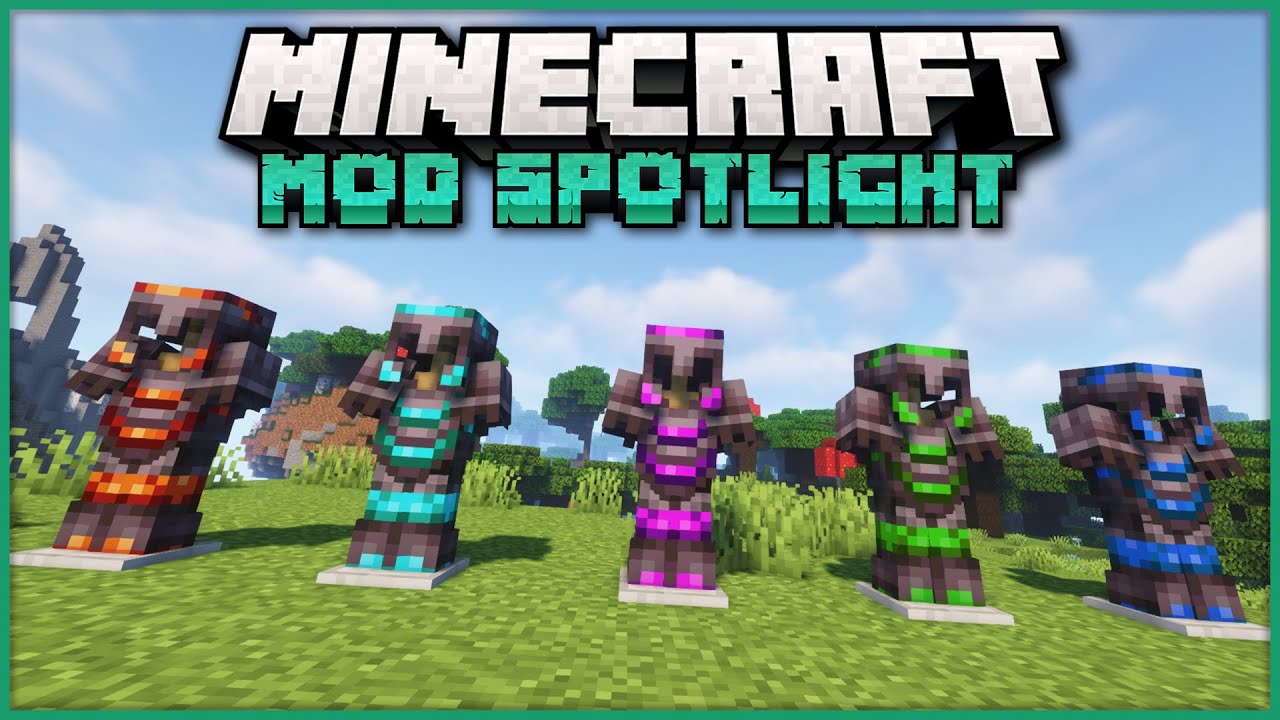
In this video, we're taking a look at the Upgraded Netherite Mod, which is available for Minecraft 1.16.5 on Forge! It adds 10 new sets of Netherite Upgrades, which are created from standard Netherite with some new ingots inside a Smithing Table. Each set provides different bonuses, depending on the pieces that you're wearing :) regular list on ...
sudden bay
pliant forum
i dont remember if this mod pack has the better netherite armor but diamond will...
Upgraded netherite is on Forge only
sudden bay
pliant forum
but i do remember there being gilded netherite armor
Its from Bygone nether
sudden bay
blissful stump
i think you need netherite to get the dragonloot armor
You do
pliant forum
sudden bay
Upgraded netherite is on Forge only
i see
 undone comet
The lastest version of Better MC fabric is v18.5 right?
Like the one that got no malware
sudden bay
undone comet
Like the one that got no malware
no modpack has malware anymore #announcements
sudden bay
undone comet
The lastest version of Better MC fabric is v18.5 right?
yes it is
undone comet
Ok thanks
 solar cedar
hi which version do you prefer, forge vs fabric?
sudden bay
solar cedar
hi which version do you prefer, forge vs fabric?
#faq for the differences
both are a different experience
solar cedar
i already read this. but still not sure which one to choose. my pc isnt the best, its jusy 6th gen i5 so i think fabric will be better. on the other hand forge seems to be more fun.
hard decisions
undone comet
When i’m trying to download Sodium for the modpack, it says “{StatusCode”:404,”message”:”Not Found”}
I’m using GDLauncher and v18.5 1.19.2
sudden bay
solar cedar
i already read this. but still not sure which one to choose. my pc isnt the best...
folow #faq performance guide and your performance will be fine
undone comet

 blissful stump
anybody know why the bushy leaves are turned off by default?
and if compatibility mode is important I am not disabling it but I want waving foliage
am using 1.19.2 with 250+ mods
just the default pack
undone comet
undone comet
Didn’t Fix it but know what is the problem, Sodium is deleted from Cursedforge and is now on modrinth, this will occur often to most of the players so I recommend that on the next update you would have to download Sodium from Modrinth
 twin prawn
when i add immersive portals mod
it crashes without any crash message
it just pops out launcher
and when i remove that mod
it just keeps doing that
blissful stump
I am adding it rn wish me luck
twin prawn
twin prawn
it just keeps doing that
i just realized i didn't remove that mod
blissful stump
its marked incompatible yea
undone comet
undone comet
Didn’t Fix it but know what is the problem, Sodium is deleted from Cursedforge a...
I can’t download Better Minecraft Fabric because of this error, i followed what a Sodium dev told me to do (add it individually) but its not working. Is there a posible solution? Since Sodium was deleted from cursedforge if you try to download Better MC Fabric you can’t really
 dusk junco
whats the best armor in the game
sudden bay
dusk junco
whats the best armor in the game
dragon or warden
prolly dragon better though
dusk junco
sudden bay
dragon or warden
whats the difference?
cuz i see dragon has better armor stats
dusk junco
alr
 echo kindle
warden armor has higher knockback resistance
 wicked mountain
blissful stump
are turtles even a thing in this game
wicked mountain
blissful stump
are turtles even a thing in this game
I couldn't find any turtles in the winter, but my seed was crawling with them in the summer
wicked mountain
 ionic wagon
anyone know how to fix this?
ionic wagon
anyone know how to fix this?
Check your modlists. The server pack needs to be installed using PowerShell to set it up correctly so you'll need to have your server admin contact host support if you don't have permission for that.
wicked mountain
sour relic
i opened all of them and installed them but it didn’t go so i just dragged them ...
Incidentally, I just installed BMC1 [Fabric] v18.5 without it requiring any manual input at all, and it didn't use my browser, are you sure you're using the right version?

 sudden bay
 elder vortex
What are the mods I can remove to improve my fps?
elder vortex
What are the mods I can remove to improve my fps?
js follow #faq performance guide
elder vortex
ty
 small solstice
how do you allow people to build in your claim? We've already tried a party and we don't know what to do
 night birch
small solstice
how do you allow people to build in your claim? We've already tried a party and ...
night birch
small solstice
how do you allow people to build in your claim? We've already tried a party and ...
/openpac-parties
Open parties and claims is the mod that controls that so you have to use that command
small solstice
okay
blissful stump
Why am I unable to zombify villagers
 spare otter
how do i get glass sword
blissful stump
No I’m on normal
echo kindle
thats why
blissful stump
Are you not able to zombify villagers in normal mode?
 brazen mango
you need hard difficulty for that
blissful stump
Well that’s awful silly
brazen mango
blissful stump
Well that’s awful silly
it's just vanilla stuff
blissful stump
Really?
brazen mango
yaa
just do hard difficulty and after purifying that zombie villager change difficulty again to normal if you only want to play normal further
 bitter aspen
whats the differnece between forge and fabric ?
jovial bane
can i use DiscordSRV on the bettter mc fabric
sudden bay
jovial bane
can i use DiscordSRV on the bettter mc fabric
you cannot use plugins on modded mc
dusk junco
anyone know how u vein mine?
sudden bay
dusk junco
anyone know how u vein mine?
hold the keybind for it while mining
dusk junco
oh ok thanks
meager yacht
undone comet
When i’m trying to download Sodium for the modpack, it says “{StatusCode”:404,”m...
!alternates
blissful stump
If this command was run in response to your question/issue, it is likely because switching away from the launcher you are currently using would fix your problem.
From our experience, the most stable launcher by far is ATLauncher, also known as ATL.
To install ATLauncher, do the following:
1. Go to https://atlauncher.com/download
2. Install and run the setup, then open the program.
3. Login to your Microsoft account that owns the Java Edition of Minecraft from the Accounts tab on the right. This process is 100% safe, as it goes directly through Microsoft. ATLauncher does not see your account credentials.
4. Go to the Packs tab on the right, then click "Curseforge" on the left.
5. Search the modpack you wish to download.
6. Click "New Instance". Click "Ok" on the opted out mods warning, then click "Open All" on the manual download screen.
7. Let the mods download, ATLauncher will grab them from your Downloads folder and automatically add them to the modpack.
8. Go to the Instances tab, and click "Play" on the modpack you downloaded. If you ever see an "Update" button on the instance, click it.
To transfer your Curseforge world to ATLauncher, simply right click the modpack on Curseforge, or click the 3 dots, then click "Open Folder". Copy the Saves folder, then click "Open Folder" on ATLauncher and paste the Saves folder there.
Because ATLauncher downloads the exact same files as Curseforge does, your world will be the exact same and you will be able to join the same servers. ATLauncher also works without an internet connection (after you've installed the modpack, of course), and does not have any bloat from Overwolf. You are free to uninstall both Overwolf and Curseforge with ATLauncher installed.
meager yacht
ionic wagon
you dont have the same modpack installed as the server. read #faq for modpack installation
meager yacht
blissful stump
anybody know why the bushy leaves are turned off by default?
they break things and look ugly
meager yacht
twin prawn
when i add immersive portals mod
don't add immersive portals
meager yacht
twin prawn
and when i remove that mod
reinstall
meager yacht
undone comet
I can’t download Better Minecraft Fabric because of this error, i followed what ...
!alternates
blissful stump
If this command was run in response to your question/issue, it is likely because switching away from the launcher you are currently using would fix your problem.
From our experience, the most stable launcher by far is ATLauncher, also known as ATL.
To install ATLauncher, do the following:
1. Go to https://atlauncher.com/download
2. Install and run the setup, then open the program.
3. Login to your Microsoft account that owns the Java Edition of Minecraft from the Accounts tab on the right. This process is 100% safe, as it goes directly through Microsoft. ATLauncher does not see your account credentials.
4. Go to the Packs tab on the right, then click "Curseforge" on the left.
5. Search the modpack you wish to download.
6. Click "New Instance". Click "Ok" on the opted out mods warning, then click "Open All" on the manual download screen.
7. Let the mods download, ATLauncher will grab them from your Downloads folder and automatically add them to the modpack.
8. Go to the Instances tab, and click "Play" on the modpack you downloaded. If you ever see an "Update" button on the instance, click it.
To transfer your Curseforge world to ATLauncher, simply right click the modpack on Curseforge, or click the 3 dots, then click "Open Folder". Copy the Saves folder, then click "Open Folder" on ATLauncher and paste the Saves folder there.
Because ATLauncher downloads the exact same files as Curseforge does, your world will be the exact same and you will be able to join the same servers. ATLauncher also works without an internet connection (after you've installed the modpack, of course), and does not have any bloat from Overwolf. You are free to uninstall both Overwolf and Curseforge with ATLauncher installed.
twin prawn
Is there good mods to add to this modpack?
meager yacht
blissful stump
Why am I unable to zombify villagers
your difficulty needs to be on hard, that's how it works in vanilla
autumn arch
blissful stump
are turtles even a thing in this game
Yes
 bleak vessel
hey im using wheat seeds to attempt to breed my chickens but they dont do anything? Is this because of the modpack?
 lethal ferry
bleak vessel
hey im using wheat seeds to attempt to breed my chickens but they dont do anythi...
lethal ferry
bleak vessel
hey im using wheat seeds to attempt to breed my chickens but they dont do anythi...
They should work
bleak vessel
balls
sterile shuttle
blissful stump
Hello! For us to properly help you with your issue, you will need to answer all ...
- Have you modified the modpack in any way? If so, what did you do? (Updating/adding/removing mods, changing configs)
No. - What launcher, or program, are you using to launch the game? (CurseForge, ATLauncher, etc)
CurseForge - What Minecraft version are you playing? (1.18.2, 1.16.5, 1.19.2)
1.19.2 - What version of the modpack are you playing? (v11, v9, etc)
v17.5 HF - What steps are necessary to reproduce the crash? (Launching the game, exploring the world, etc)
Teleport via Nether Portal - this is a SERVER crash. - Have you ever gotten past the point where the crash happens?
No - Send the crash report file into this channel. Right click the modpack, Open Folder, and navigate to the Crash Reports folder.
Done - Did you follow the Performance guide linked in faq?
yes
 terse blade
Hello, does any of these mods may cause any issues with better MC Fabric modpack?
Quickhomes
Quickteleports
YDM's Weapon Master
I can provide links if needed, but you can find the mod page easily by just searching its name.
 warped bay
is there a disenchantment table anymore
night birch
no, either not for a long time or it was never in
meager yacht
sterile shuttle
1. Have you modified the modpack in any way? If so, what did you do? (Updating/a...
v17.5 is old
we offer no support for old versions
update the modpack
blissful stump
wicked mountain
I couldn't find any turtles in the winter, but my seed was crawling with them in...
Oh
Shouldve been looking for them while it was summer then
Where can you find them? Still in beaches? I heard some ppl are having difficulties finding one
sterile shuttle
meager yacht
update the modpack
i wont lose server prog, right?
night birch
sterile shuttle
i wont lose server prog, right?
no
blissful stump
Is there any armor better than dragon scale armor?
night birch
not really, you can sort of argue warden armor for the blindness immunity, and the crystallite for the regen
night birch
!moreinfo
blissful stump
Hello! For us to properly help you with your issue, you will need to answer all 8 questions below. Post the answers in this channel:
1. Have you modified the modpack in any way? If so, what did you do? (Updating/adding/removing mods, changing configs)
2. What launcher, or program, are you using to launch the game? (CurseForge, ATLauncher, etc)
3. What Minecraft version are you playing? (1.18.2, 1.16.5, 1.19.2)
4. What version of the modpack are you playing? (v11, v9, etc)
5. What steps are necessary to reproduce the crash? (Launching the game, exploring the world, etc)
6. Have you ever gotten past the point where the crash happens?
7. Send the crash report file into this channel. Right click the modpack, Open Folder, and navigate to the Crash Reports folder. Drag the newest one here. If there is no crash reports folder, do the same thing with the latest.log file in the logs folder.
8. Did you follow the Performance guide linked in #faq?
W mans thanks a lot
wicked mountain
blissful stump
Oh
Shouldve been looking for them while it was summer then
Where can you find th...
Yup, beach biomes. There's a couple different colors. You can craft a calendar to tell you how long it is until the next season, too.
wicked mountain
warped bay
is there a disenchantment table anymore
Grindstone + book
blissful stump
What do the flavolite (portals???) structures that you can find in the end do
blissful stump
ah
sterile shuttle
night birch
no
updated my server-- getting this crash now. any idea? looks like the mod Terrablender
night birch
hmm, for some reason, not the whole file
sterile shuttle
this is a snippit from the terminal where it stopped working. i can get the whole thing, one sec
night birch
hmm, looks like you might have to mess with the byg config or something like that, something about overworld enabled, at least that's what it looks like to me, haven't really seen this yet
meager yacht
sterile shuttle
this is a snippit from the terminal where it stopped working. i can get the whol...
you didn't update the modpack correctly
do a fresh install of the serverpack and only transfer the world folder
sterile shuttle
meager yacht
you didn't update the modpack correctly
got it thanks. will do
terse blade
From players experience, how much server ram do I need for this modpack in a multiplayer world?
meager yacht
terse blade
From players experience, how much server ram do I need for this modpack in a mul...
how many players
meager yacht
10gb
terse blade
meager yacht
10gb
Man...
What are the side-effects if I used an 8GB Ram server?
meager yacht
lag
terse blade
meager yacht
lag
What if I removed some mods from the modpack?
meager yacht
don't do that
things will break and players won't be able to join
and it won't improve performance in any significant way
terse blade
How come, isnt it 10GB recommended mainly because of the amount of mods? (207 mods)
Because with the same player base I mentioned, we used to play on 6 GB and 5GB Ram servers, 60 mods and less, and there were zero problems.
 drifting isle
Um, it says in the spirit mod's spirit glass description that it needs chipped to work. And it's an important ingredient. Do I really need to install Chipped? Does it even exist on fabric?
 viscid violet
I've noticed like, an obscene amount of lag on both mine and my friend's computer when entering caves with the Galosphere lichen moss, especially when it glows from dropped blocks, mobs, or creeper explosions. Is there any fix to this?
I've got 8 gigs of ram dedicated, and it does it both when hosting a server or just flat out playing solo.
echo kindle
how many players play on that server
viscid violet
Just me and a friend.
viscid violet
Again, it's only really with Galosphere caves or loading chunks with them around. Otherwise it's totally fine, and yes.
not galosphere caves, it's literally just the moss I think lmao. I've never seen an issue like it and I've got no idea why it'd be doing it.
 ruby rain
how can i get again the yung's versions of the desert temple on the nether and the end, and the yung's version of the ocean monument too? this is better MC fabric 1.19.2

 meager yacht
terse blade
How come, isnt it 10GB recommended mainly because of the amount of mods? (207 mo...
meager yacht
terse blade
How come, isnt it 10GB recommended mainly because of the amount of mods? (207 mo...
allocate however much you want
have a blast
meager yacht
viscid violet
I've noticed like, an obscene amount of lag on both mine and my friend's compute...
#faq performance guide
autumn arch
ruby rain
how can i get again the yung's versions of the desert temple on the nether and t...
use repurposed structure compat datapacks for yungs mod
has one for desert temples and ocean monuments
along with multiple of yungs other mods
blissful stump
terse blade
From players experience, how much server ram do I need for this modpack in a mul...
i have a 7gb server for 5 players, ram stays below 6gb when all on and no lag
 wild geyser
how can i see all craft possible with an item on my inventories
undone comet
When I try to start the instance on ATLauncher it crashes. I'm using BMC2 v3. here is the crash report.
 peak furnace
Can you still get mending from a librarian level 1?
bleak vessel
hey my screen goes grey anytime im underwater anyone know which mod causes this?
radiant yarrow
Hey so, I switched over from curseforge to ATLauncher. I brought my saved file over but I can't open my save. It does let me start new worlds though
any idea
 spice spade
So, I've searced up and down the bumblezone for the hanging garden and Crystalline flower thing, and I've not seen anything at all.
Any tips on how to find?
 winged wing
Hii we have defeated the ur-ghost but didn’t get the achievement anyone had this ?
bleak vessel
Dont worry i figured it out
night birch
bleak vessel
hey my screen goes grey anytime im underwater anyone know which mod causes this?
Are you wearing a skull?
peak furnace
Did it just get even rarer, been re rolling for about 40 minutes and havent found it
night birch
You can wear a skull in head slot and everything turns grey
night birch
It's just a regular skeleton skull
undone comet
undone comet
When I try to start the instance on ATLauncher it crashes. I'm using BMC2 v3. he...
Hi! Can you guys help me with my problem? Idk what to do or what is happening
radiant yarrow
radiant yarrow
Hey so, I switched over from curseforge to ATLauncher. I brought my saved file o...
Anyone know?
night birch
undone comet
Hi! Can you guys help me with my problem? Idk what to do or what is happening
!moreinfo
blissful stump
Hello! For us to properly help you with your issue, you will need to answer all 8 questions below. Post the answers in this channel:
1. Have you modified the modpack in any way? If so, what did you do? (Updating/adding/removing mods, changing configs)
2. What launcher, or program, are you using to launch the game? (CurseForge, ATLauncher, etc)
3. What Minecraft version are you playing? (1.18.2, 1.16.5, 1.19.2)
4. What version of the modpack are you playing? (v11, v9, etc)
5. What steps are necessary to reproduce the crash? (Launching the game, exploring the world, etc)
6. Have you ever gotten past the point where the crash happens?
7. Send the crash report file into this channel. Right click the modpack, Open Folder, and navigate to the Crash Reports folder. Drag the newest one here. If there is no crash reports folder, do the same thing with the latest.log file in the logs folder.
8. Did you follow the Performance guide linked in #faq?
undone comet
- Nope
- AtLauncher
- 1.20
- v3
- I just launched the game, then saw that I needed to alocate more ram. I alocated more ram and then i launched it and tried to create a world. Now, it doesn't even launch
- Nope
- Done
- Yes
night birch
Log.gz, wrong log, please read #7
undone comet
This?
undone comet
Just asking, did you found the problem?
night birch
I'm on mobile so haven't had a chance to look at it, try following the performance guide in #faq though
undone comet
Ok
peak furnace
My word it took me about an hour and a half of straight re rolling a villager but i finally got mending
night birch
Make sure to trade to lock it in
peak furnace
Locked it in straight away lmao
 near gull
i dont know if this is the proper place to ask this but regarding the bettermc fabric modpack, was it affected by the malware earlier this month and if so is it safe to use now, I couldnt find anything on the internet or i would ask thanks.
night birch
near gull
i dont know if this is the proper place to ask this but regarding the bettermc f...
#announcements safe for a long time now
near gull
ah ok thanks
radiant yarrow
So I tried to transfer my hardcore world from curseforge to ATLauncher, now I can't open the world on ATL
 versed walrus
Is it possible to fully adjust the mod? so for example take out oh the biomes youll go and add biomes of plenty? or adjust the biomes youll go to more realistic ones
wicked mountain
radiant yarrow
So I tried to transfer my hardcore world from curseforge to ATLauncher, now I ca...
!moreinfo
blissful stump
Hello! For us to properly help you with your issue, you will need to answer all 8 questions below. Post the answers in this channel:
1. Have you modified the modpack in any way? If so, what did you do? (Updating/adding/removing mods, changing configs)
2. What launcher, or program, are you using to launch the game? (CurseForge, ATLauncher, etc)
3. What Minecraft version are you playing? (1.18.2, 1.16.5, 1.19.2)
4. What version of the modpack are you playing? (v11, v9, etc)
5. What steps are necessary to reproduce the crash? (Launching the game, exploring the world, etc)
6. Have you ever gotten past the point where the crash happens?
7. Send the crash report file into this channel. Right click the modpack, Open Folder, and navigate to the Crash Reports folder. Drag the newest one here. If there is no crash reports folder, do the same thing with the latest.log file in the logs folder.
8. Did you follow the Performance guide linked in #faq?
 mighty oak
does anybody know when the server for bettermc will be active?
wicked mountain
which server
mighty oak
wicked mountain
mighty oak
bmc1.moddedmc.net
go to moddedmc.net and join their discord server to ask
radiant yarrow
blissful stump
Hello! For us to properly help you with your issue, you will need to answer all ...
- Nope , 2. ATLauncher, however, I am transfering my save from curseforge, 3. 1.19.2 , 4. v18.5 , 5. Clicking on the world to start it, 6. Not on ATLaucher which I just switched over to. 7. 8. I have
wicked mountain
undone comet
Just asking, did you found the problem?
if you look at the log yourself, you'll see the same message repeated quite possibly over a thousand times. Just before that, you'll see the words "Attribute iris_ Position is bound to generic attribute 0, but gl_Vertex is also Used." if you Google this phrase, you'll find a result on github from a shaderpack dev, and an issue filed on Iris about some shaders not being compatible with Iris (https://github.com/IrisShaders/Iris/issues/441) . i am 100% Not Sure that this is the issue, but maybe try removing all the shaderpacks from your instance and running it again?
GitHub
Relevant error, happens with composite.fsh / composite.vsh in all versions of Sildur's Vibrant Shaders: Attribute Position is bound to generic attribute 0, but gl_Vertex is also used I don'...
wicked mountain
peak furnace
My word it took me about an hour and a half of straight re rolling a villager bu...
... it's a bit too late to really help you, but have you heard the good news of the Crystalline Flower (from the Bumblezone mod)
wicked mountain
radiant yarrow
1. Nope , 2. ATLauncher, however, I am transfering my save from curseforge, 3. ...
Log says that it failed to load datapacks, what is the status of the datapacks on your save? IE did you copy them over or leave them behind? Also, although it's anecdotal whether this matters or not, but did you create a new world and load it before attempting to load the previous world save?
undone comet
wicked mountain
if you look at the log yourself, you'll see the same message repeated quite poss...
Ohhhhh
That makes sense
I putted Complementary Shaders and that tine it crashed. BEFORE, it worked
I’m just too dumb
Thanks!
And sorry for my bad english
radiant yarrow
Excuse me because I am a wee dumb but wdym what's the status of the datapacks? All I did was copy the save data from curseforge to ATLauncher. Thats what the guide I used the other night said I needed to do.
I did not load a new world before
However I can load new worlds
wicked mountain
So in your world save folder, there's a folder called "datapacks", does it have anything in it? (mine is empty)
radiant yarrow
mine is empty
wicked mountain
the copper is waxed, right?
wicked mountain
hehe
wicked mountain
radiant yarrow
mine is empty
I can't provide any help on this issue, but actual coders will be on later and might be able to help. But you may want to upload the "latest.log" file instead of the gzip file because you don't have to decompress a .log file (it's just text), so it's more convenient for them. And I believe the latest.log is sequentially after any of the gzipped logs, but i could be wrong
radiant yarrow
Thank you for your help regardless. I appricate it.
wicked mountain
radiant yarrow
Thank you for your help regardless. I appricate it.
Out of curiousity, now that you have loaded a new world, do you still get a crash when attempting to open the old one?
radiant yarrow
Unfortonately yes
Worst comes to worse I just have to restart the hardcore world
I only have about a week invested into it
wicked mountain
Darn, i was hoping that would work. It's always frustrating to lose work, no matter how much time you put into it.
Hopefully one of the staff here has seen the issue before and just knows how to fix it.
radiant yarrow
Yeah, I had to switch to ATL because the laucher wouldn't even open on curseforge
wicked mountain
Ooh, I wonder if the save got corrupted at that point...
Do you have any backups from before curse client stopped working?
 pliant knoll
Does the ice ever melt after the winter season? Its already summer on my server and the ice is still there
 late mica
peak furnace
My word it took me about an hour and a half of straight re rolling a villager bu...
late mica
peak furnace
My word it took me about an hour and a half of straight re rolling a villager bu...
Bruh I had a mending villager, locked his trades but he died
All this rerolling
blissful stump
Please click this link and follow the guide. If you are using a server host such as Bisect, you may be limited in your options and instead have a checkbox to use Aikar's Flags, which will also work:
https://github.com/brucethemoose/Minecraft-Performance-Flags-Benchmarks
If you can not launch your server/game after using these flags, then remove the word java from the start. Also, make sure you are using Java 18 on 1.18.2 / 1.19.2 and Java 11 on 1.16.5. These should be downloaded from Adoptium's website.
If lag persists, do the following command ingame:
/spark profiler start --only-ticks-over 50
Then, send the link in this channel.
 fast hornet
Does anyone know if I’m able to update my 1.19.2 Better MC world to the 1.20 better mc mod and keep all of my loot or do I need to restart
 stiff pelican
fast hornet
Does anyone know if I’m able to update my 1.19.2 Better MC world to the 1.20 bet...
stiff pelican
fast hornet
Does anyone know if I’m able to update my 1.19.2 Better MC world to the 1.20 bet...
Copy your 1.19.2 World folder over to the 1.20 instance.
Maybe you'll be missing some stuff because of mods that are not yet in the Pack
fast hornet
stiff pelican
Copy your 1.19.2 World folder over to the 1.20 instance.
Maybe you'll be missin...
Can you please tell me how to do that
stiff pelican
fast hornet
Can you please tell me how to do that
Well, I did.
1.19.2 folder, copy World folder.
1.20 folder, put it in instead of the existing one if you already created a world
pliant knoll
I think they need help navigating the files.
fast hornet
Okay thanks sorry I’m kinda retarded
pliant knoll
fast hornet
Okay thanks sorry I’m kinda retarded
I wouldn't say that. People just have there own way of learning
wicked mountain
late mica
Bruh I had a mending villager, locked his trades but he died
have you heard the good news of the Bumblezone Crystalline Flower?
late mica
wicked mountain
have _you_ heard the good news of the Bumblezone Crystalline Flower?
What do you mean
wicked mountain
pliant knoll
Does the ice ever melt after the winter season? Its already summer on my server ...
They recently changed it so ice and stuff disappears in unloaded chunks if you're not in the chunk when the season changes, I think, but if you were in the chunk you just have to keep it loaded for a long time (length depends on the biome)
pliant knoll
wicked mountain
They recently changed it so ice and stuff disappears in unloaded chunks if you'r...
I live in an Old Growth Spruce Taiga Forest
wicked mountain
late mica
What do you mean
if you go into the Bumblezone and find a crystalline flower, you can feed it XP or stackable items to get villager enchantments (and honey crystals)
fast hornet
So you think I should wait till the developers say it’s good to update to 1.20?
Do you think I should restart or wait
Like restart on 1.20
pliant knoll
wicked mountain
They recently changed it so ice and stuff disappears in unloaded chunks if you'r...
Im concerned about the ice because I use the river to travel by boat
 tidal kelp
is there any other bosses than the elder gaurdian, wither boss, ender dragon, warden, and twilight forest bosses?
fast hornet
If I restart on the 1.20 will it automatically update as the developers update it
Oh I always thought like if they added stuff to the modpack it would update
Damn I’ve had the the 1.19.2 for monthes and I’ve never updated it
I hate that I keep annoying people by asking questions but how do you update it while keeping you progress
Your
Oh okay so how do you update the modpack manually while keeping all the stuff in your world
fast hornet
Okay so after I do that and load it up do I do what unbreakable said and drop my world file into the new version?
 timid finch
anyone know which config to change in zenith to show all enchants while enchanting?
night birch
timid finch
anyone know which config to change in zenith to show all enchants while enchanti...
you're really good at not clicking on the correct channel

 sharp tapir
Hey, is there a reason crafting an iron golem only sometimes works?
lethal ferry
sharp tapir
Hey, is there a reason crafting an iron golem only sometimes works?
Crafting iron golem?
sharp tapir
Like when I put up the iron blocks and throw the carved pumpkin on top it only sometimes spawns one
sharp tapir
lethal ferry
Crafting iron golem?
Was wondering if it had something to do with the modpack or if just the way to make golems has changed lol
lethal ferry
sharp tapir
Was wondering if it had something to do with the modpack or if just the way to m...
The modpack shouldn't affect how iron golems spawn
 lime ibex
I don’t know how to back up my instance…can someone link me or inform me so I don’t fuck up my world 🥲
sudden bay
lime ibex
I don’t know how to back up my instance…can someone link me or inform me so I do...
copy the file
 uneven night
should i get all fire react or should i get 2 fire react and 2 chill aura?
 low condor
where can i find ruby in the nether?
lethal ferry
low condor
where can i find ruby in the nether?
Check rei for ore distribution
low condor
does sunlight affect crops?
night birch
low condor
does sunlight affect crops?
afaik, no, but seasons do
 oak temple
low condor
where can i find ruby in the nether?
oak temple
low condor
where can i find ruby in the nether?
i found ruby high up like 70 where most of the walkable land is
y 70
blissful stump
tiny dew
i cannot see the sword
It was basically a completely maxed out Ruby Sword
I'm saving up a sharpness 7 and unbreaking 7 sword
So I can apply to my Giant's sword
wicked mountain
sharp tapir
Like when I put up the iron blocks and throw the carved pumpkin on top it only s...
You don't have anything under the "arms", do you? Like the wither, it has to be "air blocks" in the spaces that aren't part of the golem recipe
meager yacht
wild geyser
how can i see all craft possible with an item on my inventories
the vanilla recipe book
meager yacht
undone comet
When I try to start the instance on ATLauncher it crashes. I'm using BMC2 v3. he...
!moreinfo
blissful stump
Hello! For us to properly help you with your issue, you will need to answer all 8 questions below. Post the answers in this channel:
1. Have you modified the modpack in any way? If so, what did you do? (Updating/adding/removing mods, changing configs)
2. What launcher, or program, are you using to launch the game? (CurseForge, ATLauncher, etc)
3. What Minecraft version are you playing? (1.18.2, 1.16.5, 1.19.2)
4. What version of the modpack are you playing? (v11, v9, etc)
5. What steps are necessary to reproduce the crash? (Launching the game, exploring the world, etc)
6. Have you ever gotten past the point where the crash happens?
7. Send the crash report file into this channel. Right click the modpack, Open Folder, and navigate to the Crash Reports folder. Drag the newest one here. If there is no crash reports folder, do the same thing with the latest.log file in the logs folder.
8. Did you follow the Performance guide linked in #faq?
meager yacht
bleak vessel
hey my screen goes grey anytime im underwater anyone know which mod causes this?
do you have shaders or any mob head equipped
meager yacht
radiant yarrow
Hey so, I switched over from curseforge to ATLauncher. I brought my saved file o...
make sure you copied it over correctly
meager yacht
versed walrus
Is it possible to fully adjust the mod? so for example take out oh the biomes yo...
yes
meager yacht
radiant yarrow
1. Nope , 2. ATLauncher, however, I am transfering my save from curseforge, 3. ...
you didn't answer #7 correctly
meager yacht
wicked mountain
So in your world save folder, there's a folder called "datapacks", does it have ...
are you sure you installed the right modpack
meager yacht
tidal kelp
how do i make an eden portal?
read the quests in the questbook
meager yacht
pliant knoll
Does the ice ever melt after the winter season? Its already summer on my server ...
report to fabric seasons developer

 meager yacht
remove brackets from serverpack folder name
 orchid thicket
ty
radiant yarrow
meager yacht
you didn't answer #7 correctly
Wdym, I copied the latest log.file it gave me
versed walrus
I love the modpack. Only thing i would like to change is the texture pack for the ores since i love it when they glow with complementary shaders. Does anyone know how i can make that work? im not sure why its like this cause im using complementary shaders but they look different than what im used too. The ores dont glow and the sky looks different 🙂
 unique mauve
I'm not sure if anyone can help with this, but some friends and I are playing the Better Minecraft mod pack and respawned the dragon, but now we can't find the dragon egg to continue with the End quests. Any advice?
wicked mountain
radiant yarrow
Wdym, I copied the latest log.file it gave me
I told you this also. They don't want the "latest log" they literally want the unzipped, "latest.log" because 1. It's more convenient because it isn't zipped 2. It's sequentially more recent than any of the gzip files
versed walrus
versed walrus
I love the modpack. Only thing i would like to change is the texture pack for th...
to clarify. How do i turn off the added sky textures? and how do i get the ores to glow like usual with complementary shaders? 🙂 Thankyousomuch
unique mauve
unique mauve
I'm not sure if anyone can help with this, but some friends and I are playing th...
To add to this, I checked spawn, but I didn’t see it there. I will double check, but if it isn’t at spawn, should I just keep looking around the overworld, or try to find it in the end somewhere?
 solemn sand
hi guys so i played bmc last year and i got like 60 fps on 4 chunk and today i wanted to play again so i turned off every particle, set my chunk to 2 and
... so basically my lowest settings and i still get 5 fps and i have 4 gigs of ram.
sudden bay
solemn sand
hi guys so i played bmc last year and i got like 60 fps on 4 chunk and today i w...
follow #faq performance guide
sudden bay
radiant yarrow
Wdym, I copied the latest log.file it gave me
wrong file
solemn sand
sudden bay
follow <#815503531611783179> performance guide
didnt help
sudden bay
solemn sand
didnt help
Did you follow it?
solemn sand
sudden bay
Did you follow it?
i did that before
 pearl sedge
Hello can I get some help with chunk generation? basically I'm running the modpack in 1.19.2 with a bunch of other mod we addeed with friend and often chunks are super super slow to generate, and I tried removing all the mods we added oursleves by creating a fresh install of better mc and trying in single player and I'm still facing the same issues we all are on the server
https://spark.lucko.me/S7YzqhHniK

spark is a performance profiler for Minecraft clients, servers, and proxies.
idk if that can help but the server is running on oracle linux 8 with aikar flags and Eclipse Temurin
late mica
Are any bosses even a slight challenge in this modpack?
I'm a casual
But void blossom was boringly easy
 floral minnow
hey chorb it says u need the chipped to make the soul crystal and etc
sudden bay
late mica
Are any bosses even a slight challenge in this modpack?
This modpack has no scaling. If you walk into Twilight with full enchanted diamond it will be easy ofc, if you want hard you should give mmc a shot
late mica
Nah, already playing bettermc with my friend
We are casuals of course, but was wondering if there is a challenge later in the gme
game
unique mauve
I'm not sure if anyone can help with this, but some friends and I are playing the BMC mod pack and respawned the dragon, but now we can't find the dragon egg to continue with the End quests. I'm going to double check spawn, but I didn't see it there at first. Any advice on where/how to find it?
sudden bay
unique mauve
I'm not sure if anyone can help with this, but some friends and I are playing th...
iirc respawning does not respawn the egg
lethal ferry
late mica
We are casuals of course, but was wondering if there is a challenge later in the...
fight obsidilth with no armor
 inner pagoda
hey is it safe to download better mc now i heard it was compromised a little while ago
@warped stump
night birch
inner pagoda
hey is it safe to download better mc now i heard it was compromised a little whi...
Don't ping staff
And yes, been safe for a long time now #announcements
versed walrus
Does anyone know how i can get the ore textures from complementary shaders to glow again? i cant find it
 wary elk
is forge or fabric better?
meager yacht
radiant yarrow
Wdym, I copied the latest log.file it gave me
no
the file named latest
meager yacht
wary elk
is forge or fabric better?
meager yacht
versed walrus
to clarify. How do i turn off the added sky textures? and how do i get the ores ...
remove the nicer skies for the first thing
for the 2nd add a glowing ores resourcepack
meager yacht
solemn sand
hi guys so i played bmc last year and i got like 60 fps on 4 chunk and today i w...
#faq performance guide
meager yacht
solemn sand
i did that before
send a screenshot with f3 open ingame
meager yacht
pearl sedge
Hello can I get some help with chunk generation? basically I'm running the modpa...
what mods did you add
solemn sand
meager yacht
send a screenshot with f3 open ingame
i cant rn will send it later
wary elk
meager yacht
<#815503531611783179>
in your opinion
versed walrus
meager yacht
for the 2nd add a glowing ores resourcepack
thankyou 😄 . I will add a glowing ores pack. Its just weird cause complimentary shaders usually has it built in but something seems to override it 🙂
pearl sedge
meager yacht
what mods did you add
As I said, I don't think mods are the issues since I experience the exact same problems in a fresh install of betterMC. But here are the added mods:
 unique mauve
sudden bay
iirc respawning does not respawn the egg
unique mauve
sudden bay
iirc respawning does not respawn the egg
I'm not sure what "iirc" means, but basically you're saying the egg is gone forever now? 😦
sudden bay
unique mauve
I'm not sure what "iirc" means, but basically you're saying the egg is gone fore...
if I recall correctly
pearl sedge
Even so, I experience the same things when removing all of them
On a fresh install of the modpack
sudden bay
unique mauve
I'm not sure what "iirc" means, but basically you're saying the egg is gone fore...
The egg only spawns the first time.
unique mauve
sudden bay
if I recall correctly
that's is unfortunate, but thank you for your help
sudden bay
what crash
pearl sedge
what crash
Very slow chunk generation, even without adding any mod
in server
and in singleplayer
both
I can literally walk over unloaded chunks oftentime
versed walrus
meager yacht
for the 2nd add a glowing ores resourcepack
didnt work. i think something is overriding it. no clue what
 chilly jewel
I cant break bedrock
sudden bay
chilly jewel
I cant break bedrock
it takes time dw
sudden bay
versed walrus
didnt work. i think something is overriding it. no clue what
is it the first resourcepack in the list
chilly jewel
funny thing is I did it
sudden bay
w
 median pumice
anyone know how i can get my stuff back if i fell in the void in the overworld
i was in the aether and when i jumped off it just teleported me into the overworld void and just killed me
versed walrus
who knows which mod is changing the texture for ore blocks?
versed walrus
 chilly jewel
im out bro
im out of tnt
I have to go get more gunpowder
also why dont items burn?
meager yacht
pearl sedge
As I said, I don't think mods are the issues since I experience the exact same p...
!tps
blissful stump
Please click this link and follow the guide. If you are using a server host such as Bisect, you may be limited in your options and instead have a checkbox to use Aikar's Flags, which will also work:
https://github.com/brucethemoose/Minecraft-Performance-Flags-Benchmarks
If you can not launch your server/game after using these flags, then remove the word java from the start. Also, make sure you are using Java 18 on 1.18.2 / 1.19.2 and Java 11 on 1.16.5. These should be downloaded from Adoptium's website.
If lag persists, do the following command ingame:
/spark profiler start --only-ticks-over 50
Then, send the link in this channel.
meager yacht
median pumice
anyone know how i can get my stuff back if i fell in the void in the overworld
i...
find your grave
meager yacht
what modpack version
 pure geyser
versed walrus
pure geyser
versed walrus
is suppose to do that so you know where it is as some struggle to see em
pearl sedge
meager yacht
!tps
which set of garbage collection do you recommend on a 8gb 3 core server?
meager yacht
read the github repo
versed walrus
pure geyser
is suppose to do that so you know where it is as some struggle to see em
i understand but I always loved all the glowing stuff so trying to get it back 🙂 now it glows on the original ores but not on these fabricated variations. would love to take it out
 deft sierra
Can I break my soul cage and pick it back up after placing it?
lethal ferry
deft sierra
Can I break my soul cage and pick it back up after placing it?
I'm pretty sure you can, but u can just test in a creative world
deft sierra
Thanks, ill try that
 rigid orbit
hi does anyone know which config file to edit to allow cheats? we messed up and want to at least get our stuff...
meager yacht
rigid orbit
hi does anyone know which config file to edit to allow cheats? we messed up and ...
are you on a server
how is it being hosted
rigid orbit
Im the host through the better mc server kit
rigid orbit
it doesnt recognize the command "op"
 granite pilot
hey wich pickaxe do u guys think is the best from the modpack? wanna invest
meager yacht
rigid orbit
it doesnt recognize the command "op"
you need to do it in console
meager yacht
granite pilot
hey wich pickaxe do u guys think is the best from the modpack? wanna invest
check rei
rigid orbit
meager yacht
you need to do it in console
isnt it just in the chat box?
 hot surge
Hello! I seem to have issues trying to download fabric
every time i try to download the latest version, i have to download the opted out mods list, so i try to download them but once it gets to sodium it gives me an error
granite pilot
meager yacht
check rei
how?
hot surge
hot surge
every time i try to download the latest version, i have to download the opted ou...
i use gdlauncher
median pumice
meager yacht
find your grave
i cant get to it without dying to the void
 twilit maple
Sorry if this sounds stupid, How do I update my world from 1.19.2 to 1.20? I use GD Launcher and I have downloaded the newest version. I also have my world backed up.
night birch
twilit maple
Sorry if this sounds stupid, How do I update my world from 1.19.2 to 1.20? I use...
Not a good idea as there aren't enough mods in 1.20 yet afaik, the world would likely not be compatible or you would lose a lot of stuff
twilit maple
night birch
Not a good idea as there aren't enough mods in 1.20 yet afaik, the world would l...
Thank you for the warning!
 sullen jay
night birch
Not a good idea as there aren't enough mods in 1.20 yet afaik, the world would l...
sullen jay
night birch
Not a good idea as there aren't enough mods in 1.20 yet afaik, the world would l...
can you answer my question too?
sudden bay
sullen jay
can you answer my question too?
If someone knew how to awnser your question they will awnser it dw 
Dont @ anyone
twilit maple
sullen jay
I can't find ruby do you know where I can find some?
In the nether
sullen jay
aigri vdm
sullen jay
twilit maple
In the nether
ty
twilit maple
sullen jay
ty
ofc
night birch
Should be able to check REI and if you have generated any, then REI should show, assuming the proper mod is in this
night birch
sullen jay
aigri vdm
also, be nice
 ebon basin
hey its safe now to download from curseforge any of the bettermcs now correct sorry to ask?
night birch
ebon basin
hey its safe now to download from curseforge any of the bettermcs now correct so...
it's been safe for a long time now #announcements
ebon basin
night birch
it's been safe for a long time now <#790275974503202857>
k thank you
median pumice
median pumice
i cant get to it without dying to the void
even in creative i cant reach my grave from the void

anyone got any tips
lethal ferry
median pumice
even in creative i cant reach my grave from the void
There is a command, /yigd restore username, iirc
median pumice
lethal ferry
There is a command, /yigd restore username, iirc
what do i press now

its showing what my inv looked like before i died
 carmine token
why cant I play a LAN world w my brother?
 earnest obsidian
why cant i spawn the wither
using soul stone the bygone versian and still isnt working
and do i fight it in the overworld

 lucid mist
Hi all, the BMC is immense and I am kind of overwhelmed right now... Can I request to be directed to a repository of new features ideally broken down into overworld, nether, end, everything else?
meager yacht
granite pilot
how?
read the tutorial quests in the questbook please
meager yacht
hot surge
every time i try to download the latest version, i have to download the opted ou...
!alternates
blissful stump
If this command was run in response to your question/issue, it is likely because switching away from the launcher you are currently using would fix your problem.
From our experience, the most stable launcher by far is ATLauncher, also known as ATL.
To install ATLauncher, do the following:
1. Go to https://atlauncher.com/download
2. Install and run the setup, then open the program.
3. Login to your Microsoft account that owns the Java Edition of Minecraft from the Accounts tab on the right. This process is 100% safe, as it goes directly through Microsoft. ATLauncher does not see your account credentials.
4. Go to the Packs tab on the right, then click "Curseforge" on the left.
5. Search the modpack you wish to download.
6. Click "New Instance". Click "Ok" on the opted out mods warning, then click "Open All" on the manual download screen.
7. Let the mods download, ATLauncher will grab them from your Downloads folder and automatically add them to the modpack.
8. Go to the Instances tab, and click "Play" on the modpack you downloaded. If you ever see an "Update" button on the instance, click it.
To transfer your Curseforge world to ATLauncher, simply right click the modpack on Curseforge, or click the 3 dots, then click "Open Folder". Copy the Saves folder, then click "Open Folder" on ATLauncher and paste the Saves folder there.
Because ATLauncher downloads the exact same files as Curseforge does, your world will be the exact same and you will be able to join the same servers. ATLauncher also works without an internet connection (after you've installed the modpack, of course), and does not have any bloat from Overwolf. You are free to uninstall both Overwolf and Curseforge with ATLauncher installed.
meager yacht
median pumice
i cant get to it without dying to the void
/yigd restore
meager yacht
carmine token
why cant I play a LAN world w my brother?
!lan
blissful stump
LAN is untested and unreliable, we suggest you set up a Local Hosted Server with the Server Pack of that Modpack and Version.
meager yacht
!server
blissful stump
We suggest renting a server from Bisect Hosting:
Approx. $10 - $25 a month depending on what plan you choose. You can also get 25% off with Code LunaPixel.
Go to https://www.bisecthosting.com/LunaPixel and order a plan which fits you. We suggest 1GB per player but nothing lower than 4GB as the server needs at least 3GB to run.
Go to #server-hosting for more Info!
Free Method: (This is hosting on your own PC and it can come with issues that's why we suggest Bisect Hosting)
- Download the serverpack from Curseforge's website
- Right click the start.ps1 file and click Run with Powershell
To join your own server, typelocalhostinto Direct Connect.
This video explains the process https://www.youtube.com/watch?v=wuGUbVbLsDc
The server IP address is your Public IP Address, which can be found by googling my ip address
If other players are unable to join, find a portforwarding guide online.
those ghosts from the ghost town are friendly? i thought theyre hostile mobs
earnest obsidian
earnest obsidian
.
meager yacht
lucid mist
Hi all, the BMC is immense and I am kind of overwhelmed right now... Can I reque...
read the quests in the questbook
earnest obsidian
meager yacht
that's how it works in vanilla
didnt work
meager yacht
the wither structure is the exact same as vanilla
echo kindle
use soul sand it worked for me
meager yacht
the soul sand is just replaced with soul stone in some modpacks
that is the only difference
earnest obsidian
goit it
median pumice
meager yacht
/yigd restore
is it possible to do it in survival if i dont have cheats enabled
 wild niche
Hello my game keeps crashing after like 5 min of playing. Any help?
meager yacht
wild niche
Hello my game keeps crashing after like 5 min of playing. Any help?
!moreinfo
blissful stump
Hello! For us to properly help you with your issue, you will need to answer all 8 questions below. Post the answers in this channel:
1. Have you modified the modpack in any way? If so, what did you do? (Updating/adding/removing mods, changing configs)
2. What launcher, or program, are you using to launch the game? (CurseForge, ATLauncher, etc)
3. What Minecraft version are you playing? (1.18.2, 1.16.5, 1.19.2)
4. What version of the modpack are you playing? (v11, v9, etc)
5. What steps are necessary to reproduce the crash? (Launching the game, exploring the world, etc)
6. Have you ever gotten past the point where the crash happens?
7. Send the crash report file into this channel. Right click the modpack, Open Folder, and navigate to the Crash Reports folder. Drag the newest one here. If there is no crash reports folder, do the same thing with the latest.log file in the logs folder.
8. Did you follow the Performance guide linked in #faq?
wicked mountain
versed walrus
i understand but I always loved all the glowing stuff so trying to get it back �...
check shader settings, pretty sure that's a shaders thing
"emissive ores"
wicked mountain
wild niche
how to pickup mobs?
shift click with both hands empty. Doesn't work by default on villagers or hostiles
wild niche
and does fabric have a sakura biome?
wicked mountain
yes, multiple
wild niche
oh okay thanks
How to find crash reports
Can’t find the foldee
- Have you modified the modpack in any way? If so, what did you do? i put more ram allocation i have 8gb ram, so i put 5504.
- What launcher, or program, are you using to launch the game? (CurseForge, ATLauncher, etc) im using cursegforge.
- What Minecraft version are you playing? (1.18.2, 1.16.5, 1.19.2) 1.19.2
- What version of the modpack are you playing? (v11, v9, etc) v18.5
- What steps are necessary to reproduce the crash? (Launching the game, exploring the world, etc) i play the game for like 5 min then it freezes and i have to restart my minecraft to play again.
- Have you ever gotten past the point where the crash happens? im not sure, it justs freezes whenever probably after 5 min.
- Send the crash report file into this channel. Right click the modpack, Open Folder, and navigate to the Crash Reports folder. Drag the newest one here. If there is no crash reports folder, do the same thing with the latest.log file in the logs folder.
- Did you follow the Performance guide linked in faq? yes i did, nothing worked. i installed java 18 and added more ram allocation.
meager yacht
wild niche
1. Have you modified the modpack in any way? If so, what did you do? i put more ...
update your drivers
and please follow the performance guide slowly
you need to use atlauncher or Java 18 won't work
meager yacht
ok
wild niche
so should i use atlauncher?
meager yacht
follow the performance guide
versed walrus
wicked mountain
"emissive ores"
heyy. Yes the shader is doing what it is supposed to but some mod added more visuals for ores (different looking coal blocks for example) and the extra visuals dont shine. Cant figure out which mod adds those tho
versed walrus
versed walrus
one glows the other doesnt
wild niche
I downloaded atlaucnher and still froze
 undone rover
hello why I don't find BMC1 on MultiMC?
meager yacht
undone rover
hello why I don't find BMC1 on MultiMC?
!alternates
blissful stump
If this command was run in response to your question/issue, it is likely because switching away from the launcher you are currently using would fix your problem.
From our experience, the most stable launcher by far is ATLauncher, also known as ATL.
To install ATLauncher, do the following:
1. Go to https://atlauncher.com/download
2. Install and run the setup, then open the program.
3. Login to your Microsoft account that owns the Java Edition of Minecraft from the Accounts tab on the right. This process is 100% safe, as it goes directly through Microsoft. ATLauncher does not see your account credentials.
4. Go to the Packs tab on the right, then click "Curseforge" on the left.
5. Search the modpack you wish to download.
6. Click "New Instance". Click "Ok" on the opted out mods warning, then click "Open All" on the manual download screen.
7. Let the mods download, ATLauncher will grab them from your Downloads folder and automatically add them to the modpack.
8. Go to the Instances tab, and click "Play" on the modpack you downloaded. If you ever see an "Update" button on the instance, click it.
To transfer your Curseforge world to ATLauncher, simply right click the modpack on Curseforge, or click the 3 dots, then click "Open Folder". Copy the Saves folder, then click "Open Folder" on ATLauncher and paste the Saves folder there.
Because ATLauncher downloads the exact same files as Curseforge does, your world will be the exact same and you will be able to join the same servers. ATLauncher also works without an internet connection (after you've installed the modpack, of course), and does not have any bloat from Overwolf. You are free to uninstall both Overwolf and Curseforge with ATLauncher installed.
meager yacht
wild niche
I downloaded atlaucnher and still froze
follow the performance guide
radiant yarrow
In the 1.19.2 v18.5 do zombie villagers spawn?
night birch
They should
night birch
Normal tbf
radiant yarrow
I don't wanna drag a normal villager two thousand blocks
radiant yarrow
Yeah but I want it at my base
Plus the levels begin to add up
It's a hard-core world and I like to see how high I can get my levels
radiant yarrow
Do the zombie villagers have a different Icon than normal zombies on the mini map?
floral minnow
the server needs a restart bc its very laggy
meager yacht
floral minnow
the server needs a restart bc its very laggy
there is no server
this is the wrong discord
median pumice
meager yacht
allow cheats
thank you so much bro it worked
echo kindle
radiant yarrow
I don't wanna drag a normal villager two thousand blocks
nether
 tawny mist
Has anyone completed the Mine Cells dimension stuff? Bc I've made my way through the prison, reached a new dimension again and collected this weird thing called "Vine rune" and idk what to do with it. I also don't know how to progress towards the boss battle? I'm just roaming around and not finding anything. Google has no info either
echo kindle
or if ur near an ocean u can find villagers in the ocean easily
echo kindle
tawny mist
Has anyone completed the Mine Cells dimension stuff? Bc I've made my way through...
i don’t think that’s in bmc fabric
maybe it is idk
tawny mist
echo kindle
i don’t think that’s in bmc fabric
OOP, sorry! Meant to click medieval fabric 🤦♀️
thanks lmao
echo kindle
xd
 flint reef
Which better mc pack is better optimized? (I will have more fps) Fabric 1.19 or Forge 1.16
lethal ferry
flint reef
Which better mc pack is better optimized? (I will have more fps) Fabric 1.19 or ...
All LPS modpacks are fully optimized. However, fabric in general runs better theoretically
wicked mountain
radiant yarrow
I don't wanna drag a normal villager two thousand blocks
i believe you can carry baby villagers by default
so breed them and steal the babies. I don't know what happens to the growth timer, but even if you can't carry them the whole way you'll get much closer.
also you can lure adults with emerald blocks.
but there should be villages closer? maybe it's just my seed but there's less than 1000 blocks between any of the like 10 villages i found while hunting for meadow:pine trees . None of the other structures are in the same locations, but villages, biome borders and coastlines do line up almost exactly on chunkbase, if you need help finding villagers specifically
 wicked mountain
I'm glad it helps
 flint glacier
My world does not have any big overworld dungeons in Better MC Fabric 1.19.2
What should I do?
but mu progress
 hard crown
flint glacier
but mu progress
hard crown
flint glacier
but mu progress
explore more
radiant yarrow
bruh
my villagers tweaking
the wont breed
they start and then they hit me with some thumbs down
 meager yacht
undone rover
meager yacht
undone rover
!alternates
blissful stump
If this command was run in response to your question/issue, it is likely because switching away from the launcher you are currently using would fix your problem.
From our experience, the most stable launcher by far is ATLauncher, also known as ATL.
To install ATLauncher, do the following:
1. Go to https://atlauncher.com/download
2. Install and run the setup, then open the program.
3. Login to your Microsoft account that owns the Java Edition of Minecraft from the Accounts tab on the right. This process is 100% safe, as it goes directly through Microsoft. ATLauncher does not see your account credentials.
4. Go to the Packs tab on the right, then click "Curseforge" on the left.
5. Search the modpack you wish to download.
6. Click "New Instance". Click "Ok" on the opted out mods warning, then click "Open All" on the manual download screen.
7. Let the mods download, ATLauncher will grab them from your Downloads folder and automatically add them to the modpack.
8. Go to the Instances tab, and click "Play" on the modpack you downloaded. If you ever see an "Update" button on the instance, click it.
To transfer your Curseforge world to ATLauncher, simply right click the modpack on Curseforge, or click the 3 dots, then click "Open Folder". Copy the Saves folder, then click "Open Folder" on ATLauncher and paste the Saves folder there.
Because ATLauncher downloads the exact same files as Curseforge does, your world will be the exact same and you will be able to join the same servers. ATLauncher also works without an internet connection (after you've installed the modpack, of course), and does not have any bloat from Overwolf. You are free to uninstall both Overwolf and Curseforge with ATLauncher installed.
floral minnow
meager yacht
there is no server
might be the forge one
sudden bay
floral minnow
might be the forge one
there is no bmc servers hosted here.
blissful stump
can i upgrade the rarity of an item
night birch
blissful stump
can i upgrade the rarity of an item
wrong channel
blissful stump
thanks
 frigid relic

how do i fix this
someone ping me if they have a solution or if this is in the wrong channel thanks
meager yacht
frigid relic
!moreinfo
blissful stump
Hello! For us to properly help you with your issue, you will need to answer all 8 questions below. Post the answers in this channel:
1. Have you modified the modpack in any way? If so, what did you do? (Updating/adding/removing mods, changing configs)
2. What launcher, or program, are you using to launch the game? (CurseForge, ATLauncher, etc)
3. What Minecraft version are you playing? (1.18.2, 1.16.5, 1.19.2)
4. What version of the modpack are you playing? (v11, v9, etc)
5. What steps are necessary to reproduce the crash? (Launching the game, exploring the world, etc)
6. Have you ever gotten past the point where the crash happens?
7. Send the crash report file into this channel. Right click the modpack, Open Folder, and navigate to the Crash Reports folder. Drag the newest one here. If there is no crash reports folder, do the same thing with the latest.log file in the logs folder.
8. Did you follow the Performance guide linked in #faq?
meager yacht
are you in a backpack
meager yacht
update the inmis mod
if issue persists or no update is available then report to the dev of inmis
frigid relic
how do i update it
meager yacht
download a newer version of it and delete the old one
frigid relic
my game also crashes whenever i try to open my inv and chests btw
frigid relic
ok one sec
im purposely crashing it through the invnetory and its not even giving me a crash report anymore
im gonna try again

this came up after i crashed my game with the inventory

idk how to allocate more ram
night birch
frigid relic
idk how to allocate more ram
you do it through the modded launcher you are using
guessing you are using curseforge?
frigid relic
yup
night birch
you'll do it in curseforge settings
frigid relic
ok
crashed again same thing popped up

its this setting right
backup space?
nevermind
just found it
ok so i updated it to 8 g of ram and its still happening

this came up after i tried using my inventory
heres the report
meager yacht
report to toolstats dev
frigid relic
ok ill report it to them but for now im just taking off the toolstats mod
yeah i took it off and my games back to normal

how do i report it from here
blissful stump
Just made the ultimate weapon

Yeah, but hits like a truck lol
I did the math, and apparently, it should do like 22 DMG with crit
Not counting fire aspect either
Nether goblin trade
 old hound
So I'm trying to load up my friends server and I keep getting this, is this due to the server not having the most up to date modpack? (I'm not saying it's outta date, as my friend can join but I can't and I've done a fresh install of mc and curseforge)

it shows in game that I joined and instantly left
meager yacht
old hound
So I'm trying to load up my friends server and I keep getting this, is this due ...
you dont have the same modpack installed as the server
read #faq for modpack installation
old hound
yeah I've gone through and repaired the modpack through curseforge, it's the most up to date. That mean the server's pack is out of date?
meager yacht
old hound
yeah I've gone through and repaired the modpack through curseforge, it's the mos...
yes
the server needs to be on the latest version
old hound
ok thanks for the info, it's what I suspected but my friend hates being wrong lol
 heavy dock
Wow, I wonder if it's possible to speedrun BetterMC. xD
heavy dock
Just the Ender Dragon.
Nether's a scary place. xD
I've never experienced Better Nether. Just the overworld so far.
 dusty goblet
I have a question/issue. I started playing BetterMC about a week ago and now I'm in my second spring season after the winter. During the winter the river in front of my beach biome completely froze, which is cool, but now it doesn't melt at all in the spring. This doesn't seem right?
meager yacht
report to fabric seasons dev
dusty goblet
Thank you. This seems to be currently a known issue in the mod...
wild niche
Is there a Sakura biome in the overworld.?
 uneven venture
50 pesos for rub extra 20 pesos for 🧠
I will rub and pet your dog for 50 pesos
and also feed him for another 20
wild niche
How bout 1.19.2 the fabric better mc version?
lethal ferry
wild niche
How bout 1.19.2 the fabric better mc version?
Still think there is from one of the biome mods
 mental pilot
started playing mc fabric, it says in the tutorial that i can open crafting menu pressing I but it doesnt, any help? thanks!
sudden bay
wild niche
How bout 1.19.2 the fabric better mc version?
from byg yes
blissful stump
Question, does sweeping damage do more damage than crit?
autumn arch
wild niche
Is there a Sakura biome in the overworld.?
Yes there's the Cherry Blossom Forest from BYG
Better Nether I believe has a biome that has Nether Sakura Trees in it
autumn arch
mental pilot
started playing mc fabric, it says in the tutorial that i can open crafting menu...
Do you have a crafting table in your inventory?
If not then that's most likely why, you need a crafting table in your inventory to do so
radiant yarrow
how can I get the rubys fire enchantment onto a book?
lethal ferry
radiant yarrow
how can I get the rubys fire enchantment onto a book?
I dont think you can because it's a material specific enchant. But if you can item and book in grindstone
 warm sky
is there any news coming to BMC 1.19.2??
sudden bay
warm sky
is there any news coming to BMC 1.19.2??
wdym
 azure trail
warm sky
is there any news coming to BMC 1.19.2??
azure trail
warm sky
is there any news coming to BMC 1.19.2??
BMC is alr on 1.19.2
but does bmc work on questcraft???
warm sky
sudden bay
wdym
what??
warm sky
azure trail
BMC is alr on 1.19.2
yes i do know, just wanted to know if any new versions was coming to it
sudden bay
warm sky
yes i do know, just wanted to know if any new versions was coming to it
yes 1.19.2 bmc will be updated
warm sky
sudden bay
yes 1.19.2 bmc will be updated
nice, because there is alot of mods in the modpack there is newere versions to 🙂
warm sky
azure trail
can you awnser my question?
no i cant, i dont know
azure trail
warm sky
no i cant, i dont know
I wasnt asking you I was asking the others
does anyone know if bmc works on questcraft??
sudden bay
azure trail
does anyone know if bmc works on questcraft??
just ask it once.
no need to ask it over and over
azure trail
sudden bay
just ask it once.
ok
sudden bay
just try it and see
azure trail
but how would I get the modpack into my quest
 gloomy crest
hello guys, can i transfer a bmc world from a computer to another one? i use curseforge
lethal ferry
gloomy crest
hello guys, can i transfer a bmc world from a computer to another one? i use cur...
Yes just transfer the saves file
gloomy crest
only the saves file located in the modpack folder is needed right ?
gloomy crest
okay thanks 🙂
 silver laurel
Hi! I'm new to this mod. What is Map #(nth) like Map #0
this one. maps that u can find on mob structures
 echo kindle
azure trail
but how would I get the modpack into my quest
echo kindle
azure trail
but how would I get the modpack into my quest
there’s no fabric or forge for the quest
u can download vive craft
but also vive craft would not work like at all
because of all the custom keybinds
azure trail
o yeah
but I mean my laptop uses all its recourses to run bmc
imagine that with pcvr
 odd jewel
so i had logged out in the wardens biome and as soon as i walked i got kicked, something about false entiti or osmething like that
sudden bay
odd jewel
so i had logged out in the wardens biome and as soon as i walked i got kicked, s...
replace your ysns config with this one
it will prevent sculk snapper from spawning and remove all existing ones
odd jewel
yeahh but its kickingg everyone that joins the biome, and we cant rejoin the server after that we get soft banned
sudden bay
odd jewel
yeahh but its kickingg everyone that joins the biome, and we cant rejoin the ser...
uh ok?
if you want to fix it then do it
or kill all the sculk snappers in console
sudden bay
sudden bay
replace your ysns config with this one
server config btw
odd jewel
ahhh ok thanks
 atomic portal
Hi, my minecraft server runs better mc with 4 users simultaneously and sometimes is laggy, I take a report with /spark profiler but the unique thing I can understand is the entities generate lag, could you help me pls?
(chunks are already loaded thanks to chunky)
 night birch
/kill @e[type=frostiful:freezing_wind]
/kill @e[type=minecraft:item]
Carry lava bucket in in inventory, right-click items into it, works like a trash can, no need to have a bunch of items lying about
atomic portal
thanks for that, I removed like +6000 entities 😮
night birch
Indeed
 west wedge
did bananacraft die
meager yacht
warm sky
is there any news coming to BMC 1.19.2??
what news
meager yacht
azure trail
but does bmc work on questcraft???
try it and see
meager yacht
silver laurel
this one. maps that u can find on mob structures
thats just a map
meager yacht
west wedge
did bananacraft die
yes
west wedge
F
blissful stump
meager yacht
yes
r there any populated servers for it lmao
wicked mountain
silver laurel
Hi! I'm new to this mod. What is Map #(nth) like Map #0
all maps (vanilla or not) have a number like that. it just tracks which map is which.
 vague heron
what is the mod that you can pick up mobs called for bmc2 1.20
vague heron
nvm
warm sky
meager yacht
what news
About the Pack if there was any update coming to it?
night birch
warm sky
About the Pack if there was any update coming to it?
updates happen when ready, when an update happens it gets put in #announcements
wild niche
im using a server
i just factory reseted my laptop
used at launcher aswell
it still froze and its not a singleplayer world, i am playing with my friends on aternos server
 tropic coral
is there a wood equivelent to the stone cutter in BMC 1.20 ?
meager yacht
wild niche
it still froze and its not a singleplayer world, i am playing with my friends on...
we offer no support for aternos
!server
blissful stump
We suggest renting a server from Bisect Hosting:
Approx. $10 - $25 a month depending on what plan you choose. You can also get 25% off with Code LunaPixel.
Go to https://www.bisecthosting.com/LunaPixel and order a plan which fits you. We suggest 1GB per player but nothing lower than 4GB as the server needs at least 3GB to run.
Go to #server-hosting for more Info!
Free Method: (This is hosting on your own PC and it can come with issues that's why we suggest Bisect Hosting)
- Download the serverpack from Curseforge's website
- Right click the start.ps1 file and click Run with Powershell
To join your own server, typelocalhostinto Direct Connect.
This video explains the process https://www.youtube.com/watch?v=wuGUbVbLsDc
The server IP address is your Public IP Address, which can be found by googling my ip address
If other players are unable to join, find a portforwarding guide online.
meager yacht
paid & free
 unkempt kayak
i’m running better minecraft on a 3050ti 8gb ram laptop, but i get insane lag, anything mods to delete or anyway to stabilise FPS always wanted to play it
meager yacht
unkempt kayak
i’m running better minecraft on a 3050ti 8gb ram laptop, but i get insane lag, a...
#faq performance guide
unkempt kayak
thanksss
 noble trellis
spark might be also helpful, incase its an unusual client load
wild niche
it just froze again 😦
 civic kindle
Dragon items it's op and easy to farm lel
 sudden bay
wild niche
sudden bay
wild niche
#faq performance guide
wild niche
I’m not crashing anymore but my chunks loading is really slow
sudden bay
wild niche
I’m not crashing anymore but my chunks loading is really slow
cos aternos
wild niche
my friends don’t have any issues
meager yacht
wild niche
my friends don’t have any issues
look
chunk generation is completely serverside
if chunks are loading slow its likely because you are generating new chunks
wild niche
it was fine b4 somethings up
blissful stump
We suggest renting a server from Bisect Hosting:
Approx. $10 - $25 a month depending on what plan you choose. You can also get 25% off with Code LunaPixel.
Go to https://www.bisecthosting.com/LunaPixel and order a plan which fits you. We suggest 1GB per player but nothing lower than 4GB as the server needs at least 3GB to run.
Go to #server-hosting for more Info!
Free Method: (This is hosting on your own PC and it can come with issues that's why we suggest Bisect Hosting)
- Download the serverpack from Curseforge's website
- Right click the start.ps1 file and click Run with Powershell
To join your own server, typelocalhostinto Direct Connect.
This video explains the process https://www.youtube.com/watch?v=wuGUbVbLsDc
The server IP address is your Public IP Address, which can be found by googling my ip address
If other players are unable to join, find a portforwarding guide online.
meager yacht
what
wild niche
Can you save in self host?
saving the game
Because it auto saves but I want to manual save
using the server pack from forge
It doesn’t save
it only auto saves
sudden bay
wild niche
Because it auto saves but I want to manual save
just do /save-all
wild niche
I did
sudden bay
aternos is also autosave
wild niche
it doesn’t work
Yh
But it saves when u stop the server
While self host doesn’t
I experimented already with save all, still doesn’t save
I placed crap ton of stone blocks on dirt and did save all, and all of It was gone after I quit and rejoined
sudden bay
wild niche
While self host doesn’t
it does
if you dont just press x on the cmd
prompt
then yes it does
wild niche
What really
sudden bay
no point arguing just either dont use Aternos and self host or just stop
you are told the reason and solution
 lone crescent
what does this meanm
 meager yacht
lone crescent
what does this meanm
meager yacht
lone crescent
what does this meanm
you dont have the same modpack installed as the server
read #faq for modpack installation


 meager yacht
my point stands
you dont have the same modpack installed as the server
your server host is probably bad
lone crescent
it worked for a different modpack but i'll ask their support
lone crescent
? theres a bunch of missing items

the modpack was downloaded straight from curseforge
huh
it says better mc at the top
meager yacht
you added files from dawncraft
lone crescent
mustve kept the files from dawncraft when i changed to better mc
meager yacht
!alternates
blissful stump
If this command was run in response to your question/issue, it is likely because switching away from the launcher you are currently using would fix your problem.
From our experience, the most stable launcher by far is ATLauncher, also known as ATL.
To install ATLauncher, do the following:
1. Go to https://atlauncher.com/download
2. Install and run the setup, then open the program.
3. Login to your Microsoft account that owns the Java Edition of Minecraft from the Accounts tab on the right. This process is 100% safe, as it goes directly through Microsoft. ATLauncher does not see your account credentials.
4. Go to the Packs tab on the right, then click "Curseforge" on the left.
5. Search the modpack you wish to download.
6. Click "New Instance". Click "Ok" on the opted out mods warning, then click "Open All" on the manual download screen.
7. Let the mods download, ATLauncher will grab them from your Downloads folder and automatically add them to the modpack.
8. Go to the Instances tab, and click "Play" on the modpack you downloaded. If you ever see an "Update" button on the instance, click it.
To transfer your Curseforge world to ATLauncher, simply right click the modpack on Curseforge, or click the 3 dots, then click "Open Folder". Copy the Saves folder, then click "Open Folder" on ATLauncher and paste the Saves folder there.
Because ATLauncher downloads the exact same files as Curseforge does, your world will be the exact same and you will be able to join the same servers. ATLauncher also works without an internet connection (after you've installed the modpack, of course), and does not have any bloat from Overwolf. You are free to uninstall both Overwolf and Curseforge with ATLauncher installed.
lone crescent
i meant the server files
 gentle aspen
quick question,
The latest version of BMC Fabric for 1.19.2 was not affected by the recent malware thing correct? Figured I should ask before I download and run.
Also asking because I ran the server side software with openjdk 17 and it crashed the entire server with 100% mem and CPU usage and was unsure why.
meager yacht
gentle aspen
quick question,
The latest version of BMC Fabric for 1.19.2 was not affected by ...
its been safe for weeks
all mods & modpacks on cf
gentle aspen
I mean, I did download it through prism , but they still come from CF so that should be a-ok then
odd, i'll have to do a bunch of digging to see why minecraft crashed a dedi server that hard.
 wintry pivot
are the modpacks safe to download now ?
gentle aspen
Yes according to the post above.
What's a good channel for debugging server side crashes?
The other crash curiously didn't leave me a log file.
sudden bay
gentle aspen
quick question,
The latest version of BMC Fabric for 1.19.2 was not affected by ...
!moreinfo
blissful stump
Hello! For us to properly help you with your issue, you will need to answer all 8 questions below. Post the answers in this channel:
1. Have you modified the modpack in any way? If so, what did you do? (Updating/adding/removing mods, changing configs)
2. What launcher, or program, are you using to launch the game? (CurseForge, ATLauncher, etc)
3. What Minecraft version are you playing? (1.18.2, 1.16.5, 1.19.2)
4. What version of the modpack are you playing? (v11, v9, etc)
5. What steps are necessary to reproduce the crash? (Launching the game, exploring the world, etc)
6. Have you ever gotten past the point where the crash happens?
7. Send the crash report file into this channel. Right click the modpack, Open Folder, and navigate to the Crash Reports folder. Drag the newest one here. If there is no crash reports folder, do the same thing with the latest.log file in the logs folder.
8. Did you follow the Performance guide linked in #faq?
gentle aspen
Better Minecraft Fabric 1.19.2 v 18.5
Type: Server
OS: Ubuntu
Java: 17 (Will try 18 next)
No crash report, just says can't keep up in logs then hangs the whole server at 100% memory and CPU usage. I can no longer ssh into it. Hard power cycling.
Steps to reproduce: Install on fresh container with 8GB of ram and 30GB of disk. run start.sh after ensuring the folder does not have spaces, and that java has been installed.
meager yacht
!tps
blissful stump
Please click this link and follow the guide. If you are using a server host such as Bisect, you may be limited in your options and instead have a checkbox to use Aikar's Flags, which will also work:
https://github.com/brucethemoose/Minecraft-Performance-Flags-Benchmarks
If you can not launch your server/game after using these flags, then remove the word java from the start. Also, make sure you are using Java 18 on 1.18.2 / 1.19.2 and Java 11 on 1.16.5. These should be downloaded from Adoptium's website.
If lag persists, do the following command ingame:
/spark profiler start --only-ticks-over 50
Then, send the link in this channel.
gentle aspen
yeah trying 18 now, v16.5 worked on 17 but maybe I got super lucky
I also use a dedicated host, since I self-host and own the hardware etc
tiny dew
meager yacht
your server host is probably bad
the server host changed the modpack version 🙀
 solemn coral
Heyo, I'm getting this error, any idea on why?
Incompatible mod set!
net.fabricmc.loader.impl.FormattedException: Mod resolution encountered an incompatible mod set!
A potential solution has been determined:
- Install iceberg, version 1.0.38 or later.
- Install xp_storage, version 1.4.3 or later.
Unmet dependency listing:
- Mod 'Equipment Compare' (equipmentcompare) 1.3.1 requires version 1.0.38 or later of iceberg, which is missing!
- Mod 'Highlighter' (highlighter) 1.1.4 requires version 1.0.38 or later of iceberg, which is missing!
- Mod 'XP Storage - Trinkets' (xp_storage_trinkets) 0.1+1.19 requires version 1.4.3 or later of xp_storage, which is missing!
at net.fabricmc.loader.impl.FormattedException.ofLocalized(FormattedException.java:51)
at net.fabricmc.loader.impl.FabricLoaderImpl.load(FabricLoaderImpl.java:192)
at net.fabricmc.loader.impl.launch.knot.Knot.init(Knot.java:148)
at net.fabricmc.loader.impl.launch.knot.Knot.launch(Knot.java:68)
at net.fabricmc.loader.impl.launch.knot.KnotClient.main(KnotClient.java:23)
blissful stump
solemn coral
Heyo, I'm getting this error, any idea on why?
Incompatible mod set!
net.fabri...
those files are missing or corrupted somehow
!alternates
If this command was run in response to your question/issue, it is likely because switching away from the launcher you are currently using would fix your problem.
From our experience, the most stable launcher by far is ATLauncher, also known as ATL.
To install ATLauncher, do the following:
1. Go to https://atlauncher.com/download
2. Install and run the setup, then open the program.
3. Login to your Microsoft account that owns the Java Edition of Minecraft from the Accounts tab on the right. This process is 100% safe, as it goes directly through Microsoft. ATLauncher does not see your account credentials.
4. Go to the Packs tab on the right, then click "Curseforge" on the left.
5. Search the modpack you wish to download.
6. Click "New Instance". Click "Ok" on the opted out mods warning, then click "Open All" on the manual download screen.
7. Let the mods download, ATLauncher will grab them from your Downloads folder and automatically add them to the modpack.
8. Go to the Instances tab, and click "Play" on the modpack you downloaded. If you ever see an "Update" button on the instance, click it.
To transfer your Curseforge world to ATLauncher, simply right click the modpack on Curseforge, or click the 3 dots, then click "Open Folder". Copy the Saves folder, then click "Open Folder" on ATLauncher and paste the Saves folder there.
Because ATLauncher downloads the exact same files as Curseforge does, your world will be the exact same and you will be able to join the same servers. ATLauncher also works without an internet connection (after you've installed the modpack, of course), and does not have any bloat from Overwolf. You are free to uninstall both Overwolf and Curseforge with ATLauncher installed.
solemn coral
blissful stump
!alternates
I just eneded up reinstalling, thanks though
sudden bay
yes cf botched installations
solemn coral
blissful stump
basically what I was telling you to do anyway
Yeah that's why I thanked
odd jewel
so yesterday i wentt into the warden biome to get some XP and as soon as i joined i crashed and got this messege
"Internal exception: java.net.socket exception: connection reset"
can someone help me on what this means
 midnight sage
when flying my elytra the chunks render too slow, which can cause me to crash and die, how can I increaase the render speed?
even with a render distance of 32 chunks i am still faster than world generation
 storm root
Anyone trying to play with me ;-;
lethal ferry
midnight sage
when flying my elytra the chunks render too slow, which can cause me to crash an...
#faq performance guide
 muted plinth
uhhh do i ask for help here?
bc this happened.
Uncaught exception in thread "main"
net.fabricmc.loader.impl.util.ExceptionUtil$WrappedException: java.io.IOException: error reading C:\Users\J\curseforge\minecraft\Install\versions\fabric-loader-0.14.21-1.19.2\fabric-loader-0.14.21-1.19.2.jar
at net.fabricmc.loader.impl.util.ExceptionUtil.wrap(ExceptionUtil.java:51)
at net.fabricmc.loader.impl.game.minecraft.MinecraftGameProvider.locateGame(MinecraftGameProvider.java:238)
at net.fabricmc.loader.impl.launch.knot.Knot.createGameProvider(Knot.java:177)
at net.fabricmc.loader.impl.launch.knot.Knot.init(Knot.java:130)
at net.fabricmc.loader.impl.launch.knot.Knot.launch(Knot.java:68)
at net.fabricmc.loader.impl.launch.knot.KnotClient.main(KnotClient.java:23)
Caused by: java.io.IOException: error reading C:\Users\J\curseforge\minecraft\Install\versions\fabric-loader-0.14.21-1.19.2\fabric-loader-0.14.21-1.19.2.jar
at net.fabricmc.loader.impl.game.LibClassifier.process(LibClassifier.java:216)
at net.fabricmc.loader.impl.game.LibClassifier.process(LibClassifier.java:163)
at net.fabricmc.loader.impl.game.minecraft.MinecraftGameProvider.locateGame(MinecraftGameProvider.java:187)
... 4 more
Caused by: java.util.zip.ZipException: zip END header not found
at java.base/java.util.zip.ZipFile$Source.findEND(ZipFile.java:1469)
at java.base/java.util.zip.ZipFile$Source.initCEN(ZipFile.java:1477)
at java.base/java.util.zip.ZipFile$Source.<init>(ZipFile.java:1315)
at java.base/java.util.zip.ZipFile$Source.get(ZipFile.java:1277)
at java.base/java.util.zip.ZipFile$CleanableResource.<init>(ZipFile.java:709)
at java.base/java.util.zip.ZipFile.<init>(ZipFile.java:243)
at java.base/java.util.zip.ZipFile.<init>(ZipFile.java:172)
at java.base/java.util.zip.ZipFile.<init>(ZipFile.java:186)
at net.fabricmc.loader.impl.game.LibClassifier.process(LibClassifier.java:203)
... 6 more
 normal vine
can i make it so veinmining enchanted tools would mine just ores, not everything?
 grand shard
What is the difference between Forge & Fabric??? didnt know where else to post this srry if its in wrong place
normal vine
grand shard
What is the difference between Forge & Fabric??? didnt know where else to post t...
mods, some fabric mods aren't on forge, and vice versa
grand shard
normal vine
mods, some fabric mods aren't on forge, and vice versa
Is there a better version then or??
normal vine
i'd say fabric is a bit better optimized at least in my case, besides that is just preference i guess
sudden bay
grand shard
What is the difference between Forge & Fabric??? didnt know where else to post t...
#faq for differences
sudden bay
normal vine
can i make it so veinmining enchanted tools would mine just ores, not everything...
idts
grand shard
normal vine
i'd say fabric is a bit better optimized at least in my case, besides that is ju...
Ok Thanks & do both versions have the new Armor trim
sudden bay
grand shard
Ok Thanks & do both versions have the new Armor trim
1.20 yes
normal vine
it's vanilla feature
sudden bay
but 1.20 dosent have that much mods
grand shard
Ok Tty
normal vine
sudden bay
idts
what does that mean?
 small stone
Why did the eye not spawn any portal to the void dimension?
 kind path
anyone have problems with blocks reappearing after you break them too fast?
sudden bay
kind path
anyone have problems with blocks reappearing after you break them too fast?
server?
kind path
sudden bay
server?
java 1.20 fabric 4gb
sudden bay
kind path
java 1.20 fabric 4gb
server?
kind path
what does that mean tbh
sudden bay
kind path
what does that mean tbh
are you on a server
sudden bay
kind path
yes
!tps
blissful stump
Please click this link and follow the guide. If you are using a server host such as Bisect, you may be limited in your options and instead have a checkbox to use Aikar's Flags, which will also work:
https://github.com/brucethemoose/Minecraft-Performance-Flags-Benchmarks
If you can not launch your server/game after using these flags, then remove the word java from the start. Also, make sure you are using Java 18 on 1.18.2 / 1.19.2 and Java 11 on 1.16.5. These should be downloaded from Adoptium's website.
If lag persists, do the following command ingame:
/spark profiler start --only-ticks-over 50
Then, send the link in this channel.
kind path
thank you
odd jewel
no matter what i do we still get this message lolis it RIP to that server and start new?
 normal vine
try using vpn
odd jewel
i have and still the same results
its as soon as my character loads up in the wardens biome i get this messege
sudden bay
odd jewel
no matter what i do we still get this message lolis it RIP to that server and st...
Did you do what I told you to
odd jewel
no sorry i was trying to se if a vpn could help, let me try that out
sudden bay
odd jewel
no sorry i was trying to se if a vpn could help, let me try that out
its not even related to that
its an issue with deeper dark
whatever the mod is called
odd jewel
ohhh, so theres a bug on the deeper dark?
sudden bay
odd jewel
ohhh, so theres a bug on the deeper dark?
yes
I gave you a solution already
just follow it
odd jewel
thnx
 flat tide
how to pick up items
sudden bay
flat tide
how to pick up items
Shift (can be rebound) + Right-Click (with two empty hands) on any Tile Entity or mob to lift and carry
 flint mauve
Within the BetterMC server file theres no libraries which is needed for making it run on a server. How can I fix this?
sudden bay
flint mauve
Within the BetterMC server file theres no libraries which is needed for making i...
there is
send a ss