#better-mc-fabric
1 messages · Page 76 of 1
 velvet harbor
 rain lagoon
your welcome
velvet harbor
im using 1.19.2
rain lagoon
my bad
the latest modpack version
my bad just read more and feather says "How can I add a custom server? Open the folder directory via the dropdown and drag in a "server.jar" in to the folder."
 blissful stump
probably one of hte only ppl in this server not talking about the malware rn but which is better, bmc1 or bmc3? when its safe to download again of course
rain lagoon
If your on curseforge
Download which one you want(forge/fabric) and change the pack version by 1 or 2 updates
But thats up to you
 true maple
How much ram would you suggest for a Fabric BMC1 Server with around 12 players (probably not all playing at the same time)?
 meager yacht
blissful stump
probably one of hte only ppl in this server not talking about the malware rn but...
meager yacht
true maple
How much ram would you suggest for a Fabric BMC1 Server with around 12 players (...
meager yacht
blissful stump
probably one of hte only ppl in this server not talking about the malware rn but...
meager yacht
true maple
How much ram would you suggest for a Fabric BMC1 Server with around 12 players (...
12gb
true maple
meager yacht
12gb
Thank you!
 sick valley
im getting this message when im trying to join my own server, playing on BMC1, any ideas on how to fix it?
 blissful stump
Essential mod definitely making server hosts lose money
meager yacht
sick valley
im getting this message when im trying to join my own server, playing on BMC1, a...
you dont have the same modpack installed as the server
blissful stump
Why spend 70+ dollars a month even with a budget plan for a server with worse performance than hosting it yourself with essential
meager yacht
Essential does not work on any of our modpacks
it is completely incompatible
if you want a free server then selfhost
blissful stump
I use essential with some friends on bmc1 and it works perfectly
Fabric 1.19.2
I can show u some time if u want
blissful stump
Lmao
meager yacht
there is no reason to argue about this
i have much better things to do if you've read #announcements
if you want to use a mod to selfhost a server for whatever reason then use e4mc or worldhost
im timing you out because i cant be asked
sorry dude
i'm talking in 20 other servers about the virus stuff
it is much worse than anyone thought
dont care enough to argue with you
blissful stump
rain lagoon
my bad just read more and feather says "How can I add a custom server? Open the ...
Yeah i figured
I guess i'll have to update the serverpack and do a backup just in case since the info here is quite misleading
blissful stump
blissful stump
I use essential with some friends on bmc1 and it works perfectly
The downside would be that cracked players can't use essential
 sudden bay
blissful stump
I use essential with some friends on bmc1 and it works perfectly
sudden bay
blissful stump
I use essential with some friends on bmc1 and it works perfectly
It might be working fine for now. However a large amount of people using Essential runs into issues including world corruption, data loss and crashes. The way Essential works is hosting to Lan and Lan is very unstable. I have even talked with a person associated with the Essential mod about this.
And Essential does not lose a lot of money for server hosting because self hosting exists. Self hosting on your pc eats up less ram too so 
 pastel latch
good point but i got 
 tardy stag
 wicked glacier
meager yacht
<#790275974503202857>
wicked glacier
meager yacht
<#790275974503202857>
does that apply to 1.19.2 v18.5? like what does it all apply to
wicked glacier
so i should just delete cf for now?
meager yacht
not really
wicked glacier
well, i dont exactly want malware on my pc lol
 dark flare
CF isn't the malware, having it on your system isn't going to put you at any more risk than you already are. Downloading additional mods and updating packs might, but thats a problem that can extend to other launchers as well who pull from CF.
It's a crappy situation no doubt, but I think everyone (especially the modpack/mod developers) are doing everything they can to get things settled.
wicked glacier
dark flare
It's a crappy situation no doubt, but I think everyone (especially the modpack/m...
so is there even anything to worry about for better mc then? im trying to get an actual grasp on whats happening. i want to know whether to panic or not ||im not panicking, dw.||
dark flare
Run the detector, if you aren't infected and don't update / download new mods, feel free to continue playing as normal.
How can I check that I've been affected? Download the overwolf detector (https://github.com/overwolf/detection-tool/releases) and run it, it will tell you if you have any files that were created by the virus.

GitHub
Contribute to overwolf/detection-tool development by creating an account on GitHub.
blissful stump
sudden bay
It might be working fine for now. However a large amount of people using Essent...
not essential im saying less people may need to buy servers now
not essential losing money but hosts
for me, when i discovered essential i literally just canceled my server subscription on bisect because hosting it on my own pc was a much faster server than the paid one
the group that i play with on bmc only plays when everyone is on to play anyways so it worked out
although i may need to look into the data corruption thing
i recently also upgraded to 32 gigs of ram which is probably cheaper than consistently paying for a dedicated server so it runs really smooth
 fleet spear
pastel latch
good point but i got <:cursed_indicator_r:579253165774471188>
fleet spear
pastel latch
good point but i got <:cursed_indicator_r:579253165774471188>
but what about 
 hidden geyser
Is it safe to run v18.5 since the last release was 7 days ago, or is it safer to just hold off on playing modpacks in general?
 warm vapor
whats the difference in better mc forge and fabric
 tidal kelp
when can i update the game?
pastel latch
fleet spear
but what about <a:peeposocute:1112825706943086702>
if you actually want me to join your disc,
make a pros and cons vs craft down under, the disc server i joined for 
 hallow cosmos
tidal kelp
when can i update the game?
hallow cosmos
tidal kelp
when can i update the game?
Not now. Gotta wait til they tell you in announcements
 naive sleet
Somebody who can help me in #better-mc-forge xD
fleet spear
pastel latch
if you actually want me to join your disc,
make a pros and cons vs craft down un...
pros:


we'll greet you with a bear sticker
most epic community
we have Prominence server and all the mods 8
cons:
too epic and lovely :"(
pastel latch
hmm
fleet spear
idk anything about CDU honestly, just that they always advertise where I advertise and they're one of the bigger networks I've seen on discord lol
pastel latch
do you have.. the one?
you know what im talking about, the one emoji everyone knows,
fleet spear
um, I'd like to think we don't have common emojis :p not sure tbh
pastel latch
send the emoji you think im talking about..
pastel latch
naive sleet
?
dont ask for forge help in a fabric channel, you'll just get ppl who will answer with wrong things cus its 2 diff modpack usages
tidal kelp
what does the ore magnet do?
 cunning barn
-6641517433699743449 Someone try this seed
fleet spear
pastel latch
send the emoji you think im talking about..
I have absolutely no idea, but here's a capybara 
pastel latch
tidal kelp
what does the ore magnet do?
You were wrong.. the emoji every server (apprentally except yours) has is 
tidal kelp
pastel latch
You were wrong.. the emoji every server (apprentally except yours) has is <:kekw...

 crimson portal
Just double checking, but other clients like GDLauncher weren't affected by the virus? It only curseforge?
 twin geyser
the launcher was not infected, mod files uploaded to the website were.
anything that downloaded from curseforge format modpacks, absolutely any launcher, could have downloaded the virus. whilst very unlikely, try using the tool and other tutorials to check
crimson portal
Ty!
 opal nymph
The skeletons dont burn in the Sun
 whole sparrow
hello
 dawn patio
hello guys, did anyone else face the same issue as I did where I got to the "Ur-Ghast" boss (in twilight forest mod) and once i killed him i didnt recieve the advancement and cannot advance to the other remaining bosses?
kindly tag me if somebody responds to my inquiry
keep in mind that I did receive the urghast head and fiery tears and the bloody looking think I forgot the name of it but still no achievement nor advancement
blissful stump
does better mc use this mod

 lethal ferry
not the newest verison, no
blissful stump
aw
meager yacht
hidden geyser
Is it safe to run v18.5 since the last release was 7 days ago, or is it safer to...
blissful stump
fuk
blissful stump
bro
where do i find glowstone
i need one for the storage mod
literally one glowstone block
where do i find glowstone because i cant find it in the nether
nvm found some rn
does anyone know where to find "nether reed"?

 night birch
blissful stump
does anyone know where to find "nether reed"?
night birch
blissful stump
does anyone know where to find "nether reed"?
better nether mod has a wiki for that
blissful stump
alr
 hazy lark
Did Better MC fabric have a virus or was it forge that had it? or both?
 strong spear
Hey guys is there any mod that helps making xp farms?
meager yacht
spirit mod
strong spear
Thank you
 silk trellis
I just fell from paradise lost (modpack ver 17.5) and landed in the overword with all my items stripped from me. is that normal? I didn't die or anything, my entire inventory except charms were wiped and my totem was the reason I survived. I kept my xp too
 lean urchin
can someone help me with this
 dawn patio
hello guys, did anyone else face the same issue as I did where I got to the "Ur-...
dawn patio
dawn patio
hello guys, did anyone else face the same issue as I did where I got to the "Ur-...
anybody can help out on this or might have a hint on how to fix it? (i tried dropping the loot i recieved after killing the urghast and picking it back up but not result)
 edgy mulch
if I wanted texture packs how would I go about it?
is there ultimine or anything like that in this pack

 obsidian sage
Are you sure it's close enough to where you are afk? 64 blocks max. You could also force load the chunk.
blissful stump
BMC3 keeps crashing on my M1 mac, running through prism launcher
 echo kindle
obsidian sage
Are you sure it's close enough to where you are afk? 64 blocks max. You could al...
echo kindle
obsidian sage
Are you sure it's close enough to where you are afk? 64 blocks max. You could al...
its in spawn chunks and yea im super close
 muted jacinth
How do i keep mud from turning into cracked mud?
 hard ibex
no quests pop up after tutorial?
 odd tide
where i can download modpack?
 stiff pelican
odd tide
where i can download modpack?
hard ibex
stiff pelican
odd tide
where i can download modpack?
hard ibex
I started a singleplayer world but no quests pop up after tutorial?
 blissful stump
You would load that zip file into a modded launcher such as ATlauncher, but that’s kind of over complicating it
 ember zealot
yo does anyone recommend adding any additional mods?
blissful stump
Just open a modded launcher and look for the curseforge packs and download BMC directly from there. ATlauncher is probably the best option
blissful stump
ember zealot
yo does anyone recommend adding any additional mods?
Jenny mod
odd tide
blissful stump
You would load that zip file into a modded launcher such as ATlauncher, but that...
i want to put mods to server so i can play multiplayer
blissful stump
Then you need to download the serverpack
Then run the start script included in that
And copy everything it makes over to your server
odd tide
blissful stump
Then you need to download the serverpack
where i can download server pack?
blissful stump
!tps
Please click this link and follow the guide. If you are using a server host such as Bisect, you may be limited in your options and instead have a checkbox to use Aikar's Flags, which will also work:
https://github.com/brucethemoose/Minecraft-Performance-Flags-Benchmarks
If you can not launch your server/game after using these flags, then remove the word java from the start. Also, make sure you are using Java 18 on 1.18.2 / 1.19.2 and Java 11 on 1.16.5. These should be downloaded from Adoptium's website.
If lag persists, do the following command ingame:
/spark profiler start --only-ticks-over 50
Then, send the link in this channel.
blissful stump
odd tide
where i can download server pack?
Under the additional files in the version you need on curseforge website
blissful stump
is it possible to make better mc 1.17.1 fabric?
night birch
blissful stump
is it possible to make better mc 1.17.1 fabric?
no
blissful stump
Any one know how to upgrade to netherite 🙄 recent videos show the standard smiting table. This version has 3 inputs

????
lethal ferry
just shift click the items, it will automatically go into place
blissful stump
Omfg really. That's how it works...
 blissful stump
lethal ferry
just shift click the items, it will automatically go into place
blissful stump
lethal ferry
just shift click the items, it will automatically go into place
Thanks the the shift click suggestion
stiff pelican
blissful stump
Any one know how to upgrade to netherite 🙄 recent videos show the standard smit...
Seems like there´s something wrong with your installation. I just started up BMC 1 Fabric and smithing table looks like this
https://prnt.sc/lyVLXROww60K
 blissful stump
stiff pelican
Seems like there´s something wrong with your installation. I just started up BMC...
blissful stump
stiff pelican
Seems like there´s something wrong with your installation. I just started up BMC...
Weird. I'm not sure what's happening there. Also seem to be very ram heavy lately
strong spear
echo kindle
its in spawn chunks and yea im super close
Sugarcane doest grow in spawn chunks, you must be close
echo kindle
;-;
lethal ferry
blissful stump
Weird. I'm not sure what's happening there. Also seem to be very ram heavy latel...
what version of the modpack r u playing?
strong spear
blissful stump
Omfg really. That's how it works...
You have new version texture pack for 1.20 i think
In new version u use diamond armor/tool, smithing template and netherite ingot thats why u have 3 slots
Just find 1.19.2 version of texture pack you are using and you will be fine
lethal ferry
The older version of the modpack had that bug, in v18.5 the bug is fixed
blissful stump
lethal ferry
The older version of the modpack had that bug, in v18.5 the bug is fixed
I'm running it the rough curse forge app.
1.19.2 v17.5
What's the best way to update to 18.5.
Bear in mind. In new to all this so you may have to over explain
lethal ferry
honestly im not sure how to update using the curseforge app, switch to ATLauncher its easier to update and better for these modpack anyway
!alternates
blissful stump
If this command was run in response to your question/issue, it is likely because switching away from the launcher you are currently using would fix your problem.
From our experience, the most stable launcher by far is ATLauncher, also known as ATL.
To install ATLauncher, do the following:
1. Go to https://atlauncher.com/download
2. Install and run the setup, then open the program.
3. Login to your Microsoft account that owns the Java Edition of Minecraft from the Accounts tab on the right. This process is 100% safe, as it goes directly through Microsoft. ATLauncher does not see your account credentials.
4. Go to the Packs tab on the right, then click "Curseforge" on the left.
5. Search the modpack you wish to download.
6. Click "New Instance". Click "Ok" on the opted out mods warning, then click "Open All" on the manual download screen.
7. Let the mods download, ATLauncher will grab them from your Downloads folder and automatically add them to the modpack.
8. Go to the Instances tab, and click "Play" on the modpack you downloaded. If you ever see an "Update" button on the instance, click it.
To transfer your Curseforge world to ATLauncher, simply right click the modpack on Curseforge, or click the 3 dots, then click "Open Folder". Copy the Saves folder, then click "Open Folder" on ATLauncher and paste the Saves folder there.
Because ATLauncher downloads the exact same files as Curseforge does, your world will be the exact same and you will be able to join the same servers. ATLauncher also works without an internet connection (after you've installed the modpack, of course), and does not have any bloat from Overwolf. You are free to uninstall both Overwolf and Curseforge with ATLauncher installed.
blissful stump
blissful stump
If this command was run in response to your question/issue, it is likely because...
Is ATL really the better option?
 night birch
blissful stump
Is ATL really the better option?
night birch
blissful stump
Is ATL really the better option?
#faq goes over this
you simply press "ok" and when prompted, you open the mods in browser, they download, and atlauncher automatically moves them into the mods folder
 rocky quail
Quick question mates. Does the 1.19.2 version come with anti griefing mods, tools. If not is there suggestions of compatible mods to add?
 small stone
The "collection" enchant doesn't work well with "KleeSlabs"
meager yacht
silk trellis
I just fell from paradise lost (modpack ver 17.5) and landed in the overword wit...
update the modpack to the latest version
#faq performance guide
meager yacht
lean urchin
can someone help me with this
you dont have the same modpack installed as the server
meager yacht
edgy mulch
if I wanted texture packs how would I go about it?
the modpack comes with several enabled by default
meager yacht
strong spear
Ay what mod changes night sky texture?
nicer skies
meager yacht
edgy mulch
is there ultimine or anything like that in this pack
vein mining enchant
meager yacht
hard ibex
no quests pop up after tutorial?
put your cursor to the left
meager yacht
blissful stump
BMC3 keeps crashing on my M1 mac, running through prism launcher
!moreinfo
blissful stump
Hello! For us to properly help you with your issue, you will need to answer all 8 questions below. Post the answers in this channel:
1. Have you modified the modpack in any way? If so, what did you do? (Updating/adding/removing mods, changing configs)
2. What launcher, or program, are you using to launch the game? (CurseForge, ATLauncher, etc)
3. What Minecraft version are you playing? (1.18.2, 1.16.5, 1.19.2)
4. What version of the modpack are you playing? (v11, v9, etc)
5. What steps are necessary to reproduce the crash? (Launching the game, exploring the world, etc)
6. Have you ever gotten past the point where the crash happens?
7. Send the crash report file into this channel. Right click the modpack, Open Folder, and navigate to the Crash Reports folder. Drag the newest one here. If there is no crash reports folder, do the same thing with the latest.log file in the logs folder.
8. Did you follow the Performance guide linked in #faq?
meager yacht
echo kindle
Its been like 4 hours and it hasnt gone up at all
did you disable the resourcepack
 meager yacht
muted jacinth
How do i keep mud from turning into cracked mud?
meager yacht
muted jacinth
How do i keep mud from turning into cracked mud?
read immersive weathering wiki
meager yacht
odd tide
i want to put mods to server so i can play multiplayer
!server
blissful stump
We suggest renting a server from Bisect Hosting:
Approx. $10 - $25 a month depending on what plan you choose. You can also get 25% off with Code LunaPixel.
Go to https://www.bisecthosting.com/LunaPixel and order a plan which fits you. We suggest 1GB per player but nothing lower than 4GB as the server needs at least 3GB to run.
Go to #server-hosting for more Info!
Free Method: (This is hosting on your own PC and it can come with issues that's why we suggest Bisect Hosting)
- Download the serverpack from Curseforge's website
- Right click the start.ps1 file and click Run with Powershell
To join your own server, typelocalhostinto Direct Connect.
This video explains the process https://www.youtube.com/watch?v=wuGUbVbLsDc
The server IP address is your Public IP Address, which can be found by googling my ip address
If other players are unable to join, find a portforwarding guide online.
meager yacht
wdym
meager yacht
blissful stump
update the modpack
meager yacht
echo kindle
this is what i have
what season is it ingame
echo kindle
winter
meager yacht
small stone
The "collection" enchant doesn't work well with "KleeSlabs"
report on github of whichever mod adds collection enchant
meager yacht
echo kindle
winter
thats likely why
muted jacinth
meager yacht
read immersive weathering wiki
I did, it simply states the mud dries in hot biomes, I went to their discord and they said it was a bug, like every other thing I've asked them about. I'm not in a hot biome so... I guess it's a bug.
small stone
meager yacht
report on github of whichever mod adds collection enchant
I don't know
the mod
blissful stump
Aren't the crashed end ship meant to have loot and contain a map to an End City?
I just updated from v17.5 to 18.5v for 1.19.2
And in 17.5 the crashed end ships had loot with maps... 18.5, no loot?
blissful stump
blissful stump
Aren't the crashed end ship meant to have loot and contain a map to an End City?
Which crashed ships?
The ones that look like overworld shipwrecks, with no balloon, yes.
The ones with a balloon frame, no
blissful stump
blissful stump
The ones that look like overworld shipwrecks, with no balloon, yes.
Thanks, yeah just there are 2 types  haha
haha
 fluid zinc
and what is the reason why you guys do not support essential mod? Im using it right now and its super convenient and works great
blissful stump
It's caused a lot of corrupted worlds in the past
Most mods are not really designed to support the way it emulates a server
meager yacht
fluid zinc
and what is the reason why you guys do not support essential mod? Im using it ri...
!server
blissful stump
We suggest renting a server from Bisect Hosting:
Approx. $10 - $25 a month depending on what plan you choose. You can also get 25% off with Code LunaPixel.
Go to https://www.bisecthosting.com/LunaPixel and order a plan which fits you. We suggest 1GB per player but nothing lower than 4GB as the server needs at least 3GB to run.
Go to #server-hosting for more Info!
Free Method: (This is hosting on your own PC and it can come with issues that's why we suggest Bisect Hosting)
- Download the serverpack from Curseforge's website
- Right click the start.ps1 file and click Run with Powershell
To join your own server, typelocalhostinto Direct Connect.
This video explains the process https://www.youtube.com/watch?v=wuGUbVbLsDc
The server IP address is your Public IP Address, which can be found by googling my ip address
If other players are unable to join, find a portforwarding guide online.
 leaden elk
Are there any mods in the pack that allow curse removing?
 lean radish
what's a good way to get ender pearl to get to the end in this modpack
 subtle cypress
you want to play vault hunter ?
 devout quail
can someone explain further how exaclty the chunk claims work? i've googled for a while bu haven't turned up naything helpful. despite my use of keyword, everything is unrelated to this mod specifically...
can i add members to my claim?
or set specific rules for the claim like "can open doors but not break blocks", etc?
anyone able to help with either question?
 north prawn
can somebody help me with hosting a Server on my PC. When I try to run the script this Comes eula.txt present. Moving on...
Starting server...
Minecraft version: 1.19.2
Modloader: Forge
Modloader version: 43.2.13
Java args:
Java path: java
Run Command: java -Dlog4j2.formatMsgNoLookups=true @user_jvm_args.txt @libraries/net/minecraftforge/forge/1.19.2-43.2.13/win_args.txt nogui
Java version:
java version "1.8.0_371"
Java(TM) SE Runtime Environment (build 1.8.0_371-b11)
Java HotSpot(TM) Client VM (build 25.371-b11, mixed mode)
Error: Could not find or load main class @user_jvm_args.txt
Exiting...
Press any key to continue
night birch
devout quail
can someone explain further how exaclty the chunk claims work? i've googled for ...
it's open parties and claims mod, have to do it with a command, /openpac-parties
night birch
north prawn
can somebody help me with hosting a Server on my PC. When I try to run the scrip...
you need java 18
meager yacht
subtle cypress
you want to play vault hunter ?
why are you asking here
north prawn
night birch
you need java 18
I have tryed to download it from the Oracle page and the one recommended in the ReadMe file but in both cases this Error occurs: Starting server...
Minecraft version: 1.19.2
Modloader: Forge
Modloader version: 43.2.13
Java args:
Java path: java
Run Command: java -Dlog4j2.formatMsgNoLookups=true @user_jvm_args.txt @libraries/net/minecraftforge/forge/1.19.2-43.2.13/win_args.txt nogui
Java version:
openjdk version "18.0.2.1" 2022-08-18
OpenJDK Runtime Environment Temurin-18.0.2.1+1 (build 18.0.2.1+1)
OpenJDK 64-Bit Server VM Temurin-18.0.2.1+1 (build 18.0.2.1+1, mixed mode, sharing)
Error: Could not find or load main class java
Caused by: java.lang.ClassNotFoundException: java
Exiting...
meager yacht
north prawn
I have tryed to download it from the Oracle page and the one recommended in the ...
send logs please
just send the log file dude
please
i deleted ur msg bc spam
north prawn
there is not much more, there is neither a crash-report foler or log folder
meager yacht
then send a screenshot
north prawn
meager yacht
then send a screenshot
Sorry next time I know that a screenshot is better. Downloading the server new solved the problem
meager yacht
👍
 dim torrent
hello i need some help, i am hosting a minecraft server on my pc for bettermc1, and i dont know why this error is coming up, ill send the console side logs as well
 meager yacht
dim torrent
hello i need some help, i am hosting a minecraft server on my pc for bettermc1, ...
meager yacht
dim torrent
hello i need some help, i am hosting a minecraft server on my pc for bettermc1, ...
you dont have the same modpack installed as the server
dim torrent
meager yacht
you dont have the same modpack installed as the server
what? hows that possible. I installed modpack from the curseforge app and the server side setup as well i did thru the app
meager yacht
send a screenshot of the server console
 blissful stump
We suggest renting a server from Bisect Hosting:
Approx. $10 - $25 a month depending on what plan you choose. You can also get 25% off with Code LunaPixel.
Go to https://www.bisecthosting.com/LunaPixel and order a plan which fits you. We suggest 1GB per player but nothing lower than 4GB as the server needs at least 3GB to run.
Go to #server-hosting for more Info!
Free Method: (This is hosting on your own PC and it can come with issues that's why we suggest Bisect Hosting)
- Download the serverpack from Curseforge's website
- Right click the start.ps1 file and click Run with Powershell
To join your own server, typelocalhostinto Direct Connect.
This video explains the process https://www.youtube.com/watch?v=wuGUbVbLsDc
The server IP address is your Public IP Address, which can be found by googling my ip address
If other players are unable to join, find a portforwarding guide online.
dim torrent
oh ayt, when i was doing it from fabric, it was working fine
like without mods just the modloader
uh now im getting this, while running the ps1 file

 wicked mountain
This is vanilla behavior. Max lure with commands/mods is 5, Lure 6 and beyond cause the fish event timer to become disabled.
i love it when i can find an answer by using the search box :>
Turns out i should be able to move my goblin enchants from the vanilla fishing rod to a gofish rod by putting the enchanted rod and a book in the grindstone and spending 55 levels  then combining the gofish rod and the book with another god-knows-how-many-levels
are there any mods that allow armor stand posing?
edgy mulch
Do you have to turn on the structures in the mods folder? I traveled pretty far and wasn’t able to find many structures
meager yacht
dim torrent
uh now im getting this, while running the ps1 file
you need java 18
meager yacht
edgy mulch
Do you have to turn on the structures in the mods folder? I traveled pretty far ...
no
dim torrent
meager yacht
you need java 18
figured, i installed the latest jdk
 mellow shale
Was Better MC [fabric] infected too or was it just the forge version?
night birch
mellow shale
just yes or no
read #announcements
mellow shale
smh
 digital rapids
anyone know what could cause this? it always happens when i get to the same position and new chunks start to load
Error: java.lang.IllegalStateException: Feature order cycle found, involved sources: [Reference{ResourceKey[minecraft:worldgen/biome / minecraft:savanna]=net.minecraft.world.biome.Biome@6636f611}, Reference{ResourceKey[minecraft:worldgen/biome / minecraft:windswept_savanna]=net.minecraft.world.biome.Biome@19dd1a5a}, Reference{ResourceKey[minecraft:worldgen/biome / byg:araucaria_savanna]=net.minecraft.world.biome.Biome@29c88398}, Reference{ResourceKey[minecraft:worldgen/biome / terrestria:volcanic_island]=net.minecraft.world.biome.Biome@525ecc68}]
night birch
digital rapids
anyone know what could cause this? it always happens when i get to the same posi...
!moreinfo
blissful stump
Hello! For us to properly help you with your issue, you will need to answer all 8 questions below. Post the answers in this channel:
1. Have you modified the modpack in any way? If so, what did you do? (Updating/adding/removing mods, changing configs)
2. What launcher, or program, are you using to launch the game? (CurseForge, ATLauncher, etc)
3. What Minecraft version are you playing? (1.18.2, 1.16.5, 1.19.2)
4. What version of the modpack are you playing? (v11, v9, etc)
5. What steps are necessary to reproduce the crash? (Launching the game, exploring the world, etc)
6. Have you ever gotten past the point where the crash happens?
7. Send the crash report file into this channel. Right click the modpack, Open Folder, and navigate to the Crash Reports folder. Drag the newest one here. If there is no crash reports folder, do the same thing with the latest.log file in the logs folder.
8. Did you follow the Performance guide linked in #faq?
hidden geyser
Are you meant to be able to get a dragon egg every time you kill the eye?
night birch
no, but every time you kill void shadow you will
hidden geyser
Ah, alright thanks
digital rapids
- yes i have added and updated some mods
- CurseForge
- 1.19.2
- v15
- walking to a certain point where it starts generating a new biome
- no
- i only allocated more memory
blissful stump
digital rapids
1. yes i have added and updated some mods
2. CurseForge
3. 1.19.2
4. v15
5. wal...
don't update mods silly
try downgrading geophilic
digital rapids
it seems that worked, thank you! 
strong spear
Hey i dont get it, so better minecraft fabric 1 was and is safe?
Only 3 was compromised?
 storm sage
ye
edgy mulch
meager yacht
no
Am I just unlucky then?
 muted sphinx
hello is it possible to set up a server using zerotier? everything seems fine with the installation up until setting up the server ip
dawn patio
meager yacht
!server
hey Chorb, do you happen to know anything about my issue? (i'll reply to my own msg below this so you could see it)
dawn patio
dawn patio
hello guys, did anyone else face the same issue as I did where I got to the "Ur-...
.
night birch
blissful stump
Hey all!
So, seasons are bugging me can I remove them?
delete fabric seasons from the mod folder
 sullen flicker
how do you get invisible item frames
 idle imp
/give @p item_frame{EntityTag:{Invisible:1b}}
sullen flicker
idle imp
/give @p item_frame{EntityTag:{Invisible:1b}}
what about survial?
 blissful stump
sullen flicker
what about survial?
blissful stump
sullen flicker
what about survial?
right click item frame with amethyst shard
sullen flicker
blissful stump
right click item frame with amethyst shard
thank you
 thorn marsh
is it ok to download bmc1
 shy grotto
Hi, I'm sure this has probably been asked a lot but I'm a bit of a noob being pretty new to java minecraft in general. Does anyone know if better mc will work on a 4gb server smoothly? Thanks :3
lethal ferry
shy grotto
Hi, I'm sure this has probably been asked a lot but I'm a bit of a noob being pr...
how many ppl r playing?
meager yacht
shy grotto
Hi, I'm sure this has probably been asked a lot but I'm a bit of a noob being pr...
for 1-3 players it should be fine
shy grotto
Just 2!
meager yacht
then probably enough
shy grotto
Thank you
ember zealot
I mean, i have a 6gb ram server for 2 players only and that shit lags hella with loading chunks, idk if i should preload or what can help that
meager yacht
ember zealot
I mean, i have a 6gb ram server for 2 players only and that shit lags hella with...
!tps
blissful stump
Please click this link and follow the guide. If you are using a server host such as Bisect, you may be limited in your options and instead have a checkbox to use Aikar's Flags, which will also work:
https://github.com/brucethemoose/Minecraft-Performance-Flags-Benchmarks
If you can not launch your server/game after using these flags, then remove the word java from the start. Also, make sure you are using Java 18 on 1.18.2 / 1.19.2 and Java 11 on 1.16.5. These should be downloaded from Adoptium's website.
If lag persists, do the following command ingame:
/spark profiler start --only-ticks-over 50
Then, send the link in this channel.
sudden bay

meager yacht
rehehehehehehehehehe
 shy grotto
okie so i got the server, we’re trying to load in now and we’re both just getting this -

anyone have any ideas? is it still like loading or something?
blissful stump
If this command was run in response to your question/issue, it is likely because switching away from the launcher you are currently using would fix your problem.
From our experience, the most stable launcher by far is ATLauncher, also known as ATL.
To install ATLauncher, do the following:
1. Go to https://atlauncher.com/download
2. Install and run the setup, then open the program.
3. Login to your Microsoft account that owns the Java Edition of Minecraft from the Accounts tab on the right. This process is 100% safe, as it goes directly through Microsoft. ATLauncher does not see your account credentials.
4. Go to the Packs tab on the right, then click "Curseforge" on the left.
5. Search the modpack you wish to download.
6. Click "New Instance". Click "Ok" on the opted out mods warning, then click "Open All" on the manual download screen.
7. Let the mods download, ATLauncher will grab them from your Downloads folder and automatically add them to the modpack.
8. Go to the Instances tab, and click "Play" on the modpack you downloaded. If you ever see an "Update" button on the instance, click it.
To transfer your Curseforge world to ATLauncher, simply right click the modpack on Curseforge, or click the 3 dots, then click "Open Folder". Copy the Saves folder, then click "Open Folder" on ATLauncher and paste the Saves folder there.
Because ATLauncher downloads the exact same files as Curseforge does, your world will be the exact same and you will be able to join the same servers. ATLauncher also works without an internet connection (after you've installed the modpack, of course), and does not have any bloat from Overwolf. You are free to uninstall both Overwolf and Curseforge with ATLauncher installed.
odd tide
can u change configs while u already started the world and play'd for a while?
does it affect something?
meager yacht
you can
odd tide
meager yacht
you can
but i accidentaly put a forge configs to server and no fabric so it still will not affect?
cuz server is running of fabric
meager yacht
the server just wont read the config
unless theres a mod trying to read it
in which case the server wont start
odd tide
is there a difference between forge and fabric configs?
i just want to know if i have to delete world and start over
cuz of this accident
odd tide
meager yacht
in which case the server wont start
I put forge config to a server that runs fabric modpack on accident and idk if i should delete the world cuz maybe it will render new chunks
meager yacht
you dont have to delete your world lmfao
 old sparrow
any ideas on what to do first just started a server with my friends and everyone is still like fixing keybinds and so on but like what should we do first
meager yacht
old sparrow
any ideas on what to do first just started a server with my friends and everyone...
how did you install the modpack..
all of the keybinds are fixed by default
 keen temple
Does anyone know how to allocate more ram to the server?
old sparrow
meager yacht
how did you install the modpack..
through curse forge
a lot of the keybinds were red
meager yacht
keen temple
Does anyone know how to allocate more ram to the server?
!ramargs
blissful stump
- Double click the start.ps1 instead of opening with Powershell
- On line 16, where it says $JavaArgs, you can add your args there.
-Xmx8G will set your maximum memory usage to 8 gigabytes.
meager yacht
old sparrow
through curse forge
and then what
old sparrow
I installed it through the app and hit play then loaded into my server
 jagged bane
does anyone have any java arguments that work for a server?
It says "Invalid initial heap setup"
!ramargs
blissful stump
- Double click the start.ps1 instead of opening with Powershell
- On line 16, where it says $JavaArgs, you can add your args there.
-Xmx8G will set your maximum memory usage to 8 gigabytes.
jagged bane
what version of java do I need?
night birch
!openjdk
blissful stump
- Download an adoptium release for Java (recommended but not required):
- Java 11 (https://adoptium.net/temurin/releases/?version=11) for versions 1.16.5 and below (can also use 8 if its not working)
- Java 18 (https://adoptium.net/temurin/releases/?version=18) for any versions newer (or 17 if 18 doesn't work)
- Consider installing the JRE instead of the JDK for a smaller file size
-
When installing through adoptium, make sure that Add to PATH and Set JAVA_HOME variable are both set to be installed (please see https://imgur.com/a/jPu1h7h for how that would look)
-
Check if java has been correctly installed by running java --version (or java -version on older versions), and seeing if the output is correct (see https://imgur.com/a/OWcoq4p for an example of the output)
- NOTE: 64 bit versions of java ALWAYS have '64-bit Server VM' in the version output. If that is not there, you have installed a 32-BIT version!! If you're getting Out of Memory errors or any other errors, PLEASE install 64-bit
- If the output isn't as intended, you have 2 options.
i) Delete ALL other java versions from your PC (ONLY recommended if you don't need them)
ii) Redirect your launcher/server to use your new installation of Java
Method i
- Uninstall any other java program listed in your programs list (differs by OS, please find a guide for your own OS if you don't know)
- Attempt to re-use the command mentioned above (if the output is now correct, which it should be, you are ready to go)
Method ii
- For a server, please modify the $Java/JAVA variable (found in your startup script depending on ps1/sh) to the path of your java installation. For windows, this path is usually found in "Program Files/Eclipse Adoptium/version_of_java/bin"
- For a client, depending on whether you use CurseForge, GD, or AT, the process is slightly different. Please see a guide for each respective launcher on how to change the java version.
jagged bane
night birch
!openjdk
thanks 
 dry jetty
guys i have Internal Exception: io.netty.handler.codec.DecoderException: java.lang.IndexOutOfBoundsException: readerIndex(12) + length(1) exceeds writerIndex(12): FooledUnsafeDirectByteBuf(ridx: 12, widx: 12, cap: 12/13)
what do i do?
meager yacht
dry jetty
guys i have Internal Exception: io.netty.handler.codec.DecoderException: java.la...
you dont have the same modpack installed as the server
dry jetty
meager yacht
you dont have the same modpack installed as the server
if i install all the mods in the server i have, it will work?
dry jetty
how?
dry jetty
meager yacht
please read <#815503531611783179>
im not the host of the server, its a paid site
i cant run msi files
 meager yacht
i meant #faq for clientside installation
ignore the server instructions, you already have a server
dry jetty
meager yacht
i meant <#815503531611783179> for clientside installation
im confused
i have it installed it right in my side?
meager yacht
ok then contact your host
dry jetty
meager yacht
ok then contact your host
cant i just move files there and install it manually?
meager yacht
sure
dry jetty
well in that case wich files do i need to move besides the mods folder?
or where do i check wich version of the modpack is installed in my server?
thank you fro your support btw
meager yacht
everything in the serverpack is needed
besides the start files, if you are transferring it to a host
dry jetty
where do i download the serverpack?
dry jetty
dry jetty
or where do i check wich version of the modpack is installed in my server?
also?
is there a log or a file in the server wich will tell me wich version tis running in?
meager yacht
dry jetty
where do i download the serverpack?
the modpacks curseforge page
meager yacht
dry jetty
is there a log or a file in the server wich will tell me wich version tis runnin...
the server dashboard
dry jetty
meager yacht
the server dashboard
It does not say, can i search for any keyword in the console or logs that would tell me it?
dry jetty
Thank you for your help!
dry jetty
meager yacht
you dont have the same modpack installed as the server
i have V6 on both client and server, still same error
what can i do?
dry jetty
meager yacht
v6 is very old
how do i manually install it in the server?
meager yacht
!server
blissful stump
We suggest renting a server from Bisect Hosting:
Approx. $10 - $25 a month depending on what plan you choose. You can also get 25% off with Code LunaPixel.
Go to https://www.bisecthosting.com/LunaPixel and order a plan which fits you. We suggest 1GB per player but nothing lower than 4GB as the server needs at least 3GB to run.
Go to #server-hosting for more Info!
Free Method: (This is hosting on your own PC and it can come with issues that's why we suggest Bisect Hosting)
- Download the serverpack from Curseforge's website
- Right click the start.ps1 file and click Run with Powershell
To join your own server, typelocalhostinto Direct Connect.
This video explains the process https://www.youtube.com/watch?v=wuGUbVbLsDc
The server IP address is your Public IP Address, which can be found by googling my ip address
If other players are unable to join, find a portforwarding guide online.
dry jetty
meager yacht
!server
is there a way i can install V13.5 just by transferring files?
because i cant run a file i can just drag them
meager yacht
no
v13.5 is old
we offer no support for old versions
what do you not understand
dry jetty
meager yacht
transfer them to your server
you mean this?
 meager yacht
yes thats the server files
dry jetty
meager yacht
yes thats the server files
ok, but i cant run start.sh, if i just start the sv with fabric and those files in it will work?
meager yacht
yes
blissful stump
Hey hey. Can anyone tell me how to use the XP conduit and XP save from the trinkets mod?
Sorry XP Storage - Trinkets mod
echo kindle
how do i hatch the dragon egg i killed the boss
meager yacht
read the quests
 forest zenith
Is there anyway to get the ancient oak wood and saplings because i cant find any biomes with it but I like really need it for a build that im doing cause otherwise its gonna look like trash
 whole merlin
A bit ago, it was winter. and all the water is iced, its summer and the ice wont melt. what do i do? will tickspeed help this?
meager yacht
 thorny kiln
what is the mod this uses for shaders
meager yacht
why
 dense apex
So is the elytra basically required for eden ring? Vertical travel isn't really an issue, but getting to different islands seems annoying without it.
odd tide
can u have dragons in bettermc fabric?
meager yacht
odd tide
can u have dragons in bettermc fabric?
read quests
 carmine token
when i try to join my world is says: failed to access world" anyone know how to fix it?
meager yacht
carmine token
when i try to join my world is says: failed to access world" anyone know how to ...
!moreinfo
blissful stump
Hello! For us to properly help you with your issue, you will need to answer all 8 questions below. Post the answers in this channel:
1. Have you modified the modpack in any way? If so, what did you do? (Updating/adding/removing mods, changing configs)
2. What launcher, or program, are you using to launch the game? (CurseForge, ATLauncher, etc)
3. What Minecraft version are you playing? (1.18.2, 1.16.5, 1.19.2)
4. What version of the modpack are you playing? (v11, v9, etc)
5. What steps are necessary to reproduce the crash? (Launching the game, exploring the world, etc)
6. Have you ever gotten past the point where the crash happens?
7. Send the crash report file into this channel. Right click the modpack, Open Folder, and navigate to the Crash Reports folder. Drag the newest one here. If there is no crash reports folder, do the same thing with the latest.log file in the logs folder.
8. Did you follow the Performance guide linked in #faq?
carmine token
1 I added essentail and it worked nromally
 muted rune
is it hard to find a elytra in the end
night birch
it can take some time, end cities with the ship in the air are a bit rare
muted rune
okay thanks
 knotty crescent
is there a progression guide
meager yacht
the questbook
knotty crescent
didnt get one
knotty crescent
no i didnt
meager yacht
what did you do to install
and its called curseforge launcher
not cursed forge
lmao
odd tide
can i somehow delete only one world from files cuz i want to delete the end but cant find it
 grizzled storm
ik this might be done but IS BETTER MC FULLY FIXED?
meager yacht
read #announcements
odd tide
odd tide
can i somehow delete only one world from files cuz i want to delete the end but ...
bump
blissful stump
Am I being stupid?....
I can't seem to be able to bonemeal sugar cane
meager yacht
thats not a thing in vanilla minecraft
 barren vault
blissful stump
meager yacht
thats not a thing in vanilla minecraft
barren vault
blissful stump
meager yacht
thats not a thing in vanilla minecraft
Is that a reply to my question
blissful stump
I have come over from bedrock on PS4 to Java for a bit to get used to the controls and then hit up modded
blissful stump
That's fair enough. That explains so much in Java videos with the big ass sugar cane farms
barren vault
yeah need em cuz we cant cheese with bonemeal 
blissful stump
On bedrock is could 1 tick bone meal in a single block farm
barren vault
flex
blissful stump
Hahaha. Those were the days. I guess I'll trade building on the nether roof instead of easy sugar cane
I just built this farm
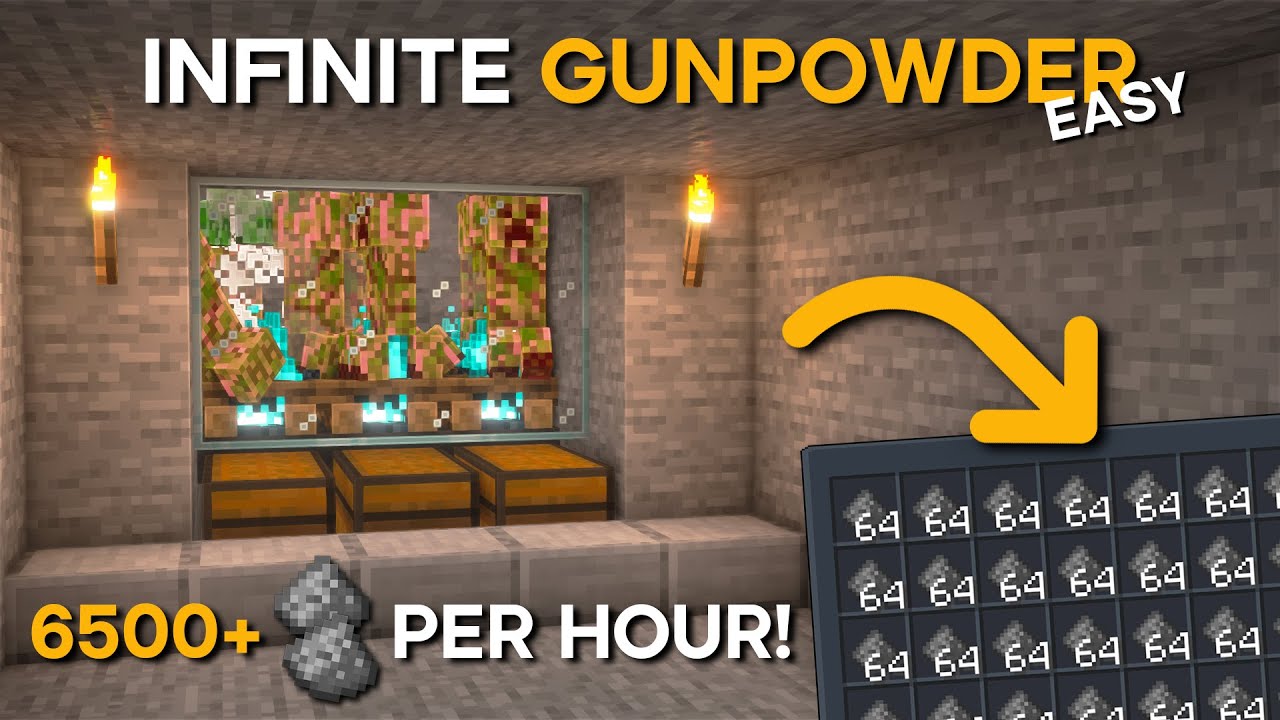
Hello Guys TheySix is here With a New Minecraft Tutorial, In This Tutorial I Will Show you how to make a Efficient Creeper Farm In Minecraft 1.19 ( Bedrock & Java )
📚This farm is easy to build and can produce +6500 Gunpowder Per Hour !
📚Also This design will work on Windows 10, Nintendo Switch, MCPE, PlayStation and Xbox.
I Hope Enjoy My Vide...
blissful stump
Going to make a version of this farm to go in the middle
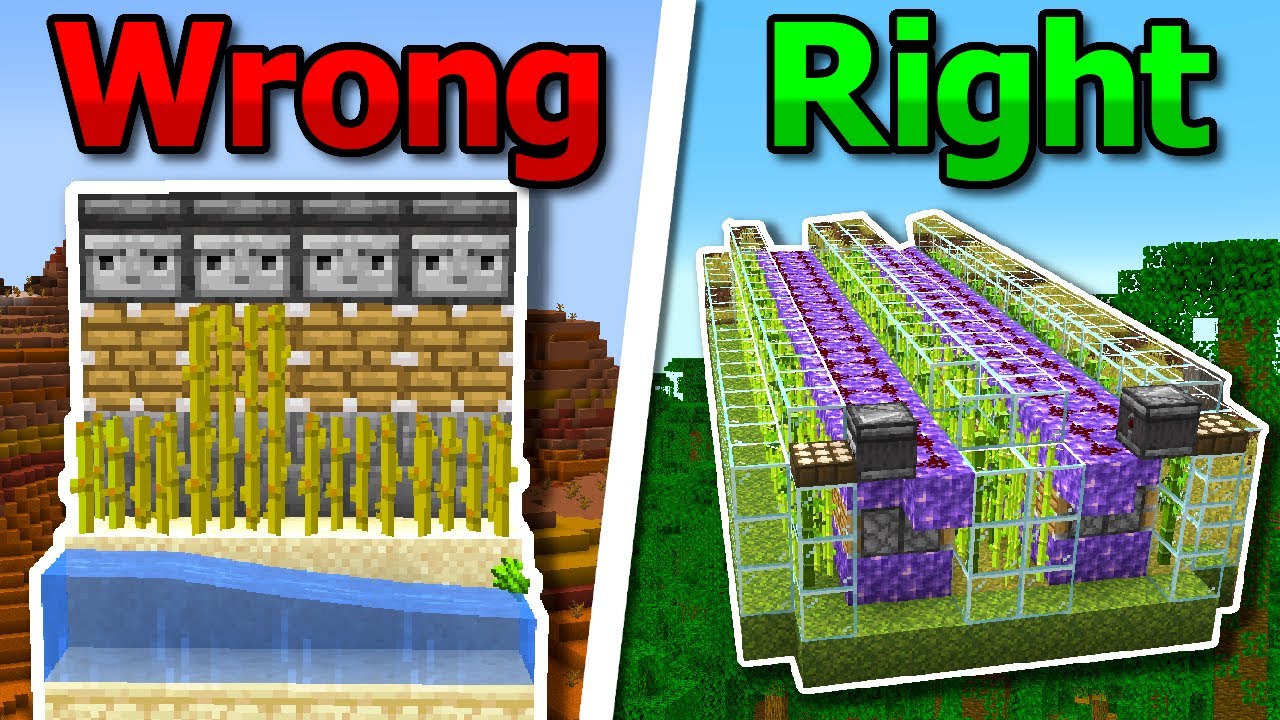
Sugarcane Farms in Minecraft Are Wrong, Here's How to Fix Them
🟪Twitch: https://www.twitch.tv/eyecraftmc
🐤Twitter: https://twitter.com/eyecraft_mc
🔵Discord: https://discord.com/invite/tMM6B8Nc3M
Learn How to Build The Best and Improved Easiest Automatic Sugarcane Farm in Minecraft 1.19, with the Top Minecraft Sugarcane Farms Compared and teach...
barren vault
respect the grind
blissful stump
So I can AFK for both at the same time
And its all stackable
Yeah
Try an all nighter
I had to replace all of my gear
I died in the end. On an island in midair
The grave wasn't there after 5 times traveling 4000km in the end and dying near the end. But now I have a nethertite farm.
Thanks to the End Warthogs
barren vault
Dont roast me but
blissful stump
It was after that I decided to have rockets... and lots of them. Too much bridging without swift sneak
barren vault
Im mostly playing for the exploration and building so i have keep inventory on anyways
barren vault
Just started a new world but my brother made me delete it all bc of the virus stuff 
blissful stump
I do farming to explore
barren vault
So i redownloaded it all today
Fair enough! I prefer jumping right into the danger lol
blissful stump
I just started this mod 3 days ago
I have lost too much top tier stuff
I have netherite everything now.
 burnt osprey
Hello, this is my first time here. (I write the text through a translator)
Yesterday I played on the assembly, everything was fine, but today I got an error with the library.
I already cleaned the configs again and rearranged the mods, nothing helped
What to do?
meager yacht
how did you install the modpack
burnt osprey
Moved everything from the archive to the root folder
burnt osprey
OK thanks
strong spear
Any tips how to make efficient xp farm? Im sure that out of almost 300 mods there is some that makes farming xp super easy
meager yacht
spirit mod
dark flare
Anyone know of a way to disable queen bee trading / disable the queen bee from spawning in the bumblezone? I ask because there is a current crash surrounding it and my server was taken down once more due to it 😛
meager yacht
are you on the latest bumblezone ver
dark flare
I'm on whatever came with v18.5 because I didn't want users connecting to the server to get a mismatch (about 60 people play here), would I be able to upgrade without causing a server <> client parity issue?
Looks like v18.5 comes with 6.7.20 and current release is 6.7.22
meager yacht
@hazy apex are there any crashes fixed between those 2 vers
meager yacht
dark flare
I'm on whatever came with v18.5 because I didn't want users connecting to the se...
also send logs/crash report
for TG
Big Grunt
dark flare
sweet perfect thank you
dark flare
To add context for TG, it's when they are doing bulk trades with the bee queen - and if that character causes the crash, until I NBT them out of the dimension whenever they connect, it recurs.
 hazy apex
show entire latest.log. And specifically what item is doing the crash. It is possible your pack has a broken tag or something
hazy apex
that's not entire log
it doesn't show the time just before world startup where all json parsing is done and would print out broken tags
dark flare
one moment no problem
Should be the server start log for that instance, leading up to the above log posted that contains the shutdown.
    Line  1332: [09:06:22] [Worker-Main-13/ERROR]: Couldn't load tag repurposed_structures:overworld_monument_avoid as it is missing following references: repurposed_structures:yungs_fortresses_overworld (from Repurposed_Structures-Better_Nether_Fortress_v4.zip)
    Line  1333: [09:06:22] [Worker-Main-13/ERROR]: Couldn't load tag repurposed_structures:jungle_fortress_avoid as it is missing following references: repurposed_structures:yungs_fortresses_overworld (from Repurposed_Structures-Better_Nether_Fortress_v4.zip)
    Line  1334: [09:06:22] [Worker-Main-5/ERROR]: Couldn't load tag meadow:herbs as it is missing following references: meadow:bag_of_mountain_lavender (from Meadow)
    Line  1442: com.google.gson.JsonParseException: An ingredient entry needs either a tag or an item
    Line  1463: com.google.gson.JsonParseException: An ingredient entry needs either a tag or an item
    Line  1503: com.google.gson.JsonParseException: An ingredient entry needs either a tag or an item
    Line  1719: com.google.gson.JsonParseException: An ingredient entry needs either a tag or an item
    Line  1740: com.google.gson.JsonParseException: An ingredient entry needs either a tag or an item
Why are there errors relating the RS-Yung datapacks that shouldn't happen? Was someone messing with these datapacks or removing mods from server?
Like this definitely exists in the datapack
 dark flare
The only modifications to the server are as follows:
Public GUI Announcements removed.
TPA/RTP/Homes added.
hazy apex
hazy apex
Like this definitely exists in the datapack
Hmm actuall nvm I see typo in datapack. WIll fix later
dark flare
10-4 good buddy, thanks for taking a look.
true maple
hey guys, I'm running a server with the Better Minecraft Fabric BMC1 with about 12 friends. First, I bought a server with 12 GB of RAM but it lagged so hard that I upgraded it to 16GB. It still lags, even if only 6 players are playing simultaneously and with a render distance of 7 and a simulation distance of 4. Has anybody an idea, how I can fix/optimize this?
 lilac schooner
Hi guys just a quick question since im a bit paranoid but was the fabric version comprimised as well by the malware? Or just the forge version?
 hybrid walrus
Getting this graphics bug

It's a fresh installation of bettermc
using fabric ofc
sudden bay
true maple
hey guys, I'm running a server with the Better Minecraft Fabric BMC1 with about ...
!tps
blissful stump
Please click this link and follow the guide. If you are using a server host such as Bisect, you may be limited in your options and instead have a checkbox to use Aikar's Flags, which will also work:
https://github.com/brucethemoose/Minecraft-Performance-Flags-Benchmarks
If you can not launch your server/game after using these flags, then remove the word java from the start. Also, make sure you are using Java 18 on 1.18.2 / 1.19.2 and Java 11 on 1.16.5. These should be downloaded from Adoptium's website.
If lag persists, do the following command ingame:
/spark profiler start --only-ticks-over 50
Then, send the link in this channel.
sudden bay
lilac schooner
Hi guys just a quick question since im a bit paranoid but was the fabric version...
hybrid walrus
same as this guy
 sturdy turtle
what button is show crafting usages?
dark flare
true maple
hey guys, I'm running a server with the Better Minecraft Fabric BMC1 with about ...
Yeah throwing more ram at it isn't going to help, run the above profiler and post the link here. If you need help with some java args I've found to work quite well for a very populated BMC1 server let me know, but it also depends on the hardware of your server host how well things are going to perform.
hybrid walrus
CPU is more critical in this case
You might have 128GB of RAM but a shit CPU isnt gonna help
hazy apex
dark flare
10-4 good buddy, thanks for taking a look.
Have you experienced any other bumblezone bug?
dark flare
Nah it's actually been really smooth and this is the one singular issue I've found so far.
hazy apex
fix will be visible on curseforge in a few minutes. Also changed the water tinting color in the dimension
dark flare
Cool, I'll likely wait until the modpack updates with it to push it to the server, unless you know if the changes between 6.7.20 and current coming release would not cause a server <> client missmatch for folks connecting with 6.7.20
hazy apex
You can give it a try and see if it lets the players through. If not, just revert
dark flare
I'll spin up a second docker instance and test.
hazy apex
there will be a new structure locating compass that will have untranslated name for non-updated people
true maple
dark flare
Yeah throwing more ram at it isn't going to help, run the above profiler and pos...
first, thanks for the help. I ran the profiler and it gave the following link: https://spark.lucko.me/MZbalp167I

spark is a performance profiler for Minecraft clients, servers, and proxies.
Should I run it longer?
dark flare
This is fine, run the following real quick, one moment
/kill @e[type=frostiful:freezing_wind]
If that helps (run the profiler again briefly to see if TPS improved)
then just disable freezing winds in config.
hazy apex
dark flare
The RS -Better Desert Temple compat datapack was removed wasn't it from server?
dark flare
From mine? Nah, truly the only modifications have been the removal of Public GUI Announcements and adding of RTP/TPA/Homes.
Otherwise it's the bog standard server pack from v18.5
hazy apex
The log shows a bunch of chunk loading errors for unable to find the compat datapack's info
dark flare
Yeah I've seen those as well, figured it was just something that was overlooked but hasn't been causing any issues as a result.
true maple
dark flare
If that helps (run the profiler again briefly to see if TPS improved)
heres the new link: https://spark.lucko.me/1XcNunZfWK

spark is a performance profiler for Minecraft clients, servers, and proxies.
dark flare
Alright so it wasn't the entity count that was killing your performance, honestly - that CPU is not the best option.
It looks like the host went for "How many separate threads can I spread out to make more money" instead of caring about singlethreaded performance.
That CPU would be great for a lot of workloads, but not for minecraft server hosting.
true maple
that doesn't sound so good. I'm currently at g-portal. so you say it would get better if I switch to another hoster, e.g. bisect?
dark flare
TG, the only thing I can think of is that this world was made back in like V15 of the modpack and has just been carried over with each update. RE: Compat datapack chunk errors.
dark flare
true maple
that doesn't sound so good. I'm currently at g-portal. so you say it would get b...
People generally have better experiences with Bisect, you could also consider hosting your own depending on your machine specs.
Keep in mind, modpack servers are notoriously difficult to get running smoothly with a higher player count. It took me quite a while and a lot of support from the kind folks at Luna Pixel Studios to get my public server to support the 30+ folks online at once while maintaining 18-20 TPS.
The two cores I have dedicated to the server are both overclocked to 5.0 GHZ as well...
true maple
dark flare
TG, the only thing I can think of is that this world was made back in like V15 o...
I generated the world 2 days ago and I think it's V18.0. I will consider switching to bisect at the end of the period of my current server, because I wouldn't like having my PC turned on 24/7. Seems like I just picked the wrong host, but thanks for your help anyway!
dark flare
If you friend me so I can DM you I can send you a set of JVM args that will at least help for now.
Plus, you should use going forward at whatever host you select.
 night birch
 dusky juniper
does anybody have a list about the fabric animals?
dusky juniper
does anybody have a list about the fabric animals?
no, there's too many tbh, you'll have to look up the mods that add them
blissful stump
true maple
that doesn't sound so good. I'm currently at g-portal. so you say it would get b...
You could contact their support, say you’re having performance issues, and ask if they have a newer node you can be placed on
some people have had some luck with that on other hosts
Of course they might tell you “buy a VPS if you want specific performance or piss off”
 median pumice
anyone know why some of my items have gone missing when ive updated to 18.5
blissful stump
which items?
true maple
blissful stump
You could contact their support, say you’re having performance issues, and ask i...
Will try it, thank you!
median pumice
blissful stump
which items?
well i had my valkyrie lance from 16.5 💀 and i brought it over to 17.5 but when i update to 18.5 its changed to a netherite sword and i still have the paradise lost mod with me
blissful stump
Oh yeah, paradise lost updated and removed a lot of old unused content
The Valkyrie Lance was never meant to be obtainable
 flint trout
Sorry I was in the wrong chat before uh but I'm trying to play the better mc fabric mod and I'm having this weird visual glitch... Does anyone know how to fix it? Thank you!!
dry jetty
i get this error im on 18.5 and the server is too, i manually installed all the files to the server, i downloaded the serverpack and transferred the files there, then turned on the sv, on my side i just downloaded the latest version (18.5) from curseforge and i checked and both sides have the same version.

{"projectID":452013,"modpackName":"Better Minecraft [FABRIC] 1.19.2","modpackVersion":"v18.5","useMetadata":false} (this is clientside)
{"projectID":452013,"modpackName":"Better Minecraft [FABRIC] 1.19.2","modpackVersion":"v18.5","useMetadata":false} (This is serverside)
 grim star
Is there a way for me to add plugins to my Better mc fabric 1.19.2 server? If I try adding aditional mods to the server mods dictionary it just crashes the server on start up every time?
sudden bay
grim star
Is there a way for me to add plugins to my Better mc fabric 1.19.2 server? If I ...
!moreinfo
blissful stump
Hello! For us to properly help you with your issue, you will need to answer all 8 questions below. Post the answers in this channel:
1. Have you modified the modpack in any way? If so, what did you do? (Updating/adding/removing mods, changing configs)
2. What launcher, or program, are you using to launch the game? (CurseForge, ATLauncher, etc)
3. What Minecraft version are you playing? (1.18.2, 1.16.5, 1.19.2)
4. What version of the modpack are you playing? (v11, v9, etc)
5. What steps are necessary to reproduce the crash? (Launching the game, exploring the world, etc)
6. Have you ever gotten past the point where the crash happens?
7. Send the crash report file into this channel. Right click the modpack, Open Folder, and navigate to the Crash Reports folder. Drag the newest one here. If there is no crash reports folder, do the same thing with the latest.log file in the logs folder.
8. Did you follow the Performance guide linked in #faq?
Question, do you guys know which dimensions provide the best tools?
grim star
- No
- CurseForge on my pc. And ShockByte.com where my server is hosted
- 1.19.2
- v18.5
- Starting the server
- no
- N/A
8.yes
grim star
sudden bay
!moreinfo
.
sudden bay
grim star
1. No
2. CurseForge on my pc. And ShockByte.com where my server is hosted
3. 1.1...
dry jetty
dry jetty
i get this error im on 18.5 and the server is too, i manually installed all the ...
can someone please help me out
i also tried with atlauncher and same thing
 prisma stream
Sorry if this has been asked a lot but is it ok to play 18.5 now? I have it installed already and idk if i can just play it or whatever
sudden bay
prisma stream
Sorry if this has been asked a lot but is it ok to play 18.5 now? I have it inst...
Why would you not be able to play?
prisma stream
well i dont have a great understanding of the situation clearly
prisma stream
yeah i saw that but
do i need to reinstall the pack
or can i run the one i have now

 coarse kite
Does anyone know how to resummon the void shadow once it's been defeated? 😮
prisma stream
sudden bay
Do scan
it crashes chrome every time i do
 terse laurel
Good afternoon, i am trying to follow the instructions for setting up a local Better MC sever to play with a friend but when i run the start.ps1 file with powershell it just immediately pops up for a split second then crashes. Am i doing something wrong?
 crisp kraken
who tryna play wme ion got anyone to play modded mc with
small stone
Can I change my modpack from 17.5 to 18.5 with little to no issues?
yeah, that doesn't work with content modification allowed
median pumice
blissful stump
Oh yeah, paradise lost updated and removed a lot of old unused content
Ohh i see thanks
dry jetty
i get this error im on 18.5 and the server is too, i manually installed all the files to the server, i downloaded the serverpack and transferred the files there, then turned on the sv, on my side i just downloaded the latest version (18.5) from curseforge and i checked and both sides have the same version.
{"projectID":452013,"modpackName":"Better Minecraft [FABRIC] 1.19.2","modpackVersion":"v18.5","useMetadata":false} (this is clientside)
{"projectID":452013,"modpackName":"Better Minecraft [FABRIC] 1.19.2","modpackVersion":"v18.5","useMetadata":false} (This is serverside)

 pallid narwhal
yo i got an issue
not sure what this is but it just says this

Basically i made a survival world, and only added create to this modpack. I played on the world for a solid few months without issue then this showed up last night. I made a test world last night to test some stuff out with a mod and ever since then I cant back to my survival world. I should also add that I can still go into my creative world without problems, but I can get into my survival world. Help would be appreciated 🙂
wicked mountain
dry jetty
i get this error im on 18.5 and the server is too, i manually installed all the ...
please also do the steps from the !moreinfo command. The error you're getting is not a mismatched mod error, at least, so the information about the modpacks isn't particularly relevant.
Also try googling that specific error.
wicked mountain
pallid narwhal
not sure what this is but it just says this
If you're using ATLauncher, the console log can be uploaded directly from the console. Otherwise you'll have to go into .minecraft/logs and read latest.log to see the error that's giving you that screen.
pallid narwhal
wicked mountain
If you're using ATLauncher, the console log can be uploaded directly from the co...
im just using the curseforge launcher
pallid narwhal
wicked mountain
If you're using ATLauncher, the console log can be uploaded directly from the co...
is there a specific chanel im supposed to do commands in?
nvm i found it
dry jetty
!moreinfo
blissful stump
Hello! For us to properly help you with your issue, you will need to answer all 8 questions below. Post the answers in this channel:
1. Have you modified the modpack in any way? If so, what did you do? (Updating/adding/removing mods, changing configs)
2. What launcher, or program, are you using to launch the game? (CurseForge, ATLauncher, etc)
3. What Minecraft version are you playing? (1.18.2, 1.16.5, 1.19.2)
4. What version of the modpack are you playing? (v11, v9, etc)
5. What steps are necessary to reproduce the crash? (Launching the game, exploring the world, etc)
6. Have you ever gotten past the point where the crash happens?
7. Send the crash report file into this channel. Right click the modpack, Open Folder, and navigate to the Crash Reports folder. Drag the newest one here. If there is no crash reports folder, do the same thing with the latest.log file in the logs folder.
8. Did you follow the Performance guide linked in #faq?
dry jetty
wicked mountain
please also do the steps from the !moreinfo command. The error you're getting is...
1- No
2- i tried ATLauncher, Tlauncher, Curseforge, same error
3- 1.19.2
4- v18.5 clientside and serverside
5- just join the sv
6- nope
7- its not a crash, i cant join my server
8- yes
wicked mountain
1 No
wicked mountain
small stone
Can I change my modpack from 17.5 to 18.5 with little to no issues?
upgrading from 17 to 18 had no problems for me, but upgrading from 18 to 18.5 ruined my instance. I recommend just creating a new instance and copying the world save over. You're going to have to redo all your config files anyway because a ton of them have changed formats.
wicked mountain
small stone
I managed tomake it the worst way tp get a backup ever
even if you mess up the backup or the instance itself, you can literally just drag and drop the world save over from the old instance folder to the new one's folder
odd tide
how to only delete one world from files cuz i want to delete end and idk how
stiff pelican
odd tide
how to only delete one world from files cuz i want to delete end and idk how
dim1 is end dim-1 is nether
wicked mountain
odd tide
how to only delete one world from files cuz i want to delete end and idk how
Doing your own googling would have been faster tbh
Hm, i wonder if deleting the dimension folders for the modded dimensions would be as robust as the vanilla dimensions?
Google says that Twilight Forest should be DIM7 but instead all the modded dimensions are stored in a folder called dimensions that's beside the other dimension folders
dense apex
wicked mountain
Hm, i wonder if deleting the dimension folders for the modded dimensions would b...
I deleted my end, re-entered and had two ender dragons
So there's some leftovers
 nimble brook
how do you find the nether gaunlet
strong spear
If i will delete „Microsoft Edge” i will get rid of virus?
 hushed elk
how do i get elytras in the end
wicked mountain
strong spear
If i will delete „Microsoft Edge” i will get rid of virus?
nope follow instructions at https://github.com/fractureiser-investigation/fractureiser/blob/main/docs/users.md
GitHub
Information about the fractureiser malware. Contribute to fractureiser-investigation/fractureiser development by creating an account on GitHub.
lethal ferry
hushed elk
how do i get elytras in the end
like normal, find an end city
lethal ferry
nimble brook
how do you find the nether gaunlet
there is no "method" just explore and you will find
meager yacht
true maple
hey guys, I'm running a server with the Better Minecraft Fabric BMC1 with about ...
!tps
blissful stump
Please click this link and follow the guide. If you are using a server host such as Bisect, you may be limited in your options and instead have a checkbox to use Aikar's Flags, which will also work:
https://github.com/brucethemoose/Minecraft-Performance-Flags-Benchmarks
If you can not launch your server/game after using these flags, then remove the word java from the start. Also, make sure you are using Java 18 on 1.18.2 / 1.19.2 and Java 11 on 1.16.5. These should be downloaded from Adoptium's website.
If lag persists, do the following command ingame:
/spark profiler start --only-ticks-over 50
Then, send the link in this channel.
meager yacht
lilac schooner
Hi guys just a quick question since im a bit paranoid but was the fabric version...
meager yacht
hybrid walrus
Getting this graphics bug
how did you install
meager yacht
flint trout
Sorry I was in the wrong chat before uh but I'm trying to play the better mc fab...
!reload
blissful stump
To reload textures and sounds, press F3 + T. If this doesn't bring up a loading screen, do the following:
1. Press escape and go to the Resourcepacks tab.
2. Move a Resourcepack on the left of the screen to the right.
3. Move that SAME Resourcepack back to the left.
4. Exit the menu.
If step 4 does not bring up a loading screen, do step 2, then step 4, then step 3, and then step 4 again.
meager yacht
dry jetty
i get this error im on 18.5 and the server is too, i manually installed all the ...
!alternates
blissful stump
If this command was run in response to your question/issue, it is likely because switching away from the launcher you are currently using would fix your problem.
From our experience, the most stable launcher by far is ATLauncher, also known as ATL.
To install ATLauncher, do the following:
1. Go to https://atlauncher.com/download
2. Install and run the setup, then open the program.
3. Login to your Microsoft account that owns the Java Edition of Minecraft from the Accounts tab on the right. This process is 100% safe, as it goes directly through Microsoft. ATLauncher does not see your account credentials.
4. Go to the Packs tab on the right, then click "Curseforge" on the left.
5. Search the modpack you wish to download.
6. Click "New Instance". Click "Ok" on the opted out mods warning, then click "Open All" on the manual download screen.
7. Let the mods download, ATLauncher will grab them from your Downloads folder and automatically add them to the modpack.
8. Go to the Instances tab, and click "Play" on the modpack you downloaded. If you ever see an "Update" button on the instance, click it.
To transfer your Curseforge world to ATLauncher, simply right click the modpack on Curseforge, or click the 3 dots, then click "Open Folder". Copy the Saves folder, then click "Open Folder" on ATLauncher and paste the Saves folder there.
Because ATLauncher downloads the exact same files as Curseforge does, your world will be the exact same and you will be able to join the same servers. ATLauncher also works without an internet connection (after you've installed the modpack, of course), and does not have any bloat from Overwolf. You are free to uninstall both Overwolf and Curseforge with ATLauncher installed.
meager yacht
grim star
Is there a way for me to add plugins to my Better mc fabric 1.19.2 server? If I ...
no
meager yacht
terse laurel
Good afternoon, i am trying to follow the instructions for setting up a local Be...
!windows11
blissful stump
An update to windows introduced a new security feature that prevents powershell files from running on your PC. This is great for your security, but not so great for our server start scripts, which require powershell to run them. Fortunately there is a quick fix for this!
Run powershell as administrator, then run Set-ExecutionPolicy RemoteSigned. Read the prompt and press accept. This will allow us to run scripts.
Next, navigate to your server directory using cd path/to/directory (for example: cd C:\Users\Username\Documents\Minecraft\Server)
You can now run the server by double-clicking the start.ps1 file, or typing .\start.ps1 into the command line while in the directory.
IF THE ABOVE DOES NOT WORK, TRY THIS
Run the command Unblock-File -Path .\start.ps1 in the same powershell window. This will allow the start script to not be blocked by windows, and run freely.
If all else fails, a manual installation should work:
FORGE 1.16.5: https://www.youtube.com/watch?v=bIjisWyxU-8
FORGE 1.18.2: https://www.youtube.com/watch?v=R610M102X0U
FORGE 1.19.2: https://www.youtube.com/watch?v=3HD0ibIpO-A
FABRIC: https://www.youtube.com/watch?v=b2W1Xb7nLKo
Make sure to Install the Server in our ServerPacks so it can use the correct files.
 rare vapor
sorry to ask if it has been asked but will Better MC and Prominence be updated to 1.20?
meager yacht
pallid narwhal
not sure what this is but it just says this
!moreinfo
blissful stump
Hello! For us to properly help you with your issue, you will need to answer all 8 questions below. Post the answers in this channel:
1. Have you modified the modpack in any way? If so, what did you do? (Updating/adding/removing mods, changing configs)
2. What launcher, or program, are you using to launch the game? (CurseForge, ATLauncher, etc)
3. What Minecraft version are you playing? (1.18.2, 1.16.5, 1.19.2)
4. What version of the modpack are you playing? (v11, v9, etc)
5. What steps are necessary to reproduce the crash? (Launching the game, exploring the world, etc)
6. Have you ever gotten past the point where the crash happens?
7. Send the crash report file into this channel. Right click the modpack, Open Folder, and navigate to the Crash Reports folder. Drag the newest one here. If there is no crash reports folder, do the same thing with the latest.log file in the logs folder.
8. Did you follow the Performance guide linked in #faq?
meager yacht
dry jetty
1- No
2- i tried ATLauncher, Tlauncher, Curseforge, same error
3- 1.19.2
4- v18....
TLauncher is spyware
terse laurel
meager yacht
!windows11
i figured it out shortly after i sent the intial message but thanks for the reply.
meager yacht
rare vapor
sorry to ask if it has been asked but will Better MC and Prominence be updated t...
yes
rare vapor
meager yacht
yes
Thanks! I'm using your guys modpack as inspiration for my own modpack for my friends. I appreciate the work you guys do and the replies ❤️
and I haven't been keeping up with Minecraft but 1.20 is REALLY recent right so not a lot of mods are updated yet?
wicked mountain
yeah 1.20 came out like two days ago and 1.20.1 came out like yesterday
rare vapor
wicked mountain
yeah 1.20 came out like two days ago and 1.20.1 came out like yesterday
Ah I see! Thanks
blissful stump
Do you guys have a server for this modpack?
rare vapor
blissful stump
Do you guys have a server for this modpack?
yes, when you install the modpack, it should appear on server list
blissful stump
rare vapor
yes, when you install the modpack, it should appear on server list
Ahh ok ok
 eager frost
Hey anyone having an issues with hosting the BMC-1 1.19 with bisect? I just bought it to play with friends and its not working 😦
meager yacht
eager frost
Hey anyone having an issues with hosting the BMC-1 1.19 with bisect? I just boug...
please just describe the issue
eager frost
Well, I got the Better MC fabric 1.19, I got the premium version so on the webpage there i went to the console and pressed start so it gets the server properties down and start the server. It wont load properly and keeps on restrarting . I have the console code I could copy paste them for you
meager yacht
contact bisect support
eager frost
sent ticket
just wanted to see if any faster solutions exist as i was plannin on playing today 😦
stiff pelican
eager frost
just wanted to see if any faster solutions exist as i was plannin on playing tod...
most server providers answer tickets pretty quick.
i sent a ticket to mine around midnight, got an answer 2 hours ago. on a sunday, 2 in the morning.
 feral pumice
hi, any help?

been trying to give permition to my friend but cant find it
on an claimed area
night birch
/openpac-parties
wicked glacier
is it safe to download / update mod packs now?
hybrid walrus
meager yacht
how did you install
Forge ui
meager yacht
!reload
blissful stump
To reload textures and sounds, press F3 + T. If this doesn't bring up a loading screen, do the following:
1. Press escape and go to the Resourcepacks tab.
2. Move a Resourcepack on the left of the screen to the right.
3. Move that SAME Resourcepack back to the left.
4. Exit the menu.
If step 4 does not bring up a loading screen, do step 2, then step 4, then step 3, and then step 4 again.
meager yacht
and update your drivers
wicked glacier
 tough pike
<#790275974503202857>
tough pike
<#790275974503202857>
i already read it
i was asking for more of a yes or no answer
sudden bay
wicked glacier
i was asking for more of a yes or no answer
the awnser is right there in #announcements
tough pike
Yea if you already read it you wouldn't be asking the question..
 warm sky
Just want to asking🙂 because i could see on my private server, that there is some of the mods on better mc there need a Update, like bumblezone and better nether, so i wanted to hear when the next Update would come out?
sudden bay
warm sky
Just want to asking🙂 because i could see on my private server, that there is so...
Dont update mods
some of them aren't updated on purpose because their latest versions have issues
No eta
warm sky
Ahhh No i dont Update any mods, just wanted to hear you guys, about the next Update?🙂
warm sky
sudden bay
When its ready it will update.
Super, No rush it is a great modpack you guys have made
sudden bay
Im not a staff 
 stuck lichen
Is this where i can ask about a crash that i keep having with the mod better minecraft fabric?
meager yacht
stuck lichen
Is this where i can ask about a crash that i keep having with the mod better min...
!moreinfo
blissful stump
Hello! For us to properly help you with your issue, you will need to answer all 8 questions below. Post the answers in this channel:
1. Have you modified the modpack in any way? If so, what did you do? (Updating/adding/removing mods, changing configs)
2. What launcher, or program, are you using to launch the game? (CurseForge, ATLauncher, etc)
3. What Minecraft version are you playing? (1.18.2, 1.16.5, 1.19.2)
4. What version of the modpack are you playing? (v11, v9, etc)
5. What steps are necessary to reproduce the crash? (Launching the game, exploring the world, etc)
6. Have you ever gotten past the point where the crash happens?
7. Send the crash report file into this channel. Right click the modpack, Open Folder, and navigate to the Crash Reports folder. Drag the newest one here. If there is no crash reports folder, do the same thing with the latest.log file in the logs folder.
8. Did you follow the Performance guide linked in #faq?
meager yacht
and its a modpack, not a mod
stuck lichen
-
Have you modified the modpack in any way? If so, what did you do? (Updating/adding/removing mods, changing configs)
No just regular use -
What launcher, or program, are you using to launch the game? (CurseForge, ATLauncher, etc)
Curseforge -
What Minecraft version are you playing? (1.18.2, 1.16.5, 1.19.2)
1.19.2 -
What version of the modpack are you playing? (v11, v9, etc)
V18 -
What steps are necessary to reproduce the crash? (Launching the game, exploring the world, etc)
Game launches, plays for a bit in the nether, then freezes and crashes. It says error code 1. -
Have you ever gotten past the point where the crash happens?
Not specifically -
Send the crash report file into this channel. Right click the modpack, Open Folder, and navigate to the Crash Reports folder. Drag the newest one here. If there is no crash reports folder, do the same thing with the latest.log file in the logs folder.
-
Did you follow the Performance guide linked in faq?
No
 real furnace
How do I turn off the falling leaves? They’re giving me so much lag
stuck lichen
@meager yacht sorry, modpack
meager yacht
real furnace
How do I turn off the falling leaves? They’re giving me so much lag
#faq performance guide
meager yacht
stuck lichen
1. Have you modified the modpack in any way? If so, what did you do? (Updating/a...
switch to ATLauncher
and follow the performance guide
 obtuse epoch
does anyone know why when i try and join a server that im hosting off of my pc it doesnt let me
it says internal exception: io.netty.handler.codec.DecoderException: java.lang.IndexOutOfBoundsException: readerIndex(12) + length(1) exceeds writerIndex(12): PooledUnsafeDirectByteBuf(ridx: 12, widx: 12, cap:12/13)
meager yacht
obtuse epoch
does anyone know why when i try and join a server that im hosting off of my pc i...
please
do not ask the same question in 3 channels
obtuse epoch
my bad
 true narwhal
can you respawn every boss in the modpack?
meager yacht
yes
true narwhal
ty
 normal onyx
what's wrong with this?it's always stuck at this step...

Better+MC+Server+Pack+FABRIC+1.19.2+v18.5
meager yacht
normal onyx
what's wrong with this?it's always stuck at this step...
its not stuck
the server is done loading
its started
normal onyx
OMG?
meager yacht
there is nothing more for it to print in console
normal onyx
it takes long long time...
 uneven trench
when BMC fabric will release on 1.20?
meager yacht
when its ready
wicked mountain
obtuse epoch
does anyone know why when i try and join a server that im hosting off of my pc i...
Unhelpfully, i can tell you that this is the same error that 101 is having in the https://discord.com/channels/790272037578473512/1117216716854935602
meager yacht
wicked mountain
Unhelpfully, i can tell you that this is the same error that 101 is having in th...
its not an error
its not an issue
it just means you dont have the same modpack installed as the server
there is no other meaning
wicked mountain
I went through all the mods that 101 had installed, and except for server-only and client-only mods, they were all the same
the only other thing that google suggested was that a mod might not be multiplayer compatible
wicked mountain
but i can't even help troubleshoot it because i don't do server stuff
meager yacht
his server likely was not loading mods at all
the serverpack only uses server compatible mods
there never has been any other meaning for that error and neither of these cases are an exception
wicked mountain
101 was still getting the error after we fixed not loading the mods  so i told them to contact their server host
meager yacht
yes the server was not loading mods
even if you fixed it
he probably bought a shitty host
wicked mountain
well, apparently it's the kind of host that can't run powershell
wicked mountain
anyway i came here to ask if you knew what mod it is that adds the sort button in the inventory? i tried searchign the modlist for things like "sort" "inventory" etc but nothing jumped out at me
I want to change it to sort alphabetically if i can
meager yacht
charm
meager yacht
normal onyx
hey,could i add create mod in my server package?
try it and see
wicked mountain
Thanks! Looks like there's not a GUI config for changing how the inventory is sorted, but I did find an option in "Core" that "routes additional debug messages into the standard game log"
blissful stump
why cant i craft anythin from create?
meager yacht
blissful stump
why cant i craft anythin from create?
because create isnt in the modpack..
 molten flicker
what duck eat?
blissful stump
Hey hey. I have a question about fireflies
How do I stop them from ruining my creeper farm.
I have built it on the border of a Plains and Meadow biome.
Is there a mob cap?
Can I capture them all and store them in a room near my farm?
Do they only spawn over grass? Would changing the floor for stone help?
It's okay. It's a grass block situation
They keep spawning and affecting my creeper spawns in the dark rooms haha
blissful stump
meager yacht
because create isnt in the modpack..
ah i see, i possibly have added it myself
real furnace
How do I disable xp requirement for waystone
muted rune
is it better to have a winged dragon scale chestplate or armored elytra?
lethal ferry
muted rune
is it better to have a winged dragon scale chestplate or armored elytra?
winged dragon provides 10 armor with less knockback resistance and slightly lower armor toughness
muted rune
so armored elytra better
lethal ferry
muted rune
so armored elytra better
read the message again, if you are looking for knockback resistance then yes if looking for defense against damage then no. Either way you can wear a chestplate and elytra at the same time using the cape slot.
muted rune
well the dragon scale chestplate already has 10 armor without the elytra but the armored elytra provides more armor than a regular one
lethal ferry
muted rune
well the dragon scale chestplate already has 10 armor without the elytra but the...
yes but using any elytra in the cape slot provides no protection (i think) and if wearing in the chest slot dragon scale is better for damage protection.
muted rune
okay
lethal ferry
muted rune
okay
personally though, just wear a chestplate and use the cape slot. elytra wise the soul elytra is prob the best as it provides a boost.
strong spear
how everyone have some deafult texturepack on this modpack but not me? I mean "rounded" crosshair, darker gui, etc.
lethal ferry
strong spear
how everyone have some deafult texturepack on this modpack but not me? I mean "r...
how did you install the modpack
lethal ferry
strong spear
from curseforge
!alternates
blissful stump
If this command was run in response to your question/issue, it is likely because switching away from the launcher you are currently using would fix your problem.
From our experience, the most stable launcher by far is ATLauncher, also known as ATL.
To install ATLauncher, do the following:
1. Go to https://atlauncher.com/download
2. Install and run the setup, then open the program.
3. Login to your Microsoft account that owns the Java Edition of Minecraft from the Accounts tab on the right. This process is 100% safe, as it goes directly through Microsoft. ATLauncher does not see your account credentials.
4. Go to the Packs tab on the right, then click "Curseforge" on the left.
5. Search the modpack you wish to download.
6. Click "New Instance". Click "Ok" on the opted out mods warning, then click "Open All" on the manual download screen.
7. Let the mods download, ATLauncher will grab them from your Downloads folder and automatically add them to the modpack.
8. Go to the Instances tab, and click "Play" on the modpack you downloaded. If you ever see an "Update" button on the instance, click it.
To transfer your Curseforge world to ATLauncher, simply right click the modpack on Curseforge, or click the 3 dots, then click "Open Folder". Copy the Saves folder, then click "Open Folder" on ATLauncher and paste the Saves folder there.
Because ATLauncher downloads the exact same files as Curseforge does, your world will be the exact same and you will be able to join the same servers. ATLauncher also works without an internet connection (after you've installed the modpack, of course), and does not have any bloat from Overwolf. You are free to uninstall both Overwolf and Curseforge with ATLauncher installed.
blissful stump
To reload textures and sounds, press F3 + T. If this doesn't bring up a loading screen, do the following:
1. Press escape and go to the Resourcepacks tab.
2. Move a Resourcepack on the left of the screen to the right.
3. Move that SAME Resourcepack back to the left.
4. Exit the menu.
If step 4 does not bring up a loading screen, do step 2, then step 4, then step 3, and then step 4 again.
strong spear
thanks but i wanted to point out that my friends who installed it on curse forge have texture pack working
if it wont work i will reinstall
strong spear
ok its now fixed!
strong spear
now i have other problem
After reinstalling i have random drops to 0fps for like 5 seconds efery 5 seconds
before reinstall i always had 120 fps without any drops
odd tide
how many mods are in better mc fabric?
sudden bay
odd tide
how many mods are in better mc fabric?
200-300ish?
Dont remember the exact number
 crude herald
Can anyone tell me how to get ATLauncher to detect the manually downloaded files?
dense apex
strong spear
now i have other problem
After reinstalling i have random drops to 0fps for like...
my guess is insufficient RAM allocated or insufficient VRAM for your textures
 rancid thicket
The curseforge security article states that 'Better MC [Forge] - BMC3' was infected. Why was Better MC [Fabric] - BMC1 not compromised too, given it received an update late april and uploaded by the same author?
echo kindle
is the desert rhino unable to spawn because of some kind of mod conflicting or is it just rare
 sullen hare
its better the performance in fabric or forge (laptop user xd)
strong spear
dense apex
my guess is insufficient RAM allocated or insufficient VRAM for your textures
Im sure that 8gb of allocated ram and 8gb of vram should be enough for modded block game
obtuse epoch
why cant my friend join my server even though i have portforwarded
 spark sailBOT
)Morgan( has been timed out for 2m 

 Reason: Similar-Messages Spam
)Morgan(#7935 | 770722026528571423
lethal ferry
sullen hare
its better the performance in fabric or forge (laptop user xd)
theoretically fabric
lethal ferry
rancid thicket
The curseforge security article states that 'Better MC [Forge] - BMC3' was infec...
just random chance that the hacker didnt
lethal ferry
echo kindle
is the desert rhino unable to spawn because of some kind of mod conflicting or i...
pretty sure its just rare
lethal ferry
crude herald
Can anyone tell me how to get ATLauncher to detect the manually downloaded files...
you dont do anything, it should on its own
lethal ferry
strong spear
now i have other problem
After reinstalling i have random drops to 0fps for like...
how did you install
wicked mountain
make sure both the server and client are actually running the same mods.
crude herald
lethal ferry
you dont do anything, it should on its own
I get that, but it just wouldn't do anything in the window where it showed the mods that I needed to download
You know, let me try it real quick using Chrome.
I just plopped the mods right into the folder, I'm pretty sure it should work.
 manic flame
hello I need help why can't I kill this boss (Ur Ghast Boss) even though I killed the other ones i can't do damage I cant do anything


 earnest arch
manic flame
hello I need help why can't I kill this boss (Ur Ghast Boss) even though I kille...
earnest arch
manic flame
hello I need help why can't I kill this boss (Ur Ghast Boss) even though I kille...
you need to get the knight phantom achievement
earnest arch
earnest arch
you need to get the knight phantom achievement
It's not in quest book, but you can find the structure around the dark forest, made of brick and there's a pillar where you place a trophy head and it'll open it, then go inside kill knight phantom then it'll allow you to fight UR-ghast
manic flame
earnest arch
you need to get the knight phantom achievement
thank u
earnest arch
manic flame
thank u
No problem
small stone
why

18.5
there is not mod called SeasonSexTras
me and my friend can't join my server
 small stone
sudden bay
small stone
sudden bay
Thx
I had deleted those mods in my game, but not in the server ( i had, but i undeleted them to try something else )
leaden elk
anyone know why carryon suddenly doesn't let you pickup villagers?
meager yacht
you dont have the same modpack installed as the server
meager yacht
strong spear
now i have other problem
After reinstalling i have random drops to 0fps for like...
read the #faq performance guide
meager yacht
crude herald
Can anyone tell me how to get ATLauncher to detect the manually downloaded files...
it checks your downloads folder
meager yacht
rancid thicket
The curseforge security article states that 'Better MC [Forge] - BMC3' was infec...
read #announcements
meager yacht
obtuse epoch
why cant my friend join my server even though i have portforwarded
need more info
meager yacht
crude herald
~~I get that, but it just wouldn't do anything in the window where it showed the...
thats not how it works
there is more to a modpack than just mods
read #faq for how to install a modpack please
meager yacht
small stone
why
you dont have the same modpack installed as the server
meager yacht
small stone
I had deleted those mods in my game, but not in the server ( i had, but i undele...
do not delete mods.
 earnest obsidian
what’s the best place for loot?
meager yacht
leaden elk
anyone know why carryon suddenly doesn't let you pickup villagers?
its been disabled for months because it crashes your game
earnest obsidian
earnest obsidian
what’s the best place for loot?
@meager yacht
u know
sorry for @
 reef shuttle
is there a way to disable seasons rotation when no players are connected?
small stone
meager yacht
do not delete mods.
I do not like the mods
crude herald
meager yacht
thats not how it works
I followed the setup instructions exactly, but once I had to manually download the mods, I did, made sure they were in the correct folder, and it still didn't detect them no matter what I tried. I'm pretty sure the app doesn't have access to my computer's files, and it never asked for that or anything.
meager yacht
crude herald
I followed the setup instructions exactly, but once I had to manually download t...
then put it in the mods folder
sure
minecolonies is not a fabric mod
wrong channel
crude herald
meager yacht
then put it in the mods folder
I think I've got it to work. Thank you for always being responsive and helpful with this modpack.
sullen hare
anyone know abot the youtuber "Suev" and his series about Better MC? i need to know which version of Better MC it is
please xd
 jovial glade
What would happen if I add better third person and first person model?
meager yacht
try it and see
whole merlin
how do I fix the broken leaves texture?
 whole merlin
is it the glfw?
whole merlin
bro idk xD
night birch
cf is known to have issues with installation sometimes
it's not a great modded launcher, ATLauncher is highly recommended
meager yacht
sure
blissful stump
Does anyone have a list of the best weapons for the BMC1 1.19.2 modpack?
It's too hard for me to keep track even with searches and creative on
night birch
blissful stump
It's too hard for me to keep track even with searches and creative on
dragon loot mod
 civic cargo
does anyone know what this is?
 meager yacht
civic cargo
does anyone know what this is?
meager yacht
civic cargo
does anyone know what this is?
you dont have the same modpack installed as the server
wicked mountain
whole merlin
how do I fix the broken leaves texture?
do you have leaf rendering set to "fast"? if so, you need to use the "fast" resource packs. Bushy leaves don't work well with it either because it removes the transparency
Does anyone know how to turn off the "green rain" in the twilight forest? it's making me super dizzy and disabling particles entirely doesn't affect it
 cerulean thicket
Green rain is only in the areas which you shouldn't be going to
 clever shale
anything besides cages and animal crates to transport animals around?
cages and crates can get anything vanilla, from goodall, or small, but i cant get the lions/giraffes and i can't get it in a boat so wondering how id get it across]
real furnace
How do I disable xp requirements for qaystones
meager yacht
real furnace
How do I disable xp requirements for qaystones
the waystones mod config
real furnace
What’s that
meager yacht
the place you disable xp requirements for waystones
meager yacht
clever shale
anything besides cages and animal crates to transport animals around?
not really
real furnace
meager yacht
the waystones mod config
Where would I find that? Options ? A book?
meager yacht
the config folder
real furnace
Oh okay thanks
meager yacht
in the modpack files
real furnace
I can’t find the waystone file
Nvm
Yeah I can’t find the file
It’s like it’s not there
real furnace
What’s the config file name
 tender lynx
Pillager map kicked my friend from the server and kicks him when he joins again killed him and it fixed it but now he can't ever get his stuff cause it'll jst chunk ban him
meager yacht
real furnace
It’s like it’s not there
it's there
meager yacht
tender lynx
Pillager map kicked my friend from the server and kicks him when he joins again ...
!moreinfo
blissful stump
Hello! For us to properly help you with your issue, you will need to answer all 8 questions below. Post the answers in this channel:
1. Have you modified the modpack in any way? If so, what did you do? (Updating/adding/removing mods, changing configs)
2. What launcher, or program, are you using to launch the game? (CurseForge, ATLauncher, etc)
3. What Minecraft version are you playing? (1.18.2, 1.16.5, 1.19.2)
4. What version of the modpack are you playing? (v11, v9, etc)
5. What steps are necessary to reproduce the crash? (Launching the game, exploring the world, etc)
6. Have you ever gotten past the point where the crash happens?
7. Send the crash report file into this channel. Right click the modpack, Open Folder, and navigate to the Crash Reports folder. Drag the newest one here. If there is no crash reports folder, do the same thing with the latest.log file in the logs folder.
8. Did you follow the Performance guide linked in #faq?
real furnace
meager yacht
it's there
Then what is it called
real furnace
That’s not there either
meager yacht
it is
real furnace
I have the config folder right in front of me with no mention of fabric-waystone
Is it only in the server config
meager yacht
no
 hollow mauve
I'am trying to play BetterMC, but this happens when i try to play it, anyone know why?

(On a server)
meager yacht
hollow mauve
I'am trying to play BetterMC, but this happens when i try to play it, anyone kno...
you need the modpack installed clientside
read #faq
hollow mauve
Oooh i see, yeah because i already installed it through a hosting website, but suppose i also need the mod myself, which makes sense...

real furnace
meager yacht
fabric-waystones.toml
Is there another name that the config file could go by
One without “waystone”
tender lynx
blissful stump
Hello! For us to properly help you with your issue, you will need to answer all ...
No I have not modified it
I am using Better Minecraft Fabric 1.19.2 (v18.5)
and just launching the world with the pillager map right clicked before like the first time he did it, it crashed and now it's always open
And no have never gotten past it I had to /kill him when he joined for a second
I'm asking my friend for the crash report
And yes he has followed the performance guide
jovial glade
Can I replace Custom Entity Models with Entity Model Features(Made by the same person who made Entity Texture Features)?
meager yacht
why
jovial glade
So I can use Fresh Animations
meager yacht
sure
jovial glade
How much ram should I allocate for shaders?
meager yacht
8gb
jovial glade
I forgot to disable distant horizons… that’s why I’m getting like 30 frames
 deep horizon
Where is the best place to farm Endermen? Cause the nether is realy big xD
night birch
deep horizon
Where is the best place to farm Endermen? Cause the nether is realy big xD
the end
deep horizon
thats why i need enderpearl xD
night birch
make a nature's compass and search for a warped forest in nether then
 vital sage
Was better mc fabric affected by fracturizer?
 austere smelt
Are there any really amazing xp farms that could be created with the better mc packs? I know most xp farms still work but I’m trying to get a cooler one with the features from the mods
night birch
austere smelt
Are there any really amazing xp farms that could be created with the better mc p...
spirit mod
austere smelt
Explain
night birch
austere smelt
Explain
Well, seeing as I haven't gotten into that mod, I can't yield advice on using it. I know it allows for you to create your own spawners though, so naturally, that would be the best xp farm.
austere smelt
Thanks. Also, I’d like to know more about additional bosses in better mc. Is there any info abt that?
night birch
austere smelt
Thanks. Also, I’d like to know more about additional bosses in better mc. Is the...
read quests
 chilly jewel
how do I make the enchanment glint more noticable?
dense apex
austere smelt
Explain
google minecraft spirit mod
dark flare
chilly jewel
how do I make the enchanment glint more noticable?
If you remove xali's Enchanted Books v0.12.0 from the loaded resource packs the enchantments on your armor / weapon go back to normal.
Not sure why it impacts them, but it does.
strong spear
what is this in twilight forest
 whole merlin
why wont the ice melt after it being winter? how can I fix it?
 oblique needle
I have the problem that when I join the better mc server, the connection is interrupted and there is a long text with something in it that says "Internal Exception" you know what the reason is
 raven bough
whole merlin
why wont the ice melt after it being winter? how can I fix it?
raven bough
whole merlin
why wont the ice melt after it being winter? how can I fix it?
i have problem too
we need to report
whole merlin
raven bough
we need to report
yep
small stone
Why does my server

once in a while
( this one happened with no players on
tried removing the mod but it still happens
 real furnace
Any tips on defeating the ender dragon in this mod pack
small stone
real furnace
Any tips on defeating the ender dragon in this mod pack
and i thought it was a normal fight
real furnace
Is it?
small stone
real furnace
Is it?
Haven't gotten there yet
real furnace
I heard from a YouTuber that it’s diff but he could’ve been playing a diff version
night birch
real furnace
I heard from a YouTuber that it’s diff but he could’ve been playing a diff versi...
It's normal
obtuse epoch
why cant my friend join my server even though i have portforwarded
he just gets timed out
 sour maple
Hey, is there a mod version list for this pack floating around somewhere?
blissful stump
sour maple
Hey, is there a mod version list for this pack floating around somewhere?
Sure, the mods folder lol
blissful stump
I don’t think that has mod versions does it?
night birch
not versions no
sudden bay
blissful stump
I don’t think that has mod versions does it?
Im curious on why he needs a mod version list though 
blissful stump
maybe he hit update all mods and is crashing lol
 late mica
Are brimstone stairs still not breakable by pickaxe?
 radiant mist
is there a server i can join?
jovial glade
Anything I can do to run my shaders at at least 60fps? I haven’t tested performance with distant horizons removed yet.
 lone fractal
i wanna progress through the quests but i have no idea what each of the mobs are or how i find them
so far ive just killed the ender dragon
raven bough
when it update more mods?
stiff pelican
raven bough
when it update more mods?
wdym, there was an update 2 weeks ago
raven bough
yeah its 1.20
lethal ferry
lone fractal
i wanna progress through the quests but i have no idea what each of the mobs are...
read the quests, it tells you where they are found/how to find
lethal ferry
raven bough
yeah its 1.20
1.20 just came out, no/little mods have been updated to 1.20
dense apex
Do beacon materials matter in this mod pack?
lethal ferry
they work like vanilla
dense apex
ok cool ty